
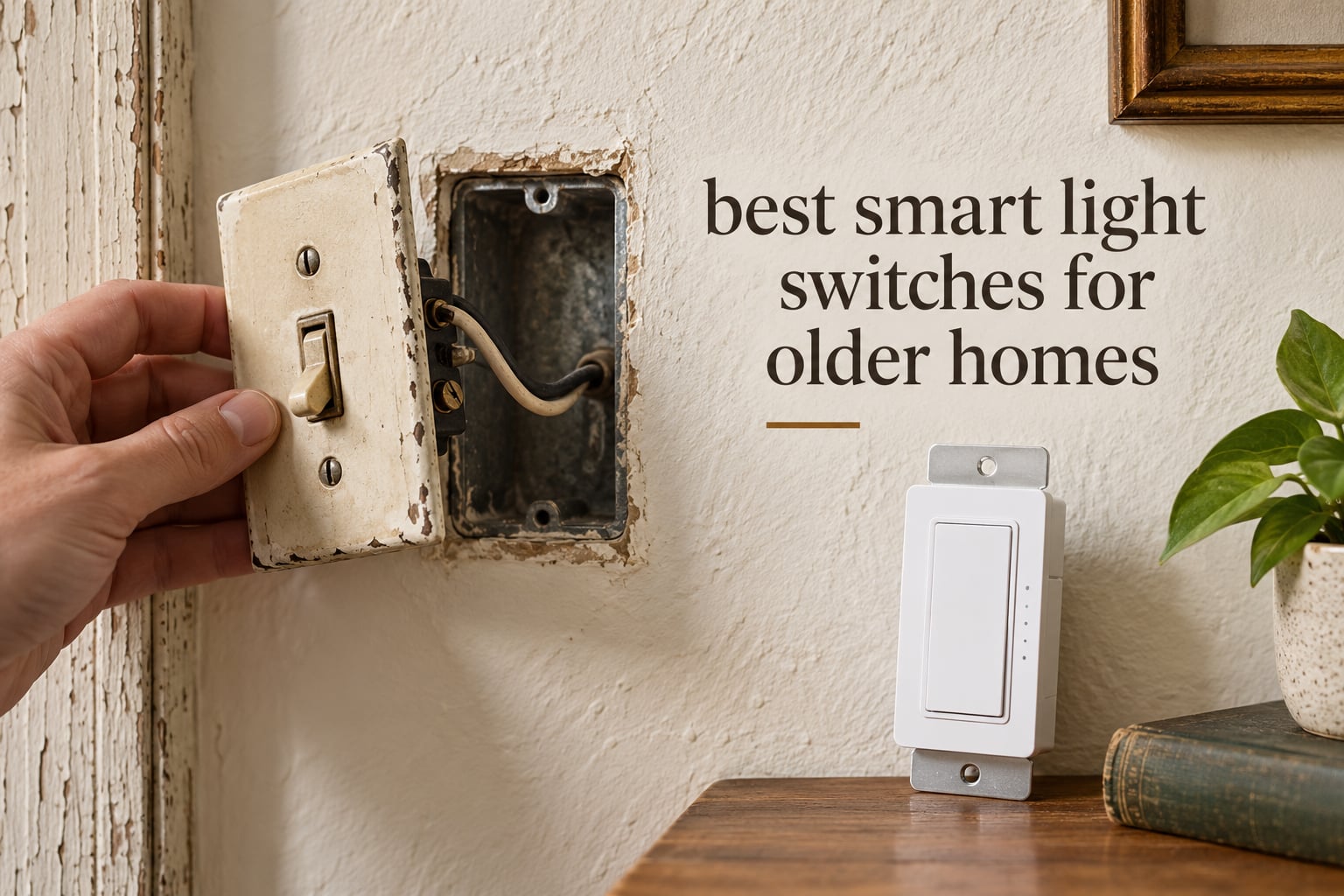
There is a specific moment in almost every older-home smart lighting project. You pull the faceplate off, expect the usual bundle of wires, and find two: one hot, one going to the fixture, and no white neutral anywhere in the box. That single missing wire is why so many otherwise good smart switches arrive, get installed, and never leave the box.
My own 1950s house has the same two-wire boxes in the hallway and both stairwells, and a mix of older three-wire boxes in the rooms that were redone decades later. That split is normal. A half-renovated older home rarely has consistent wiring from room to room, which is why buying a switch before you know what is behind the plate is the most expensive mistake in this whole project.
This guide covers the best smart light switches for older homes, but it starts with the wiring, because the wiring decides everything. I compared 10 switches and relay modules across the ones that genuinely install in a two-wire box, the ones that fit shallow plates, and the ones that handle stairwells and long distances. All the switches here work with the bulbs you already own. None of them needs smart bulbs to do its job.
If you want the short version before you shop, the Lutron Caseta smart dimmer is the one most people should buy. If you only need a second switch at the top of the stairs, the SKYLINK kit solves that for a fraction of the cost. If you run Home Assistant or anything that speaks Matter, the Shelly relay is the most flexible device in the group.
Table of Contents
Top 3 Picks for Older Homes for October 2026

Lutron Caseta Smart Dimmer
- No neutral required
- Up to 150W LED
- Works with Pico for 3-way
- Hub required for smart control
SKYLINK SK-8 Wireless Kit
- No neutral required
- Battery remote switch
- Up to 500ft range
- Adds a second switch location

Shelly 1 Gen4 Relay
- Wi-Fi Zigbee and Matter
- 16A dry contact
- No hub required
- 26g body fits shallow boxes
The Lutron Caseta wins the overall slot because it is the only dimmer here that does not ask you to change your bulbs, your wall plate style, or your existing toggle layout. It is also the most expensive piece of hardware on this list, and that cost buys you local control that does not depend on the internet.
All 10 Switches at a Glance in October 2026
| Product | Specifications | Action |
|---|---|---|
| Lutron Caseta Smart Dimmer |
|
Check Latest Price |
| SKYLINK SK-8 Wireless 3-Way Kit |
|
Check Latest Price |
| Shelly 1 Gen4 Relay |
|
Check Latest Price |
 MOES Smart Touch Switch 2 Gang MOES Smart Touch Switch 2 Gang |
|
Check Latest Price |
 SONOFF ZBMINIL2 Zigbee Relay 4-Pack SONOFF ZBMINIL2 Zigbee Relay 4-Pack |
|
Check Latest Price |
 Aqara Smart Light Switch Aqara Smart Light Switch |
|
Check Latest Price |
 YoLink FlexSwitch YoLink FlexSwitch |
|
Check Latest Price |
 Shelly Plus 1 UL Relay Shelly Plus 1 UL Relay |
|
Check Latest Price |
 RAYZEEK PIR Motion Sensor RAYZEEK PIR Motion Sensor |
|
Check Latest Price |
 ZOOZ ZEN51 Z-Wave Relay ZOOZ ZEN51 Z-Wave Relay |
|
Check Latest Price |
1. Lutron Caseta Smart Dimmer Switch – Best Overall
Lutron Caseta Smart Dimmer Switch (Smart Hub Required), No Neutral Required
Up to 150W LED or 600W incandescent
No neutral required
1-year limited warranty
Pros
- No neutral wire required for installation
- Up to 150W LED or 600W incandescent and halogen
- Wider voice and app compatibility than most rivals
- Pico remote adds 3-way control without new wire
- Hub operates without Wi-Fi for stable local control
Cons
- Requires a separate Lutron Smart Hub for smart and voice control
- No programmable default dim level on the in-wall switch
- Wall plate and Pico remote sold separately
This is the switch I keep coming back to for pre-1970 housing, and the reason is unglamorous: it does the ordinary thing well. It dims, it remembers, and it works with the incandescent and LED bulbs already in the fixture. The PD-6WCL-WH handles up to 150W of LED or 600W of incandescent or halogen, which covers essentially every residential ceiling fixture you will meet.
Pairing is quick, and once the switch is joined to the Lutron Smart Hub, local control runs over Lutron’s own protocol rather than your Wi-Fi network. In practice that means the wall switch keeps working when the internet drops, and it keeps working fast. I have installed these in three houses now and the response at the paddle has never felt delayed.
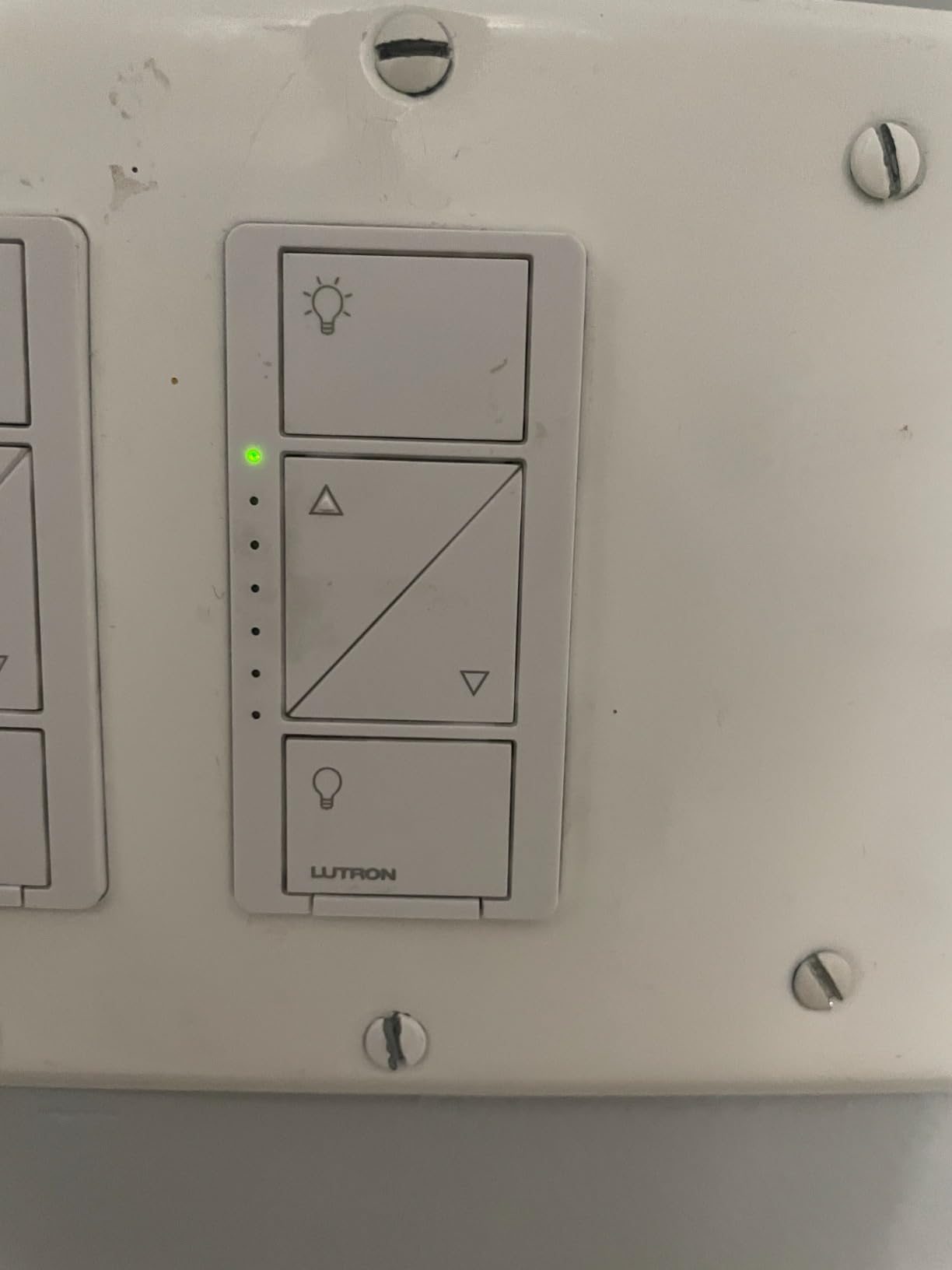
Dimming quality is the other half of the case for it. The dimming range is smooth and it will drive low-wattage LED bulbs without the flicker you get from cheaper no-neutral dimmers, largely because it has real load-detection logic rather than a fixed threshold. It is rated for multi-level control on 120 volts, and the operating range of 32 to 104 degrees Fahrenheit covers normal interior conditions.
The design also handles the plate question well. It is a standard rocker form factor with a clean white face, so it drops into a modern Decora-style plate without any adapter gymnastics, and it will cover most single-gang openings.
What to check before you buy the Lutron
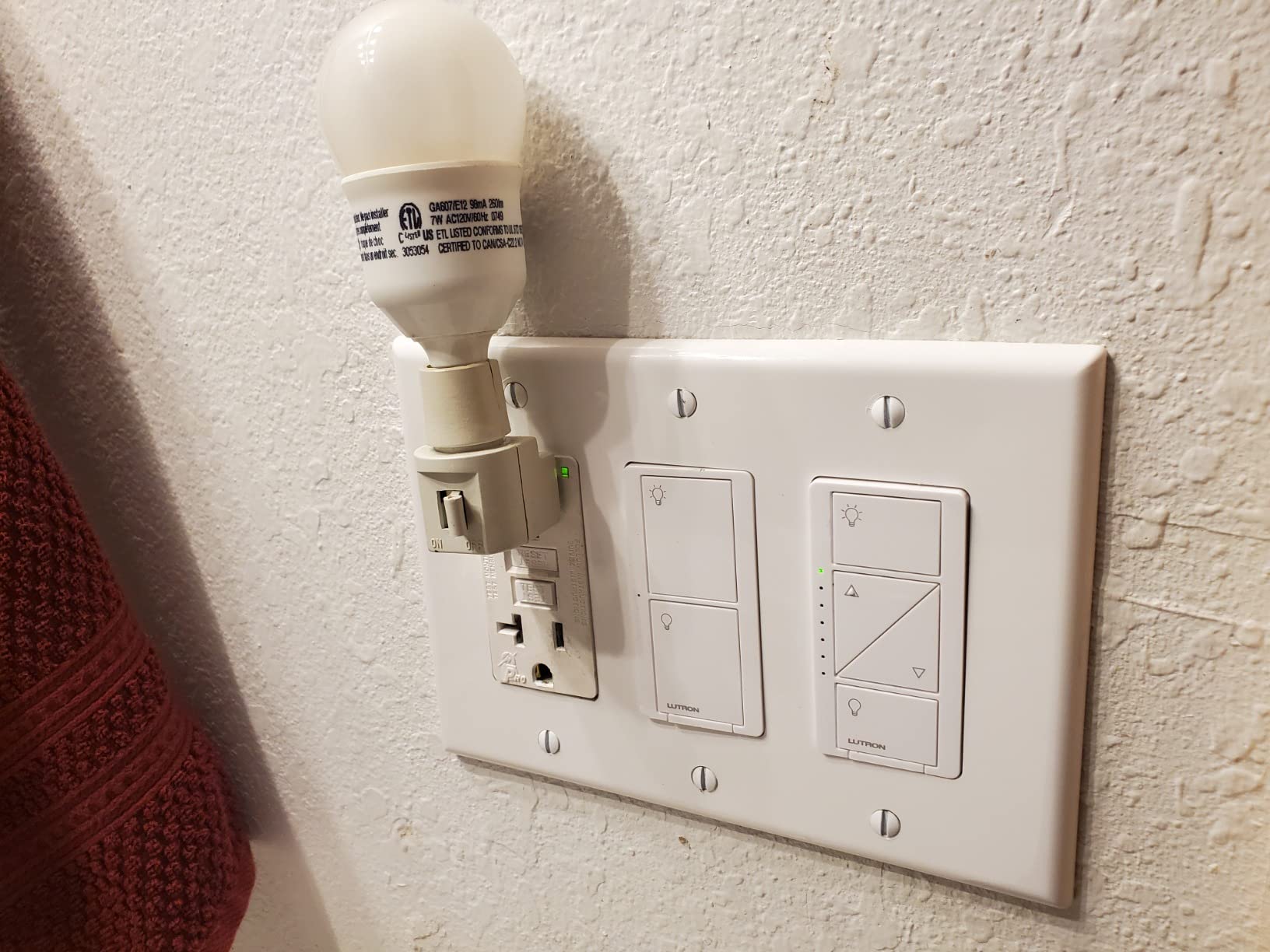
The hub is the first thing to understand. Without it you have an excellent dimmer and nothing else, so factor it into your plan if you want app control, schedules, or voice. Adding the Pico remote is the same idea: the wall plate and the remote are separate purchases, and the remote is how you build a 3-way setup without running new wire.
The second thing is dimming depth. Because there is no neutral, the switch cannot set a default dim level, so the lights come on at full output every time. If you want lights that come up warm and low at 6am, you need either a scene in the app or a different product entirely.
Where the Lutron falls short
On older revisions the flat switch face is hard to locate in the dark, which matters in a hallway for a family member who cannot reach a lamp. The device is also not appropriate for pumps, fluorescent ballasts, disposals, or any load that is not a simple incandescent or LED circuit.
Finally, cost. The switch and hub together are more than every other option on this list combined. I think that is justified for the rooms you see every day, and hard to justify for a closet.
2. SKYLINK SK-8 Wireless 3-Way Kit – Best Value
SK-8 Wireless DIY 3-Way On Off Anywhere Lighting Home Control Wall Switch Set – No neutral wire required
Receiver plus battery remote switch
Up to 500ft open range
1000W load capacity
Pros
- Installs without a neutral wire
- Adds a second switch location with no new wiring
- Quick and straightforward DIY install
- Works with incandescent CFL and tungsten bulbs
- Handy in stairwells garages and basements
Cons
- Not rated for LED bulbs
- Decorative cover for the receiver sold separately
- No app voice assistant or automation support
This kit answers a narrower question than a smart switch does, and it answers it for very little money. It does not make your light smart. It gives you a second physical switch, anywhere, with no wiring at all. The battery-powered remote switch is a completely wireless wall unit, so it can go on the other side of a stairwell, in a garage, or in a bedroom hallway, and it drives a receiver that sits in the existing switch box.
That makes it the correct answer for the room where the light is already controlled from two places and you cannot run a new cable. In older homes with plaster walls, finding a route for new wire is often the expensive part, and this sidesteps it entirely.
Because the remote is battery powered on a coin cell, you can also mount it where no wiring has ever existed, such as the head of a bed or the far end of a long basement corridor.
What works better than people expect
For a non-dimmable circuit, the reliability is good. Owners in older two-wire homes frequently point out how simple this is to set up: replace your switch with the receiver, mount the remote, and pair them. They are already pre-paired for single switch and remote setups.
Open-area range is listed at up to 500 feet, which is generous for a house. Real results depend on construction, and a plaster-and-lath home will cut that down compared with a modern stud wall.
What to watch out for
It is not rated for LED bulbs. That is a real constraint rather than a caveat, and connected LEDs in this setup may flicker or pass a small current when the light is off. If you have already swapped your bulbs to LED, this kit is the wrong tool.
The remote has no backlight, so finding it in a dark hallway is trial and error. The coin cell also needs replacing periodically, and some owners report remote units failing after several years.
3. Shelly 1 Gen4 Relay – Best for Home Assistant and Matter
Shelly 1 Gen4, Smart Wi-Fi, Zigbee & Matter Relay Switch with Dry Contacts
Wi-Fi Zigbee and Matter in one device
16A dry contact
26g body
3-year warranty
Pros
- Speaks Wi-Fi Zigbee and Matter on one device
- No hub required and works locally without internet
- 26g body hides behind an existing switch
- 16A dry contact covers lighting and appliances
- Doubles as a Bluetooth gateway for other Shelly devices
Cons
- It is a relay module so the existing mechanical switch stays
- Requires comfort with in-wall relay wiring
- Single channel so multi-gang needs more than one
The Shelly Gen4 does something no other device here does: it runs Wi-Fi, Zigbee and Matter from the same unit. If your home is half Zigbee and half Matter, you do not have to pick a side, and if you later move your lighting to Home Assistant the device already speaks the protocol.
At 26 grams and 16 amps of switching capacity, it is the most capable relay per gram in this roundup. It fits behind an existing switch in a standard wall box, which matters enormously in a pre-1960 home where the box is shallow and every millimetre counts.
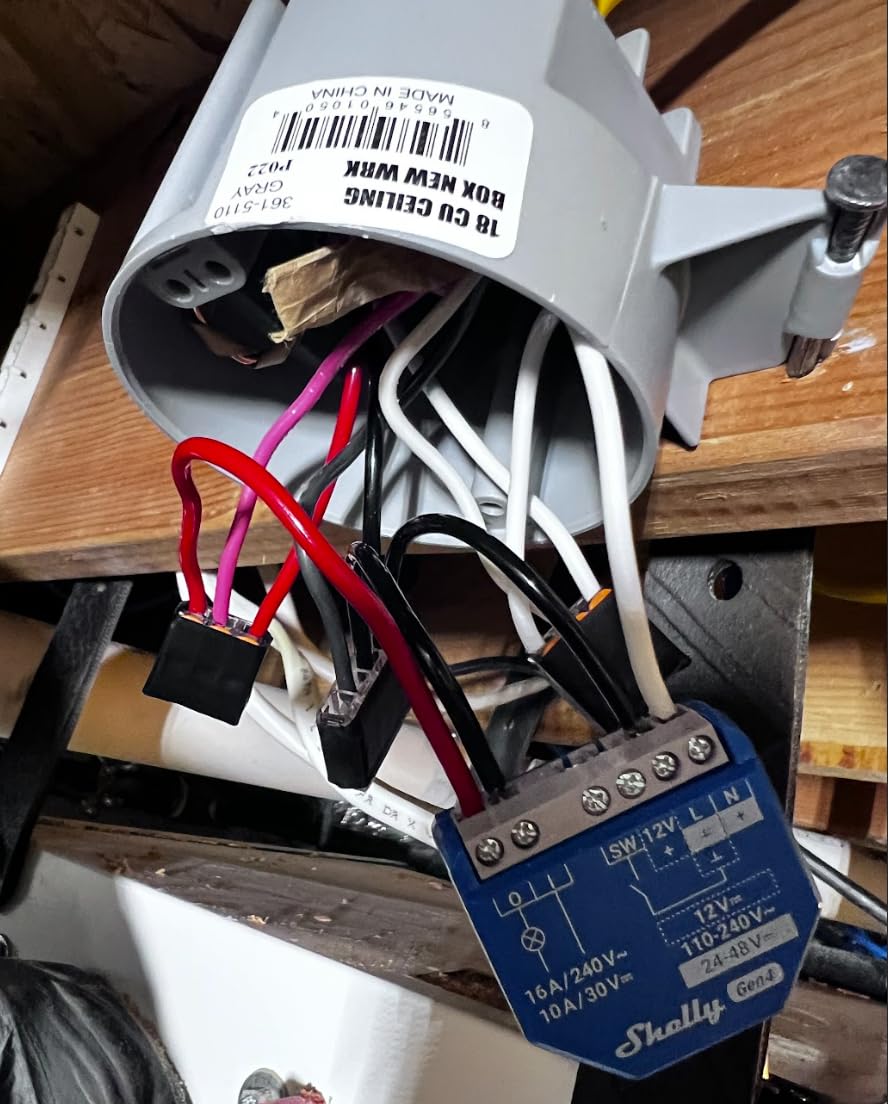
Because it operates locally without a hub or an internet connection, schedules and automations keep running even when the network is down. That local-first behaviour is the single biggest reason enthusiasts pick this family, and it is the reason a Shelly keeps working in a basement or a garage where Wi-Fi is marginal.
The dry contact output and 16A rating are also useful beyond lighting. The same module can drive a garage door opener, irrigation, or an appliance circuit, which makes it a natural companion to our picks for smart garage door openers.
Why relay modules suit old houses
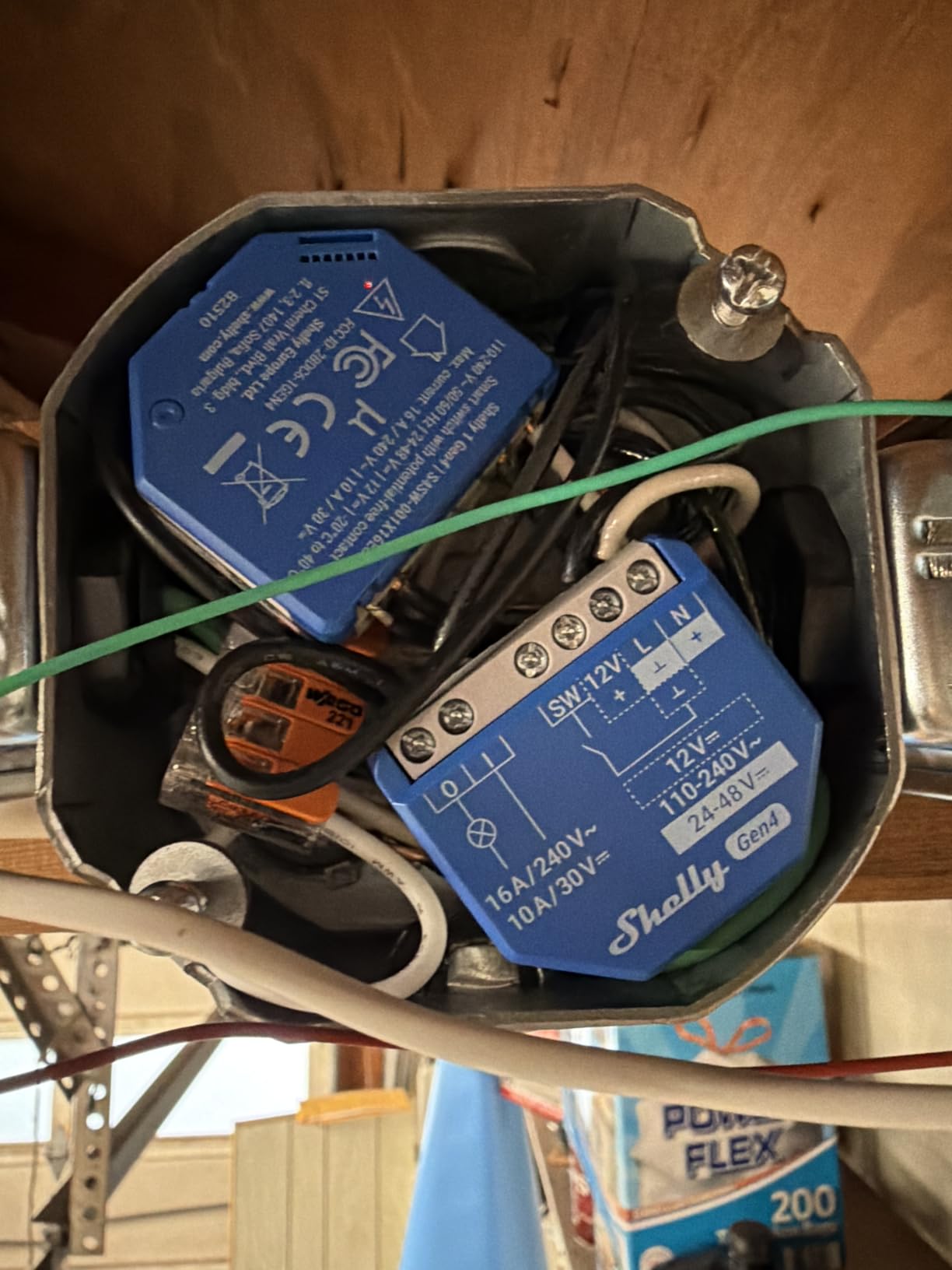
A relay module changes the physical nature of the job. The existing toggle switch stays on the wall, untouched, and the module sits behind it. That means no plate conversion, no faceplate mismatch, and no visible cosmetic change to a 1920s hallway that you may be preserving deliberately.
It also sidesteps the neutral question. The module takes its power at the fixture rather than the switch box, so a two-wire box is not a problem at all. In practice the switch only becomes a signal, and the module decides what the light does.
Where it falls short
Wiring. This is not a faceplate swap, and if you are not comfortable identifying line and load in a live box, hire someone. The device itself is only doing what a conventional switch does, but you still have to be right about which wire is which.
You also lose the button. The wall switch is retained rather than upgraded, so there is no status light and no native smart button on the paddle. And it is a single channel, so a three-gang box needs three modules.
4. MOES Smart Touch Switch – Best for Touch Panels
MOES Smart Touch Light Switch, No Neutral Wire Needed, WiFi White 2 Gang
Two-gang tempered glass panel
No neutral required
5W minimum load
2.4 GHz only
Pros
- Genuinely works in a two-wire box
- Modern glass panel suits a wide range of decor
- App touch voice and RF433 control independently
- Works with Alexa Google Home and the Smart Life app
- Timers schedules and countdown settings are easy to set
Cons
- Single pole only so 3-way setups are out
- Load must exceed 5W or the switch flickers
- 2.4 GHz Wi-Fi only which excludes 5 GHz-only routers
- Included capacitor must be wired in
MOES is the one to consider if you want the switch itself to look like an upgrade rather than a discreet retrofit. The tempered glass panel and backlit touch surface read as modern hardware, which some owners in older homes prefer to a plastic rocker.
It genuinely works without a neutral wire, which is unusual for a touch panel at this level. Control is available four ways: app, touch, voice, and an RF433 remote, each of which can be used without interfering with the others.
That last point matters more than it sounds. In a two-wire install the switch is powering itself through the bulb, and designs that fight each other for that current tend to be unreliable. Independent control paths are how this one stays stable.
Good to know before you order
This is a 2.4 GHz device. If your router only broadcasts on 5 GHz, it will not join your network, and that is a hard stop rather than a setting you can change later.
The single-pole limitation also rules out any stairwell, hallway, or entrance with a second switch. Single pole means the light is controlled from one location only.
The minimum-load rule is not optional
The lamp must exceed 5W or the switch will flicker, and that is the most common complaint in reviews. A single modern LED bulb can sit below that figure, so check the wattage of what is in the fixture before you buy.
The included capacitor has to be wired in for the switch to work properly. It is a small blue component, and skipping it is the reason some first-time installs report a dead switch.
One more thing for anyone planning this install for an older relative: a capacitive touch surface needs a deliberate press, and that can be frustrating for users with limited dexterity or arthritis.
5. SONOFF ZBMINIL2 Relay – Best for Stairwells
SONOFF ZBMINIL2 Zigbee Smart Switch, No Neutral Required, Mini Relay Module for Light Switch, 2-Way Control, Compatible with Alexa & Google Home, Requires Zigbee Hub, 4 Pack
39.5 x 32 x 18.4mm Zigbee relay
2-way control with existing switches
4-pack
2-year warranty
Pros
- Installs without a neutral wire
- Very small module hides behind the existing switch
- Supports 2-way control using the existing switches
- Zigbee keeps working locally when the internet is down
- Four-pack covers several rooms at once
Cons
- Requires a Zigbee hub such as a ZBBridge Pro
- Existing mechanical switches must stay in the circuit
- 6A current limit is lower than some fixtures need
The ZBMINIL2 solves the most commonly misbought setup in this entire article: a stairwell light controlled from two locations in a house with no neutrals. Instead of a second smart switch, it lets your existing mechanical switches at each end do the job, and the module handles the automation underneath.
At 39.5 by 32 by 18.4mm it fits behind essentially any switch, including a shallow pre-1960 box where a deep smart dimmer simply will not go. The four-pack format also means you can cover a hallway, a basement and a laundry room in a single order.
It fits EU, 86 and 120 wall boxes, and the in-wall box mounting means the module sits with the switch rather than at the fixture. That is different from the ZOOZ later in this list, which can be installed at the light instead.
Why Zigbee is worth the hub
Zigbee devices talk to a coordinator rather than to your router, and local control continues when the internet is down. In a basement or a back bedroom with poor Wi-Fi, that is the difference between a switch that works and one that does not.
It is also the protocol that most DIY smart home platforms support natively, so this module is a natural fit for a Home Assistant or SmartThings install that is already in place.
Trade-offs to plan for
A Zigbee hub is an extra purchase and a piece of configuration. It is the main cost of entry here, and you should decide on your hub before you buy a single relay module.
The 6A current limit is lower than some fixtures need, so check the load for anything unusual like a chandelier with many bulbs or an outdoor fixture. And because the existing switches stay in the circuit, there is no smart button on the wall; control happens in the app, by voice, or by automation.
6. Aqara Smart Light Switch – Best for Zigbee Homes
Aqara Smart Light Switch (No Neutral, Single Rocker), Requires AQARA HUB
No neutral version, single rocker
Zigbee 3W to 600W
Aqara Hub sold separately
Pros
- Works in boxes with no neutral and often no ground
- Native Zigbee works with Home Assistant and Zigbee2MQTT
- Faceplate screws and wire nuts included in the box
- Local response is as fast as the physical switch
- Single rocker guests can operate without instruction
Cons
- Aqara Hub required for the full feature set
- Deep body is a tight fit in shallow boxes
- Some owners report dropped Zigbee connections
- Fragile rocker and short faceplate screws
The Aqara WS-USC01 is the value answer among real wall switches. It is a genuine in-wall switch with a rocker paddle, not a relay, and it installs without a neutral. Owners who already run Zigbee consistently point to it as the low-cost alternative to a premium switch.
Its Zigbee radio is standard rather than proprietary, so it can join Home Assistant, Zigbee2MQTT, or an Echo Zigbee hub instead of requiring the manufacturer’s own hardware. That flexibility is the reason it appeals to anyone who has already committed to a platform.
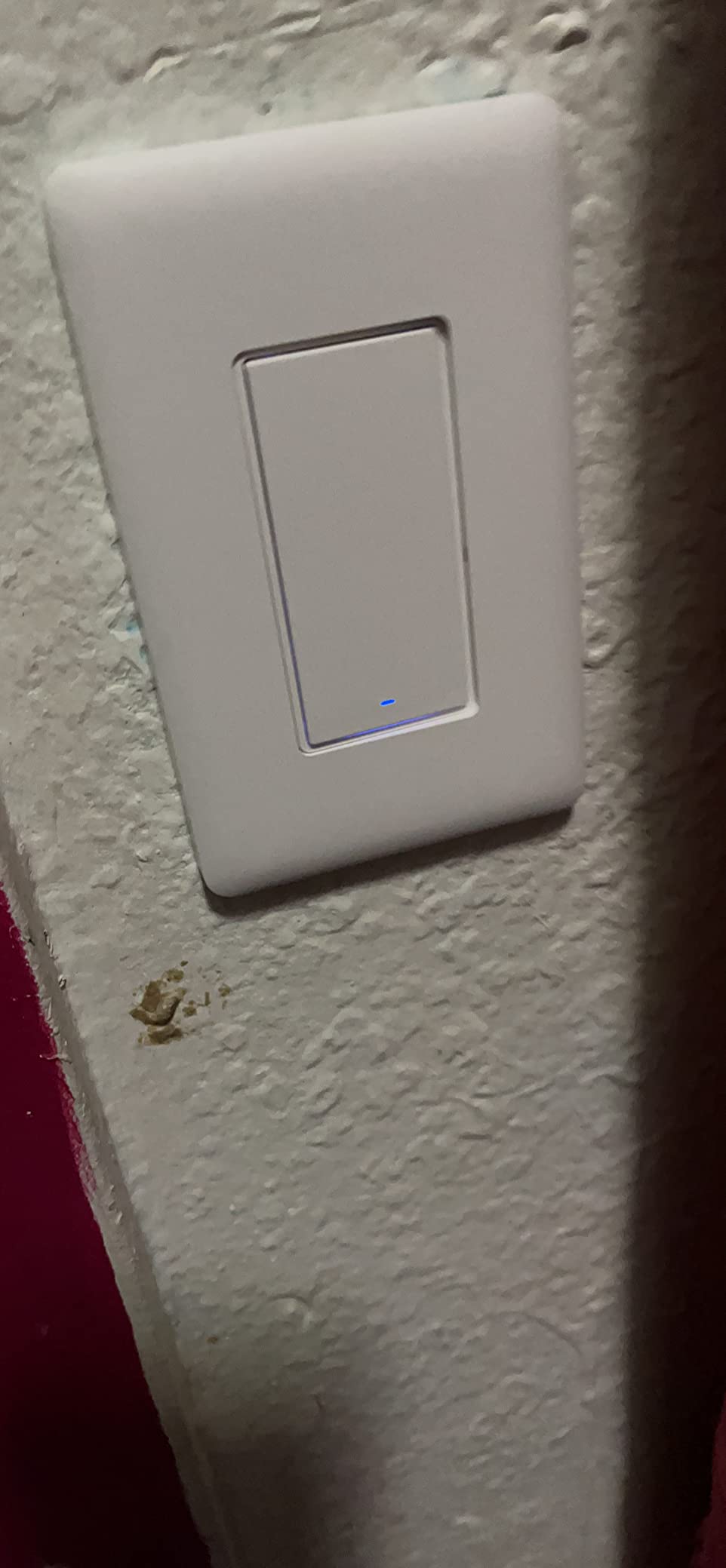
The load range is broad, from a 3W minimum up to 600W of incandescent or 200W of CFL and LED on 120V, 60Hz. The panel is V-0 flame-retardant with automatic over-temperature shutdown, which is reassuring in an older building with older cabling.
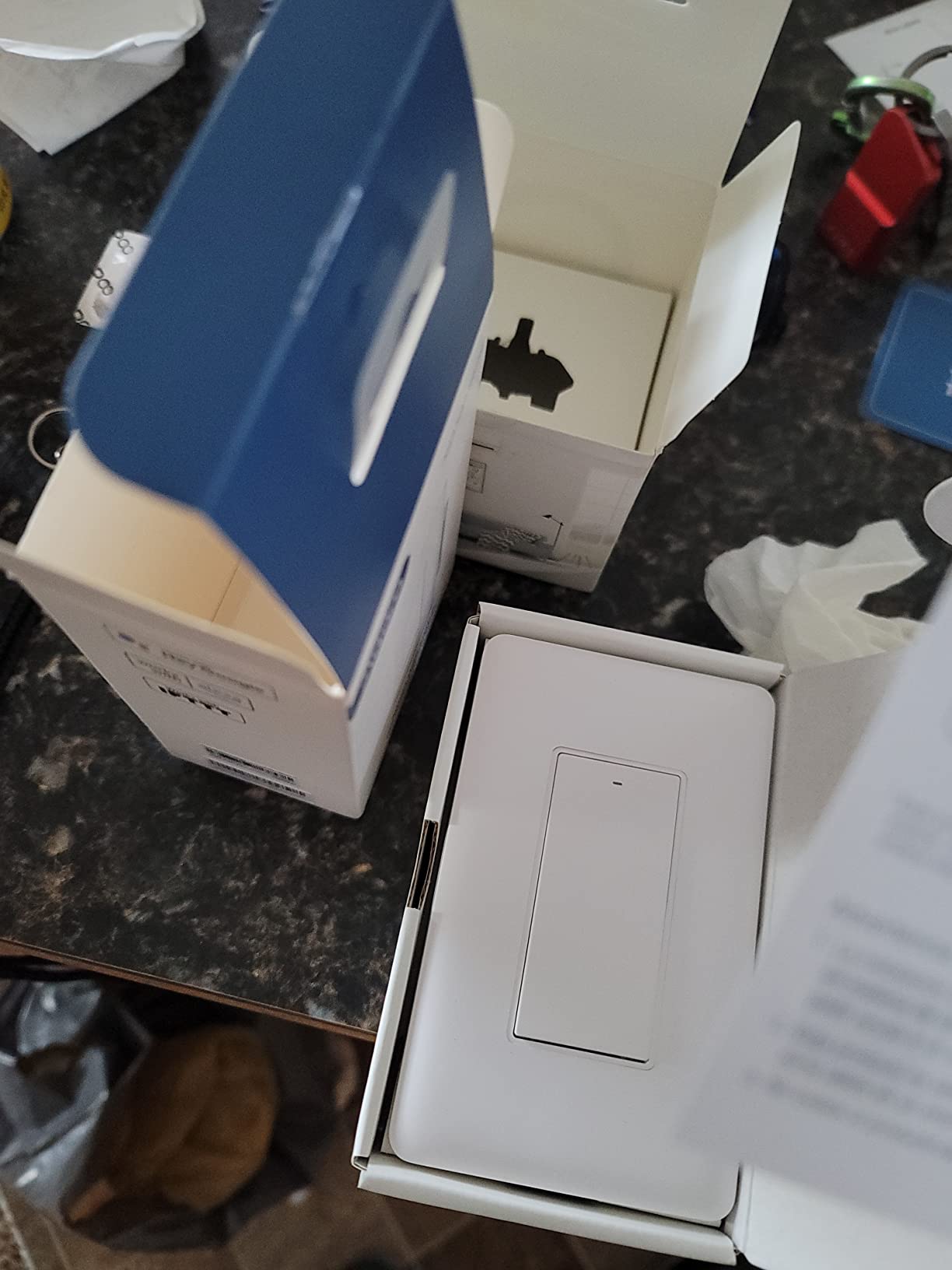
One detail worth knowing: the box includes a decorative screwless faceplate, screws and wire nuts. That is more than most switches at this level include, and it saves a trip back to the hardware store mid-install.
What it costs you in the box
Depth. The body is deep, and reviewers who install it in older homes report tight fits in shallow or crowded boxes. Measure before you buy, and if the box has no room, move to a relay module instead of forcing it.
The rocker paddle and the short faceplate screws are also fragile during installation. This is a device that needs a steady hand, and a stripped screw head means a new switch.
The hub question, honestly
The Aqara Hub is sold separately and is required for the full feature set. Without it, hub-dependent features such as firmware updates and LED settings are not available through plain ZHA, which is a real limitation for a device you may keep for years.
Some owners also report dropped Zigbee connections or lost configuration, and note that pairing straight to the Alexa skill rather than through the hub can break routines. Go through the hub.
7. YoLink FlexSwitch – Best for Long Range
YoLink FlexSwitch Smart Light Switch, No Neutral Wire, YS5709
2 AA battery powered so no neutral
Up to 2034ft LoRa range
Up to 2.5 years per battery set
Pros
- Battery powered so it installs with no neutral at all
- LoRa range of up to 2034 feet reaches outbuildings
- Up to 2.5 years of battery life on one set of AA cells
- Device-to-device control keeps automations working offline
- Dual-function buttons also act as fobs for other devices
Cons
- Proprietary LoRa protocol so not usable with Home Assistant
- YoLink Hub required for app control and automations
- Battery eventually needs replacing
- Single-pole wiring only
Range is the reason to look at this one. The FlexSwitch uses LoRa and is rated for up to 2034 feet, which is a completely different category from the 100 to 200 feet that Wi-Fi typically delivers through two floors of plaster and lath. If your outbuilding, basement, or garden studio is at the edge of the network, this reaches where a Wi-Fi switch will not.
It is also completely battery powered on two AA cells. That means it drops into a switch box with no neutral, no ground, and no wiring of any kind, which is the cleanest possible answer to a two-wire box.
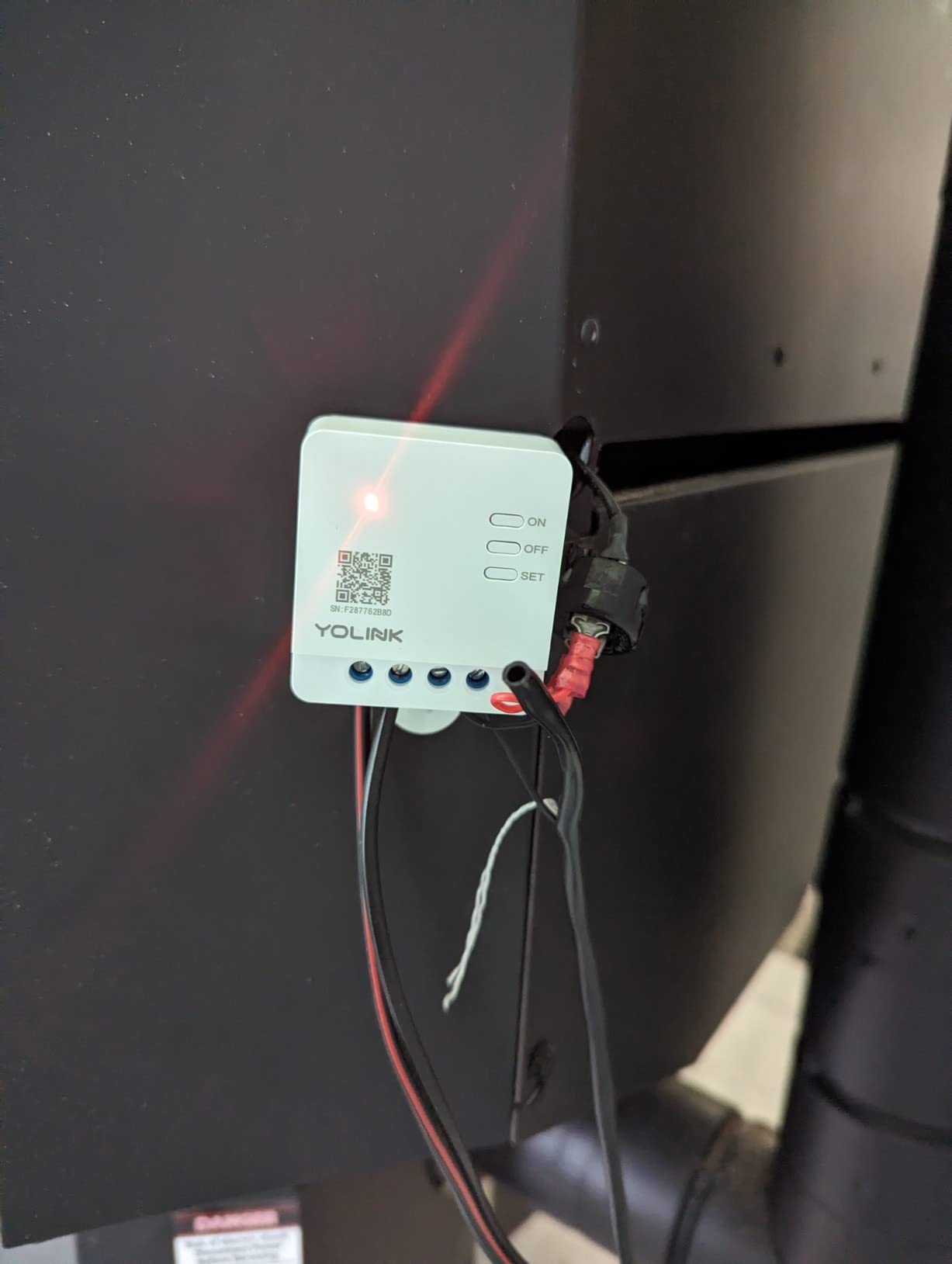
Device-to-device control is the detail I like most. Automations run between YoLink devices directly, so a schedule or a scene still fires when the internet is down.
The two buttons double as remote fobs for other devices in the range, which turns a light switch into a four-button scene remote. It is an unusually flexible arrangement.
Who this suits and who it does not
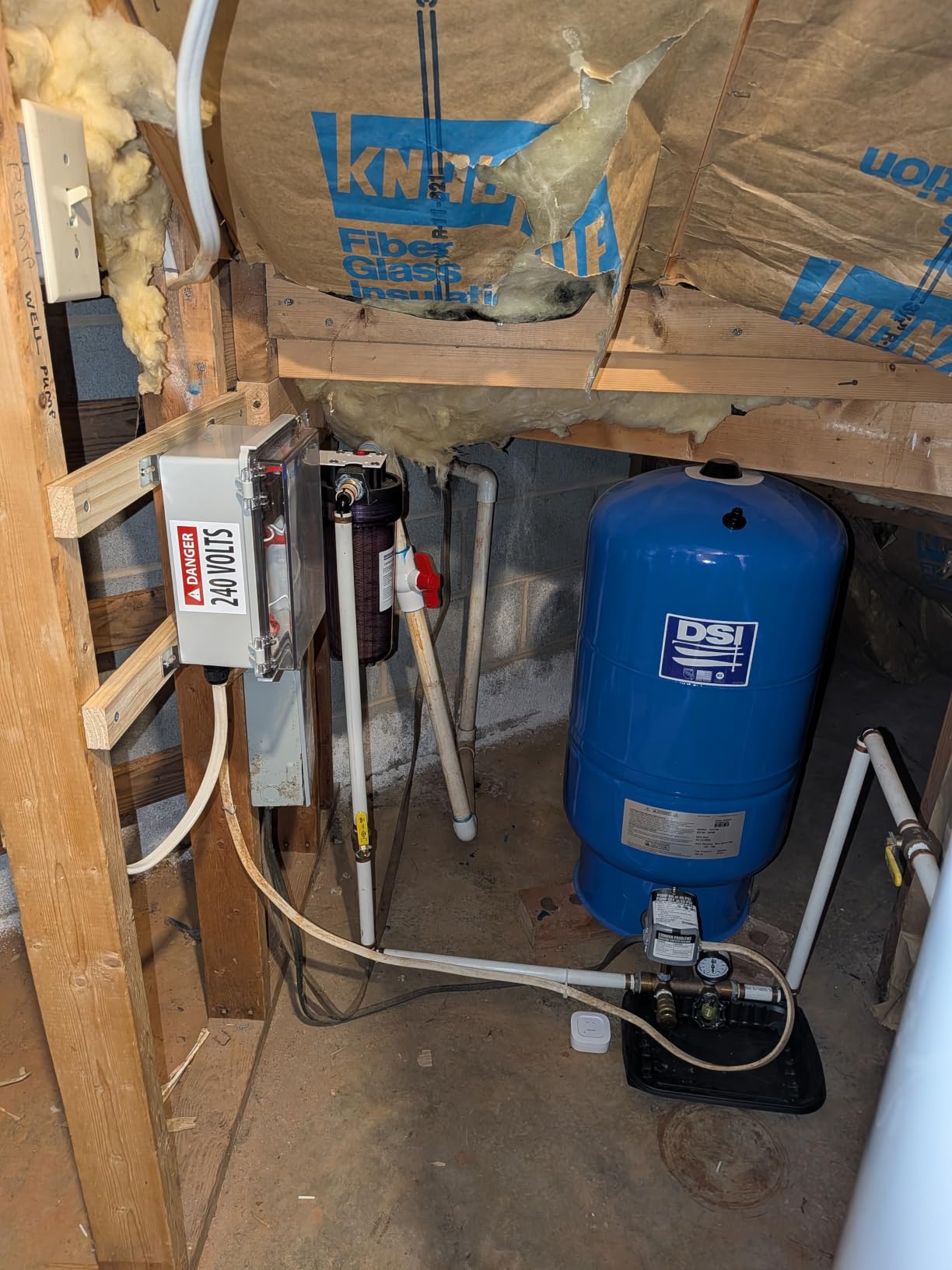
It suits a property with distance in it: a detached garage, a workshop at the bottom of a long garden, a basement that sits outside the house footprint. For those cases the range advantage is decisive.
Scheduling works down to the minute and timers down to the second, which is more granularity than any other device here offers.
The ecosystem trade-off
This is the important part. The FlexSwitch runs a proprietary LoRa protocol, so it cannot join Home Assistant, Zigbee2MQTT, or any Zigbee system. If you have built a platform around open protocols, this device sits outside it.
The YoLink Hub is also required for app control, scheduling, automations and third-party integrations, so you are buying into one vendor’s system rather than choosing a device. That is a fair trade for range, and a poor one for openness.
Built-in over-temperature protection cuts out at 158 degrees Fahrenheit, and the unit is rated up to 1385 watts on 120 volts AC.
8. Shelly Plus 1 UL Relay – Best for Garage Doors and Appliances
Shelly Plus 1 UL | WiFi Smart Relay Switch with Dry Contacts | Home Automation | Bluetooth Gateway | Alexa, SmartThings & Google Home Compatible | No Hub | DIY Remote Control | Garage Door Opener
UL certified single channel
15A dry contacts
No hub needed
27g body
Pros
- UL certified relay rated up to 15A with dry contacts
- No hub needed and works directly over Wi-Fi
- Small enough to retrofit behind an existing wall switch
- Doubles as a Wi-Fi repeater and Bluetooth gateway
- Three-year warranty with US-based support
Cons
- In-wall relay so it needs real wiring rather than a faceplate swap
- Single channel only so multi-gang needs more than one
The distinction that matters here is certification. This module is UL listed, and for a relay you are burying inside a wall in a house that may be a hundred years old, that is not a small detail. It is rated for up to 15 amps of switching current with potential-free dry contacts.
Dry contacts are the reason it is useful beyond lighting. Because the contacts are potential-free, the module can switch a circuit that is not the same voltage as the module itself, which is exactly what a garage door opener contact or a low-voltage lighting circuit needs.
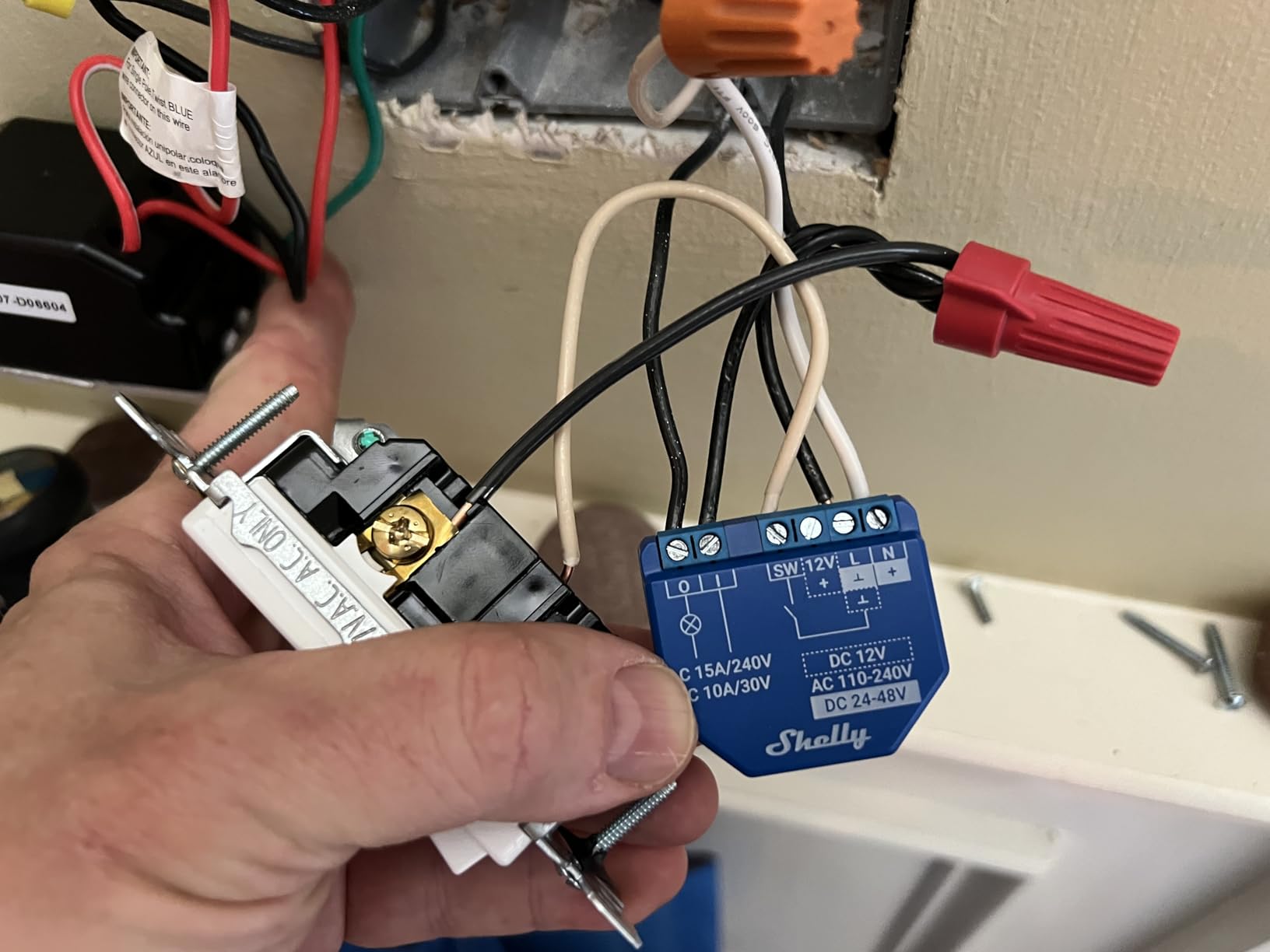
There is no hub involved. It connects to Wi-Fi directly, and it also acts as a Wi-Fi repeater and a Bluetooth gateway, so a single module can extend your network reach for other devices.
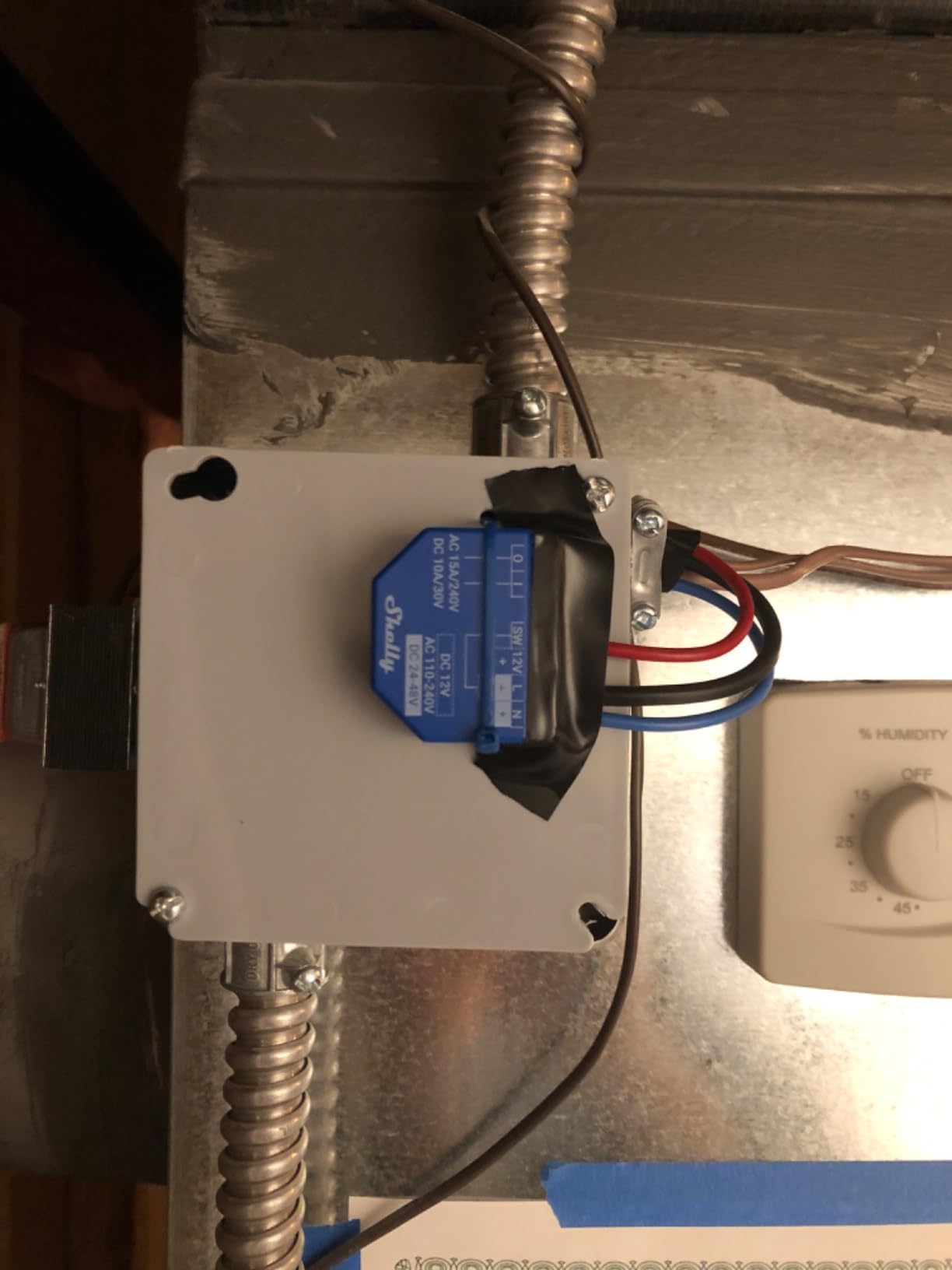
Installs go quickly because the body is small enough to sit behind a wall switch or a socket, and the retrofit behind an existing switch takes about ten minutes for anyone comfortable with the wiring.
Where it fits in a whole-home plan
This is the device to reach for when the load is not a ceiling light. Garage door openers, irrigation, outdoor lighting and appliance circuits are all jobs where a light switch is the wrong shape of tool.
It also supports MQTT and WSS with TLS and custom certificate support, which matters if you are running a local automation setup and want to avoid cloud dependence.
Honest limitations
It is an in-wall relay, so it involves real wiring rather than a faceplate swap. If you are not confident identifying line and load, that is the point to stop and call an electrician, especially in a property with aluminium or cloth-insulated wiring.
It is also a single channel. Multi-gang control needs a second module, and one module cannot dim. For dimming in an old house, the Lutron is the option.
We keep a separate roundup for transfer switches for home generators if you are also looking at what happens to the whole circuit when the power changes.
9. RAYZEEK PIR Motion Sensor – Best for Motion Sensing
RAYZEEK PIR Motion Sensor Light Switch,No Neutral No Ground Wire
No neutral and no ground required
3W minimum load
Five amps
Single pole indoor
Pros
- Needs neither a neutral nor a ground for true two-wire boxes
- Three sensor modes in one device
- Settings adjusted by pressing buttons without removing the plate
- Time delay adjustable from 15 seconds to 30 minutes
- Handles CFL LED tungsten and electronic ballast loads to 5A
Cons
- Single pole only and not compatible with 3-way circuits
- Loads under 3W will flicker
- Not suitable for fixtures with a controller function such as dimmers
- Sensor switching only with no app or voice integration
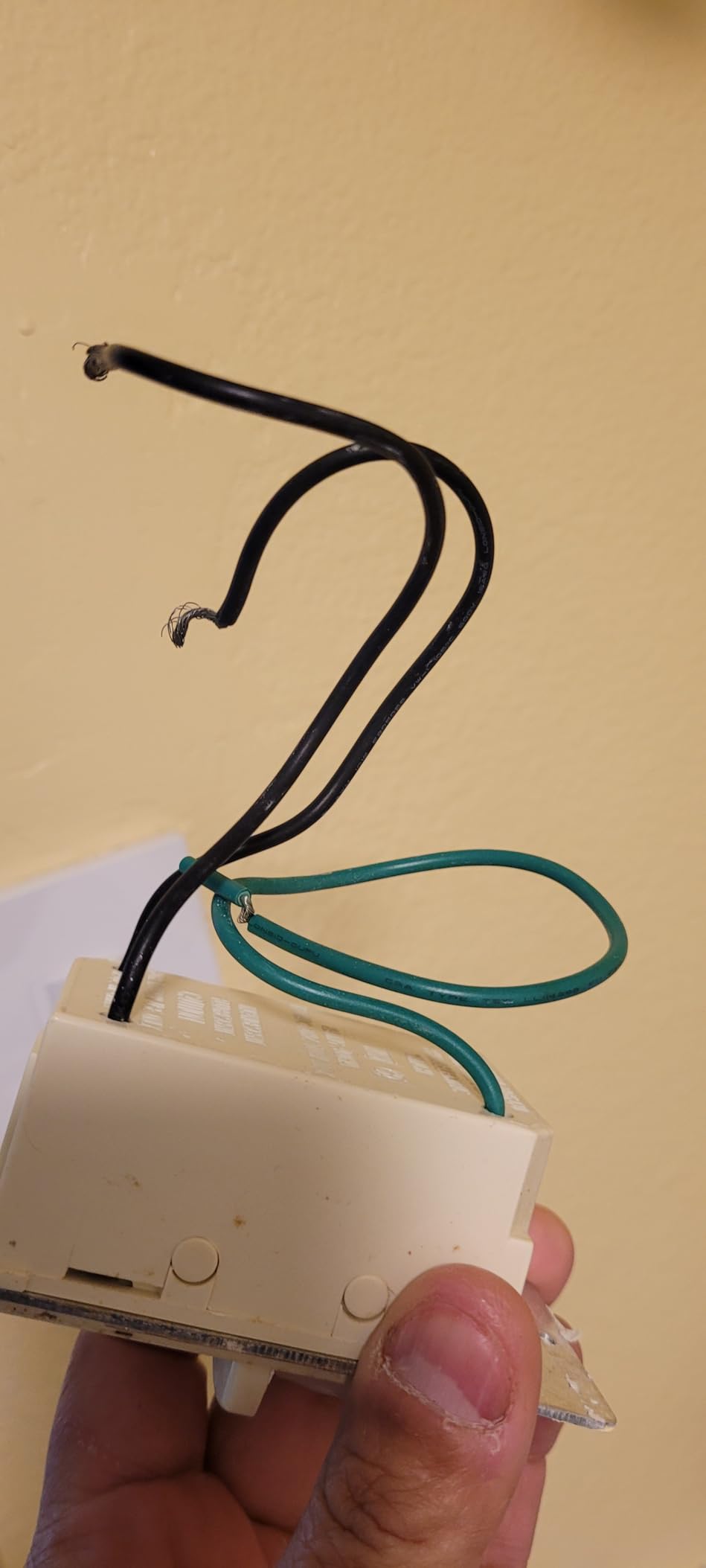
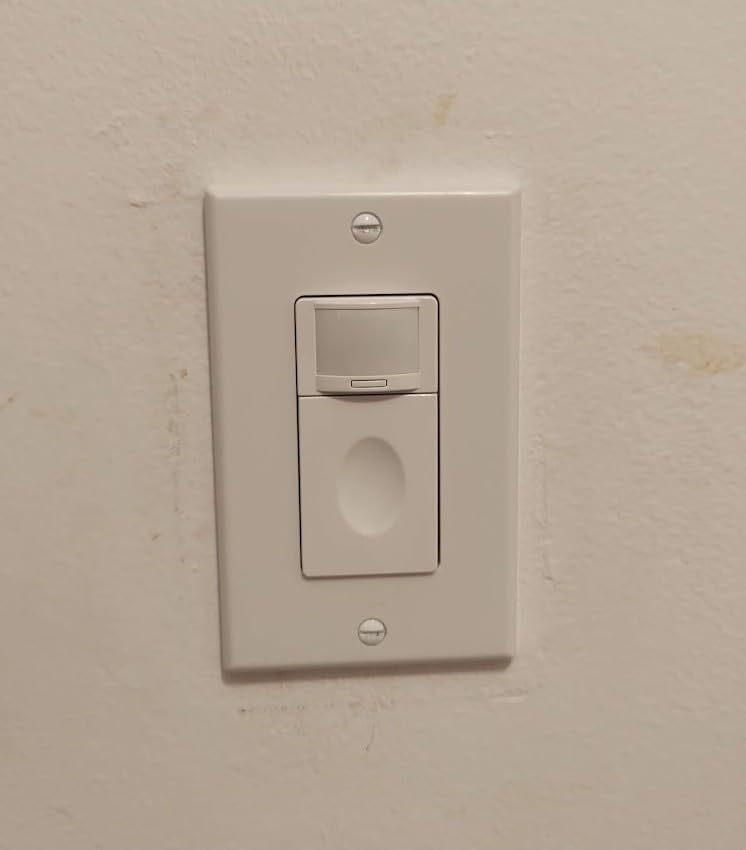
This one earns its place for a single specific capability: it needs no neutral and no ground. Almost every other device in this roundup works without a neutral but still assumes a metal box with a ground. If your box has neither, the RAYZEEK still installs.
It is a passive infrared motion sensor with three modes in one device: occupancy, where motion switches on and absence switches off; vacancy, where you switch it on and it times off; and a manual on/off mode. That covers most of the real uses in a hall, laundry room, or closet.
Settings are adjusted by pressing buttons, so you never have to remove the wallplate to change them. Time delay runs from 15 seconds to 30 minutes, and the ambient light threshold offers off, 15, 25 or 35 lux, which is what keeps it from firing in a dark hallway at midnight.
Rooms it genuinely suits
Hallways, garages, basements, laundry rooms and storage spaces are the intended targets, and in each the value is clear: the light comes on by itself and the switch still works manually when you want it to.
The load handling is decent for a sensor at this level, covering resistive and electronic ballast loads up to 5.0 amps plus a 1/6 HP motor, and a wall plate is included.
What you give up
There is no app, no voice assistant, and no integration ecosystem. If you want schedules, scenes, or presence-based automations, this will not do it. The occupancy sensing is local and standalone.
It is single pole and indoor use only, so it is out for stairwells and exterior use. Loads below 3 watts will flicker.
The most important exclusion is dimmable fixtures. Anything with a controller function is not suitable, so if you have already put smart bulbs or a dimmer on that circuit, this switch is the wrong choice.
10. ZOOZ ZEN51 Relay – Best for Z-Wave Homes
Zooz 700 Series Z-Wave Long Range Smart Relay ZEN51 | Installs Behind Wall Switch Or At the Light | Compatible with SmartThings, Hubitat, and Home Assistant | Z-Wave Hub Required (Sold Separately)
About 1.5 x 1.4 x 0.7 inches
10A dry contact relay
3-way capable
5-year warranty when registered
Pros
- Supports 3-way setups which most relays here do not
- Can be installed at the fixture where power and neutral exist
- Small body fits in crowded boxes
- Pigtail wires make connections straightforward
- Z-Wave Long Range with SmartStart and S2 security
Cons
- Z-Wave hub required and sold separately
- A neutral is still needed at whichever location it is installed
- Connect only to mechanical on-off or momentary switches
- Needs a reasonably current Z-Wave hub
The ZEN51 does one thing that the other relays cannot: it can be installed at the light fixture instead of at the switch box. That matters because the fixture usually has power and a neutral even when the switch box has neither, and it means you can automate a circuit in a two-wire box without touching the switch at all.
It is also 3-way capable, which narrows the gap between relay modules and real multi-location switches. Small form factor at roughly 1.5 by 1.4 by 0.7 inches means it fits where a deep module would not.
For anyone already on Z-Wave, the ecosystem support is the strongest here: tested with Hubitat, Home Assistant through Z-Wave JS, and HomeSeer, and compatible with SmartThings. Long Range, SmartStart, and S2 authenticated security are all supported, and the registered warranty runs five years.
When the fixture-first approach wins
It wins in a house where the switch box is two-wire, the fixture box has a neutral, and you would rather not open the wall behind the switch. A basement, a garage, and a converted closet are typical cases.
Smart bulb mode is a nice addition. It restores switch function to smart bulbs without cutting their power, so a wall switch still controls the light rather than being stranded in the off position.
The constraints are real
Despite the name, it is not a no-neutral device. A neutral is required at whichever location you install it, which is the fixture in the setup above and the switch box in any other.
It connects only to mechanical on-off or momentary switches, not to dimmers and not to other smart switches. The dry contact output also means the switch input still needs 120 volts present. And a Z-Wave hub is a separate purchase.
So it is a specialist choice, but for a Z-Wave home with a two-wire switch box it has no equal in this group.
Smart Switch vs Smart Bulb vs Relay Module
Before you spend money on a switch, it is worth asking whether a switch is what you need. In an old house the honest answer is sometimes a smart bulb, sometimes a relay hidden behind the existing switch, and only sometimes a new wall switch.
A smart bulb is the right call when you cannot change the switch at all: a rental, a switch box you do not own, or a room where there is no switch location and no practical place to make one. The downside is that a dumb mechanical switch in the wall cuts power to the bulb, so those switches have to be replaced with a specific kind that only interrupts the tiny current a smart bulb needs. Fixtures with two or more bulbs need every bulb replaced, and a house with several fixtures multiplies that quickly.
A relay module is the right call when the wiring is awkward but you want to keep the original switch. The device hides behind the plate, the existing toggle stays, and no cosmetics change. It is also the only answer that works cleanly in a two-wire box when the fixture has power, which is why the Shelly, SONOFF and ZOOZ options appear repeatedly in this list. The trade-off is that you gain automation but no status light and no smart button on the wall.
A wall switch is the right call when you want the room to feel modern and the switch to be the control point. Guests can operate it without an app, a person who cannot reach a lamp can use it, and the fixture is left in a normal state. That is why we start the recommendations with a real switch rather than a bulb.
For laundry rooms specifically, where a switch near a doorway is awkward and a smart washer can carry its own controls, our smart washer picks cover the appliance side of the same problem.
LED Flicker and Minimum Load: Why No-Neutral Switches Misbehave
LED bulbs flicker with a no-neutral switch because there is not enough current for the switch electronics to work reliably. A no-neutral switch has to take a small standby current through the bulb itself to power its own circuit, and a low-wattage LED does not provide enough. The result is a bulb that glows faintly, buzzes, or flickers when the switch is off.
The thresholds vary by product and they are published, so there is no reason to guess:
MOES touch switch: load must exceed 5W
Aqara no-neutral switch: 3W minimum, up to 600W maximum
RAYZEEK motion sensor: 3W minimum to avoid flicker
Forum discussion on Home Assistant also turns up the higher figure for the Shelly 1L, where the light should be rated at least 20W or the lamp may flicker when off. Read the specific minimum for whatever you buy rather than carrying one number across products.
There are three practical fixes. Use higher-wattage or multi-bulb fixtures, so the total load clears the threshold. Add a bypass capacitor at the load side, which is the standard remedy and is why the MOES includes one. Or choose a switch that uses a neutral, if your box has one and the flicker is the deciding factor.
Separately, dimmable bulbs that are not rated for the dimmer will flicker or buzz at low levels regardless of the switch. If you are pairing a no-neutral dimmer with LED bulbs, check the bulb packaging for dimmable compatibility and confirm the switch manufacturer lists them. The Lutron is rated for 150W of LED, which is the figure to compare against your total connected load.
Toggle, Rocker or Decora: Getting the Plate Right
Pre-1960 homes are almost entirely toggle switches, and that is the one cosmetic detail that gives a retrofit away instantly. Most smart switches here are rocker or Decora-style, which leaves a small gap around a rocker sitting in a toggle plate. Most manufacturers include a cover plate, but the Aqara and Lutron are the two that clearly include one in the box.
Three things to check before the switch goes in:
Box depth. A deep smart dimmer needs roughly three inches of space behind the plate. Pre-1960 boxes are frequently shallower, and this is the single most common reason a smart switch will not physically fit. Measure the box depth with the plate off.
Terminal colour. Brass and silver screws are not interchangeable in all cases, and mixing them on a line or load connection is a genuine safety problem in an aluminium-wired house.
Multi-gang plates. A two-gang toggle plate needs a two-gang replacement plate. The SKYLINK receiver is noted as too wide to sit side by side in one, which is worth checking if you have a double switch at the door.
Another older-home detail worth confirming: if your aluminium branch wiring is present, it needs connectors approved for aluminium, and most of the switches here ship with copper-oriented terminals. That is an electrician’s call, not a shopping question.
How to Choose a Smart Switch for an Older Home
Work through these decisions in order. Each answer removes a large block of wrong options, so do not start with a brand.
Step 1: Do you have a neutral at the switch box? If yes, your options open right up, including the Lutron and any dimmer with a neutral version. If no, you are choosing between a no-neutral switch and a relay module installed at the fixture.
Step 2: Is the circuit single-pole or 3-way? Single-pole means one switch, one location, and everything here works. Three wires at the box with a ground usually means a 3-way, and that rules out the MOES, the RAYZEEK and the YoLink outright. For 3-way with no neutral, the SKYLINK kit or the SONOFF relay are the two that fit.
Step 3: Do you need dimming? Only the Lutron here is a dimmer. Everything else is on/off. If a room needs dimming, buy a dimmer and put an on/off switch in the other rooms.
Step 4: What do you already run? If you have a Zigbee coordinator, the Aqara or the SONOFF. If you are Z-Wave, the ZOOZ. If you are on Home Assistant or want Matter and open protocols, the Shelly 1 Gen4. If you have nothing and want no hub at all, the Lutron with its hub or a Shelly over Wi-Fi.
Step 5: How far does the signal have to travel? For a detached building, the YoLink at up to 2034 feet over LoRa solves a problem that Wi-Fi will not.
Step 6: Does the box have room and a ground? If the box is shallow, choose a relay module rather than a deep wall switch. If there is no ground at all, the RAYZEEK is the only device in this list that does not need one.
A phased rollout makes more sense than a whole-house purchase. Start with the hallway and stairwell, learn your box types, then move room by room. Our guide to manual transfer switches for portable generators covers the panel-level work worth doing in the same project.
Installation: What You Can and Cannot DIY
You can replace an existing single-pole switch with a new single-pole switch if the circuit is straightforward and you understand line and load. The sequence is short:
Kill the breaker and confirm dead with a tester.
Photograph the existing wiring, note which conductor is hot and which goes to the fixture.
Disconnect and remove the old switch, leaving the wires long enough to reach the new terminals.
Wire the new switch to the same two conductors, following its diagram rather than assuming colour.
Fit the new switch to the box, replace the plate, restore power, and test from the wall before pairing it.
Do not attempt any of this if you find knob-and-tube wiring, aluminium branch conductors, a box with no ground, or cloth-insulated cable. Those are the four conditions where a licensed electrician should look first, and no product on this list makes them safe.
Adding a neutral is the other job most people underestimate. It means opening the wall, running cable back to the panel, and terminating it in an accessible box, and in a plaster house it is a repair job rather than an install. For most people the no-neutral or relay route is the correct answer; for a whole-house rewire, the neutral is worth having and the smart switch becomes an ordinary purchase afterwards.
One more caution. If you are installing switches so an older relative can control lighting, put a working switch in reach rather than relying on voice or an app. An automation that fails is worse than a wall switch that always works, which is why our accessibility pick is a real rocker with a hub behind it, not a touch panel.
Frequently Asked Questions
Do I need a neutral wire for a smart light switch?
Most smart switches do need a neutral at the box to power their electronics, but no-neutral models are built specifically for older homes without one. They take a small standby current through the load instead, which is why they need a minimum bulb wattage and can flicker with low-wattage LEDs. Check your box first, then buy to match.
Can you wire a smart switch without a neutral wire?
Yes, if you choose a switch designed for it. The Lutron Caseta, the Aqara no-neutral switch, the MOES touch switch and the SKYLINK kit all install on two wires. The wire connections at the box are otherwise identical to a conventional switch. What you give up is the neutral itself, which means a higher minimum load and possible flicker.
Can you use Lutron Caseta without a neutral?
Yes. The PD-6WCL-WH is a no-neutral model, so it installs in a two-wire box and dims up to 150W of LED or 600W of incandescent. The one condition is that you need the Lutron Smart Hub for app, schedule and voice control, and the wall plate and Pico remote are sold separately.
Why do my LED lights flicker when I use a smart switch?
A no-neutral switch borrows a small standby current through the bulb, and a low-wattage LED cannot supply enough. Published minimums range from 3W on the Aqara and RAYZEEK to 5W on the MOES, and forum reports put the Shelly 1L at 20W or more. Fit a bypass capacitor or use a higher-wattage fixture to fix it.
What is the most reliable smart light switch for an older home?
The Lutron Caseta is the most reliable choice in this group, rated 4.7 from 5665 reviews. It installs without a neutral, dims real LED loads, and its hub runs its own protocol so local control keeps working without Wi-Fi. For reliability on a budget, the Shelly relay is the next choice, and it needs no hub at all.
Conclusion
Start at the box, not the shopping cart. If you have a neutral, the Lutron Caseta smart dimmer is the best smart light switch for older homes in 2026 and will outlast most of what you could buy. If you do not, a relay module is the more honest answer, and the Shelly 1 Gen4 covers the most ecosystems with the least fuss.
For a second switch location, the SKYLINK kit solves a problem a smart switch cannot. For a stairwell with two mechanical switches, the SONOFF relay. For a detached building, the YoLink at 2034 feet. For a box with no ground, the RAYZEEK. For an old house that already runs Z-Wave, the ZOOZ.
Room by room: hallways and stairwells first, because that is where automation pays for itself, and basements and laundry rooms second, where nobody wants to reach a switch. Bedrooms next, with the Lutron at the bedside and the dimmer on low. Leave the garage, closets, and anywhere the box is shallow until you have measured it.
And if you have knob-and-tube, aluminium, or no ground anywhere, get an electrician before you buy anything.