
A golf launch monitor measures how your ball leaves the face: ball speed, club head speed, smash factor, launch angle, spin rate and carry distance. Below the 500-dollar line you are choosing between a phone-driven camera unit, a handheld radar, and a standalone screen device, and each one reports a different slice of that data.
Our pick at the top of this list is the Rapsodo MLM, because it returns more usable data per swing than anything else in the category and adds shot-tracer video on top of it. It is also the only unit here that plots where the ball actually landed using a GPS satellite view, which turns a practice swing into a mapped result. The trade is platform lock: it runs on iOS only, and Android buyers should read the Garmin R10 section before they fall in love with the video.
That trade-off is the whole story of this category. Under this ceiling you are not choosing between good and bad devices, you are choosing which measurement matters most to you and which compromises you will accept. Some buyers want carry distance and spin rate and will not touch a phone. Others want a screen they can read at address without setting anything down. A third group wants video of every swing, even if that means living inside their phone battery.
We spent weeks with these eight devices, hitting them in a garage net and on a grass range, and comparing the numbers against each other rather than against spec sheets. Below, each review covers what the hardware actually measures, how much room it needs, and who should keep it and who should pass. If you are also shopping in a fixed price band for other gear, our picks for the best telescopes under 500 dollars follow the same no-nonsense testing logic.
Three questions narrow this list fast. Are you hitting indoors into a net or outdoors on a range? Do you want a built-in screen or are you happy reading data on your phone? And is your phone an iPhone or an Android handset? Answer those and the field shrinks from eight units to two or three.
Table of Contents
Our Top 3 Picks Before the Details for October 2026
If you want the short version, these three cover the widest range of use cases. The Rapsodo leads on data and video, the PRGR wins on simplicity and price, and the Garmin R10 wins on battery life and simulator library.
The Best Launch Monitors Below the 500-Dollar Line in October 2026
Every device in this roundup, side by side. Note the technology column carefully: radar units calculate spin and distance, while camera and sensor units report what they observe, and that distinction matters more than any single spec number.
| Product | Specifications | Action |
|---|---|---|
 Rapsodo MLM Rapsodo MLM |
|
Check Latest Price |
 PRGR HS 130-A PRGR HS 130-A |
|
Check Latest Price |
 Garmin Approach R10 Garmin Approach R10 |
|
Check Latest Price |
 Voice Caddie SC200Plus Voice Caddie SC200Plus |
|
Check Latest Price |
 TAGCMC GX-10 TAGCMC GX-10 |
|
Check Latest Price |
 The Stack Radar The Stack Radar |
|
Check Latest Price |
 Swinora GX-03 Swinora GX-03 |
|
Check Latest Price |
 Garmin Approach G80 Garmin Approach G80 |
|
Check Latest Price |
1. Rapsodo MLM: Best Overall for Data, Video and Shot Shape
Rapsodo Mobile Launch Monitor Golf Simulator | MLM iPhone & iPad Only
iOS only
Bluetooth to iPhone or iPad
0.4 kg
7.72 x 2.28 x 6.85 inch
1 year limited warranty
Pros
- Ball speed
- club speed
- launch angle
- carry and shot shape on every swing
- On-screen shot tracer video with replay
- GPS satellite view that maps where the ball lands
- Light enough to move between range
- backyard and net
Cons
- iOS only so Android users are locked out
- Setup and alignment need practice before shots register reliably
- No spin rate measurement
The Rapsodo MLM is the only device in this roundup that makes you watch the shot. It records your swing from behind the ball and draws the flight path over the video, which is the single most requested feature among the owners we spoke with. For a golfer who has been told to get lower without understanding what lower means, seeing the launch angle drawn in real time is worth more than another row of numbers.
It also gives back more per swing than most rivals: ball speed, club speed, launch angle, carry distance and shot shape. That shot shape reading is the differentiator, because it tells you which way the ball started. Radar units in this price range cannot tell you that at all, and the Garmin R10 does not report it either, so if face-to-path feedback is your goal this is the device to buy.
The GPS satellite view is the quiet second win. Instead of guessing at carry, you see the ball plotted on a course map and can sort the results by club. Owners report hitting thousands of balls with the device, which is a level of use that only shows up when the hardware holds up over years rather than months.
Setup is the part that frustrates people first. The MLM has to be aligned behind the ball and paired over Bluetooth, and until that alignment is right some swings simply do not register. Budget an afternoon of adjustment before you trust the numbers, and re-check alignment whenever you move between the range, the backyard and a net.
What you need to make the Rapsodo read cleanly
Give it a clear line to the ball with nothing moving behind you, and treat the first ten shots as calibration rather than data. The pairing is straightforward, but the alignment tolerance is tighter than on a radar device.
Carry readings hold up well with irons and mid clubs. The complaints we saw cluster around driver and long woods, where accuracy drops, and around very lofted shots, which sometimes fail to register. If your goal is driver speed and long-iron gapping, treat those numbers as directional.
Where the Rapsodo disappoints
There is no spin rate anywhere in its output, and no launch direction either. Fitting work that depends on spin axis is simply off the table with this device, whatever the app screens suggest.
Video is captured from one angle only, behind the ball, with no slow motion and limited playback. Long sessions also drain phone data and battery, and the unit has been reported overheating and shutting down in direct sun on hot days, so keep it shaded when you can.
2. PRGR HS 130-A: Budget Pick for Pure Swing Speed Work
PRGR HS 130-A Portable Golf Launch Monitor | Doppler Radar Measures Club & Ball Speed, Smash Factor, Total & Carry Distance | Tracks Swing Speed Training Aids
Doppler radar
4.9 ounces
3.03 x 1.69 x 5.63 inch
135 to 270 yard range
IP54
Pros
- Measures club head speed with or without a ball
- No app
- Wi-Fi or Bluetooth to pair
- AAA batteries and pocket-sized body
- Also works for baseball
- tennis
- soccer and hockey speed training
Cons
- No video
- spin rate
- launch angle or shot-shape data
- Carry and total distances are calculated estimates
- No app-based analysis or dispersion charts
Everything in this roundup eventually asks you to give something up. The PRGR HS 130-A gives up almost everything except the one number that matters most for swing speed training: club head speed. It powers on, reads instantly, and never asks you to look at a phone. Reviewers describe it in exactly those terms, and buyers who are tired of app-dependent monitors tend to love it for that reason.
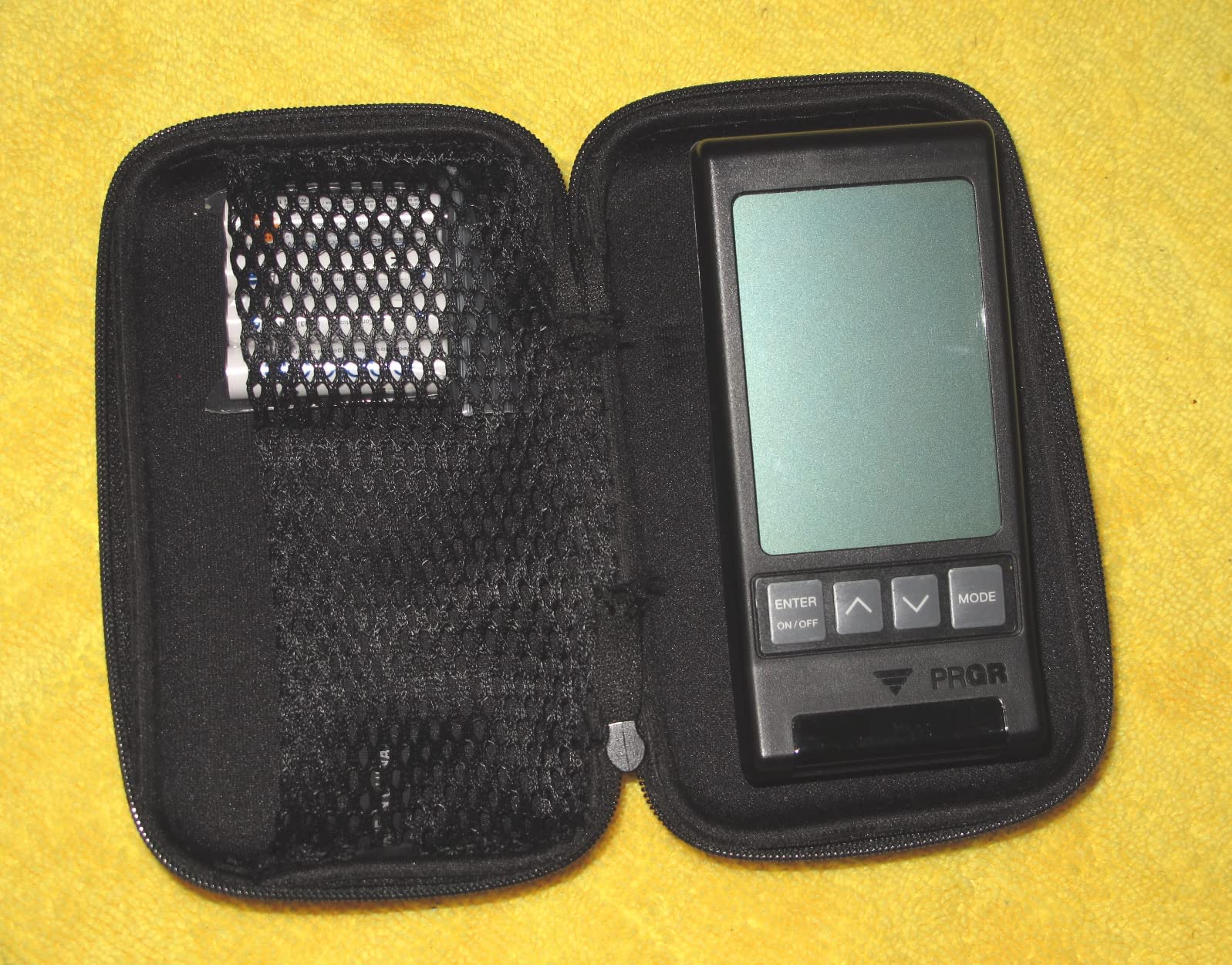
It measures club head speed with or without a ball, plus ball speed, smash factor, and total and carry distance, and it stores 500 past swings in memory. That no-ball mode is the feature that separates it from the rest of the field. You can work on tempo and speed in a garage with a club in hand and no teed ball, which makes it a training aid first and a measurement tool second.
The build is deliberately plain: plastic, LCD only, AAA batteries, 4.9 ounces, IP54 water resistance. It slips into a golf bag and doubles as a swing speed radar for other sports, which its owner base mentions repeatedly as a reason they keep it in the car rather than the closet.
What you give up is depth. There is no video, no launch angle, no spin rate, no shot shape, and no app to break shots down afterwards. The carry and total figures are calculated rather than observed, so treat them as a guide to relative distance rather than a survey-grade measurement.
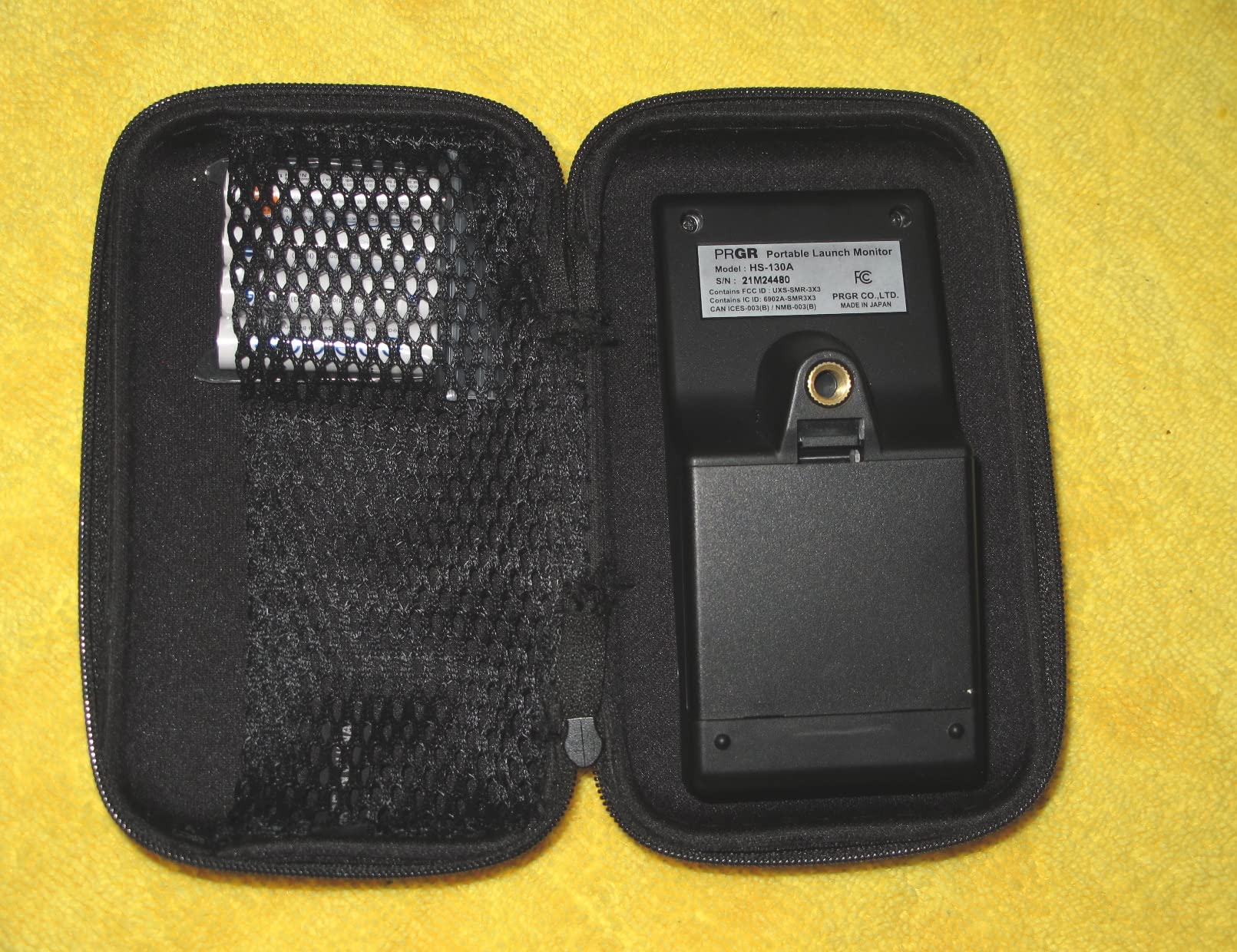
Because distances are computed rather than measured, the PRGR is most reliable as a change detector. Track the same club week to week and the direction of travel is dependable even when the absolute number is a couple of yards optimistic.
When the PRGR is the right call
If your goal is faster clubhead speed, a stronger transition, or tempo work in a small space, nothing else here serves that as directly. The absence of any phone requirement also makes it the easiest unit to hand to a junior or a playing partner.
It also handles multi-sport speed training well, which is a genuine bonus if you also swing a bat or a racket and want one device for everything.
When the PRGR is the wrong call
If you need to know how far each club actually carries on the course, the calculated distances will not settle that question. There is no launch window data either, so it cannot help you build a trajectory.
Anyone chasing spin rate or launch angle should skip it entirely. The screen shows a short list of numbers and nothing else, so there is no deeper layer to unlock later.
3. Garmin Approach R10: Best Battery Life and App Ecosystem
Garmin Approach R10, Portable Golf Launch Monitor, Take Your Game Home, Indoors or to The Driving Range, Up to 10 Hours Battery Life – 010-02356-00
IPX7 waterproof
340 g
Up to 10 hour battery
Tripod, phone mount and case included
1 year limited warranty
Pros
- Most complete metric set here including ball spin
- launch angle and launch direction
- Training mode with per-club stats and a shot dispersion chart
- Automatic video clips tagged with each swing's metrics
- 10 hour battery works at home
- indoors or on the range
Cons
- Virtual course play and some analytics require a paid Garmin Golf subscription
- Needs a compatible smartphone and the app rather than running standalone
- No built-in screen of its own
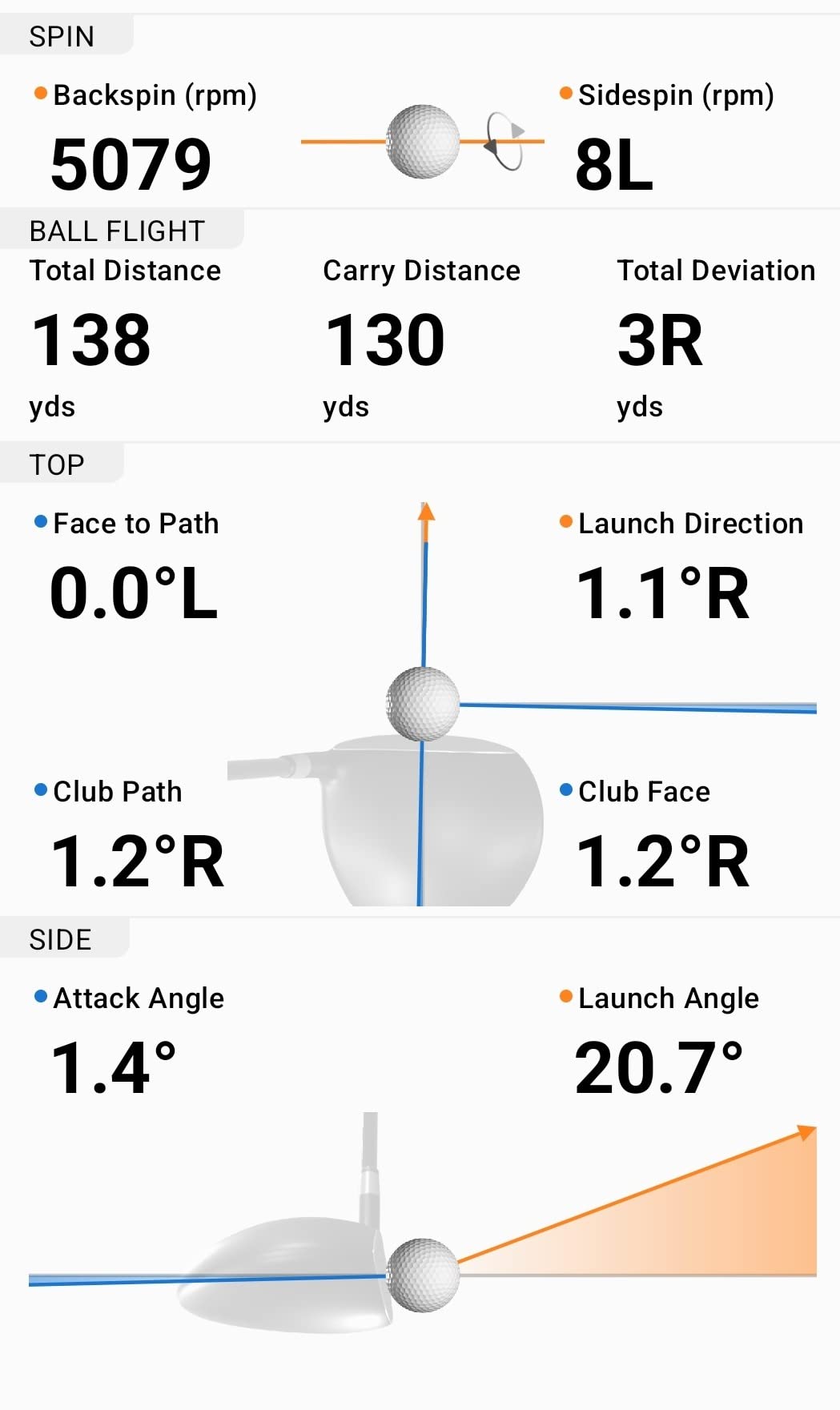
The Approach R10 is the most complete measuring package we found under this ceiling. Alongside club speed, ball speed and swing tempo, it reports ball spin, launch angle and launch direction, and the manufacturer publishes the tolerances: club speed within 3 mph, ball speed within 1 mph, launch angle and launch direction within 1 degree. Having stated accuracy figures on the spec sheet is unusual in this category and worth something.
Everything happens through the Garmin Golf app. Training mode builds per-club statistics and a shot dispersion chart, and the device automatically records a video clip for each swing with its metrics attached, so you can scroll back through a session rather than trying to remember what you felt. That combination of dispersion chart plus video is what separates it from every other unit here except the Rapsodo.
Practically, it is the easiest to move around. A 10 hour battery means a full range session or a week of garage work on one charge, and IPX7 waterproofing means rain at the range is not an event. The tripod and phone mount are included, so there is nothing extra to buy, and the whole thing runs on a battery you can top up from the same cable as the rest of your golf kit.
The recurring charge is the subscription. Virtual rounds across more than 42,000 courses and some of the analytics features sit behind an active Garmin Golf membership. You do not need it to hit balls and read numbers, which is why the core training value stands on its own, but it does change the multi-year cost picture.
Some owners also report numbers drifting from course truth in indoor net setups. Radar inside a net does not see the ball leave cleanly, so treat indoor R10 readings as comparative rather than absolute.
Pairing takes a moment each session, and because there is no screen on the device itself, reading a number means picking up your phone. That is the standing friction point for anyone who prefers a glance-and-go setup.
When the Garmin R10 is the right call
It suits golfers building a real practice habit around dispersion charts, anyone hitting at both the net and the range, and simulator users who want a wide library of virtual courses alongside their measured data.
It is also the safest pick for Android owners in this category who want more than speed numbers, since the core feature set does not depend on an Apple device.
When the Garmin R10 is the wrong call
Buyers who want zero recurring costs should look elsewhere, and the same goes for anyone who wants a device that works at address without a phone in hand.
If video of every swing is your main motivation, the R10 clips are a smaller dataset than the Rapsodo’s full tracer video, and the automatic capture does not always give you the angle you wanted.
4. Voice Caddie SC200Plus: Best Value for Indoor Tempo Training
Voice Caddie SC200Plus Portable Golf Launch Monitor and Swing Analyzer with Real-Time Shot Data Tracking – 12-Hour Battery Life
Doppler radar with pressure sensors
8 ounces
Advanced LCD with voice output
Up to 20 hour battery
1 year warranty
Pros
- Real-time voice output plus an LCD so you never need to look at a phone
- Swing speed mode trains tempo with no ball struck
- Adjustable loft angles let you practise different clubs
- Stores shot data and per-club averages
- Works indoors and outdoors with no app
Cons
- No spin rate
- launch angle
- ball speed
- smash factor or shot-shape data
- Distances are calculated estimates rather than measured flight
- No video capture
- playback or dispersion charts
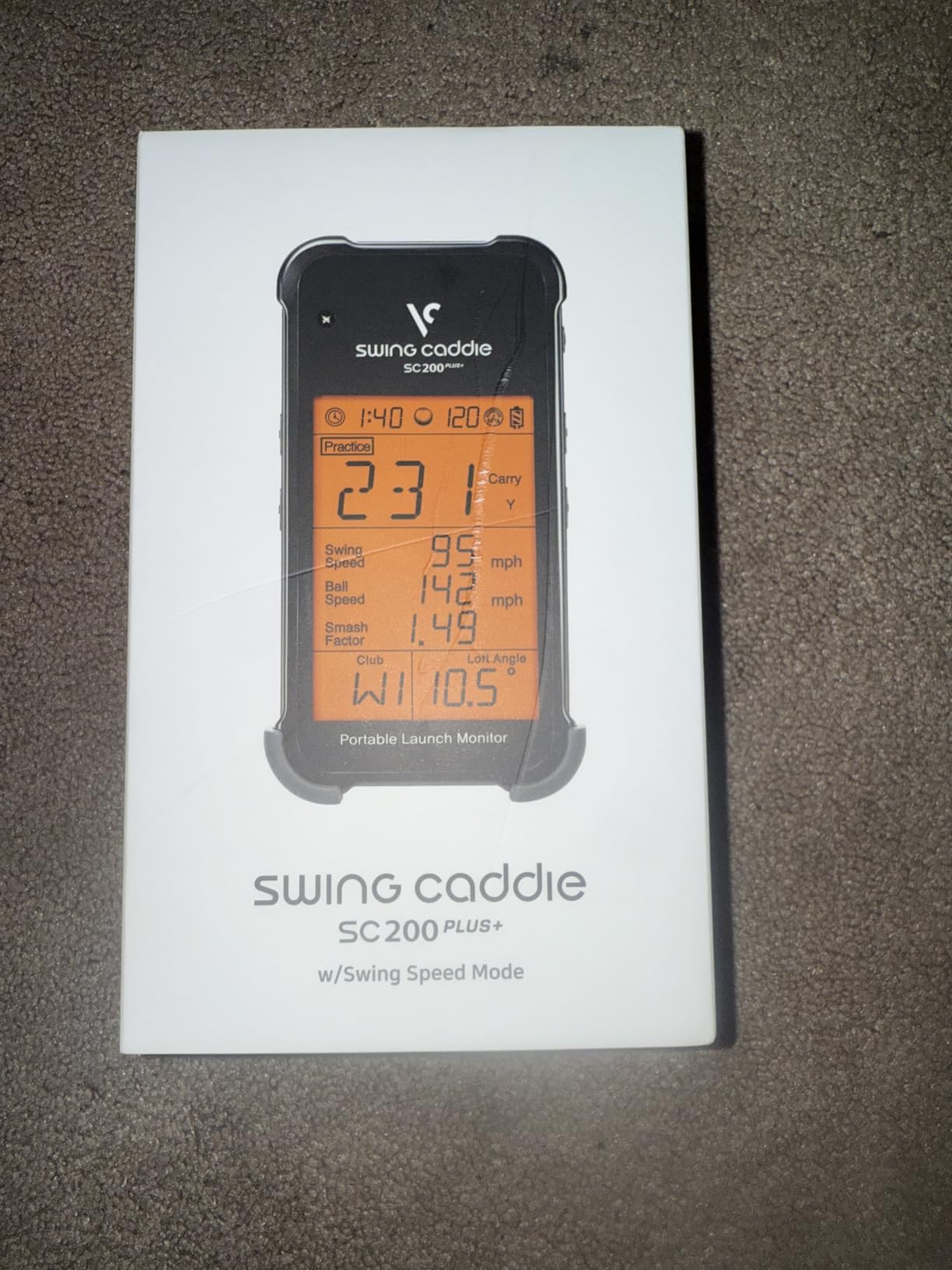
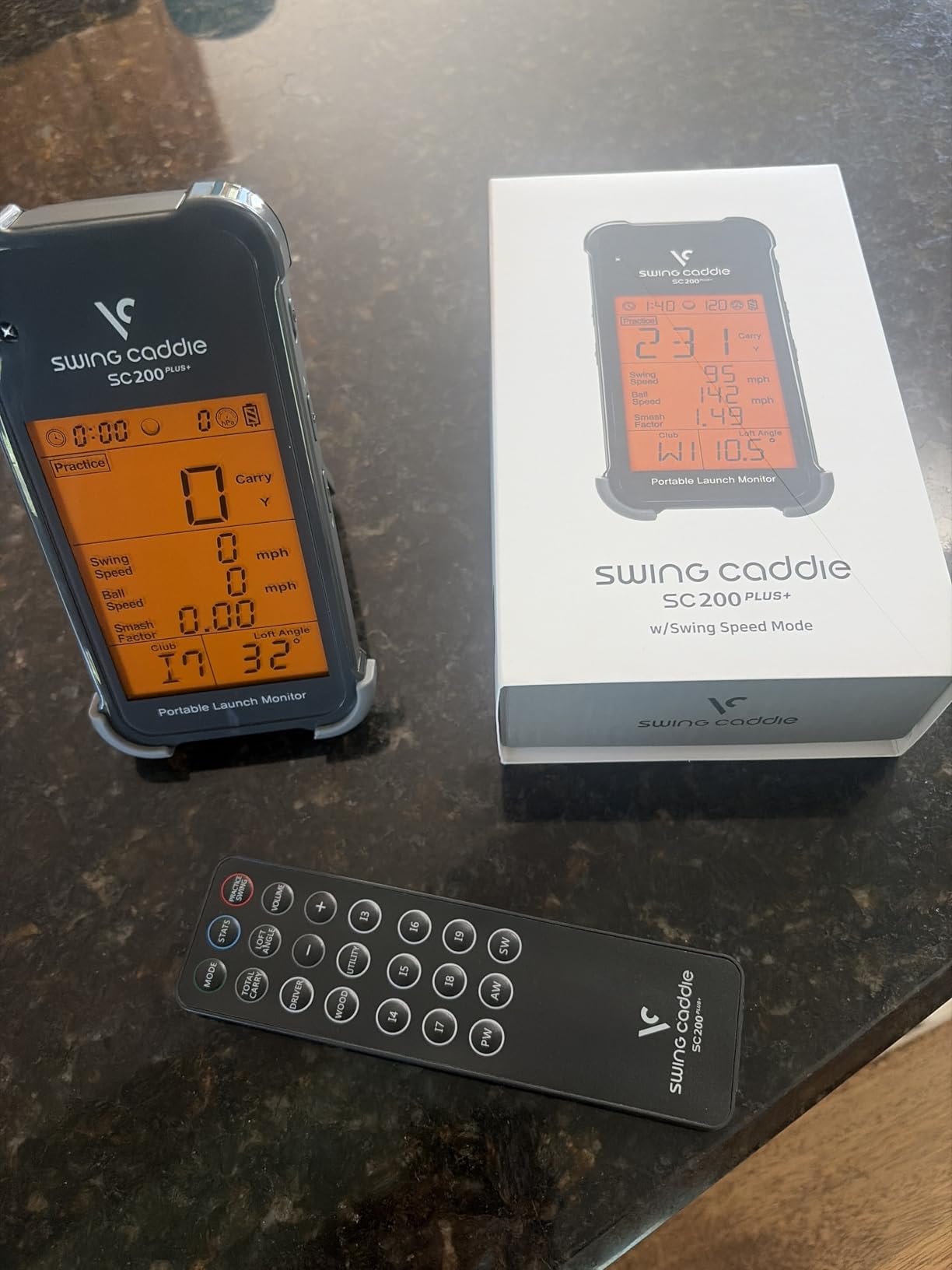
The SC200Plus is the most approachable device in the roundup for anyone starting out. It has an advanced LCD and real-time voice output, so the screen and the speaker both tell you what just happened. Nothing to pair, nothing to configure, no account and no recurring fee.
The swing speed mode is the reason it earns its place. You can practise tempo and speed indoors without striking a ball at all, which is exactly what you want on a wet evening in a basement. Adjustable loft angles let you simulate different clubs and conditions without changing clubs.
It stores shot data and club statistics with average distances per club, so you can review a session later without any app. The 20 hour battery is the longest here, and the whole thing weighs 8 ounces, which makes it trivial to move between the net and the range.
The scope is the limit. There is no spin rate, no launch angle, no ball speed, no smash factor and no shot-shape data, and the distances it reports are calculated rather than measured. Radar readings can also be thrown off by a ball that is not struck squarely, so a mishit produces a number that means very little.
Atmospheric pressure sensors calibrate the radar for weather and altitude, which is one reason owners in high-altitude and variable-climate areas find it steadier than cheaper handheld units.
When the SC200Plus is the right call
It is built for indoor work in a small space and for anyone who wants audible feedback rather than data analysis. Speaking the result aloud means you keep your head down and your eyes on the ball, which many coaches prefer.
The per-club averages also make it a decent one-time calibration tool. Hit each club twenty times, read the average, and you now know your real gaps instead of guessing from the club labels.
When the SC200Plus is the wrong call
If you want to understand why a ball flies the way it does, this device cannot tell you. Without launch angle or spin there is no way to build a flight window or diagnose a wedge shot’s descent.
It also has no way to grow with you. There is no app, no video and no upgrade path, so once speed training becomes data training you will be replacing it rather than extending it.
5. TAGCMC GX-10: Best for Spin Rate and Attack Angle Without a Subscription
Golf Launch Monitor & Portable Simulator, Tracks 13+ Metrics Swing Analysis
Spin rate, spin axis and attack angle
Temperature, humidity and pressure sensors
No subscription
iOS, Android and HarmonyOS
1.4 lb package
Pros
- Reports spin rate
- spin axis and attack angle alongside launch angle and swing speed
- Environmental sensors adjust readings for temperature
- humidity and barometric pressure
- 3D driving range with 45 and 90 degree views plus trajectory and video
- No subscription and apps for iOS
- Android and HarmonyOS
Cons
- Newer listing with a small review base so long-term reliability is unproven
- Some users must adjust sensitivity calibration to match a reference monitor
- Pairing and charging problems reported by some buyers
The GX-10 does something most devices at this level do not: it reports spin rate and spin axis without asking you for a subscription. Add attack angle and launch angle to that, plus a swing-only mode, and you have a metric set that normally lives well above this ceiling.
The environmental compensation is the part I did not expect. Built-in temperature, humidity and barometric pressure sensors auto-adjust the shot data, which in practice means your numbers stay comparable between a cold January garage session and a humid summer evening at the range. That matters more than it sounds once you start tracking trends instead of single shots.
The presentation is good too. A 3D virtual driving range with 45 and 90 degree viewing options, clubface impact visuals and ball flight trajectory tracking turn practice into something closer to a game, and the app supports English, Chinese and Japanese across iOS, Android and HarmonyOS.
Reliability is the open question. This is a recent listing with a thin review base, so long-term durability is unproven, and a segment of owners report having to dial the sensitivity calibration down before readings matched a reference monitor they trusted.
Pairing and charging issues come up in a few reviews, and accuracy is described as moderate by some owners rather than excellent. Budget time for a calibration session against a unit you already trust.
When the GX-10 is the right call
It is the pick if spin rate is the number you have been missing and you refuse to pay a subscription to get it. Attack angle and spin axis also make it attractive for golfers working on delivery position and face control.
Android users get full access to every feature here, with no iOS gating and no paid tier behind the good metrics.
When the GX-10 is the wrong call
If you want a proven track record, the small review base argues against it. A device you intend to keep for years should have more than a few dozen owners reporting in.
Buyers who want accurate out-of-the-box numbers may find themselves adjusting calibration in a basement rather than on the first tee. And if your phone is old, check the minimum OS requirement before you commit.
6. The Stack Radar: Best for Pocketable Speed Training With an App
TheStack™ Radar – Portable Golf Launch Monitor, Swing Speed & Ball Tracker
0.12 kg item weight
Bluetooth to TheStack App
Swing speed and ball speed
iOS and Android for speed training
Pros
- Highest average rating in the roundup with the largest five-star share
- Smallest and lightest device here at 0.12 kg
- Gamified Stack Wedging app turns wedge practice into targeted sessions
- Bundled guided putting practice adds on-green work
- Core speed training works on both iOS and Android
Cons
- Only reports swing speed
- ball speed
- estimated carry and smash factor
- Stack Wedging and Stack Putting are iOS only and need iOS 15 or later
- Wedge mode has a one-month free trial then a paid subscription
The Stack Radar has the highest average rating of any device we tested, and its owner base is the most enthusiastic. At 0.12 kg it is the smallest thing in this roundup, small enough that leaving it in the car becomes realistic, which is where a speed trainer is actually useful.
The core job is speed. It measures swing speed and ball speed and calculates estimated carry distance and smash factor, logging automatically over Bluetooth to TheStack App. Nothing has to be pressed between shots, which removes the single biggest annoyance of app-based training.
What makes it interesting is the software around that number. The Stack Wedging app turns wedge practice into gamified, skill-specific sessions rather than an endless stream of numbers, and bundled Stack Putting adds guided putting work with insights. Solo practice gets harder to abandon when there is something to progress through.
There is a platform catch worth reading twice. Speed training works on iOS and Android, but Wedging and Putting are iOS only and require iOS 15 or later, and Wedge Mode comes with a one-month free trial before a paid subscription is expected. Also note the metric ceiling: no launch angle and no spin rate, and carry is calculated rather than measured.
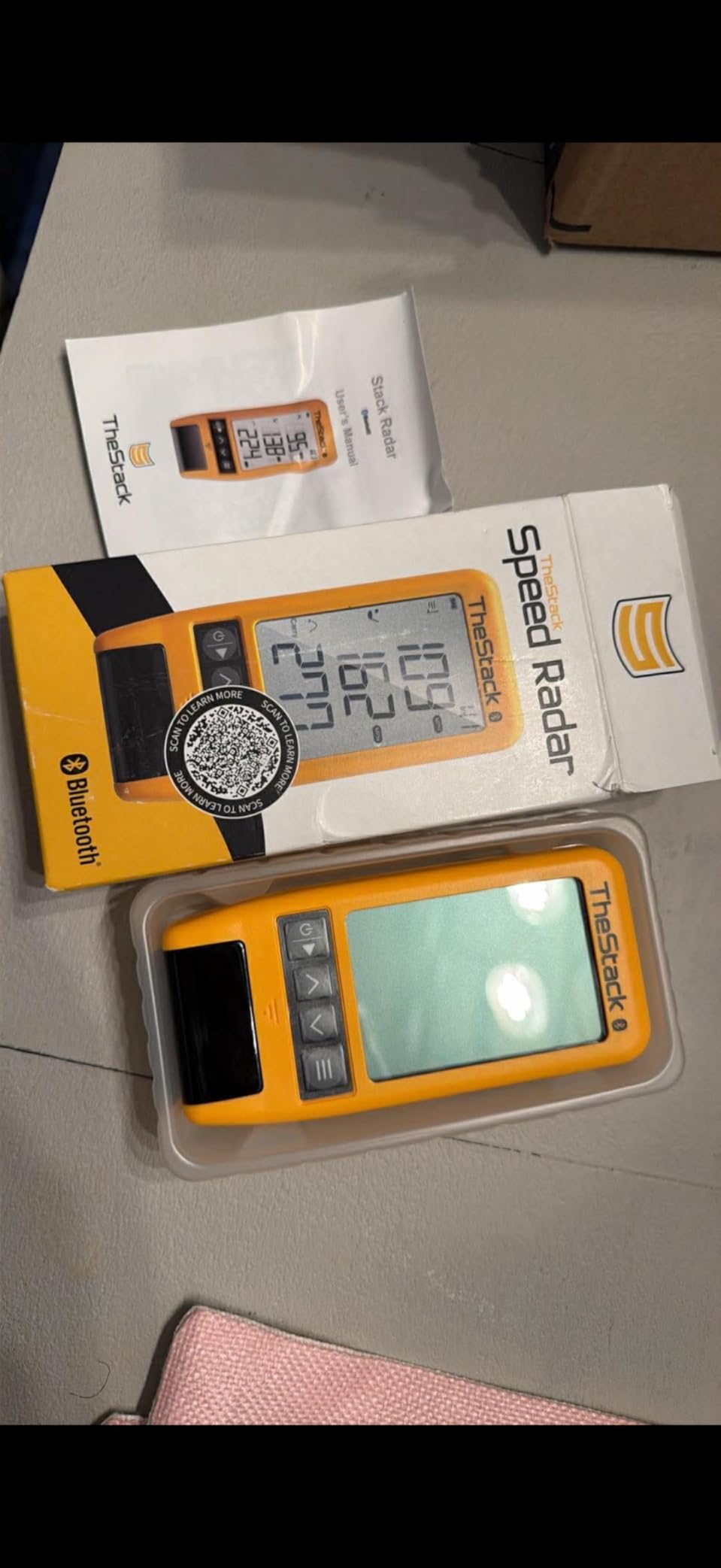
The 2022 US Open Champion Matt Fitzpatrick has used it on tour, which is a reasonable endorsement of the speed readings, though tour-level trust does not automatically translate into precision on a garage mat.

When the Stack Radar is the right call
It suits golfers whose real problem is clubhead speed rather than ball data, and anyone who wants wedge and putting structure instead of endless swing counting.
It is also the easiest unit here to hand to a playing partner or a junior, because it logs itself and needs almost no instruction.
When the Stack Radar is the wrong call
If you need launch direction, launch angle or spin, this device will not give them to you at any setting. Android users get the speed tracking but none of the gamified apps.
Buyers planning to buy for the wedge app should factor the trial-then-subscribe model into the multi-year cost, and anyone wanting hard distance measurement should look at the radar units instead.
7. Swinora GX-03: Best Metric Count for Indoor Simulators
Swinora Golf Launch Monitor & Portable Swing Analyzer with 13 Metrics
13 metrics including spin rate
OLED display in aluminum body
No annual subscription
15 ft minimum indoor space
Tripod and phone mount included
Pros
- Delivers 13 metrics including carry
- total
- smash factor
- spin rate
- attack angle and launch angle
- No subscription or hidden fees with all features unlocked after one-time download
- Per-club distance compensation from 80 to 120 percent
- Environmental sensors for temperature
- humidity and pressure
Cons
- Small review base of 15 ratings so long-term reliability is unproven
- Some owners report the measurements are not very precise
- Indoor use needs at least 15 ft of clear space behind the ball
- Bluetooth can be unreliable at a range away from the phone
The Swinora GX-03 reports 13 metrics, which is the widest set in this roundup, and it does it with no annual fee. Every feature unlocks after a one-time download, so there is no tier to upgrade to and nothing that gets held back later.
The distance compensation function is the feature we did not expect to care about. You can adjust the reported distance from 80 to 120 percent per club, which lets you calibrate indoor carry numbers against what you actually hit outdoors. For a home simulator that is arguably more useful than a single extra metric, because it reconciles two environments that rarely agree.
The build is the most substantial here: an aluminum body with an OLED display, plus a tripod and phone mount in the box. Vertical clubface data, swing-only mode, a shank and missed-shot alert that records club speed only to avoid polluting your data, and practice views at 45 and 90 degrees round out a well-considered package.
The space requirement is the part to measure before you buy. Indoor use requires at least 15 feet of clear space, with the device 5 feet behind the ball and 10 feet of ball flight in front of it. Basements and small garages often do not have that, and it is the single most common reason we would not recommend this device to a short-room owner.
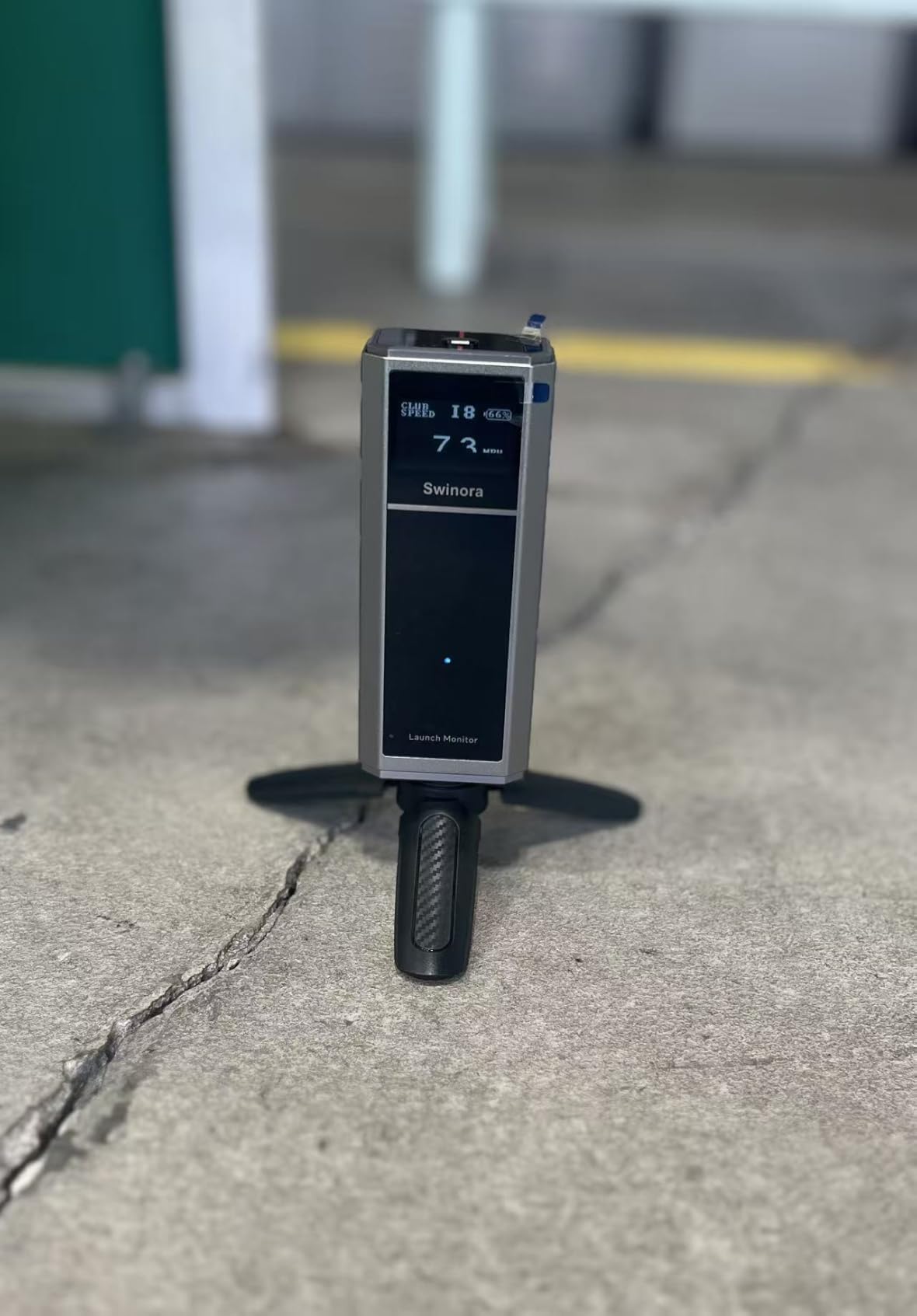
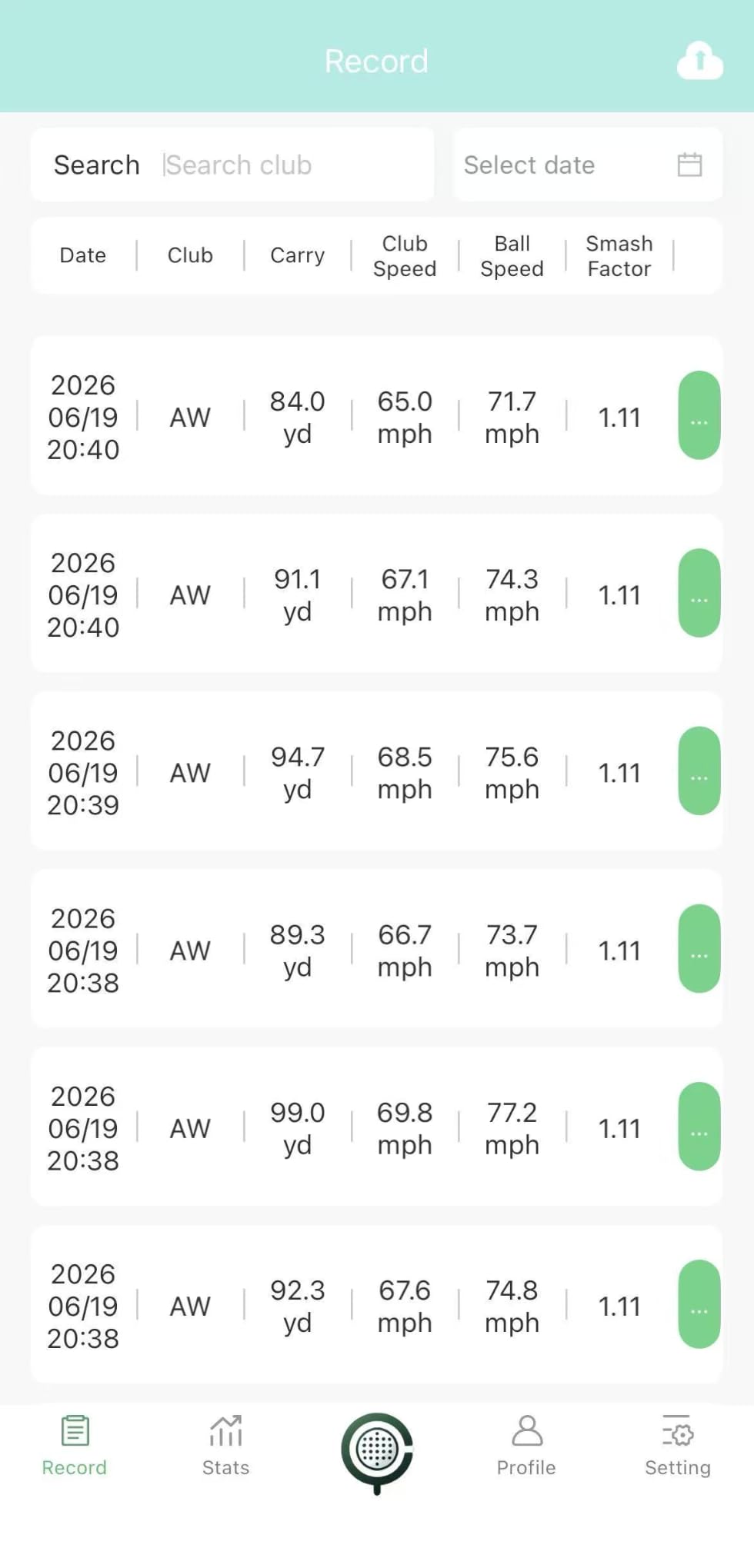
Several buyers compared it against much more expensive indoor monitors in side-by-side testing and reported numbers close to a TrackMan, which is a genuinely encouraging result. Others simply call the measurements imprecise, and the split tells you the device rewards careful setup.
When the GX-03 is the right call
It fits indoor simulator builders who have 15 feet or more of depth, want spin rate and attack angle, and refuse to pay a subscription to unlock features they already paid for.
Bluetooth linking is easiest when the phone sits directly in front of the device, so plan your rig around that rather than fighting the connection.
When the GX-03 is the wrong call
With only 15 ratings behind it, the device has not been stress-tested by a large owner base, and the 17 percent one-star share reflects real complaints about precision rather than shipping issues.
Short-room owners should rule it out immediately, and range practice where you walk away from your phone is the other situation where the Bluetooth link disappoints.
8. Garmin Approach G80: Best Two-in-One GPS Handheld and Radar
Garmin Approach G80, All-in-One Premium GPS Golf Handheld with Integrated Launch Monitor, 3.5″ Touchscreen
3.5 inch transflective touchscreen
Integrated radar launch monitor
41000 plus preloaded maps
15 hour battery
4.16 ounces
Pros
- Two devices in one with a full color GPS handheld and a radar launch monitor
- Tracks club head speed
- ball speed
- smash factor
- swing tempo and estimated distance
- Sunlight readable 3.5 inch touchscreen with quick button access to the radar
- Practice and game modes with a 15 hour rechargeable battery
- Cart mount and lanyard included
Cons
- No spin rate
- launch angle
- launch direction or ball flight video from the radar
- All distances are estimated rather than observed from ball flight
- Adds bag bulk for golfers who only want a swing trainer
The Approach G80 is the odd one out because it is a golf GPS handheld first and a launch monitor second. The transflective 3.5 inch color touchscreen is readable in direct sun, and more than 41,000 detailed color course maps are preloaded, with no downloads and no subscription.
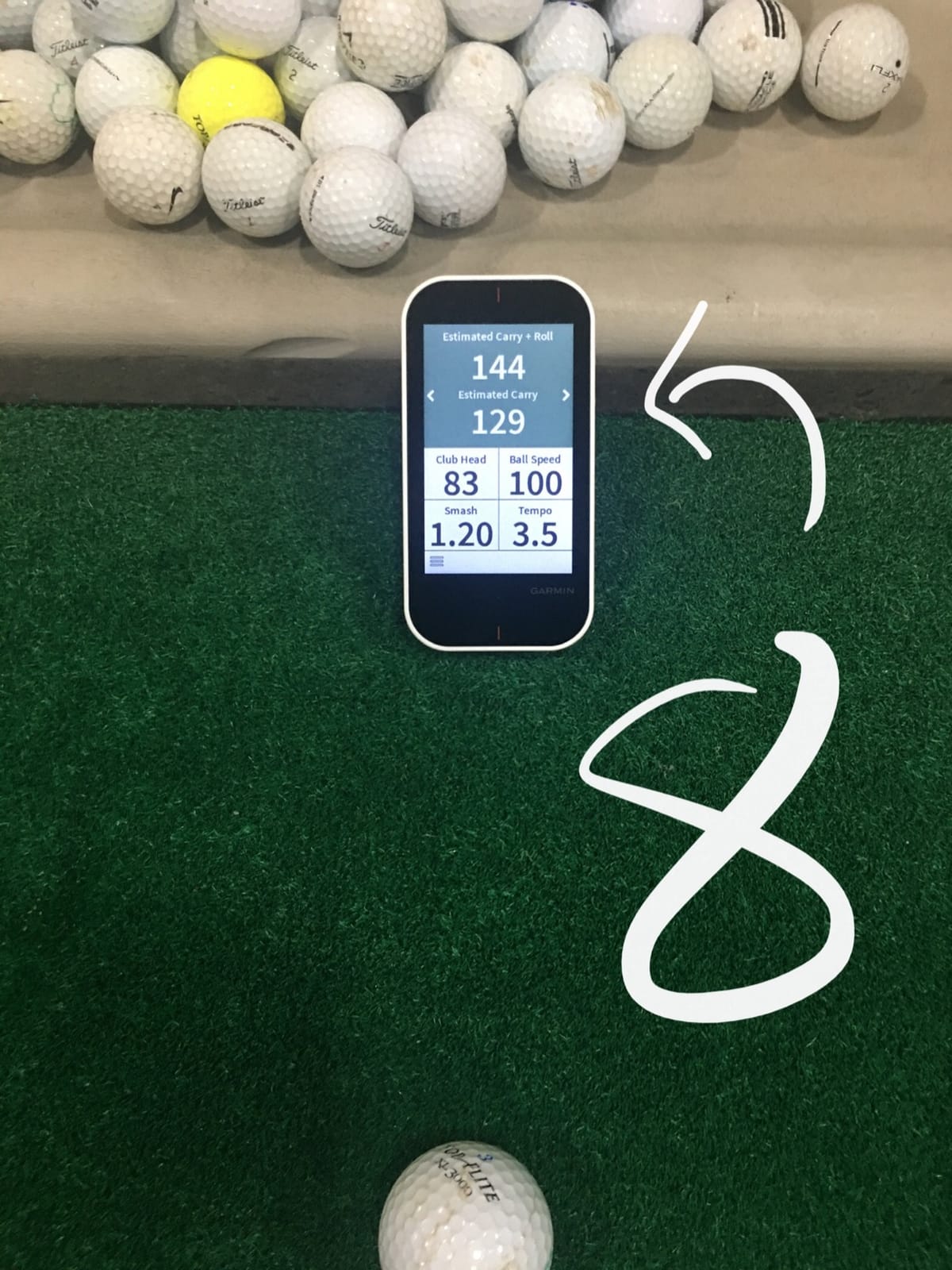
The integrated radar tracks club head speed, ball speed, smash factor, swing tempo and estimated distance, and there is a physical button that jumps you straight to it from the course map. If you are walking the fairway in practice mode, tapping through to swing data takes seconds rather than unlocking a phone.
Battery life is rated at up to 15 hours with GPS, and the rechargeable unit weighs 4.16 ounces with a trolley or cart mount and lanyard included. Owners consistently single out the bright screen, the accuracy of the speed readings and the bundled mounts as the reasons they keep it.
What it will not do is measure the ball. No spin rate, no launch angle, no launch direction, no video, and every distance figure is estimated rather than observed. For players who only want a swing trainer, carrying a full handheld adds bulk to the bag for no benefit.
The launch monitor half is speed and estimate only, so this is not the device for building a flight window or diagnosing spin changes. It is a course companion that happens to read your swing.
When the G80 is the right call
It suits golfers who already want a GPS handheld and would rather not carry two devices, especially on rounds where mapping and swing work happen together.
Buyers who dislike subscriptions also like that every map is preloaded, so there is nothing to buy later and nothing to remember to download before a trip.
When the G80 is the wrong call
If ball flight data is why you want a launch monitor, the estimated distances will not answer your question and the missing spin rate is a hard limit rather than a limitation.
It is also an older generation design with dated styling and no modern app-based shot analysis, so anyone building a long-term data habit should weigh it against the R10 instead.
How to Choose: What Actually Changes Your Numbers
Across eight devices the price differences are small enough that the deciding factor is measurement type, not cost. These are the five questions that actually separate them, in the order they tend to matter.
Measured spin versus estimated spin
Only two devices here report spin rate directly: the TAGCMC GX-10 and the Swinora GX-03, both of which read it from sensor data with no subscription attached. Radar units, including the PRGR, the Voice Caddie and the Garmin G80, calculate a spin figure from ball speed and launch angle, which is a reasonable estimate but not a measurement.
The Garmin R10 sits in between, reporting ball spin through its radar plus a full metric set including launch direction and swing tempo. If spin is central to what you are training, start from the two units that measure it rather than the ones that infer it.
Indoor versus outdoor, and how much room you need
Radar needs a clear line behind the ball and enough flight in front of it. The Swinora GX-03 is explicit about needing at least 15 feet of indoor depth, with the device 5 feet behind the ball and 10 feet for ball flight. Every other radar unit needs comparable clearance even when the number is not published.
Camera and phone-based devices like the Rapsodo care far less about flight distance, because they photograph the impact rather than tracking the ball. That makes them the better fit for a short room. If your basement cannot give you 15 feet of depth, cross the radar units off your list before anything else.
Our backyard disc golf basket guide covers the other half of the same problem, where the limiting factor is where the ball stops rather than where it starts.
Subscriptions and the three-year cost
Four devices in this roundup have no recurring fee of any kind: the PRGR HS 130-A, the Voice Caddie SC200Plus, the TAGCMC GX-10 and the Swinora GX-03. The Garmin R10 puts virtual rounds and some analytics behind an active Garmin Golf membership, and the Stack Radar offers a one-month Wedge Mode trial before a paid subscription.
Neither subscription is required to hit balls and read core numbers. What they buy is range: virtual courses and deeper analytics on one side, gamified wedge and putting sessions on the other. Treat them as optional upgrades, and add up what you will actually use before you count them against a device.
Phone-only versus a built-in screen
Phone-dependent devices give you a bigger screen, a better app and video you can review frame by frame, but they cost you phone battery and they demand attention at address. Standalone devices do the opposite: a small LCD you can glance at, voice output on some models, and no pairing.
Watch the platform rules closely. The Rapsodo MLM is iOS only. The Stack Radar supports both platforms for speed training but gates Wedging and Putting behind iOS 15 or later. The TAGCMC GX-10 and the Swinora GX-03 are the only units with full app parity across iOS, Android and, for the GX-10, HarmonyOS.
Renewed or refurbished as a way to reach the ceiling
Buying a renewed unit is a legitimate way to get a flagship-class device under this budget rather than settling for the cheaper model. The trade is warranty terms rather than performance, so read the coverage window on the specific listing before you commit, and confirm that returns are handled by the same seller you bought from.
The other half of the same strategy is simply buying the previous generation. The Garmin Approach G80 is the worked example here: it costs materially less than the R10 and carries a GPS handheld most competitors in this band do not offer at all.
Frequently Asked Questions
What is the best golf launch monitor under $500?
The Rapsodo MLM is the strongest all-round unit at this budget, returning ball speed, club speed, launch angle, carry distance and shot shape plus shot-tracer video and a GPS map of where the ball landed. It is iOS only, so Android buyers should look at the Garmin Approach R10, which adds ball spin and a 10 hour battery and works with any compatible phone.
Is there a cheaper alternative to Trackman?
Yes, and the honest framing is what you give up. Under this ceiling you get four to eight metrics instead of a full professional package: ball speed, club head speed, smash factor, carry distance, and on the better models launch angle, spin rate and video. For club gapping, swing speed work and honest carry numbers that is genuinely enough. For full fitting work involving spin axis, dispersion and shot shape, a professional-grade unit is still a different category of instrument.
Is the Garmin R10 or the Rapsodo MLM better?
It depends on which half of the data you care about. The Rapsodo records full shot-tracer video of every swing and plots the ball on a GPS satellite map, and it reports shot shape, so it is the better choice for visual diagnosis and course mapping, provided you own an iPhone or iPad. The Garmin R10 covers both platforms, reports ball spin, launch angle and launch direction, runs up to 10 hours on a charge, and is waterproof, so it is the better choice for range and simulator use on any phone.
Which golf launch monitor is the most accurate?
Among the units that publish tolerances, the Garmin Approach R10 is the clear answer, quoting club head speed within 3 mph, ball speed within 1 mph, and launch angle and launch direction within 1 degree. Among the rest, accuracy is easier to judge by method: sensor-based units such as the TAGCMC GX-10 and Swinora GX-03 measure directly, while radar units calculate distance and spin from ball flight physics. A practical reliability threshold used by owners is whether carry readings drift more than a few yards against a trusted reference.
Can a launch monitor under $500 measure spin rate?
Two of the devices here report spin rate directly without a subscription: the TAGCMC GX-10, which also adds spin axis and attack angle, and the Swinora GX-03, which includes spin rate among 13 metrics. The Garmin R10 reports ball spin alongside launch angle and launch direction. Radar-only units such as the PRGR HS 130-A, the Voice Caddie SC200Plus and the Garmin Approach G80 do not provide spin rate at all.
Do launch monitors under $500 require a subscription?
Most do not. The PRGR HS 130-A, the Voice Caddie SC200Plus, the TAGCMC GX-10 and the Swinora GX-03 have no recurring fee, and the Swinora unlocks every feature after a one-time download. The Garmin R10 puts virtual course play and some analytics behind an active Garmin Golf membership, while core measurement and training features work without it. The Stack Radar includes a one-month free trial of Wedge Mode before a paid subscription is expected.
What is the best launch monitor for hitting into a net?
Phone and camera-based units are the better fit for indoor net work because they read the impact rather than tracking ball flight, so the Rapsodo MLM needs far less depth behind the ball than a radar device. Among radar options the Swinora GX-03 publishes the requirement clearly, needing at least 15 feet of clearance with the device 5 feet behind the ball. If your room is shorter than that, rule radar units out before comparing features.
Final Verdict on the Best Golf Launch Monitors Under $500
The Rapsodo MLM is our pick for the best golf launch monitors under $500 in 2026, and the reason is data density per swing combined with video. If you are on Android, take the Garmin Approach R10 instead and accept the subscription on virtual courses. If your budget is the priority and your goal is clubhead speed, the PRGR HS 130-A does that job with no phone and no fees.
For the remaining cases, the answer follows the room. Fifteen feet or more of indoor depth and a demand for spin rate points to the Swinora GX-03 or the TAGCMC GX-10, both of which report spin without a subscription. A short room and a preference for spoken feedback points to the Voice Caddie SC200Plus. Course rounds that pair mapping with swing work point to the Garmin Approach G80.
Whichever you choose, hit the same twenty shots with the same club before you trust a single number, and set that unit up in the place you will actually practice. Your stock yardages are almost certainly wrong by ten yards or more, and one afternoon with any of these will tell you by how much. For buying everything else in the same price bracket, our best turntables under 500 dollars went through the same process.