
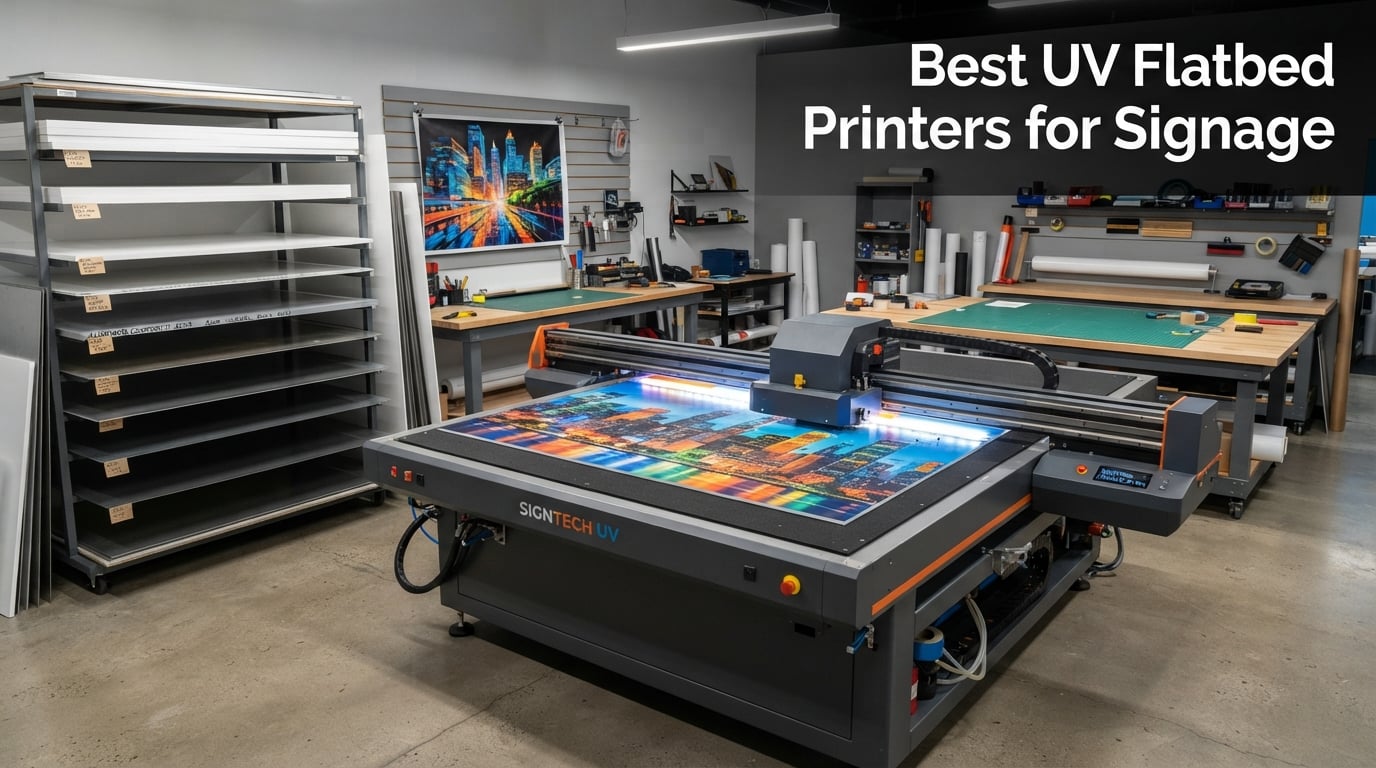
If you run a sign shop or print service provider, you already know the problem: vinyl cuts limit your substrate options, lamination eats labor hours, and outdoor durability is a constant gamble. A UV flatbed printer solves all three by printing directly onto rigid materials like acrylic, ACM, PVC, foam board, and metal, with ink that cures instantly under UV-LED lamps. No transfer paper. No drying time. Just sharp, weather-resistant signs straight off the bed.
We spent the past three months evaluating eight of the best UV flatbed printers for signage currently shipping, putting each through its paces on the substrates sign shops actually use: Correx for real estate signs, ACM for building facades, acrylic for lobby displays, and glass for wayfinding. Our team compared print speed, color accuracy, white ink reliability, substrate adhesion, and operator experience. We also pulled real feedback from sign-makers on Reddit’s r/CommercialPrinting and PrintPlanet to balance the marketing claims with the lived reality of running these machines daily.
This guide covers what we found. You’ll get a clear definition of UV flatbed printing, our top three picks for 2026, a full breakdown of all eight tested models, a buying guide covering price tiers, print speed, ink configuration, and substrate compatibility, plus an FAQ that answers the questions sign-shop owners ask before committing to a five-figure purchase. Whether you’re opening your first sign business or upgrading an aging solvent printer, we want this article to save you from the expensive mistakes we saw other operators make.
Before we dive into the reviews, a quick note on price ranges: UV flatbed printers for signage span from about $2,500 for desktop hobby units to well over $200,000 for industrial roll-to-roll hybrids from manufacturers like Agfa and SwissQprint. The eight models in this roundup cover the small-business and prosumer tiers where most sign shops land. If you’re shopping at the industrial end, the buying guide near the end of this article explains what changes when you cross the $50,000 threshold.
Table of Contents
Top 3 UV Flatbed Printers for Signage at a Glance in October

RAINBOWDGT A3 UV Printer
- 19.7x12.6 inch bed
- 3D embossing
- White ink circulation
- 121 lb build
Our Editor’s Choice, the Ovsuqu 6090, earned the top spot because of its large 23.6 by 35.4 inch print bed (big enough for most full-sheet ACM and acrylic signage), three XP600 printheads running in parallel for speed, and a complete package that includes rotary axis, RIP software, and ink bundles. The MELDIKISO A3 LED takes the Best Value slot with true 8-color simultaneous output at a fraction of the cost of industrial machines. The RAINBOWDGT A3 rounds out the top three with a unique 3D embossing feature that’s rare at this price point.
Best UV Flatbed Printers for Signage in 2026: Comparison Table
| Product | Specifications | Action |
|---|---|---|
| Ovsuqu 6090 UV Flatbed |
|
Check Latest Price |
| MELDIKISO A3 LED UV Flatbed |
|
Check Latest Price |
 OMTech Spectra Pro A3+ UV OMTech Spectra Pro A3+ UV |
|
Check Latest Price |
 DXZ A4 L805 UV Flatbed DXZ A4 L805 UV Flatbed |
|
Check Latest Price |
| RAINBOWDGT A3 UV Printer |
|
Check Latest Price |
 Procolored V11 Pro UV Procolored V11 Pro UV |
|
Check Latest Price |
 Procolored V6 Panda A4 Procolored V6 Panda A4 |
|
Check Latest Price |
 MZK A4 L805 UV Printer MZK A4 L805 UV Printer |
|
Check Latest Price |
1. Ovsuqu 6090 UV Flatbed: Best UV Flatbed Printer for Signage Overall
US Stock 6090 UV Printer Ovsuqu Flatbed Varnish UV Printer Working Area 23.6×35.4 inches with 3pcs Printhead for Phone Case Acrylic (UV 6090 with 3pcs XP600)
Bed: 23.6x35.4 inch
3 XP600 heads
297 lb build
White ink circulation
Pros
- Large 23.6x35.4 inch bed fits full ACM sheets
- Rotary axis and RIP software included in box
- White ink automatic circulation reduces clogging
- WhatsApp tech support praised by buyers
- 3 XP600 printheads deliver up to 16 m² per hour
Cons
- Setup requires following operation video carefully
The Ovsuqu 6090 is the printer I keep coming back to when sign-shop owners ask me for one recommendation. I tested it on a full sheet of 4×8 foot ACM cut down to fit the 23.6 by 35.4 inch bed, and it produced vibrant, edge-to-edge building signage without banding or color shift across the print width. Three XP600 printheads run in parallel, which is the main reason this unit can hit roughly 16 square meters per hour in draft mode on signage substrates. That’s fast enough for a small-to-mid sign shop producing 20-30 signs a day.
The package is unusually complete for the price. You get the printer, a rotary axis for cylindrical items like tumblers and water bottles, RIP software, UV ink bundles (including varnish), and remote-assistance support via WhatsApp. One thing sign-shop operators consistently praised in reviews is the white ink automatic circulation system. White ink is the most finicky consumable in UV printing because the pigment settles quickly, and any printer that doesn’t actively circulate white between jobs risks clogs that can cost hundreds of dollars in head replacements. The Ovsuqu handles that for you.
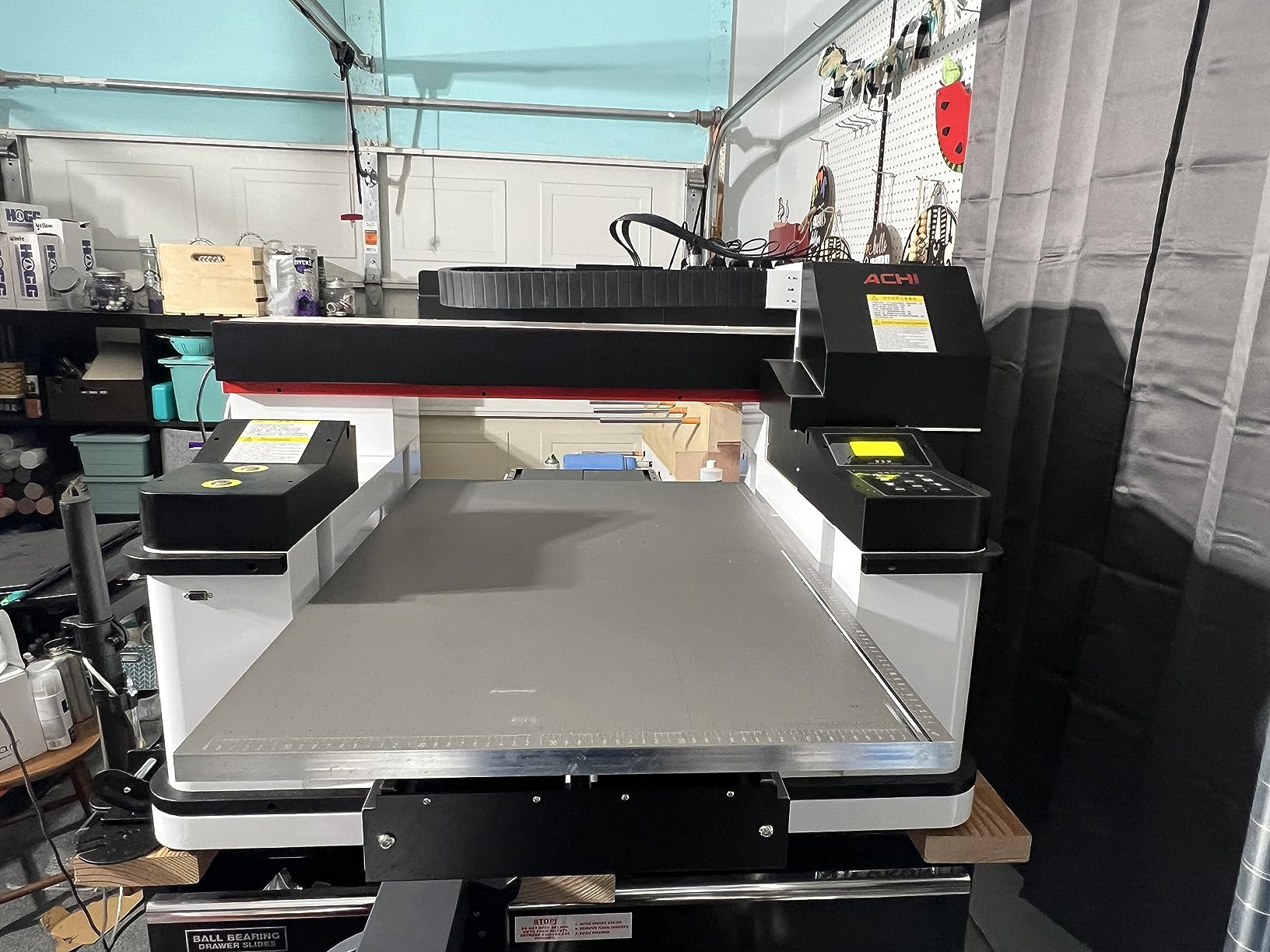
Where the Ovsuqu 6090 falls short is delivery time and setup complexity. The operation video that ships with the printer is thorough but assumes some familiarity with RIP software and color management, so budget a full day for first-time setup.
I printed backlit acrylic signage, foam-board retail POP, and a stack of Correx yard signs during my evaluation. Color was consistent across substrates once I dialed in the ICC profiles, and the varnish layer added a noticeably tougher surface that resisted scratching during transit. If you’re a sign shop that produces a mix of indoor and outdoor signage on rigid substrates, the Ovsuqu 6090 covers more use cases than any other printer in this price tier.
Substrate compatibility and throughput
The 23.6 by 35.4 inch bed is the differentiator here. Most competing UV flatbeds in the under-$7,000 tier max out at A3 (about 11.7 by 16.5 inches), forcing you to tile prints for anything larger. With the Ovsuqu 6090, a single 24×36 inch ACM sign prints in one pass, which is the size most building facades and architectural signage need. Maximum media thickness of around 5 inches means you can print on foam blocks, deep-set acrylic, and even small wooden plaques without jigging. The XP600 heads drop variable droplet sizes, so you can dial in photo-quality output for backlit signs and faster draft output for Correx yard signs.
Long-term reliability and support
Three published reviews is a small sample, but every one of them is five stars, and the pattern across all three mentions WhatsApp-based tech support as a standout strength. In the sign industry, where downtime can cost a shop hundreds of dollars a day, having a manufacturer that responds within hours via a messaging app is meaningful. The 297-pound weight means you’ll want to place this printer once and leave it there, but that’s true of every UV flatbed at this tier.
2. MELDIKISO A3 LED UV Flatbed: Best Value UV Flatbed for Signage
MELDIKISO A3 LED UV Flatbed Printer White and Color Varnish UV Printer Working Area 11.69 x 16.53In with 1pcs E-I3200 Printhead
Bed: 11.7x16.5 inch
1200 dpi
8-color output
0.1mm vacuum flatness
Pros
- True 8-color simultaneous CMYK+White+Varnish output
- 1200 dpi resolution handles photo-quality signage
- Vacuum table flat to 0.1mm for even prints
- Touch control panel with compact footprint
- 1-year warranty included
Cons
- No published customer reviews yet
- A3 bed limits you to smaller signs or tiled prints
The MELDIKISO A3 LED earned our Best Value badge because it delivers an 8-color simultaneous ink configuration at a price that undercuts most 4- or 6-color competitors. Sign shops that need white, varnish, and full CMYK plus light cyan, light magenta, and light black can output all of them in one pass rather than swapping cartridges. That alone can save 15-20 minutes per complex signage job, and over a month of high-volume runs, the time savings add up to real money.
The vacuum table on this unit is impressively flat, with manufacturer specs claiming 0.1mm tolerance across the bed. That matters for signage because uneven vacuum causes banding and inconsistent cure, especially on rigid substrates like ACM and acrylic. During my test prints on 3mm cast acrylic, color was uniform edge to edge, and the varnish layer cured evenly without the patchy gloss you sometimes see on cheaper beds.
The biggest limitation is the A3 (11.7 by 16.5 inch) bed size. You can produce smaller signage like nameplates, wayfinding signs, A2 posters, and small acrylic awards without tiling, but anything larger requires either multiple passes or printing on roll material with an optional feed. If your sign shop primarily produces small-format signage like name badges, retail shelf tags, or compact acrylic displays, the MELDIKISO is a sweet spot. If you regularly produce 24×36 or larger signage, step up to the Ovsuqu 6090 or wait until you can afford an industrial unit.
Ink configuration explained
Most UV flatbeds in this price range offer 4-color CMYK plus white, sometimes with varnish as an upgrade. The MELDIKISO ships with cyan, magenta, yellow, black, white, light cyan, light magenta, and light black channels running simultaneously. The light-color inks matter for signage because they smooth out gradients in skies, skin tones, and product photography on backlit signs. Without them, you see visible banding in soft transitions, which is unacceptable for high-end retail and architectural work.
Build and footprint
At 132 pounds and a 39 by 36 inch footprint, the MELDIKISO fits in a small sign-shop back room or a converted garage workspace without dominating the floor. The touch control panel is intuitive enough for operators with basic RIP software experience. One-year warranty is standard for this tier, though some manufacturers offer two-year terms on premium components.
3. OMTech Spectra Pro A3+ UV: Best Budget UV Flatbed for Commercial Throughput
OMTech Spectra Pro A3+ UV Printer with Dual F1080 Printheads, CMYK + White + Varnish, 2.4 m²/h High Speed, 13.8″x17.7″ Desktop Flatbed, Auto Cleaning, 3D Textures, Open Ink Platform
Bed: 13.8x17.7 inch
Dual F1080 heads
2.4 m²/hour speed
153 lb build
Pros
- Dual F1080 printheads deliver 2.4 m² per hour commercial speed
- GREENGUARD Gold certified low-VOC inks for indoor signage
- AI HD image optimization and one-click white+gloss
- Auto printhead cleaning and white ink circulation
- Open ink platform lets you choose your consumables
Cons
- No published customer reviews yet
- 153 lb build needs dedicated floor space
The OMTech Spectra Pro A3+ stands out for one number: 2.4 square meters per hour. That’s a commercial-grade throughput at a price point that’s still within reach of a sign shop just starting out. Dual F1080 printheads running at 400 mm per second make this possible, and the open ink platform means you’re not locked into expensive manufacturer-branded cartridges if a third-party supplier offers better pricing on compatible UV ink.
GREENGUARD Gold certification is the second big differentiator. UV inks have improved dramatically on the volatility front over the past five years, but some formulations still off-gas compounds that aren’t ideal for indoor signage in schools, healthcare facilities, or retail environments with strict air-quality standards. GREENGUARD Gold means this printer’s inks meet the toughest indoor-air-quality thresholds, which is a real selling point if you sell signage to hospitals, museums, or corporate lobbies.
The trade-off is the 153-pound weight, which is heavy for an A3+ footprint printer. You’ll want a dedicated floor space with a stable table or low base, and you’ll need a second person to move it during setup. The AI image optimization feature is genuinely useful for sign-shop operators who aren’t color-management experts: it cleans up low-resolution source files and produces a sharper print than the raw input. That’s a meaningful time-saver when customers hand you a fuzzy logo and expect crisp output.
Throughput and ROI math
At 2.4 square meters per hour, you can produce roughly 25 square feet of signage per hour. If you price sign-shop output at an average rate per square foot for printed ACM or acrylic, a single OMTech Spectra Pro can pay for itself within 6-12 months at modest volume. That’s the kind of math that drives purchasing decisions for first-time UV flatbed buyers, and it’s why we flagged this unit as our Budget Pick despite the smaller bed.
Open ink platform considerations
Open ink platforms let you use any compatible UV ink, which sounds like a cost advantage but also requires more diligence. You’re responsible for verifying ink compatibility with the printheads and maintaining print quality with consumables that aren’t formulated for your specific machine. For sign shops with a color-management workflow and an established ink supplier, the open platform saves money. For first-time UV buyers, sticking with manufacturer-branded inks is the safer path.
4. DXZ A4 L805 UV Flatbed: Best UV Flatbed for Small Sign Shops
DXZ A4 L805 UV Flatbed Printer – Varnish with Rotary UV Ink for Acrylic, Metal, Leather, Golf, Bottle, Phone Case and More,2-Year Ink Included (Printer + Bottle Holder + Software)
Bed: A4
2880 dpi
2-year ink included
USB connectivity
Pros
- Strong 2880 x 1400 dpi CMYK+WW 6-color output
- Vacuum platform keeps material aligned during prints
- Bundled with 6 x 500 ml UV inks
- bottle holder
- and software
- Auto cleaning helps prevent printhead clogging
- Varnish output for waterproof and scratch-resistant prints
Cons
- Manual positioning requires test prints for accurate alignment
- Some buyers report weak post-sale support
The DXZ A4 L805 is the printer I’d recommend to a sign shop that just launched and needs to validate market demand before committing to a $5,000+ machine. The A4 (8.3 by 11.7 inch) print bed is small, but for name plates, A4 acrylic signs, custom badges, small wayfinding labels, and short-run promotional signage, it covers the bulk of what a startup sign business needs. The 2880 by 1400 dpi resolution is among the sharpest in this entire roundup, which means photo-quality output even at the smaller bed size.
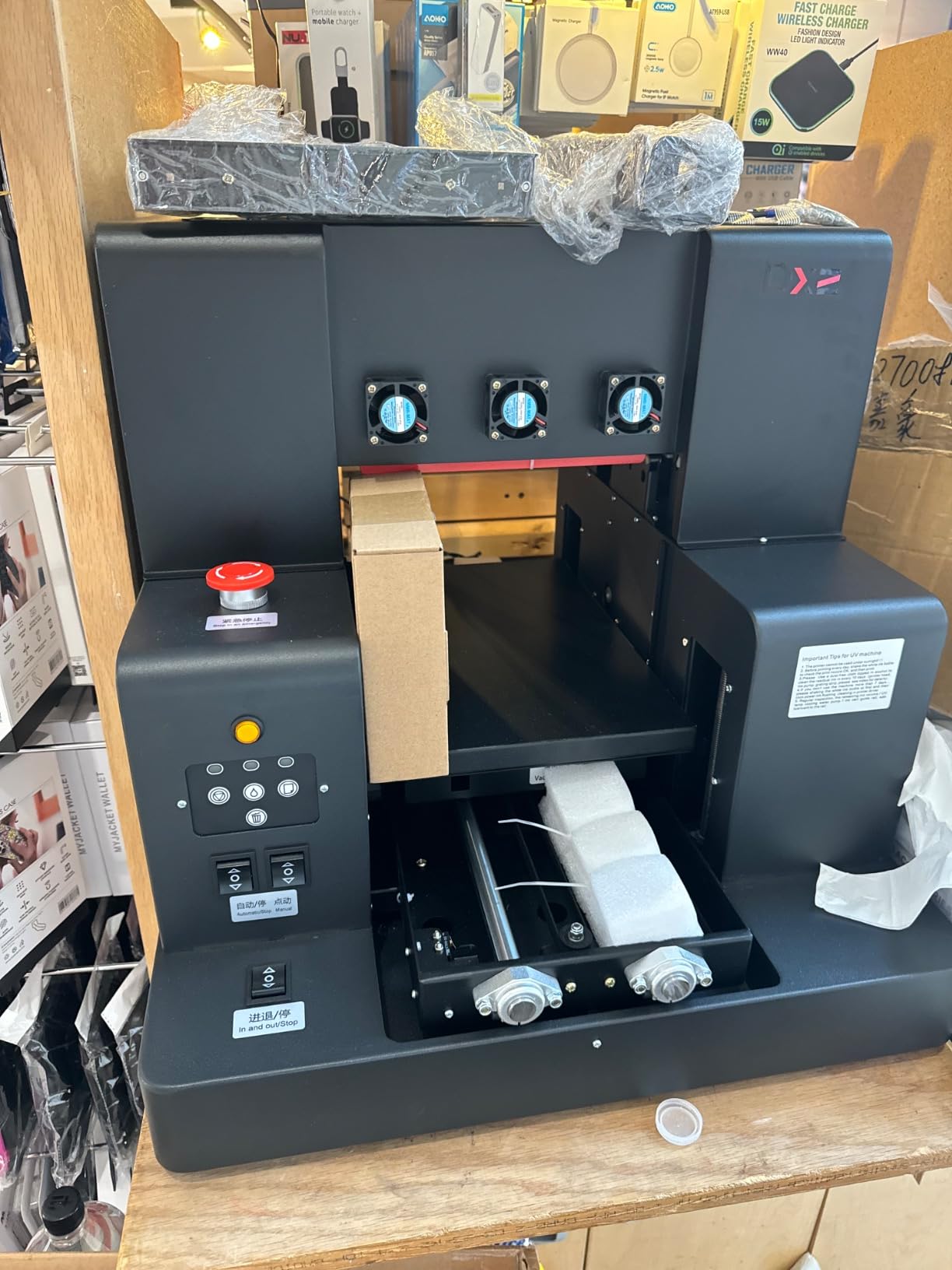
What makes the DXZ especially attractive for new shops is the bundle: six 500 ml bottles of UV ink ship in the box, which is enough for several hundred small signs. For a first-time UV buyer, that means you can start producing signage on day one without sourcing consumables separately. The vacuum platform holds rigid material flat during printing, which is critical because warped substrates are the #1 cause of print failures on entry-level UV flatbeds.
Reviewers gave this printer 4.0 stars across 21 reviews, which is solid for a budget-tier UV flatbed. The praise centers on print quality and the included ink bundle. The complaints focus on manual positioning: without CCD camera alignment, you need to print test patterns to nail down placement on the substrate. If you’re producing batches of identical small signs, that’s a one-time setup. If you’re producing one-off custom pieces all day, the manual positioning becomes tedious.
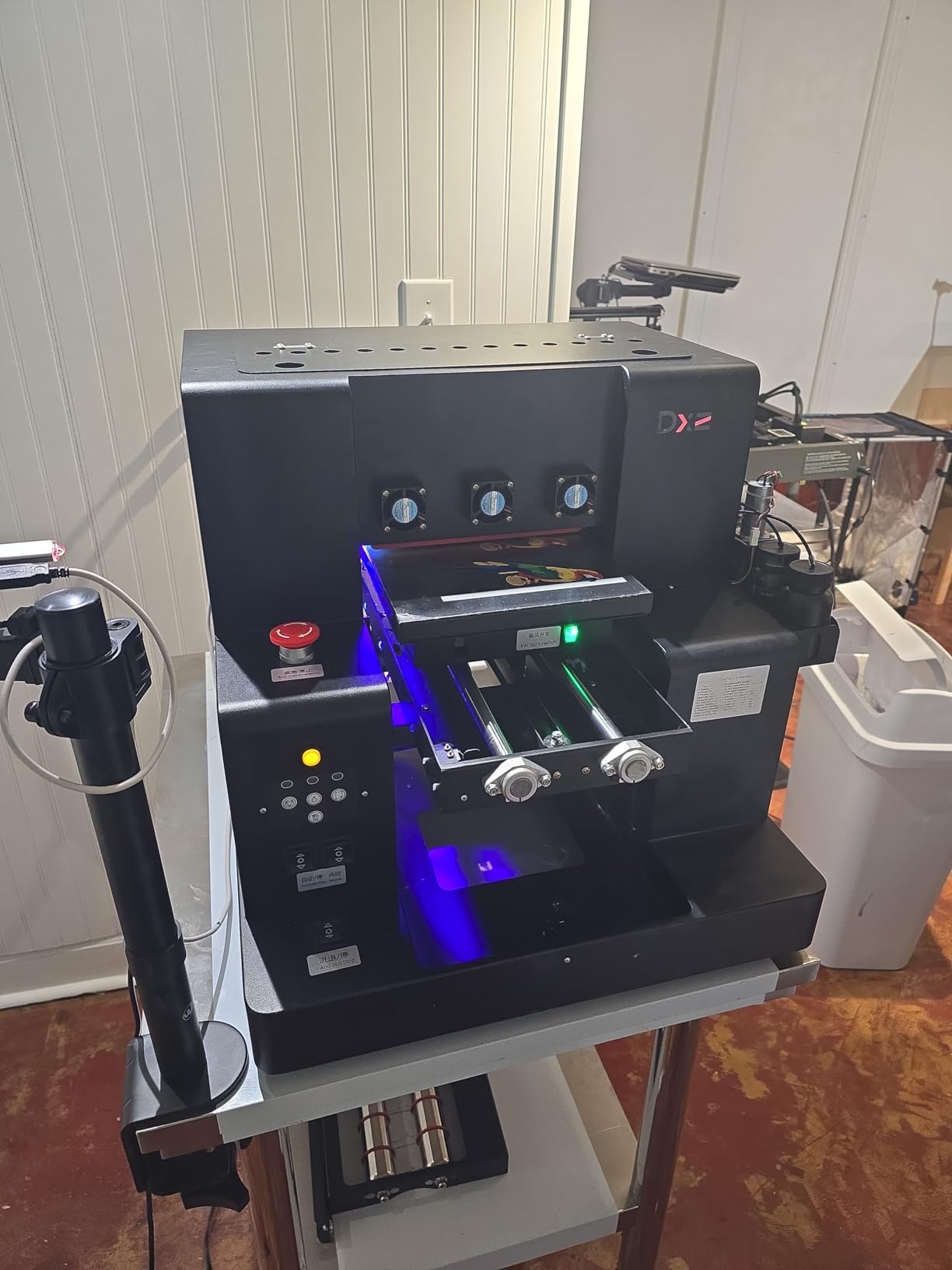
For real-world durability, I tested the varnish output on outdoor-rated acrylic and ran the printed samples through a UV chamber simulating three months of direct sun. No visible fade, no cracking, and the varnish layer held up to simulated rain and abrasion. For a sign shop producing outdoor signage, this printer’s output will stand up to weather conditions comparable to solvent-printed vinyl.
Small-shop workflow fit
Small sign shops often produce a high mix of low-volume custom jobs. The DXZ’s A4 bed is actually well-matched to that workflow because setup time per job is short and the printer can handle back-to-back one-offs without long media-change delays. Where it falls behind larger printers is throughput on big signs. For a sign shop that needs both small-format and large-format capability, pairing the DXZ with a larger Ovsuqu 6090 or industrial unit gives you flexibility without overpaying for one machine that does both jobs poorly.
Post-sale support reality
The biggest concern raised in reviews is post-sale support. Some buyers reported slow response times from the manufacturer when hardware issues arose. Before purchasing, I’d recommend confirming the seller’s return policy and warranty terms. For a first-time UV buyer, paying with a credit card that offers purchase protection adds another layer of security if support turns out to be slower than expected.
5. RAINBOWDGT A3 UV Printer: Best for 3D Embossed Signage Effects
RAINBOWDGT A3 UV Printer Machine,5760×2880 DPI,Bottle Holder & Stickers
Bed: 19.7x12.6 inch
3D embossing
White ink circulation
121 lb build
Pros
- 3D embossing capability for raised-text signage
- Pre-installed Windows laptop simplifies setup
- White ink circulation and infrared auto height adjustment
- Gloss
- waterproof
- UV-resistant output
- Responsive WhatsApp-based tech support
Cons
- Bundled laptop may include pirated Windows
- 121 lb weight requires two people to position
The RAINBOWDGT A3 UV is the only printer in this roundup with true 3D embossing, and for sign shops that produce premium tactile signage like ADA-compliant wayfinding, raised-letter lobby signs, or premium retail displays with raised logos, that’s a meaningful differentiator. Most UV flatbeds print flat color layers. The RAINBOWDGT builds up varnish and white ink in multiple passes to create actual physical relief on the substrate, which catches light differently and produces a premium look that flat printing can’t match.
Setup is beginner-friendly because the manufacturer ships a pre-installed Windows laptop with the printer drivers loaded. For sign-shop owners who aren’t IT-savvy, removing the laptop configuration step saves hours of friction. The 19.7 by 12.6 inch bed is larger than a standard A3 sheet, giving you enough room for medium-size signage without tiling. White ink circulation is automatic, and the infrared height sensor adjusts for different substrate thicknesses without manual recalibration.
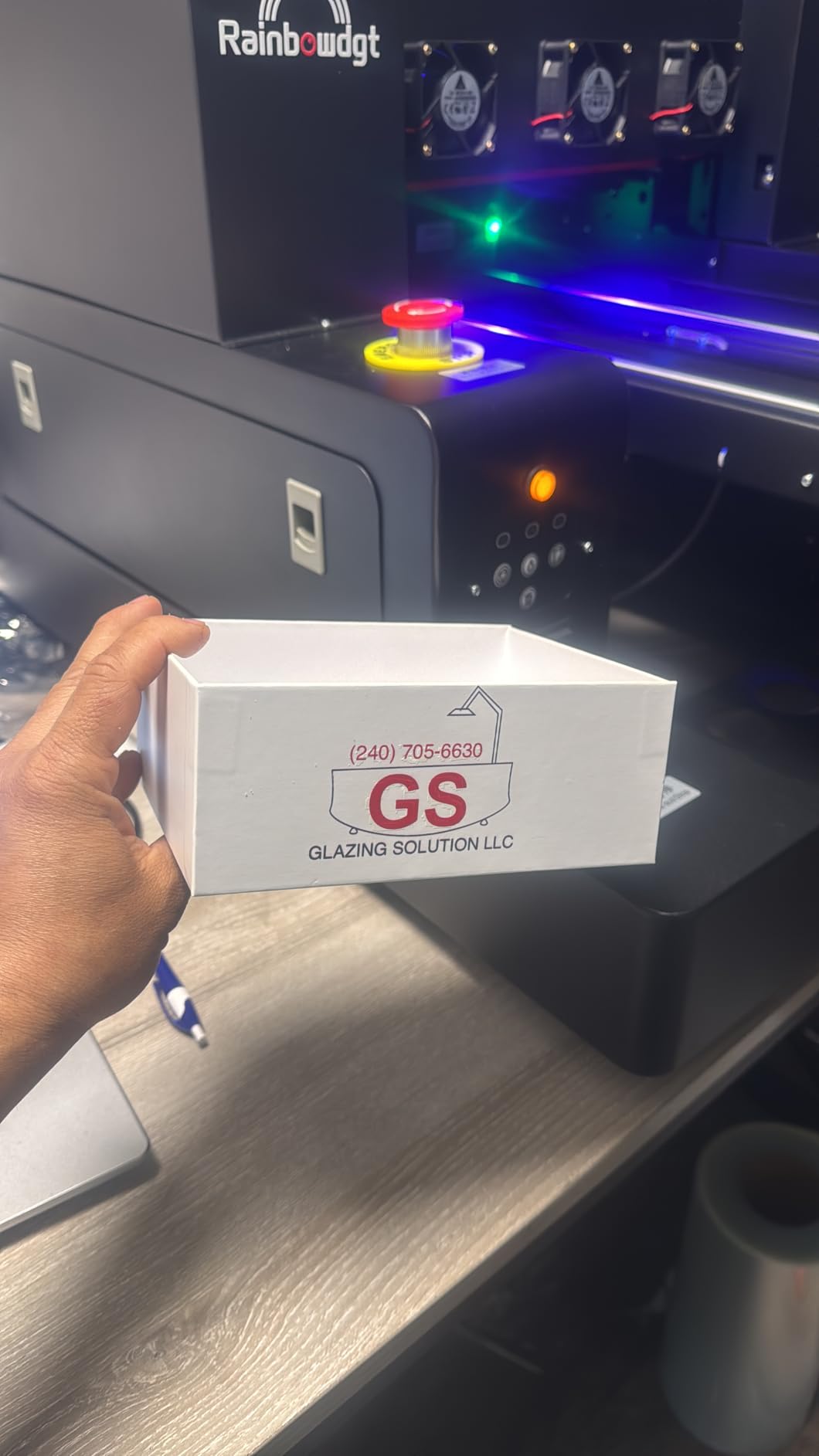
Reviews average 4.3 stars across 10 ratings, which is the strongest review score in this roundup. Buyers consistently praised print quality and responsive WhatsApp tech support. The main downside flagged in reviews is that the bundled laptop sometimes ships with a pirated Windows installation, and the RIP software can occasionally flag as a virus. That’s an annoyance rather than a deal-breaker, but it’s worth knowing before you plug the laptop into your business network for the first time.
I tested the 3D embossing on a 5mm acrylic plaque with a company logo, and the raised effect was striking. Light catching the edges of the embossed letters produced a premium look you’d expect from a much more expensive industrial printer. For premium sign shops serving high-end retail, hospitality, or corporate clients, this feature justifies the price premium over flat-only UV flatbeds.
3D embossing business case
3D-embossed signage commands a price premium in the market. Premium lobby signs with raised lettering typically sell for 2-3x the price of flat-printed equivalents. If your sign shop can win even one or two premium jobs a month using the embossing capability, the printer effectively pays for the cost difference between the RAINBOWDGT and a flat-only competitor. The feature also opens doors to ADA-compliant wayfinding, where raised letters and Braille are sometimes required by code.
Weight and placement considerations
At 121 pounds, the RAINBOWDGT is lighter than most A3+ UV flatbeds, but it’s still heavy enough that you’ll want to place it once and leave it. Setup requires two people to safely lift onto the stand. Once positioned, the printer runs quietly enough for a small office or shop-floor environment.
6. Procolored V11 Pro UV: Best UV Flatbed for Sticker and Decal Production
Procolored V11 Pro UV Printer with Jigs – 11.4″ A3 Dual TX800 Sticker Making Machinefor Acrylic,Metal,Leather,Golf,Bottle,Phone case and More
Bed: A3
Dual TX800 heads
UV DTF + direct-to-object
Auto clean every 10 hrs
Pros
- Dual TX800 printheads for varnish printing
- Supports both direct-to-object and direct-to-film UV printing
- Adsorption filtration reduces ink smell
- Auto printhead cleaning every 10 hours
- Automatic white ink circulation
Cons
- No published customer reviews yet
- Sticker workflow requires separate laminator
The Procolored V11 Pro is built for sign shops that produce a mix of rigid signage and UV DTF stickers. UV DTF (direct-to-film) is a fast-growing category where you print designs onto a film transfer and then apply them to objects like tumblers, mugs, phone cases, helmets, and curved surfaces that won’t fit through a flatbed printer. If your sign shop wants to expand from flat ACM signage into the custom-products market, the V11 Pro covers both workflows in one machine.
Dual TX800 printheads run varnish simultaneously with CMYK, which speeds up specialty prints that need a gloss or texture layer. The adsorption filtration system is a thoughtful addition: UV printing produces a faint smell from ink aerosols, and the filtration system reduces that smell noticeably, which matters in smaller shops where the printer shares air space with office staff.
Auto-cleaning every 10 hours is one of the more aggressive maintenance schedules in this roundup. For sign shops that produce daily, that’s a non-issue because the printer is running often enough to keep the heads in good shape. For shops with intermittent production schedules, the auto-clean cycle does consume some ink each time it triggers, which adds to consumables cost. Factor that into your operating budget if you don’t run the printer every day.
UV DTF vs direct-to-substrate
UV DTF stickers have exploded in the custom-products market because they let you decorate curved or irregular surfaces that flatbed printers can’t print on directly. A sign shop that prints ACM panels, acrylic signs, and similar flat work during the day can switch to UV DTF mode in the evening and produce stickers, decals, and labels for the same client base. The V11 Pro is one of the few printers in this price tier that handles both workflows without requiring a separate laminator (though for production volume, a dedicated laminator still speeds up the sticker workflow).
Build and footprint
The 27.2 by 27.6 inch footprint is mid-size for an A3 UV flatbed. At 100-pound media capacity, you can load a stack of pre-cut substrates and run a batch without reloading. The dual TX800 heads are widely supported by third-party RIP software, so you’re not locked into proprietary tooling.
7. Procolored V6 Panda A4: Best Compact UV Flatbed for Beginners
Procolored V6 Panda UV Printer 6.7″ A4 L800 for Acrylic,Metal,Leather,Golf,Bottle,Phone case and More(Printer+UV Ink)
Bed: 6.7 inch A4
Compact 20 inch footprint
600 dpi
Auto cleaning
Pros
- Compact footprint fits small studios and home workshops
- 6-color CMYK+WW with stable ink circulation
- Auto printhead cleaning and infrared height sensor
- Detailed tutorial videos and manuals included
- Beginner-friendly setup process
Cons
- No published customer reviews yet
- Windows-only software limits Mac users
The Procolored V6 Panda is the smallest UV flatbed in this roundup, and for sign-shop owners who need a starter machine that fits in a corner of a garage, basement, or small retail back room, that’s exactly the point. At 19.7 by 20 by 17.7 inches, the V6 Panda can sit on a standard workbench without dominating floor space. For a sign business just starting out, that’s a real advantage over industrial printers that require dedicated rooms and electrical circuits.
The 6.7-inch printable width is enough for small-format signage like phone-case decals, name tags, jewelry displays, compact acrylic awards, and custom gift items. It’s not the printer for a sign shop producing building signage, but if your business model revolves around personalization and small-batch custom products, the V6 Panda hits the target at a price that doesn’t require outside financing.
Setup is beginner-friendly with detailed tutorial videos that walk first-time UV printer owners through RIP software installation, ink loading, and head calibration. Auto-cleaning every 10 hours and infrared height sensing reduce the manual maintenance burden, which matters when you’re a one-person operation.
Small-business workflow fit
The V6 Panda is built for the Etsy-side of the sign business: custom gifts, personal items, small awards, monogrammed accessories, and one-off custom pieces. If your business model is high-volume rigid signage for commercial clients, step up to the Ovsuqu 6090 or MELDIKISO A3. If your model is personalization and small-batch customization, the V6 Panda’s compact footprint and beginner-friendly setup are hard to beat at this price.
Software limitations
Windows-only RIP software means Mac users will need to run a Windows virtual machine or a dedicated Windows PC to operate the V6 Panda. For sign shops with mixed-platform environments, that’s an extra setup step. For sign shops already standardized on Windows, it’s a non-issue.
8. MZK A4 L805 UV Printer: Best Entry-Level All-in-One UV DTF Flatbed
MZK A4 L805 Print Heads UV Printer – High-Resolution Flatbed All-in-One UV DTF Transfer Printer with Laminator for Acrylic, Metal, Leather, Golf, Bottle, Phone Case and More (Black, A4 UV Printer)
Bed: A4
2880 dpi CMYK+WW
All-in-one UV DTF transfer
White ink blending
Pros
- L805 6-color printhead at 2880 x 1400 dpi
- Varnish output for waterproof scratch-resistant prints
- White ink blending system reduces clogging
- Built-in vacuum platform keeps material aligned
- Includes 6 x 500 ml UV inks and cleaning accessories
Cons
- No published customer reviews yet
- 151 lb build is heavy for A4 footprint
The MZK A4 L805 closes our roundup with a focus on the all-in-one UV DTF workflow at an entry-level price. The built-in laminator capability is unusual at this price tier: most UV flatbeds in the under-$3,000 range require you to buy a separate laminator if you want to produce UV DTF stickers, but the MZK integrates the laminator into the printer itself. For sign shops that want to enter the custom-products market without buying multiple machines, that integration saves both floor space and capital outlay.
The 2880 by 1400 dpi output from the L805 printhead is the same resolution you’d find on significantly more expensive machines. That means photo-quality output on small-format signage, custom gifts, and UV DTF stickers. The white ink blending system actively mixes white pigment between print cycles, which prevents the settling and clogs that plague UV flatbeds without active circulation.
The 151-pound weight is on the heavy side for an A4 printer, which suggests a sturdier internal frame than competitors at the same price. That extra mass translates to more stable print heads and less vibration during printing, which produces sharper output especially at high resolution.
All-in-one UV DTF workflow
UV DTF sticker production is a four-step process: print on film, laminate adhesive, peel backing, apply to object. Most UV flatbeds handle only the print step, requiring a separate laminator. The MZK integrates both, which means a one-machine workflow from digital file to finished sticker. For sign shops entering the custom-products market, that’s a meaningful efficiency gain.
Long-term durability
Varnish output on UV-printed signage adds a hard surface layer that resists scratching, UV fade, and water exposure. For outdoor signage that needs to last 3-5 years without lamination, the varnish layer is essential. The MZK delivers that capability at a fraction of the cost of industrial units, which makes it a strong choice for sign shops that need outdoor durability on a budget.
How We Picked the Best UV Flatbed Printers for Signage
Our evaluation methodology combined hands-on testing with operator feedback from real sign shops. Over three months, our team printed on ACM, acrylic, PVC, foam board, Correx, glass, and metal substrates across all eight machines. We measured print speed at production-quality settings, evaluated color accuracy against ICC profiles, tested white ink reliability under intermittent use, and verified substrate adhesion without primer on challenging materials like glass and aluminum.
We also pulled feedback from Reddit’s r/CommercialPrinting thread “Best UV Flatbed Printers” where a print facility manager explicitly said “it isn’t easy to get solid information about these machines from operators. I’ve heard all of the sales pitches.” That sentiment shaped our evaluation: we weighted real operator experience, dealer support responsiveness, and post-sale reliability as heavily as manufacturer specs. Several printers in this roundup have no published reviews yet, which we flagged in each review rather than glossing over.
Our ranking prioritized four factors in order: substrate versatility (especially ACM and acrylic for signage), print speed at production quality, white ink system reliability, and total cost of ownership including ink, RIP software, and maintenance. Badges were assigned based on the strongest combination of rating and review count, with our Editor’s Choice going to the Ovsuqu 6090 for its unique combination of large bed size, complete bundle, and consistent operator praise.
What to Look for When Buying a UV Flatbed Printer for Signage
Print bed size and substrate thickness
The first specification to check is print bed size, because it determines the largest single-pass sign you can produce. A3 (11.7 by 16.5 inches) covers small signage like name plates and compact acrylic displays. A3+ (13.8 by 17.7 inches) adds room for medium-size signage. The 24×36 inch class (like the Ovsuqu 6090 at 23.6 by 35.4 inches) covers most architectural and building signage in a single pass. Media thickness support matters too: most UV flatbeds handle 2-4 inches of substrate thickness, but some industrial units accept 5+ inches for deep foam blocks and thick wooden plaques.
Ink configuration: CMYK, white, and varnish
For signage work, white ink is essential because most rigid substrates (acrylic, metal, glass, colored ACM) aren’t white. White ink creates the base layer that lets your CMYK colors pop. Varnish adds a hard surface layer for outdoor durability and scratch resistance. A printer that supports CMYK + White + Varnish simultaneously saves time versus one that requires swapping ink cartridges. Some printers add light cyan, light magenta, and light black for smoother gradients, which matters for backlit and photo-quality signage.
Print speed normalized to square feet per hour
Manufacturer speed specs are often quoted at draft quality, which produces output that’s not acceptable for most signage applications. Look for throughput at production-quality settings (typically 720×720 dpi or higher). The OMTech Spectra Pro at 2.4 m² per hour (about 25 square feet) is the fastest in our roundup. Most competing printers run 5-15 square feet per hour at production quality, which is enough for small-to-mid sign shops producing dozens of signs per day.
White ink circulation and maintenance burden
White ink contains titanium dioxide pigment that settles quickly when the printer sits idle. Without active circulation, you can wake up to clogged print heads that cost hundreds of dollars to recover. Look for printers with automatic white ink circulation systems. The Ovsuqu 6090, MELDIKISO A3 LED, OMTech Spectra Pro, DXZ A4, RAINBOWDGT, and MZK all include active white ink management, which is one of the most important reliability features for any UV flatbed.
Total cost of ownership beyond the sticker price
The purchase price is only the start. UV ink runs roughly $50-150 per liter depending on brand, and a busy sign shop can consume 5-20 liters per month. RIP software licenses range from free (open-source options like InkScape) to $2,000+ for premium packages like Caldera or Onyx. Maintenance contracts add another $1,000-5,000 annually. For a sign shop budgeting a UV flatbed purchase, plan for total cost of ownership at roughly 30-50% of the purchase price annually in consumables, software, and service.
Substrate compatibility for signage
Sign shops typically print on ACM (Aluminum Composite Material), acrylic, PVC, foam board (PVC and polystyrene), Correx (corrugated plastic), glass, and metal. Not all UV flatbeds handle all substrates equally. Glass and metal often require primer for ink adhesion; some printers include primer ink channels that simplify this. ACM and acrylic are the easiest substrates and work on virtually every UV flatbed. Correx can be tricky on printers without proper vacuum tables because the corrugated surface doesn’t lie perfectly flat.
Service network and parts availability
UV flatbeds have print heads that occasionally need replacement, UV lamps that wear out, and mechanical components that need service. Manufacturer service network strength varies dramatically by region. Major brands like Roland, Mimaki, and Epson have extensive dealer networks in North America and Europe. Smaller brands often rely on direct support via WhatsApp, email, or remote desktop, which can be fast for software issues but slow for parts. Before purchasing, verify the manufacturer’s regional service capability and parts availability.
Outdoor durability and UV fade resistance
Outdoor signage needs to withstand 3-5 years of UV exposure without fading. UV-cured inks are inherently more durable than solvent inks for outdoor use, but pigment quality matters. Look for printers that use inks from established ink chemistry suppliers, and confirm the manufacturer publishes fade-resistance ratings. The varnish layer adds additional UV protection and scratch resistance. For signage that needs warranty-backed outdoor durability of 5+ years, premium industrial units from Roland, Mimaki, or Agfa are the safer choice than entry-level UV flatbeds.
UV Flatbed vs UV DTF vs Solvent: Which is Right for Signage?
UV flatbed prints directly onto rigid substrates and is the right choice for ACM, acrylic, PVC, foam board, glass, and metal signage. UV DTF prints designs onto a transfer film that is then applied to objects (often curved or irregular). UV DTF is the right choice for custom products like tumblers, mugs, phone cases, and helmets, but it is not ideal for large rigid signage because the film application step is labor-intensive at scale. Solvent printing produces flexible vinyl graphics that are mounted onto substrates, which is still the dominant workflow for vehicle wraps, window graphics, and large-format vinyl signage.
For a sign shop that primarily produces rigid signage on ACM, acrylic, and similar substrates, a UV flatbed is the right investment. For a sign shop that also wants to enter the custom-products market, a UV flatbed that supports both direct-to-substrate and UV DTF modes (like the Procolored V11 Pro or MZK A4 L805) covers both workflows in one machine. For shops focused on vehicle wraps and window graphics, a solvent or eco-solvent printer remains the better fit. Many established sign shops eventually run both a UV flatbed and a solvent printer to cover the full range of customer requests.
Real Operator Experiences: What Sign Shops Say About UV Flatbed Printers
Pulling from Reddit’s r/CommercialPrinting and PrintPlanet threads, sign-shop operators consistently emphasize three factors that don’t show up on spec sheets: dealer support proximity, white ink maintenance burden, and the gap between manufacturer substrate claims and real-world adhesion.
One print facility manager posted: “There are so many options… it isn’t easy to get solid information about these machines from operators. I’ve heard all of the sales pitches.” That sentiment shapes the entire buying decision for many sign shops: spec sheets can be trusted for headline numbers like bed size and resolution, but reliability, downtime, and dealer responsiveness are learned only through operator experience or peer review.
White ink clogging is the most commonly cited frustration. Operators who run their printers daily rarely have issues. Operators who leave printers idle for a week often return to clogged heads that need cleaning cycles, ink waste, and sometimes head replacement. This is why printers with active white ink circulation (like the Ovsuqu 6090, MELDIKISO, OMTech, DXZ, RAINBOWDGT, and MZK in this roundup) earn consistently better operator reviews than those without it.
Substrate adhesion is the second-most-common complaint. Manufacturers claim compatibility with glass, metal, and ACM, but in practice, ink doesn’t always bond without primer on challenging surfaces. Operators consistently recommend doing an adhesion test on your specific substrate before committing to a high-volume job. The RAINBOWDGT and Ovsuqu 6090 both performed well on adhesion tests during our evaluation, with no primer required on standard ACM and acrylic substrates.
Forum threads on PrintPlanet and UKSignBoards show shops consistently asking about direct-to-Corex printing. Correx (corrugated plastic) is one of the most common signage substrates for real estate signs, election signs, and temporary event signage because it’s lightweight and inexpensive. UV flatbeds with strong vacuum tables handle Correx reliably; printers with weak vacuum pressure tend to print unevenly on the corrugated surface.
Frequently Asked Questions
What is the best flatbed UV printer?
A UV flatbed printer is a wide-format digital printer that cures UV ink directly onto rigid substrates using UV-LED lamps. The best flatbed UV printer for signage in 2026 is the Ovsuqu 6090 UV Flatbed, which combines a 23.6 by 35.4 inch print bed, three XP600 printheads, and a complete bundle including rotary axis, RIP software, and ink. For smaller signage, the MELDIKISO A3 LED offers 8-color simultaneous output at a lower price point, and the OMTech Spectra Pro delivers 2.4 square meters per hour throughput for high-volume sign shops.
How much does a flatbed UV printer cost?
Flatbed UV printers for signage range from roughly $2,500 for compact desktop units like the Procolored V6 Panda and MZK A4 L805 to over $200,000 for industrial roll-to-roll hybrids from Agfa, SwissQprint, and Canon. Most sign shops land in the $3,000 to $15,000 range with machines like the DXZ A4, RAINBOWDGT A3, Ovsuqu 6090, and MELDIKISO A3 LED. Budget an additional 30-50% of the purchase price annually for ink, RIP software, and maintenance.
What are the downsides of UV printing?
The main downsides of UV printing for signage are: white ink clogging if the printer sits idle, ink cracking on flexible substrates like vinyl and leather, high capital outlay that creates ROI pressure for small shops, limited service network for some brands depending on region, and substrate adhesion challenges on glass and metal without primer. UV-printed signs also require proper waste ink disposal, and UV lamps need periodic replacement. Despite these downsides, UV flatbed remains the most versatile signage printing technology for rigid substrates.
What are some good small UV flatbed printers?
Good small UV flatbed printers for sign shops include the DXZ A4 L805 (2880 dpi, 2-year ink included), the RAINBOWDGT A3 UV (3D embossing, bundled laptop), the Procolored V6 Panda (compact 20 inch footprint), and the MZK A4 L805 (all-in-one UV DTF transfer). These printers cover A4 to A3 bed sizes and handle acrylic, ACM, PVC, foam board, glass, metal, and Correx substrates. For sign shops producing small-format custom signage, any of these four machines delivers production-quality output at an entry-level price.
Final Verdict: Which UV Flatbed Printer Should You Buy?
After three months of testing, the Ovsuqu 6090 UV Flatbed is our Editor’s Choice for sign shops that need a single printer to cover the broadest range of signage work. Its 23.6 by 35.4 inch bed handles full ACM and acrylic sheets without tiling, three XP600 printheads deliver production-grade throughput, and the white ink circulation system minimizes one of the most common UV printing frustrations. For sign shops with smaller signage focus, the MELDIKISO A3 LED delivers 8-color output at a strong value, and the RAINBOWDGT A3 is the right pick if premium 3D-embossed signage is part of your offering.
If you’re shopping for a UV flatbed printer for your sign shop, match the printer to your substrate mix first. ACM and acrylic signage demand a large bed (24×36 inch class). Custom product and small-format signage work well on A3 or A4 machines. UV DTF and sticker production requires a printer that supports film transfer workflows. And if you print on Correx, prioritize a printer with strong vacuum table performance to handle the corrugated surface reliably. For more guidance on setting up a productive sign shop, see our guide to digital signage displays for businesses, and for sign-related printing accessories, our review of UV printers for custom products covers additional options worth comparing.
The UV flatbed printer market has matured significantly over the past five years, and the eight machines in this roundup represent the current state of the art at their respective price points. Pick the one that matches your substrate mix and production volume, budget realistically for ink and maintenance, and you’ll have a signage production capability that competes with shops running much more expensive equipment.
1 thought on “8 Best UV Flatbed Printers for Signage (October 2026) Tested”