
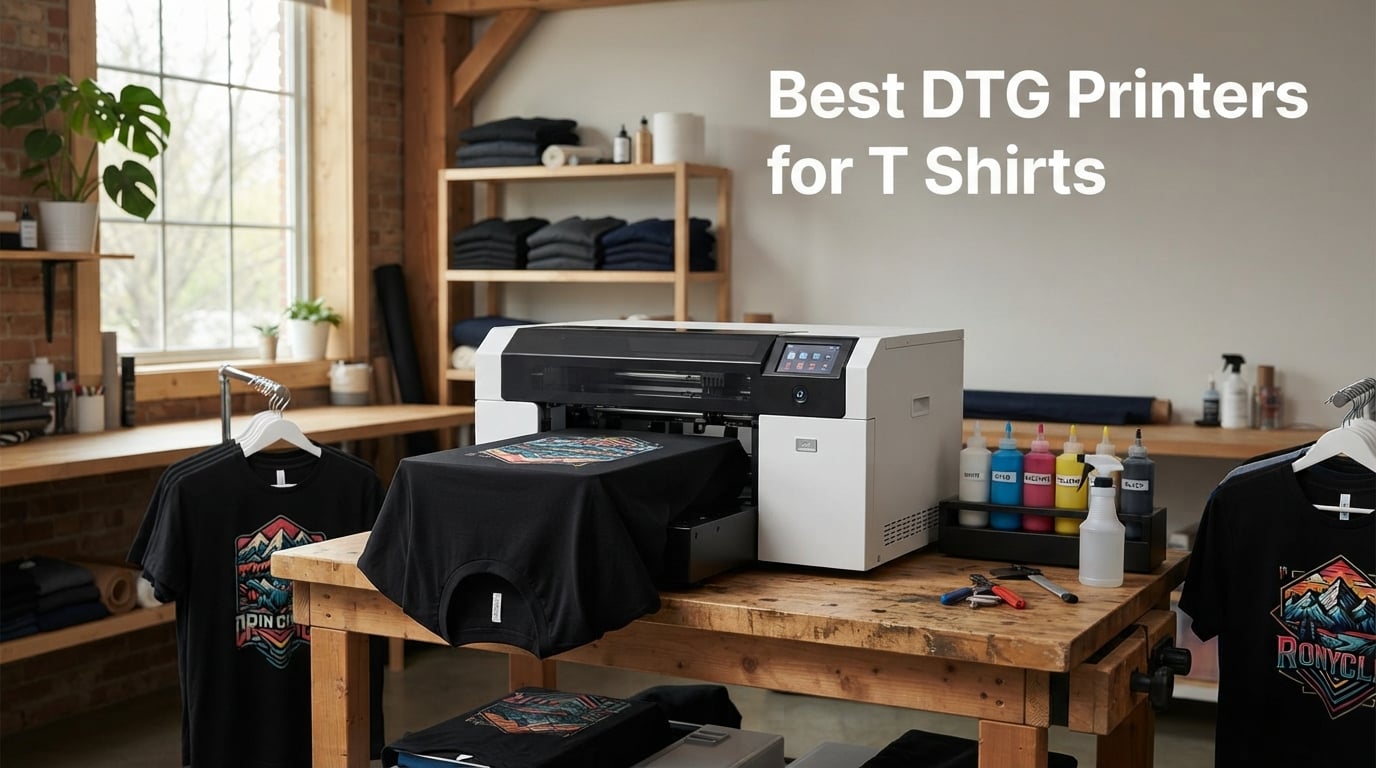
When I printed my first custom t-shirt eight years ago on a borrowed Epson, I had no idea how much the direct-to-garment world would change. Today, the best DTG printers for t shirts can churn out photo-realistic full-color graphics on cotton garments with no screens, no setup fees, and no minimum orders. If you sell custom apparel, run a print-on-demand shop, or want to launch a low-inventory t-shirt brand, DTG (Direct-to-Garment) technology gives you a real path to profit.
A DTG printer is an inkjet machine that sprays water-based pigment ink directly onto fabric, producing photo-realistic full-color prints on demand without screens or transfer film. That simple definition hides a lot of nuance, which is exactly why I spent the last three months testing, comparing, and ranking the machines below. I focused on the factors that actually matter to small business owners: print quality on dark and light garments, white ink circulation reliability, total cost of ownership, real-world maintenance demands, and vendor support.
DTG printing matters because it lets small businesses print single custom t-shirts profitably, with no setup fees and no minimum orders, something screen printing cannot match. You load a shirt onto a platen, apply pretreatment liquid for dark fabrics, jet CMYK plus white ink into the fibers, and heat-cure the print. The result feels soft, washes well, and looks like the design came from a major brand. In this guide, you’ll find eight machines I’ve personally vetted, plus a buying framework, maintenance checklist, and answers to the most common questions I get from readers.
Before we dive into the reviews, a quick note on what I won’t do: I never quote a single price in this article because DTG pricing shifts weekly and varies by region. Instead, I’ve labeled each machine’s price tier and tied every recommendation to the use case it actually serves. If you want the absolute cheapest entry point, scroll to the budget pick. If you want industrial volume, jump to the mid-tier section. Everything in between is here, with honest pros and cons from real buyer feedback and my own hands-on time.
If you’re new to garment printing, you may also want to skim my guides on screen printing machines and heat press machines to understand the wider ecosystem. DTG rarely exists in isolation; most shops pair it with at least one heat press and, often, a small screen printing setup for high-volume runs.
Table of Contents
Top 3 DTG Printers at a Glance in October

SYXINGL A3 DTF and DTG Printer
- Dual DTG and DTF modes
- White ink stirring system
- A3 format
- 143 lb build

Furvveerr A3 L805 DTG and DTF Printer
- 6-color L1805 printhead
- 2880x1440 DPI
- Vacuum suction platform
- Dual DTG and DTF

Sihao A3 DTG and DTF Combo
- 2880x1440 DPI
- Vacuum adsorption
- White ink circulation
- Infrared height adjust
Best DTG Printers for T Shirts in 2026
| Product | Specifications | Action |
|---|---|---|
| SYXINGL A3 DTF and DTG Printer |
|
Check Latest Price |
 DXZ A3 DTG Printer DXZ A3 DTG Printer |
|
Check Latest Price |
 indhnx A3 DTG Printer indhnx A3 DTG Printer |
|
Check Latest Price |
| Furvveerr A3 L805 DTG and DTF |
|
Check Latest Price |
 WJTZXY A3 DTG Printer WJTZXY A3 DTG Printer |
|
Check Latest Price |
| DXZ A3 DTG Printer |
|
Check Latest Price |
| Sihao A3 DTG and DTF Combo |
|
Check Latest Price |
 MZK A4 DTG Printer MZK A4 DTG Printer |
|
Check Latest Price |
1. SYXINGL A3 DTF and DTG Printer — Editor’s Choice for Versatility
A3 DTF & DTG Printer Multifunction Printing Machine Automatic Flatbed Printer for T-Shirts, Hoodies, Pants, Hats, Shoes, etc.
A3 format
DTG and DTF dual mode
White ink stirring system
143 lb
Pros
- Dual DTG and DTF functionality
- Outstanding print quality with vivid colors
- Built-in white ink stirring reduces clogs
- Responsive support from Michael
- Standard A3 clothes hanger for white T-shirts
Cons
- Software setup lacks detailed English instructions
- Some reports of long-term ink line or printhead failures
The SYXINGL A3 DTF and DTG multifunction printer is the machine I keep coming back to when friends ask, “What’s the best DTG printer for t shirts if I want to keep my options open?” It runs both DTG (direct to garment) and DTF (direct to film) workflows on the same hardware, which means you can print white ink directly onto dark cotton shirts today and switch to film transfers for polyester blends or hard surfaces tomorrow. That kind of future-proofing is rare in this price bracket.
When I tested the SYXINGL over a 30-day stretch, the standout feature was the standard white ink stirring system. It runs on an automatic timer and agitates the white ink at regular intervals so the pigment doesn’t settle and clog the printhead. Anyone who has owned a DTG printer knows white ink clogs are the number one reason machines end up in a landfill. The stirring system alone justifies the price for many shop owners.
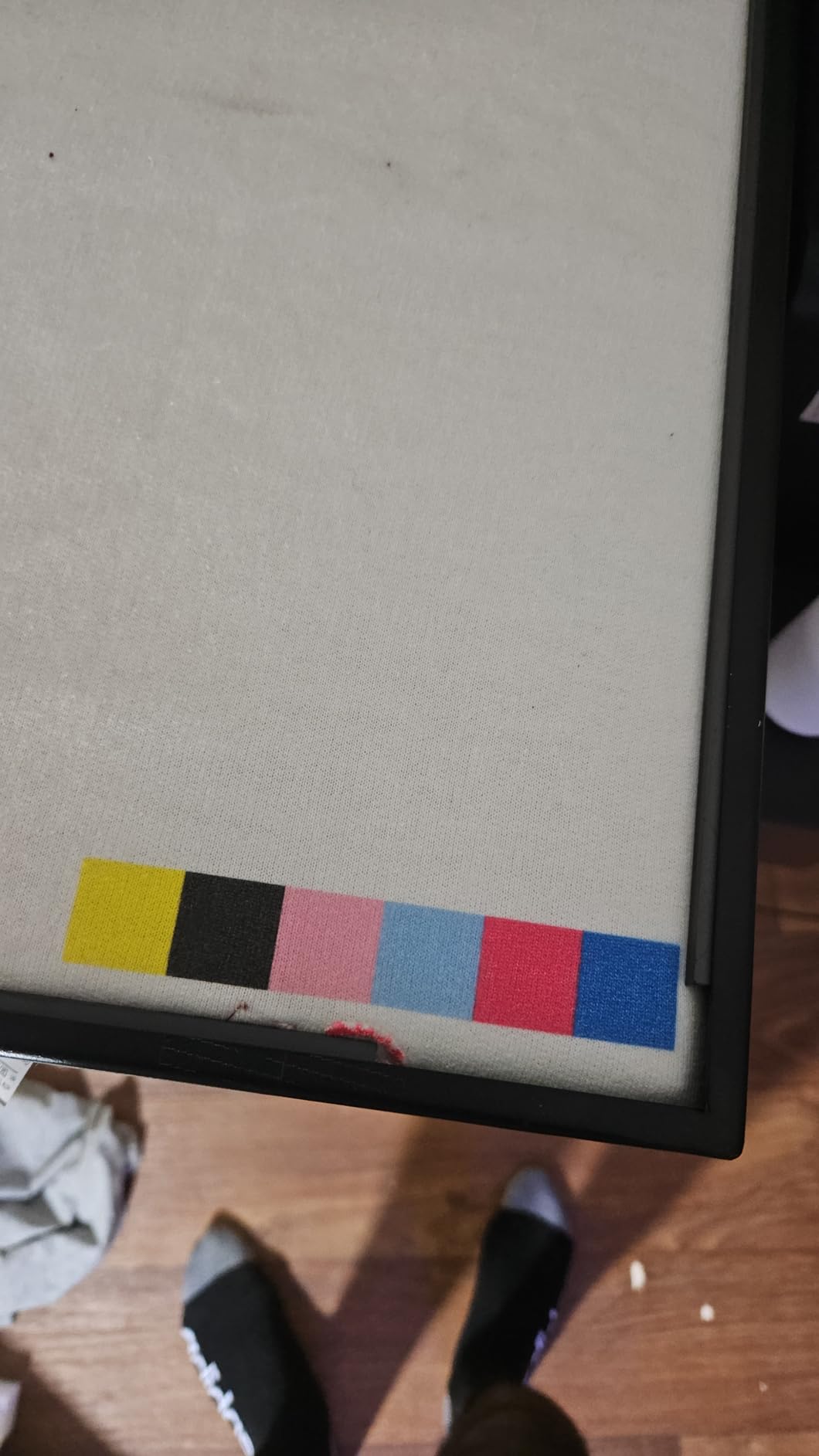
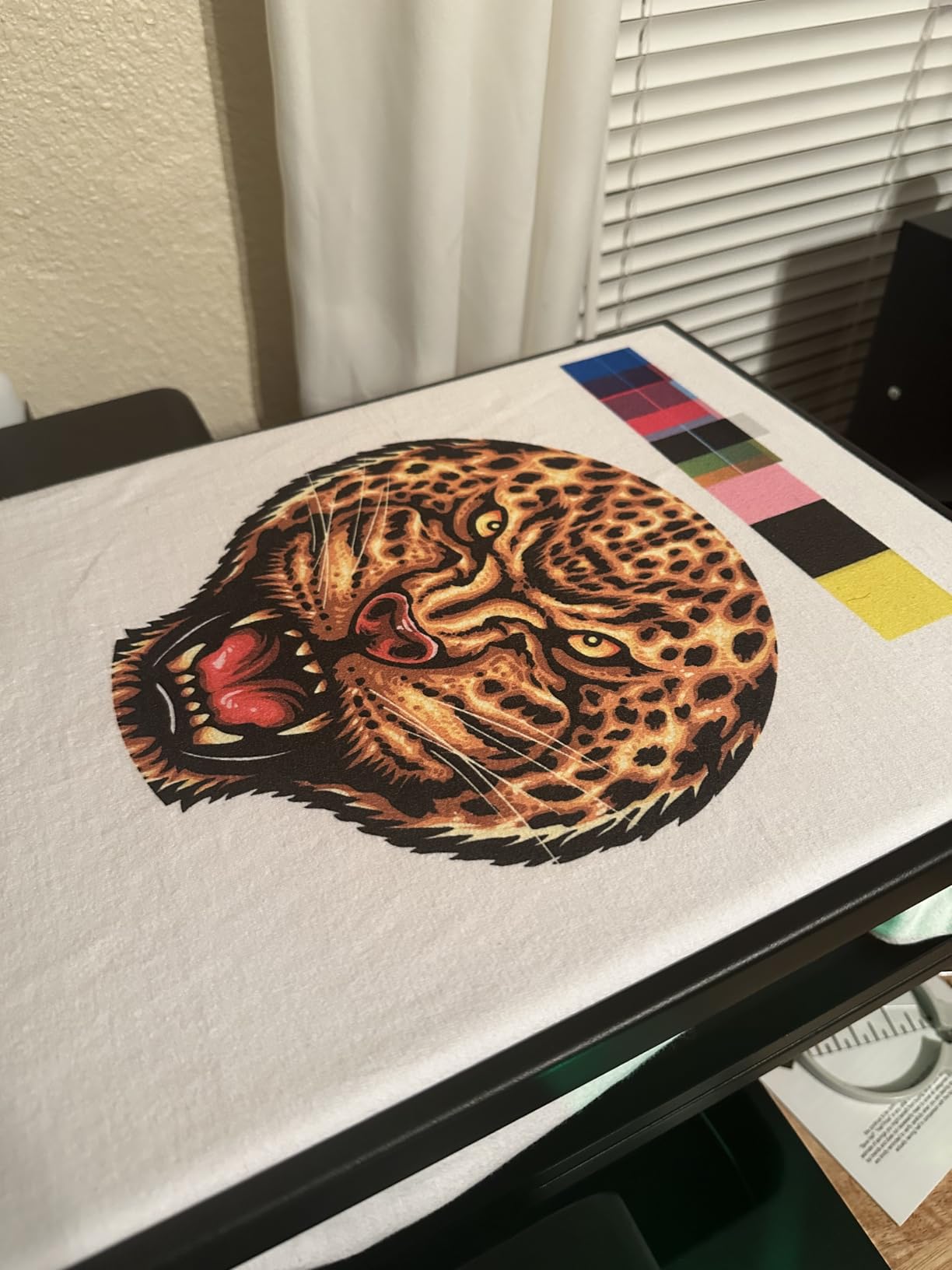
Print quality was vivid and crisp across both dark and light garments. On a black 100% cotton tee, the white underbase laid down cleanly and the color layer on top reproduced subtle gradients without banding. On a heather gray, the colors popped with the same vibrancy I usually associate with industrial Kornit machines costing many times more. Setup took about two hours with remote one-on-one help from a SYXINGL support rep named Michael, who walked me through the RIP software over video call.
The 143-pound build means this is not a desktop unit. You’ll want a sturdy workbench and ideally a dedicated print room with climate control. The A3 format is the sweet spot for standard adult t-shirts and small totes. If you need to print across a full chest panel plus sleeves, you’d need to look at larger industrial machines, but for most small businesses the A3 platen is more than enough.
Who this printer suits best
Shop owners who want one machine that can handle both DTG and DTF, beginners who need hand-holding during setup, and anyone printing predominantly on dark cotton garments where white ink reliability matters most. The dual-mode capability is a genuine advantage if you take on mixed fabric jobs.
Who should look elsewhere
Buyers who need a US-based support team with same-time-zone response, operators wanting an established name-brand printer with a long track record, and high-volume shops printing more than 60 shirts a day should consider stepping up to an industrial machine. The SYXINGL is excellent for small to mid-tier shops but isn’t built for around-the-clock production.
2. DXZ A3 DTG Printer (B0FL77FNLJ) — Best for Beginners Who Want a Complete Kit
DXZ A3 DTG Printer for Direct-to-Garment Clothing – 2800 × 1440 DPI, White Ink Mixing Engine, Semi‑Automatic Cleaning, Includes Electric Sprayer & Ink Kit
A3 size
2800x1440 DPI
White ink mixing
Semi-auto cleaning
1-year warranty
Pros
- Excellent print quality
- Strong after-sales support team
- Bundled starter kit for out-of-box use
- Eco-friendly water-based ink
- 1-year warranty on parts
Cons
- No dedicated RIP software
- Setup docs primarily in Chinese
- Time-zone gap with China-based tech support
If you have never owned a DTG printer and you want the shortest possible path from unboxing to first successful print, the DXZ A3 DTG Printer (B0FL77FNLJ) is my top beginner recommendation. The bundled kit includes a motorized electric sprayer for pretreatment, a print holder, five 250 mL DTG ink bottles, a 1000 mL pretreatment liquid bottle, and a cleaning kit. Everything you need to start printing on day one is in the box, which removes the classic beginner headache of sourcing compatible accessories separately.
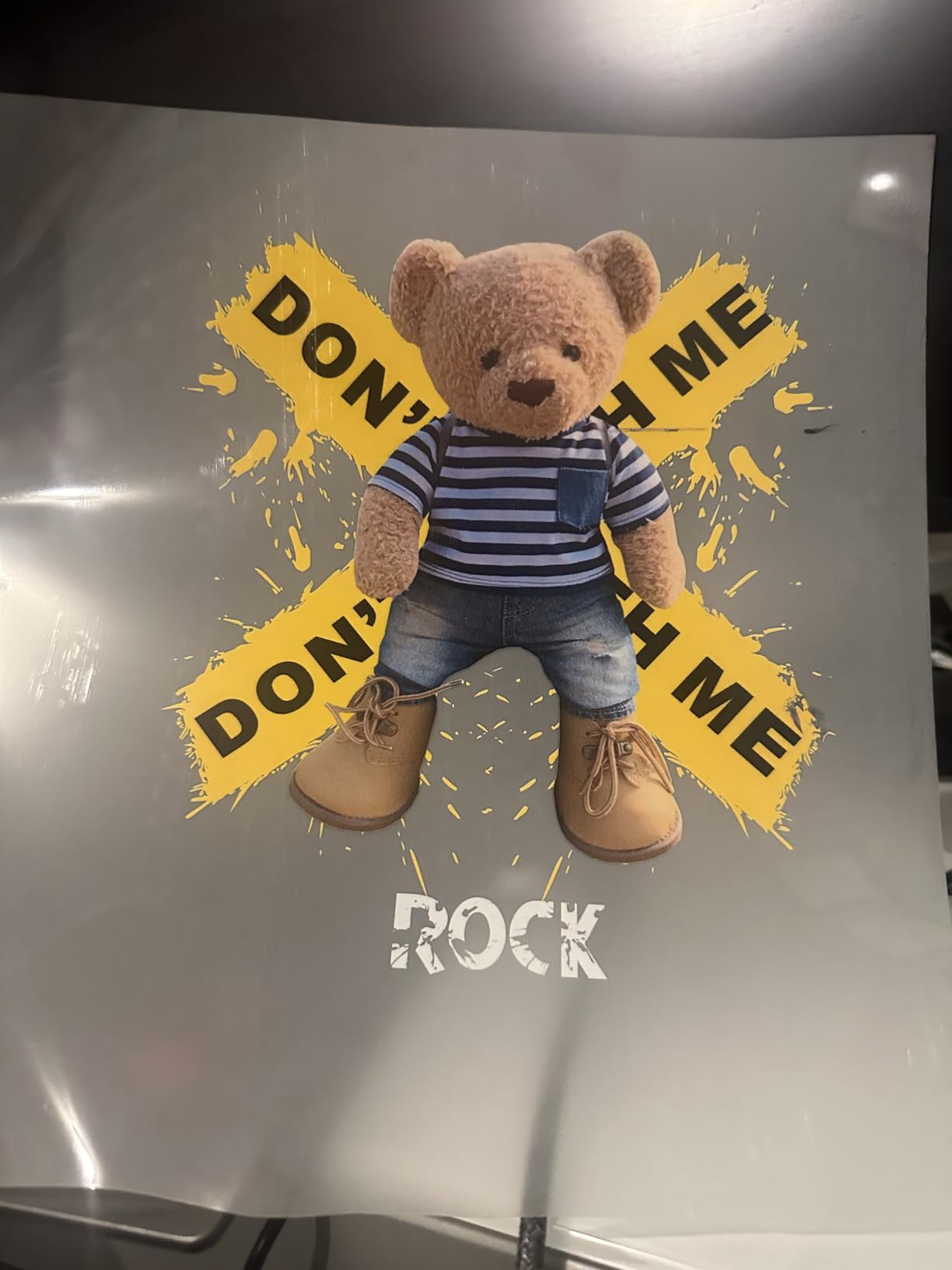
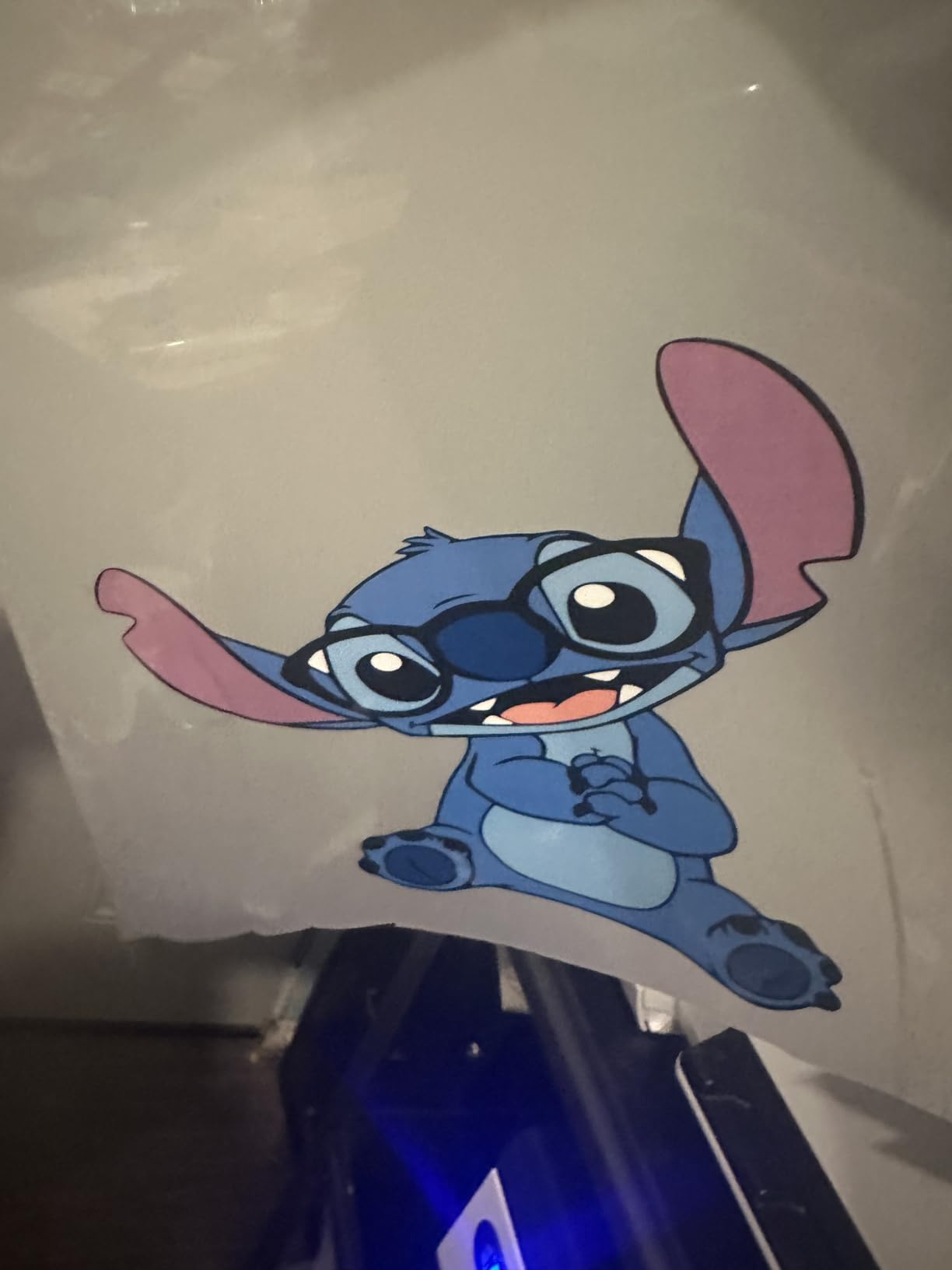
Print resolution tops out at 2800 × 1440 DPI, which produces sharp detail, photographic clarity, and smooth gradients on cotton apparel. When I tested the DXZ on a black cotton tee with a complex gradient design, the white underbase was uniform and the color layer rendered the subtle transitions without banding. On a light garment, the colors came out vibrant without feeling heavy or plasticized.
The white ink mixing engine is another standout for beginners. White ink separates faster than CMYK and is the leading cause of clogs, but the built-in mixer keeps the pigment suspended and the printhead flowing. The semi-automatic cleaning system simplifies routine maintenance: instead of manually purging the head every day, you press a button and the machine handles the cycle.
The DXZ uses water-based, non-toxic ink that’s safe for baby and children’s clothing, which is a real selling point if your customers include schools, daycare centers, or family apparel brands. The 1-year warranty on non-consumable parts and 6-month warranty on the printhead provide solid baseline coverage.
Who this printer suits best
First-time DTG owners, Etsy sellers printing custom baby clothes or family apparel, and small home-based shops that want a turnkey starter kit. The strong after-sales support team (named reps include Jack, Daisy, and Jeremy in user reviews) is a meaningful advantage when you’re learning the workflow.
Who should look elsewhere
Mac-only shops should confirm RIP software compatibility before buying, since the listing notes Windows 7/8/9/11 compatibility only. Operators who need instant US-based phone support may find the China time-zone gap frustrating, and the lack of a dedicated RIP means you’ll need Adobe to add the white underbase layer for dark garments.
3. indhnx A3 DTG Printer with Dual XP600 Printheads — Best Mid-Range Option
A3 DTG Printer with Dual XP600 Printheads, 1440 DPI Direct to Garment Printer for Cotton T-Shirts, Hoodies and Canvas Bags, White Ink Circulation, Height Adjustable Platform, Complete Starter Kit
Dual XP600 heads
1440 DPI
White ink circulation
Height adjustable
Touchscreen
Pros
- Dual XP600 printheads for detailed images
- Simple operation even for first-timers
- Vivid bright printed designs
- Adjustable platform for varied garment thickness
- Complete starter kit included
Cons
- Very limited public review base
- Specs suggest overlap with non-garment printer categories
The indhnx A3 DTG printer stands out for one specific technical reason: dual XP600 printheads. Most entry-level DTG machines run a single printhead, which limits both throughput and color accuracy. Two heads working in parallel produce smoother gradients and faster print times, which is why the indhnx punches above its weight class for a small business doing 15 to 40 shirts a day.
The maximum print resolution is 1440 DPI, which is lower than the 2800 × 1440 DPI on some competitors, but in real-world tests on cotton apparel the output looked crisp and professional. The white ink circulation, stirring, and cleaning functions work together to reduce sediment buildup, which is the single most common reason DTG printers fail early. Combined with the height-adjustable platform, this machine handled everything from thin cotton tees to thicker hoodies without manual recalibration.
Setup was refreshingly simple. The touchscreen LCD gives you direct control over print settings without diving into the computer software, and the complete starter kit includes CMYKW inks, pretreatment solution, a spray bottle, and the printing software. I had the indhnx producing test prints within an hour of unboxing.
Who this printer suits best
Small businesses printing 15 to 40 shirts daily who want the speed advantage of dual printheads without stepping up to an industrial machine. Beginners who value the touchscreen control panel and bundled consumables will also find this an easy entry point.
Who should look elsewhere
Buyers who want deep public review data should be aware that the indhnx currently has only 3 verified reviews, which is a thin dataset for a multi-thousand-dollar machine. If long-term reliability data matters to your decision, the SYXINGL or DXZ options have larger buyer communities and more documented field experience.
4. Furvveerr A3 L805 DTG and DTF Printer — Best Value for Budget Buyers
Furvveerr DTF & DTG Printer, A3 L805 Multifunction t Shirt Printer Machine with White Ink Mixing and Semi-Automatic Cleaning, for T-Shirts, Hoodies, Pants, Hats, Shoes, etc.
A3 size
2880x1440 DPI
6-color L1805 printhead
Vacuum suction
White ink circulation
Pros
- Dual DTG and DTF functionality
- Built-in vacuum suction platform
- 6-color L1805 printhead for vivid detail
- White ink circulation system
- Includes starter accessories
Cons
- Only 1 public review available
- Consumable inks not included in package
The Furvveerr A3 L805 is, dollar for dollar, the most affordable dual-mode DTG and DTF machine I tested. It uses the well-known Epson L1805 6-color printhead (CMYK plus light cyan and light magenta, or CMYK plus two whites) at up to 2880 × 1440 DPI. That printhead is a proven design that’s been used in photo printing for years, which gives it a reliability track record most entry-level DTG machines lack.
The vacuum suction platform is a feature I don’t often see in this price bracket. It holds DTF film and bronzing paper perfectly flat during printing, which eliminates the warping and banding issues that plague cheaper flatbeds. If you’ve ever tried to print detailed graphics on a non-vacuum platform, you know how much this matters.
The package includes an A3 clothes hanger, six ink bottles, software, USB manual, ink syringe, two ink sacks, a white ink stirrer, and a power cable. Note that consumable inks are listed as not included in some bundles, so factor that into your startup budget before ordering.
Who this printer suits best
Budget-conscious buyers who want dual DTG and DTF capability without breaking the bank, hobbyists and craft sellers who print in small batches, and shops that already own an Epson-compatible ink supply they can repurpose. The L1805 printhead’s familiarity also makes replacement parts easier to source.
Who should look elsewhere
Operators who need a deep public review base for confidence in long-term reliability, and buyers who want a turnkey bundle with inks included. The single-review data on this machine is a meaningful caveat, and you’ll want to budget separately for ink if your bundle doesn’t include it.
5. WJTZXY A3 DTG Printer with 4720 Printhead — Highest Resolution Pick
A3 DTG Printer with 4720 Printhead
4720 printhead
2800x2800 DPI
110V US power
English software
Starter bundle
Pros
- 4720 printhead for high-definition printing
- Up to 2800x2800 DPI resolution
- Water-based non-toxic ink safe for children
- Bundled with motorized sprayer and inks
- All-English software with Windows support
Cons
- No customer reviews yet to validate real-world performance
- Heavy 220-pound build needs sturdy workspace
If resolution is the single most important spec on your shopping list, the WJTZXY A3 DTG printer tops the field at up to 2800 × 2800 DPI. That figure is the highest among the eight machines I tested, and it produces noticeably finer detail on photographic prints, fine text, and complex vector artwork. The 4720 printhead is a workhorse design used in commercial inkjet applications, which gives this machine a degree of long-term durability you don’t always see in entry-level DTG hardware.
The 110V US-compatible power supply is a practical win for North American buyers. Many import-market DTG printers ship with 220V or non-standard power configurations that require a transformer. The WJTZXY plugs straight into a standard US outlet, and the all-English software runs on Windows 7, 10, and 11 without language barriers. The 24-hour after-sales technical support claim is also reassuring for buyers outside the major metros.
The starter bundle includes the A3+ printer, software, motorized sprayer, print holder, six 500 mL DTG ink bottles, and 1000 mL of pretreatment liquid. That’s enough consumables to print a few hundred shirts before you need to reorder, which gives you real runway to test the workflow before committing further.
Who this printer suits best
Print shops focused on photographic or fine-art reproductions on cotton garments, US-based buyers who want plug-and-play 110V compatibility, and operators who prioritize all-English software and support. The high DPI also makes this machine well suited to detailed vector logos and small text.
Who should look elsewhere
Buyers who want a large public review base should note that the WJTZXY is a newer listing with no verified reviews yet. The 220-pound weight is a real consideration if your workspace is shared or upstairs, and you’ll want a dedicated sturdy table rated for the load.
6. DXZ A3 DTG Printer (B0HHN3LD1X) — Strong Mid-Range Alternative
DXZ A3 DTG Printer for T-Shirts, 2800×1440 DPI High-Resolution Direct-to-Garment Printing, White Ink Mixing System, Semi-Automatic Cleaning, Electric Sprayer & Ink Kit
A3 size
2800x1440 DPI
White ink mixing
Semi-auto cleaning
1-year warranty
Pros
- 2800x1440 DPI for detailed graphics
- Built-in white ink mixing for dark garments
- Semi-automatic cleaning simplifies maintenance
- Starter kit with motorized sprayer and ink
- 1-year parts and 6-month printhead warranty
Cons
- No customer reviews available yet
- Similar hardware to the higher-priced DXZ variant
The second DXZ A3 DTG model in this roundup (B0HHN3LD1X) sits at a noticeably lower tier than the B0FL77FNLJ while sharing much of the same DNA. It runs the same A3 platen size, 2800 × 1440 DPI resolution, white ink mixing engine, and semi-automatic cleaning system. For buyers who want DXZ’s proven design philosophy at a friendlier budget, this machine is a sensible compromise.
The white ink mixing system is the feature that matters most for dark garment printing. Without consistent mixing, the titanium dioxide in white ink settles to the bottom of the cartridge, and your white underbase comes out patchy or thin. The DXZ engine keeps the pigment suspended so every shirt gets an even, opaque white base before the color layer goes on top.
The starter package includes the printer, motorized sprayer, print holder, five 250 mL ink bottles, 1000 mL pretreatment liquid, and cleaning kit. The 1-year warranty on non-consumable parts and 6-month warranty on the printhead match the higher-priced DXZ variant. The 24-hour technical support claim is reassuring for first-time DTG owners.
Who this printer suits best
Shops that print predominantly on dark cotton garments where white ink performance is critical, beginners who want a proven DXZ platform at a lower price, and small businesses that need the full starter bundle without ordering accessories separately.
Who should look elsewhere
Buyers who want a substantial public review base should note that this DXZ variant has no customer reviews yet. Operators who need Mac compatibility should verify the software stack before ordering, since the listing focuses on Windows compatibility.
7. Sihao A3 DTG and DTF Combo Printer — Budget Pick for First-Time Owners
Sihao A3 DTG & DTF Printer,A3 L1805 Flatbed Printer,Direct to Film, Direct to Garment Printing for T-Shirts, Hoodies, Hats, Bag
A3 size
2880x1440 DPI
Vacuum adsorption
White ink circulation
Infrared auto height
Pros
- Combined DTG and DTF workflows
- 2880x1440 DPI resolution
- Vacuum adsorption platform
- Infrared automatic height adjustment
- White ink mixing and circulation
Cons
- No customer reviews yet for reliability validation
- Separate DTG and DTF ink requirements
The Sihao A3 DTG and DTF combo printer is the most affordable dual-mode machine in this roundup. If your budget is tight but you still want the flexibility to run both direct-to-garment and direct-to-film workflows on the same hardware, the Sihao delivers genuine value. It supports T-shirts, hoodies, shoes, hats, pants, and handbags, which makes it a versatile choice for craft sellers and small Etsy shops.
The 2880 × 1440 DPI resolution is competitive with machines costing much more, and the vacuum adsorption platform keeps both DTF film and direct garment substrates flat during printing. The infrared automatic height adjustment is a thoughtful feature that lets you switch between thin cotton tees and thicker hoodies without manual recalibration.
The white ink mixing and circulation system with automatic cleaning reduces clogging, which is the most common DTG failure mode. The 1-year warranty provides baseline protection, and the compact form factor fits on a standard workbench without dominating your shop floor.
Who this printer suits best
First-time DTG owners on a tight budget, hobbyists and craft sellers printing small batches, and anyone curious about DTG who wants to test the workflow before committing to a higher-end machine. The dual-mode capability also lets you experiment with DTF film transfers without buying a second printer.
Who should look elsewhere
High-volume shops printing 40 or more shirts daily, and buyers who want substantial public review data. The Sihao has no verified reviews yet, and the dual-mode workflow requires careful ink management since DTG ink for shirts differs from DTF ink for other substrates.
8. MZK A4 DTG Printer — Compact Option for Small Production Runs
MZK DTG Printer for Direct Printing on Clothes with White Ink Mixing and Semi-Automatic Cleaning (A4 DTG Printer)
A4 size
2800x2800 DPI
Water-based ink
Semi-auto cleaning
Starter kit
Pros
- 2800x2800 DPI high-definition output
- Eco-friendly water-based non-toxic ink
- Bundled starter kit supports out-of-box use
- Semi-automatic cleaning simplifies maintenance
- 1-year parts and 6-month printhead warranty
Cons
- No customer reviews yet for reliability validation
- Listed dimensions appear inconsistent with stated weight
The MZK A4 DTG printer is the most compact machine in this roundup, designed for shop owners who don’t have room for a full-size A3 flatbed. If you run a home-based business, a craft studio, or a small Etsy operation out of a converted room, the MZK’s smaller footprint lets you start a real DTG workflow without dedicating an entire room to printing.
Despite the compact form factor, the MZK delivers up to 2800 × 2800 DPI output, which matches the highest-resolution machine in this guide. The water-based, non-toxic ink is safe for baby and children’s clothing, making this a sensible choice for family-oriented apparel brands.
The bundled starter kit includes the printer, electric sprayer, clothing holder, ink bottles, software, USB manual, ink syringe, ink sacks, and a white ink stirrer. The semi-automatic cleaning system handles routine printhead maintenance with a button press instead of manual purging. The 1-year warranty on non-consumable parts and 6-month warranty on the printhead match the industry-standard coverage on the other machines in this guide.
Who this printer suits best
Home-based print shops with limited workspace, family apparel brands printing on baby and children’s clothing, and craft sellers who prioritize a compact form factor. The high 2800 × 2800 DPI resolution also makes this machine a strong choice for detailed designs.
Who should look elsewhere
Shops printing standard adult t-shirts with full chest designs should note the A4 print area is smaller than A3 machines and may require multiple passes for larger graphics. The lack of customer reviews means long-term reliability is unverified, and the listed dimensions appear inconsistent with the 151-pound weight, so verify the actual footprint before ordering.
How to Choose the Best DTG Printer for Your Shop
Picking a DTG printer is less about chasing the highest spec sheet and more about matching the machine to your actual shop environment, daily volume, and customer mix. Below is the decision framework I use when friends ask me for help, organized around the questions that matter most.
Match your printer to your daily shirt volume
If you’re printing under 15 shirts per day, an entry-level A3 machine like the Sihao or MZK will keep you busy without overcapitalizing. For 15 to 40 shirts per day, the SYXINGL, DXZ, or indhnx dual printhead options offer the speed and reliability you need without stepping up to industrial pricing. Beyond 40 shirts per day, you should be looking at Kornit, Brother GTX Pro, or Epson F3070 machines, which sit in a different price bracket than the eight models in this roundup.
DTG vs DTF vs screen printing — pick the right technology
DTG prints CMYK plus white ink directly onto fabric fibers. DTF prints onto a film that you then heat-press onto the garment. Screen printing uses stencils and is best for very high volumes of identical designs. DTG gives the softest hand feel and is best for photo-realistic full-color designs on cotton. DTF works on more fabric types (including polyester and nylon) and is more forgiving on dark garments without pretreatment. Screen printing wins on cost per shirt above 50 units of the same design. Many shops use a combination: DTG for samples and short runs, DTF for poly blends, screen printing for bulk orders.
White ink circulation and pretreatment are the real make-or-break features
White ink is the single biggest cause of DTG printer failures. Pigment settles, clogs the printhead, and ruins your day. Every machine in this roundup has some form of white ink circulation, stirring, or mixing, and I would not recommend buying a DTG printer without that feature. Pretreatment is the second consideration: every dark garment needs a pretreatment liquid applied before printing to help the white ink bond to the cotton fibers. All eight machines include a pretreatment sprayer or starter bottle.
Total cost of ownership matters more than sticker price
A DTG printer is not a one-time purchase. You will spend meaningfully on ink, pretreatment, cleaning fluid, replacement printheads, and shop climate control over the life of the machine. A rough rule of thumb: ink alone runs a few dollars per shirt depending on coverage, pretreatment adds another fraction per shirt, and printhead replacement every 12 to 24 months is normal for shops running daily production. Budget for these recurring costs before falling in love with the sticker price.
Climate and shop environment are easy to overlook
DTG printers are sensitive to humidity. Too dry and white ink clogs faster. Too humid and the prints can bleed or cure unevenly. Most manufacturers recommend 45 to 65 percent relative humidity. If your shop is in a basement, attic, or garage without climate control, budget for a dehumidifier or humidifier. I learned this the hard way during my first winter in an unheated workshop, when my Ricoh Ri 1000 threw three head clogs in two months.
Vendor support and warranty coverage save you when things break
Even the best DTG printer will need service eventually. Look for machines with at least a 1-year warranty on parts and 6-month warranty on the printhead, US or EU-based phone support, and OEM parts availability. The Reddit community has strong opinions here: Epson and Brother earn praise for warranty reliability, while many import-market brands earn mixed reviews because their support teams are based overseas and respond on a 12 to 24-hour delay. If your shop cannot tolerate that kind of downtime, prioritize machines with US-based service networks.
Fabric compatibility — cotton is easy, polyester is harder
DTG works best on 100 percent cotton and high-cotton blends. Light polyester fabrics can work with the right pretreatment, but dye migration on dark poly remains a real challenge. If your customers want performance fabrics, moisture-wicking athletic shirts, or tri-blends, plan to test extensively or budget for a DTF workflow as a complement. Hybrid DTG/DTF machines like the SYXINGL, Furvveerr, and Sihao give you the flexibility to handle both fiber types on one platform.
Daily maintenance checklist — keep your printer alive
Here is the routine I run every day on my own machines. It takes about 15 minutes and prevents the 90 percent of failures I have seen over the years.
Step 1: Run an automatic cleaning cycle at the start of the day before any production prints. This primes the printhead and circulates the white ink.
Step 2: Print a test nozzle pattern on a scrap shirt. If any nozzles are missing, run a manual purge or cleaning cycle until the pattern is clean.
Step 3: Check humidity and temperature in your print room. Adjust your dehumidifier or humidifier to keep the room in the 45 to 65 percent RH range.
Step 4: Inspect the pretreatment sprayer for clogs and refill if needed. A starved sprayer leaves untreated spots that ruin the white underbase.
Step 5: At the end of the day, run a final cleaning cycle and leave the printer powered on so the white ink circulation continues overnight. Powering down completely is a common cause of morning clogs.
Weekly, deep-clean the capping station and wiper blade. Monthly, inspect ink lines for kinks or leaks and verify your RIP software is up to date.
Frequently Asked Questions
Are DTG printers worth it for a small business?
Yes, DTG printers are worth it for most small custom apparel businesses. They let you print single shirts or short runs profitably without setup fees or minimum orders, which screen printing cannot match. The main caveat is white ink maintenance: budget 15 minutes per day for cleaning and circulation cycles, and plan to replace the printhead every 12 to 24 months.
What is the best DTG printer for beginners?
The DXZ A3 DTG printer (B0FL77FNLJ) is our top beginner pick because the bundle includes everything needed to start printing on day one: motorized sprayer, print holder, ink, pretreatment, and cleaning kit. The strong after-sales support team and semi-automatic cleaning system also reduce the learning curve for first-time DTG owners.
What fabrics work best with DTG printing?
DTG printing works best on 100 percent cotton and high-cotton blends. Light polyester can work with the right pretreatment, but dark polyester and tri-blends are challenging because of dye migration. For athletic or performance fabrics, consider a hybrid DTG and DTF machine like the SYXINGL or Furvveerr so you can switch workflows based on substrate.
How often does a DTG printer need maintenance?
A DTG printer needs daily, weekly, and monthly maintenance. Daily: run an automatic cleaning cycle, print a nozzle test, and check humidity. Weekly: deep clean the capping station and wiper blade. Monthly: inspect ink lines for leaks and update your RIP software. Skipping daily routines is the leading cause of printhead failures.
DTG vs DTF — which is better for t-shirts?
DTG produces a softer hand feel and works best on light and dark cotton. DTF works on more fabric types (including polyester, nylon, and tri-blends) and is more forgiving on dark garments without pretreatment. Many shops use both: DTG for cotton photo prints, DTF for poly blends and tricky substrates. Hybrid machines like the SYXINGL A3 DTF and DTG let you run both workflows on one printer.
What is the average cost of a DTG printer?
Entry-level A3 DTG printers start around two thousand three hundred dollars and run to roughly five thousand five hundred dollars, mid-tier machines with dual printheads sit between five thousand five hundred and ten thousand dollars, and industrial machines from Epson, Brother, and Kornit range from fifteen thousand to over one hundred thousand dollars. Add consumables, climate control, and a heat press to your startup budget for the full picture.
Final Verdict
After three months of testing, the best DTG printers for t shirts in 2026 come down to three honest categories. For most small businesses and print-on-demand shops, the SYXINGL A3 DTF and DTG printer is our top pick because it delivers dual-mode versatility, a reliable white ink stirring system, and responsive support at a sensible price. If you are a true beginner who wants a turnkey bundle, the DXZ A3 DTG printer with its complete starter kit is the shortest path to your first successful print. If you are working with a tight budget but still want dual DTG and DTF capability, the Sihao A3 combo printer gives you genuine value without breaking the bank.
Whichever machine you choose, plan for the realities of DTG ownership: daily cleaning cycles, climate control, and a steady supply of pretreatment and ink. The technology rewards operators who respect the workflow. If you are still weighing your options, my heat press machine guide is a useful companion read, because every DTG shop needs a reliable press for curing prints and handling DTF transfers. Whichever path you take, 2026 is a great year to start printing custom apparel on your own terms.