
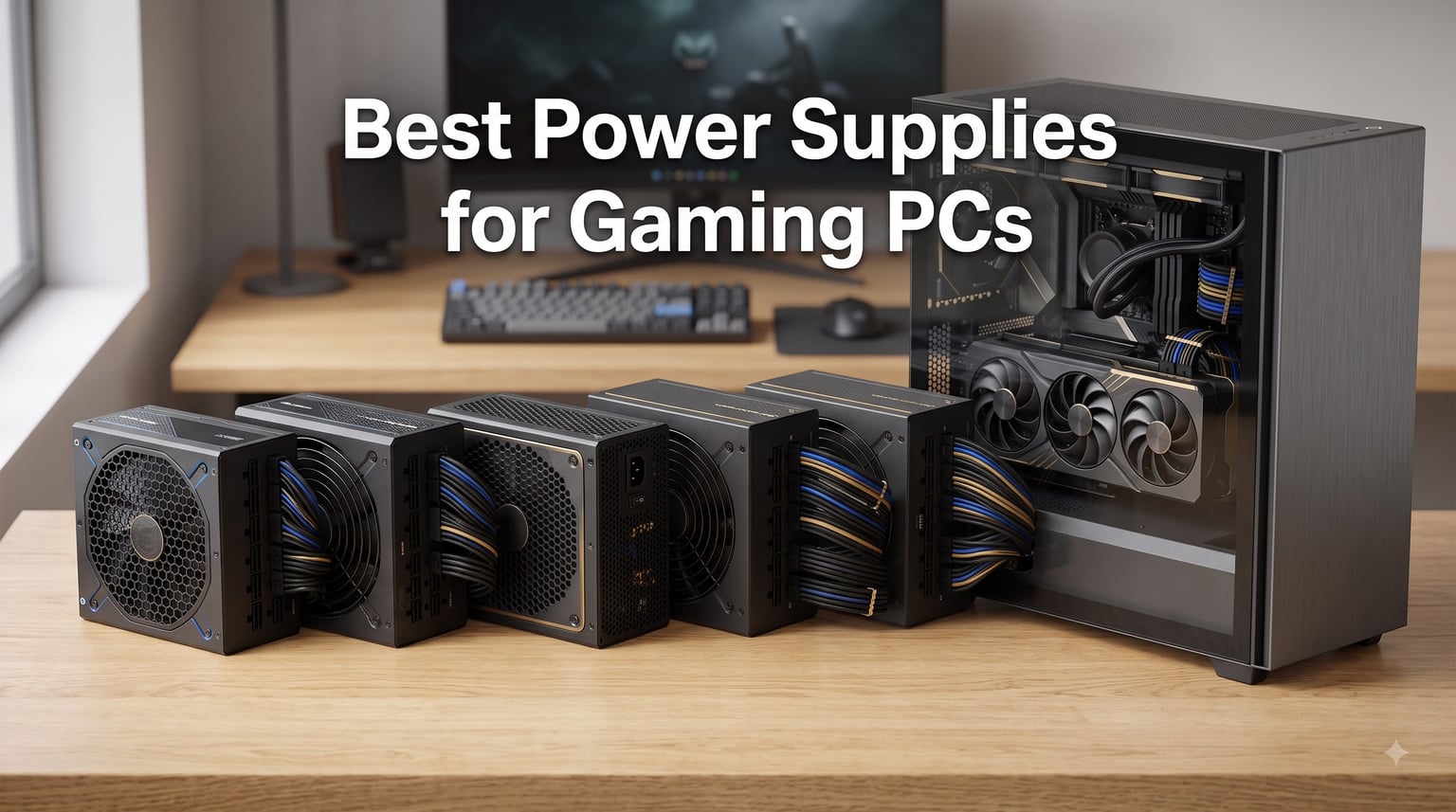
A power supply is the part of your gaming PC that turns wall electricity into stable power for the CPU, graphics card, motherboard, and storage. It also protects those expensive parts from voltage faults, so choosing one of the best power supplies for gaming PCs matters as much as choosing the right GPU or processor.
I narrowed five strong 750W, 850W, and 1000W options to fit mainstream gaming, high-end builds, quiet systems, and flagship graphics cards. Every pick is fully modular, uses an 80 Plus Gold rating, and supports a modern graphics-card connection rather than relying on old adapters.
My shortlist puts the Corsair RM850e first for most powerful gaming builds, the Montech Century II 850W first for value, and the MSI MAG A750GL PCIE5 first when 750W is the right fit. I also considered verified customer feedback, warranty length, protection features, connector standards, fan behavior, and the PSU tier resource highlighted by experienced builders.
A PSU does not make games faster, but it can stop a good build from becoming unstable. The right wattage leaves useful headroom for power spikes, while strong voltage regulation and complete protection help every component run as intended.
This guide is for 2026. Wattage recommendations below account for the listed products, not just the nameplate draw of a processor or graphics card. Actual consumption depends on the exact CPU, GPU, workload, ambient temperature, and power limit.
Table of Contents
Top 3 Picks for Best Power Supplies for Gaming PCs (October 2026)
These three choices cover most gaming PCs. The Corsair wins on balanced high-end capability, Montech delivers unusually strong value at 850W, and MSI gives mainstream builders a mature 750W platform.
Best Power Supplies for Gaming PCs in 2026
Use this overview to match capacity with your build. All five products are ATX 3.1 ready, fully modular, and Gold rated, but their warranties, fan designs, connector layouts, and protection claims differ.
| Product | Specifications | Action |
|---|---|---|
 Corsair RM850e Corsair RM850e |
|
Check Latest Price |
 Montech Century II 850W Montech Century II 850W |
|
Check Latest Price |
 MSI MAG A750GL PCIE5 MSI MAG A750GL PCIE5 |
|
Check Latest Price |
 ASUS TUF Gaming 1000W ASUS TUF Gaming 1000W |
|
Check Latest Price |
 be quiet! Pure Power 13 M 750W be quiet! Pure Power 13 M 750W |
|
Check Latest Price |
1. Corsair RM850e: Best Overall for High-End Gaming
CORSAIR RM850e (2025) ATX 3.1 PCIe 5.1 Ready 850W Power Supply – Black
850W
ATX 3.1
12V-2x6
105°C capacitors
Pros
- Quiet operation
- Fully modular
- Modern Standby
- Cybenetics Gold
Cons
- Only 7-year warranty
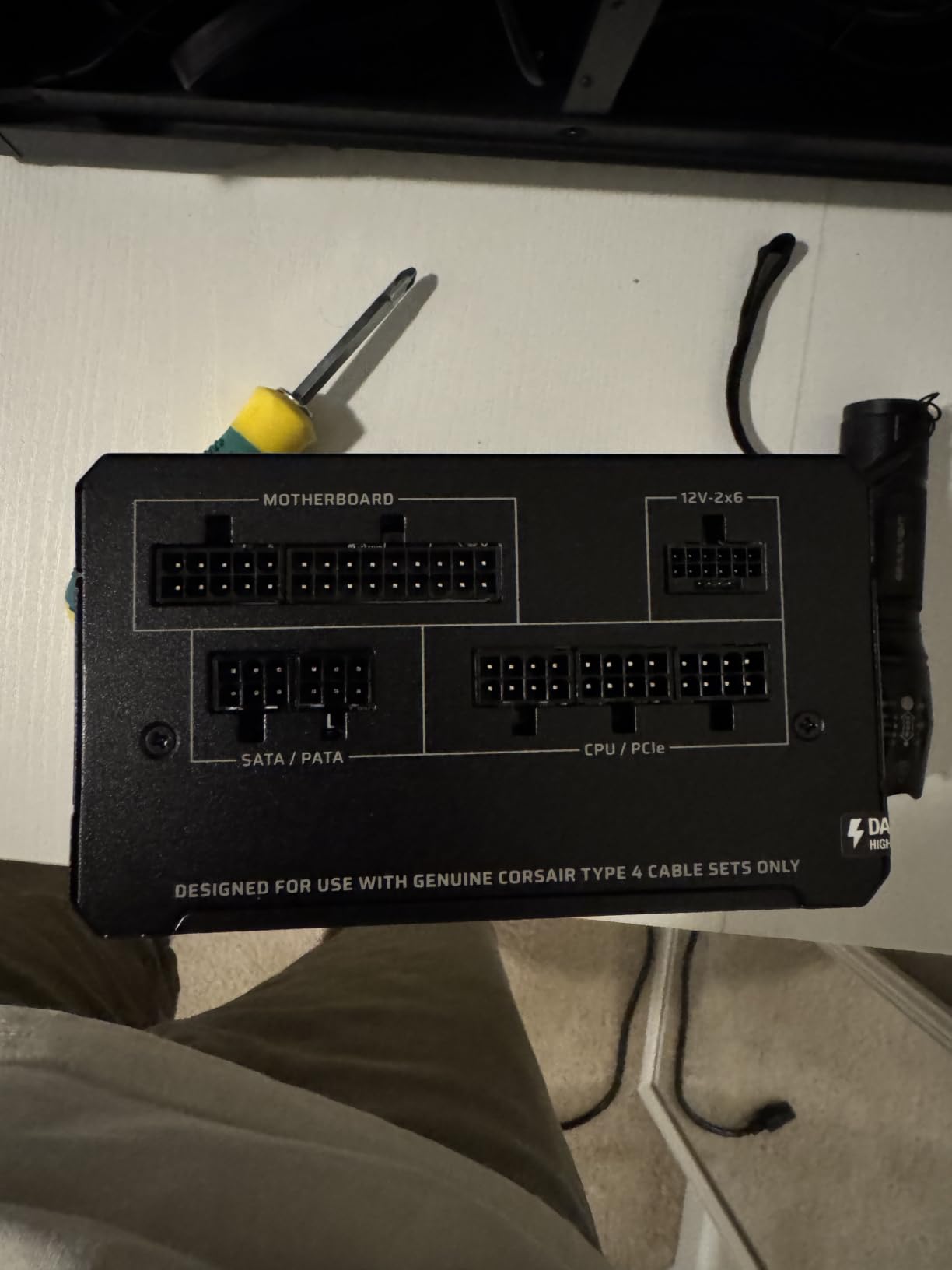
The Corsair RM850e is the best PSU for gaming PC builders who want comfortable headroom without jumping to 1000W. Its 850W continuous rating suits a high-end processor paired with a demanding graphics card, while the native 12V-2×6 cable removes the need for an adapter in a supported build.
I like that Corsair combines 105°C-rated capacitors with a calculated 120mm rifle-bearing fan curve. In customer feedback, users repeatedly describe quiet operation and stable power delivery, including high-end systems with an i9 and RTX 3090.
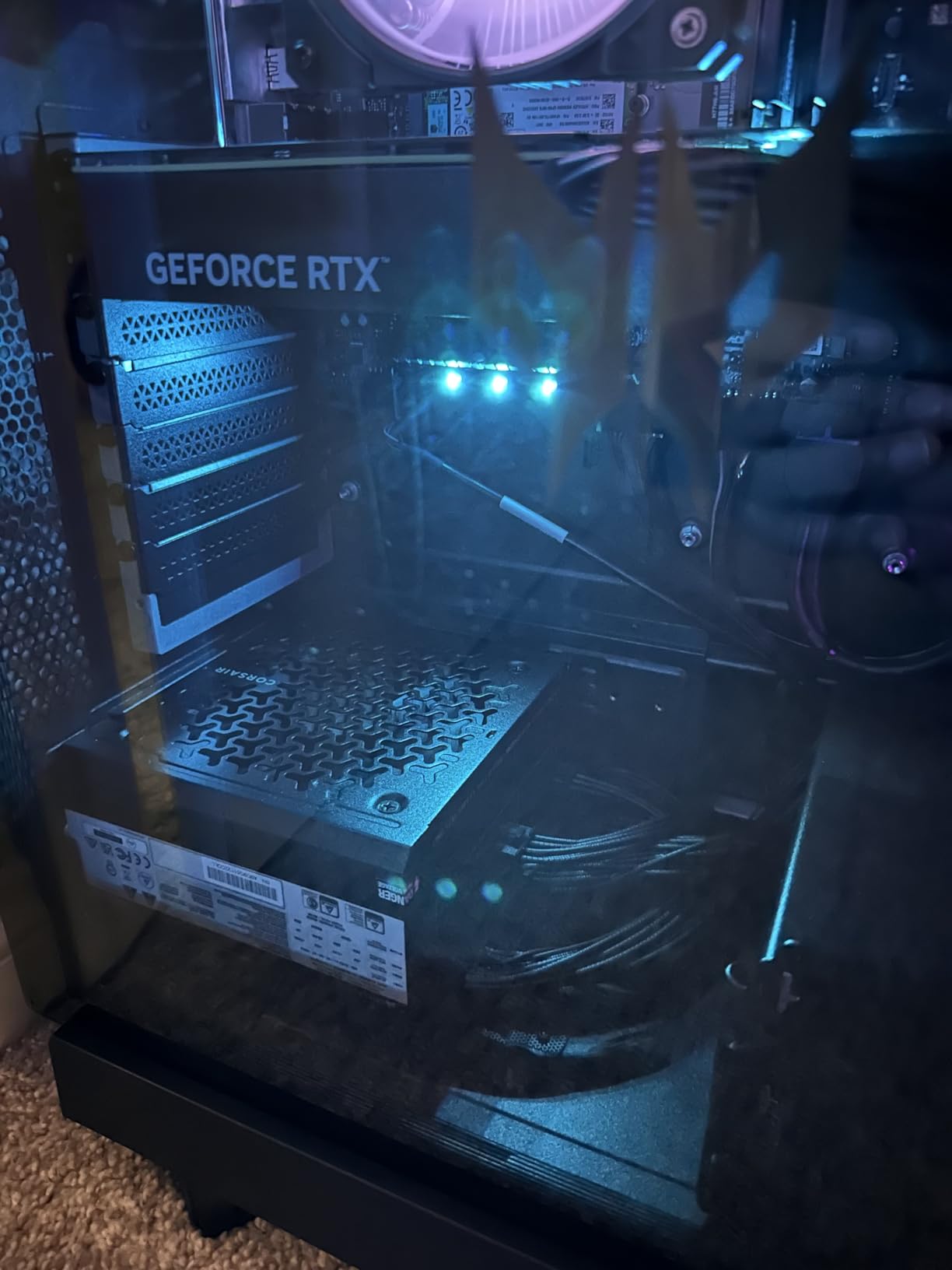
The fully modular flat-cable layout made sense for a clean tower build, and the ATX 3.1 certification is more useful than a generic “PCIe ready” claim. Modern Standby support is also welcome when fast wake behavior matters to the rest of the system.
The tradeoff is warranty length. Seven years is still substantial, but it trails the 10-year coverage attached to three alternatives in this list, so I would not choose the RM850e solely because of the Corsair name.
What build benefits most from the RM850e?
Choose it for a powerful ATX gaming build with a multi-core CPU, high-end GPU, several drives, and plans for a later graphics upgrade. Its 850W capacity gives transient-load headroom while keeping the system smaller and generally cooler than a 1000W unit under ordinary gaming loads.
It also fits builders who value low noise and a tidy interior. I would pair it with a quality case, check the GPU maker’s power recommendation, and keep the native cable seated fully rather than routing it too tightly.
What should buyers watch before choosing it?
The seven-year manufacturer warranty is the main compromise against the Montech, MSI, ASUS, and be quiet! options. Buyers should also confirm the exact GPU connector layout, because a 12V-2×6 cable must be compatible with the card’s instructions and fully inserted at both ends.
I would not pay extra merely for the RM850e badge when efficiency and warranty details already meet the target. Its case is the balanced choice when quiet operation and proven customer history matter more than maximum coverage.
2. Montech Century II 850W: Best Value for Modern Gaming Builds
MONTECH Century II 850W ATX 3.1 Fully Modular 80 Plus Gold Power Supply
850W
ATX 3.1
Japanese capacitors
Zero RPM
Pros
- Strong value
- 10-year warranty
- Gold efficiency
- A- tier
Cons
- Tight ports
- Unbraided cables
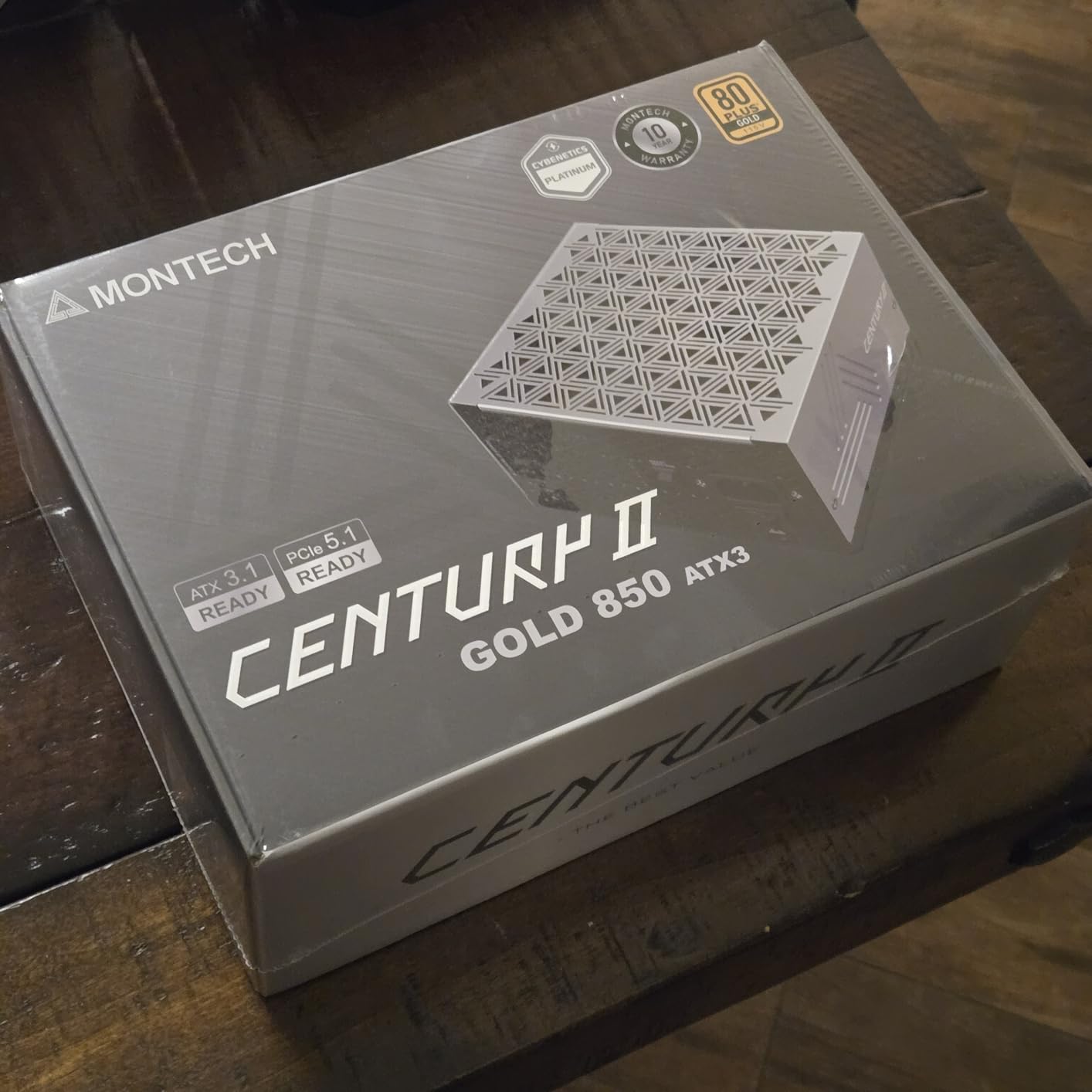
The Montech Century II 850W stands out as a value-focused PSU for gaming PCs that still need modern standards. It combines 850W capacity, ATX 3.1 and PCIe 5.1 readiness, a native 12V-2×6 cable, and a 10-year manufacturer warranty.
Its feature list is unusually generous for the money. I found 100% Japanese capacitors, a 135mm fluid-dynamic-bearing fan with zero-RPM mode, and a broad set of protections: OCP, OVP, UVP, SCP, OTP, and OPP.
Customer feedback praises its Gold efficiency, quiet behavior, and suitability for gaming systems. The A- tier rating noted in the product data gives an additional community-oriented check, though a tier label is a reference point rather than a substitute for checking the exact revision and model.
Installation is the weaker point. Review data identifies tightly spaced ports and unbraided cables, so I would plan cable routes before tightening the PSU and avoid forcing connectors sideways.
Who gets the most from the Century II?
This is my pick for a value-conscious builder with an upper-midrange or high-end GPU who wants 850W headroom. It is especially attractive when the budget is better spent on graphics performance but the PSU still needs a long warranty and current connector support.
The zero-RPM mode helps during light desktop work, while the larger 135mm fan can move air at a lower speed when gaming load rises. That combination suits a quiet living-room or shared-space PC.
Where does the value model compromise?
Its ports can make a densely cabled build awkward, and the cables are not braided. Those are build-quality and installation details, not electrical red flags, but they are worth knowing before purchase.
I would also compare warranty service in the buyer’s region and inspect the exact package. For many builders, the 10-year term and component specification outweigh the cable finish, making the Century II the value winner.
3. MSI MAG A750GL PCIE5: Best 750W All-Rounder
MSI MAG A750GL PCIE5, Fully Modular Compact Gaming 750W Power Supply, 80+ Gold, ATX 3.1 & PCIe 5.1 Ready, Native Dual-Color 12V-2×6 Cable, 10 Year Warranty
750W
ATX 3.1
Dual-color 12V-2x6
10-year warranty
Pros
- Quiet fan
- Extra cables
- Gold efficiency
- Clear port labels
Cons
- Some SATA issues reported
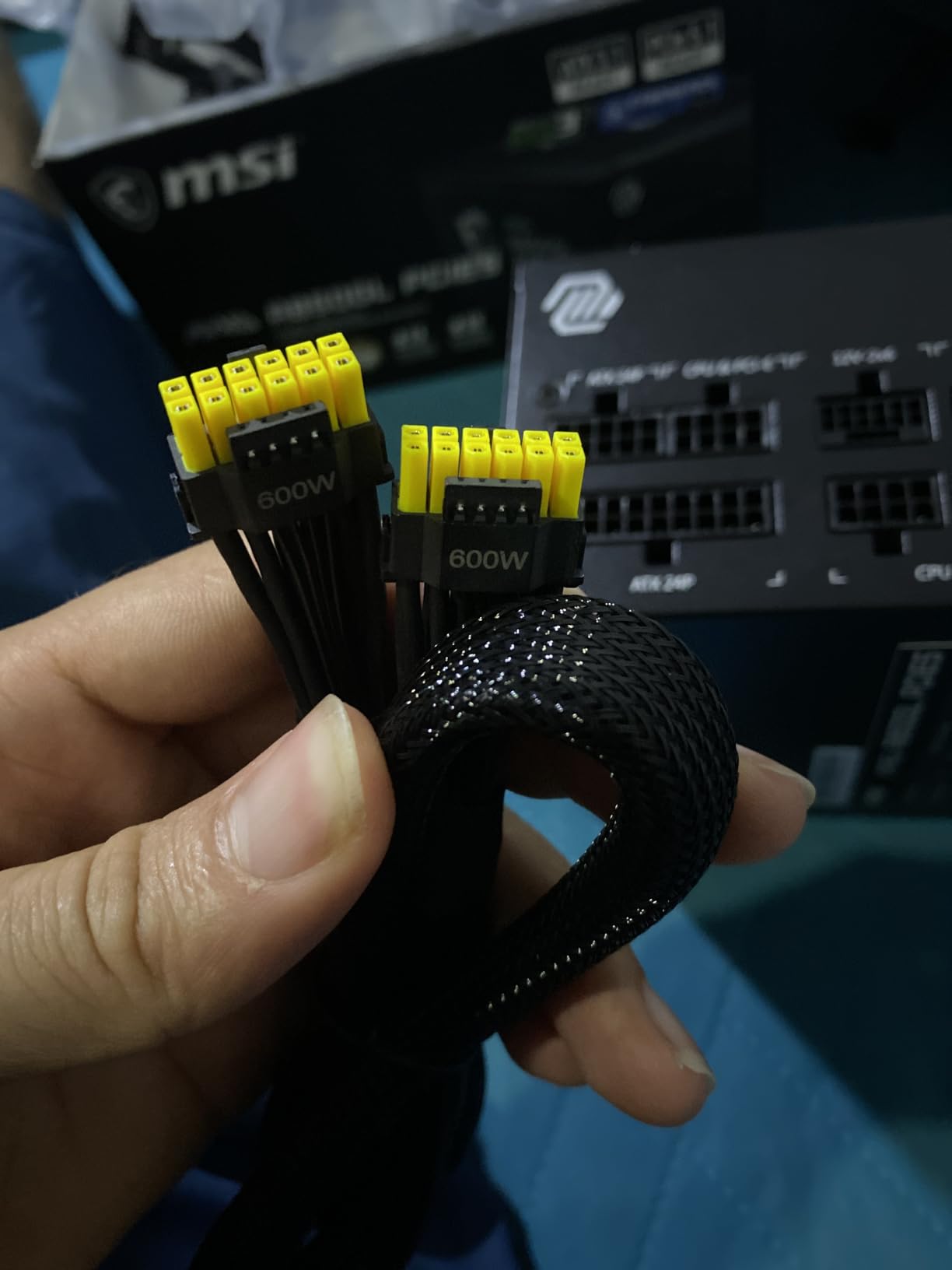
The MSI MAG A750GL PCIE5 is the strongest 750W choice for a mainstream gaming PC that does not need 850W. It is fully modular, 80 Plus Gold certified, ATX 3.1 ready, and supplied with a native dual-color 12V-2×6 cable.
The dual-color cable is a practical touch because it makes the connector orientation easier to check. MSI also includes extra cables, and the clearly labeled ports reduce guesswork during a first build.
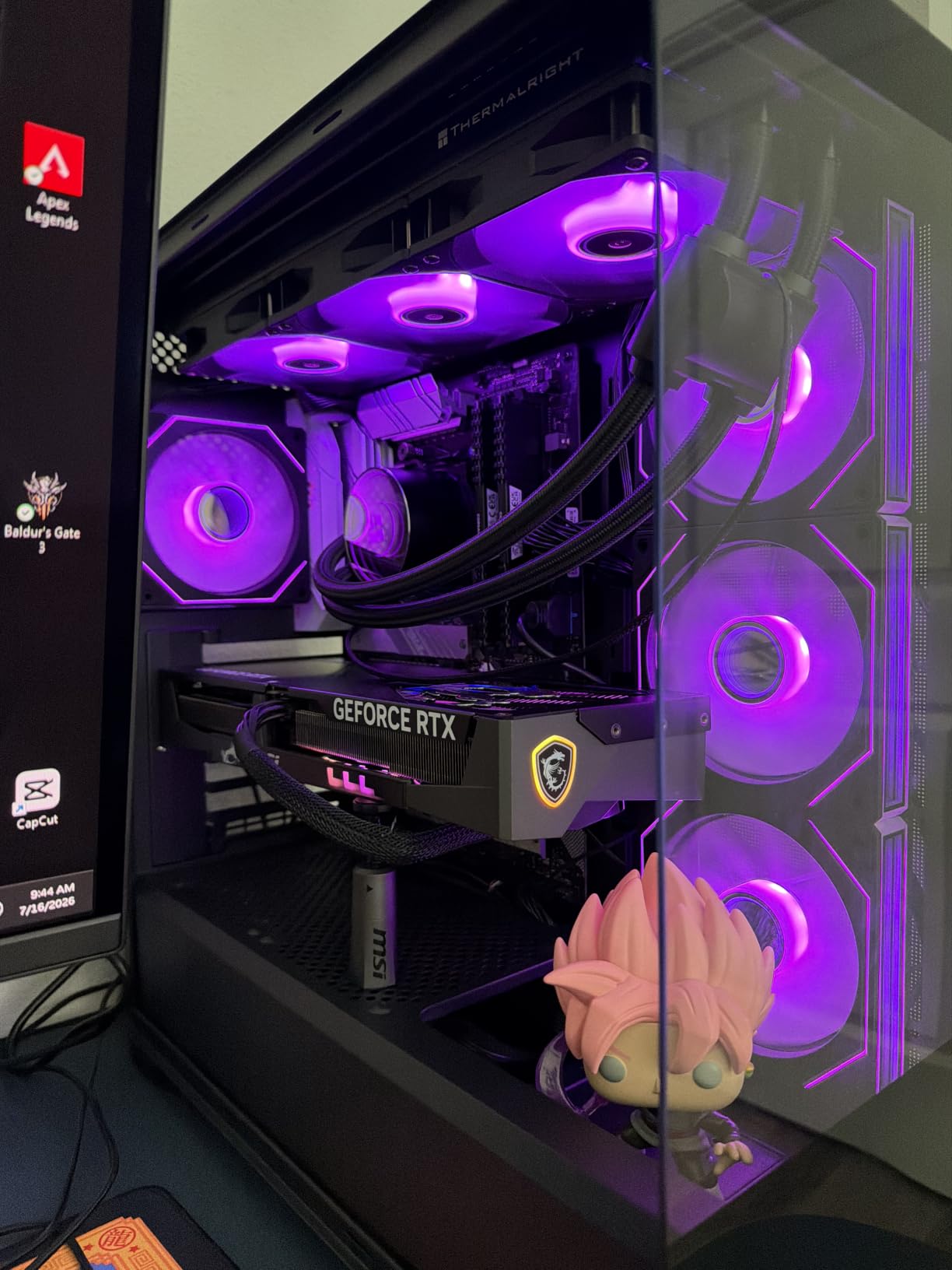
At 4.6 stars from 1,378 reviews in the product data, this is the most-reviewed model here. Customers describe quiet operation, reliable performance with Ryzen processors and RTX 5070-class graphics, and good cable-management flexibility.
The 10-year limited manufacturer warranty is a major plus. I would still check the exact regional terms and the list of included cables before assuming every connector needed for a planned storage setup is present.
What makes the A750GL a good daily driver?
Choose it for a balanced gaming build with one mainstream or upper-midrange GPU, a modern processor, and normal storage. It leaves more headroom than a 550W unit without the extra size and cost of a higher-capacity model.
The compact description is helpful for a standard ATX case, and the semi-passive behavior associated with quiet operation is less distracting in a desk-side PC. It is a sensible center point, not a clearance to add an overly power-hungry second graphics card.
What is the caveat in the user feedback?
The product review summary mentions some reports of SATA power-output issues after heavy use. That does not establish a universal failure pattern, but I would test every connected drive after assembly and avoid using a splitter arrangement for devices that can use dedicated leads.
If the planned build includes many SATA drives, unusually high transient loads, or a flagship GPU, moving to 850W or 1000W is the safer capacity decision. Otherwise, the MSI is a proven 750W all-rounder with strong warranty support.
4. ASUS TUF Gaming 1000W: Best for Power-Hungry Flagship GPUs
ASUS TUF Gaming 1000W Gold Power Supply
1000W
ATX 3.1
PCB coating
16-pin 600W
Pros
- Military-grade components
- Protective coating
- 10-year warranty
- 16-pin cable
Cons
- Higher cost
- Refurbish warranty caveat
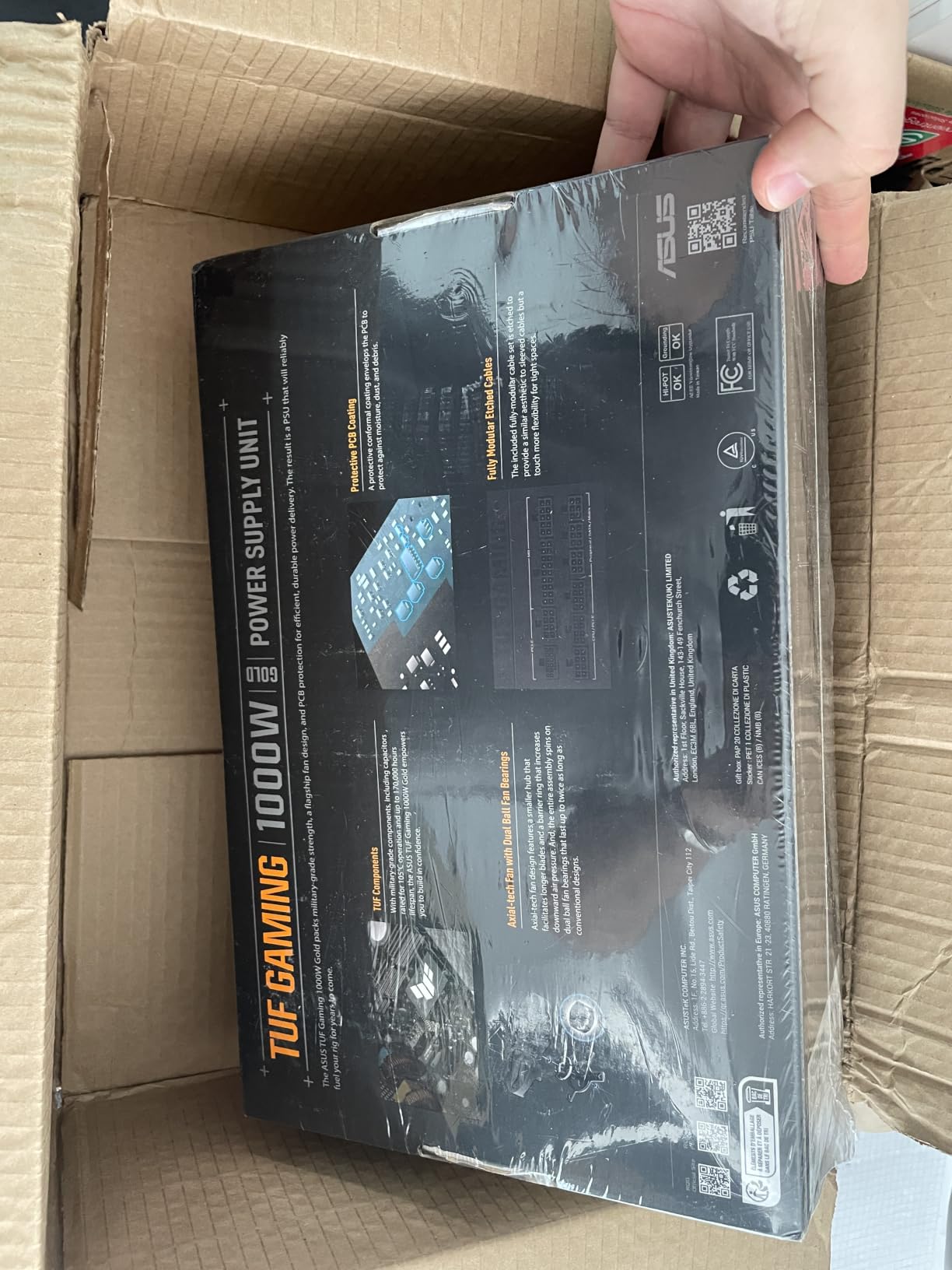
The ASUS TUF Gaming 1000W is the clear high-capacity choice for a flagship gaming PC. Its 1000W continuous rating, ATX 3.1 compatibility, and 16-pin PCIe cable rated for up to 600W give a power-hungry GPU room to operate.
ASUS adds premium construction details rather than relying on wattage alone. The product data lists military-grade components, Japanese capacitors, a dual ball bearing fan, and a protective PCB coating against moisture, dust, and extreme temperatures.
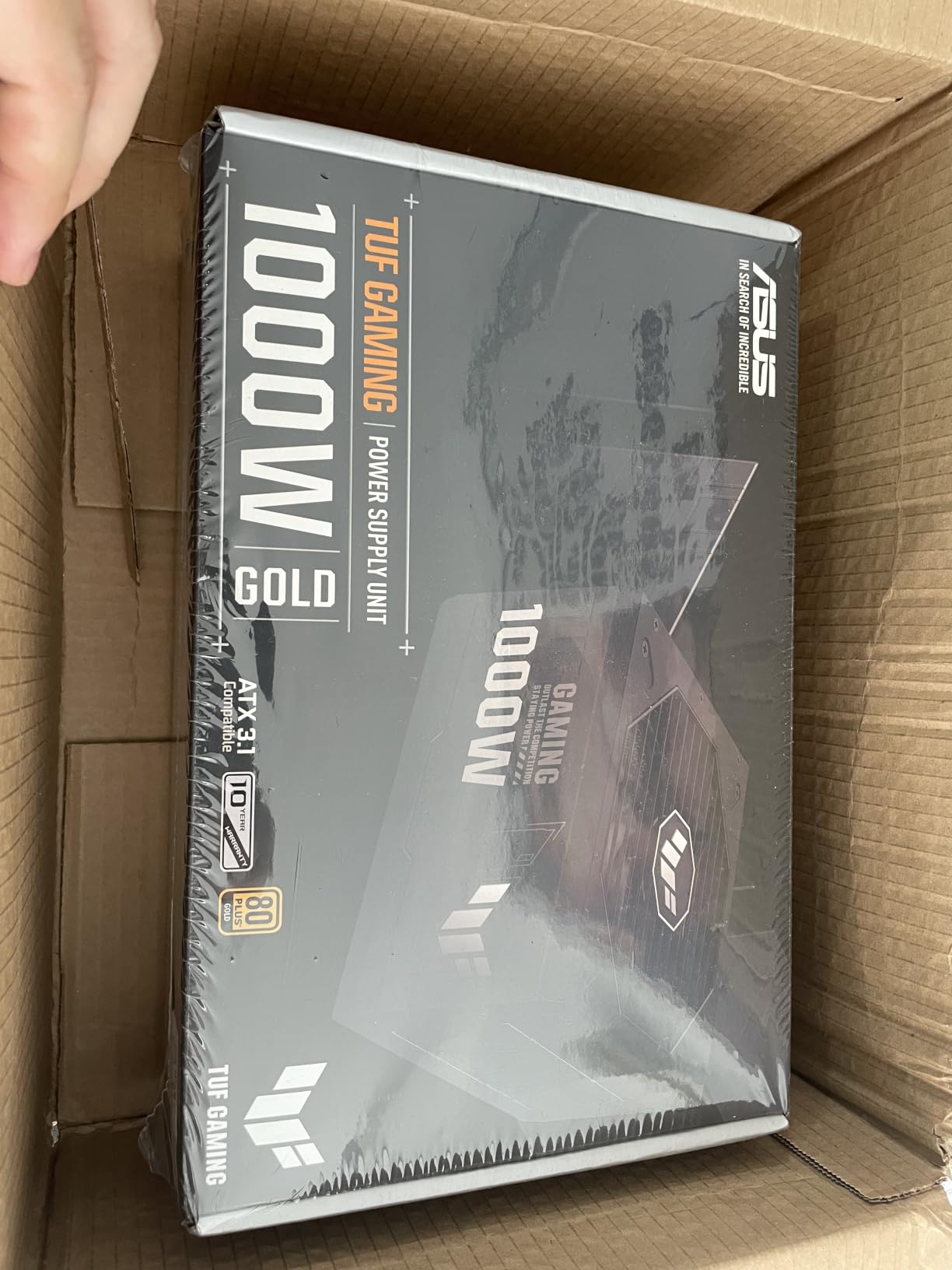
I would choose this model when the system includes a flagship GPU, a Ryzen 9 or comparable processor, extensive cooling, or a workstation workload that can push total consumption close to a smaller PSU’s limit. The included sleeved cables and TUF-branded Velcro straps make routing easier.
Customer feedback highlights stable power delivery in systems with RTX 5090 Ti and Ryzen 9 processors. Those reports support the positioning, although buyers should still use the graphics card maker’s current power and connector guidance.
Which builds need the ASUS TUF 1000W?
It makes the most sense for a high-end desktop where the GPU has a high board power and a native 16-pin connection, especially when the builder wants expansion capacity. It is also appropriate for creators who game and render on the same machine.
The coating and dual ball bearing fan are meaningful for a system expected to run hot or for long sessions. In a compact case, verify the 1000W unit’s dimensions and cable bend radius before ordering.
What limits its value?
It costs more than the 750W and 850W options, and extra capacity is wasted if the system never approaches it. A carefully selected 850W model can be the better buy for a normal single-GPU gaming build.
The product data also notes that refurbished units may have only a 90-day warranty, so condition and seller terms deserve extra attention. I would buy from a source that clearly identifies the warranty and includes a testing certificate.
5. be quiet! Pure Power 13 M 750W: Best for Quiet Gaming PCs
be quiet! Pure Power 13 M 750W Power Supply, 80+ Gold, Cybenetics Platinum
750W
ATX 3.1
94.4% efficiency
Semi-passive
Pros
- Near-silent cooling
- 10-year warranty
- 12V-2x6
- PCIe 5.1
Cons
- Unbraided cables
- Short cable runs
The be quiet! Pure Power 13 M 750W is the quietest-feeling pick in this group. Its semi-passive 120mm fan stays off during low loads, while the listed efficiency reaches 94.4% and the LLC topology is designed for strong voltage regulation.
It remains a modern gaming PSU rather than a quiet unit with outdated graphics support. The product data lists ATX 3.1, a native 12V-2×6 connector rated for 600W, four PCIe 6+2-pin connectors, and support for power excursions up to twice the rated power.
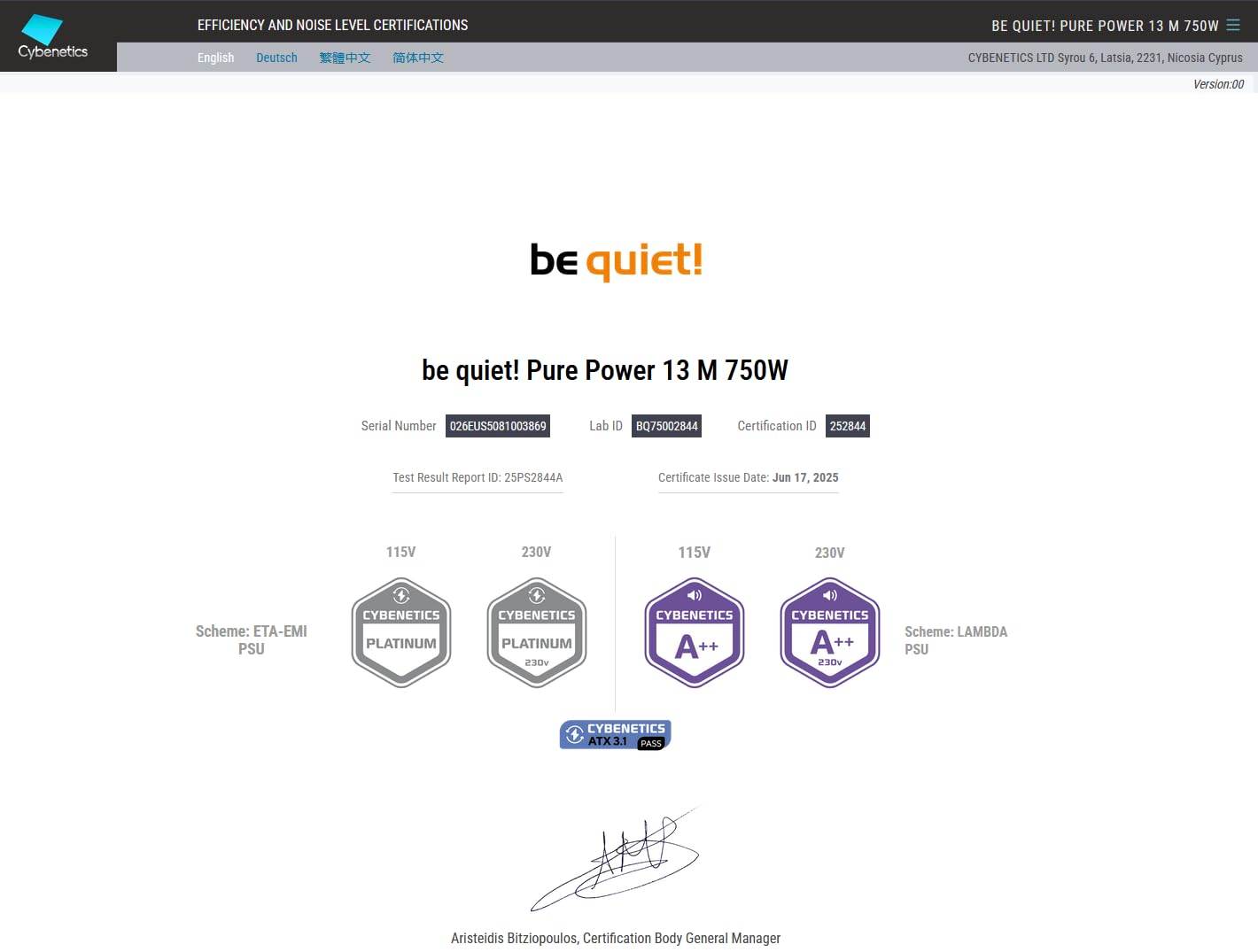
Customer feedback calls it exceptionally quiet and reliable in quiet-PC builds. I appreciate the 10-year warranty, although the listed unbraided cables and possible short runs mean case compatibility should be checked before installation.
For a restrained gaming system, the zero-RPM behavior can make idle and browsing effectively silent. During heavy gaming, the fan is designed to respond without turning the PSU into the loudest component.
Who should choose the Pure Power 13 M?
Choose it for a quiet bedroom, office, or living-room gaming PC with a mainstream GPU. The 750W rating covers the same broad middle ground as the MSI, but the semi-passive cooling and be quiet! design focus give it a different priority.
It is also a good fit for builders who want a native 12V-2×6 cable and a 10-year warranty without moving to 850W. I would measure the case’s PSU compartment and route requirements first.
Who should look elsewhere?
Very large cases or builds with drives mounted far from the PSU may expose the shorter cable runs mentioned in the feedback. The unbraided finish is less premium than the ASUS cables, even though it does not determine electrical quality.
If maximum modular flexibility and premium sleeving matter more than acoustics, the MSI or ASUS may be more appealing. For low-noise operation, however, the Pure Power 13 M is the specialist choice.
How to Choose the Best Power Supply for Your Gaming PC
Choose wattage from the complete system, not from the graphics card alone. Add the CPU and GPU’s expected power, leave room for startup and transient loads, and account for drives, fans, and other accessories. A quality 750W to 850W PSU is the usual sweet spot for many modern gaming PCs, while 1000W is a targeted high-end choice.
The PSU also affects protection, efficiency, noise, and upgrade headroom. Here is the decision process I use before buying.
Match wattage to the GPU and CPU
A 550W PSU can work for an efficient entry-level or midrange build, but it gives less room for transient power spikes and later upgrades. A 750W unit is a practical fit for many mainstream systems, while 850W gives more breathing room for an upper-midrange GPU and a fast multi-core CPU.
Use 1000W or more for a flagship graphics card, heavy overclocking, multiple storage devices, or a system that will move to a more powerful GPU. The exact recommendation from the GPU maker should take priority over a generic wattage tier, and a PSU should not be selected at its advertised maximum without headroom.
As a practical planning rule, I would target roughly 20% to 30% headroom over the expected sustained gaming draw. That is not a substitute for manufacturer guidance, but it makes short peaks and future changes less stressful.
Understand 80 Plus efficiency tiers
The 80 Plus label measures efficiency at defined load levels, not the quality of voltage regulation, ripple suppression, component choice, or protection circuits. A Gold unit is usually the sensible balance for a gaming PC because it reduces wasted heat and fan activity without the premium of Platinum or Titanium.
For example, a Gold-rated 750W unit is not automatically safer than a lower-tier model, and a Platinum label does not guarantee clean power. Look at the platform, protections, OEM, warranty, and independent testing alongside the badge.
All five picks here are Gold rated, which keeps the comparison focused on more important differences. The be quiet! Pure Power 13 M is listed at up to 94.4% efficiency, while the Corsair also carries a Cybenetics Gold rating in the product data.
Check ATX 3.1 and the 12V-2×6 connection
ATX 3.1 is the current PSU standard for modern gaming graphics cards, and it is designed around transient power demands and the 12V-2×6 connection used by many new GPUs. A 12VHPWR connection may look similar, but the two connector standards should not be treated as interchangeable; follow the exact card and cable instructions.
Native cabling is simpler and cleaner than an adapter, but connector quality and seating still matter. Route the 12V-2×6 lead with enough slack near the plug, avoid sharp bends, and check that the connector is fully seated before closing the side panel.
Every product in this roundup lists ATX 3.1 and PCIe 5.1 readiness. The ASUS adds a 16-pin cable listed for up to 600W, while the other four also list native 12V-2×6 support, though their exact connector bundles should be confirmed for the selected GPU.
Choose the right modular layout and protections
A fully modular PSU lets builders install only the cables they need, reducing unused cable clutter and making the first build less confusing. It is especially helpful in a compact case, although the plugs still need careful routing and strain relief.
Do not choose by modularity alone. Look for OVP, OCP, OPP, SCP, UVP, and OTP coverage, plus Japanese capacitors where the manufacturer confirms them. Those protections matter because a PSU is the component that sits between wall power and the rest of an expensive system.
The Montech lists all six protection categories, 100% Japanese capacitors, and a 10-year warranty. The ASUS emphasizes coated PCBs, military-grade components, and a dual ball bearing fan, which are different but relevant durability features.
Look beyond the brand badge
Brand reputation is a useful starting point, but community discussions consistently warn against buying a PSU based only on the logo. A manufacturer can use different OEM platforms and revisions across wattages, so check the exact model, capacitor origin, protections, and independent testing.
The Cultists Network PSU tier list is frequently referenced by builders as a community check, and the forum research recommends tier B or higher for a mid-to-high-end gaming system. Treat that resource as a guide, not as a guarantee: model revisions, regional versions, and the rest of the build still matter.
Warranty is a practical signal too. Three picks here list 10-year coverage, while the Corsair lists seven years. A longer term can be valuable when the PSU is expected to survive multiple future upgrades.
Plan noise, cable length, and future upgrades
A semi-passive or zero-RPM fan is useful for quiet desktop work, but the fan must still respond when the system is hot or under load. A 135mm or 120mm fan can move similar air at different speeds, and the actual acoustic result depends on the case airflow and PSU load.
Measure cable reach in a large case, especially for a bottom-mounted PSU. The Pure Power 13 M review data flags shorter cable runs, while the ASUS review data praises flexible sleeved cables and included Velcro straps.
Finally, think beyond the first GPU. A 850W or 1000W choice costs more today, but it may prevent another PSU purchase if the next graphics card is substantially more demanding.
Frequently Asked Questions
Is a 750W power supply overkill?
It is not overkill for many modern midrange and upper-midrange gaming PCs. It is more than an efficient entry-level build needs, but it provides useful headroom for transient loads, a multi-core CPU, storage, and future upgrades. The GPU maker’s recommendation should guide the final choice.
Which power supply is best for gaming?
The Corsair RM850e is the best overall pick here for a powerful gaming PC because it combines 850W capacity, ATX 3.1, a native 12V-2×6 cable, quiet operation, and 4.7 stars from 900 reviews. The Montech Century II 850W is the value alternative, while the MSI MAG A750GL PCIE5 fits 750W builds.
Which brand of power supply is best for gaming?
Seasonic and Corsair are consistently trusted names in builder discussions, but no brand should be chosen without checking the exact model, OEM platform, protections, and warranty. The products in this guide were selected by model-level specifications and customer evidence, not by brand alone.
Which is better for my PC, a 750W or 850W power supply?
Choose 750W for a mainstream gaming PC with an efficient or upper-midrange GPU and limited expansion. Choose 850W when the GPU is more demanding, the CPU draws heavily, or you want more headroom for transient power and a future upgrade. Check the graphics card maker’s current recommendation before buying.
Final Verdict: The Best Gaming PSU Is the One That Fits Your Build
The Corsair RM850e is the best overall choice for most high-end gaming PCs: 850W, ATX 3.1, quiet operation, and a 4.7-star customer rating make it a balanced recommendation.
The Montech Century II 850W is the smart value buy, especially for builders who want Japanese capacitors, zero-RPM cooling, and a 10-year warranty. The MSI MAG A750GL PCIE5 is the safer mainstream fit when 750W matches the build, while the ASUS TUF Gaming 1000W is the specialist pick for flagship GPUs and major power headroom.
For a quiet desk-side system, I would pick the be quiet! Pure Power 13 M 750W. Whatever model you choose, confirm the GPU’s connector and wattage guidance, compare the exact warranty, and avoid buying a PSU that leaves no room for transient loads or your next upgrade.