
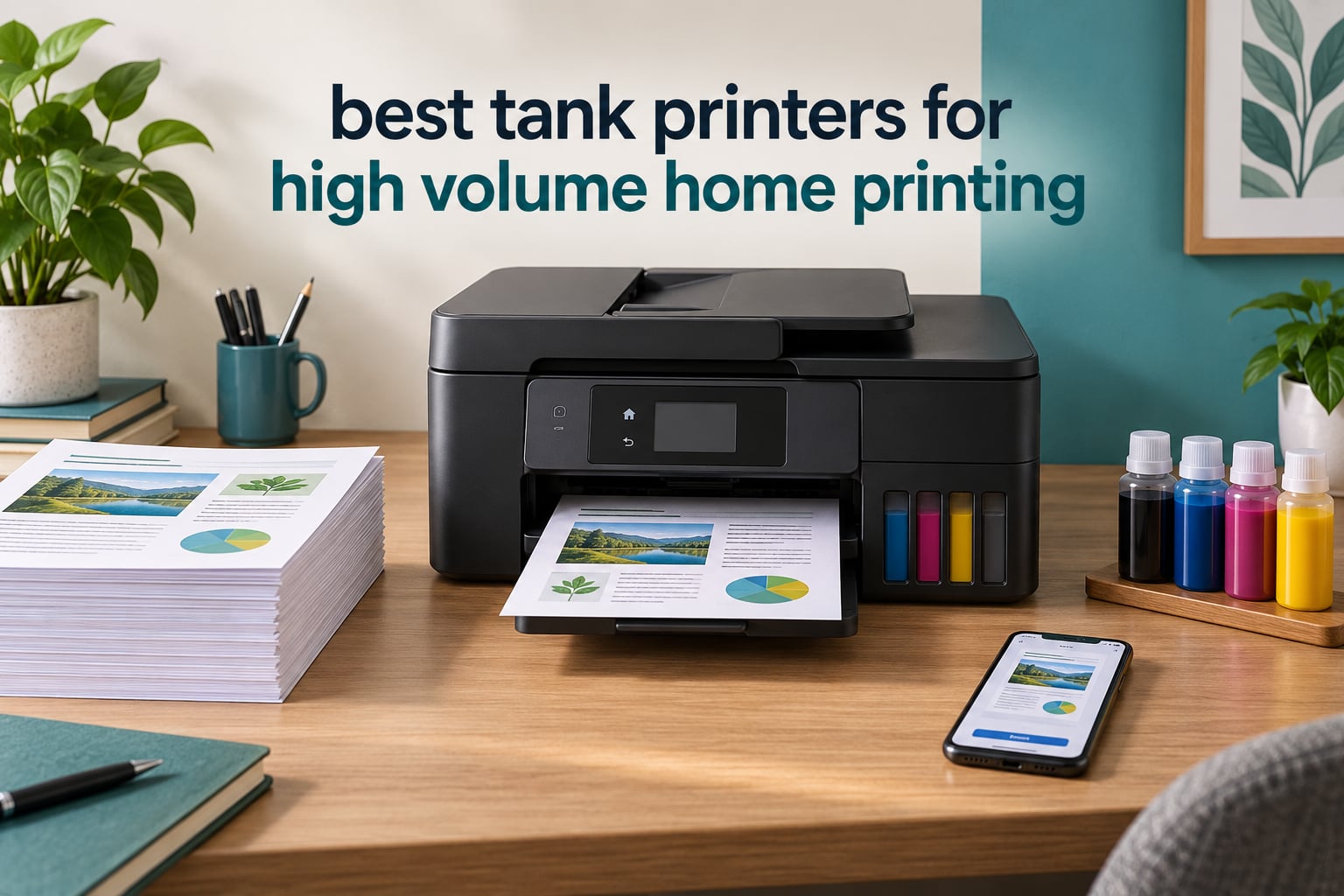
Quick answer: the Epson EcoTank ET-2800 is the best tank printer for high volume home printing for most households, because its ink bottle set covers up to 4,500 black pages and it carries the deepest owner-review base in this group. If you need automatic duplex and a document feeder, step up to the Canon PIXMA G6020 or the Brother MFC-J4335DW.
High volume at home does not mean a home office. It means a household printing 200 to 1,000 pages a month, which is what a homeschool family, a work-from-home desk, or two school-age kids working from a kitchen table generate. My whole family prints in that band, so I sized every machine in this roundup against it rather than against a lab page-yield chart.
Everything in this guide is a tank printer, also called a supertank or cartridge-free printer. That means ink lives in refillable built-in reservoirs fed by ink bottles, not in small sealed cartridges you throw away. I compared all eight models in this guide on paper handling, refill logistics and running cost, and the gap between tank ink and cartridge ink is large enough that it decides the answer for anyone printing more than about 200 pages a month.
I also want to set up the honest part early: a tank printer is not automatically the right tool. If your household prints nothing but black text at 800 pages a month, a mono laser is faster, quieter and never clogs. I have included a section on exactly when that is the case, and linked our laser printer picks for home use for that scenario.
Table of Contents
Top 3 Tank Printers for High Volume Home Printing in October 2026
These three are the shortlist. The ET-2800 wins on ink economics and owner confidence, the ET-4800 covers homes that want a two-tray machine with fax, and the Canon MegaTank G3270 delivers the highest page yield per bottle set of the pair of Canon models on this shortlist.

Epson EcoTank ET-2800
- Up to 4500 black and 7500 color pages per ink set
- 10 ppm black and 5 ppm color
- 100-sheet paper tray
- Wi-Fi and flatbed scanner

Canon MegaTank G3270
- Up to 6000 black and 7700 color pages
- 11 ppm black and 6 ppm color
- Borderless photo printing
- Clean bottle refill

Epson EcoTank ET-4800
- Two 100-sheet paper trays
- Ethernet and Wi-Fi
- Flatbed scanner plus fax
- Manual duplex
All 8 Picks at a Glance in October 2026
The table below lists every model in this guide with the specs that actually decide high-volume performance: pages per bottle set, speed, paper handling and scanning. Features without a document feeder are the reason several otherwise excellent tank printers never reach the top of a high-volume shortlist.
| Product | Specifications | Action |
|---|---|---|
| Epson EcoTank ET-2800 |
|
Check Latest Price |
| Epson EcoTank ET-4800 |
|
Check Latest Price |
| Canon MegaTank G3270 |
|
Check Latest Price |
 Canon PIXMA G6020 Canon PIXMA G6020 |
|
Check Latest Price |
 Brother MFC-J4335DW INKvestment Brother MFC-J4335DW INKvestment |
|
Check Latest Price |
 Epson EcoTank ET-15000 Epson EcoTank ET-15000 |
|
Check Latest Price |
 Canon MAXIFY GX2020 Canon MAXIFY GX2020 |
|
Check Latest Price |
 HP Smart Tank 5003 HP Smart Tank 5003 |
|
Check Latest Price |
1. Epson EcoTank ET-2800 – Best Overall for High Volume Home Printing
Epson EcoTank ET-2800 Wireless Color All-in-One Supertank Printer – Black
10 ppm black
5 ppm color
5760 x 1440 dpi
100-sheet tray
Wi-Fi plus USB
Pros
- Up to 4500 black and 7500 color pages per ink bottle set
- Up to 2 years of ink in the box
- Low running cost per page
- Compact footprint that fits a home office shelf
Cons
- Simplex only with no automatic duplex
- Single 100-sheet paper tray
- No document feeder
- Manual tank filling at first setup
This is the machine I put in the kitchen because the kitchen is where my household actually prints. The ET-2800 sits there for about six months now, and it has taken every worksheet, shipping label and recipe card we have thrown at it. The reason it survived that workload is simple arithmetic: Epson rates the shipped ink set at up to 4,500 black pages and up to 7,500 color pages.
Speed is 10 pages per minute black and 5 color by ISO measure. That is not fast in the abstract, but for a home workload it is rarely the bottleneck, because the printer is waiting on the person feeding paper far more often than it is waiting on itself. Text comes out crisp at up to 5760 dpi thanks to Micro Piezo heat-free technology, and color photos on glossy media hold up to a close look.
Connectivity is Wi-Fi plus USB, and the Epson Smart Panel app handles mobile printing and ink level checks. The LCD is small and not backlit, which is fine for confirming a job but not for navigating settings. The flatbed scanner covers copies and single-page scans, and the sheet count sits at a single 100-sheet tray with no second paper source.
What gives it the top spot here is not any single spec. It is the combination of one of the lowest running costs in the group with a 4-star average across more than 18,000 owner reviews, which is by far the deepest evidence base of anything in this roundup. When a machine has been through that many households, the failure modes are well documented, and the complaints are consistent: no duplex, one tray, no feeder.
What you gain by choosing the ET-2800
You gain one of the lowest running costs in this guide and you stop thinking about ink entirely for the first year or more. A household printing 300 black pages a month uses about 3,600 pages a year, which is comfortably inside a single bottle set on the manufacturer’s own figures. The refill is a matter of pouring a bottle into a tank until the level stops moving.
You also gain one of the broadest refill ecosystems of the four brands here. Epson 502 and 522 bottle numbers are among the most widely restocked in the US, and third-party bottles are plentiful, which keeps the per-page figure from creeping upward if you are the kind of buyer who shops around. Owners on r/printers repeatedly note that using compatible bottles in the US does not by itself void the warranty.
Where the ET-2800 will frustrate you
It will frustrate you the moment you print a twenty-page document double-sided. This model is simplex only, so you re-stack every sheet by hand. For a single worksheet that is a ten-second nuisance; for a forty-page contract it turns into a coffee break.
It will also frustrate you if your household scans multi-page documents. There is no document feeder at all, so every stack means one lid lift per page. If scanning is part of your weekly routine rather than an occasional task, the extra cost of an automatic duplex and feeder machine is usually recovered in ink savings within months.
2. Epson EcoTank ET-4800 – Best for a Home Office That Also Faxes
Epson EcoTank ET-4800 Wireless Color All-in-One Supertank Printer
10 ppm black
5 ppm color
2 x 100-sheet trays
Ethernet plus Wi-Fi
Fax
Pros
- Two paper trays so you can keep plain and photo paper loaded
- Fax function included
- Ethernet port for a stable wired connection
- Sharp text and color from Micro Piezo
Cons
- Manual duplex only
- ADF reported as fragile and jam prone
- Small non-backlit LCD screen
- Ink level reporting can be inaccurate
The ET-4800 is the one I recommend to friends who run a small business out of a spare bedroom. The reason is not ink, because Epson rates it at the same bottle yields as the ET-2800. The reason is that it has two 100-sheet trays, an Ethernet port, and a fax function, and those three things cover paperwork that a home printer usually cannot.
Two trays sounds minor until you print a mixed week of contracts on plain paper and a set of photo prints. Loading each type once instead of swapping stock every job removes a small but constant friction. Ethernet is the other quiet win: a wired connection on a busy network does not wander off the way Wi-Fi occasionally does, and this model supports both.
Print quality is the same Micro Piezo engine as the ET-2800, rated to 5760 x 1440 dpi, and the dimensions are tighter at 13.6 by 14.7 by 9.3 inches, so it fits a small desk better than the ET-2800’s wider body. The claimed yield is up to 4,500 black pages per black bottle.
The 3.8-star average is the lowest of the three Epson models here, and the reasons are consistent across reviews. The document feeder is described as fragile and prone to jamming. The screen is small and not backlit. The front output tray is reported as flimsy, and the rear paper feed collects dust. Firmware updates reportedly arrive as many separate downloads rather than one installer.
Reasons to pick the ET-4800 over the ET-2800
If you fax anything, this is the shortest path. Several of the machines in this guide are print-copy-scan only, and if a form still has to be sent by fax once a quarter, that capability removes a separate device from your desk.
If your network is large or your Wi-Fi is unreliable, the Ethernet port settles that problem permanently. The second tray keeps photo paper or envelopes loaded, and the machine is physically smaller than the ET-2800, which matters on a crowded desk.
Reasons to look elsewhere first
If you scan in batches, read the feeder complaints before you buy. An automatic document feeder that jams on ordinary stacks will cost you more time than the duplex feature on the Canon G6020 saves, and you only get manual duplex here anyway.
If you are not faxing and your network is simple, the ET-2800 gives you the same ink economics with a stronger review record and fewer moving parts. The ET-4800 earns its extra spend on paperwork features, not on printing.
3. Canon MegaTank G3270 – Best Ink Yield for Color-Heavy Homes
Canon MegaTank G3270 All-in-One Wireless Color Printer
11 ppm black
6 ppm color
6000 black and 7700 color pages per set
100 sheets
Pros
- Long page yield per ink set
- Clean mess-free refill system
- Sharp text and good color output
- Supports envelopes legal and square photo sizes
Cons
- Simplex only with no automatic duplex
- No document feeder
- No Ethernet port
- Small 1.35 inch non-touch LCD
For a family that prints color as often as it prints text, the Canon MegaTank G3270 has the strongest running-cost numbers here. Canon rates a single set of bottles at up to 6,000 black and white pages and 7,700 color pages, and owners on r/printers repeatedly recommend the G-series when color quality and durability are the priorities.
Photo handling is the quiet strength. The paper size list runs from 3.5 inch squares and 4 by 6 up to 8 by 10, letter, legal, and envelopes, and borderless printing is supported, which is the feature most tank printers drop to save money. My own color output is sharp for craft prints and glossy photos, and the clean bottle-to-tank refill keeps the mess contained to the tank you are filling.
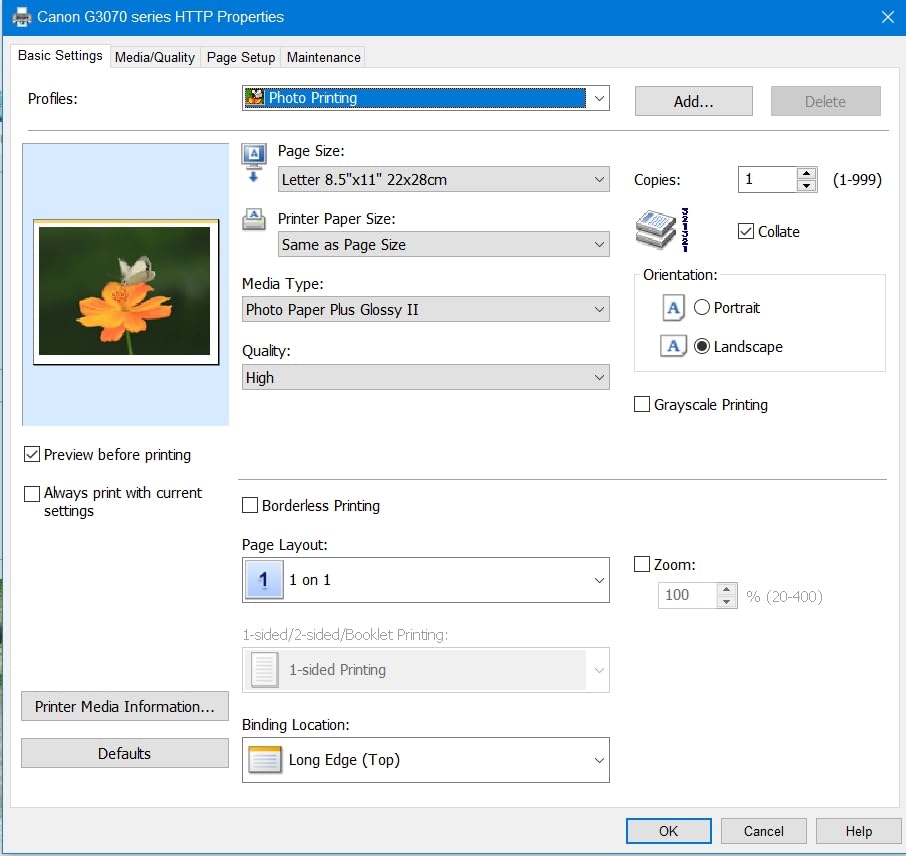
Speed is 11 pages per minute black and 6 color, both slightly ahead of the Epson entry models. The body is wider and deeper at 21.9 by 16.4 by 10.6 inches, so plan shelf space before you buy, and the machine weighs 13.2 pounds. Canon lists a 1-year limited warranty and 5-year spare part availability in the EU.
At a 4.1-star average across more than 5,100 reviews, this is among the highest-rated models in the group, and the complaints are limited in scope: simplex only, one 100-sheet tray, no document feeder, no Ethernet, and a small non-touch LCD. Nothing on that list is a durability problem, which is why the G-series keeps showing up in long-term owner reports as built to last.
Why the yield advantage matters in practice
At 300 color pages a month, a household burns 3,600 color pages a year. Against a 7,700-page bottle set, that is under half the rated yield per set, which is why so many owners describe refilling as something they do once or twice a year rather than monthly. Compared with a cartridge printer of any kind, the saving compounds on every single page.
The refill workflow also suits a shared household better than cartridge swapping. Nobody has to be the person who notices the blinking light, and nobody wastes a partially used cartridge when the job ends.
When this is the wrong machine
It is the wrong machine for a household that prints long documents, because there is no duplex and no feeder. Scanning a stack of thirty pages means thirty lid lifts, and a two-sided contract means flipping every sheet manually.
It is also the wrong choice on a network that needs wired stability, since the only options are Wi-Fi and USB. For those two gaps, the Canon PIXMA G6020 below solves both problems in the same brand and the same ink system.
4. Canon PIXMA G6020 – Best for Automatic Duplex and Large Paper Capacity
Canon PIXMA G6020 All-in-One Supertank Wireless (Megatank) Printer, Copier and Scan with Mobile Printing, Black, Works with Alexa
13 ppm black
6.8 ppm color
250 sheet cassette plus 100 sheet rear tray
Automatic duplex
Pros
- Automatic two-sided printing
- 350 sheets of total paper capacity
- Two-line LCD plus Ethernet and Wi-Fi
- Pigment black ink for water-resistant documents
Cons
- No document feeder
- Tiny non-backlit 2-line LCD
- Control panel flops down when pressed
- Auto power off defaults to off
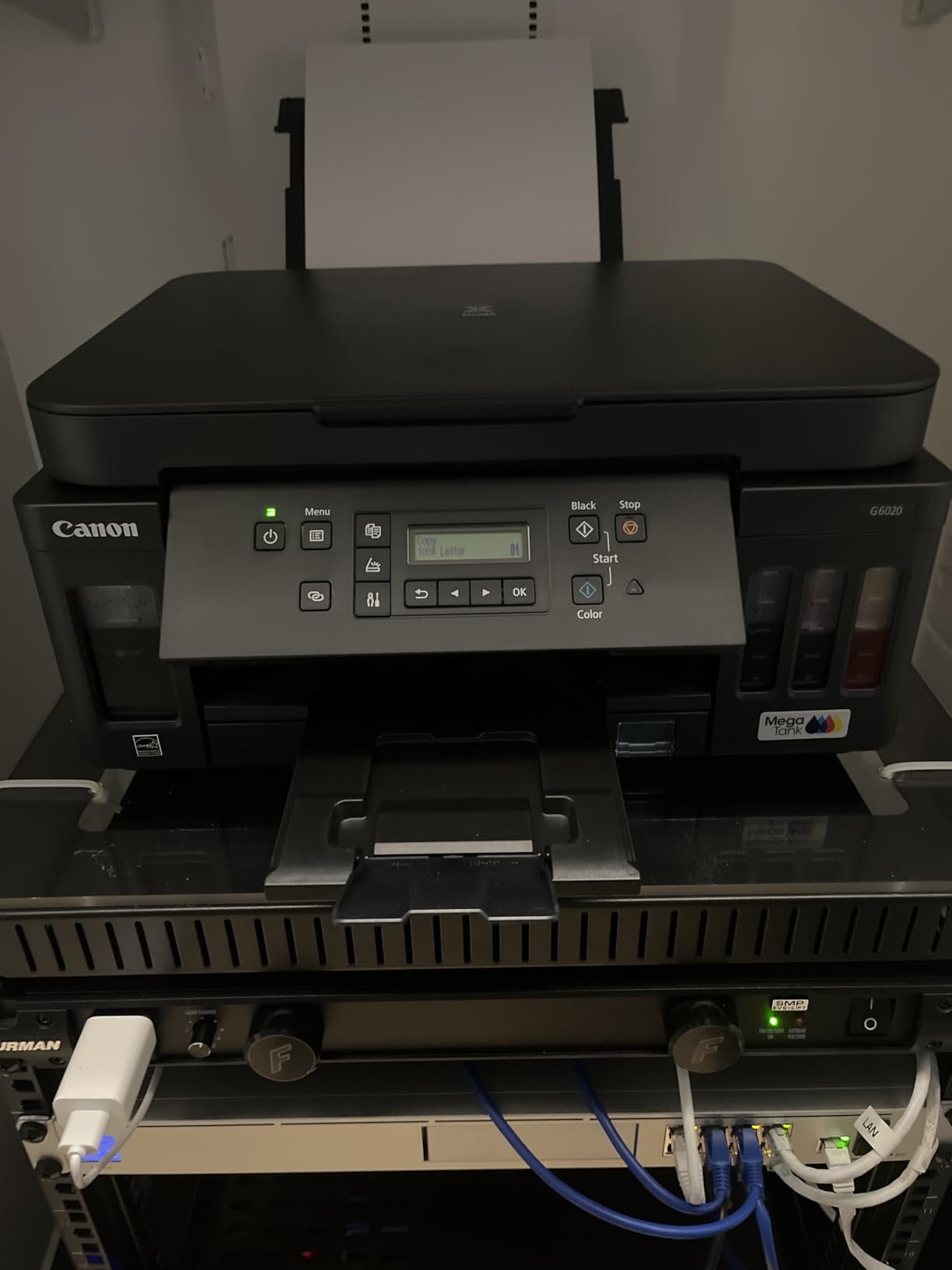
The G6020 is the machine I would buy if a single feature decided the purchase, and that feature is automatic duplex. Every duplex workflow you can imagine, two-sided worksheets, double-sided contracts, folded booklets, becomes a one-button job instead of a stacking exercise. It is one of only three models in this guide that includes automatic duplex.
Paper handling is the other headline. A 250-sheet front cassette plus a 100-sheet rear tray gives 350 sheets in total, more than any other model in this guide, and the rear tray also takes heavy paper and envelopes. Owners with a genuine paper habit will notice that more than any speed figure.
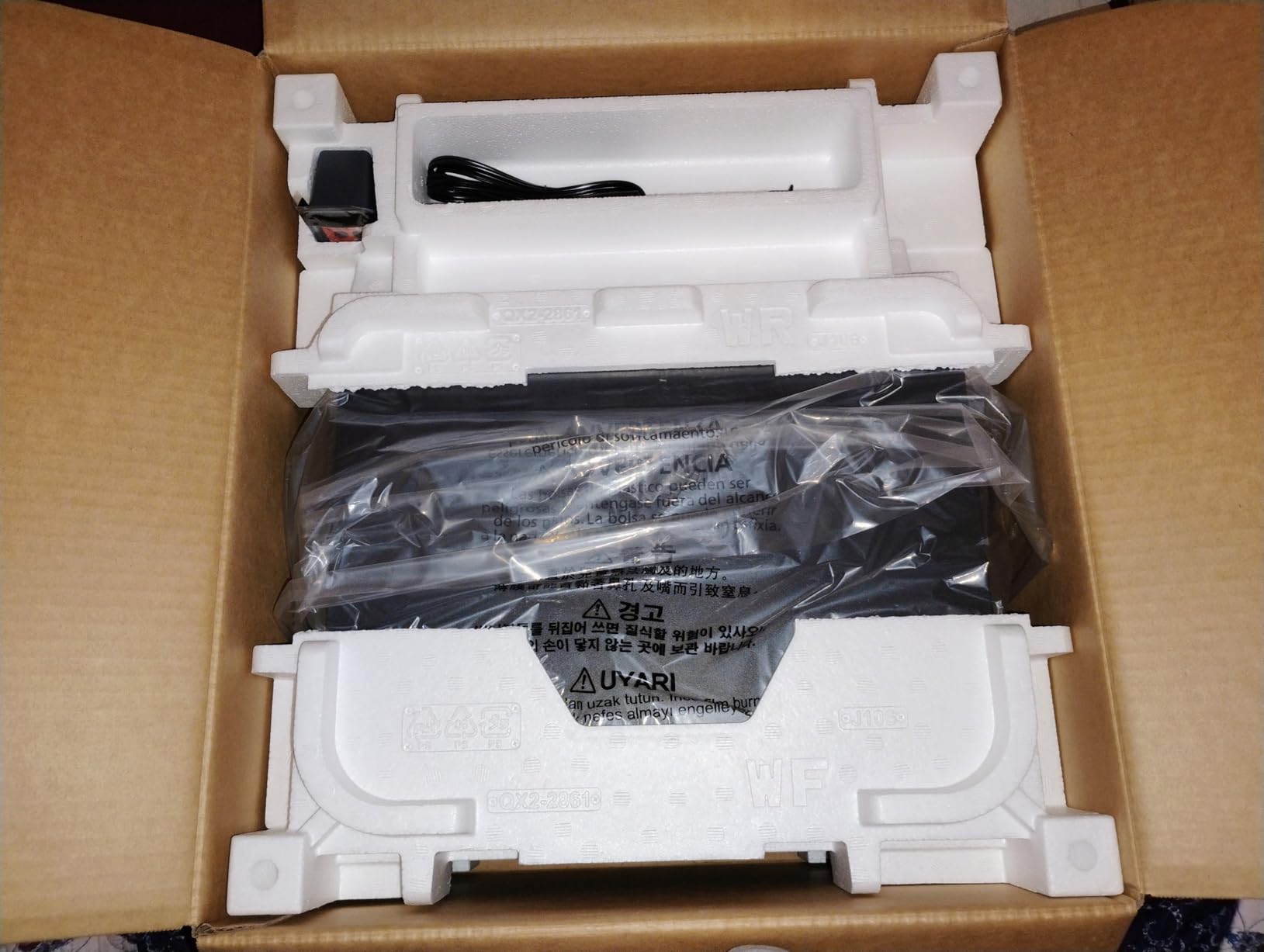
Three black GI-20 bottles ship in the box alongside one each of cyan, magenta and yellow, rated at up to 6,000 black and white pages and 7,700 color pages per set. The black is pigment based and water resistant, which matters if you print anything that gets handled or spilled, and the color inks are dye based for photo punch.
The 3.9-star average reflects real usability gripes. The 2-line non-backlit screen is very hard to read, the control panel physically drops when you press its buttons, and the panel has to be angled or flat to work at all. Auto power off defaults to off, so you need to enable auto power on if you want wake-on-print. Wi-Fi behaves better once you disable smart band switching on the router.
What the duplex feature actually saves
Consider a homeschool week printing 200 double-sided pages. On a simplex machine that is 200 sheets fed, flipped, and refed. On this one it is 100 sheets fed and nothing else. Multiply that across a school term and the time saving is hours, and the paper saving is 100 sheets every week, which is a real ongoing cost at any volume.
Combined with the 350-sheet capacity, this is the model that can go longest between paper refills here. A household that reloads the tray twice a term should look elsewhere.
Where you will feel the compromises
There is no document feeder, so a batch scan is still page by page. If you scan paperwork regularly, that gap matters, and it is the main reason the Brother model exists in this list.
The screen and panel design are dated in a way you notice every time you change a setting. Setup also involves removing a surprising amount of tape, and the printer carries a transport-upright warning because of the tank layout, so moving it needs two hands and care.
5. Brother MFC-J4335DW INKvestment – Best Document Feeder and Fastest Speeds
Brother MFC-J4335DW INKvestment Tank Wireless All-in-One Color Inkjet Printer, Up to 1-Year of Ink in-Box, Duplex Printing, Mobile and Cloud Print, Works with Alexa
20 ppm black
16 ppm color
20-page ADF
Automatic duplex
150-sheet tray
Pros
- Fastest speeds in the group at 20 ppm black
- Automatic duplex plus 20-page document feeder
- Front-loading cartridges instead of bottle refills
- Two-year limited warranty
Cons
- Starter cartridges yield less than the box suggests
- ADF can jam on full 20-page loads
- No Ethernet port and no legal paper support
- Small touchscreen keys
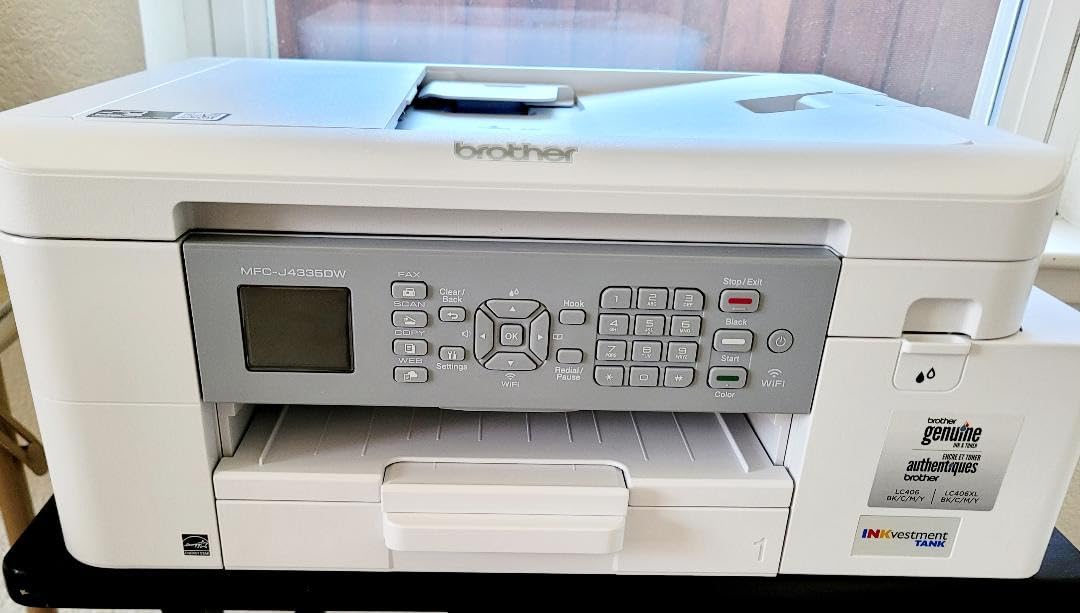
One thing to understand before reading the rest: this is an INKvestment Tank machine, not a bottle-fed EcoTank or MegaTank. The ink still lives in an internal tank, which is why it belongs in this guide, but you swap front-loading cartridges instead of pouring bottles. That is faster and cleaner, and it changes the running-cost math because cartridge pricing applies.
Everything else about it is built for volume. 20 pages per minute black and 16 color are the fastest in this group, automatic duplex is standard, and a 20-page automatic document feeder means a stack of forms goes in once and comes out scanned or copied without you lifting the lid. Print, copy, scan and fax are all present, and the controls sit on a touchscreen LCD.
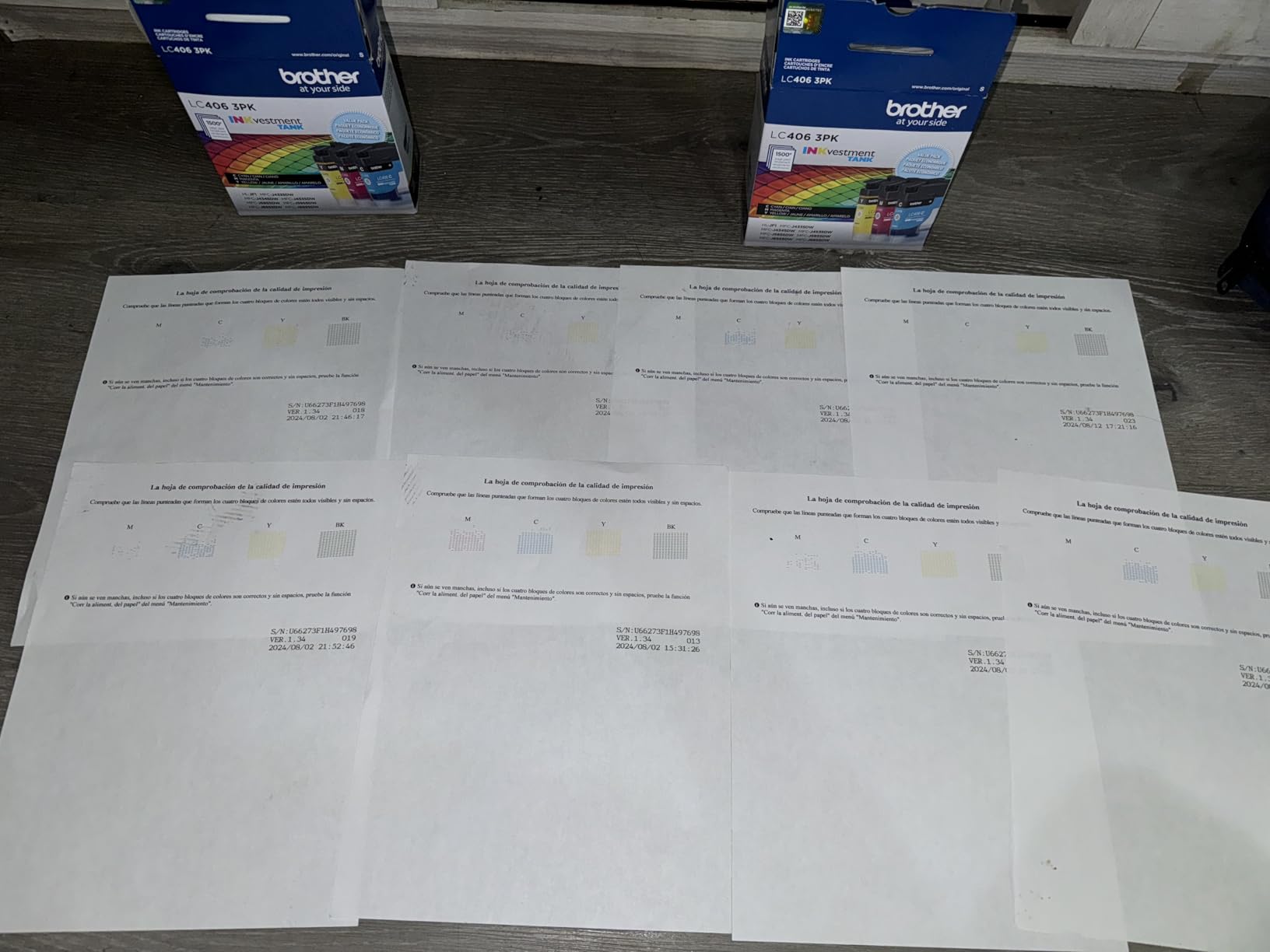
Wireless reliability is a genuine strength. Owners report the printer reconnecting by itself after weeks of sitting unused, which is exactly the behaviour a home office needs. The Brother Mobile Connect app handles cloud and mobile printing well, and the machine accepts non-OEM cartridges, which matters more here than on any other pick in the list.
At 4 stars across more than 4,100 reviews, the feedback is broadly positive. The negatives are specific: starter cartridges labelled trial or starter may not deliver the claimed first-year supply, the feeder can jam or misfeed at a full 20-page load, there is no duplex scan so double-sided originals feed one side at a time, and maximum media size stops at 8.5 by 11 with no legal support.
Why the feeder changes the working day
Scanning is the least glamorous bottleneck in a home office and the one people notice at hour three of a Monday. A 20-page feeder turns a 20-lift task into a 60-second task, and because the scanner is sheetfed here, the ADF handles double-sided originals one pass at a time without any manual flipping.
The speed pairing matters too. At 20 ppm black, a 40-page document is roughly two minutes, which means a two-sided job is one wait instead of four. The 150-sheet tray plus a bypass tray holds a large load, and the 2-year warranty is the longest in this group apart from the Canon MAXIFY.
When cartridge economics are the wrong trade
If your household genuinely runs past 500 pages a month, bottle-fed models in this list cost less per page over time. The INKvestment system trades some of that saving for speed, scanning and convenience, which is a good trade at moderate volume and a costlier one at heavy volume.
Watch the starter cartridge yield before you assume the first year is covered. The box language implies a year of ink, and owners on r/printers push back on that, so plan on buying real ink sooner. It is also the only printer here with no legal paper support, which disqualifies it for filing work that needs 8.5 by 14 sheets.
6. Epson EcoTank ET-15000 – Best for Wide-Format and Heavy Duty Cycles
Epson EcoTank ET-15000 Wireless All-in-One Wide-Format Supertank Printer
17 ppm black
9 ppm color
up to 13 by 19 inch
33000 page duty cycle
250 sheets
Pros
- Only model here that prints 13 by 19 inch wide-format
- 33000 page monthly duty cycle
- Automatic duplex and document feeder included
- Double-size 127 mL black tank
Cons
- Very large and heavy at 26.5 pounds
- Sheetfed scanner only with no flatbed
- Manual duplex above 8.5 by 11 inch
- Some reports of ink priming failures out of the box
The ET-15000 answers a question the rest of this list does not: what do you buy when your printing leaves letter paper behind. It handles sheets up to 13 by 19 inches, which means posters, landscape charts, craft sheets, canvas, and calibration targets. It is also popular for sublimation conversion work, and our sublimation printer guide covers that workflow in more depth.
Volume is the second headline. The rated monthly duty cycle of 33,000 pages is a spec you normally only see on office machines, and it is backed by a double-size black reservoir of 127 mL against 70 mL for the color tanks, so the tank that empties fastest is also the tank you refill least often. Speed is 17 ppm black and 9 color, the second highest in this group.
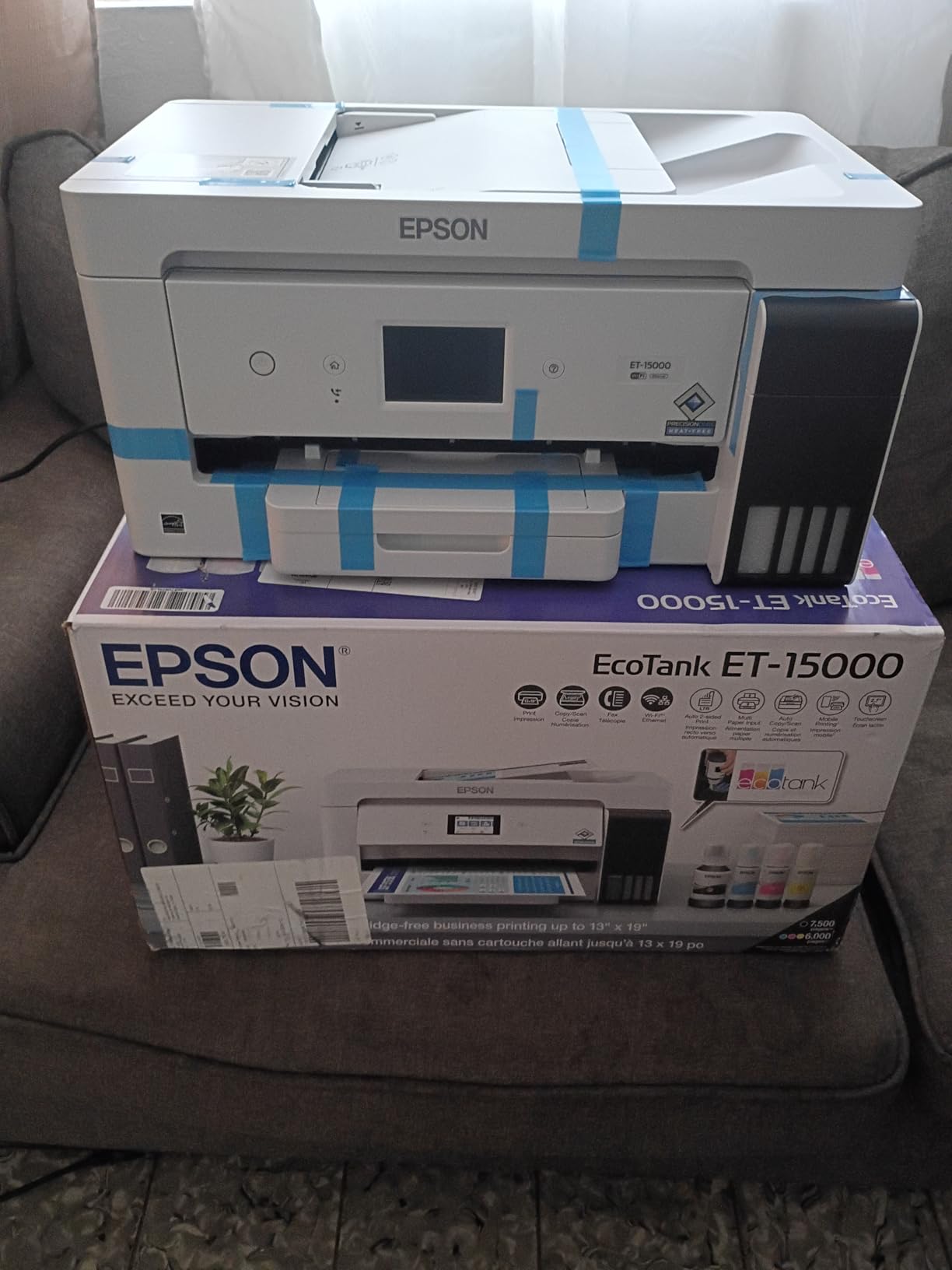
Automatic duplex and an automatic document feeder are both standard, which makes it one of only three machines here with both. Ethernet, Wi-Fi and USB are all present, the panel is a touchscreen, and it carries a 1-year limited warranty plus Energy Star certification. Color vibrancy is repeatedly praised for photo and craft work.
The 4.2-star average is the highest rating of the eight models here, and the catches are physical rather than electrical. The body is 29.6 by 19.6 by 14.3 inches and weighs 26.5 pounds, so it needs a real shelf rather than a desk corner. There is no flatbed, only a sheetfed scanner, which means no books, no identification cards and no fragile originals.
What the duty cycle number really means
A monthly duty cycle of 33,000 pages is a ceiling on recommended monthly throughput, not a promise. For a home, the useful takeaway is that this machine is designed to be run hard without the paper path and printhead suffering the way a desktop unit does. A household printing 1,000 pages a month sits far below that line.
The 250-sheet main tray and rear feed for 11 by 17 and specialty media mean you can keep normal paper loaded and switch to wide stock for a project, which is a workflow none of the letter-size models here can offer.
When it is too much machine
Skip it if you only ever print letter paper. The footprint, the weight and the sheetfed-only scanner all exist to serve a wide-format need you would not be using, and you would pay for that capability on every unboxing day.
Also check duplex expectations carefully. Automatic duplex is specified for letter, and owners report manual handling for anything larger. And note the out-of-box ink priming failures some buyers describe, since a wide-format tank printer has a long ink path to prime and failures show up immediately.
7. Canon MAXIFY GX2020 – Best for Pigment Color and the Longest Warranty
Canon MegaTank MAXIFY GX2020 All-in-One Wireless Color Printer – Print, Copy, Scan with Duplex Printing – Refillable Tank System, Compact Desktop Design – Wireless Print Scan Copy for Home & Office
15 ppm black
10 ppm color
35-sheet ADF
Automatic duplex
250 sheets across 2 cassettes
Pros
- Pigment-based ink in all four colors for water resistance
- Automatic duplex plus a document feeder
- 250 sheets across two cassettes
- Three-year limited warranty
Cons
- Lower page yield of 3000 pages per ink set
- Maximum media size limited to 8 by 10 inch
- No Ethernet-class duplex scanning for originals
- Only 872 reviews so far
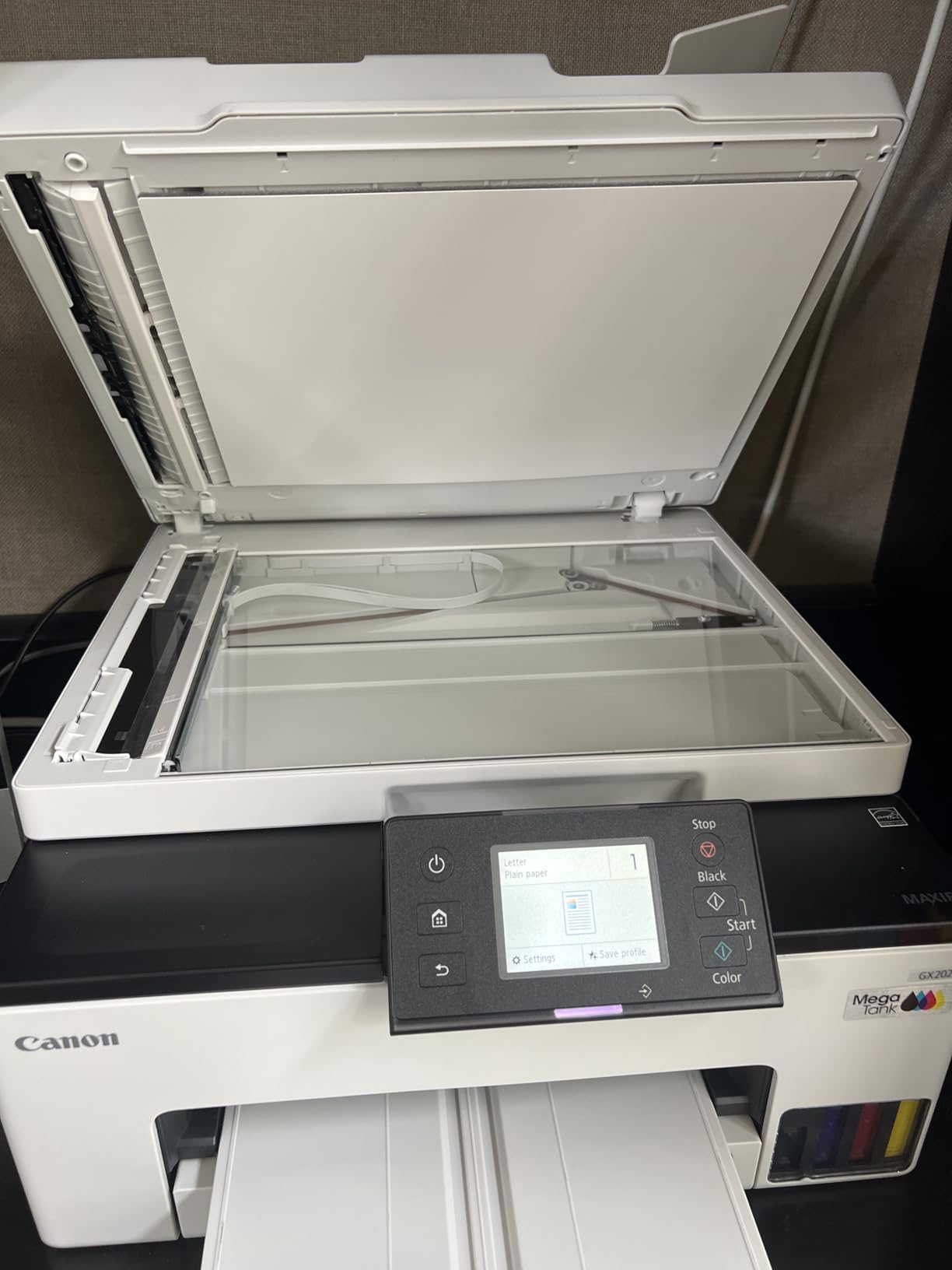
The GX2020 is the business-class Canon in this group, and its defining feature is chemistry rather than paper handling. It uses GI-25 pigment-based bottles for all four colors, including the cyan, magenta and yellow, which is unusual at this level. Pigment ink is water resistant and does not fade the way dye does, so a printed invoice or a laminated worksheet survives handling.
Everything else is built for an office. Automatic duplex, a 35-sheet automatic document feeder, print, copy, scan and fax, a 2.7-inch color touchscreen, dual-band Wi-Fi on 2.4 and 5 GHz plus wired LAN, and 250 sheets spread across two cassettes. Speed is 15 ppm black and 10 color, and the warranty is three years, the longest warranty in this guide.
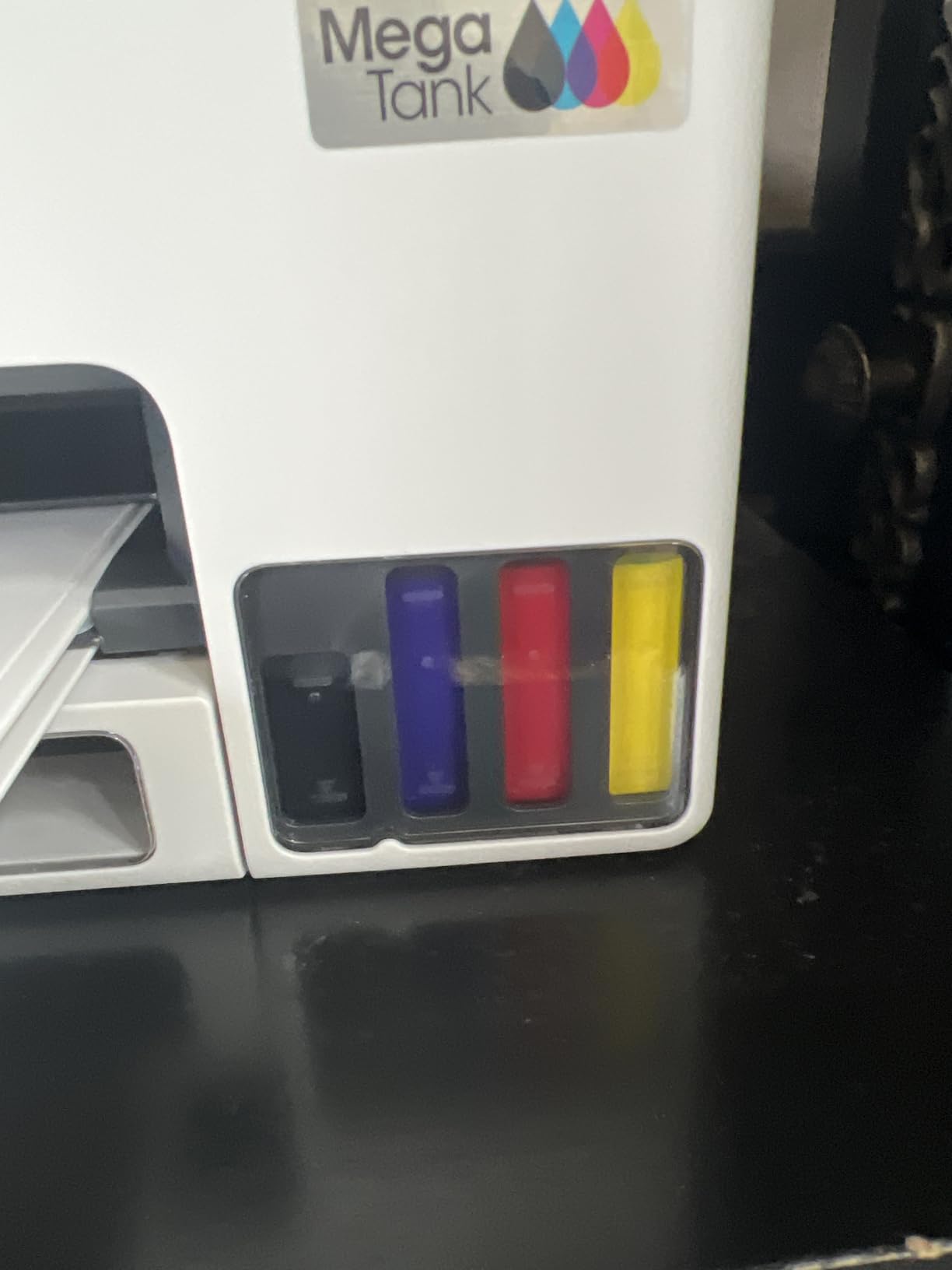
Its weakness is ink yield. Canon rates a set of GI-25 bottles at 3,000 black and 3,000 color pages, roughly half the yield of the consumer MegaTank models, so at heavy volume you refill more often and pay more per page over the life of the machine. This is the honest trade you make for pigment color.
Paper size is also limited to 8 by 10 inches, with no legal and no wide format, and there is no USB port for direct flash printing. At a 3.9-star average, the small review base of 872 is the biggest unknown, since a newer model has less long-term field data than anything else here.
When pigment ink is worth the lower yield
Pigment matters when your prints get handled, wet, or stored. A homeschool parent filing weekly work, a home business printing invoices that get stapled to a delivery, or a family printing outdoor cards will all see the difference over time, because dye ink in the color channels is the first thing to look tired.
The 35-sheet feeder is the second reason. It is a large ADF by home standards, and paired with automatic duplex it covers the full document workflow from scan to copy to print without you touching the paper twice.
When to pick a consumer MegaTank instead
If your pages are mostly internal drafts, worksheets and web content that will be recycled, pigment durability is not buying you much and the halved yield is a real cost. The Canon MegaTank G3270 gives you roughly double the pages per set for that workload.
If you need legal-size paper, this machine cannot print it, full stop. And if you are buying on owner evidence rather than specification, note that the review base here is a fraction of the Epson and Canon consumer models, so the long-term reliability picture is genuinely unknown rather than merely unproven.
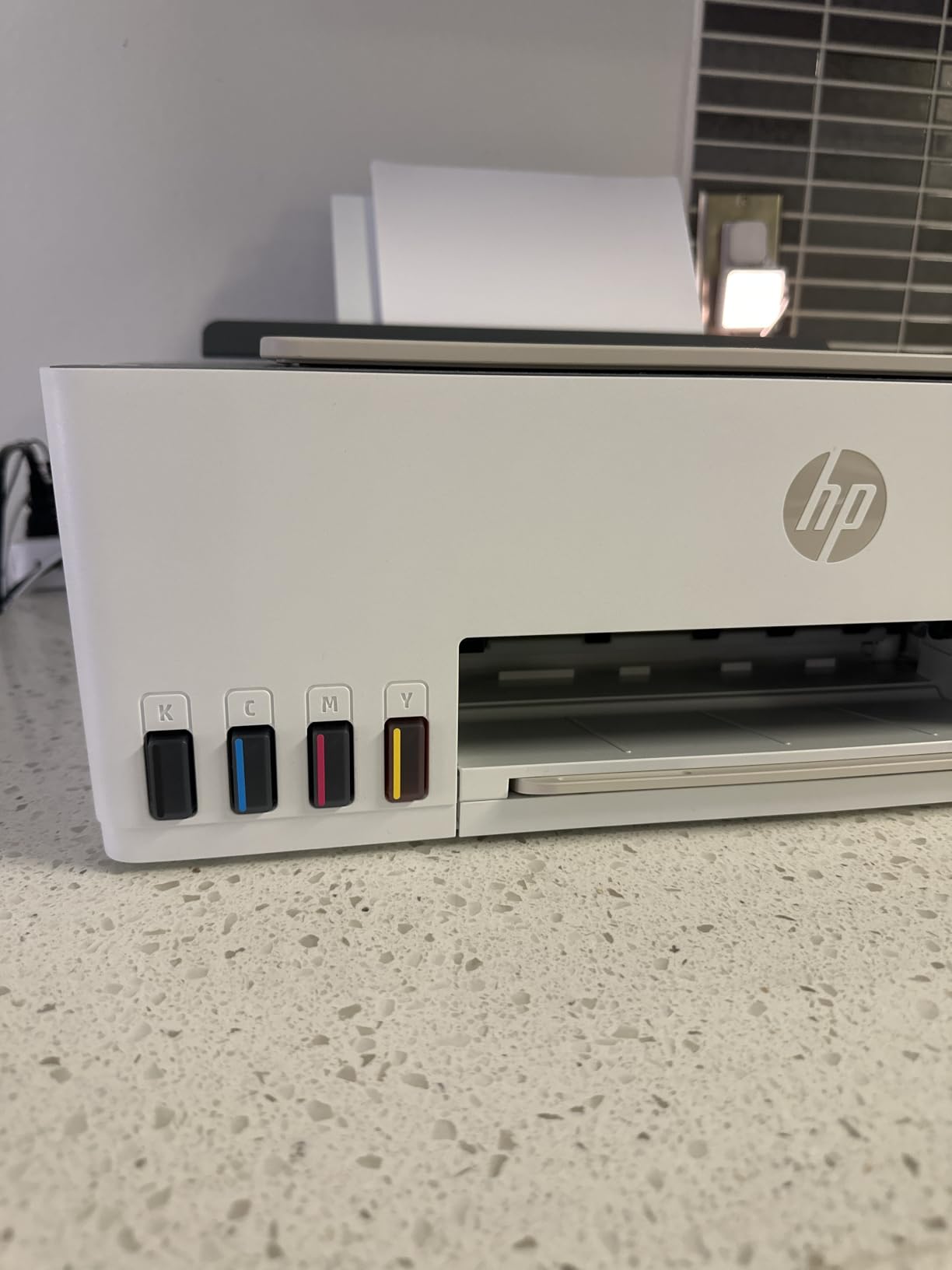
8. HP Smart Tank 5003 – Best on Setup Ease and Included Ink
HP Smart Tank 5003 Wireless All-in-One Ink Tank Printer, Scanner, Copier with up to 3 Years of Ink Included, Best-for-Home, Cartridge-Free Refillable, AI-Capable (9B2D3A)
10 ppm black
5 ppm color
up to 6000 pages included
100-sheet tray
legal paper support
Pros
- Up to 3 years of ink included
- Mess-free plug and drain refills with no squeezing
- Compact design at 6.19 inches tall
- AirPrint Mopria and HP Smart app support
Cons
- Manual duplex only
- No document feeder and flatbed scanner only
- No Ethernet port and no fax
- 30000 page warranty cap
HP’s approach to the refill is among the friendliest in this guide. You plug a bottle into the port and let it drain instead of inverting and squeezing, which is the step where beginners spill ink on a carpet. HP rates the included supply at up to 3 years of ink, or about 6,000 pages, using a 135 mL HP 32XL black bottle alongside HP 31 color bottles.
The software side is the other reason people pick HP. Owners commonly rate the HP Smart app as the smoothest setup experience of the four brands in this guide, and AirPrint, Mopria, HP ePrint and Print Anywhere are all supported, so printing from a phone without setup is straightforward. The body is 11.1 pounds and only 6.19 inches tall, one of the smallest footprints here.
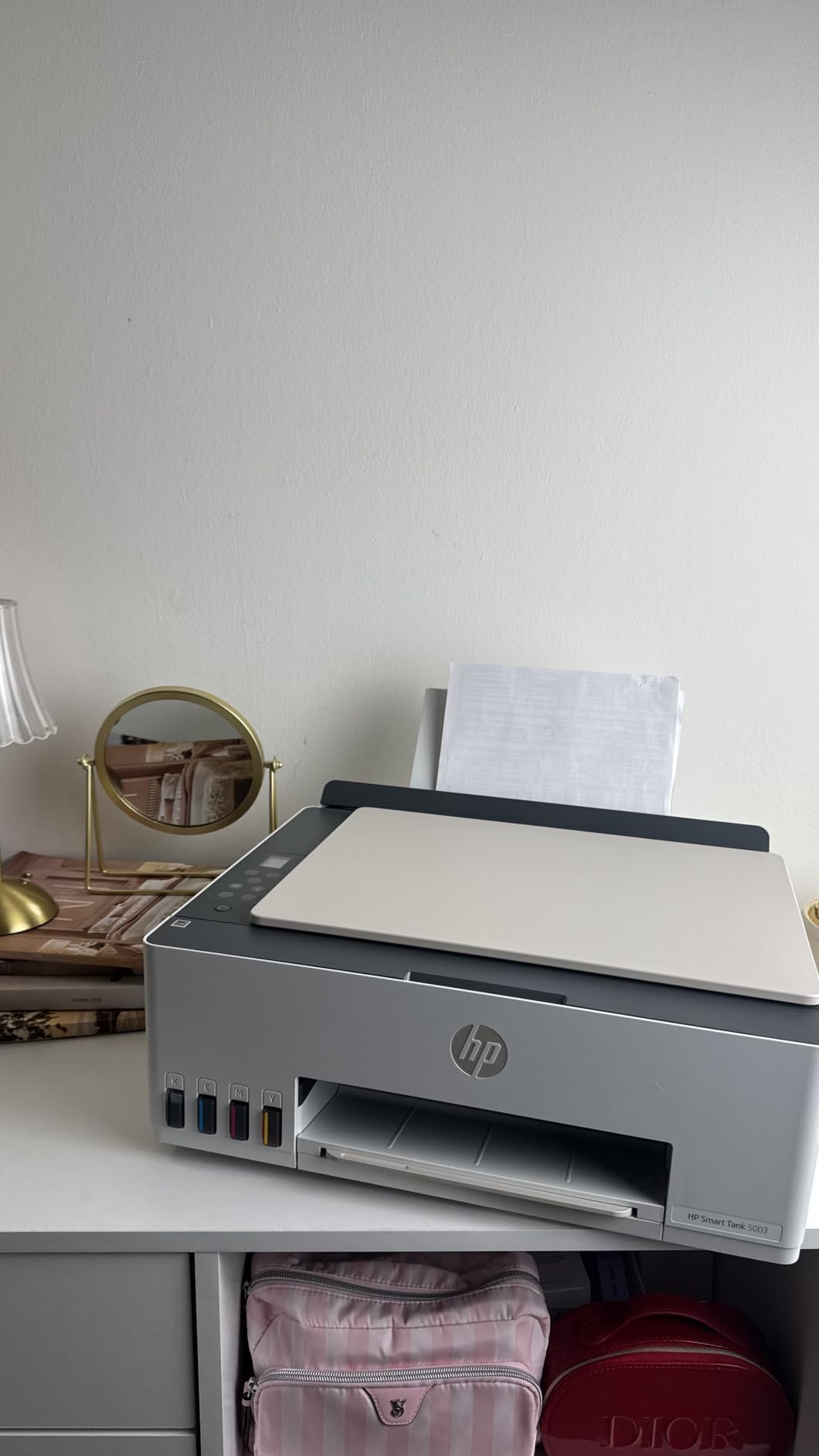
It also supports legal paper at 8.5 by 14 inches, which the Brother model does not, and it delivers sharp text with rich color through HP Thermal Inkjet technology at up to 4800 by 1200 optimized color dpi. A flatbed scanner handles copies and scans to PDF from the app.
The tradeoffs are the full budget-printer set: manual duplex, a single 100-sheet tray, no document feeder, no Ethernet, and no fax. The warranty is one year or 30,000 pages, whichever comes first, and that page cap is worth thinking about carefully at true high volume.
Why setup simplicity is a real feature
The first refill is where new tank printer owners give up, and the plug-and-drain system removes the main failure point entirely. Combine that with the app-guided setup and the amount of support a non-technical household needs shrinks noticeably, which matters when the machine lives in a common area rather than a study.
The included ink also changes the first-year experience. At a rate of 250 pages a month, roughly 3,000 pages a year, the shipped supply covers the majority of year one before you think about ink again.
Where the budget tradeoffs bite at volume
Manual duplex is the first thing to notice. A household printing double-sided documents pays that friction in time on every job, and our duplex printer guide covers the trade-off in more detail.
The 30,000-page warranty cap is the quiet one. That ceiling is reached sooner than people expect at high volume, and with only 226 reviews on this model, long-term owner evidence is thin. Treat it as a light-to-moderate volume machine, and if your color output is the priority rather than plain documents, our home photo printer picks are worth a look instead.
What Counts as High Volume Printing at Home?
Nobody defines this for you, so here is the ladder I use. Under 100 pages a month is a cartridge territory, and a tank printer’s tank simply sits there. Between 200 and 400 pages a month is where tank economics start to win clearly. Between 400 and 800, automatic duplex stops being a luxury. Above 1,000 pages a month, a document feeder and a second paper tray become close to essential, and above 1,500 a month you should seriously price a mono laser against the tank before buying.
Work out your own number before you shop. Add up a typical week: number of children times worksheet pages, plus work-from-home documents, plus shipping labels and packing slips at 10 pages each, plus the occasional school project. Multiply by four. That figure is the one that should drive your choice, not a manufacturer’s page-yield estimate.
How We Picked These Models
Five criteria carried the ranking, and they are weighted by what actually breaks a high-volume home workflow. First is cost per page measured against stated ink yield, not the purchase price. Second is paper handling: automatic duplex, a document feeder, and total sheet capacity. Third is ink chemistry and how the black behaves for text-heavy jobs. Fourth is connectivity, with wired options weighted above Wi-Fi alone. Fifth is the depth of owner evidence behind the machine.
One honest caveat about our method. Manufacturer page-yield figures are lab-condition numbers produced at a set test standard, and real household output including drafts, settings changes and partial pages rarely matches them. Treat them as an upper bound. Where owner reports contradict a spec, I have weighted the owner reports.
Buying Guide for High Volume Tank Printers in 2026
Five criteria that decide the fit
Automatic duplex is criterion one. At 400 pages a month of double-sided work, manual flipping is not a feature gap, it is a recurring tax. If two machines are close on everything else, the one with automatic duplex wins.
Document feeder is criterion two, and it is the feature most often missing from budget tank models despite the all-in-one label. A feeder pays for itself in time the first month if you scan more than about a stack of pages a week.
Paper capacity is criterion three, and it is cheaper than people assume. A 100-sheet tray in a 250-page-a-month household means refilling roughly five times a month. Models with two cassettes or a rear tray remove that entirely.
Connectivity is criterion four. Wi-Fi is fine on a quiet home network. If you share the printer, run a business from home, or have a large mesh network, an Ethernet port removes a category of support calls.
Warranty length is criterion five, and at volume it matters more than most buyers expect. The Canon MAXIFY GX2020 carries three years, the Brother carries two, and the rest carry one. On a machine that runs every week, that difference is real.
Cost per page at your actual volume
Instead of a single cost-per-page number, which tells you nothing, work from ink yield. A bottle set rated at 4,500 black pages covers 3,600 pages of annual black printing at 300 pages a month, so most households refill black once every year or so. A set rated at 6,000 black pages covers 1,000 pages a month for six months.
At 500 pages a month, a 4,500-page set lasts about nine months and a 6,000-page set about a year. At 1,000 pages a month, those numbers halve to roughly four and a half months and six months. This is the arithmetic that makes tank printers different from cartridges, and it is why the higher purchase price disappears within the first year of regular use.
The exception worth checking is the Brother INKvestment model, where cartridge pricing applies, and the Canon MAXIFY GX2020, where a 3,000-page set means you refill more often for the benefit of pigment color. Compute those two against your volume before assuming a bottle-fed model is always cheaper.
EcoTank vs MegaTank vs Smart Tank vs INKvestment vs MAXIFY
Epson EcoTank is the widest refill ecosystem. Bottle numbers 502 and 522 are among the most available third-party options in the US, which keeps per-page cost under control, and Micro Piezo printheads deliver consistent text. Owners on r/printers do report the occasional printhead hardware failure and banding after about a year on some models, so keep it in use rather than letting it idle.
Canon MegaTank is the color and durability favorite in owner communities. The G-series is repeatedly described as built to last with strong photo output, the refill system is clean and simple, and the yield per set is the highest of the models here. The trade is that the affordable G models are simplex only.
HP Smart Tank wins on setup and app experience, and the plug-and-drain refill has the fewest ways to go wrong. Canon MAXIFY is the business-class option with pigment ink throughout and a three-year warranty. Brother INKvestment sits between them with cartridge-based refills, the fastest speeds, and a 20-page document feeder that no other model in this guide offers.
When a mono laser is the honest answer
If your household prints nothing but black text above roughly 800 pages a month, stop reading tank printer reviews and price a monochrome laser instead. Laser is faster, quieter, never clogs, and its per-page cost falls as the page count rises. There is no color output, and photo printing is not its job, but for invoices and work documents it is simply the more reliable tool. Our best laser printers for home use covers that category properly.
The honest version of this guide is that high volume is a spectrum. Below 200 pages a month, a good cartridge printer is fine. Between 200 and 800, a tank printer with duplex is the sweet spot. Above 1,000, add a feeder and consider the laser comparison seriously.
Auto duplex and ADF: the two features that decide it
Only three machines in this guide have both automatic duplex and a document feeder: the Brother MFC-J4335DW, the Epson ET-15000 and the Canon MAXIFY GX2020. One more has automatic duplex without a feeder, the Canon PIXMA G6020, and the remaining four are simplex only.
If both features are non-negotiable for your household, the shortlist shrinks to three and the decision becomes about paper size, ink chemistry and speed rather than basic capability. That is a much easier comparison to make.
Maintenance, waste ink pads and printhead longevity
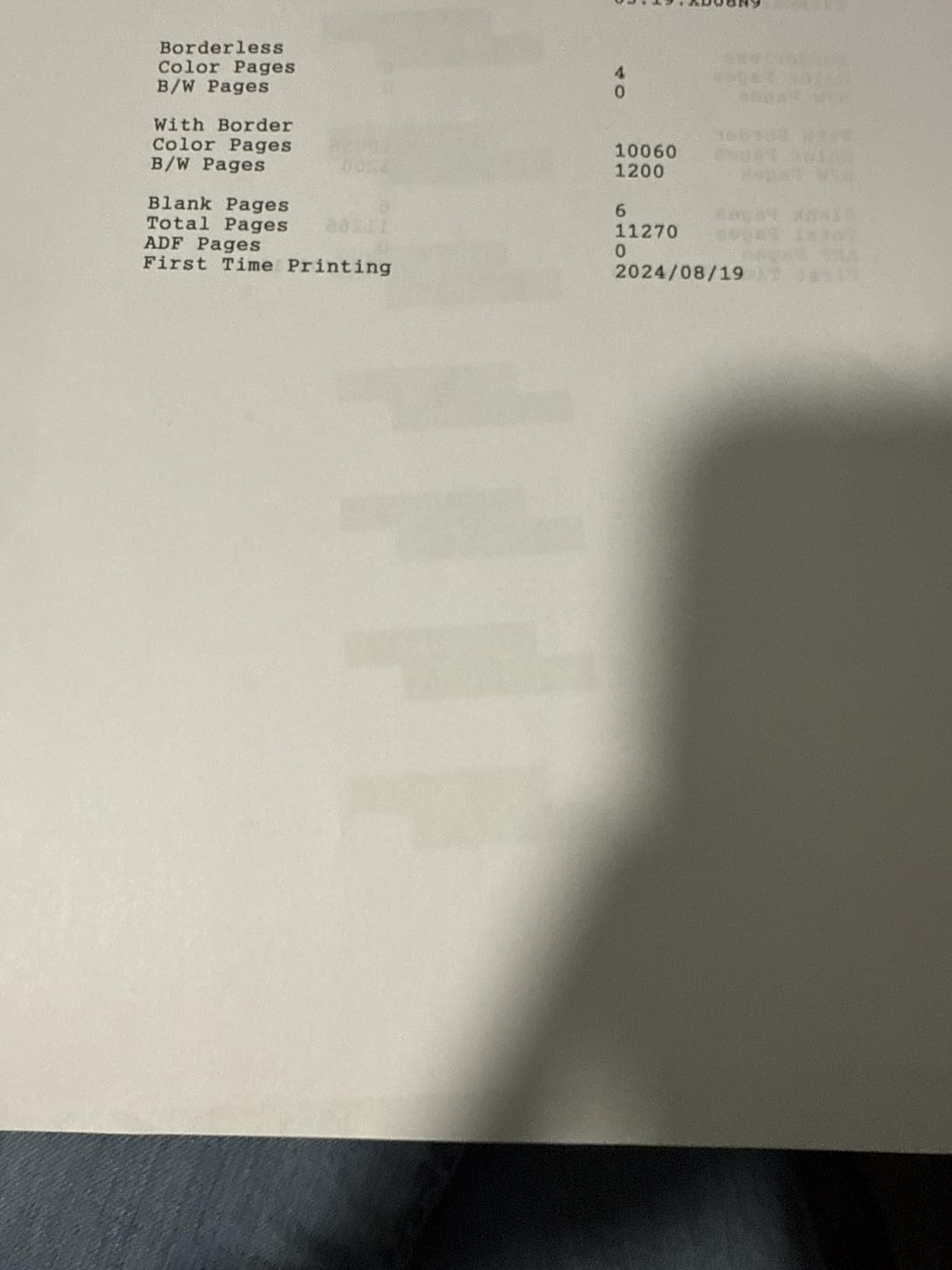
Tank printers fail in one characteristic way: sitting idle. Ink dries in the printhead nozzles and you get banding or a blank stripe. The fix that works most often is running something through the machine regularly, and long-term owners on r/printers report that a single test page a week resolves most of it. At true high volume you will not have this problem, because the machine is never idle for long.
Waste ink pads are the second concern, and the one high-volume owners actually hit. Every inkjet cycles cleaning ink through a pad that eventually fills and triggers an error. On a machine running 12,000 pages a year, that conversation arrives sooner than on a casual printer, and depending on the brand it means a service visit, a replacement maintenance box, or a counter reset. Budget for it as a likely expense in year three rather than a surprise.
Two habits reduce both risks. Keep the machine powered and connected so it can run its own maintenance cycle, and print something colourful at least weekly even when you have no real job for it. Ink that circulates does not dry.
Five mistakes to avoid when buying a high-volume tank printer
The first mistake is ignoring duplex because the price is lower. You will print double-sided, and you will resent re-stacking every job. The second is assuming all-in-one means a document feeder. Four of the eight models here have no feeder at all.
The third is buying the largest paper size you can rather than the right one. The ET-15000 is superb and enormous, and most households would be paying for capability they never use. The fourth is planning for the purchase price instead of the running cost, which is how households end up back on cartridges in year two.
The fifth is buying a printer for intermittent use and blaming the brand when it clogs. A tank printer at 30 pages a month will eventually show banding, and no amount of bottled ink prevents that. Match the machine to the volume, and match the volume honestly.
Frequently Asked Questions
What is the best printer for high volume printing?
For high volume home printing, the Epson EcoTank ET-2800 is the best overall pick because one ink bottle set covers up to 4,500 black pages. If you print double-sided documents or scan stacks, choose a model with automatic duplex and a document feeder such as the Canon PIXMA G6020 or Brother MFC-J4335DW. Above roughly 800 black pages a month, price a mono laser as well.
What is the best ink tank printer for home use?
The Epson EcoTank ET-2800 is the best ink tank printer for most homes, with up to 4,500 black and 7,500 color pages per bottle set and up to 2 years of ink in the box. Color-heavy homes get more pages per set from the Canon MegaTank G3270, and homes that print double-sided documents should step up to a duplex model.
What is the downside of an ink tank printer?
The main downsides are a higher purchase price than a cartridge printer, the manual tank filling required at first setup, and ink drying in the printhead if the machine sits unused, which causes banding. Tank printers also tend to be slower than laser, and many budget models have no automatic duplex and no document feeder.
Which is better, a Canon ink tank printer or a HP ink tank printer?
Canon MegaTank models generally offer higher page yield per bottle set, cleaner refilling and stronger photo and color output. HP Smart Tank models win on setup experience, app usability and the mess-free plug-and-drain refill. For heavy color printing Canon tends to cost less per page, while HP is friendlier for users who print infrequently.
Why does my EcoTank printer keep clogging and how do I fix it?
Clogging happens when ink dries in the printhead nozzles during long idle periods. First run the printer nozzle check and a head cleaning cycle from the maintenance menu, twice at most, because repeated cleaning cycles waste ink. Then print a test page with all colours and run the unit weekly to keep the nozzles moving. Persistent banding after cleaning usually indicates a printhead hardware fault rather than a blockage.
What is the lifespan of an ink tank printer?
A well-used tank printer that is printed on regularly often runs for many years, because constant use keeps nozzles clear. The main long-term expense is the waste ink pad or maintenance box, which fills faster on high-volume machines and can need replacement or a service visit in year three or beyond. Printhead hardware failures are the other reported cause of an early end.
The Verdict for High Volume Home Printing in 2026
The Epson EcoTank ET-2800 is the best tank printer for high volume home printing, and the reason is arithmetic rather than hype: up to 4,500 black pages per bottle set with the deepest owner-review record in the group. If you print double-sided, take the Canon PIXMA G6020 for automatic duplex and 350 sheets of paper. If you scan stacks, take the Brother MFC-J4335DW for the 20-page feeder and 20 ppm black speed. If you print color most, the Canon MegaTank G3270 gives you a high yield per set with borderless photo support.
Match the machine to your real monthly page count, keep it printing weekly, and it will outlast the printer you replace it with. If you need wide-format or heavy duty-cycle work, the Epson ET-15000 covers that lane properly.