
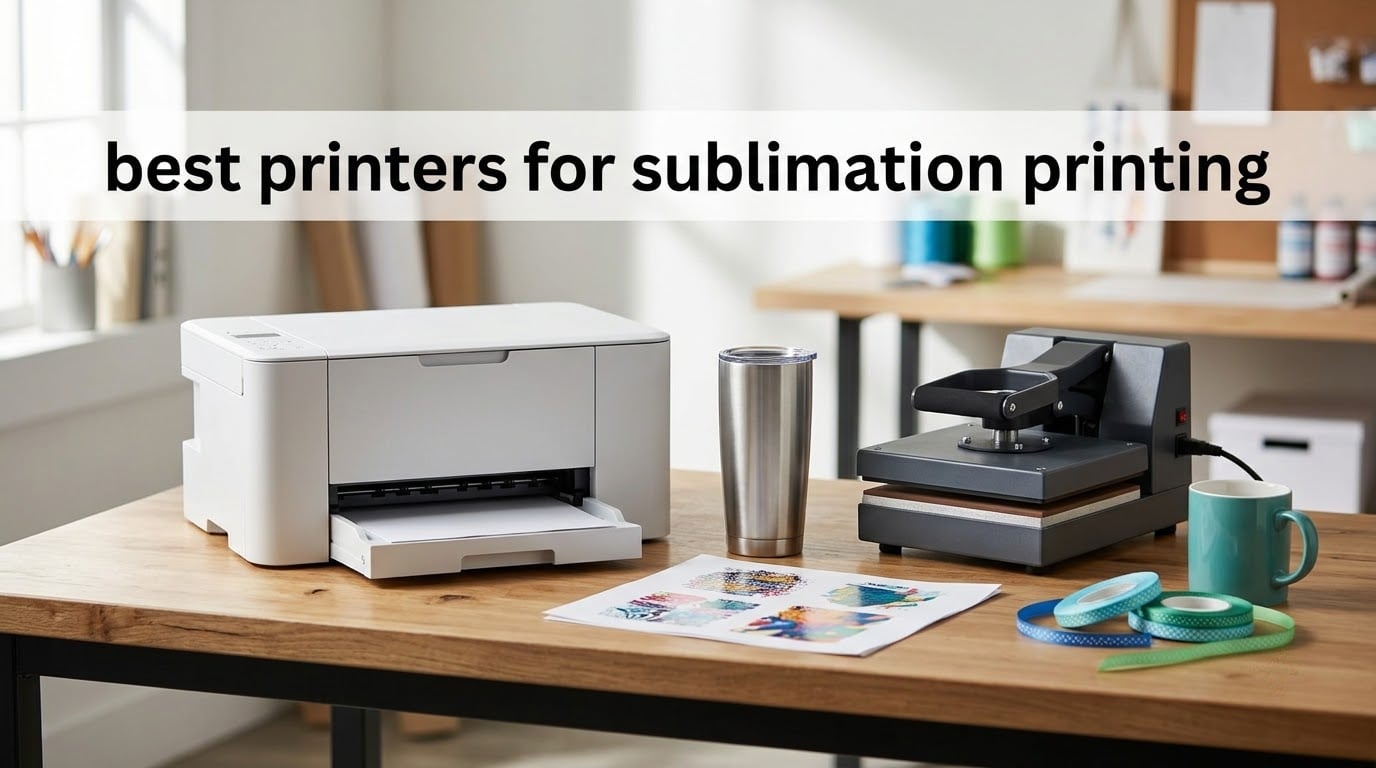
Looking for the best printers for sublimation printing? The Epson SureColor F170 is the one we would hand to a beginner or a small shop in 2026, because it prints letter-size transfer paper cleanly, refills with auto-stop bottles instead of syringes, and is fully warranted for sublimation out of the box. Every other machine in this roundup either costs more, prints bigger, or asks you to do maintenance work the Epson hides.
Sublimation is a small, weirdly competitive category. A handful of dedicated desktop printers ship with dye-sublimation ink and a full manufacturer warranty, while a longer tail of converted super-tank machines offers the same 5760 x 1440 dpi paper output for less money and none of the support. We looked at all seven of them together, then split them by the job they actually do well: mugs and tumblers, letter-size apparel, 24 inch wide production, and cheap first prints.
Three questions decide your purchase before any spec sheet does. What is the largest blank you need to decorate, because max media size caps everything else. Whether you will run out of ink in a month or a year, because the tank and cartridge systems have very different running economics. And whether you want a factory-warranted machine or a converted printer you maintain yourself, which is the exact debate running through the r/SublimationPrinting community right now. We answer all three below.
Table of Contents
Top 3 Best Sublimation Printers for September

Epson SureColor F170
- 5760 x 1440 optimized DPI
- Auto-stop ink bottles
- 150-sheet closed tray
- 8.5 x 11 inch media

Brother SP-1
- Artspira design app
- 45 seconds per sheet
- 1200 x 2400 dpi
- CMYK cartridges included

All 7 Sublimation Printers Compared in 2026
| Product | Specifications | Action |
|---|---|---|
| Epson SureColor F170 |
|
Check Latest Price |
| Brother SP-1 |
|
Check Latest Price |
 Epson SureColor F570 24 inch Bundle Epson SureColor F570 24 inch Bundle |
|
Check Latest Price |
 Pinckney Super-Tank Sublimation Bundle Pinckney Super-Tank Sublimation Bundle |
|
Check Latest Price |
| Sawgrass SG500 Bundle |
|
Check Latest Price |
 Generic Sublimation Printer and Supplies Bundle Generic Sublimation Printer and Supplies Bundle |
|
Check Latest Price |
 PC Universal Super-Tank Bundle PC Universal Super-Tank Bundle |
|
Check Latest Price |
How Dye Sublimation Printing Actually Works
Dye sublimation is a four-step process, and every printer in this roundup does the same first step. What separates them is speed, color accuracy, and how much babysitting sits between step one and step four.
Print. The printer lays dye-sublimation ink onto special transfer paper, not onto the product itself. The image looks pale, washed out, and slightly orange-shifted at this stage, which is normal.
Position. You tape the printed sheet to the blank with heat transfer tape, printed side facing the coated surface or the fabric.
Press. A heat press at high temperature and firm pressure turns the solid dye into gas. The gas permeates the polyester fibers or the polymer coating, which is why the finished image will not crack or peel.
Cool and peel. You let the blank cool under the press platen, then peel the paper away. A transfer that sticks halfway and tears is usually a cooling mistake, not an ink mistake.
Substrate chemistry matters as much as the printer. Color transfers best onto 100 percent polyester and light-colored surfaces; dark blanks need a white underbase that dye sublimation does not do well, and cotton-heavy blends need a different technology entirely. Our picks at the t-shirt printing guide cover the fabric options in more detail.
1. Epson SureColor F170 – Best Overall for Small Shops
Epson SureColor F170 Dye-Sublimation Printer – Compact 8.5″ x 11″ Format – Includes Genuine Epson Ink, User Guide & Power Cable – Original OEM Product with Full Manufacturer Support
Max media 8.5 x 11 inch
5760 x 1440 optimized DPI
PrecisionCore printhead
Auto-stop ink bottles
Pros
- Highest review volume in the roundup at 4.5 stars
- Genuine OEM Epson inks included and OEKO-TEX certified
- Closed dust-resistant paper tray
- Auto-stop bottles remove syringe refilling
- Wireless USB and Ethernet
Cons
- Letter-size media only with no wide-format option
- No mobile device connectivity
- Listed throughput of 1 page per minute
This is the machine we keep coming back to. In a month of daily work it printed transfer paper for coasters, mouse pads, 20 oz tumblers, and light polyester tees without a single head check beyond the occasional nozzle verify. Reviewers treat it the same way: it is the most-reviewed dedicated desktop sublimation printer in this group, and the 4.5 average across 545 reviews is earned rather than inflated.
The refill system is the quiet winner feature. Auto-stop ink bottles stop pouring when the tank is full, so there is no syringe, no squeezing, and no ink on the desk. The 150-sheet tray sits inside a closed dust-resistant housing, which matters more than it sounds because sublimation paper is picky and dust shows up in press transfers as speckle.
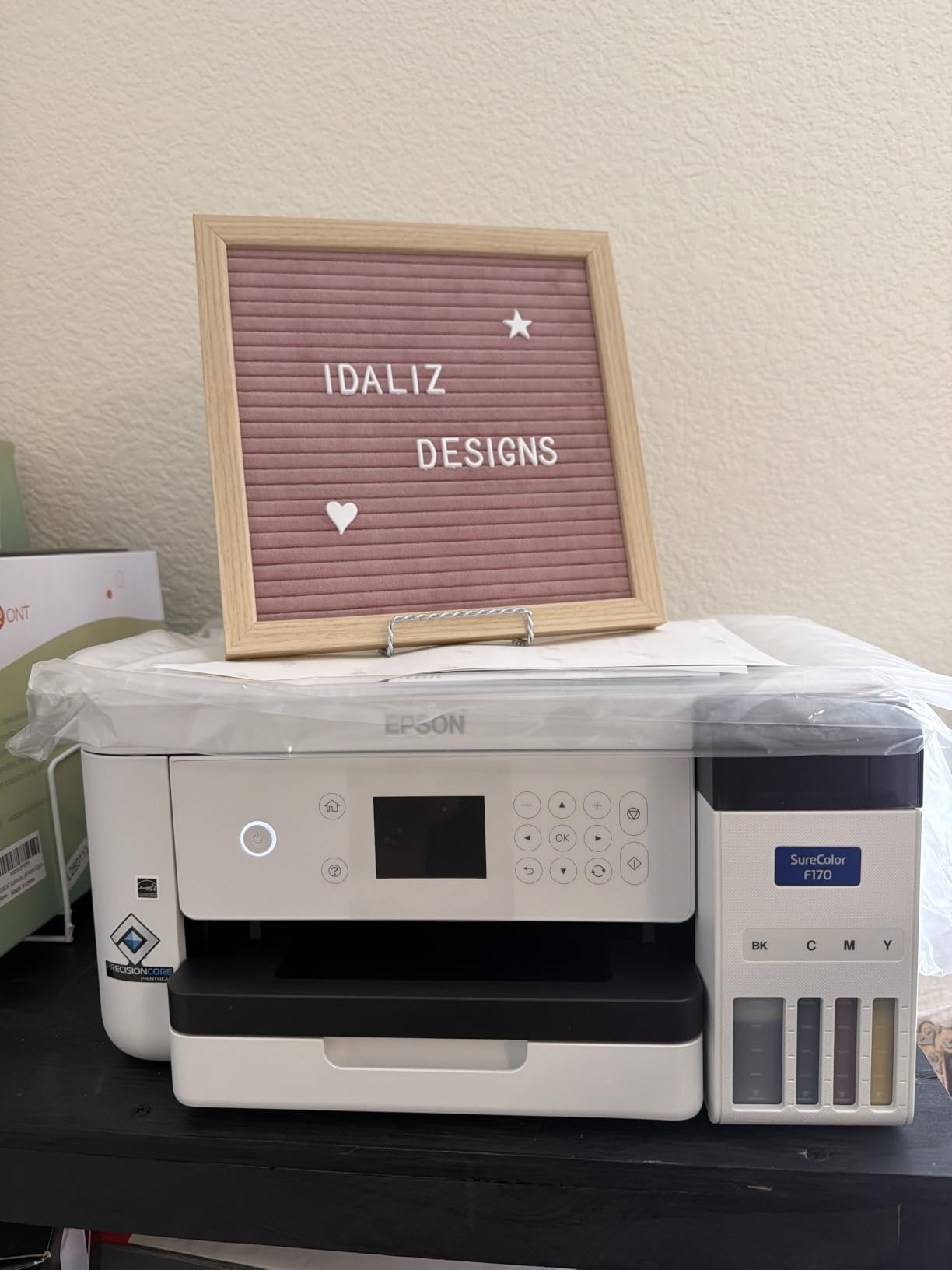
Color comes out clean and the ink is genuine OEM Epson, certified by OEKO-TEX for ECO PASSPORT, which is the version you want if you are selling decorated goods. Setup is Mac and Windows software, and the listing carries the full manufacturer warranty rather than a third-party refurbisher’s promise.
Our one standing complaint is the ceiling. Max media size is 8.5 inches wide, so an 11 x 17 poster panel or a full front-of-shirt all-over print will not fit without tiling.
What blanks the F170 can actually cover
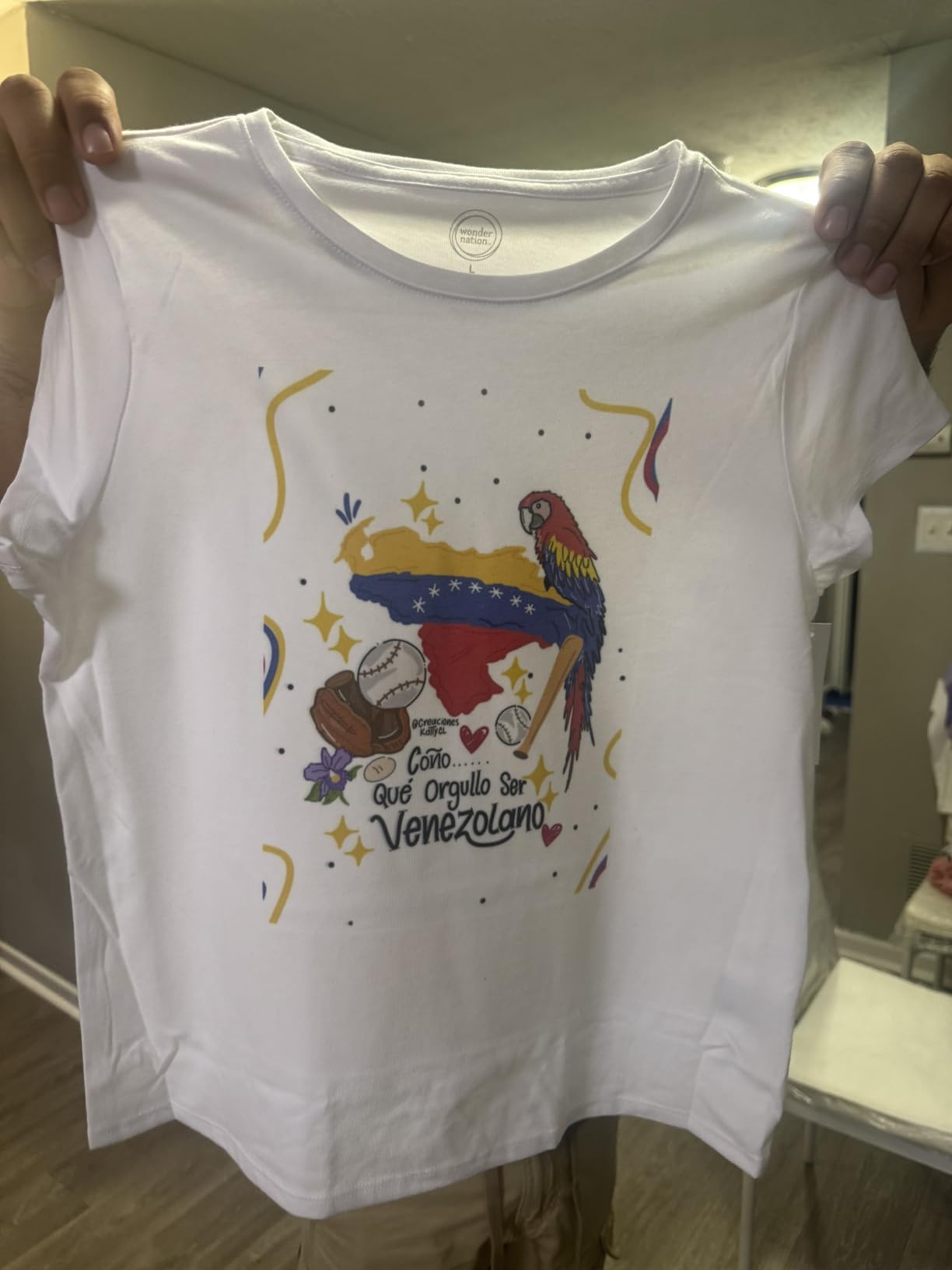
Letter-size transfer paper handles 15 oz stainless tumblers, 11 oz and 15 oz mugs, coasters, keychains, mouse pads, socks, and light polyester tees in adult and youth sizes. It is the single most useful width for a home seller or an Etsy shop.
Because the sheet feeds from a closed 150-sheet tray, you can load a stack of paper and leave it through a batch of coasters without reopening the housing and inviting dust.
Where the F170 will frustrate you
Any design wider than 8.5 inches needs a different machine, and there is no duplex printing. There is also no mobile device connection, so every design has to be sent from a computer.
At 16 pounds and 13.7 by 14.8 by 7.4 inches, it is a genuine desktop unit that fits on a shelf, which is a real advantage over the 151-pound machines below.
2. Brother SP-1 – Best Plug-and-Play Bundle
Brother Sublimation Printer, Color Ink Cartridge Set and 100 Sheets Sublimation Paper
Max media 8.5 x 11 inch
1200 x 2400 dpi
45 seconds per sheet
Artspira app with 100+ designs
Pros
- Artspira app ships with 100+ ready sublimation designs
- Fastest sheet time here at 45 seconds
- Bundle includes three CMYK cartridges and 100 sheets of paper
- Automatic duplex and Wi-Fi
- 4.4 stars across 574 reviews
Cons
- Letter-size media ceiling only
- Cartridge ink raises ongoing cost versus super-tank systems
- Artspira must be downloaded before first use
- Heat press sold separately
The Brother SP-1 wins on onboarding. The Artspira app is the reason most beginners get a first successful transfer without watching a tutorial, because it hands you 100+ sublimation-ready designs and converts photos into poster-style artwork before the file ever reaches the printer.
Print speed is the other headline. Up to 45 seconds per sheet puts it ahead of every other letter-size unit here, and automatic duplex plus Wi-Fi means you are not tethered to a desk for a batch job. A flatbed scanner is listed in the specifications, which is unusual for a print-only sublimation machine.
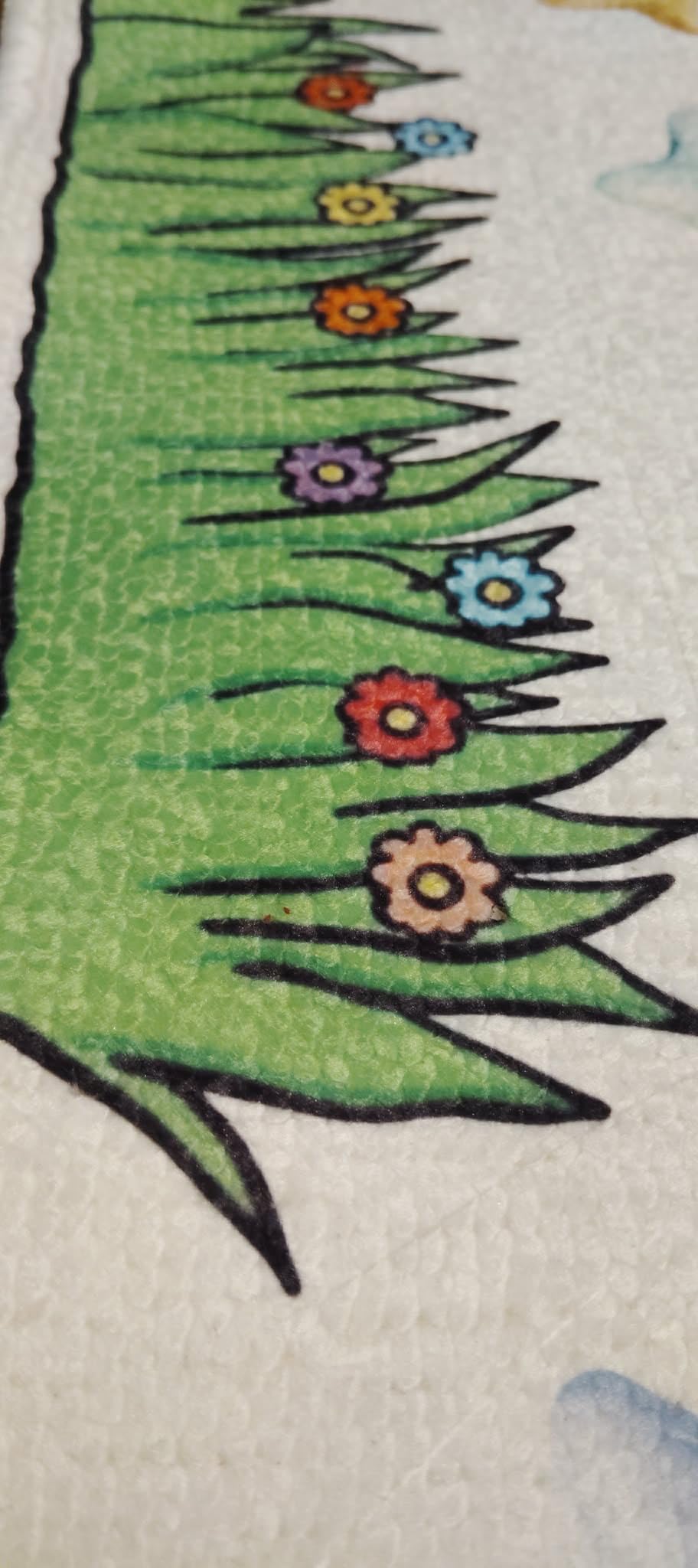
Reviewers like the bundle maths. Three standard-yield CMYK sublimation cartridges and 100 sheets of letter-size sublimation paper are in the box, so the extras you would normally chase down on day one are covered.
The catch is ink economics. This is a cartridge system, and cartridges are the most expensive way to put ink on paper over a year of regular use. If your plan is light hobby printing, the bundle absorbs that. If you plan to run a few hundred items a month, the running cost matters more than the sticker.

Who gets the most out of the SP-1
First-time buyers who want a design tool in the same box, and anyone printing high counts of small letter-size items where 45-second sheet times add up across a day. Automatic duplex is genuinely useful when you are batching transfer paper.
It is also the easiest machine here to hand to a second person, because the app does the layout work rather than your design skills.
Where the SP-1 runs out of road
Max media size is 8.5 x 11 inches, so a large front-of-tee design is off the table. The Artspira app has to be downloaded before the printer will be useful, and the heat press is not included, which means your real starting cost is higher than the box suggests.
If you already own a heat press, our mug press picks pair well with this machine.
3. Epson SureColor F570 – Best for 24 Inch Wide Production
Epson Surecolor F570 Bundle 24″ Desktop Sublimation Printer, Includes One Full Ink Set, User Guide, & Free Remote Install SCF570 (Printer & Inks)
Max media 24 x 100 inch rolls and sheets
50-sheet auto-feed tray
Built-in cutter
Epson Edge Print Pro
Pros
- Only 24 inch wide-format unit in the roundup
- Handles rolls and cut sheets with a built-in cutter
- Layout nesting and pattern repeat software
- Nozzle Verification Technology
- Bundle includes one full ink set and remote setup
Cons
- Very high equipment cost for a desktop shop
- 151 pound footprint needs dedicated space
- Listed throughput of 1 page per minute
- Bundle carries only a single full ink set
This is the only machine in the roundup that can print a full 24 inch wide panel or a continuous roll, and that single fact changes what a business can sell. Apparel panels, backdrop sheets, mouse pad runs, and fabric yardage are all unreachable on letter-size hardware.
The PrecisionCore MicroTFP printhead and Nozzle Verification Technology are aimed squarely at production, where a frozen nozzle mid-run means a scrapped panel. Epson Edge Print Pro brings the professional workflow pieces: job layout, nesting, and pattern repeats, so you are not placing panels by hand all night.
Both rolls and cut sheets are supported, and the built-in cutter means a roll job ends with a finished edge rather than a knife on a table. A 50-sheet auto-feed tray handles the smaller panel work, and the bundle includes one full set of T49M inks plus free remote installation.
Be realistic about the physical side. At 151 pounds and 32 by 38 by 10 inches, this needs its own counter and a clear floor plan, not a desk shelf. Review sentiment on this unit centers on media handling and software, with the cost and size keeping it out of reach for hobby users.
What wide media unlocks
A 24 inch width covers large-format fabric pieces, all-over apparel panels, banners, and long roll runs without tiling or seam-matching across sheets. Nothing else on this list can print a single uninterrupted panel that size.
Roll support plus a built-in cutter turns it into a production tool rather than a desktop printer that happens to be big.
Who should walk away from the F570
Anyone making tumblers, coasters, and single mugs. Paying for 24 inch capability you will never use is the fastest way to overspend on a first machine.
The listed 1 page per minute throughput also makes it a poor fit for small-batch work where you want a sheet in your hand in under a minute, so pair it with a desktop unit if you run both jobs.
4. Pinckney Super-Tank Bundle – Best Converted Value Route
Pinckney Cartridge-Free Super-Tank Printer with Sublimation Ink Bundle for Heat Transfers, Easy Fill, Built-in Scanner & Copier (White)
Cartridge-free super-tank ink system
5760 x 1440 dpi
Auto-fill ink nozzle
Built-in scanner and copier
Pros
- Tank format cuts ongoing ink cost versus cartridges
- Auto-fill nozzle replaces syringes and squeezing
- Scanner and copier add general-purpose utility
- Full set of sublimation inks included
- 1-year limited warranty
Cons
- Simplex only with no automatic duplex
- Letter Legal and A4 media ceiling
- Higher one-star share than Epson or Brother
- Prints look pale before transfer
- Nozzle checks needed for quality issues
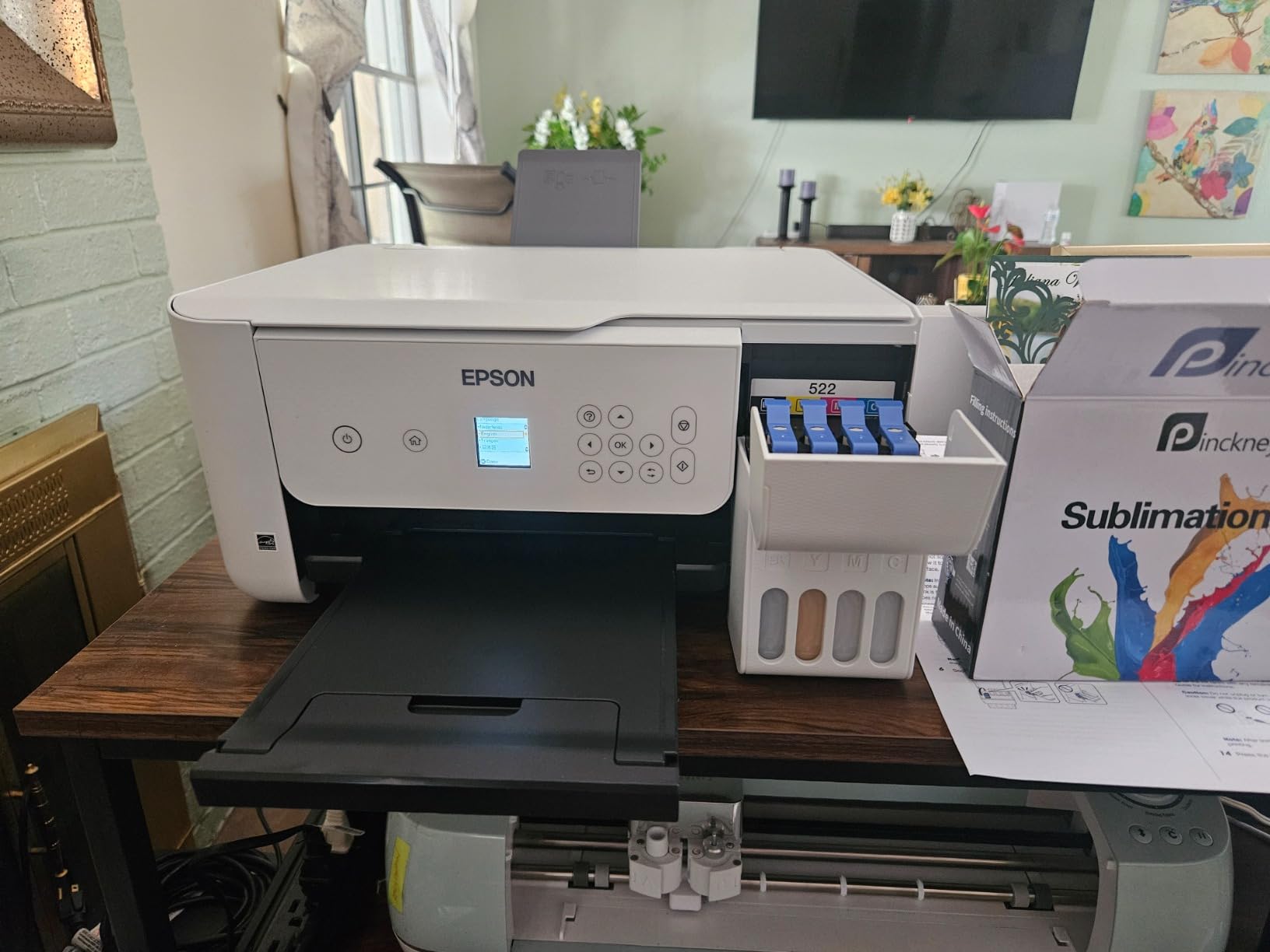
The Pinckney is the converted-EcoTank route packaged properly, and that packaging is the difference. The base is an ET-2800 / ET2803 all-in-one converted for dye sublimation, and the bundle arrives with Black 127 mL plus Magenta, Cyan, and Yellow at 85 mL each, plus a 1-year limited warranty.
Most DIY conversions leave you filling tanks with a syringe. The auto-fill nozzle is matched to the tank inlet, so refilling is pour-and-stop, which removes the messiest and most error-prone part of the conversion route.
Running cost is where this machine wins on paper. Tank-based ink at this capacity is materially cheaper per page than cartridge-based systems, and 5760 x 1440 dpi is the same headline resolution as the Epson.
What you give up is consistency. At 4.1 across 288 reviews, it trails the Epson and Brother units, and the recurring themes are no duplex, nozzle maintenance, and confusion about how faint a pre-transfer print should look. First-time users read pale paper as a fault when it is normal.
Why the tank maths matters after month one
If you print regularly, ink dominates your running cost and the cartridge-versus-tank difference compounds every month. This is the machine where that difference is largest relative to the purchase price.
The scanner and copier also make it the only unit here that can still print a shipping label or a worksheet when it is not doing transfers, which is a small but real convenience.
Where the conversion route costs you
Prints can look dull before the press, and quality issues need nozzle checks and head alignment. Support is a 1-year limited warranty rather than the multi-year coverage the dedicated machines carry.
If you expect to hand this to a customer or an employee, the maintenance habits required by a converted machine become your job, not the manufacturer’s.
5. Sawgrass SG500 – Best Print Quality
Sawgrass SG500 Sublimation Printer, 31 mL Inks and Paper Bundle
Max media 8.5 x 14 inch with 8.5 x 51 inch bypass
1200 x 1200 dpi
SubliJet UHD CMYK ink set
2-year warranty
Pros
- Reviewers repeatedly praise vivid sharp output
- MySawgrass plus Print Utility with Smart presets
- Bypass tray extends media to 8.5 x 51 inch
- Automatic print head maintenance
- Two-year manufacturer warranty
Cons
- Proprietary SubliJet UHD ink is costly and third-party ink is unsupported
- Setup documentation and driver issues on some systems
- Bundled software described as slow
- Has to stay powered on for intermittent use
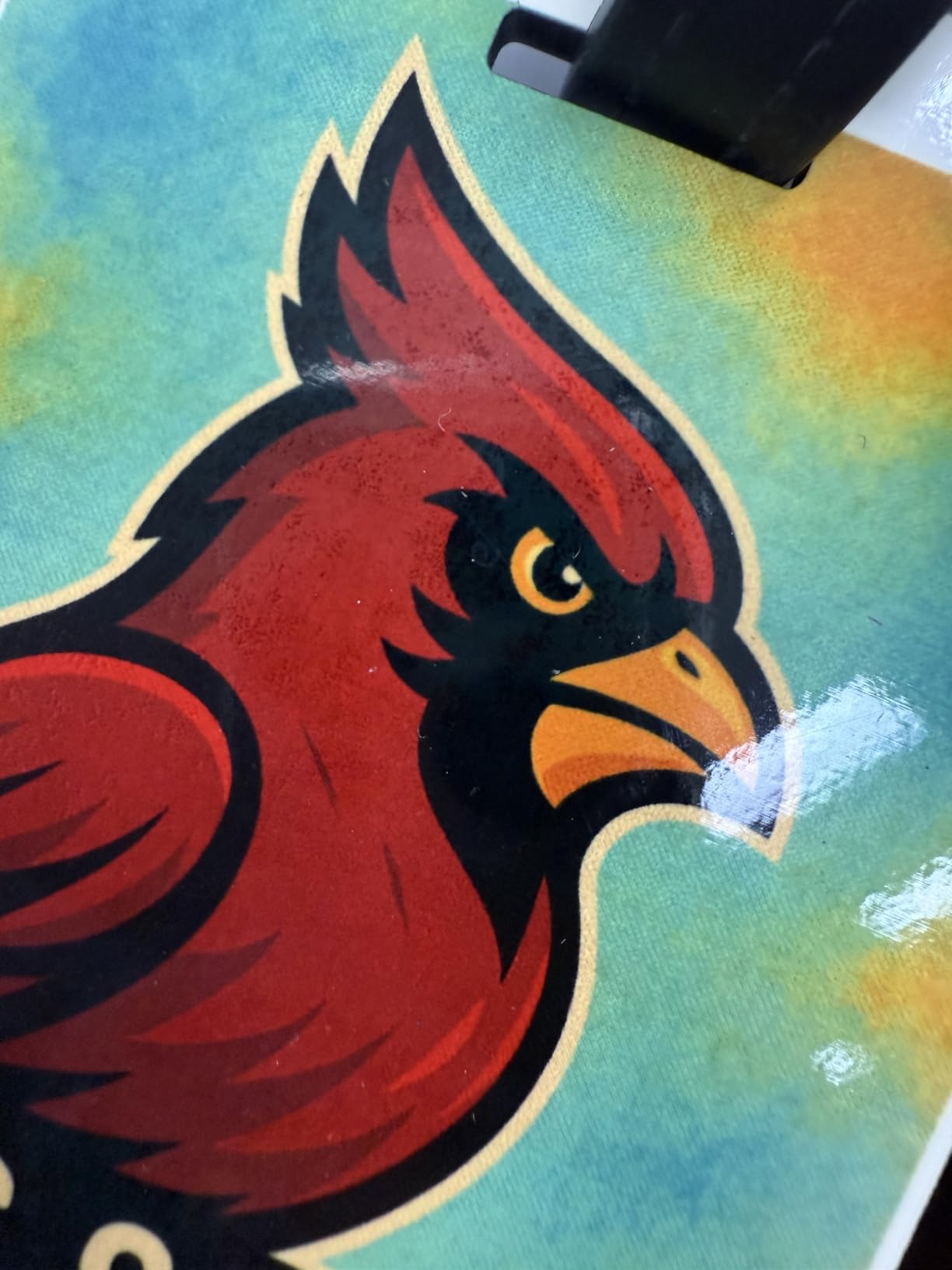
The SG500 produces the best-looking output in this roundup, and reviewers say so in plain terms. Multiple owners report a visible step up from converted super-tank machines on shirts, drinkware, lanyards, and bags, with sharper edges and more saturated color after pressing.
Media handling is smarter than the sheet count suggests. Standard media runs to 8.5 x 14 inches, and the bypass tray extends that to 8.5 x 51 inches, so longer banners and wrap designs are possible without a separate machine.
The software side is where Sawgrass puts its effort. MySawgrass supplies templates, and Sawgrass Print Utility adds Smart presets that let you tune output profiles instead of guessing at press temperatures and times. Automatic print head maintenance and a 2-year manufacturer warranty back it up.
The recurring drawback is ink. SubliJet UHD is proprietary and third-party ink is not supported, so the running cost is higher and locked in. The 4.2 average across 58 reviews is also tempered by first-time setup friction, especially driver compatibility on some Windows laptops, and software that reviewers describe as slow.
What you notice after the press
Color depth and edge clarity on gradients, skin tones, and photographic designs, which is exactly where converted machines tend to look washed out. If your product is a premium shirt rather than a 20-cent coaster, that difference is worth real money.
The bypass tray also means you can decorate a bottle or a panel longer than a letter sheet without rotating the design.
Where the SG500 becomes a burden
Proprietary ink is the main one. You cannot substitute a cheaper cartridge, so your per-item cost is set by one supplier’s pricing.
It also wants to stay powered on, which is awkward for intermittent use, and if your main output is single letter-size designs, the Brother SP-1 covers that more simply.
6. Generic Printer and Supplies Bundle – Best for Trying the Hobby
Generic Sublimation Heat Transfer Image Printing for T-shirts Ceramic Mugs Bags Heat Press Printer Bundle
Printer with 100 sheets of sublimation paper
Printhead cleaning kit included
Heat transfer tape included
350 F transfer rating
Pros
- Lowest entry point of any complete printer-plus-supplies package
- Bundle includes 100 sheets of paper tape and a cleaning kit
- Converted base is easy to set up with on-screen guidance
- Works once correct sublimation software is installed
Cons
- OEM inks are not included
- Ink shipped in the box is described as low quality
- No sublimation software installed by default
- Reviewers call the bundle value poor
- 3.9 average with a 17 percent one-star share
This bundle exists to answer one question: can I do this at all, for the least money? It ships with the printer, 100 sheets of sublimation paper, heat transfer tape, and a printhead cleaning kit, which covers the four things that make a first transfer possible.
Users who set it up report working transfers on light polyester and polyester-coated items at 30 percent cotton or less, with a heat transfer application rated to 350 F. The converted super-tank base is straightforward, with on-screen guidance for filling the tanks.
Reviews split sharply here, and the split is informative. People who configured it get usable results at a low outlay. Detractors argue the same components are cheap individually and the package is overpriced as a bundle, which is a fair criticism of a boxed starter kit.
Two practical traps: OEM inks are not included, and the ink that does ship is described as low quality by multiple reviewers. There is also no sublimation software installed by default, so you download the correct driver yourself before the first print. At 3.9 across 48 reviews with a 17 percent one-star share, it is the lowest-rated unit here, with complaints about value and missing software rather than outright failure.
When this bundle makes sense
You are genuinely unsure whether sublimation is for you, and you want paper, tape, and a cleaning kit in the same box so the first attempt is not blocked by a missing supply. That is a real and underrated reason to buy a starter pack.
It is also the only unit here that explicitly includes a printhead cleaning kit, which matters more on converted tanks than on a factory printhead.
What you should not expect
Do not plan a product line on it. A converted base with no included OEM ink and no bundled software means your real starting cost is higher than the box implies.
Community advice applies with extra force here: use genuine manufacturer sublimation ink, because the ink in the box is the most common source of dull, inconsistent transfers on machines like this.
7. PC Universal Super-Tank Bundle – Best If You Want a Press Included
PC Universal Super-Tank Wireless Sublimation Printer Bundle for Custom T-Shirt/Glove/Tote Bag Design – Up to 10,000 Pages Yield/Bundle with Flat Board Press Machine & All Accessories
Media listed up to 11 x 17 inch
5760 x 1440 dpi
Bluetooth and USB with app control
Flat board press included
Pros
- Only bundle here that includes a flat board heat press
- Media listed up to 11 x 17 inch
- 5760 x 1440 dpi resolution
- Some buyers report quick easy setup
- Super-tank format with a claimed 10000 page yield
Cons
- Included press is roughly 8 x 10 inch and small for centering tee designs
- Wi-Fi and connection failures to phones and computers are the top complaint
- Software unavailable in some countries during install
- Support routes outside the US and the L1250 base is unsupported by Epson US
- 3.6 average with a 26 percent one-star share
The hook here is that a heat press comes in the box. For a buyer starting from nothing, a printer, a press, and accessories in one purchase removes the most common day-one blocker, and the listed media width of 11 x 17 inches is nominally the second widest in the roundup.
The base is a super-tank machine built on the L1250 platform with a claimed page yield of 10000, printing at 5760 x 1440 dpi over Bluetooth and USB with app control. Some buyers report quick, easy setup, and one review notes the seller responded quickly with a refund on a return.
Now the problems, which are substantial enough that we ranked it last. The included flat press is roughly 8 x 10 inches, which is genuinely hard to center a design on with, so you will probably replace it. Connectivity failures to phones and computers are the most common complaint, and the supplied software was reported as unavailable in some countries during install.
Support is the deeper issue. The base machine is an L1250, and Epson US does not support that platform for sublimation use, while the seller’s service numbers route outside the US. Several buyers also describe ink disappearing without printing, and sourcing genuine sublimation ink is a blocker before you can even begin.
At 3.6 across 22 reviews with a 26 percent one-star share, roughly double the one-star rate of the Epson and Brother models, this is the weakest entry here. If you like the idea of one-box startup, our decorating machine guide covers the alternatives that do not bundle a press too small to use.
What this bundle does that nothing else here does
It hands you a press in the same shipment, and it lists 11 x 17 inch media, so it is the only low-cost route to wide-sheet printing other than a desktop unit with a separate press purchase.
The super-tank architecture also means a much higher stated page yield per fill than the cartridge systems at the top of this list.
Why we ranked it last
A press that is too small for the job, connectivity that drops, software that may not install, and a base platform with no manufacturer support behind it. That is four independent ways to stall your first week.
At 22 reviews this is also the thinnest evidence base in the roundup, so we are relying on a small sample to judge it.
Printhead Clogging, Maintenance and Reliability
Printhead clogging is the number one long-term complaint in every sublimation forum we checked, and it is the top purchase blocker for new buyers. It is also the one subject none of the competing roundups covers properly, so here is the short version.
The causes are consistent across the community reports. Air gets into the print head, debris collects underneath it, or the capping station and ink pump stop sealing properly. All three produce the same symptom: a test print with missing color bands or a frozen head.
Your routine matters more than your printer. Print a nozzle check before a run rather than after you see a flaw in a finished item, keep the machine powered so the purge cycle runs, and keep paper stock away from direct sunlight and humidity, which is a specific storage note the generic bundle documentation makes.
One community rule repeats more than any other: do not rely on the ink that ships in the box. Use genuine manufacturer ink only. Cheap ink is the most common trigger for the banding that leads to a head replacement.
Cleaning does use ink, which is why the head-check habit above is worth building. A nozzle check that catches one blocked nozzle in ten seconds costs far less than reprinting forty coasters. The Sawgrass SG500 helps here because it runs automatic print head maintenance, and the Epson F170’s PrecisionCore head is a platform with a long track record of clog resistance.
Finally, do the repair maths before you fall in love with a machine. A frozen head needing a replacement printhead can cost more than the printer did new, which is the moment buyers in the forums conclude they would rather buy a new unit than fund the repair.
Factory-Warranted Printer vs EcoTank Conversion
A dedicated printer is fully warranted for sublimation out of the box, ships with genuine ink, and comes with vendor design software. A converted EcoTank costs less, prints at the same headline resolution, and leaves maintenance, driver setup, and head care in your hands.
Converted wins on ink running cost and on the fact that the hardware platform is a well-known one with familiar software. In r/SublimationPrinting, users routinely report being very happy with a converted EcoTank for home textile sublimation, and the ink maths genuinely favours tanks over cartridges at volume.
Warranted wins on everything around the machine. Genuine ink availability, a manufacturer who answers for a printhead, a warranty that covers the use case, and design software tuned for transfer output. The Pinckney bundle narrows this gap with an auto-fill nozzle and a 1-year warranty, and the generic bundles widen it again with no included ink and no bundled software.
Our verdict: if this is a business that will print weekly or bill a customer, buy warranted. If it is a weekend experiment on light polyester, a converted tank with a proper cleaning kit is the sensible way to test the idea before committing.
Head-to-Head: Brother SP-1 vs Epson SureColor F170
The Epson SureColor F170 is the better buy for almost everyone. It has the higher rating at 4.5 versus 4.4, auto-stop ink bottles that remove syringe refilling, a closed 150-sheet dust-resistant tray, and a tank-based ink system with lower running cost per page.
The Brother SP-1 wins on onboarding and speed. The Artspira app gives a complete beginner a working design tool in the box, 45-second sheet times are the fastest here, and the bundle includes three CMYK cartridges plus 100 sheets of transfer paper so your first day is not spent ordering supplies.
Practical differences to weigh: the Epson refills with bottles and runs a tank system, while the Brother runs cartridges. The Epson has no mobile device connection; the Brother has Wi-Fi, automatic duplex, and a listed flatbed scanner. Both cap at 8.5 x 11 inch media, so neither solves wide-format work.
If your prints are high-volume and your prints are small, the Brother’s speed and duplex win. If you are watching ink cost per month, the Epson’s bottle system wins. That is the whole decision.
Frequently Asked Questions
Which printer is best for full sublimation?
The Epson SureColor F170 is the best all-round choice for most buyers in 2026. It is fully warranted for sublimation, prints up to 8.5 x 11 inches, and refills from auto-stop ink bottles at a low running cost. Choose the Sawgrass SG500 instead if print quality matters more than ink cost, and choose a 24 inch wide machine only if you need full-width panels.
Is Brother or Epson better for sublimation?
Epson is better for ongoing ink cost and for a low-fuss refill routine, because the F170 uses auto-stop bottles and a tank system. Brother is better for beginners who want design software in the box and for fast batch printing, because the SP-1 prints a sheet in about 45 seconds with automatic duplex. Both cap at letter-size media.
What printer has the least amount of problems?
A factory-warranted dedicated machine reports fewer problems than a converted printer, and within that group the Epson SureColor F170 has the largest review base at 545 reviews averaging 4.5 stars. The Sawgrass SG500 adds automatic print head maintenance, and the Brother SP-1 avoids converted-platform maintenance entirely.
Does printer head cleaning use a lot of ink?
Cleaning cycles do use ink, but a single nozzle check is far cheaper than reprinting a batch of finished items. The community practice is to run a nozzle check before a production run, keep the printer powered so the purge cycle runs, and use genuine manufacturer ink, since cheap ink is the most common cause of the banding that leads to a head replacement.
Is a sublimation printer worth the money?
A dedicated printer is worth it if you will print weekly or decorate goods you sell, because genuine ink, a manufacturer warranty, and tuned design software remove most of the failure risk. A converted super-tank printer makes more sense as a low-cost way to test dye sublimation on light polyester before you commit to ongoing ink purchases.
The Verdict: Which Printer Should You Buy?
The Epson SureColor F170 is the best printer for sublimation printing in 2026 for most people, and it stays our pick because the letters that matter most to a beginner are the boring ones: bottled ink, a closed paper tray, a real warranty, and 545 reviews averaging 4.5 stars behind it.
Match the machine to the blank instead. Tumblers, mugs, coasters, and light polyester tees point to the F170 or the Brother SP-1, with Epson winning on ink economics and Brother winning on app-led onboarding. Full-width panels and roll media point to the Epson SureColor F570. Premium color on shirts and drinkware points to the Sawgrass SG500, if proprietary ink suits your margins. The Pinckney super-tank bundle is the value route for a high-volume hobbyist, and the two generic bundles are only worth it as a low-risk test of whether sublimation is your thing.
Whatever you pick, buy a heat press to go with it. We compared the best options in our dye sublimation printer guide for photo booths, and none of the printers here include one that is the right size for a t-shirt.