
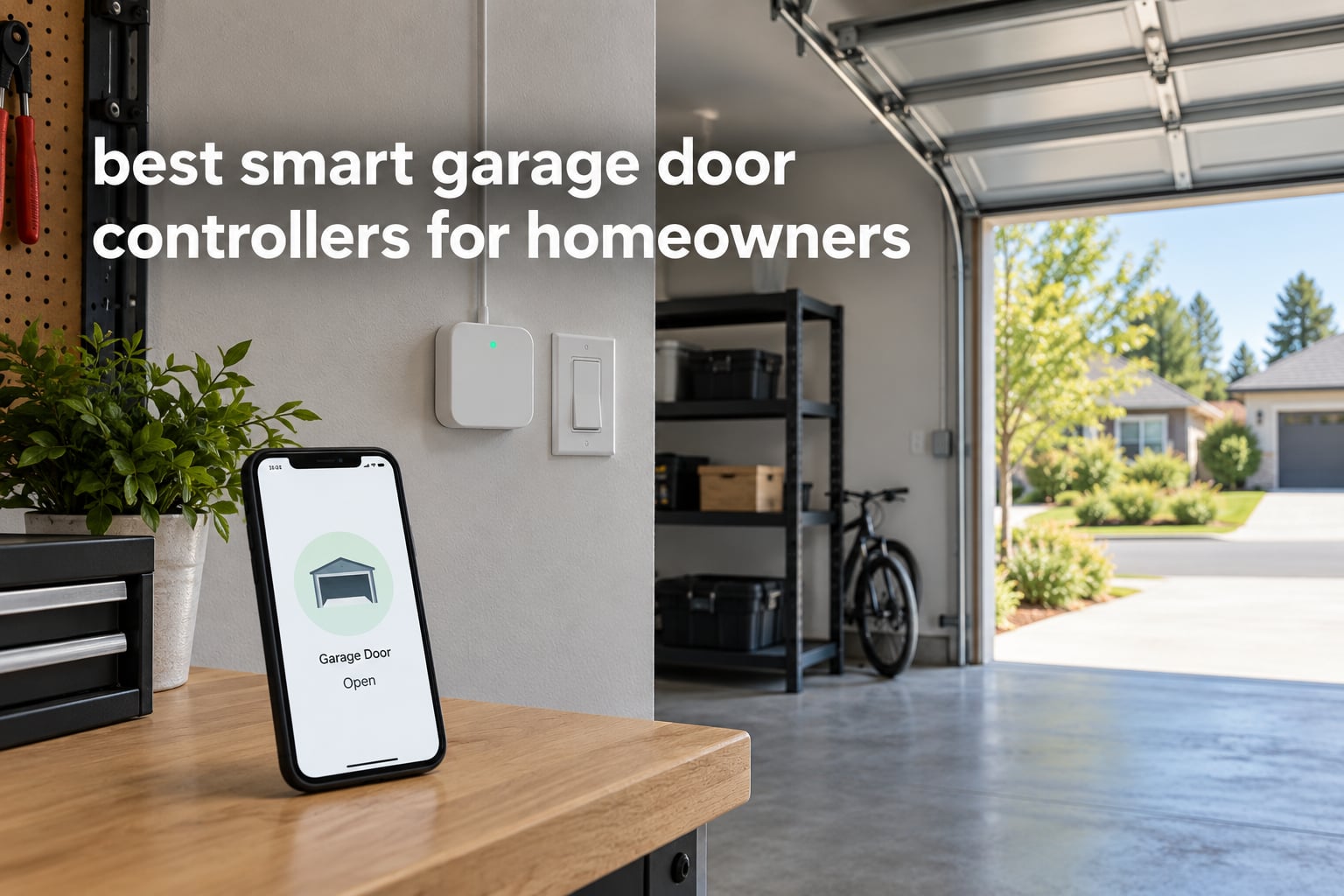
The number one smart garage door controller question is not about features. It is whether you can add phone control to the opener already hanging in your ceiling without replacing it. For almost every homeowner reading this, the answer is yes, and the retrofit path costs a fraction of swapping the whole opener.
That is where most buying guides go wrong. They mix add-on controllers with full smart openers in a single list, so you end up comparing a wall button that replaces another wall button against a brand new belt drive machine. Those are different purchases. Our list below separates them, names a clear winner for most people, and flags the two compatibility traps that strand buyers with dead hardware.
Here is the honest short version of the downsides before we get into the picks. A controller only works when your router reaches the garage on a 2.4 GHz band. Several brands lock essential features behind the vendor cloud, which means your door can stop reporting when their servers do. And a retrofit unit is only as good as the wiring already in your wall button.
We researched ten of the most-reviewed smart garage door controllers available now, cross-checking specifications, warranty terms and user review patterns across all ten. We did not bench-test units on live doors, so treat this as a specification-led comparison rather than a lab test. If you are also shopping openers rather than controllers, our guide to the best smart garage door openers for homes covers the full-replacement side. Heavier insulated doors have their own sizing logic in best garage door openers for heavy doors.
Table of Contents
Top 3 Smart Garage Door Controllers in October 2026

Chamberlain myQ Smart Garage Control
- myQ app control from anywhere
- Real-time open and close notifications
- Works with most post-1993 openers
- Amazon Key in-garage delivery

eKyro Universal WiFi Controller
- Universal retrofit adapter
- Works with Alexa Google Home Siri SmartThings
- No monthly fees
- Left-open alerts and scheduling

LiftMaster 882LMW WiFi Panel
- OEM wall control replacement
- Security+ 2.0 yellow learn button only
- Wired power connection
- LED installation check
All 10 Smart Garage Door Controllers Compared in October 2026
| Product | Specifications | Action |
|---|---|---|
| Chamberlain myQ Smart Garage Control |
|
Check Latest Price |
| eKyro Universal WiFi Controller |
|
Check Latest Price |
 meross MSG100 Smart Opener meross MSG100 Smart Opener |
|
Check Latest Price |
| LiftMaster 882LMW WiFi Panel |
|
Check Latest Price |
 AGSHOME GAR-01 WiFi Remote AGSHOME GAR-01 WiFi Remote |
|
Check Latest Price |
 Aubric Smart WiFi Garage Remote Aubric Smart WiFi Garage Remote |
|
Check Latest Price |
 myQ Video Keypad Power Adapter Kit myQ Video Keypad Power Adapter Kit |
|
Check Latest Price |
 EVERSECU Tuya WiFi Controller EVERSECU Tuya WiFi Controller |
|
Check Latest Price |
 TOPENS TC196 WiFi Remote TOPENS TC196 WiFi Remote |
|
Check Latest Price |
 Genie Aladdin Connect ALKT2-R Genie Aladdin Connect ALKT2-R |
|
Check Latest Price |
1. Chamberlain myQ Smart Garage Control – Best Overall
CHAMBERLAIN Smart Garage Control – Wireless Garage Hub and Sensor with Wifi & Bluetooth – Smartphone Controlled, myQ-G0401-ES, White
myQ app control
Post-1993 opener support
Door sensor and hub included
2.4 GHz within 50 feet
1 year warranty
Pros
- App-guided setup most owners finish in under an hour
- Real-time open and close notifications
- Scheduling and auto-close timers
- Works with older post-1993 openers
- Amazon Key in-garage delivery support
Cons
- Strobe light and beep during closing
- Second door needs a separately sold sensor
- WiFi can drop after a router change
- Sensor battery needs early replacement
The Chamberlain myQ Smart Garage Control is the best smart garage door controller for most homeowners because it is the only one here with an installation base large enough to prove itself. Sixty thousand ratings is not a number you accumulate in a lucky quarter, and the recurring praise in reviews is remarkably consistent: setup is guided, the app is clear, and notifications arrive when the door moves.
The kit itself is small, at 0.8 by 2.6 by 2.6 inches and 13.1 ounces, and it includes the hub and the door sensor. Setup is assisted over Bluetooth, which removes most of the pain from pairing a device on a workshop ceiling. The system requirements ask for 2.4 GHz Wi-Fi on 802.11 b/g/n and a router within about 50 feet, so a detached garage may need a mesh node or an extender.
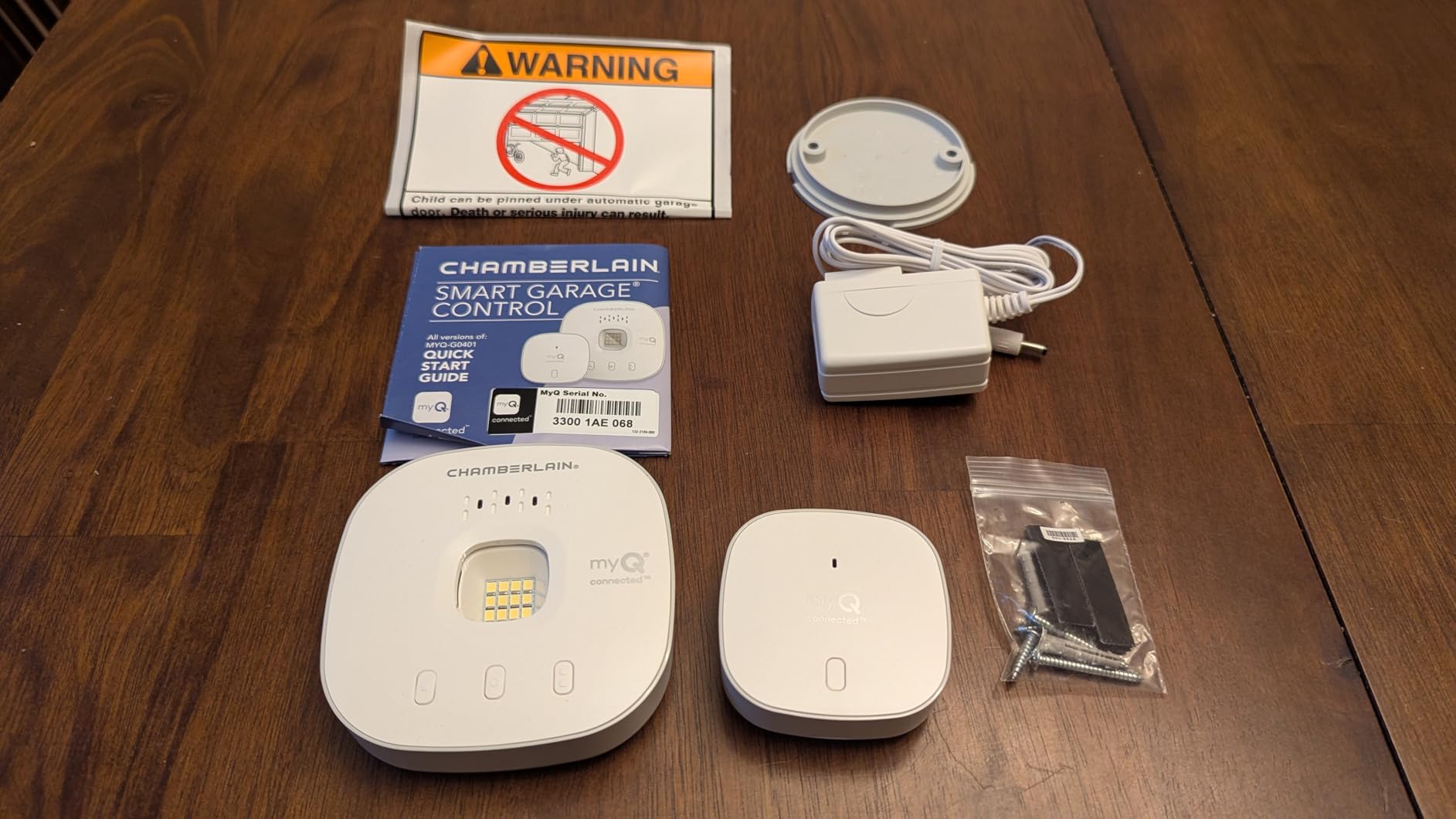
The friction points are consistent too. The strobe light and beep that run during closing are part of the safety system and cannot be disabled without a paid integration tier, which annoys anyone with a bedroom above the garage. The door sensor battery also draws complaints about dying sooner than expected, and adding a second door means buying another sensor at a cost reviewers repeatedly describe as steep.
Integration is the myQ ecosystem, which is the platform’s real strength and its real limit. Homeowners in r/homeautomation regularly steer each other away from myQ over subscription costs and false open-state alerts, and that sentiment is worth taking seriously. In exchange you get the most complete app, and the only in this group with Amazon Key in-garage delivery support.
What Chamberlain owners notice after a year
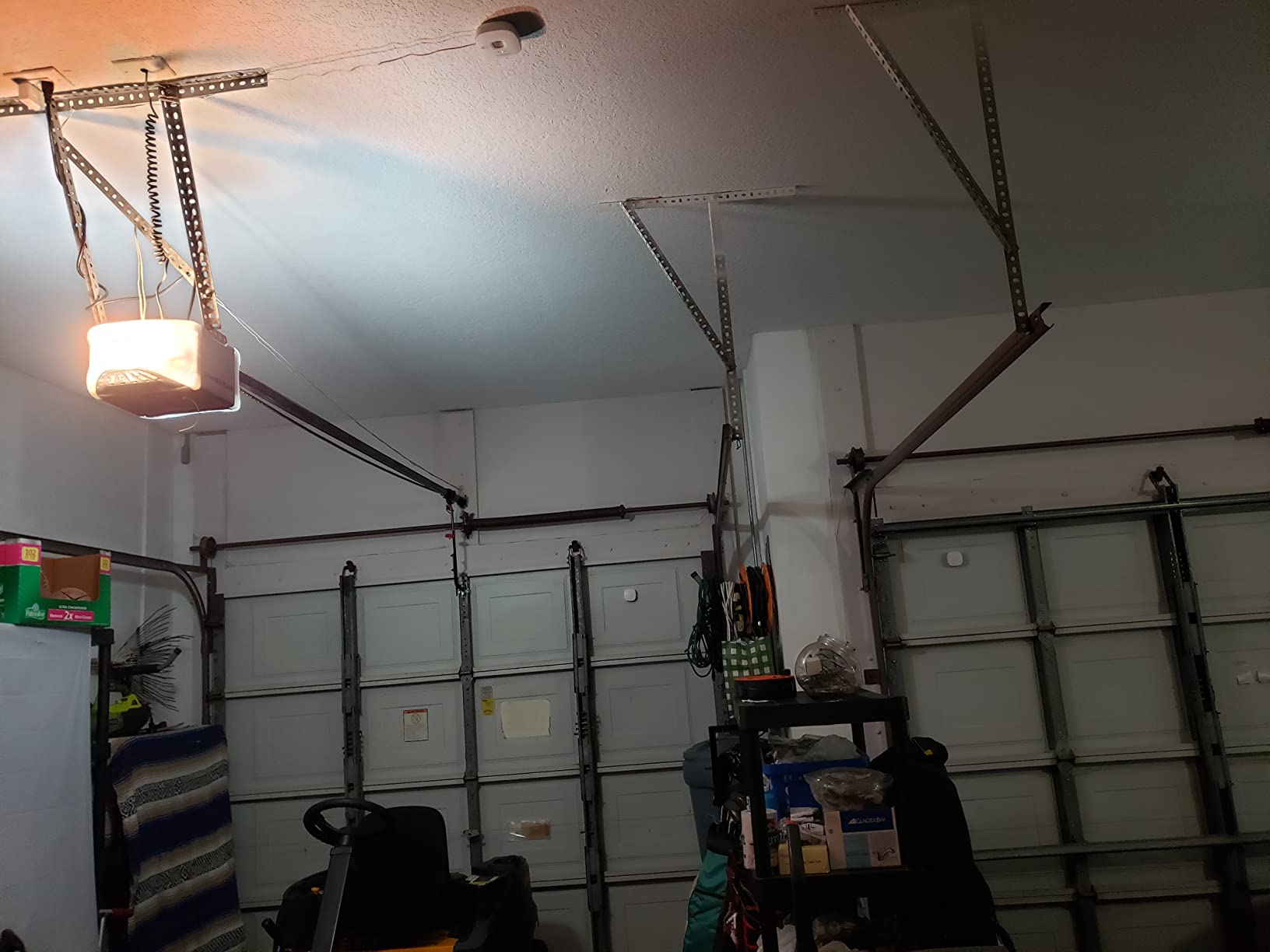
The pattern in long-term reviews is that setup problems resolve and network problems persist. Router upgrades and new mesh systems are the most common trigger for a controller that suddenly goes offline, and the fix is re-pairing rather than a faulty unit.
The other recurring surprise is how much the myQ app depends on cloud connectivity. Notifications, history and sharing all live on the vendor side, which is exactly the arrangement r/homeautomation users object to when they compare it with locally controlled hardware.
Where the Chamberlain falls short
The exclusion list is the problem. Linear openers are not supported at all, and Chamberlain Group units with a yellow learn button from 2010 to 2021 are excluded too. If your opener carries a round yellow learn button, this unit will refuse to pair no matter how carefully you install it.
Multi-door households should also do the math early. The second-door sensor is a separate purchase, and reviewers call the total noticeably higher than buying two complete kits elsewhere. Owners of attached garages should also expect the closing strobe to be audible inside the house.
2. eKyro Universal WiFi Controller – Best Value
eKyro Smart Garage Door Opener – Universal WiFi Remote Controller Compatible with Alexa, Google Home, iPhone, Siri, Android, Door Left Open Alert, Door Security Systems, Updated Model
Universal retrofit adapter
Alexa Google Siri SmartThings
No monthly fees
One unit per door
Left-open alerts
Pros
- Universal adapter covers most existing openers
- Four voice platforms supported simultaneously
- No subscription on core features
- Scheduling and left-open alerts
- Sizes fit a standard wall button opening
Cons
- Not compatible with RYOBI openers
- SMS and phone call alerts can carry extra cost
- Each additional door needs its own unit
The eKyro controller is the pick for anyone who wants broad voice assistant coverage without a subscription line item. At 4.5 stars across nearly 3,900 ratings, it holds the second-highest rating in this group with a review volume that gives the feedback real weight.
The device is a universal adapter for an existing opener, which is why it works across so many installations. Reviewers highlight broad compatibility, and the setup is a two-terminal wire job similar to replacing the wall button. It weighs 12.8 ounces and measures 6.02 by 4.53 by 2.05 inches, so it sits against the wall without needing extra depth.
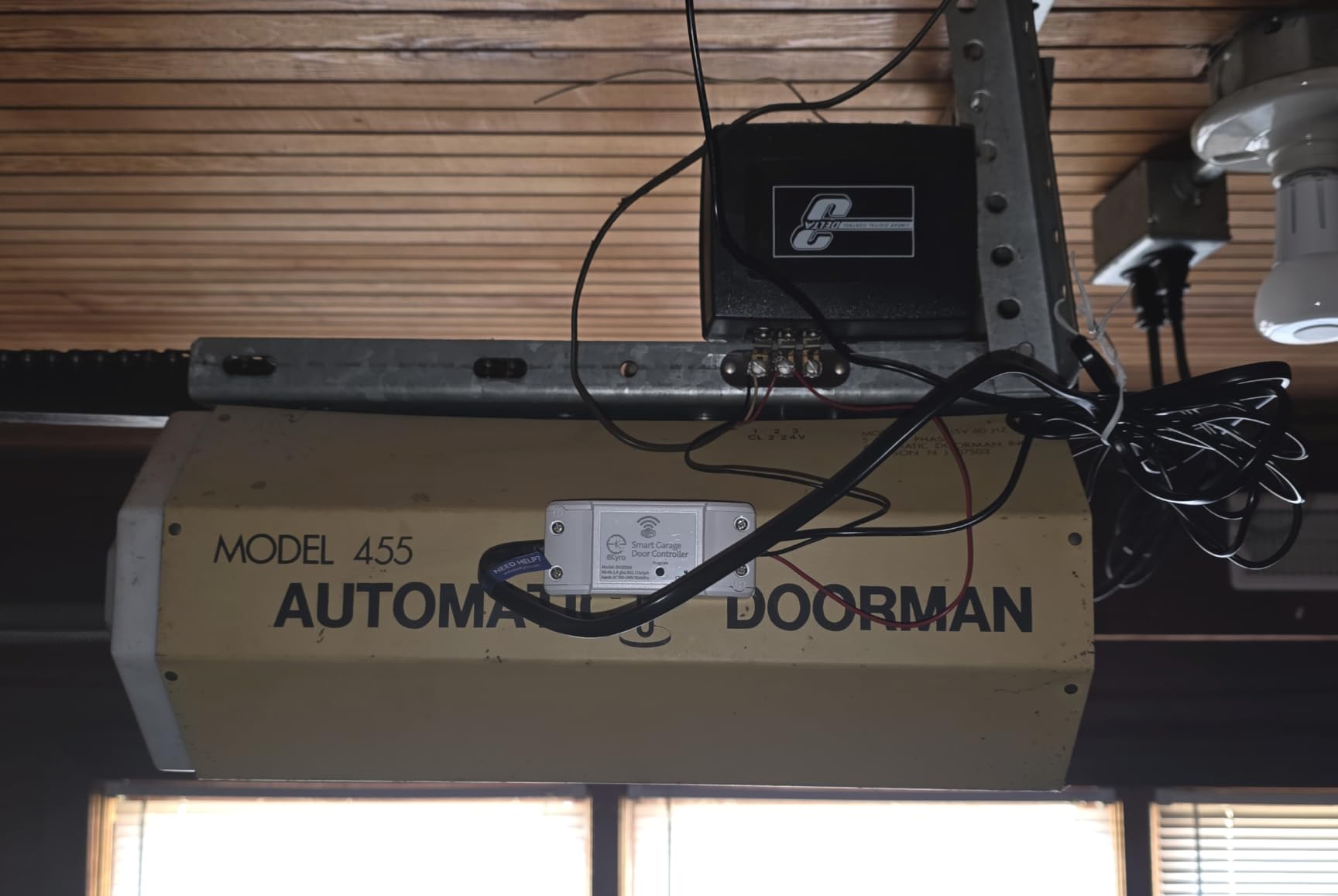
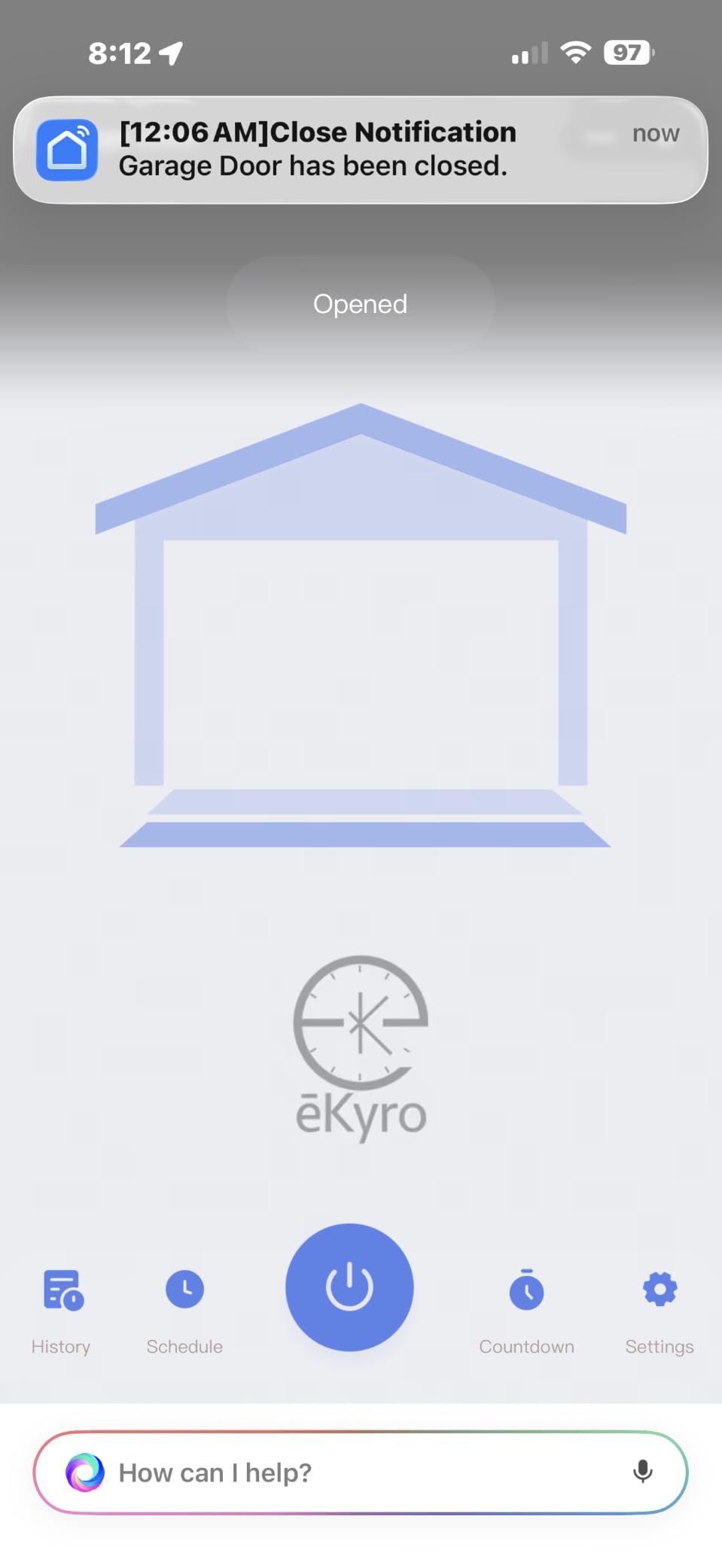
Voice control is the feature that separates it from the cheaper tier. Alexa, Google Home, Siri and SmartThings are all supported directly, with no hub and no separate bridge. That combination of four platforms and no monthly fee is unusual in this category, and it is the reason this unit earns the value badge rather than a cheaper controller.
There are three honest limits. RYOBI openers are excluded. Optional SMS and phone call alerts can carry charges beyond the base functions, which matters if you plan to lean on phone notifications rather than push alerts. And multi-door households need one unit per door, since the controller pairs with a single opener.
Which households get the most from eKyro
Cross-brand homes are the sweet spot. Because the adapter is universal rather than brand-locked, a household running a Genie door and a Chamberlain door under separate units keeps both in the same voice assistant. Forum users cite mixed-brand multi-door control as a decisive purchase factor, and this controller serves it without special wiring.
Vacation and rental households also benefit. Reviewers use the scheduling and sharing features to grant timed access to a sitter or contractor, and with no subscription the running cost does not change after the first month.
Where eKyro is the wrong choice
It is not the answer for a RYOBI opener, full stop. It is also a weaker fit for HomeKit households, since Siri support here runs through the assistant rather than a certified HomeKit integration.
Owners who want phone calls or texts when the door opens should read the alert terms closely before buying. Push notifications and app history are included, but the voice-call and SMS add-ons are described in reviews as carrying extra cost.
3. meross MSG100 Smart Garage Door Opener – Best for HomeKit and Home Assistant
meross Smart Garage Door Opener Remote, APP Control, Compatible with Alexa and SmartThings, Multiple Notification Modes, No Hub Needed
200+ brands and 1600+ models
Wired high-sensitivity sensor
Security+ 1.0 and 2.0
No hub required
2 year warranty
Pros
- Widest stated brand and model coverage
- Free adapter when an opener needs one
- HomeKit variant in the same family
- Wired sensor needs no battery
- Two year warranty and no monthly fees
Cons
- Does not support Security+ 3.0
- 2.4 GHz only with no 5 GHz option
- Wired installation with no battery alternative
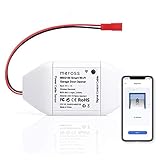
The meross MSG100 is the smart garage door controller to shortlist first if Apple Home is your hub or if you run Home Assistant. It covers more openers than anything else here, with 200-plus brands and 1,600-plus models stated, and the company ships a free adapter when a specific opener falls outside that range.
The family also includes an MSG100-HomeKit variant, so Apple users get a certified path rather than a workaround. Alexa, Google Assistant, SmartThings and IFTTT are supported on the standard unit, and multiple notification modes cover open and close status, overtime and overnight alerts. There is no subscription on any of it.
Two details separate meross from the bargain tier. The door sensor is a wired, high-sensitivity unit rather than a battery tilt sensor, which removes the most common maintenance complaint in this category. And the warranty runs two years, longer than the one year offered by the Chamberlain and Genie kits.
The compatibility ceiling is the protocol line. The unit supports Security+ 1.0 and 2.0 but not Security+ 3.0, which is a documented limitation rather than a vague one. If your opener uses the newest rolling code, this controller will not work regardless of brand.
Why Home Assistant users gravitate here
The combination of local network control, IFTTT support and no vendor subscription is the profile r/homeassistant users look for. With a HomeKit variant and IFTTT on the same platform, this unit fits routines that other brands in this roundup cannot join.
The MSB200 variant of the family covers two door sensors in one kit, which lowers the per-door cost for two-car households compared with buying two single-door units.
Where meross stops
Security+ 3.0 owners need to look elsewhere, and the 2.4 GHz requirement rules out any network without a 2.4 GHz band enabled. The controller is also wired in, with no battery option, so power and terminal access both matter at install time.
Reviewers also note that some openers still need the included adapter. That is a minor inconvenience given it ships free, but it does mean the install occasionally takes longer than the simplest two-wire jobs.
4. LiftMaster 882LMW WiFi Control Panel – Top Rated
LiftMaster 882LMW – ONLY Compatible with Security+ 2.0 LiftMaster Garage Door Openers – WiFi Supported Garage Door Control Panel -Wired Connection Required for Power Source
Replaces the wall control
Wired power required
Security+ 2.0 only
LED setup indicator
5.75 x 3.88 inches
Pros
- Highest rating in this roundup
- Swaps directly for a LiftMaster wall control
- Ten-minute installation reported by owners
- LED indicator verifies the install
- Keeps myQ Wi-Fi control on OEM hardware
Cons
- Only works with Security+ 2.0 LiftMaster or Chamberlain openers
- Wired power so no battery operation
- No wires included so reuse existing wiring
- Does not cover other brands or protocols
The LiftMaster 882LMW has the highest rating of any product we covered, at 4.7 across 1,811 ratings, and that number comes from a very specific buyer. If you own a LiftMaster or Chamberlain opener with a round yellow learn button and two yellow antennas, this panel replaces your existing wall control and adds myQ Wi-Fi control to it.
It is not an add-on that sits next to your wall button. It is the wall control. Owners report roughly a ten-minute installation, and the LED command indicator confirms the wiring is correct before you close the cover. At 5.75 by 3.88 by 1.88 inches and 1.76 ounces, it matches the footprint it replaces.
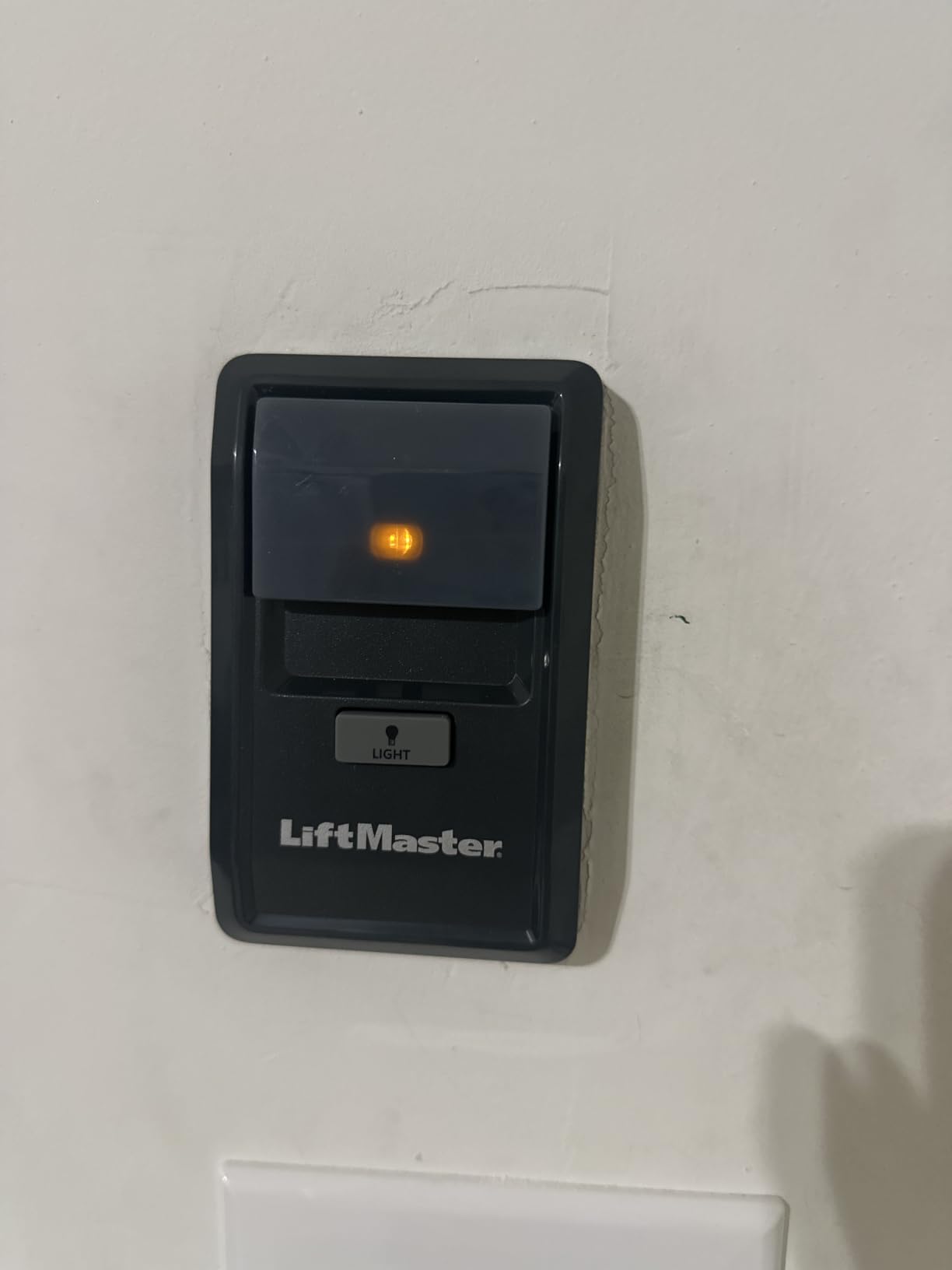
The appeal is that it uses genuine OEM hardware with myQ enabled and Wi-Fi setup through the standard myQ device site. No adapter, no compatibility guesswork, no third-party app. For a matching opener this is the cleanest install available, and reviewers repeatedly describe it as far cheaper than ordering the OEM part.
The constraint is severe and worth stating plainly. Round yellow learn button, two yellow antennas, Security+ 2.0, LiftMaster or Chamberlain. Any other brand, any other protocol, and this panel is the wrong purchase regardless of how good the price looks.
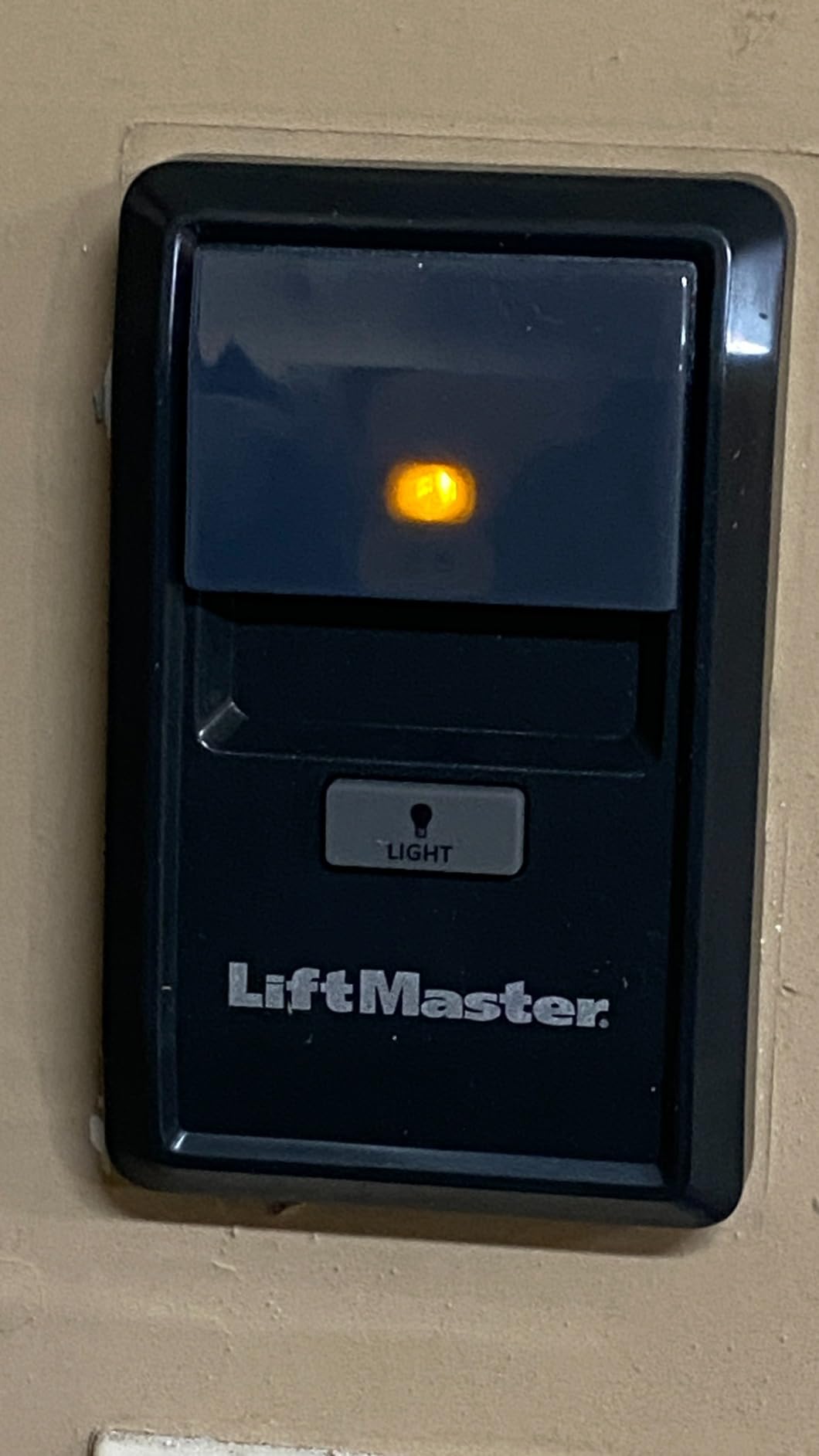
What makes this the highest rated unit
When the hardware matches, there is nothing to configure. The panel inherits the opener’s own rolling code rather than bridging to it, which removes the pairing failures that dominate reviews for universal adapters. Owners of matching systems report stable myQ connectivity and normal remote programming afterwards.
It is also the only unit here that replaces rather than augments, which matters if your existing wall button is loose, cracked or missing. The panel covers the same wall area with the same function plus connectivity.
Who should skip it
Anyone with a Genie, Linear or RYOBI opener, and anyone whose learn button is not yellow, should cross this off the list. It also requires a wired power connection at the wall, so a garage without an existing outlet at the button location adds work.
No wires are included, which is normal since you reuse the existing terminals, but it does mean a stripped or corroded existing cable can slow the install. Long-term users also note the unit stays dependent on myQ cloud services for its app features, which is the usual trade for staying inside the OEM ecosystem.
5. AGSHOME GAR-01 Smart WiFi Opener Remote – Budget Pick
AGSHOME Smart Wi-Fi Garage Door Opener Remote, APP Control, Compatible with Alexa, Google Assistant, No Hub Needed with Smartphone Control
Smart Life and Tuya app
2.4 GHz only
Magnetic wired sensor
Alexa and Google Assistant
Hardwired to terminals
Pros
- Lowest entry cost in this roundup
- Install typically takes 30 to 45 minutes
- Wired magnetic sensor needs no battery
- Guest sharing and scheduling in the app
- Works with most existing opener brands
Cons
- 2.4 GHz Wi-Fi only with no 5 GHz support
- Voice open requires a 4-digit PIN
- US plug only
- Single sensor cannot show partial open
The AGSHOME GAR-01 is the budget pick, and its appeal is straightforward: a full Wi-Fi controller with no monthly fee for the least outlay in this roundup. At 1,364 ratings it has enough owner feedback to make the trade-offs clear rather than speculative.
It runs on the Smart Life and Tuya app, which many households already use for other devices, and it pairs with Alexa, Google Assistant and SmartThings. Installation is described as a 30 to 45 minute job because the unit hardwires directly to the opener terminals and uses a magnetic wired door sensor rather than a battery tilt sensor.
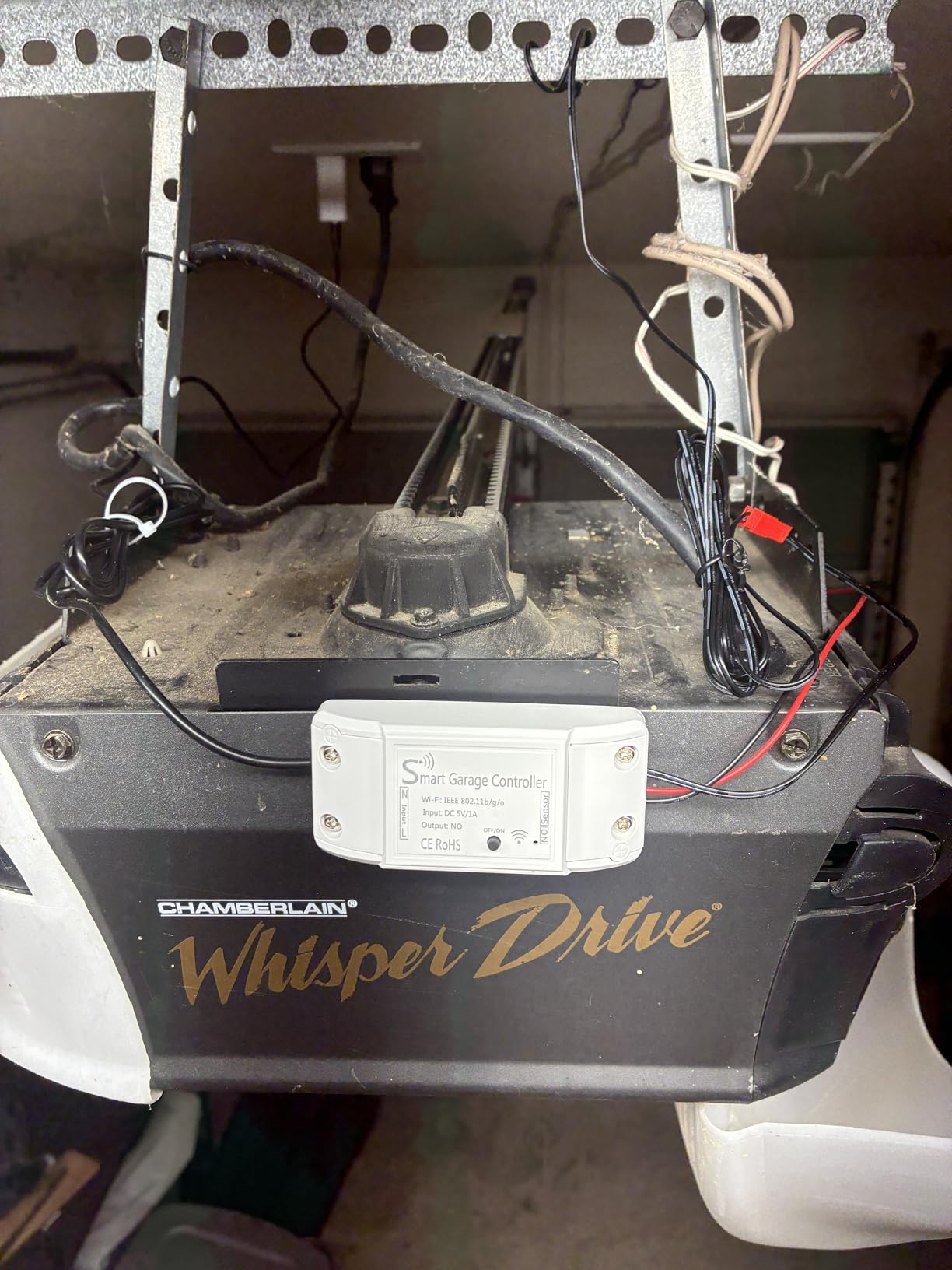
That wired sensor is the quiet advantage. No battery to replace means no low-battery alerts and no mystery open states months after installation, which is the single most common complaint about the battery-powered kits in this category.
The app pairing is the weak spot. Reviewers report that Smart Life integration can take several attempts, and the instructions are called confusing by some owners. That is a one-time cost of patience rather than an ongoing problem, and reliability is described as solid once configured.
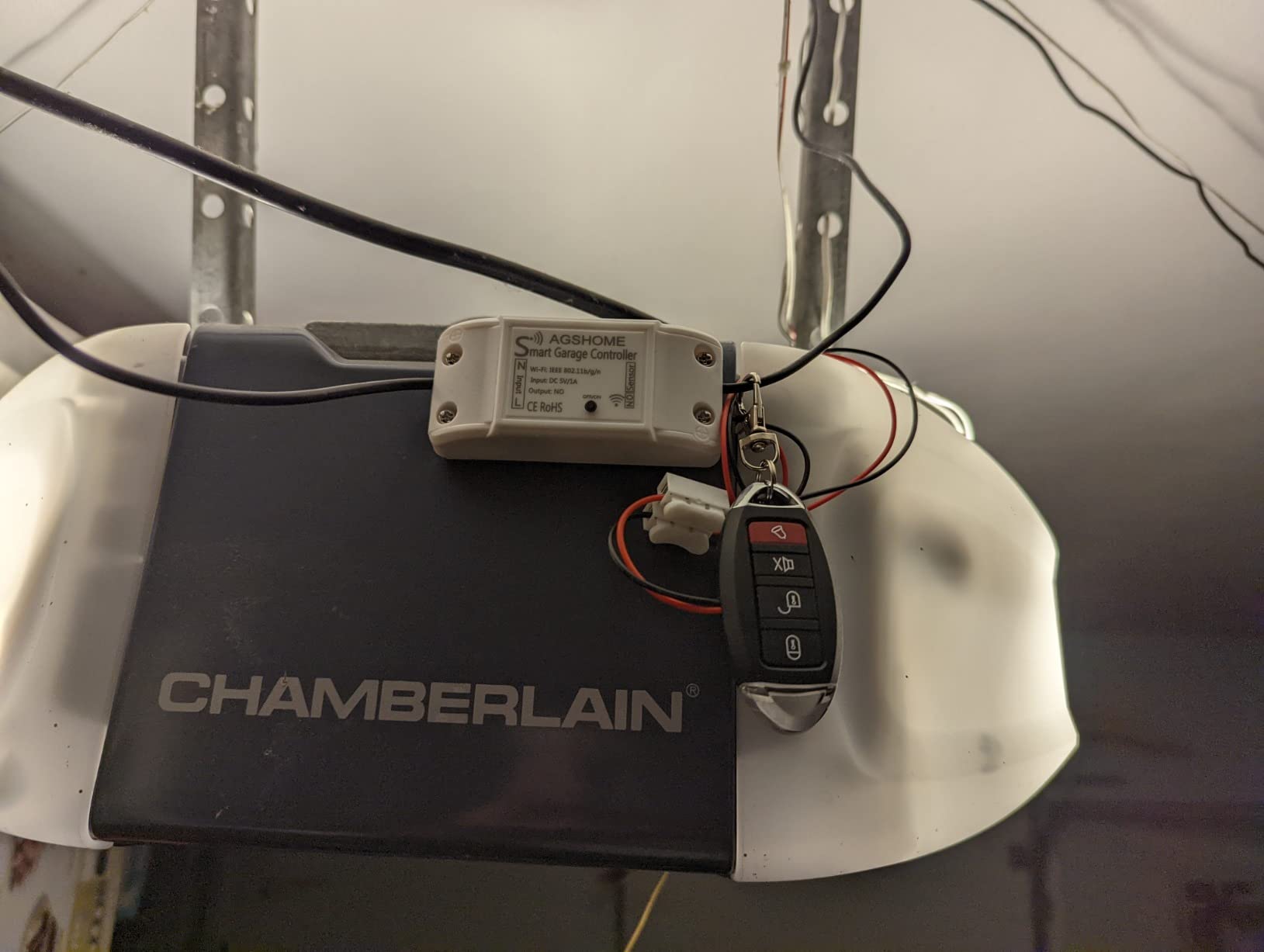
Where AGSHOME fits a household
First-time smart garage buyers on a budget, and anyone already running the Tuya or Smart Life ecosystem for lighting and plugs, get the most from this unit. Guest sharing works well for dog walkers and helpers, and scheduling covers the school-run close.
It also suits older openers that predate modern wall consoles, since the controller connects to the opener terminals directly. As long as the opener accepts a standard wall button signal, the brand is less important.
Where the budget shows
The 4-digit PIN requirement for voice opening is the most reported limitation. Alexa and Google will not open the door without a spoken PIN, which breaks every voice routine that assumes a simple open command.
The single magnetic sensor also cannot distinguish a partially open door from a fully open one, so mid-travel states read as open. And the unit is 2.4 GHz only with a US plug, which rules out some international installs.
6. Aubric Smart WiFi Garage Door Remote – Best for Multi-Assistant Setups
Smart WiFi Garage Door Opener Remote Controller, Smartphone App Control, Compatible with Alexa, Google Assistant and IFTTT, No Hub Required
Alexa Google Siri IFTTT HomeKit
Two-wire installation
200 meter range
Needs lithium batteries
Smart Life app
Pros
- Supports Alexa Google Assistant Siri IFTTT and HomeKit
- Pre-purchase terminal compatibility test included
- Simple two-wire install at the opener
- Multi-user access with notifications
- Scheduling for open and close times
Cons
- Requires lithium metal batteries
- Smaller review base than the leaders
- Compatibility must be verified before buying
The Aubric controller is unusual for a budget-tier device because it lists HomeKit alongside Alexa, Google Assistant, Siri and IFTTT. That combination makes it the pick for homes where more than one person, or more than one platform, needs to reach the door.
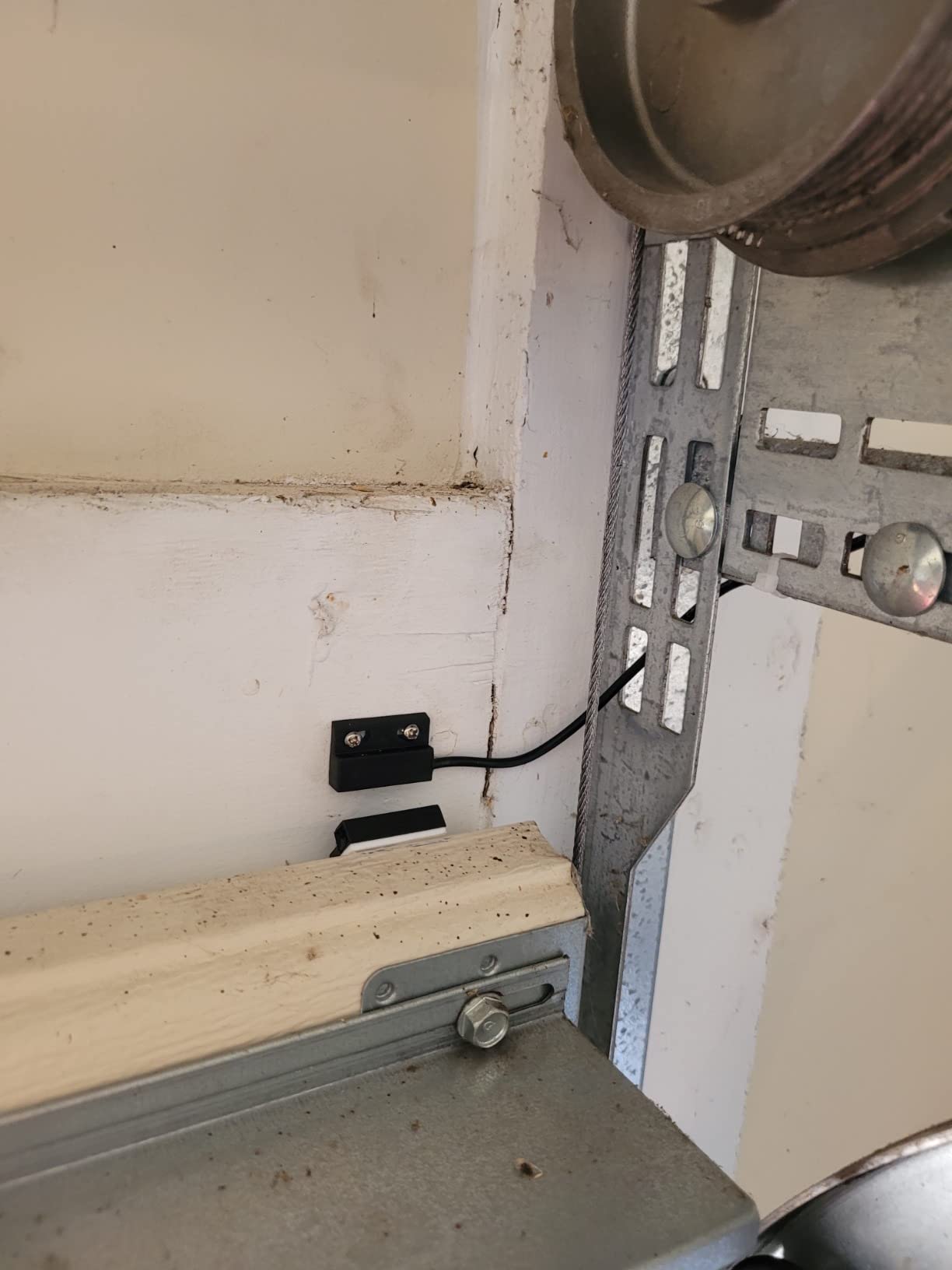
It connects with two wires at the opener motor head and uses the Smart Life app for control and history. The stated range is 200 meters, and the unit itself is small at 3.54 by 1.57 by 0.98 inches, though it does require lithium metal batteries rather than drawing power from the opener.
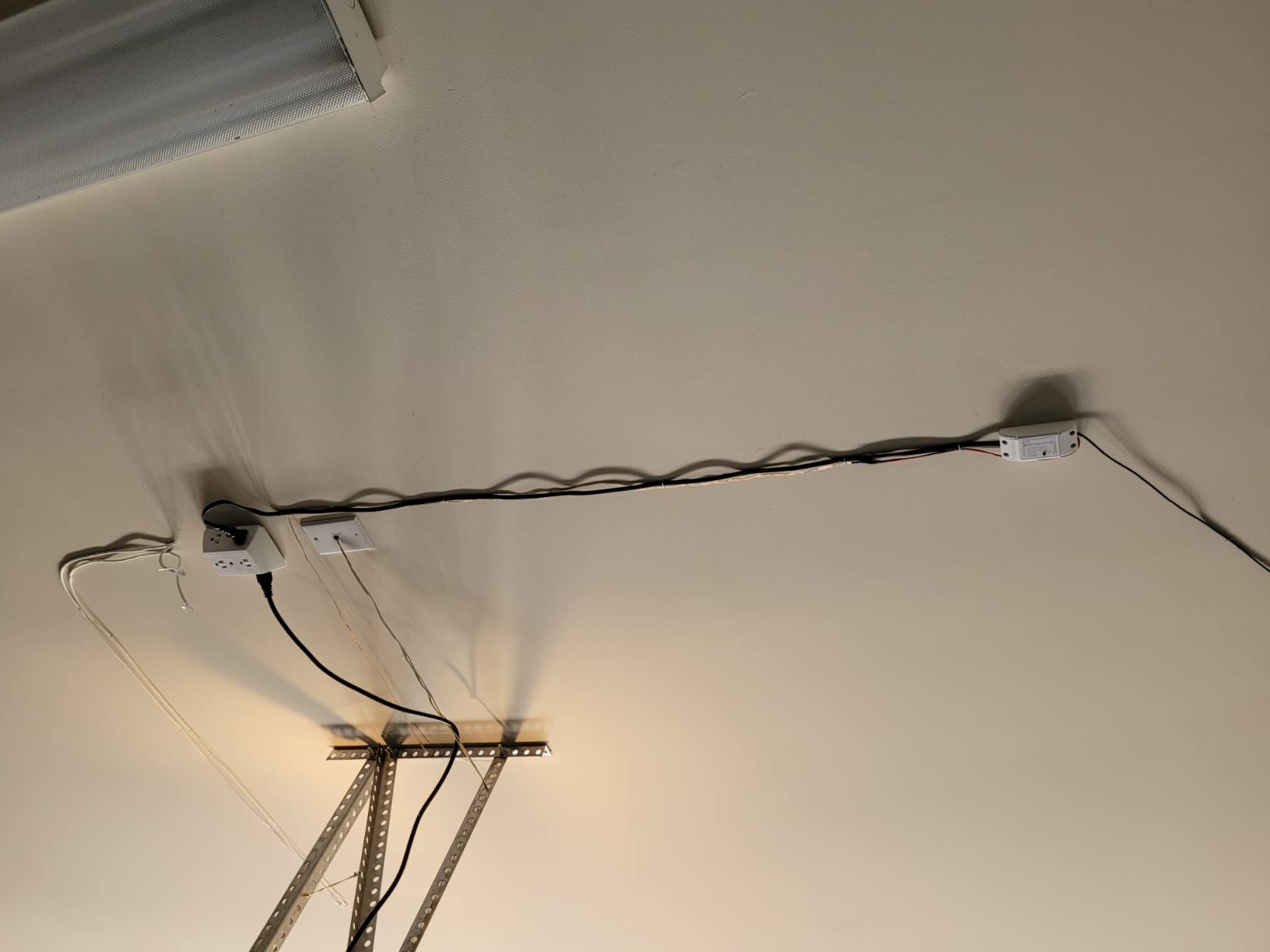
The most useful thing Aubric ships is a compatibility test. The instructions tell you to bridge the wall button terminals with a wire or paperclip before buying, and an application guide is available to check your opener against the supported list. Several controllers here use the same method, and it is the most sensible way to avoid a dead-end return.
Multi-user support with per-user notifications is the other draw. For a house where a partner, a contractor and a sitter all need intermittent access, having individual notifications is worth more than a cheaper unit that treats everyone as one shared login.
Who should choose the Aubric
Households with mixed voice ecosystems. A family that uses Google at home, Siri on a watch and HomeKit for a partner does not have to pick one platform to control the garage. Scheduling also covers the recurring school-run and work-commute close.
Reviewers also flag it as a reasonable first smart garage purchase when the goal is simple app control without a subscription, since there is no recurring fee attached to the core functions.
What to weigh before buying
Batteries are the recurring annoyance. Unlike the AGSHOME and meross wired sensors, this door sensor takes lithium metal batteries, which means you will eventually be replacing them rather than never touching them.
The review base is also smaller than the leaders here, at 1,059 ratings, which means less long-term reliability data. Buyers who value a multi-year track record over the platform list should weigh that against the Chamberlain or LiftMaster options.
7. myQ Video Keypad Wired Power Adapter Kit – Best Accessory for Video Keypad Owners
myQ Smart Garage Door Video Keypad Wired Power Adapter Kit-Works with Chamberlain, LiftMaster and Craftsman openers, White
25-foot power cord
Swivel mount
Short circuit protection
1 year warranty
Video Keypad sold separately
Pros
- Removes the battery charging cycle entirely
- Swivel mount improves camera angle
- Cable clips keep the run tidy
- Install takes 15 to 20 minutes
- Works with Chamberlain LiftMaster and Craftsman openers
Cons
- Video Keypad is not included
- Mounting holes have no insect caps
- Bracket thumb screw is not security grade
- Cord length can be tight in some garages
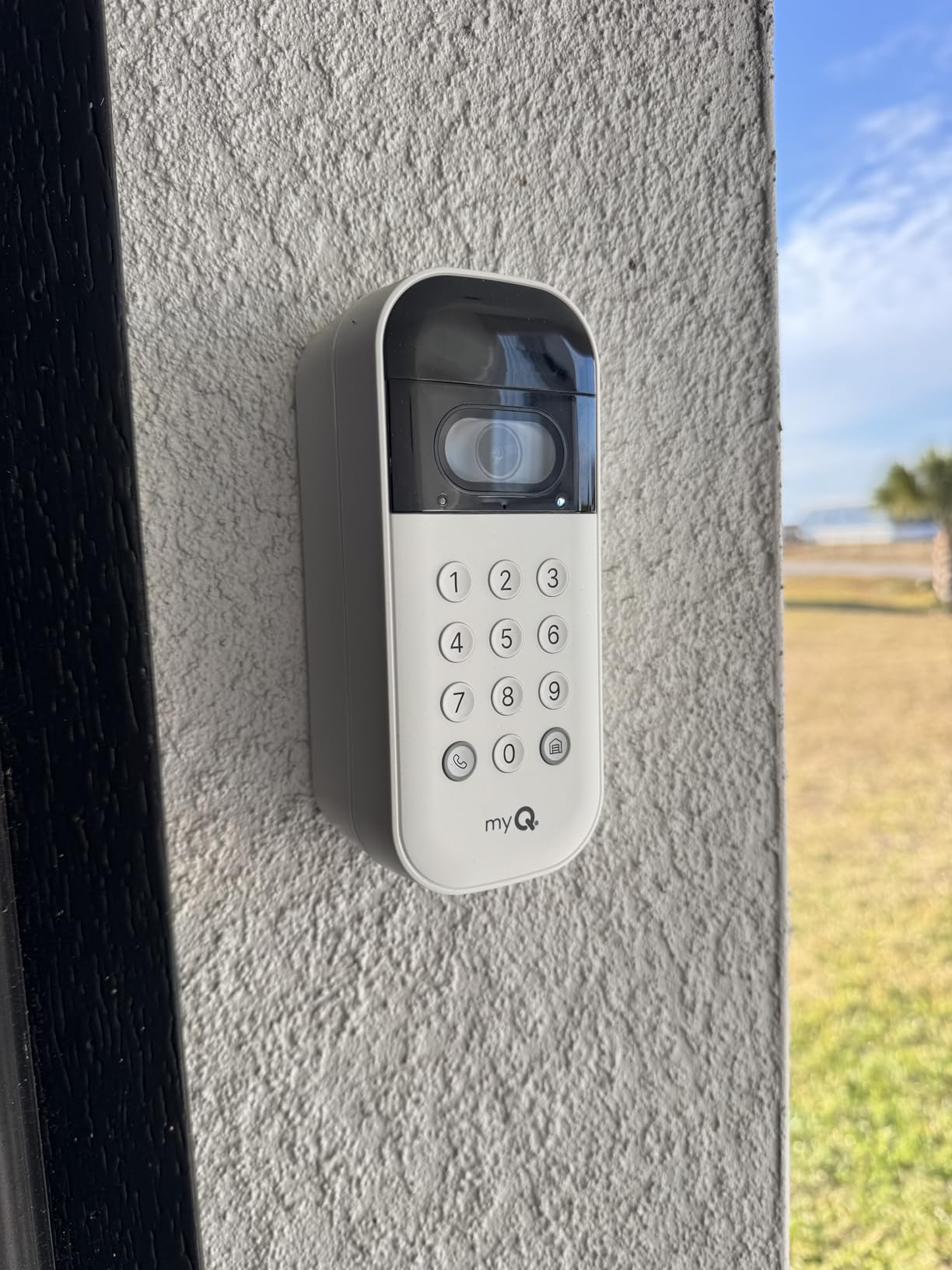
This kit is an accessory rather than a controller, and we include it because it solves a specific problem myQ Video Keypad owners hit within the first month. The keypad battery lasts roughly 30 days before it needs charging, and this 25-foot power cord removes that cycle entirely.
Reviews describe it as a near-universal recommendation from owners. At 4.5 stars across 749 ratings, the response is unusually consistent for an accessory: continuous power, a 15 to 20 minute install, and a swivel mount that lets you angle the keypad camera properly instead of leaving it pointed at the wall.
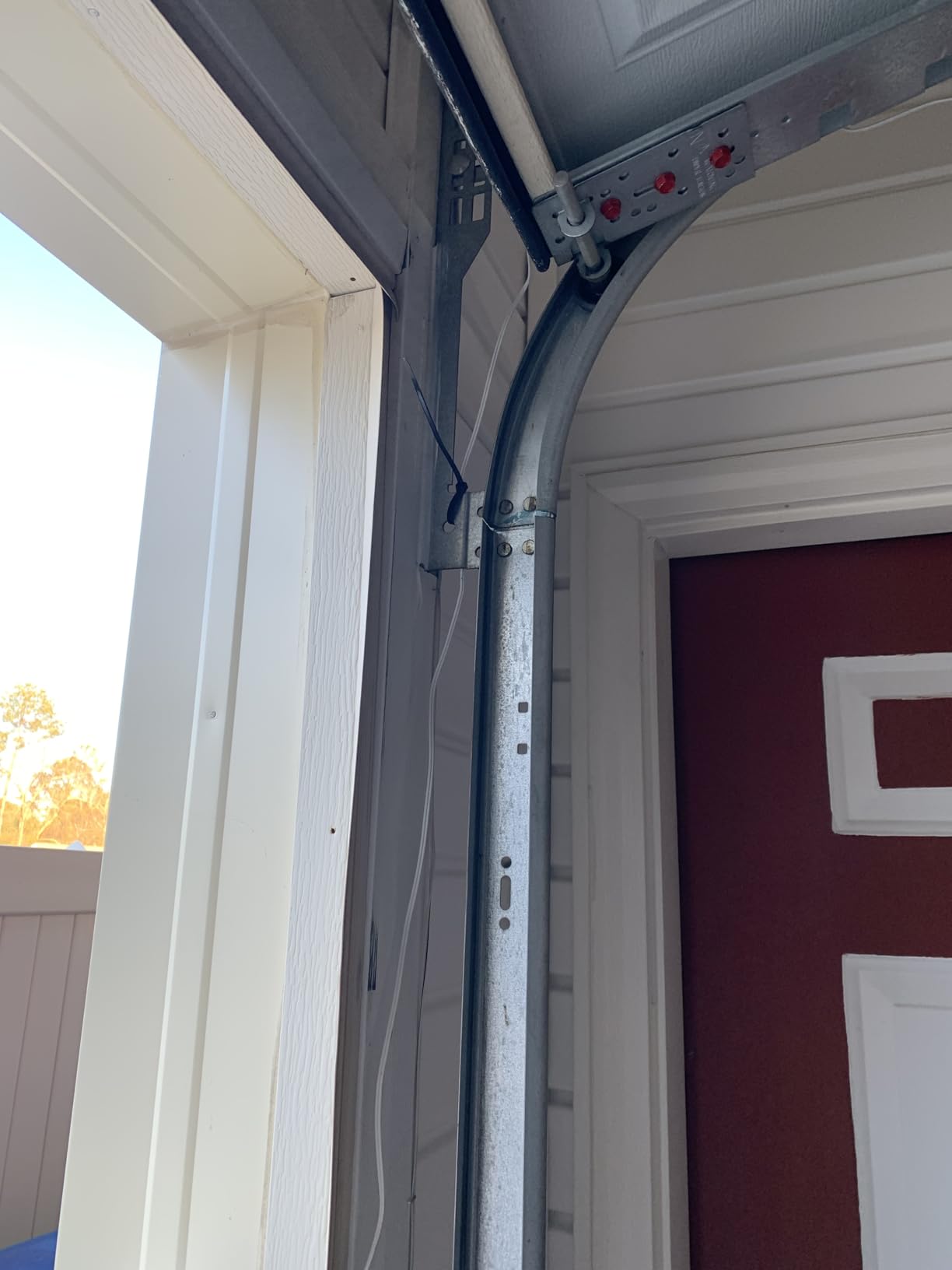
The concealable cord is the detail owners appreciate most. Cable clips route the 25 feet along the wall or ceiling so the run reads as part of the opener instead of a trip hazard, and the short circuit protection is a sensible addition for hardware that sits in a damp garage.
Compatibility covers Chamberlain, LiftMaster and Craftsman openers, which is the same OEM family as the keypad itself. The kit carries a one year warranty and weighs just over a pound, so it is an easy addition rather than a rebuild.
Who this kit is for
If you already run a myQ Video Keypad and find yourself plugging it in every few weeks, this removes the single most common annoyance of that setup. Access is still PIN-based and video still works, but the battery stops being part of the routine.
It also suits households that dislike the idea of a garage entry device going dark while nobody is home to notice the dead battery. Continuous power removes that failure mode entirely.
What it does not do
Be clear about what this is. The Video Keypad itself is sold separately, so this kit alone will not give you a camera, PIN access or two-way audio. It powers an existing keypad and nothing more.
Owners also note that the mounting holes ship without screw caps or grommets, which can let insects reach the wiring in a garage. The bracket thumb screw is not security-grade either. And if your keypad sits more than 25 feet from an outlet or the opener’s low-voltage terminal, the cord length can be the limiting factor.
8. EVERSECU Tuya WiFi Garage Door Controller – Best for Local Control
EVERSECU Tuya Smart WiFi Switch Garage Door Opener Controller Compatible with Alexa Echo Google Home SmartLife/Tuya APP Control No Hub Required
Smart Life and Tuya app
LocalTuya and Home Assistant support
10 amp rating
Plug-in power
2.4 GHz only
Pros
- Direct plug-in power removes the USB brick
- LocalTuya and Home Assistant control supported
- Open reminders with countdown timers
- Multiple user access with no monthly fee
- CE ETL RoHS and cULus certifications
Cons
- WiFi drops after several hours for some users
- 2.4 GHz only
- Voice open needs a PIN
- Notifications unreliable away from home
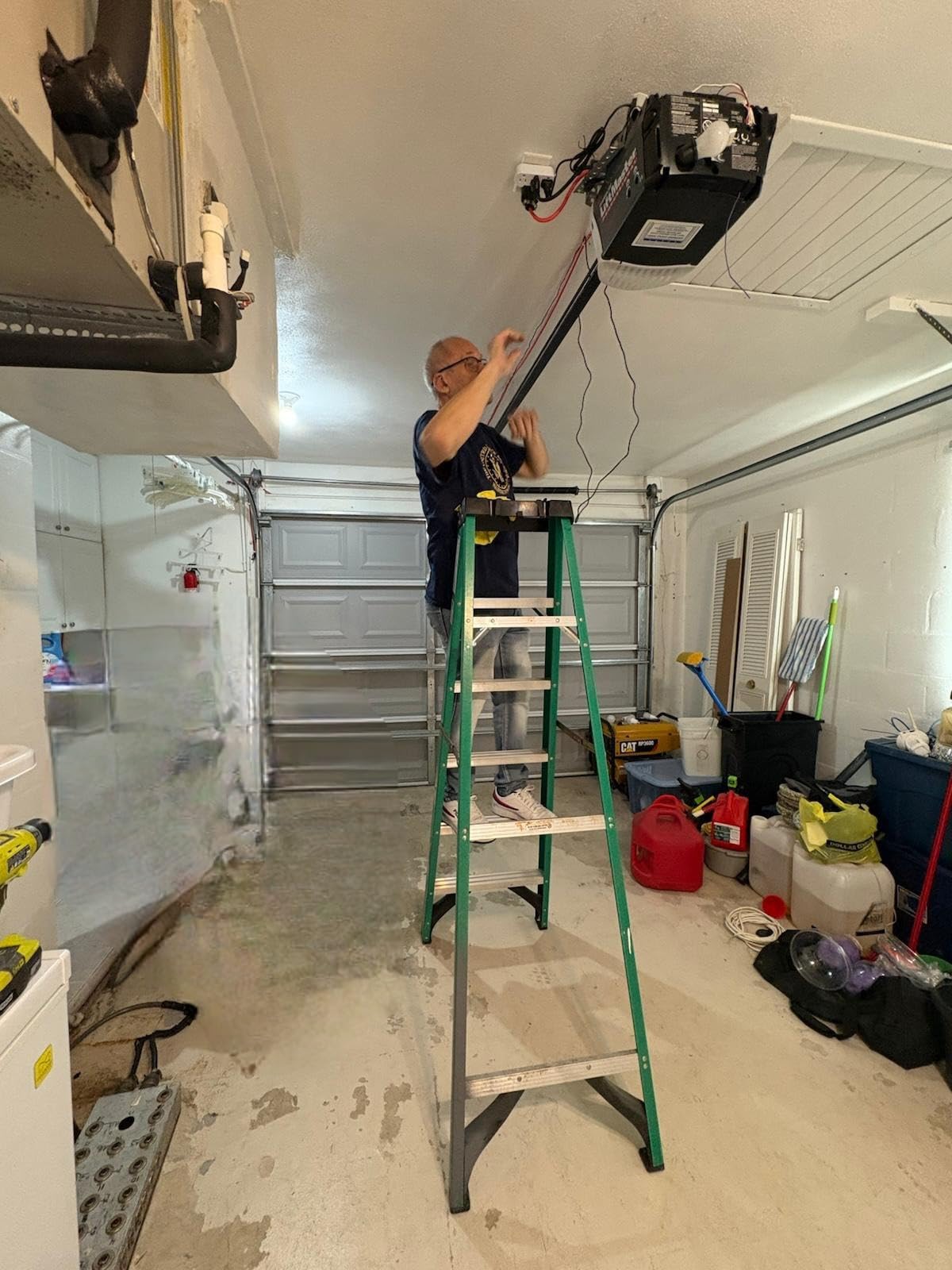
The EVERSECU controller is the pick for Home Assistant users who want to keep the garage on the local network. LocalTuya support means the door can be driven from inside your own network rather than a vendor cloud, which is exactly the priority r/homeassistant users describe as non-negotiable.
It runs on the Smart Life and Tuya app with Alexa, Google Home and SmartThings integration, and SmartThings pairing is reported as working. Open reminders, countdown timers and multi-user access cover the routine features, with no monthly subscription on any of them.
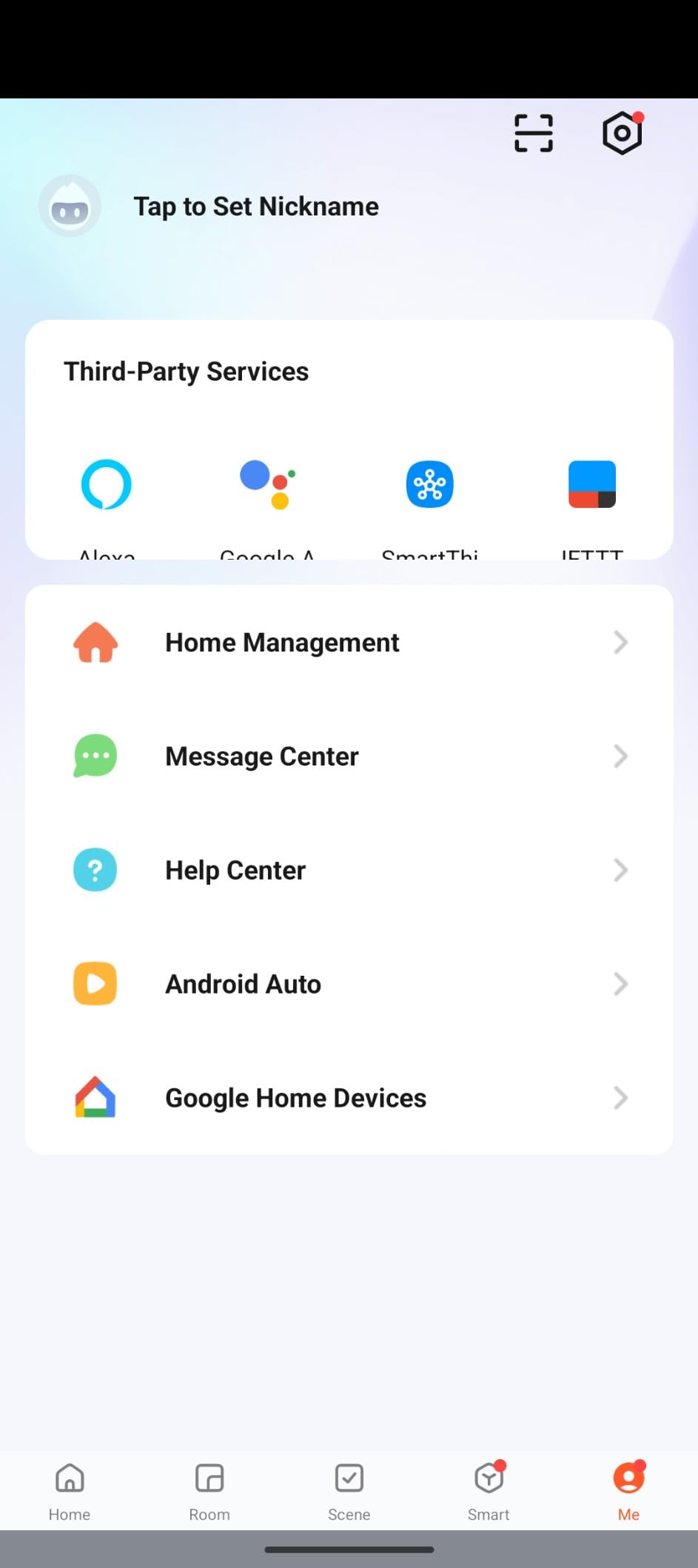
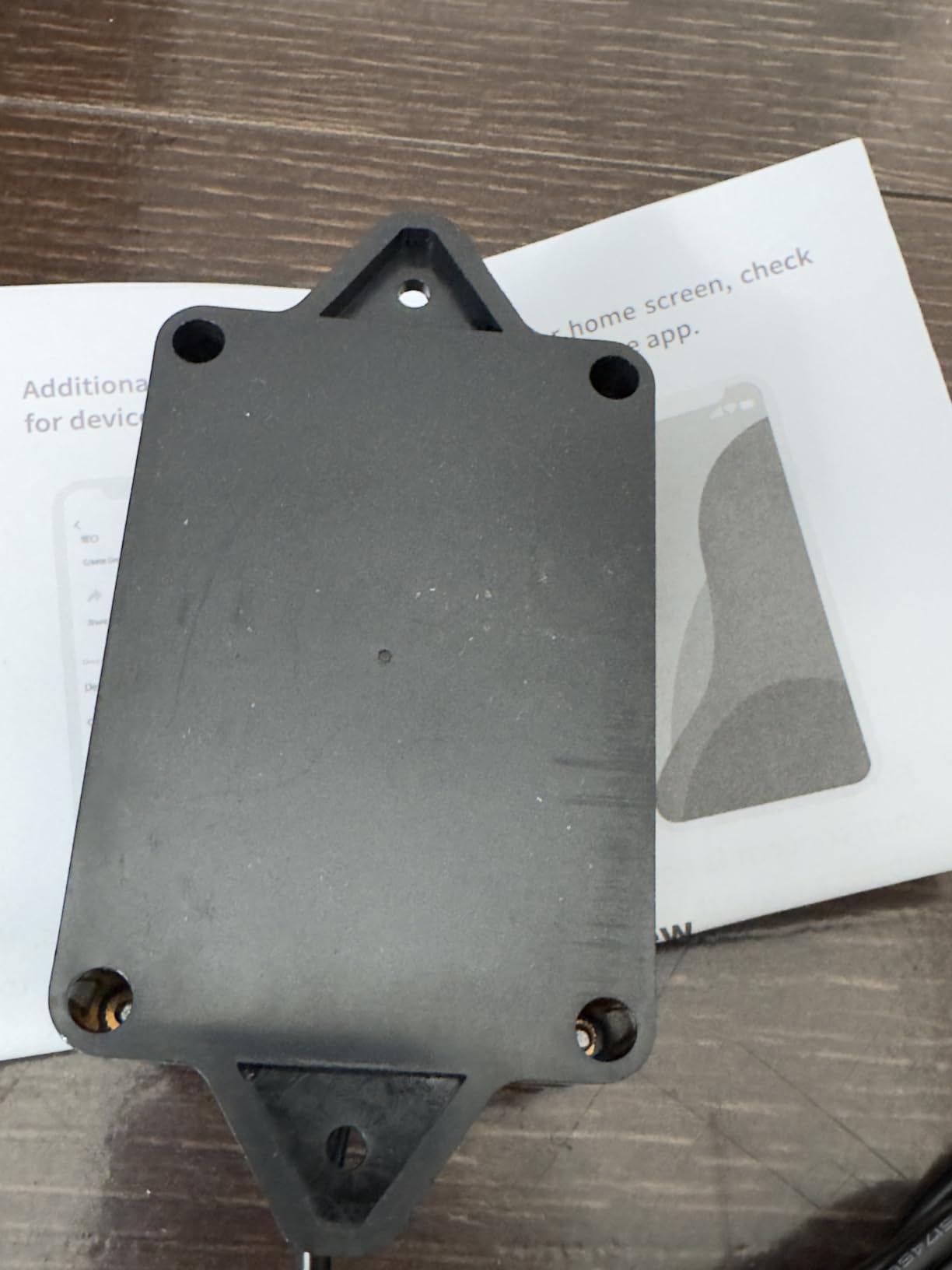
The physical design is the differentiator here. It plugs directly into a wall outlet rather than using a USB power brick, and the current rating is 10 amps. It is also the most thoroughly certified unit in the roundup, carrying CE, ETL, RoHS and cULus marks.
The Wi-Fi stability is the honest weak point, and reviewers repeat it. Multiple owners report the controller disconnecting after roughly eight hours and needing a power cycle, along with high latency until the connection has been running a while. Notifications away from home are also described as unreliable by some users.
Why local control matters here
Every other cloud-dependent unit in this roundup stops reporting when its vendor has a bad day. A local-control setup keeps working through an internet outage and keeps working if the vendor retires the integration. For a door that secures tools, vehicles and packages, that continuity is worth something.
The trade is setup effort. LocalTuya integration is not a one-click process in Home Assistant, and it assumes some comfort with self-hosted configuration. Buyers who want the app to just work should look elsewhere in this list.
Where it falls down
Connection stability is the deciding factor for most households. If your garage router signal is marginal, this unit will frustrate you more than a pricier one with a better antenna.
The 4-digit PIN requirement for Alexa voice opening also applies, which limits voice automations, and the 2.4 GHz only restriction stands. With 389 ratings the long-term data is thin, so treat reliability claims as provisional.
9. TOPENS TC196 WiFi Remote Control – Best for Gates and Bluetooth Backup
TOPENS TC196 Tuya WiFi Remote Control
WiFi and Bluetooth dual connectivity
Controls up to four gates
750-foot range
Tuya Smart app
12-month warranty
Pros
- Bluetooth fallback keeps the door usable when WiFi drops
- Controls up to four gate operators
- Longest stated range in this roundup
- Multi-user push notifications
- Four buttons for multi-gate setups
Cons
- Built for gate openers rather than garage doors
- No Alexa Google or SmartThings support
- External receiver needed for third-party openers
- Higher cost than every other controller here
The TOPENS TC196 is the only unit here with a real offline fallback. Wi-Fi and Bluetooth dual connectivity means that when the network drops, the door stays operable through Bluetooth instead of becoming a dead weight on the ceiling.
It is built for gate openers rather than sectional garage doors, and it handles up to four swing gate operators, or one sliding gate plus two swing. The stated range of 750 feet is the longest in this group, and the Tuya Smart app handles multi-user push notifications across all of them.
For owners of a TOPENS gate system this is a capable, well-supported unit with a 12-month warranty and responsive tech support behind it. Four physical buttons map to four separate operators, which is convenient on a property with a driveway gate and a pedestrian gate.
The limitation is ecosystem. There is no Alexa, Google Home, SmartThings or HomeKit support, so it runs on the Tuya app alone. It also costs several times more than the garage controllers in this roundup, which is hard to justify if you have one sectional door and nothing else.
Where the Bluetooth fallback earns its place
Properties with weak or absent Wi-Fi coverage at the gate. A driveway gate at the end of a long drive is a classic dead zone, and a Bluetooth fallback keeps local operation working while the network reconnects.
It is also a good fit for anyone deliberately avoiding cloud dependence on an entry point. The controller works locally by design rather than as a fallback, and there is no subscription attached to the Tuya app functions.
Why most homeowners should skip it
If you have a standard residential sectional garage door and one household, this is the wrong purchase. Every other controller here costs a fraction of the TC196 and supports the voice assistants people actually use.
Adapting a third-party opener also requires an ERM12 external receiver, which adds hardware and setup. Owners should also expect a Tuya-only experience with no mainstream smart home integrations to bridge into.
10. Genie Aladdin Connect ALKT2-R – Best for a Wireless Install
Genie Aladdin Connect Smart Garage Door Controller, Single Door Kit ALKT2-R
Wireless installation
Single door kit
Amazon Key compatible
Works with Alexa and Ring
No monthly fees
Pros
- No wall rewiring for the main unit
- Works with Alexa Ring and most security systems
- Amazon Key in-garage delivery support
- No monthly subscription
- Universal compatibility with major opener brands
Cons
- Only 99 ratings so far
- Door sensor is battery powered
- Single door kit needs another kit per door
- Higher cost than budget WiFi controllers
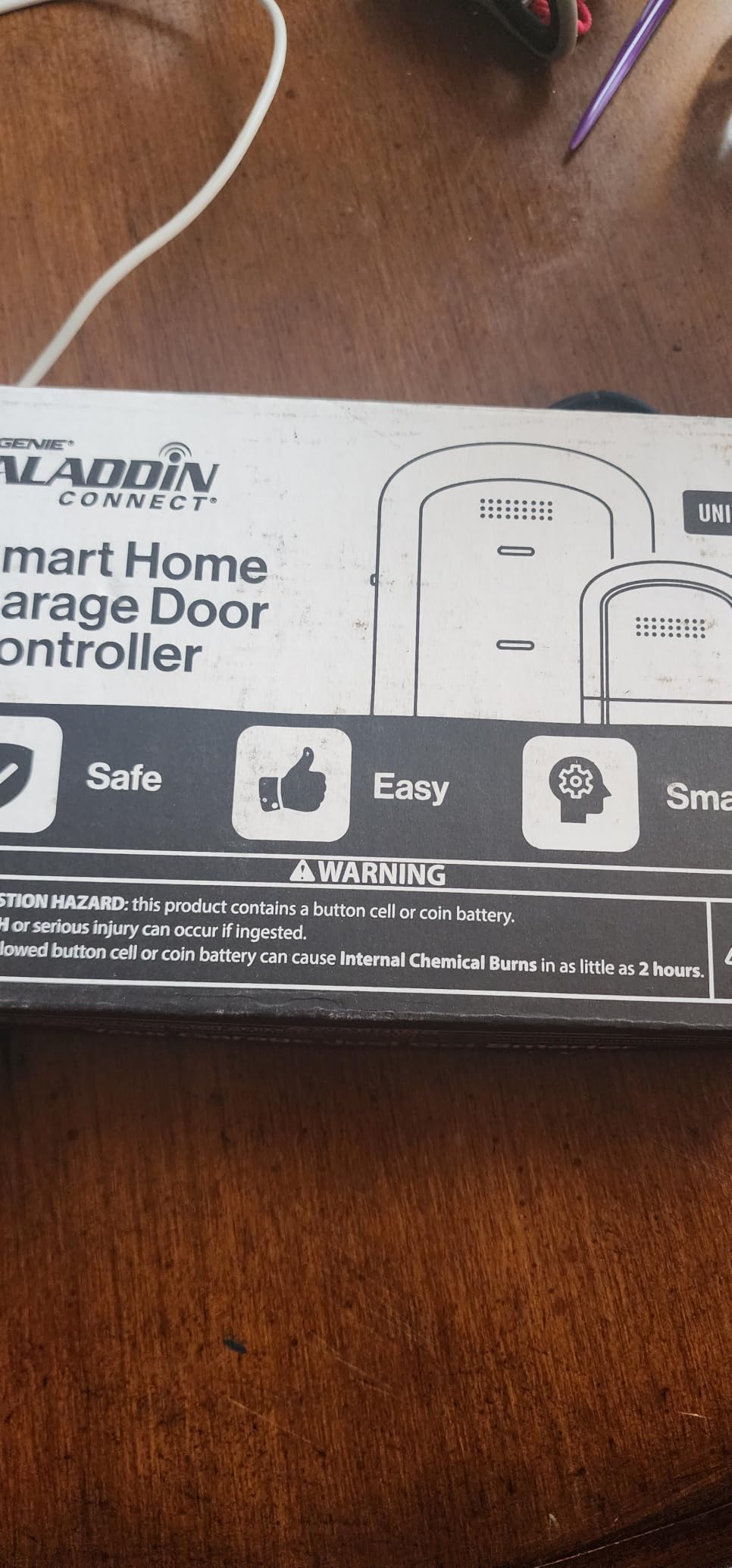
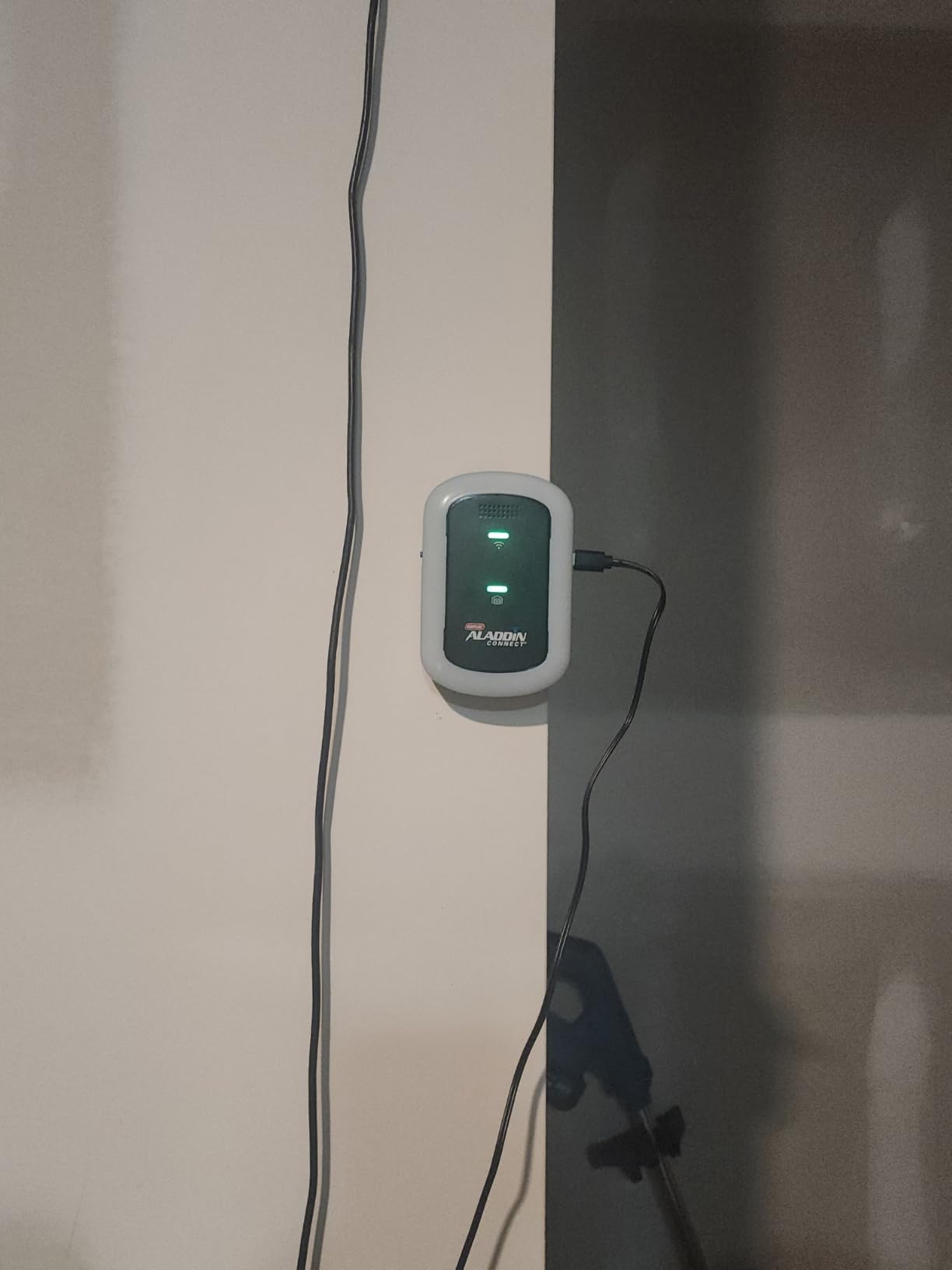
The Genie Aladdin Connect ALKT2-R is the newest unit we covered and the easiest to install, because the main control module mounts without rewiring your wall button. For a homeowner who dreads opening a wall, that single difference changes the whole decision.
The kit includes a door control module, a door position sensor and instructions, and it is rated compatible with most major opener brands rather than one ecosystem. App control works on iOS and Android through Aladdin Connect, with Alexa and Ring integration and Amazon Key support for in-garage delivery. There are no monthly fees.
At 4.6 stars, the rating is strong, but the honest caveat is volume. This kit is the newest release in the group and carries 99 ratings, so there is almost no multi-year reliability history behind it. Long-term owners consistently say ownership duration matters more than spec sheets, and that is exactly the data this product lacks.
The other thing worth noting is that Aladdin Connect runs a comparatively closed app. Home Assistant users in particular have steered each other away from it, since the integration options are narrower than the Tuya and Smart Life platforms that several cheaper controllers use.
Who the Aladdin Connect suits
Households that want phone control without touching a screwdriver. A wireless module installation is a meaningful change for anyone who rents, has finished basement walls, or simply does not own the tools.
Prime members who regularly use in-garage delivery also gain real value, since Amazon Key support means packages go inside a monitored space rather than a visible driveway. Ring users get a path that fits an existing security setup.
Where to be cautious
Ninety-nine ratings is a small sample. Give it a year before recommending it to anyone who cannot easily replace it, and expect the battery-powered door sensor to need replacement on a schedule rather than never.
Multi-door households need a separate kit per door, which raises the total quickly. And if your goal is local control in Home Assistant, the closed Aladdin Connect ecosystem is the wrong direction entirely.
What to Look for When Buying a Smart Garage Door Controller
Compatibility comes before any feature list
Every feature in this category is worthless on an incompatible opener. Identify your rolling code protocol before comparing anything: round yellow learn button means Security+ 2.0 and the widest support, red or green means an older code with narrower coverage, and no learn button usually points to a newer protocol you should verify against a manufacturer list.
Then confirm the wall button has two screw terminals. That is the connection point for all of these retrofit units, and a serial-only board or a battery-backed console changes the job completely.
Subscription fees and the true cost of ownership
Subscription fatigue is the single most common complaint in homeowner forums, and it changes how you should compare these units. Six of the ten products here, including the Chamberlain hub, the meross, the AGSHOME, the eKyro, the Genie and the Aubric, run their core features with no monthly fee.
Pay attention to what a fee actually unlocks. On the Chamberlain hub, reviewers specifically describe the closing strobe and beep as features that cannot be disabled without a paid integration. On the eKyro, SMS and voice call alerts sit outside the core functions. Add the monthly figure to the device cost across three years and compare that against the free options before deciding the ecosystem matters more than the bill.
Local control and cloud dependence
Ask one question: does this controller keep working when the internet does not? Most cloud-dependent units keep physical operation through the wall button or remote, but stop sending notifications, history and shared access. That is usually acceptable. It stops being acceptable if you rely on the app to know the door is closed.
For anyone running Home Assistant, local control is a genuine purchase criterion rather than a nice-to-have. The EVERSECU controller with LocalTuya support is the only unit here built for it, which is also why it earned its place in a roundup dominated by cloud apps.
Ecosystem: Alexa, Google Assistant, SmartThings and HomeKit
Match the controller to the assistant your household actually uses. Alexa, Google Assistant and SmartThings are near-universal in this category. HomeKit is the exception, and only the meross family and the Aubric list it explicitly.
Voice assistants are worth checking carefully. Several budget units require a spoken 4-digit PIN before opening, which silently breaks any routine that expects a plain open command. If you plan to automate your arrival home, do not buy a PIN-gated unit.
Access control: PIN codes, guest sharing and cameras
Most add-on controllers grant access through the app only, which is fine for a family and thin for a contractor, dog walker or house sitter. If you need keypad access, a camera or two-way audio, that is a different product class, and the Chamberlain Video Keypad is where that capability starts.
Guest sharing quality varies more than most specs suggest. Look for whether each user gets their own notifications, whether access can be time-limited, and whether the activity log shows timestamps. Those three details decide whether a sitter’s visit is auditable.
Installation, power and Wi-Fi reach
Retrofit installs range from about 20 minutes to an hour depending on the unit and your wall access. Wired sensors need no maintenance, while battery tilt sensors need attention roughly twice a year. For a hardwired wall mount with a conduit run, the Genie’s wireless approach is the fastest path.
Test Wi-Fi at the garage before buying. Nearly every unit here is 2.4 GHz only, so a router with the 2.4 GHz band disabled will not see them at all. A mesh node in the garage is usually the cheapest fix, and it also helps when the door is closed between the router and the opener. If you are automating the rest of the property at the same time, our picks for the best smart sprinkler controllers for lawns cover the yard side of the same project.
Battery backup and power outages
A smart controller tells you about the door. It does not move the door. If your opener has no battery backup, a power cut means manual operation with the emergency release cord from inside, whatever the app says. Check for a battery pack on the opener itself before assuming you can open in an outage.
For houses where an outage also blocks the Wi-Fi path, a unit with Bluetooth fallback keeps local operation available. For everyone else, the wall button and the remote still work without power as long as the opener has its own backup battery.
Multi-door households
Plan the per-door cost, not the per-kit cost. Some units support a second door with an additional sensor, some need a second complete controller, and the differences are large enough to change the ranking. Households mixing brands across doors should pick universal adapters rather than OEM panels, since an OEM panel is locked to its own brand and protocol.
Two-car households should also check whether the app supports separate users per door. The difference between a shared login and individual notifications is the difference between knowing who opened the garage and only knowing that someone did.
Frequently Asked Questions
What is the best smart home garage door opener?
For most homeowners the Chamberlain myQ Smart Garage Control is the strongest all-round pick, with the largest review base, reliable notifications and Amazon Key support. Home Assistant households get more from the EVERSECU Tuya controller because of its local network control, Apple users should look at the meross MSG100-HomeKit, and anyone with a LiftMaster or Chamberlain opener carrying a round yellow learn button gets the cleanest install from the LiftMaster 882LMW.
What are the downsides of smart garage door openers?
The main drawbacks are compatibility limits, since some units refuse older rolling codes or specific brands; network dependence, because most stop sending notifications when the vendor cloud is unreachable; and installation skill, because the wall button terminals have to be opened. Budget units also often require a spoken PIN for voice opening, which breaks voice routines, and battery-powered door sensors need periodic replacement.
Is Chamberlain myQ worth the money?
The myQ platform is worth it if you want the most complete app and Amazon Key in-garage delivery. It is worth checking your opener first, because the Chamberlain hub does not support Linear openers or Chamberlain Group units with a yellow learn button from 2010 to 2021, and a second door needs an additional sensor sold separately. Owners on r/homeautomation commonly steer each other away from myQ over subscription costs and false open-state alerts, so a no-fee alternative such as the meross or eKyro may suit you better.
Can I make my existing garage door opener smart?
Usually yes. If your opener was made after 1993 and has photoelectric safety sensors at floor level, a retrofit controller can wire into your existing wall button terminals and add app control, notifications and smart home integration while keeping your current motor and remotes. The common exception is openers with a round yellow learn button from roughly 2010 to 2021, which most myQ-based units refuse.
Do smart garage door openers work without Wi-Fi?
The opener itself still works from its wall button and remote regardless of Wi-Fi, and some controllers keep local control through Bluetooth, such as the TOPENS TC196. Most cloud-connected units, though, stop sending phone notifications, activity history and guest access when the internet drops. Check whether the controller supports local or Bluetooth control before you buy if you want alerts during an outage.
Are smart garage doors a security risk?
Rolling-code remotes and PIN-based keypad access can be safer than a shared physical key, since codes can be time-limited and changed without reissuing hardware. The real risks come from weak Wi-Fi passwords, shared logins with unlimited validity, and leaving the wall button accessible when the door is open. Choose a controller that supports per-user access and time-limited sharing, and enable two-factor authentication where the app offers it.
Which Smart Garage Door Controller Should You Buy?
For most homeowners, the Chamberlain myQ Smart Garage Control is the smart garage door controller to buy, because its app, notification reliability and install support have the deepest proof behind them. Check your opener’s learn button colour first, since that single detail eliminates several options before you spend anything.
If you would rather pay less and avoid subscription concerns entirely, the eKyro universal adapter gives you four voice platforms and no monthly fee. Apple households should start with the meross MSG100-HomeKit, Home Assistant users should look at the EVERSECU unit for local control, and owners of a matching LiftMaster or Chamberlain opener with a yellow learn button get the highest rated install in the LiftMaster 882LMW.
Whatever you choose, verify compatibility before ordering and take two minutes to confirm 2.4 GHz signal inside the garage. Those two steps prevent almost every complaint we found across the reviews.