
The sticker price on a printer is the least useful number in the buying decision. What actually costs you money in a home office is the ink or toner that goes through the machine over three years, and a color page runs several times more than a black-and-white one on every printer we looked at.
That is why the best color printers for home offices are not simply the cheapest boxes on the shelf. We spent 2026 reading thousands of owner reviews and specification sheets across ten machines, then sorted them by running cost, print speed, paper handling and the boring stuff that ruins a shared room: wireless reliability, paper jams and whether a cartridge system forces you to throw away ink you did not use.
What follows is a ranked list of ten printers, each with a clear job. Some are refillable ink tanks built for people who print charts and client work every week. Some are color lasers built for people who print invoices, contracts and reports until the toner runs out. A couple are basic enough for a student who needs a resume printed once a month. We tell you which is which, and where each one falls short.
If you have not decided on a format yet, our guides to supertank printers for home offices and all-in-one printers for home offices narrow the field before you read further.
Table of Contents
Top 3 Picks for Home Office Color Printing in 2026
These three cover the widest range of home office needs. The EcoTank ET-2800 is the pick for most people, the MegaTank G3270 is the one to buy on a tighter budget, and the Brother HL-L3220CDW is the only laser on the list.

Epson EcoTank ET-2800
- Cartridge-free ink tanks
- up to 7500 color pages per fill
- print scan and copy
- Wi-Fi and USB

Canon MegaTank G3270
- Refillable MegaTank system
- wireless print scan and copy
- borderless color
- 1.35 inch LCD

Brother HL-L3220CDW
- Color laser at 19 ppm
- automatic duplex
- 250 sheet paper tray
- Wi-Fi and USB
All 10 Color Printers at a Glance in September
Every printer below appears in this table with the details that decide a home office purchase. The full write-up on each one follows.
| Product | Specifications | Action |
|---|---|---|
| Epson EcoTank ET-2800 |
|
Check Latest Price |
| Canon MegaTank G3270 |
|
Check Latest Price |
| Brother HL-L3220CDW |
|
Check Latest Price |
 Brother Work Smart 1360 Brother Work Smart 1360 |
|
Check Latest Price |
 Canon PIXMA TS4320 Canon PIXMA TS4320 |
|
Check Latest Price |
 Epson EcoTank ET-2400 Epson EcoTank ET-2400 |
|
Check Latest Price |
 Canon PIXMA TS3720 Canon PIXMA TS3720 |
|
Check Latest Price |
 Brother MFC-L3720CDW Brother MFC-L3720CDW |
|
Check Latest Price |
 HP OfficeJet Pro 8125 HP OfficeJet Pro 8125 |
|
Check Latest Price |
 HP Color LaserJet Pro MFP 3301sdw HP Color LaserJet Pro MFP 3301sdw |
|
Check Latest Price |
1. Epson EcoTank ET-2800 – Our Best Overall Pick
Epson EcoTank ET-2800 Wireless Color All-in-One Supertank Printer – Black
Ink tank all-in-one
Up to 4500 black and 7500 color pages per fill
10 ppm black and 5 ppm color
Pros
- Ink tanks last a very long time on a single fill
- Small and lightweight at 11.4 pounds
- Quick guided setup with simple ink filling
- Vivid consistent photo and document color
- Works well with cheaper third-party ink alternatives
Cons
- No automatic duplex so two-sided printing needs a manual flip
- Epson app connection and paper-type mismatch errors reported
- Some owners report repeated head cleaning cycles
This is the printer we recommend to most people reading this page. Epson ships it with up to two years of ink in the box, and a single fill is rated at up to 4500 black-and-white pages or 7500 color pages. For a home office that prints a weekly report, a client deck and the occasional flyer, that is a supply budget you can set and then stop thinking about.
The numbers behind it are modest and that is exactly why it works. It runs at 10 pages per minute in black and 5 in color, takes up a 14.8 by 22.8 inch footprint, and weighs 11.4 pounds, which is light enough to move between a shelf and a desk without a second person. Maximum color resolution is 5760 by 1440 dpi, and the Micro Piezo heat-free printhead produces detailed photos and clean text on the same page.
Owners consistently describe setup as the easy part: guided prompts walk you through filling the tanks, and ink filling is reported as simple and largely mess-free. The paper-type prompts are mostly accurate, so a job on plain office paper and a job on glossy photo stock do not need separate fuss. The flatbed scanner handles documents and artwork, and a copy run goes up to 99 sheets.
What you give up is duplex printing. There is no automatic two-sided function, so a ten-page report becomes twenty single-sided pages and a manual reinsertion. Reviewers report the paper-type mismatch prompt appearing more than it should, and the Epson app occasionally failing to connect. Scanning straight to a computer generally wants a USB cable rather than the wireless path.
Why we picked the ET-2800 for a home office
Running cost is the whole argument. There are no cartridges to swap, so there is no combined color cartridge that forces you to discard three colors because one ran low, and no starter cartridge that dies after forty pages. You refill only the tank that is empty, and the bottles are cheap enough that the running cost stays far below any cartridge machine here.
The review base also matters. Ten thousand owner reviews on a printer is an unusual amount of evidence, and at a 4.1 average it tells us the machine is boring in the way a good office tool should be. Our own reviewers favored third-party ink alternatives without any loss of function, which is not something we can say about the two HP models in this list.
Where the ET-2800 will disappoint you
If you print two-sided documents every single day, the missing duplex function is a genuine problem, not a nitpick. You will also want to keep a USB cable within reach for scanning, and borderless printing is capped at 4×6 sizes, so full-letter borderless photos are out.
Repeated head cleaning cycles show up in a minority of reviews, and each one burns ink and time. We have not found this to be a widespread pattern, but if your printer sits idle for weeks at a stretch, keep in mind that a periodic print keeps an inkjet in better shape than silence does.
2. Canon MegaTank G3270 – Best Value Ink Tank
Canon MegaTank G3270 All-in-One Wireless Color Printer
Refillable MegaTank all-in-one
Up to 7700 color pages per ink set
Wireless print copy and scan
Pros
- Refillable ink tanks cut ink costs well below cartridge models
- Included ink lasts a year or more for most owners
- Easy Windows app setup with automatic print head alignment
- Clean black and white output with good color for documents
- Most owners report no paper jams
Cons
- Single-sided printing only with no automatic duplex
- Intermittent Wi-Fi dropouts and location errors reported
- No Ethernet port so a stable wired connection needs USB
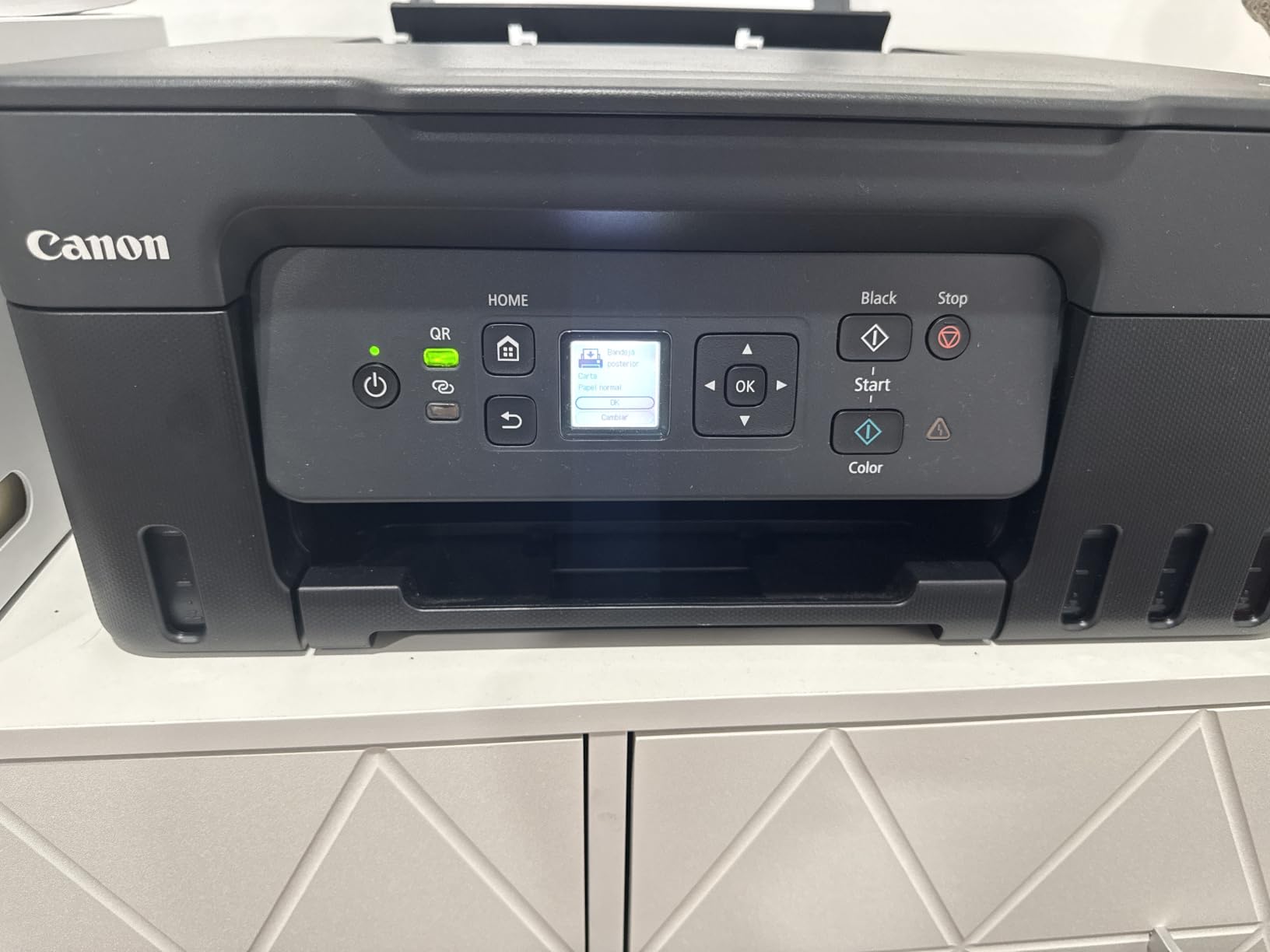
The MegaTank G3270 does the same job as the ET-2800 for less money, and its ink yield claim is actually higher on paper: up to 6000 black-and-white pages or 7700 color pages from one set of inks. Canon also advertises up to two years of ink included, which is how a home office can go a full year without buying a single bottle.
It runs at 11 pages per minute in black and 6 in color, resolves color at 4800 by 1200 dpi, and offers borderless printing. Controls come from a 1.35 inch square LCD, which is small but sufficient. The body is 21.9 by 16.4 by 10.6 inches at 13.2 pounds, so it fits under a desk or on a half-height shelf without much negotiation.
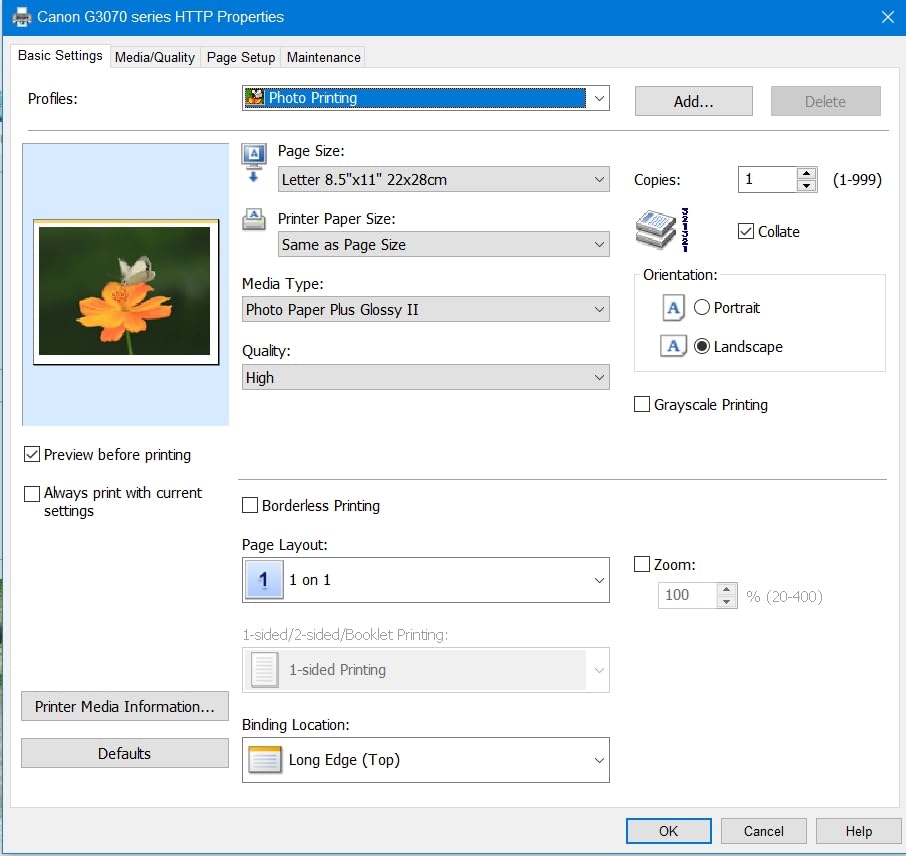
Owners highlight the Windows app, which completes setup and then runs an automatic print-head alignment after a test page. That single feature removes the most common early frustration with a new inkjet. Print quality gets described as clean in black and white and as improved for color documents and photos, and most reviewers report a reliable paper feed with no jams.
The trade-offs are honest ones. There is no duplex function at all, and a handful of owners report intermittent Wi-Fi dropouts or a location error on the app. There is no Ethernet port, so anyone wanting a fixed wired connection has to run a USB cable. The scanner is fine for receipts and documents but its brightness and contrast controls are basic.
Why the G3270 is the value pick
Compare the two ink tanks on this list and the Canon is cheaper to buy, ships with a larger claimed color yield, and has one genuinely useful feature the Epson lacks: a display screen that shows ink levels and settings without a computer. For a shared family printer or a home office where two people use the machine, that screen earns its place.
Paper reliability is the quiet advantage. Across thousands of reviews, jams are the exception rather than a theme, and that matters more in a home than in a studio. If your priority is the lowest running cost with the least babysitting, this is the printer we would hand to a sibling running a small business from a spare room.
Where the G3270 falls short
Single-sided printing is a hard limit, not a settings choice. If half your work is double-sided documents, budget for the time you will spend flipping and reloading, or look at one of the duplex models further down this list.
Documentation is the weak spot. Canon ships no printed manual and the app prompts confuse some first-time owners, so budget an extra ten minutes the first afternoon. Wireless dropouts are not universal, but if your router is older or sits far from the desk, plan on a USB connection as a fallback.
3. Brother HL-L3220CDW – Best Color Laser Pick
Brother Color Laser Printer with Wireless Printing Fast 19 PPM Output, Duplex Feature, Mobile Device Compatible, 250-Sheet Paper Tray for Professional Home Office Printing (HL-L3220CDW)
Color laser print only
19 ppm in both black and color
Automatic duplex and 250 sheet tray
Pros
- Sharp fast quiet laser output with long lasting toner
- Automatic duplex and a 250 sheet tray cut refills and paper use
- Prints reliably from Windows macOS iPhone and Android
- Handles varied paper types and envelopes without damage
- No inkjet head cleaning cycles
Cons
- Print only unit with no scanner or copier
- Heavy at 24.7 pounds and awkward on a small desk
- Toner chip reader blocks third-party cartridges
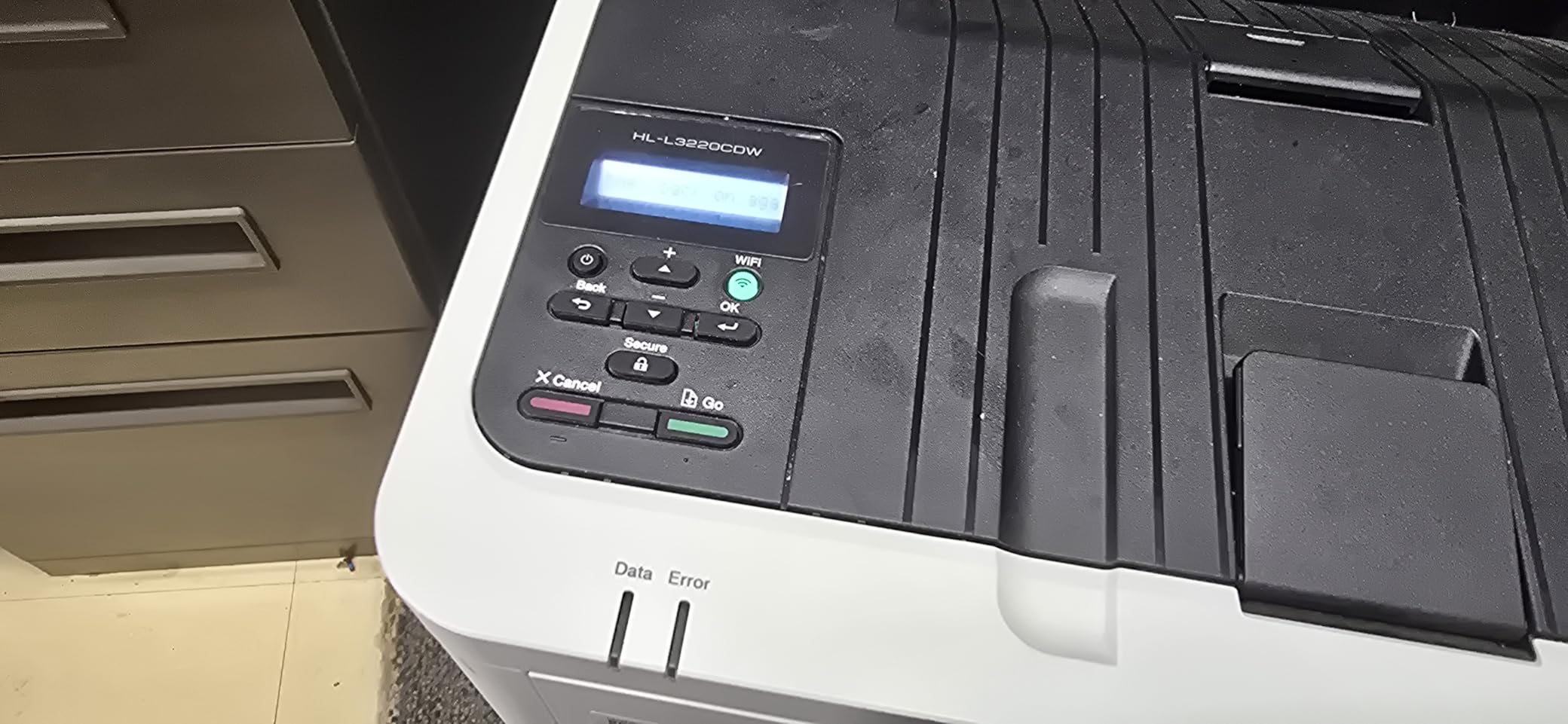
This is the printer to buy if your home office prints mostly text with color accents, not photographs. The HL-L3220CDW runs at 19 pages per minute in both black and color, produces its first page in under 15 seconds, and puts out sharp text at 2400 by 600 dpi. Toner cartridges last for thousands of pages, which is the entire argument for a laser in a busy room.
It also solves two problems the ink tanks create. Automatic duplex printing is standard, so a twenty-page report is ten sheets. And a 250-sheet paper tray with a manual feed slot means you are not topping up mid-job. Paper handling covers letter, legal and 4×6 sizes.
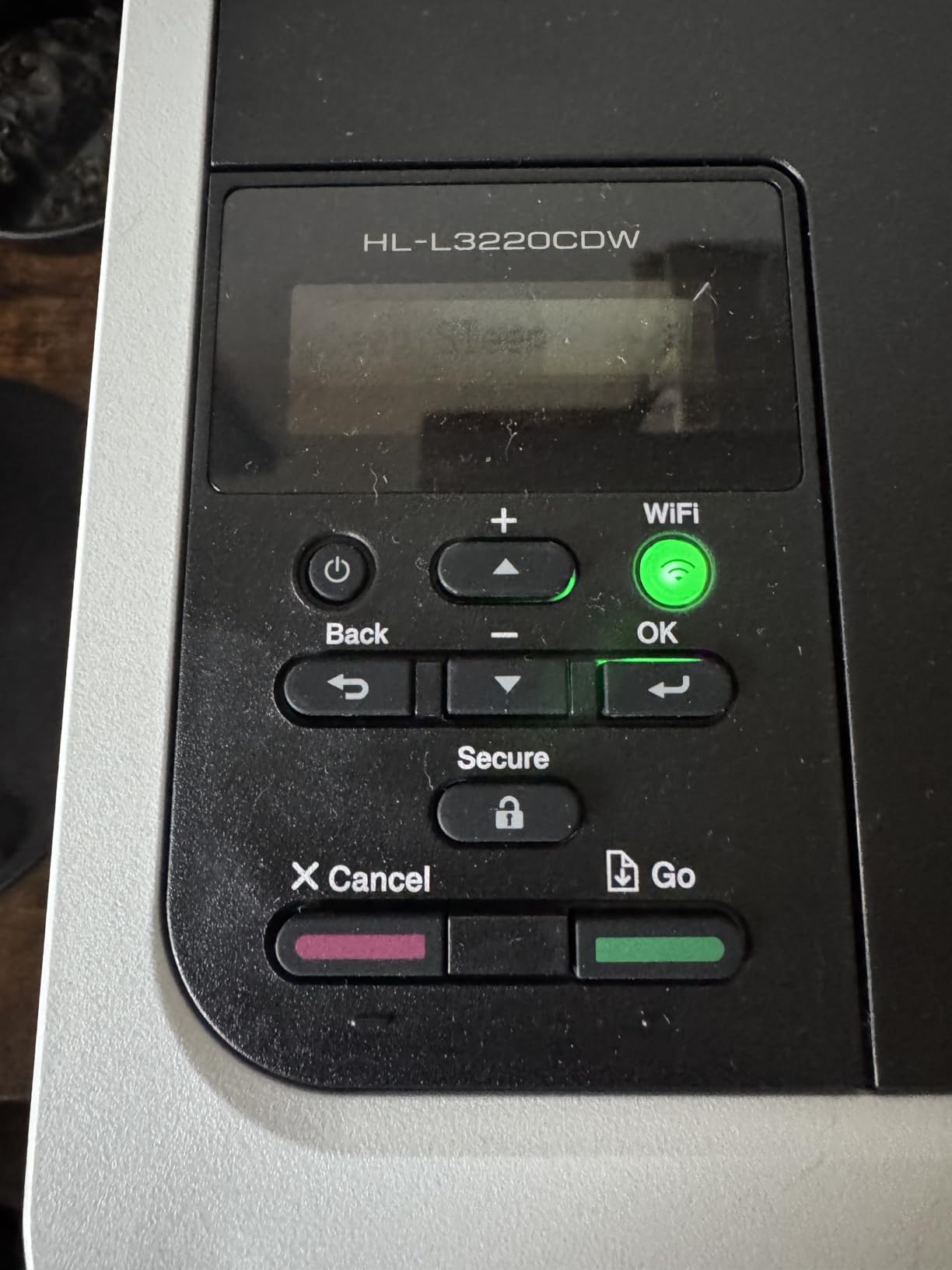
Owners report the unit printing reliably out of the box across Windows, macOS, iPhone and Android, and they like that it handles envelopes and mixed paper without damaging the stock. Laser printers also have no nozzles to clog, which removes the cleaning-cycle interruptions that inkjet owners complain about. Quiet operation is mentioned often enough that we would call it a genuine advantage for a shared room.
Understand what you are giving up. This is a print-only unit with no scanner and no copier, and at 24.7 pounds it is heavy and awkward to reposition. The toner chip reader blocks third-party cartridges, and macOS setup can require certificate and network troubleshooting. Very high resolution files have been reported dropping from the print queue.
Why the HL-L3220CDW suits a text-heavy office
Volume is the deciding factor. If you print invoices, contracts, proposals and reports every week, toner cost per page lands well below inkjet running cost and there is no drying-out risk during a quiet month. Sharp small text is also a laser specialty, and this one is described consistently as producing clean, crisp documents.
Duplex plus a 250-sheet tray is a pairing we look for on every office printer. Combined, they cut both paper consumption and the number of times you walk over to the machine. This is the printer to buy if a shared room, a landlord or a partner is the reason you need wireless in the first place.
Where the HL-L3220CDW is the wrong tool
Lasers fuse toner with heat, and heat is why they cannot print windowed envelopes or glossy photo paper without damaging them. If your work includes photo prints or marketing pieces on coated stock, this machine will not do it and will not be made to.
There is no scanner. If you need to sign a document, copy a receipt or file paper, you will need a second device. And the cartridge chip reader means genuine Brother toner is the only option, so factor that into any long-term cost plan before you commit.
4. Brother Work Smart 1360 – Duplex and an ADF on a Budget
Brother Work Smart 1360 Wireless Color Inkjet All-in-One Print, Scan, Copy
Inkjet all-in-one
16 ppm black and 9 ppm color
Automatic duplex and 20 sheet document feeder
Pros
- Automatic duplex and a 20 sheet feeder in a compact body
- Fast for its class at up to 16 ppm black and 9 ppm color
- 150 sheet tray is larger than most rivals at this level
- 1.8 inch color display with direct cloud printing
- Mobile Connect app tracks ink levels with Page Gauge
Cons
- Cartridge ink means higher running costs than refillable tanks
- 19 percent of reviews are 1 star over connectivity and cartridges
- 20 sheet feeder is small for multi-page documents
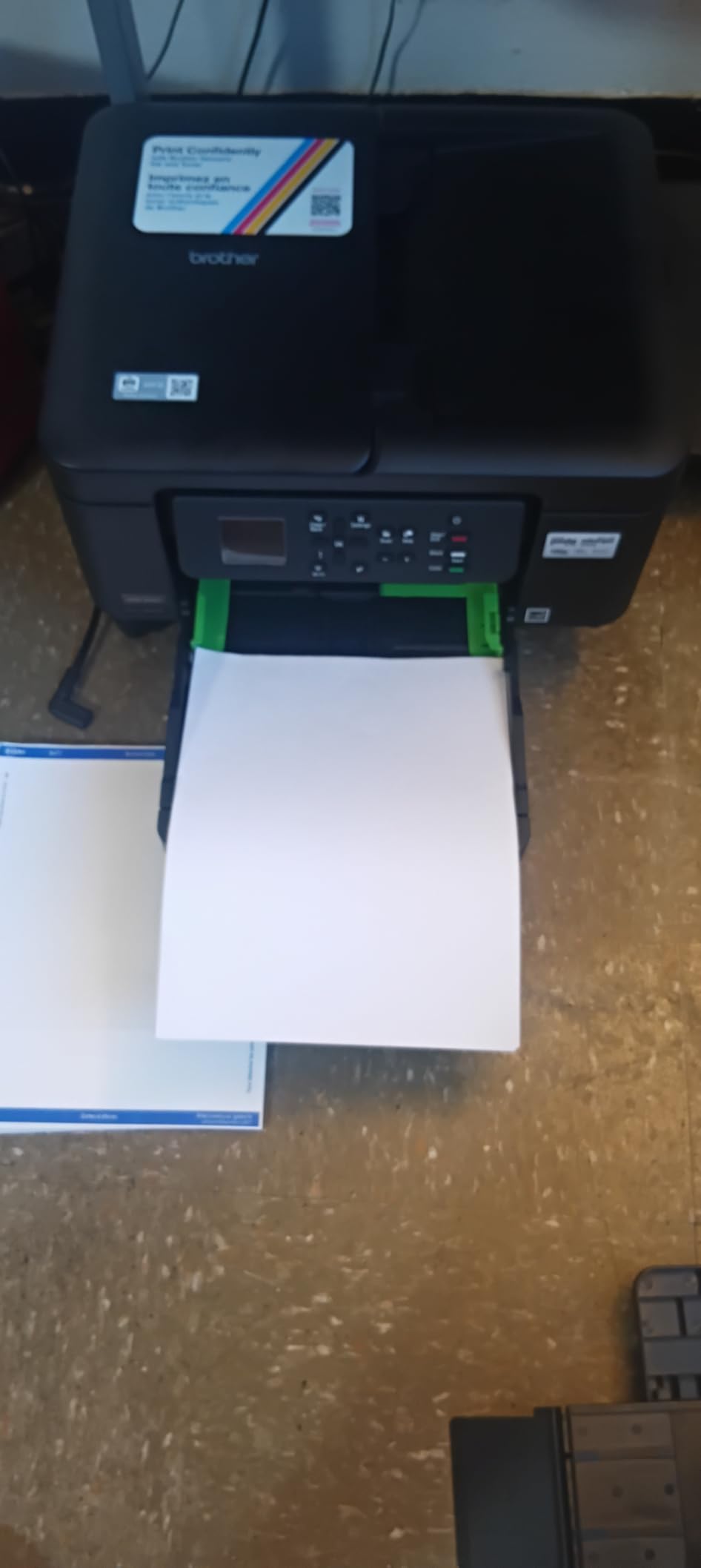
The Work Smart 1360 packs more hardware into a small box than almost anything else at this level. You get automatic duplex printing, a 20-sheet automatic document feeder, a 150-sheet paper tray and a 1.8 inch color display, at 16 pages per minute in black and 9 in color. That is a genuinely useful feature list for one desk.
It measures 15.4 by 13.5 by 7.2 inches at 16.8 pounds, and the flatbed scanner handles documents and photos. Cloud printing goes straight to Google Drive, Dropbox, Box and OneDrive from the display, and the Brother Mobile Connect app covers printing, copying, scanning and ink monitoring through its Page Gauge feature.
Two details stand out. The 150-sheet tray is larger than most machines in this bracket, so a busy Monday does not mean three refills. And at 16 pages per minute in black, it outruns most inkjets we tested at a similar size, which matters when a deadline is at 4pm and the report is due.
The catch is the ink system. It runs on cartridges, not refillable tanks, so cost per color page sits above the two ink tanks on this list. Connectivity and cartridge reliability also pull the average down: 19 percent of reviews are one star, with those two themes repeated most often.
Why the Work Smart 1360 earns its place
Duplex at this level is unusual, and so is a feeder. If you scan contracts, copy receipts or print multi-page documents regularly, having print, scan and copy with automatic two-sided in a single compact body solves three problems at once. The color display is also a real convenience when nobody has a laptop in hand.
For a home office that prints in bursts rather than continuously, this is the sensible all-round pick. It is faster than the ink tanks, cheaper to buy than the color lasers, and it does the scanning the laser does not.
Where the Work Smart 1360 falls short
Running cost is the honest weakness. Cartridge ink means a noticeably higher cost per color page, and if your color output grows next year, that gap widens. If color volume is the plan rather than a side task, the ink tanks are the better buy.
The 20-sheet feeder fills quickly with a real document stack, and the one-star share on cartridges is worth weighing. Wireless dropouts appear often enough in reviews to justify keeping a USB cable in the drawer.
5. Canon PIXMA TS4320 – Longest Warranty in the Lineup
Canon PIXMA TS4320 – Wireless Color Inkjet Printer with Print, Copy, Scan
Inkjet all-in-one
14 ppm black, 9 ppm color
Automatic two-sided printing, dual-band Wi-Fi
Three year manufacturer warranty
Pros
- Automatic duplex printing at an entry-level price
- Supports both 2.4GHz and 5GHz Wi-Fi bands
- Compact footprint at 14 by 14.8 by 6.7 inches
- Affordable PG-295 and CL-286 supply options
- EPEAT Silver and ENERGY STAR certified
Cons
- Two-cartridge hybrid ink system wastes color on light prints
- Entry-level resolution compared with photo printers
- Some owners report needing to re-pair the wireless connection
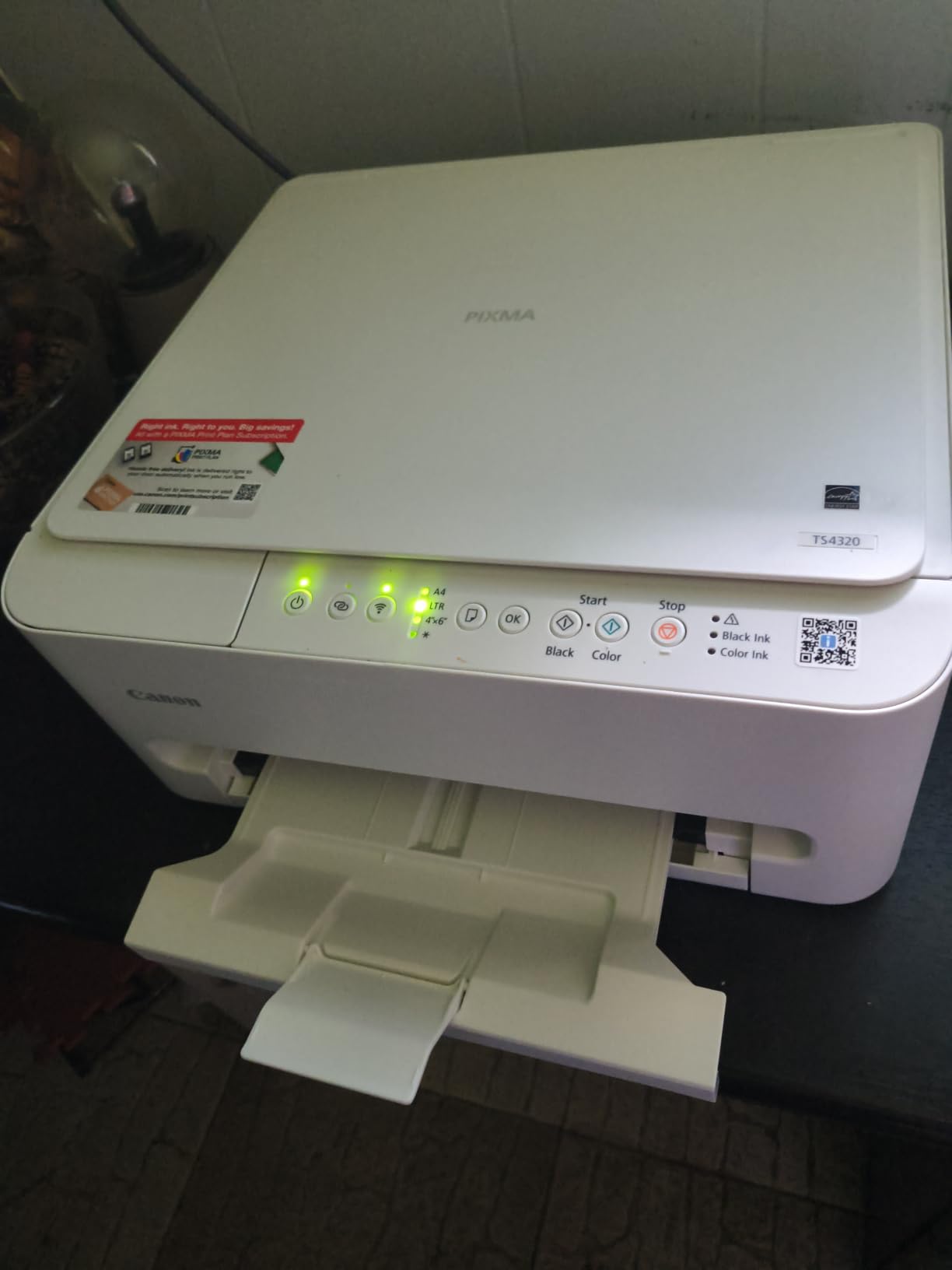
The TS4320 is an entry-level machine that still has automatic duplex printing built in, and it carries a three-year manufacturer warranty while every other printer in this roundup carries one year. For a home office that cannot afford a service call, that coverage is a genuine part of the value.
It runs at 14 pages per minute in black and 9 in color, with a first page out in 9.5 seconds. Dual-band Wi-Fi on both 2.4GHz and 5GHz means it will find your router on either band, which removes a very common setup obstacle. The body is 14 by 14.8 by 6.7 inches, small enough for a shelf.
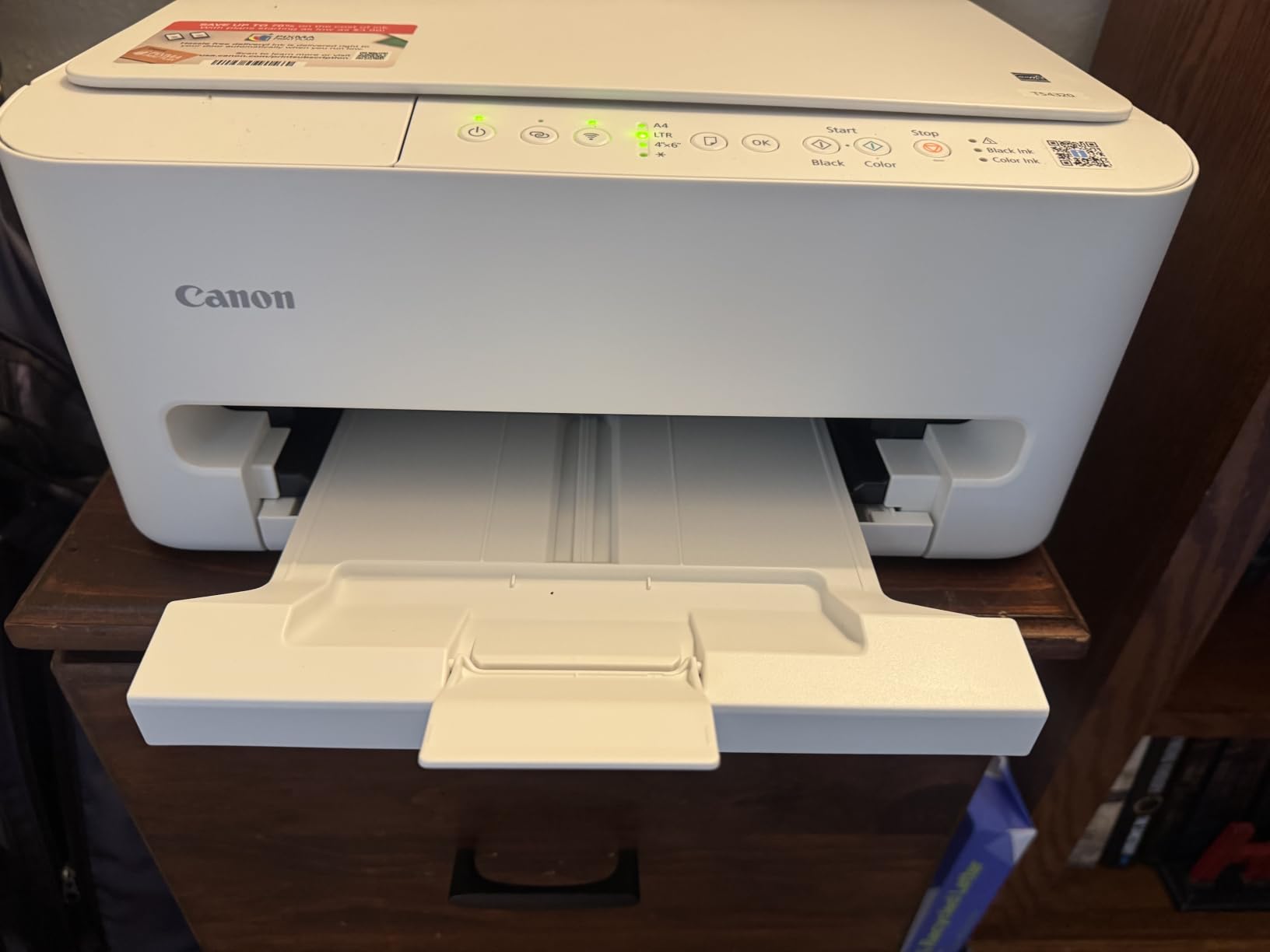
Supplies are a two-cartridge hybrid system using PG-295 black and CL-286 color, which keeps cartridge prices lower than the premium inkjet systems elsewhere on this page. Canon PRINT, Apple AirPrint and Mopria Print Service cover mobile printing, and the flatbed scanner handles copy and scan jobs up to 99 pages per run.
Borderless printing works up to 8.5 by 11 inches, which is more than most budget machines offer. The two-cartridge design is the main compromise: when one color runs out, you replace the whole color cartridge, and a page using a single accent color costs the same as a page using all three.
Why the TS4320 works for a light office
Occasional color is where this printer is at its best. Reports, invoices, occasional charts and a photo every now and then print cleanly, and the entry-level cartridge cost keeps a light user from overspending. The three-year warranty adds a cushion that no other option in this list matches.
Dual-band Wi-Fi matters more than it sounds. Plenty of home routers split traffic across two bands, and a single-band printer that cannot see the 5GHz network is the number one cause of a printer that will not connect. This one handles both.
Where the TS4320 falls short
The hybrid cartridge system wastes ink on light pages. If your documents use one or two colors rather than full color, you are paying for three. That is exactly the pattern many home office invoices and reports follow, so watch your usage pattern before committing.
Print resolution is entry-level, so this is not the machine for photo work. Some owners also report needing to re-pair the wireless connection after a network change, which is a common and usually solvable annoyance rather than a fault.
6. Epson EcoTank ET-2400 – Best for a Light, Cluttered Desk
Epson EcoTank ET-2400 Wireless Color All-in-One Supertank Printer
EcoTank supertank all-in-one
Up to 4500 black and 7200 color pages per fill
10 ppm black, 5 ppm color
8.6 pounds, ENERGY STAR certified
Pros
- Refillable EcoFit tanks let you replace only the color that runs out
- Bright vibrant color with deep blacks and crisp images
- Simple setup over USB or wireless with fast recognition
- Low 12 watt power draw and an 8.6 pound body
- Sharp flatbed scans of artwork and documents
Cons
- No automatic duplex so paper must be flipped manually
- No display screen only status LEDs
- Reports of paper jams on first use and envelope feeding trouble
- Some dual-band routers need the 5GHz band disabled
- Not intended for high volume printing
At 8.6 pounds, the ET-2400 is the lightest printer we tested for this guide. If you share a room with a partner, work in an apartment, or have one shelf to work with, that footprint matters more than any spec on the box.
The ink system is the reason to buy. Refillable EcoFit bottles deliver up to 4500 black-and-white pages or 7200 color pages per fill, and because the tanks are separate you replace only the color that empties. Print quality reaches 5760 by 1440 dpi with Micro Piezo heat-free technology, and first page output is about seven seconds.
Owners praise the color: bright, vibrant output with deep blacks and crisp near-full-page images on ordinary paper. Setup is straightforward over USB or wireless, with computers recognizing the printer quickly. The flatbed scanner produces sharp scans of artwork, and the 12 watt power draw is the lowest we noted among the ink tanks here.
There is no display screen, only status LEDs, which makes troubleshooting harder when something goes wrong. A minority of owners report paper jams on first use and difficulty feeding envelopes. It is also explicitly not a high-volume machine, so a large monthly job will outrun its temperament.
Why the ET-2400 fits a small space
This is the printer for a shared-wall office where a large machine would be a problem rather than a feature. It weighs less than a gallon of paint, runs cool and quiet, and produces color output that owners consistently rate as bright and accurate for the money.
Because the tanks refill individually, a home office that prints mostly black text with occasional charts still pays only for the color it uses. Over a year that difference adds up to more than any other single spec on a small printer.
Where the ET-2400 falls short
No duplex, and the software makes you confirm and reinsert the stack rather than just flipping a lever. It is a manual step every single time, and on a document-heavy week that adds up.
The lack of a screen means you cannot check ink levels without the app, and some dual-band routers need the 5GHz band disabled before setup will complete. The first-use jam reports are a minority but real, so allow time to run a test page before a deadline.
7. Canon PIXMA TS3720 – Fastest Setup for a First-Time Printer
Canon PIXMA TS3720 Wireless All-in-One Printer for Basic Home Printing, White
Inkjet all-in-one
7.7 ppm black, 4 ppm color
Print copy scan, dual-band Wi-Fi
8.7 pounds, 60 sheet tray
Pros
- Very fast setup with several owners under five minutes to first print
- Lightweight at 8.7 pounds with printing from a smartphone
- Good quality for documents and 4x6 photos
- Most owners report no paper jams and reliable scanning
- Dual-band Wi-Fi with Chromebook support
Cons
- Single-sided printing only with no duplex
- Only a 60 sheet paper tray
- Two-cartridge system with a single tri-color cartridge
- No printed user guide in the box
- Wireless pairing can be difficult for some owners
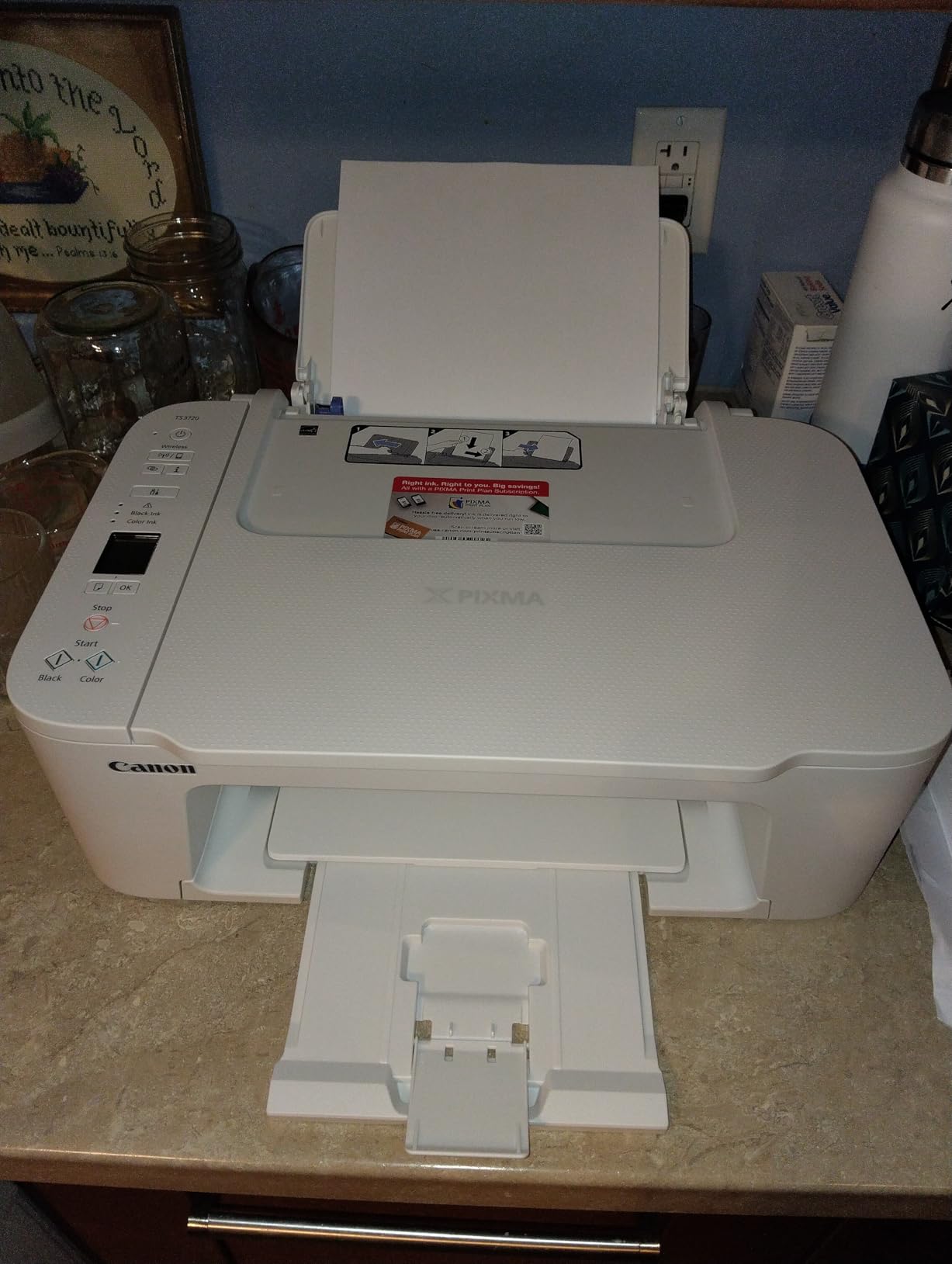
The TS3720 is the least complicated printer on this list, and that is the recommendation. Owners report reaching a first print in under five minutes, with a 1.5 inch segment LCD, two no-mess replaceable cartridges and wireless setup that needs no computer. For a first home office printer, that removes almost all of the usual friction.
It prints at roughly 7.7 pages per minute in black and 4 in color, with color resolution of 4800 by 1200 dpi. Borderless photos work up to 5×7 inches along with 5×5 inch square prints, and it handles envelopes, banners and high-resolution paper. At 8.7 pounds and 12.9 by 17.2 by 5.8 inches it is one of the smallest bodies here.

Media support is genuinely good for the size. Legal paper up to 8.5 by 14 inches works, Chromebook support is built in, and Canon PRINT, Apple AirPrint and Mopria cover the usual apps. Most owners report no paper jams and reliable scanning and copying, and the print quality suits documents and 4×6 photos.
The limits are clear. Printing is single-sided only, the tray holds 60 sheets, and the ink setup is a PG-275 black plus a single CL-276 tri-color cartridge, so a page using one accent color uses all three inks. There is no printed user guide in the box.
Why the TS3720 suits occasional use
This is the printer for someone who prints a resume, a shipping label and a school project, then leaves it alone for a month. Cheap cartridge supplies and simple setup mean the total cost of an occasional-use machine stays modest, and wireless dropouts are not a recurring theme in reviews.
It is also the safest first printer. There is no tank to fill, no duplex mechanism to understand and no control panel to learn, so the failure surface is small. We recommend it as a second printer for a guest room as often as a main one.
Where the TS3720 falls short
For a working home office, single-sided printing and a 60-sheet tray are both real constraints. Anyone printing weekly reports will refill that tray constantly, and two-sided documents will need manual flipping.
The tri-color cartridge is the running-cost problem. A chart with a single blue series forces you to replace the full color cartridge, which is precisely the waste pattern we try to avoid elsewhere in this list.
8. Brother MFC-L3720CDW – Best for Scan, Copy and Fax
Brother MFC-L3720CDW Wireless Color Laser Printer, Scanner, Copier, Fax, Auto Duplex, 250-Sheet Capacity
Color laser all-in-one
19 ppm black and color
50 sheet ADF, 250 sheet tray, duplex
3.5 inch touchscreen, 44 pounds
Pros
- Print scan copy and fax in one laser unit
- 3.5 inch color touchscreen with 48 shortcuts
- Automatic duplex with a 50 sheet feeder and 250 sheet tray
- Dual-band Wi-Fi and Wi-Fi Direct for multiple users
- Sharp fast output with toner monitoring in the app
Cons
- Large and heavy at 44 pounds needing a sturdy surface
- Highest price in this roundup
- Chip reader restricts toner to genuine Brother TN229
- Not suited to photo printing
- High power draw during operation
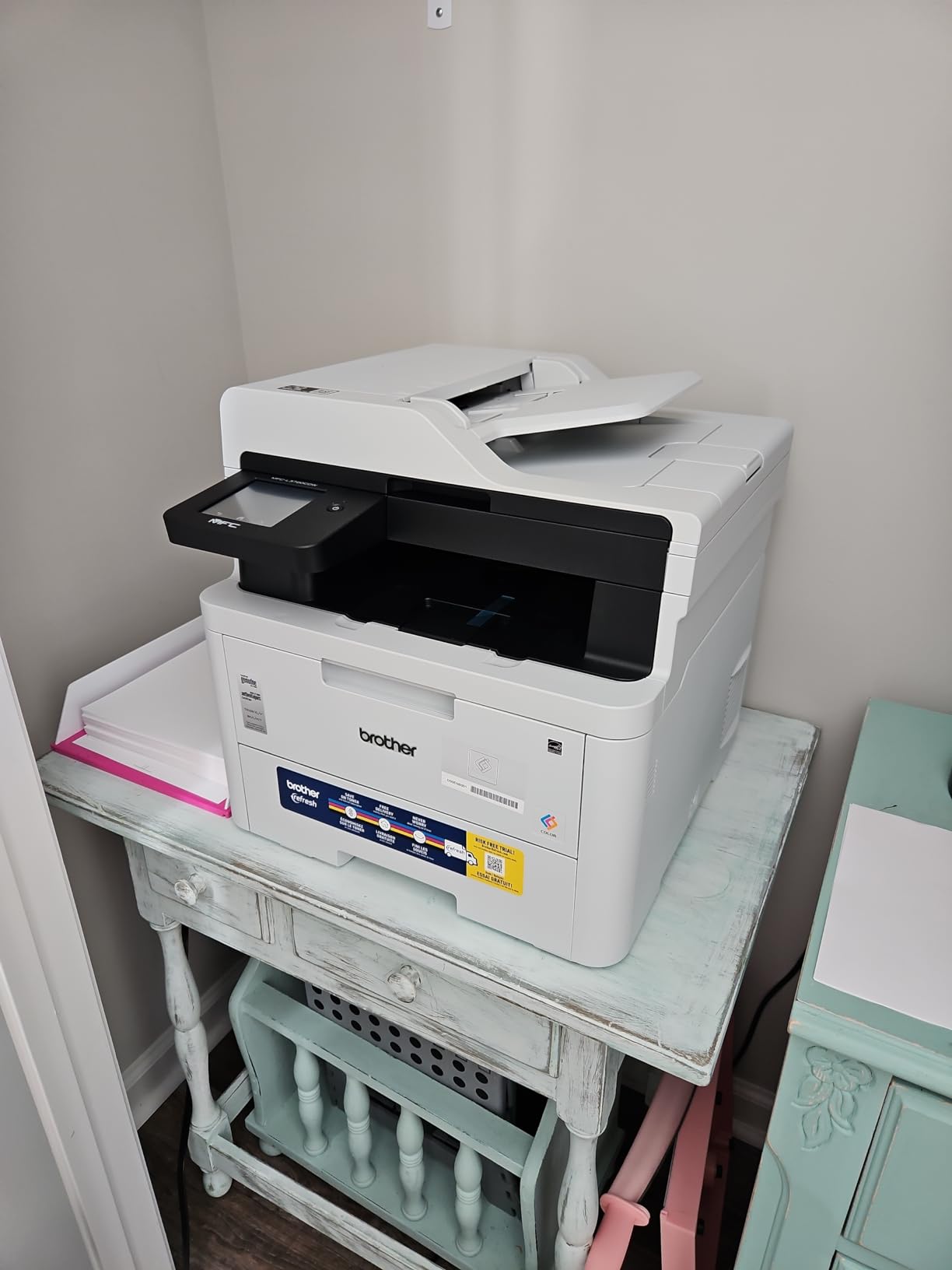
The MFC-L3720CDW is the machine to buy if your home office does paperwork. It prints, scans, copies and faxes, all with a color laser engine at 19 pages per minute in both black and color, first page in under 15 seconds, and automatic duplex throughout. Fax alone rules out most of the other printers here.
The document handling is the selling point. A 50-sheet automatic document feeder, a 250-sheet adjustable tray and automatic duplex cover multi-page jobs without babysitting. A 3.5 inch color touchscreen carries 48 customizable shortcuts and direct cloud access to Google Drive, Dropbox and OneNote.
Connectivity is dual-band Wi-Fi at 2.4 and 5GHz plus Wi-Fi Direct and USB 2.0, so several users can print from their own devices. The companion app provides remote access, toner level monitoring and full printer management, which removes the guesswork from ordering supplies.
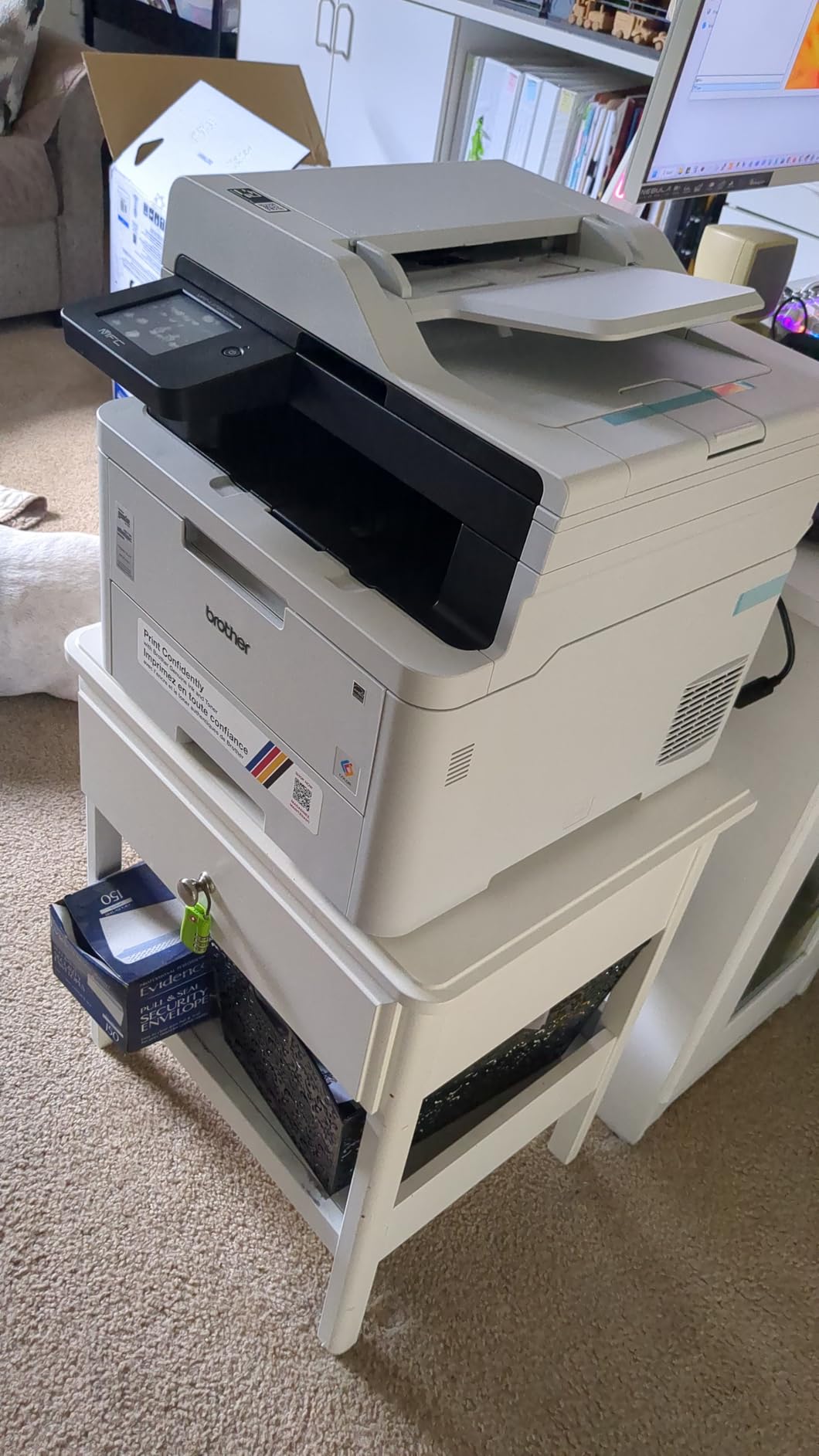
The physical reality is what gives people pause. At 44 pounds and 17.5 by 16.1 by 15.8 inches, it needs a sturdy surface and a clear position, not a corner of a desk. It also draws 500 watts while running, and the cartridge chip reader restricts toner to genuine Brother TN229 series units.
Why the MFC-L3720CDW handles paperwork
Laser toner gives sharp, fast color on contracts, invoices and forms, and there is no print head to clog after a quiet fortnight. Combined with the 50-sheet feeder and duplex, a forty-page packet is a single job rather than forty separate errands.
For a home office that still signs physical documents by post, the flatbed scanner and fax in the same unit remove two devices from the desk. The touchscreen shortcuts are a genuine time-saver for anyone printing the same forms repeatedly.
Where the MFC-L3720CDW is wrong for you
Do not buy this for photos. Lasers fuse toner with heat, so glossy and coated stock is out, and the resolution is tuned for text and graphics rather than photographic detail. Printers built for photos are covered in our separate supertank and all-in-one guides.
Size, weight and power draw are the everyday costs. In a small apartment office this machine occupies real estate and generates heat. If your monthly volume is light, a smaller all-in-one will serve you better and free up the desk.
9. HP OfficeJet Pro 8125 – Best Touchscreen Control
HP OfficeJet Pro 8125 Wireless All-in-One Color Inkjet Printer, Print, Scan, Copy, ADF, Duplex Printing Best-for-Home Office, 3 Month Trial of Instant Ink Included, AI-Capable (C2VJ4A)
Color inkjet all-in-one
20 ppm black, 10 ppm color
2.7 inch color touchscreen
225 sheet tray, duplex and ADF, 17.6 pounds
Pros
- Automatic duplex and a document feeder in a home-office-sized body
- 2.7 inch color touchscreen with a phone-like interface
- 225 sheet input tray reduces refills on larger jobs
- Dual-band Wi-Fi with automatic connection resolution
- HP AI formatting strips web page clutter before printing
Cons
- Cartridge system means higher running costs than tank printers
- 19 percent of reviews are 1 star on connection and print head reliability
- Only works with HP 923 cartridges that have original HP chips
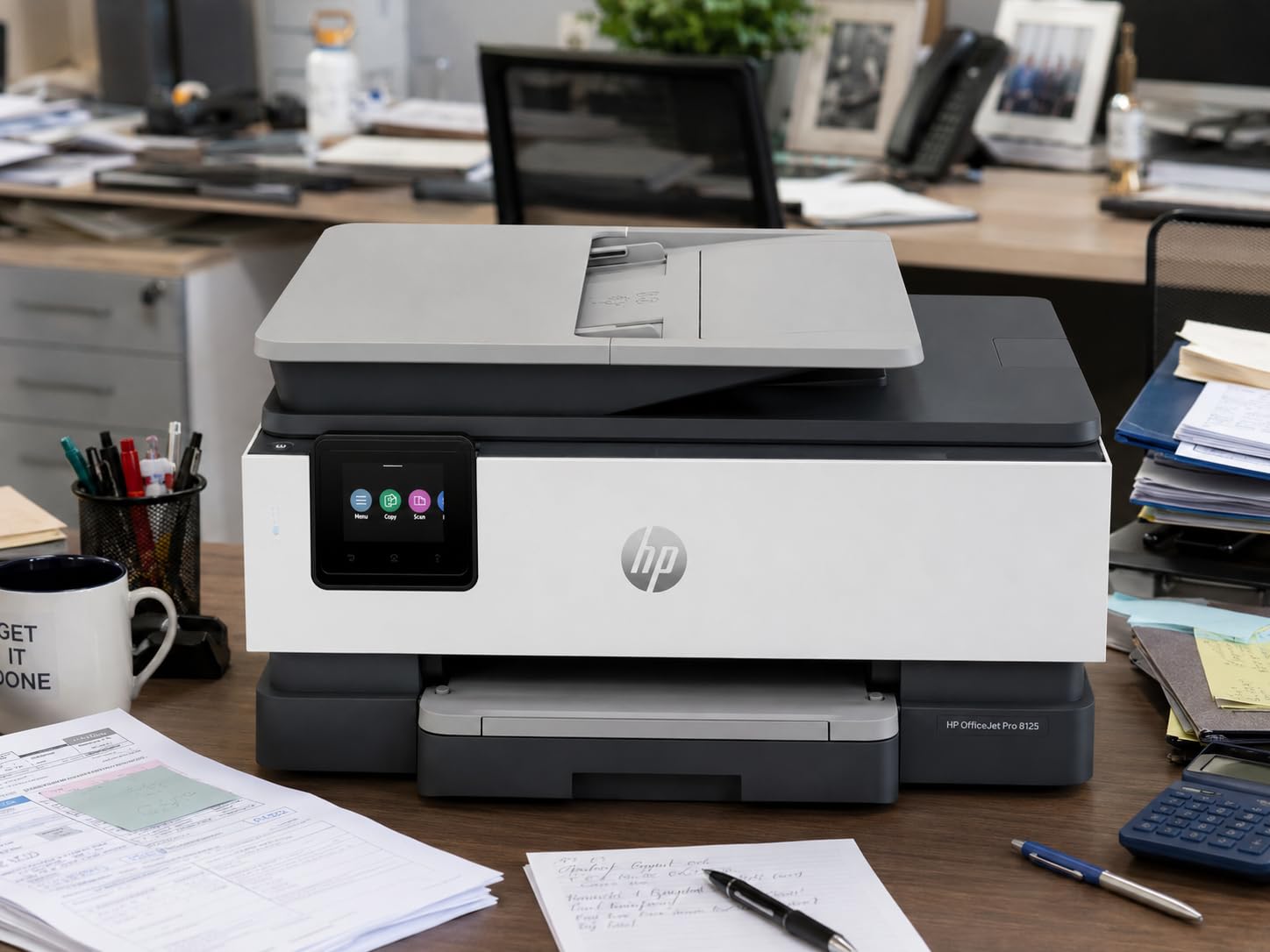
The OfficeJet Pro 8125 has the best interface in this roundup. A 2.7 inch color touchscreen with a phone-like menu, 20 pages per minute in black and 10 in color, automatic duplex and a one-sided automatic document feeder. At 17.6 pounds and 18.11 by 13.29 by 9.17 inches, it is sized for a real desk rather than a shelf.
The 225-sheet input tray is among the largest here, and HP AI formats web pages and emails before printing so you get a clean page instead of a screenshot of a website. Dual-band Wi-Fi is included, with Ethernet and USB behind it, plus the HP app for print, scan, copy and fax from a phone. The body uses more than 45 percent recycled plastic.
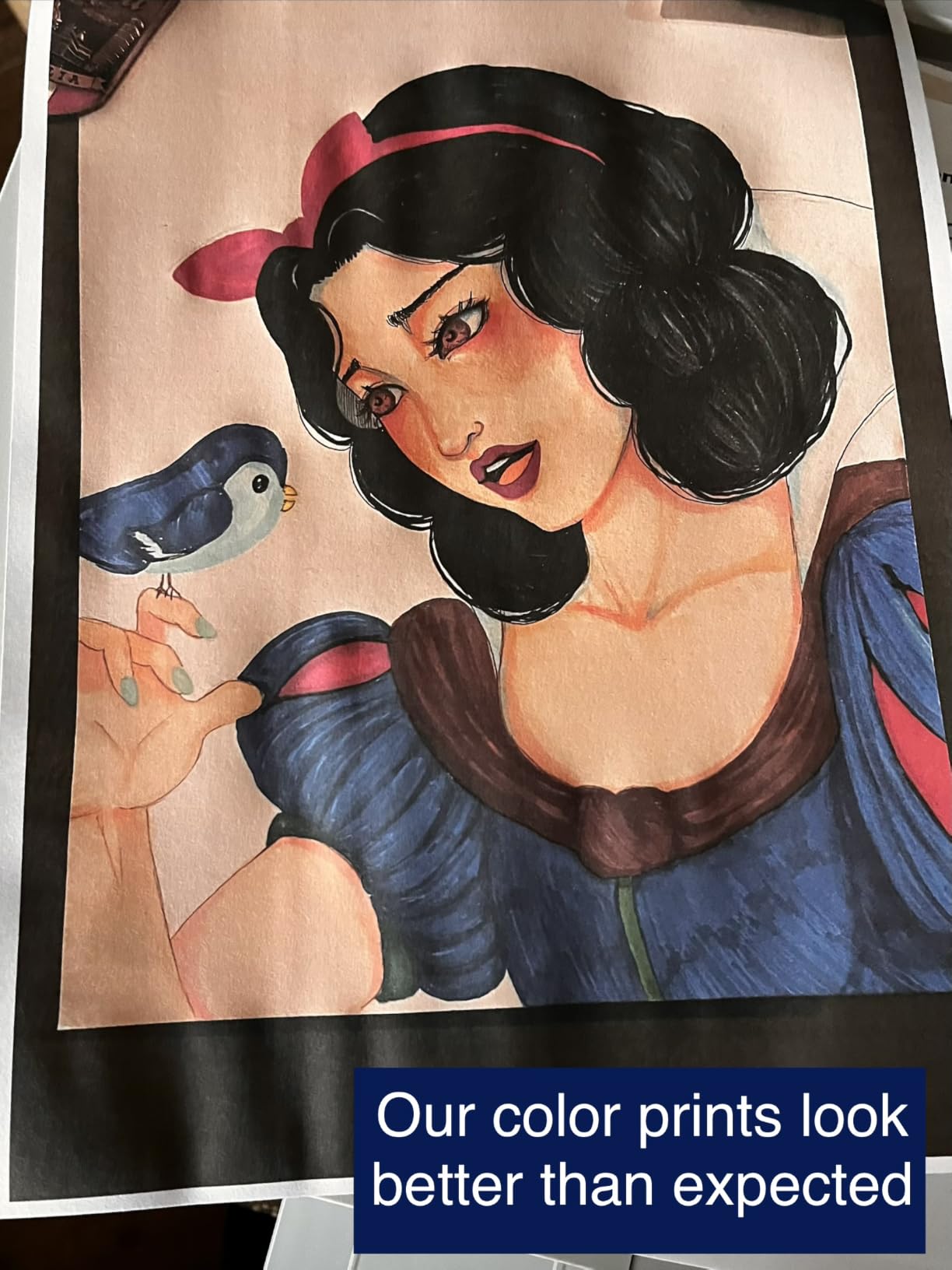
Print resolution reaches 4800 by 1200 optimized dpi on HP Advance Photo Paper, copy speed is 12 pages per minute in black, and a run goes up to 99 copies. The flatbed scanner handles documents and photos, and the touchscreen makes settings simple for anyone who finds printer menus frustrating.
The ink system is the problem. It runs on HP 923 cartridges, and the printer only accepts cartridges with original HP chips, which closes off the third-party market. Nineteen percent of reviews are one star, with connection and print-head reliability the recurring themes.
Why the OfficeJet Pro 8125 suits a busy desk
Speed and control are the strengths. Twenty pages per minute in black makes it the fastest inkjet here, and a touchscreen of this size removes the guesswork from a machine that a second person in the household also has to use. The 225-sheet tray and duplex cover a heavy printing day.
HP AI formatting is more useful than it sounds. Printing a recipe or a web article normally produces a page of adverts and navigation bars; this strips them out, which saves both paper and ink on a home office that prints online content regularly.
Where the OfficeJet Pro 8125 falls short
Cartridge running cost is the honest drawback, and cartridge chip authentication means you pay HP prices indefinitely. Over a year of regular color work, that gap against an ink tank is easy to measure and easy to regret.
Reliability scores sit below the ink tanks on this list. Connection drops and print-head problems account for most of the one-star reviews. If your room has unreliable Wi-Fi, this is a machine to test carefully before you rely on it.
10. HP Color LaserJet Pro MFP 3301sdw – Fastest Engine for Heavy Days
HP Color LaserJet Pro MFP 3301sdw Wireless All-in-One Color Laser Printer, Office Printer, Scanner, Copier, ADF, Duplex, Best-for-Office (499Q3F)
Color laser all-in-one
Up to 26 ppm black and color
Automatic duplex, ADF, 250 sheet tray
Ethernet Wi-Fi and USB, 37.7 pounds
Pros
- Fastest print speed here at up to 26 ppm in black and color
- Automatic duplex with flatbed scanner copier and feeder
- 250 sheet tray plus a second tray for office work
- Ethernet plus Wi-Fi and USB for wired or wireless setups
- TerraJet toner produces more vivid color output
Cons
- Lowest average rating in the roundup with 24 percent one star reviews
- Only works with HP 218A and 218X chip cartridges
- Heavy and bulky for a home office at 37.7 pounds
- No touchscreen or on-device display
- Paper handling listed for 8.5 by 11 media only
On raw speed this is the fastest machine we tested. It runs at up to 26 pages per minute in black and in color, with automatic duplex, a flatbed scanner, a copier, an automatic document feeder and a 250-sheet input tray plus a second tray. If a whole day of printing lands in your lap, this clears it fastest.
Connectivity is the best offered: Ethernet, Wi-Fi and USB together, so a wired desktop and a wireless laptop can both print. HP TerraJet toner is used for more vivid color, and it runs on HP 218A standard and 218X high-yield cartridges. First-page output and copy speed both sit at 26 pages per minute in black.
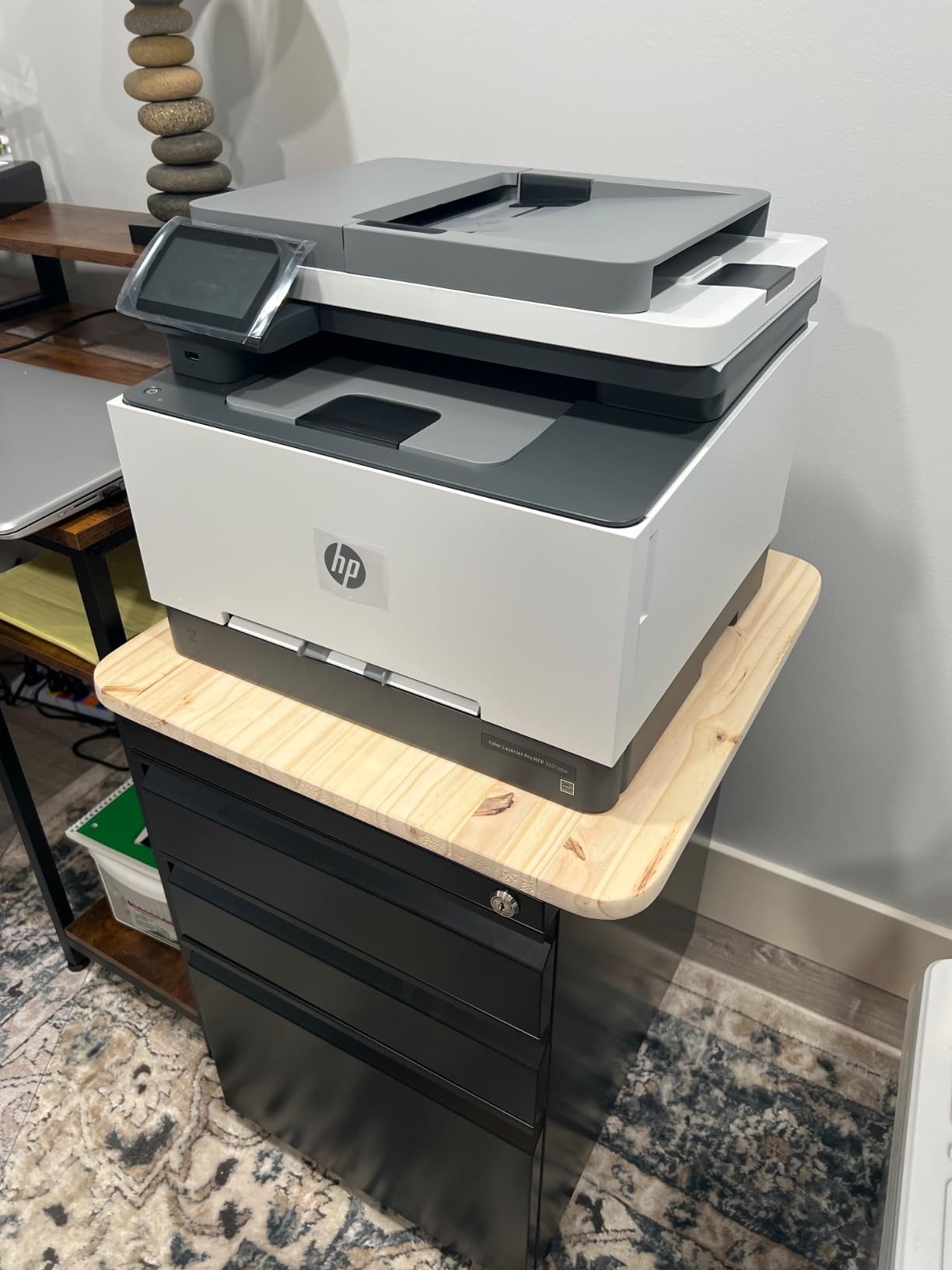
It also has the reach of a real office machine, with a one-year limited warranty and a 16.46 by 13.44 by 16.5 inch body at 37.7 pounds. Scanner and copier resolution are 600 by 600 dpi, which is fine for forms and paperwork.
It also earns the lowest rating in this roundup at 3.7 stars, with 24 percent of reviews at one star. Cartridge chip authentication locks it to HP 218A and 218X toner. There is no touchscreen or on-device display, so control is app-based, and paper handling is listed for 8.5 by 11 media only.
Why the 3301sdw fits a heavy printing day
Speed is the whole case for it. When a deadline arrives with forty pages of color charts behind it, twenty-six pages per minute changes the shape of the afternoon. The second tray and 250-sheet main tray mean you set the job and walk away, and Ethernet gives you a stable wired path when Wi-Fi is unreliable.
Laser toner also removes the drying-out risk entirely, so a printer that sits idle between busy weeks is not a liability. For documents, forms and color graphics, it is a genuine step up in output quality over an ink tank.
Where the 3301sdw falls short
Reliability is the concern. A 24 percent one-star share is the highest here, and the complaints point at toner lock-in and hardware rather than print quality. We would not hand this to someone who cannot easily afford a replacement.
At 37.7 pounds it needs a dedicated spot, and with no on-device display, setup and everyday control depend on an app and a phone or computer nearby. It is also a text-and-graphics machine, not a photo machine.
Color Laser vs Inkjet: Which One Fits a Home Office
Choose a color laser if you print documents, and choose an inkjet if you print pictures. That single split answers most of the decision, because the two technologies differ in what they are physically built to put on paper.
A color inkjet sprays microscopic liquid ink dots through a moving head. That is why inkjets photograph well, why they can handle glossy and coated stock, and why they can clog if the machine sits unused for weeks. Ink tank models refill from bottles and cut running costs to a fraction of cartridge machines.
A color laser fuses powdered toner to the page with heat. The result is sharp small text, no nozzles to dry out, and a per-page cost that stays low at volume. The heat is also why a laser cannot safely print windowed envelopes or glossy photo paper.
One warning from owner discussions deserves repeating: a color laser generally will not print at all unless all four toner cartridges are in the machine. A unit can sit perfectly fine with an empty magenta cartridge until the moment you need a graph. Budget for that, because it surprises people.
If you want the broader view, our picks for color laser printers for small businesses and monochrome laser printers for home offices go deeper on the laser side.
How to Calculate Your Real Cost Per Color Page
Your real cost per page is the total you spend on the machine and its supplies divided by the number of pages you print. Ignore it and you will either overspend on a printer you do not need or underspend on ink you cannot afford.
Here is the method we use. First, estimate your monthly color volume honestly. Most home offices fall somewhere between 40 and 150 color pages a month, with occasional spikes for a client deck. Second, find the yield and cost of the color supplies. Third, multiply to get an annual supply figure.
Then add the purchase price and divide the total by 36 months. A cartridge machine with inexpensive cartridges can look reasonable at year one and uncompetitive by year three, because starter cartridges run out early and cartridges get replaced constantly. An ink tank machine usually wins clearly at three years even when it costs more to buy.
For a laser, work from toner yield and cartridge cost in the same way, and remember that all four colors must be on hand. Owners in printer forums consistently rank running cost above every other factor when they look back at a purchase, and that is the calculation worth doing before you commit.
All-in-One or Print Only: Do You Need a Scanner?
Buy an all-in-one unless you are certain you will never scan. The flatbed scanner, copier and document feeder cost you a little more at purchase and save you from buying a separate device later.
The document feeder is the feature that changes daily work. A 20-sheet feeder on a budget machine handles a signed contract. A 50-sheet feeder on the MFC-L3720CDW handles a forty-page packet without a second trip to the machine. A machine with no feeder means you place each sheet on the glass yourself.
A printer-only laser is worth it in one situation: you print a lot and scan nothing, and you want the fastest engine and the lowest per-page cost. The Brother HL-L3220CDW on this list is exactly that machine. Everyone else should start from an all-in-one.
Wireless Setup and Driver Problems Solved
Most wireless failures come down to one of three things: the printer is on the wrong Wi-Fi band, the router changed, or the driver did not finish installing. Fix the band first, because it solves the most cases.
Start setup from the printer rather than the computer. A built-in screen or a physical wireless button puts the machine into pairing mode, and the Canon models on this list complete wireless setup in minutes without a computer at all. Print a test page and a status sheet before you try from a laptop.
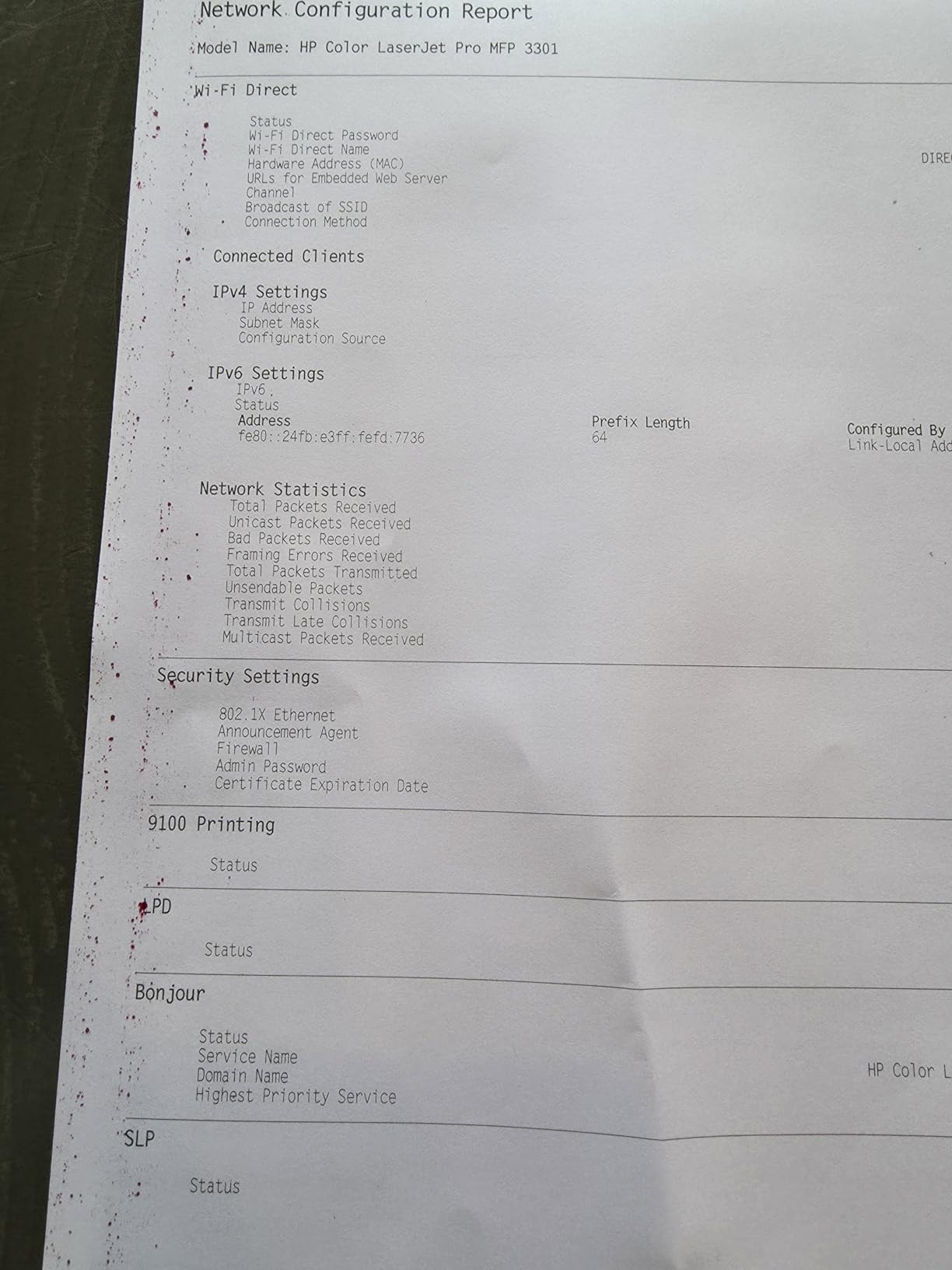
If a router change broke things, print a network configuration or factory-reset the printer and re-pair it rather than reinstalling drivers repeatedly. The Epson EcoTank ET-2400 has specific owner reports of needing the 5GHz band disabled before setup completes, so on a dual-band router try the 2.4GHz band first.
Keep a USB cable in the drawer. Every printer here supports USB, and for the models without an Ethernet port it is the only way to get a stable wired link. Finally, print something every few weeks. A dormant inkjet is the reason cleaning cycles appear, and a periodic single page is cheaper than a head clean.
Frequently Asked Questions
What is the best color printer for office use?
For most home offices, the Epson EcoTank ET-2800 is the strongest overall choice: refillable ink tanks drop the cost per color page far below cartridge machines, it prints scans and copies, and owner reviews number over ten thousand. If your work is almost entirely text with color accents, the Brother HL-L3220CDW color laser is faster and cheaper per page. If you need fax and a document feeder, look at the Brother MFC-L3720CDW.
What type of printer is best for office use?
A color laser is best for document-heavy offices that print invoices, reports and forms every week, because toner is fast, sharp on text and cheap at volume. An ink tank inkjet is best when color, photos or glossy stock matter and monthly volume is lower. Most home offices sit in between, and choosing an all-in-one with duplex printing and a document feeder covers both patterns without a second device.
What is the best color printer for home use?
For a home office, the Canon MegaTank G3270 and Epson EcoTank ET-2800 lead our list because refillable tanks remove the cartridge running cost that dominates home printing budgets. For very occasional use, the Canon PIXMA TS3720 is inexpensive, quick to set up and rarely jams. The right pick depends far more on your monthly color volume than on the purchase price.
What is the best wireless color printer for home use?
The Canon PIXMA TS4320 and TS3720 are the safest wireless choices in this roundup because both support dual-band Wi-Fi on 2.4GHz and 5GHz, so they connect to split-band home routers. The Brother HL-L3220CDW adds Ethernet alongside wireless for a stable wired path. Whichever you choose, start setup from the printer itself and keep a USB cable nearby as a fallback.
Is a color laser printer better than an inkjet for home use?
A color laser wins on text sharpness, speed and per-page cost once you print regularly, and it never dries out between uses. An inkjet wins on photo quality, glossy media and low up-front cost, and ink tank models close much of the running-cost gap. One caution: most color lasers will not print at all unless all four toner cartridges are present, so plan for that before buying.
Do color laser printers dry out like inkjets?
No. Color lasers use powdered toner sealed in a cartridge, so there are no nozzles and no liquid to dry up or clog. A color laser can sit unused for weeks between jobs and print normally on the first attempt. That reliability is the main reason offices with irregular or unpredictable printing schedules lean toward a laser instead of an inkjet.
The Best Color Printers for Home Offices in 2026
The Epson EcoTank ET-2800 is our pick for most home offices in 2026. Refillable tanks keep the cost per color page low, ten thousand owner reviews give unusual confidence in its reliability, and the 11.4-pound body fits a normal desk. The only compromise is duplex printing, which you handle manually.
The Canon MegaTank G3270 is the alternative if budget matters more, and it adds a small display screen the Epson lacks. For text-heavy work, the Brother HL-L3220CDW is the only color laser here, at 19 pages per minute with automatic duplex and toner that will not dry out. For fax and heavy paperwork, the Brother MFC-L3720CDW does the lot.
Whichever you pick, decide on running cost before you decide on price. Print a single test page a month to keep an inkjet healthy, keep a USB cable within reach for the day the router changes, and use the buttons on each printer card to check the latest details.