
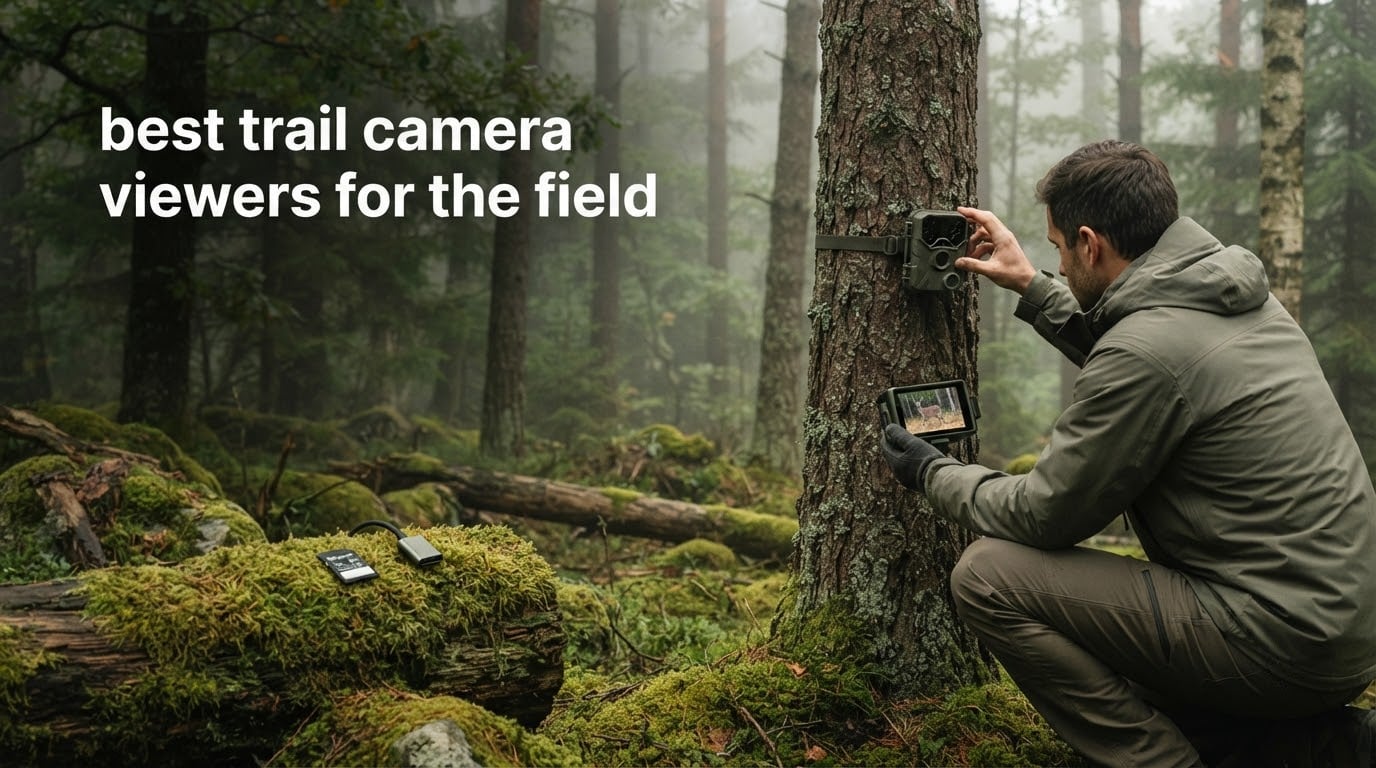
There is a specific kind of misery that comes with pulling a full trail camera card a mile into the woods. You are standing at the tree, the light is going, your phone is at 12 percent, and somewhere between the truck and here you decided not to bring the laptop. What you need is a trail camera viewer that works right there, in that moment, without signal.
That is the question this roundup answers. We compared ten SD card readers and standalone viewers that hunters, wildlife watchers and property monitors can actually carry, sorting them by what survives rain, cold hands, gloves, direct sun and a dying battery. The field monitor comparison we published covers the video side of field kit, and this one stays strictly on getting pictures off a card.
Two families of device show up again and again. A card reader is a pocket adapter that plugs into your phone or laptop and borrows its screen. A viewer is a standalone box with its own LCD, its own batteries and no dependence on your phone at all. Half of the field problems people complain about online come from mixing those two up.
Table of Contents
What Is a Trail Camera Viewer?
A trail camera viewer is any device that lets you review the photos and videos on a trail camera SD card while you are still in the field. A card reader plugs into your phone or laptop and uses that screen. A standalone viewer has its own LCD and batteries, so it works with no phone, no app and no signal at all.
You pull the card, slot it in, scroll through the images, and either format the card for redeployment or archive the keepers to a second card. Doing that in the woods instead of at home means you can move the camera, change the trigger settings and fix a full card while you are standing in front of the tree.
Top 3 Best Trail Camera Viewers for the Field in 2026

Wildgame Innovations Trail Pad VU70
- 7-inch backlit touchscreen
- Two SD slots up to 32GB
- Library and archive workflow

SZHAIYIJIN Dual-Connector Reader
- SD and microSD slots
- Dual USB-C and Lightning
- No app required
Stealth Cam 4.3 Inch LCD Viewer
- 4.3 inch color LCD touch
- 1080p video playback
- Formats cards in device
All Ten Trail Camera Viewers Compared in October
| Product | Specifications | Action |
|---|---|---|
| Wildgame Innovations Trail Pad VU70 |
|
Check Latest Price |
| Stealth Cam 4.3 Inch LCD Viewer |
|
Check Latest Price |
 Muddy CRV3 HD Viewer Muddy CRV3 HD Viewer |
|
Check Latest Price |
 HME 4.3 Inch SD Card Viewer HME 4.3 Inch SD Card Viewer |
|
Check Latest Price |
| SZHAIYIJIN Dual-Connector Reader |
|
Check Latest Price |
 SUNTRSI 4 in 1 Card Reader SUNTRSI 4 in 1 Card Reader |
|
Check Latest Price |
 Oyuiasle 3 in 1 Dual Slot Reader Oyuiasle 3 in 1 Dual Slot Reader |
|
Check Latest Price |
 BoneView USB-C Trail Cam Reader BoneView USB-C Trail Cam Reader |
|
Check Latest Price |
 AkHolz Dual Connector Card Reader AkHolz Dual Connector Card Reader |
|
Check Latest Price |
 Liplasting 4 in 1 Memory Card Reader Liplasting 4 in 1 Memory Card Reader |
|
Check Latest Price |
1. Wildgame Innovations Trail Pad Tablet VU70 – The Big Screen That Forgets Your Phone Exists
WILDGAME INNOVATIONS Trail Pad Tablet VU70 Dual SD Card Viewer for Hunting & Wildlife Observation Durable Weather-Resistant Memory Card Reader with 7″ Touch Screen
Screen: 7 inch backlit TFT touch
Cards: two SD slots up to 32GB
Power: internal battery
Pros
- Large 7 inch screen easy to read
- Two card slots with view and archive workflow
- Formats the card in settings
- Simple to operate without instructions
Cons
- Slow scrolling and freezing on cards with hundreds of images
- Archive saves one file at a time and skips video
- Touchscreen is hard to use with gloves
Our pick of the ten. The VU70 is the only device here with a 7-inch backlit TFT touchscreen, and that single fact changes what a card check feels like when you are forty and squinting in a treeline at dusk.
The two full-size SD slots are the part we did not expect to care about. One card in the Library port, one in the Archive port, and you can copy keepers to the second card as you decide rather than at the truck. It also formats the card from its own settings, so a full card becomes an empty card without a laptop.
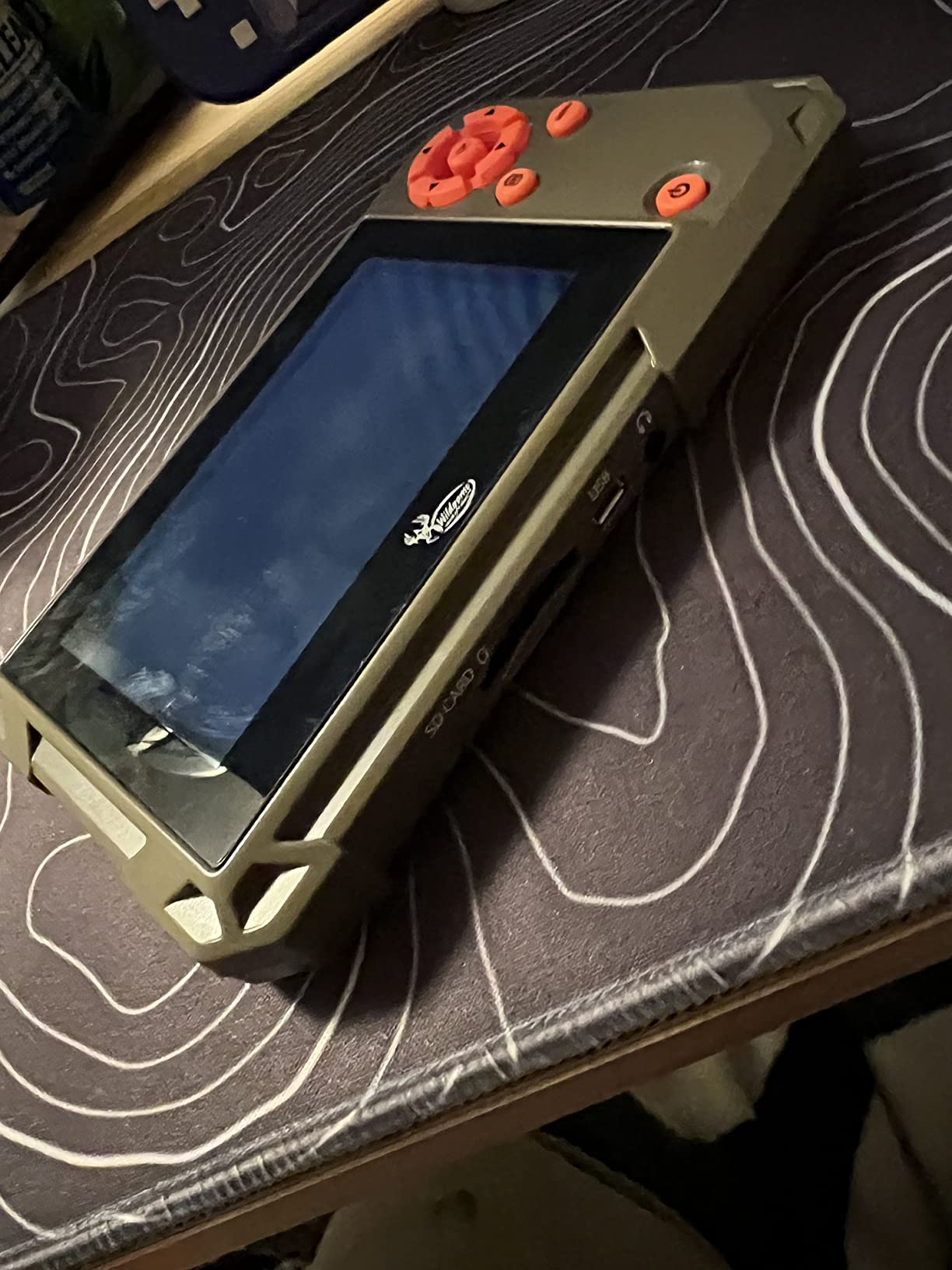
The workflow is the honest strength here. Owners describe it as simple enough that it works without reading the instructions, which matters for anyone who does not want to learn a menu system in the cold.
What is not honest is the browsing speed. Reviewers repeatedly report slow scrolling and some freezing partway through cards holding hundreds of images, and the Archive function appears to move stills one at a time without handling video. Cards are not included and the microSD support is unreliable, so pack full-size SD.
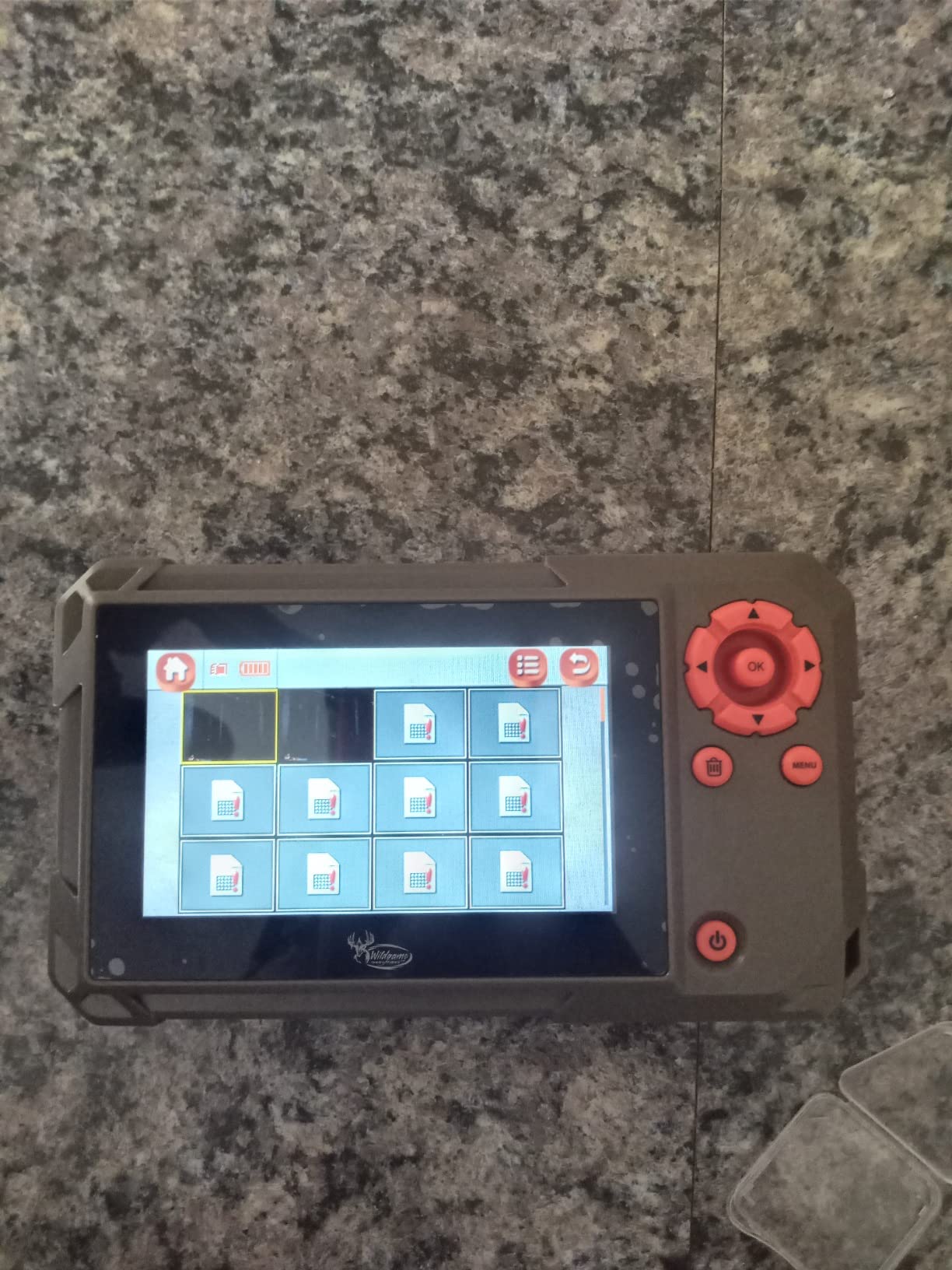
Check the battery compartment before you rely on it
A handful of owners report battery or power failures after limited use, and the compartment cover and general build feel fragile in hand. If your checking routine is a once-a-week stand walk, treat the batteries as consumables and carry a spare set.
The screen, the dual slots and the in-device format function are worth the tradeoff for anyone who wants to make placement decisions on site without a phone. If you only need to confirm the camera is working, this is more hardware than the job requires.
Best for older eyes and video with sound
The built-in speaker is the feature no other standalone viewer in this roundup matches, and it plays audio for recorded video rather than requiring a headphone jack. That makes this the one to pack if you mostly care about what the buck did at 5 a.m.
Glove operation is the weak point. A touchscreen with no physical buttons is a poor match for frozen fingers, so bare hands or thin liner gloves are a prerequisite. The VU70 suits a patient, daylight checker more than a fast, one-handed operator.
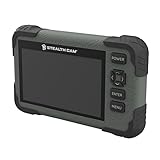
2. Stealth Cam 4.3-Inch LCD Viewer – The Standalone Workhorse
Stealth Cam SD Card Reader/Photo & HD Video 1080P Viewer | Durable Water-Resistant Housing | 4.3″ Color LCD Touch Screen | 5 Point Touch Detection | Wrist Lanyard
Screen: 4.3 inch color LCD touch
Video: 1080p playback
Power: internal battery
Pros
- Crisp color picture on a 4.3 inch screen
- Pinch-to-zoom and swipe gestures
- Stands alone with no phone or cable
- Water-resistant housing with wrist lanyard
Cons
- Small screen with glare in direct daylight
- Card slot sits under the power port
- No speaker so video audio needs headphones
The Stealth Cam is the most complete standalone unit in this set. A 4.3-inch color LCD with 5-point touch detection, pinch-to-zoom, 1080p video playback and a water-resistant housing with a wrist lanyard, and it weighs 11.36 ounces.
What owners like most is the freedom. It stands alone, so there is no dongle to lose, no phone battery to ration and no cable to connect in the rain. It also formats cards in-device, which reviewers consistently call a real time-saver between hunts.
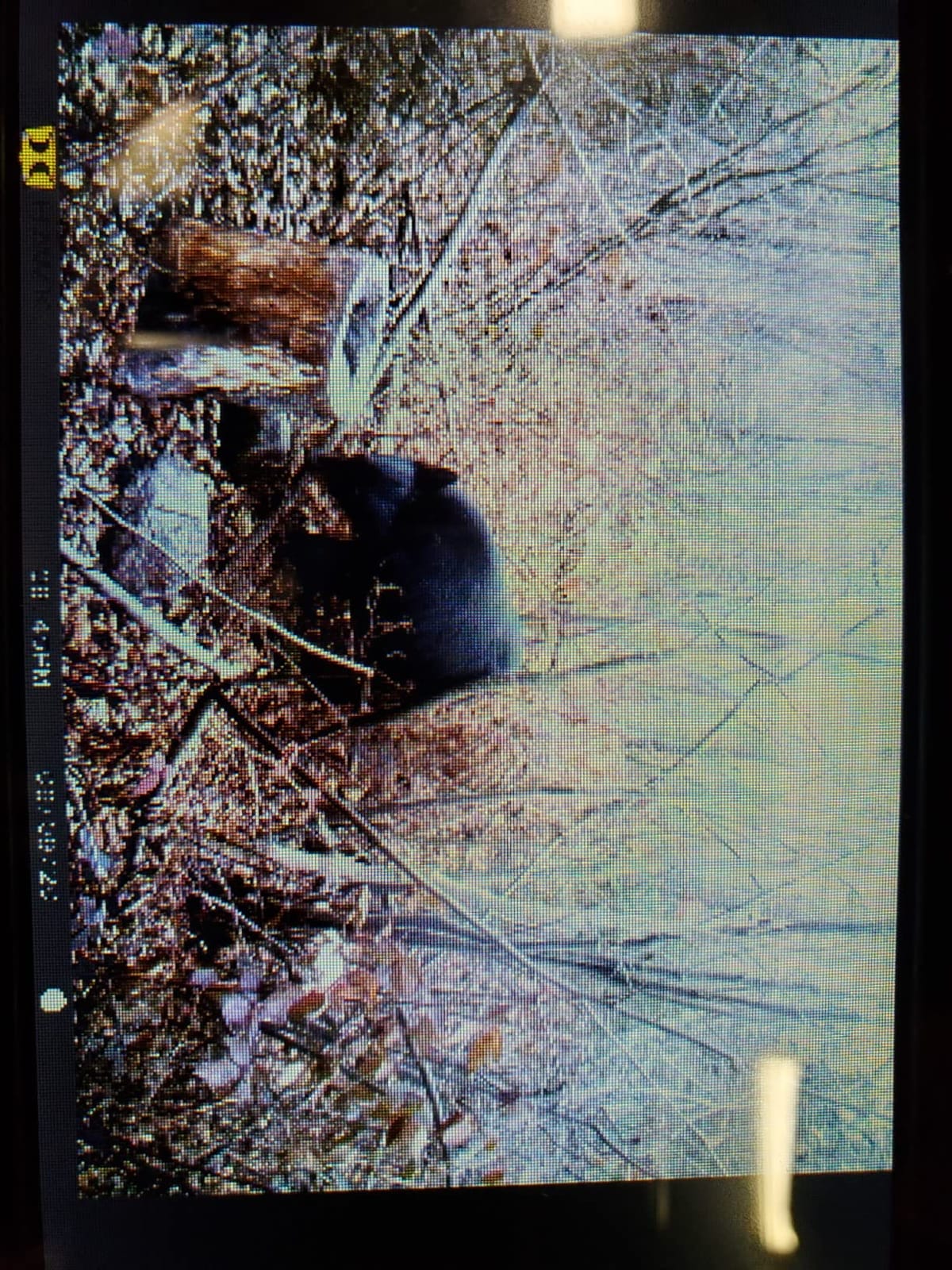
The picture quality gets described as crisp and clear, and the touch gestures make a fast field check genuinely quick. Several owners note that it survives drops on a truck seat, which is the level of abuse a card reader actually takes.
The weak spot is daylight. A 4.3-inch screen with glare overhead is hard to read, which is the single most common complaint in the reviews. There is also no way to share or transfer video off the device, and playback requires an exFAT card rather than FAT32.
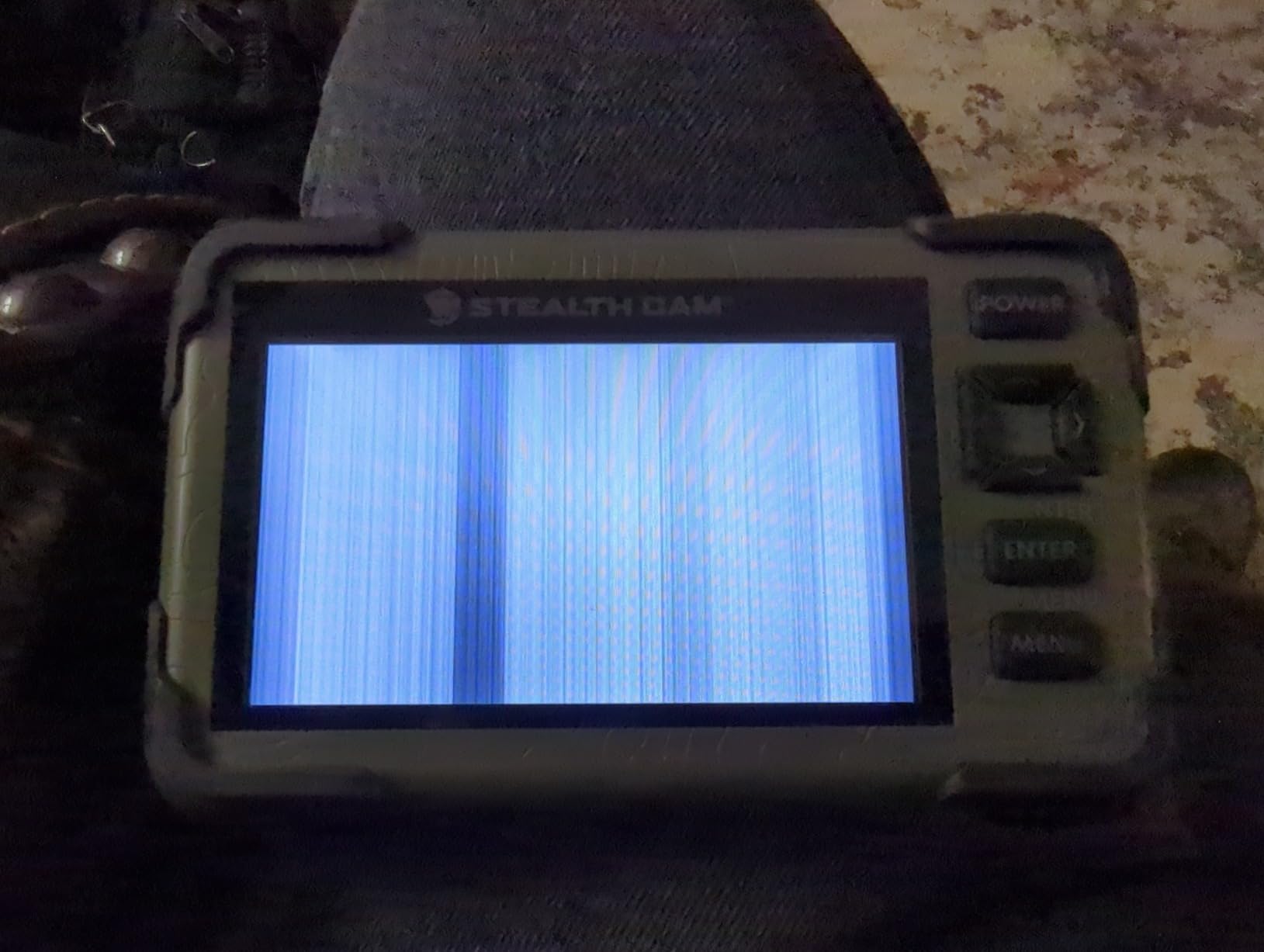
Plan the card slot and the power cord together
The card slot sits directly beneath the power port, so you have to unplug the cord to change cards. It is a small design choice that gets annoying on a long day, and it is worth knowing before you design your card-check routine around it.
A minority of units failed after a short drop or within a single season, so treat it as a field tool rather than a permanent desk unit. The 1-year limited warranty covers the first season, not the second.
Best for one-handed, phone-free checks
Pick this if you want a viewer that never asks anything of your phone. It is the most balanced standalone option here for durability, screen sharpness and in-device card management.
Skip it if your checks happen in full sun or if you need to hear audio on recorded video. There is no built-in speaker, so headphones are required for sound.
3. Muddy CRV3 HD Viewer – Video Audio and a Headphone Jack
Muddy SD Card Reader/Viewer
Screen: 4.3 inch color LCD
Video: 1080p playback
Audio: headphone jack
Pros
- Headphone jack for recorded video audio
- Water-resistant housing for wet conditions
- Menu-driven operation suits quick checks
- Menu navigation is straightforward
Cons
- 4.3 inch screen limits detail on high-res stills
- 32GB card ceiling leaves less headroom
- Screen brightness hard to read in bright daylight
The Muddy CRV3 HD exists for one reason: the headphone jack. Almost every other 4.3-inch viewer in this price range plays video silently, and this one lets you listen to the audio track on a buck crashing through brush.
The rest is a competent, middle-of-the-road standalone unit. A 4.3-inch color LCD, 1080p video playback, menu-driven navigation and a water-resistant housing rated for outdoor hunting conditions.
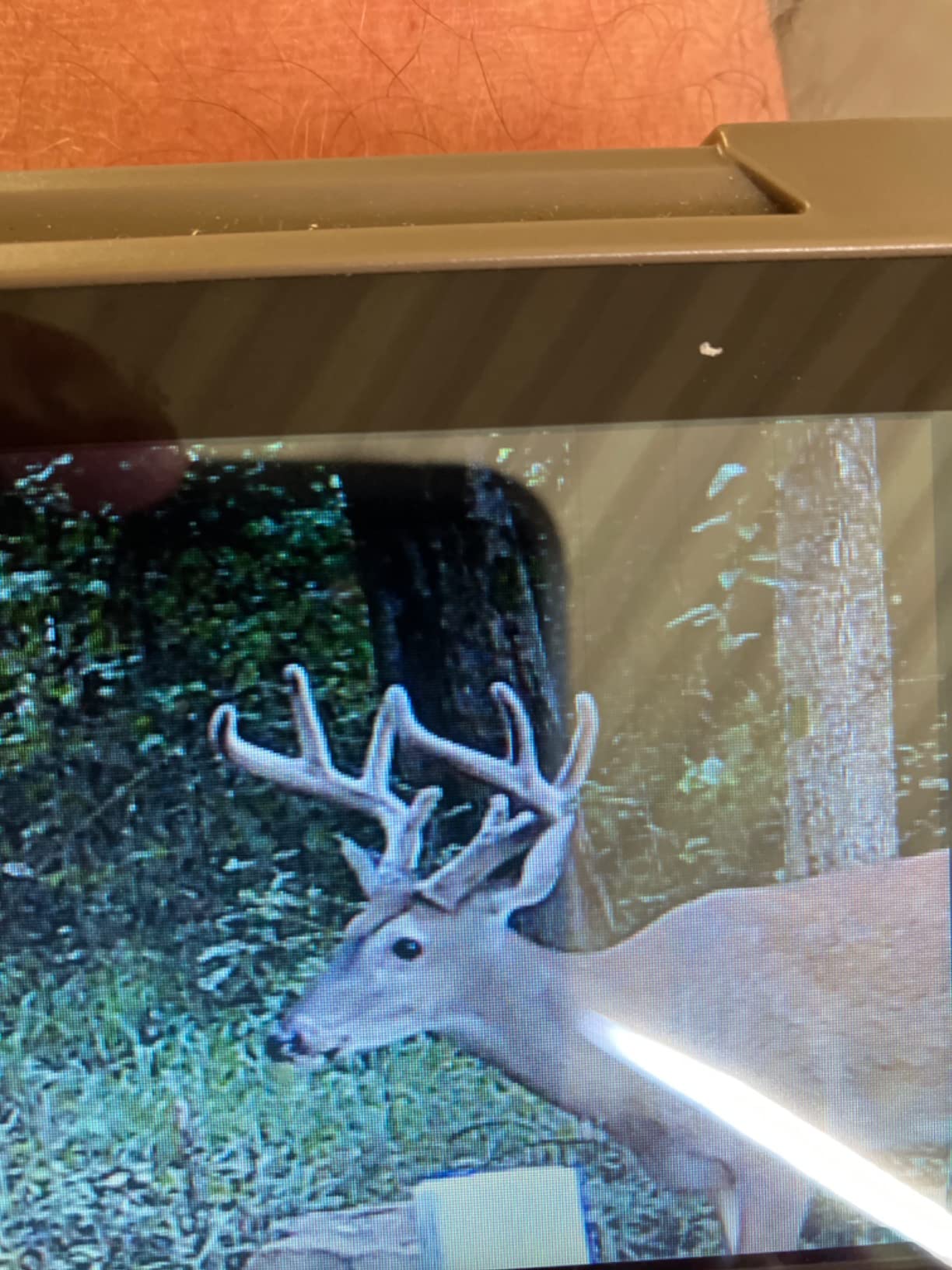
Owners consistently describe the menus as straightforward enough for a quick stand check without practice. The water-resistant housing is the sort of thing that matters in a wet treeline walk, and it is listed as a deliberate feature rather than an accident.
Two limits stand out. The 4.3-inch panel is small when you are judging fine detail on a high-resolution trail camera still, and the card slot tops out at 32GB, so a busy camera fills it faster than you would like.
Will the screen survive a noon scouting trip?
Brightness is the problem here, and owners say so directly. In full daylight the screen is difficult to read, which is exactly when you most want to check whether the framing is right.
That limitation is shared with the other 4.3-inch units in this roundup. If your checks are mostly at dawn, dusk or in shade, it is manageable. If they are midday treeline walks, the 7-inch Wildgame or your own phone is a better bet.
Best for anyone who reviews video instead of stills
Choose the Muddy if the audio track is the reason you check cards. Pair it with wired headphones and you get something none of the other sub-5-inch viewers offer.
It is a solid all-around unit for wet conditions and quick checks, but it is not a card-capacity winner. If you run long recording stretches, look at the HME and its 64GB slot before you settle.
4. HME 4.3-Inch SD Card Viewer – Built for Shared Cameras
HME High-Definition SD Card Read/View with 4.3″ LCD Screen | Durable Water-Resistant Housing | Effortless Navigation
Screen: 4.3 inch color LCD
Card: full-size SD up to 64GB
Port: micro USB
Pros
- Accepts cards up to 64GB for long stretches
- Does not corrupt cards on viewing
- Strong picture clarity and smooth playback
- Long battery life reported by owners
Cons
- Slow to load images and may quit mid-playback
- No microSD slot so an adapter is required
- Cannot delete individual photos only whole cards
The HME is the one to consider if your cameras run long stretches between card visits. Its slot takes full-size SD cards up to 64GB, which is the highest stated ceiling of the dedicated viewers in this roundup, and it is a full-size slot rather than a microSD one.
Owners value the fact that viewing does not corrupt or force a reformat of the card, so it can go straight back into the camera. Several report that their units even recognise FAT32 cards above the printed 32GB limit, which adds useful headroom.
The build reads as solid for the category: plastic housing, a wrist lanyard, simple folder navigation and a 4.3-inch color LCD with 1080p playback. Multiple owners mention long battery life as a genuine benefit on long walking checks.
Why card format matters more than screen size
There is no microSD slot here, so a camera set up with microSD cards means carrying an adapter. That is a minor inconvenience next to the capacity gain, but it is a real one when you are swapping cards by headlamp.
Deleting is all or nothing. You can wipe a card but not remove single photos, so culling happens on a computer later, or not at all. If triage is part of your routine, factor that in before buying.
Best for long recording stretches and shared camera banks
This suits anyone running several cameras on a schedule you do not want to babysit. The larger card ceiling means fewer trips and less time standing in the cold waiting on a copy.
Speed is the trade. Owners report slow image loading and occasional freezing partway through a card, and the sticky power button needs a gentle press. The screen is also hard to see in bright conditions, and there is no built-in speaker.
5. SZHAIYIJIN Dual-Connector Reader – The Reader We Carry on Every Card Check
SZHAIYIJIN SD Card Reader for iPhone, Memory Card Reader with USB Camera Adapter Plug and Play Trail Game Camera Viewer Supports SD and TF Card MicroSD Card Adapter for iPad No App Required
Connectors: USB-C plus Lightning adapter
Cards: SD and microSD
Speed: 25 MB per second
Pros
- Reliably reads SD and microSD and transfers quickly
- Works across iPhone iPad Mac and Android
- No app to download or configure
- Pocket-sized and doubles as a charger
Cons
- Housing feels light and cheap
- A minority of units not recognised on newer iPhones
- Deleting in Files does not free card space
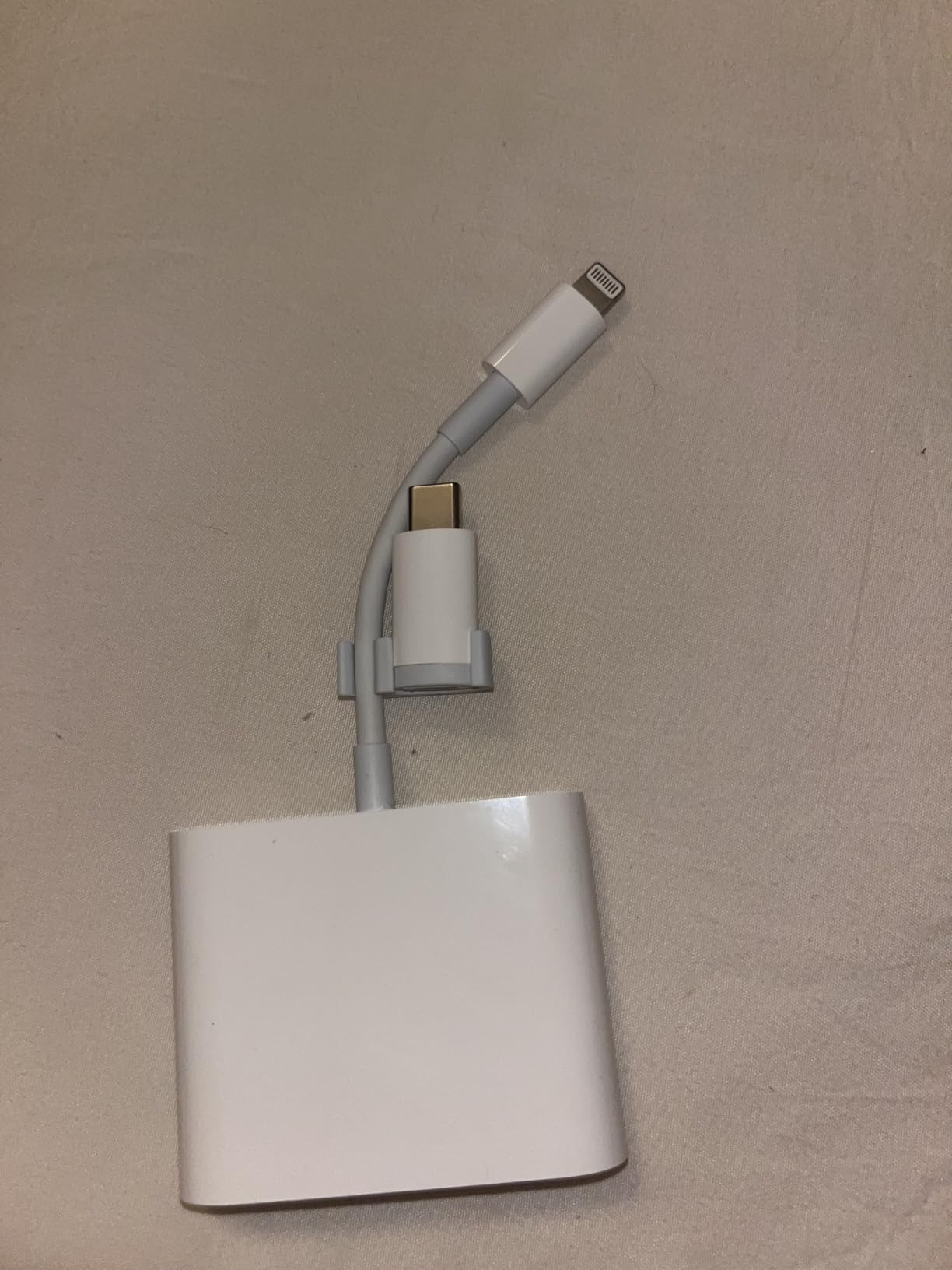
With more than fourteen thousand reviews behind it, this is the most proven adapter here, and the dual-connector layout is the reason. A USB-C plug plus a detachable USB-C to Lightning adapter means one device covers current iPhones, older Lightning models, iPads, Macs and Android hardware.
It imports through the built-in iOS Photos app with no third-party app, and the female USB OTG port handles flash drives, other readers and headphones. The stated transfer rate is 25 megabytes per second, which is the practical ceiling for a full-size SD card anyway.
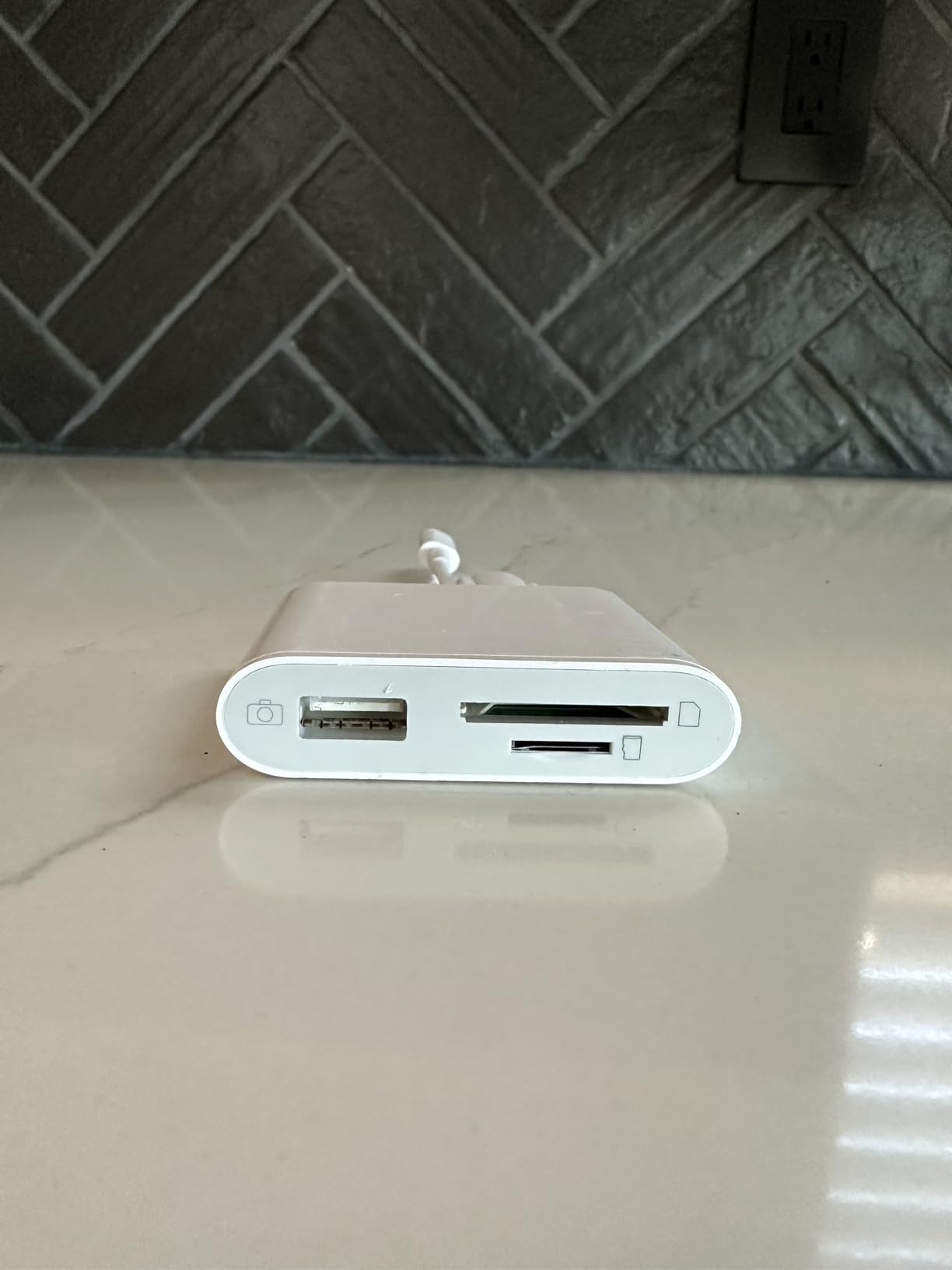
Owners consistently report reliable reading of both SD and microSD cards and a genuinely no-fuss setup, and the pocket size means it lives in the pack permanently. One user on r/Hunting put it plainly: the BoneView alternative gets the job done, and value around this level is the accepted sweet spot in the field.
Two things to plan around. Deleting files through the iOS Files app does not release card space, so a card still has to be reformatted on a computer. And a small cluster of units stopped being recognised on newer iPhone models, which is a risk to weigh against the sheer volume of good feedback.
What happens when your phone battery is the real limit
Because this borrows your phone for the screen and the power, a card check on a phone at 12 percent is a bad day. Readers that drain the phone are the reason many people end up buying a standalone viewer later, as we explain alongside our field recorder picks for keeping other kit running.
If your card checks are short and you already carry a charged phone, this is the lowest-friction option. If you are reviewing thousands of frames on a long day, borrow a battery pack rather than a second screen.
Best for mixed iPhone and Android crews
Take this if different people in your group carry different phones. The connector coverage removes the single most common field failure, which is handing someone a reader that does not fit their device.
It is an adapter, not a screen. You cannot review a card without a phone, tablet or laptop, and the housing is light in the hand. Both are acceptable tradeoffs for the portability.
6. SUNTRSI 4-in-1 Card Reader – The One That Charges Your Phone
SD Card Reader for iPhone/ipad/Android/Mac/Computer/Camera,4 in1 Micro SD Card Reader Trail Camera Viewer, Portable Memory Card Reader SD Card Adapter for SD and TF Cards(White)
Ports: USB-A USB-C and micro USB
Cards: SD and microSD
Weight: 9.93 g
Pros
- Charge-through port keeps the phone powered during transfers
- Covers SD and microSD in one body
- Very small with a keychain loop
- Twenty thousand reviews of broadly positive feedback
Cons
- Needs the correct cable or port piece per device
- No phone connector included in the body
- Cannot act as a standalone screen
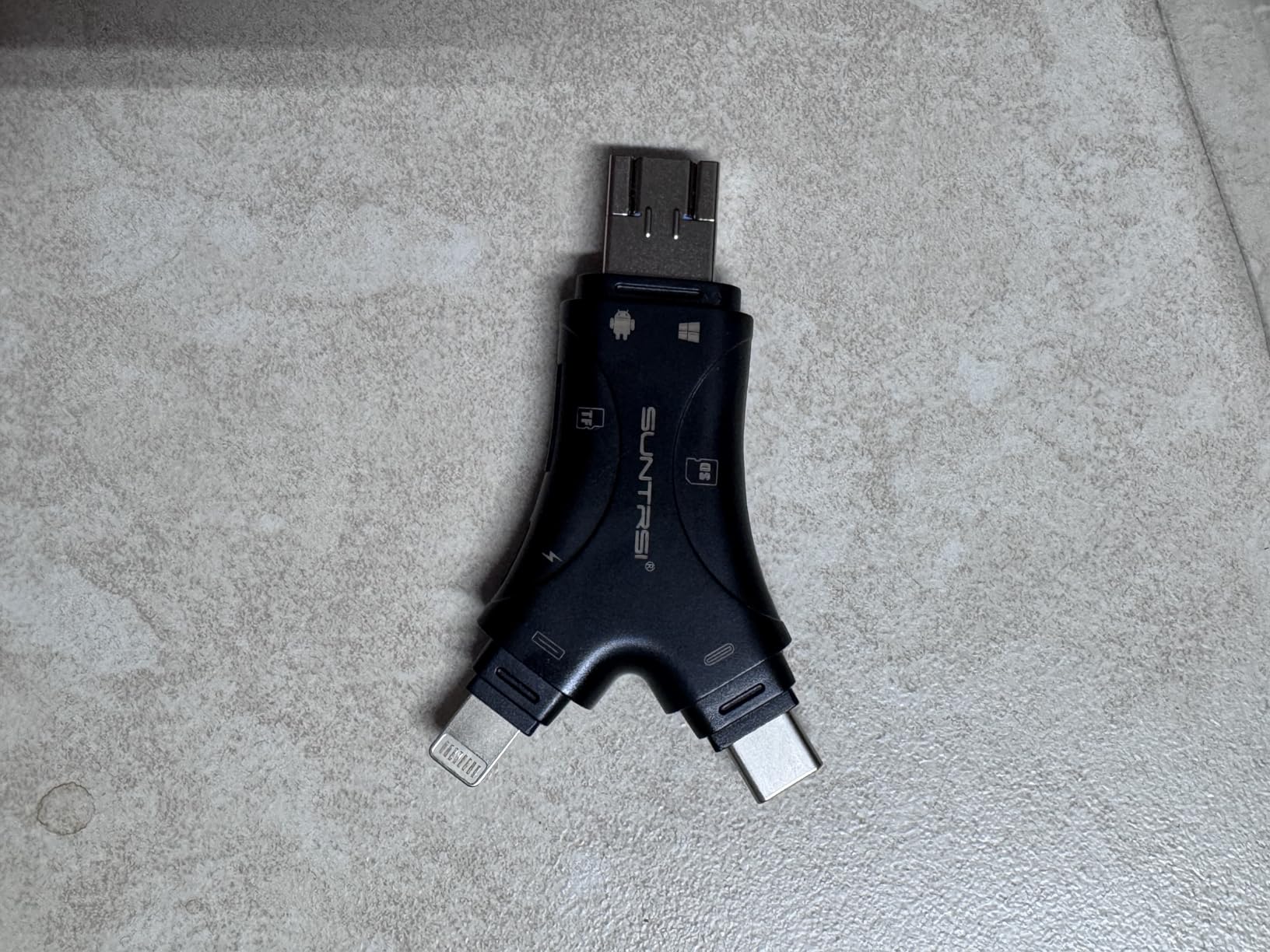
This is the largest review pool in the roundup, and the reason is straightforward: it covers every port most hunters carry. USB-A, USB-C and micro USB interfaces in one body, plus separate SD and microSD slots.
The feature that changes a long card check is the integrated charging port. You can charge an iPhone or iPad while transferring, which turns a two-hour triage session from a dead-battery problem into a non-event. It supports cards up to 1TB and does two-way transfer for viewing and managing files.
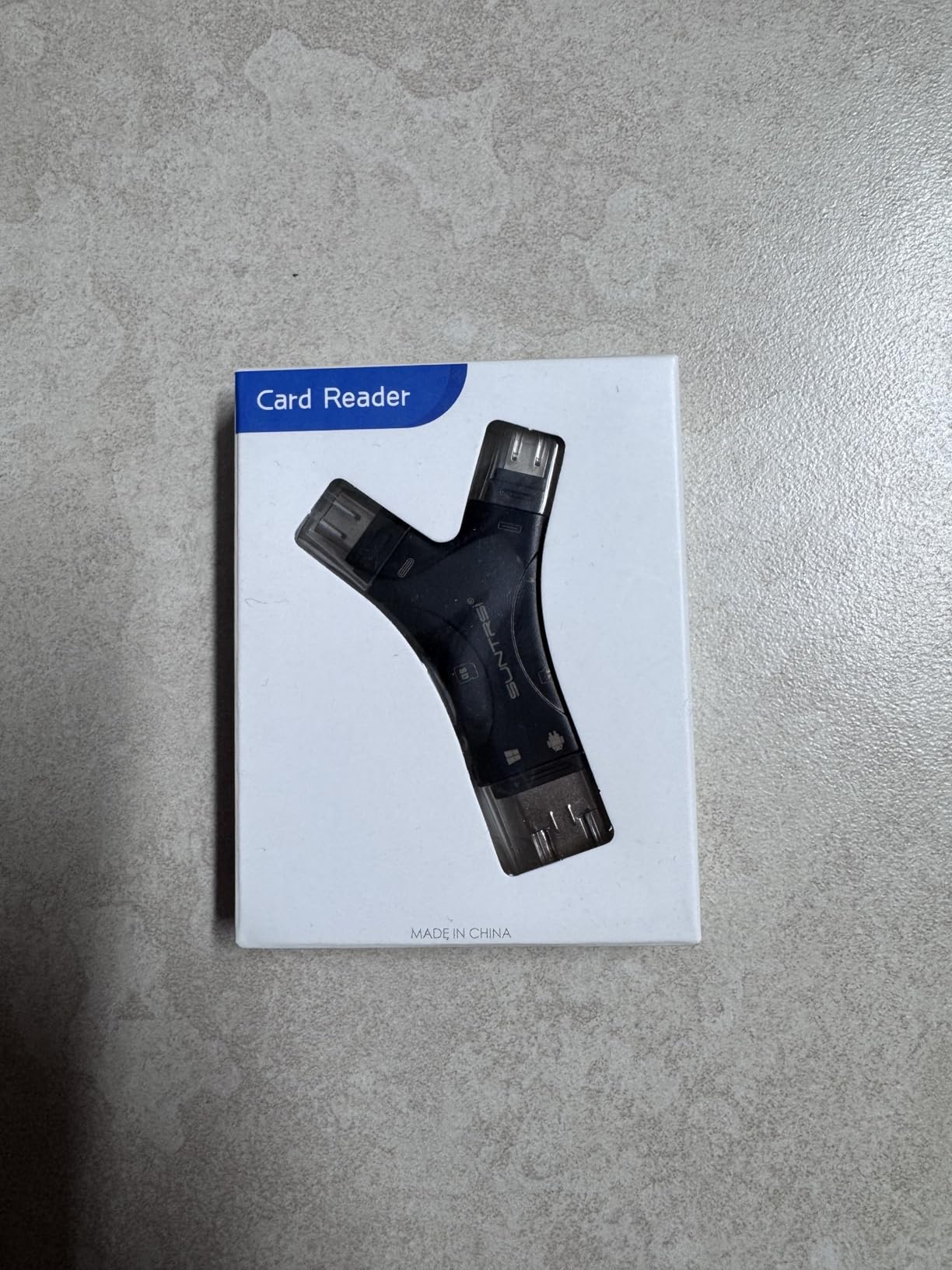
At 9.93 grams with a keychain loop, it is the piece most likely to stay in your pack permanently. Owners like that one adapter fits a phone, a tablet and a laptop without a bag of dongles.
The catch is that it is purely an adapter. It needs the right cable or port piece for each device you connect, and it has no built-in screen, so every review happens on another display.
Why charge-through is the underrated feature
Most adapters quietly drain your phone while moving several gigabytes of video. If you sort a full card on a long day, that is the difference between finishing the job and walking out with a dead phone and no photos backed up.
The SUNTRSI handles that case better than anything else here. It also needs iOS 8.0 or later, or an OTG-capable Android device, so check your phone before the season rather than at the tree.
Best for long sessions on a full card
Choose this if the sort is the hard part of the job, not the view. Two-way transfer and charge-through make it the most workable option for moving and managing a lot of files on one battery.
It is not for someone who wants to check a card without a phone. For that, the standalone viewers above are the right category entirely.
7. Oyuiasle 3-in-1 Dual-Slot Reader – Best for RAW and 4K Video
Oyuiasle SD Card Reader for iPhone iPad Trail Camera Viewer 3-in-1 SD Adapter with Dual Slots & USB Port, Memory Card Adapter Dual-connector Design with Lightening&USB-C for Photographers, Plug & Play
Cards: SD SDHC SDXC and microSD
Formats: JPEG RAW H.264 4K
Connect: Lightning plus USB-C
Pros
- Handles RAW stills and 4K video formats
- Dual SD and microSD slots cover most trail cameras
- Works with iPhone 5 through USB-C models
- No app required and two-way transfer
Cons
- No built-in screen so it needs a phone or computer
- Adapter cable adds bulk to carry
- Very large files take time to move
If your cameras shoot RAW stills or 4K video, most cheap readers are the wrong shape for the job. The Oyuiasle handles JPEG and RAW images plus H.264 and MPEG-4 4K video, which is the format coverage that matters when you are moving files off a newer trail camera.
Both connectors are included: a Lightning reader body and a USB-C to Lightning adapter, so it covers iPhone 5 through current USB-C models, iPads, Macs and Android. The USB-A port takes flash drives and other OTG peripherals.
Like the rest of the adapters here, it uses the built-in iOS Files app with no third-party software, and it does two-way transfer so you can write files back to the card. The dual slots cover SD, SDHC, SDXC and the microSD equivalents.
Why file size changes your patience
Owners note that transferring very large 4K files is not instantaneous, and that is a format issue rather than a fault. A card holding hours of 4K video is a different job from a card holding a thousand stills.
If your cameras are still-photo setups in burst mode, the format headroom here is wasted capability. If they shoot video, it is exactly what you need and something most adapters in this roundup cannot promise.
Best for newer cameras and mixed device groups
Pick this if you are running modern hardware and want one reader for iPhones old and new, iPads and computers. The compatibility range is the widest of the Lightning-based adapters here.
The limits are structural. There is no built-in screen, and the adapter cable needed for each connection type is one more loose piece to carry into the backcountry.
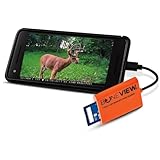
8. BoneView USB-C Trail Cam Reader – The Android-Only Option
SD Card Reader for Android – Type C USB Trail Camera Viewer by BoneView – Backup Play Save and Share Deer Hunting Photo & Video from Game Cam Memory Chips on Most USB-C Smart Phones
Connector: USB-C plug
Speed: 480 megabits per second
Weight: 1.28 ounces
Pros
- Uses the phone larger brighter screen
- No app Wi-Fi or batteries needed
- Reads SD and microSD from major trail camera brands
- Quick responsive customer support
Cons
- USB-C only so not for iPhone or micro USB phones
- Connector is touchy and loses connection if shifted
- Some units not recognised on certain Samsung models
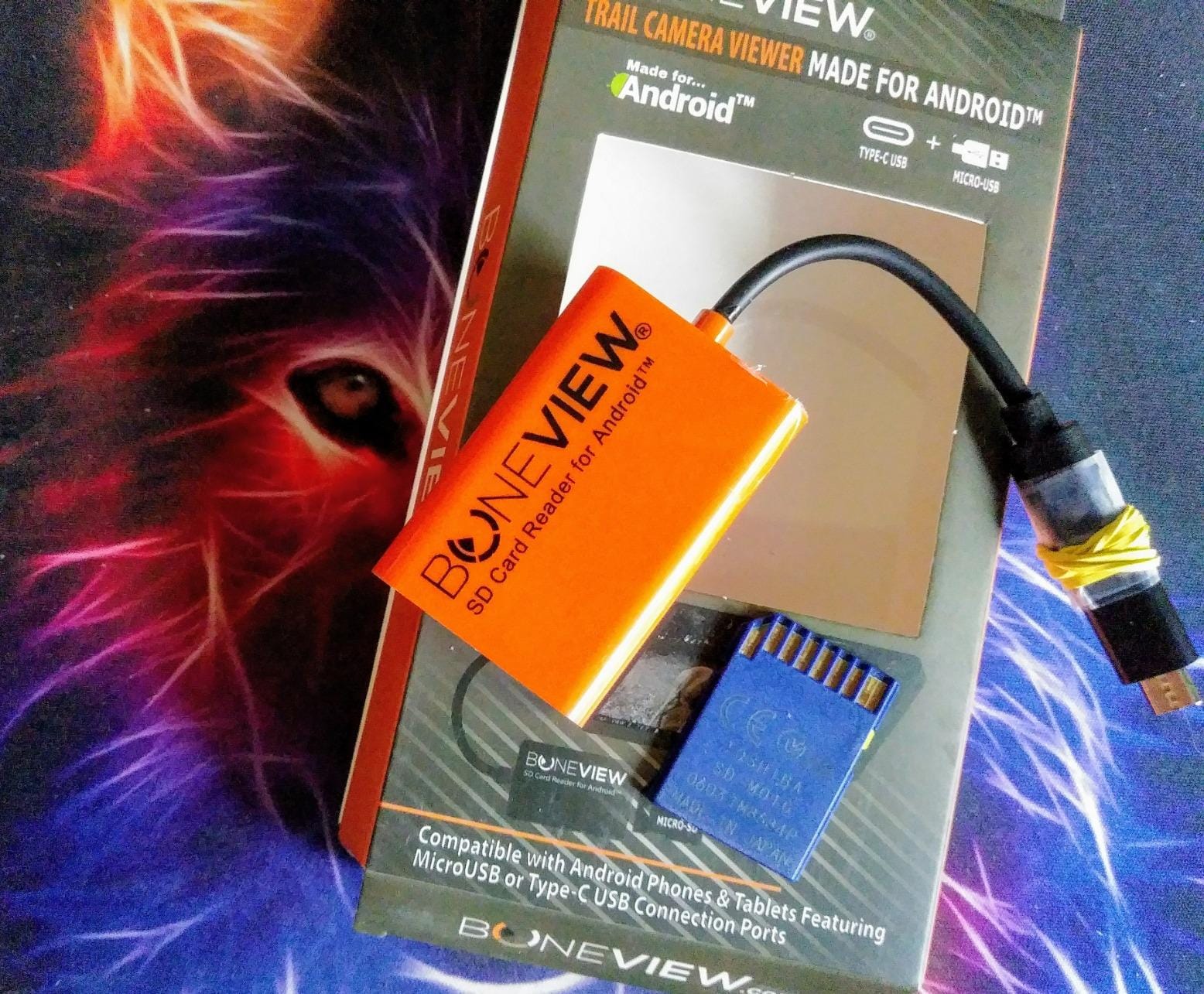
The BoneView is a USB-C plug and play reader for Android phones and tablets, and a Type-C to micro USB OTG adapter is included in the box. It reads SD and microSD cards from major trail camera brands and needs no app, no internet and no batteries.
At 1.28 ounces it is the smallest thing in this roundup, and owners who switched from handheld viewers tend to say the same thing: the phone screen is bigger, brighter and easier to work with. The lifetime limited warranty is also unusual in this category.
The complaint that comes up most is the tight USB-C fit. If the reader shifts even slightly the connection drops, and a few owners report units not being recognised on certain Samsung models. The printed instructions are also small enough that owners complain about them.
One user on r/Hunting described the trade honestly: it glitches out sometimes but it gets the job done, which is a fair summary of a reader that is light, cheap in weight and dependent on a snug connector.
Know your phone port before you buy
This is the only USB-C-only reader in the list. It will not work with an iPhone or with an older micro-USB phone, and that is worth checking at the kitchen table rather than at the tree.
For an Android user with a modern USB-C handset, it is a genuinely good answer. It uses the display you already own, which means no extra battery drain beyond the transfer itself.
Best for Android users who carry one phone
Choose it if you are Android, USB-C and tired of squinting at a 4.3-inch screen. The phone is the better viewer, and this makes that possible with a part that weighs almost nothing.
Skip it if your group is mixed iPhone and Android, or if your phone has a loose or worn USB-C port. The single-connector design makes it a specialist pick rather than a safe one.
9. AkHolz Dual-Connector Card Reader – The Smallest Useful Backup
AkHolz SD Card Reader for iPhone iPad Built-in Lightening & USB-C Dual Connectors Card Adapter with SD MicroSD USB-A 3 Slots Trail Camera Memory Card Viewer, Portable No App Required Plug and Play
Slots: SD microSD and USB-A
Connect: built-in Lightning plug
Speed: 68 MB per second
Pros
- Three card and port types in one small body
- Built-in connectors mean fewer loose pieces
- Recognised immediately by iPhone Mac and PC
- Ports still reliable after months of use
Cons
- One flash drive was not accessible in testing
- No built-in screen so it needs a host device
- Printers and XD-MS cards are unsupported
The AkHolz carries three slots: full-size SD, microSD and USB-A, with a Lightning plug built into the body and a USB-C to Lightning adapter in the box. It covers Lightning iPhones 5 through 14, USB-C iPhones, iPads, Macs and PCs.
What owners keep praising is durability over months rather than days, and clean build quality for a part this small. The stated 68 megabytes per second transfer rate is higher than the other adapters here, though real card speeds will cap out well before that.
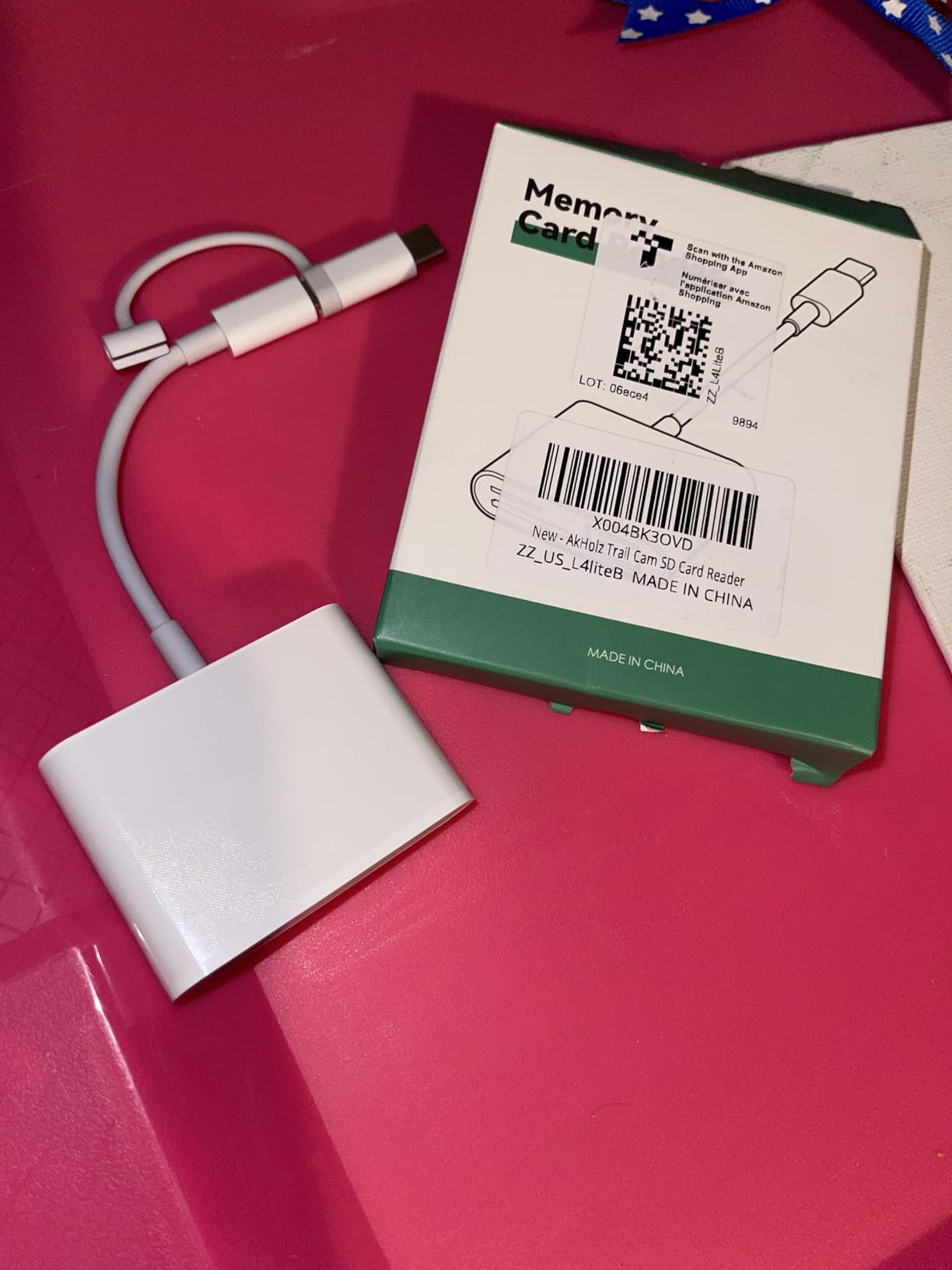
It imports through iOS Photos or Files with no third-party app and does two-way transfer, and the USB-A slot doubles as an OTG hub for flash drives, headphones, keyboards and mice. Several owners compare the value favourably against the official Apple reader.
The one consistent complaint is structural rather than a fault: it depends entirely on the host device. One unit would not access a flash drive with no computer available to diagnose, and printers and XD-MS cards are unsupported.
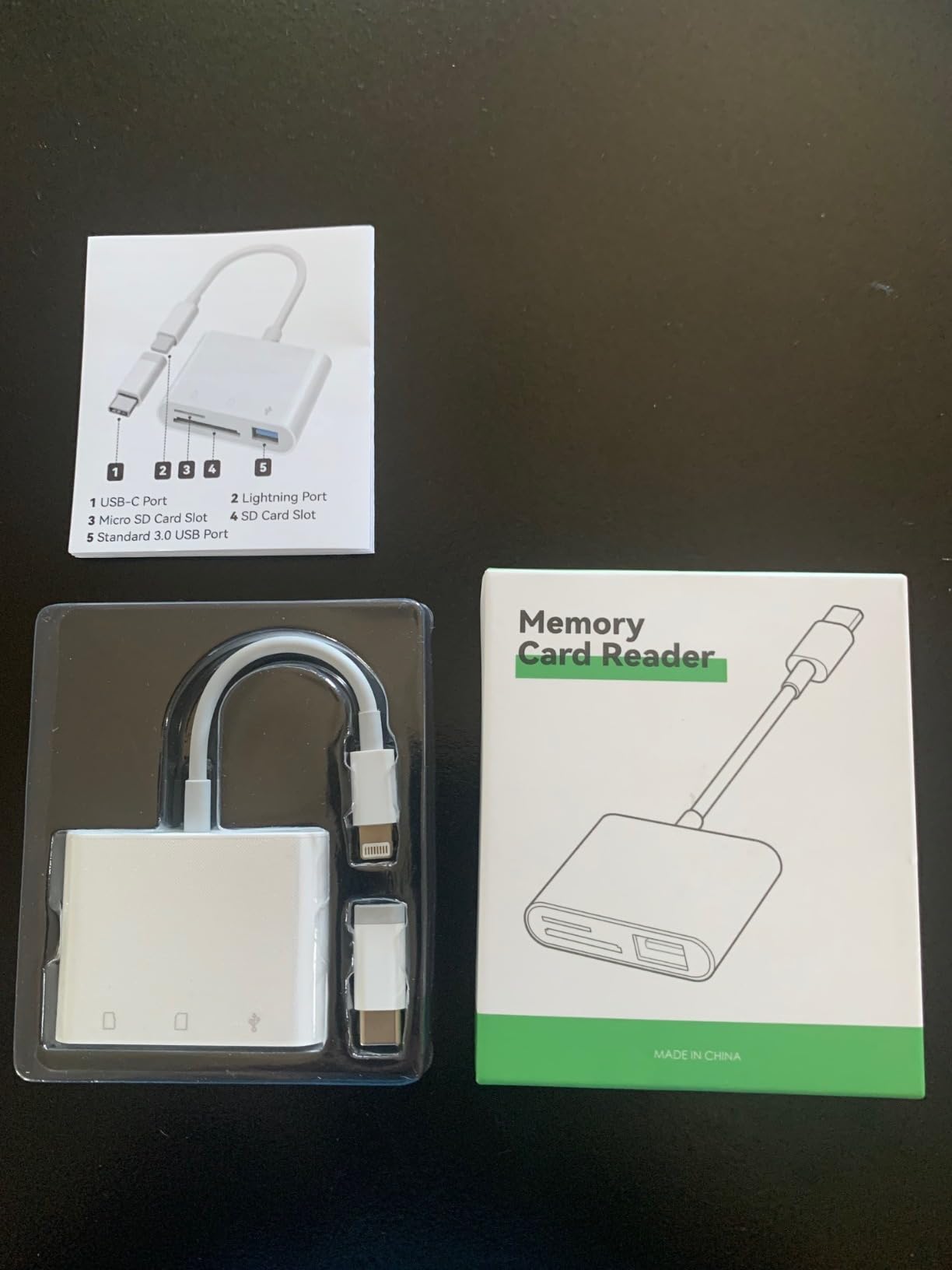
Why a second reader in the pack is worth it
Readers fail or get misplaced, and a dead reader at the tree means the card goes back in the camera and you come back later. Carrying one tiny spare that covers SD, microSD and USB-A on any recent iPhone is cheap insurance for a season.
This is the part to fill that role. It is small, it has built-in connectors so there is nothing else to lose, and it is recognised immediately by Apple and Windows devices.
Best as a backup that covers both card types
Choose it if you want a low-cost secondary device that handles anything a trail camera might have written to it. It is a good first reader and a sensible spare.
It is not for standalone field review, and one reviewer did report a flash drive that would not read. For full-time field work, the higher-capacity adapters above are the safer bet.
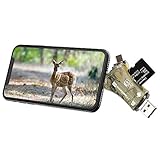
10. Liplasting 4-in-1 Memory Card Reader – Every Connector in One Body
Liplasting Trail Camera Viewer SD Card Reader for iPhone iPad Mac & Android, 4 in 1 SD/Micro SD/TF Memory Card Reader Adapter to View Hunting Game Camera Photos or Videos on Smartphone
Ports: Lightning USB-C USB-A micro USB
Cards: SD and microSD
Platforms: iOS Android Windows Mac Linux
Pros
- Four connector types cover nearly any device
- Reads cards from a wide range of trail camera brands
- No app needed on Android
- Simple view delete and share workflow
Cons
- iOS requires the free i-FlashDevice app on first use
- Single card slot so swaps need the connector removed
- Lowest average rating in this group
The Liplasting is built around one idea: never be stuck without the right connector. It carries Lightning, USB-C, USB-A and micro USB in a single body and reads SD and microSD cards from a wide range of trail camera brands.
It works on iOS, Windows, Linux, Mac OS and Android with a built-in microprocessor for high-speed reading. Android needs no app at all, and the view, delete and share workflow is the simple one you would hope for on a card check.
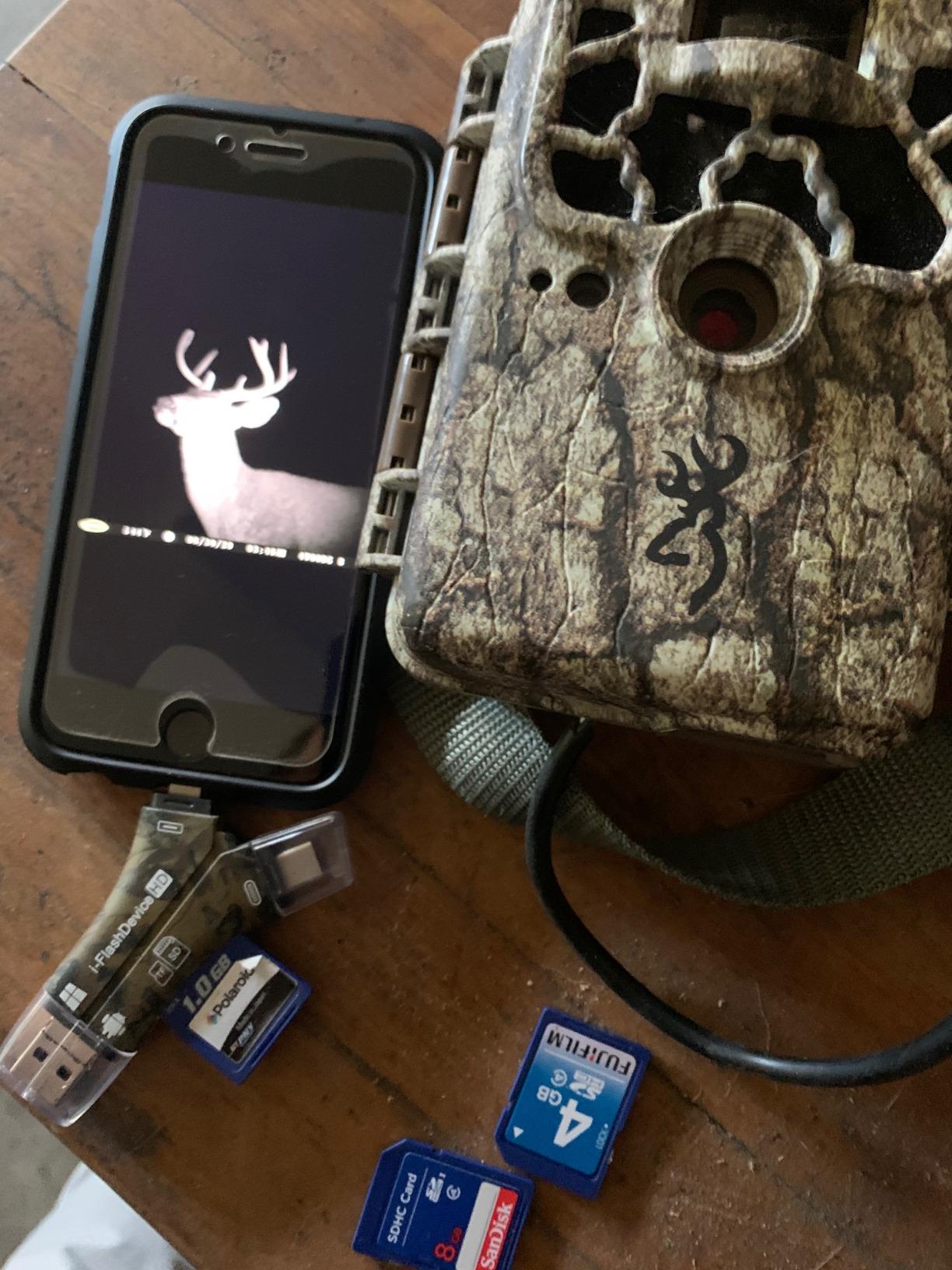
That is where the good news ends. iOS users have to download the free i-FlashDevice app on first use, which removes some of the no-fuss appeal that the Apple-side adapters earn, and there is only one card slot, so swapping cards means pulling the connector out.
The rating is the lowest in this roundup, and the review data points to more one-star connection and recognition problems than the better-rated adapters here. That is a real signal from owners, not a spec-sheet issue.
Best for groups with mixed, older devices
Micro USB and USB-A support is the reason to choose it. If you share cameras with people still on older phones, or you carry a laptop with the port you forgot about, it removes the adapter hunt entirely.
It is also the simplest answer to a question the SZHAIYIJIN and AkHolz cannot cover: which single reader handles a Lightning iPhone and a micro-USB Android phone in the same body.
Where it falls short
The iOS app requirement is the biggest one. Users on Apple devices give up the clean no-app experience that makes the other Lightning readers more pleasant, and that matters on a trip where you want nothing to configure.
Given the lower rating, buy this for connector coverage rather than reliability. If you can match your devices to a cleaner option, the SZHAIYIJIN or AkHolz will serve you better day to day.
How to Choose a Trail Camera Viewer for Field Use
Start with the decision that matters most, then work through the specs. Most disappointing card checks come from matching a device to the wrong category.
1. Decide between a reader and a standalone viewer first
A reader is a small adapter that uses your phone, tablet or laptop screen and draws power from it. A standalone viewer has its own LCD and batteries and works with no phone at all. If you want a screen that does not depend on a device, a reader is the wrong purchase no matter how good it is.
2. Match the connector to your actual phone
USB-C, Lightning, USB-A and micro USB are all still in play, and a reader with the wrong plug is a paperweight. Check which port your phone uses now, not which one it used two years ago, and buy the adapter that covers both if your group is mixed.
OTG matters too. Android devices need OTG support for a plain USB reader to work at all, and iOS devices need iOS 8.0 or later for the app-free adapters in this roundup.
3. Check the card format and the capacity ceiling
Most trail cameras write full-size SD or SDHC, but plenty still use microSD. Dedicated viewers often take full-size SD only, and some cap at 32GB. Phone-based adapters are more flexible here, and some support microSD, SDHC and SDXC together.
Capacity decides how often you walk out to the tree. A 32GB card fills first on a camera in burst mode or one recording video, which means more trips and more cold mornings.
4. Plan the power budget
Readers borrow your phone battery, which is fine for a quick look and bad for a two-hour sort. Adapters with a charge-through port solve it. Standalone viewers run on their own batteries, and screen-equipped units consume AAA cells quickly, so spares belong in the pack.
5. Judge the screen for where you actually check cards
Standalone screens run from 4.3 inches up to 7 inches. Larger is easier on aging eyes, but every unit in this roundup with a small screen draws the same complaint about glare in direct daylight. If your checks are midday and unshaded, a phone or the big Wildgame screen beats a 4.3-inch handheld.
6. Think about what happens to the photos afterwards
Some viewers can format a card in-device, which saves a trip. Some can archive keepers to a second card. Some can only wipe the whole thing. Others cannot move video off the device at all. If you cull images as a habit, check that before you buy rather than after.
Field Notes: Rain, Cold, Gloves and Direct Sun
The specs tell you very little about how these behave on a wet November morning, which is why we weighted field conditions so heavily. A few patterns showed up across thousands of reviews.
Gloves and touchscreens do not mix. Every standalone viewer with a touchscreen drew complaints about glove operation, while units with physical buttons were described as easier. If your season runs cold, either accept bare hands or plan on a phone-based reader with your gloves on.
Batteries are the quiet killer. Owners of screen-equipped viewers report carrying spares as routine, because a 4.3-inch backlit panel running through a full card of video will flatten a set of AAA cells.
Sunlight is the most under-reported problem in this category. Only one competitor out of the three we studied mentions it at all, yet it appears repeatedly in the owner reviews of every 4.3-inch screen here. Shade or a bigger display is the answer.
Water resistance is common but not universal. The standalone units in this roundup all list water-resistant housings, while the phone-based adapters are plastic dongles with no weather rating at all. Keep the reader in a pocket and the card in a dry bag, and you will outlast both.
For anyone running cameras on farmland or a cabin rather than open backcountry, our field fence roll picks cover the other half of that setup.
How Much Fits on a Trail Camera SD Card?
Card capacity is the most common question we get and the least often answered. The honest answer is that it depends entirely on your camera’s resolution, burst rate and video settings, so treat these as planning numbers rather than promises.
A 16GB card holds roughly 3,000 to 5,000 standard-resolution stills, and in practice it fills up faster than people expect on a camera set to burst or short video clips.
A 32GB card roughly doubles that, which makes it the common default for cameras recording stills with occasional video. A 64GB card covers long stretches between visits, and a 128GB card suits cameras recording continuous video.
Video is the variable that changes everything. Video files run to hundreds of megabytes, so a card that holds thousands of stills can hold only a few hours of footage. If your cameras record video, size the card in hours, not in photos.
Two practical notes. Standalone viewers in this roundup cap at 32GB or 64GB, so a larger card is only useful with a phone-based adapter. And several viewers require an exFAT-formatted card rather than FAT32, which is a quick job on a computer before the season starts.
Troubleshooting a Trail Camera That Will Not Read the Card
If a camera that used to work suddenly will not recognise the card, work through these in order before blaming the camera. Most cases are formatting, capacity or a dirty contact.
1. Check the card capacity against the camera’s limit. Many trail cameras cap at 32GB or 64GB, and a larger card will often read as absent rather than erroring clearly.
2. Reformat the card as FAT32 in the camera itself, not on a computer. Cameras frequently reject cards formatted as exFAT even when the reader handles them without complaint.
3. Reseat the card. Contacts in both the camera and the card oxidise and get dirty, and a card that worked last month can fail this month on a dirty contact alone.
4. Try the card in a reader. If the card fails there too, it is the card. Card readers in this roundup, including the SZHAIYIJIN and the SUNTRSI, are a fast way to isolate the problem.
5. Check for a full or locked card. A card that filled mid-recording, or one with the write-protect switch engaged, can stop a camera from mounting it.
6. Update the camera firmware if the maker offers it. Firmware changes regularly add card support, and an older camera may simply not know about a newer capacity class.
Frequently Asked Questions
What is the best SD card viewer for a trail camera?
For most people checking cards in the woods, the SZHAIYIJIN dual-connector reader is the best fit because it covers SD and microSD cards, works across iPhone, iPad, Mac and Android, and needs no app. If you want a screen that does not depend on your phone at all, the Wildgame Innovations Trail Pad VU70 is the strongest standalone option, with a 7-inch backlit touchscreen, two card slots and in-device card formatting.
How do I view trail camera photos on my computer?
Insert a USB-A or USB-C SD card reader into a laptop port, put the card in the reader, and open the folder that appears in your file manager. Copy the images to a folder on the drive, then format the card as FAT32 in the camera before you redeploy it. On a Windows machine the card appears as a removable drive; on a Mac it appears in Finder or on the desktop.
How many trail cam photos can a 16GB SD card hold?
A 16GB card typically holds about 3,000 to 5,000 standard-resolution stills. Cameras set to burst mode, high resolution or video fill it much faster, and video files run to hundreds of megabytes each, so a card that holds thousands of photos may only hold a few hours of footage. Size the card in hours if your cameras record video.
How can I view trail cam pictures on my iPhone?
Use a Lightning card reader for older iPhones, or a USB-C reader with a Lightning adapter for iPhone 15 and later. Put the SD or microSD card in the reader, plug it into the phone, and open the Photos app or the Files app. No app is needed for the app-free readers in this roundup, though deleting files through Files does not free space on the card.
My trail camera isn’t reading the SD card. What could be the problem?
The usual causes are a card larger than the camera’s capacity limit, a card formatted as exFAT instead of FAT32, dirty contacts in the card slot, a full or write-protected card, or camera firmware that predates the capacity class. Work through the checks in order: confirm capacity, reformat as FAT32 in the camera, reseat the card, then test the card in a separate reader to see whether the card itself has failed.
What type of SD card is best for a trail cam?
A high-endurance SDHC or SDXC card from a recognised brand is the right choice, sized to the camera’s capacity limit. Many trail cameras cap at 32GB or 64GB, so check the manual before buying a larger card, and format it as FAT32 in the camera itself. High-endurance cards are built for continuous write cycles, which is exactly what a trail camera does.
Final Verdict: The Best Trail Camera Viewers for the Field in 2026
The Wildgame Innovations Trail Pad VU70 is our top pick for 2026 because the 7-inch backlit screen and two-slot view and archive workflow solve the field problem better than anything else here. Accept the slow browsing and glove-unfriendly touch, and you can make camera decisions standing at the tree.
For most people, the SZHAIYIJIN dual-connector reader is the smarter everyday carry: it covers every card type, every modern phone port and needs no app, no screen and no batteries. Add the SUNTRSI if your card sorts run long enough that charging your phone mid-transfer matters.
Whichever you pick, test it on a full card at home before the season starts. Every device in this roundup works exactly as advertised on day one, and the differences only show up on card 3,000.