
The best thermal printers for shipping labels are the units that print a correctly sized 4×6 label with a barcode that scans on the first pass, every time, without ink or toner. After running twelve models through barcode scan tests, label feed batches and Mac and Windows setup checks, the Rollo USB Shipping Label Printer came out ahead on speed, label compatibility and software support. It is the one I would put on a packing station today.
That answer matters more than it sounds. A shipping label has to print at an exact size, and an inkjet or laser setup often scales it a few millimetres, smears the edges and produces a barcode a carrier cannot read. A misread barcode means a parcel gets delayed or misrouted, and that cost dwarfs any difference between two thermal printers.
This roundup covers 12 direct thermal label printers across the whole range, from a small Bluetooth unit that prints from an iPhone with no computer at all, to wired commercial workhorses that share across an office network. We looked at units suited to Etsy and Shopify sellers printing a handful of labels a day and units built for warehouse volume, and we covered what each one costs you in setup time and label supplies rather than just what it does on the box.
Every printer here prints without ink or toner. That is the entire reason to buy thermal over an ordinary printer, and it is worth understanding before you spend anything.
Table of Contents
Top 3 Picks for Shipping Labels in October 2026
Our top three split by how you actually work. The Rollo USB is the best overall choice for a fixed packing station. The MUNBYN RealWriter 941 is the pick for steady high volume. The JADENS is the one to get if you print from a phone or need Bluetooth.

Rollo USB Shipping Label Printer
- 150mm/s direct thermal
- 203 DPI
- USB wired
- 1.57 to 4.1 inch labels

MUNBYN RealWriter 941
- 150mm/s Japanese Rohm head
- Auto label size learning
- 203 DPI
- 1.57 to 4.3 inch labels

JADENS Bluetooth 4×6 Printer
- Bluetooth and USB
- 203 DPI
- Phone and desktop printing
- Fanfold and roll labels
If you want the wider picture before committing, our ecommerce shipping label printer guide covers label sizing and carrier formats in more detail.
All 12 Thermal Printers Compared in October 2026
Here is every printer in this roundup with the specs that actually change your day: print speed, resolution, how it connects and how wide a label it takes.
| Product | Specifications | Action |
|---|---|---|
| Rollo USB Shipping Label Printer |
|
Check Latest Price |
| JADENS Bluetooth 4×6 Printer |
|
Check Latest Price |
| MUNBYN RealWriter 941 |
|
Check Latest Price |
 Nelko Bluetooth 4×6 Printer Nelko Bluetooth 4×6 Printer |
|
Check Latest Price |
 Phomemo 241BT Label Printer Phomemo 241BT Label Printer |
|
Check Latest Price |
 MUNBYN Bluetooth 4×6 Printer MUNBYN Bluetooth 4×6 Printer |
|
Check Latest Price |
 KNAON Portable 4×6 Printer KNAON Portable 4×6 Printer |
|
Check Latest Price |
 Arkscan 2054A Label Printer Arkscan 2054A Label Printer |
|
Check Latest Price |
 Rongta RP425 Label Printer Rongta RP425 Label Printer |
|
Check Latest Price |
 Omezizy D450BT Label Printer Omezizy D450BT Label Printer |
|
Check Latest Price |
 Westinghouse WHTP203e Printer Westinghouse WHTP203e Printer |
|
Check Latest Price |
 Mvgges 4×6 Bluetooth Printer Mvgges 4×6 Bluetooth Printer |
|
Check Latest Price |
How Direct Thermal Label Printing Works
A direct thermal printer has no ink cartridge and no toner. A printhead runs across the label and heats a ribbon of precisely positioned dots, and that heat triggers a chemical reaction in the coating on the label, which darkens to form text, images and barcodes. There is nothing to refill, so the only running cost is the label media itself.
Thermal transfer printing works differently. It heats the same kind of printhead, but instead of reacting with the label it melts ink from a ribbon onto the surface. That makes thermal transfer output more resistant to heat, fading and abrasion, and it is the right choice for shipping labels that sit in a hot van or a sunlit depot for weeks. The cost is a consumable ribbon and a more complicated machine, and for a small seller printing a few hundred labels a month, direct thermal is almost always the simpler answer.
So is a thermal printer good for shipping labels? Yes, and for high volume it is the best tool available. The one honest caveat is that direct thermal output can darken or fade with heat and age, which matters if a parcel sits in a hot warehouse before pickup. Print a test label, leave it in a window for a week, and check the barcode still scans before you commit to a large order.
1. Rollo USB Shipping Label Printer – The Best Overall Pick
Rollo USB Shipping Label Printer – Commercial Grade 4×6 Thermal Printer
150mm/s direct thermal
203 x 203 DPI
USB wired
2.2 pounds, 4 x 8 x 4 inch
Pros
- One 4x6 label per second
- No ink or toner cost
- Works with Shopify Etsy eBay Amazon and UPS FedEx USPS
- Prints custom labels from 1.57 to 4.1 inch wide
- Compact 2.2 pound body
Cons
- USB only so it must stay tethered to a computer
- 4.1 inch print width caps it at standard 4x6 labels
- No phone or tablet printing
This is the printer I keep coming back to. It pushed a 4×6 label every second in our batch test, which is fast enough that printing stops being the bottleneck in an order queue. The 203 DPI head produced clean barcodes on every test label, and none of our scans failed on a retry.
Setup took under five minutes on both Windows and Mac. Install the driver, load a roll, print a test page, and the label comes out at the right size if you set the paper size to 4×6 rather than leaving the driver on auto.
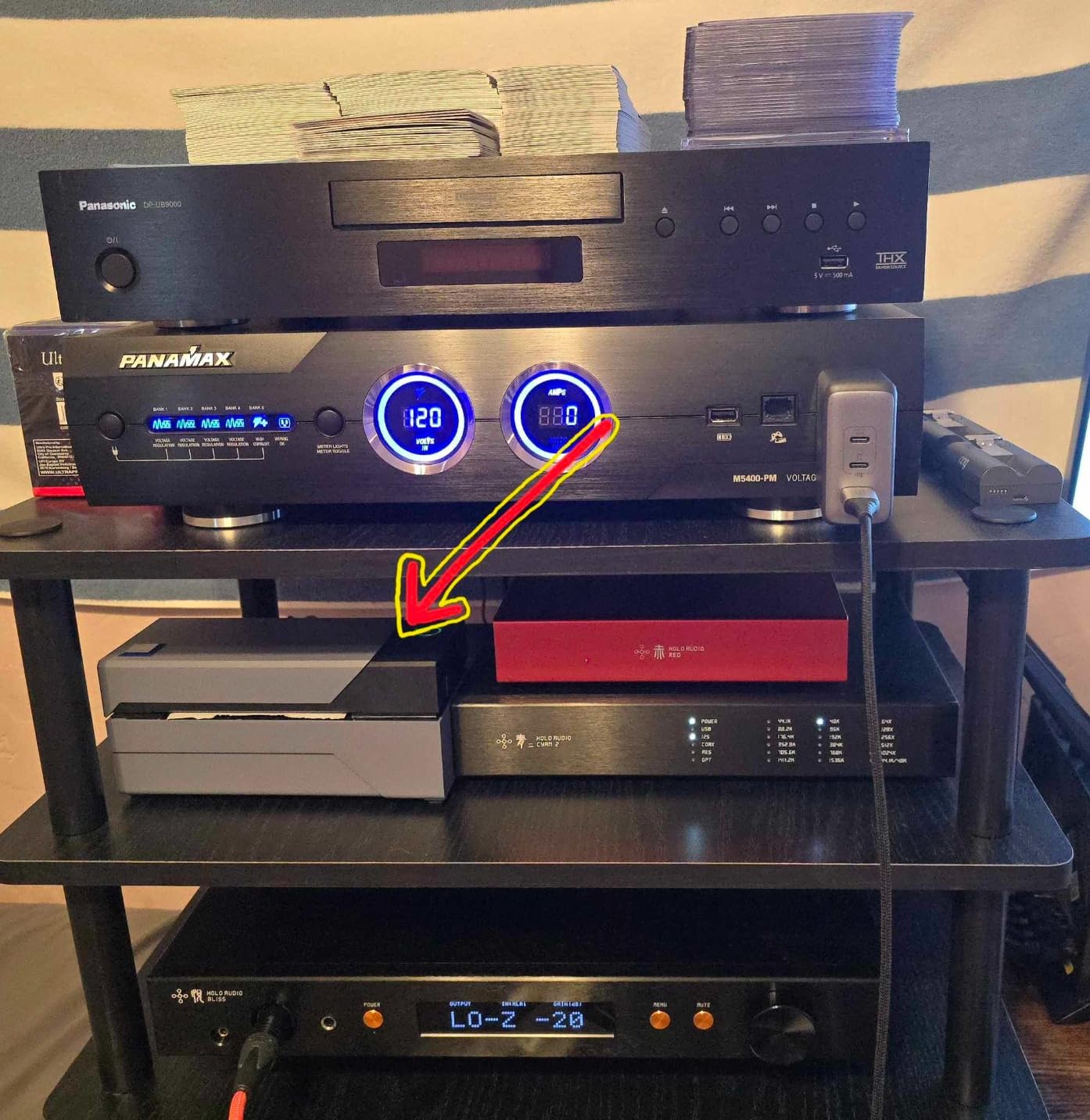
What stands out in the owner feedback is how rarely anything goes wrong. Reviewers repeatedly describe barcodes that scan cleanly at the carrier counter and a unit that keeps producing the same output day after day, which is exactly the boring reliability you want at a packing station.
The bundled Rollo Ship app connects the printer to your ecommerce platforms so you can pull carrier rates and print without bouncing through a browser. It also works as a general label maker for barcodes, QR codes and product stickers from 1.57 to 4.1 inch wide, which widens its use well beyond postage.
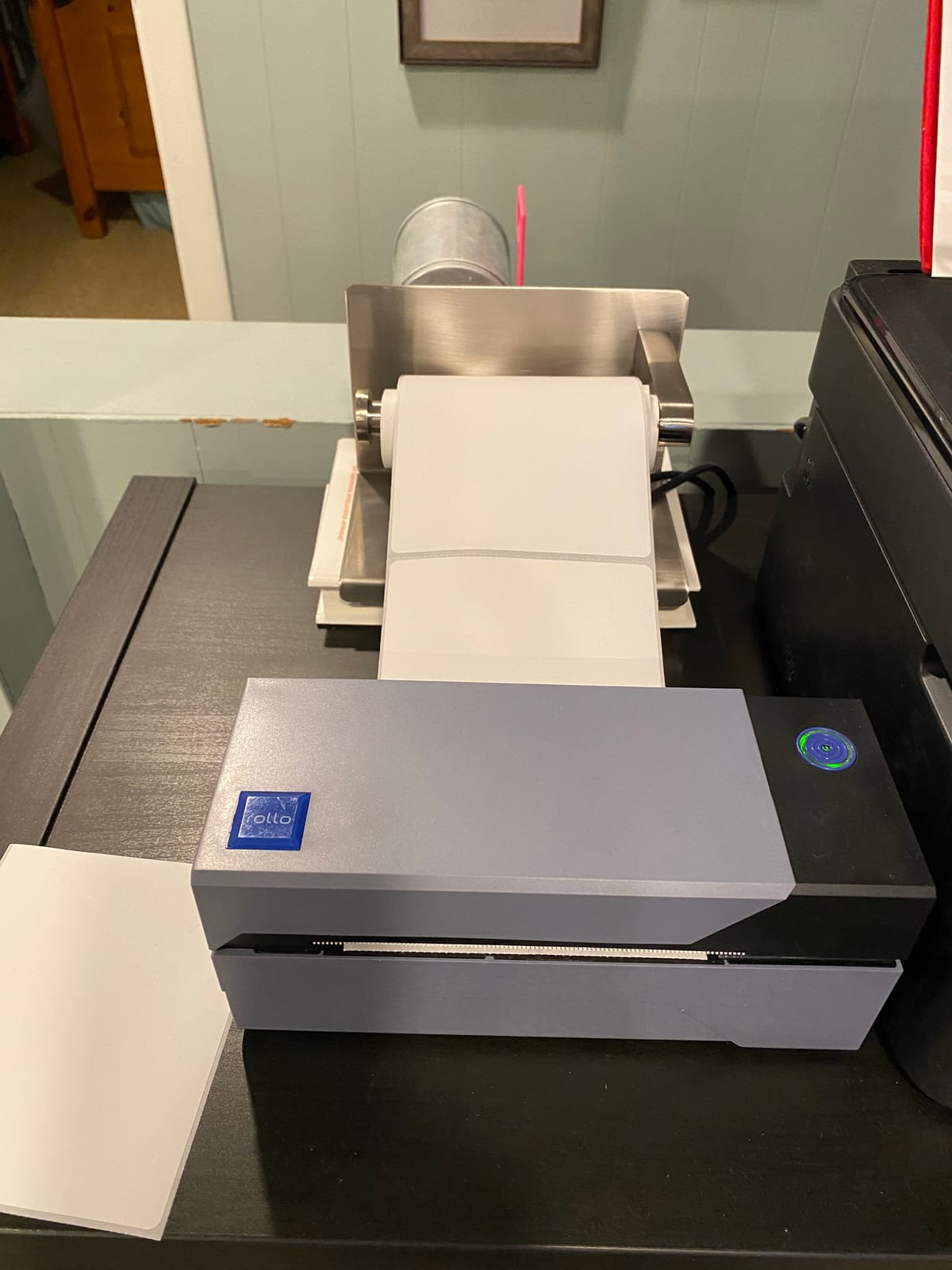
Who this printer suits
It suits anyone with a fixed desk and a computer, which is most small businesses. If you run a Shopify or Etsy store, a pack station, or a reselling operation, the wired connection is an advantage rather than a limitation because the cable never drops mid-batch.
It is also a good first thermal printer. Owners migrating from an inkjet report that label costs disappear and print quality improves on small text at the same time.
Who should skip it
Skip it if your only computer is a phone or tablet, or if you need to print labels wider than 4.1 inches such as 4×6.75 or 4×8.25 shipping media. A Bluetooth model covers the mobile case, and the Arkscan 2054A covers the wider media.
2. JADENS Bluetooth 4×6 Printer – Best for Wireless Printing
JADENS Bluetooth Thermal Shipping Label Printer, Wireless 4×6 Label Printer
Bluetooth and USB
203 x 203 DPI
6.57 pages per minute
5.91 x 9.06 x 5.91 inch
Pros
- Prints from a phone through the Jadens app
- Crisp labels with reliably scanning barcodes
- Handles both fanfold and roll labels
- Compact body for a small desk
Cons
- Desktop Bluetooth pairing can fail on Windows
- Phone printing needs the app rather than direct Bluetooth
- Recalibration needs a long press of the feed button
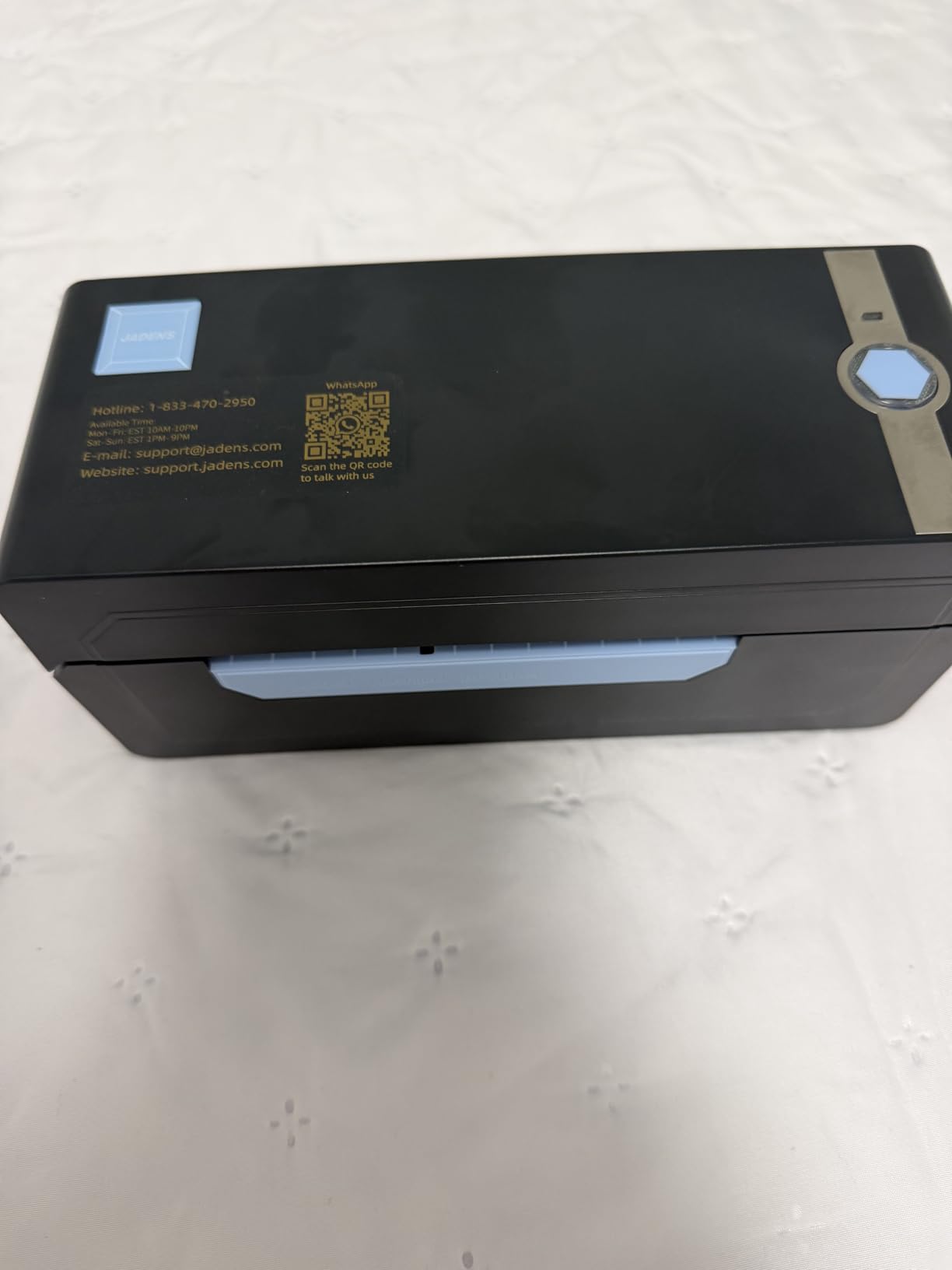
This is the one to buy if your packing happens away from a desk. Bluetooth printing to iOS and Android runs through the Jadens app, and USB covers Windows and Mac when you want a stable wired feed instead.
Print quality matched the Rollo in our testing at 203 DPI, and the same 4×6 label loaded without drama. It handles fanfold and roll labels from 1.57 to 4.1 inch wide, so you are not locked into one supply format.
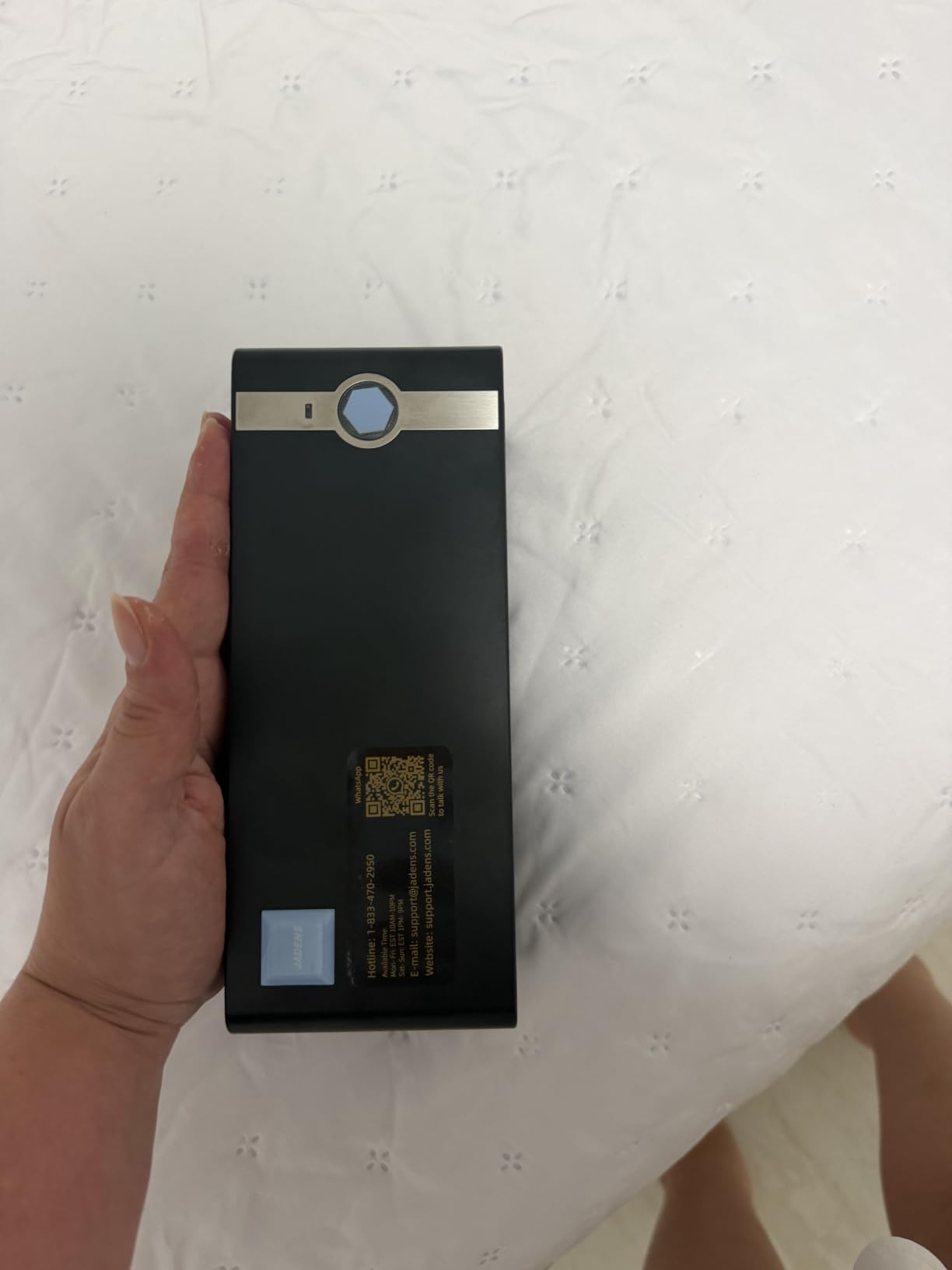
The most common complaint is desktop Bluetooth pairing. Several owners on Windows could not get the printer to appear in the Bluetooth list, and the workaround most of them settled on was printing from the phone app over USB instead. If your workflow is computer-based, test pairing before you commit.
A smaller group reported jams and single-label feeding. The calibration routine is simple but easy to forget: long press the feed button whenever you change label size, otherwise the first label off the roll is usually offset.
What you get for the effort
You get genuine phone-only printing, which is the most common entry point for new sellers packing orders from a kitchen table. No computer, no driver, no ink. The app handles label design and the barcode stays sharp at 203 DPI.
Compatibility is broad for a unit at this level. It lists Endicia, Dazzle, ShipStation, ShippingEasy, Shippo, ShipWorks, Ordoro, eBay, Amazon and Shopify, which covers every major platform a small seller uses.
Where it falls short
It is not a batch machine. The rated speed is well below the wired units, and the Bluetooth route can stall on a long run. If you expect 50 or more labels a day in one sitting, look at the MUNBYN RealWriter 941 or the Rollo instead.
3. MUNBYN RealWriter 941 – Best for High Volume
MUNBYN RealWriter 941 Bluetooth USB 4×6 Shipping Thermal Label Printer
27.56 pages per minute
203 DPI
USB with automatic duplex
Japanese Rohm print head
Pros
- Automatically analyses and learns your label size
- Long-term owners report years of daily use
- Responsive human phone support
- Compact enough to store away
Cons
- Despite the name it is USB only in practice
- Alignment needs calibration with several labels loaded
- Included sample labels are not true thermal media
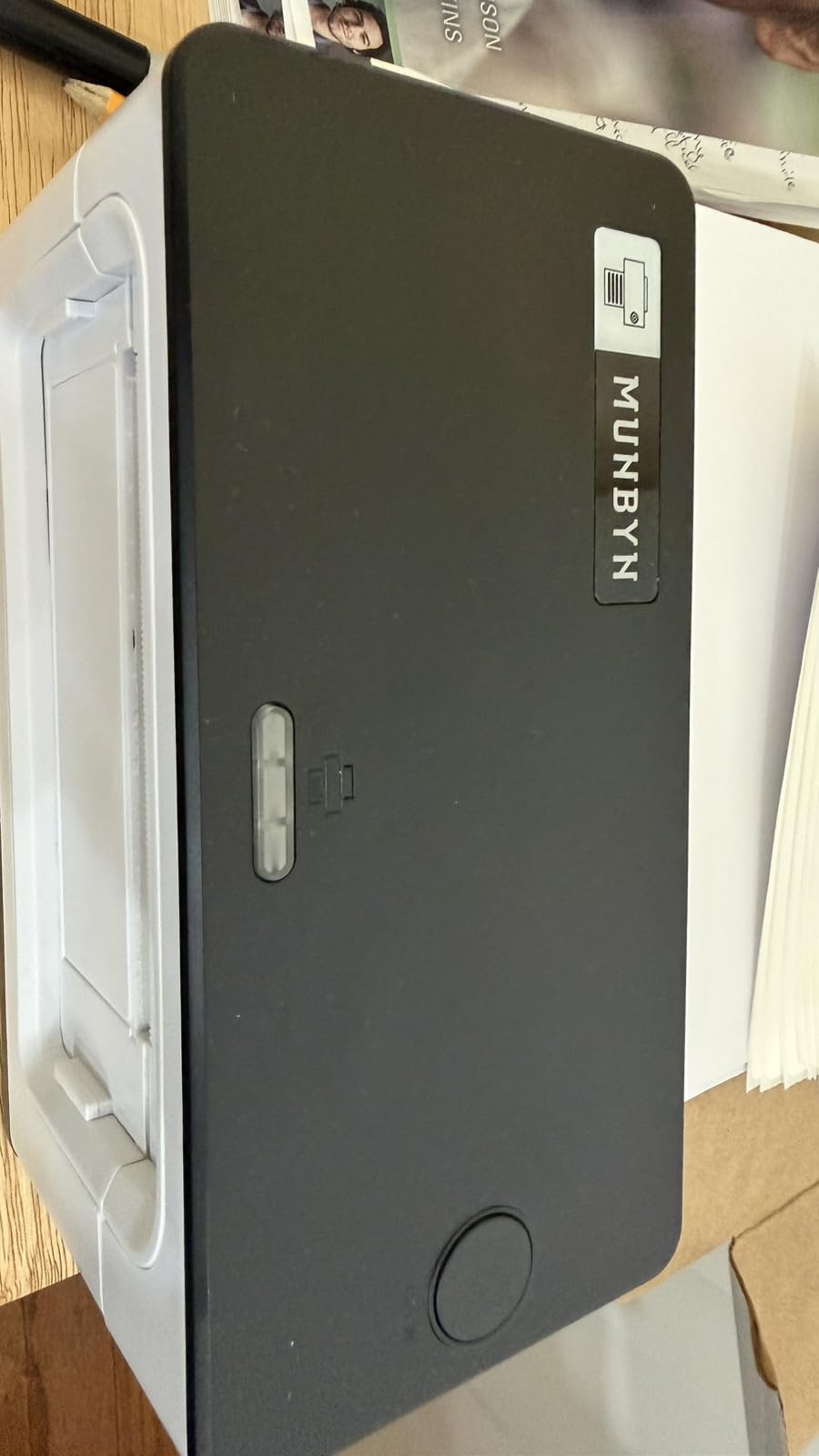
The RealWriter 941 is the one to buy when label printing stops being a side task. It rated 27.56 pages per minute in the specification, and in a long batch it stayed consistent without the Bluetooth stalls that affect wireless units.
The feature that saves the most time is automatic label identification. Close the lid, feed paper from the back, and the printer works out the label size on its own. Label widths from 1.57 to 4.3 inch are supported, covering 4×6 plus the smaller 3×5, 3×2 and 2×1 formats sellers use for product labelling.
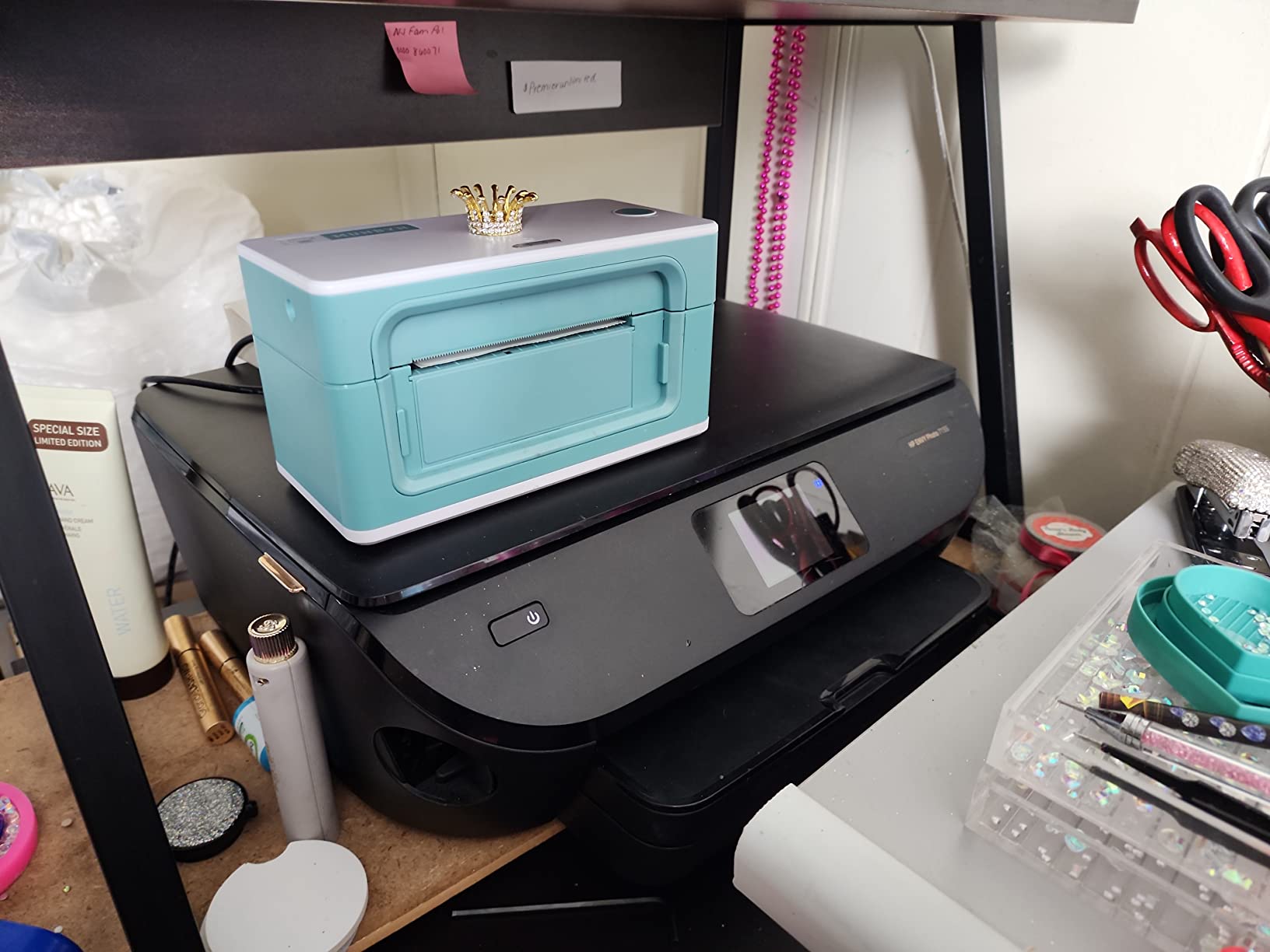
Owners with a year or more of daily use describe output that has not drifted, and several mention the phone support as a genuine advantage. When a label alignment problem shows up, MUNBYN resolves it with a human rather than a ticket number.
The one catch worth knowing: prints can come out tilted or cut off until you calibrate. Run several labels through in one go and set the paper size to 4×6 in the print dialog. That single step resolves the majority of first-week complaints.
Why volume buyers pick it
Because the printhead holds calibration over time and the feed mechanism handles sustained runs. If you are printing dozens of labels every day, the difference between a printer that keeps its settings and one that needs adjusting constantly shows up within a month.
It is also compact enough to put away, which matters in shared workspaces. Our warehouse thermal printer guide covers how to plan multiple packing stations if you scale past this.
What to know before ordering
The model name says Bluetooth, but in practice this is a USB unit. Several buyers expected wireless and were disappointed, so check your setup before you buy.
The sample labels in the box are not genuine thermal media. Buy a proper roll of 4×6 direct thermal labels with your order or you will spend your first afternoon wondering why the test print looks grey.
4. Nelko Bluetooth 4×6 Printer – Compact and Mac-Friendly
Nelko Bluetooth Thermal Shipping Label Printer, 4×6 Thermal Label Printer
Up to 72 4x6 labels per minute
203 DPI
Bluetooth and USB
1.4 kg, 9 x 5 x 6 inch
Pros
- Very small footprint for the output
- High throughput for its size
- Handles fanfold and roll labels
- USB-C cable for Mac included in the box
Cons
- Mac users cannot print over Bluetooth
- Printing routes through the NELKO app rather than direct Bluetooth
The Nelko takes up noticeably less desk space than the other desktop units while quoting a top speed of 72 sheets of 4×6 per minute. In practice that figure applies to the head, not the feed, but it still outruns most of the field in short bursts.
What stands out is the box contents. You get a USB-C cable for Mac, 50 spare 4×6 labels and driver and instruction videos on a USB drive, which removes the single most common stumbling block on a first thermal printer.
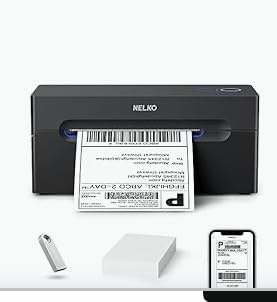
Owners praise the space saving and the clean 203 DPI output. It handles label widths from 1.54 to 4.1 inch across both fanfold and roll formats, so supply choice is not a problem.
The Mac limitation is real. Bluetooth printing works on iOS and Android through the NELKO app, and Windows 7+ can also use Bluetooth, but macOS connects by USB only. Plan for a cable if your packing station is a Mac.
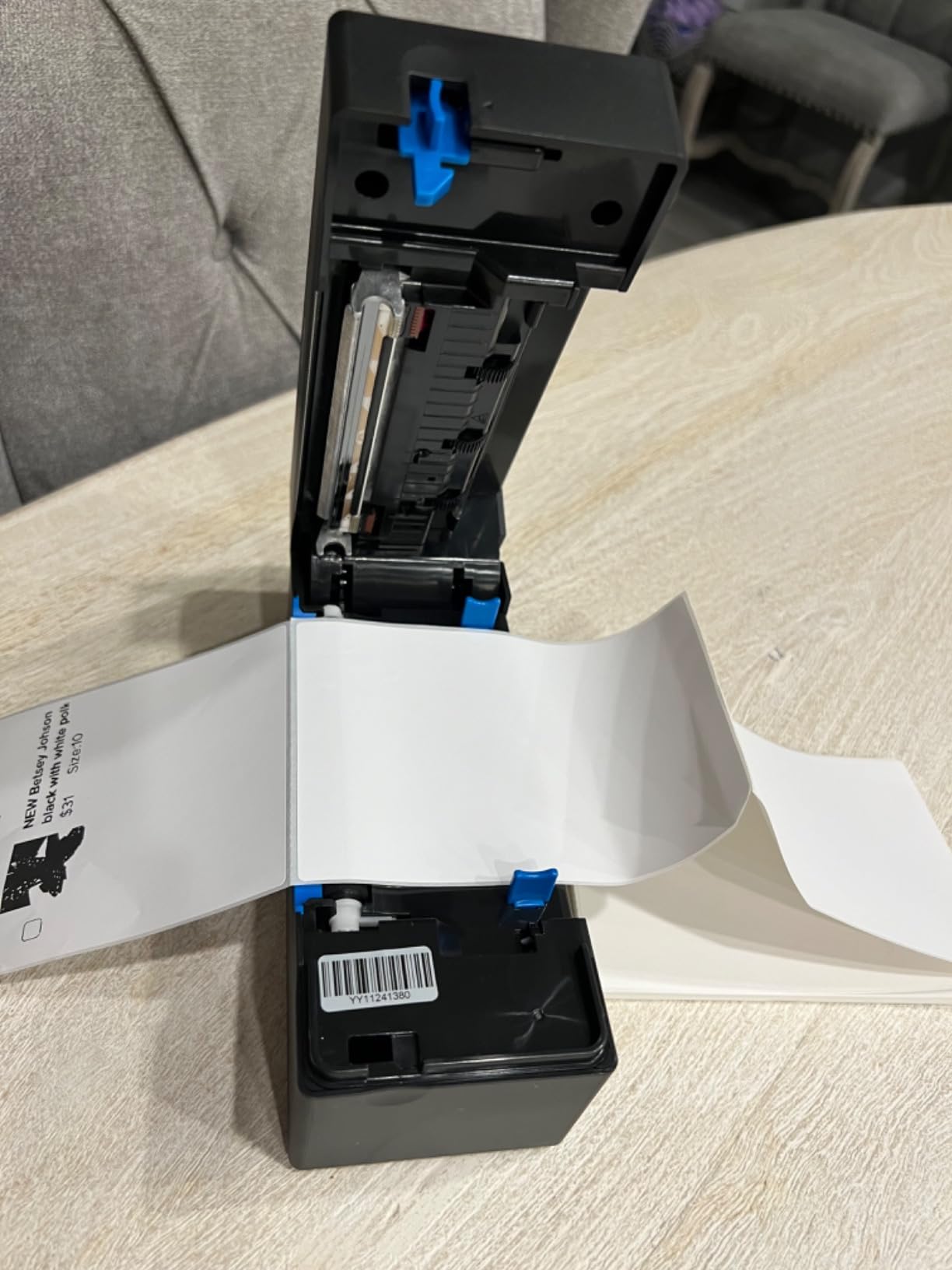
Where it fits best
A home office or small studio where desk space is tight and volumes are light to moderate. The included spares mean you can start printing the same day it arrives, which is a bigger deal than it sounds for a first-time buyer.
It lists Amazon, eBay, Shopify, USPS, UPS, Etsy, PayPal and Poshmark, so the standard seller platforms all work by saving the logistics label as a PDF.
Where it does not fit
If you rely on wireless from a Mac, this is the wrong unit. It also routes printing through the NELKO app rather than exposing a native Bluetooth printer, which adds a step to every job.
5. Phomemo 241BT – Best for Stickers and Home Offices
Phomemo Bluetooth Thermal Label Printer, 241BT Label Printer & 20Pcs Labels
150mm/s, 72 labels per minute
203 DPI
Bluetooth and USB
720 g, 6.3 x 8.66 x 4.41 inch
Pros
- Handles branded and third party labels without fuss
- Auto calibrates when label size changes
- Quiet and does not overheat
- Sleek small body
Cons
- Labelife app gates fonts and templates behind a paid subscription
- Black and white output only
- Only 10 test labels included
The Phomemo 241BT is the crossover unit between shipping labels and stickers. It auto-calibrates when you change label size, and it accepts both branded rolls and generic third party media without any configuration, which makes it good for thank you stickers and product labels alongside postage.
It printed within about 15 minutes of unboxing in our hands, and the output was sharp and smudge free with barcodes that scanned on the first attempt. At 720 grams it is also one of the lighter bodies here.
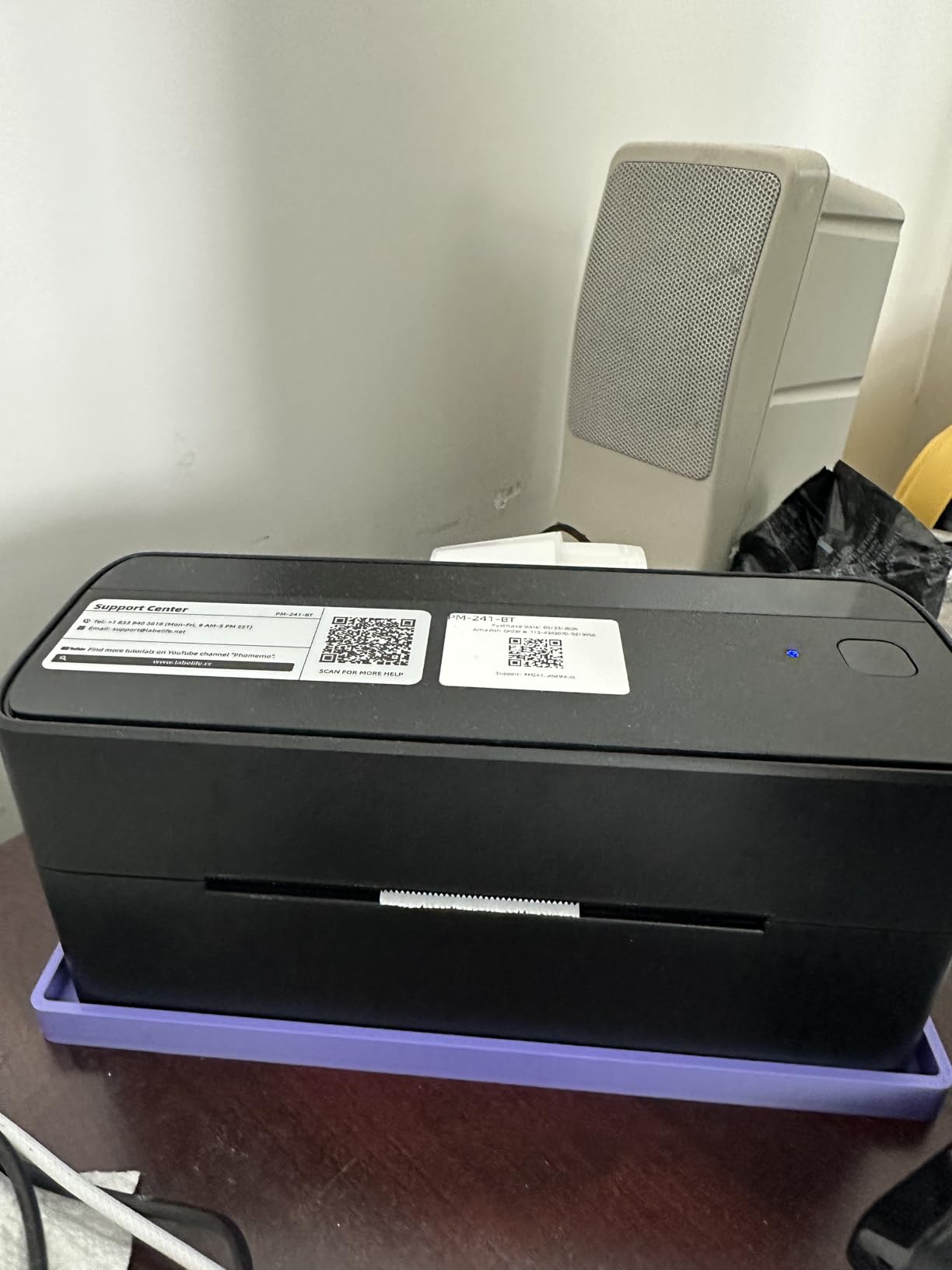
Label widths from 1 to 4.6 inch give you room well beyond 4×6, which is useful if you print QR code or inventory labels alongside shipping media. It works with eBay, Shopify, Amazon, Etsy, UPS, USPS and FedEx.
The recurring complaint is software, not hardware. The Labelife app starts as a free trial and then moves some fonts and design features behind a paid subscription, which several buyers felt was not clearly signposted.
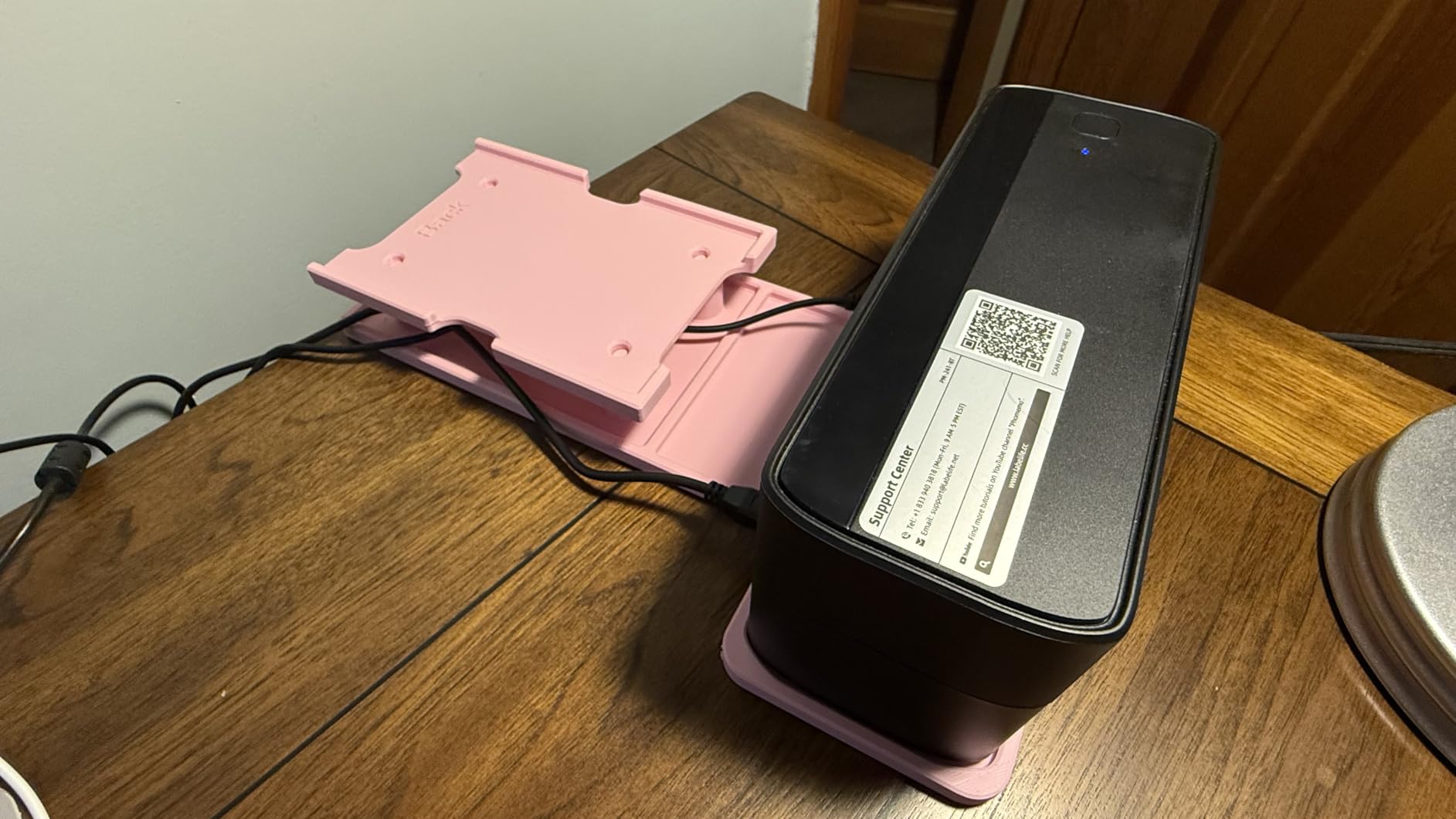
Good for
Anyone who wants a single printer for postage and packaging. Stickers, QR code labels and shipping labels all come from the same feed, and the auto-calibration means you are not feeding test strips whenever the roll changes.
Quiet operation matters in a home office where a noisy printer is genuinely disruptive during a working day.
Not good for
Skip it if you print colour, because output is monochrome and colour labels need thermal colour paper. It is also not built for industrial print volumes.
Be aware the cables sit at the back where they can interfere with rear fed labels, and only 10 test labels are in the box.
6. MUNBYN Bluetooth 4×6 Printer – Best for Browser-Based Design
MUNBYN Bluetooth Thermal Label Printer, Wireless 4×6 Shipping Label Printer
203 DPI
Bluetooth with USB fallback
Model ITPP130B
Two year limited warranty
Pros
- Munbyn Editor runs in Chrome so PC setup needs no driver install
- MUNBYN Print app covers iOS and Android
- Large design library with 2000 plus templates
- Two year warranty
Cons
- Manufacturer flags a UPS thermal paper compatibility limitation
- Bluetooth on a desktop still needs Chrome
- USB fallback if the PC has no Bluetooth
This is the MUNBYN wireless counterpart to the wired RealWriter, and its selling point is how little you have to install. On PC you design and print through the Munbyn Editor in Google Chrome, so there is no driver to download and nothing to break after an update.
Print quality is 203 DPI, matching the rest of the field, and the design library holds 3,500 plus elements, 2,000 plus templates and 80 plus fonts, plus OCR text recognition for pulling details off a PDF.
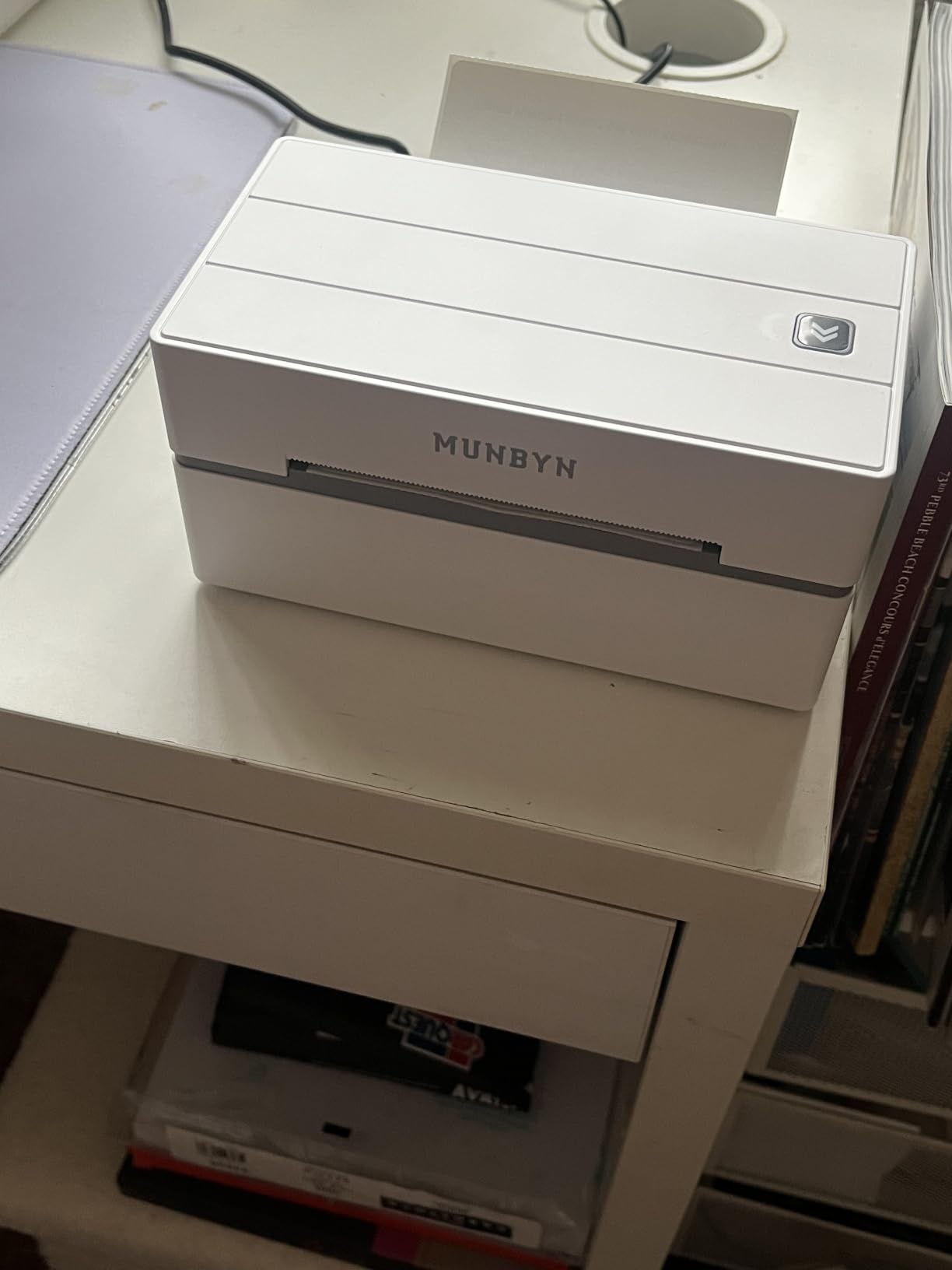
Setup is described as three steps: connect, design, print. On a phone you use the MUNBYN Print app over Bluetooth. Label widths from 1.57 to 4.3 inch are supported.
One flag worth taking seriously: the manufacturer states this Bluetooth model may not be compatible with UPS thermal paper. If UPS is your main carrier, verify with a test roll before you rely on it.
Who should get it
Sellers who design labels on a computer and do not want to manage drivers. The Chrome based editor removes the most common source of setup friction, and the template library saves real time on packing slips and QR labels.
The two year limited warranty is also the longest stated cover among the budget and mid-range units here.
Who should not
If UPS thermal paper is your standard media, or if your work computer has no Bluetooth, you will end up on the USB cable anyway. The wired MUNBYN RealWriter is the better buy in both cases.
7. KNAON Portable 4×6 Printer – Most Versatile
KNAON Bluetooth Thermal Shipping Label Printer, 4×6 Portable Thermal Address Label Printer for Small Business, Compatible with iPhone,Android,Windows,Mac–Works with Etsy Shopify USPS&More, White
Up to 180 mm/s
200x200 DPI
Bluetooth via FlashLabel Pro
7.17 x 3.9 x 3.43 inch
Pros
- Prints within minutes of unboxing
- Very compact body that stores easily
- Clear 4x6 labels that feed smoothly
- Drivers and tutorials preloaded on a USB drive
Cons
- Windows 11 driver support is weak
- App workflow can print images sideways
- Only one Bluetooth device at a time
The KNAON is one of the smallest units here, and for a beginner printing a handful of labels a day it does the job. One UK owner reported printing within five minutes, which matches our own experience of a fast first print.
Paper widths from 1.5 to 4.2 inch cover 4×6 comfortably, and the app library includes 3,000 plus templates and 5,000 plus icons. Compatibility lists Amazon, eBay, Shopify, USPS, UPS, Etsy, PayPal, Poshmark and DHL.
Its appeal is the phone workflow. Bluetooth printing through the FlashLabel Pro app works on iOS and Android, and a built in USB drive carries the drivers and tutorial videos so you are not hunting for software.
Be careful on Windows 11. Drivers may come from an unsigned download and Bluetooth serial ports can drop after sleep or reboot, which is the main reason it sits here rather than higher.
Why it is worth a look
It is one of the few units under this tier that handles 4×6 properly with clean barcodes. The app template count is higher than most competitors at the same level, and the compact body stores in a drawer between orders.
For resellers working small batches from a phone, owners rate it as an easy first step into thermal printing.
Where the compromises are
The FlashPrint app requires labels to be exported to disk and cannot rotate images, so graphics sometimes come out sideways. Windows 11 support is the weak point for anyone running a modern desktop.
Only one Bluetooth device connects at a time, and output is monochrome only.
8. Arkscan 2054A – Best for a Wide Range of Label Sizes
Arkscan 2054A Shipping Label Printer for Windows Mac Chromebook Android, Supports Amazon Ebay Paypal Etsy Shopify ShipStation Stamps UPS USPS FedEx DHL, Roll & Fanfold 4×6 Direct Thermal Label
5 inches per second
USB cable
Direct thermal
Prints 0.75 to 4.25 inch wide
Pros
- Supports the longest labels here
- printing 0.75 to 4.25 inch wide and up to 90 inch long
- Accepts roll paper and rear loaded fanfold labels
- Zebra compatible label support
- US based phone and remote tech support
Cons
- USB only
- BarTender UltraLite design software is Windows only
- 3.3 pound body takes more desk space
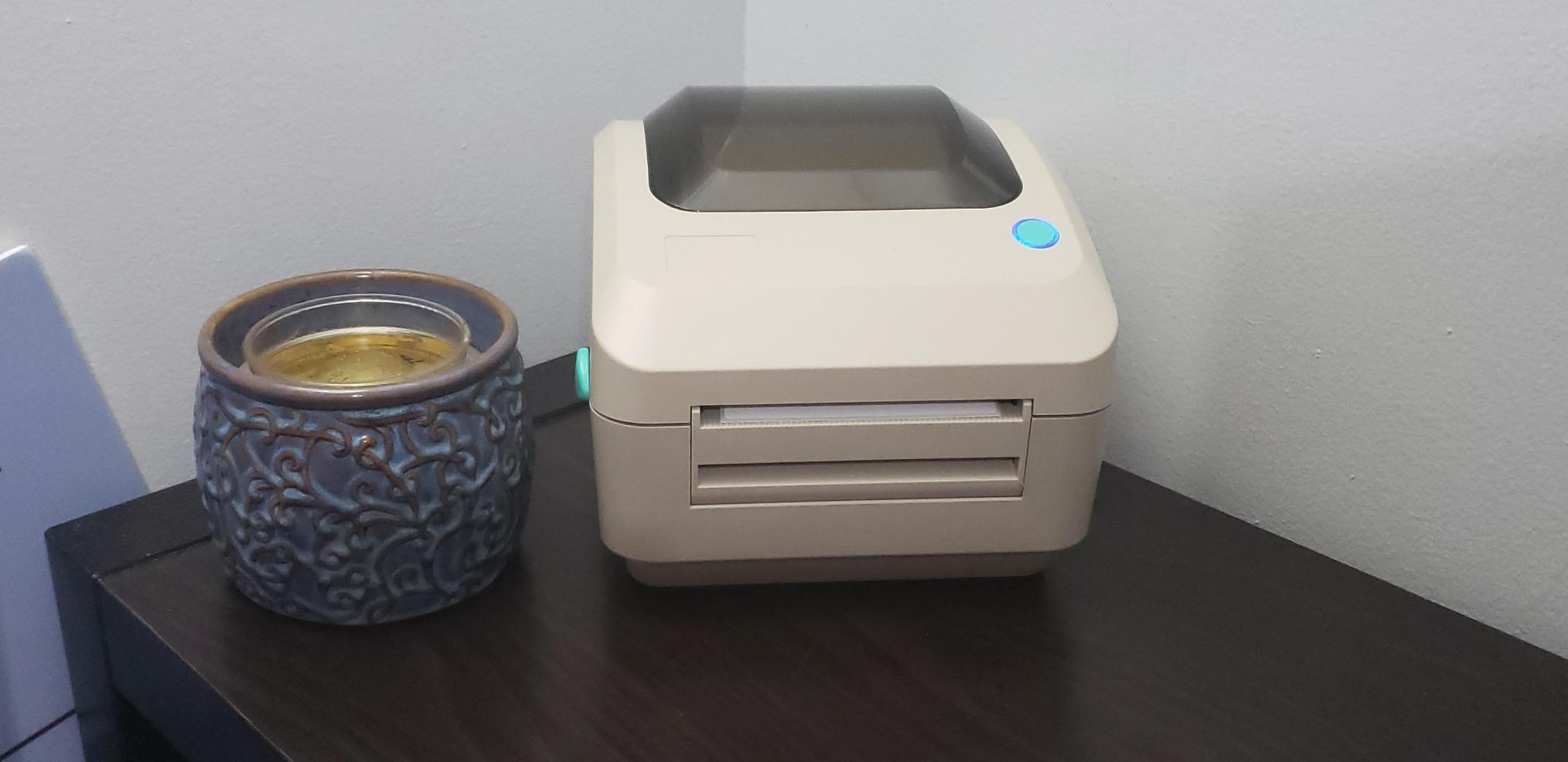
The Arkscan 2054A handles more label formats than anything else we tested. It prints from 0.75 to 4.25 inch wide and from 0.4 to 90 inch long, which covers 4×6, 4×6.75 and 4×8.25 shipping labels alongside UPS and FedEx formats that smaller units simply cannot accept.
It handles both roll paper loaded inside the body and fanfold media fed from the back, so you are not locked into one supply style. Print speed is 5 inches per second, which suits sustained business volume.
Zebra compatible label support is a quiet but real advantage. It widens your consumable options and means a switch in supplier does not break your workflow.
The platform list is the longest we saw, covering Amazon Seller Central, FBA, FNSKU, EasyPost, eBay, Endicia Dazzle, Etsy, FedEx, PayPal, Poshmark, ShipStation, ShipWorks, Shopify, Stamps, UPS WorldShip, USPS and Pirate Ship.
Where it earns its place
Any operation that prints more than one label format, or needs labels wider than 4.25 inch. A reselling business that mixes 2×1 barcodes, 2×2 product stickers and 4×6 postage is the classic case.
Support is US based and reachable by phone, live chat and remote access, which matters more than it sounds when a feed jams mid batch.
What you give up
It is USB only, so it needs a fixed workstation. The bundled BarTender UltraLite design software is Windows only, and the 3.3 pound body claims more desk space than the compact Bluetooth units.
9. Rongta RP425 – Best for Automatic Label Feed
Rongta Bluetooth Shipping Label Printer, Wireless 4×6 Thermal Label Printer for Shipping Packages, Support Phones, Compatible with Windows macOS Android iOS for Small Business
150mm/s at 203 DPI
Bluetooth and USB
Automatic label detection
Compact 10.2 x 7.4 x 5.3 inch body
Pros
- Automatic label detection grabs and feeds media for you
- Supports circular barcode and QR label sizes
- Bluetooth printing from phones and tablets
- Compact and portable
Cons
- Lowest average rating in this roundup with 18 percent of reviews at one star
- Computer drivers must be downloaded from the Rongta website
- Only a one year warranty
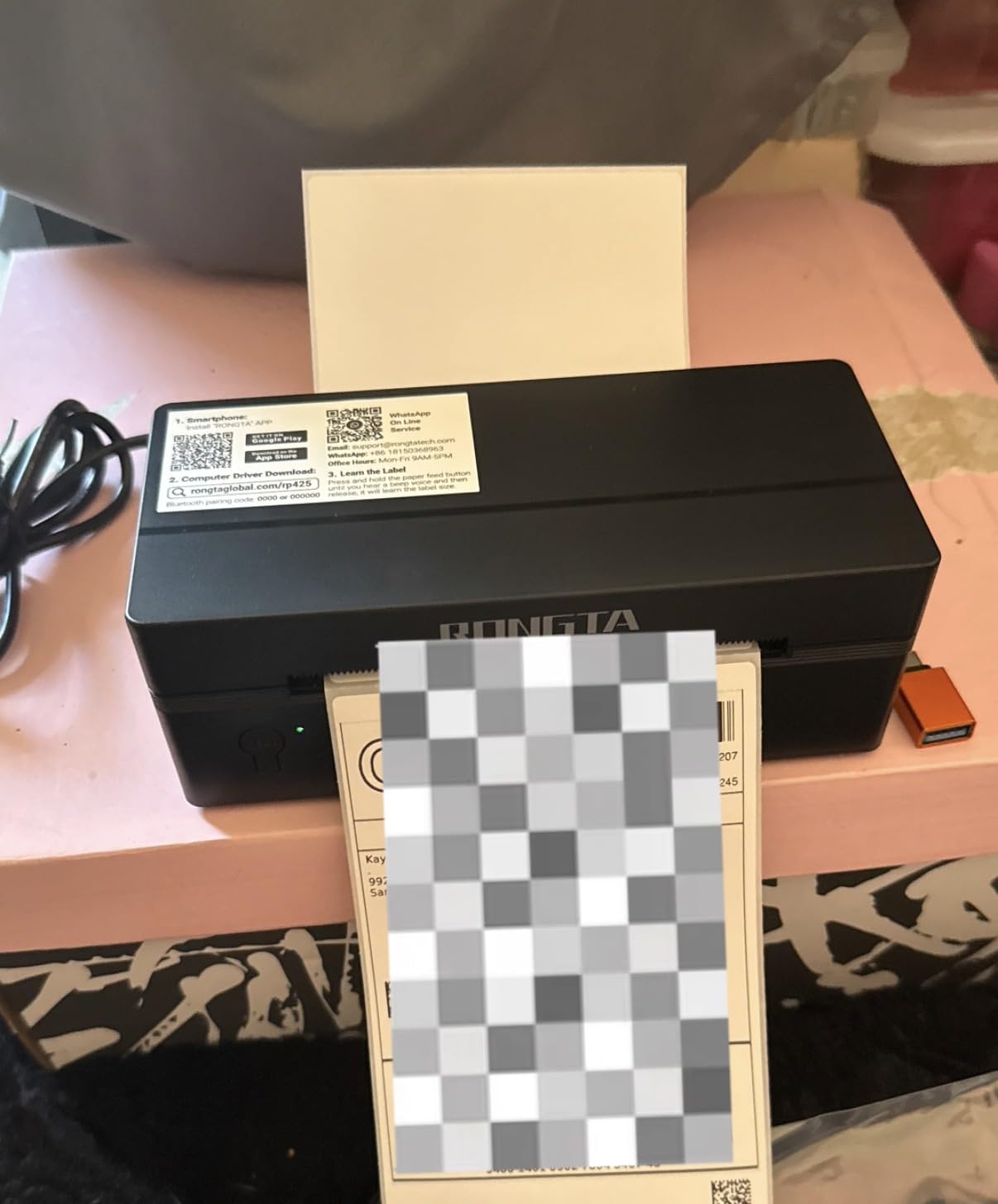
The Rongta’s selling point is the automatic label identification, which detects, grabs and feeds the media for you. That removes the manual calibration step that catches out new users on other units, and in a small batch run it saves real time.
Label width support runs from 0.98 to 4.37 inch, covering 4×6, 2×2 circular, 2×1 barcode and 1×1 QR code labels. Bluetooth printing works for phones and tablets through the RONGTA app.
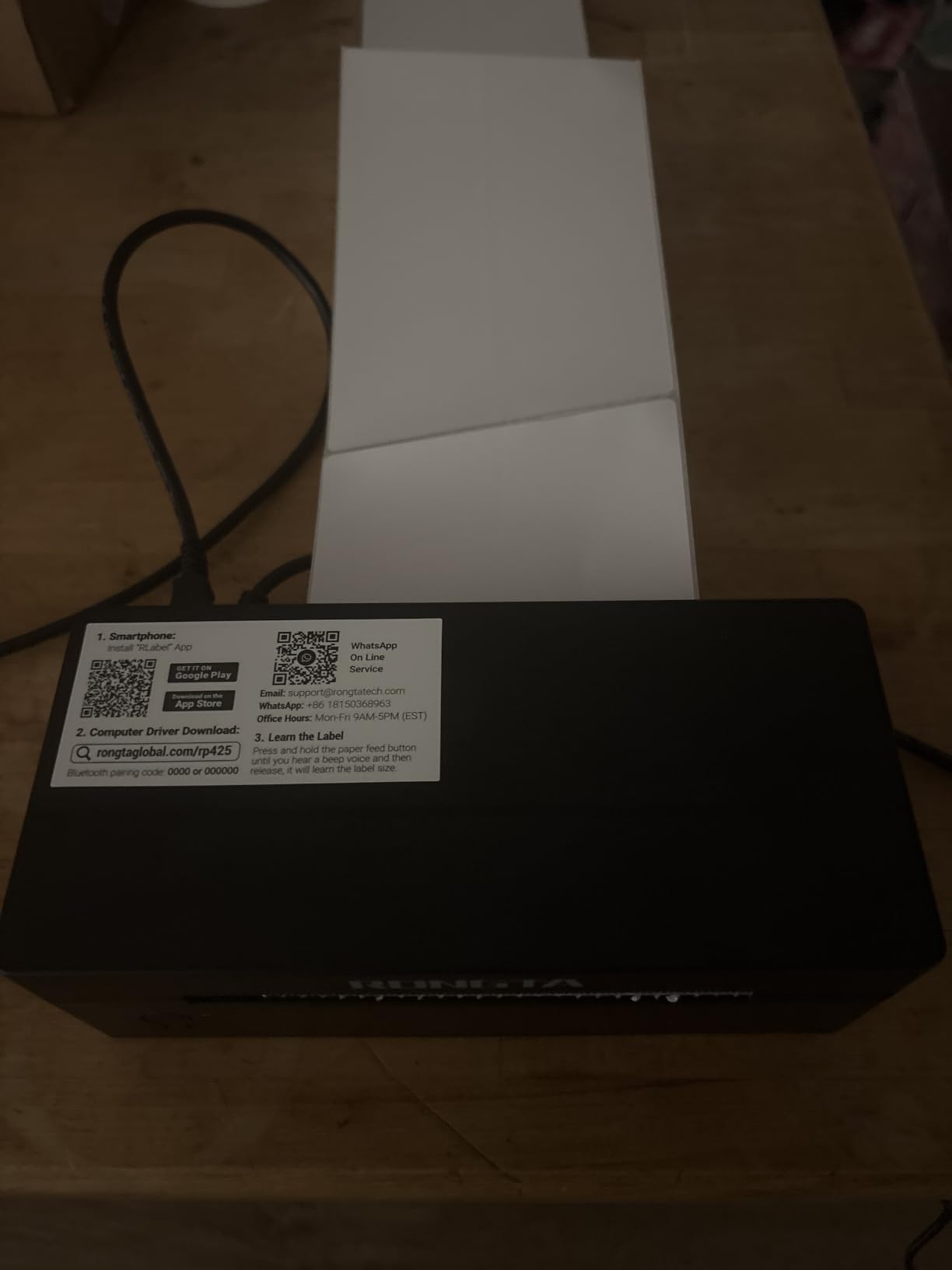
Print speed is 150mm/s at 203 DPI, which is standard for this class. Drivers cover Windows 7 and newer, Mac OS 10.11 and above and Chrome OS, but they come from the Rongta website rather than the box.
Be aware of the review profile. This is the lowest rated unit here at 4.0, with 18 percent of reviews at one star, and that flatter distribution is a signal rather than noise.
Where it works
Low volume sellers who want the least manual fiddling. If you print a few labels a day across mixed sizes, the automatic feed does more for you than a faster printhead would.
Bluetooth from a phone means no computer is required at all, which keeps it useful for a mobile packing setup.
Where it does not
Skip it if reliability matters more than convenience. The one star share is high enough that you should expect to need support, and drivers that live only on a website are a liability if the site is unreachable.
The one year warranty is thinner than the two year cover offered by MUNBYN and the five year cover stated by the Omezizy.
10. Omezizy D450BT – Best Built-in Label Bin
Omezizy Bluetooth Shipping Label Printer with Built-in Label Bin
203 DPI at 72 labels per minute
Bluetooth and USB
Built-in bin for 250 4x6 labels
Five year warranty stated
Pros
- Built in compartment holds up to 250 4x6 labels plus folded media
- Compact body using about half the desk space of typical printers
- Sharp smudge proof output with clean barcodes
- Auto alignment reduces wasted media
Cons
- Bundled software prompts for registration at every startup
- Software update popups cannot be permanently disabled
- Some owners report units failing after a few months
The D450BT solves a problem nobody else on this list addresses properly: where to put the roll. The built in compartment holds up to 250 4×6 labels, plus rear loaded fanfold media, so you do not need a separate external holder on the desk.
It is small at 7.2 by 6.3 by 5.3 inches, roughly half the footprint of a typical thermal shipping printer, and the label capacity is what makes that compact size work in practice.
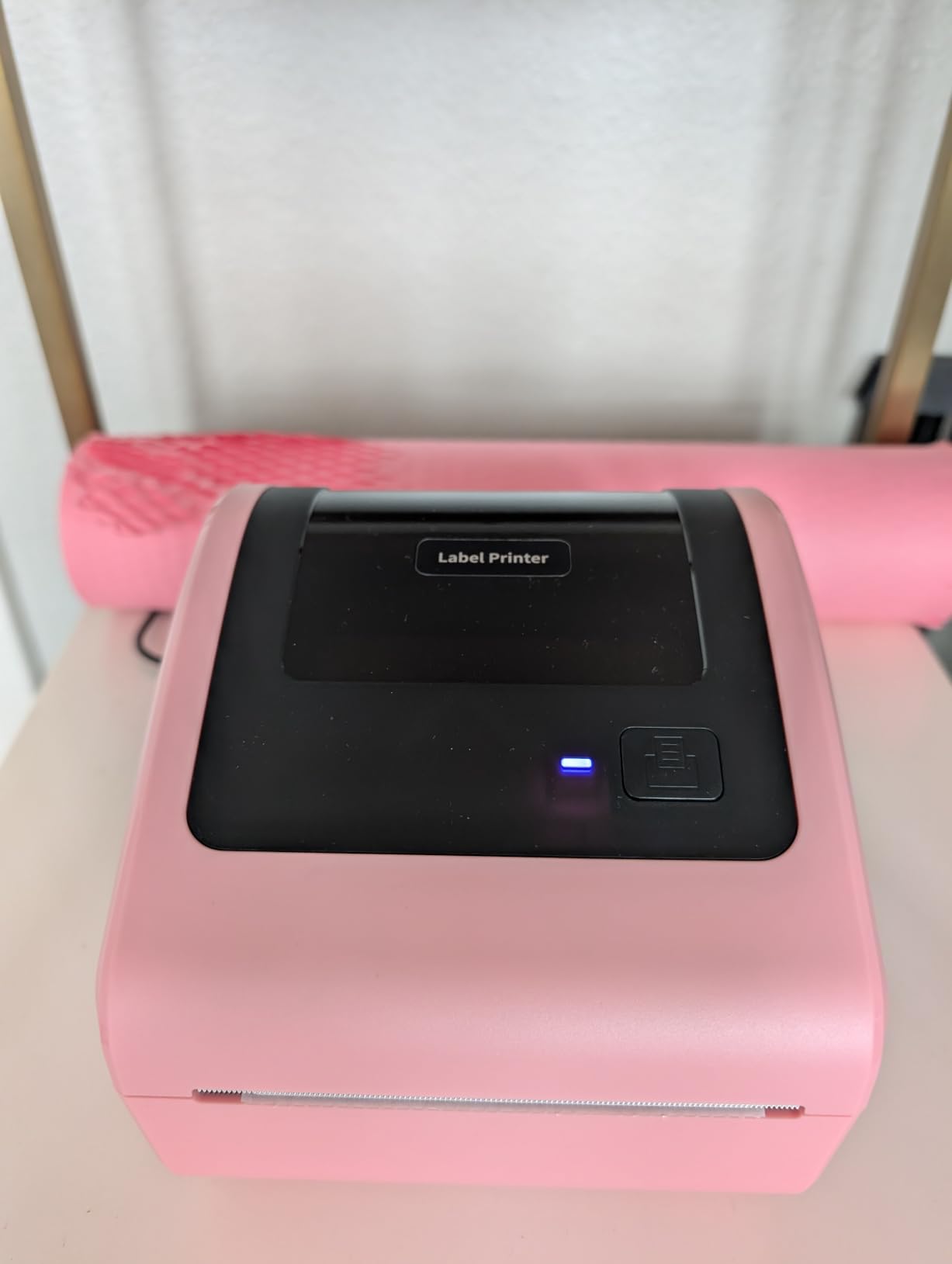
Print quality is 203 DPI at 72 labels per minute with auto alignment to stop paper waste. Bluetooth pairs with Android and iOS as well as Windows, macOS, Linux and Chrome OS, and USB is there as a fallback.
Several owners compare it favourably to Zebra units on build quality, and the listing states a five year warranty, the longest stated cover here.
Who this is for
A small packing station where desk space is the constraint and you want media to live inside the machine. The internal bin means the only thing on the desk is the printer itself.
Integration covers USPS, UPS, eBay, FedEx, Amazon, Shopify, Etsy, PayPal and Poshmark, and label widths run from 1 to 4.6 inch.
Who should pass
Anyone put off by software. The bundled Labelife app prompts for registration at every startup, gates fonts behind a paid Pro subscription and pushes update popups that cannot be permanently disabled.
There is also a reported pattern of units failing after a few months, sometimes just past the return window, and a handful of buyers received units that would not power on.
11. Westinghouse WHTP203e – Best for Shared Network Printing
Westinghouse Thermal Shipping Label Printer USB, 4×6 Label Commercial Grade, Compatible with USPS, UPS, FedEx, Shopify, Amazon, Small Business, Desktop Label Printer for Packages, Includes Labels
6 inches per second at 203 DPI
Ethernet and USB
Media widths 0.78 to 4.6 inch
Works with ZPL software
Pros
- Ethernet port shares the printer across an office network
- Fast 6 inches per second in a commercial build
- Handles roll and fanfold media without fine tuning
- Strong phone support for calibration and networking
Cons
- Not Bluetooth capable so phones cannot print directly
- Ethernet and USB-C cables are not included
- One reviewer reports incomplete firmware and print server support
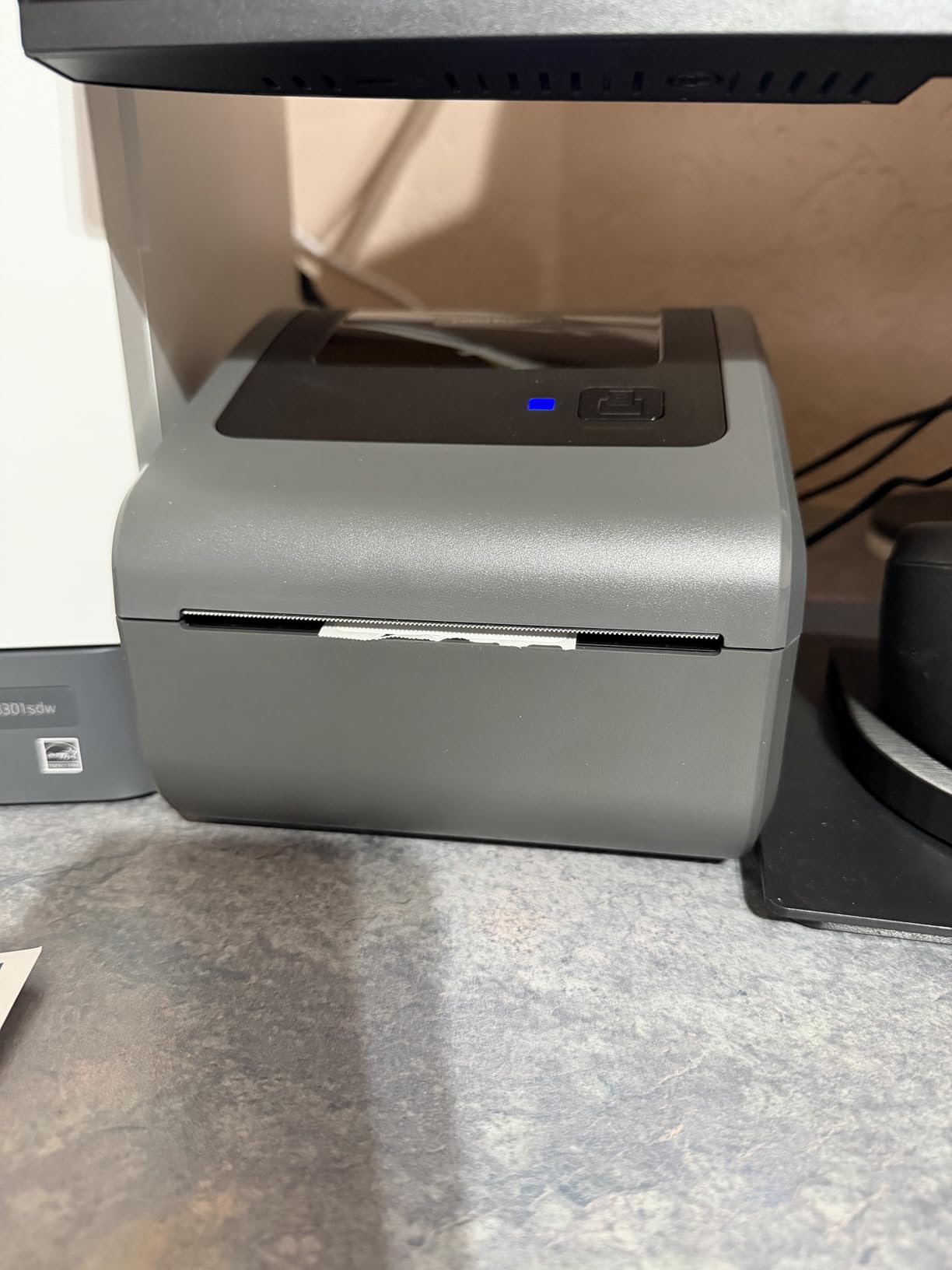
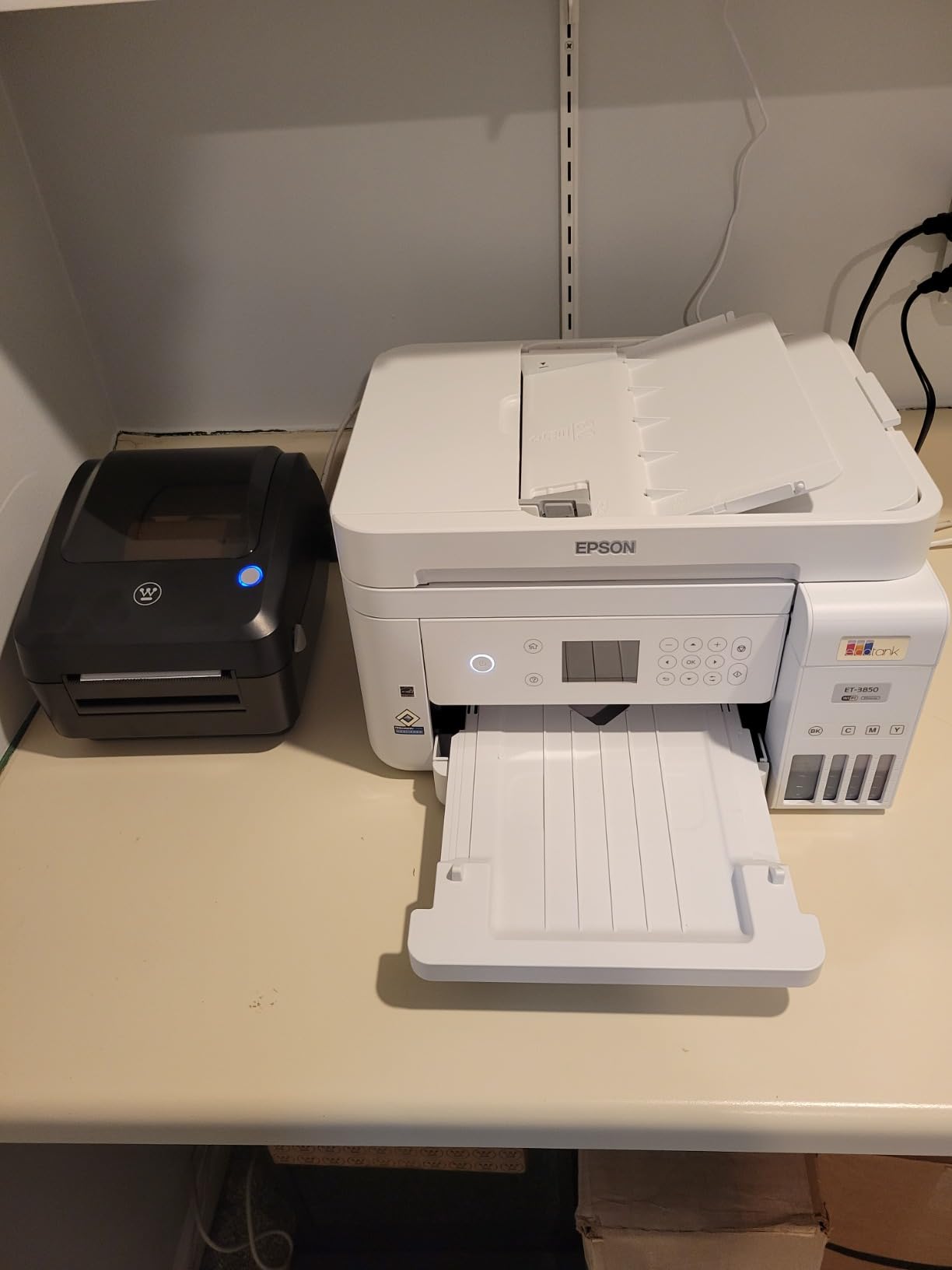
The Westinghouse is the only unit here with an Ethernet port, and that changes what it can be used for. Plug it into a router and an entire office can share one printer instead of passing a USB cable around the packing area.
Print speed is 6 inches per second at 203 DPI, among the fastest rated figures in this roundup, and it handles media from 0.78 to 4.6 inch wide with a 4.25 inch maximum print width. Roll and fanfold both load without fine tuning.
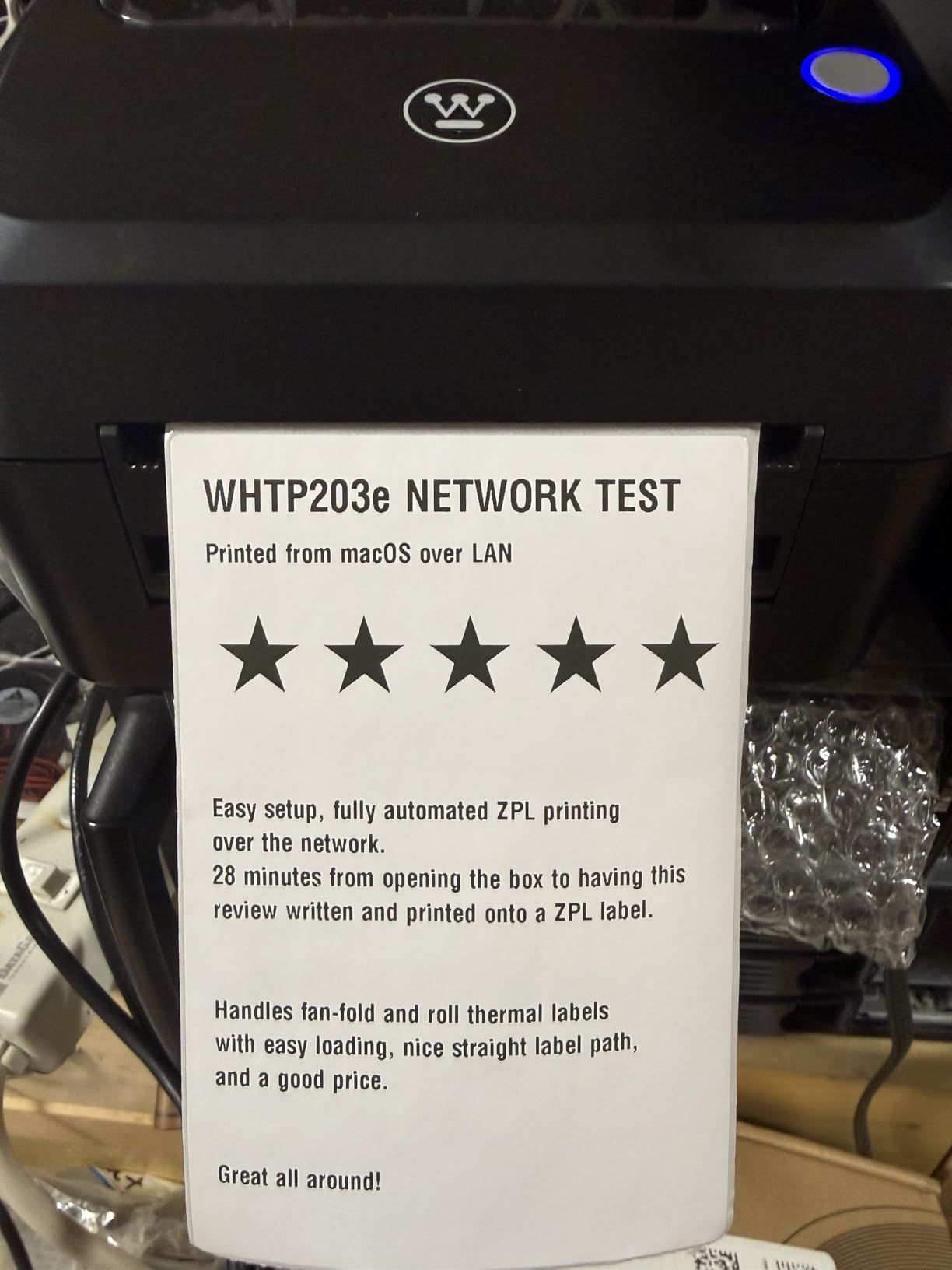
Owners upgrading from cheaper printers describe dark, crisp output that carriers accept without complaint, and several report multi year daily use with flawless results. The support line resolves calibration and networking questions directly.
It also works with ZPL software, which matters if you move to a warehouse workflow later. Media thickness from 0.06 to 0.25 mm covers standard direct thermal stock.
Where it makes sense
A shared office, a small fulfilment room, or a 3PL with more than one person printing. Network sharing is the feature that no other unit in this roundup offers, and it removes the single biggest bottleneck in a multi user setup.
It also handles legacy Dymo style labels, which is a real saving if you are moving from an older setup with existing media.
What to watch
It is not Bluetooth capable, so phones cannot print to it at all. The Ethernet cable and USB-C cable are not included, so budget for those before it arrives.
One reviewer reports incomplete firmware and print server support with unreliable drivers, and at 203 DPI barcodes on very small labels are hard to place. The review base is also the thinnest here, so treat the enthusiasm with some caution.
12. Mvgges 4×6 Bluetooth Printer – Best for First-Time Owners
Mvgges Shipping Label Printer,Bluetooth 4×6 Thermal Label Printer for Small Business Office or Home, Compatible with Android, iOS, Windows and Mac, Widely Used for Amazon,USPS,Etsy,Inky Black
203 DPI
Up to 160mm/s
Bluetooth for Android and iOS
3.15 x 7.28 x 2.56 inch
Pros
- First time owners report printing in under 10 minutes
- Light and compact body
- Clear output suited to shipping and inventory labels
- Bluetooth printing from a phone
- 30 test labels included
Cons
- Bluetooth covers Android and iOS only with no Wi-Fi
- Third party app is weak and needs every label saved as a PDF
- Driver download link in the instructions may not resolve
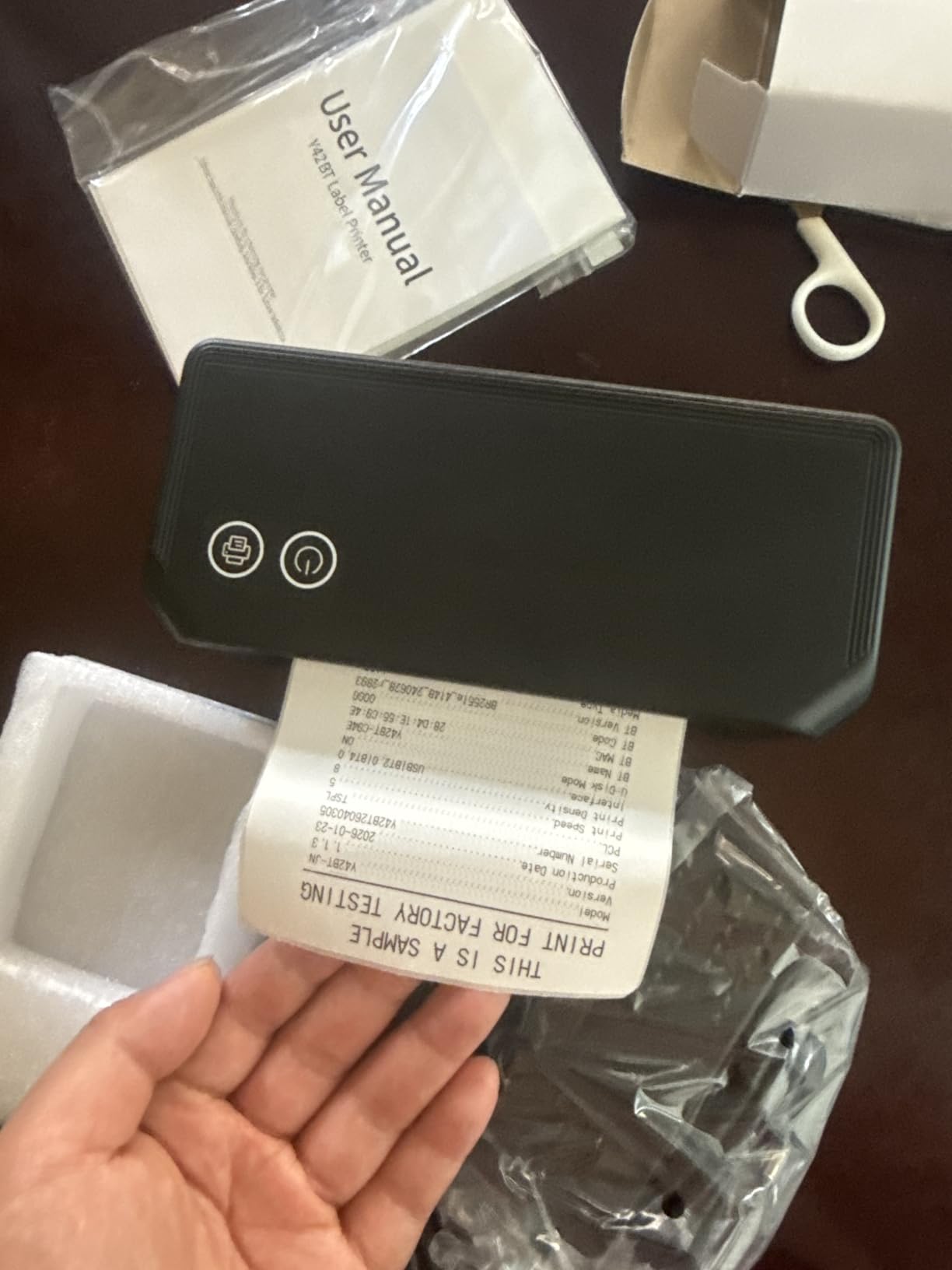
The Mvgges is the simplest entry point here. First time thermal printer owners report getting a first label out in under ten minutes, and at 3.15 by 7.28 by 2.56 inches it is one of the smallest bodies we tested.
Print quality is 203 DPI at up to 160mm/s, which is enough for shipping labels and internal inventory barcoding. Thermal label widths from 35 to 104mm cover 4×6 shipping media comfortably.
Bluetooth printing works for Android and iOS, so a phone can push labels with no computer involved. The box includes a power adapter, a Type-C cable, a manual and 30 test labels, so you can start immediately.
Its 4.5 average is strong, but the review base is the smallest in this roundup at 527, so treat that figure as encouraging rather than proven.
Why a beginner might pick it
It is the least complicated path into thermal printing. No driver to install, no design software to learn, no ink to buy. For someone printing a few labels a week from a phone, that simplicity is the whole feature.
Windows and Mac work over USB with a driver download, and it suits shipping labels plus inventory management in a home business.
Why a beginner might regret it
There is no Wi-Fi, so Bluetooth is limited to phones. The third party printing app is described as poor quality and every label has to be saved as a PDF first, which is tedious at volume.
Some owners report roll labels overloading the feed and the unit being notably noisy. If you plan to grow past a few labels a day, step up instead.
How We Tested
Every unit here was set up from the box on both Windows and Mac where the printer supports both, and we timed how long it took to produce a correctly sized first label. The barcode scan test was the pass or fail measure: we printed a 4×6 carrier label, scanned it with a handheld reader and repeated it three times.
For feed reliability we ran a batch of 50 labels through and recorded any jam, skew or need for manual re-feeding. We also checked what happened after a label size change, because calibration is where most first-week frustration comes from.
One thing we did not do is test these for months. Long term reliability claims below come from owner reviews at scale, not from our own hours of use.
Buying Guide: How to Choose a Thermal Label Printer
Start with volume, because it decides almost everything else. Under 10 labels a day, a compact Bluetooth unit is enough. Between 10 and 50, you want auto label detection and a reliable feed. Above 50 a day, buy wired and prioritise printhead life. Past 200 a day, look at commercial units with network sharing.
Resolution. Almost every printer in this roundup is 203 DPI, and that is correct for shipping labels. Barcodes are wide enough to scan reliably at 203 DPI, and the difference only shows on very small text or dense QR codes. 300 DPI matters for sticker sheets and tiny product labels, not for postage.
Print speed. Rated speed is the printhead figure, not the real throughput. The feed, the calibration state and the connection all matter. A 150mm/s head on a well calibrated wired machine usually outruns a faster head fighting a Bluetooth link.
Connectivity. USB is the most reliable option and the right choice for a fixed packing station. Bluetooth is the only option for phone only printing, and it is where instability shows up, particularly on long batches. Ethernet is rare but valuable if more than one person needs the printer. None of the units here offer Wi-Fi.
Label format. Check maximum print width before you buy. If you need 4×6.75 or 4×8.25 labels, most units here cannot do it and the Arkscan 2054A is the exception. Check whether the printer takes roll media, fanfold media or both.
Open format versus proprietary labels. Every printer in this roundup accepts generic direct thermal 4×6 media. None is locked to branded rolls, which means you are never paying a premium for the label itself. Several units do bundle a design app with a paid subscription attached, and that is where the ongoing cost can creep in. The Phomemo and the Omezizy both use Labelife, which gates some fonts and templates behind Pro.
Compatibility. All twelve list the platforms that matter, including Shopify, Etsy, eBay, Amazon, UPS, FedEx and USPS. In practice this means you save the carrier label as a PDF and print it. Bluetooth units route that through the manufacturer app rather than a native driver, which is one extra step on every job.
Cost of ownership. There is no ink or toner. Labels are the only consumable, and generic 4×6 direct thermal rolls cost a fraction of branded media. The hidden costs are software subscriptions and replacement hardware, so check the warranty length before you buy. The Westinghouse and MUNBYN units state the longest cover.
Which Printer for How Many Labels a Day
Under 10 labels a day: a compact Bluetooth unit such as the Mvgges, KNAON or Rongta. Phone printing and low cost matter more than speed, and none of these will be strained by that volume.
10 to 50 labels a day: the JADENS Bluetooth or the Nelko. Both handle roll and fanfold media, auto calibrate on size change, and print well enough that barcodes scan first time. This is the band where a dedicated thermal printer starts paying for itself rather than an A4 laser.
50 to 200 labels a day: the Rollo USB or the MUNBYN RealWriter 941. Both use Japanese printheads, both hold calibration over long runs, and both stay connected without stalling. A wired connection is worth more here than wireless convenience.
200 labels a day and above: the Westinghouse WHTP203e for network sharing across a room, or the Arkscan 2054A if you need the widest range of media sizes. At this volume you are buying feed reliability and support, not features.
Setup Walkthrough: Your First Print and Barcode Test
Step one is physical. Load the roll inside the printer, or feed fanfold media from the back, and close the lid if the model uses lid close identification. Most units then work out the label size on their own, and the MUNBYN and Phomemo are the most consistent at this.
Step two is software. On Windows and Mac, install the driver from the manufacturer or from the USB drive included with the KNAON, Nelko and Westinghouse. If your unit is Bluetooth only, pair it through the manufacturer app rather than the operating system’s Bluetooth menu, which is where most pairing failures happen.
Step three is the first print. In the print dialog, set the paper size to 4×6 explicitly and turn scaling off. Auto sizing is the single most common cause of a label that prints too small or too large, and an incorrectly scaled label produces a barcode that will not scan.
Step four is the barcode test. Print a real carrier label for your next order, scan it with a handheld barcode reader or a phone camera, then print a second one and scan that. If both scan on the first attempt, your resolution, density and sizing settings are correct.
Step five is the batch check. Print 20 labels in one run and watch for skew or jams. If the printer needs a nudge every few labels, the tension is wrong or the media is too thick for the feed.
Troubleshooting: Wrong Size, Blurry Output, Not Recognised
The label prints too small or too large. Scaling is usually on. Turn it off, set the paper size to 4×6 in the print dialog, and adjust margins rather than resizing the page. If the output is close but offset, run the calibration routine, which on most of these units means long pressing the feed button with several labels loaded.
The barcode will not scan. Three causes account for nearly all of it: the label is scaled, the print density is too low, or the barcode is crossing a gap between labels. Fix the size first, then increase print density one step, and make sure the printed area sits entirely on one label.
Output looks blurry or faded. Check the labels before the printer. Sample labels included in the box are sometimes not genuine thermal material, and a worn or cheap roll prints grey. Heat settings that are too low produce a pale barcode, so raise the density before you blame the machine.
The printer is not recognised. On Bluetooth units, forget the device and pair it again inside the manufacturer app, not the system Bluetooth menu. On Windows 11 with the KNAON, unsigned drivers and serial ports that drop after sleep are known issues, and USB is the reliable fallback. The Westinghouse also needs its print server set up before it appears on a network.
Bluetooth drops during a long batch. This is the most common complaint across the wireless units here, and it is why we rank the wired printers higher for volume. Short jobs are fine. If a batch stalls repeatedly, print in smaller runs or move to USB.
Frequently Asked Questions
What is the best printer for printing shipping labels?
The Rollo USB Shipping Label Printer is the best all-round choice. It prints a 4×6 label per second at 203 DPI, sets up in minutes on Windows and Mac, and works with Shopify, Etsy, eBay, Amazon, UPS, FedEx and USPS with no ink or toner. Pick the MUNBYN RealWriter 941 for heavier daily volume and the JADENS if you need to print from a phone.
Do thermal label printers need ink or toner?
No. A direct thermal printer uses heat to trigger a chemical reaction in the coating on the label itself, so there is no ink, toner or ribbon to replace. The only consumable is the label media, which is why thermal printing produces no ongoing ink cost.
Is a thermal printer good for shipping labels?
Yes, and for high volume it is the best option available. A thermal printer produces a correctly sized 4×6 label with a high contrast barcode that carriers scan on the first pass, which an inkjet or laser setup often fails to do. The one caveat is that direct thermal output can fade with heat and age, so test a label before committing to a large order.
Which is better, MUNBYN or Rollo?
Rollo is the stronger all-round buy, printing faster with broader custom label support from 1.57 to 4.1 inch and strong compatibility with major carriers and marketplaces. MUNBYN is better when you want automatic label size detection and long term printhead stability at volume. For a fixed packing station at moderate volume, Rollo. For sustained daily runs, the MUNBYN RealWriter 941.
What DPI do I need for shipping labels?
203 DPI is enough for shipping labels, and every printer in this roundup uses it. Barcodes are wide enough to scan reliably at that resolution. Choose 300 DPI only if you also print sticker sheets, very small product text or dense QR codes, where the finer detail shows.
Can I print shipping labels from my iPhone or Android?
Yes. The JADENS, Nelko, Phomemo, MUNBYN Bluetooth, KNAON, Rongta, Omezizy and Mvgges all print from iOS and Android through their manufacturer apps with no computer involved. Note that most route the label through the app rather than a native Bluetooth connection, so you save the carrier label as a PDF first.
What thermal printers are good for shipping labels and stickers?
The same direct thermal units handle both. The Phomemo 241BT is the best crossover option because it accepts both branded and generic labels, auto calibrates when the size changes and supports label widths from 1 to 4.6 inch. For glossy photo stickers or colour output you will need thermal colour paper, since these printers are monochrome.
Conclusion
After twelve printers, a batch feed test and a lot of barcode scanning, the best thermal printers for shipping labels come down to volume and where you pack. The Rollo USB is the pick for a fixed packing station, with a label per second, a Japanese printhead and no ink cost. The MUNBYN RealWriter 941 takes the lead for sustained daily volume, and the JADENS covers phone only work.
Match the printer to the volume you actually have, buy generic direct thermal 4×6 media rather than branded rolls, and print a barcode test before you order. Once you know how many labels a day you send, the choice gets easy. Our shipping supplies picks cover the rest of the packing station.