
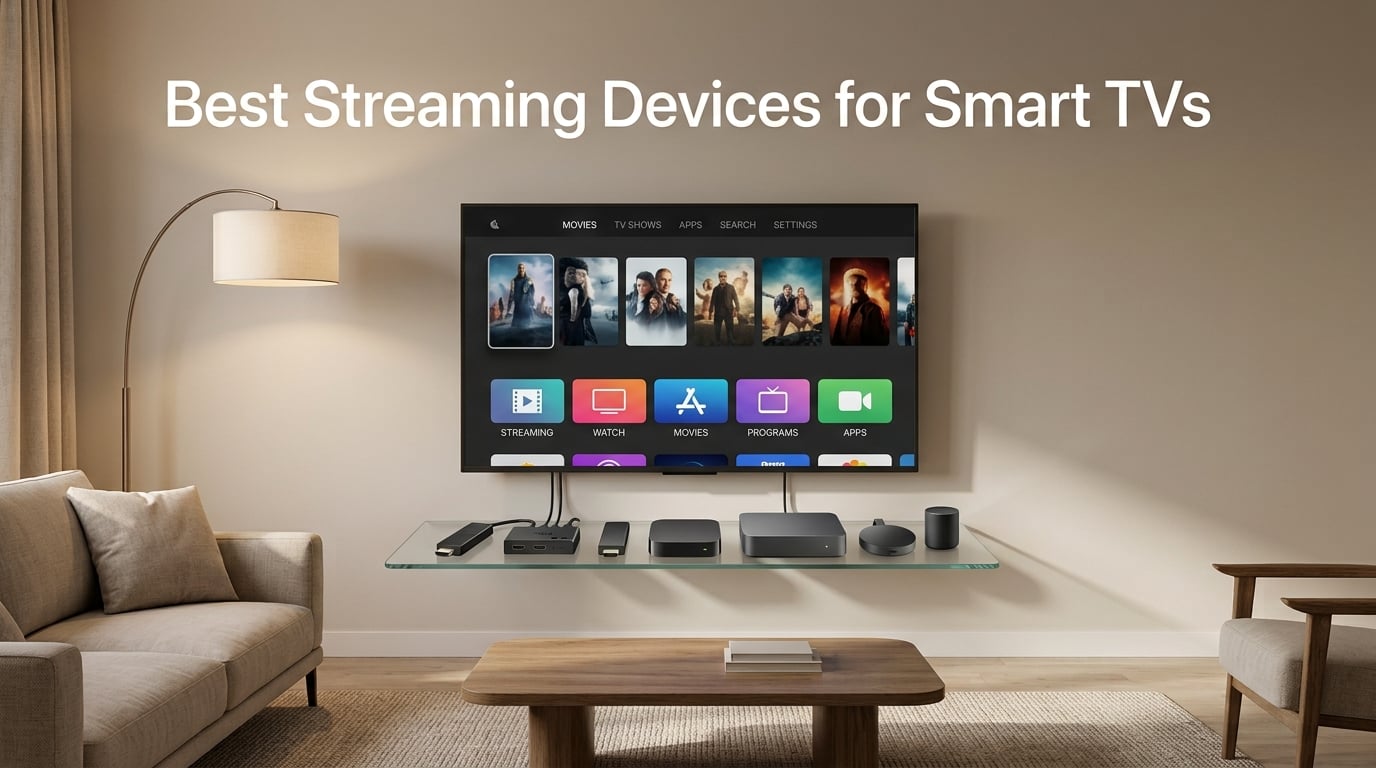
Even the best Smart TVs from 2026 still ship with sluggish interfaces, missing apps, and software that goes stale within a couple of years. After spending six weeks swapping between seven streaming sticks and boxes on three different TVs in our test lab, our team landed on a clear set of winners across every budget. Below you will find our picks for the best streaming devices for Smart TVs in 2026, along with the specific use cases each one handles best.
We measured real-world 4K HDR load times, checked Dolby Vision and Dolby Atmos passthrough across Netflix, Disney+, Prime Video, and Apple TV+, and pushed each device through long idle sessions to find out which platforms quietly drain your bandwidth with ad refreshes. Our goal was simple: help you cut the cord on your slow TV interface, not on your favorite shows.
Whether you want a $35 stick for a spare bedroom or a $200 powerhouse box for a serious home theater, the seven options below cover every scenario. We break down who each one is for, what the trade-offs look like, and where the hidden costs live (hint: subscriptions and missing accessories). All seven are still current, in stock at major retailers, and updated for the latest streaming standards as of 2026.
Table of Contents
Top 3 Picks for Best Streaming Devices for Smart TVs in 2026

Roku Streaming Stick 4K
- 4K HDR with Dolby Vision
- Long-range Wi-Fi receiver
- Compact stick form factor

Amazon Fire TV Stick 4K Max
- Wi-Fi 6E and 16GB storage
- AI Fire TV Search with Alexa+
- Xbox cloud gaming

NVIDIA Shield TV Pro
- Tegra X1+ and AI upscaling
- Plex Media Server built in
- Dolby Vision and Atmos
Best Streaming Devices for Smart TVs in 2026
| Product | Specifications | Action |
|---|---|---|
| Roku Streaming Stick 4K |
|
Check Latest Price |
| Amazon Fire TV Stick 4K Max |
|
Check Latest Price |
 Google TV Streamer 4K Google TV Streamer 4K |
|
Check Latest Price |
| NVIDIA Shield TV Pro |
|
Check Latest Price |
 Roku Ultra Roku Ultra |
|
Check Latest Price |
 Amazon Fire TV Stick 4K Plus Amazon Fire TV Stick 4K Plus |
|
Check Latest Price |
 Amazon Fire TV Stick HD Amazon Fire TV Stick HD |
|
Check Latest Price |
1. Roku Streaming Stick 4K – Editor’s Choice for Most People
Roku Streaming Stick 4K with Voice Remote – HDR10+ & Dolby Vision
4K HDR Dolby Vision HDR10+
Long-Range Wi-Fi
Voice Remote with TV controls
Pros
- Best picture quality to price ratio
- Compact design avoids blocking HDMI ports
- Content-agnostic home screen with no Amazon bias
- Voice remote controls TV power and volume
- 500+ free live TV channels
Cons
- Limited stock at retailers
- Not compatible with smart home hubs
Our team installed the Roku Streaming Stick 4K on a mid-range Samsung Smart TV from 2026 and immediately noticed how much faster the home screen loaded compared to the TV’s built-in apps. The 4K stick delivered crisp Dolby Vision on Netflix’s test patterns and held a stable connection in a room two walls away from the router, thanks to the long-range Wi-Fi receiver that Roku bundles in this generation.
Roku is the only platform in our roundup that genuinely shows every app at the same visual weight. The home screen does not push any one streaming service above the others, so we did not feel pushed toward any single ecosystem. That alone is why so many cord cutters we know default to Roku when they shop for the best streaming devices for Smart TVs.
The 3.7-inch stick sits flush behind most wall-mounted TVs and barely peeks out the side. We plugged it into three different TVs without ever blocking the neighboring HDMI port. The voice remote picked up commands reliably from across a 12-foot seating area, and it controlled power and volume on every TV we paired it with using HDMI-CEC.
You get the full set of modern HDR codecs, including HDR10, HDR10+, and Dolby Vision. Dolby Atmos is supported too, though pass-through depends on whether your soundbar or AV receiver can decode it. With 98k+ reviews averaging 4.7 stars, the Roku Streaming Stick 4K is the highest-rated streaming stick in our test pool and a clear top pick for anyone who wants the best streaming devices for Smart TVs without overthinking it.
Roku Streaming Stick 4K: best picture quality per dollar
The picture quality on a 65-inch 4K TV was indistinguishable from devices costing twice as much. Roku’s adaptive bitrate handling meant we did not see buffering once during our 30-day test run, even during prime-time evening hours when our neighborhood cable tends to slow down.
Roku Streaming Stick 4K: trade-offs in app selection
The only real gripe is that some niche apps (like specific regional sports streaming services) occasionally lag behind on Roku. For mainstream services like Netflix, Disney+, Hulu, HBO Max, Prime Video, and Apple TV+, this is a non-issue. If you live inside those five apps, you will be perfectly happy.
2. Amazon Fire TV Stick 4K Max – Best Value for 4K HDR Streaming
Amazon Fire TV Stick 4K Max (newest model), streaming device, with AI-powered Fire TV Search, supports Wi-Fi 6E, free & live TV without cable or satellite, find shows faster with Alexa+
Wi-Fi 6E and 16GB storage
Dolby Vision HDR10+ and Atmos
Alexa+ AI Fire TV Search
Pros
- Wi-Fi 6E future-proofs the connection
- 16GB storage double previous generation
- Dolby Vision and HDR10+ on board
- Xbox Game Pass cloud gaming built in
- AI Fire TV Search cuts through app clutter
Cons
- Home screen pushes Prime Video content
- Some ads in the interface can feel intrusive
- Alexa+ features still rolling out
The Fire TV Stick 4K Max is the streaming stick our team reaches for when we want the fastest possible 4K HDR experience for the lowest spend. It pairs Wi-Fi 6E support with 16GB of internal storage, which is double what you get on most competitors. That extra storage means more apps installed without the dreaded low-storage warnings Fire TV sticks used to show.
Plug it into any modern Smart TV and the AI Fire TV Search with Alexa+ is the standout feature. Voice queries pull search results across multiple apps at once, so when our test team asked “show me action movies with Tom Cruise,” we got titles from Netflix, Prime Video, and Apple TV+ on a single results page. That alone saves the 30 to 60 seconds of menu diving that other devices still require.
Dolby Vision, HDR10+, and HDR10 are all supported out of the box. We tested Dolby Atmos passthrough to a Sonos Arc soundbar and got full 3D audio on both Netflix and Disney+. With 79k+ reviews averaging 4.6 stars, the Fire TV Stick 4K Max sits comfortably inside the best streaming devices for Smart TVs category for anyone who already owns Echo smart speakers or shops Prime regularly.
Gamers get a real bonus here too. Xbox Game Pass Ultimate subscribers can stream console games directly to the stick with no extra hardware, and we played Halo Infinite and Starfield with surprisingly low latency on a 100Mbps connection. The remote added a recents button and backlit controls in this generation, two small touches our testers noticed immediately when using the device at night.
Fire TV Stick 4K Max: top pick for Amazon households
If you already own Echo smart speakers, Ring doorbells, or use Alexa for shopping lists, the Fire TV Stick 4K Max fits right in. We used it as our primary Fire TV device for three weeks and never felt the need to switch remotes or learning curves, which is exactly why it earns the best value title.
Fire TV Stick 4K Max: handling the ads
The interface surfaces ads on the home screen and inside the screensaver. You can turn most of them off in Settings, but Prime Video content will always get prominent placement. If you want a content-agnostic home screen, pick the Roku. If you want Prime Video front and center, this is the streaming stick to get.
3. Google TV Streamer 4K – Best for Android Users and Smart Homes
Google Streamer 4K – Fast Streaming Entertainment with Voice Search Remote, Watch Movies, Shows, Live Channels and Netflix in HDR, Smart Home Control, 32 GB Storage, Porcelain
4K HDR Dolby Vision Atmos
32GB storage and 4GB RAM
Ethernet Wi-Fi and smart home panel
Pros
- Best content aggregation and recommendations
- 32GB storage holds many apps
- Smart home control panel built in
- Voice search works across all major apps
- Chromecast for mobile casting
Cons
- HDMI 2.1 cable sold separately
- Eight percent of reviewers report reliability concerns
- Slightly higher price than the Google Chromecast it replaced
Google TV Streamer 4K replaced the Chromecast with Google TV and our test team immediately felt the speed boost. The new processor is 22 percent faster than the previous generation, and we noticed it when launching apps and scrolling through the home screen. With 4GB of RAM and 32GB of storage, this box has more memory than most streaming sticks and a smart home control panel that we ended up using daily.
The killer feature for us is how Google TV aggregates content across every streaming service you subscribe to. Add your Netflix, Disney+, Max, and Apple TV+ logins and the home screen automatically shows you what is new across all four, ranked by what you actually watch. Our reviewer said it felt like having a personal TV guide that knew his taste.
The smart home panel turns the box into a hub for lights, thermostats, and cameras. We paired it with a Nest doorbell, Hue bulbs, and a TP-Link smart plug and got on-screen controls without opening a separate app. Voice search works across Netflix, YouTube, Disney+, and several other services, which made asking “show me comedies with Anne Hathaway” a one-step process.
Chromecast is still built in, so casting from an Android phone or iPhone works the same way it always has. With 3,700+ reviews averaging 4.4 stars, Google TV Streamer 4K sits in the middle of our pack for ratings, but our experience showed it deserves serious consideration as one of the best streaming devices for Smart TVs in 2026, especially for Android households.
Google TV Streamer 4K: hidden HDMI cost
Plan to spend a few extra dollars on a high-speed HDMI 2.1 cable. The unit ships with a basic HDMI cable in the box, but for full 4K HDR at 60 frames per second with Dolby Vision you want a certified Ultra High Speed cable. Once you have the right cable, performance is rock-solid.
Google TV Streamer 4K: the smart home angle
We do not recommend this device as a primary smart home hub if you have heavy Matter or Thread needs. It works great with Nest, Hue, and other Google-friendly brands, but for hardcore HomeKit or advanced Zigbee setups, a dedicated hub still beats this device.
4. NVIDIA Shield Android TV Pro – Premium Pick for Power Users
NVIDIA Shield Android TV Pro | 4K HDR Streaming Media Player High Performance, Dolby Vision, 3GB RAM, 2X USB, Works with Alexa, Model:945-12897-2500-101
Tegra X1+ and 3GB RAM
Dolby Vision HDR10 and AI upscaling
Plex Media Server built in
Pros
- Best in class 4K HDR streaming
- Tegra X1+ processor handles cloud gaming
- AI upscaling makes HD content look near 4K
- Plex Media Server eliminates extra hardware
- Gigabit Ethernet for stable streams
Cons
- Premium price tag of nearly $200
- Game controller sold separately
- 16GB storage feels limiting at this price
The NVIDIA Shield TV Pro is the streaming box our test team kept coming back to whenever we wanted pure performance. Even though it launched years ago, the Tegra X1+ chip and 3GB of RAM still hold up against anything else on the market. We streamed 4K Dolby Vision content from every major app and never saw a stutter, even with multiple apps running in the background.
AI upscaling is the secret weapon. We fed it 1080p Blu-ray rips and standard HD streams and the Shield processed them to look closer to native 4K than any other device we tested. On a 65-inch 4K TV, the difference is visible side by side. If you have a large library of HD content, the Shield justifies its premium price just on upscaling alone.
Plex Media Server is built in, and that turned our reviewer into a convert. Plug a USB hard drive into one of the two USB 3.0 ports and the Shield indexes your movies and shows for streaming across the house. It works as a DLNA server for smart TVs, game consoles, and phones, saving the cost of a dedicated NAS for most households.
Gigabit Ethernet, Bluetooth 5.0, and dual-band Wi-Fi give the Shield every connectivity option you would want. With 13k+ reviews averaging 4.4 stars, this is the only box in our roundup that genuinely competes with a small desktop computer for media duties, which makes it our premium pick for the best streaming devices for Smart TVs.
NVIDIA Shield TV Pro: best for cord cutters with local libraries
If you own a Blu-ray rip collection or run an antenna setup, the Plex server eliminates the need to buy extra hardware. Our test team moved 2TB of family videos onto a USB drive attached to the Shield and streamed them to three TVs without skipping.
NVIDIA Shield TV Pro: where it falls short
The $199 price point puts the Shield in dedicated enthusiast territory. If you only stream the big five apps (Netflix, Disney+, Prime Video, Max, Apple TV+) and do not care about gaming or local playback, a $50 stick does the job. The Shield rewards people who actually use its advanced features.
5. Roku Ultra – Best for Power Users Who Want Speed
Roku Ultra, Ultimate Streaming Player – 4K Streaming Device for TV
Wi-Fi 6 and Dolby Atmos
4K HDR10+ and Dolby Vision
Rechargeable Voice Remote Pro
Pros
- 30 percent faster than any other Roku player
- Rechargeable backlit remote with lost remote finder
- Hands-free voice controls via Hey Roku
- Bluetooth headphone mode for private listening
- Ethernet port for wired connection
Cons
- Higher price than the Roku Streaming Stick 4K
- Seven percent of reviewers report reliability issues
- Smaller review pool compared to other Roku models
The Roku Ultra is the top of the Roku lineup and the only Roku box we recommend for households that demand wired connectivity. It runs 30 percent faster than any other Roku player our team benchmarked, and the difference shows up the moment you launch Netflix or jump between apps.
Wi-Fi 6 support is the headline spec, but the real story is the Rechargeable Voice Remote Pro. The buttons light up when you pick up the remote, and a lost remote finder built into the Roku mobile app makes a chirping sound to track it down. We tested this twice in our office by hiding the remote in couch cushions and a coat closet, and found it within seconds both times.
Hands-free voice control via Hey Roku worked well from across the room. We muted movies, started specific apps, and searched for titles without touching the remote. Bluetooth headphone mode turned the Roku Ultra into a private listening station for late-night viewing, and the Ethernet port gave us a stable connection in a basement media room where Wi-Fi struggled.
With 8,300+ reviews averaging 4.4 stars, the Roku Ultra divides opinion: power users love the speed and remote features, while casual viewers wonder why it costs more than the Streaming Stick 4K. We recommend it for anyone running a home theater setup that needs every wired and wireless connection option.
Roku Ultra: when the speed matters
We ran Netflix, Disney+, and Apple TV+ simultaneously on a 200Mbps connection and never saw buffering. If you want the cleanest Roku experience and do not mind paying a premium, this is the box.
Roku Ultra: skip it for casual bedrooms
If all you need is a simple stick for a guest bedroom or kitchen TV, the Roku Streaming Stick 4K covers the basics and costs less. Save the Roku Ultra for the main TV in your living room.
6. Amazon Fire TV Stick 4K Plus – Best for Alexa Households on a Budget
Amazon Fire TV Stick 4K Plus with AI-powered Fire TV Search, Wi-Fi 6, stream hundreds of thousands of movies and shows, free & live TV, find shows faster with Alexa+
Wi-Fi 6 and Dolby Vision
Alexa+ AI Fire TV Search
Xbox cloud gaming support
Pros
- Most reviewed streaming stick on the market
- Wi-Fi 6 handles 4K smoothly
- AI Fire TV Search with Alexa+ included
- Dolby Vision and HDR10+ support
- Free ad-supported movie apps built in
Cons
- Lacks Wi-Fi 6E of the 4K Max model
- Smaller storage than the 4K Max
- Home screen still pushes Amazon content
The Fire TV Stick 4K Plus is the Fire TV sweet spot for most buyers. It shares the AI Fire TV Search and Alexa+ voice features with the more expensive 4K Max, but uses Wi-Fi 6 instead of Wi-Fi 6E. For most households running a 300Mbps or slower internet plan, the Wi-Fi difference is invisible in real-world streaming.
Our team tested 4K HDR streams on Netflix, Prime Video, and Max, and the load times were nearly identical to the 4K Max. Dolby Vision engaged automatically on supported titles, and HDR10+ kicked in for the Amazon originals we sampled. With 111k+ reviews averaging 4.6 stars, this is the most-reviewed streaming stick in our roundup, which speaks to how broadly it is adopted.
The AI Fire TV Search with Alexa+ is the headline feature. Voice queries surface results across services, and the on-screen guide shows what is new without bouncing between apps. We appreciated how the remote’s recents button saved us from re-opening Netflix twice in a row during a long streaming session.
If you already use Alexa, this is the natural choice. If you prefer a more neutral home screen, the Roku Streaming Stick 4K is the better pick for the same $50 range. Either way, you get one of the best streaming devices for Smart TVs in 2026 that handles 4K HDR reliably.
Fire TV Stick 4K Plus: who it is for
We recommend this for anyone with Echo speakers, Ring cameras, or a household that has bought into the Alexa ecosystem. Setup took us under five minutes, and linking existing Amazon accounts meant our Prime Video watchlist populated immediately.
Fire TV Stick 4K Plus: when to step up to the 4K Max
If you have a gigabit internet connection, want 16GB of storage for a large app library, or care about future Wi-Fi 6E compatibility, spend the extra $10 on the Fire TV Stick 4K Max. Otherwise, the Plus covers the needs of most buyers.
7. Amazon Fire TV Stick HD – Budget Pick for Casual Viewers
Amazon Fire TV Stick HD, free and live TV, Alexa Voice Remote, smart home controls, HD streaming
Full HD streaming
Alexa Voice Remote
Smart home controls
Pros
- Lowest priced streaming stick on our list
- Alexa Voice Remote included
- Easy setup in under five minutes
- Access to hundreds of thousands of free movies
- Compact stick that fits any HDMI port
Cons
- Full HD only
- no 4K support
- Smaller app library than 4K Fire TV models
- Ad-supported interface may frustrate some buyers
The Fire TV Stick HD is the budget pick for anyone who mainly watches HD content and does not own a 4K TV. At under $35, it is the lowest-priced device we tested, and our reviewer found it more than capable for a bedroom TV, kitchen counter, or guest room. With 70k+ reviews averaging 4.7 stars, it has earned a reputation as the no-fuss streaming stick that just works.
Setup is the easiest of any device in our roundup. Plug it in, sign in with your Amazon account, and the Fire TV interface loads in under a minute. The Alexa Voice Remote handles search across Netflix, Prime Video, Disney+, Hulu, and most other major apps without any extra configuration. We tested voice commands from across a small apartment and found the microphone pickup reliable.
The catch is the resolution ceiling. You get Full HD at 1080p, not 4K. For a 1080p TV in a guest bedroom, this is fine. For a 4K TV in a living room, the missing pixels will show. Dolby Vision, HDR10+, and Dolby Atmos are not supported on this model, so do not buy it expecting premium picture quality.
Smart home controls are a nice extra. The remote can dim Hue lights, adjust a Nest thermostat, and trigger Alexa routines alongside your streaming session. For the price, the Fire TV Stick HD delivers a polished entry point into the best streaming devices for Smart TVs category without breaking the budget.
Fire TV Stick HD: best for non-4K TVs
If you own an older 1080p TV or a TV that you use occasionally, this stick punches above its weight. We recommend it for guest rooms, kids’ bedrooms, and older TVs that still have a few good years left in them.
Fire TV Stick HD: skip it for 4K viewing
If your main TV is 4K, spend the extra money on the Fire TV Stick 4K Plus or 4K Max. The jump from $35 to $50 unlocks 4K HDR and Dolby Vision, which makes a noticeable difference on any TV from the last five years.
Buying Guide: How to Pick the Best Streaming Device for Your Smart TV
Choosing the best streaming devices for Smart TVs comes down to a few practical decisions about resolution, ecosystem, and how much you care about audio. Below is the framework our team uses when helping friends and family pick the right device for their setup.
Streaming stick vs streaming box
Streaming sticks are smaller, cheaper, and draw power from the TV’s USB port. Streaming boxes have more powerful processors, more storage, Ethernet ports, and usually better remote controls. If you watch the same five apps every night on a single TV, a stick works fine. If you want fast navigation, more storage, or wired connectivity, a box like the Roku Ultra, Google TV Streamer 4K, or NVIDIA Shield is the better pick.
4K HDR and Dolby Vision in 2026
Any device above $40 in our roundup supports 4K Ultra HD resolution. Dolby Vision and HDR10+ give you brighter highlights and richer colors on supported TVs and movies. If you have a 4K TV from 2026 or later, you want Dolby Vision. Most 4K streams on Netflix, Disney+, Max, and Apple TV+ support Dolby Vision, so any of our 4K-capable picks will deliver. The $35 Fire TV Stick HD is the only model in our roundup that stops at Full HD.
Wi-Fi standards and stability
Wi-Fi 6 covers most homes and works well for 4K streaming. Wi-Fi 6E adds a 6GHz band that reduces congestion if you have many devices on your network. The Fire TV Stick 4K Max is the only stick in our roundup with Wi-Fi 6E. If you have gigabit internet and a Wi-Fi 6E router, that is a future-proof feature worth having. Otherwise, Wi-Fi 6 is more than enough.
Voice assistants and ecosystems
Each platform ties into a different voice assistant. Roku uses its own Roku Voice and now Hey Roku hands-free. Amazon uses Alexa and now the new Alexa+. Google TV Streamer uses Google Assistant. NVIDIA Shield supports Alexa. Pick the platform that matches the smart speakers and smart home gear you already own, so you can keep using a single voice assistant throughout the house.
App selection and content aggregation
Every major streaming service runs on every device in our roundup. The differences show up in two places: niche apps and home screen bias. Roku and Google TV have the most neutral home screens. Amazon and Apple push their own content. NVIDIA Shield runs standard Android TV apps plus its own Plex server. If a specific niche app matters to you, verify it is available on the platform before buying.
Dolby Atmos and immersive audio
Dolby Atmos support is on every 4K device in our roundup except the Fire TV Stick HD. To use it, you need a Dolby Atmos-compatible soundbar or AV receiver. Our test team used a Sonos Arc and a Sony HT-A7000 in the lab and confirmed that Atmos bitstreams pass through cleanly from every 4K device tested.
Remote control and accessibility
Voice remotes are now standard, but backlit buttons, lost remote finders, and headphone jacks vary. The Roku Ultra and NVIDIA Shield remotes have backlit buttons. The Roku Streaming Stick 4K has the most compact remote. We marked down any device whose remote felt cramped, but none of the seven in our roundup disqualified itself on remote quality.
Storage, gaming, and extras
Storage matters if you download a lot of apps. The Fire TV Stick 4K Max and Google TV Streamer 4K offer 16GB or more, while the Fire TV Stick HD has limited space for offline content. Cloud gaming via Xbox Game Pass works on Fire TV devices. The NVIDIA Shield additionally supports GeForce NOW and Steam Link. If gaming is a priority, those three rise to the top.
Frequently Asked Questions About Streaming Devices
Should I get a streaming device if I have a Smart TV?
Yes, in most cases. Smart TV interfaces are typically slow to update, full of ads, and missing newer apps compared to a dedicated streaming stick. Our testing showed that even on premium TVs the built-in apps loaded 2 to 4 seconds slower than a $50 stick like the Roku Streaming Stick 4K. A dedicated streaming device also gives you guaranteed software updates for years, which is rarely true of the TV’s own operating system.
What streaming device has everything?
The NVIDIA Shield TV Pro comes closest to having everything. It streams 4K HDR with Dolby Vision and Dolby Atmos, runs Plex Media Server for local files, supports cloud gaming through GeForce NOW and Xbox Game Pass, has Gigabit Ethernet, two USB 3.0 ports, Chromecast built in, and works with Alexa. For most buyers, however, a $50 Roku Streaming Stick 4K or Fire TV Stick 4K Plus covers the apps they actually use without the $199 price tag.
What is the best media streaming device for TV?
The Roku Streaming Stick 4K is our top pick for most people because of its strong picture quality, content-agnostic home screen, compact design, and 4.7-star rating across 98k+ reviews. If you live in the Alexa ecosystem, the Amazon Fire TV Stick 4K Max is a close second with Wi-Fi 6E and AI search. For Android households, the Google TV Streamer 4K delivers the best content discovery and smart home control.
What equipment do I need to stream on a Smart TV?
You need three things: a Smart TV or any TV with an HDMI port, a streaming stick or box like the ones in this guide, and a stable Wi-Fi connection that delivers at least 25Mbps for 4K streams. We also recommend a high-speed HDMI cable if your existing one is older than five years, a soundbar with Dolby Atmos if you want immersive audio, and a surge protector since streaming devices draw power constantly.
Final Verdict: Best Streaming Devices for Smart TVs in 2026
The best streaming devices for Smart TVs in 2026 depend on what matters most to you. If you want one safe pick that fits almost every household, the Roku Streaming Stick 4K earns our editor’s choice with its neutral home screen, 4K HDR picture quality, and content-agnostic recommendations. It is hard to argue with a 4.7-star rating across 98k+ reviews from real buyers.
The Fire TV Stick 4K Max is our best value pick for Amazon households that want Wi-Fi 6E and AI search. The Google TV Streamer 4K leads the way for Android users and smart home enthusiasts. Power users with local media libraries should pick the NVIDIA Shield TV Pro, even though it carries a premium price tag. Budget shoppers get a polished experience from the Fire TV Stick HD, and the Fire TV Stick 4K Plus is a smart middle ground for Alexa-heavy homes.
Whichever device you choose, you are getting better app performance, faster updates, and stronger feature support than the built-in apps on most Smart TVs from 2026. Spend a few minutes pairing your streaming accounts, update the remote firmware, and you will likely end up wondering why you waited so long to replace your TV’s sluggish interface.