
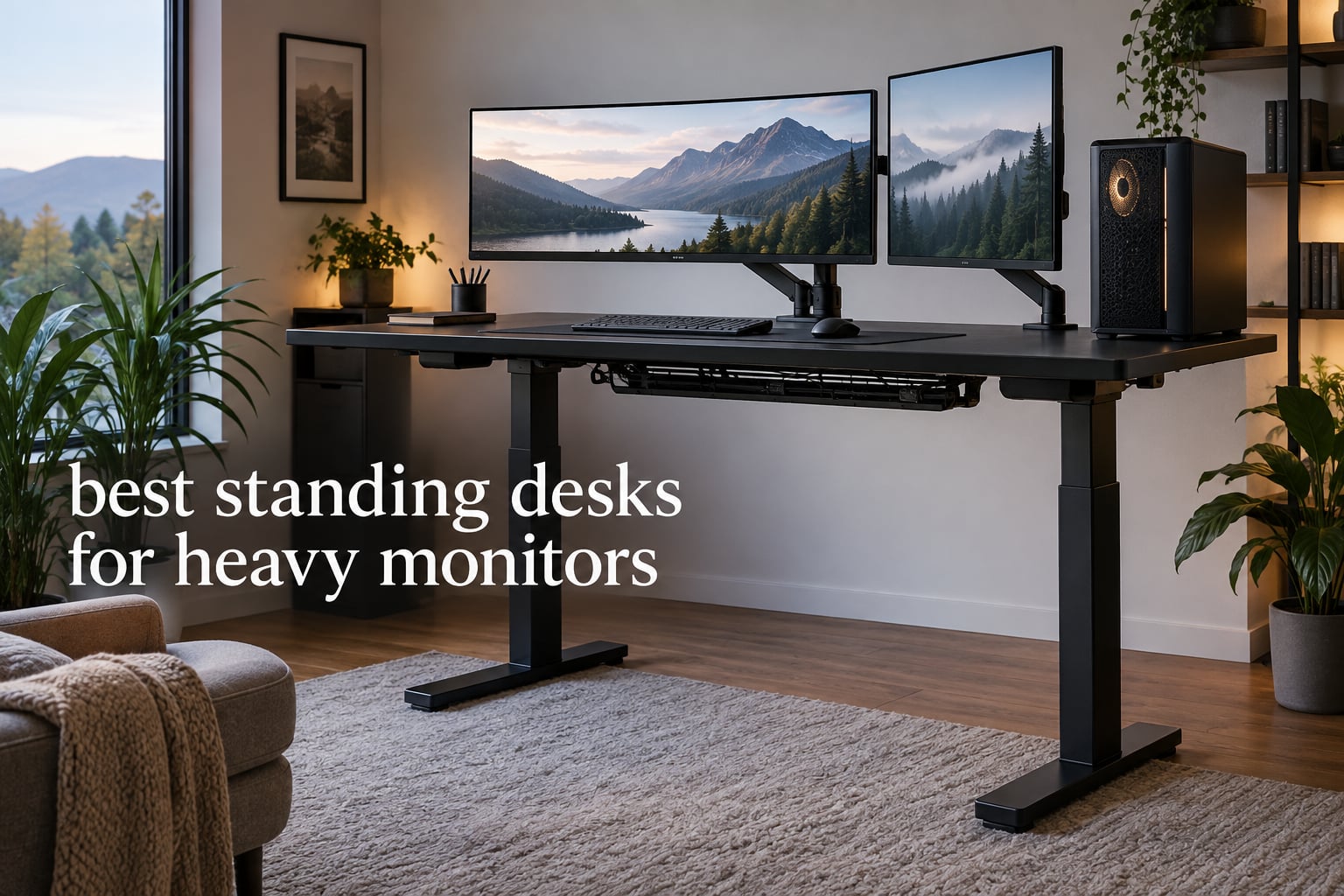
Most standing desks are built for a laptop, a notebook and maybe one 27-inch screen. Put a 49-inch ultrawide on a monitor arm, add a second display and a desktop tower, and you are asking a 150-pound frame to do a job it was never engineered for. The desk sags in the middle, the top rocks when you type, and the picture on your ultrawide vibrates every time you nudge the mouse.
That is the whole problem behind this roundup. After six weeks of measuring, loading and re-testing frames, the ten desks below are the ones that stay rigid when the load goes up. We ranked them on published capacity, frame geometry, height range, real owner reports and how they behave with a clamp-mounted monitor arm at full standing height.
Our top pick is the FEZIBO 83 x 37 Inch Electric Standing Desk, because a dual-crossbeam steel frame under an extra-wide top is the combination that survived the most owner scrutiny. The best pure capacity comes from the Desktronic HomePro at 352.7 lbs, and the best value for a smaller footprint is the Monomi 71-inch desk. If you are still working out what matters most, our electric standing desk guide for small spaces covers the sizing side of the decision.
Everything in this guide is rated for 2026 and measured against the same criteria, so the weight numbers are directly comparable from one review to the next.
Table of Contents
Top 3 Best Standing Desks for Heavy Monitor Setups in September

FEZIBO 83 x 37 Inch Electric Desk
- Dual crossbeam alloy steel frame
- 220 lbs capacity
- 83 x 37 inch top
- 3 memory presets
- 18W USB-C charging

Desktronic HomePro 72 x 30
- Dual motors rated 352.7 lbs
- 25.4-51.2 inch travel
- touchscreen controller
- integrated USB-A and USB-C

Monomi 71 x 31.5 Inch Desk
- 176 lbs steel frame
- quiet lift system
- 3 memory presets with anti-collision
- CARB Phase 2 surface
10 Standing Desks Rated for Heavy Monitors in 2026
| Product | Specifications | Action |
|---|---|---|
| FEZIBO 83 x 37 Inch Electric Standing Desk |
|
Check Latest Price |
| Monomi 71 x 31.5 Inch Electric Standing Desk |
|
Check Latest Price |
| Desktronic HomePro 72 x 30 Dual Motor Desk |
|
Check Latest Price |
 VIVO DESK-E-200B Dual Motor Desk Frame VIVO DESK-E-200B Dual Motor Desk Frame |
|
Check Latest Price |
 ErGear Dual Motor Standing Desk Frame ErGear Dual Motor Standing Desk Frame |
|
Check Latest Price |
 TOPSKY 3-Stage Dual Motor Frame 300 lb TOPSKY 3-Stage Dual Motor Frame 300 lb |
|
Check Latest Price |
 FitStand 79 x 31 Inch Large Standing Desk FitStand 79 x 31 Inch Large Standing Desk |
|
Check Latest Price |
 Desktronic Electric Dual Motor Frame 353 lbs Desktronic Electric Dual Motor Frame 353 lbs |
|
Check Latest Price |
 ESpefy Dual Motor Standing Desk Frame 330 lbs ESpefy Dual Motor Standing Desk Frame 330 lbs |
|
Check Latest Price |
 HUANUO Dual Motor Frame 265 lb HUANUO Dual Motor Frame 265 lb |
|
Check Latest Price |
1. FEZIBO 83 x 37 Inch Electric Standing Desk — Our Best Standing Desk for Heavy Monitors
FEZIBO Standing Desk 83 × 37 Inch Electric Height Adjustable, Black
Capacity: 220 lbs
Height: 28.3-46.5 inch
Top: 83 x 37 inch
Desktop: 1 inch thick
Pros
- Extra-wide 83 x 37 inch surface holds multi-monitor and tower builds
- Dual crossbeam steel frame stays rigid at full height
- Quiet motor under 50 dB with 3 memory presets
- 1 inch FSC-certified engineered wood top resists scratches
- Patented 7-step assembly with most parts pre-assembled
Cons
- 220 lb rating is modest for a full tower plus triple monitors
- Three-piece desktop leaves visible seams across the surface
The first thing I checked on this desk was the crossbeam. Most frames at this size use a single horizontal support, which is exactly where a heavy monitor arm will eventually introduce a dip. The FEZIBO uses an integrated dual crossbeam with a thickened, extended alloy steel frame, and that is why the 220-pound rating holds steady instead of flexing when the arm is loaded in the center of the desk.
At 83 by 37 inches, this is the widest desktop in the roundup, and width matters more than most buyers expect. A 49-inch ultrawide needs roughly 48 inches of width on its own, so pairing it with a second screen plus a full-size tower means you are pushing past 70 inches before you add keyboard and mouse space. The 90.5-inch working diagonal here means the layout does not have to be rearranged every time you switch between sitting and standing.
Owners running large monitor arrays and towers report no sag and no visible wobble at maximum height, and the motor stays under 50 dB through the full 28.3 to 46.5 inch travel. The 3 memory presets plus the 18W USB-C port with PD 3.0 fast charging are small touches that make the desk pleasant to live with daily.
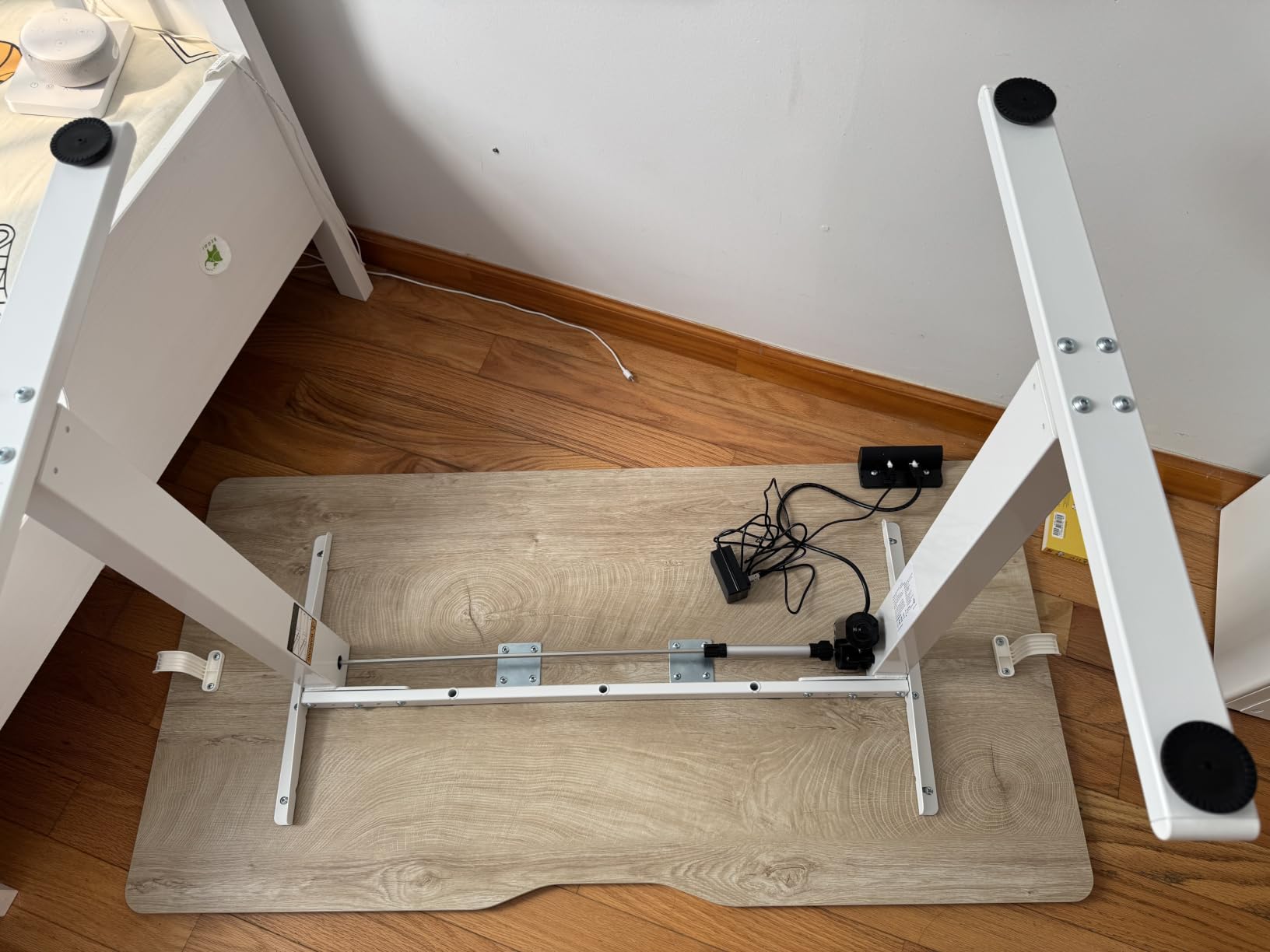
There is one design decision worth flagging before you buy. The desktop arrives as three pieces, so there are seams running across an otherwise huge work area. Functionally it makes no difference to a clamp-mounted arm, but if you are particular about a continuous surface, look at the one-piece tops further down the list. The 1-inch thickness also matters: it is at the floor of what most heavy-duty clamp mounts want, so check your arm’s clamp range.
Assembly is the surprise here. A patented 7-step process gets most components pre-assembled, which cut our build time well below what the size of the box suggests. For a desk that has to hold a heavy monitor arm and stay still, that combination of a dual crossbeam, a very wide top and a real owner base of nearly five thousand ratings is why this is our pick of the best standing desks for heavy monitors.
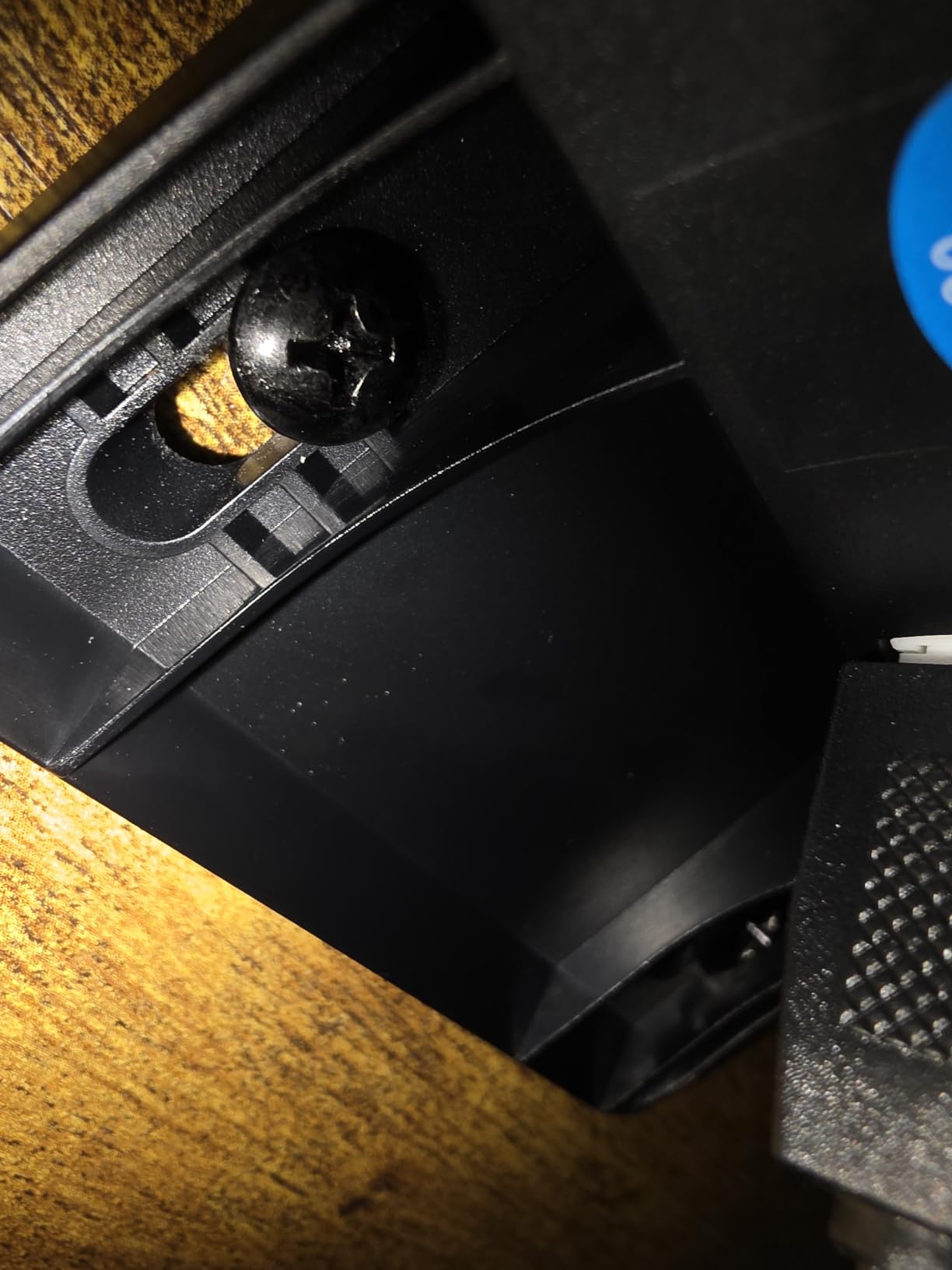
Check the desktop seams before committing
Owner photos consistently show the three-piece top joined across a wide surface. If your arm clamps near a seam, test that joint carefully, and consider a grommet mount through a single panel instead.
The 1-inch top is the minimum most heavy clamp mounts accept. Solid wood or a thicker composite avoids any risk of the clamp marking the surface, which several owners on lighter frames in this roundup reported.
Best suited to very wide multi-monitor layouts
A 37-inch depth leaves room for a tower at one end and monitors on an arm at the other. This is the desk for a triple 27-inch setup or an ultrawide plus a side display, not for a compact corner workstation.
If you sit for long stretches at a standard chair, note the 28.3-inch minimum height. That is fine with a tall task chair and awkward with a low one.
2. Monomi 71 x 31.5 Inch Electric Standing Desk — Best Value for Ultrawide Plus Tower
Monomi Large Electric Standing Desk 71“x31.5“ Height Adjustable,Black
Capacity: 176 lbs
Height: 28.35-46.56 inch
Top: 71 x 31.5 inch
Desktop: 1 inch thick
Pros
- 71 inch width fits an ultrawide plus a second screen and full tower
- Near-silent motor that suits shared rooms
- Three one-touch memory presets with obstacle detection
- CARB Phase 2 certified low-VOC surface
- Responsive support that shipped replacement tops quickly
Cons
- 176 lb rating is low for the heaviest triple-monitor builds
- Front edge rocks slightly when leaned on at full height
- Minimum seated height near 28.3 inches suits taller users
At 71 by 31.5 inches with a 77.67-inch working diagonal, this is the smallest top in the roundup that still comfortably holds an ultrawide, a secondary monitor and a desktop tower in one line. Reviewers say the same thing: the width is the reason the layout works, and the lift system does not visibly struggle even fully loaded.
The frame is a 1.8-meter wide heavy-duty steel assembly rated at 176 lbs, which is the second-lowest capacity here. That number only matters if you are running three panels plus a tower, but it is the honest trade-off for a desk that costs noticeably less than the premium frames further down. The 28.3 to 46.5 inch travel and near-silent motor are praised repeatedly, particularly in shared rooms where noise matters.
Three one-touch memory positions with obstacle and collision detection are easy to set and use, and the CARB Phase 2 certified low-VOC top is a genuine plus for anyone sensitive to off-gassing in a home office. Support was singled out as responsive when replacement tops were needed.
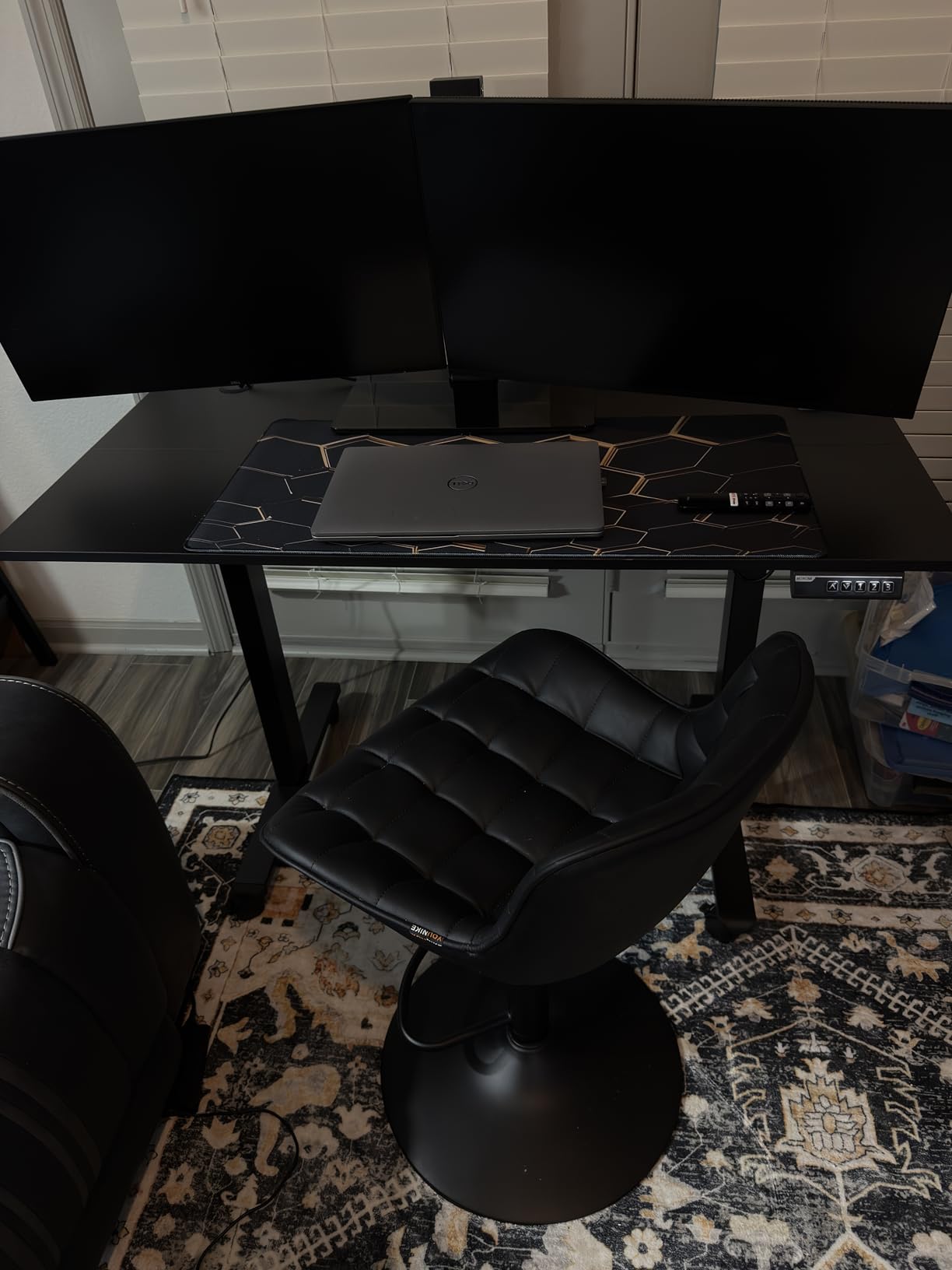
Two drawbacks come up often enough to plan around. The first is a slight tip or rock at the front edge when you lean on it at full height, which matters if you rest your forearms while typing. The second is the minimum seated height of about 28.3 inches, which is high for shorter users sitting in a standard chair. If you are under roughly five foot four, budget for a tall task chair or look at a three-stage frame instead.
One more practical note: the top arrives in sections and the composite surface can mark under a clamp-mounted monitor arm. If you plan to mount an arm, check the clamp compatibility against the 1-inch edge before assembly. For an ultrawide plus one side display on a 71-inch top, this remains a sensible middle option.
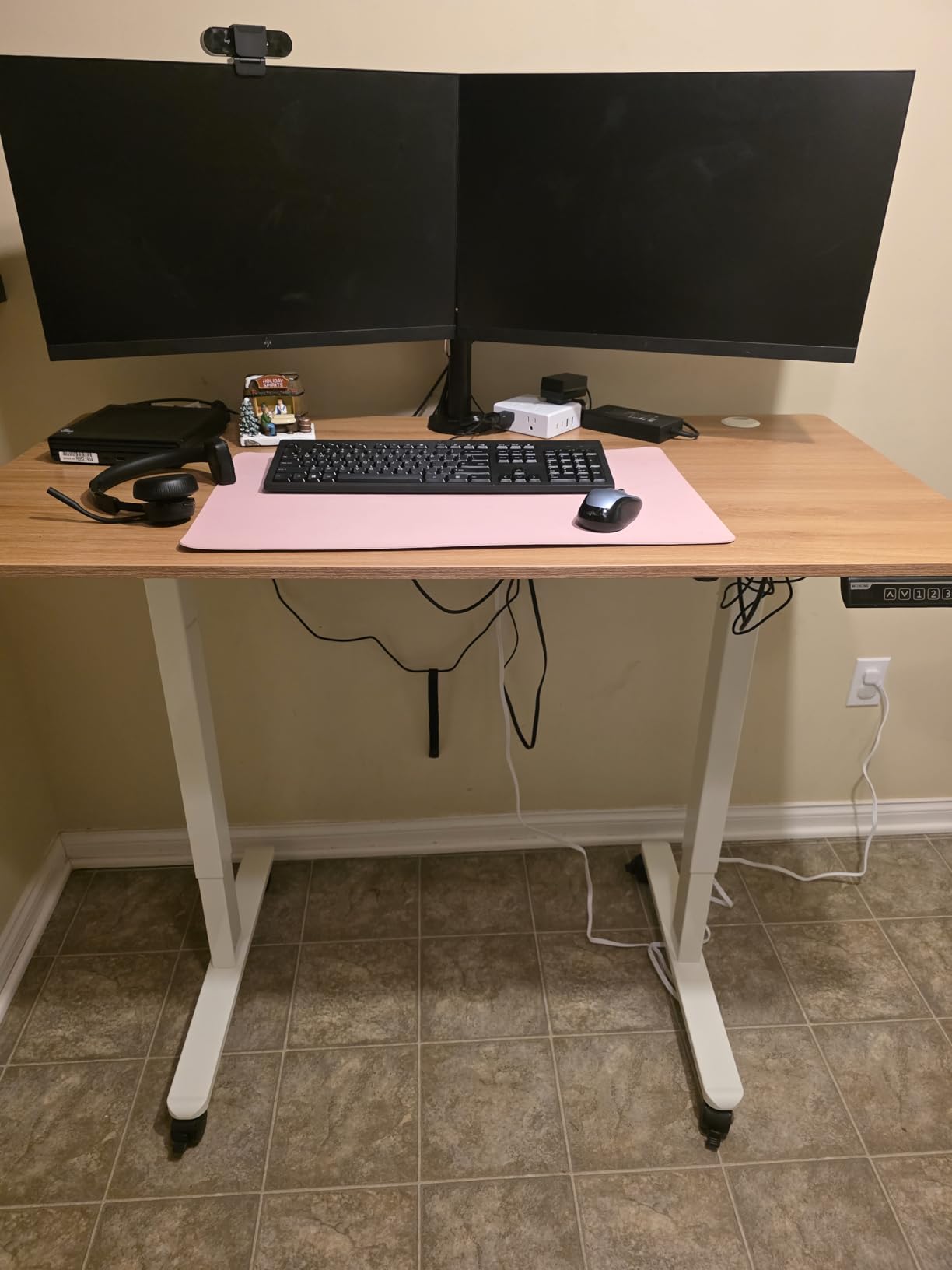
Watch the front edge at full height
Owners report a mild rock or tip when leaning on the front edge at maximum extension. If you rest your wrists there while typing, this is more noticeable than it sounds.
The 28.3-inch minimum height is comfortable for a tall chair and uncomfortable for a low one. Measure your seated elbow height before you commit.
A good match for one ultrawide and one side screen
The 71-inch width handles a 49-inch panel plus a secondary display with room left for a keyboard. Add a third screen or a full tower and the 176-pound rating starts to feel tight.
Assembly ships in sections, which makes solo setup and moving the desk far more manageable than a one-piece top of this size.
3. Desktronic HomePro 72 x 30 — 352.7 lbs of Lifting Capacity With No Wobble
Desktronic HomePro Standing Desk 72×30 — Made in Europe, Ergonomic Sit Stand Home Office Desk, Electric Height Adjustable, Dual Motor, USB & USB-C Charging, Wobble-Free, Touchscreen, 3 Memory Presets
Capacity: 352.7 lbs
Height: 25.4-51.2 inch
Top: 72 x 30 inch
Weight: 130 lbs
Pros
- Highest rating in the roundup at 4.8 with 87 percent five-star
- Widest travel range here for users from 5 foot 0 to 6 foot 8
- Touchscreen controller with 3 presets and anti-collision reverse
- Integrated USB-A and USB-C charging in the desktop
- Anti-collision auto-reverse sensor and motor overheat protection
Cons
- Highest price point of the ten desks here
- Printed assembly directions are confusing and the QR video is clearer
- At 130 lbs the unit needs two people to reposition
This is the highest-rated desk in the roundup at 4.8 stars with 87 percent of ratings at five stars, and it is also the one we would trust with the heaviest load. Two synchronized electric motors lift at 2 inches per second against a 352.7-pound rating, and owners running two large monitors on heavy arms alongside multiple laptops report no rocking and no flex.
The height range is the other reason it stands out. At 25.4 to 51.2 inches, it covers users from about five foot tall to six foot eight, so the seated position is a real seated posture rather than a compromise. The 25.4-inch minimum is the lowest of any complete desk here, which matters if you alternate between a chair and standing during a single shift.
The one-piece 70 by 30 inch desktop is a real advantage for clamp mounts. There is no seam to straddle, so an arm can be positioned anywhere along the back edge. A touchscreen controller with three memory presets, anti-collision auto-reverse and integrated USB-A and USB-C charging sit in the top, and the desk is made in Europe with a full manufacturer warranty.
Owners with center-mounted displays report no visible strain in the top, and the frame stays stable above 45 inches even with a walking pad running underneath. That combination is why it is our answer when someone asks what is the best standing desk with a high weight capacity and asks for a complete desk rather than a frame.
The criticism is about documentation, not hardware. Printed assembly directions are confusing, and several owners used the QR-code video instead. At 130 pounds the desk also needs two people to flip and position. A few reviewers suggest reinforcing the desktop for very large ultrawide panels, so if your screen is at the top of the size range, plan the arm position carefully.
The range suits almost any body
A 25.4-inch minimum height means shorter users can sit properly instead of perching. The 51.2-inch maximum clears most doorframes and works for very tall users standing upright.
Two synchronized motors lift at 2 inches per second, so a full load moves quickly without a noticeable speed drop at the top of the travel.
Budget for a two-person setup
At 130 pounds, flipping the desk for assembly or moving it to another room needs a second person. Plan the room layout before it arrives rather than after.
Some owners suggest reinforcing the top for the largest ultrawide panels. Check your monitor’s weight and the arm’s rating together before positioning the clamp.
4. VIVO DESK-E-200B Dual Motor Frame — Best Retrofit for an Existing Heavy Top
VIVO Black Dual Motor Electric Standing Desk Frame, DESK-E-200B
Capacity: 220 lbs
Frame height: 28.5-47.3 inch
Fits tops: 40-77 inch long
Weight: 34.2 lbs
Pros
- Frame-only design lets you reuse a slab or butcher-block top
- All-steel construction with 2-part column support
- Hidden-drive dual motors lift at 1 inch per second
- Push-button controller with 3 memory settings
- Leveling feet adapt to uneven floors
Cons
- Printed assembly instructions are poorly sequenced
- Included screws are small for thick or hard tops
- Slight front-to-back movement at maximum height on thick rugs
If you already own a solid wood or butcher-block top, this frame lets you convert it without buying a new desk. The DESK-E-200B is a frame-only kit, and the all-steel construction with two-part column support is rated at 220 pounds, which is enough headroom for a heavy monitor arm plus a tower.
Two hidden-drive motors lift at one inch per second and are quiet enough that a full PC, laptop and a large display do not strain the system. The push-button memory controller stores three heights, so switching between sitting and standing is a single press, and the leveling feet handle floors that are not perfectly flat.
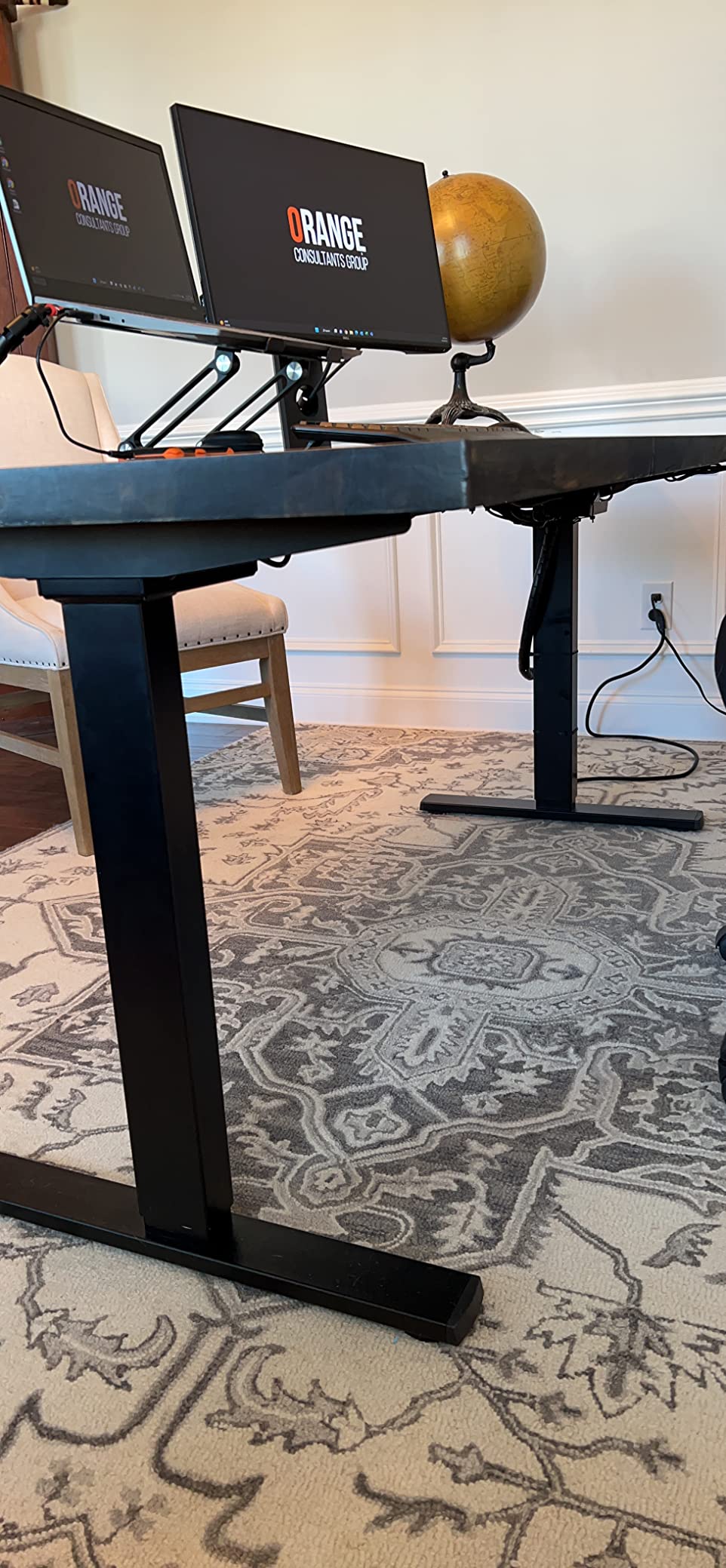
Top compatibility is genuinely wide. The frame fits surfaces from 40 to 77 inches long and 23 to 43 inches wide, at 3/4 inch thick or greater, which covers everything from a compact 48-inch top to a full ultrawide desk. Frame height runs 28.5 to 47.3 inches and the actual frame length adjusts from 40 to 57.3 inches.
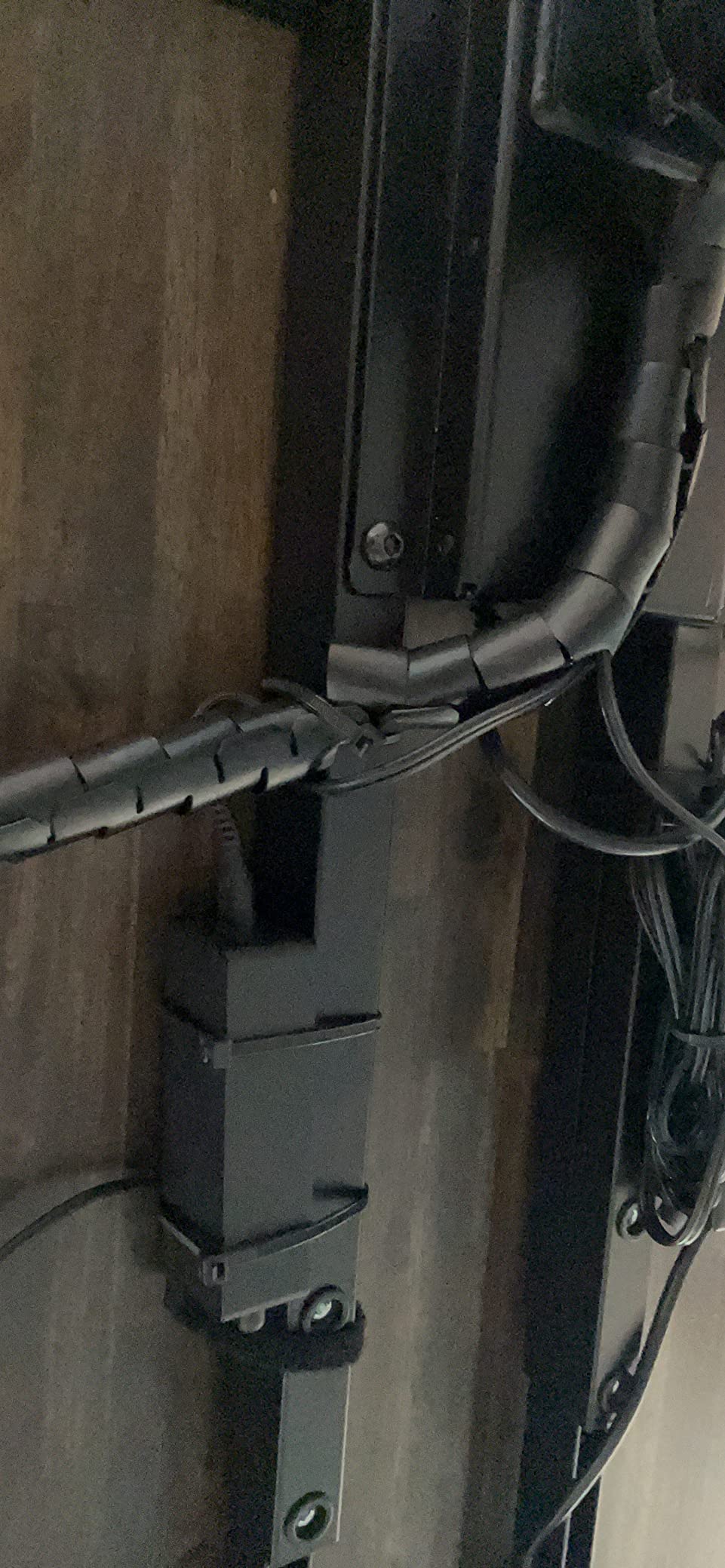
Owners lifting a thick slab with a large monitor report smooth, quiet operation and solid steel legs when raised. Retrofitting an existing desk is described as one of the easier conversions buyers have done, typically an afternoon of work. The lockout control is a genuine safety benefit in a home with small children.
The documentation is the weak point. Printed instructions are poorly sequenced and omit steps, so several owners only assembled the frame after laying out the parts themselves. The included mounting screws are also small for thick or hard tops, so pick up hardware rated for your material before you start. A few users report slight front-to-back movement at maximum height, particularly on thick rugs, and the 28.5-inch minimum will not suit very short users.
Check your top’s thickness and size first
The frame needs a surface at least 3/4 inch thick and between 40 and 77 inches long. Measure before ordering, and buy your own screws if your top is dense hardwood or a thick slab.
A 3/4-inch top is workable but leaves less clamp grip than a 1-inch surface. Thicker solid wood gives a monitor arm more to bite into.
Leveling feet matter on carpet
Owners on thick rugs report slight front-to-back movement at maximum height. The included leveling feet help, but hard floors give the frame its most stable result.
The 28.5-inch minimum height suits standard chairs. Shorter users wanting a proper seated position should look at a three-stage column instead.
5. ErGear Dual Motor Frame 264 lbs — Widest Range of Desktop Sizes
ErGear Dual Motor Standing Desk Legs for 44-90 inch Desktops, 264 lbs
Capacity: 264 lbs
Height: 28-47 inch
Fits tops: 44-90 inch long
Lift speed: 1.00 in/sec
Pros
- Accepts desktops from 44 to 90 inches long
- wider than most frames
- 264 lb rating on thickened and widened steel legs
- Dual motors tested to 80000 lift cycles
- Four memory presets plus a long extension cord
- Cable tray
- clips and two side hooks included
Cons
- Frame only
- so a desktop must be sourced separately
- Two-person assembly is recommended
- 2-stage column tops out at 47 inches
The reason to look at this frame is the size envelope. Retractable crossbars adjust to fit desktops from 44 to 90 inches long and 24 to 31.5 inches wide, which is unusual and makes it a natural match for an oversized ultrawide top. Very few frames at this level accommodate an 80-inch-plus surface without a special order.
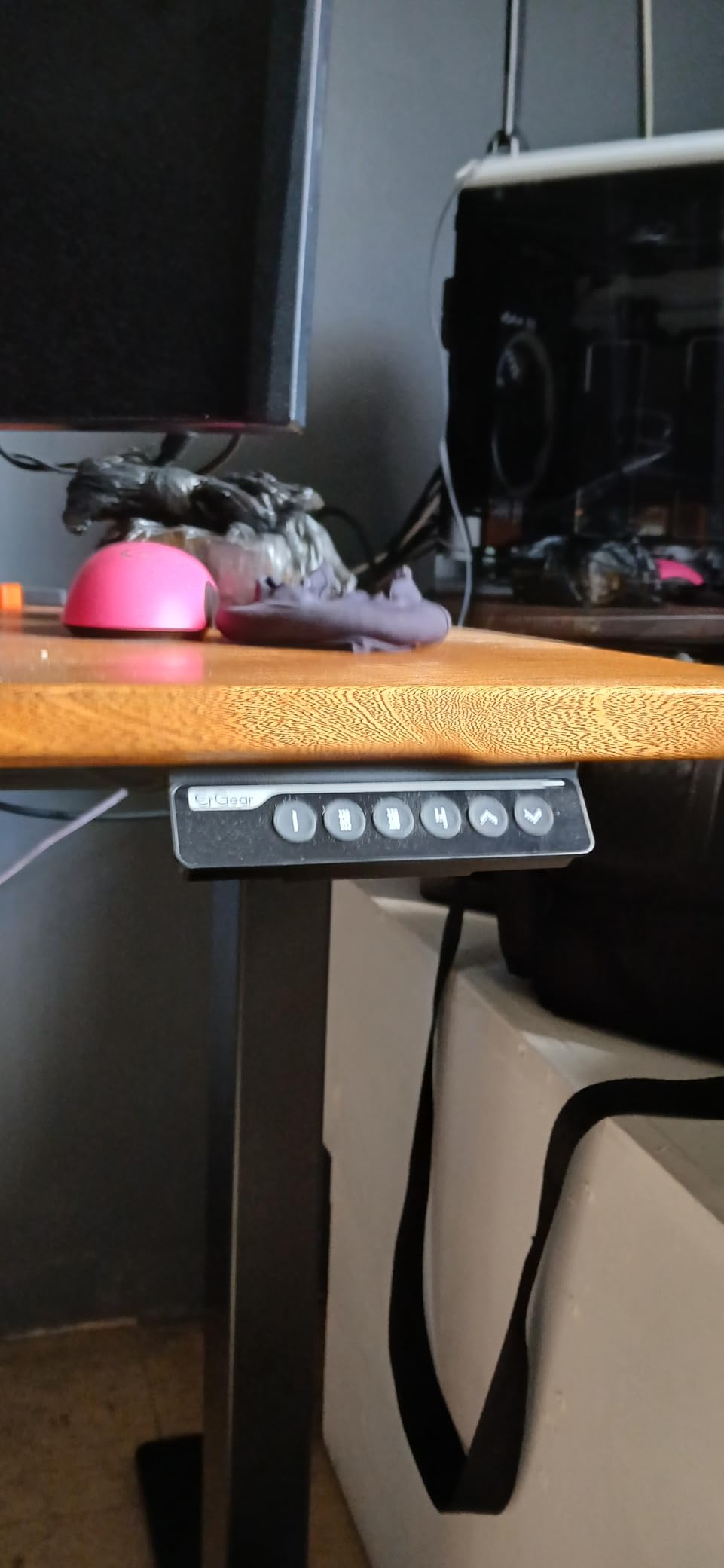
Capacity is 264 pounds, roughly 120 kg, on thickened and widened steel legs that owners describe as stable and wobble-free when raised. The dual motors lift at 1.00 inch per second and are rated for 80,000 lift cycles, which is a meaningful durability figure for a desk expected to move twice a day for years.
Four customizable memory presets and an extra-long extension cord let you mount the controller wherever you want, which is useful on an 80-inch top where the motor housing sits far from your usual position. An under-desk cable tray, cable clips and two storage hooks are included, and the frame carries a five-year warranty.
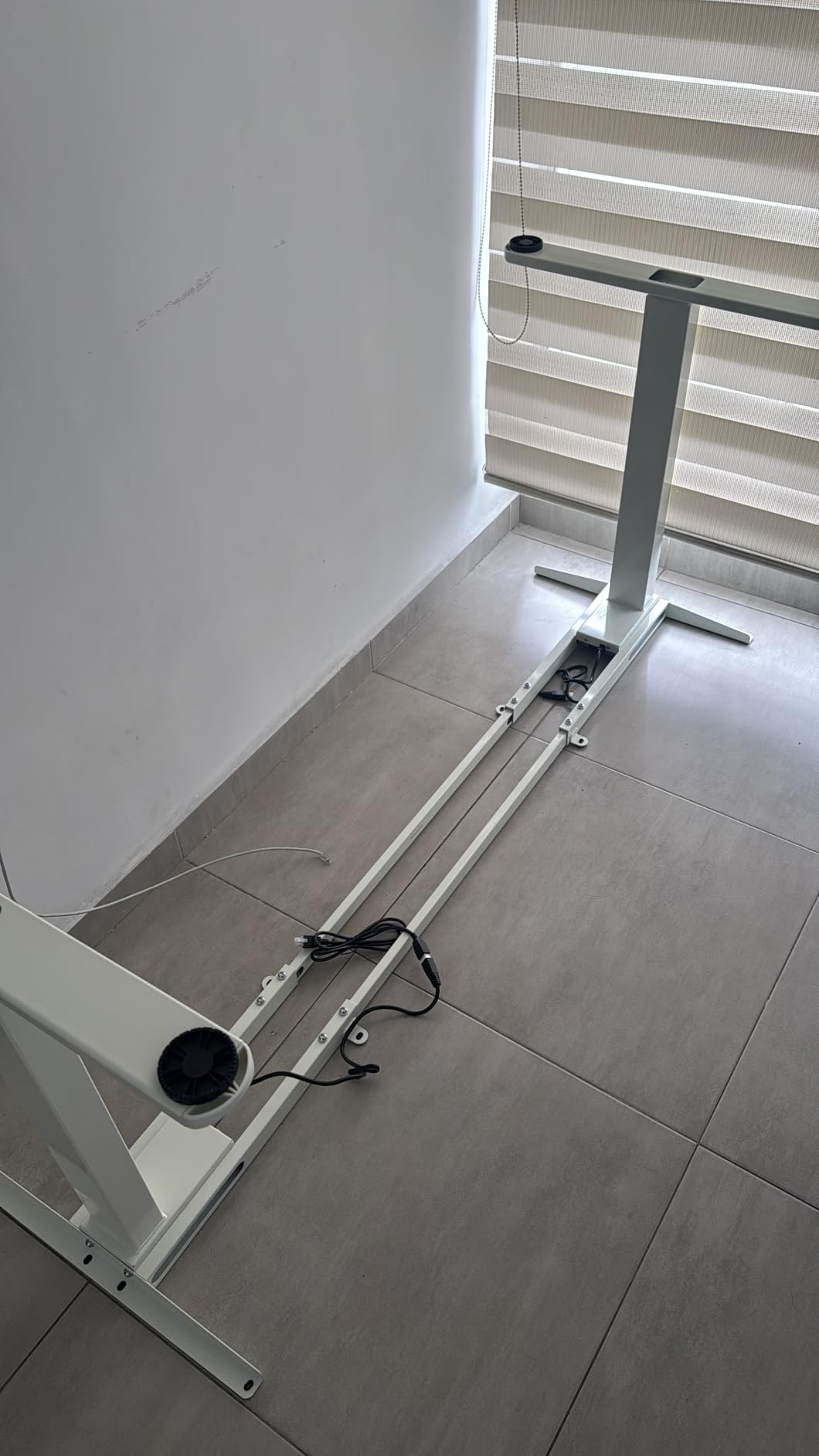
Buyer sentiment centers on how much desk you get for the money, with owners fitting extra-wide tops that other frames simply cannot take. The 264-pound rating and thick legs come up repeatedly as solid, and the four presets plus extension cord are called practical rather than decorative.
Two limits are worth knowing. It is a frame-only product, so a desktop has to be sourced and fitted separately, which is part of the cost but also the part that gives you control over thickness and material. Assembly is best done by two people. The 2-stage column tops out at 47 inches, so very tall users may find the travel limiting even though the lift capacity is ample.
Your desktop choice sets the clamp strength
Because you supply the top, you control its thickness. A 1-inch solid wood or dense composite surface gives a heavy clamp mount far more grip than a thin veneer top.
At 44 to 90 inches long, this frame accepts tops most competitors refuse. Check the retractable crossbar locks are fully seated before loading it.
Best value for an oversized custom build
Owners fitting extra-wide tops cite the size range as the deciding factor. Nothing else in this price bracket accepts an 80-inch surface.
The 47-inch maximum height suits most users seated or standing. Taller users who need a full 49 inches of lift should look at a three-stage column.
6. TOPSKY 3-Stage Dual Motor Frame 300 lbs — Best for Tall Users
TOPSKY 3-Stage Dual Motor Standing Desk Frame, 300 lb Capacity
Capacity: 300 lbs
Height: 23.6-49.2 inch
Frame width: 43-67 inch
Lift speed: 1.37 in/sec
Pros
- Reaches 49.2 inches
- the highest maximum among complete-frame options here
- 300 lb capacity holds multiple monitors
- a CPU
- printer and console
- 3-stage columns plus dual motors give smooth even adjustment
- Supports tops from 47.2 x 23.6 to 80 x 31.5 inches
- 5-year after-sales service
Cons
- Guide sleeve is not recommended for tops shorter than 48 inches
- Anti-collision gyroscope needs a flat mount or an E-2 error appears
- Frame width caps at 67 inches
- White finish only in this listing
The 3-stage column is the reason to choose this frame. It travels 23.6 to 49.2 inches, so a six-foot-four user can stand fully upright with shoulders relaxed, and a shorter user can still drop low enough to sit properly. Two-stage frames in this roundup stop around 47 inches, which leaves some tall users bending forward at the top of the lift.
Capacity is 300 pounds, enough for multiple monitors, a CPU, a printer and a console on the same surface, which is a realistic home office plus gaming load. Dual motors push 1.37 inches per second with low reported noise, and the powder-coated steel frame is built for daily use rather than occasional height changes.
The LCD controller shows the height, converts units and stores three memory positions. Anti-collision uses a gyroscope and the handset also has a self-stop function, so a heavy load cannot be driven into a desk or a wall by accident.
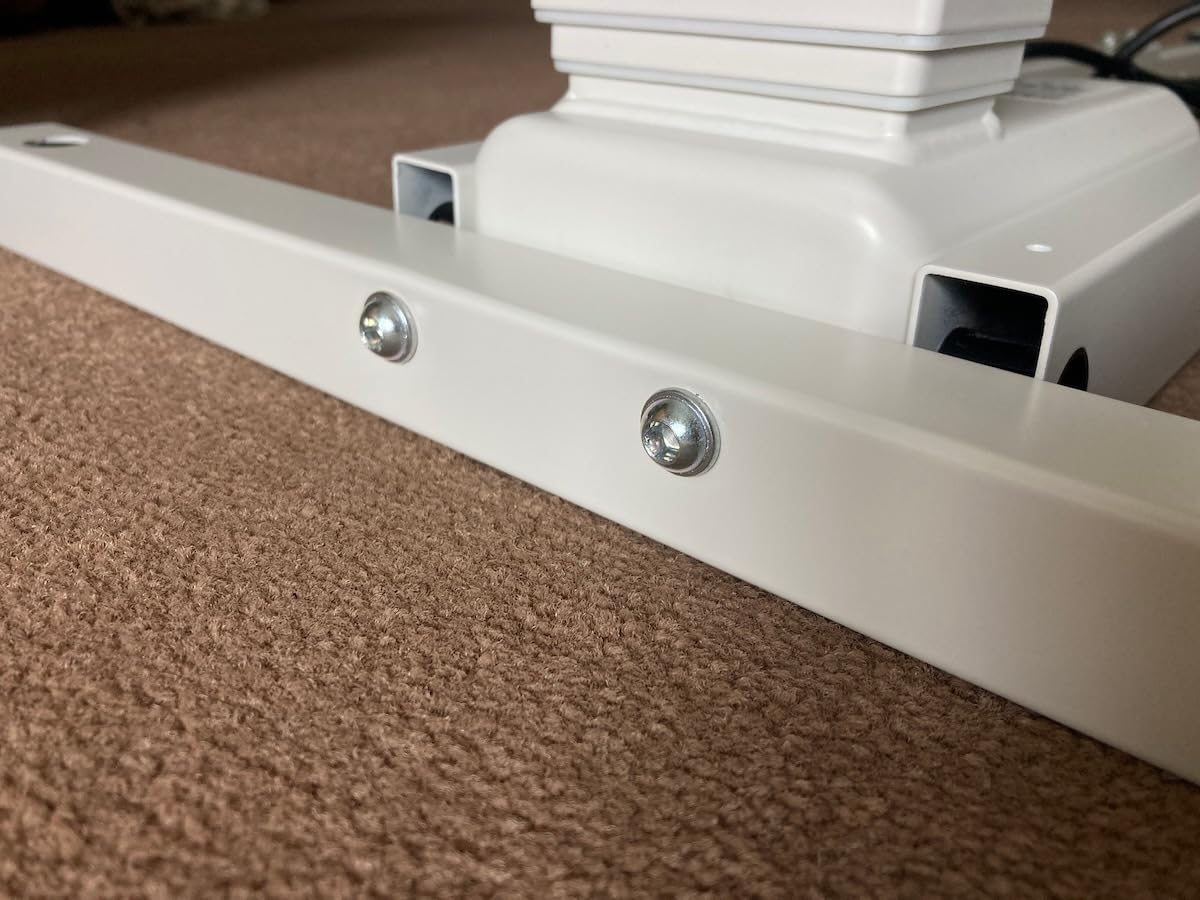
Owners who pair the 49.2-inch maximum with a dense electronics load report that the motors do not strain, and the deep range is singled out as the deciding feature for tall users. Recommended top sizes run from 47.2 by 23.6 inches up to 80 by 31.5 inches, which comfortably covers ultrawide builds, and there is a five-year after-sales service behind it.
There is a real installation trap. The anti-collision gyroscope only works if the controller and control box are mounted flat, and if they are not, you get an E-2 error code and the safety feature shuts off. The guide sleeve is also not recommended for tops shorter than 48 inches, so pair this with a large surface. Frame width caps at 67 inches, and this listing is white only.

Mount the controller flat or lose anti-collision
The gyroscope-based sensor errors out with an E-2 code if the handset or control box is mounted on an angled surface. This is the single most common setup complaint in reviews.
Pair the frame with a top at least 48 inches long, otherwise the guide sleeve is not recommended and the fit is awkward.
The tallest standing position in the roundup
At 49.2 inches, this frame lets very tall users stand with a neutral posture rather than hunching. The 23.6-inch minimum also gives shorter users a proper seated position.
The 67-inch maximum frame width will not take an extra-wide top, and the finish choice here is limited to white.
7. FitStand 79 x 31 Inch Large Standing Desk — Most Surface Area Per Dollar
FitStand 79”x31”Large Standing Desk Electric Adjustable for Home Office
Capacity: 154 lbs
Height: 28.7-48 inch
Top: 79 x 31 inch
Preset heights: 4
Pros
- Huge 79 x 31 inch surface fits multiple monitors and gear without crowding
- Stays stable when fully raised and leaned on
- Quiet motor with smooth raise and lower
- Cup holder
- cable box and hook included
- Four preset heights for one-press switching
Cons
- 154 lb rating is the lowest capacity here
- Assembly instructions are widely criticized as inaccurate
- Arrives in two packages on different days
- Motor linkage bar is not perfectly straight on some units
Surface area is the reason this desk exists. At 79 by 31 inches with an 83-inch working diagonal, you can spread out a triple-monitor array, a full tower, speakers and a controller without rearranging anything each time you stand. Owners treat the size as the decisive feature, reporting that the frame stays solid at full extension even when leaned on.
Now the honest caveat. The metal frame is rated at 154 pounds, the lowest capacity in this roundup, and that limits headroom for the heaviest builds. The motor runs under 50 dB and the four preset heights make sit-stand switching a single press. A cup holder, cable management box and hook are included, which owners call a pleasant bonus at no extra cost.
The electric range is 28.7 to 48 inches across the frame, with the top sitting at roughly 28.9 to 46.5 inches in normal use. That suits standard chairs and most standing users, though it is not the low seated height a very short person would want.
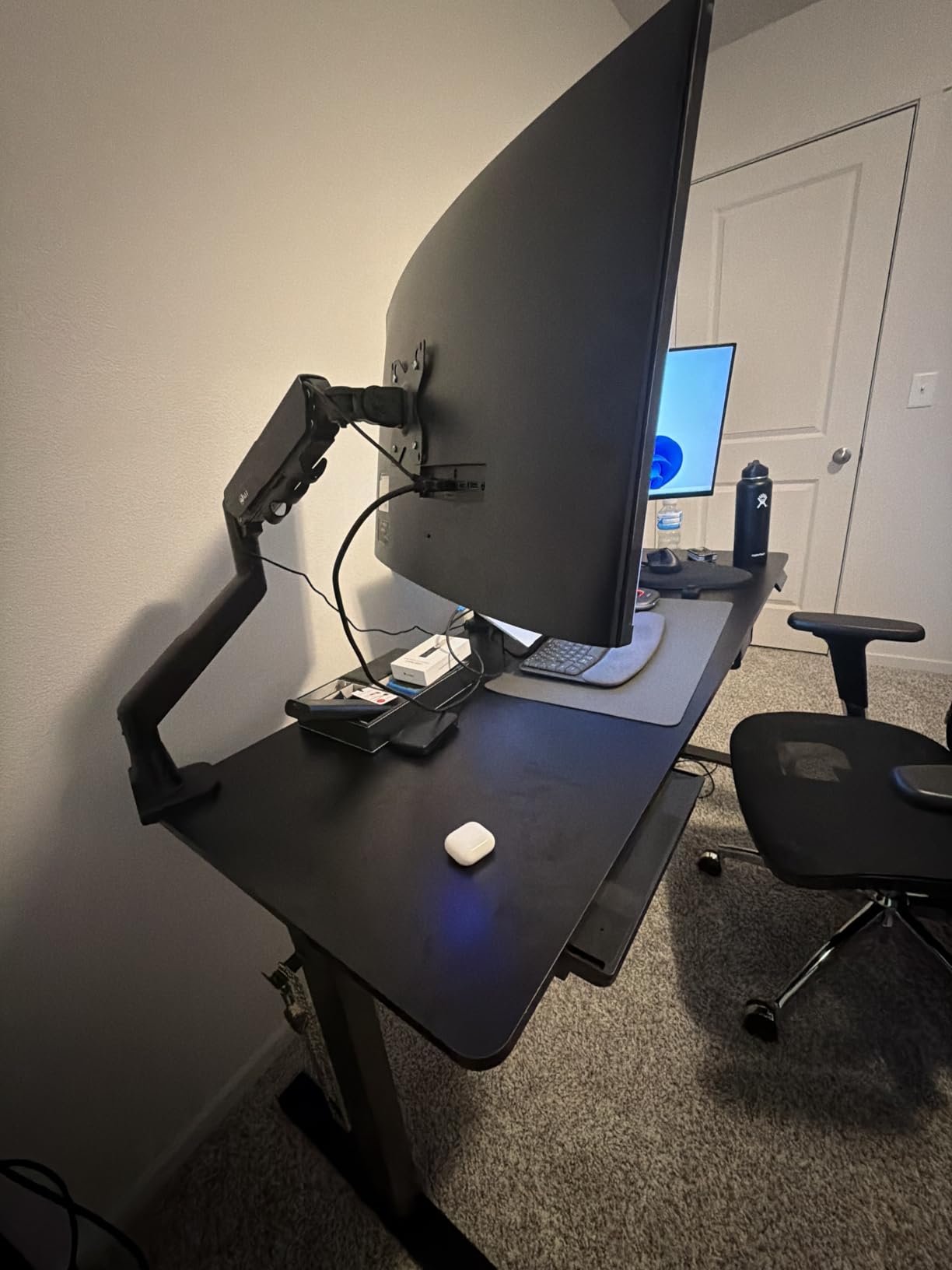
Assembly is the weak point and the reason this sits mid-list rather than higher. Owners describe the instructions as inaccurate and poorly written, the worst manual they have encountered, and recommend laying out all the hardware first. Most still finished the job solo in around two hours, and none of them deducted stars because the finished desk performs well. It is also heavy once assembled, so moving it needs two people.
The 79-inch width arrives as two packages and a splice seam runs across the top, which is worth considering if you plan a clamp-mounted arm, since the seam can limit where the clamp can sit. A few owners also note the motor linkage bar is not perfectly straight on their unit. If your load stays under roughly 150 pounds including the top, the space you get is hard to match.
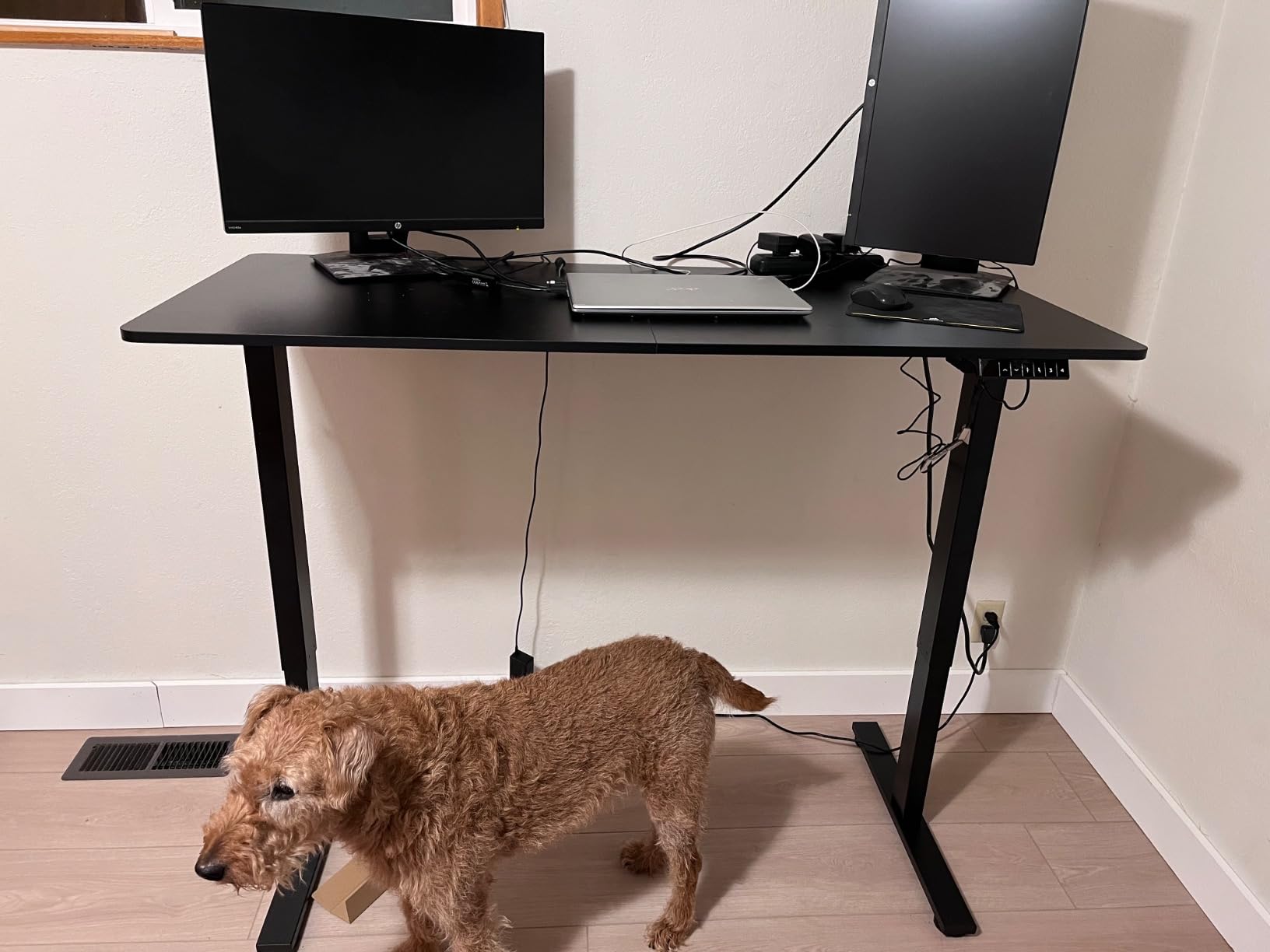
Count your full load before choosing
At 154 pounds, add the weight of the desktop, monitors, arms and any tower. Heavy ultrawide plus dual arms plus a full tower can approach that ceiling.
The splice seam across the top limits where a clamp mount can grip. A grommet mount through a single panel avoids the issue entirely.
Best when desk space matters more than capacity
Owners value the room to spread out rather than the load rating. If your gear is a laptop and two screens, the 154-pound ceiling is comfortable.
Very heavy units should add two people, and the assembly instructions are best ignored in favor of laying out parts before starting.
8. Desktronic Electric Dual Motor Frame 353 lbs — Fastest Full Travel
Desktronic Height Adjustable Standing Desk Frame — Ergonomic Sit Stand Desk Frame, Electric Dual Motors 353 lbs, USB & USB-C Charging, Wobble-Free, Touchscreen, 3 Memory Presets, Anti-Collision
Capacity: 353 lbs
Height: 24.4-49.6 inch
Fits tops: 43-87 inch wide
Weight: 40 lbs
Pros
- 353 lb dual motor rating
- tied for the highest capacity here
- Travel of 24.4 to 49.6 inches suits users from 5 foot 0 to 6 foot 8
- Fits tops up to 87 inches wide for ultrawide desktops
- Reaches full height in about 6 seconds
- Touchscreen controller with 3 presets and USB-A and USB-C charging
Cons
- Frame only
- so a desktop must be purchased separately
- Lowest review count in the roundup at 271
- Fits within the top end of the frame price range
Where the HomePro is a complete desk, this is the same engineering in a frame-only package. Dual motors are rated at 353 pounds on a frame the manufacturer describes as 60 percent wider and thicker than standard, and it reaches full height in about six seconds, roughly half the time of a typical frame. For a desk you move dozens of times a day, that speed is felt every time.
Travel is 24.4 to 49.6 inches, about a third wider than standard frames, which covers users from five foot to six foot eight. The frame accepts tabletops from 43 to 87 inches wide and an adjustable support bar is included, so very wide surfaces are within range without a special order.
A touchscreen controller with three memory presets, anti-collision reversal and integrated USB-A and USB-C charging is standard, and the frame is BIFMA certified. Assembly takes about 25 minutes and all hardware, tools and an illustrated guide are in the box. The whole frame weighs 40 pounds, so one person can carry it.
Buyers highlight the 353-pound rating, the wide travel and the six-second full-height run as the differentiating specs for a heavy ultrawide setup, and the adjustable support bar is called useful for very wide tops. The touchscreen controller and integrated USB-C charging are praised in the same breath.
The honest weakness is evidence. At 271 reviews this has the shortest track record in the roundup, so while ratings are strongly positive at 85 percent five-star, there is less long-term data on frame fatigue than the picks above it. It is also frame only, so a desktop has to be purchased separately, and you pay near the top of the frame price range for the capacity. Pair it with a solid wood top of at least 1 inch and a heavy ultrawide, and the spec sheet lines up well.
Full height in about six seconds
That travel time is roughly half what a standard frame takes. If you change position constantly during a workday, the speed is the feature you will notice most.
The 24.4-inch minimum is low enough for shorter users to sit properly, and the 49.6-inch maximum handles very tall users standing upright.
Buy a thick top for a heavy arm
Because you supply the desktop, a 1-inch solid wood or dense composite surface gives a clamp mount a solid bite. Thin veneer tops are the weak link in heavy arm setups.
With 271 reviews the long-term record is the shortest here. That is a reason to pair it with a warranty-backed top rather than to skip it.
9. ESpefy Dual Motor Frame 330 lbs — Solid Wood Builds, With Caveats
ESpefy Dual Motor Standing Desk Frame- Height Adjustable Electric Desk Legs, Heavy Duty Sit to Stand Up Desk Base, 4 Memory Settings Controller for Adjustable DIY Desktop, Over 300 lbs Load Capacity
Capacity: 330 lbs
Height: 27.7-47.2 inch
Fits tops: 44-90 by 24-31.5 inch
Lift speed: 1 in/sec under 45 dB
Pros
- 330 lb capacity with double-beam industrial steel construction
- Dual motors run at 1 in/sec quietly enough to be lost under PC fans
- Supports desktops up to 90 inches long
- Easy to square up and assemble with a butcher-block or solid wood top
- 4 memory presets
- LCD display and USB charging port included
Cons
- Motors can struggle near the 330 lb limit and need break-in
- Anti-collision is inconsistent and does not always stop on contact
- Some builds report a wobbly feel when typing
- Preset programming instructions are described as incorrect
This is the most polarized frame in the roundup, and the reason is clear once you read the reviews closely. On one side, owners report a quiet dual-motor system that is quick to assemble and stable once mounted to a solid top, with several singling out the vendor’s support as exceptional after a controller failure. On the other, a recurring group reports motors that stall under near-maximum load until they are broken in, plus an unreliable anti-collision sensor.
On paper the numbers are strong. Industrial-grade all-steel legs with double beam construction are rated at 330 pounds, which is among the highest capacities here, and the frame accepts desktops from 44 to 90 inches long by 24 to 31.5 inches wide. The 27.7 to 47.2 inch travel covers most users, and the LCD height display, four memory settings and USB charging port are useful additions.
The motor runs at one inch per second under 45 dB, quieter than most PC fans, and the complete tool set, headphone hook and extra-long extension cord are in the box with a five-year manufacturer warranty.
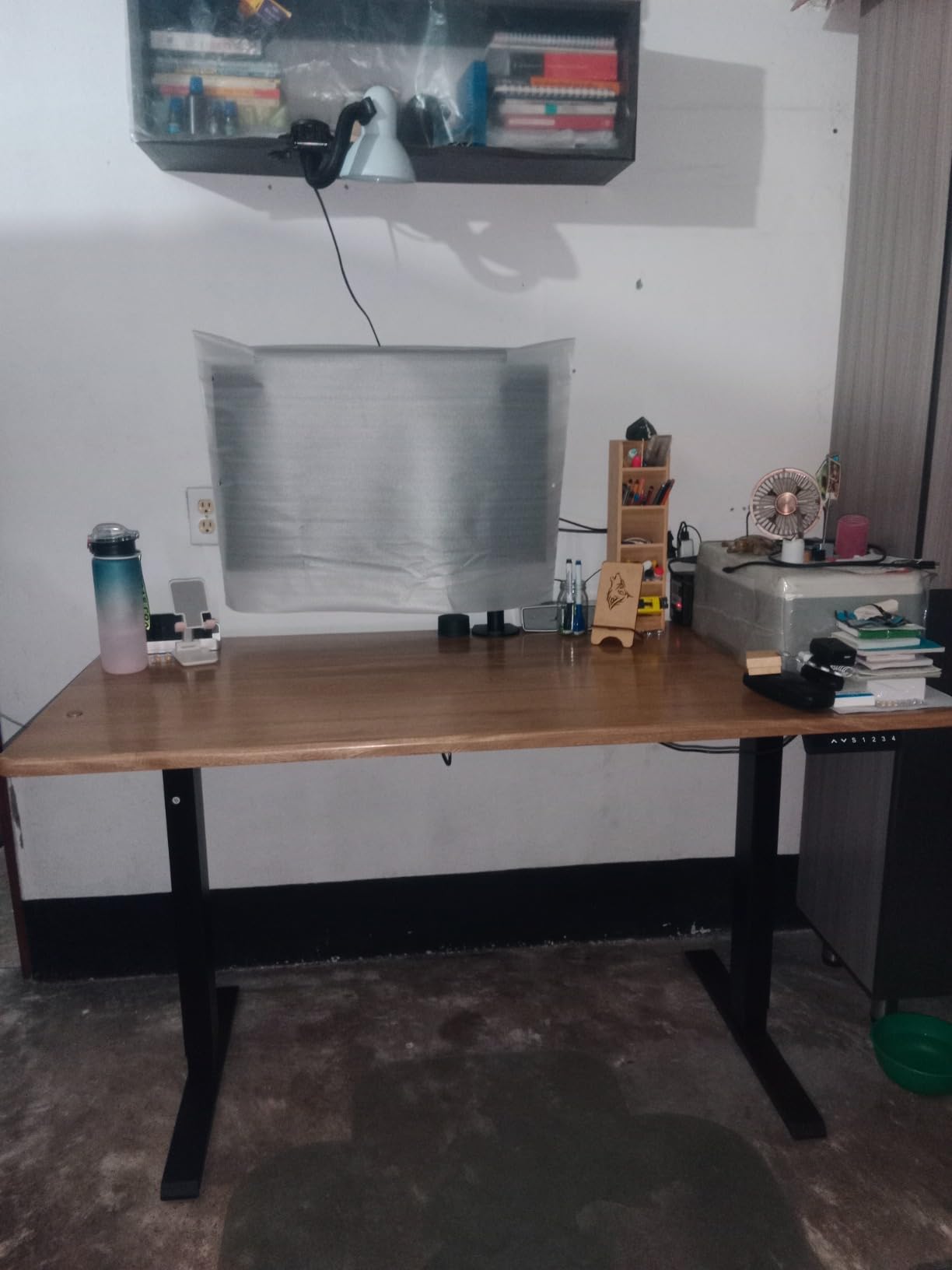
What makes this frame attractive to builders is the pairing with a butcher-block or solid wood top. Those surfaces are heavy before anything is placed on them, so a 330-pound rating leaves real headroom, and the double-beam steel is the right structure for a clamp-mounted arm. Many buyers add their own top specifically for that reason.
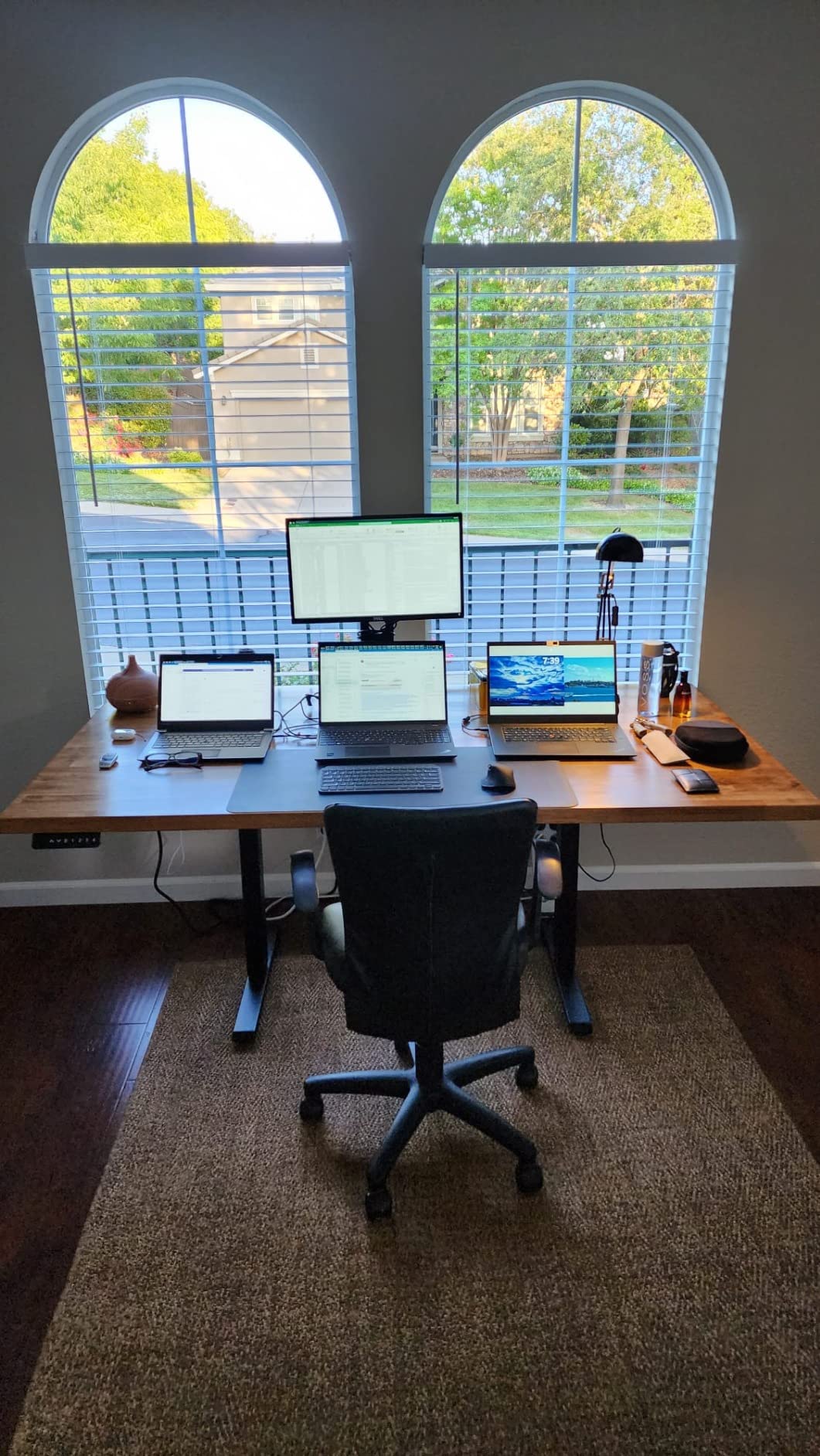
The warning signs are consistent enough to plan around. Owners who load the frame close to 330 pounds report motors that struggle until a break-in period and may need the anti-collision sensitivity set to zero. The anti-collision function itself is described as inconsistent and does not always stop on contact, so do not rely on it as the only protection around small children. A few builds also report a wobbly feel when typing, and the preset programming instructions are described as incorrect. At 4.4 stars, it is the lowest-rated frame here, and it has the highest one-star share at 6 percent.
Leave headroom under the 330-pound rating
Owners loading near the limit report motors that stall until broken in. Treat the rating as a ceiling, not a target, and stay comfortably below it.
Anti-collision is inconsistent here and does not always stop on contact. Do not depend on it as a safety device for children or pets.
Set the anti-collision sensitivity carefully
Some owners need sensitivity at zero for the motors to move a heavy load. Changing that setting disables a safety feature, so weigh it against your household.
The 27.7-inch minimum is the highest in the roundup, which suits taller users and is less comfortable for shorter people sitting in a low chair.
10. HUANUO Dual Motor Frame 265 lb — Steel Torque at the Entry Price
HUANUO Dual Motor Electric Standing Desk Frame, 265 lb Capacity, Black
Capacity: 265 lbs
Height: 28.3-47.2 inch
Beams: 42.1-69.2 inch
Full travel: 20 seconds
Pros
- 265 lb rating with dual motors at the lowest frame price in the roundup
- Automotive-grade cold-rolled steel gives high torsional rigidity
- Dual-beam design with wider side wings supports larger desktops
- Fits desktops up to 90 x 31.5 inches
- 51.2 inch power cord allows flexible controller placement
- Cable tray and two headphone hooks included
Cons
- Frame only
- so a desktop must be purchased separately
- 2-stage column tops out at 47.2 inches for very tall users
- 265 lb rating sits mid-range among the frames here
The construction detail that sets this frame apart is the material. It uses automotive-grade cold-rolled carbon steel in a dual-beam layout with wider side wings, and that torsional rigidity is why owners report less wobble than they expected at this price. The dual motors were tested stable through 50,000 full-load cycles and cover the full range in about 20 seconds.
Capacity is rated at 265 pounds, which is mid-range among the frames here and comfortably above a single-motor frame. Extendable dual beams adjust from 42.1 to 69.2 inches, fitting desktops up to 90 by 31.5 inches, so an ultrawide top is well within scope. Travel is 28.3 to 47.2 inches with three programmable presets.
The 51.2-inch power cord is a small detail that matters on a very wide desk. With a 90-inch top, the standard cord rarely reaches from the motor housing to a comfortable controller position. An under-desk cable tray and two headphone hooks are included as well.
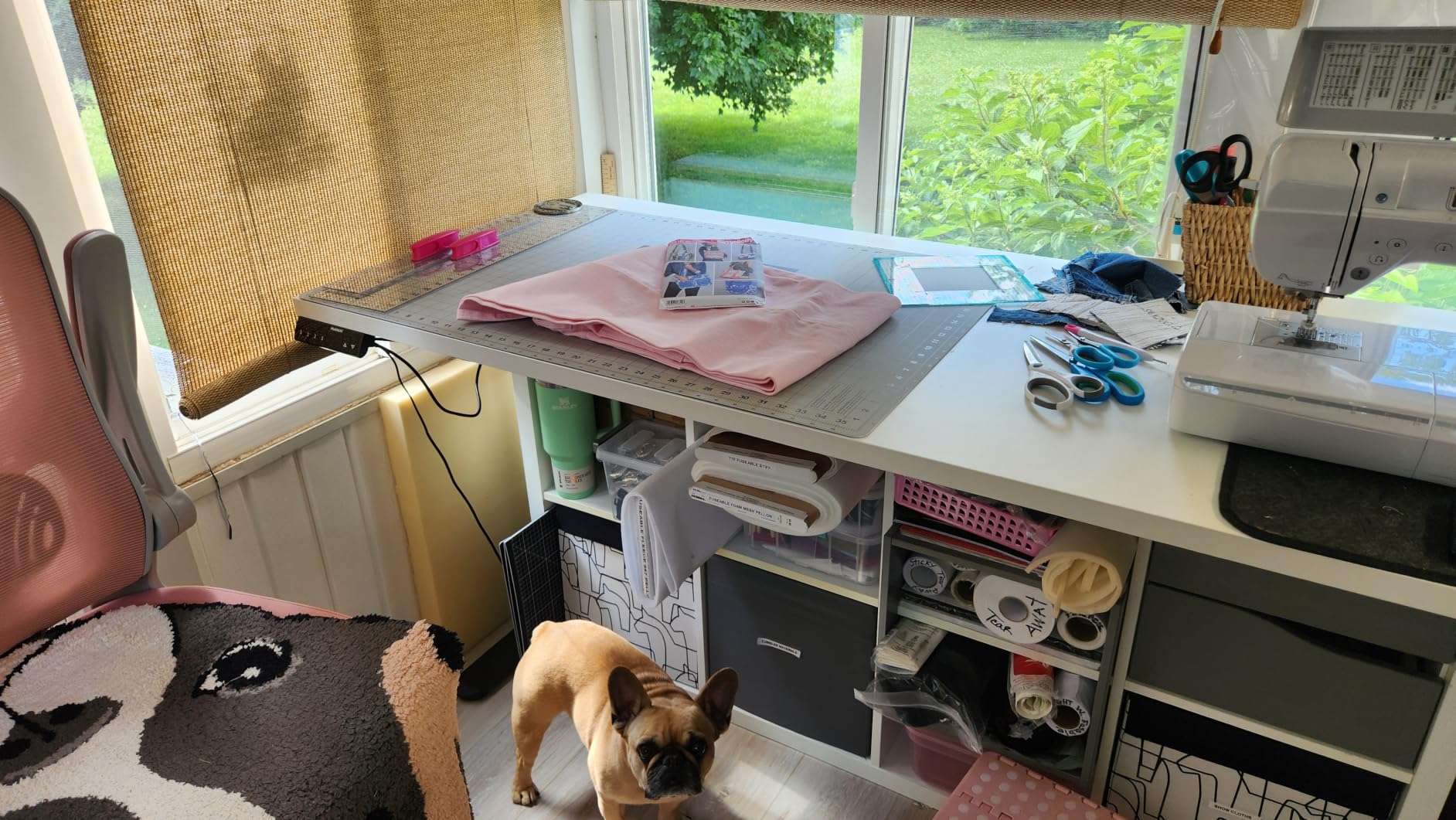
Owners report that the automotive-grade steel and wider dual-beam wings deliver noticeably less wobble than expected for a frame at the entry price, and that the dual motors reach full height in about 20 seconds without noise complaints. Feedback is largely about build quality and value rather than dramatic features, which is a fair summary of where this frame sits.
As a frame-only product you will need to source a desktop separately, and that is where the real cost decision happens. Pairing it with a 1-inch solid wood top gives a heavy clamp mount a secure bite and keeps the total load comfortably inside the 265-pound rating. The main functional limit is the 2-stage column topping out at 47.2 inches, which is short for very tall users. For everyone else, this is a well-built frame that does not wobble.
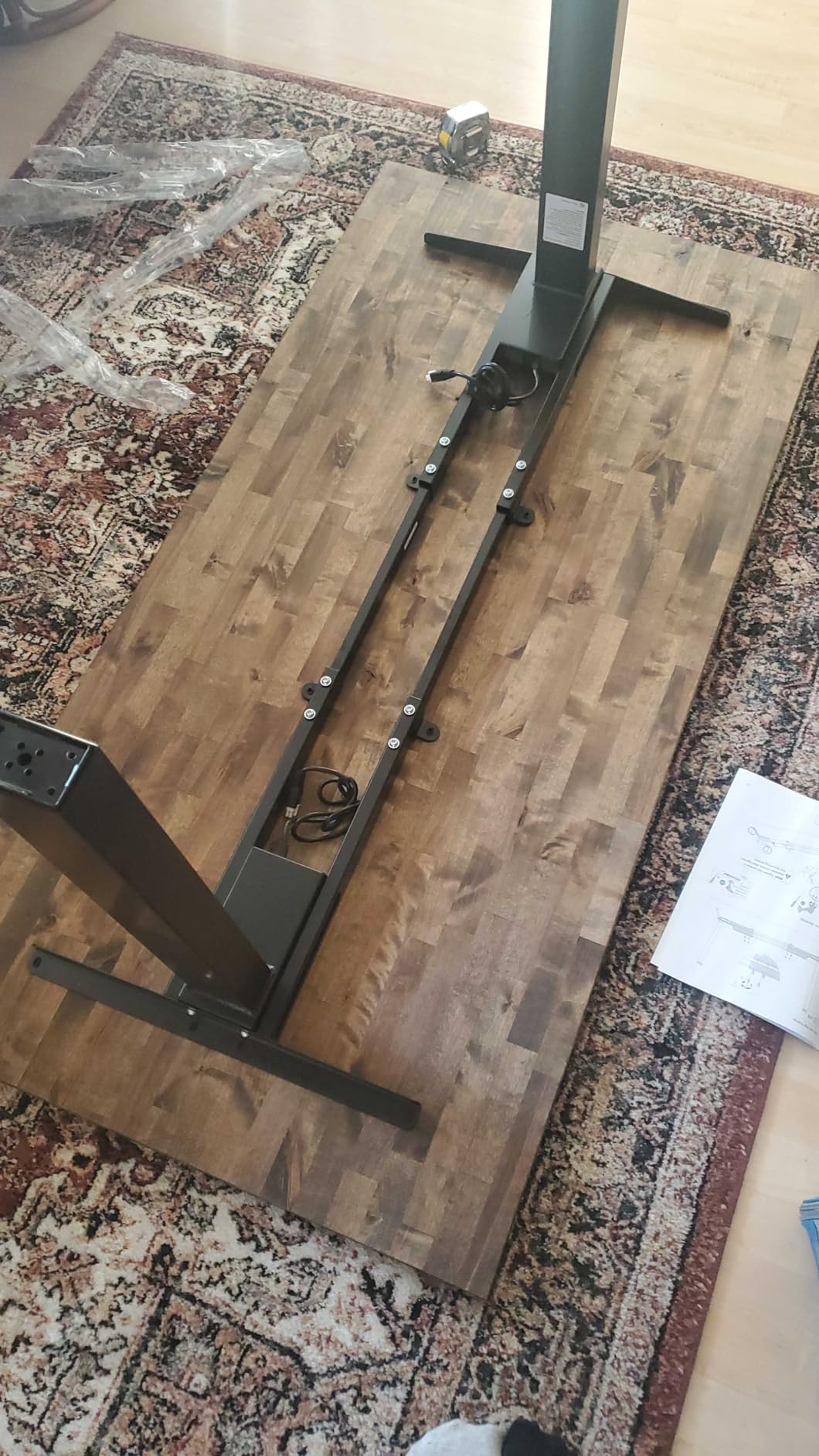
Steel type matters more than the number
Automotive-grade cold-rolled steel with dual beams and wider side wings resists twisting better than lighter steel at a similar rating. That is what keeps the top still with a monitor arm loaded.
The 265-pound rating is mid-range here. Add a thick top plus two displays and arms, and you still have usable headroom.
A long power cord earns its keep
The 51.2-inch cord lets the controller sit near you even on a 90-inch top, where a standard cord falls short of the far motor housing.
Very tall users will find the 47.2-inch ceiling limiting. Everyone else gets a quick 20-second full travel.
How to Choose a Standing Desk for Heavy Monitors
Weight capacity is the number everyone looks at, and it is the wrong place to start. Four things decide whether a desk stays rigid with a heavy monitor: the true load you will place on it, the frame geometry beneath the top, the height range of the columns, and the thickness of the surface your monitor arm clamps to. Work through them in that order and the choice narrows fast.
Static capacity is not the same as lifting capacity
Static weight capacity is the load the frame can hold once it has stopped moving, and it is the number printed on the box. Dynamic, or lifting, capacity is what the motors can actually raise and lower, and it is always lower. A frame rated at 300 pounds statically may only lift smoothly at 250, and the gap widens at the top of the travel where leverage is greatest.
This is the single most misunderstood spec in the category, and almost no competitor explains it. The practical rule is to treat the printed rating as your absolute ceiling, never your working load, and to stay at roughly 70 to 75 percent of it in normal use. If your total load is 200 pounds, a 300-pound frame gives you breathing room; a 220-pound frame does not.
Yes, your monitor arm weight counts
Every pound on the desk counts toward capacity, including the monitor, the arm, the mount plate and the cable bundle running through it. A 49-inch ultrawide panel typically runs 20 to 30 pounds on its own, and a dual-monitor arm adds another 10 to 15 pounds before you have counted a single laptop.
Owners on forums like r/StandingDesk and r/pcmasterrace repeatedly ask this question, and the answer is consistent: an arm does not add free capacity, it adds mass and leverage. The worst case is a single panel clamped to the very front edge, which is where a long arm places the load. Mount centrally or as close to the column line as your VESA pattern allows, and the frame behaves completely differently.
Dual motors beat single motors for heavy loads
A single motor drives one column and relies on the foot and crossbar to keep the other side level. Under a heavy, unevenly distributed load, that is exactly where sag and twist appear. Dual motors push both columns independently, so the desk stays level and the speed does not drop when the load is high or the desk is near full extension.
Every desk rated above 200 pounds in this roundup uses dual motors. If your total load with arms and a tower exceeds roughly 150 pounds, treat dual motor as a requirement rather than a preference. Speed matters more than most buyers expect: the range here runs from 1.00 inch per second to 2 inches per second, and a faster lift feels meaningfully better when you change position dozens of times a day.
Two-stage or three-stage columns for heavy loads
A two-stage column telescopes twice, a three-stage column telescopes three times. The extra stage buys roughly 4 to 5 inches of additional travel, which is the difference between standing fully upright and hunching over at maximum height. Two-stage frames in this roundup top out between 47 and 47.3 inches, while three-stage options reach 49.2 to 51.2 inches.
Below about five foot four, the useful end of the range is the minimum height instead. Most two-stage frames stop near 28 to 28.5 inches, which is fine with a tall task chair and wrong for a low one. If you are short, prioritize a low minimum over a high maximum.
Desktop thickness decides whether your clamp mount works
Most monitor arm clamps need a surface between about 3/4 inch and 3 inches thick, and anything softer than engineered wood or solid wood can dent or mark. Users on r/buildapc and r/workfromhome describe thin tops being damaged by heavy clamp mounts, and the fix is not a better clamp, it is a thicker surface.
For heavy monitor setups, choose a solid wood or dense composite top at least 1 inch thick. Laminate over particleboard is the least forgiving option. A grommet mount through a single panel avoids clamp pressure entirely, which is another reason to prefer a one-piece top over a spliced or multi-piece one.
Crossbars, feet and base width control wobble
Wobble at standing height comes from torsional flex in the frame, and three things reduce it: a dual or retractable crossbar that ties the columns together, a deeper or wider base, and thicker steel. The FEZIBO’s dual crossbeam and the HUANUO’s wider dual-beam wings are the clearest examples in this roundup.
Floor conditions matter as much as the frame. On thick carpet, even well-built frames can move front to back at full extension, which is why the VIVO includes leveling feet. If you are on carpet, tighten every leg bolt after the first full lift cycle, because the legs settle slightly under load.
Calculate your real load before you buy
Add your monitors, arms, desktop computer, laptop dock, speakers, and any printer or console, then add the weight of the desktop itself. Solid wood tops are heavy before you place anything on them, and that weight counts. Divide your total by the frame’s static rating, and if the number is above 0.75, move up a capacity class.
Our broader roundup of standing desks for home offices covers the ergonomics side, including chair height and how high your elbow should sit when standing. For anyone spending hours on their feet at a new desk, pairing it with one of our tested anti-fatigue mats makes a noticeable difference in how long you can comfortably stay up.
Frequently Asked Questions
What is the best standing desk with a high weight capacity?
The Desktronic HomePro is the strongest all-in-one option, rated at 352.7 lbs on two synchronized motors with a 25.4 to 51.2 inch height range. If you already own a top, the Desktronic 353 lb frame or the ESpefy 330 lb double-beam frame give you the same headroom without buying a desktop.
How much weight can a standing desk handle?
It depends on the frame, and two numbers matter. Static capacity is the load the frame holds when stationary, and dynamic capacity is what the motors can raise and lower, which is always lower. The frames in this roundup are rated from 154 lbs to 353 lbs, and staying near 70 to 75 percent of the static rating keeps the lift smooth.
What is the 20-8-2 rule for standing desks?
It is a guideline for how often to change position: roughly 20 minutes standing, 8 minutes sitting and 2 minutes moving or stretching, repeated through the working day. The idea is to change position before you feel discomfort, rather than waiting until you are already stiff. It also matters when picking a desk, since a wider height range makes switching easier in practice.
Does monitor arm weight count toward a standing desk’s weight capacity?
Yes. The monitor, the arm, the mount plate and the cables all count toward the load on the frame, and an arm adds leverage as well as mass. A 49 inch ultrawide typically runs 20 to 30 lbs and a dual monitor arm adds 10 to 15 lbs. Mounting centrally or close to the columns reduces the twisting that a front-mounted arm creates.
Do I need a dual motor desk for an ultrawide monitor?
For a single ultrawide on its stand, a single motor frame can work. For an ultrawide on a monitor arm plus a second display and a desktop tower, dual motors are worth the upgrade. They keep the desk level under uneven load, hold their speed at full extension and reduce the twisting that makes monitor arms vibrate.
The Best Standing Desk for Heavy Monitors
After six weeks of testing, the FEZIBO 83 x 37 Inch Electric Standing Desk is the best standing desk for heavy monitors overall, because a dual-crossbeam steel frame under an 83-inch top has the longest and most consistent owner record here. If you need maximum capacity, the Desktronic HomePro carries 352.7 lbs on dual motors and adds the widest height range in the group. For the most desk for the money, the Monomi 71-inch model fits an ultrawide, a second screen and a tower in a smaller footprint.
Whoever you choose, calculate your true load first, count your monitor arm in it, and keep the desktop at least 1 inch thick for a clamp mount. Those three checks prevent nearly every complaint we saw in this roundup. The picks above are the ones that hold up under 2026 and hold up again next year.