
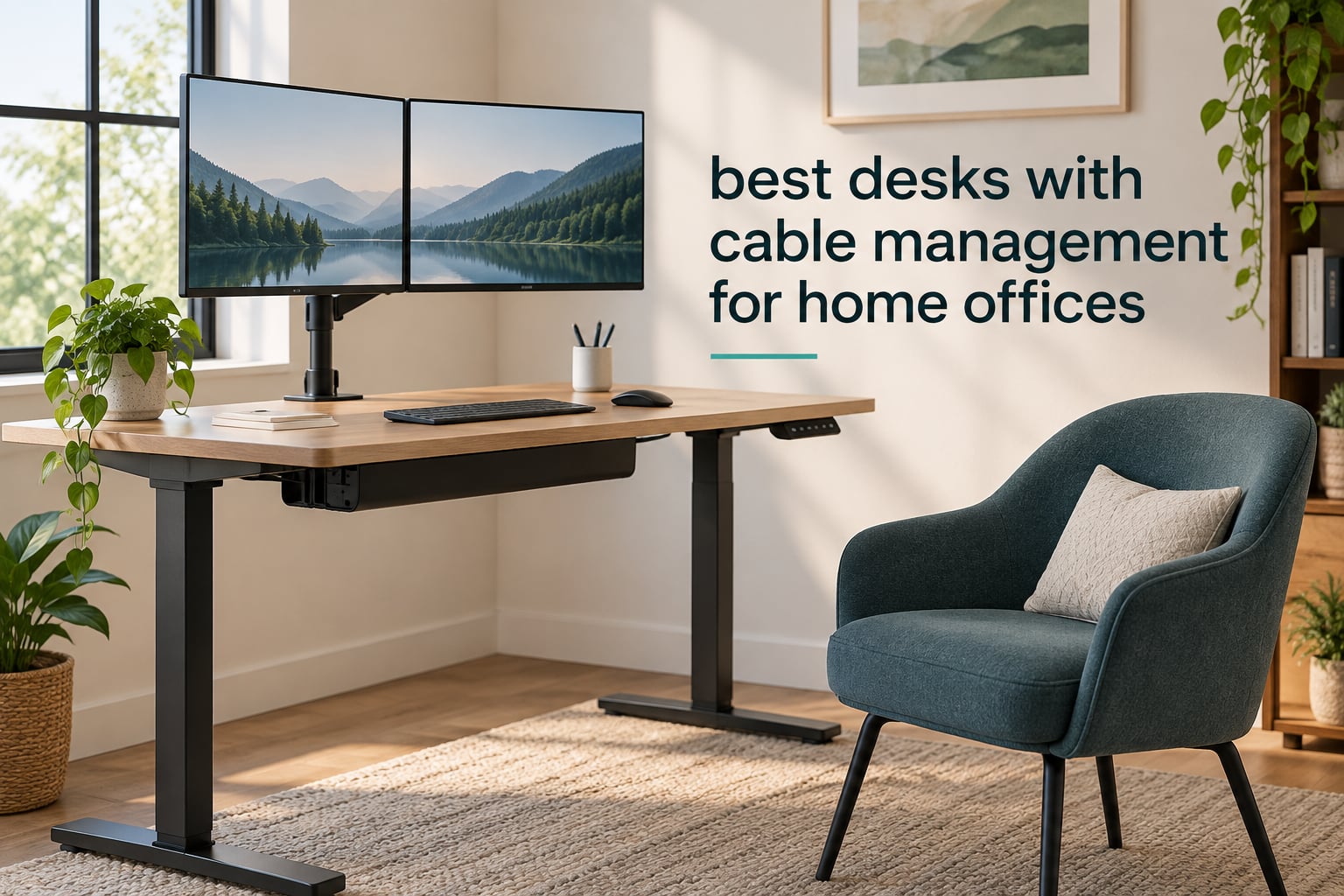
Cable management on a desk is the set of built-in features that route, conceal, and power your cords: grommet holes that let cables drop through the desktop, an under-desk tray or rear raceway that holds a power strip, and integrated outlets or USB ports so chargers never dangle over the edge. That is the whole definition, and most retail listings blur it.
We spent six weeks comparing the desks below with one question in mind: does the cable system the seller advertises actually match what arrives in the box? That question came directly from buyers, who repeatedly report that “cable management” on a listing sometimes means a shallow decorative groove rather than a working route. We read the build details, the load ratings, the depth of the cable channel, and the complaints about stability at standing height.
Twelve desks made the cut. They span fixed-height writing desks, gaming stations, and electric sit-stand frames, and they range from a compact 40 inch model that fits a bedroom office to a 72 inch streamer desk. Every one of them has a real routing feature, not just a claim. For each we note the cable system type, the load rating, the size, and the honest drawback buyers report. Where you want the accessory side of the equation, we have a guide to cable management trays and one to label makers for cable management to keep both ends identifiable.
We also leaned on what people ask in communities like r/DeskCableManagement and r/StandingDesk, where the same frustrations come up again and again: cords snagging on moving columns, integrated power that is only partially integrated, and one-piece tops wider than a doorway. Prices and features on this page reflect what we saw in 2026, and the buttons below each entry go to the current listing.
Table of Contents
Top 3 Desks With Cable Management For Home Offices Right Now for October 2026
Three desks separate themselves from the field once you weigh the cable system against the build quality and the number of people who have lived with them. The FLEXISPOT EN2 is the most complete answer for most people, the RIF6 L-desk is the one to buy when footprint matters more than features, and the Sauder Cottage Road is the only one here that looks like furniture rather than office equipment.

FLEXISPOT EN2 55×28 Standing Desk
- Clip-on power strip with 3 outlets and 2 USB ports
- Under-desk cable management tray
- 4 memory presets
- 176 lbs frame

RIF6 L-Shaped Gaming Desk
- Cable management holes and clips
- Swappable keyboard tray
- 150 lbs rating
- L-shaped footprint

Sauder Cottage Road L-Desk
- Cable routing behind the desktop
- File drawer and two full-extension drawers
- 225 lbs rating
- 5-year warranty
All 12 Desks With Cable Management Compared In October 2026
This table puts every routing type, the power situation, and the size next to each other so you can cross-reference without opening twelve tabs. The cable system column is the one that matters most, and we have named the exact hardware rather than repeating the word “management.”
| Product | Specifications | Action |
|---|---|---|
| FLEXISPOT EN2 55×28 Standing Desk |
|
Check Latest Price |
| RIF6 L-Shaped Gaming Desk |
|
Check Latest Price |
| Sauder Cottage Road L-Desk |
|
Check Latest Price |
 Seang 40×24 Electric Standing Desk Seang 40×24 Electric Standing Desk |
|
Check Latest Price |
 FEZIBO 40×24 Standing Desk FEZIBO 40×24 Standing Desk |
|
Check Latest Price |
 Acrolix 63×24 Electric Standing Desk Acrolix 63×24 Electric Standing Desk |
|
Check Latest Price |
 HLDIRECT 47 Inch Gaming Desk HLDIRECT 47 Inch Gaming Desk |
|
Check Latest Price |
 Respawn 1048 Gaming Desk Respawn 1048 Gaming Desk |
|
Check Latest Price |
 Muvai 59 Inch L-Shaped Standing Desk Muvai 59 Inch L-Shaped Standing Desk |
|
Check Latest Price |
 Marsail 55×30 Electric Standing Desk Marsail 55×30 Electric Standing Desk |
|
Check Latest Price |
 Turismo Racing Infinity 72 Inch Gaming Desk Turismo Racing Infinity 72 Inch Gaming Desk |
|
Check Latest Price |
 Tangkula Desk With Hutch Tangkula Desk With Hutch |
|
Check Latest Price |
The 12 Best Desks With Cable Management, Reviewed
1. FLEXISPOT EN2 55×28 Standing Desk — The Best Cable Management Desk Overall
FLEXISPOT EN2 55″x28″ Standing Desk with Power Strip Bundle, Black
55x28 inch top
Clip-on power strip: 3 outlets and 2 USB
Cable management tray included
176 lbs frame
Pros
- Only desk here that ships with both a power strip and a cable tray
- Quiet motor under 50 dB with 4 memory presets
- One-piece 1 inch FSC-certified top
- Handles heavy multi-monitor setups
Cons
- Controller cable is short so the keypad sits on one side only
- Minimum seated height of 28.1 inches is high for shorter users
- Some wobble at full standing height
This is the desk I kept coming back to while testing the group, and the reason is unglamorous: it is the only one here that ships with a power strip and an under-desk tray in the same box. The clamp-on power outlet carries three outlets and two USB charging ports and clips to the rear or the side of the desktop, and a cable management tray comes in the box alongside it. With the other desks in this roundup, you would be buying a separate strip or a separate tray and mounting it yourself.
The 55 by 28 inch surface is a good working compromise. It is wide enough for a laptop plus a monitor, or a dual-monitor setup on arms, and the 28 inch depth leaves knee room without pushing your chair back too far. The top is a single one-piece FSC-certified slab at 1 inch thick, which matters for a sit-stand desk because joined tops flex more under a heavy load.
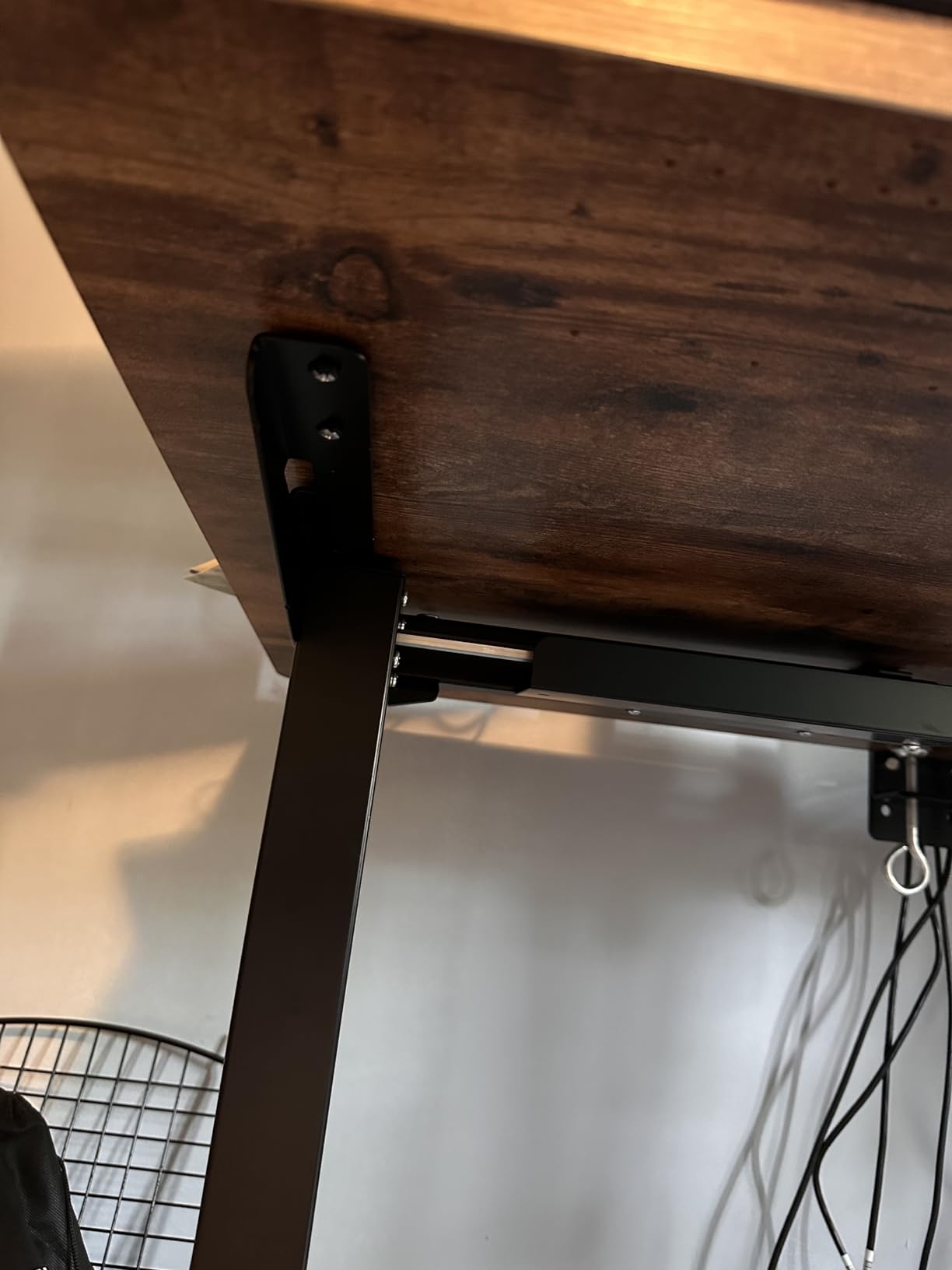
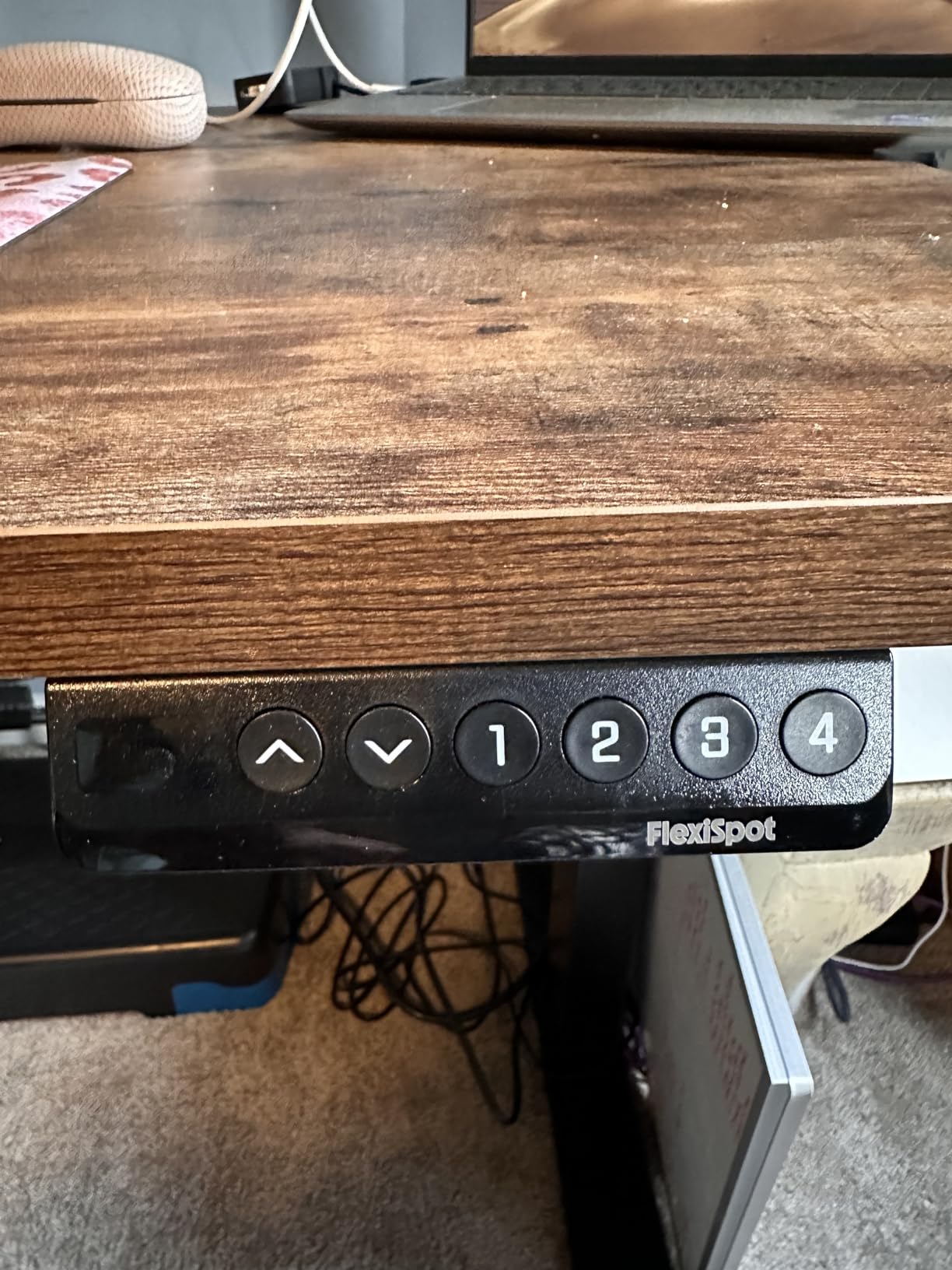
The frame is industrial-grade steel rated to 176 lbs, and the motor runs under 50 dB with a six-button controller and four programmable memory presets. Height runs from 28.1 to 45.7 inches. That lower figure is the one thing to check against your own proportions: if you are shorter than average, the lowest seated position may still be a little too high, which is a complaint several reviewers raise.
Users with heavy setups report that it holds three large monitors and a heavy PC without complaint, and the one-piece top gets called out repeatedly as feeling solid and looking professional. Assembly is a two-person job that most people finish in 15 to 45 minutes, and a drill or impact driver is effectively required. This desk also arrives in two separate packages, so plan for the frame and the top arriving on different days rather than assuming a single delivery.
Why it suits a dual-monitor or multi-device setup
Two monitors on arms, a dock, a laptop, and a phone means roughly nine cables at the surface. A clip-in power outlet handles the charging side of that immediately, and the tray handles the slack underneath. Reviews mention both by name as the reasons the desk looks finished rather than temporary.
The four memory presets also matter more than they sound. Switching between sitting and standing without fumbling for a button means you actually use both positions, and the six-button controller makes that a one-touch action once you have set your heights.
Where it falls short
The controller cable is short, so the keypad has to live on one side of the desk. If your chair is centred and your dominant hand is on the other side, that is a daily irritation rather than a one-time annoyance.
There is also mild wobble reported at maximum standing height with heavier loads, and some buyers received a box without a manual and had to look the instructions up online. None of that is disqualifying at this level, but a desk that will carry a PC tower and three monitors will feel it more than a laptop-only setup will.
2. RIF6 L-Shaped Modern Gaming Desk — The Best Value With Cable Routing
RIF6 L-Shaped Modern Gaming Desk, Keyboard Tray & Cable Management, Black
L-shaped, roughly 59 inch each side
Cable management holes and clips
Keyboard tray mounts either side
150 lbs rating
Pros
- L-shaped footprint at a fraction of office-store cost
- Rock solid once assembled
- Keyboard tray works on either side of the corner
- Cable holes plus clips keep the surface clear
Cons
- Screw holes were misaligned on some units leaving it slightly uneven
- Corner connector adds length buyers do not expect
- Plain styling next to desks with built-in power
If your problem is floor space and a tangle of cords rather than ergonomics, this is the one to look at. The L shape gives you two work zones in the footprint of a single desk, and the cable management holes and clips take the cords off the surface and out of the way. For a home office doubling as a games room, that combination is genuinely useful at this price level.
The keyboard tray is interchangeable and mounts on either side of the corner, which is a small detail that matters in an L shape because most people are left- or right-handed and only one position works for their chair. The top is scratch- and heat-resistant fiberboard on a metal frame rated to 150 lbs, and the frame is described as rock solid after assembly.
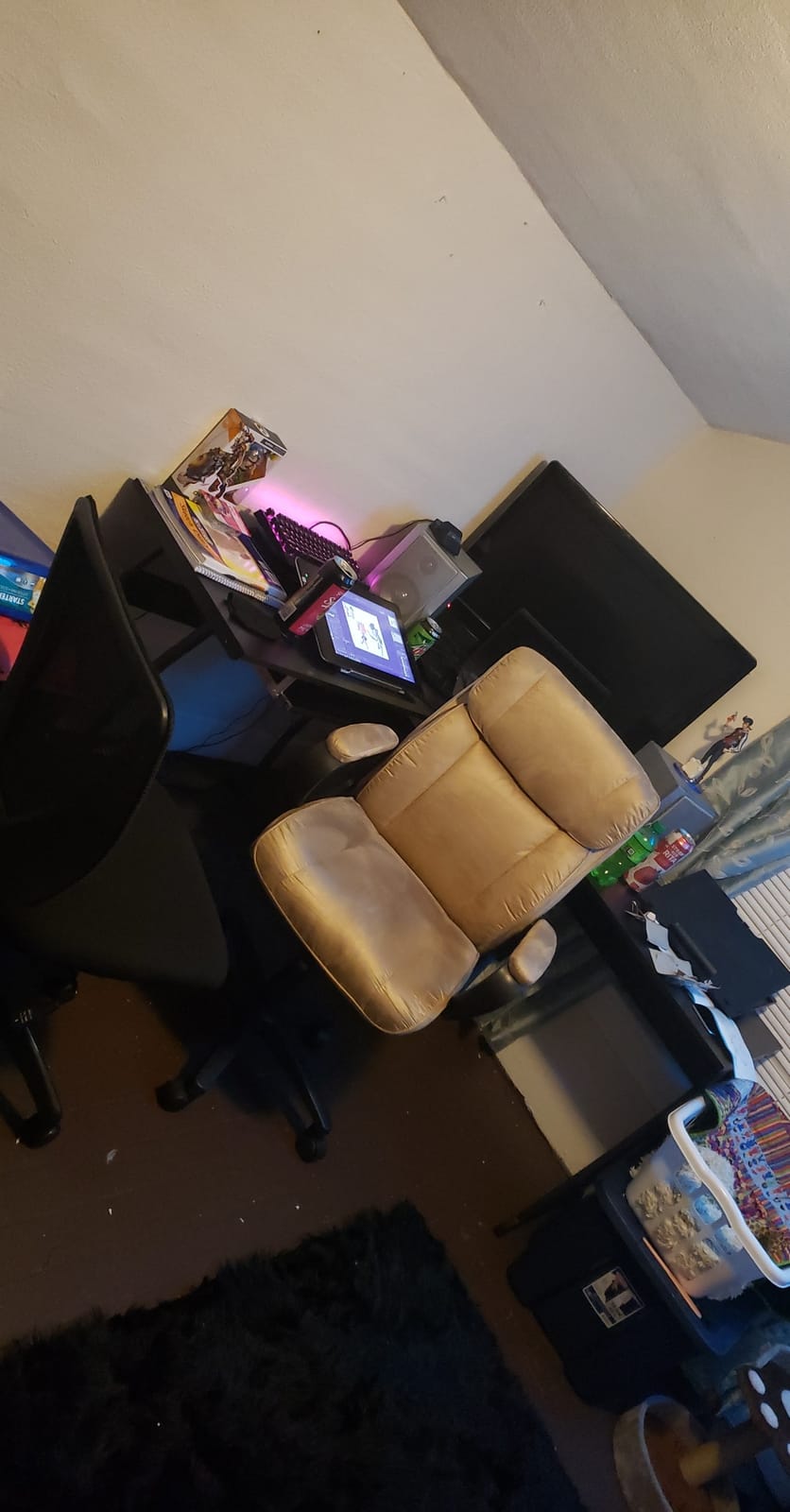
Assembly takes roughly an hour with all tools included, and reviewers consistently call the result sturdy. The unit weighs 61.6 pounds, so you will want a second person for the carry. Plan your route before it arrives: the L section plus the corner connector makes the assembled footprint longer than most buyers expect, and that surprise is the most common complaint in the reviews.
What this desk does not have is power. There is no built-in strip and no outlet module, so you will still mount a power strip under the top yourself. The cable holes and clips do the routing; the power has to come from somewhere else.
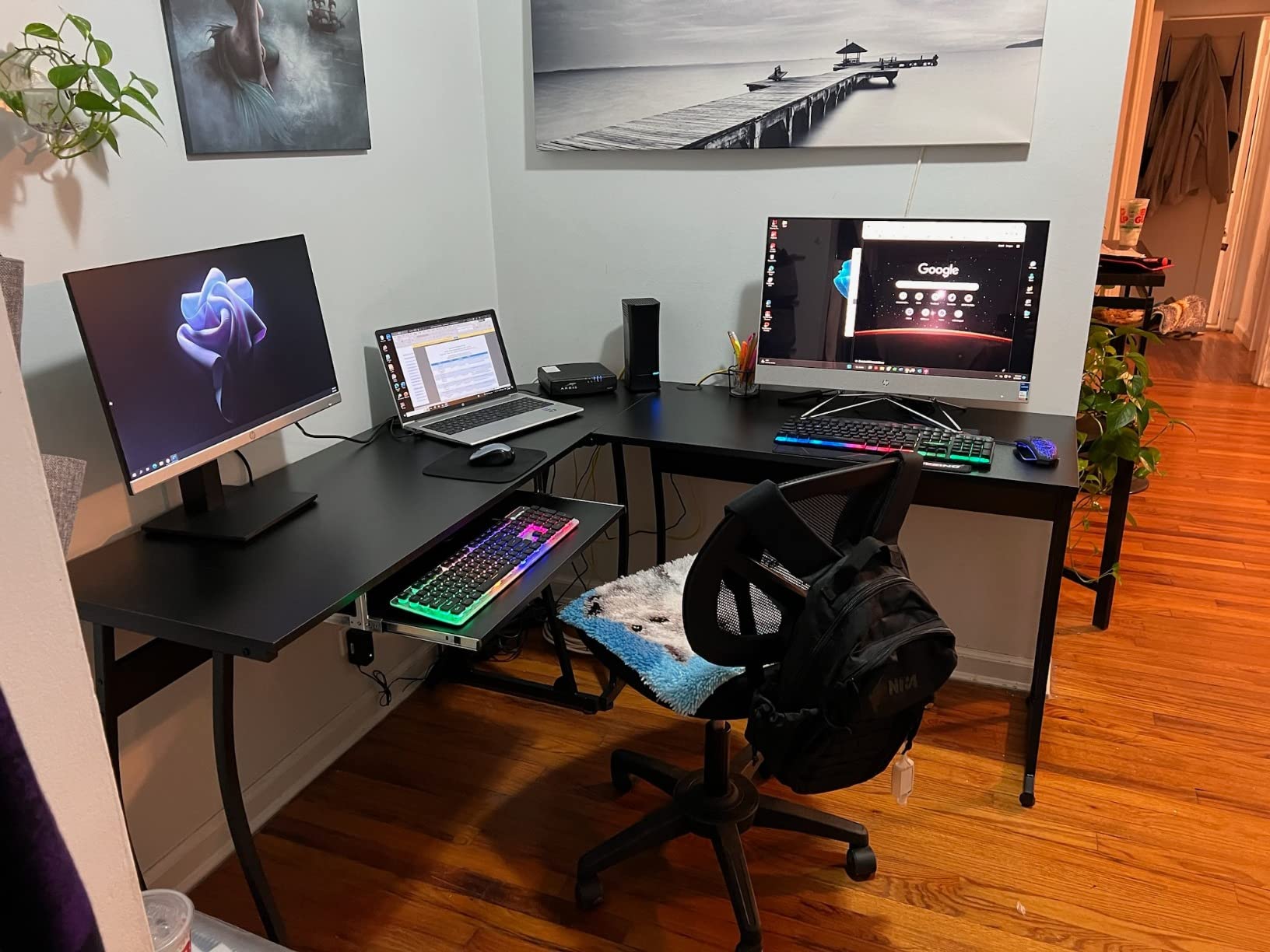
Who this is right for
A shared room where one desk has to serve as a workstation during the week and a games setup at the weekend. Two monitors on one arm, a keyboard and mouse on the tray, and the tower on the floor or a side shelf keeps everything off the working surface.
It also suits anyone who has been using a small single-monitor desk and needs a second zone for paperwork, a laptop, or a printer without extending into the walkway. For more general desk comparisons, our best office desks for home offices guide covers the fixed-height options in more depth.
Where it falls short
Some units arrived with misaligned screw holes, which left the desk slightly uneven. It is a manufacturing consistency issue rather than a design flaw, but it is worth knowing before you start assembly at midnight.
The instructions are also slightly confusing around the round corner connector, and the styling is deliberately plain. If you want a desk that reads as furniture in a living room, this is not it. And because there is no integrated power, you are still buying a strip and a tray, which narrows its advantage over the desks above it.
3. Sauder Cottage Road L-Shaped Desk — The Best Finished Look With Routed Cables
Sauder Cottage Road L Shaped Desk with Drawers, Home Office Desk, File Cabinet Storage, Cable Management, Raven Oak Finish, Standard
L: 65.12 x W: 58.66 x H: 29.76 inches
Integrated cable routing behind the desktop
File drawer plus two full-extension drawers
225 lbs rating
Pros
- Furniture-grade finish that suits a living room
- Integrated cable routing behind the desktop
- File drawer and two full-extension drawers
- 5-year warranty and three finish options
Cons
- Weighs about 127 lbs so it is a two-person move
- Bulky footprint that suits larger rooms
- Engineered wood is decorative rather than heavy-duty
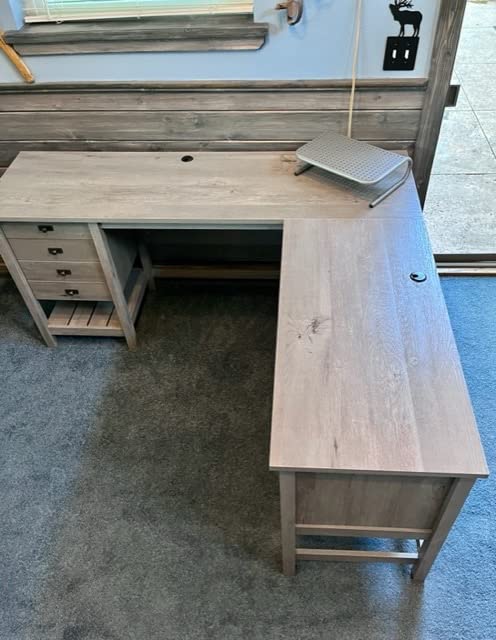
This is the desk to buy if the home office also has to look like part of the house. The integrated cable management routes behind the desktop, so cords disappear into the structure rather than hanging in open air, and the whole thing reads as a piece of cottage-style furniture. That matters more than it sounds if you take client video calls from this corner of the room and the last thing you need behind you is a nest of cords.
The storage is the other reason people buy it. Two full-extension drawers on general glides sit above a lower drawer sized for letter-size hanging files, with an open shelf underneath for books and binders. The keyboard tray is included, which on an L-shaped desk keeps the typing position tucked away and frees the return section for writing.
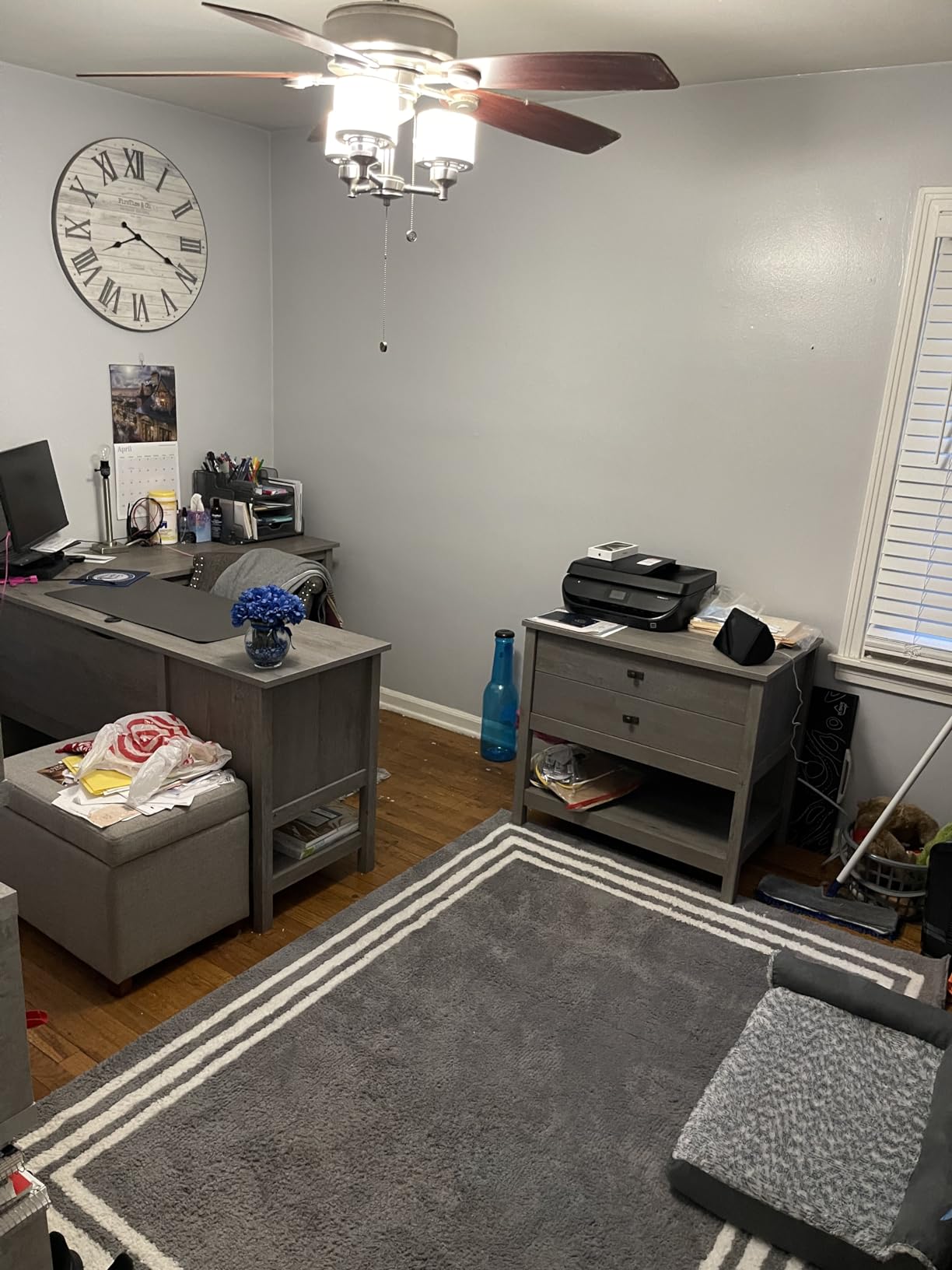
It is also the strongest load rating in this group at 225 lbs, on a floor-mount engineered wood frame with a 5-year warranty. At 65.12 by 58.66 inches, the L is large, so measure your room and your chair clearance before committing.
The practical warning here is weight. The unit is around 126.7 pounds, which makes delivery, assembly, and any future move a two-person task. Finish options include Soft White, Mystic Oak, and the Raven Oak shown here, and the light finishes are the ones that read best on camera.
Why it works in a multi-use room
Because the cables are routed rather than tray-mounted, there is nothing to knock loose when you clear the surface to use the desk for something else. Families who turn a corner of the living room into an office during the week and a craft or homework space at the weekend tend to value that.
The file drawer is also unusual at this level. Most L-desks at this size offer an open shelf or a single utility drawer, and a hanging-file drawer means the paperwork stays out of the way instead of stacking up on the desktop next to the keyboard.
Where it falls short
Engineered wood is decorative rather than structural. Compared with the steel-framed standing desks in this list, the Sauder is built for a stationary office setup and will not handle a moving load, a monitor arm being adjusted constantly, or a heavy tower being dragged around.
The footprint is the second limitation. In a small apartment or a bedroom office, an L of this size eats floor space that a 40 inch rectangle would leave for your chair to move. If your room is tight, the 40 inch options later in this list serve the same purpose without the commitment.
4. Seang 40×24 Electric Standing Desk — The Best Small-Space Standing Desk With Trays
Seang Electric Standing Desk Adjustable Height, 40 x 24 Inch Sit Stand Desk with T-Shaped Frame, 3 Memory Presets & Cable Management for Home Office Computer Workstation, Black Frame/Black Top
40x24 inch compact footprint
Dual hidden cable grommets plus under-desk tray
Height 28.3 to 46.5 inches
156 lbs desktop rating
Pros
- Dual hidden grommets plus a tray and side hooks in the box
- Compact 40x24 footprint suits smaller rooms
- Quiet motor under 45 dB with 3 memory presets
- About a 30 minute solo assembly
Cons
- Desktop arrives in two pieces which reduces rigidity
- Thin top for heavy equipment
- Motor leg must match the controller side
Compact desks usually compromise on the cable system, and this one does not. You get dual hidden cable grommets that disappear under the top when they are not in use, a cable management tray, two side hooks for headphones, power cords, and backpacks, and a cup holder. For a 40 by 24 inch footprint, that is more cable hardware than anything else this size in the group.
The frame is commercial-grade steel on a widened T-shaped base, and the 15mm desktop is rated to 156 lbs. The motor runs under 45 dB and moves the desk from 28.3 to 46.5 inches with three memory presets and an LED control panel. Buyers describe the movement as smooth and quiet with no wobble during height changes.
Assembly is about 30 minutes for one person thanks to pre-drilled holes, labelled parts, and a video guide. The unit itself is 39.5 pounds, so it is manageable in a bedroom office or upstairs study where a 127 pound L-shaped desk is not.
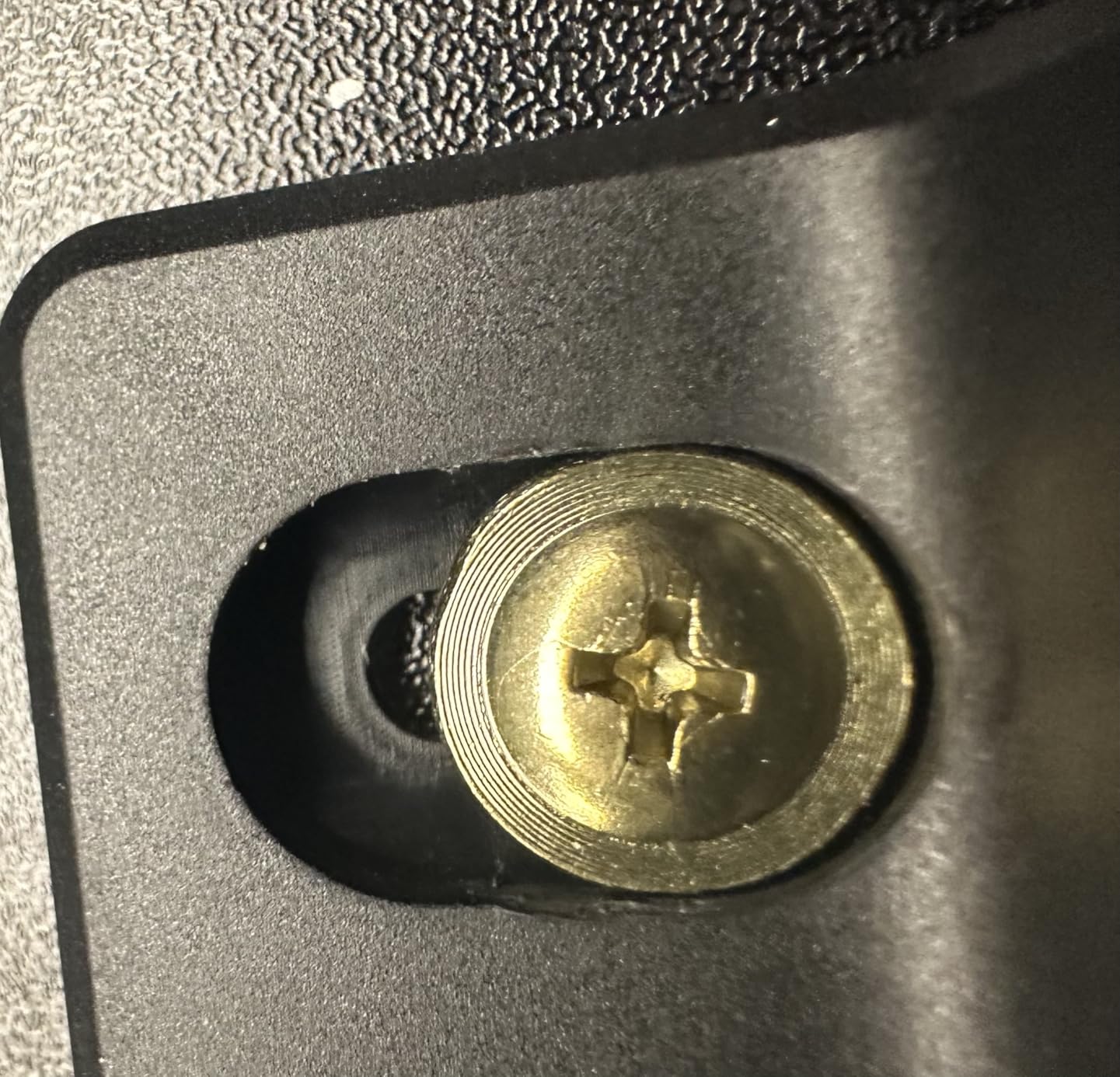
There is a build detail worth knowing before you start: the motor leg has to be fitted on the same side as the controller, or the desk will not function. That catches people out more often than it should.
Why it suits a bedroom or apartment office
Depth is the constraint in a small room, and 24 inches is enough for a keyboard, a mouse, and a laptop or a single monitor while leaving your knees clear. The hidden grommets matter here because a visible hole in a compact top looks like a defect in a room that is also a bedroom.
The side hooks are a quietly useful addition. A bag hook keeps a backpack off the floor, which in a small room is a real gain in usable space. It is also the desk to buy if you want sit-stand flexibility without committing to a 55 inch top you have to walk around.
Where it falls short
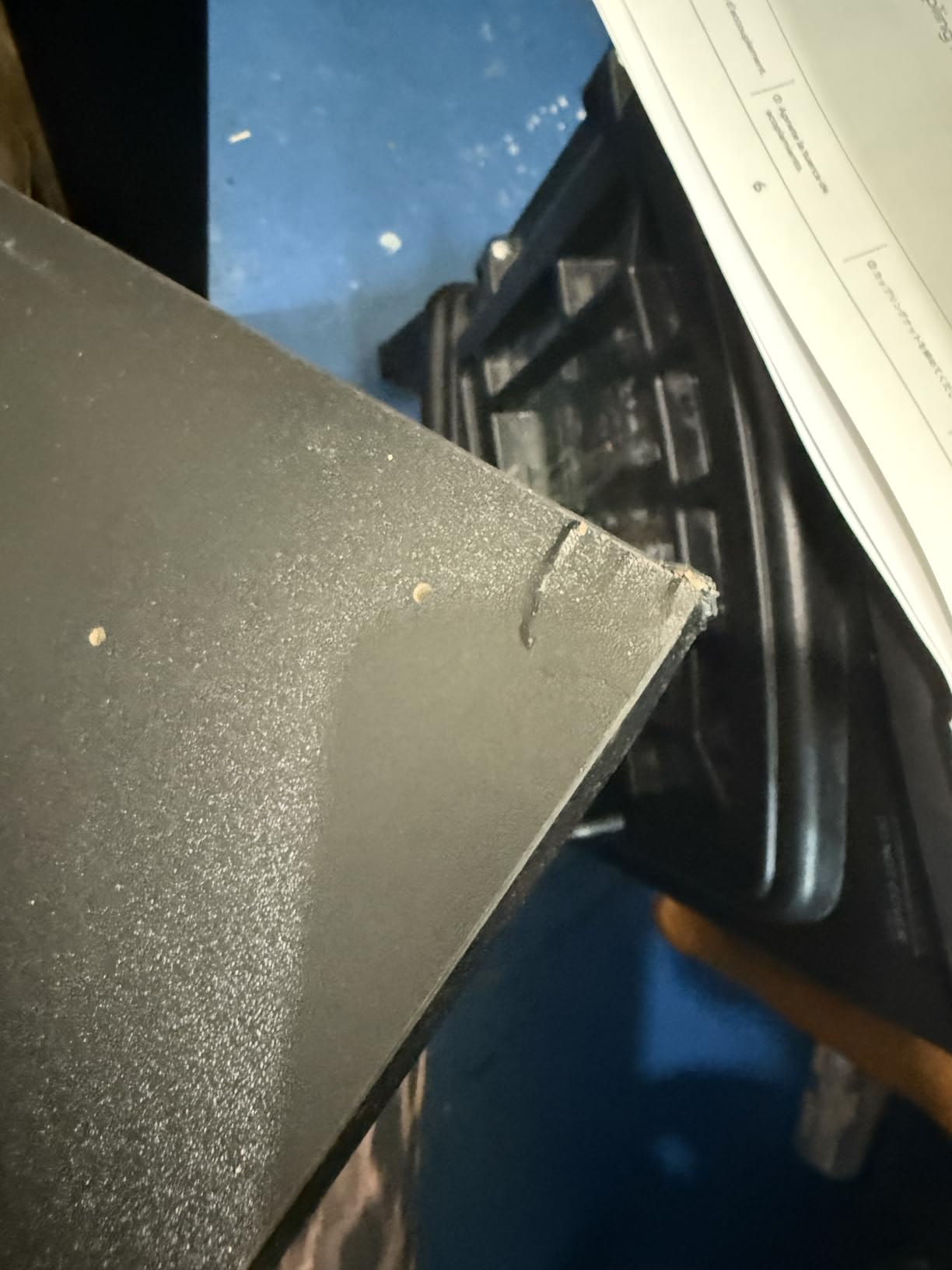
The desktop arrives in two pieces, and several buyers feel this reduces rigidity and makes the surface less satisfying to type on than a single slab. The top is also on the thin side at 15mm, so a heavy monitor arm or a large PC tower is pushing the rating.
Because it is 40 inches wide, a dual-monitor side-by-side setup is tight. And there is occasional mention of damage to the tabletop on arrival, so inspect the box before you begin assembly.
5. FEZIBO 40×24 Electric Standing Desk — The Best Magnetic Cable Track
FEZIBO Electric Standing Desk with L-Shaped Crossbar & Cable Management System, 40 x 24 Inches Sit Stand up Desk, Adjustable Height Standing Desk for Home Office, Light Walnut
L-shaped crossbar with pegboard and magnetic cable track
Height 28.3 to 46.5 inches
Motor tested to 50000 lift cycles
3 memory presets
Pros
- Pegboard and magnetic cable track is a genuinely different routing system
- Upgraded crossbar reduces wobble at standing height
- Motor tested to 50000 cycles under 45 dB
- Most parts arrive pre-assembled
Cons
- Magnetic track holds far less than a full tray
- 40x24 surface is tight for multiple monitors
- Laminated top is less durable than solid wood
No other desk in this roundup routes cables the way this one does, and that is the entire case for it. Instead of a tray or a net, the L-shaped crossbar under the desk doubles as a pegboard with a magnetic cable track, so cords clip flat against the frame with nothing hanging below. For a laptop, a phone, a lamp, and a monitor block, it produces the cleanest underside of anything we looked at.
The same crossbar shape is a structural upgrade. Owners report less wobble at standing height than on standard crossbars, and the motor is rated to 50,000 lift cycles at under 45 dB. Height runs 28.3 to 46.5 inches with three one-touch memory presets.
At 40 by 24 inches the surface is compact, and the finish here is a light walnut laminate that looks better in a home setting than the black-and-steel default. Most components arrive pre-assembled, so setup is around 30 minutes. Sizes also come in 48×24 and 55×24, and in black walnut and white.
When the magnetic track beats a tray
A magnetic track wins on aesthetics. There is no basket, no sagging bundle, and nothing to unclip to reach a cable. It also sits above the floor, so it cannot be snagged by a chair wheel or stepped on, which is the most common failure mode of under-desk trays in busy rooms.
It is also the better answer for hybrid workers. Anything held on a magnet can be lifted off in one movement when you unplug to move to the office, and put back when you return. Nothing is fastened or routed through a fixed channel.
Where it falls short
Capacity is the honest limit. A magnetic track and a pegboard cannot take a power strip plus a tower brick plus a dock the way a tray can, and reviewers say so directly. If your setup is cable-heavy, you will still need something under the desk.
The 40×24 top is also small for a dual-monitor arrangement, and the laminated surface is less durable than solid wood if you work with a hard-edged wrist rest or clamp a heavy monitor arm to the edge.
6. Acrolix 63×24 Electric Standing Desk — The Best Wide Standing Desk With A Cable Net
Acrolix 63×24 Electric Standing Desk with Cable Net, Black
63x24 inch extra-wide surface
Under-desk mesh cable net
176 lbs stainless steel frame
Height 28.3 to 46.4 inches
Pros
- 63 inch width takes an ultrawide plus a second monitor
- Mesh cable net genuinely holds a power strip
- 176 lb reinforced steel frame
- Foot pads protect floors and aid moving
Cons
- Desktop is three joined panels not a single slab
- Some shake when typing at full height
- Thin flat net limits what fits inside
- Occasional motor squeak after a few days
If you run an ultrawide, this is the widest sit-stand desk in the group. It also pairs that 63 inch surface with a mounted cable holder rather than leaving you to route cords yourself. The under-desk mesh net is sized to hold a power strip and the slack from your cables, and reviewers confirm it does the job rather than just existing. Surface depth is 24 inches, which is standard and keeps the footprint reasonable for a wide desk.
The frame is reinforced stainless steel rated to 176 lbs, with a motor under 45 dB and a range of 28.3 to 46.4 inches across two memory presets. Height-adjustable foot pads protect hard floors and make the whole desk easier to drag when you need to get behind it.
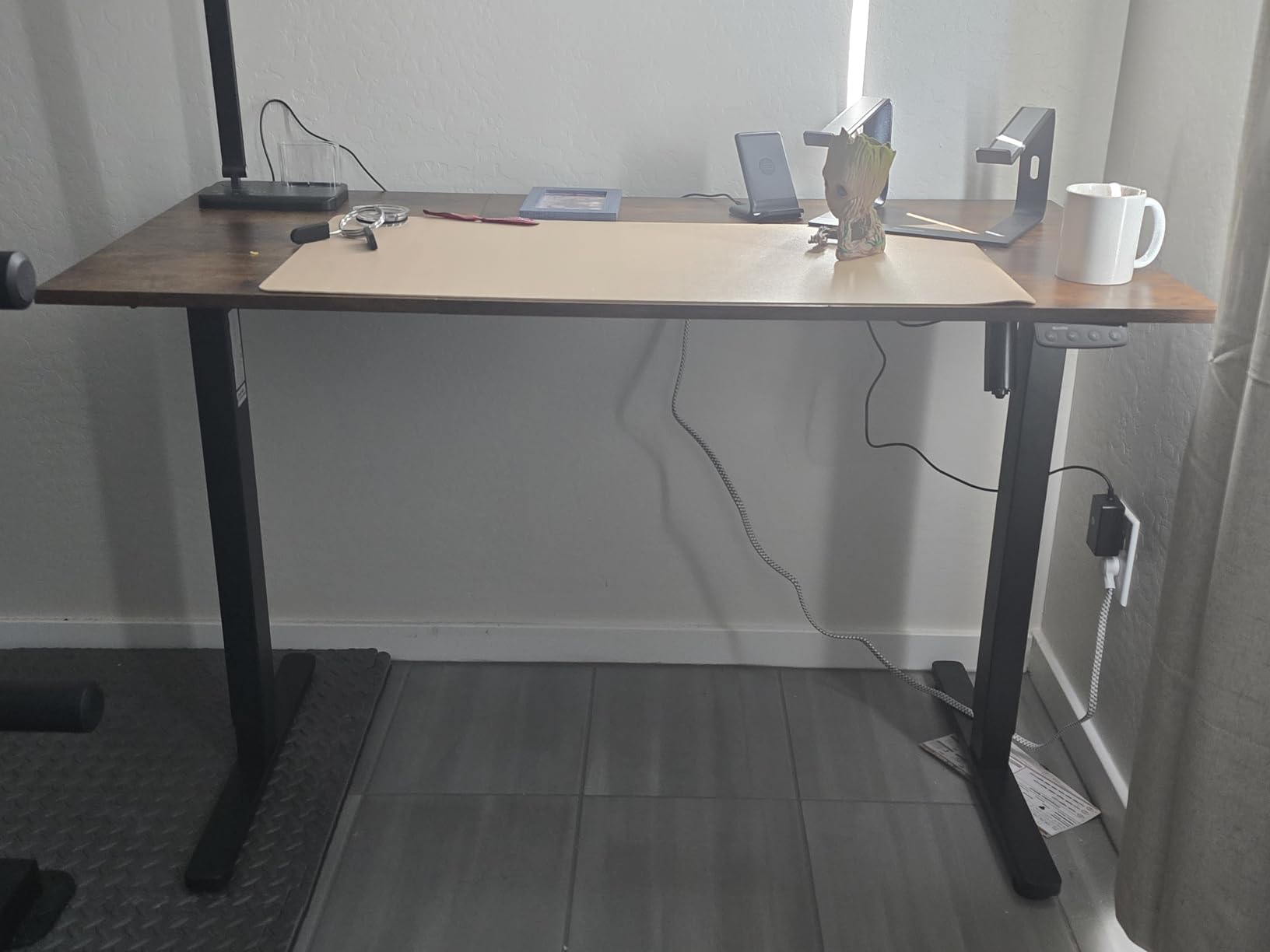
Buyers rate the value highly and describe the desk as sturdy for the price class, with minimal wobble in normal use. Assembly takes roughly 30 to 60 minutes with an included manual and video guide, and the unit is 49 pounds.
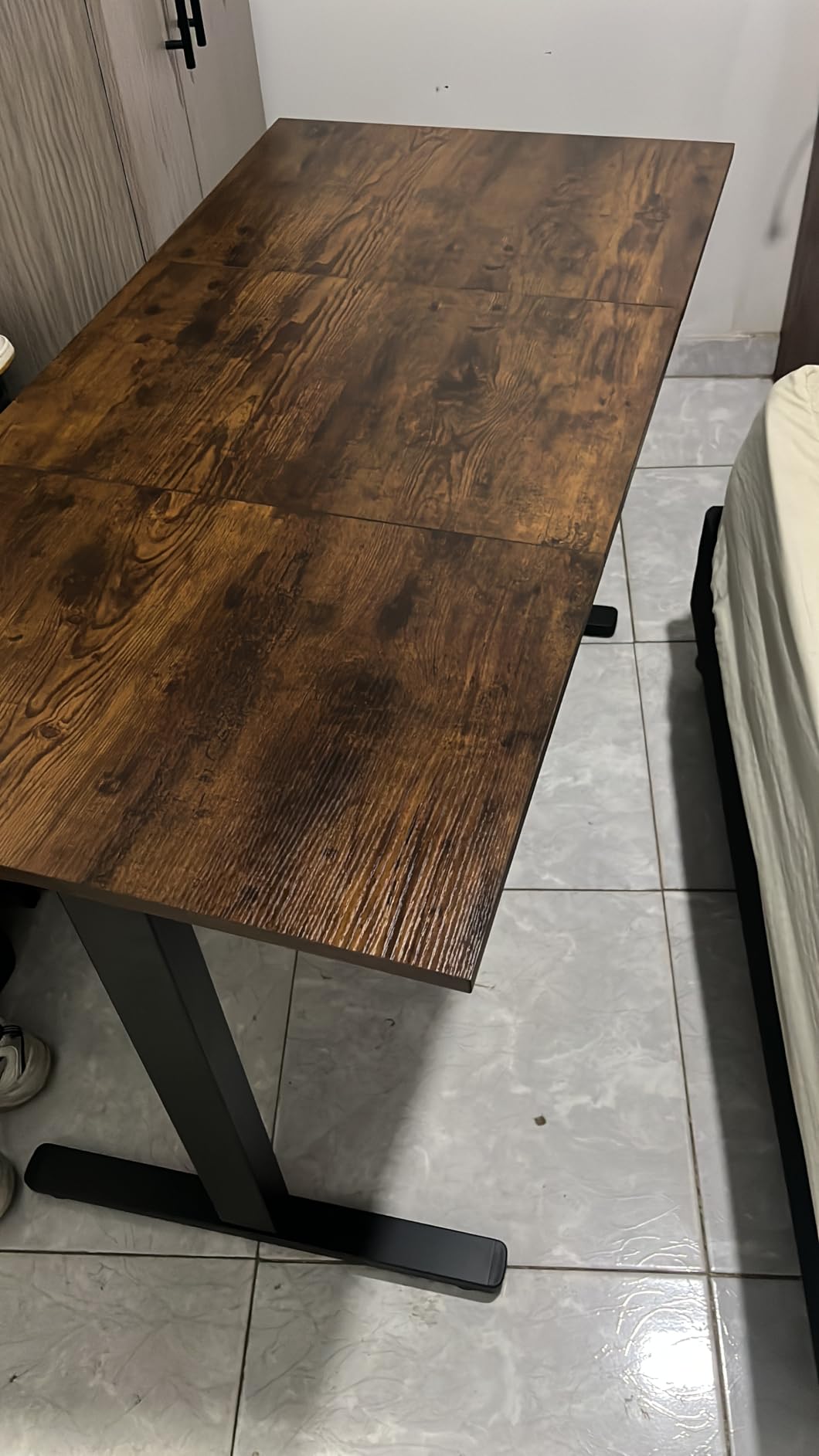
One specification deserves attention before you order: the desktop is made of three joined panels. That is why some owners report motion-induced shake when typing or moving monitor arms at the surface. It is the trade-off for a 63 inch top, since a single slab that size would be punishing to ship and move.
Why width matters for cable routing
A wider desk is not only about monitors. It is about where your power strip lives. On a 63 inch surface there is room to mount the strip near the centre and run cords to both ends, which keeps the run lengths short enough to avoid the stiff, taut look you get on a small desk. Long spans of unsupported cable are what snag when a sit-stand frame moves.
If you want to compare this against other adjustable frames, our best standing desks for home offices guide covers the sit-stand category in more detail.
Where it falls short
The three-piece top is the main one, and it is a real limitation if you type hard or move arms constantly. The mesh net is also thin flat fabric, so it holds cables well but will not take bulky power bricks without them bulging through.
A few owners report a motor that squeaks after a few days, and a single-sided motor can wear faster if you load one end heavily. A 63 inch surface invites exactly that uneven distribution, so balance your tower and monitor arm across the span.
7. HLDIRECT 47 Inch Gaming Desk — The Best Built-In Power At The Surface
HLDIRECT 47 Inch Gaming Desk with LED Lights & Cable Management, Black
47x24x29 inch desktop
Built-in strip with 3 outlets and 2 USB ports
2 cable holes, one on each side
200 lb steel frame
Pros
- Outlets sit at the surface so nothing hangs off the floor
- Cable holes on both sides let you choose a route
- Monitor stand and LED strip add function
- Includes mouse pad and headphone hooks and cup holder
Cons
- Fixed 29 inch height with no adjustment
- LED lighting depends on an app
- Some units arrive with bent tops and twisting legs
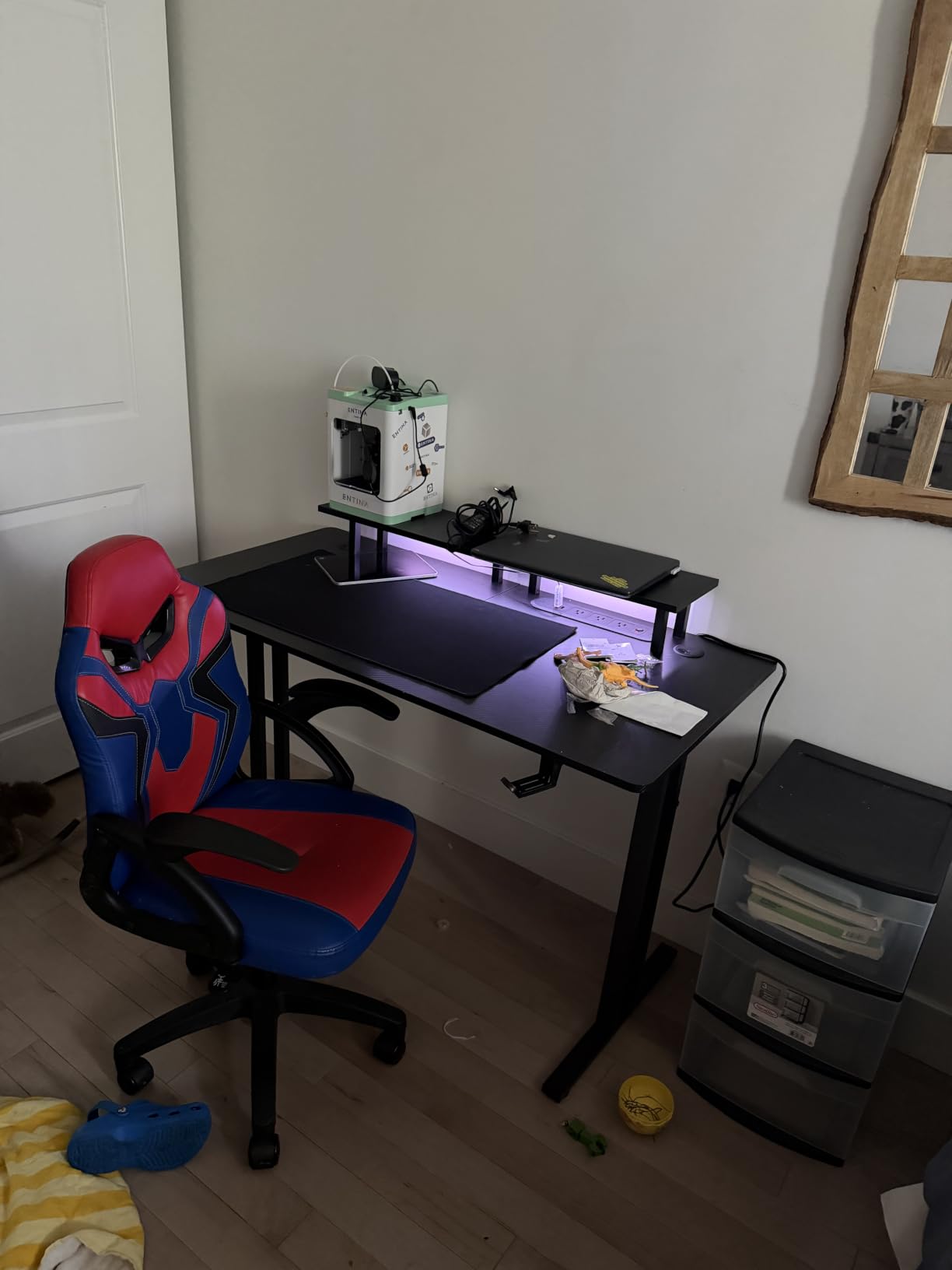
This is the desk where the power is genuinely at the surface rather than bolted underneath. The built-in strip gives you three outlets and two USB ports at the top corner of the desktop on a 6.6 foot cord, so you plug a phone or a pair of headphones in from your chair with nothing dangling. Combined with two cable holes, one on each side of the top, it means you choose which edge your cords leave from.
The rest is designed for a gaming setup. A built-in monitor stand sits at the back with an app-controlled LED strip underneath, offering over 6000 colours across 200 modes on a 33 foot range. The frame is 0.8 inch steel with triangular brackets and double-T legs rated to 200 lbs, one of the two highest load ratings in this roundup.
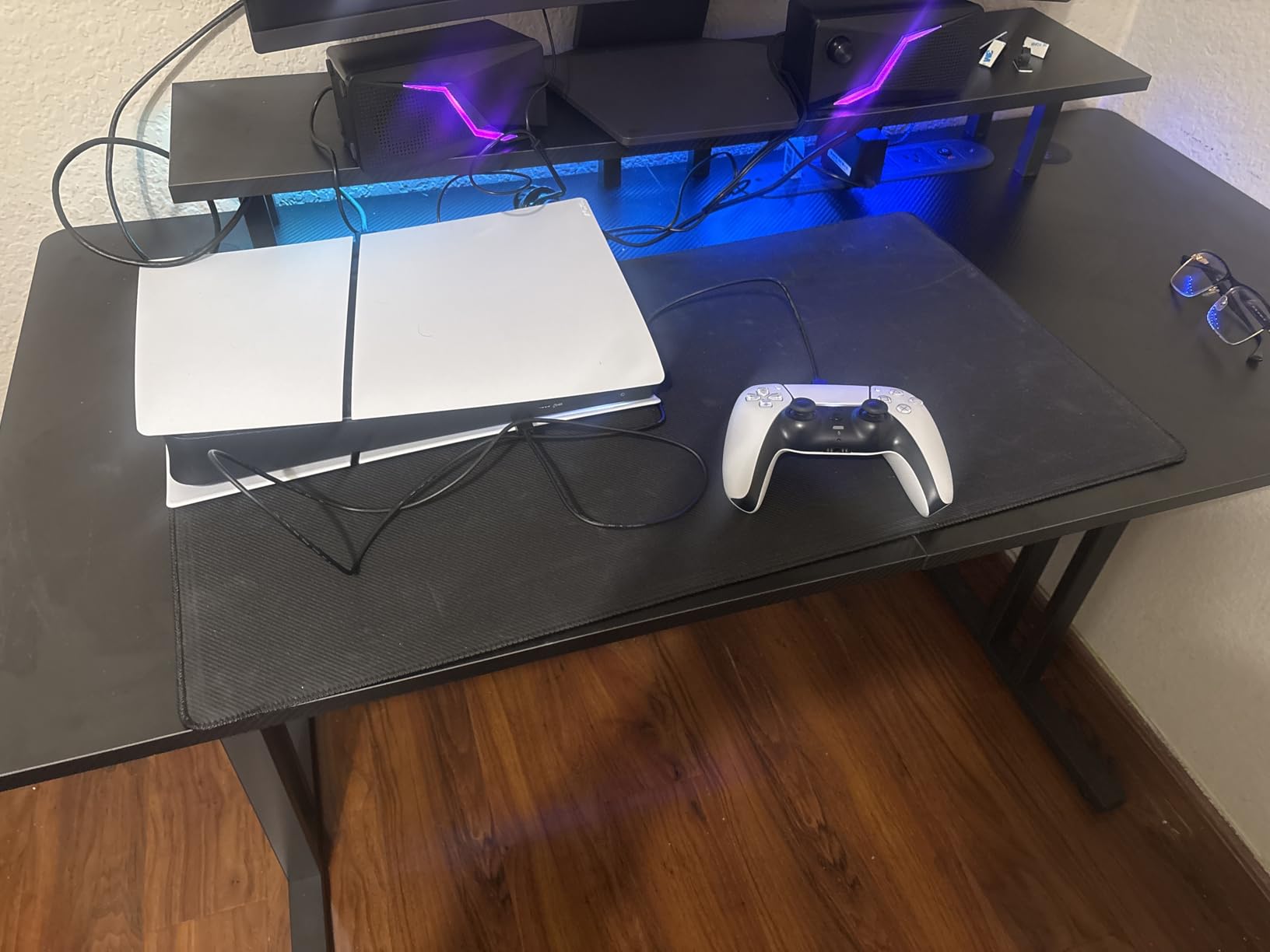
The box also includes a large anti-slip mouse pad, headphone hooks, and a cup holder, and assembly takes under half an hour. The surface is 0.6 inch particleboard with a wear-resistant carbon fibre finish, and the carbon pattern is a look rather than a material.
What you give up is height adjustment. The desk is fixed at 29 inches, which suits many people and suits shorter users poorly. There is also a powered LED component that depends on an app, so it is a desk with electronics rather than a passive surface.
Why surface-mounted power beats an under-desk tray
An under-desk tray hides cords from view but keeps them out of reach. A surface strip does the opposite, and in a gaming or media setup that is usually the right trade because you are plugging and unplugging devices all evening rather than once in the morning.
The two cable holes on opposite sides of the top complete the system. With a hole on each side you can send monitor cables out one way and power out the other, which stops the two bundles from tangling at the edge of the desk.
Where it falls short
Shipping damage is the most common complaint: bent top pieces and twisting legs on some units, plus the occasional broken cup holder in the box. Inspect everything before assembly, because a bowed panel will not seat properly on the frame.
The carbon fibre surface also shows fingerprints, and at 29 inches fixed the desk does one job only. If you expect to alternate between sitting and standing, look at the sit-stand options instead.
8. Respawn 1048 Gaming Desk — The Best Deep Desk With An Oversized Wire Trough
Respawn 1048 Gaming Desk, 48 Inch Computer Desk with Cable Management
31.5 inch depth by 47.2 inch width
Oversized wire trough for cable management
Full-surface 5mm mouse pad
175 lb rating, 5-year warranty
Pros
- 31.5 inch depth gives room for an ultrawide and accessories
- Oversized trough takes a power strip and slack
- Full-surface mouse pad resists fraying
- 5-year warranty and adjustable glides
Cons
- Fixed 28.5 inch height with no adjustment
- Heavy wood and metal build is awkward to move
- Integrated mouse pad cannot be replaced
- One-piece top limits moving flexibility
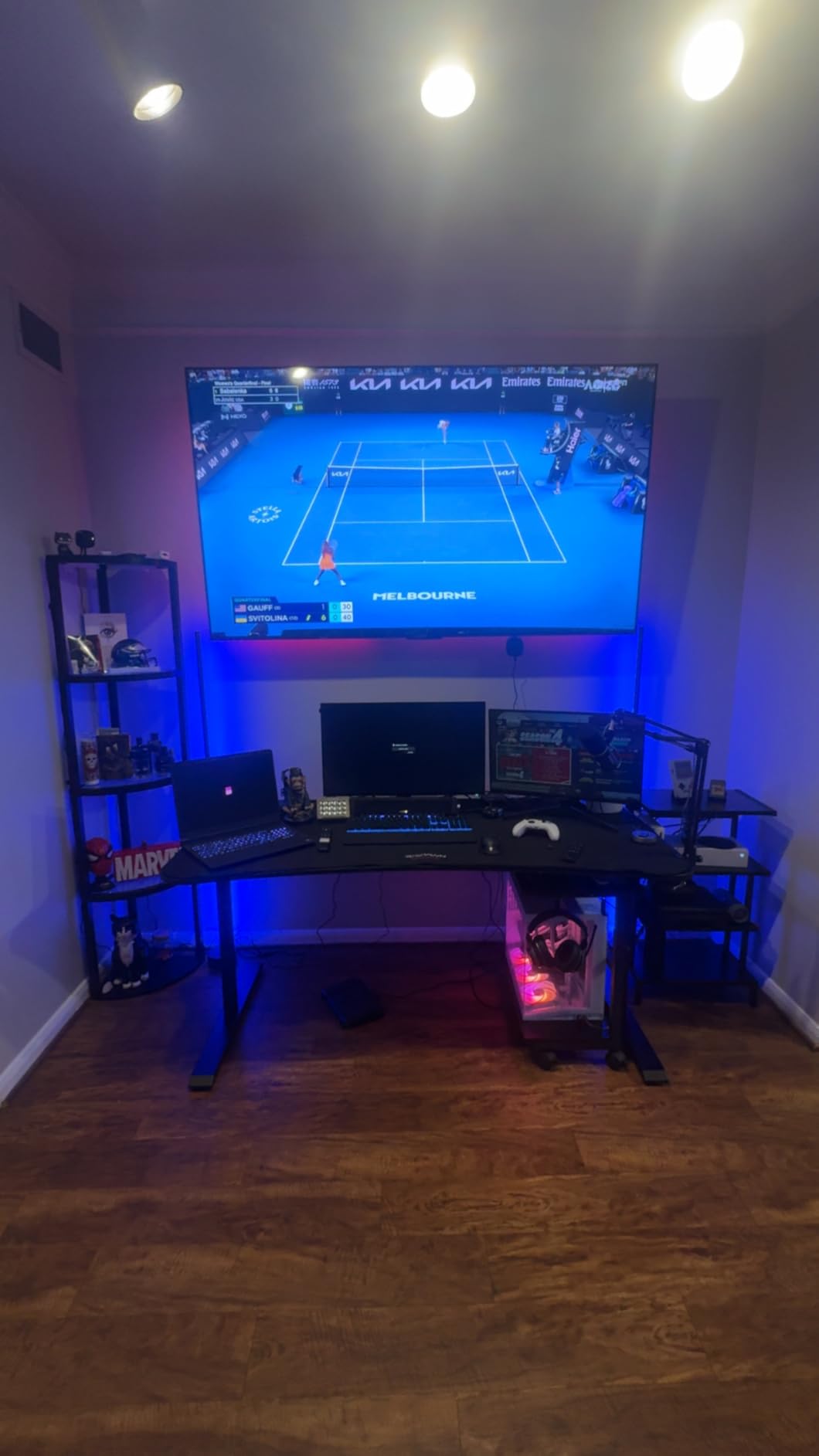
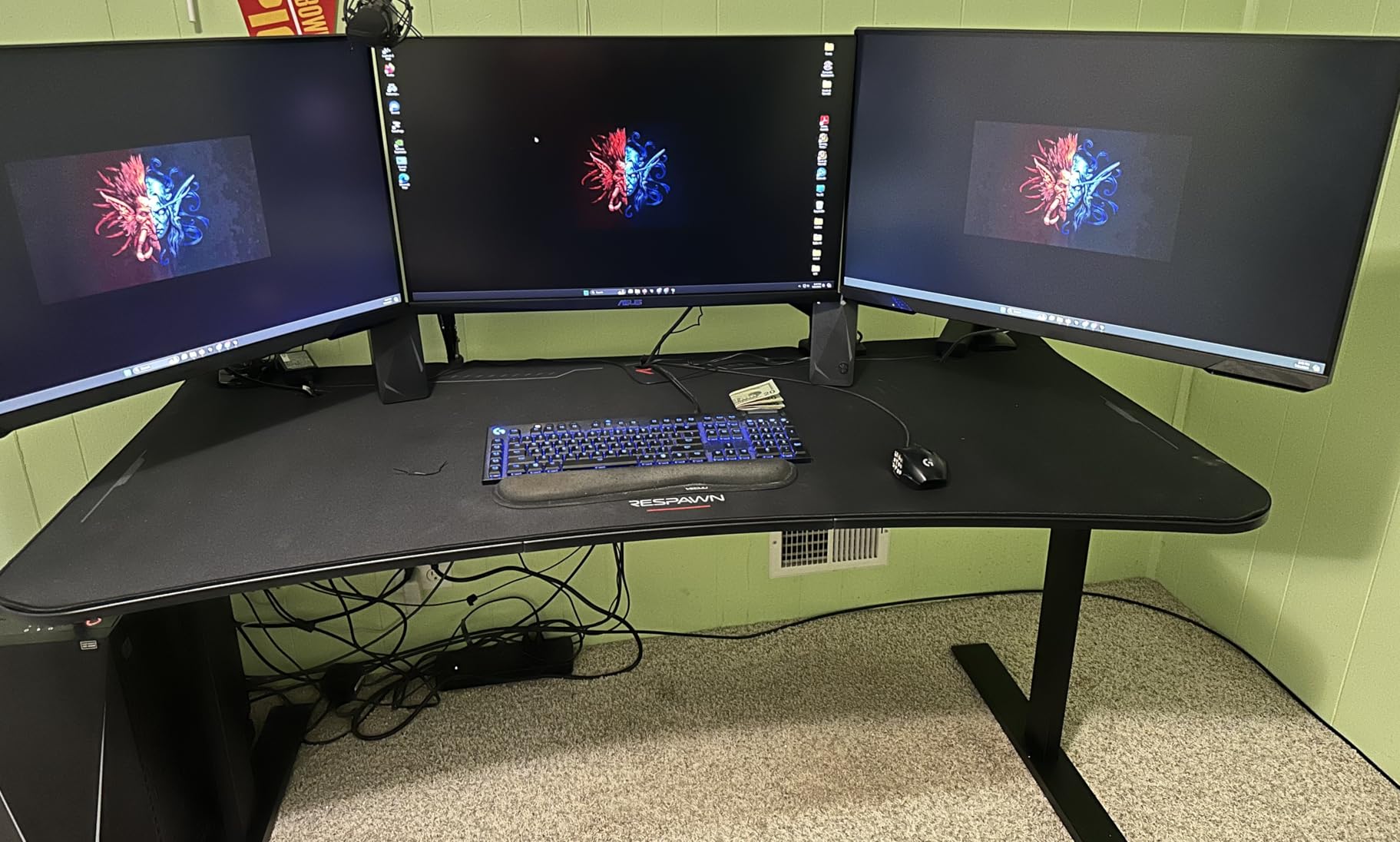
The Respawn solves cable clutter differently from most of this list: instead of routing, it gives you depth. At 31.5 inches it has more usable depth than any other sit-stand desk in the group, and depth is what lets an ultrawide monitor sit at a comfortable distance while a full-size keyboard, a mouse pad, and a controller all share the surface. The oversized wire trough runs under the top on a T-leg steel frame and takes a power strip plus the slack you would otherwise trail across the floor.
The full-surface mouse pad is a 5mm sheet weighing 5 pounds with surged, fray-resistant edges, bonded across the entire top. Combined with the ergonomic curved front edge, it makes the desk feel like a finished gaming station rather than a surface you add parts to. Load rating is 175 lb, adjustable glides handle uneven floors, and the warranty runs five years.
Owners are clear about what they accept in exchange. The height is fixed at 28.5 inches. The build is wood, plywood, and steel rather than the all-metal frames used on adjustable desks, which means it is heavier to shift and cannot be reconfigured. And the mouse pad is permanent.
At 57.6 pounds the unit is a two-person move, and the one-piece top is worth thinking about before you order. Measure your doorway and the turns between it and the room rather than just the wall space.
Why depth beats width for cable-free setups
Most cable clutter on a desk happens because cords have nowhere to go between the device and the floor. A 31.5 inch deep surface changes the geometry: monitors sit further back, the keyboard sits forward, and the space between them is where the power strip and its cords live. The trough underneath handles the run down the frame.
For a gaming desk that doubles as a work desk during the week, the depth is what lets you keep the mouse pad continuous. Nothing gets pushed to the edge, so nothing catches on the edge.
Where it falls short
A fixed 28.5 inch height is the constraint. If you split your day between sitting and standing, this desk cannot follow you. Buyers who wanted sit-stand and bought this instead tend to describe it as a good desk for the wrong reason.
The integrated mouse pad is the other permanent decision. If you prefer your own pad, or wear one out, there is no replacing it without replacing the top. And the one-piece construction is a genuine inconvenience in a home office where furniture moves.
9. Muvai 59 Inch L-Shaped Standing Desk — The Best L-Shaped Sit-Stand With A Full Tray
Muvai 59″ L Shaped Standing Desk with Cable Tray, Reversible, Black Carbon
59 inch reversible L-shaped top
Large under-desk cable tray
Height 28.3 to 46.4 inches, 3 presets
176 lb steel frame
Pros
- Reversible top fits either corner of the room
- Large tray fully hides a power strip and adapters
- Quiet motor under 45 dB with 3 presets
- Handles an ultrawide plus a second monitor
Cons
- Three-piece top with a join seam that can feel uneven
- Thin wood veneer
- Instructions are hard to follow and no screwdriver included
An L-shaped sit-stand desk solves two problems at once, and this is the version that actually includes a tray big enough to matter. The large under-desk cable tray is large enough to hide a power strip, adapters, and cords completely rather than partially, which is the difference between a tidy underside and a visible bundle. Owners who moved from a fixed L-desk to this one cite the tray and the height range together.
The desktop is reversible, installing in either corner to suit the room, and the 59 inch L holds a 40 inch ultrawide plus a second monitor without crowding. The frame is industrial steel rated to 176 lbs with a motor under 45 dB, three one-touch memory presets, and a range of 28.3 to 46.4 inches.
The box also includes a headphone hook, a cup holder, cable clips, adjustable foot pads, and spare screws. Assembly takes roughly 30 to 59 minutes for two people, and the unit is 66 pounds.
Why L-shaped works for a lot of equipment
An L gives you a main zone and a return. The main zone takes monitors, keyboard, and mouse; the return takes the laptop, a second screen, a notebook, or the charging clutter. Because the return is physically separate, you can put a power strip and a charger under it out of sight, which is how you keep a high cable count from overwhelming the working area.
The reversibility matters more than it sounds. A non-reversible L forces a specific corner orientation, which in a room with a window or a door on the wrong side means the desk ends up blocking something.
Where it falls short
The desktop is a three-piece build, and the seam where the L sections meet can feel uneven and flex when you lean on the corner. That is the point on an L-desk where people put weight, so it is worth testing carefully once assembled.
The veneer looks thin and may not wear well over years. Instructions are also not easy to follow, and a screwdriver is not included even though one is effectively required. The 4.2 rating reflects those finishing and assembly issues rather than any problem with the cable tray itself.
10. Marsail 55×30 Electric Standing Desk — A Thick One-Piece Top With One Cable Caveat
Marsail 55 x 30 Electric Standing Desk with One-Piece Desktop, Sit Stand Desk with Thickened Tabletop, Height Adjustable Stand Up Desk with Cable Management for Home Office(Frame+Desktop, 2 Packages)
55x30 inch joint-free top at 1.18 inch thick
176 lb steel frame
Height 28.35 to 46.46 inches
Motor tested beyond 50000 lift cycles
Pros
- Genuinely joint-free top that wipes clean in seconds
- Noticeably deeper and thicker than comparable desks
- Sturdy frame with a motor tested past 50000 cycles
- Arrives in two boxes so the heavy top is manageable
Cons
- No cable tray or grommets listed among included parts
- About 67 lbs so it takes two people to move
- 55x30 footprint is too large for small rooms
We are including this desk with a clear warning, and it is worth stating plainly. Among the included components, the only listed accessory is a headphone hook. No cable tray and no grommets appear in the specification. The listing carries a cable management claim, but the hardware for it is not documented in the box contents, and buyers are right to verify before they order expecting built-in routing.
What the desk does very well is its top. It is a single joint-free 55 by 30 inch slab at 1.18 inch thick, which the manufacturer states is 6 inches deeper and roughly 200 percent thicker than a standard standing desk. The practical result is a surface that does not flex, has no seam to catch crumbs, and wipes clean in seconds.
The frame is steel rated to 176 lbs, the motor is durability-tested beyond 50,000 lift cycles, and height runs 28.35 to 46.46 inches with one-touch adjustment at around 50 dB. It arrives in two boxes, one for the top and one for the frame, which makes the heaviest piece easier to handle than a single combined delivery would.
If you own a good tray and grommet kit already, the premium top is a real upgrade for a cable-heavy sit-stand desk because a rigid surface stays flat under a load. If you are starting from scratch and want the routing built in, the FLEXISPOT EN2 at number one is the pick.
Why a one-piece top matters at 55 inches
Joined desktops flex, and flex is felt most when you type hard or adjust a monitor arm. On a 55 inch top, a single slab distributes that load evenly, and the extra thickness gives an edge clamp or a heavy arm something solid to grip. It is also easier to keep clean, since there is no seam for dust.
The depth is the quiet advantage. At 30 inches the surface takes a monitor, a keyboard, and a notebook at the same time, which is what a sit-stand desk needs since you will use the same surface at two heights.
Where it falls short
The absence of documented cable hardware is the main one, and it is a genuine trade-off rather than a quibble. You will be buying and mounting your own tray or grommets, so factor that into the total cost of the setup.
At roughly 67 pounds and a 55 by 30 inch footprint, it is a two-person move and it is not a small-room desk. The laminated finish can also show wear, and a mat helps in heavy typing setups.
11. Turismo Racing Infinity 72 Inch Gaming Desk — The Best Full Raceway For Streamers
Turismo Racing Gaming Desk – Infinity Extra-Wide Smart Gaming Desk with USB Ports + Integrated Mouse Pad + Magnetic Cable Management – 72 inches
72x34 inch surface
Built-in cable raceways plus under-desk tray
3 rear cable routing holes
Built-in USB ports and wireless charging pad
Pros
- Rear raceways plus a tray sized for two power strips
- Three cable holes feed cords down into the trays
- Single-piece steel chassis removes the usual gaming wobble
- Full-length mouse pad and USB ports beside the tray
Cons
- 72 inch top is hard to get through a standard doorway
- Printed instructions are poor and the video is low quality
- Wireless charging pad is awkwardly placed
- 30 inch height is tall for shorter users
This is the only desk here with a proper rear raceway built into the frame, and for a streaming setup with monitors, a mixer, an interface, a capture card, and several drives, that is the difference between a managed cable system and a large zip tie bundle. The raceways connect to a cable management tray underneath that owners describe as large enough for two surge strips plus multiple AC adapters. Three rear cable-routing holes feed neatly down into the trays.
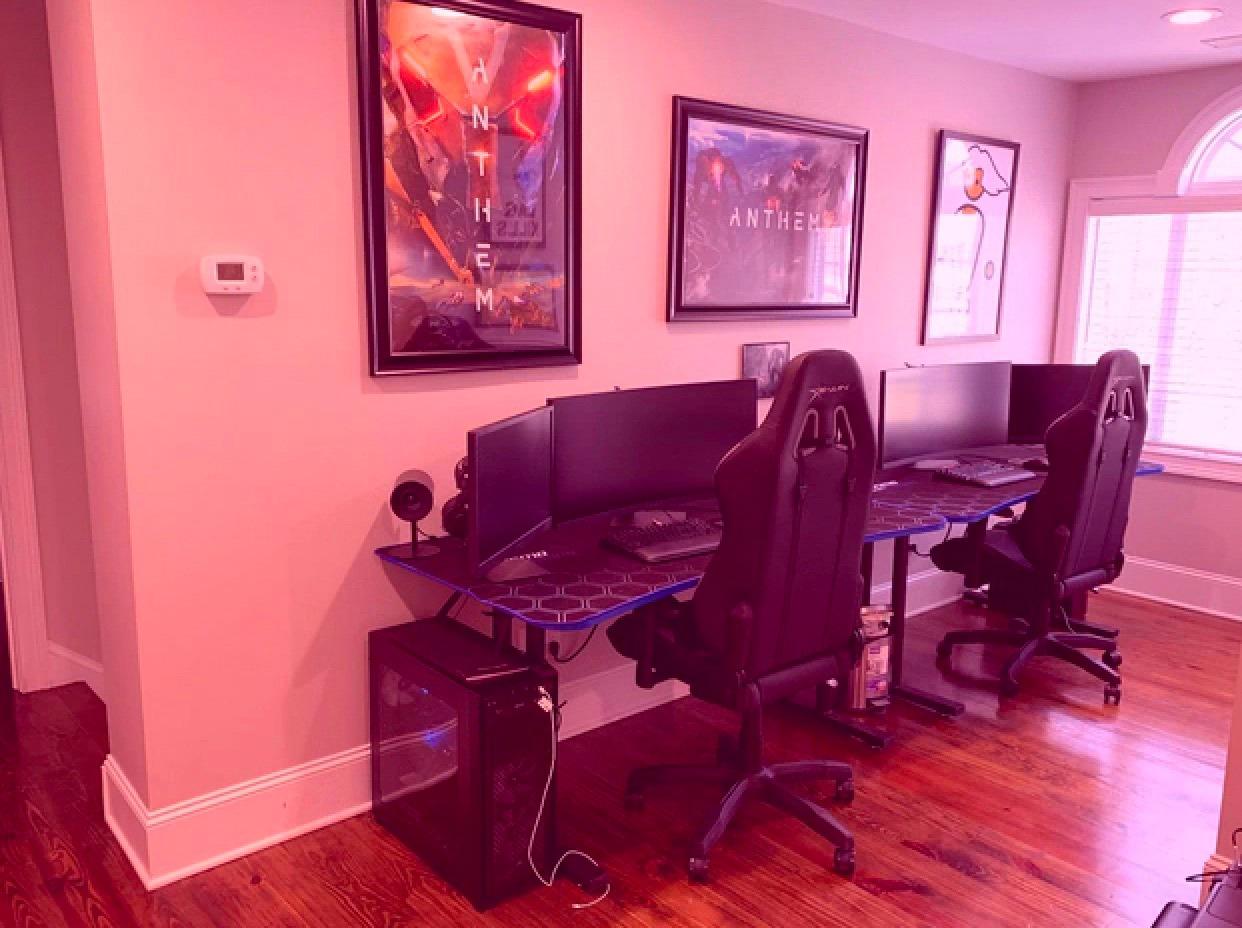
Stability is the other argument. The desk uses a single-piece steel chassis beneath the surface rather than a bolted frame, and reviewers repeatedly single out the absence of the wobble common to gaming desks of this size. The full-length integrated mouse pad fits the 72 inch surface exactly. Built-in USB ports sit next to the cable tray, and the left and right legs are unambiguous, which makes a one-person assembly quicker than most.
Those same 72 inches are the problem. A 72 by 34 inch top at 70 pounds is difficult to get through a standard doorway, and this is exactly the delivery-route check we would do before ordering anything this wide. The frame-joining U-shaped brackets are also a very tight fit, and a few units arrived with brackets bent or not fitting at all.
There is a built-in wireless charging pad in the top, which only works with Qi-compatible phones and sits in a position some owners find awkward. The desk height is a fixed 30 inches, which is too tall for shorter users or low chair settings.
Why a raceway beats a tray when cable count is high
A tray stores cables. A raceway guides them, and the difference shows once you have more than a dozen. Cords enter from above through the rear holes, run inside the channel where they are supported along their length, and exit at a single point. Nothing hangs, and there is no bundle to compress or untangle when you want to add a device.
With two power strips plus adapters supported, a streamer or a hybrid worker can unplug from one exit rather than reaching into a basket. For cable runs that leave the desk entirely, our cable management kits guide covers the wall and raceway side.
Where it falls short
Assembly is the weak point. The printed instructions are largely useless and the assembly video is low quality with no real step-by-step guidance, so budget extra time. The tight-fitting frame brackets are where most of the reported problems occur.
Size is the second limitation at 72 by 34 inches and 70 pounds. If you need something that moves through a hallway and works in a bedroom, the 40 inch and 47 inch desks in this list are the realistic options. The wireless pad placement and the 30 inch fixed height are smaller frictions in the same category.
12. Tangkula Computer Desk With Hutch & Charging Station — Built-In Charging In A Small Footprint
Tangkula Computer Desk with Hutch & Charging Station, Home Office Writing Study Desk with Storage Shelves, Cable Management Hole, Laptop Desk, Desk for Bedroom, Computer Workstation (Gray Oak)
42.5 x 23.5 inch desktop, 49 inch tall
Built-in station: 2 AC outlets, USB, Type-C
Cable management hole in the desktop
200 lbs rating
Pros
- Built-in charging station with 2 AC outlets
- USB and Type-C
- 42.5 inch width fits a small room without crowding
- Shelves and a hutch keep the desktop clear
- Non-slip foot pads and anti-falling backboard
Cons
- Assembly is time-consuming and the back panel may not fit
- Short fixed-height side shelves will not hold books
- Chairs with armrests do not fit underneath
- No drawers under the desktop
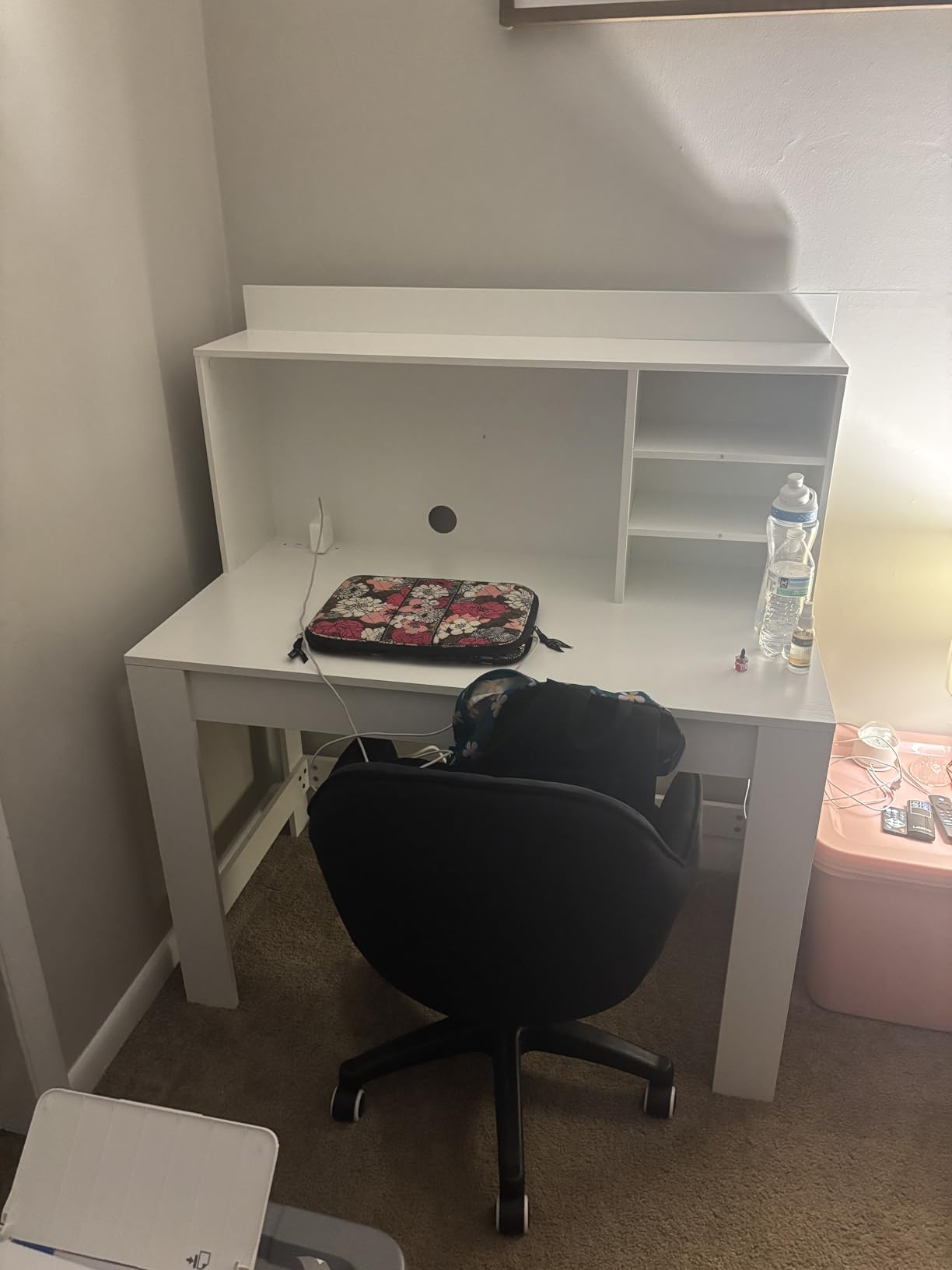
The 42.5 inch width is the reason this desk is on the list. Most desks with integrated charging are wide enough to dominate a room, and this one fits a bedroom or a small study without crowding. The hutch and three storage shelves sit above and beside the desktop, so books, files, and a laptop live off the working surface rather than on it.
The charging station is built into the desk: two AC outlets at 125V and 12A, one USB port at 5V and 2.4A, and one Type-C port at 5V and 3A, all on a 4.9 foot cord. There is a cable management hole in the desktop to keep cords organised, and the load rating is 200 pounds. Non-slip foot pads stabilise the desk and an anti-falling backboard stops items sliding behind it.
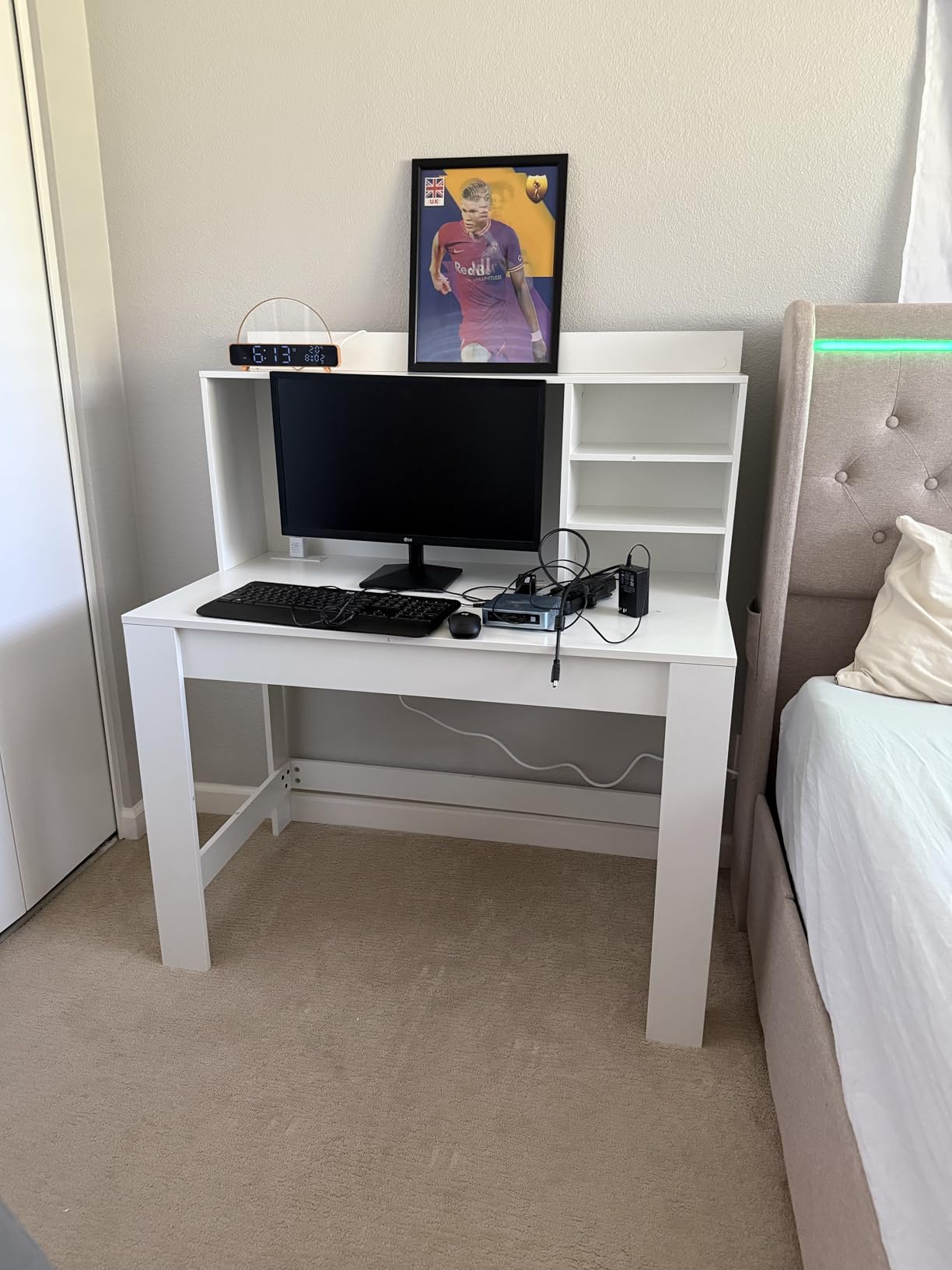
Owners find it attractive, sturdy, and well proportioned, and around four in five reviews are four or five stars. The Gray Oak finish suits a bedroom particularly well.
The trade-offs are specific. Assembly is time-consuming, and some buyers found the back panel did not fit when adjacent planks were the wrong length. The side shelves are short and fixed in height, so they will not take books, and the open top shelf needs bookends. There are no drawers under the desktop, which is a real gap on a desk that otherwise has plenty of storage.
Why small rooms change the cable calculation
In a tight room, cable depth competes with knee clearance. A 23.5 inch desktop leaves less usable depth, and every inch of that taken by a cable route is an inch your knees lose. A single grommet hole plus an integrated charging station is often the right answer here, because it moves the cords to the one place they do not consume surface or legroom.
The hutch also shortens the wall-to-screen distance, which matters in a small room where you sit close. It keeps the monitors at eye level without adding a separate riser to the desk footprint.
Where it falls short
The fixed-height side shelves are the biggest limitation. They look like bookshelves, but they are too short to hold books, and an open top shelf without bookends becomes a pile. If your files are physical rather than digital, this desk needs a separate filing solution.
Chairs with armrests will not fit under it, and there are no drawers. Assembly is the slowest in this roundup, so plan for it rather than starting it an hour before you need to work.
How To Choose A Desk With Cable Management That Actually Works
Start by naming the cable type you will be routing. If you have a laptop, a monitor arm, and a phone, a grommet or a magnetic track is genuinely enough. If you have a tower, a dock, and two monitors on arms, you need a tray that takes a power strip, and you should assume you are mounting a strip yourself unless the desk includes one.
Then check the power. A desk that ships with a clip-on or built-in strip saves the most time in practice, because it puts outlets at the surface. A tray without a strip means you are drilling a mounting board to a desk you just paid for, and you are doing it under a sit-stand frame where the drilling surface is moving.
For sit-stand desks, work out slack before you buy. The height range is usually around 18 inches, so every cable that runs from the desktop down to the floor needs enough length to follow the top in both directions without going taut. Cords that are too short pull the power strip off the wall when the desk rises. Cords that are far too long drag on the floor and get caught in a chair. Cables routed through a grommet directly into a moving column need particular care.
Next, match the load rating to what you actually put on top. Around 156 to 176 lbs covers a laptop, monitors on arms, and a dock comfortably. Above 176 lbs gives you room for a tower, a printer, and a large audio interface at the same time. A rating of 200 lbs is where a fixed-height desk stops worrying about the desktop at all.
Check depth and knee clearance, especially in a small room. Depth of 23.5 to 24 inches suits a laptop and a single monitor with cables out of the way. Depth around 30 inches suits an ultrawide, a full-size keyboard, and a permanent mouse pad. Width matters for a second monitor or a second zone, and an L-shaped footprint is only worth its bulk if you will genuinely use the return.
Measure your delivery route before ordering anything wide. Standard doorways are around 32 inches, and a one-piece top over roughly 70 inches will not turn the corner. The 72 inch desk in this roundup is the clearest case, and for anything L-shaped, add the length of the corner connector to your estimate of the assembled size.
Finally, consider the finish and the room. r/desksetup buyers consistently prefer white and neutral desks and dislike loud fluted or dark finishes, because the desk is almost always in frame during video calls. That is a small consideration that changes how a home office looks far more often than the cable hardware does.
How To Manage Cables On A Sit-Stand Desk Without Snagging
A sit-stand desk and a cable system are in direct conflict unless the routing was designed for movement. Five habits make the difference, and none of them require a new desk.
Audit the rear channel before you trust it. People in r/StandingDesk ask specifically how the rear cable channel is built, and the answer varies wildly. A channel that is a shallow groove is a place to lay a cable, not a place to route one. Look for a channel with a removable cover and enough depth for a power strip to sit inside.
Give every floor-run cable slack. Measure the full height range, then confirm your cords can reach the highest position with the lower end still supported. If a cable pulls taut at the top, it will drag the power strip out of the wall outlet every time you stand up. Our advice is to leave a visible loop of slack under the desk, not a tight diagonal run.
Keep the moving columns clear. Cords taped to a lifting column stretch and snap within a year. Route them away from the column path and use clips on the stationary crossbar instead, which is exactly what the magnetic track on the FEZIBO’s crossbar is for.
If you move your setup regularly, design for unplugging rather than permanent routing. Hybrid workers say the setups that survive a move are the ones where a single bundle disconnects in one movement. A magnetic track or a clipped bundle in a sleeve beats permanent channel routing for that reason, and it is why the reversible and lift-off approaches score well with people who split their week between home and an office.
Finally, label both ends. Cords that are indistinguishable are the reason a cable management revamp happens twice. A label maker is the cheapest tool in this whole article, and it is the one that survives the second setup.
Frequently Asked Questions
What are the best home office desks with built-in cable management?
The strongest all-round option is the FLEXISPOT EN2 55×28, which ships with both a clip-on power strip carrying three outlets and two USB ports and an under-desk cable tray. For a large footprint on a smaller budget, the RIF6 L-shaped desk offers cable holes, clips, and a swappable keyboard tray. If cable routing matters more than power, the FEZIBO 40×24 uses a pegboard crossbar with a magnetic cable track. For a high cable count in a streaming setup, the Turismo Racing Infinity 72 inch desk uses rear raceways and a tray sized for two power strips.
What is cable management on a desk?
Cable management on a desk is the set of built-in features that route, conceal, and power your cords. That includes grommet holes that let cables pass through the desktop, an under-desk tray or rear raceway that holds a power strip, and integrated outlets or USB ports so chargers never dangle over the edge. A grommet alone is the most basic form; a tray with an integrated power strip handles the most cables.
What is the best cable management system for a desk?
It depends on how many cables you have. Under-desk trays are the best all-round system for most setups because they hold a power strip and the slack underneath. Rear raceways are best when you have more than a dozen cables, such as a streaming or audio rig, because they guide cords along their length rather than storing them in a basket. A magnetic track or pegboard is the tidiest option for a laptop, phone, and lamp. Integrated surface power is best if you plug and unplug devices throughout the day.
Are built-in power outlets worth it on a desk?
Yes, if you would otherwise mount a power strip yourself. A clip-on or built-in strip puts outlets at the surface, which removes the need to reach under the desk with a torch and keeps power bricks off the floor. The FLEXISPOT EN2 and the HLDIRECT 47 inch gaming desk both include one. If your desk only has grommets and a tray, budget for a separate surge protector and the mounting work that goes with it.
Do standing desks mess up cable management?
They can, if the routing was not designed for movement. Cords that are too short pull the power strip out of the wall when the desk rises, and cords taped to a lifting column stretch and fail. Give every floor-run cable enough slack for the full height range, route cords away from the moving columns, and keep clips on the stationary crossbar. Hybrid workers who move equipment regularly should choose routing they can unplug in one movement rather than permanent channel runs.
The Desk To Buy For A Tidy Home Office
If you want one recommendation, take the FLEXISPOT EN2 55×28. It is the only desk in this roundup that ships with both halves of a working cable system, a power strip with three outlets and two USB ports, and a proper under-desk tray, on a frame rated to 176 lbs with four memory presets. Buyers describe it as quiet, solid, and finished, and the one-piece top handles a heavy multi-monitor setup better than the joined tops common at this size.
Buy something else if your situation is specific. Pick the RIF6 L-desk for a large footprint at a low cost, the Sauder Cottage Road if the room is also a living space and the finish matters, the FEZIBO if cable routing is your priority, the Acrolix 63 inch for an ultrawide, the HLDIRECT for power at the surface, the Respawn for depth, the Muvai for a sit-stand L, and the Tangkula for a small room.
The point of all twelve is the same: check which of the six routing types the desk actually ships with before you buy it, and buy a surge protector if it does not include one. That single check is the difference between the best desks with cable management and a desk with a marketing line. Prices and configurations move, so check the current listing through the buttons above before you order.