
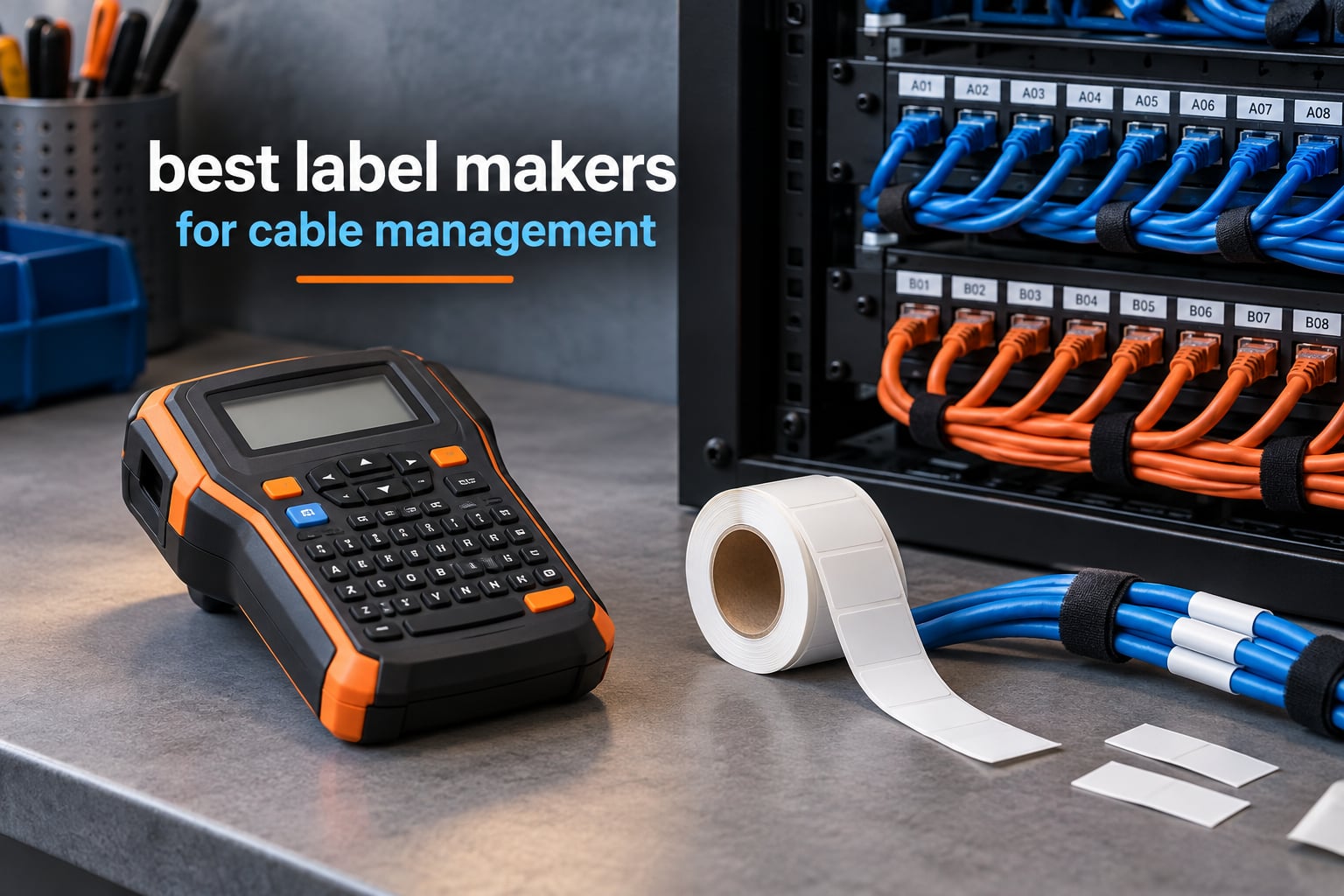
The best label makers for cable management in 2026 are the ones that survive the cable, not the ones that print the prettiest text. A label that smears under a thumb, lifts at the corner after a month of flex, or peels off a textured jacket turns a documented rack into a guessing game. We went through ten machines built for exactly this job, from pocket-sized heat-shrink units to a mechanical metal embosser that will outlast the cable it tags.
Short answer on which one to buy: the best printer for cable labeling depends entirely on the label job. A home cable drawer wants a cheap Bluetooth unit with a nylon flag tape. A network rack wants barcodes and TIA/EIA-606-A compliance, which narrows the field to two models. An electrician working panels and conduit wants drop resistance and 203 dpi output. And a marine or utility run wants embossed metal, because no laminate survives salt and sun forever. We named a winner in each of those categories below.
One thing worth knowing before you buy anything: durability here is a construction difference, not a marketing claim. Some brands laminate the tape as it passes the print head, so the label is sealed the moment text is burned onto it. Others print onto tape that was laminated beforehand. The first approach tolerates abrasion, oil and handling far better, and technicians on r/networking describe Brother machines that way specifically. That single fact explains more about why a label stays put than any spec sheet.
We also kept the broader setup in mind. If the mess you are trying to tame is under a desk rather than in a rack, our picks for cable management trays for desks and cable management kits for home theaters will do more about the physical clutter than any label can. Labels tell you which cable is which. They do not untangle it.
Table of Contents
Top 3 Best Cable Label Makers in September

Vixic Heat Shrink Label Maker
- Heat shrink plus nylon flag and vinyl tapes included
- 203 dpi Bluetooth printing
- 0.7 lb body with rechargeable USB-C battery

Brady M210
- Rated to survive 6-foot drops
- 203 dpi thermal printing
- LCD with smartphone app control

SUPVAN E11
- Built-in keyboard plus Bluetooth app editing
- Rechargeable 1200 mAh battery
- 0.2 inch print margin
All 10 Best Cable Label Makers Compared in 2026
| Product | Specifications | Action |
|---|---|---|
| Vixic Heat Shrink Wire Label Maker |
|
Check Latest Price |
| Brady M210 Handheld Label Maker |
|
Check Latest Price |
 DYMO RhinoPRO 5200 Label Maker DYMO RhinoPRO 5200 Label Maker |
|
Check Latest Price |
 DYMO Rhino 4200 Label Maker DYMO Rhino 4200 Label Maker |
|
Check Latest Price |
 SUPVAN G15M Mini Label Maker SUPVAN G15M Mini Label Maker |
|
Check Latest Price |
 VolenGo H1100 Label Maker VolenGo H1100 Label Maker |
|
Check Latest Price |
 Brother PTE110 Industrial Handheld Kit Brother PTE110 Industrial Handheld Kit |
|
Check Latest Price |
 Brother P-touch Pro PT-H111 Brother P-touch Pro PT-H111 |
|
Check Latest Price |
 DYMO Rhino 1011 Metal Embosser DYMO Rhino 1011 Metal Embosser |
|
Check Latest Price |
| SUPVAN E11 Label Maker |
|
Check Latest Price |
Which Label Type Does Your Cable Actually Need?
Most disappointing label purchases are not printer failures. They are format mismatches, where someone bought a machine that can only print a flag and then tried to wrap a label around a curved cable jacket. Before any model comparison, work out which of these four jobs you are doing.
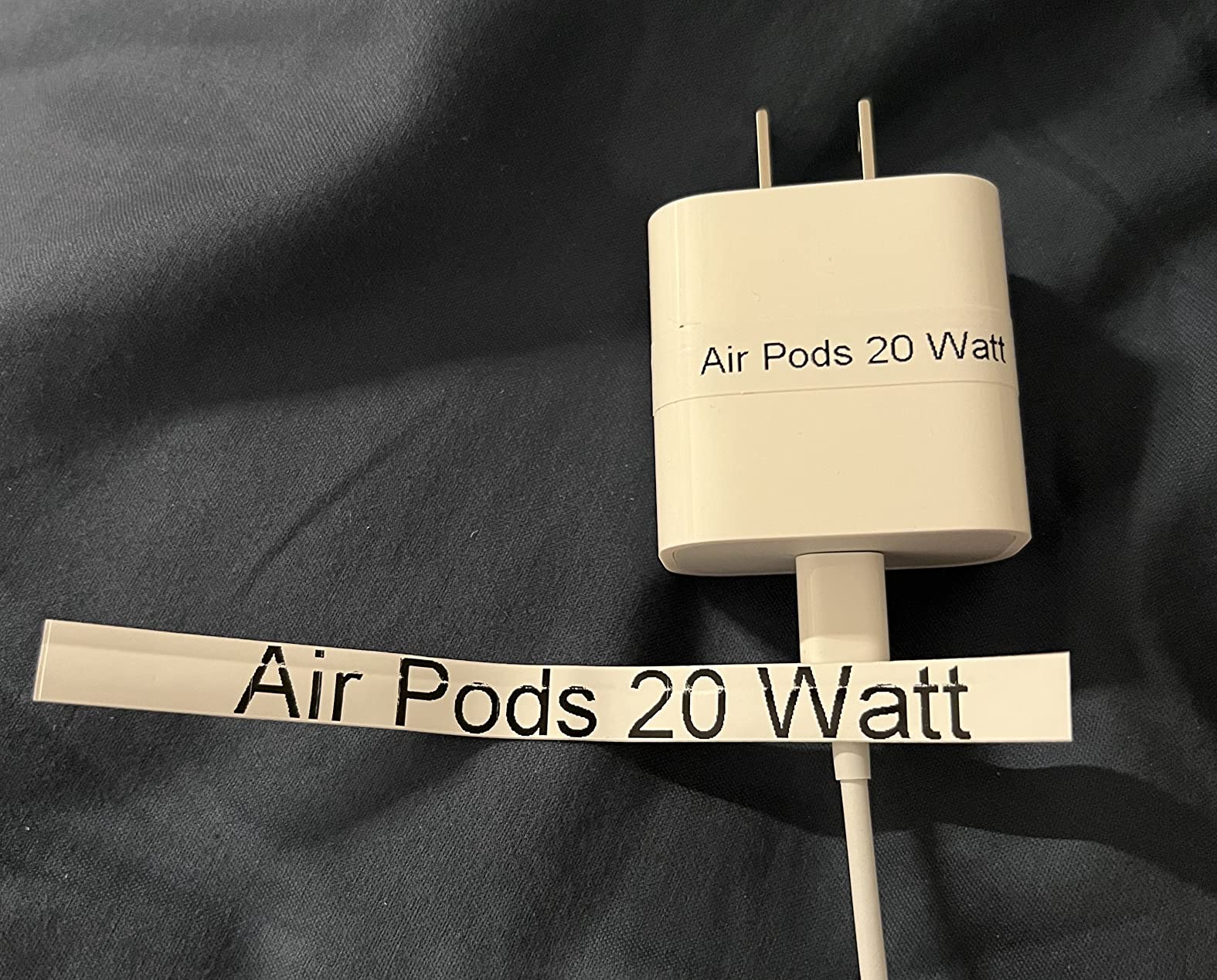
Flag label. A strip of tape folded so text sits flat, the flag pointing out from the cable. This is the format for a cable run, where a wrap-around label would be hidden by the neighbours in the bundle. Flexible nylon is the right media here, which is exactly the distinction technicians on r/lowvoltage draw: flexible tape conforms to a wrap and grips a run properly, while stiffer tape is only acceptable on a flag.
Wrap-around label. The label spirals around the cable so it reads from any angle, no matter how the cable is routed. This is the professional default for a finished cable run in a rack or a conduit, because you will not be rotating the cable to find the text.
Heat-shrink tube. The label is the tube. You print onto a shrink sleeve, slide it on, then shrink it with a heat gun until it becomes the cable jacket. Nothing can peel off it because nothing is stuck on it, which makes it the only truly permanent option for fiber, outdoor conduit and any run that gets moved regularly.
Metal or plate label. For marine, utility and heavy industrial work, an embossed stainless or aluminum tag cable-tied to the run. It is slow and it is mechanical, but corrosion, ultraviolet and solvent exposure do nothing to it.
So what is the best way to label cables end to end? Five steps: decide the format from the four above, choose a machine that natively supports that format, pick media matched to the environment, print a test label onto the actual cable jacket before committing to a roll, and adopt a naming scheme so the same information appears on both ends.
One more thing that explains most peeling complaints. Labels lift at the edge first because the edge is where the adhesive sees the most flex. A label applied to a curved, textured or slightly greasy jacket has less contact area than a flat one, and that is a media problem, not a printer problem. Clean the surface with an alcohol wipe, wrap the label so the seam lands on the underside of the cable, and use flexible nylon rather than a rigid laminate for anything that moves.
Why Some Cable Labels Outlast Others
The single most useful thing we found while comparing these machines is that laminate construction matters more than any other spec. In an r/networking thread on choosing between brands, the explanation given is that Brother laminates every label as it comes out of the machine, which is why those labels resist abrasion, oil and caustic environments. That is a construction difference, not a marketing line, and it is the clearest answer to the most common forum complaint in this category: labels that peel off.
Cleaning cycles are the other axis. Wirecutter ran labels through full dishwasher cycles as a durability benchmark, and the inexpensive laminates from budget brands failed after a single cycle while the Brother output survived repeated runs. That is a brutal test for a cable label, but it is a fair proxy for the wet, greasy, handled environment a cable in a closet, van or utility room actually lives in.
Print resolution decides whether small formats are usable at all. On a 6mm cable flag, a 180 dpi head produces text you can read by holding it close, while 203 dpi and 300 dpi units stay legible when the cable is still in the bundle. If your labels carry a port number, a VLAN tag or an equipment ID that someone else has to read, resolution is not a luxury.
Adhesion is where surface texture earns its keep. Textured jacket, powder-coated steel and ribbed conduit all reduce the contact area an adhesive can grab. Flexible nylon wraps a curve better than a stiff laminate strip, and that single media choice fixes more adhesion problems than upgrading the machine.
1. Vixic Heat Shrink Wire Label Maker – the Best All-Round Cable Label Maker
Heat Shrink Wire Label Maker, Bluetooth Industrial Label Machine with Tapes
0.7 lb body
203 dpi Bluetooth printing
Heat shrink plus flag and vinyl tapes
1200 mAh rechargeable
Pros
- Lightest unit here at 0.7 lb with 203 dpi output
- Four tape formats in the box including nylon flag cable tape
- Rechargeable USB-C battery rated for 588 two-inch labels per charge
- 0.31 inch print margin cuts blank tape waste
Cons
- No onboard keyboard so every label needs the app
- Light plastic housing cracked for one owner after a drop
- Backing paper on labels is hard to peel
This is the machine we kept coming back to, because it is the only one in the group that prints all three of the cable formats that matter in a single body. Heat shrink, a nylon flag tape and a vinyl tape all ship in the box, so you can start tagging a run today without researching which cassette fits which format.
It weighs 0.7 lb, which sounds like a small detail until you are labelling a ceiling run in a loft. It also prints at 203 dpi through a Bluetooth app, with built-in templates for heat shrink, wire, cable, Code 39 and Code 128. Barcode support on a unit this small is genuinely useful for asset tagging.
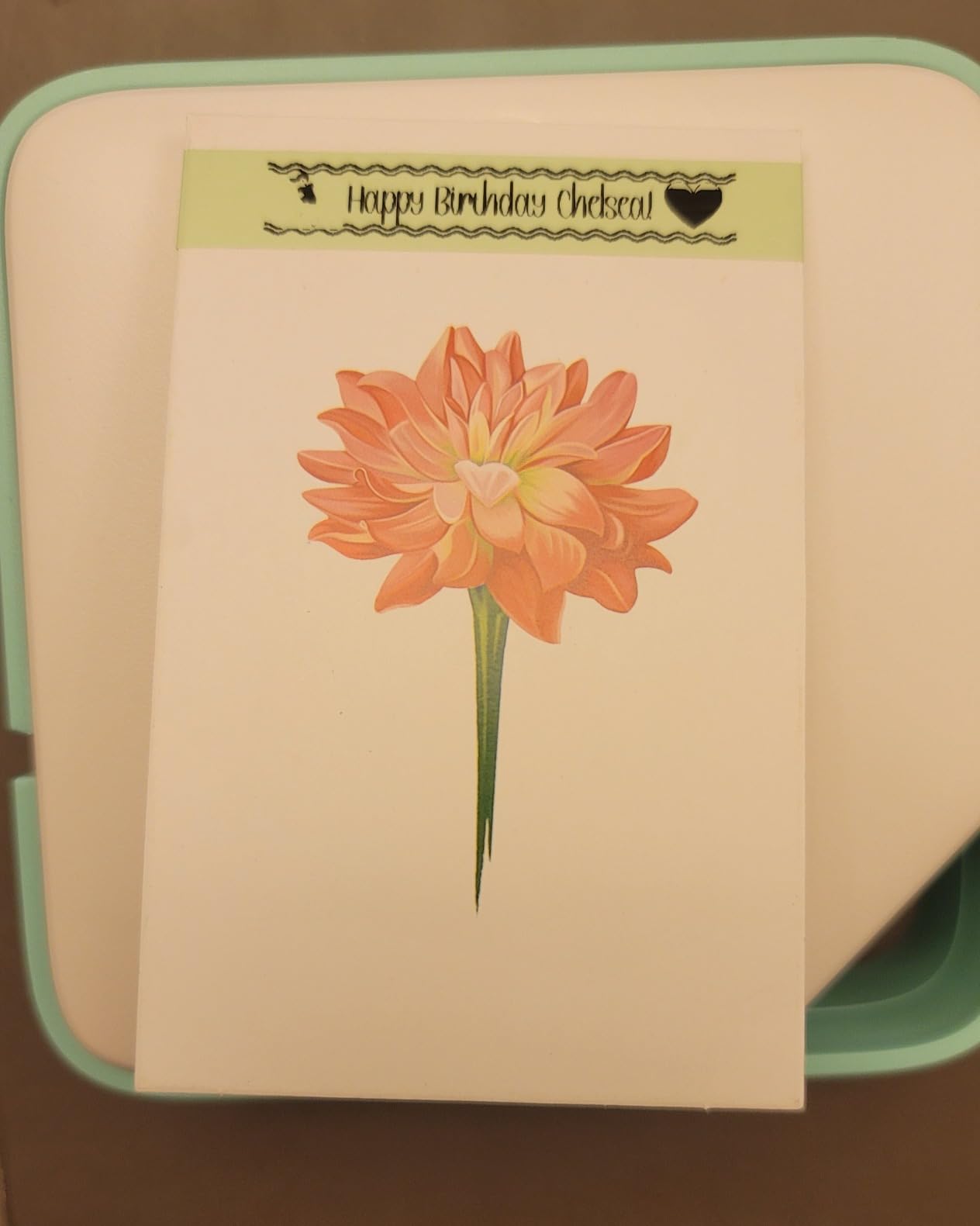
The reduced 0.31 inch print margin is the sleeper feature. Continuous tape feeds a fixed gap ahead of every label, and a tight margin is the difference between using most of a roll and throwing most of a roll away. Reviewers consistently single out the low waste when comparing it with desktop units.
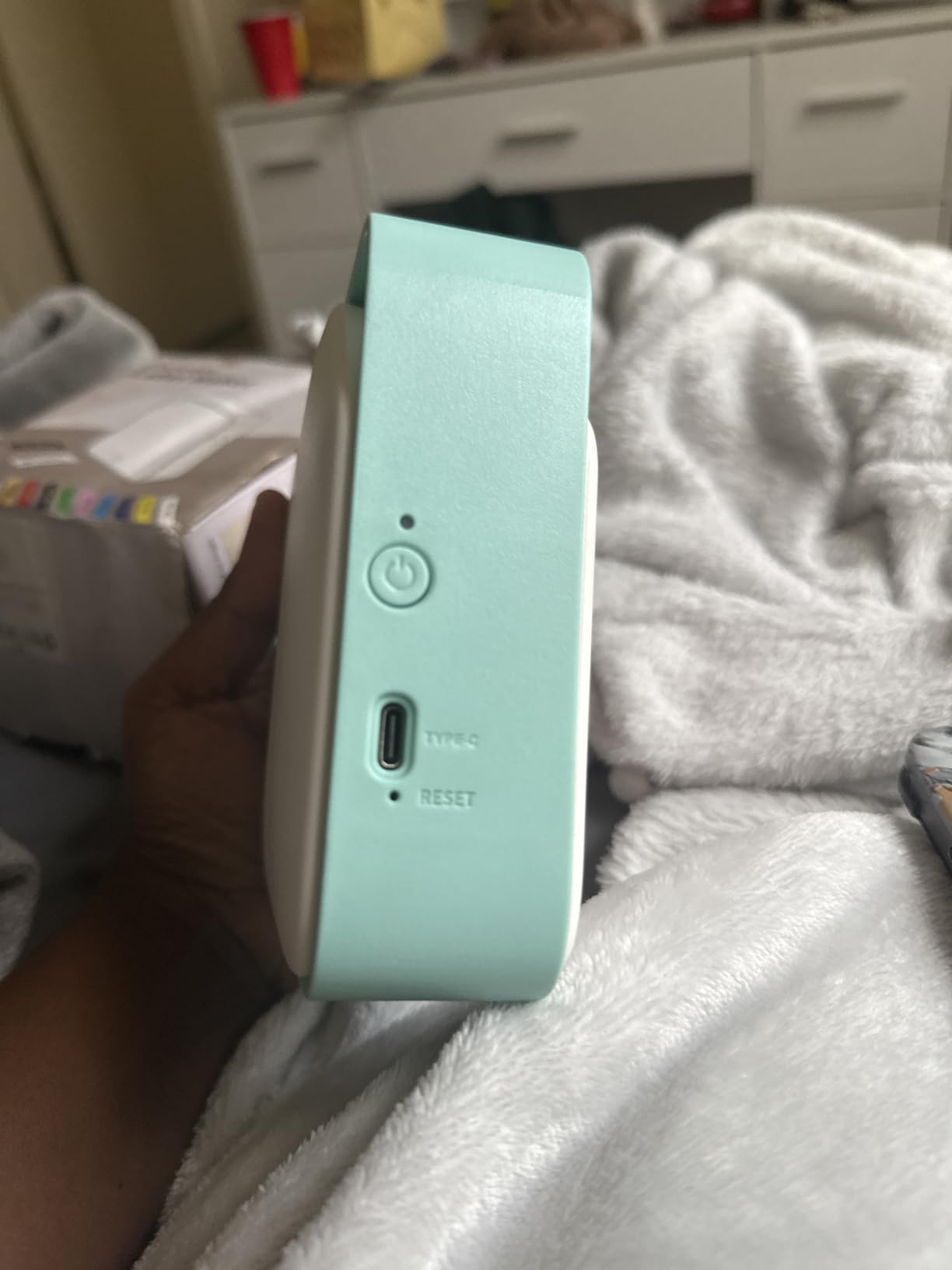
Battery life is a 1200 mAh rechargeable cell over USB-C, and the stated figure is up to 588 two-inch labels per charge. The tapes are described as waterproof, oil-proof, UV-resistant and abrasion- and corrosion-resistant, which is a broad enough media range for both indoor racks and outdoor conduit.
Best for technicians who need every cable format in one tool
It suits mobile technicians and electricians who move between heat-shrink terminations and finished runs, because carrying one body with all three media types removes the excuse to skip a format. The auto tape recognition and auto-feed also mean fewer mistakes when you are working one-handed.
It is a strong first label maker for a home lab or small office that wants barcodes on equipment tags without buying a dedicated desktop printer.
Where it falls short for heavy batch work
There is no onboard keyboard. Every label means opening the app, and on a run of two hundred identical cable IDs that adds up fast. Forum users looking at batch CSV workflows tend to want a physical keyboard for that reason.
The housing is light plastic rather than a rugged frame, and one reviewer reported a crack after the unit fell off a table. If your work involves ladders, roofs or active job sites, a drop-rated body is the safer bet.
2. Brady M210 Handheld Label Maker – Built for Electricians and Job Sites
BRADY M210 HANDHELD LABEL MAKER
Drop rated to 6 feet
203 dpi thermal output
LCD with app control
0.25 to 0.75 inch media
Pros
- Rated to survive 6-foot drops on site
- Compact 9.5 inch handheld body
- Sharp 203 dpi thermal output
- App and LCD control for quick design changes
Cons
- Maximum media width is only 0.75 inch
- Modest battery life per charge
- Print speed is slow against desktop units
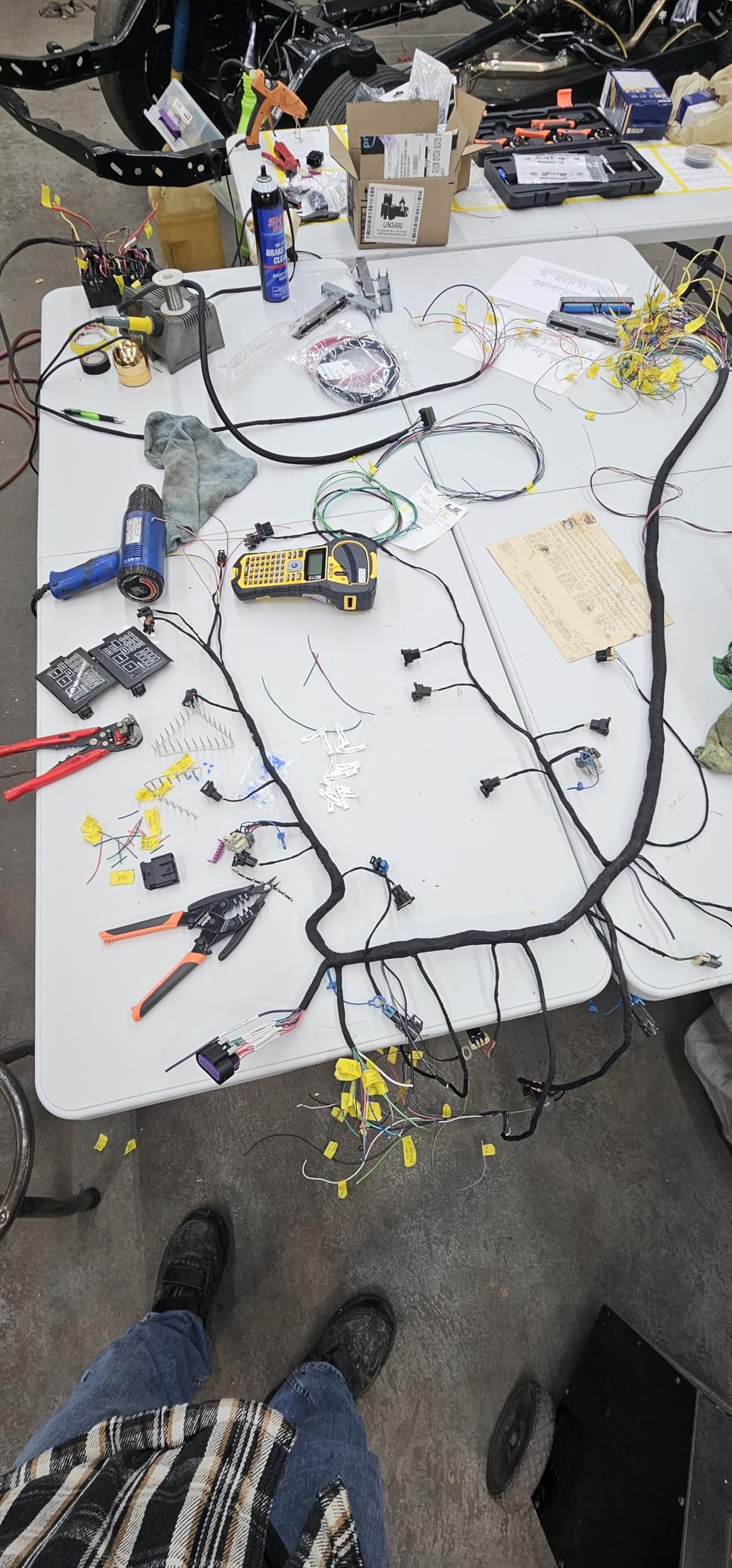
The Brady M210 is the pick for anyone whose labelling happens on a ladder, in a ceiling void or in a plant room. The 6-foot drop rating is not marketing filler, it is the reason this unit appears on electrician forums at all, and it is the reason the Brady name keeps surfacing in trade recommendations for cable work.
Print quality is 203 dpi thermal with an LCD for on-device review and app control from a phone. For panel schedules, conduit runs and equipment tags, that combination is enough to design on site without dragging a laptop into a loft.
The real constraint is media. Maximum width is 0.75 inch, so a 12mm or 18mm flag, a wide equipment plate or a large-format rack label simply will not fit. If your system needs generous panels and faceplates, look at the Brother P-touch Pro instead.
Battery life per charge is modest and the print rate is slow next to a desktop unit, which is the trade for a body that is 9.5 inches tall and takes abuse. Neither complaint matters much for tagging a distribution board. Both matter if you are labelling a whole floor of conduit in a day.
Best for panel work where the tool gets dropped
It is the one to buy for a van-based electrician doing breaker schedules, panel labels and short cable tags. The compact handheld form means it lives in a tool bag rather than on a desk, and the drop rating means you do not think about it every time you set it down on a scaffold.
It also suits facilities teams doing recurring walk-round rounds, where the same handful of panel tags gets reprinted monthly and nothing about the job needs a wide format.
Where it falls short for wide-format work
The 0.75 inch ceiling is the dealbreaker for anyone labelling faceplates, equipment plates or wide rack labels. Brady’s own wider cartridges do not fit this body, so the upgrade path is a different machine rather than different tape.
For high-volume batches, a slow print rate and a battery that needs regular recharging add friction. A desktop-style unit or a keyboard handheld will move through a run of two hundred labels noticeably faster.
3. DYMO RhinoPRO 5200 – the Best Label Maker for Audit-Ready Cable Work
DYMO Industrial Label Maker & Carry-Case RhinoPRO 5200 Label Maker, for Job Sites and Heavy-Duty Labeling Jobs, Prints Fast, Includes 2 Rolls of DYMO Industrial Vinyl Labels
300 dpi thermal output
Code 39 and Code 128 barcodes
TIA/EIA-606-A compliance
Hot Keys for panels and flags
Pros
- Prints Code 39 and Code 128 barcodes on 19mm wide labels
- Meets ANSI and TIA/EIA-606-A labelling standards
- 300 dpi output is sharper than most rivals
- Backlit LCD stays readable in dark panels
Cons
- Non-QWERTY keyboard has a real learning curve
- Fixed label spacing wastes tape
- No sub or superscript beyond preset symbols
If your labelling has to survive an audit, this is the machine. It prints Code 39 and Code 128 barcodes on 3/4 inch labels and meets ANSI and TIA/EIA-606-A industry labelling standards, which is the compliance line that shows up on a structured cabling punch list.
Output is 300 dpi, the sharpest in this group, and the difference is obvious on a dense equipment ID or a small port number. The one-touch Hot Keys auto-format labels for patch panels, terminal blocks, 110 blocks, wire and cable flags and panel wraps, so a structured run does not require manual spacing maths.
The backlit LCD with adjustable contrast is worth noting for a specific reason: racks and panels are dark, and an unlit screen means squinting at every label. Users also report the machine surviving repeated warehouse drops and daily abuse, and the carry case holds multiple cartridges with a rechargeable Li-ion battery that also accepts AA cells.
That Hot Key coverage is why it stays efficient on a patch panel job. Owners who moved to this machine from a generic unit report labelling up to 77 percent faster on panel work, largely because the formatting is one press rather than a menu walk.
Best for structured cabling and compliance work
It is the right pick for a network installer or facilities team where the labels have to be readable by somebody who was not there, and where barcodes and a documented standard matter more than raw speed. Patch panel, punch block and faceplate formats are all covered by dedicated keys.
It also suits anyone labelling IT equipment assets, since the barcode symbologies and 19mm label width cover most asset tagging schemes without a second device.
Where it falls short for fast text entry
The keyboard is not QWERTY and it is the most common complaint in the reviews. Typing a long alphanumeric cable ID is slower than on a conventional layout, and there is a genuine learning curve.
Label spacing is fixed and cannot be reduced, so some jobs waste a meaningful share of the tape, and the symbol selection interface is not intuitive. If you type more than a few characters per label, the Rhino 4200 gives you a real keyboard for much less.
4. DYMO Rhino 4200 – the Best Label Maker for Patch Panel Runs
DYMO Industrial Label Maker, Rhino 4200, Time-Saving Hot Keys, Prints Fast – Durable For Job Sites and Heavy-Duty Labeling Jobs
Full QWERTY keyboard
Prints onto heat shrink tubes
Hot Keys for wraps, flags and barcodes
Six AA battery life
Pros
- Familiar QWERTY keyboard speeds up text entry
- Prints directly onto heat shrink tubes as well as 1/4 to 3/4 inch labels
- Favorites and Custom keys save common label formats
- Light at 0.54 kg with rubber bumpers
Cons
- Small single-line screen requires scrolling
- No adjustable print margin wastes about 0.5 inch per label
- Plastic cartridge hooks wear out after heavy use
This is the Rhino to buy for repeated cable work, and the reason is the keyboard. Owners who switched from the 5200 almost universally prefer this machine for typing speed, because a QWERTY layout turns a two-minute cable ID into a few seconds of work.
It prints on DYMO Industrial labels in 1/4, 3/8, 1/2 and 3/4 inch widths and directly onto heat-shrink tubes. Having both in one machine is the practical reason to pick it over a cheaper unit, especially if you terminate fibre or run outdoor conduit.
Hot Keys cover wire and cable wraps, flags, Code 39 and Code 128 barcodes, fixed-length and breaker labels, and a Favorites key recalls the formats and symbols you actually use. A Custom key saves an individual format so your house standard is always one press away.
It is also lighter at 0.54 kg than the 5200 and carries rubber bumpers for drops, with six AA cells giving long battery life. It is a mobile technician machine in a way the 5200 is not.
Best for typing cable IDs at volume
It suits a network admin doing a rack rebuild, an installer labelling a whole floor, or anyone who prints alphanumeric IDs where every character costs time. Heat-shrink support means finished terminations get the same treatment as the run itself.
The Favorites and Custom keys make it a good fit for a team that has settled on one naming scheme, because the standard format is stored rather than retyped.
Where it falls short for review work
The screen is small and shows one line at a time, so checking a long label means scrolling. For a job where accuracy at review matters more than speed, the 5200 backlit display is the better tool.
There is no adjustable print margin, so roughly half an inch of tape is wasted per label, and the cartridge retention hooks are plastic and can lose grip after heavy use, with owners reporting a rubber band workaround. The print button also sits close to the cut button, which causes stray prints.
5. SUPVAN G15M Mini – the Best Budget Label Maker With Heat Shrink
SUPVAN G15M Mini Portable Label Maker Machine with Heat Shrink Tube
Heat shrink plus cable and continuous labels
0.19 inch print margin
Rechargeable 1200 mAh battery
203 dpi output
Pros
- Handles heat shrink
- continuous
- fixed-size and cable labels in one unit
- 0.19 inch margin is roughly half the industry norm
- Rechargeable battery lasts up to three months per charge
- 9 font sizes and 400+ icons for equipment tagging
Cons
- Overall rating is modest among larger units
- Print speed and resolution trail industrial machines
- Short label lengths per print in the handheld format
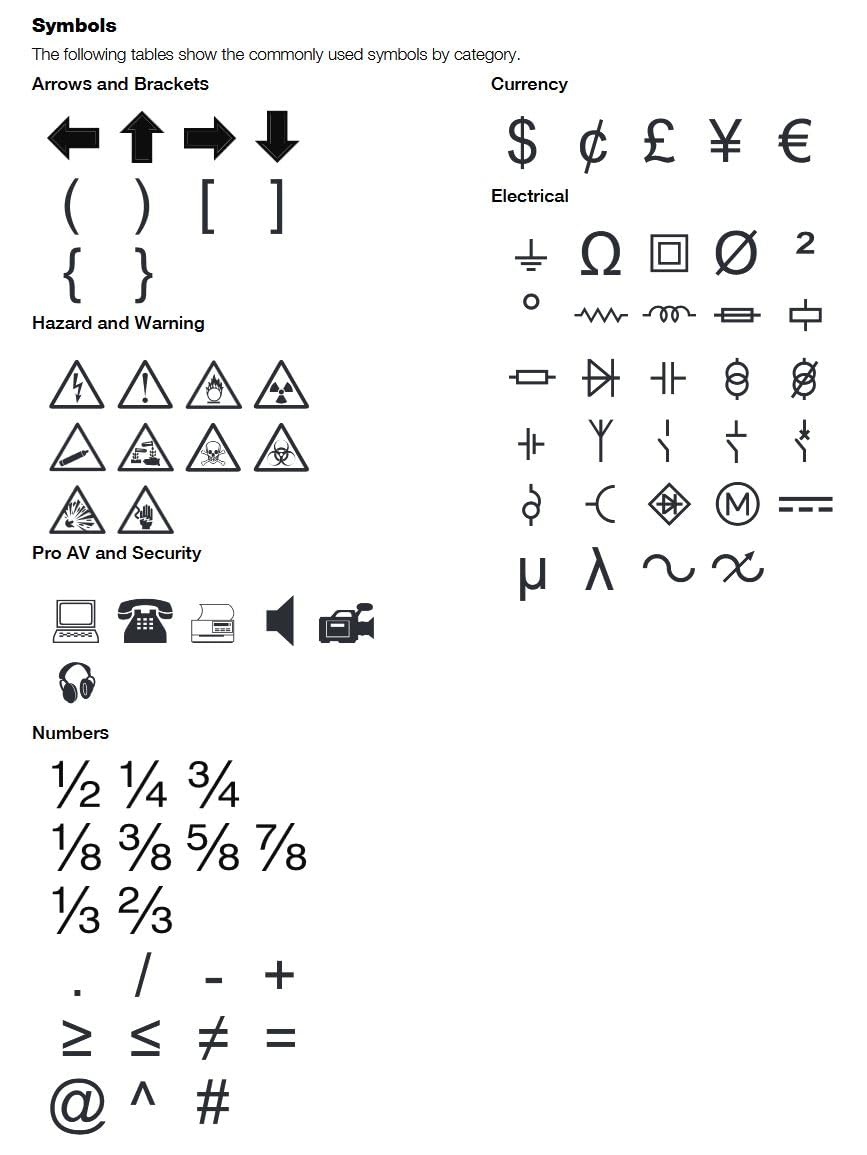
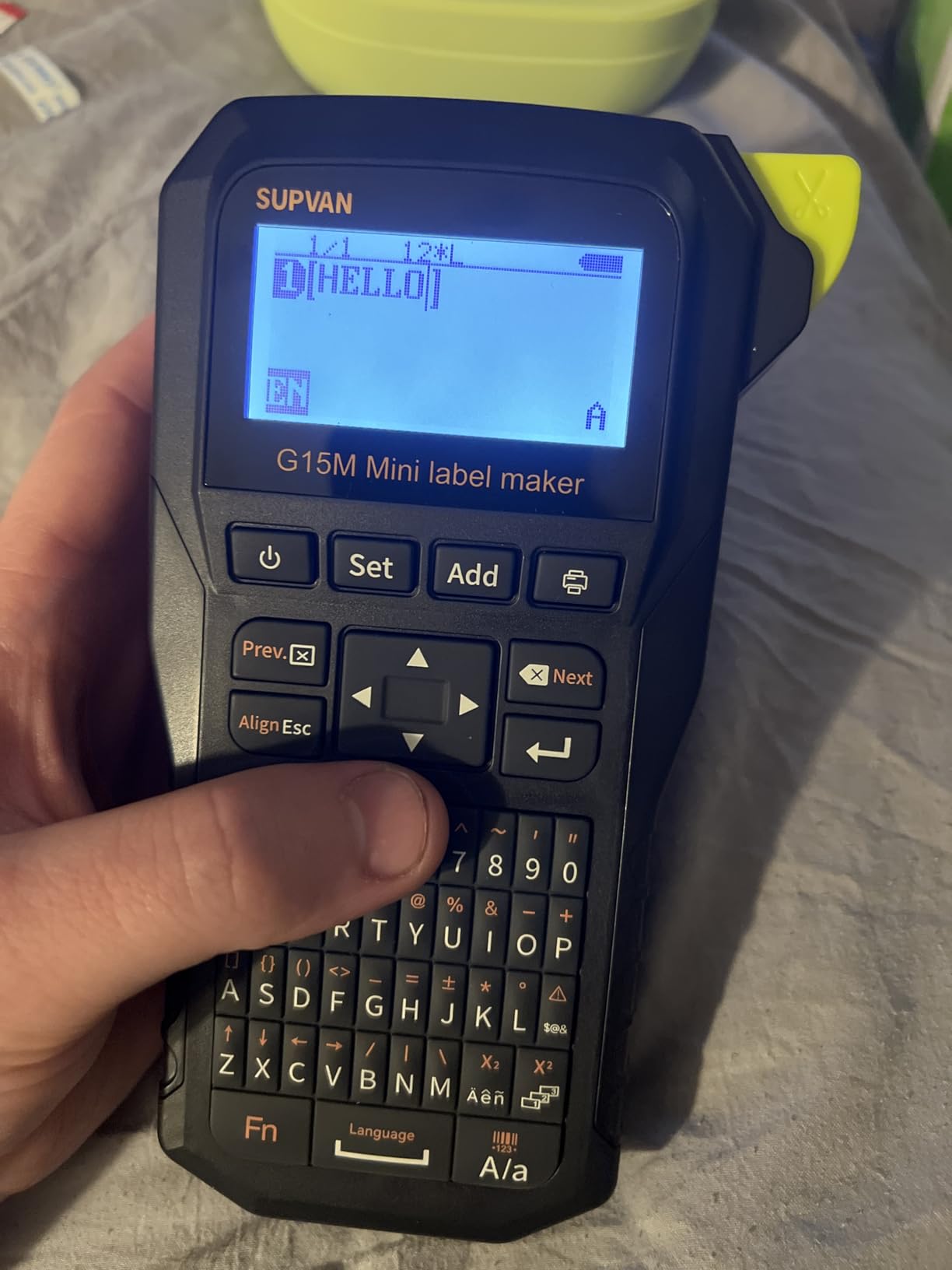
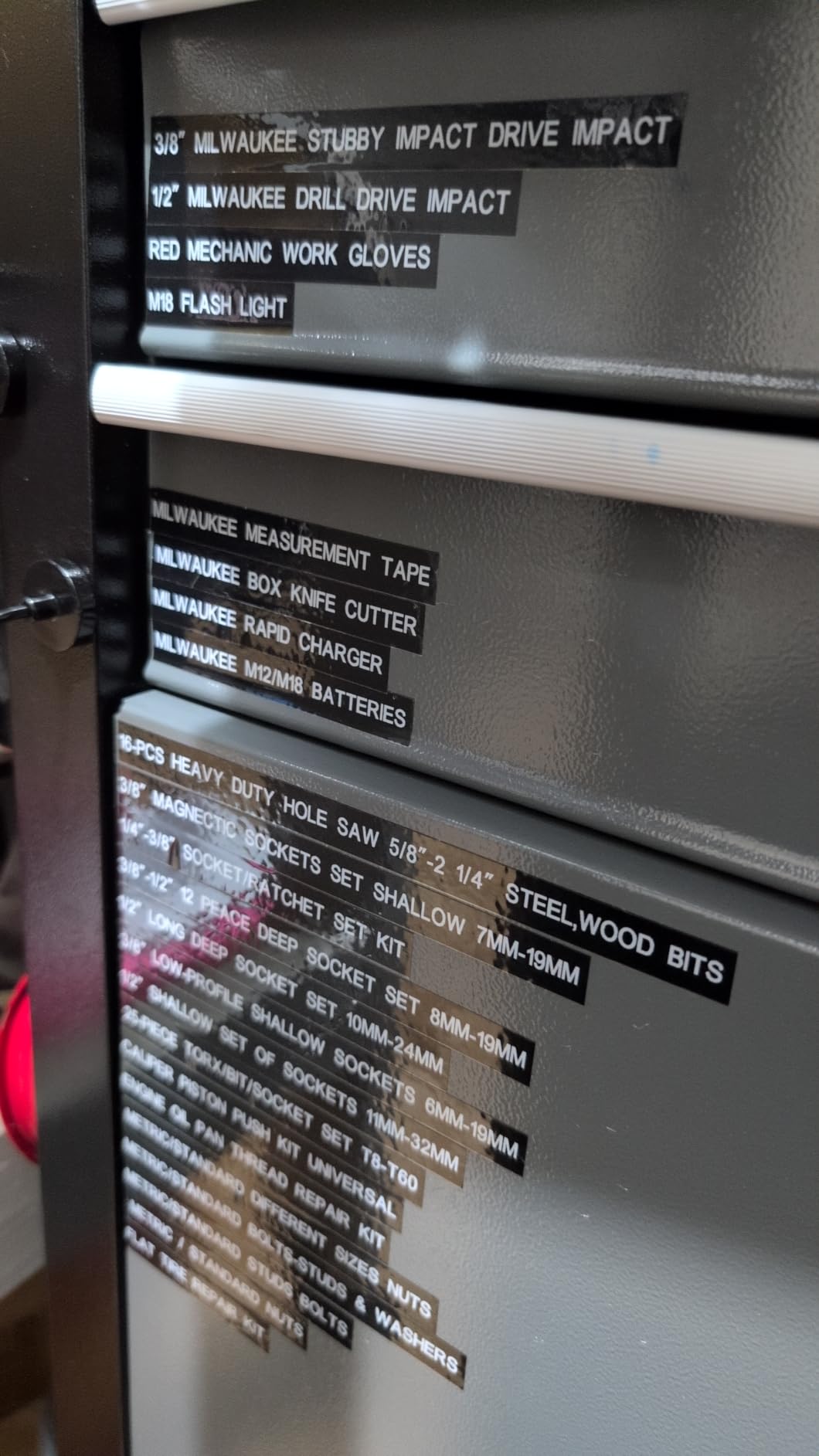
Heat-shrink printing is normally the feature that pushes a price up. The G15M Mini includes a heat shrink tube in the box and handles heat shrink, continuous labels, fixed-size labels and cable labels in the same body, which makes it the cheapest way into permanent cable marking here.
The 0.19 inch print margin is the most aggressive waste reduction on this list, roughly half what a typical desktop unit wastes, and it matters more than it sounds when you are printing hundreds of short terminations.
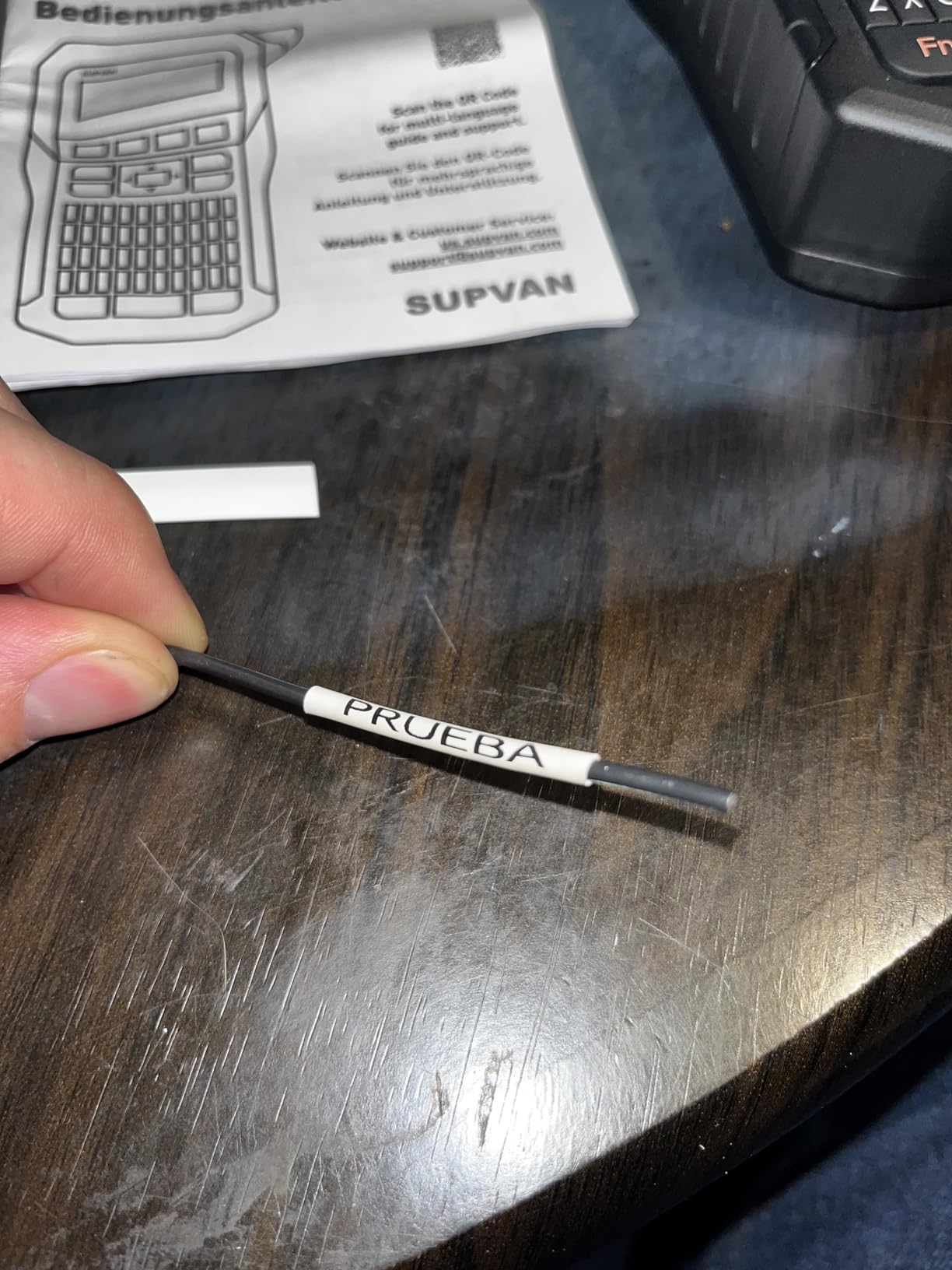
The battery is a rechargeable 1200 mAh cell with a stated run of up to three months per charge, and the body is 0.88 lb in a compact 3.35 by 6.7 by 1.7 inch shell that fits a toolbox without dominating it. Output is 203 dpi, and typography covers 9 font sizes, 6 styles, 5 frames and 400+ icons across up to 4 lines.
Thermal transfer output here is rated for 10 years of resistance to ultraviolet light, heat and water, which makes it a reasonable choice for cable that sits outdoors or in a damp plant room.
Best for first-time heat-shrink users
It suits a homeowner or a small installer who wants permanent terminations without a serious spend, and it is a good companion to a home network build where cables get moved. The included tube means you can try the process before committing to a roll.
It also works for equipment tagging in a home lab, where 4-line labels and 400+ icons cover port and device naming without any extra software.
Where it falls short for professional volume
Its 4.3 rating is the lowest in this group, with 9 percent one-star reviews, and the complaints cluster around output consistency rather than any single failure. If a label has to be right the first time on a client site, that is worth weighing.
Print speed and resolution both trail the industrial units, and the small handheld format means shorter labels per print. It is a cable labelling tool, not a panel labelling tool.
6. VolenGo H1100 – the Best Label Maker for Dark Closets and Cable Drawers
Label Maker Machine with 4 Tapes, Wire Label Maker Waterproof-Labels
Backlit LCD for dark spaces
Three dedicated cable modes
12 mm laminated tapes
USB-C or six AAA power
Pros
- Backlit LCD stays readable in dark panels and closets
- Three cable modes make wire and cable tagging quick
- 12 mm laminated tapes resist water
- oil and abrasion
- Six AAA or USB-C power with 263 ft of tape per cell set
Cons
- Tape adhesive described as not especially strong by some users
- Included reels may need extensive winding before use
- Some third-party tapes trigger an INCORRECT TAPE error
Most home cable labelling happens in the one place with no light: the back of a TV unit, a desk pedestal or a closet. The H1100 has a backlit LCD, and for that specific job it is the difference between a tool you use and a tool you avoid.
Three dedicated cable modes sit on the device, so wire and cable tagging is a mode selection rather than a formatting exercise. Four 12 mm laminated tapes are included, and the media is rated against water, oil, abrasion and extreme temperatures.
Typography is generous for the price, with 16 fonts, 100 frames and 800 symbols, which covers the port names and device IDs that fill a home network. Power is flexible: six AAA cells or the included USB-C cable, and a cell set is quoted at about 263 ft of tape.
It is a straightforward machine with clear menus, quick tape changes and a body light enough for a portable toolkit. For a home drawer full of USB-C, HDMI and Ethernet, that combination is the whole job.
Best for a home AV and network cable drawer
It suits a household or small office labelling a handful of USB-C, HDMI and Ethernet runs where a readable screen in a dark cupboard is the deciding factor. The cable modes make the first attempt less intimidating for someone who has never used a label maker.
It is also a decent second device for a technician who works mostly in dark racks but already owns a rugged unit for the field.
Where it falls short on tough adhesive jobs
Adhesive strength is the weak point in the reviews, with some users describing the tape as not especially strong. On a cable that moves, that is where a flag will lift at the corner, so flexible nylon is the better buy for run labels.
Consumable handling also frustrates some owners: included reels can need extensive winding before they load properly, some third-party tapes throw an INCORRECT TAPE error, and the USB cable is short enough to need an adapter. Budget for branded reels.
7. Brother PTE110 Industrial Handheld Kit – the Best Label Maker for Faceplates and Panels
Brother PTE110 Industrial Handheld Label Printer Kit
Cable wrap, flag and faceplate keys
Four widths from 3.5 to 12 mm
180 dpi thermal
Serial number printing
Pros
- Three quick keys for cable wrap
- cable flag and faceplate
- Four label widths cover most light commercial work
- Laminated tapes with a plastic-like coating
- Hard carry case and safety wrist strap included
Cons
- Needs six AAA batteries and loses memory if they are removed
- No screen backlight for dark panels
- Prints excess tape at the end of each label
The PTE110 is built around three keys that name cable jobs directly: cable wrap, cable flag and faceplate. Technicians and electricians consistently single those out, because the machine assumes you are labelling infrastructure rather than filing folders.
Four label widths from 3.5 mm to 12 mm cover the range most residential and light commercial work needs, and the laminated tapes give a plastic-like coating that resists wear and reads professionally on a faceplate at eye level.
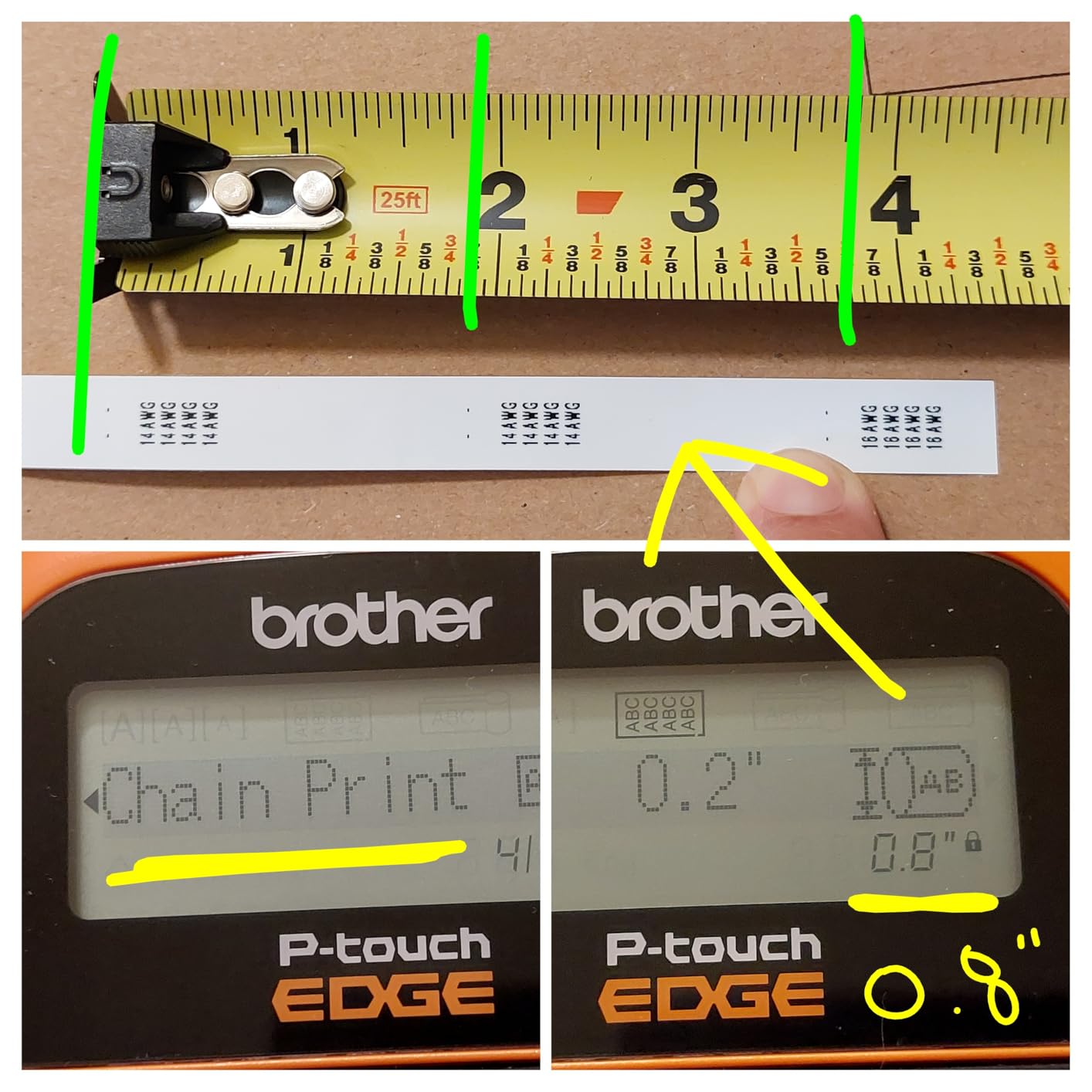
It also prints serial number strips and hand-cut label tape, which is how a run of identically numbered ports or devices gets done without retyping. The hard carry case and safety wrist strap mean it stays with a tool kit rather than migrating to a desk drawer.
At 180 dpi it is not the sharpest output here, but on the larger faceplate formats that limit does not bite. It is an easy machine to learn without reading the manual, which is a real advantage for occasional use.
Best for installers covering panels and faceplates
It suits low-voltage, security and AV installers whose work spans faceplates, punch blocks and short cable tags, and the wrist strap plus hard case make it a genuine portable kit rather than a desktop machine in a bag.
It is also a good first industrial Brother for a small contractor, because the laminate-at-print construction is the same approach that makes the brand’s tape the most durable in the category.
Where it falls short for long or dark jobs
There is no screen backlight, so in a dark panel or closet you are checking contrast under whatever light you have. For that environment, a backlit model is a better fit.
It runs on six AAA batteries, which are not included, and stored label memory is lost if they are removed. It also prints excess tape at the end of every label, wire wrap labels perform poorly on 12 to 18 gauge wire, and justification is limited to one alignment, which is annoying when matching existing panel schedules.
8. Brother P-touch Pro PT-H111 – the Best Premium Label Maker for Cable Work
Brother Genuine P-touch PTH111 P-Touch Pro Label Maker
Cable Wrap, Flag, Faceplate and Serialize keys
Graphic LCD preview
Laminated TZe tape from 3.5 to 12 mm
14 oz body
Pros
- One-touch Cable Wrap
- Cable Flag
- Faceplate and Serialize keys
- Graphical LCD previews the label before printing
- Durable laminated labels that resist scratches and grime
- Works with 3.5
- 6.0
- 9.0 and 12.0 mm genuine TZe tapes
Cons
- Runs on six AAA batteries or a separately sold adapter
- not rechargeable
- Wastes tape on the first label after a change
- Limited to two printed lines per label
The P-touch Pro is the default recommendation for good reasons, and the most important one is media rather than hardware. It uses genuine TZe tape, and because the format is so widely supported, third-party refill tapes work well and cost less. Electricians on trade forums still point out that standard P-touch labels are available at any office supply store, which means consumables never stop a job.
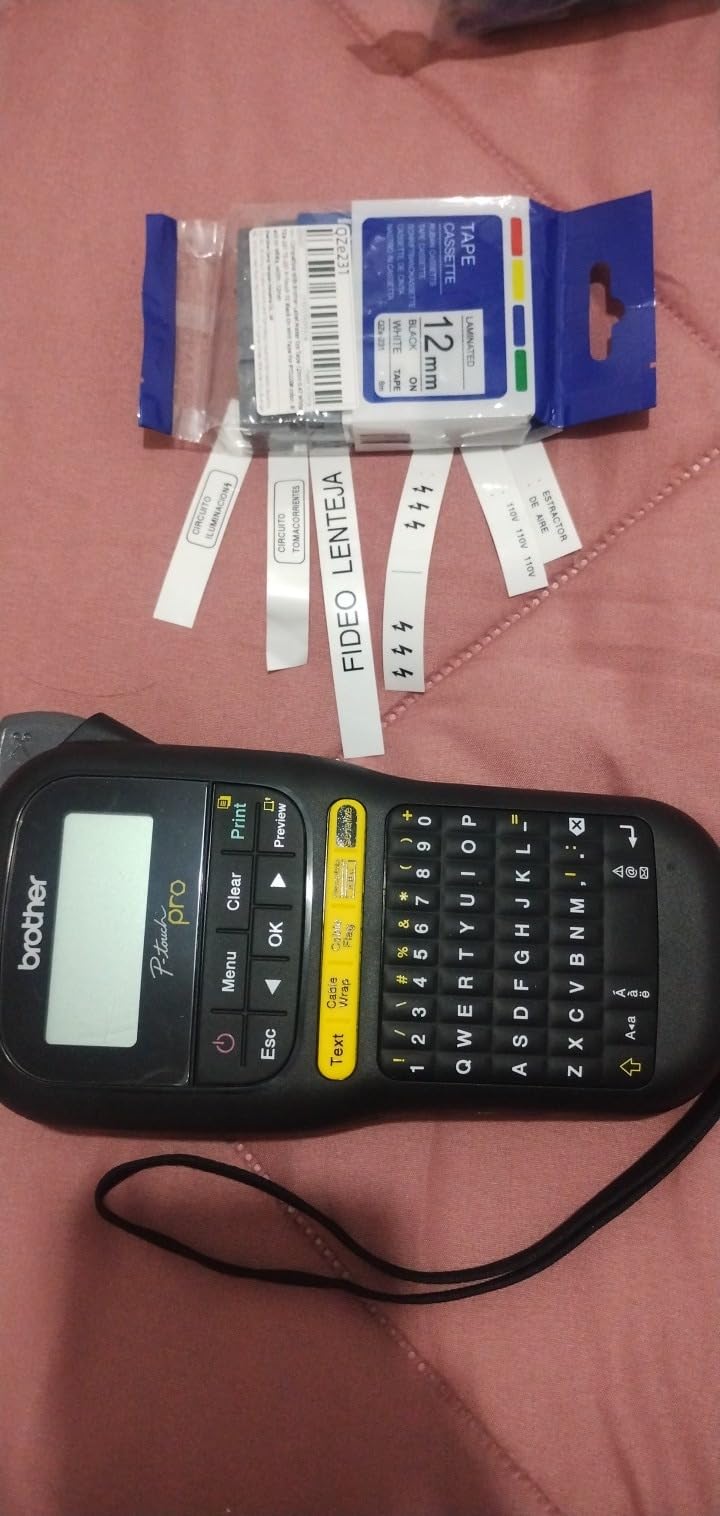
The one-touch Cable Wrap, Cable Flag, Faceplate and Serialize keys cover the formats this article is about, and the graphical LCD previews the label before printing. That preview is what stops a wasted roll, because a cable ID is exactly the kind of text where a single wrong character matters.
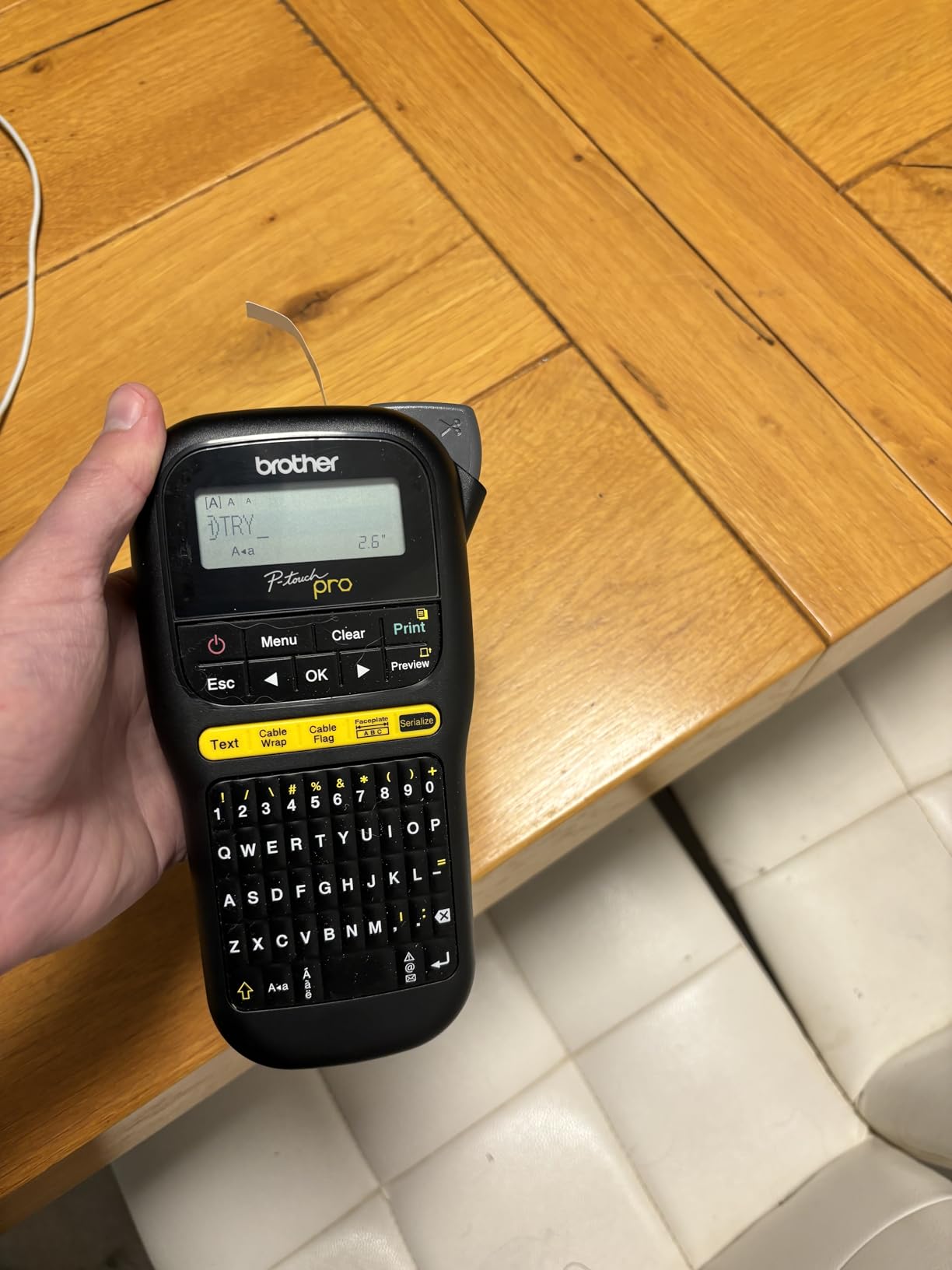
Typography covers three fonts and over 300 symbols, which handles engineering notation and equipment IDs without hunting through menus. Two printed lines per label across 3.5, 6.0, 9.0 and 12.0 mm TZe widths is enough for a run ID plus a source and destination, which is the format most structured cabling schemes use.
Build longevity is a genuine asset here. Owners report the previous generation still running after 15 to 20 years, and the 14 oz body with a detachable wrist strap is comfortable for extended use. A 12 mm black-on-white flexible cable and wire ID tape roll is included.
Best for technicians who print mixed cable labels daily
It suits a working IT, security or audio technician who labels cables, panels and equipment in the same session, and who will replace tapes often enough that third-party TZe refills are worth using. The preview screen also makes it the safer choice for anyone labelling equipment that a colleague will read later.
Because TZe tape is stocked everywhere, it is the least risky choice for a household or small business that labels a few cables a month and does not want to hunt for consumables.
Where it falls short for large formats and batches
Two printed lines is a real ceiling for a faceplate or a long descriptive asset tag, and chained serial printing does not work for flag labels, so a run of numbered flags needs a different plan.
It is not rechargeable, running on six AAA batteries or an optional adapter, and it cannot reduce side spacing, so it wastes tape on the first label after a change. Barcode support is also absent, which rules it out for asset tracking schemes that need Code 39 or Code 128.
9. DYMO Rhino 1011 Metal Embosser – the Best Label Maker for Marine and Utility Runs
DYMO Rhino Labeler, 1011 Metal Tape Embossing System Kit
Embossed stainless steel and aluminum labels
No ink or toner
Cable-tie slot and hole punch
Cast aluminum frame
Pros
- Embossed metal resists corrosion
- UV
- chemicals and extreme temperature
- No ink or toner so text cannot fade or smear
- Built-in hole-punch and cable-tie slot punch
- Casting handle produces consistent square or rounded edges
Cons
- Mechanical embossing only
- limited to 1/2 inch wide labels
- No barcodes
- graphics or serialised printing
- Manual character wheel is slower than electronic units
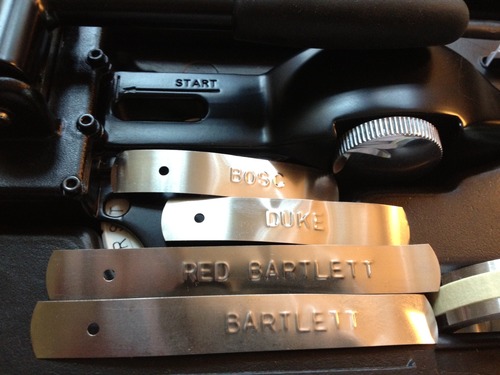
When a cable lives somewhere laminate cannot survive, stop laminating. The Rhino 1011 embosses stainless steel and aluminum labels in 1/2 inch, and the text is physically raised into the metal rather than printed onto a coating. Nothing about it can fade, smear or be scratched off.
That makes it the right tool for marine, utility, rail and heavy industrial tagging, and for any run where the label has to be permanent enough that replacing it is not worth considering. The cast aluminum frame takes rough conditions and the integrated measuring gauge keeps label lengths consistent.
Mounting is built in. A hole-punch handles hanging tags and a cable-tie slot punch handles the standard cable-tie mount, so a metal tag on a cable bundle is a single operation rather than a drill and a fastener.
The kit includes the embosser, standard and reverse-image character wheels, 1/2 inch aluminum and stainless labels and a hard carry case. The reverse wheel matters when a label needs to read from the cable side rather than the viewer side.
Best for harsh outdoor and industrial cable runs
It suits marine, utility, agricultural and industrial work where salt, ultraviolet, solvents and temperature swings would defeat a laminate within a season. Asset tags and plant room identification are natural fits because a metal tag survives equipment moves and resales.
It is also the pick for anyone who needs a tag that cannot be altered, because raised metal characters are effectively tamper-resistant.
Where it falls short for anything electronic
It produces 1/2 inch wide labels with a limited character set and nothing else. There are no barcodes, no graphics and no serialised printing, so it cannot serve an asset tracking scheme.
Character wheel selection is mechanical and slow next to an electronic labeler, and replacement wheels plus metal blanks add ongoing consumable cost. For ordinary indoor cabling this is the wrong shape of tool.
10. SUPVAN E11 – the Budget Pick Label Maker for Home Cable Management
SUPVAN E11 Keyboard & Bluetooth Label Maker Machine with 4 Tapes
Built-in keyboard plus Bluetooth app
1200 mAh rechargeable battery
0.2 inch print margin
15 mm continuous tape
Pros
- Over 4000 reviews and a top ranking in office label makers
- Prints from the built-in keyboard or the Bluetooth app
- Rechargeable 1200 mAh battery with up to a month per charge
- 0.2 inch margin is about one fifth the size of competitors
Cons
- No heat shrink tube support
- Keyboard is limited next to a full QWERTY unit
- Maximum 15 mm tape width caps label size
The E11 is the most-reviewed machine in this roundup, with over 4,000 reviews and a top ranking in office label makers, and the reason is that it removes almost every reason not to label. It weighs 0.5 lb, it is rechargeable, and it prints either from a small built-in keyboard or from a free Bluetooth app.
That dual control path is the design decision that makes it work for a home. The keyboard is fine for a quick flag you are typing once, and the app is where you design a proper scheme and reuse it. The app offers 30+ fonts, 50+ frames, 660+ icons and 17 languages, with templates saved locally.
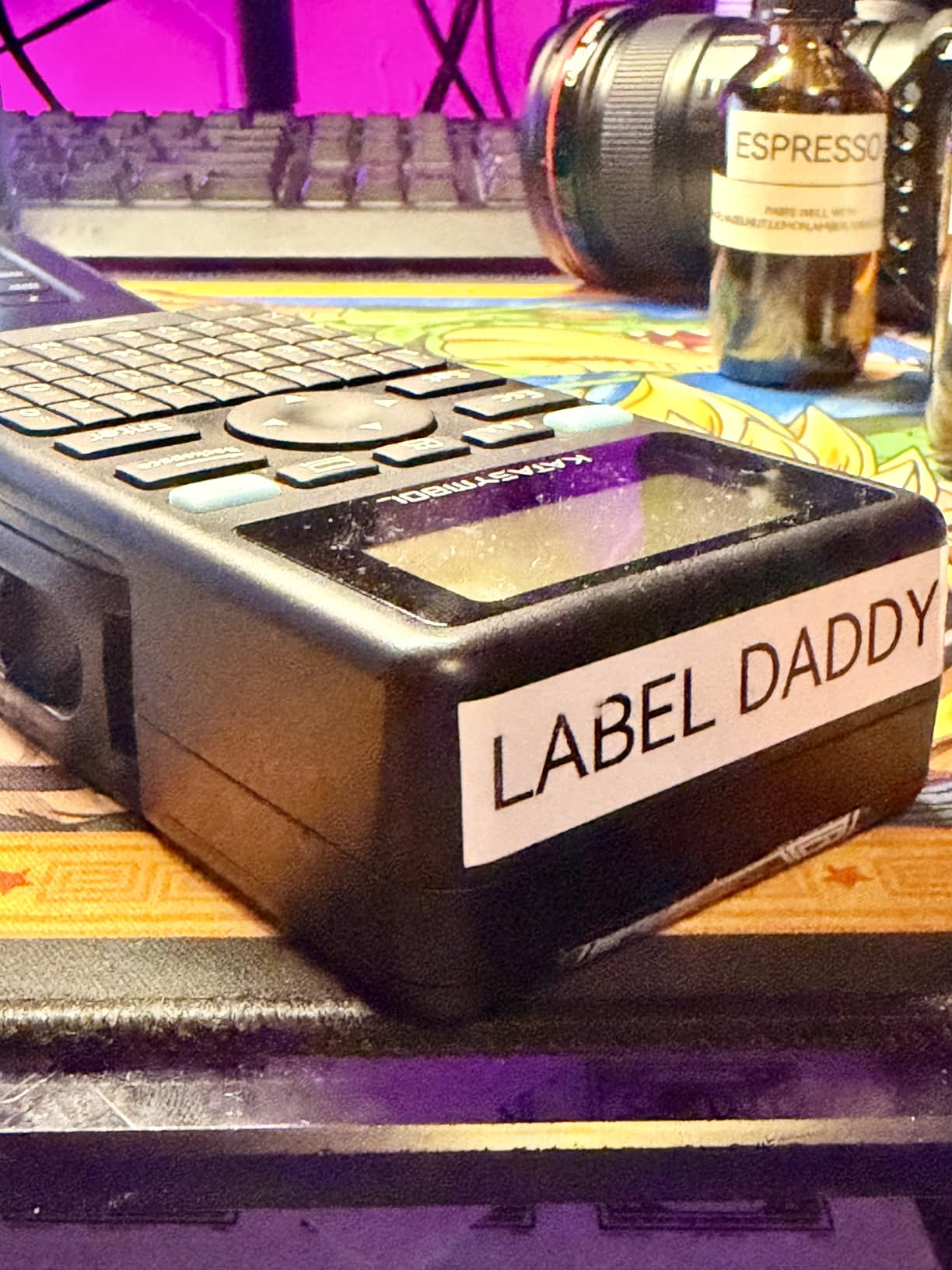
Tape handling is unusually good for a compact unit. It takes both continuous and die-cut tapes, so you can run long content without fixed-length gaps, and the 0.2 inch print margin is about one fifth the size of typical competitors, which cuts waste on short flags significantly.
Two rolls of 15 mm continuous tape and two rolls of 12 mm die-cut tape are included, and output is 203 dpi at up to 28 pages per minute. On paper that is a serious specification set for a compact body.
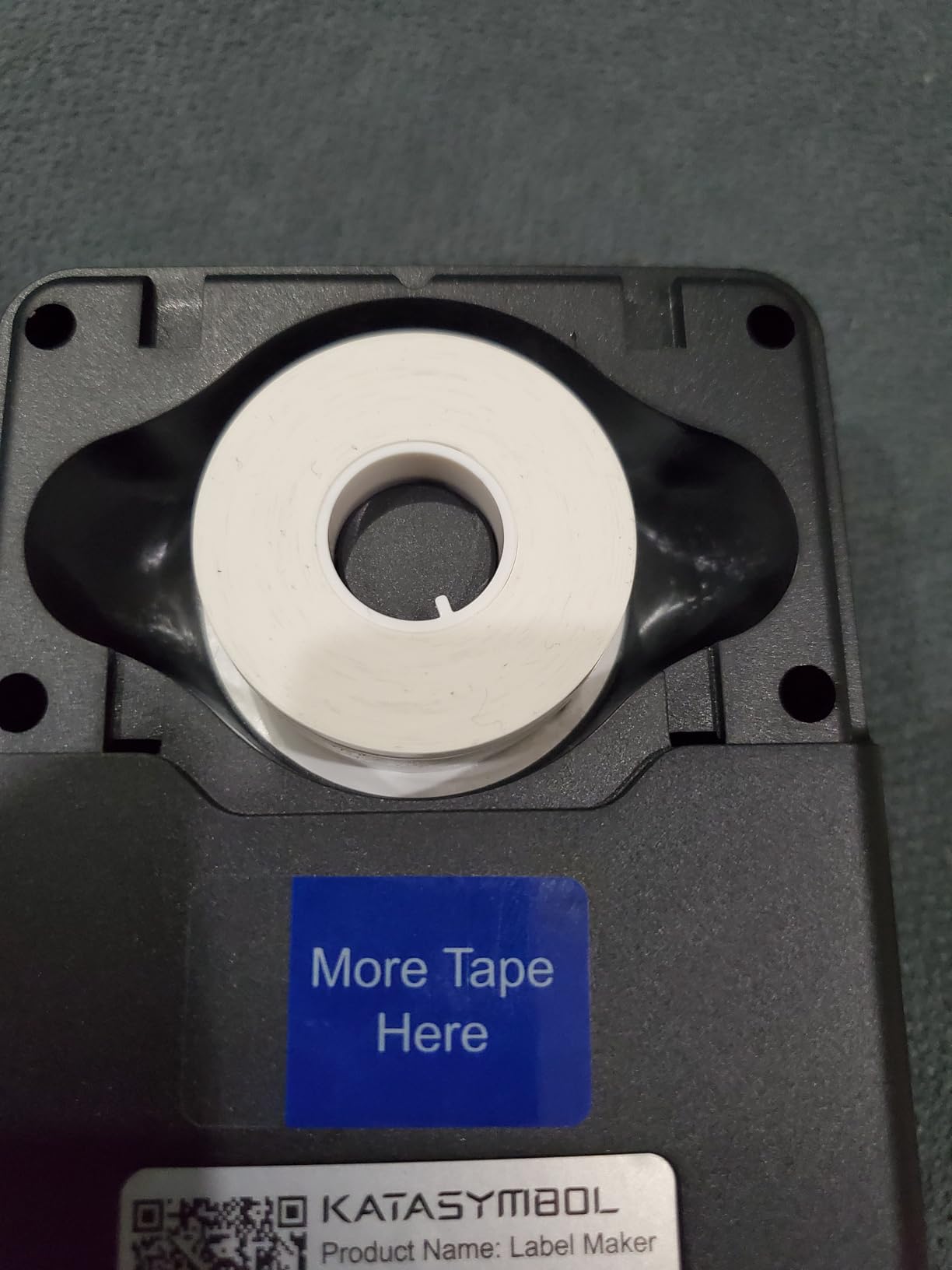
Best for a home or small office labelling system
It suits anyone who wants a tidy cable drawer or a small office network closet without researching professional equipment. A rechargeable battery and a month of runtime between charges means it sits in a drawer and is ready when the next box of cables arrives.
It is also a good batch-printing companion for equipment tagging, since die-cut tape and the app work together, though importing a spreadsheet is the reliable route to large runs.
Where it falls short for permanent cable marking
It does not print heat shrink tube, which removes the only format that cannot be peeled off. For terminations that will be moved or pulled, that rules it out.
The built-in keyboard is limited next to a full QWERTY industrial unit, 15 mm is the maximum tape width, and users report occasional Bluetooth connection and app reliability complaints. Treat the app as a convenience, not a dependency, and type the short labels on the device.
How to Choose a Label Maker for Cable Management
Seven criteria decide how a cable label maker performs in real conditions, and most buyers weigh the wrong ones first. Price is the least predictive of the seven, because the printer is a one-off and the tape is the recurring cost.
1. Native format support. Confirm the machine prints the format you need, not merely that the brand sells it. Flag, wrap and heat-shrink support are the split that matters, and several machines here support only two of the three.
2. Laminate construction. A machine that laminates the tape as it prints produces a sealed label that tolerates abrasion, oil and handling. A machine printing onto pre-laminated tape is cheaper to make and more exposed at the edges. This single factor predicts peeling better than anything else on the spec list.
3. Media width against your smallest format. Check the narrowest and widest tape the machine accepts against the formats you will actually use. A 12 mm ceiling is fine for flag and wrap work and useless for equipment plates, and a narrow ceiling rules out larger faceplate labels permanently.
4. Adhesive and surface. For anything that flexes, flexible nylon beats rigid laminate. For textured jacket, powder-coated steel and ribbed conduit, clean the surface with an alcohol wipe before applying, and place the seam of a wrap on the underside of the cable where it is not under tension.
5. Print resolution against label height. 180 dpi is acceptable on a 12 mm faceplate and marginal on a 6 mm flag. If another person has to read the label in a bundle, 203 dpi is the practical floor and 300 dpi is the comfortable answer.
6. Connectivity and power. Bluetooth with app control is convenient but adds a failure point, and forum users report pairing and app stability complaints on budget models. A keyboard handheld with replaceable cells is more reliable in a server closet. Rechargeable is better for a home; AA cells are better for a week of site work.
7. Consumable cost and tape availability. Brother TZe has a large third-party refill market, so branded tape is a choice rather than a requirement. Brady and DYMO industrial cassettes have almost no equivalent supply, which means the printer is effectively an entry cost to a tape subscription. Check what a full-width cable tape roll costs before you commit, and remember that labels wear out on a schedule, not a purchase.
A wrong tool to avoid. A tape-cassette label maker and a 4×6 thermal shipping printer are different devices with different purposes, and confusing them is a common and expensive purchase error. A thermal shipping printer produces whole labels for parcels and cartons and cannot make a cable flag; a label maker produces narrow tape and cannot print a shipping label. If you need parcel labels, read our ecommerce label printer guide instead. If you need to know which end of a cable goes into which port, you want a label maker.
A Cable Naming Scheme in 5 Steps
A label maker is only half the job. The other half is a scheme that means something to whoever reads it six months from now, ideally without asking you.
1. Fix the two ends. A run needs one identifier, printed identically at both ends. Mismatched labels are the most common failure in a rack, because the patch at one end no longer matches the patch at the other.
2. Choose a fixed field order. Decide the sequence once and never vary it. A workable order is source device, source port, destination device, destination port, and a type marker. Keeping the order constant means a label can be read without decoding it.
3. Use a delimiter that cannot appear in a value. A hyphen or an underscore is safer than a space, because a space inside a field makes a label ambiguous at a glance under a rack.
4. Match the format to the identifier length. A long descriptive ID belongs on a faceplate, not on a 6 mm cable flag. If the text will not read on the flag, shorten the scheme rather than shrinking the font.
5. Print both formats. Cable flag for the run, equipment label for the device. Then store your formats in the machine Favorites key or the app template, so the whole system is one press away from correct.
Frequently Asked Questions
What is the best way to label cables?
Five steps: pick the format first (flag for a cable run, wrap-around for a finished run, heat-shrink for permanent terminations, metal for marine and utility work), choose a machine that prints that format natively, select media matched to the environment, test a label on the actual cable jacket, and adopt one fixed naming scheme so both ends of a run carry the same identifier.
What label maker do electricians use?
The Brady M210 is the most common answer, because it is rated to survive 6-foot drops and prints at 203 dpi on site. The DYMO RhinoPRO 5200 leads for compliance work, printing Code 39 and Code 128 barcodes to TIA/EIA-606-A standards. The DYMO Rhino 4200 wins where typing volume is high, with a full QWERTY keyboard and heat-shrink support. The Brother P-touch Pro is the general standard, valued for laminated TZe tape and widely available consumables. The Rhino 1011 covers marine and utility runs with embossed metal.
What is the best network cable label printer?
For a rack that has to be readable by someone else, the DYMO RhinoPRO 5200 leads, printing Code 39 and Code 128 barcodes at 300 dpi to ANSI and TIA/EIA-606-A standards with one-touch Hot Keys for patch panels and flags. For a high volume of cable IDs, the DYMO Rhino 4200 is faster to type on and also prints onto heat-shrink tubes. For equipment asset tagging with barcodes in a small space, the Vixic unit supports both symbologies over Bluetooth.
Which label printer is better, DYMO or Brother?
It depends on the media. Brother laminates tape as it prints, so labels resist abrasion, oil and handling, and the TZe format has a large third-party refill market that lowers ongoing cost. DYMO offers faster print speeds, higher resolution on the RhinoPRO 5200, built-in heat-shrink support and the barcode and TIA/EIA-606-A compliance features structured cabling requires. Electricians tend to end up with both, using Brother for panels and DYMO for cable runs.
Why do my cable labels peel off?
Four causes account for most failures. The edge of a label is where adhesive sees the most flex, so a rigid laminate on a moving cable lifts at the corner first. A curved or textured jacket gives the adhesive less contact area than a flat surface, so clean it with an alcohol wipe before applying. A wrap seam placed on top of the cable is under tension and peels. And a thin laminate over a cable jacket that flexes will eventually crack. Flexible nylon for wraps and heat-shrink for terminations solve all four.
The Verdict on the Best Label Makers for Cable Management
The best label makers for cable management in 2026 come down to the label job, not the brand. The Vixic heat shrink unit is our pick overall because it prints all three cable formats, holds a rechargeable battery, wastes little tape and carries a 4.5 rating across more than 2,000 reviews.
For compliance and audit work, the DYMO RhinoPRO 5200 wins on barcodes, TIA/EIA-606-A standards and 300 dpi output. For typing volume, the Rhino 4200 is the one, with a QWERTY keyboard and heat-shrink printing. For job-site durability, the Brady M210 takes drops. For permanent marine and utility tagging, the Rhino 1011 embosses metal that cannot fade.
Whichever you pick, decide the format first, choose flexible nylon for anything that moves, and print a test label on the actual cable jacket before you commit to a roll. The printer is the cheap part. The tape is what you will be buying for the next five years.