
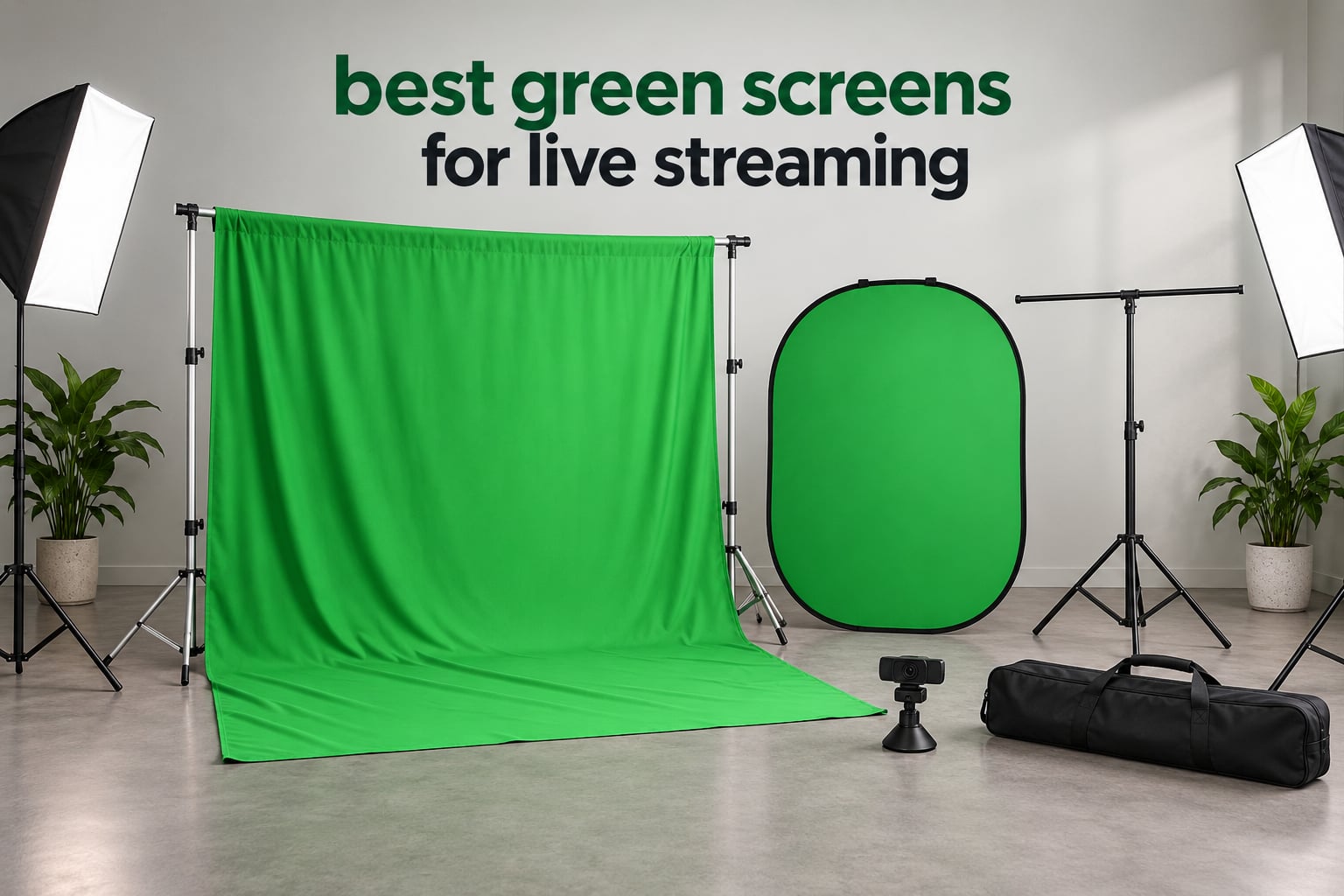
If your streaming room doubles as a bedroom, a home office, or a spare closet, the background behind you is almost always the weak point on camera. The best green screens for live streaming fix that in one move: you hang a matte green surface behind you, your software samples that exact colour, and everything matching it drops out of frame. What is left is a clean cutout of you that can sit on top of a city skyline, a fantasy forest, or a sponsor’s logo board.
We spent weeks setting up, steaming, keying, and re-keying every screen in this roundup, and compared ten of the most popular chroma key backdrops on the market right now. Three things decided almost every ranking: how fast the screen goes up, whether the fabric blocks light from behind it, and whether it stays wrinkle free after it has been folded in a bag for a month.
Before we get into the picks, one honest word. If you are just starting out and your camera framing is head and shoulders only, a virtual background inside OBS costs nothing and takes about ten seconds to set up. Green screens earn their keep when you move, when you want real shadows on your face, or when you want layered scenes that a flat virtual background cannot fake. Our green screen picks for home studios go deeper on that room-by-room decision.
Table of Contents
Our Top 3 Picks for Best Green Screens for Live Streaming in 2026

NEEWER 5×6.5ft Pop-Up Green/Blue
- 5x6.5ft open
- Steel spring frame
- 1.1 lb
- Folds to 25.6 inch disc

EMART 10x12ft Backdrop and Stand Kit
- 10x12ft cloth
- 3-8.5 ft adjustable
- Double-rod stand
- 11 lb

JEBUTU 5×6.5ft Kit with Stand and Bag
- Stand and 5 clips included
- 2.69-6.5 ft height
- 4.9 lb
- Machine washable
All 10 Green Screens Compared at a Glance (October)
| Product | Specifications | Action |
|---|---|---|
| NEEWER 5×6.5ft Pop-Up Green/Blue |
|
Check Latest Price |
 HEMMOTOP 5x7ft Fabric Backdrop HEMMOTOP 5x7ft Fabric Backdrop |
|
Check Latest Price |
 EMART 58x74in Collapsible Panel EMART 58x74in Collapsible Panel |
|
Check Latest Price |
| EMART 10x12ft Backdrop with Stand |
|
Check Latest Price |
 EMART 5×6.5ft Kit with T-Stand EMART 5×6.5ft Kit with T-Stand |
|
Check Latest Price |
 HEMMOTOP 8×7.5ft Backdrop with Stand HEMMOTOP 8×7.5ft Backdrop with Stand |
|
Check Latest Price |
| JEBUTU 5×6.5ft Kit with Stand |
|
Check Latest Price |
 RAUBAY 78.7 x 82.7in Collapsible Panel RAUBAY 78.7 x 82.7in Collapsible Panel |
|
Check Latest Price |
 JINSUI 10x10ft Chromakey Fabric JINSUI 10x10ft Chromakey Fabric |
|
Check Latest Price |
 RAUBAY 59.8 x 86.6in Retractable RAUBAY 59.8 x 86.6in Retractable |
|
Check Latest Price |
1. NEEWER 5×6.5ft Pop-Up Green and Blue Screen – Best Overall
NEEWER Chromakey Backdrops, Double Sided Green Screen and Blue Screen, 2 in 1 Collapsible and Reversible Background for Photography, Gaming and Live Streaming, 5’×6.6’/1.5m×2m (Green/Blue)
5x6.5ft open
150x200cm
Folds to 25.6 inch disc
1.1 pounds
Pros
- Pop-up spring frame needs no stand assembly
- Green and blue on one reversible panel
- Lightest unit here at 1.1 pounds
- Folds to a 25.6 inch disc with carry bag
- 7037 reviews with a strong five-star skew
Cons
- Smallest open footprint at 5x6.5ft so it is tight for wide shots
- Fabric is not waterproof
- Listed measurements carry a 3-4 cm margin of error
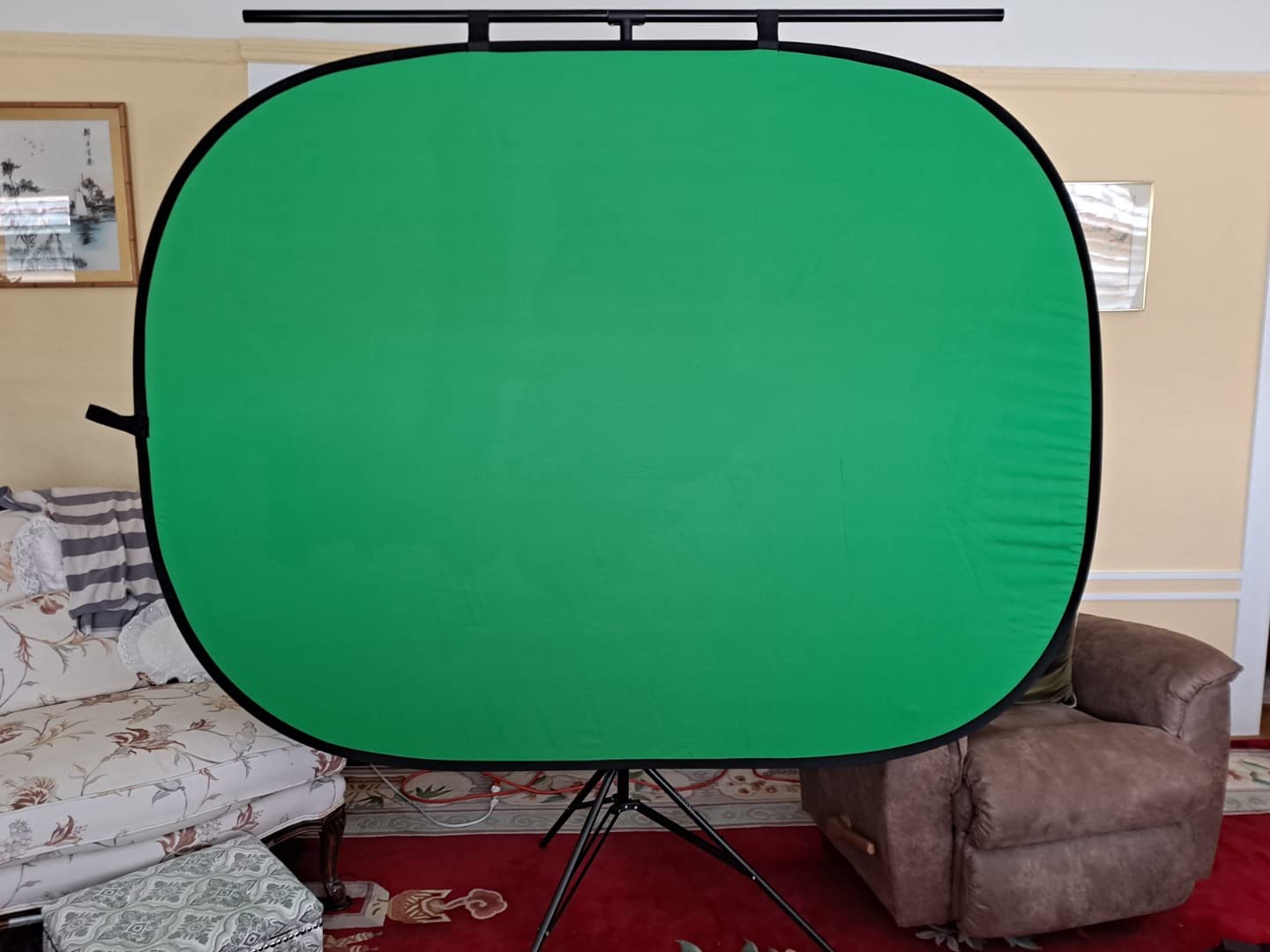
This is the screen we ended up streaming from the most, and it is not because it is the most capable. It is because it is the least annoying. The steel frame is sewn into the fabric, so you unfold the disc, pop it open, and it holds its own shape on a desk, a tripod, or leaned against a wall. There is no crossbar to thread and no height knob to lose.
Weighted with a couple of books on the base, it survived a full evening of standing and sitting content without shifting. The dual-sided panel is genuinely useful rather than a gimmick: green for keying, and the blue side when a sponsor wants a different look or when someone in frame wears green.
The 5×6.5ft open size is 150 by 200 centimetres, which sounds small until you stand in front of it. For a seated talking head and a webcam at arm’s length, it is genuinely generous. For a full-body standing shot with wide-angle framing, you will feel the edges creeping in.
One measurement note: the listed dimensions carry a stated 3-4 cm margin of error, so measure your desk or stand before you commit. It is not waterproof, which matters less indoors than the fact that it blocks light well enough that a single key light in front does the job.
Who the NEEWER pop-up suits
It suits anyone streaming ten hours a day who cannot afford to spend ten minutes on setup. Packed, it is a 25.6 inch disc that fits in a closet corner or under a desk, and the carry bag means you can move the whole studio to a different room between sessions.
It also suits people with almost no floor space. At 1.1 pounds, one person can carry it, lean it against a door, hook it to a wall, or clamp it to a tripod. Our video switcher picks assume you have the same limited desk footprint.
Who the NEEWER pop-up does not suit
It does not suit full-body or two-person streaming. Two people at shoulder width plus camera margin will run past 5×6.5ft quickly, and once the frame edges show, the key falls apart at the sides.
It does not suit creators who want a permanently tensioned surface either. A pop-up disc sags a little in the middle over long sessions, and there is no way to tension it. If you need a rock-flat wall of green every day, look at the retractable panel further down.
2. HEMMOTOP 5x7ft Fabric Backdrop – Best Lightweight Fabric
Hemmotop Chromakey Green Screen Backdrop, 5x7ft Small Background Fabric
5x7ft cloth
Two-sided polyester
14.08 ounces
Rod pocket
No stand
Pros
- 14 ounces so it packs anywhere
- Two-sided with non-reflective front
- Laser-cut seamless one-piece construction
- Machine washable and ironable
- Rod pocket on the 5ft side
Cons
- Fabric only
- no stand included
- Arrives folded and needs steaming first
- Thin weave can let light through in dark setups
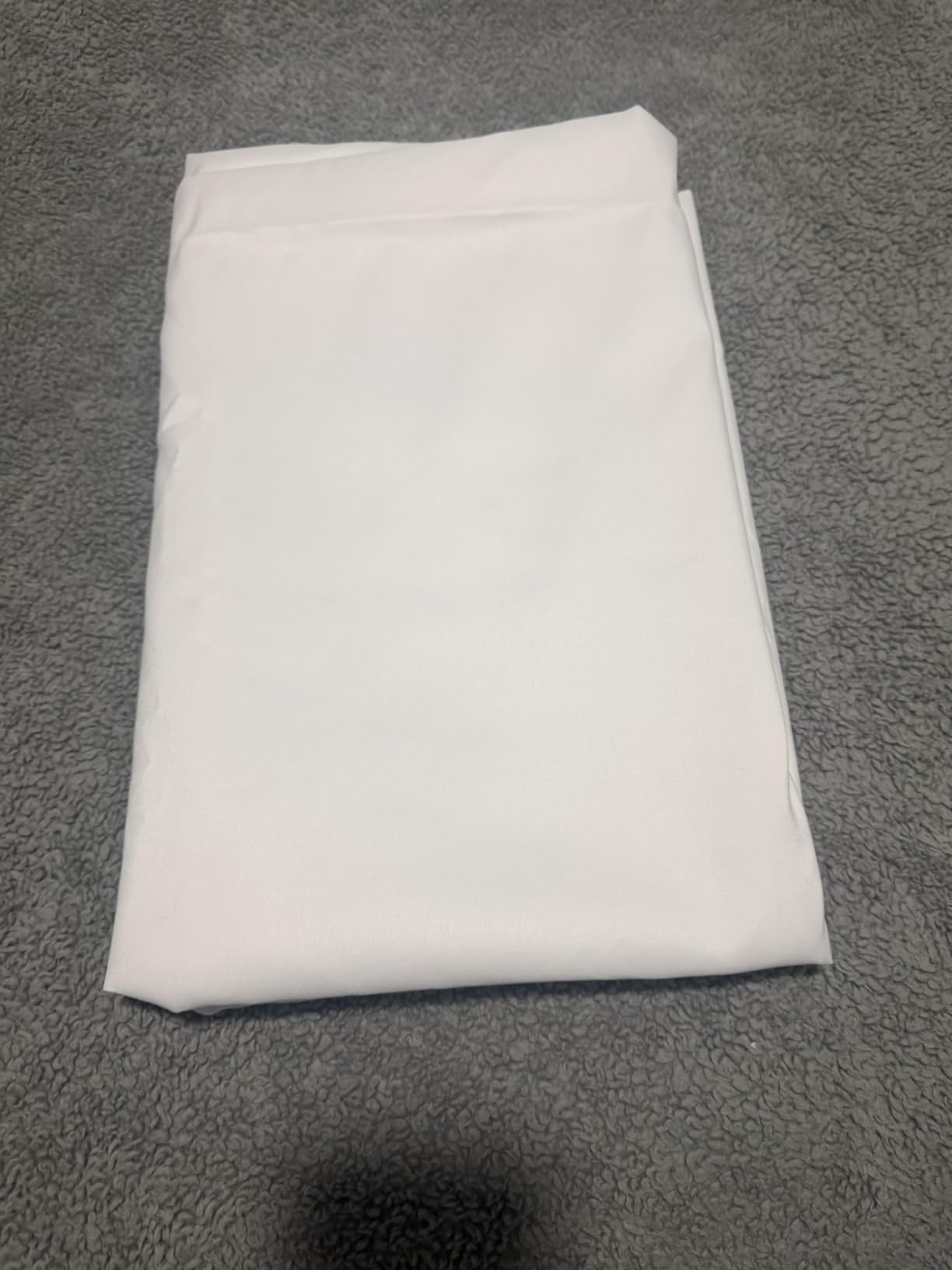
This is the fabric we reach for when the room is small and the storage space is smaller. At 14 ounces it is effectively weightless, and it rolls into a backpack. Our team uses one as a backup cloth that lives permanently in a studio corner.
The two-sided construction is the detail most cheap cloths skip. The front face is non-reflective, which is what you want for keying. The back is reflective, which helps when you are bouncing a light off it instead of lighting the screen directly.
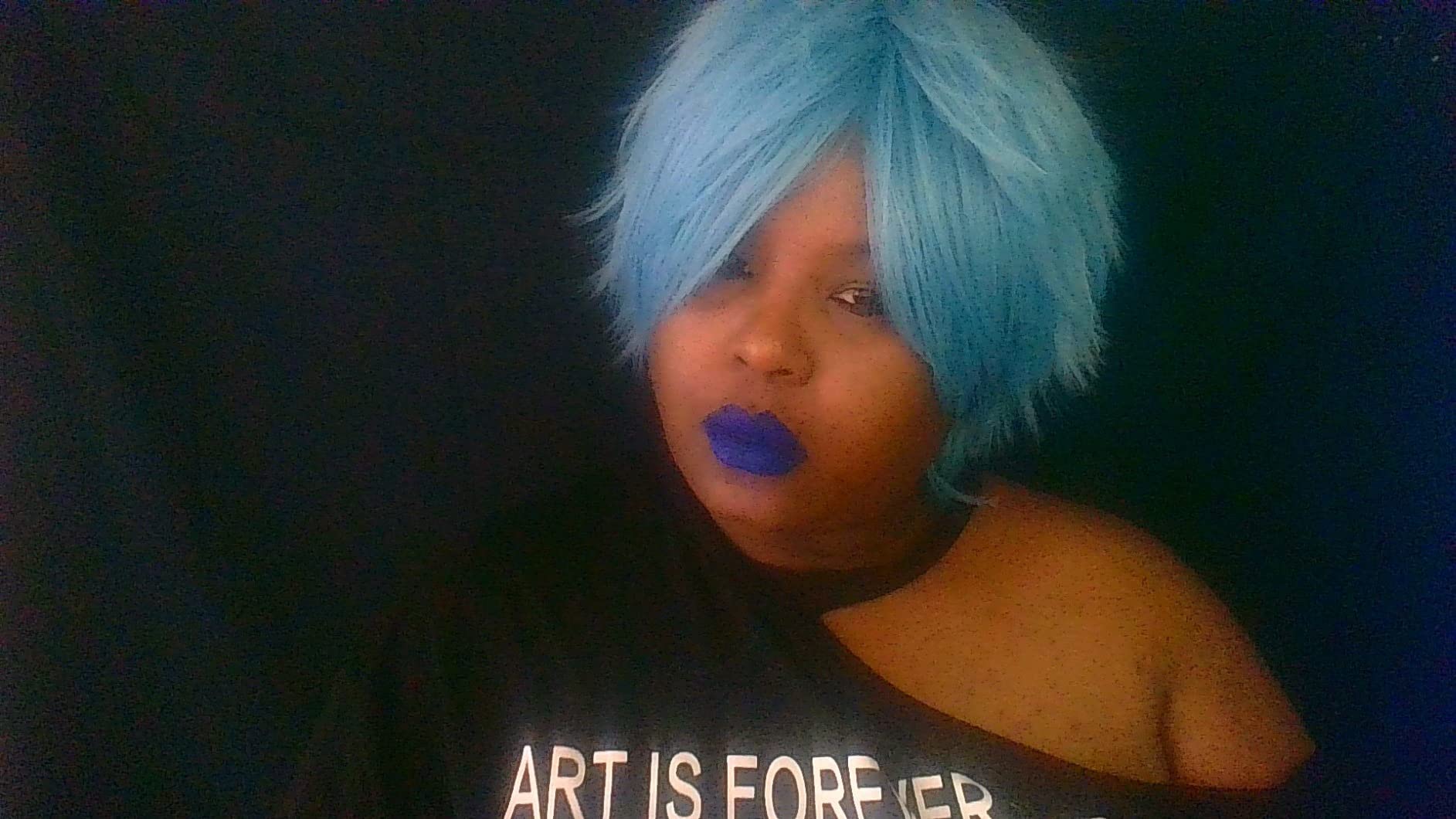
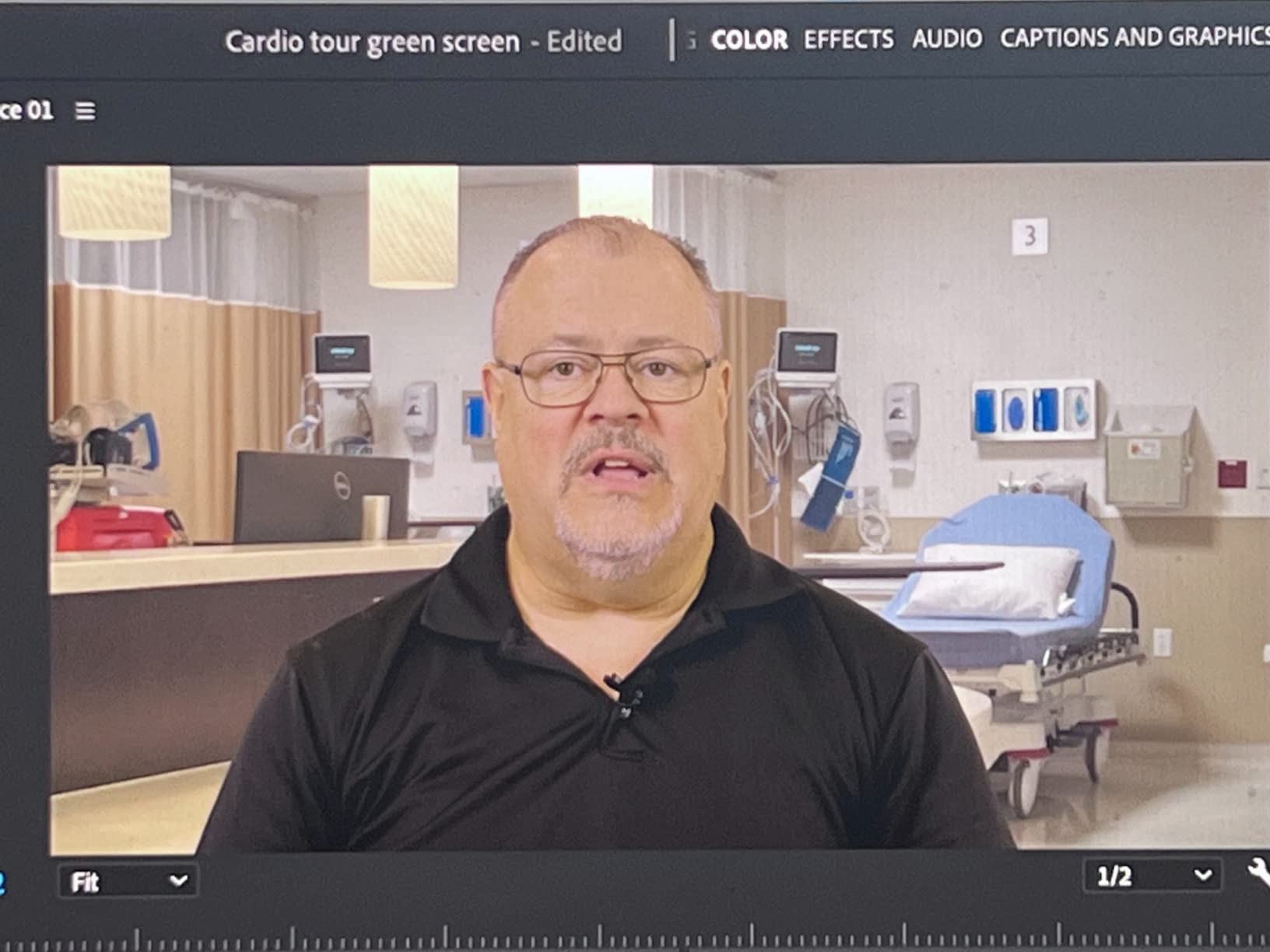
Reviewers running OBS and Zoom report clean, artifact-free keys with no patchiness across the surface, which is a good sign for colour consistency. The 5x7ft cut is a little taller than the 5×6.5ft cloth most budget kits include, and the rod pocket on the 5ft side lets it mount on almost any stand.
The laser-cut one-piece construction means no stitched seams running vertically down the middle of the frame. Seams catch light differently from flat fabric, and that difference is exactly what a key picks up as a visible line.
Who the HEMMOTOP fabric suits
It suits anyone already owning a backdrop stand, or anyone with a rail, a curtain track, or a pair of ceiling clips. At this weight, hanging options open up that a heavier kit simply cannot use, and there is a 12-month warranty behind it.
It also suits creators who move between locations. Streaming from a rented room, a friend’s place, or a co-working space, a 14-ounce cloth is the difference between a kit you own and a kit you borrow.
Who the HEMMOTOP fabric does not suit
It does not suit anyone who wants zero setup steps. There is no stand in the box, so you need to source your own, and it arrives folded, which means it needs steaming or ironing before your first clean key.
In a dark room with a bright monitor behind the camera, the thin weave can let a small amount of light bleed through. That reads as a dim patch on camera, and it is the one limitation buyers mention most often.
3. EMART 58x74in Collapsible Chroma Key Panel – Best for Daily Setup Speed
EMART Green Screen, 58x74in Collapsible Chroma Key Panel for Backdrop
58x74in open
Built-in pneumatic stand
8.89 kg
Retracts to 3.9 x 4.5 x 61in
Pros
- Integrated stand means nothing separate to assemble
- Pneumatic X-frame locks at any height
- Wrinkle-resistant non-reflective cloth
- Retracts into its own hard case
- Owners report five-plus years of daily use
Cons
- Heaviest carry weight here at 19.6 lb
- 58 inch width is narrow for Zoom framing
- Some units report the top detaching after months of daily takedown
- Off-gassing smell on first unpack
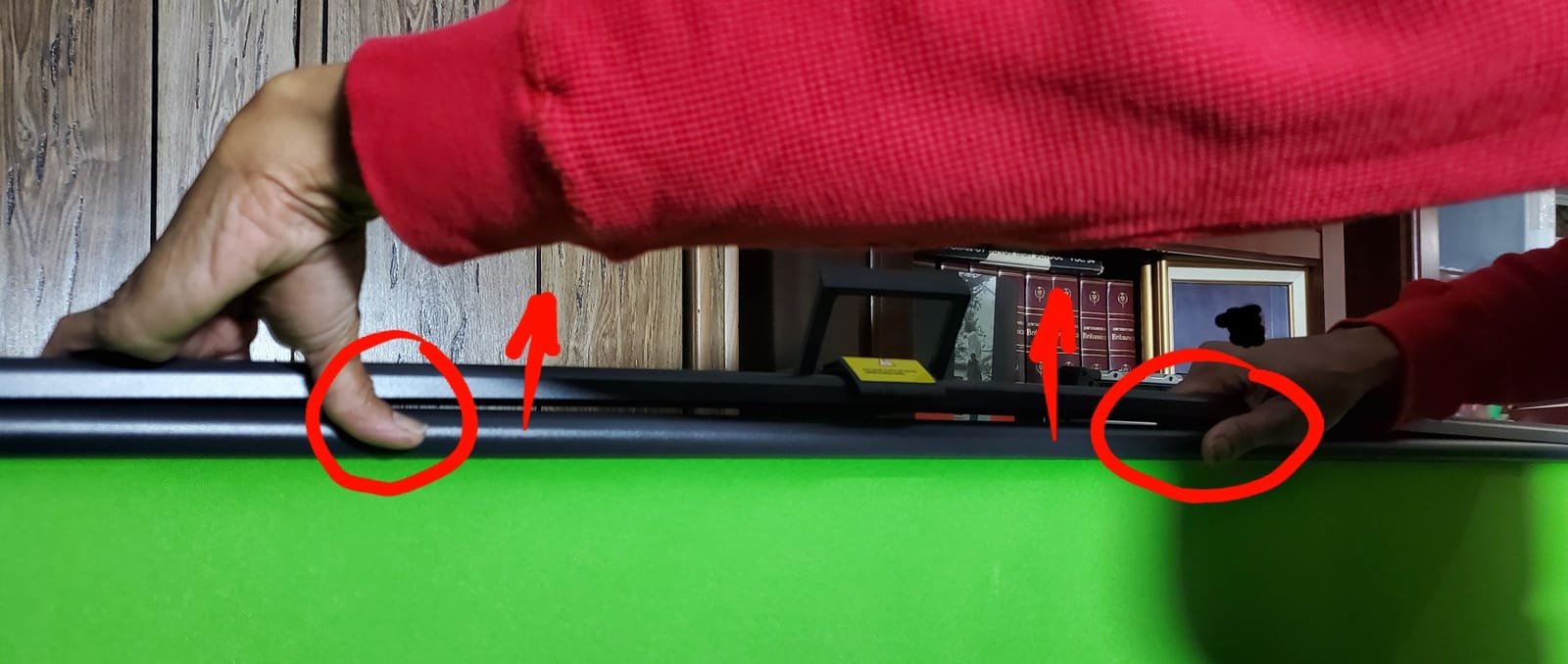
This is the screen for a streamer who tears down after every session and does not want to rebuild a stand each time. You open the case, lift the panel, and the pneumatic X-frame locks at whatever height you stop at. That single design decision removes the entire assembly step.
The cloth is non-reflective and wrinkle resistant, and users running it daily for streaming and video calls report that it does not develop the shine that spoils cheaper fabric after a few months under lights. Several owners report five-plus years of daily use on the same unit.
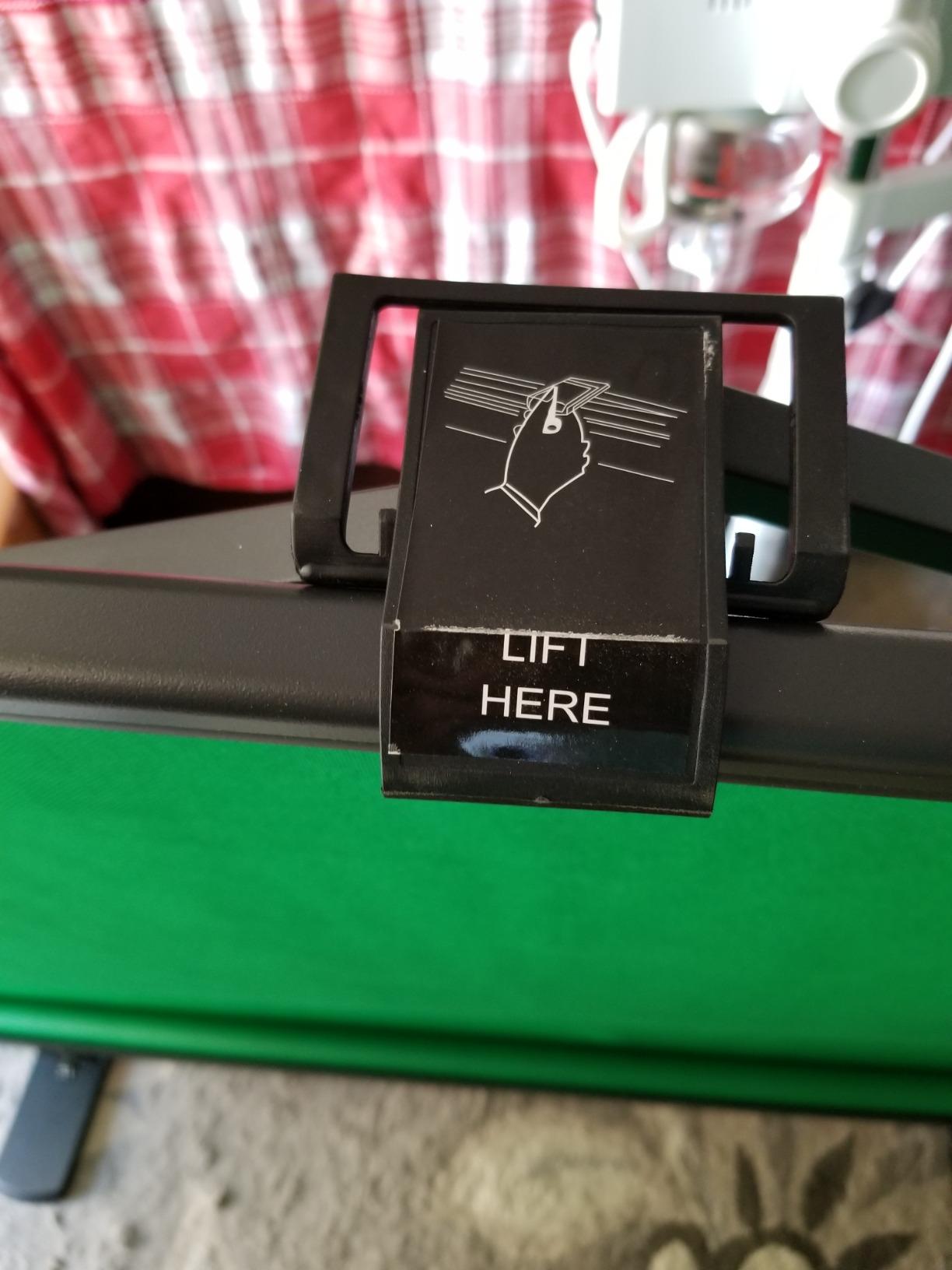
The tradeoff is real and it is weight. At 8.89 kilograms this is a two-hand carry, and the retracted package is 3.9 by 4.5 by 61 inches. Swivel-out base feet keep it stable next to a ceiling fan or in a room where a plain tripod would drift, which matters more than it sounds when you move your arms a lot on camera.
A practical warning: air the unit out after unpacking. Owners report an off-gassing smell on first use that you do not want close to a microphone in a small room. It also scratches hardwood if you drag the feet while repositioning.
Who the EMART collapsible panel suits
It suits high-frequency streamers, remote workers doing daily video calls, and anyone in a rented space where leaving a stand assembled is not an option. Push it down, put the case in the closet, done.
It also suits creators who frame precisely. Because the frame locks at any height, you can set the top of the screen exactly where you want the frame edge to fall, instead of guessing with a separate crossbar.
Who the EMART collapsible panel does not suit
It does not suit small or narrow rooms. The 58 inch width is tight for standard Zoom framing, and several buyers say the panel should be a foot wider. It also does not suit anyone who moves studios often without a vehicle.
Long-term owners do report one durability issue: some units see the top of the screen detach from the frame after months of daily takedowns. Worth knowing if you are the type to collapse it every single night.
4. EMART 10x12ft Backdrop with Adjustable Stand – Best Value for Large Rooms
EMART Green Screen Backdrop Kit, 8.5x10FT Stand with 10x12FT Backdrop
10x12ft backdrop
8.5x10ft stand
Adjusts 3-8.5 ft tall
5 kg
Pros
- Largest coverage in this price tier
- Aluminium stand adjusts 3-8.5 ft high and 5-10 ft wide
- Double-rod support keeps cloth flat
- Everything fits into one carry bag
- One person assembles it in minutes
Cons
- Dry clean only so it cannot be laundered at home
- 11 lb kit with a large floor footprint
- Stand is smaller than the cloth so it overhangs
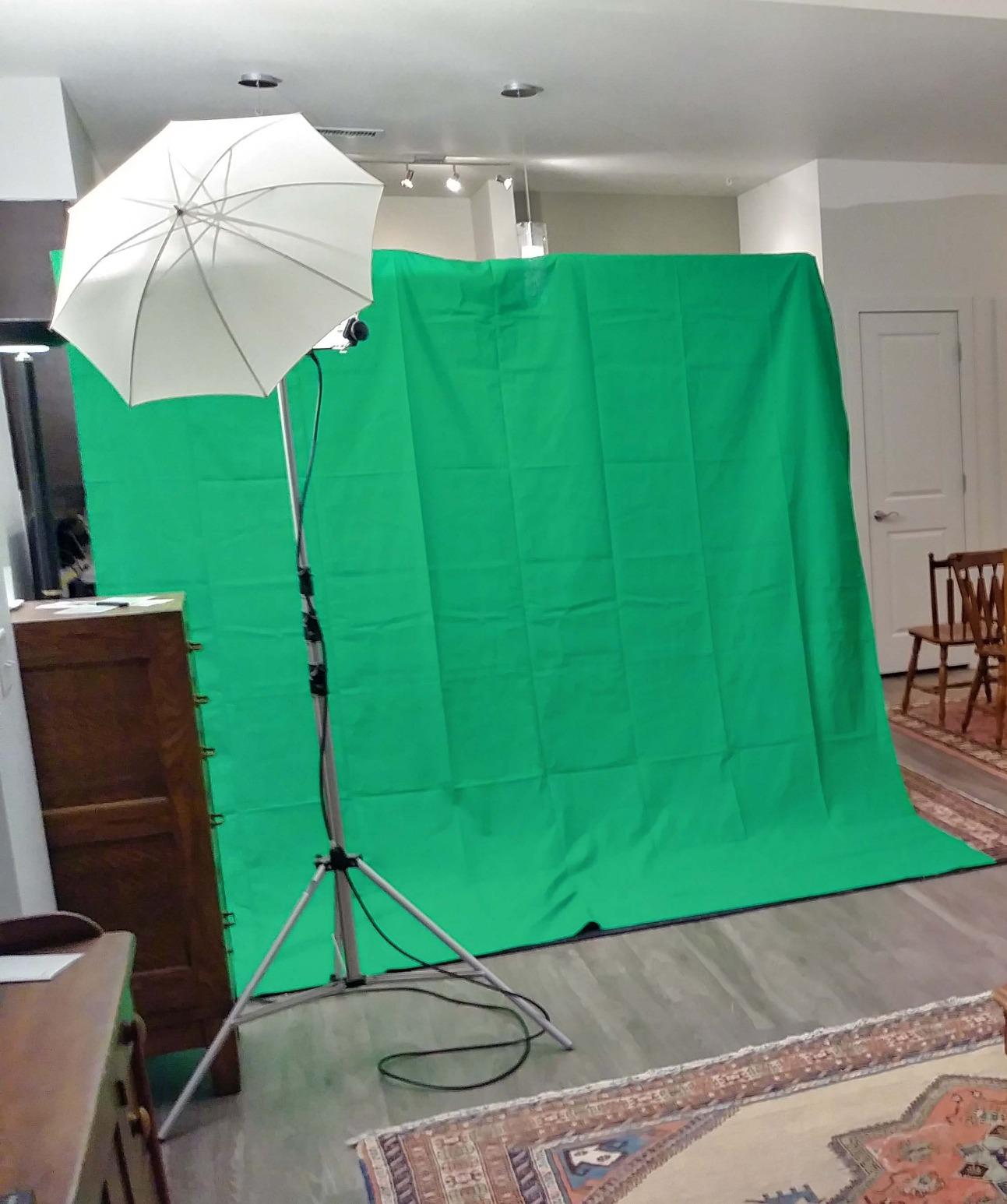
When your content is standing, full-body, or you simply want a wall of green that never enters frame, this is the kit we point people toward. The 10x12ft cloth hangs well past the edges of a wide frame, so camera position stops being a precision exercise.
The double-rod support and tripod base are what make this different from a cheap cloth-and-two-pole kit. Two rods hold the top edge level, which stops the sagging and diagonal creasing that ruin a key. At 4.6 across 2,352 ratings it is the highest-rated complete kit we tested.
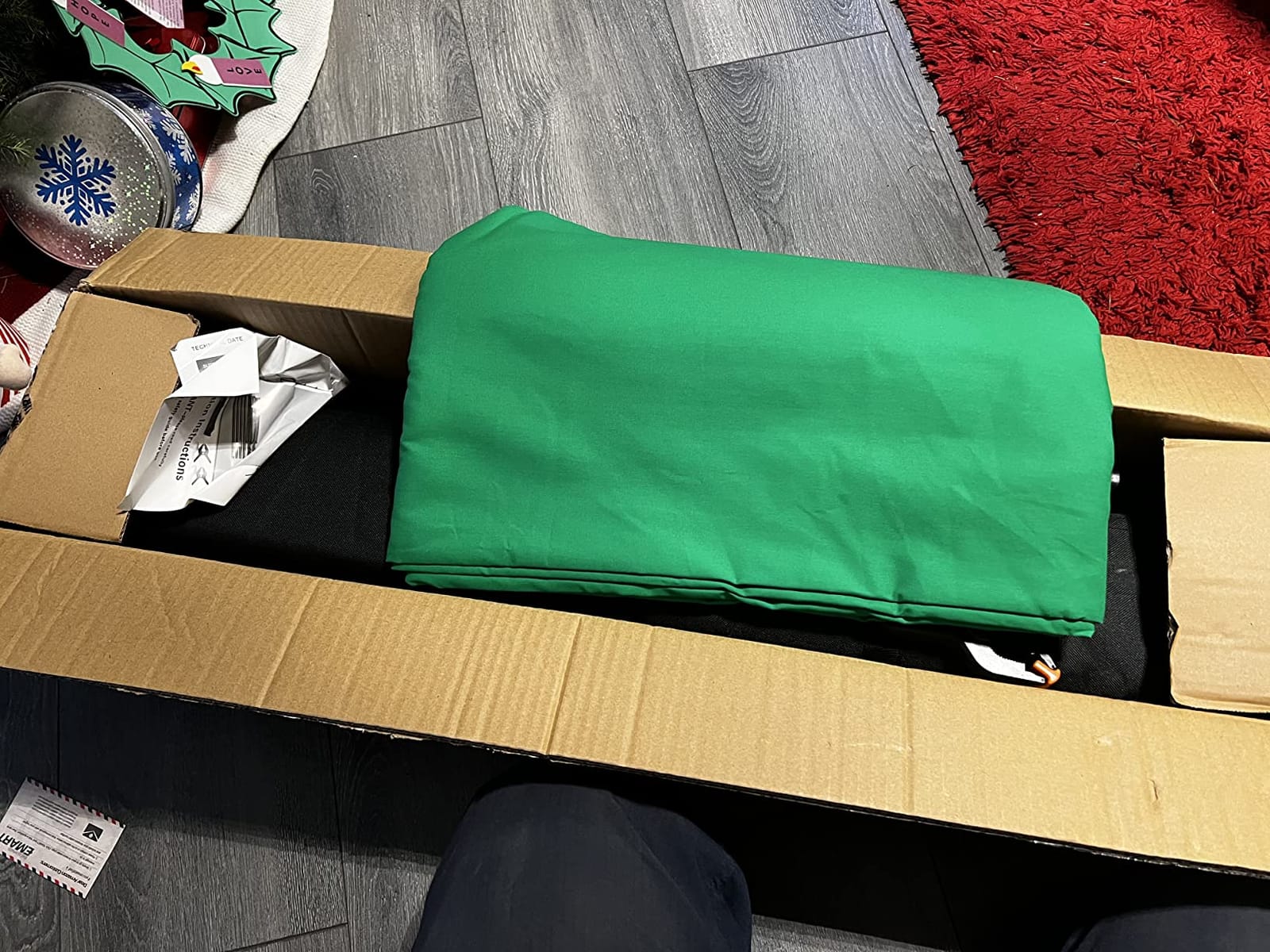
Height adjusts from 3 to 8.5 feet and width from 5 to 10 feet in aluminium alloy, so the same kit handles a seated desk setup and a standing studio shot. One person can assemble it in a few minutes, and it all packs into the included bag.
Note the geometry honestly: the stand is 8.5 by 10 feet while the cloth is 10 by 12 feet, so the backdrop overhangs the frame. That is intentional and it is what hides the edges of your shot, but it does mean the kit needs real floor space to deploy.
Who the EMART 10x12ft kit suits
It suits creators with a dedicated corner, a garage studio, or a spare bedroom they can dedicate to streaming. Full-body gaming, dance, fitness, cooking, and any standing talking-head work all benefit from coverage this size.
It also suits people who wash their backdrops. The edges are finished to resist tearing, and the double-rod design means the cloth is not stretched over a single pressure point.
Who the EMART 10x12ft kit does not suit
It does not suit dorms, small bedrooms, or anyone who cannot clear roughly 10 by 8 feet of floor. Deploying it in a cluttered room is physically difficult, and the 5 kg weight makes it a two-hand carry between rooms.
Care is dry clean only. If you stream daily in a room where fabric picks up dust, you will need a steamer rather than a washing machine to keep it presentable.
5. EMART 5×6.5ft Kit with T-Stand and 6 Clamps – Best All-In-One Starter Kit
Emart 5×6.5ft Green Screen Backdrop Kit with T-Shape Stand and 6 Clamps
5x6.5ft backdrop
T-stand plus 6 clamps
6.2 lb
Stand doubles as tabletop
Pros
- Backdrop
- stand
- 6 clamps
- and carry bag in one kit
- Reverse-folding stand stores more compactly than tripod legs
- Converts to tabletop height by removing the pole
- Wrinkle-resistant machine washable cloth
Cons
- Lowest 4.3 average in this roundup
- Specs list 5x7FT while the product name says 5x6.5ft
- 6.2 lb is heavy for a portable kit
- Crossbar can tip without sandbags
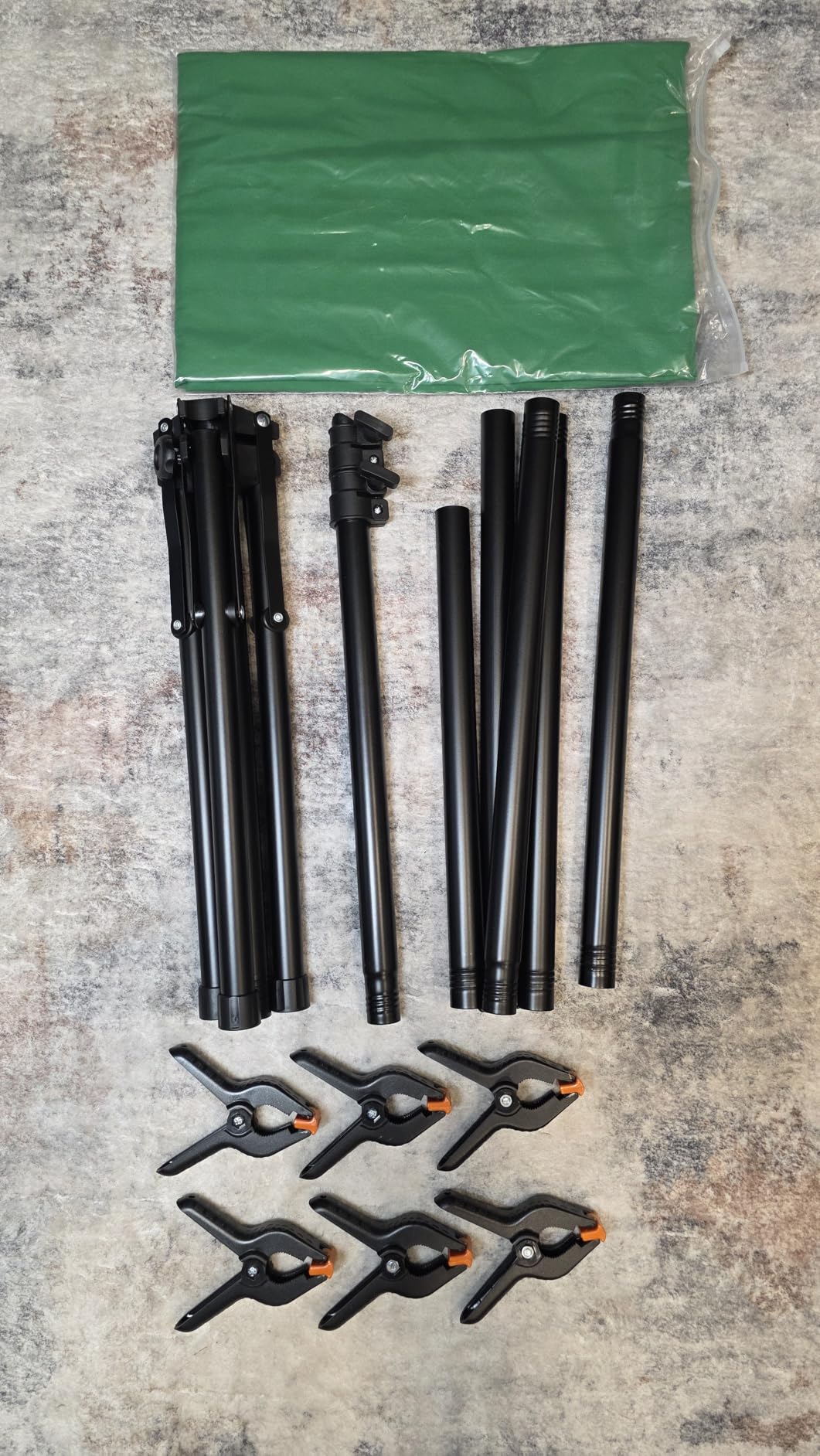
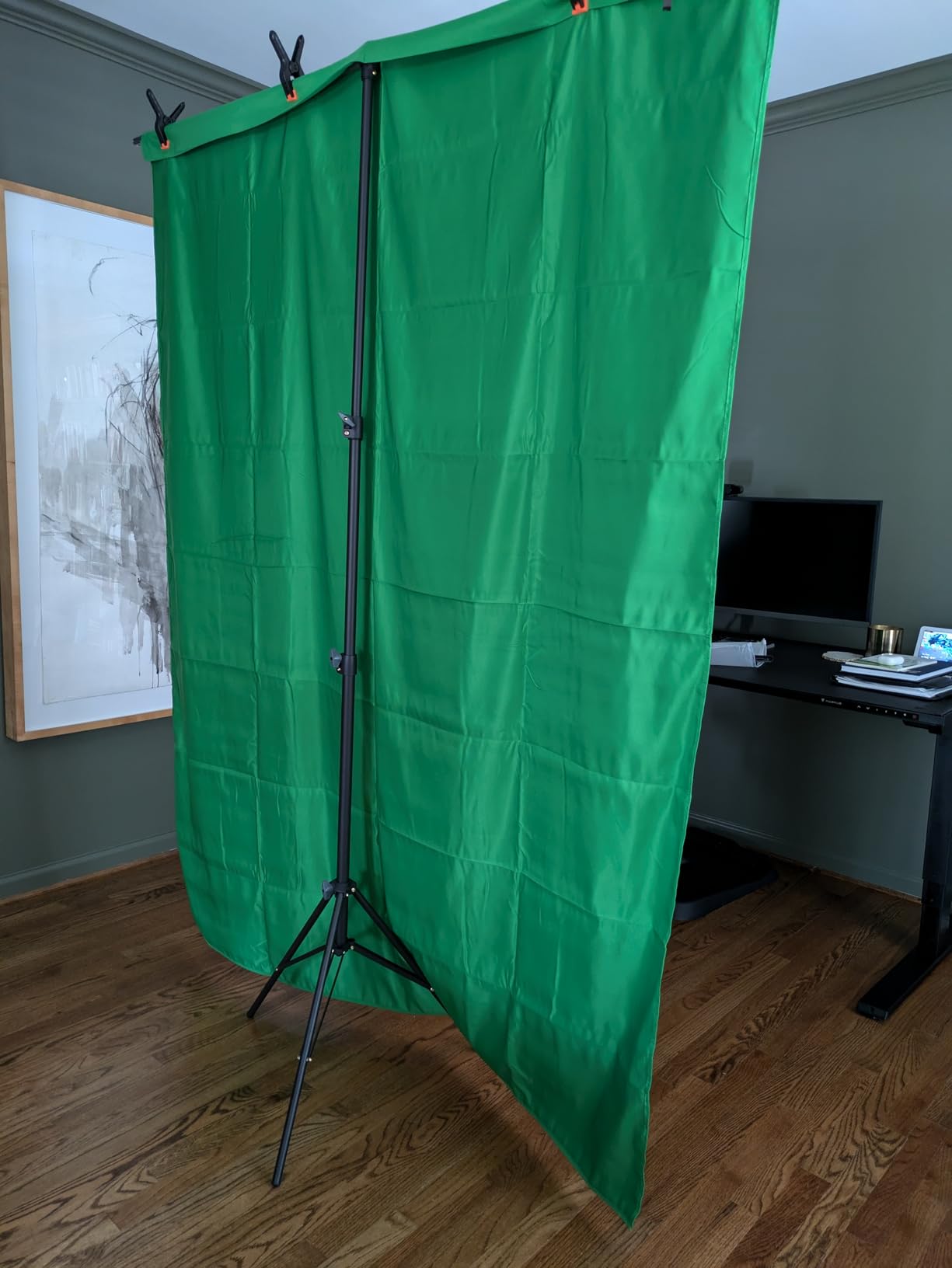
The reason this kit stands out from other budget options is the stand. Most cheap kits give you two poles and a crossbar. This one gives you a reverse-folding T-stand, which collapses the way a studio boom arm does rather than splaying tripod legs across the floor.
It also converts between two modes. Keep the telescopic pole in and you get 121 to 200 centimetres of height. Pull the pole and it drops to a tabletop mode at 82 to 155 centimetres, which is a genuinely useful second setup for a desk-mounted camera.
The crossbar is a 1.5 metre bar in four rope-linked sections. That sounds like a weakness until you assemble it: the internal ropes hold the pieces together so you cannot lose a section mid-setup, and it packs down tidy rather than as four loose sticks.
Worth noting that this kit has the lowest average rating in the roundup, with a small share of one-star reviews. Two things account for most of that: the lightweight crossbar can tip unless you weight the legs, and the size listing is inconsistent between the specs and the product name.
Who the EMART T-stand kit suits
It suits first-time streamers who want one purchase rather than three. Backdrop, stand, six clamps, and a bag arrive together, which removes the most common beginner mistake of buying fabric and forgetting the support.
It also suits small-space creators. The reverse-folding footprint and the tabletop mode mean one kit covers both a desk setup and a standing shot, and it works for video, gaming, streaming, Zoom, and podcasting.
Who the EMART T-stand kit does not suit
It does not suit anyone filming in a room where the stand can be knocked. The thin crossbar and 2.79 kg total weight mean sandbags or weights on the legs are close to mandatory in a busy space.
It does not suit people who want wide framing either. A 5 by 6.5 foot backdrop with a 5 foot crossbar will show its edges the moment you move back, and the conflicting size listing makes it harder to plan your shot.
6. HEMMOTOP 8×7.5ft Backdrop with Stand – Best Width for Wide-Angle Cameras
Hemmotop Wider Green Screen Backdrop with Stand, 8×7.5ft Background Kit
8x7.5ft kit
Stand 3.1-8 ft tall
5 lb
5 spring clamps included
Pros
- Wider than typical budget kits for wide-angle lenses
- Tripod has 5 height settings and 3 width options
- Seamless one-piece polyester
- Five padded spring clamps grip firmly
- Carry bag holds both stand and backdrop
Cons
- Actual cloth measures 8.2x6.5ft against an advertised 8x7.5ft
- Tied for lowest 4.3 rating in this roundup
- Clips can slip if the grip pads come off
- Two pieces to carry instead of one panel
This is the kit people buy after their first 5-foot cloth shows its edges on camera. The stand runs from 3.1 to 8 feet tall and up to 7.5 feet wide across five height settings and three width positions, so it absorbs a wider range of camera placements than most budget kits.
The clamps are the part we liked most. Five spring clamps with removable grippy pads hold the fabric firmly from multiple angles, which means you can pull the cloth taut on three sides instead of working around hardware that only grips one way.
Be aware of a size discrepancy before you measure your room. Buyers note the cloth itself measures about 8.2 by 6.5 feet while the listing and the stand advertise 8 by 7.5 feet. It is still far wider than a 5-foot cloth, but plan your framing around the smaller number.
Ratings sit mid-pack at 4.3, with a wide share of three-star reviews that mostly trace back to that size mismatch rather than to keying quality. Streamers report the colour and keying are fine; they just expected a taller panel.
Who the HEMMOTOP 8×7.5ft kit suits
It suits creators on wide-angle lenses who need extra width in frame. That covers gaming set-ups, wider webcams, and any camera positioned back from the screen rather than close to it.
It suits anyone who wants both a full-height and a low setup from one kit, since the tripod covers heights from 3.1 up to 8 feet. The one-piece seamless polyester also means no vertical seam to key around.
Who the HEMMOTOP 8×7.5ft kit does not suit
It does not suit anyone measuring to the millimetre. The gap between the advertised and actual cloth size is the single most common complaint in the reviews, and it can leave edges visible when you planned for a full coverage shot.
It is also two separate pieces rather than one integrated panel, so if your priority is a single grab-and-go unit, the pop-up options elsewhere on this page fit better.
7. JEBUTU 5×6.5ft Kit with Stand, Clips and Carry Bag – Best Budget Starter Kit
JEBUTU Green Screen Backdrop Kit with Stand, 5X6.5ft Portable Green Screen Backdrop with Stand kit, GreenScreen Background with Stand Carrying Bag Clamp for Streaming Video Zoom
5x6.5ft backdrop
Aluminium T-stand
4.9 lb
Stand adjusts 2.69-6.5 ft
Pros
- Backdrop
- stand
- 5 clips
- and carry bag in one kit
- Frosted aluminium stand resists scratching
- Folds to roughly golf-umbrella size
- Seamless polyester
- Machine and hand washable
Cons
- Thin fabric needs weights to stop the stand tipping
- Included clips break easily for some owners
- Arrives folded and needs steaming first
- 5x6.5ft is too narrow for wall-sized framing
If you want one box that solves the problem and you have never keyed anything before, this is the one. Backdrop, frosted aluminium T-stand, five clips, and a carry bag, all packed together at about the size of a golf umbrella once the stand telescopes down.
Owners coming from bulky studio stands describe that packed size as the main quality-of-life gain, and report clean keying output in OBS and in Zoom and Teams calls with no complicated setup.
The stand adjusts from 82 to 200 centimetres, which covers everything from a low desk camera to a standing shot. The frosted aluminium finish resists scratching, which matters if you are moving the stand around a wooden or carpeted room daily.
The honest weakness is the fabric weight. It is thin enough that you will want weights or sandbags on the legs so the stand does not tip when you shift position, and a number of owners replace the included clips because they break easily under repeated clamping.
Who the JEBUTU kit suits
It suits beginners who want a complete kit at the lower end of the market, and it suits anyone whose previous screen was a fixed stand they could not move. Telescoping it down into the bag is a genuine change of pace.
It also suits creators who work across several setups. Packed size, washable fabric, and a stand that covers 2.69 to 6.5 feet of height make it easy to move between a desk and a different room.
Who the JEBUTU kit does not suit
It does not suit anyone who wants a taut, wall-flat surface straight out of the box. The fabric is thin, arrives folded, and needs steam ironing before the first session, and it will never tension the way a frame-mounted panel does.
It does not suit wide or multi-person framing either. Several buyers who started here upgraded precisely because 5 by 6.5 feet showed edges on camera.
8. RAUBAY 78.7 x 82.7in Collapsible Panel – Best for Two-Person Framing
【Wider Style】 RAUBAY 78.7 x 82.7in Large Collapsible Green Screen Backdrop
78.7 x 82.7in open
16:9 aspect ratio
10.02 kg
Wrinkle-resistant composite polyester
Pros
- Highest-rated option here at 4.7
- 78.7 inch width holds two people in frame
- Composite polyester holds a smooth surface
- Seconds-long setup from a flat lay
- Retracts into the hard case
Cons
- Heaviest carry weight at 22.1 lb so moving it takes two people
- Floor-standing only with no wall-mount option
- Largest footprint in the roundup
This is the one to buy if two people ever share a frame. At 78.7 inches wide, it is the widest self-standing panel we tested, and buyers single out exactly that when explaining why they bought it. Two presenters at shoulder width plus camera margin fit without the edges creeping in.
The composite polyester has high resilience, which means it stays smooth rather than developing the soft creases that polyester picks up after weeks of being clamped. At 4.7 with an 88 percent five-star share, it rated highest of anything in this roundup.
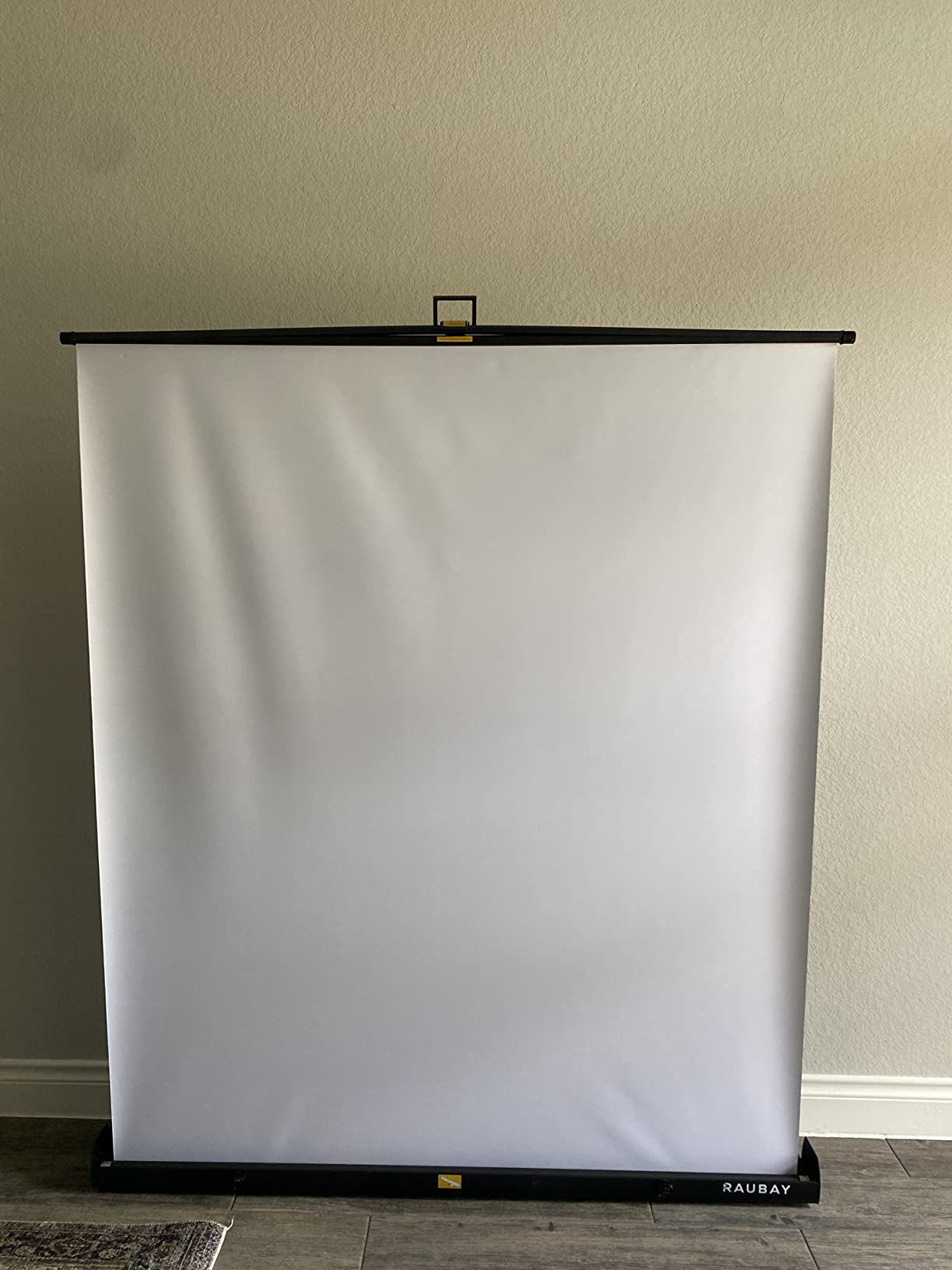
Setup is about as simple as a panel can be. Lay the legs flat, lift the handle to your chosen height, and the frame holds. It retracts into its hard case afterwards, and the 16:9 aspect ratio matches modern streaming output exactly.
The cost of that width is weight. At 10.02 kilograms this is the heaviest unit here, and buyers describe moving it between rooms as a two-person job. It is also floor-standing only, with no wall or ceiling mounting option.
Who the RAUBAY wide panel suits
It suits co-hosts, interview formats, split-screen shows, and anyone filming two people in a wide 16:9 frame. It is also the best-rated option here, which makes it the natural choice if rating quality matters most to you.
It suits dedicated rooms. At this size you are not squeezing it into a bedroom corner, you are giving it the wall it needs, and the flat composite surface keeps wrinkles out of the key.
Who the RAUBAY wide panel does not suit
It does not suit people on a tight budget or in a rented space. It is the heaviest and largest unit here, and it needs to be deployed where it will stay rather than carried around each session.
It also does not suit single-presenter creators who would be paying for width they never use. A 58-inch panel covers a talking head at a fraction of the carry weight.
9. JINSUI 10x10ft Chroma Key Fabric – Best for Full-Body Streaming
JINSUI Green Screen Backdrop 10×10 ft, Chromakey Background Fabric
10x10ft cloth
2.6 pounds
Rod pocket at top
Machine washable
Pros
- Enormous coverage at 2.6 pounds
- High-density polyester gives a consistent key
- Non-reflective surface keys without hot spots
- Light enough to hang from ceiling clips
- Machine washable
- Wrinkles fall out on their own
Cons
- Fabric only with no stand included
- Arrives folded and needs steaming or hanging out
- Thin weave blocks some ambient room light
This is the volume pick. Ten by ten feet of high-density polyester for 2.6 pounds is a hard combination to argue with, and at this weight you are not limited to stands. We have seen it hung from ordinary curtain rails and ceiling clips using the rod pocket at the top.
Streamers on Twitch and YouTube report consistent colour and accurate subject separation, with a non-reflective surface that produces no hot spots under key lights. Users also confirm the fabric survives a rinse and spray without staining.
One practical advantage over every other cloth on this list: reviewers report that wrinkles and ripples fall out on their own after being hung, with no ironing required. If you fold it between sessions, that matters.
The tradeoff is thinness. The weave is light enough that monitor glow or a lit window can show through, so in a dark room you will want to kill ambient light behind the camera. Lock-stitched edges resist tearing, and there is a one-year manufacturer warranty.
Who the JINSUI 10x10ft cloth suits
It suits full-body and standing content. Dance, fitness, gaming with a standing camera, cooking, and instrument performance all need coverage that 5-foot cloth cannot deliver, and this is the cheapest route to that coverage.
It also suits people who want to hang rather than stand. At 2.6 pounds with a rod pocket at the top, it goes up on a rail, a ceiling track, or a wall bracket with almost no hardware.
Who the JINSUI 10x10ft cloth does not suit
It does not suit anyone who wants everything in one box. There is no stand, so you are sourcing your own hanging solution, which either costs money or costs creative desk gymnastics.
It also does not suit dark setups without extra lighting. The thin weave lets ambient light through, and that glow shows on camera as a patch you cannot key out cleanly.
10. RAUBAY 59.8 x 86.6in Retractable Pull-Down Backdrop – Best for a Permanent Studio
RAUBAY 59.8 x 86.6in Retractable Pull Down Green Screen Chroma Key Backdrop
59.8 x 86.6in
Wall or ceiling mount
Gravity lock with auto-retract
9.4 lb
Pros
- Retracts fully out of sight when not streaming
- Gravity lock holds any height without a knob
- Slow self-retract instead of a slam
- Composite polyester resists creasing
- Also works as a projector screen
Cons
- Requires fixed wall or ceiling mounting so it is not portable
- Includes S-hooks only and some buyers want screw hooks
- 59.8 inch width is too narrow for two people
- Smallest review base in this roundup
This is the only option here that is genuinely permanent. It mounts to a wall or a ceiling and rolls away the moment you are not on camera. Remote and work-from-home users love pulling it down for a call and letting it disappear afterwards.
The gravity lock is the small piece of engineering that makes it pleasant to use. Pull it to the height you want, release, and it holds position without a knob or a clutch. Pull it down more than two inches and it rolls back up slowly and gently rather than slamming into the case.
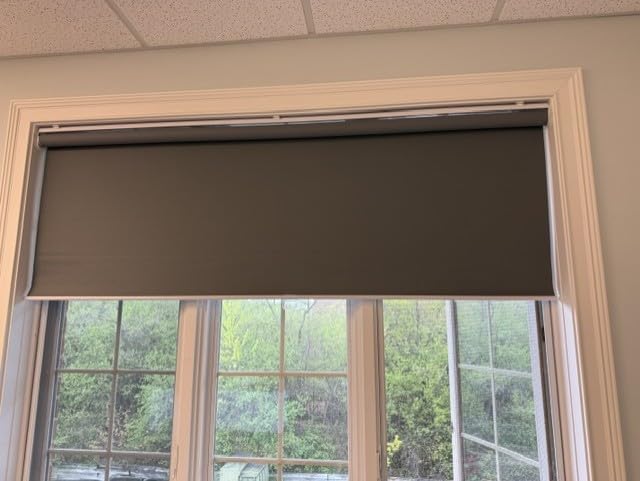
The composite polyester has strong resilience, so it reads more like a hard screen than a hanging sheet, which keeps the key clean over time. Two installation methods are included for different room layouts, and it doubles as a home cinema projector screen when you need it to.
Be realistic about the commitment. It comes with S-hooks, some buyers wish screw hooks were included, and you are drilling holes. At 59.8 inches wide it is not enough for two people in frame, and its 307 ratings make it the least reviewed product here.
Who the RAUBAY retractable backdrop suits
It suits anyone with a dedicated room who has run out of floor space. Because it takes vertical space instead of floor space, it works in rooms where a floor-standing panel is simply impossible.
It also suits people who alternate between streaming and a clean room. Wipe it with a soft cloth, roll it up, and the room goes back to normal with no visible studio gear.
Who the RAUBAY retractable backdrop does not suit
It does not suit renters, anyone who moves, or anyone who wants a portable kit. This is a fixed installation and it cannot be taken down and redeployed in a different space on a whim.
It does not suit two-person framing at 59.8 inches wide, and with the smallest review base on this list, it carries more unknown territory than the alternatives.
How to Choose a Green Screen for Live Streaming (2026)
Start with subject coverage, not with brand. Everything else about a chroma key backdrop is secondary to whether the screen is physically big enough for the shot you are filming.
Match the screen size to your framing
A seated talking head on a webcam needs a screen that covers roughly two to three times your shoulder width, plus headroom. That is a 5 by 6.5 foot panel or a 58-inch collapsible. Standing or full-body content needs 8 feet or more of width, which means a 10 by 10 foot cloth or a 10 by 12 foot kit.
Two people in frame changes the maths again. The rule of thumb we use is at least 10 feet of total width so there is background on both sides, which is why the widest panel on this list exists. Buying a screen one size too small is the most common and most fixable streaming mistake, and the same width logic shows up in our indoor golf screens for simulators guide for anyone building a wide virtual playing field.
Choose fabric that blocks light and stays smooth
Two material decisions matter more than the rest. First, opacity: thin cloth lets light through from behind, and that glow appears on camera as a bright patch that no chroma key setting can remove. Second, surface finish: matte and non-reflective is what you want, because shine reflects your key lights back as hot spots.
Wrinkle resistance is the third factor. Wrinkles catch light at different angles, and a key picks up that difference as blotchy patches. Polyester and composite polyesters hold a smoother surface than muslin or cotton. Cloth that arrives folded needs steaming or hanging before first use, so factor that into your first session.
Pick the frame type that matches your setup frequency
If you stream once or twice a week, any cloth-and-stand kit works and you can choose the cheapest one that meets your size requirement. If you stream daily and tear down afterwards, setup speed is the priority, and a pop-up or pneumatic collapsible panel that stores in its own case beats a stand-and-crossbar kit every time.
If you have a room dedicated to streaming, a retractable wall or ceiling unit removes the setup step entirely. It is the most convenient option and also the least flexible, since it cannot move.
Check what is actually in the box
The biggest source of disappointment in this category is buying a backdrop and realising you also need a stand. Fabric-only products are the cheapest per square foot and the most flexible, but they need a support, clamps, and a way to tension the cloth. Complete kits cost more and open the box already working.
Also check whether a carry bag is included, whether the fabric is machine washable, and whether the clamps are padded. Cloth you can wash in your own sink will survive years of daily streaming. Cloth you cannot wash will not.
How to Light and Key Your Green Screen in 5 Steps
Lighting does more for key quality than any screen purchase. Even illumination across the fabric removes the patchy keys that streamers spend hours trying to fix in software.
Light the screen, not the person, first. Place two lights on stands at roughly 45 degrees from the camera, aimed at the backdrop and separated from each other by about 7 feet. This is what kills shadows of your head and shoulders falling on the cloth.
Then add your key light on you. One light between or just above the camera aimed at your face. The screen lights are for the background, this one is for you, and confusing the two is the most common beginner mistake.
Stand far enough forward. Move at least 6 feet in front of the screen. The closer you stand, the harder your shadow falls on the cloth behind you.
Add the Color Key filter in OBS Studio. Choose your chroma colour from the cloth itself, then tune similarity, smoothness, and spill reduction. Raise spill reduction until the green cast on your shoulders and hair disappears.
Check the edges at full resolution, not on the preview. Zoom to 200 percent around your hairline and shoulders. If there is a green fringe, lower similarity slightly and raise smoothness, then adjust spill reduction again.
Green Screen Problems: Cause and Fix
Almost every bad key traces back to one of four causes, and all four are fixable without buying new equipment.
Green halo around hair and shoulders. This is green spill: your key light is bouncing off the green cloth and tinting everything. Move your key light further from the screen, turn it away from the backdrop, or turn up the spill reduction slider until the tint disappears.
Shadow patch behind you. You are standing too close, or your screen lights are behind you. Move forward, and confirm both backdrop lights sit forward of your position at 45 degrees.
See-through or glowing screen. Thin cloth is letting light through from behind. The fix is to kill ambient light behind the camera, or hang a second layer of dark fabric behind the green one. Only a denser cloth fixes it permanently.
Blotchy or patchy key. Almost always uneven lighting or visible wrinkles. Reposition the backdrop lights to be symmetrical and equidistant from the cloth, and steam the fabric before the session.
Green Screen vs Blue Screen vs Digital Background
A blue screen exists for one reason: to avoid clashing with blue clothing and blue-tinted lighting. If nothing in your scene is blue, green gives you a slightly wider tolerance for separating your subject, which is why it is the default recommendation.
A digital or virtual background costs nothing and needs no hardware, and it works well for a static head-and-shoulders shot. It fails in three situations: it does not move with you convincingly, it cannot cast a real shadow on your face, and it cannot be lit.
A painted green wall is the cleanest option in a dedicated room. It is perfectly flat, perfectly even, and free of wrinkles, and it costs only paint and a wall. The downside is that it is not portable and it is permanent until you repaint.
Frequently Asked Questions
Are green screens good for streaming?
Yes, for most creators they are the single biggest visual upgrade available. A matte green backdrop gives your software a clean colour sample, which produces sharper edges around hair and shoulders than a virtual background can. They are most valuable when you move around, cast real shadows, or layer themed scenes, and least necessary for a static head-and-shoulders shot where OBS virtual backgrounds work well for free.
How to use a green screen while live streaming?
Hang the screen behind you with at least 6 feet of space in front, light it evenly with two lamps at 45 degrees, and place your key light on your face between them. In OBS Studio add the Color Key filter to your video capture device, pick your chroma colour from the cloth itself, then tune the similarity, smoothness, and spill reduction sliders until the background disappears and no green tint remains on you.
How much does a green screen cost for streaming?
Fabric-only backdrops are the cheapest entry point and are measured in single-digit figures, while complete kits with a stand and carry bag land in the low tens. Integrated collapsible panels and full kits with large cloth sit higher, and permanent retractable wall units are the premium end. Budget for lighting separately, since two backdrop lights and one key light often cost more than the screen itself.
What is the best background for live streaming?
It depends on your room and your movement. A matte green screen gives the most control and the cleanest edges for full-body or standing content. A virtual background is free and fine for a static webcam shot. For permanent setups, a painted green wall is the flattest and most even surface available, and plain decor backdrops suit channels where the room itself is part of the brand.
What is the best green screen background for streaming?
The best background is a matte, non-reflective, wrinkle-free green fabric that blocks light from behind and is large enough to cover your whole frame with margin. For a seated talking head, a 5 by 6.5 foot panel is enough. For standing or full-body content, go to 8 feet of width or more, and for two people in frame you need 10 feet across. Opacity and even lighting matter more than brand.
What are some good backdrops for live streaming?
Chroma key green fabric and collapsible panels are the most controllable option because you can place any image behind yourself. Painted walls give the flattest surface in a dedicated room. Plain fabric backdrops in neutral colours suit talking-head channels, and printed or branded backdrops work well for corporate streams. Digital backgrounds cost nothing and suit fixed, seated camera positions best.
What makes a good green screen background?
A good green screen background is matte rather than shiny, opaque enough to block light from behind, wrinkle-free, evenly lit from both sides at 45 degrees, and large enough to fill your camera frame with margin on all sides. Fabric density matters more than thread count, and colour consistency across the whole surface is what determines whether your key comes out clean.
Why do I see a green halo around my shoulders?
A green halo is spill, which happens when your key light bounces off the green cloth and tints your skin and hair. Fix it by turning your key light away from the backdrop, moving it further from the screen, or increasing the spill reduction slider in your chroma key filter. Zoom to full resolution around your hairline and shoulders to confirm the fringe is gone.
Can I paint my wall green for streaming?
Yes, and in a dedicated room it produces the flattest, most even key surface you can get because there are no wrinkles and no seams. Use a matte chroma key green paint rather than a glossy finish, which would reflect your lights. The tradeoff is that it is permanent until you repaint and it cannot move to another space, so it suits fixed studio setups rather than portable streaming kits.
Do I need lights with a green screen?
Yes if you want clean edges. Two lights aimed at the backdrop from about 45 degrees remove shadows of your head and shoulders, and a third light on your face keeps you properly exposed. Without them you will spend hours fighting uneven brightness in software that the same setup fixes in lighting. A single well-placed key light plus ambient control is the minimum viable version.
Our Final Verdict on the Best Green Screens for Live Streaming
After weeks of setup, keying, and teardown across all ten, the NEEWER 5×6.5ft pop-up is our pick as the best green screen for live streaming overall. It opens in seconds, weighs 1.1 pounds, folds to a disc, and carries the highest review count on this list at 4.4 across more than seven thousand ratings. Nothing else we tested was as easy to live with day after day.
Buy the EMART 10x12ft kit if you have floor space and film standing or full-body. Buy the JEBUTU kit if you want one complete box on a tight budget. Pick the RAUBAY wide panel if two people share the frame, and the RAUBAY retractable unit if you have a room you can drill into.
Whichever you choose, light it evenly before you tune a single slider. Lighting fixes more bad keys than software ever will, and it costs less than upgrading the screen again.