
A compact printer for a small desk has to earn its square inches twice. It needs to print full A4 or US Letter pages, and it needs to do that without taking the room your laptop, monitor, or notebook needed. The best compact printers for small desks in 2026 all clear that bar, but they do it in very different ways: some save space with a flat, shallow body, some with an ink tank that cuts the running cost to almost nothing, and some with a scanner folded into a footprint you would not have believed.
I spent weeks comparing ten of them side by side, measuring what the manufacturers actually publish for width, depth, and height, and reading through thousands of owner reviews to separate the things that matter on a cramped desk from the things that only matter on a spec sheet. What follows is footprint-first, because on a small desk the dimensions decide everything, and running cost decides everything right after.
One thing worth clearing up before we start, because the retail listings muddle it constantly. A compact printer prints standard Letter or A4 paper and lives on a desk, shelf, or cabinet. A portable printer is smaller still but usually limited to 4×6 photo paper and meant to travel. People search for both when they mean a small desk printer. Every pick in this guide is compact. None of them is a travel printer.
If your desk is part of a wider setup, our guides to the best electric standing desks for small spaces and the best gaming desks for small rooms cover the surface itself. This guide is about what sits on top of it.
Table of Contents
What Is the Best Small, Compact Printer?
The best small compact printer is the Epson EcoTank ET-2800, because a refillable ink tank cuts the cost per page further than anything else here while still giving you a full flatbed scanner, copy function, and Wi-Fi in one body. If you print almost entirely in black and white, the Brother HL-L2460DW is faster and adds automatic duplex. If your desk is very shallow, the HP LaserJet MFP M140w is only 10.4 inches deep.
Best overall: Epson EcoTank ET-2800, for the lowest ink cost per page of any pick here
Best value: Canon MegaTank G3270, with refillable tanks and up to 6,000 black pages per ink set
Best for black-and-white volume: Brother HL-L2460DW, 36 ppm with automatic duplex
Best for a very shallow shelf: HP LaserJet MFP M140w, 10.4 inches deep, laser so nothing dries out
Best small all-in-one with duplex: Canon PIXMA TS4320, with a 1.44 inch OLED and dual-band Wi-Fi
Best for photos: Epson Expression Premium XP-6100, a 5-color system with a dedicated photo black
Best if color is non-negotiable and you want a touchscreen: HP Envy 6155, 2.4 inch color display with P3 color
Top 3 Best Compact Printers for Small Desks in September

Epson EcoTank ET-2800
- Refillable EcoTank ink
- Flatbed scanner and copier
- Up to 4500 black pages per ink set

Canon MegaTank G3270
- Refillable GI-21 ink tanks
- Up to 6000 black and 7700 color pages
- Wireless print copy and scan

Brother HL-L2460DW
- 36 ppm monochrome
- Automatic duplex printing
- 250 sheet tray plus Ethernet
All 10 Best Compact Printers at a Glance in 2026
| Product | Specifications | Action |
|---|---|---|
| Epson EcoTank ET-2800 |
|
Check Latest Price |
| Canon MegaTank G3270 |
|
Check Latest Price |
| Brother HL-L2460DW |
|
Check Latest Price |
 Canon PIXMA TS3720 Canon PIXMA TS3720 |
|
Check Latest Price |
 Brother HL-L2405W Brother HL-L2405W |
|
Check Latest Price |
 HP LaserJet MFP M140w HP LaserJet MFP M140w |
|
Check Latest Price |
 Canon PIXMA TS4320 Canon PIXMA TS4320 |
|
Check Latest Price |
 HP Envy 6155 HP Envy 6155 |
|
Check Latest Price |
 Epson Expression Premium XP-6100 Epson Expression Premium XP-6100 |
|
Check Latest Price |
 Epson EcoTank ET-2980 Epson EcoTank ET-2980 |
|
Check Latest Price |
How We Picked Printers for a Small Desk
Every machine here was judged on the same five things, in this order. First, physical footprint, using the manufacturer’s published width, depth, and height rather than a marketing adjective. Second, running cost, because the printer is the cheap part and the ink is the bill. Third, duplex capability. Fourth, connectivity, with dual-band Wi-Fi weighted above single-band. Fifth, whether the scanner, if there is one, is actually usable.
We also read owner reviews closely for the failure patterns that spec sheets never mention: paper misfeeds, printhead cleaning cycles, Wi-Fi dropouts after the machine goes to sleep, and how often people end up fighting the ink subscription. Several of the picks below carry real caveats, and we list them rather than glossing over them.
This guide does not cover large-format printers, dedicated photo-lab printers, or receipt and label devices. For shipping labels at home we have a separate guide to the best label printers for small businesses, and for higher-volume color office work the best color laser printers for small businesses is the right place to start.
1. Epson EcoTank ET-2800 – Best Ink Economics for a Home Desk
Epson EcoTank ET-2800 Wireless Color All-in-One Supertank Printer – Black
Refillable ink tanks
Print copy and scan
10 ppm black 5 ppm color
14.8 by 22.8 by 10 inch
Pros
- Lowest cost per page of any pick here
- Up to 4500 black and 7500 color pages per ink set
- Refilling is quick and mess free
- Light at 11.4 pounds
- Flatbed scanner included
Cons
- No automatic duplex
- Needs periodic printhead cleaning
- Borderless printing limited to 4 by 6 inch
This is the one I put on my own desk. The reason is simple arithmetic: one set of ink bottles is rated at up to 4,500 black pages or 7,500 color pages, which Epson frames as roughly 90 individual cartridges. Owners with heavy print habits report the included ink still sitting high after a year of regular use. Nothing else in this group comes close on cost per page, and for anyone printing weekly rather than twice a year it is the whole decision.
The tank filling is genuinely the easy part. You tip each EcoFit bottle into a supersized tank, the ink settles, and the machine runs an initialisation cycle of roughly 11 minutes before the first print. Setup overall takes about ten minutes with the app guiding you. After that there is no cartridge to swap and no chip to reseat, which removes the single most common reason people stop using their printer.
Be honest about the size, though. At 22.8 inches wide this is the widest body in the group, and it stands 10 inches tall. It is not a printer for a 36 inch desk with a monitor already on it. It is a printer for a desk with a monitor on a riser, or for a low bookcase shelf where the width does not cost you anything. Depth is a modest 14.8 inches.
Quality is good rather than exceptional. Borderless output is restricted to 4×6, and the small LCD gives you very little to work with. Scanning to a computer generally needs the USB cable and is slow. The one recurring gripe that deserves weight is the periodic printhead cleaning, with some owners reporting several cycles inside a single month that consumed ink before the problem cleared.
Who the ET-2800 suits
Anyone printing more than a few pages a month in colour or a couple of pages a day in black. Parents running off worksheets, freelancers invoicing clients, students with a term of coursework ahead. The flatbed scanner and copier mean you do not need a second device on the same shelf, which is where most competing “small” printers quietly cost you space.
Who the ET-2800 does not suit
Anyone whose desk depth or width is genuinely tight, and anyone who regularly prints double-sided documents, because there is no automatic duplex and two-sided work means flipping the stack by hand. If duplex matters to you, the ET-2980 in this same family adds it, or the Canon TS4320, both covered below.
2. Canon MegaTank G3270 – Cheapest Ink Per Page Overall
Canon MegaTank G3270 All-in-One Wireless Color Printer
Refillable GI-21 ink tanks
Print copy and scan
11 ppm black 6 ppm color
21.9 by 16.4 by 10.6 inch
Pros
- Up to 6000 black and 7700 color pages per ink set
- Refill is quick and spill resistant
- No cartridge replacement cycle at all
- Reliable paper feed with few jams
- Wide media range including square and envelopes
Cons
- Single sided only with no duplex
- Deepest body in the group at 21.9 inches
- Scanner brightness and contrast are weak
- No Ethernet port
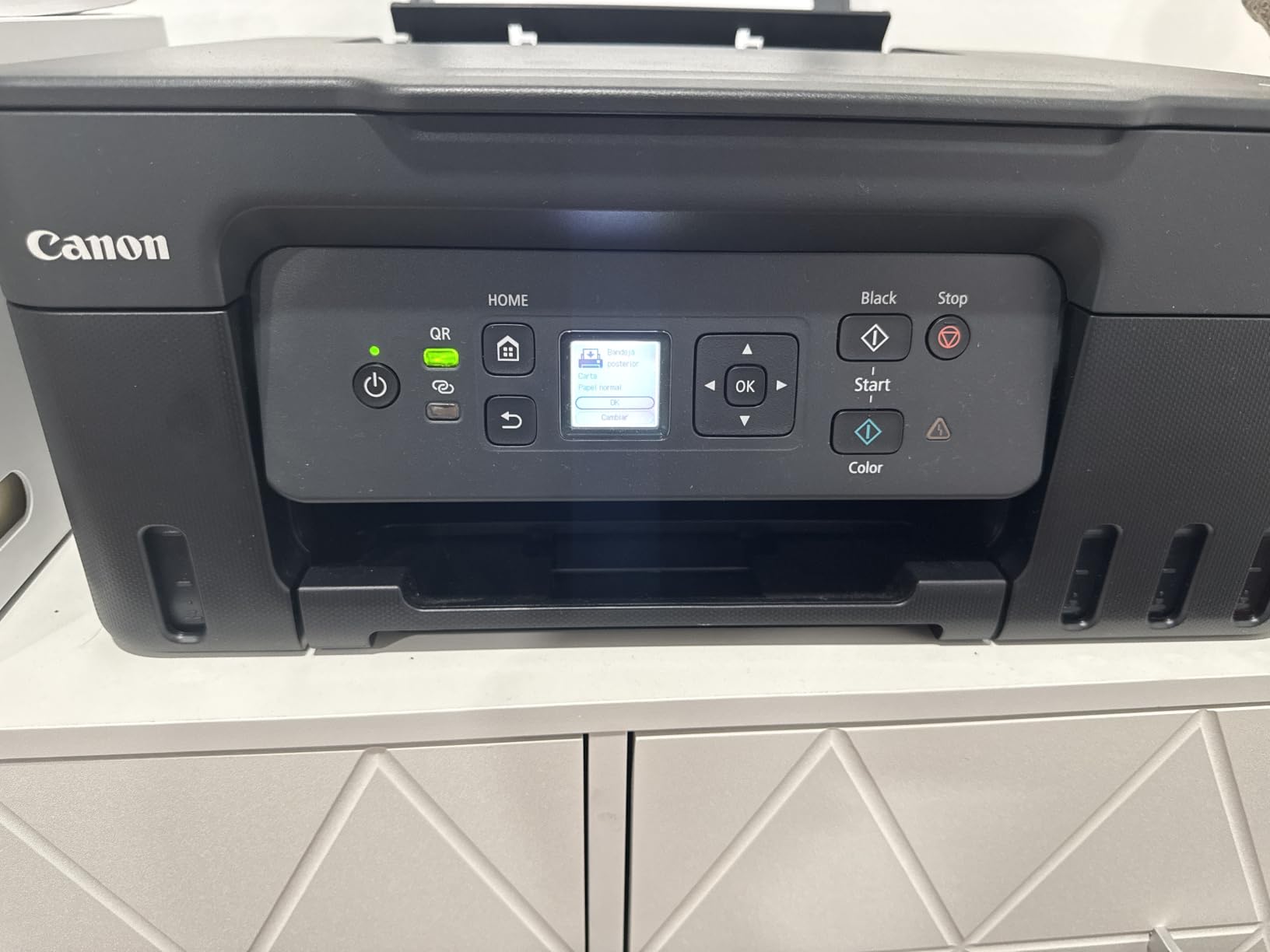
The G3270 runs the same play as the ET-2800 with different numbers, and the numbers are arguably better. A single set of GI-21 bottles covers up to 6,000 black-and-white pages or 7,700 colour pages, with up to two years of ink in the box. Print speed is 11 ppm black and 6 ppm colour, a step up from the Epson, and the 1.35 inch square LCD is a little more usable than the Epson’s.
Owners consistently report the opposite of the ET-2800’s cleaning problem: the paper feed is steady, jams are rare, and refilling is a non-event. The app handles the initial head alignment automatically. For anyone who has been burned by a cartridge printer that dried out over a summer, the move to refillable tanks is the single biggest quality-of-life change in this entire guide.
Here is the dealbreaker for a small desk. At 21.9 inches deep and 16.4 inches wide, this is one of the two largest bodies here, and it is taller than most. It suits a dedicated side table or a wide shelf far better than a workstation. Depth is the dimension that hurts, because a deep printer eats the space your forearms and keyboard need.
The flatbed scanner is the weak point. Owners put brightness and contrast below a dedicated scanner, and some report washed-out colour or inconsistent blacks across different paper types. Colour accuracy is genuinely divisive among reviewers, so if you are printing photos rather than documents, test a page before you commit.
Who the G3270 suits
Households and small studios that print a lot and have somewhere other than the desktop to put the machine. The 100-sheet tray beats the smaller cartridges models, the media range covers envelopes and card stock without hunting for a manual feed, and the running cost over two years is dramatically lower than any cartridge unit here.
Who the G3270 does not suit
Anyone on a genuinely small desk, because the depth is over 21 inches before you add clearance for the cable and the output tray. It also prints single-sided only, and the wireless connection is reported to drop or fail to reappear for some users, with no Ethernet socket as a fallback.
3. Brother HL-L2460DW – Fastest Monochrome With Automatic Duplex
Brother HL-L2460DW Wireless Compact Monochrome Laser Printer with Duplex, Mobile Printing, Black & White Output | Includes Refresh Subscription Trial(1), Works with Alexa
Mono laser
36 ppm with auto duplex
250 sheet tray
Dual band Wi-Fi plus Ethernet
14.2 by 14 by 7.2 inch
Pros
- Fastest monochrome speed in this group
- Automatic duplex built in
- Ethernet plus dual band Wi-Fi as fallback
- 250 sheet tray cuts refills
- Sharp 1200 by 1200 dpi output
Cons
- Print only with no scanner or copier
- Manual duplex on the cheaper sibling
- 15.6 pounds needs a sturdy surface
- Mobile first QR setup can be fiddly
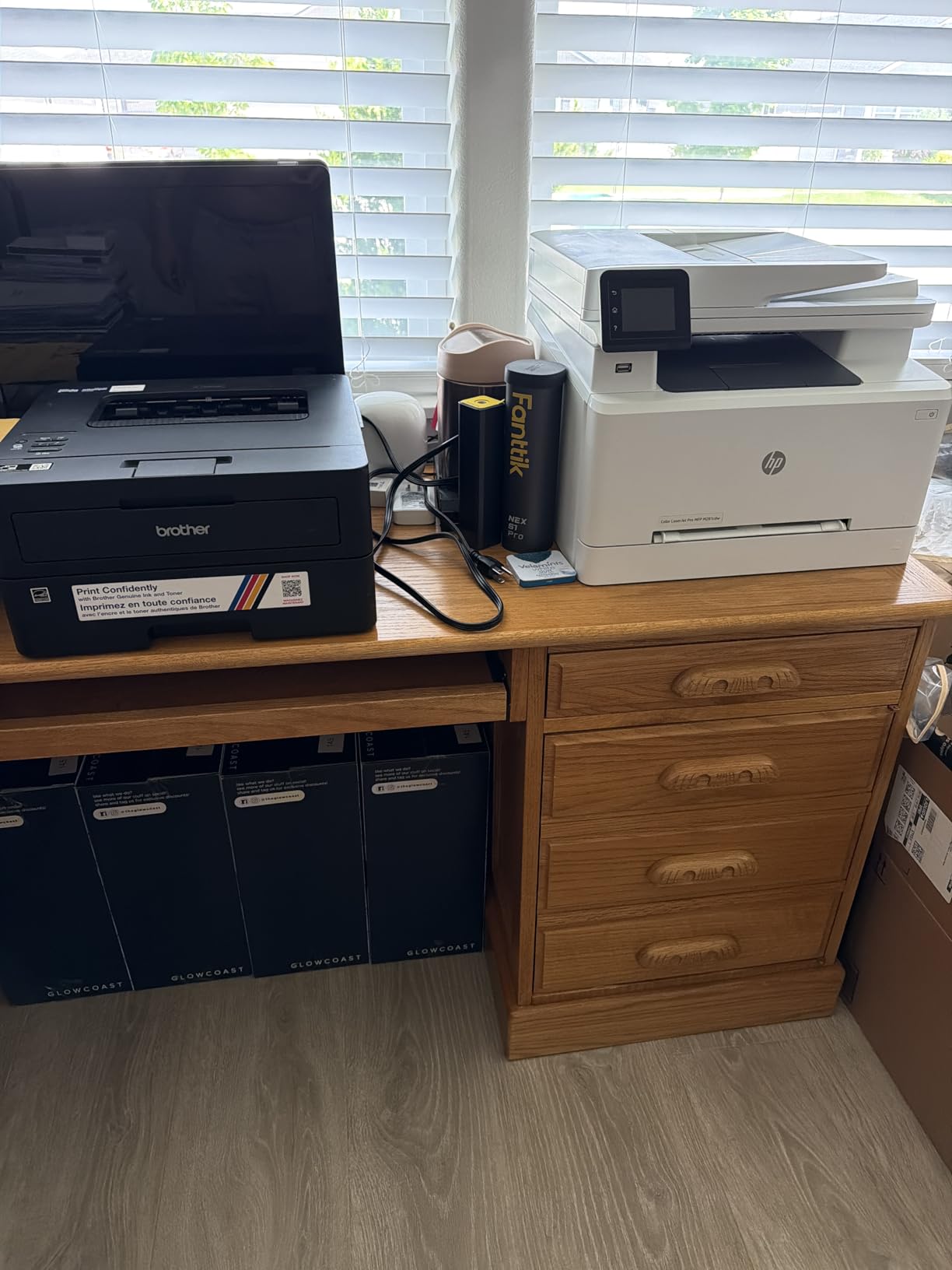
If your output is black-and-white documents, nothing else here comes close on speed. Thirty-six pages per minute with automatic duplex built in means a forty-page report is done before you have found the PDF again. The 250-sheet tray is the joint largest in the group, and the 1200 by 1200 dpi resolution is genuinely sharp for contracts, invoices, and filing.
Brother owners frequently mention that they moved away from HP specifically because of the install. No bundled bloatware, no forced licence clicks, no apps installing themselves. The connection is dual-band Wi-Fi with a real Ethernet port behind it, which matters more than it sounds in a small flat where the router is in another room and the walls are thick.
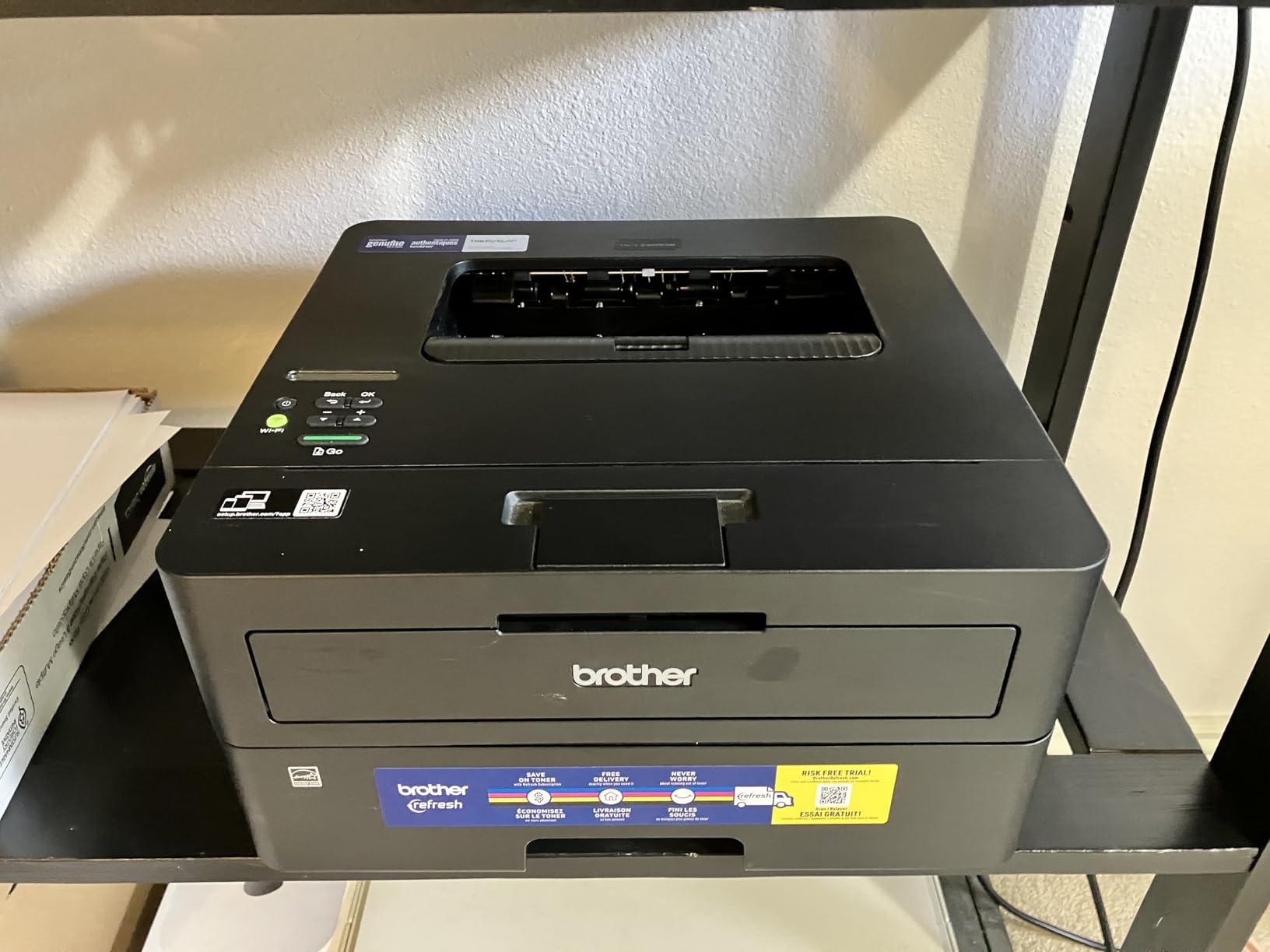
Toner also behaves differently from ink. It does not dry out in the nozzle if the machine sits unused for a month, so a printer that gets used twice a quarter still works on the third use. That reliability after long idle periods is the single most appreciated trait among laser owners, and it is why a laser is the safer choice for intermittent use.
The catch is that this is a print-only device. There is no scanner and no copier, so if you need to digitise a document or a receipt you are buying a second piece of equipment. At 15.6 pounds it is also the second-heaviest machine here and wants a surface with some structural confidence under it.
Who the HL-L2460DW suits
Home offices, one-to-three-person teams, and students who print long documents rather than single pages. The automatic duplex means you stop feeding and refilling for two-sided work, the tray rarely needs refilling, and the Ethernet port gives you a wired option when the wireless proves awkward.
Who the HL-L2460DW does not suit
Anyone who prints colour, scans, or copies. It is also the heavier of the two Brother units here, and while it is the same 14.2 by 14 by 7.2 inch footprint as the cheaper model, that footprint is a full square foot of desk for a printer that only prints in black.
4. Canon PIXMA TS3720 – Lightest All-in-One With a Scanner
Canon PIXMA TS3720 Wireless All-in-One Printer for Basic Home Printing, White
Print copy and scan
7.7 ppm black 4 ppm color
Dual band Wi-Fi
60 sheet tray
17.2 by 12.9 by 5.8 inch
Pros
- At 8.7 pounds the easiest unit here to lift onto a shelf
- Full print copy and scan in a low body
- Fast painless setup with many printing within minutes
- Cartridges inexpensive for the class
- Borderless 5 by 7 photo printing
Cons
- No automatic duplex at all
- Only a 60 sheet paper tray
- No USB cable or printed manual included
- Photo output can be grainy on large glossy stock
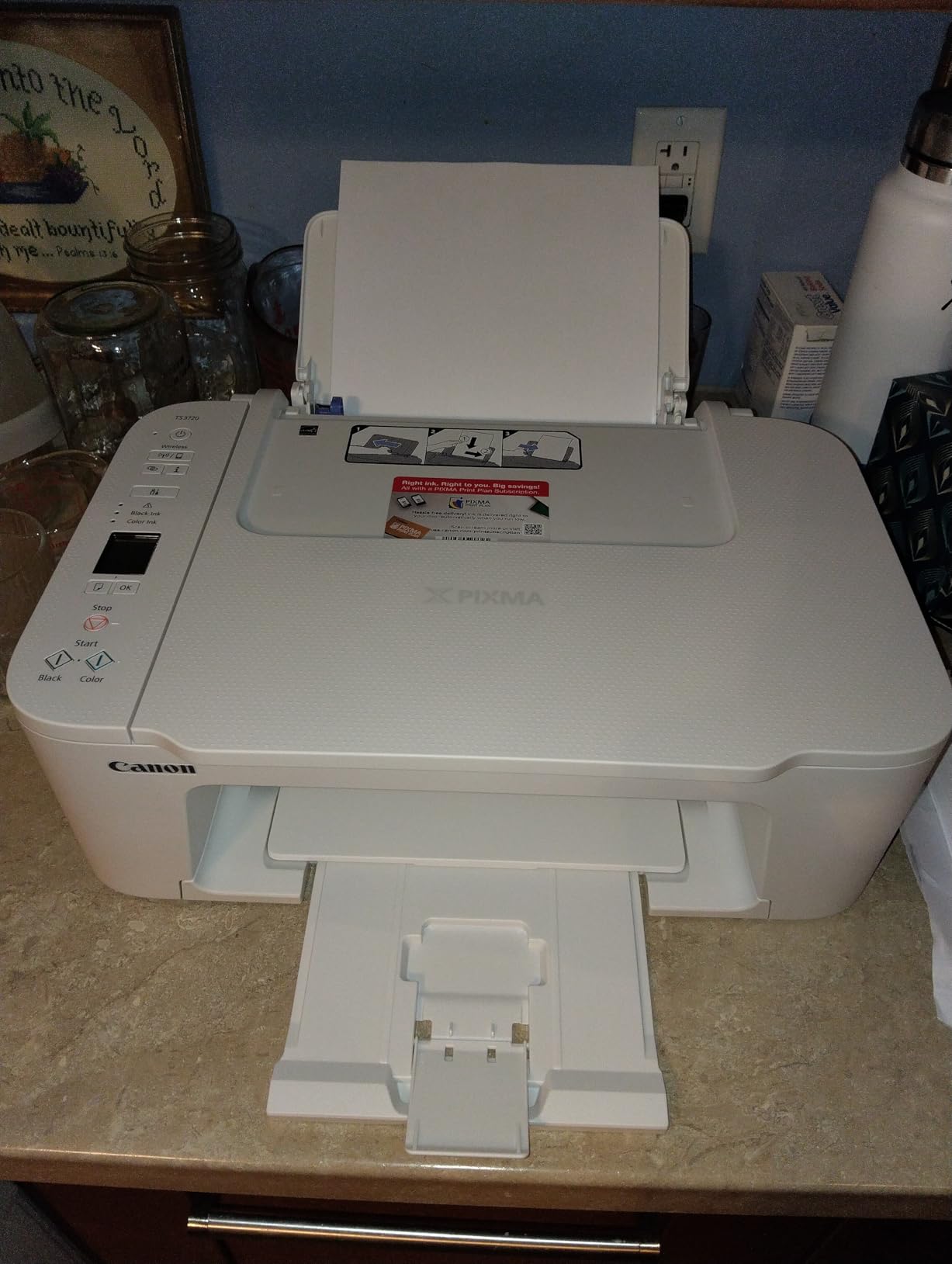
The TS3720 is the one to buy if the printer has to live somewhere awkward, because at 8.7 pounds and 5.8 inches tall you can lift it onto or off a high shelf with one hand. It is only 12.9 inches wide. That combination of low height and low weight is unique in this list, and it is exactly what a small apartment or a dorm room needs.
Setup is the best reported in the group. Owners regularly print within four to ten minutes of unboxing, the Canon PRINT app handles the wireless setup without a computer, and the 1.5 inch segment LCD is enough to confirm the job you just sent. Scan and copy are reported as reliable with no jams, and dual-band Wi-Fi covers both the 2.4 and 5 GHz bands.

What you give up is duplex and tray capacity. It is single-sided only, and the paper tray holds 60 sheets rather than the 100 or 250 available on larger machines in this list. Neither is a problem for someone printing a handful of pages a week, which is the use case this body was designed for.
Two practical warnings. There is no USB cable and no printed quick-start guide in the box, so setup depends entirely on the app and the website documentation, and some users find the wireless pairing step awkward. Photo output is fine for 4×6 and borderless 5×7 but can look grainy on larger glossy paper, and 8×10 borderless is not among the advertised sizes.
Who the TS3720 suits
Anyone whose desk is a small shelf rather than a work surface, and anyone who prints a few pages at a time rather than in batches. Colour documents and copies are both covered by a genuine flatbed scanner, dual-band Wi-Fi means it finds the network reliably, and the cartridges are inexpensive relative to the class.
Who the TS3720 does not suit
Anyone printing double-sided documents, since the machine cannot do it at all. It is also the slowest inkjet here at 7.7 ppm black, and the thin plastic feel at this price point is a common note in reviews. For heavier home printing, move up to the TS4320.
5. Brother HL-L2405W – Best for a Two-Person Home Office
Brother HL-L2405W Wireless Compact Monochrome Laser Printer with Mobile Printing, Black & White Output | Includes Refresh Subscription Trial(1), Works with Alexa
Mono laser
30 ppm single sided
250 sheet tray plus manual feed
Dual band Wi-Fi and USB
14.2 by 14 by 7.2 inch
Pros
- 30 ppm with crisp 1200 by 1200 dpi output
- Cleanest install of any printer in the group
- 250 sheet tray reduces refills
- Sharp output even on toner saver settings
- Works reliably after long idle periods
Cons
- Duplex is manual so paper must be flipped
- Print only with no scanner
- QR code setup is long for laptop only users
- Some toner out errors halt printing
This is the HL-L2460DW without the duplex mechanism, which means it is the same 14.2 by 14 by 7.2 inch footprint at a lower cost and 30 ppm instead of 36. For a two-person home office printing contracts, shipping paperwork, and school assignments, that is the version most people should actually buy. Two-sided work is a physical flip of the stack rather than an automatic feature.
Brother Genuine TN830 or TN830XL toner is rated to go a long way, and because it is powder rather than liquid it survives the weeks between uses. The 250-sheet tray plus a manual feed slot for envelopes means you are not feeding single sheets constantly. Alexa support is included if you want to say a job out loud, and the Brother Mobile Connect app tracks toner levels and handles remote printing.
The install experience is the quiet star here. Owners who switched from HP single it out: no auto-installed apps, no EULA clicks, nothing to uninstall afterwards. The paper comes out sharp and consistent even on the toner-saver setting, which matters when you are printing something you are going to hand to a client.
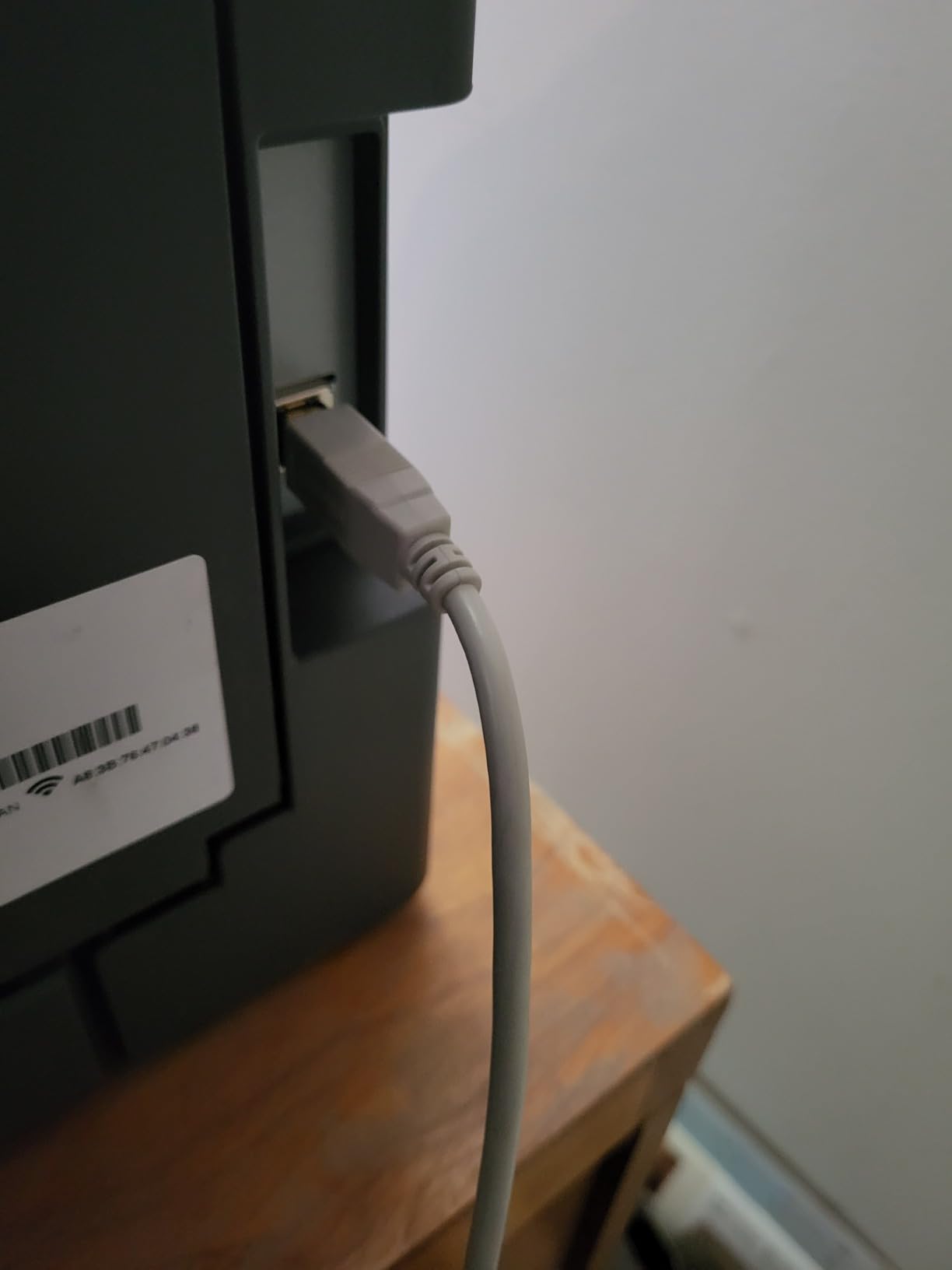
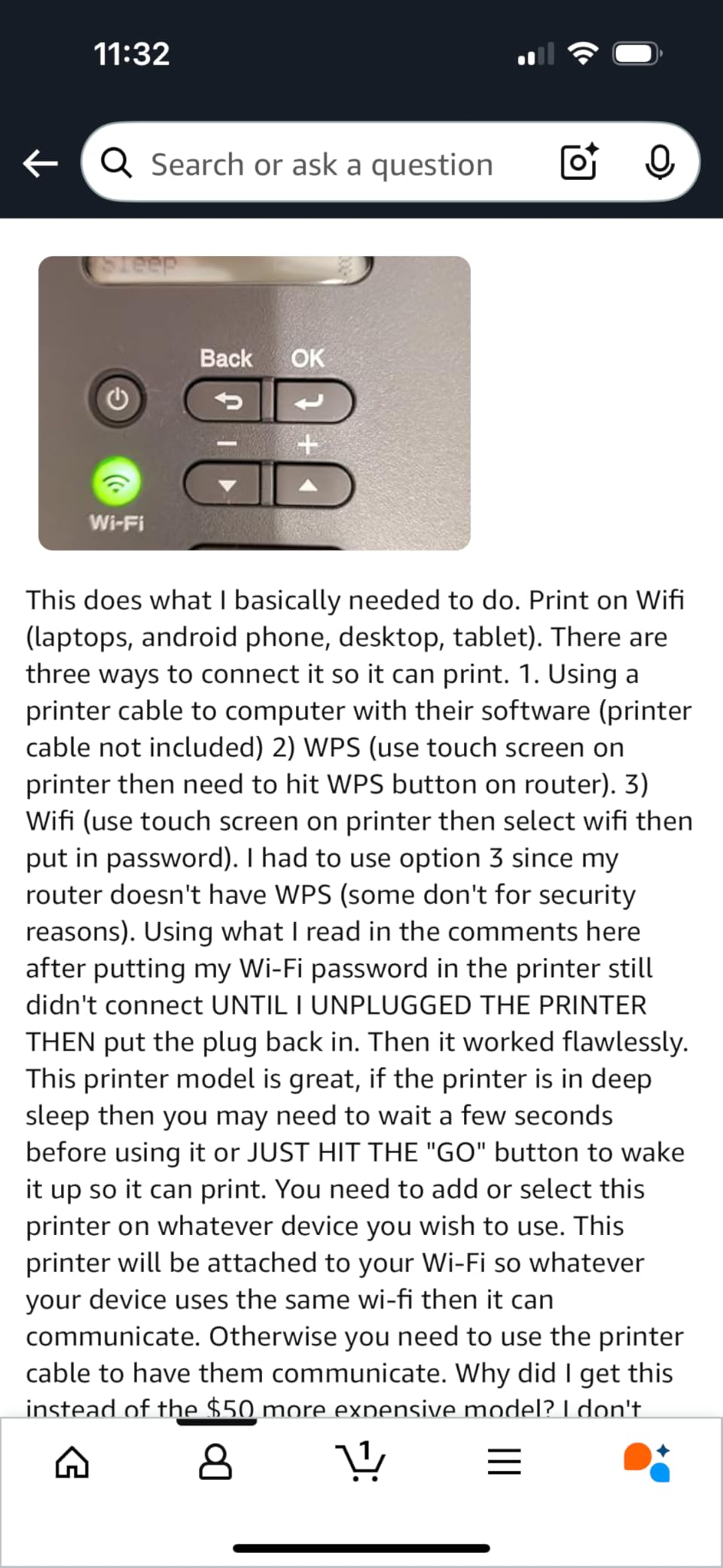
The friction is the setup flow. Brother leans mobile-first, and laptop-only users without a phone to hand report that the QR-code connection process is long and confusing. Some users also report repeated toner-out errors that block printing entirely until the cartridge is replaced, and Deep Sleep mode can drop the machine off some mesh networks.
Who the HL-L2405W suits
Shared workspaces and small teams where the printer sits on a shelf rather than a desk. It is print-only, so nobody needs to scan, the 250-sheet tray handles a busy week without constant refilling, and the energy draw at idle is low enough that leaving it on all day is not a concern.
Who the HL-L2405W does not suit
Anyone who needs automatic duplex, colour, or a scanner. It is also heavy at 15.1 pounds, and if your only flat surface is a light desk with a single support leg, check that leg before you commit. The deeper HL-L2460DW is the better buy if you print two-sided regularly.
6. HP LaserJet MFP M140w – Shallowest Laser Body for a Shelf
HP Laserjet MFP M140w Wireless Black & White Printer, Print, scan, Copy, Fast speeds, Easy Setup, Mobile Printing, Best-for-Small Teams
Mono laser
21 ppm with 8.3 second first page
Only 10.4 inches deep
Print scan and copy
14.2 by 10.4 by 7.8 inch
Pros
- At 10.4 inches deep it is the shallowest body here
- Print scan and copy in a small frame
- 21 ppm with a fast first page
- Laser means nothing dries out between uses
- ID card copy onto a single sheet
Cons
- No duplex and no colour output
- Starter toner yields only about 50 pages
- Long cooldown pauses after each job
- Paper can misfeed as the unit ages
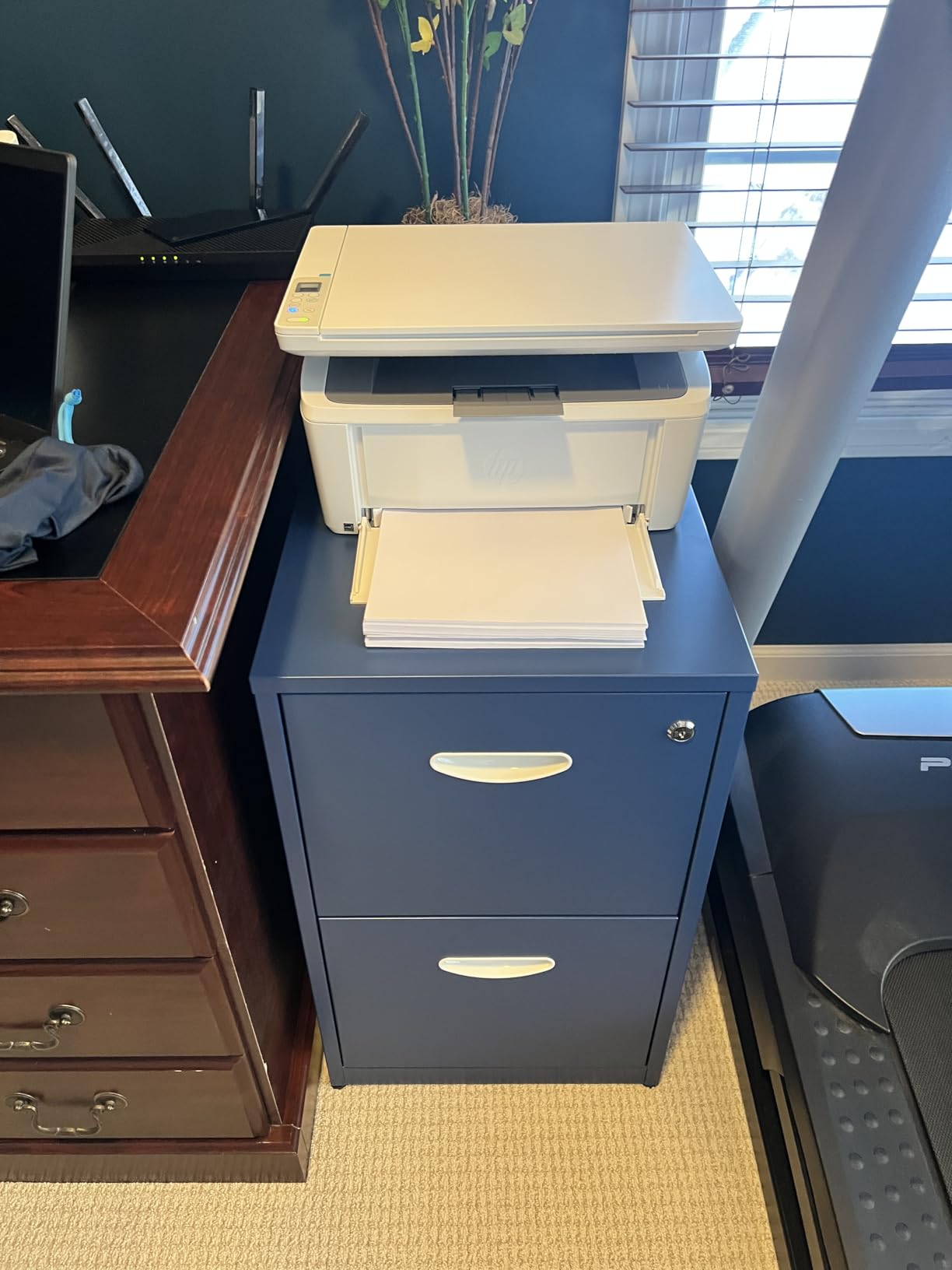
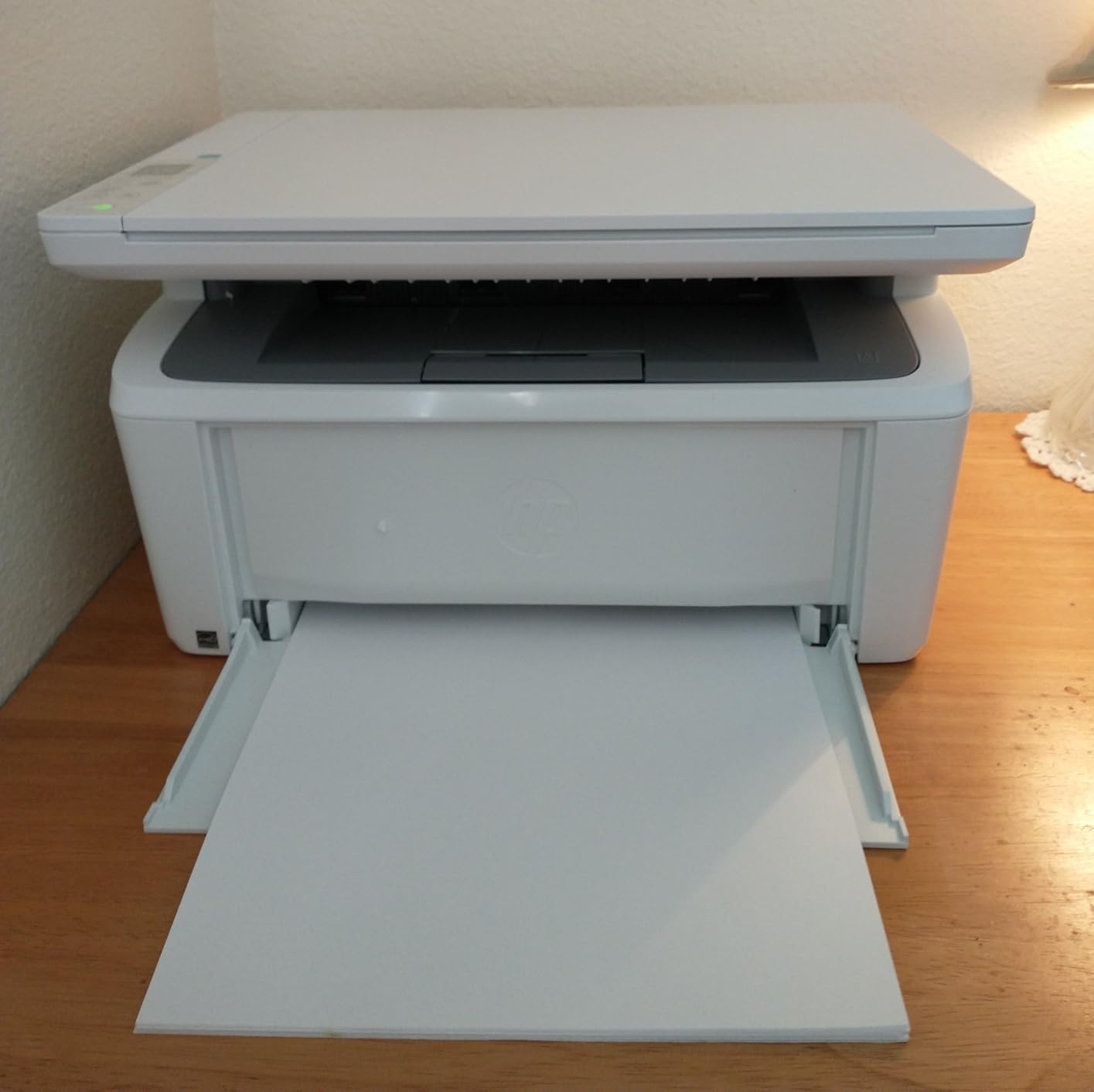
Depth is the dimension that actually costs you desk space, and the M140w wins it. At 10.4 inches deep it is more than three inches shallower than the Brother lasers and roughly four inches shallower than the Canon MegaTank. If your printer has to go at the back of a shallow desk without eating your mouse pad, this is the one that fits.
It is also a genuine all-in-one: print, scan, and copy in a 14.2 inch wide body weighing 11.9 pounds. HP markets it as the smallest laser printer in its class, and owners back that up. The copy function will put both sides of an ID card onto one sheet, which is a small touch that turns out to be useful for the kinds of admin a home office actually does.
Laser reliability is the quiet reason to like it. Because there is no liquid ink in a nozzle, the machine works properly on the third use after sitting untouched for a month, which is exactly the behaviour you want from a printer in a spare room. It also runs fine on built-in Windows drivers if you refuse to install HP’s software, and AirPrint, Mopria, Android, and Chromebook are all supported.
Two real limits. It is single-sided mono only, and the preinstalled introductory toner cartridge yields about 50 pages before it needs replacement, which is a sharp reminder that the first thing in the box is not the thing that runs the machine. It also enters a long cooldown pause after each job, which makes it a poor choice for a 30 or 40 page document.
Who the M140w suits
Small offices and flats where space is the binding constraint rather than speed or colour. You get a real flatbed scanner and copier, mono output at 21 ppm, a 99-sheet tray, and a body light enough to reposition when you need the space back. It draws more power than the inkjets here, so switching it off at the end of the day is worth doing.
Who the M140w does not suit
Anyone printing colour, duplex, or long documents in a single sitting. The scanner function is also reported to throw errors on some units, and it only accepts toner with original HP chips, so third-party cartridges are blocked.
7. Canon PIXMA TS4320 – Best Small All-in-One With Duplex
Canon PIXMA TS4320 – Wireless Color Inkjet Printer with Print, Copy, Scan
Automatic duplex
14 ppm black 9 ppm color
100 sheet tray
1.44 inch OLED
Dual band Wi-Fi
14.8 by 14 by 6.7 inch
Pros
- Automatic duplex is rare in a body this small
- Fast for the class at 14 black and 9 color ppm
- Three year manufacturer warranty
- Dual band Wi-Fi with stable connections
- Sharp text and vivid colour from a hybrid system
Cons
- Two cartridge system has no dedicated photo black
- Single 100 sheet tray with no second feeder
- Small OLED limits on screen navigation
- Letter size only with no Legal paper support
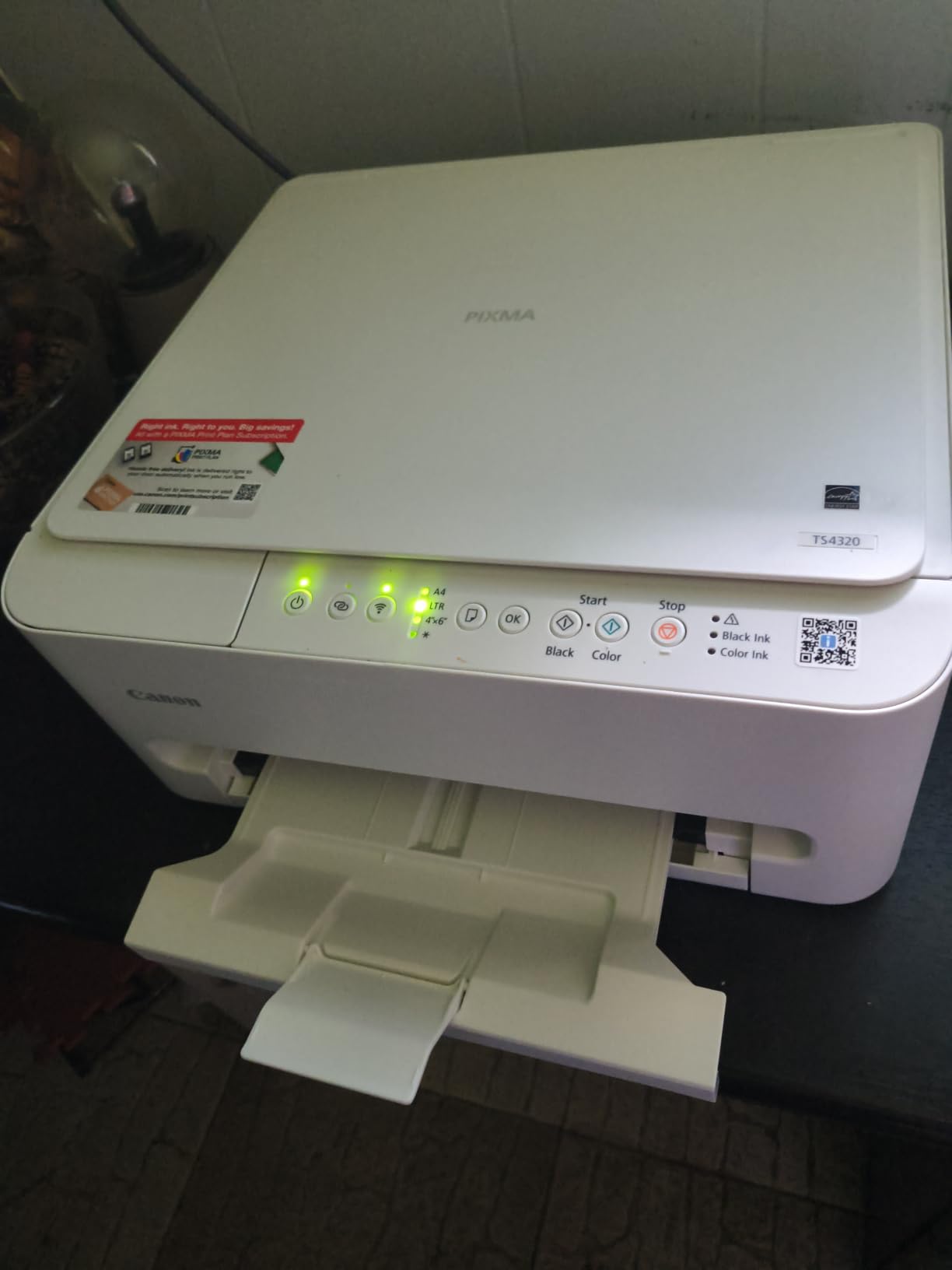
The TS4320 solves the awkward middle problem. You want a printer small enough for a modest desk, with a scanner in the same body, and you do not want to flip every two-sided document by hand. This one is 14.8 by 14 by 6.7 inches and has automatic duplex, which almost nothing else at this size manages. A 100-sheet tray also beats the 60-sheet units below it.
Speed is the best in the Canon all-in-one group here: 14 ppm black and 9 ppm colour, with a first page in 9.5 seconds. The hybrid two-cartridge ink system gives sharp text and vivid colour for general documents, and the three-year manufacturer warranty is the longest offered by any pick in this guide, which matters when the machine lives in a spare room and gets used occasionally.
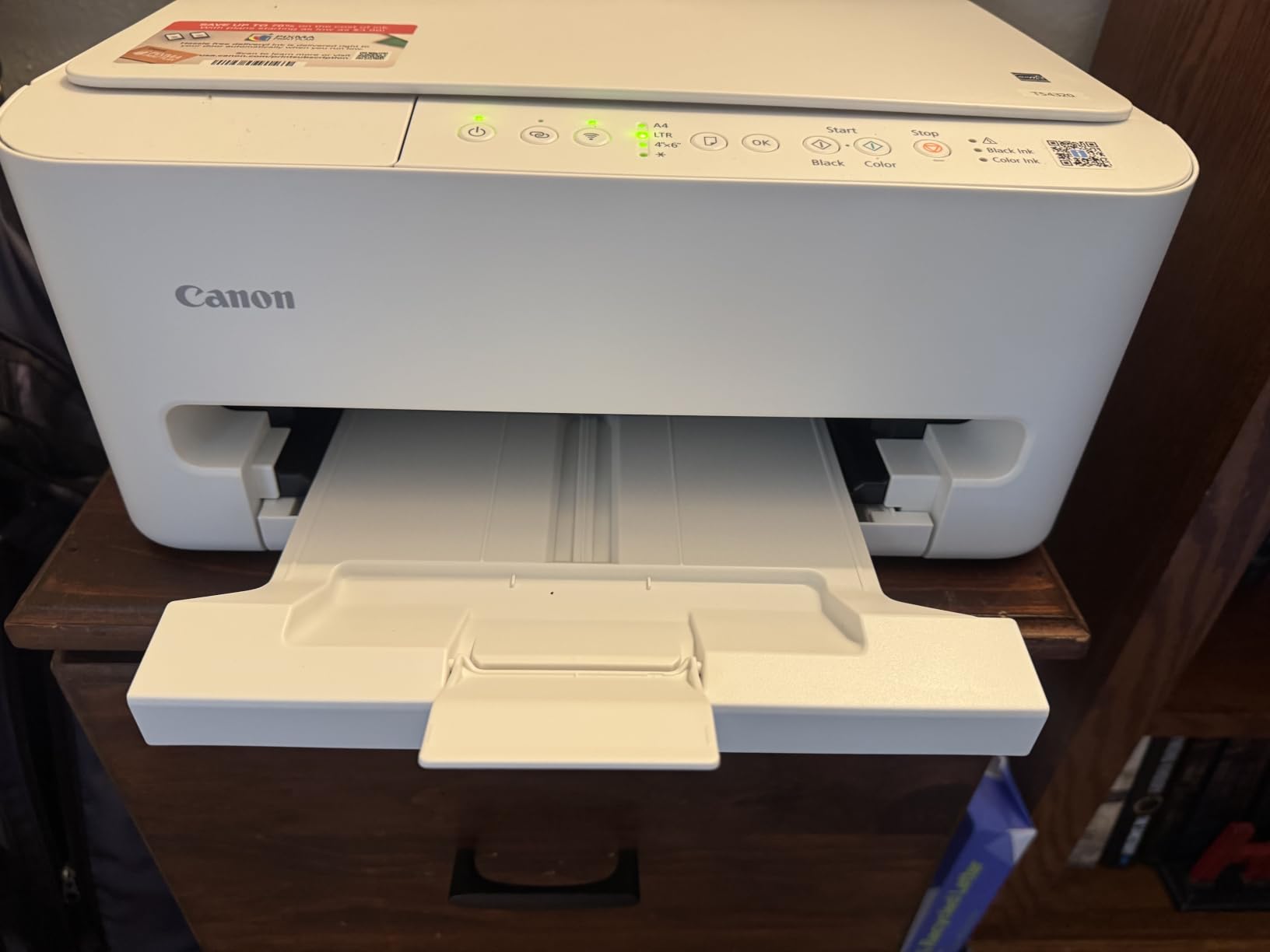
Dual-band Wi-Fi is doing real work here. Owners report stable connections and smooth printing from phones and tablets, which is the main frustration on cheaper single-band units. The 1.44 inch OLED shows status clearly, though it is far too small for anything beyond confirming a job, so most people drive it from a laptop or phone.
For photos it is a compromise. With only a black and a tri-color cartridge there is no dedicated photo black, so output is good rather than excellent and you will not get the same range of tones from a six-ink or five-ink system. Media support also stops at Letter, with no Legal paper handling.
Who the TS4320 suits
Hybrid workers and students who print two-sided documents regularly, scan the occasional receipt or ID, and work from a desk that is about four feet wide. The energy certifications, the compact body, and the long warranty make it a low-maintenance choice for infrequent use.
Who the TS4320 does not suit
Photo printers, and anyone who handles Legal-size documents. If you need a second paper source for envelopes and card stock alongside plain paper, the single tray is a limitation, and the small screen will frustrate you if you try to manage the machine entirely from the panel.
8. HP Envy 6155 – Best Screen-Matching Color With a Touchscreen
HP Envy 6155 Wireless All-in-One Color Inkjet Printer, Print, Scan, Copy, Duplex Printing Best-for-Home, 3 Month Trial of Instant Ink Included, AI-Capable (C2WR7A) Portobello
Color print copy scan with auto duplex
2.4 inch color touchscreen
10 ppm black 7 ppm color
100 sheet tray
Made with 60 percent recycled plastic
Pros
- Large 2.4 inch touchscreen for the segment
- Automatic duplex at an entry level price
- Dual band Wi-Fi that resolves its own connection issues
- P3 color gives vibrant screen matched output
- Built with at least 60 percent recycled plastic
Cons
- Only accepts HP 68 cartridges with original chips
- Instant Ink subscription adds ongoing cost after the trial
- 10 ppm is slower than most rivals here
- No automatic document feeder
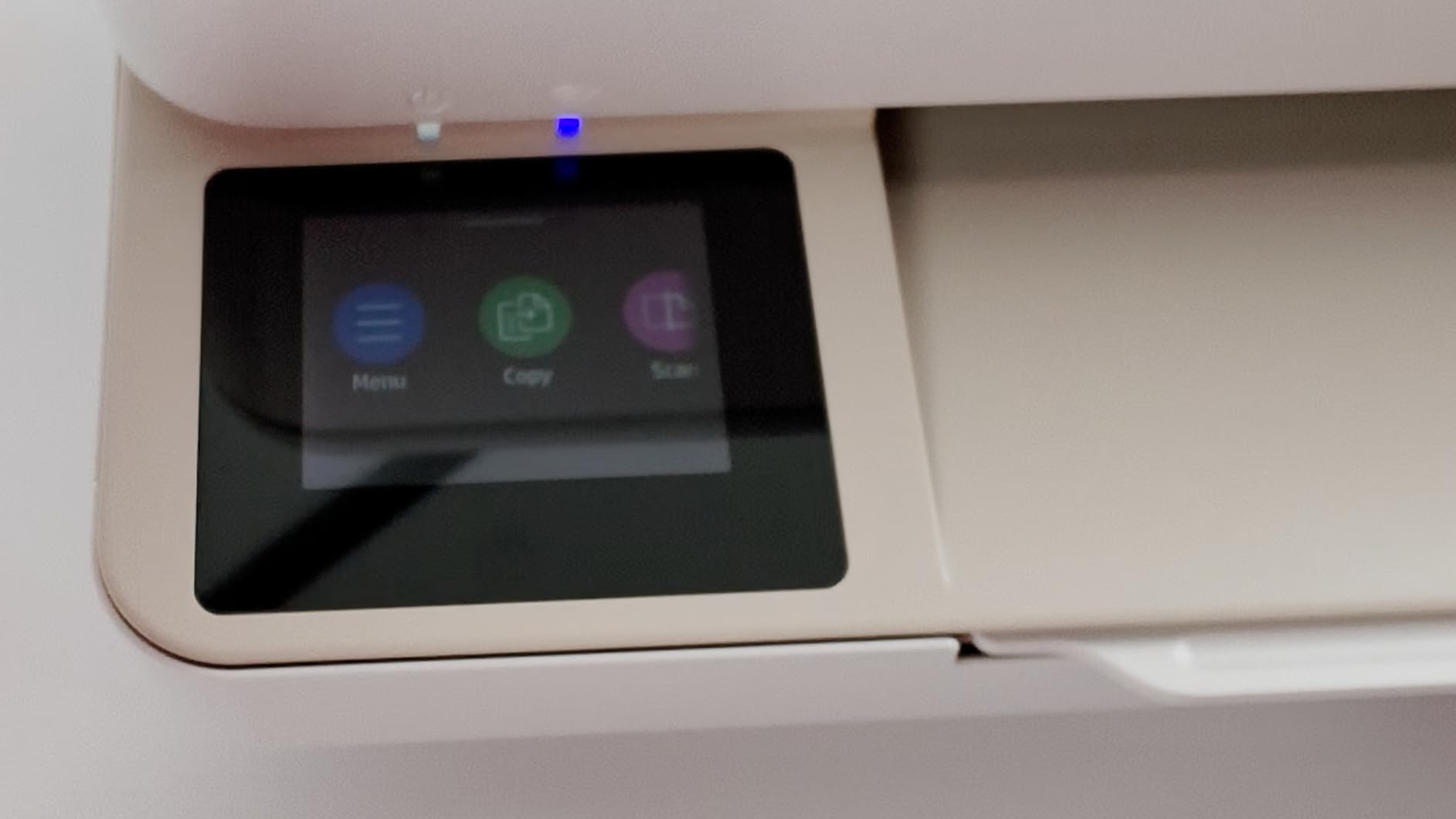
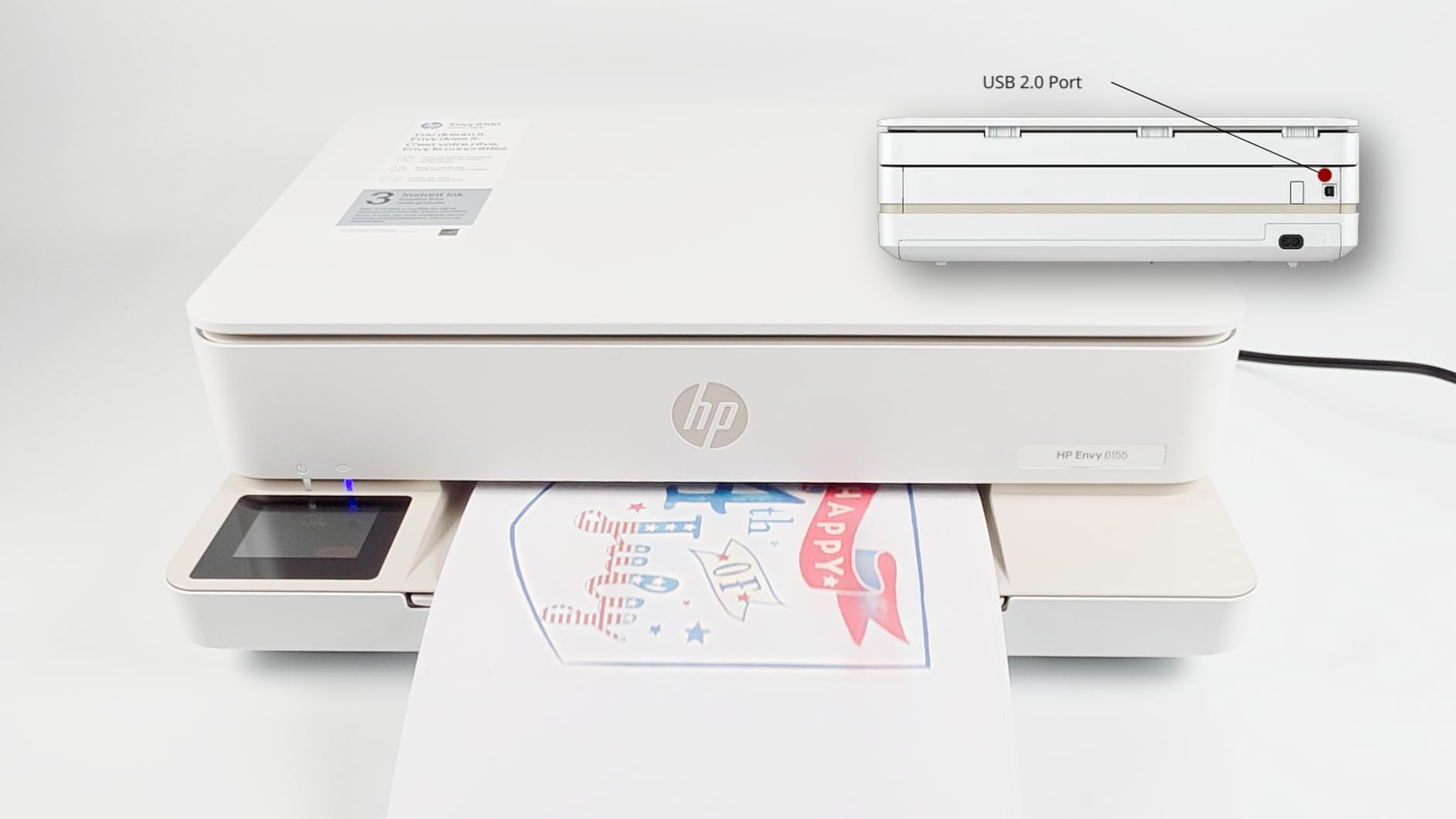
This is the most modern-feeling machine in the guide for one reason: the 2.4 inch colour touchscreen. It is unusual at this size and it changes the experience, because you can set up Wi-Fi, preview photos, and adjust settings from the printer instead of hunting through an app. The screen is the first thing reviewers mention, usually in the positive.
Underneath, it is a well-balanced compact all-in-one: colour print, copy, scan, automatic duplex, a 100-sheet tray, and dual-band Wi-Fi that detects and resolves its own connection problems. HP’s formatting tool strips the clutter out of web pages and emails before printing, and P3 colour technology gives output that tracks what you see on screen much more closely than a standard inkjet.
Two things soften the recommendation. Print speed is 10 ppm black and 7 ppm colour, which puts it behind the Canon TS4320 and both Brother lasers. And there is no automatic document feeder, so multi-page documents go onto the flatbed one page at a time, which is fine for the odd scan and tedious for a stack of forms.
The bigger issue is consumables. It works only with HP 68 cartridges containing original HP chips, so third-party ink is blocked outright, and a three-month Instant Ink trial is included that converts to a monthly subscription unless you cancel it. The 60 percent recycled plastic content is a genuine plus, and the unit draws only 12 watts.
Who the Envy 6155 suits
People who want colour output that matches their screen, and who dislike digging through apps. The touchscreen makes it a good fit for a shared family machine as well as a desk, and automatic duplex plus a 100-sheet tray cover ordinary home printing without a second feeder.
Who the Envy 6155 does not suit
Printers with high review volumes and older, simpler plastics-based parents who want to buy cheap third-party ink, because the chip lock makes that impossible. Its modest review count also means fewer long-term reliability reports, so for a machine that has to work unattended for years, the two Brother lasers are the steadier bet.
9. Epson Expression Premium XP-6100 – Best Photo Quality in a Slim Body
Epson Expression Premium XP-6100 Wireless Color All-in-One Inkjet Printer
5-color Claria Premium inks
4 by 6 photo in about 15 seconds
Up to 8 by 10 inch borderless
Automatic duplex
14.8 by 19.1 by 7 inch
Pros
- Dedicated photo black gives visibly better photos
- 4 by 6 prints in about 15 seconds
- Handles up to 8 by 10 inch photo paper
- Wi-Fi Direct works where networks are restricted
- Individual cartridges so you replace only what ran out
Cons
- Hinged dual tray system is awkward for every job
- Non touch LCD makes typing Wi-Fi passwords slow
- Printhead failures reported around the three year mark
- Works only with genuine Epson cartridges
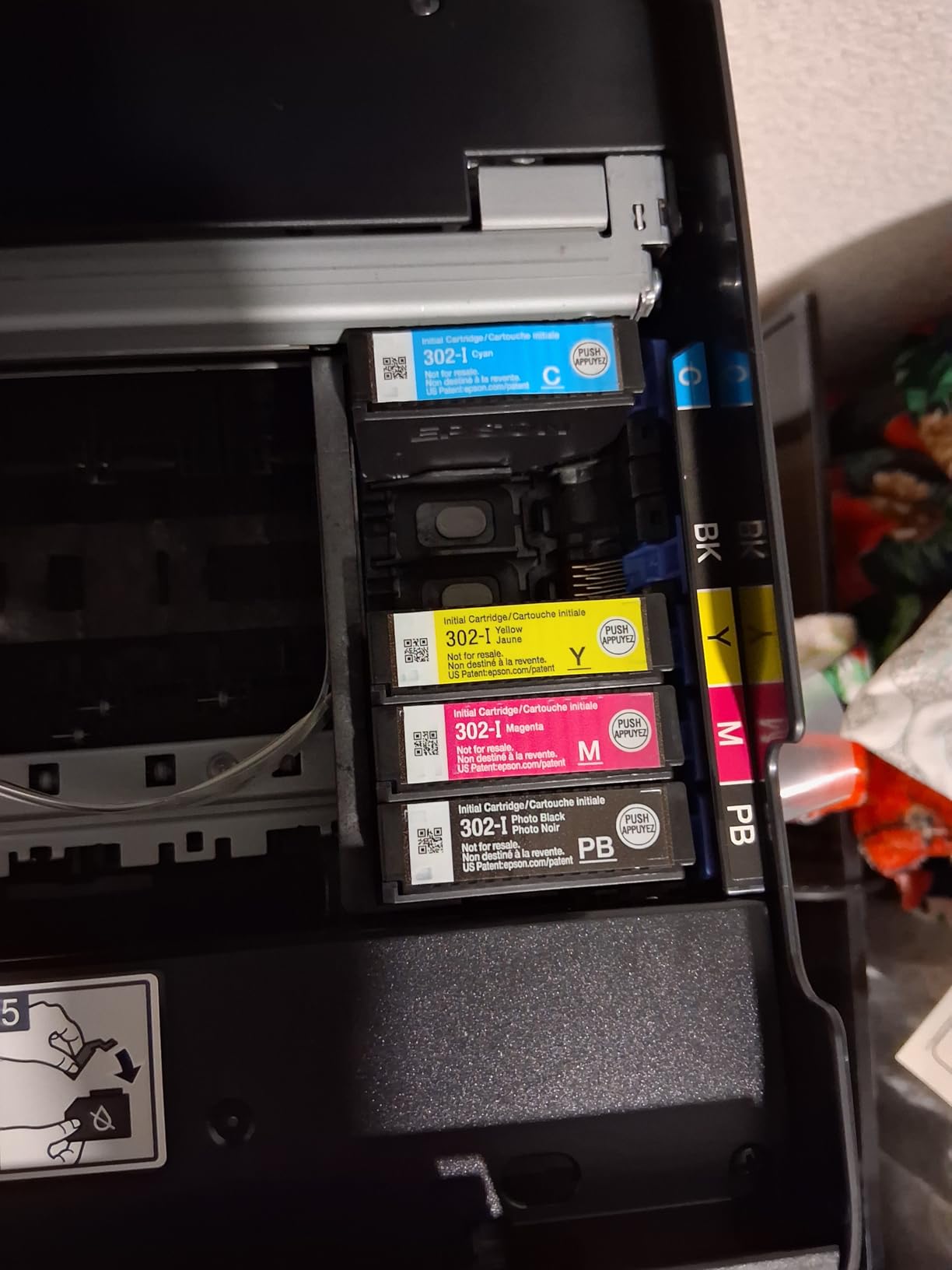
If you are printing images rather than invoices, the XP-6100 is the pick. Its 5-color Claria Premium system includes a dedicated photo black, and that single extra ink is the difference between a colour photo that looks like a photo and one that looks like a printout. It handles paper up to 8×10 inches and produces a 4×6 in roughly fifteen seconds.
It packs a lot into a slim body. Automatic duplex, a dedicated photo and disc tray, built-in USB, memory card slots, and Wi-Fi Direct, which creates a private network so you can print without joining the main Wi-Fi at all. That is the feature that saves the day in a dorm or a shared office where network access is restricted. It also works with Alexa for voice-activated jobs.
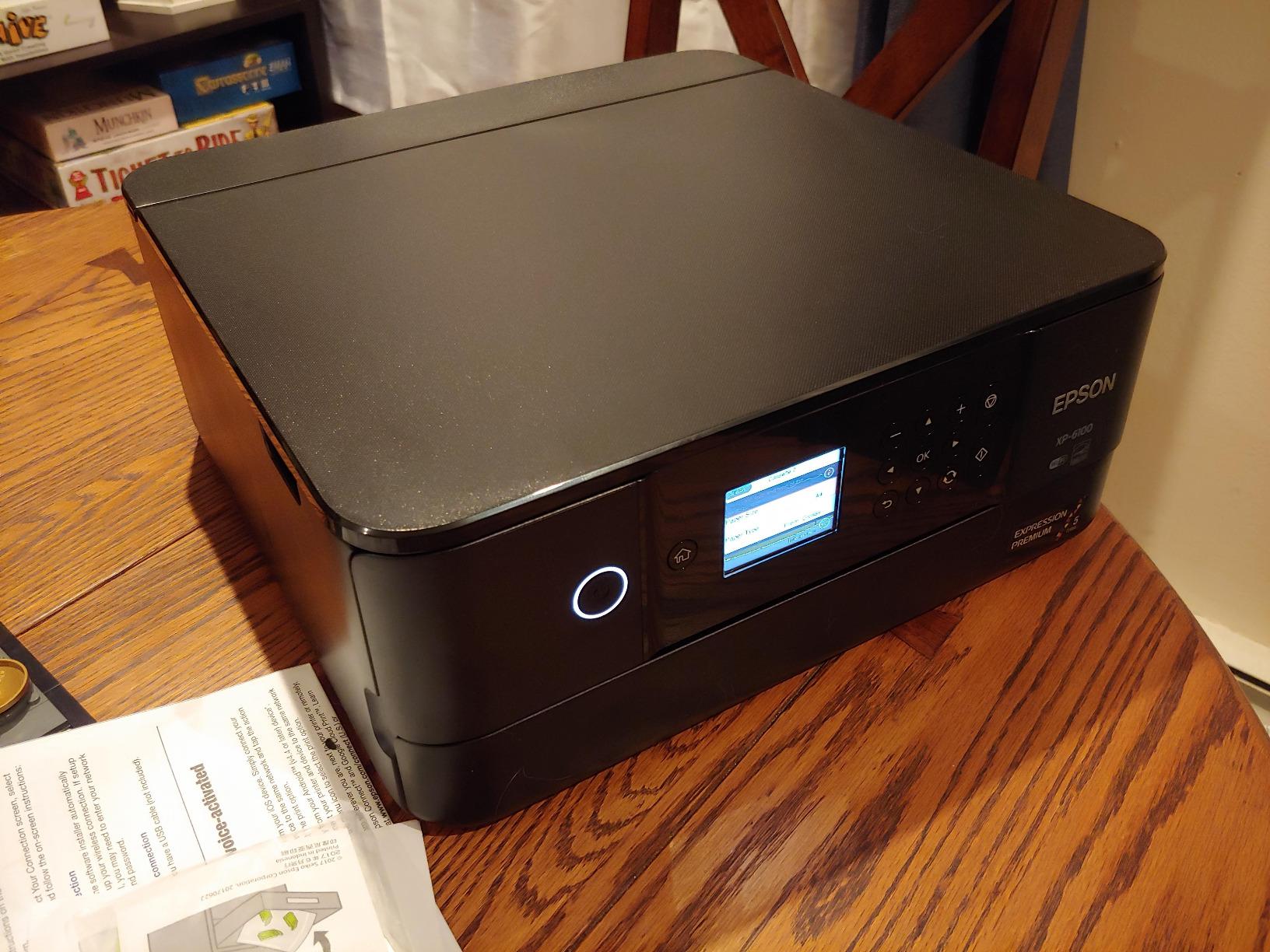
The reason it ranks here rather than higher is the paper system. Epson designed an ultra-slim chassis with a hinged front cover, and to change paper you open the cover, swap the tray, and pull the output tray out. Owners describe it as clunky and unintuitive, and it happens for every single job. It is a real daily friction that does not show up in any specification.
Two other concerns. The 2.4 inch LCD is not a touchscreen, which makes typing a Wi-Fi password genuinely slow. And some owners report printhead failure at around the three-year mark, with head cleaning cycles sometimes making it worse and the problem not covered by the warranty, plus ink that only comes in genuine Epson cartridges at a premium.
Who the XP-6100 suits
Anyone who prints photographs regularly and wants proper colour depth, especially in a dorm room or a small apartment where space is at a premium. Individual cartridges mean you only replace the colour that ran out, and the paper handling for both thick photo stock and ordinary copy paper is reported as reliable.
Who the XP-6100 does not suit
Anyone who prints long document runs, because the tray swap is tedious and there is no document feeder. At 19.1 inches wide it is the second-widest body in the group after the EcoTank, and the reported printhead longevity gives pause for a machine expected to last a decade.
10. Epson EcoTank ET-2980 – Best Mix of Duplex and Low Ink Cost
Epson EcoTank ET-2980 Wireless Color All-in-One Supertank Printer – Black
Refillable EcoTank with EcoFit bottles
Automatic duplex
15 ppm black 8 ppm color
13.7 by 14.8 by 7.4 inch
Energy Star
Pros
- Automatic duplex plus up to 6600 black pages in the box
- 15 ppm is faster than the ET-2800
- Compact 13.7 by 14.8 by 7.4 inch body
- Owners report over 1100 pages with black still 80 percent full
- Sharp well defined text
Cons
- Flatbed scanner quality is widely criticised
- On device screen is tiny with confusing icon buttons
- Output tray will not retract without a button
- Paper jams recur during duplex printing
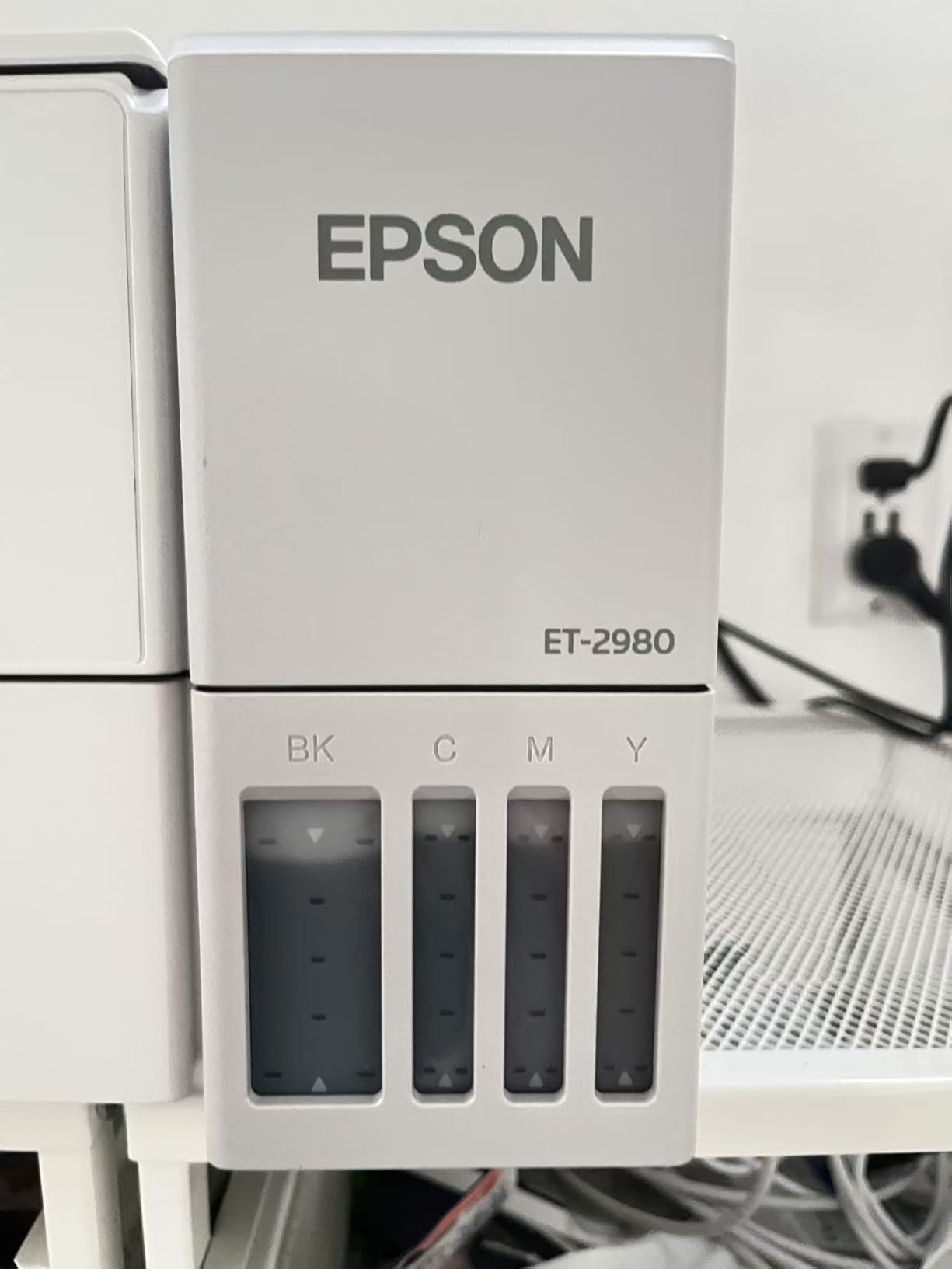
This is the model I would buy if the ET-2800 were not quite right. It is the smallest refillable-ink machine in the guide at 13.7 by 14.8 by 7.4 inches, it adds automatic duplex, and it is faster at 15 ppm black and 8 ppm colour. The box holds up to 6,600 black pages or 5,500 colour pages, which Epson puts at up to three years of ink.
Owners back the ink longevity claim with numbers: one reports over 1,100 pages printed with the black tank still around 80 percent full. Borderless printing runs up to 8.5×14 inches, the app-guided setup is straightforward, and the wireless connection is generally described as consistent. Text is sharp with improved blacks over earlier EcoTank models.
Almost every review of this machine converges on the same weak point: the flatbed scanner. Owners describe it as poor with outdated scanning software, and some advise against buying this model if scanning matters at all. If you need a reliable scanner, the Canon PIXMA units in this guide are a safer pairing, and you can still get refillable ink from the Canon MegaTank G3270.
The smaller annoyances add up. The on-device screen is tiny with confusing icon buttons and a power light that blinks constantly. The output tray pops out when printing and does not retract without pressing a button. Paper jams recur during duplex printing and require access to the back of the unit, and some users report daily Wi-Fi dropouts or the printer locking into the wrong paper mode.
Who the ET-2980 suits
Document-heavy home users who want automatic two-sided printing and low ink cost in a body that still fits a modest desk. The duplex plus the ink in the box is the strongest combination of features and running cost in the guide, and the physical size is genuinely compact for a tank printer.
Who the ET-2980 does not suit
Anyone who scans regularly, because the scanner is the weakest component here. Photo printing is also mediocre and ink can rub off the output, and the first fill triggers an 11-minute initialisation cycle before the machine is ready to work.
Printers to Skip for Small Desks
Two of the machines in this lineup are the wrong shape for a cramped desk, and it is worth saying so plainly. The Canon MegaTank G3270 is 21.9 inches deep and the Epson EcoTank ET-2800 is 22.8 inches wide. Both are among the strongest performers here on running cost, and both are the right buy only if you have somewhere other than the desk itself to put them. Know what you are buying before you commit.
The broader pattern is worth naming too. Bulky multifunction units with a document feeder stack, a hinged scanner lid, and a side-attached ink tank are marketed constantly as “compact”, and they occupy an entire shelf. If a listing leads with features rather than dimensions, that is usually the tell. Judge the depth and the height first, always, because those are the two numbers that decide whether it can share a surface with anything else.
One more category to be careful with: ultra-compact print-only units that leave the scanner out to save space. They are genuinely small, but then you are buying a second flatbed scanner, and two small devices take more desk than one slightly larger all-in-one. On a small desk, the all-in-one is usually the smaller total footprint.
How Much Desk Space Do You Actually Need?
Add at least three inches to the published depth of any machine here. That covers the rear cable run to the wall, the clearance needed to pull a paper tray out and load it, and the paper sticking out of the front. A printer that measures 14.2 inches deep realistically wants about 17 inches of depth to be usable rather than merely present.
Width matters less than people assume and height matters less still. A 17 inch wide printer on a 48 inch desk is fine; a 14 inch wide printer is not fine on a desk that also has a 27 inch monitor sitting directly on it. That is the situation a monitor riser solves, and it converts almost any printer on this list into a workable one.
Finally, check the weight against the surface. At 15.6 pounds, the Brother HL-L2460DW wants a sturdy top. A single-leg sit-stand desk or a light shelving unit is a poor home for any of the heavier units here, and a machine that has to be moved every time you clear the desk is a machine you will stop using.
Buying Guide: 7 Factors That Decide a Small-Desk Printer
1. Footprint, and depth above all
Measure your available depth first, then width, then height. The HP LaserJet MFP M140w is the shallowest at 10.4 inches and the Canon TS4320 is among the most balanced at 14.8 by 14 inches. The two ink tank machines are the widest, and width is the dimension that forces a monitor riser.
2. Ink system: cartridges or refillable tanks
This is the decision that costs you the most money over two years. Cartridge printers bill by the page every time, and EcoTank, Supertank, MegaTank, and GI-21 tank systems bill by the bottle. If you print more than a few pages a week, a tank machine pays for itself; if you print a few pages a month, a cartridge model with inexpensive cartridges is fine and smaller.
3. Duplex printing
Automatic two-sided printing saves paper and saves you flipping stacks by hand, and it is the feature that most often justifies a step up in price. In this group it is present on the HL-L2460DW, the HP Envy 6155, the Canon TS4320, the Epson XP-6100, and the ET-2980. The M140w, the TS3720, the G3270, and the ET-2800 are single-sided only, as are the two Brother machines in the manual sense that the HL-L2405W only flips by hand.
4. Connectivity, and dual band matters
All ten picks here print over Wi-Fi without a cable, but dual-band is what stops a printer disappearing from the network in a flat with thick walls. Dual-band appears on the TS3720, the TS4320, both Brother lasers, the HP Envy 6155, and the HP M140w. If the printer will be more than one room from the router, look for an Ethernet port as well.
5. Paper handling and tray size
A 60-sheet tray means refilling weekly for a busy user and never for an occasional one. The 250-sheet trays on both Brother lasers are the largest here and reduce interruptions. On the Epson XP-6100, remember that the paper system is a hinged swap rather than a second tray you can leave loaded.
6. All-in-one value versus a separate scanner
Print-only machines are the smallest option, but you then need a flatbed scanner, and two devices on a small desk usually occupy more space than one all-in-one. If you scan more than once a month, buy the all-in-one. Only go print-only if you never scan, in which case the two Brother lasers or the M140w are stronger choices than any inkjet.
7. Running cost over two years, not sticker price
The machine is the small part of the bill. The recurring cost is ink or toner, so divide the price of a set of cartridges or bottles by the rated page yield and multiply by your monthly page count. That single calculation is the reason the ET-2800 and the G3270 lead this guide, and the reason the chip-locked HP Envy 6155 needs a longer thought.
Frequently Asked Questions
What is the best small, compact printer?
The Epson EcoTank ET-2800 is the best small compact printer overall, because its refillable tanks give the lowest cost per page in this group while keeping a flatbed scanner, copier, and Wi-Fi in one body. For black-and-white volume the Brother HL-L2460DW is faster with automatic duplex, and for a very shallow shelf the HP LaserJet MFP M140w is only 10.4 inches deep.
How much desk space does a printer need?
Add about three inches to the published depth of any printer, to cover the rear cable run, tray loading clearance, and paper protruding from the front. A machine listed at 14.2 inches deep realistically needs about 17 inches of desk depth to work comfortably rather than just fit.
Is inkjet or laser better for occasional printing?
For occasional printing, laser wins because toner does not dry out in the nozzles while the machine sits unused. Inkjets are better if you print colour or photos at all, and refillable tank inkjets such as the ET-2800 and MegaTank G3270 solve the cost-per-page problem that makes cartridge inkjets expensive.
Are ink tank printers cheaper to run?
Yes, substantially. A set of refillable ink bottles is rated at up to 4,500 black pages on the Epson EcoTank ET-2800 and up to 6,000 black pages on the Canon MegaTank G3270, against cartridge yields that require a replacement every few hundred pages. The trade-off is a larger body and no automatic duplex on the ET-2800.
Can a small printer also scan and copy?
Yes, most compact models in this guide include a flatbed scanner and copier. The HP LaserJet MFP M140w, the Canon PIXMA TS3720 and TS4320, the HP Envy 6155, and both EcoTank models all scan and copy. The two Brother HL-L laser printers are print-only, and the XP-6100 scans and copies but has no document feeder.
What is a good small printer for home use?
For a small desk at home, the Canon PIXMA TS4320 balances everything: a 14.8 by 14 by 6.7 inch body, automatic duplex, a 100-sheet tray, dual-band Wi-Fi, and a three-year warranty. If ink cost is your main worry, choose a refillable tank model such as the ET-2800 or the MegaTank G3270 instead.
Conclusion
The best compact printers for small desks in 2026 come down to one honest question: what is the printer actually for. If ink cost is the thing that will annoy you month after month, the Epson EcoTank ET-2800 wins on cost per page and the Canon MegaTank G3270 is a close second. If you print black-and-white documents in volume, the Brother HL-L2460DW gives you 36 ppm with automatic duplex. If your desk is shallow, the HP LaserJet MFP M140w fits in 10.4 inches of depth and scans as well as prints.
For a balanced all-in-one with duplex in a body that will not crowd the surface, the Canon PIXMA TS4320 is the pick I would put in front of anyone undecided. Measure your depth first, add three inches for cable and tray clearance, and buy from there.