
Short answer: the Focusrite Scarlett Solo 4th Gen is the best audio interface under 200 dollars for most people, because it pairs one genuinely good XLR preamp with 120dB of dynamic range, a clean headphone stage and a three-year warranty in a box that weighs less than a paperback. If you need to record two sources at once, the Focusrite Scarlett Solo is the wrong shape, and the Universal Audio Volt 2 or the M-Audio M-Track Duo answer that instead.
Every one of the 12 interfaces below sits under the same ceiling, and at that ceiling the sound differences between them are genuinely small. What separates a good buy from a bad one is how many preamps you get, whether the drivers behave on your operating system, and whether the metering and monitoring controls help you while you are recording rather than after. That is the axis this roundup is built on.
We cross-checked the spec sheets, the aggregated owner reviews and the recurring complaints in places like r/audio, Gearspace and the Audio Science Review forum, then matched the result against what people actually plug in. If you are still building a room from scratch, our guide to the best audio interfaces for home recording covers the wider price range. Prices and availability change constantly, so treat every figure here as a snapshot rather than a promise.
Table of Contents
Top 3 Picks for Best Audio Interfaces Under $200 in October

Focusrite Scarlett Solo 4th Gen
- 1 XLR preamp and 1 Hi-Z input
- 120dB dynamic range
- 24-bit/192 kHz
- Air mode

Behringer UMC202HD
- Midas-designed preamps
- 24-bit/192 kHz
- Metal chassis
- Direct monitor select

Behringer UMC22
- Single Midas preamp
- 48 kHz/24-bit
- Direct monitor switch
- Status and clip LEDs
Every Interface in This Roundup at a Glance in 2026
| Product | Specifications | Action |
|---|---|---|
| Focusrite Scarlett Solo 4th Gen |
|
Check Latest Price |
 MOTU M2 MOTU M2 |
|
Check Latest Price |
 Universal Audio Volt 2 Universal Audio Volt 2 |
|
Check Latest Price |
| Behringer UMC202HD |
|
Check Latest Price |
 Arturia MiniFuse 1 Arturia MiniFuse 1 |
|
Check Latest Price |
 M-Audio M-Track Duo M-Audio M-Track Duo |
|
Check Latest Price |
 Tascam US-2x2HR Tascam US-2x2HR |
|
Check Latest Price |
 PreSonus AudioBox 96 25th Anniversary PreSonus AudioBox 96 25th Anniversary |
|
Check Latest Price |
| Behringer UMC22 |
|
Check Latest Price |
 M-Audio M-Track Solo M-Audio M-Track Solo |
|
Check Latest Price |
 Mackie Onyx Artist 1X2 Mackie Onyx Artist 1X2 |
|
Check Latest Price |
 PreSonus Quantum ES 2 PreSonus Quantum ES 2 |
|
Check Latest Price |
1. Focusrite Scarlett Solo 4th Gen: Best Overall for Songwriters
Focusrite Scarlett Solo 4th Gen USB-C Audio Interface
1 XLR mic preamp
1 Hi-Z instrument input
24-bit/192 kHz
120dB dynamic range
Pros
- Clean warm sound with strong mic preamps
- 120dB dynamic range from flagship converters
- Air mode adds vocal presence
- Virtually nonexistent latency with a clean headphone amp
- Three-year manufacturer warranty
Cons
- Only one mic preamp and one instrument input
- Some users report low gain with dynamic mics under Windows drivers
- Included cable is USB-A to USB-C rather than USB-C to USB-C
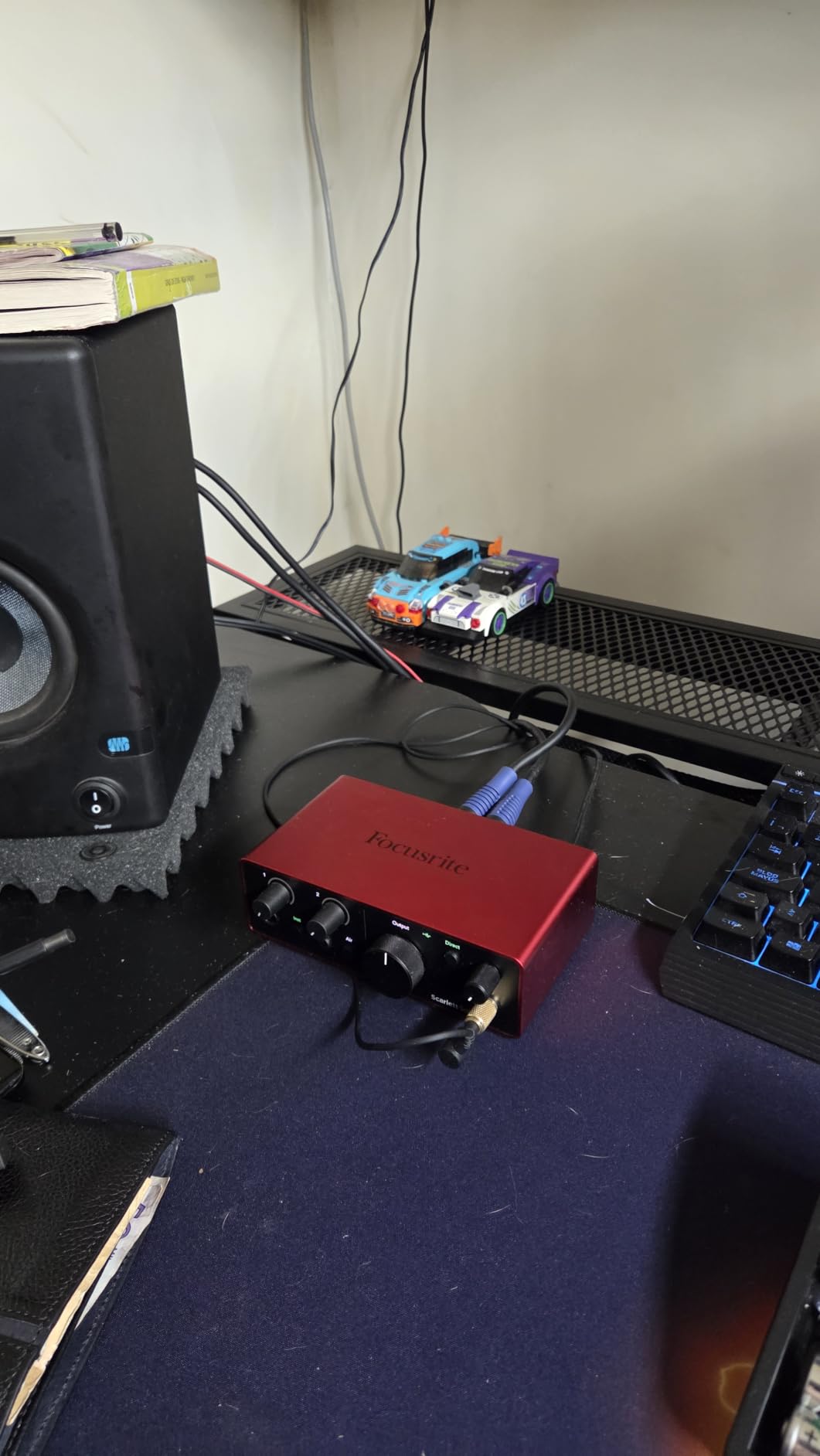
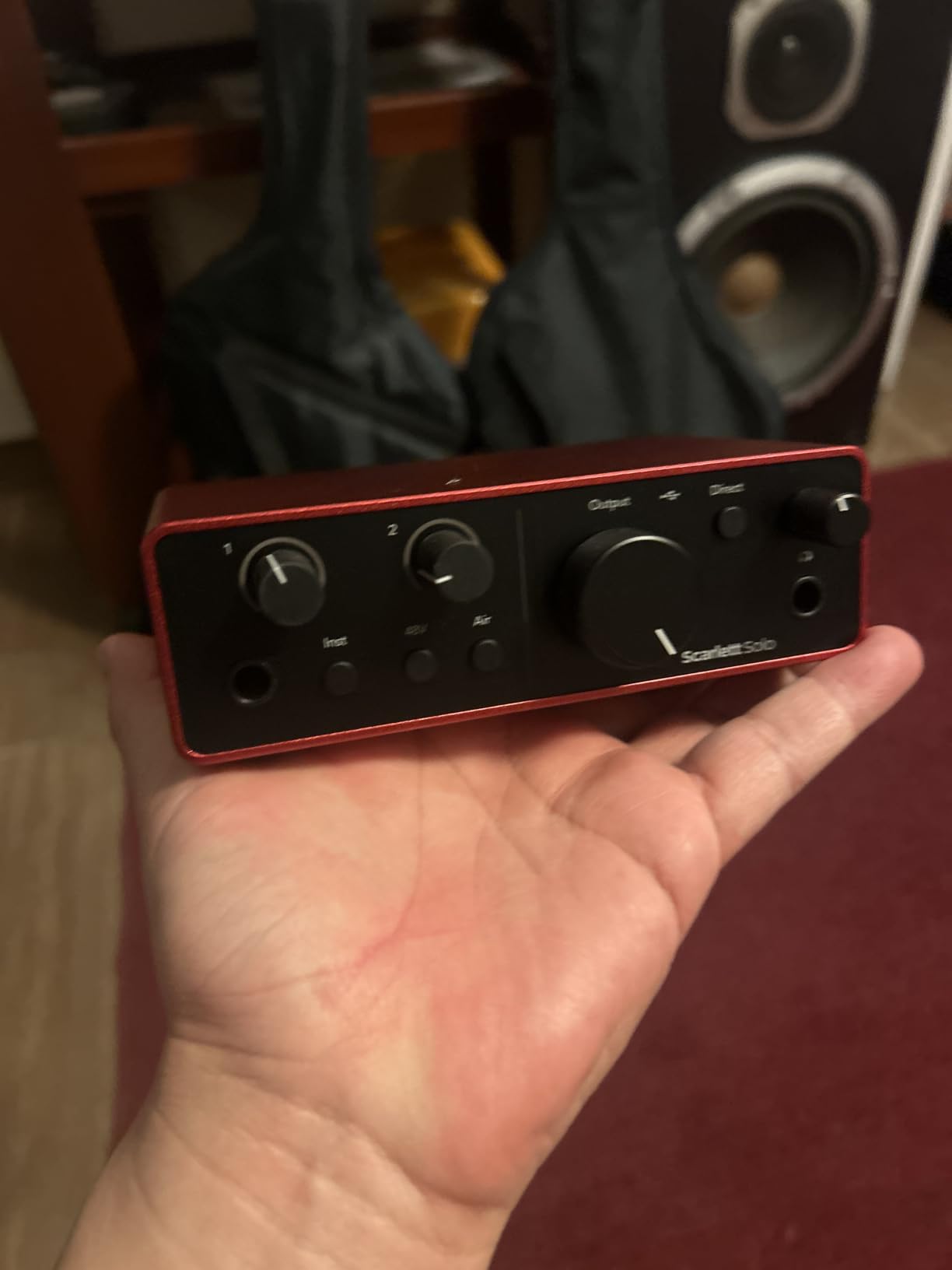
The Focusrite Scarlett Solo 4th Gen is the box we recommend most often, and the first one we hand to a singer-songwriter who has one microphone and one guitar. It converts at 24-bit/192 kHz and quotes 120dB of dynamic range, using the same converter family Focusrite fits in its higher-end hardware.
It is also a genuinely small object. At 14.4 ounces and 3.78 by 5.63 by 1.83 inches it sits behind a laptop without a thought, and the front panel keeps gain LEDs so you can set level without guessing.
The software bundle is unusually useful rather than decorative. Pro Tools Intro, Ableton Live Lite, Cubase LE and the Hitmaker Expansion mean you can start on any of the three major DAWs without buying a licence first.
Air mode is the feature owners mention most. Owners report that it lifts vocals and guitars to the front of the mix with added presence and harmonic drive, which is why we rate it a touch above the alternatives that convert just as well but sound flatter.
Why it takes the top spot
Converters and preamps are the reason. Comparing notes across this list, the Solo draws the fewest recurring complaints about hiss and hum at usable gain, and 120dB of quoted headroom means you rarely have to ride the gain knob to get a clean vocal.
The direct monitoring path is genuinely low-latency and the headphone amp has enough power for open-back headphones. Combined with a three-year warranty, that is the most complete package here for a single-source setup.
Where it will frustrate you
One preamp is one preamp. You cannot record a mic and a guitar at the same time, and if a duo shows up with two mics you are going to be bouncing takes through the same input.
A recurring owner report is low input gain with dynamic microphones such as the Shure SM58 under the Focusrite Windows drivers, so if that is your microphone, check the gain range before you commit. The included cable is also USB-A to USB-C rather than the USB-C to USB-C most laptops now use.
2. MOTU M2: Best for Mac Users and Two-Channel Recording
MOTU M2 USB-C Audio Interface
2 preamps
2-in/2-out
Hardware monitoring
24-bit/192 kHz
Pros
- Clean transparent recording from two solid preamps
- Hardware direct monitoring for zero-latency tracking
- 24-bit/192kHz conversion resolution
- Compact USB-C form factor that is easy to transport
Cons
- Only two inputs and two outputs
- Bundled software needs a download and setup process
The MOTU M2 is the one product here that both of the roundups we studied omitted, and readers in the comment thread under one of them asked for it four separate times. That is a fair signal, because the M2 gives you two real mic preamps with hardware monitoring in a USB-C body.
It weighs 612 grams and measures 7.5 by 4.25 by 1.75 inches, which is small enough to travel and heavy enough to sit still. Conversion runs to 24-bit/192 kHz and the monitor path is a hardware switch rather than a software setting.
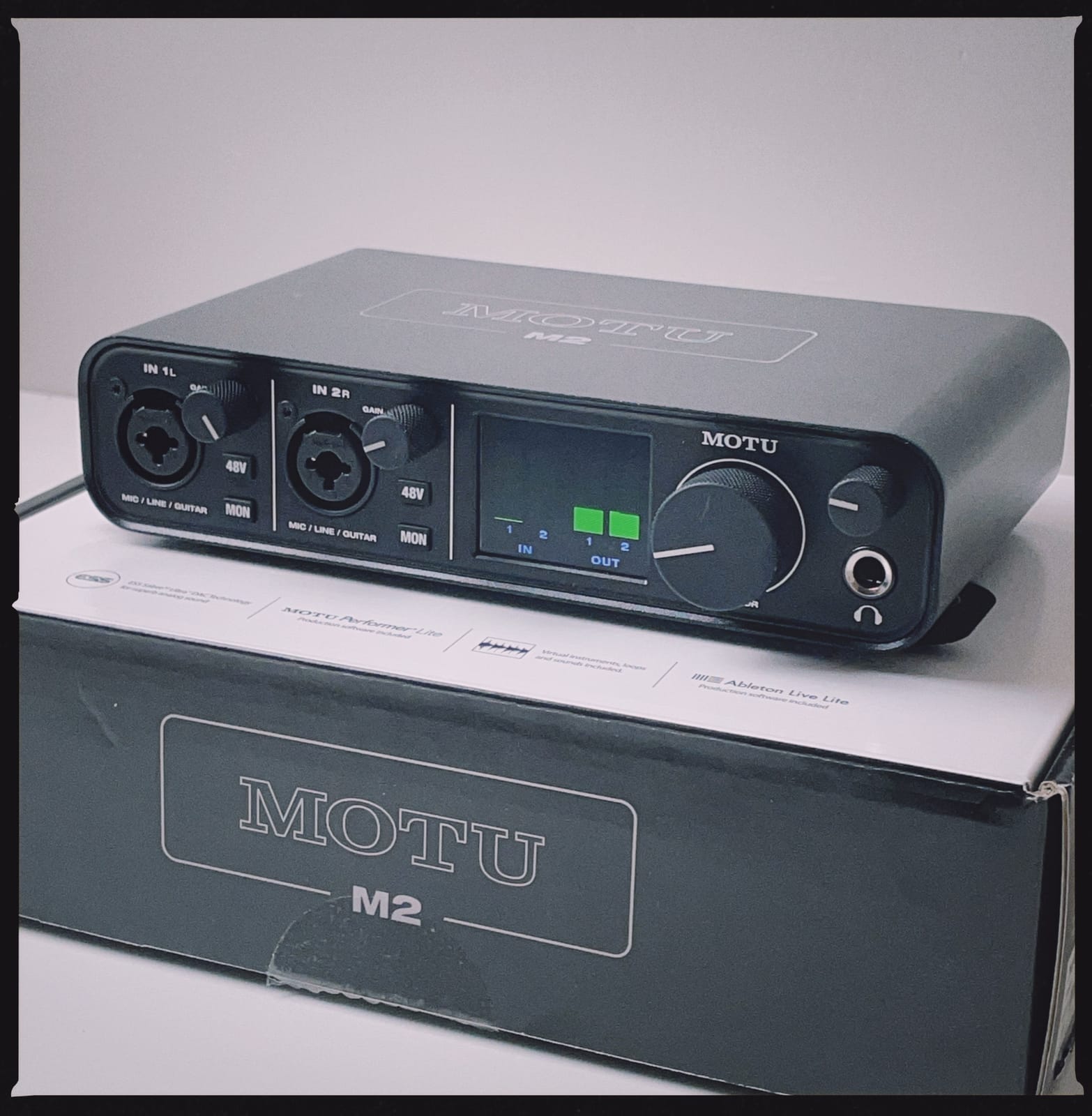
Commenters in that thread singled out the macOS experience and the sound quality as the reasons they wanted it, and that matches the owner reviews here: the preamps are described as clean and transparent, which is what you want as a starting point for records that need vocal and guitar captured at the same time.
The catch is scale. At 2-in/2-out you are recording exactly two things, and adding a third source means upgrading. MOTU covers this with a two-year warranty, which is shorter than the Focusrite Solo’s three.
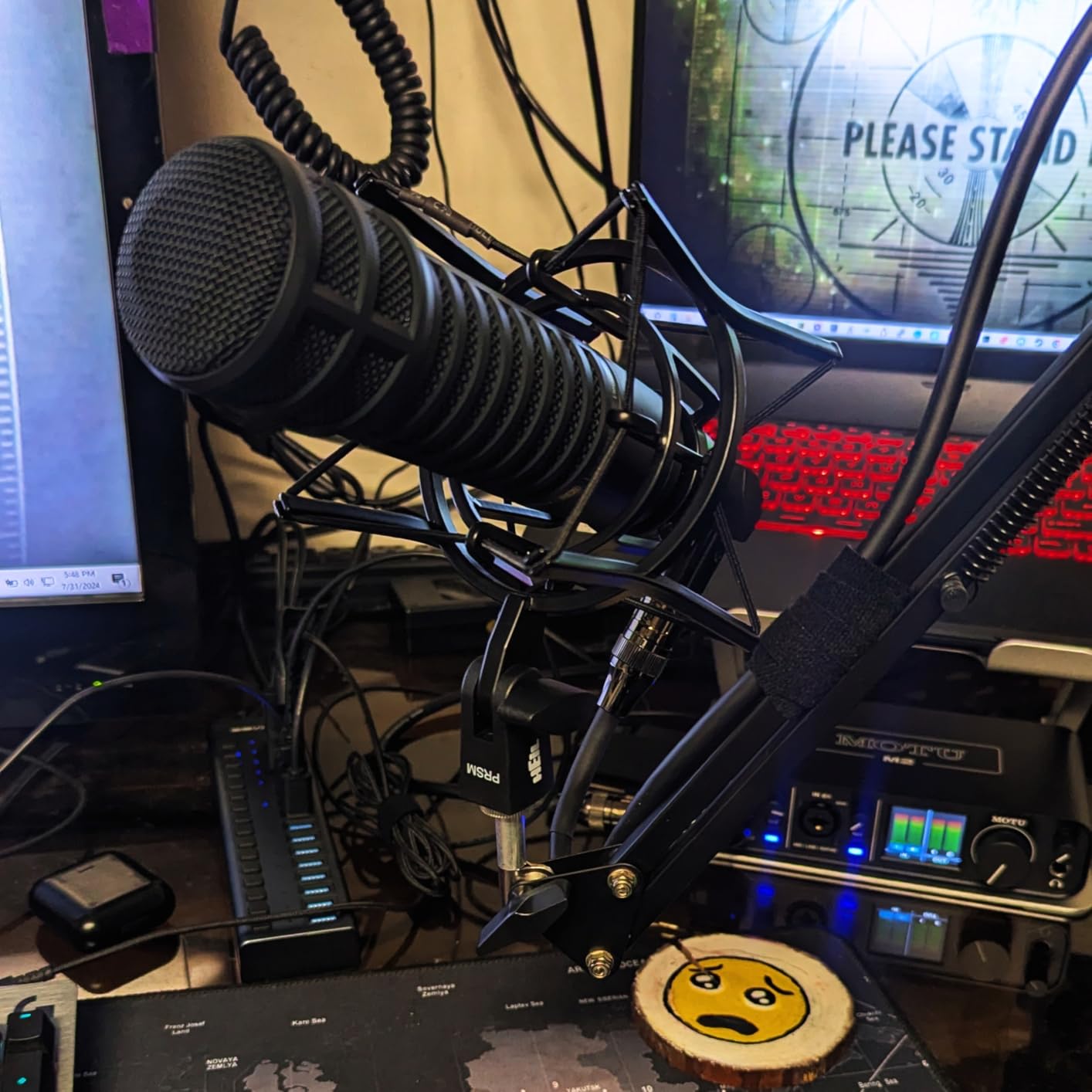
What makes it different from the Scarlett Solo
Simply the second preamp. Everything else about the two units is close, with the MOTU trading Focusrite’s Air mode and bundled DAW licences for a cleaner hardware monitoring path and a slightly more utilitarian layout.
If you are recording a duo, tracking two mics at once, or laying a guitar and a vocal down in one pass, the M2 is the correct pick. If you are alone with one mic, the Scarlett Solo is the better buy.
What to know before you commit
The bundled content is generous but it is not in the box. Owners report downloading and setting up the software pack separately, so budget ten minutes on day one.
There is no MIDI on the M2, so controlling a hardware synth or controller from it means a separate connection. And at this price it sits right at the ceiling of the bracket, so check the current figure yourself before deciding.
3. Universal Audio Volt 2: Best for Warm Tone and Guitar
Universal Audio Volt 2 USB Audio Interface
2x2 USB-C
Vintage 610 emulation
MIDI in and out
Bus-powered
Pros
- Rich album-ready tone from 610 preamp emulation
- Excellent converters with no audible interference
- Bus-powered over USB-C for portable use
- LUNA DAW and UAD plug-ins included
- Plug-and-play on macOS and Windows
Cons
- Preamp gain is soft for some microphones
- Only two LEDs make gain staging awkward
- Direct monitor level cannot be balanced against playback
The Universal Audio Volt 2 is the one to buy if you want a recorded file that already sounds like something before you open a single plug-in. Vintage mode applies emulation of UA’s classic 610 preamp, and owners consistently describe the result as warm and full rather than thin.
It is a proper 2×2 with MIDI in and out on the back, which almost nothing else in this bracket offers. It is also bus-powered over USB-C, so 650 grams is the whole package.
Vintage is not magic, and it is worth being blunt about that. It colours the signal, it cannot be dialled back to neutral, and if you want an uncoloured capture you will edit around it. Used on a guitar DI or a lead vocal it is genuinely characterful.
The LUNA recording software and UAD plug-ins that come with it are the real bundle story in this list. They are tools you can actually record and mix in, not a countdown to a plug-in you no longer own.
When the tone is the deciding factor
Compare a dry vocal from a neutral box and a dry vocal from the Volt 2 and the difference is obvious within a second. One is accurate, the other is flattering, and the flattering one often needs less work.
For singer-songwriters writing guitar parts and overdubbing lead vocals, that character plus MIDI plus bus power is a rare combination at this level.
Why some people skip it
Two weaknesses come up repeatedly. The preamp gain is on the soft side for certain microphones, and there are only two level LEDs, so setting gain without a meter on the DAW is guesswork.
There is also no monitor blend control, so you cannot balance direct monitoring against computer playback. For tracking guitar over a loop that is a real annoyance, and the warranty is one year rather than three.
4. Behringer UMC202HD: Best Value for Two Midas Preamps
Behringer UMC202HD Audiophile 2×2, 24-Bit/192 kHz USB Audio Interface with Midas Mic Preamplifiers | For Recording Microphones and Instruments
Midas mic preamps
24-bit/192 kHz
Metal chassis
Direct monitor select
Pros
- Midas-designed preamps deliver clean detailed recordings
- 24-bit/192kHz resolution
- Impact-resistant metal chassis
- Powerful headphone output with level control and direct monitor select
- Works with Pro Tools Ableton Live and Cubase
Cons
- Only two input channels
- Older 48 kHz variants in the range feel limited
The Behringer UMC202HD is the pick if your definition of value is preamp quality per pound. Two Midas-designed mic preamps, 24-bit/192 kHz conversion and a metal chassis that is described in the owner reviews as built like a tank, for well under the price of the alternatives here.
It weighs 1.2 pounds and measures 6.3 by 10.1 by 3.6 inches, so it is a full-footprint desktop box rather than a laptop accessory. The headphone output has its own level control and a direct monitor select, which means zero-latency monitoring without a software round trip.
Compatibility is the quiet strength. It works with Pro Tools, Ableton Live and Cubase, and at 24-bit/192 kHz it matches the resolution ceiling of everything else on this list apart from the two 48 kHz budget boxes.
Why the reviews keep ranking it high
Across more than three thousand reviews the recurring praise is for a clean, detailed capture and a chassis that survives being moved between rooms. That combination rarely appears at this figure, and it is the reason we call it best value rather than best overall.
Direct monitor select is the control we would reach for first on a two-channel box. Being able to flip between zero-latency input and computer playback with a hardware switch removes an entire category of confusion when tracking.
Where the ceiling bites
Two channels is the hard limit. A mic plus a guitar is the maximum, and stereo capture of a single source would use both inputs on the same take rather than as a pair.
Worth knowing before you buy: the wider Behringer range includes older 48 kHz variants, and this specific model is the 192 kHz one. Check the model number on the listing, because the names in this line are confusingly similar.
5. Arturia MiniFuse 1: Best Compact Option with MIDI
Arturia MiniFuse USB Audio & MIDI Interface, MiniFuse 1
1 combo mic/inst input
5-pin MIDI in and out
USB hub
5-year warranty
Pros
- Exceptionally low noise floor and transparent signal path
- Very low latency for layering tracks
- Compact metal body with a rear USB hub
- Generous software bundle including Ableton Live Lite
- Independent headphone volume control
Cons
- Requires a computer reboot after driver installation
- Registration needed to access driver updates
- Headphone output not ideal for small in-ear monitors
The Arturia MiniFuse 1 draws the strongest owner comments about noise in this roundup, and if you plan to layer acoustic guitar and vocals that low self-noise matters more than any feature on the box.
It is 14.4 ounces and 3.9 by 5.9 by 1.65 inches, with a metal body, a rear USB hub so a MIDI controller can share your laptop port, and full 5-pin MIDI in and out. The combination of MIDI plus a hub in something this small is unusual.
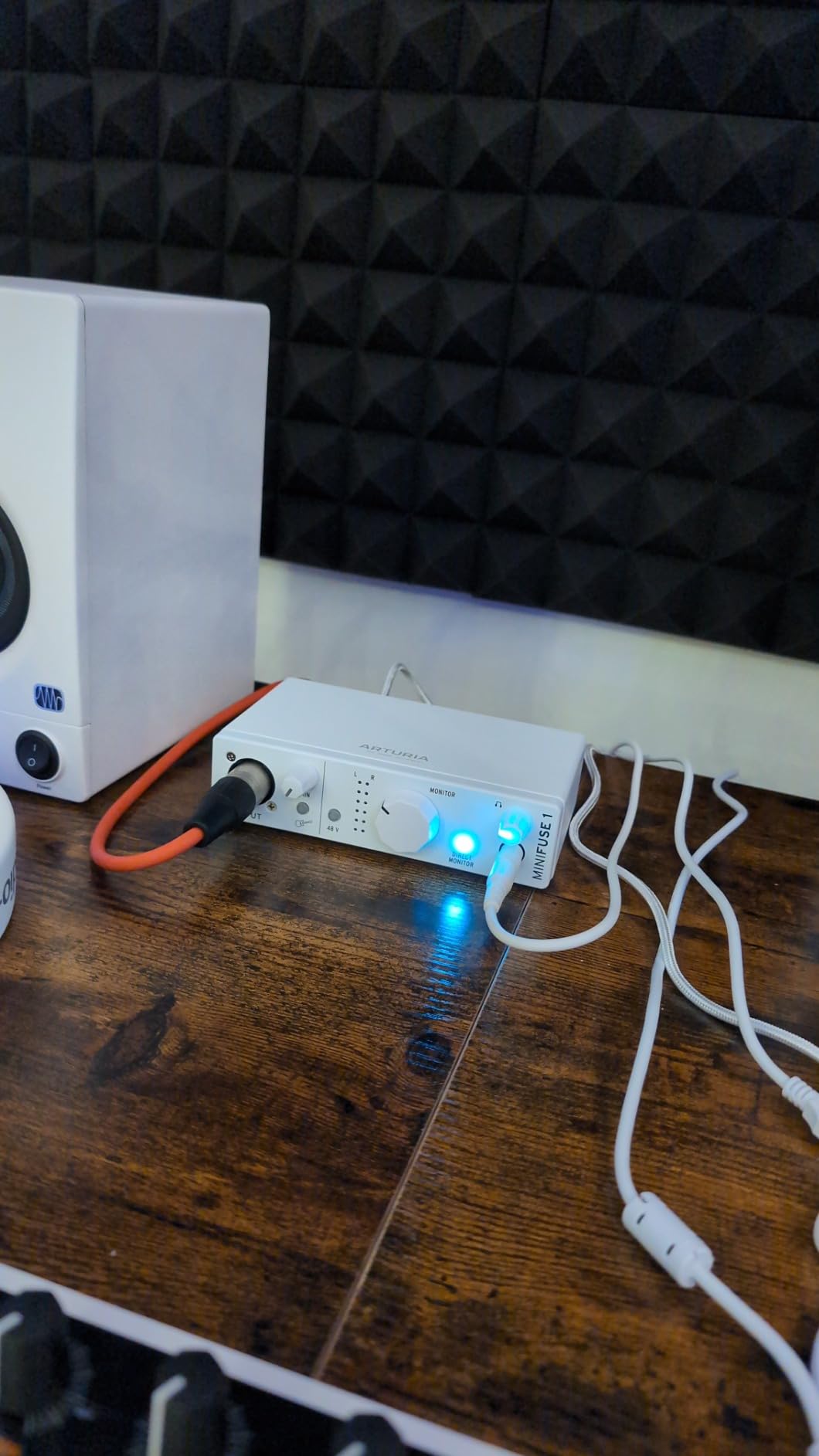
Loopback is included for voiceover and in-game audio, and the bundled software is among the deepest here: Ableton Live Lite, Analog Lab Intro, Arturia FX, NI Guitar Rig 6 LE, Auto-Tune Unlimited and a Splice Creator plan.
The warranty is five years, the longest in this roundup, and Arturia states the design passed over 200 reliability tests. That matters more than it sounds for a product you will still own in a few years.
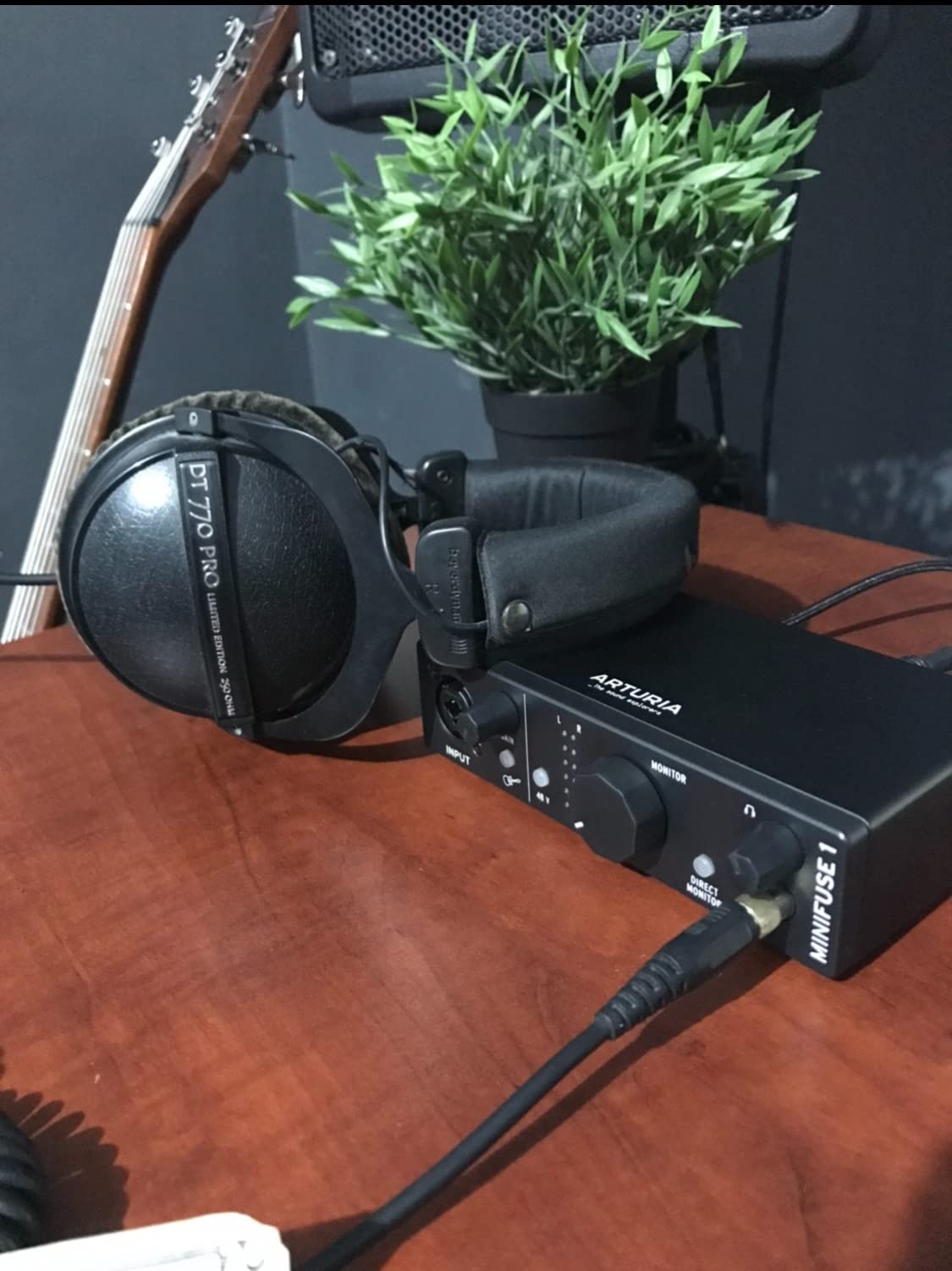
What the low noise actually buys you
Self-noise is the thing nobody publishes at this price, and it is the one forum complaint that keeps coming back. A low floor means you can record a quiet acoustic or a spoken-word track without turning the gain up until the noise floor comes with it.
The low latency is the quiet hero. Owners report it makes tracking in a DAW feel tight, which is exactly the quality players notice most when they move up from a budget box.
The setup friction nobody mentions first
There is a reboot required after driver installation before the interface appears in your software. It is a one-time annoyance, but it is the thing reviewers complain about most often.
You also need to register the product to receive driver updates, and the headphone output is not ideal for small in-ear monitors. For headphones and speakers it is fine.
6. M-Audio M-Track Duo: Best for Two-Person Podcasting
M-AUDIO M-Track Duo USB Audio Interface
2 combo XLR inputs
48 kHz resolution
USB/Direct monitor switch
Crystal preamps
Pros
- Two XLR inputs with phantom power at an entry-level price
- Clean monitoring with no audible buzz or hiss
- Plug-and-play on Mac Windows and Linux
- Small footprint that fits a desk easily
- Zero-latency direct monitoring with MPC Beats included
Cons
- All-plastic chassis with foam feet that slide
- Poor gain taper makes clipping easy
- 48 kHz maximum rather than 192 kHz
- Top-mounted knobs are awkward under a monitor shelf
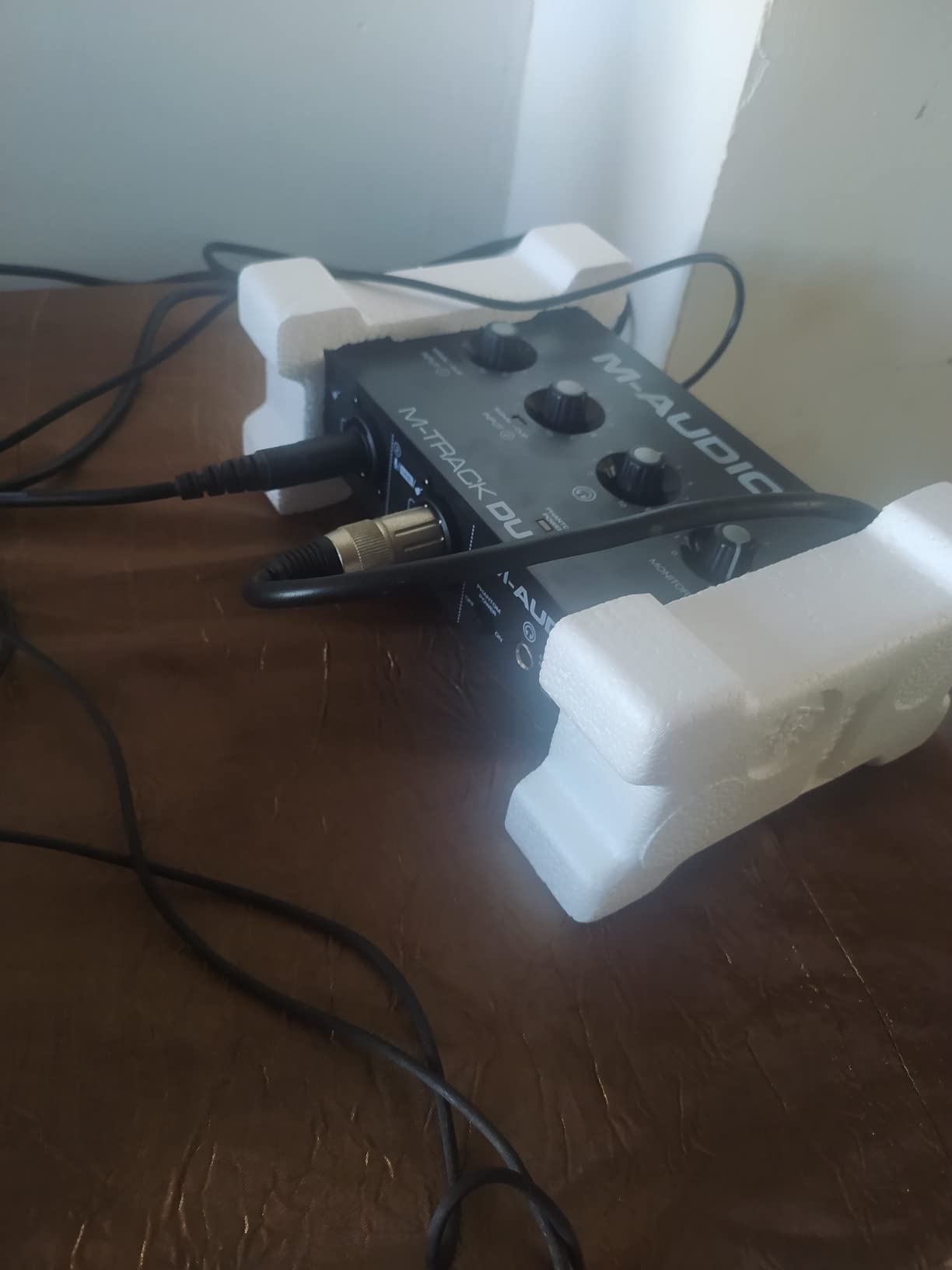
The M-Audio M-Track Duo is the cheapest way in this roundup to put two microphones into a computer at once, and for a two-host podcast that is the entire requirement. Two combo XLR inputs with phantom power, a headphone output, stereo 1/4 inch outputs and a USB/Direct switch for zero-latency monitoring.
It runs on Windows, macOS, iOS and Android, and owners report no driver hassle on Mac, Windows and Linux. That cross-platform behaviour is why it has accumulated more than six and a half thousand reviews.
The Crystal preamps are transparent enough that reviews repeatedly mention no hiss in direct monitoring, which is more than many cheaper boxes manage. It is 0.3 kilograms and 4.34 by 7.5 by 2.13 inches, so it disappears on a desk.
What you give up for two inputs is resolution. 48 kHz is fine for spoken word and for demos, and 24-bit is plenty, but this is not the box for high-resolution work.
Why podcasters keep coming back to it
Two XLR inputs, phantom power for condenser microphones, a direct monitoring switch and a headphone amp in one small box is the whole podcast signal chain. There is no interface mixing, no DI and no second device to solve gain.
It also runs on iOS and Android, so the same box covers a laptop show and a phone remote. Few competitors at twice the price claim that.
Where the build falls short
The chassis is all plastic, and the foam feet let it slide across a desk when you touch a cable. That is the trade for keeping two XLR inputs in the cheapest tier.
The gain pots have a poor taper, jumping sharply near maximum so clipping comes easily, and phantom power can feel under-driven with some condensers. The knobs also sit on top, which is awkward under a monitor shelf.
7. Tascam US-2x2HR: Best for Low-Latency Drivers and Rugged Builds
Tascam US-2x2HR 2 Mic 2IN/2OUT High Resolution Versatile USB Audio Interface for Recording, Streaming, Podcasting, Songwriting
2 Ultra-HDDA preamps
Buffer size from 4 samples
MIDI I/O
Metal construction
Pros
- Heavy tank-like metal construction with solid switches
- Ultra-HDDA preamps with +48V on both combo inputs
- Native driver with selectable buffer sizes from 4 samples
- All physical knobs and switches so it works well on Linux and macOS
- Tilted base improves visibility of front controls
Cons
- Some buyers report a high-pitched whine with certain microphones
- Bundled Cubase version may not match expectations
- Only 90 days of labor warranty coverage
The Tascam US-2x2HR is the pick for anyone who is anxious about latency, because its native driver offers selectable buffer sizes down to four samples. For guitar players who find even a small delay distracting, that is a real answer rather than a reassurance.
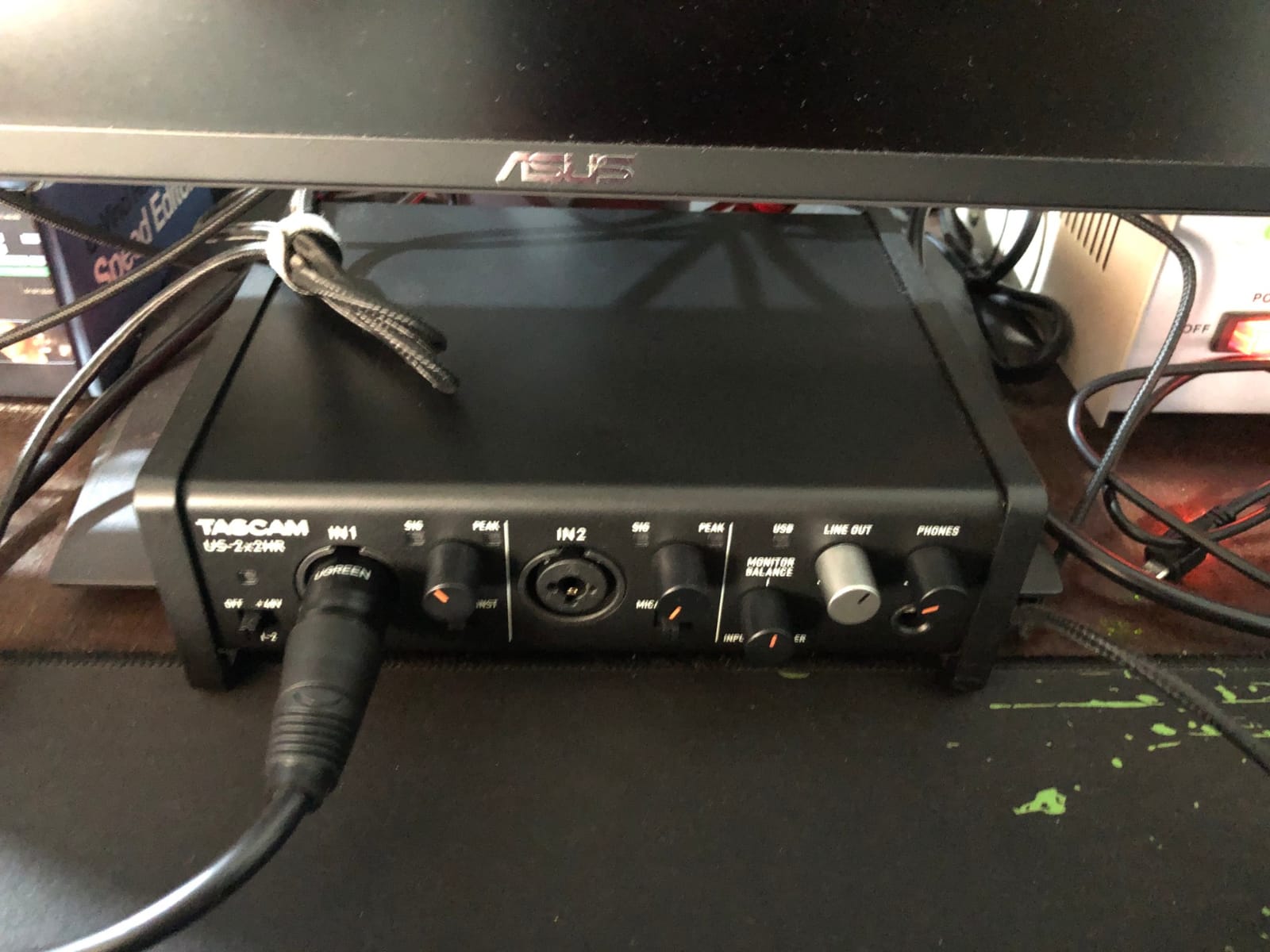
Both combo inputs run Ultra-HDDA mic preamps with +48V phantom power, and everything on the front is a physical knob or switch. That last detail matters more than it looks, because a hardware control works the same on any operating system.
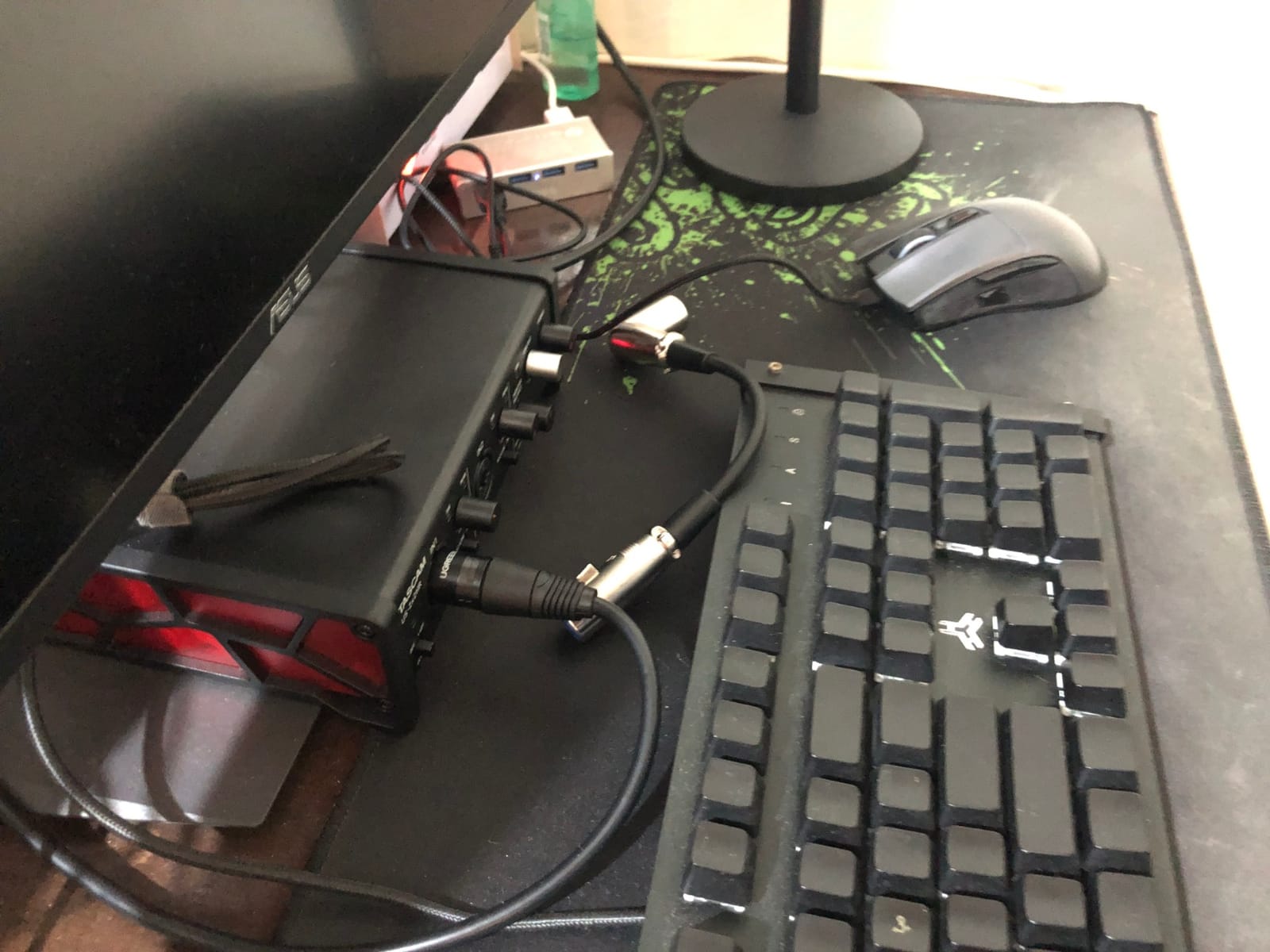
It supports up to 24-bit/192 kHz, includes MIDI, and the tilted base makes the front controls easier to read from a seated position. Owners often compare it favourably to the Scarlett 2i2 on raw performance.
It is 16 ounces and it feels like considerably more. Reviewers describe the metal construction, the switches and the input jacks in unusually positive terms for the price.
Latency, explained the way engineers explain it
A thread on the Audio Science Review forum reframed latency worry better than any spec sheet: roughly 1 millisecond of delay feels about like 1 foot of distance, and under 10 milliseconds is fine for virtually every player. On that scale, a four-sample buffer is negligible.
Most budget boxes are fine for tracking. What the US-2x2HR adds is control, so you can set the buffer low instead of accepting whatever the driver defaults to.
The two complaints worth knowing
A minority of reviews mention an audible high-pitched whine with certain microphones. If you own a particular mic and hear it, that is the interface, not the mic.
The warranty is labour warranted for ninety days, which is the weakest cover in this roundup by a wide margin. Treat the metal build as the durability story and keep a replacement plan if you travel with it.
8. PreSonus AudioBox 96 25th Anniversary: Best for Class-A Preamps and Studio One
PreSonus AudioBox 96 25th Anniversary USB Audio Interface
2 Class-A mic preamps
24-bit/96 kHz
MIDI I/O
Zero-latency mixer blend
Pros
- Class-A mic preamps with high headroom
- High-headroom instrument inputs for guitar bass and line sources
- Mixer control for a zero-latency blend of inputs and playback
- Bus-powered over USB 2.0 with no adapter
- Includes Studio One Artist and the Studio Magic plug-in suite
Cons
- USB 2.0 bus power limits headroom with bus-powered condensers
- 96 kHz ceiling is below several competitors
- Bundled software requires product registration to download
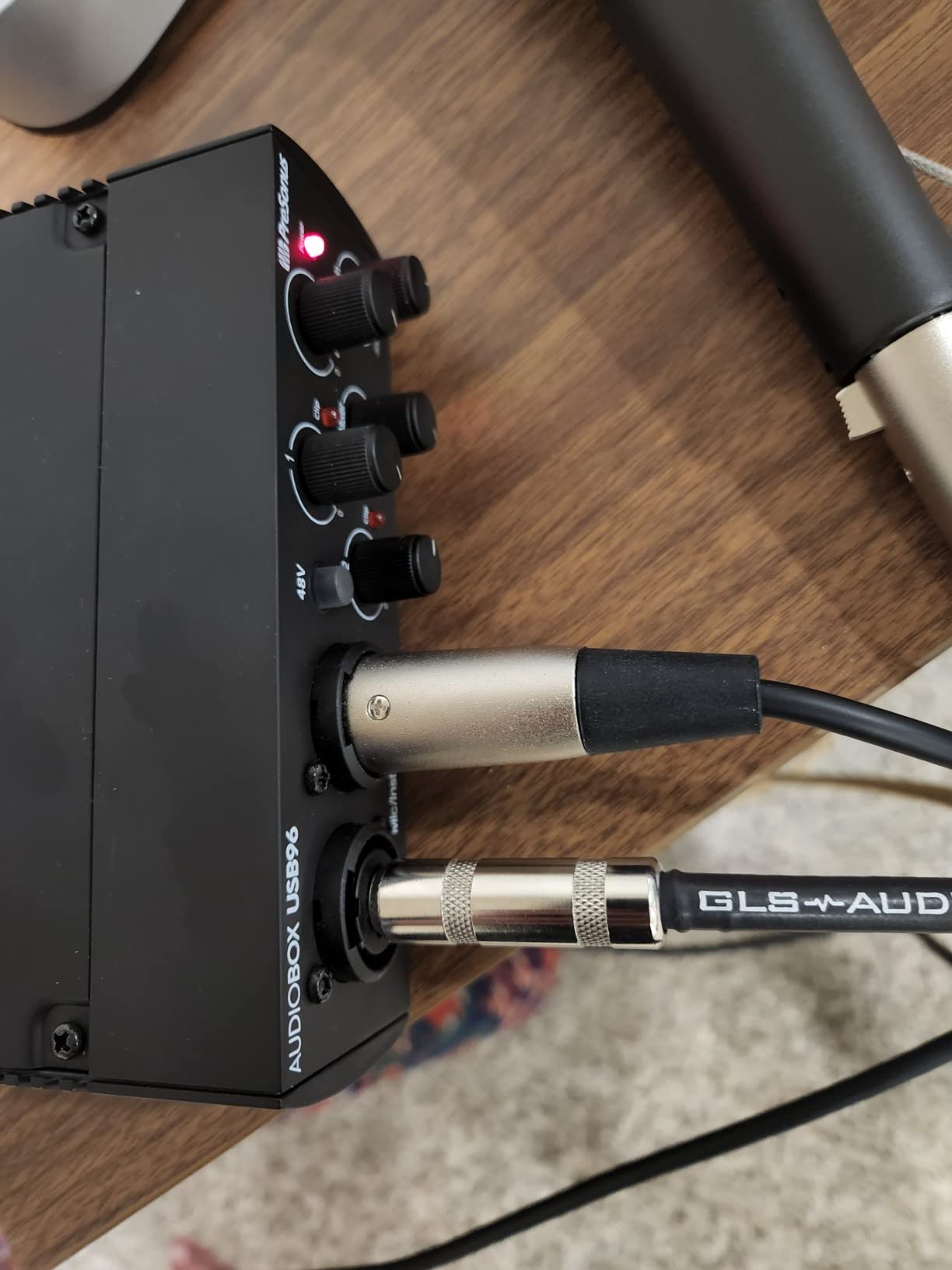
The PreSonus AudioBox 96 25th Anniversary Edition is the interface to buy if you want a proper full-size desktop unit with a mixer you can actually use. The zero-latency blend control lets you mix your live input against computer playback instead of choosing one or the other.
It has two high-quality Class-A mic preamps with global +48V phantom power, high-headroom instrument inputs for guitar, bass and line sources, plus MIDI in and out and balanced 1/4 inch TRS outputs. It is 2 pounds and 5.5 inches square.
The bundle is generous in value terms: Studio One Artist, Ableton Live Lite and the Studio Magic plug-in suite are all included, and Studio One Artist is a real production DAW rather than a teaching toy.
It converts to 24-bit/96 kHz and runs on USB 2.0 bus power with no adapter at all. That combination of Class-A topology and Class-A software is why it still has thousands of reviews years after release.
What the mixer control actually does
Most budget interfaces force a choice between direct monitoring and computer playback. The AudioBox mixer blends them, so you can hear a recorded loop and your live input together with no delay on the input path.
That is the single most useful control on this interface, and it is the reason experienced owners put it above boxes with higher resolution ratings.
Where the compromises show
USB 2.0 bus power is a genuine limit with bus-powered condenser microphones, and owners report less headroom than from mains-powered units. It is fine with dynamic mics and phantom-powered condensers.
The 96 kHz ceiling is fine for almost all music, and 24-bit is where the real headroom lives anyway. Bundled software needs product registration before it will download, which catches people out.
9. Behringer UMC22: Best Proven Budget Starter
Behringer UMC22 Audiophile 2×2, 48 kHz USB Audio Interface with Midas Mic Preamplifier | For Recording Microphones and Instruments
1 Midas mic preamp
48 kHz and 24-bit
Direct monitor select
Status and clip LEDs
Pros
- Midas-designed mic preamp at a very low price
- Direct monitor select for clear zero-latency monitoring
- Status and Signal Clip LEDs for simple level checking
- USB-supplied power with no external adapter
- Front combo jack accepts XLR TRS and TS
Cons
- Only one real mic preamp plus one instrument input
- 48 kHz and 24-bit maximum rather than 192 kHz
- No MIDI or digital I/O
With more than twelve thousand reviews, the Behringer UMC22 is the most proven entry-level interface in this roundup. That is not a marketing claim; it is the reason it has stayed relevant while dozens of cheaper boxes came and went.
You get a Midas-designed mic preamp with phantom power, one instrument input, a direct monitor select switch, and Status and Signal Clip LEDs on the front. It is powered entirely over USB, so there is no adapter and no power supply to find a socket for.
The front combo jack takes balanced XLR, 1/4 inch TRS and unbalanced 1/4 inch TS, which means you can connect a microphone, a line source or an instrument without an adapter. It is 16 ounces and about the size of a paperback.
Why simplicity wins here
There is no software to install, no app to log into and no control surface to learn. You plug it in, set the gain until the clip LED stays off, and record.
For a first interface, or for a second one in a different room, that reliability is worth more than any resolution figure on the box.
What you accept to save the money
It records 48 kHz and 24-bit. That is enough for demos, podcasts and practice, and 24-bit gives you plenty of headroom for clean files. It is not enough if you plan to work at high resolution.
There is one mic preamp and one instrument input, and no MIDI or digital I/O. The plain layout also means no loopback, so monitor mixes for streaming need a software solution.
10. M-Audio M-Track Solo: Cheapest Reliable Way to Start Recording
M-AUDIO M-Track Solo USB Audio Interface
1 combo XLR/line input
48 kHz resolution
USB/Direct switch
Entirely USB powered
Pros
- True plug-and-play with no driver installation on Mac Windows and Linux
- Very low latency of around 5-10 ms at a reduced buffer
- Reliable build that has run for years without issues
- Enough headphone volume for 64-128 ohm headphones
- Completely USB powered
Cons
- Only a single XLR/line combo input
- Input stage can feel low-powered at high gain
- Uses USB Type-B rather than USB-C
- Plastic chassis
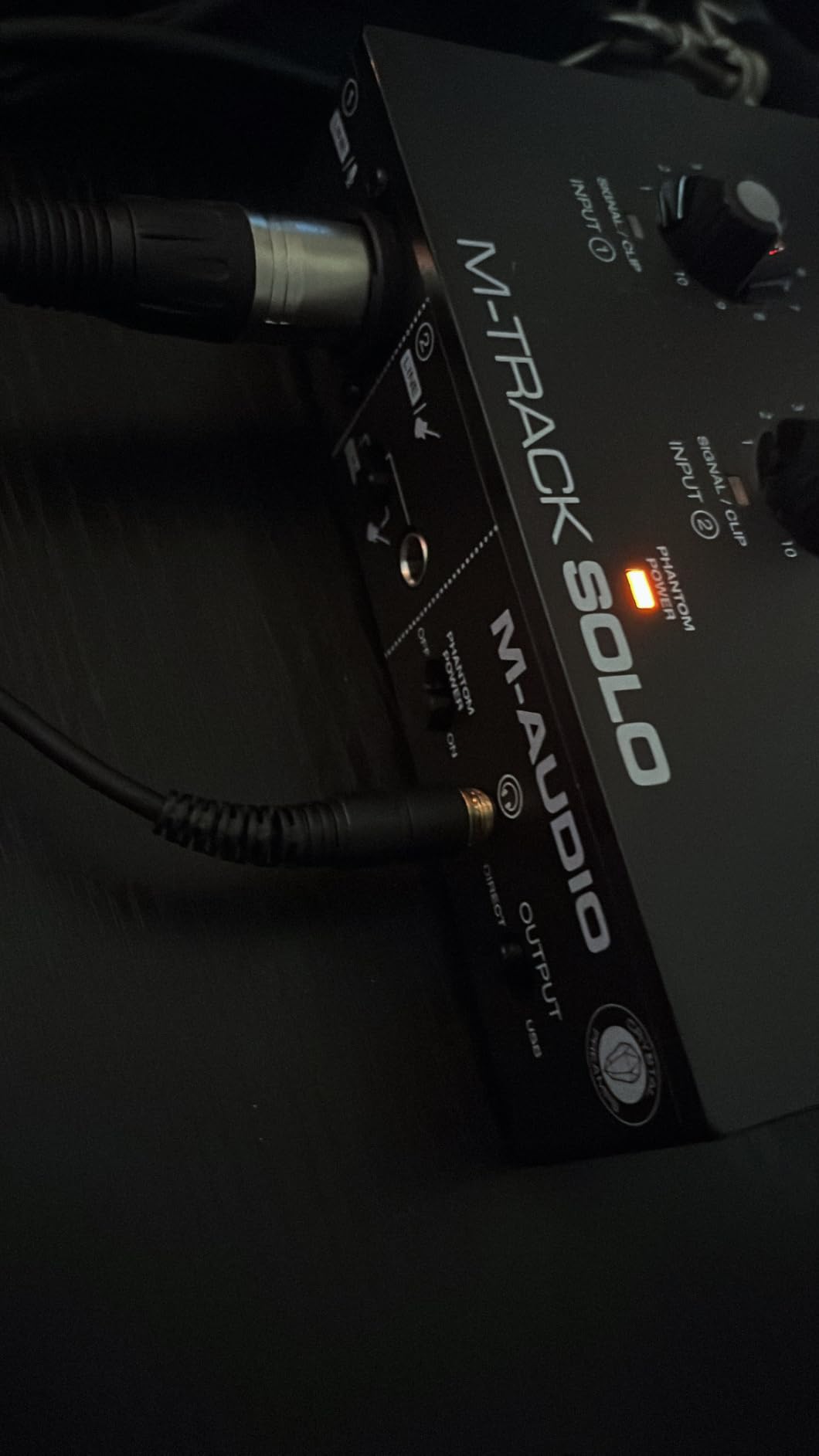
The M-Audio M-Track Solo is the cheapest route into recording that we would actually recommend, mostly because it asks nothing of you. It is genuinely plug-and-play on Mac, Windows and Linux, with no driver installation step.
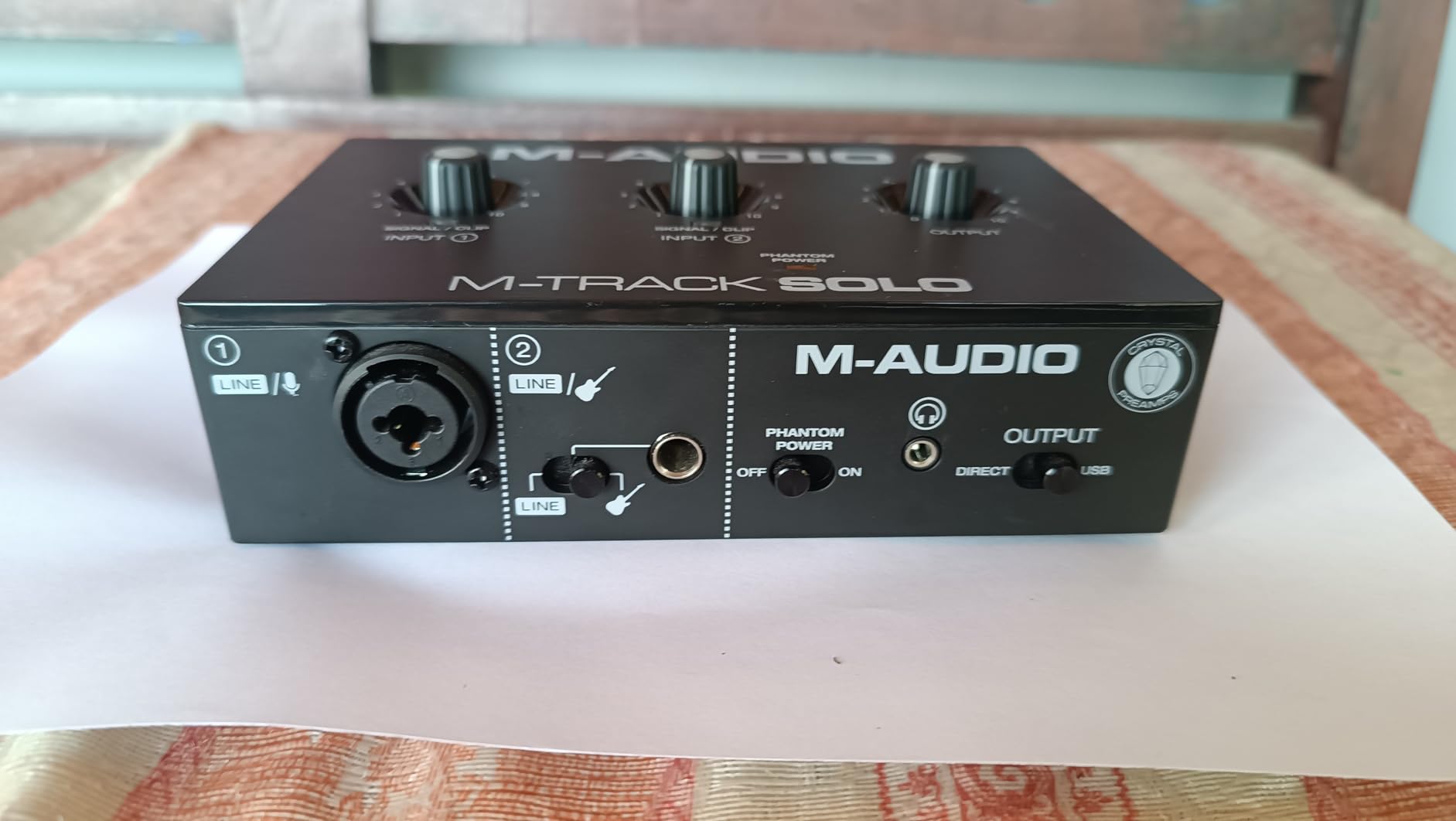
It has one combo XLR and line input with phantom power, one line and instrument input, a headphone output and stereo RCA outputs with a USB/Direct switch for zero-latency monitoring. It runs at 48 kHz and 24-bit and is entirely USB powered.
Owners report latency around 5 to 10 milliseconds with a reduced buffer size, and enough headphone output volume for 64 to 128 ohm headphones. It is 10.6 ounces, the lightest box here.
With more than seven thousand reviews and a build owners describe as having run for years without issues, it is also the safest bet if you are buying for someone who will lose interest if setup takes more than an afternoon.
The bundled MPC Beats software from Akai Professional is a genuine entry point for making beats as well as recording, and Ableton Live Lite covers the DAW side.
Where the money is saved
One input is one input, so this is a solo interface. The gain pot is also sensitive, jumping from very quiet to very loud near maximum, and the input stage can feel under-powered requiring high gain settings.
It uses USB Type-B rather than USB-C, and the chassis is plastic textured to look like aluminium. None of that matters for a desk box, and all of it matters if you were planning to tour with it.
What you should pair it with
A dynamic microphone like a standard vocal handheld, which needs less gain than a condenser. The low-powered input stage is the pairing that works, and the whole setup costs about the same as a single microphone cable.
Once you outgrow it, the sensible step is a two-preamp box like the UMC202HD or the MOTU M2 rather than another single-input unit.
11. Mackie Onyx Artist 1X2: Best Rugged Build with MIDI
Mackie Audio Interface, Onyx Artist 1X2 USB Audio Interface (Onyx Artist 1-2)
Onyx mic preamp
24-bit/192 kHz
MIDI I/O
USB 2.0 bus-powered metal body
Pros
- Clean quiet Onyx preamps with no introduced hiss
- Heavy tank-like build with sturdy responsive knobs
- MIDI I/O that is unusual at this price
- Works out of the box on Mac and Linux
- Balanced line outputs plus a dedicated headphone output
Cons
- Knobs are surprisingly hard to read
- Two inputs can appear as one stereo input to the computer
- Only one mic preamp
- Windows DAW use requires a driver install from the Mackie site
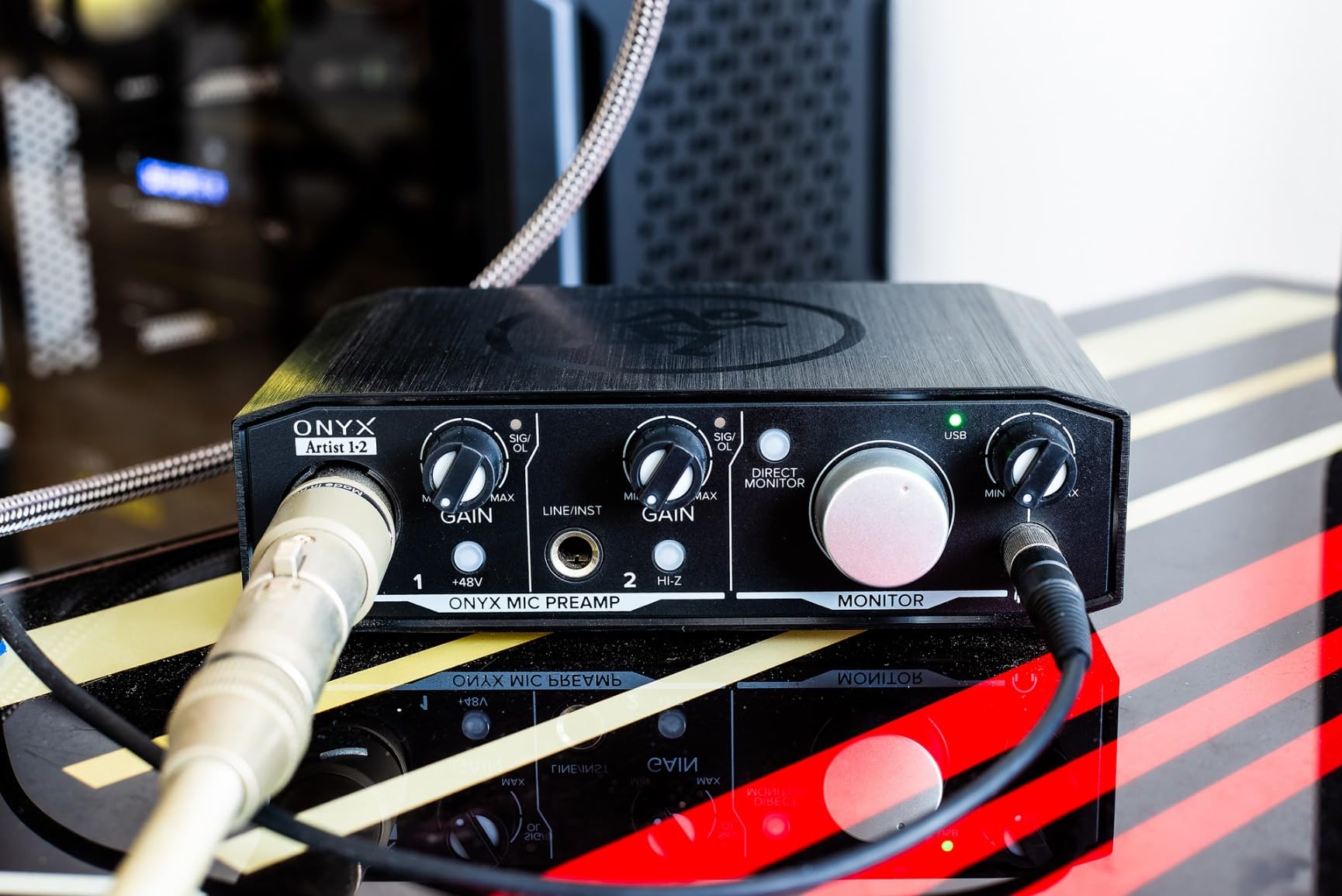
The Mackie Onyx Artist 1X2 is one of the sturdiest physical objects in this roundup. It is a bus-powered metal box at 24-bit/192 kHz with a boutique-quality Onyx preamp, and owners regularly compare it favourably to Focusrite units at a similar price.
It also has MIDI in and out, which is genuinely unusual at this figure, and a 1/4 inch TRS input with a Hi-Z switch for guitar and bass. Outputs are balanced line plus a dedicated headphone output with zero-latency direct monitoring.
It comes with Pro Tools First and The Musician Collection of 23 plug-ins and instruments. That is more usable software than most boxes of this size, and the plug-in collection is not a subscription.
Why the build quality matters
Reviewers consistently mention the weight, the knob feel and the clean preamps with no introduced hiss. A metal chassis survives being carried between rooms in a way the plastic boxes here do not.
There is a practical note though: for DAW use on Windows the driver has to be installed from the Mackie site. It works out of the box on Mac and Linux, so this is a Windows-specific step.
Two quirks to plan around
There is only one mic preamp, so you record one microphone at a time. The second input is for an instrument or line source.
Owners also report that the two inputs can appear to the computer as one stereo input rather than two mono inputs, which changes how you record. It is a routing quirk rather than a fault, but you should know before you buy. The knobs are also harder to read than they should be.
12. PreSonus Quantum ES 2: Best for High-Gain and Low-Output Microphones
PreSonus Quantum ES 2 USB-C Audio Interface with Fender Studio Pro Software
MAX-HD preamps with +75 dB
Fender instrument input
Auto Gain button
Loopback audio
Pros
- Custom low-latency driver and high-performance converters
- MAX-HD preamps deliver up to +75 dB of gain
- Instrument input co-developed with Fender engineers
- Auto Gain sets the level quickly for mics and instruments
- Studio One Pro perpetual licence included
- Loopback audio for streaming mixes
Cons
- Only a single mic preamp and one additional input
- A lower average rating than comparable interfaces
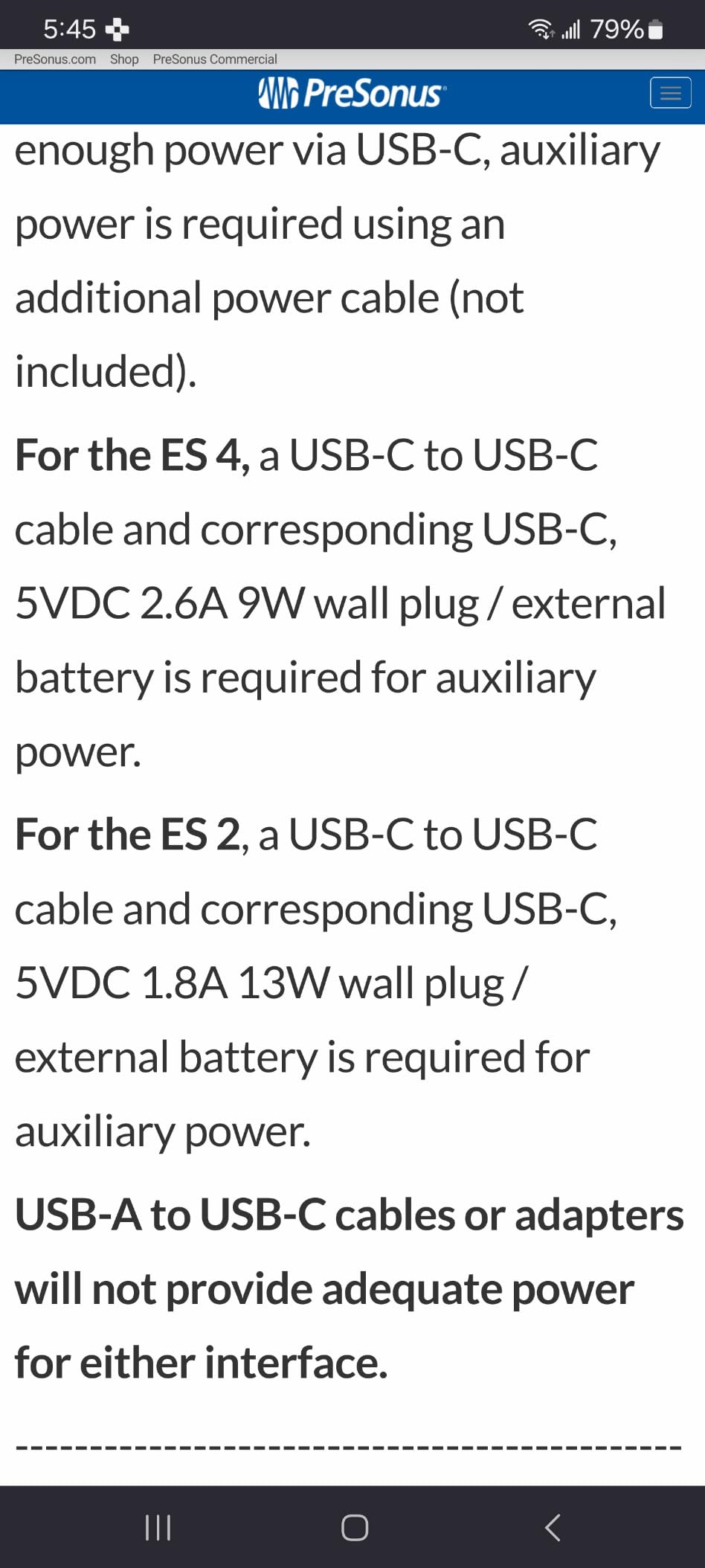
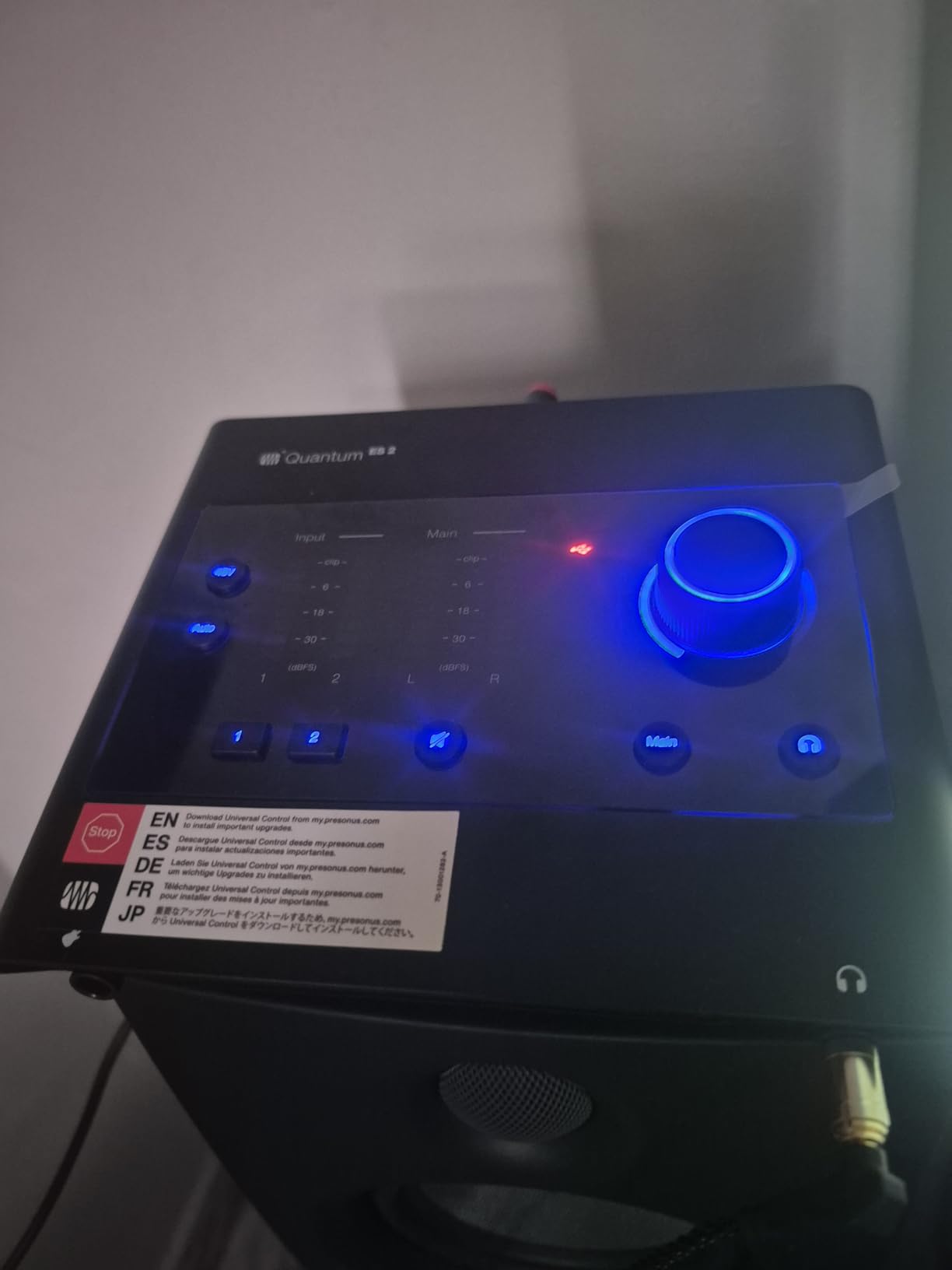
The PreSonus Quantum ES 2 is one of the newest boxes in this roundup and the only one here with up to +75 dB of digitally controlled gain. That number exists for ribbon microphones and low-output dynamic mics, which is a real and otherwise hard-to-serve category.
The instrument input was co-developed with Fender engineers specifically for guitar and bass, which tells you who it is aimed at. Auto Gain sets a sensible level with a single button, and LED input and output metering makes solo recording less of a guess.
It also has loopback audio for streaming mixes, a custom low-latency driver, and a Universal Control app for remote preamp control from a phone or desktop. A Studio One Pro perpetual licence is included, which is a genuine purchase rather than a rental.
It is 680 grams and 6.2 by 6.9 by 1.9 inches, with a two-year manufacturer warranty and 24-bit/192 kHz conversion.
What +75 dB of gain actually solves
Most budget preamps run out of headroom before a ribbon microphone reaches a usable level, and the usual workarounds are an inline booster or a cloudlifter-style device. A preamp with that much gain removes the extra box from the chain.
It also means you are not pushing gain into the noise floor to get a signal out, which is the quiet way to a cleaner recording.
Why it sits last in this list
The 4.2 average across 228 reviews is the lowest in the roundup, and it reflects a smaller, more mixed user base than the established budget classics. There is a notable share of dissatisfied buyers, which for a new product is worth watching.
Owner reviews also note the layout suits a single source at a time more than true stereo capture. If you want the highest gain available, this is the pick. If you want the safest proven bet, the Scarlett Solo is the safer one.
How We Chose These 12 Interfaces
We did not test these by ear alone. We cross-checked every published specification against the aggregated owner review data, then weighted the things buyers complain about: driver stability, gain taper quality, headphone output power and whether the bundled software is perpetual, a subscription or an expiring rental.
We also read the recurring forum threads. The consensus that keeps appearing on r/audio, Gearspace and the Audio Science Review forum is that at this price tier the interfaces are all in the same quality class, and that features and reliability decide the winner. That shaped this list more than any spec sheet did.
Where a product has a generation-related concern, we said so rather than hiding it. Prices in this category move weekly, so check the current figure on the listing rather than relying on what you read here.
What to Look for in an Audio Interface Under 200 Dollars
How many inputs do you actually need
Count your simultaneous sources, not your total gear. One source means a single XLR mic or a single instrument. Two sources means a mic plus a guitar, or two podcast hosts. Three or more means you are looking at a different product category entirely, because almost nothing at this price gives you four usable preamps.
The people who regret their purchase are almost always the ones who bought a one-input box for a two-person job. The people who regret buying a four-input box are the ones who only ever record alone.
Mic preamps are not line inputs
This is the most misunderstood spec in the category. A mic preamp raises a small microphone signal to line level with a defined amount of gain. A line input expects the signal to arrive already at line level, usually from another piece of gear, and it has no meaningful gain control.
So an interface advertised as four inputs may have one preamp and three line inputs. Always check the preamp count separately from the input count. It is the single number that determines whether the box fits your setup.
What 24-bit and 192 kHz actually buy you
Bit depth is headroom and resolution. Going from 16 to 24-bit gives you roughly 24 additional decibels of dynamic range, which means quieter noise and far more room to raise a quiet vocal before it sounds bad.
Sample rate matters far less. Recording at 192 kHz captures ultrasonic content you cannot hear, costs ten times the disk space and makes your DAW slower. The consensus on the Audio Science Review forum is that you gain almost nothing audible above 48 kHz for music recording, and that a good interface at 48 kHz beats a mediocre one at 192 kHz every time.
Our advice: record at 48 kHz and 24-bit unless you have a specific reason. Several boxes in this list stop at 48 kHz or 96 kHz and none of them are worse for it.
Direct monitoring, loopback and MIDI are three different things
Direct monitoring routes your input straight to your headphones with no software round trip, which is what you want when tracking a performance. It says nothing about capturing computer audio.
Loopback captures what your computer is playing along with your input, which is what you need for streaming a podcast with music and sound effects. Only a handful of boxes here have it.
MIDI is a completely separate data connection for keyboards, controllers and pads. Three products in this roundup have full MIDI in and out. If you play a hardware synth, treat it as a requirement rather than a nicety.
Bundled software: perpetual, subscription or rental
Manufacturer bundles are rarely worth their inflated marketing value, but they are not all worthless. The distinction that matters is the licence type. A perpetual licence stays yours. A subscription stops working when you stop paying. An expiring rental is a trial with extra steps, and owners on Gearspace and Reddit complain about exactly this.
Volt 2’s LUNA and the Arturia bundle are the strongest here. The AudioBox 96 includes a full Studio One Artist licence, which is a real DAW you would otherwise buy separately. Several of the cheaper boxes ship with the same lightweight DAW edition nobody upgrades from.
Windows and macOS drivers
Windows is where driver complaints cluster. Class-compliant USB interfaces work immediately; proprietary drivers need installing and occasionally need reinstalling. In this roundup the Mackie Onyx needs a driver install for DAW use on Windows, the Arturia MiniFuse needs a reboot after installing, and the Focusrite Solo has a reported gain behaviour with dynamic mics on Windows drivers.
None of that makes any of them bad. It does mean that if you are on Windows and playing a live dynamic microphone, read the driver reviews before you commit. Our guide to the best audio interfaces for home recording goes deeper on this.
What you give up by staying in this bracket
Moving up to the next tier up buys you higher-gain preamps, proper ADAT expansion for multiple channels, balanced monitor control, and often better headphone amplification. What it does not buy is a dramatic change in recording quality. A well-set-up budget interface with a decent microphone in a treated room beats an expensive one in a live untreated space every time.
Before you stretch the budget, the bigger wins are usually a microphone, a pop filter, and some acoustic treatment. Our picks for studio racks for audio gear matter far more to a home studio than a preamp upgrade does.
Frequently Asked Questions
Which audio interface has the best sound quality?
At this price the differences are small. The Focusrite Scarlett Solo 4th Gen uses the same converter family as Focusrite flagships and quotes 120dB of dynamic range, so it is the most technically accomplished unit in this list. In practice, your microphone, your gain staging and your room matter far more than the interface.
What is the best audio interface for a budget of under 200 dollars?
The Focusrite Scarlett Solo 4th Gen for a single source, the MOTU M2 for two preamps with hardware monitoring, and the Behringer UMC202HD for the best preamp quality for the money. The M-Audio M-Track Duo covers two microphones for podcasting at the lowest cost.
What is the cheapest and best audio interface?
The M-Audio M-Track Solo and the Behringer UMC22 are the cheapest proven options here, both genuinely plug-and-play with a single XLR input and 48 kHz recording. They are honest choices for podcasts, demos and a first home studio. The compromise is one input and no 192 kHz recording.
Do I need 24-bit/192 kHz audio?
You need 24-bit, and you can ignore the 192 kHz. Extra bit depth gives you headroom and a lower noise floor, which you will hear. Higher sample rates capture ultrasonic content you cannot hear, cost ten times the disk space and slow your DAW down.
Do I need an audio interface at all?
Yes, if you record anything through a computer. Built-in sound cards have poor mic preamps, no phantom power for condenser microphones, no balanced outputs and higher noise. The interface is usually the single biggest upgrade to a home recording, often bigger than upgrading the microphone.
Can a cheap audio interface record professional vocals?
Yes. A budget interface records files indistinguishable in format from an expensive one, and several here convert at 24-bit and 192 kHz. What makes a vocal professional is the microphone, pop filter, room treatment and mixing. Gearspace and r/audio threads reach the same conclusion repeatedly.
Final Verdict: The Best Audio Interfaces Under 200 Dollars in 2026
The Focusrite Scarlett Solo 4th Gen wins this roundup because it does the one thing that matters at this price better than anything else: it turns a microphone into a clean file with minimal fuss. Two preamps when you need two sources? The MOTU M2 or the Behringer UMC202HD. Two people speaking? The M-Audio M-Track Duo. Warmth and MIDI? The Universal Audio Volt 2.
Whichever one you choose, buy the microphone and the room before you buy the next upgrade. Our picks for wireless headphones for monitoring on the move cover the closed-back listening side of the same setup. Check the current figure, plug it in, and start recording.