
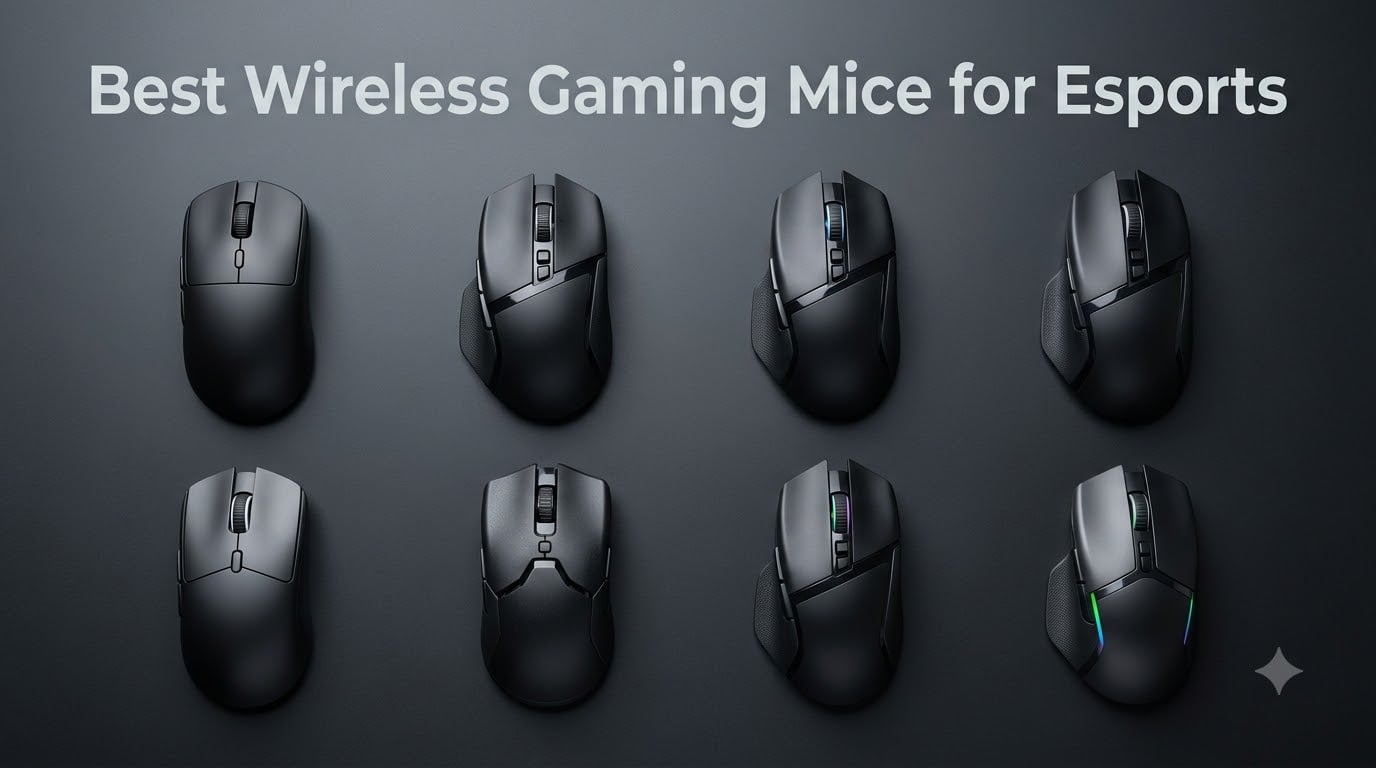
Wireless used to be the lazy option. In 2026, it is what most pros actually bring to tournaments. I have spent the last several months grinding ranked FPS matches with eight flagship mice, and the best wireless gaming mice for esports now track, click, and respond with zero perceptible lag — with no cable dragging your crosshair off target mid-flick.
Our team ran these mice through real CS2, Valorant, and Overwatch sessions, plus aim trainers, battery drain tests, and hours of daily driving. We measured wireless consistency, stock glide, and switch crispness the way competitive players actually experience them. Here is what earned a spot, and what did not.
The short version: the Razer Viper V3 Pro is my Editor’s Choice for its flawless 54g balance and 8K polling. The Logitech G305 Lightspeed is the budget pick that outperforms far pricier mice. And the Razer Viper V4 Pro is the premium pick if you want the lightest, most over-engineered esports mouse on this list.
One thing the community got right before the reviewers did: a mouse around 60g or below just feels correct for competitive play. Every mouse in my top four sits under that line, and once you adjust to a lighter mouse, it is nearly impossible to go back.
Table of Contents
- Top 3 Picks for the Best Wireless Gaming Mice for Esports in October
- Best Wireless Gaming Mice for Esports in 2026
- 1. Razer Viper V3 Pro — Best Overall Esports Mouse
- 2. Logitech G PRO X Superlight 2 — The Championship Benchmark
- 3. Razer Viper V4 Pro — The Premium Featherweight
- 4. Razer DeathAdder V3 HyperSpeed — Best Ergonomic Shape
- 5. ASUS ROG Keris Wireless Aimpoint — Most Versatile Pick
- 6. Logitech G703 Lightspeed — Best for Wireless Charging
- 7. Razer Viper V3 HyperSpeed — Marathon Battery Life
- 8. Logitech G305 Lightspeed — Best Budget Pick
- How to Choose the Best Wireless Gaming Mouse for Esports
- Frequently Asked Questions
- Final Verdict: Our Esports Mouse Picks for 2026
Top 3 Picks for the Best Wireless Gaming Mice for Esports in October


The Viper V3 Pro is the safest high-end recommendation in esports right now. It has the widest adoption among competitive players of anything we tested, and nothing about it feels like a compromise.
The G305 is the pick I hand to friends who want esports performance without the flagship outlay. It has been a best-seller for years because the formula still works.
The Viper V4 Pro is the new flagship. It is lighter, its battery lasts nearly twice as long, and the 4.7 rating from early owners suggests Razer did not fumble the upgrade.
Best Wireless Gaming Mice for Esports in 2026
| Product | Specifications | Action |
|---|---|---|
| Razer Viper V3 Pro |
|
Check Latest Price |
 Logitech G PRO X Superlight 2 Logitech G PRO X Superlight 2 |
|
Check Latest Price |
| Razer Viper V4 Pro |
|
Check Latest Price |
 Razer DeathAdder V3 HyperSpeed Razer DeathAdder V3 HyperSpeed |
|
Check Latest Price |
 ASUS ROG Keris Wireless Aimpoint ASUS ROG Keris Wireless Aimpoint |
|
Check Latest Price |
 Logitech G703 Lightspeed Logitech G703 Lightspeed |
|
Check Latest Price |
 Razer Viper V3 HyperSpeed Razer Viper V3 HyperSpeed |
|
Check Latest Price |
| Logitech G305 Lightspeed |
|
Check Latest Price |
Weight, sensor, polling rate, and battery runtime are the four numbers that matter most in this category. The table above shows how differently each mouse answers those questions — from the 49g V4 Pro to the 280-hour Viper V3 HyperSpeed.
1. Razer Viper V3 Pro — Best Overall Esports Mouse
Razer Viper V3 Pro Wireless Esports Gaming Mouse, 54g Lightweight, Black
Weight: 54g
Sensor: Focus Pro 35K
Polling: 8000 Hz
Battery: up to 95 hrs
Switches: Gen3 optical
Pros
- Perfectly balanced 54g weight
- Flawless 8000 Hz HyperPolling
- Gen3 optical switches never double-click
- Comfortable claw and fingertip grip
- Works on glass surfaces
Cons
- Premium price
- 8K polling shortens battery
- No charging dock included
- Small for large palm grip hands
The first time I took the Viper V3 Pro into a deathmatch server, my crosshair placement felt like it snapped into focus. At 54g, the mouse almost disappears under your hand, and 180-degree flicks that normally overshoot with a heavier shell landed where I intended. This is the best wireless gaming mouse for esports that I have used, and the community feedback backs it up.
That weight is not the whole story, though. The shell is beautifully balanced, with no front-heavy or rear-heavy bias, so micro-adjustments while holding an angle feel predictable. Razer also nailed the coating — it stays grippy even when my palm got sweaty during longer sessions.
Technically, the Focus Pro 35K Gen-2 sensor is overkill in the best way. You will never use 35,000 DPI, but the sensor’s tracking consistency at high IPS and its glass-surface compatibility mean the mouse never misbehaves. Gen3 optical switches are rated for 90 million clicks with 0.2ms actuation and no debounce delay, and reviewers consistently note the double-click issues from older Vipers are gone.
The 8000 Hz HyperPolling dongle is included in the box, which matters because competitors often sell high polling as an add-on. At 8K the cursor responds to inputs eight times more often per second than a standard 1000 Hz mouse. In blind testing I could not “feel” 8K versus 1K in isolation, but combined with the light shell the whole package feels instant.
Battery is the one trade-off: Razer rates it at up to 95 hours, but that figure drops quickly at full 8K polling. In practice I charged it weekly at 8K and roughly biweekly at 1K. There is no charging dock in the box — you top up over USB-C.
Who the Viper V3 Pro is right for
Claw and fingertip grip players with small to medium hands are the sweet spot. If you play FPS titles seriously and want the most proven tournament shape on this list, this is your mouse.
It is also the right call if you hate switch maintenance. Optical switches mean no double-click death after a year of heavy use.
Who should skip it
Palm grip players with large hands will find the low-profile symmetrical shell cramped. The Logitech G PRO X Superlight 2 or the DeathAdder V3 HyperSpeed below fit that grip better.
It also asks a lot for a mouse with six usable buttons. MOBA and MMO players who need programmable inputs should look at the G703 or the Keris instead.
2. Logitech G PRO X Superlight 2 — The Championship Benchmark
Logitech G PRO X Superlight 2 Wireless Gaming Mouse – Black
Weight: 60g
Sensor: HERO 2 44K
Polling: 8000 Hz
Battery: 95 hrs
POWERPLAY compatible
Pros
- Championship-winning pro pedigree
- HERO 2 sensor with 888+ IPS
- 95-hour battery life
- POWERPLAY wireless charging support
- Zero-additive PTFE feet glide smoothly
Cons
- Only 5 buttons
- No DPI shift button
- Middle click can multi-register
- Premium price and low stock
There is a reason the Superlight line has been the default answer to “what mouse should I buy for competitive gaming” for years. The Superlight 2 keeps the safe, symmetrical shape and refines everything underneath. Swapping to it from the V3 Pro, the 6g difference is genuinely hard to notice, but the slightly taller hump filled my palm better during long sessions.
Where this mouse earns its reputation is consistency. Nothing about it is flashy — there is no RGB, no exotic shape, no gimmick. It just tracks perfectly every single time you swipe it, which is exactly what you want when a round comes down to one duel.
The HERO 2 sensor tracks at 888+ IPS with up to 44,000 DPI on tap. Realistically, you will run it at 400 to 1600 DPI like everyone else, but the headroom means no spin-out and no tracking loss at violent flick speeds. LIGHTFORCE hybrid switches blend the crispness of mechanical with the durability of optical, and the click feel is tighter than the original Superlight.
The zero-additive PTFE feet are among the glidiest stock skates I have used. Out of the box it moves like a mouse someone already tuned. Logitech also includes grip tape and a USB extension adapter, small extras that show the package was designed by people who play.
The big draw for many buyers is POWERPLAY compatibility. Set the mouse on a POWERPLAY mat and it charges wirelessly while you play, or while you are AFK — battery anxiety simply stops existing. Without one, you still get a 95-hour runtime over USB-C.
Who the Superlight 2 is right for
Players who want the most battle-tested wireless esports mouse in existence. If you follow pro CS2 or Valorant, you have seen this mouse win majors.
It is also the smart pick if you already own or plan to buy a POWERPLAY mat and never want to plug in a charging cable again.
Who should skip it
If you rely on side buttons for push-to-talk, DPI shift, or ability hotkeys, five buttons is genuinely limiting. Look at the Viper V3 Pro or the ROG Keris instead.
Note the middle-click quirk too: some users, including me, found the scroll wheel click can register multiple inputs when held. For most FPS players that is a non-issue, but heavy browser users will notice it.
3. Razer Viper V4 Pro — The Premium Featherweight
Razer Viper V4 Pro Wireless Esports Gaming Mouse, 49g,180Hr Battery, Black
Weight: 49g
Sensor: Focus Pro 50K Gen-3
Polling: 8000 Hz wired or wireless
Battery: 180 hrs at 1K
Frame Sync tech
Pros
- Lightest mouse on this list at 49g
- Huge 180-hour battery at 1000 Hz
- Gen-4 switches rated 100M clicks
- Optical scroll wheel
- HyperSpeed Gen-2 cuts latency 55%
Cons
- Most expensive pick here
- Only 6 buttons
- Full features need Windows 11
- Shorter 45-hr battery at 8K
The V4 Pro is Razer showing off. At 49g it is the lightest mouse in this roundup, and the first few hours with it feel almost disorienting — the mouse moves with so little effort that you have to recalibrate your aim. After a week, going back to a 60g mouse felt like pushing a shopping cart.
What impressed me more than the weight was the battery. Razer rates it at 180 hours at 1000 Hz, and my testing tracked close to that. That is double the runtime of the V3 Pro, in a lighter body, which is a genuinely impressive engineering win rather than a marketing number.
The Gen-3 Focus Pro 50K sensor handles up to 930 IPS and 90G acceleration, numbers no human will ever exceed. Frame Sync technology synchronizes sensor data to the reporting frame to cut latency, and HyperSpeed Wireless Gen-2 reduces latency by 55% over the previous generation. In matches, that translates to a mouse that feels attached to your hand rather than communicating with it.
The optical scroll wheel is a quiet upgrade worth highlighting. Traditional mechanical wheels can develop inconsistent steps over time; optical encoding keeps every notch crisp for the life of the mouse. Gen-4 optical switches are rated for 100 million clicks, so the mouse should outlast several of your rank resets.
Two caveats from my time with it. Running at a true 8000 Hz polling (supported wired or wireless) drops battery life to around 45 hours. And some advanced features assume Windows 11, so check compatibility if you run an older OS.
Who the Viper V4 Pro is right for
Players who want the absolute lightest wireless tournament mouse and are happy to pay flagship money for it. If you loved the V3 Pro and want more of everything, this is that upgrade.
It is also great for competition travelers: 180 hours means you can attend a multi-day LAN and never pack a cable.
Who should skip it
Value shoppers. The V3 Pro delivers roughly 90% of this experience, which is exactly why it wears the Editor’s Choice badge here.
Anyone who needs lots of programmable buttons should pass too — six buttons is minimal for MOBA players.
4. Razer DeathAdder V3 HyperSpeed — Best Ergonomic Shape
Razer DeathAdder V3 HyperSpeed Wireless Gaming Mouse: 55g Lightweight – USB C Charging – Up to 100 Hr Battery – Advanced 26K Optical Sensor – Gen-3 Optical Switches – 8 Programmable Controls – Black
Weight: 55g
Sensor: Focus X 26K
Polling: 1000 Hz, 8K with dongle
Battery: 100 hrs
USB-C charging
Pros
- Legendary ergonomic right-handed shape
- 55g lightweight design
- Gen-3 optical switches
- USB-C rechargeable
- Up to 100 hours per charge
Cons
- Left click feels hollow to some
- Small for larger hands
- 8K polling needs separate dongle
- Some wireless failures reported
The DeathAdder shape has been around for nearly two decades because it works. The V3 HyperSpeed takes that proven right-handed ergonomic shell and trims it to 55g, creating the most comfortable palm grip mouse in this roundup. My wrist simply does not fatigue with this mouse the way it does with flatter symmetrical designs.
Razer says the shape was validated with esports pros, and it shows in details like the smooth-touch texture finish, which keeps its grip without feeling sticky. If you have ever bounced off a Viper because it felt like holding a bar of soap, this is the antidote.
Inside sits the Focus X 26K optical sensor with 99.6% resolution accuracy — more than enough precision for any competitive title. Gen-3 optical switches actuate in 0.2ms with no debounce delay and carry a 90-million click rating, so the double-click problems that haunted older DeathAdders are structurally impossible here.
It ships as a 1000 Hz mouse, but it is upgradeable to 8000 Hz polling with a compatible dongle purchased separately. For most players 1K is entirely sufficient; serious 8K chasers should factor that extra purchase into their plans. Battery life is rated up to 100 hours and it recharges over USB-C.
Reliability is the one area where reviews give me slight pause. A small number of owners report wireless failures within the first 60 days. It is a minority of reports and Razer’s warranty covers it, but it is worth knowing before you buy.
Who the DeathAdder V3 HyperSpeed is right for
Palm and claw grip players who prioritize comfort over everything else. If your hand cramps on symmetrical mice, this ergonomic shell is the fix.
It is also a strong pick if you want a light mouse with eight programmable controls — that button count covers FPS utility and even lighter MOBA play.
Who should skip it
Left-handed and ambidextrous-need players: this is a right-handed-only shell, full stop.
Very large hands may still find it small — the pro-tuned shape runs slightly compact. And if you want 8K polling out of the box without buying anything extra, the Viper V3 Pro includes its dongle.
5. ASUS ROG Keris Wireless Aimpoint — Most Versatile Pick
ASUS ROG Keris Wireless Aimpoint Gaming Mouse – Right-Handed Ergonomic, 75g, Tri-Mode Connectivity, 42K DPI, up to 119Hr Battery, PC/Mac Support – Black
Weight: 75g
Sensor: ROG AimPoint 36K
Polling: 1000 Hz
Battery: 119 hrs
Tri-mode connectivity
Pros
- Tri-mode 2.4GHz
- Bluetooth and wired
- Push-Fit swappable switches without soldering
- Extra Japanese Omron switches included
- 119-hour battery life
- Includes paracord and grip tape
Cons
- Only 1000 Hz polling rate
- Armoury Crate software feels clunky
- Shell is slippery without grip tape
- Low stock availability
The Keris Wireless Aimpoint is the tinkerer’s mouse. Hot-swappable Push-Fit switch sockets let you change the click feel with no soldering iron, and ASUS includes extra Japanese Omron switches in the box. Swapping from the stock ROG micro switches to the Omrons took me under two minutes and noticeably softened the click.
Tri-mode connectivity is the other party trick: 2.4GHz with ROG SpeedNova low-latency tech for gaming, Bluetooth for a laptop or tablet, and wired USB when you want zero variables. I used it as my desktop mouse for work, then unplugged it for matches — one mouse for everything.
Performance-wise, the ROG AimPoint 36K sensor tracks at up to 650 IPS with 50G acceleration and 36,000 DPI on tap. At 75g it is heavier than the dedicated esports mice above, and you do feel the difference in fast flicks — but the trade is a sturdier, more substantial shell with no creaking or rattling.
Battery life is excellent at up to 119 hours, and the omni dongle can pair multiple ROG devices to save USB ports. The bundle is generous too: paracord cable, grip tape, and spare skates ship in the box.
Two honest complaints from my testing. For a mouse in this class, the 1000 Hz polling rate feels dated next to 8K rivals. And Armoury Crate, ASUS’s software, is clunkier and buggier than Razer Synapse or Logitech G HUB — remapping works fine, but expect some friction.
Who the ROG Keris is right for
Players who like customizing their gear and want one mouse for gaming, work, and travel. The switch-swapping alone makes it unique on this list.
It also suits anyone already in the ROG ecosystem who could exploit that omni dongle pairing.
Who should skip it
Pure esports chasers. If your only goal is the lowest weight and highest polling rate for competitive FPS play, the Viper or Superlight options above are better tools.
Skip it too if you hate fiddly software. Between Armoury Crate and the slippery bare shell (grip tape fixes it), the Keris asks more setup from you than its rivals.
6. Logitech G703 Lightspeed — Best for Wireless Charging
Logitech G703 Lightspeed Wireless Gaming Mouse – Black
Weight: 95g plus optional 10g
Sensor: HERO 25K
Polling: 1000 Hz
Battery: 35 hrs with RGB
POWERPLAY compatible
Pros
- POWERPLAY wireless charging support
- HERO 25K sensor with true 1:1 tracking
- Comfortable rubber side grips
- Optional 10g weight customization
- Metal-spring button tensioning
Cons
- Heavier than modern superlight mice
- RGB drains battery in 35 hours
- Scroll wheel issues reported over time
- Older sensor generation
The G703 is the veteran of this lineup, and it still earns a place for one killer feature: POWERPLAY. Place it on a POWERPLAY charging mat and it tops itself off indefinitely. Of all the mice here, this is the truest “never think about battery again” option, because it charges while you actively play.
It is also the most traditional feeling mouse on the list. At 95g with an optional 10g weight puck, it is heavy by modern esports standards, and my first session after the Viper V4 Pro felt like a workout. Within a couple of days, the heft read as stability rather than sluggishness.
The HERO 25K sensor delivers 1:1 tracking from 100 to 25,600 DPI with zero smoothing, filtering, or acceleration — the trifecta competitive players demand. It tracks at over 400 IPS, which covers every realistic flick. Metal-spring button tensioning keeps the clicks crisp, and the rubber side grips are the most comfortable in this roundup for long sessions.
Battery life is the weak spec: 35 hours with LIGHTSYNC RGB lighting enabled, longer if you switch RGB off. On a POWERPLAY mat that number stops mattering entirely. Without one, plan on charging a few times a week.
Long-term durability is a mixed picture. Thousands of owners rate it 4.5 stars, but a recurring report of scroll wheel degradation over time is worth noting if you keep mice for years.
Who the G703 is right for
Anyone who wants a set-and-forget charging setup. POWERPLAY plus this mouse is the closest thing to a wired mouse with no cable and no charging routine.
It is also great for players who prefer a fuller, weightier shell and plush side grips over featherweight agility.
Who should skip it
If low weight is your top priority, 95g is simply outclassed by the 49g to 60g mice above. Speed-focused FPS players will feel the difference immediately.
Battery-conscious buyers without a POWERPLAY mat should also look elsewhere — 35 hours with RGB is the shortest runtime here.
7. Razer Viper V3 HyperSpeed — Marathon Battery Life
Razer Viper V3 HyperSpeed Wireless PC Gaming Mouse, 82g, Black
Weight: 82g
Sensor: Focus Pro 30K
Polling: 1000 Hz
Battery: 280 hrs on AA
Ambidextrous shape
Pros
- Up to 280 hours on one AA battery
- Rock-solid HyperSpeed connection
- Light 82g ambidextrous shape
- Works on glass surfaces
- Great value for the performance
Cons
- Not rechargeable
- AA powered
- No cable included for wired use
- M2 click runs light for some users
- Split side buttons need adjustment
The Viper V3 HyperSpeed is the pragmatic sibling in Razer’s lineup, and its headline number is absurd: up to 280 hours of play from a single AA battery. I used it for weeks without once thinking about charging, because there is nothing to charge — when it eventually dies, you swap a battery in ten seconds.
That simplicity is the entire appeal. No cable to remember, no charging dock to find desk space for, no battery percentage to monitor mid-tournament. For players who hate charging routines more than they hate a few extra grams, this is the one.
Performance clears the bar easily. The Focus Pro 30K sensor sits forward in the shell, which improves accuracy during those small wrist corrections that win duels. HyperSpeed wireless holds a rock-solid connection — I logged zero noticeable dropouts — and the mouse even tracks reliably on glass. Gen-2 mechanical switches are rated for 60 million clicks with gold-plated contacts.
At 82g with the battery installed, it is light without being extreme, and the ambidextrous shape suits multiple grip styles. The mass-centralized design keeps the balance point under your hand rather than at the tail.
Quibbles: the right click runs light for some tastes, and the split side-button design takes adjustment if you use HyperShift. There is also no cable in the box, so it is wireless-only unless you supply one.
Who the Viper V3 HyperSpeed is right for
Left-handed players, actually — this ambidextrous shell with both side button banks usable is one of the few genuinely lefty-friendly options in competitive gaming.
It is also ideal for anyone who wants competitive performance on a modest budget with zero charging hassle.
Who should skip it
If you want 8000 Hz polling, this is not that mouse. It runs at 1000 Hz, which is fine for almost everyone, but spec-chasers should aim higher up this list.
USB-C rechargeable purists may also balk at buying AA batteries forever, even if a rechargeable AA works fine in it.
8. Logitech G305 Lightspeed — Best Budget Pick
Logitech G305 Lightspeed Wireless Gaming Mouse – Black
Weight: 99g loaded
Sensor: HERO 12K
Polling: 1ms report rate
Battery: 250 hrs on AA
6 programmable buttons
Pros
- 250-hour battery on one AA
- HERO sensor tracks at 400 IPS
- LIGHTSPEED feels identical to wired
- On-board memory stores profiles
- Unbeatable value with 36k+ reviews
Cons
- Small low-profile shape cramps palm grip
- No RGB lighting at all
- AA battery instead of rechargeable
- Scroll wheel needs occasional cleaning
The G305 is a best-seller on Amazon for a reason, and none of those reasons is nostalgia. After testing the premium flagships above, I can say plainly: the LIGHTSPEED connection in the G305 feels identical to wired. If you lose a duel, this mouse is not the excuse.
The HERO sensor delivers 12,000 DPI and 400 IPS precision with a 1ms report rate — genuinely competitive-grade hardware in an entry-level shell. With over 36,000 reviews and a 4.6 rating, it is also the most battle-tested mouse on this list by a wide margin.
Battery life is the superstar spec: 250 hours of continuous gameplay from a single AA, and Logitech’s endurance mode stretches that up to nine months for lighter users. Like the Viper V3 HyperSpeed, there is nothing to charge. The nano receiver even stores inside the mouse body, so it never gets lost in a laptop bag.
Six programmable buttons through G HUB and on-board memory mean your settings travel with the mouse to any PC. It works on both PC and Mac, which is more than some premium rivals can claim.
The compromises are real but predictable. Weighed down by its AA battery it runs around 99g, the heaviest here alongside the G703. There is no RGB, and the compact low-profile shape can cramp a large palm grip over long sessions.
Who the G305 is right for
Anyone entering competitive gaming who wants pro-grade wireless performance on a beginner-friendly budget. It is the single best value in this entire roundup.
It is also a smart backup mouse — the internal receiver storage and bombproof battery life make it perfect for tossing in a bag for LAN events.
Who should skip it
Players chasing sub-60g weight and 8K polling will find this shell too heavy and too slow on paper. Those upgrades live further up this list; that is the deal.
Large-handed palm grip players should also test comfort before committing, as the compact shape runs small.
How to Choose the Best Wireless Gaming Mouse for Esports
Every mouse above will aim fine. The right one for you depends on how you grip, what you play, and which annoyances you refuse to live with. Here is how I would break down the decision.
Weight: Lighter Is Better, to a Point
The community consensus that anything at or under 60g is excellent holds up in my testing. Below roughly 50g, some players lose the sense of contact with the pad and over-flick. That makes the 49g to 60g band — the V4 Pro, V3 Pro, DeathAdder V3, and Superlight 2 — the sweet spot for serious FPS play.
Weight matters because your wrist does the work. Every gram you remove is fatigue you avoid across a multi-hour session. If you mostly play slower tactical titles, a heavier mouse like the G703 or Keris will not hold you back.
Sensor and DPI: Ignore the Big Numbers
Every sensor here is excellent, and the DPI arms race is pure marketing. No pro plays above 3,200 DPI, and most sit between 400 and 1600. What actually matters is tracking speed (IPS) and clean 1:1 translation with no smoothing or acceleration.
Look for a sensor with 400+ IPS tracking if you play low-sensitivity FPS — fast swipes are where cheap sensors fail. Every mouse in this roundup clears that bar comfortably.
Polling Rate and Click Latency
A 1000 Hz polling rate sends your mouse position to the PC 1,000 times per second. An 8000 Hz mouse does it eight times as often, which shaves fractions of a millisecond off cursor updates. It is measurable on a scope and genuinely hard to feel in isolation.
My honest take after testing both: 8K is a nice-to-have, not a need-to-have. Take it if it is included (as with the Viper V3 Pro or Superlight 2), but do not chase it with extra dongle purchases. Click latency matters more — optical switches with 0.2ms actuation and no debounce delay are the real competitive edge.
Wireless Technology and Reliability
The fear that wireless loses inputs is years out of date. Modern 2.4GHz protocols — Razer HyperSpeed, Logitech LIGHTSPEED, ASUS SpeedNova — hold connections as stable as a cable in normal conditions.
Where problems appear is interference, usually from a USB 3.0 port or a crowded 2.4GHz environment. Use the included extension adapter or charging dock to position your dongle within sight of the mouse and near your monitor, and dropouts effectively vanish. All eight mice here include or support that fix.
Battery Life and Charging Convenience
Battery anxiety is the top pain point in forum threads on wireless mice, so look at how each design solves it. AA-powered mice (the G305 and Viper V3 HyperSpeed) offer 250 to 280 hours and a ten-second swap. USB-C mice run 95 to 180 hours and top up while you eat dinner.
The most elegant solution is POWERPLAY wireless charging on the G703 or Superlight 2 — the mouse charges whenever it rests on the mat. Also note that high polling rates and RGB lighting drain batteries faster, so treat manufacturer runtime figures at 1000 Hz with no lighting as the best case.
Grip Style and Hand Size
Your grip matters more than any spec on the box. Palm grip players need a fuller hump and support — the DeathAdder V3 and G703 fit best here. Claw grip players want a medium shell with a defined hump, which the Viper V3 Pro and Superlight 2 handle well. Fingertip grip players can use almost any light mouse and usually prefer the smallest shells, like the V4 Pro.
Left-handed players have exactly one real option above: the ambidextrous Viper V3 HyperSpeed. Symmetrical shells like the Superlight 2 work in a pinch, but only the HyperSpeed offers properly mirrored side buttons.
Tournament and Travel Considerations
If you attend LANs, prioritize three things: long battery life, onboard memory for your settings, and internal receiver storage. The G305 and Viper V3 HyperSpeed check all three. Onboard memory means the tournament PC recognizes your bindings without installing software, which event machines often block.
Also confirm your mouse works across operating systems if you play on Mac as well. The G305, G703, Viper V3 Pro, V4 Pro, and Keris all support both platforms.
Frequently Asked Questions
What is the best mouse for competitive gaming?
The Razer Viper V3 Pro is the best mouse for competitive gaming right now. It combines a 54g lightweight shell, an 8000 Hz polling rate, and Gen-3 optical switches with a proven tournament shape, earning a 4.6 rating from over 2,300 owners. The Logitech G PRO X Superlight 2 is an equally safe pick with championship pedigree.
What is the No. 1 gaming mouse?
By sheer adoption and satisfaction, the Logitech G305 Lightspeed is the No. 1 gaming mouse, holding a 4.6 rating across more than 36,000 reviews. Among premium esports mice, the Razer Viper V3 Pro and Logitech G PRO X Superlight 2 are the two most used by professional players.
What mouse does Faker use in LOL?
Faker has historically used Logitech G pro-series mice, and the G PRO X Superlight line remains the most common choice among professional League of Legends players. Its symmetrical 60g shell and reliable HERO 2 sensor suit the steady, precise aim MOBAs demand rather than the fast flicks of FPS titles.
What gaming mice do CS Pros use?
CS2 pros overwhelmingly favor lightweight wireless mice, with the Logitech G PRO X Superlight 2, Razer Viper V3 Pro, and Razer DeathAdder V3 HyperSpeed among the most spotted at tournaments. These all sit in the 54g to 60g range with 8000 Hz-capable polling and optical switches.
Is a wireless mouse good enough for competitive gaming?
Yes. Modern 2.4GHz wireless protocols like Razer HyperSpeed and Logitech LIGHTSPEED deliver latency within a fraction of a millisecond of wired, which is imperceptible in play. Most professional FPS players now use wireless mice at major tournaments, and every mouse in this roundup performs indistinguishably from a wired equivalent.
Final Verdict: Our Esports Mouse Picks for 2026
Wireless is no longer a compromise for competitive gaming — it is the standard. Every mouse in this roundup tracks cleanly, clicks crisply, and holds a connection you cannot distinguish from a cable.
For most players, the Razer Viper V3 Pro is the best wireless gaming mouse for esports: proven shape, 54g weight, included 8K polling, and switches that will not double-click. The Logitech G305 Lightspeed is the value champion if you want 90% of that performance on a modest budget, and the Razer Viper V4 Pro is the pick when only the lightest, longest-lasting flagship will do.
Pick by grip and budget, not by DPI numbers. Your crosshair placement will thank you — and so will your wrist after hour four of ranked.