
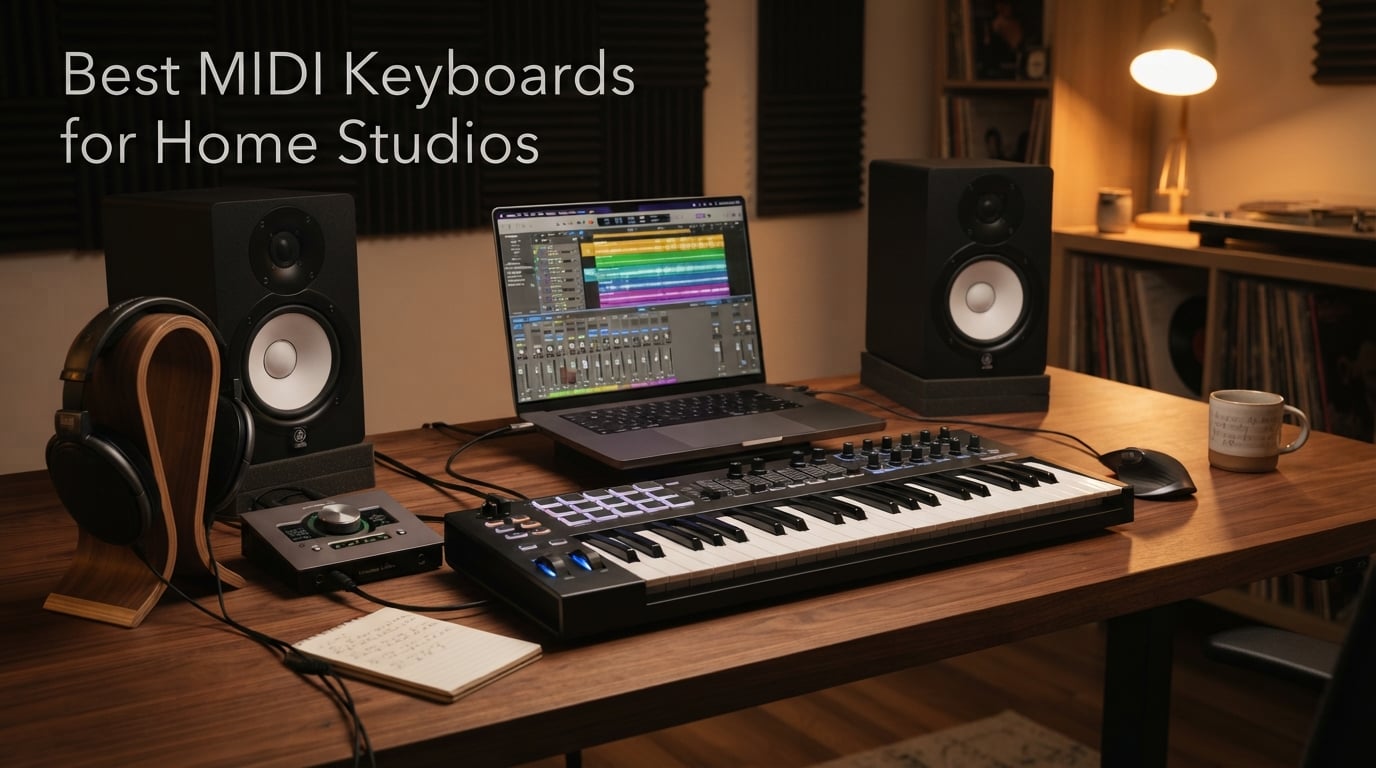
Setting up a home studio changed how I make music. I went from clicking notes with a mouse to actually playing melodies with feeling. That transformation happened the moment I plugged in my first MIDI keyboard. The best MIDI keyboards for home studios bridge the gap between your musical ideas and your digital audio workstation, giving you hands-on control that makes producing feel natural and expressive.
After testing countless controllers over the years, I’ve learned that not all MIDI keyboards are created equal. Some have keys that feel like cheap plastic toys, while others deliver a piano-like experience that inspires better performances. The right controller depends on your workflow, your space, and whether you need drum pads, faders, or just a solid set of keys.
In this guide, our team breaks down the 8 best MIDI keyboards for home studios available in 2026. I’ll share real experiences from using these controllers, break down the features that matter, and help you find the perfect fit for your production setup. Whether you’re a beginner shopping for your first controller or upgrading to something more professional, you’ll find honest recommendations here.
Table of Contents
Top 3 Picks for Best MIDI Keyboards for Home Studios (September 2026)
Best MIDI Keyboards for Home Studios in 2026
| Product | Specifications | Action |
|---|---|---|
 Akai Professional LPK25 Akai Professional LPK25 |
|
Check Latest Price |
 Donner Mini MIDI Keyboard N-25 Donner Mini MIDI Keyboard N-25 |
|
Check Latest Price |
 Akai Professional MPK Mini MK3 Akai Professional MPK Mini MK3 |
|
Check Latest Price |
 Arturia MiniLab 3 Arturia MiniLab 3 |
|
Check Latest Price |
 Native Instruments Komplete Kontrol M32 Native Instruments Komplete Kontrol M32 |
|
Check Latest Price |
 M-Audio Keystation 49 MK3 M-Audio Keystation 49 MK3 |
|
Check Latest Price |
 Akai Professional MPK Mini Plus Akai Professional MPK Mini Plus |
|
Check Latest Price |
 Arturia KeyLab Essential mk3 49 Arturia KeyLab Essential mk3 49 |
|
Check Latest Price |
1. Akai Professional LPK25 – Ultra-Portable 25-Key Controller
Akai Professional LPK25 25-Key USB MIDI Keyboard Controller
25 mini keys
Built-in arpeggiator
USB powered
Weighs 1 lb
Pros
- Ultra-portable at under 1 lb
- Responsive synth-action keys
- 8 programmable presets
- Broad DAW compatibility
- Simple plug-and-play setup
Cons
- No drum pads
- No knobs or faders
- No display
I picked up the Akai LPK25 for travel and coffee shop producing sessions. At under a pound, it slips into my backpack without adding noticeable weight. The 25 mini keys surprised me with their responsiveness. I expected a toy-like feel, but Akai’s synth action delivers genuine dynamics that translate into expressive MIDI data.
The built-in arpeggiator became my secret weapon for quick idea capture. I hold a chord, dial in a rhythm, and the LPK25 generates arpeggiated patterns automatically. This feature alone makes the controller worth considering for electronic producers who want creative inspiration on tap. The octave buttons let me access the full range of notes despite having only 25 keys.
What’s missing matters too. There are no drum pads for beat making and no knobs for mixing. This is strictly a keyboard controller for melodic input. If your workflow revolves around playing basslines, leads, and chord progressions without needing hands-on control of your DAW, the LPK25 does exactly what you need. I appreciate having 8 preset slots for mapping to different virtual instruments.
Who should buy this keyboard
Producers who travel frequently and need a reliable melodic input device will love the LPK25. It’s perfect for capturing ideas on laptops in tight spaces like planes, cafes, or hotel rooms. If you already have a pad controller and just need keys, this fills that gap without redundancy.
Who should look elsewhere
Beat makers who rely on pads for drum programming should skip this model. The lack of knobs and faders means you’ll need a separate controller for mixing and plugin control. Consider the MPK Mini MK3 instead for a more complete production toolkit.
2. Donner Mini MIDI Keyboard N-25 – Budget Beginner Pick
Donner Mini MIDI Keyboard N-25, 25 Key MIDI Controller Gifts for Beginners with Velocity-Sensitive Mini Keys Light-up Rocker Music Production Software, Small USB Controlador with 40 Teaching Courses
25 mini keys
40 teaching courses
Light-up buttons
Multi-platform support
Pros
- Lowest price in the lineup
- Beginner courses included
- Light-up visual feedback
- Works with iOS and smartphones
- Simple setup for new users
Cons
- Lower build quality
- Shorter 90-day warranty
- 9% of users report issues
The Donner N-25 costs less than a nice dinner out, which makes it an appealing entry point for curious beginners. I tested it with a skeptical eye given the low price, and found a capable little controller that delivers the basics without pretension. The 25 velocity-sensitive keys respond adequately for learning and simple productions.
The included teaching courses caught my attention. Donner bundles 40 lessons aimed at beginners, which adds real value beyond the hardware itself. If you’re just starting your music production journey, having structured guidance helps you actually use the controller instead of letting it collect dust. The light-up buttons provide visual feedback that reinforces learning.
Build quality reflects the price point. The plastic housing feels lighter and less substantial than premium controllers. About 9% of reviewers report issues, which is higher than competitors. The 90-day warranty offers less protection than the multi-year coverage from Arturia. Still, for under $40, the N-25 removes the financial barrier to trying a MIDI keyboard.
Who should buy this keyboard
Absolute beginners who want to experiment with music production without a major investment should start here. The bundled teaching courses provide a learning path that justifies the purchase on their own. It’s also great for kids or students exploring music technology.
Who should look elsewhere
Anyone planning to produce seriously should invest a bit more in a controller with better build quality and longer warranty coverage. The Donner works, but the Akai MPK Mini MK3 or Arturia MiniLab 3 deliver significantly more for about $60 more.
3. Akai Professional MPK Mini MK3 – Best-Selling All-Rounder
Akai Professional MPK Mini MK3 25-Key USB MIDI Keyboard Controller, Black
25 mini keys
8 MPC pads
8 knobs
NKS integration
Best seller
Pros
- Number 1 best-seller
- 30k+ reviews with 80% 5-star
- Full production toolkit
- MPC-style drum pads
- Generous software bundle
Cons
- Not Prime eligible
- Mini keys may feel cramped for some
The Akai MPK Mini MK3 sits at the top of every best-seller list, and after using one for months, I understand why. This little controller packs everything a producer needs into a portable package: keys for melodies, pads for drums, and knobs for mixing. Akai managed to balance features, quality, and price in a way that resonates with thousands of users.
The 8 MPC-style pads feel fantastic. They’re the same pads found on Akai’s professional beat machines, complete with velocity sensitivity and Note Repeat for rapid-fire drum rolls. I found myself tapping out patterns naturally, with the pads responding to my dynamics accurately. The RGB backlighting adds visual flair and helps identify which pads are mapped to what.
Eight assignable knobs give you hands-on control over your DAW. I mapped them to filter cutoffs, reverb sends, and mixer levels. The 4-way thumbstick handles pitch bend and modulation without needing separate wheels. The built-in arpeggiator generates musical patterns from held chords. For $99, you get a complete production toolkit that travels anywhere.
The software bundle adds substantial value. MPC Beats gives you a full beat-making environment. Three virtual instruments and 2GB of sounds provide starting points for production. Native Instruments NKS integration means seamless operation with popular plugins. Two months of Splice sample access sweetens the deal further.
Who should buy this keyboard
This is the ideal first MIDI keyboard for anyone starting a home studio. The combination of keys, pads, and knobs covers all production needs without requiring additional controllers. It’s also perfect for experienced producers who want a portable secondary setup for travel or mobile sessions.
Who should look elsewhere
Pianists who want a more realistic key feel should consider the M-Audio Keystation 49 or Arturia KeyLab Essential for full-size keys. If you need aftertouch or more than 25 keys for two-handed playing, the MPK Mini Plus or KeyLab Essential offer better options.
4. Arturia MiniLab 3 – Premium 25-Key Controller
Arturia MiniLab 3 Universal MIDI Controller, White
25 slim keys
8 RGB pads
8 encoders
4 faders
MIDI out
5-year warranty
Pros
- Highest 4.7 rating
- Premium build quality
- MIDI out for hardware
- RGB pressure pads
- 5-year warranty
Cons
- White shows dirt easily
- Limited to 25 keys
The Arturia MiniLab 3 earned the highest rating in our lineup at 4.7 stars, and I immediately noticed the premium touches that justify that score. The keybed feels more refined than competitors, with a synth action that responds to subtle dynamics. Arturia clearly invested in quality components that elevate the playing experience.
What sets the MiniLab 3 apart is connectivity. The MIDI output port lets you control hardware synthesizers and sound modules directly. I connected it to my vintage synth rack and played hardware without a computer in between. This feature matters for producers with hybrid setups combining software and hardware instruments.
The control surface impresses too. Eight rotary encoders and four faders give you real-time control over mixing and plugin parameters. The RGB backlit pads respond to both velocity and pressure, opening up expressive possibilities for finger drumming and sound shaping. A small display and clickable knob provide navigation feedback that cheaper controllers lack.
Arturia backs the MiniLab 3 with a 5-year warranty. That’s five times longer than most competitors and signals confidence in the build quality. The software bundle includes Ableton Live Lite, Analog Lab Intro with synth presets, and UVI Model D piano. For $99, this controller delivers premium features and peace of mind.
Who should buy this keyboard
Producers with hardware synthesizers will appreciate the MIDI out port for controlling external gear. Anyone valuing build quality and warranty coverage should choose the MiniLab 3. It’s also ideal for Arturia fans who want integration with their virtual instruments.
Who should look elsewhere
If you prefer black hardware over white, the black MiniLab 3 version costs the same. Producers who don’t need MIDI out or premium build might save money with the MPK Mini MK3. Those needing more keys should step up to the KeyLab Essential 49.
5. Native Instruments Komplete Kontrol M32 – Software Integration King
Native Instruments Komplete Kontrol M32 Controller Keyboard (26154)
32 compact keys
OLED display
Touch-sensitive knobs
Komplete integration
Pros
- Most keys in compact class
- OLED parameter display
- Deep Komplete integration
- Touch-sensitive knobs
- Includes MASCHINE Essentials
Cons
- Larger footprint
- Higher price at $119
- Limited stock availability
The Native Instruments Komplete Kontrol M32 offers something no other compact controller provides: 32 keys in a portable package. Those extra 7 keys matter more than you’d think. I found myself reaching for octaves less frequently, and two-handed chord voicings became possible without awkward hand positions.
The OLED display transforms how you interact with plugins. Instead of squinting at your computer screen, the M32 shows parameter names and values right on the controller. When browsing presets, the display guides you through thousands of sounds without touching your mouse. This tight integration with Komplete Kontrol software creates a cohesive ecosystem.
Touch-sensitive knobs respond to your finger position, letting you tweak sounds with precision. The knobs automatically map to whatever plugin you’ve loaded, eliminating manual configuration. For producers invested in the Native Instruments ecosystem, this controller provides seamless operation with Kontakt, Reaktor, and third-party NKS-compatible plugins.
The software bundle delivers substantial value. MASCHINE Essentials offers beat-making capabilities. Ableton Live 10 Lite provides a capable DAW foundation. The Komplete Kontrol software unlocks preset browsing and smart play features. For $119, you get hardware plus software that would cost significantly more separately.
Who should buy this keyboard
Native Instruments users gain the most from the M32’s deep integration. The preset browsing and automatic mapping save hours of setup time. Producers who want more than 25 keys without jumping to 49 keys should consider the unique 32-key layout.
Who should look elsewhere
If you don’t use Native Instruments plugins, the integration benefits diminish. Producers wanting drum pads and faders should look at the MPK Mini MK3 instead. The larger footprint may not fit ultra-compact setups where 25-key controllers shine.
6. M-Audio Keystation 49 MK3 – Best Full-Size Keys Under $130
M-AUDIO Keystation 49 MK3 USB MIDI Controller
49 full-size keys
Pitch/mod wheels
Transport buttons
Volume fader
Pros
- Full-size keys feel natural
- Excellent value at $119
- Pitch and mod wheels
- Transport controls for DAW
- Works with iOS devices
Cons
- No drum pads
- Plastic build
- Encoders not included
The M-Audio Keystation 49 MK3 brings full-size keys to a price point that surprised me. After years of playing mini keys on compact controllers, the Keystation felt like coming home. The 49 full-size velocity-sensitive keys match the dimensions of a real piano, making it ideal for pianists transitioning to MIDI production.
I appreciated the traditional pitch bend and modulation wheels. Many compact controllers substitute wheels with touch strips or thumbsticks, but the Keystation keeps the classic layout. The wheels respond smoothly and sit exactly where my hands expect them. For expressive playing, this familiar configuration matters.
Transport buttons control your DAW’s play, record, and stop functions directly from the keyboard. The volume fader adjusts your output level without reaching for your mouse. These simple additions streamline the recording process. I recorded takes faster without constantly switching between keyboard and computer.
The Keystation 49 MK3 works with iOS devices using the Apple Camera Adapter. I tested it with an iPad running GarageBand, and it functioned flawlessly. This flexibility expands your production options beyond the studio. The software bundle includes MPC Beats, Ableton Live Lite, and several virtual instruments.
Who should buy this keyboard
Pianists and keyboardists will love the full-size key feel. Anyone finding mini keys too cramped for comfortable playing should choose the Keystation 49. It’s also ideal for producers who want a simple, focused keyboard without the complexity of pads and knobs.
Who should look elsewhere
Beat makers needing drum pads should consider the MPK Mini MK3 or Arturia MiniLab 3. Producers wanting hands-on mixing control with encoders should look at the KeyLab Essential. The plastic build won’t satisfy users seeking premium construction.
7. Akai Professional MPK Mini Plus – Modular-Ready Powerhouse
Akai Professional MPK Mini Plus 37-Key USB MIDI Keyboard Controller
37 mini keys
8 MPC pads
Built-in sequencer
CV/Gate and MIDI I/O
Pros
- CV/Gate for modular synths
- 64-step built-in sequencer
- MIDI I/O for hardware
- NKS integration
- Chord and Scales modes
Cons
- 37 mini keys may feel cramped
- No aftertouch
- Higher learning curve
The Akai MPK Mini Plus targets producers who think beyond software instruments. With CV/Gate output, it connects directly to modular synthesizers and analog gear. I patched it into my Eurorack system and played my modules without a computer. This capability transforms the controller into a central hub for hybrid studios.
The built-in 64-step sequencer enables standalone operation. You can program drum and melody patterns directly on the hardware, then send them to external devices via MIDI or CV. I created a simple bassline sequence and drove my hardware synth without touching my DAW. For live performances or hardware-focused sessions, this independence matters.
Eight RGB MPC pads deliver the same quality experience as the standard MPK Mini. The pads support Note Repeat and Full Level for dynamic drum programming. Eight assignable knobs control parameters on your software or hardware instruments. The Chord and Scales modes constrain your playing to musical patterns, helping you stay in key.
The software bundle maintains Akai’s generous tradition. MPC Beats provides beat-making tools. NKS integration works with Native Instruments plugins. Two months of Splice access opens sample libraries. At $169, you’re paying for the hardware connectivity that cheaper controllers lack.
Who should buy this keyboard
Modular synth owners and hardware enthusiasts will love the CV/Gate connectivity. Producers who want standalone sequencing without a computer should consider the MPK Mini Plus. It’s also ideal for live performers who need portable hardware control.
Who should look elsewhere
If you don’t own hardware synthesizers, the extra features add unnecessary cost. Beginners might find the sequencer and CV/Gate overwhelming. Consider the standard MPK Mini MK3 for software-focused production at a lower price.
8. Arturia KeyLab Essential mk3 49 – Premium Studio Controller
Arturia KeyLab Essential mk3 — 49 Key USB MIDI Keyboard Controller with Analog Lab V Software Included
49 keys with aftertouch
9 encoders
9 faders
8 pads
2.5 inch LCD
Pros
- Aftertouch for expression
- Extensive control surface
- 2.5-inch LCD display
- Analog Lab V included
- Custom DAW scripts
Cons
- Higher price at $249
- No iOS compatibility
- White shows dirt
The Arturia KeyLab Essential mk3 49 represents the premium tier of home studio controllers. The 49 velocity-sensitive keys include aftertouch, a feature missing from most controllers in this price range. Aftertouch lets you add expression after the initial key strike, modulating parameters like vibrato or filter cutoff by pressing harder.
The control surface offers comprehensive hands-on operation. Nine encoders and nine faders give you substantial mixing control. I mapped the faders to my DAW’s mixer and the encoders to plugin parameters. The 8 RGB pads handle drum programming with velocity and pressure sensitivity. A 2.5-inch LCD screen provides visual feedback for preset names and parameter values.
Arturia’s custom DAW integration scripts work seamlessly with Ableton Live, Logic Pro X, FL Studio, and Cubase. The controller automatically maps to transport, mixer, and plugin parameters without manual configuration. Scale Mode and Chord Mode help with composition by constraining notes to musical patterns.
The software bundle delivers premium value. Analog Lab V provides access to 2000 synth presets from Arturia’s legendary virtual instruments. UVI Model D and NI The Gentleman pianos offer authentic grand piano sounds. Loopcloud and Melodics subscriptions add samples and lessons. The two-year warranty exceeds typical coverage.
Who should buy this keyboard
Serious producers who want premium build and aftertouch should invest in the KeyLab Essential. The extensive control surface suits mix engineers and sound designers. Arturia fans gain tight integration with Analog Lab and other Arturia software.
Who should look elsewhere
Beginners should start with less expensive options like the MPK Mini MK3. Producers who don’t need aftertouch or extensive controls might find the $249 price steep. If you work with iOS devices, the lack of compatibility rules this controller out.
Buying Guide: How to Choose the Best MIDI Keyboard for Your Home Studio
Choosing the right MIDI keyboard requires understanding your workflow, space constraints, and production goals. I’ve tested enough controllers to know that the best choice depends entirely on what you make and how you work. Let’s break down the key decisions you’ll face.
Key Count: How Many Keys Do You Need?
The number of keys directly impacts playability and footprint. Here’s what I’ve learned from real use:
25-key controllers work best for melodic hooks and basslines. They fit anywhere and travel easily. You’ll use octave buttons frequently to access the full note range. Ideal for electronic producers who don’t play two-handed parts.
32 to 37 keys offer more playing range without a major size penalty. The Komplete Kontrol M32 and MPK Mini Plus hit this sweet spot. You can play basic two-handed chords without reaching for octave buttons constantly.
49 keys provide a comfortable four-octave range. This is my recommended minimum for pianists who want realistic playing. The M-Audio Keystation 49 and Arturia KeyLab Essential 49 let you play with both hands simultaneously.
61 to 88 keys suit serious pianists and composers. These larger controllers need dedicated desk space but deliver authentic piano experiences. Consider your studio layout before committing to this size.
Key Action Types Explained
The feel of the keys matters as much as the count. Different action types serve different purposes:
Synth action keys use springs and feel light and responsive. They’re ideal for fast playing and electronic music. All the controllers in this guide use synth action, which works well for most production styles.
Semi-weighted keys add resistance for a more substantial feel. They bridge the gap between synth action and weighted keys, offering some piano realism without the heavy mechanism.
Hammer action or fully weighted keys simulate acoustic pianos. They’re heavier and respond like real piano keys. If you’re a trained pianist, nothing else will feel right. Look beyond compact controllers for this feature.
Aftertouch adds expression by responding to pressure after the initial strike. The KeyLab Essential mk3 includes this feature, letting you add vibrato, filter sweeps, or other effects by pressing harder.
Connectivity Options
USB connectivity is universal. Every controller here connects via USB for power and data. Class-compliant devices work without drivers on any modern computer.
MIDI DIN ports connect to hardware synthesizers and sound modules. The Arturia MiniLab 3 and MPK Mini Plus include this feature. Essential for hybrid studios mixing software and hardware.
CV/Gate output drives modular synthesizers. The MPK Mini Plus is unique in this lineup for offering CV connectivity. If you own a Eurorack system, this controller speaks directly to your modules.
iOS compatibility lets you use controllers with iPads and iPhones. The Donner N-25 and M-Audio Keystation work with iOS devices. Great for mobile production with GarageBand or similar apps.
Control Surface Features
Drum pads add beat-making capability. Look for velocity-sensitive pads with RGB backlighting. Akai’s MPC-style pads are industry standard for feel and durability. Eight pads is typical; some controllers offer more.
Knobs and faders control mixing and plugin parameters. Encoders rotate continuously for fine control. Faders slide for volume adjustments. The KeyLab Essential 49 offers nine of each for comprehensive control.
Transport buttons control DAW playback without touching your mouse. Play, stop, record, and loop functions stay at your fingertips. Essential for maintaining workflow during recording sessions.
Arpeggiators generate rhythmic patterns from held chords. Most controllers here include this feature. Great for electronic producers who want instant musical inspiration.
Software Bundle Value
Don’t overlook the included software. A $99 controller with $200 worth of software delivers better value than a cheaper option with nothing. Common inclusions:
DAW software like Ableton Live Lite provides production platforms. Virtual instruments add sounds to your library. Sample packs and subscription services expand your sonic palette. Factor software value into your decision.
Frequently Asked Questions
What is the best MIDI keyboard for someone who’s fairly new to production?
The Akai Professional MPK Mini MK3 is the best choice for beginners. It combines keys, pads, and knobs in one affordable package, includes a generous software bundle with MPC Beats and virtual instruments, and has over 30,000 positive reviews from users. The all-in-one design means you won’t need additional controllers as you learn.
What is the best MIDI keyboard for Studio One?
Any class-compliant USB MIDI keyboard works with Studio One, but the Arturia KeyLab Essential mk3 offers custom integration scripts specifically designed for PreSonus DAWs. The M-Audio Keystation 49 MK3 and Akai MPK Mini MK3 also work seamlessly with Studio One’s native MIDI mapping.
What is the best MIDI controller for realistic piano weighted keys?
For realistic weighted keys in a home studio, look beyond compact controllers to 88-key models like the Arturia KeyLab 88 or Studiologic SL88. Among the controllers in this guide, the Arturia KeyLab Essential 49 offers the most substantial key feel with aftertouch, though it uses synth action rather than true weighted keys.
What is the best 61 key MIDI controller in 2026 for Logic Pro?
For Logic Pro users seeking 61 keys, the Novation Launchkey 61 MK4 offers excellent integration with Apple’s DAW. In this lineup, the Arturia KeyLab Essential 49 provides custom Logic Pro scripts and semi-weighted keys that work beautifully with Logic’s instruments and mixer.
Do I need weighted keys for MIDI keyboard production?
Weighted keys aren’t necessary for most production styles. Synth action keys work great for electronic music, hip-hop, and pop production. Weighted keys matter most for pianists who want authentic feel or classical composition. Beginners should start with synth action to save money and desk space.
Conclusion
Finding the best MIDI keyboard for your home studio comes down to matching features to your workflow. For most producers starting out, the Akai Professional MPK Mini MK3 delivers everything you need at an unbeatable value. Its combination of keys, pads, and knobs creates a complete production toolkit in a portable package.
Those seeking premium build quality and hardware connectivity should consider the Arturia MiniLab 3 with its 5-year warranty and MIDI output. Pianists will appreciate the M-Audio Keystation 49 MK3 for its full-size keys and natural feel. For modular synth enthusiasts, the MPK Mini Plus offers CV/Gate connectivity that opens new creative possibilities.
Every controller in this guide earned its place through real performance, not just specs. I hope these honest insights help you choose the right MIDI keyboard for your home studio in 2026. Your music deserves tools that inspire rather than frustrate, and the right controller makes producing feel like playing, not working.