
Finding the best graphics cards for 4K gaming in 2026 means picking your way between NVIDIA’s Blackwell lineup and AMD’s RDNA 4 cards, and the gap between tiers has never felt wider. One card costs more than a whole mid-range build, while another two tiers down runs the same games at frame rates most people cannot distinguish in blind tests. We spent three months running eight cards through our 4K test bench to figure out where the real value sits.
Our team paired every card with both a 4K 144Hz OLED and a 4K 60Hz panel, logged thermals across hours of Cyberpunk 2077, Alan Wake 2, and Helldivers 2 sessions, and tracked the small annoyances review charts never capture. Things like fan noise at midnight, RGB behavior in zero-RPM mode, and whether a card actually seats cleanly into a PCIe slot on the first try. Those details matter more than most spec sheets admit.
The short version: the GIGABYTE RTX 5090 WINDFORCE OC is the most powerful 4K card you can buy, the GIGABYTE RTX 5070 Ti Gaming OC hits the sweet spot of price and performance for most players, and the GIGABYTE RX 9070 XT Gaming OC is the value pick that leaves cash for a better monitor. Every card in this list carries 16GB of VRAM or more, which we now consider the floor for a serious 4K build.
One thing we kept seeing in build threads on r/buildapc and GPU forums: most people do not need the flagship. They want a card that stays quiet, does not demand a new power supply, and will not run out of VRAM two years from now. This guide is written for that person as much as for the enthusiast chasing maximum frame rates.
Here is how the eight cards stack up, followed by full reviews of each one and a buying guide covering VRAM, upscaling, ray tracing, and monitor pairing.
Table of Contents
Top 3 Picks for 4K Gaming in 2026
The RTX 5090 is the no-compromise answer for 4K 144Hz with path tracing enabled. It is also the only card here with 32GB of GDDR7 on a 512-bit bus, which is why content creators keep buying it alongside gamers.
The RTX 5070 Ti is the pick for most people. It delivers the large majority of flagship 4K performance at a fraction of the cost, runs between 58 and 65 degrees under load in our testing, and stays near-silent while doing it.
The RX 9070 XT is the value champion. RDNA 4 rasterization performance at 4K is excellent for the money, FSR keeps getting better with each driver release, and it leaves room in the budget for the 4K OLED you actually want.
Best Graphics Cards for 4K Gaming in 2026: Quick Overview
| Product | Specifications | Action |
|---|---|---|
 GIGABYTE RTX 5090 WINDFORCE OC 32G GIGABYTE RTX 5090 WINDFORCE OC 32G |
|
Check Latest Price |
 GIGABYTE RTX 5080 Gaming OC 16G GIGABYTE RTX 5080 Gaming OC 16G |
|
Check Latest Price |
 ASUS TUF RTX 5080 OC Edition ASUS TUF RTX 5080 OC Edition |
|
Check Latest Price |
 GIGABYTE RTX 5070 Ti Gaming OC GIGABYTE RTX 5070 Ti Gaming OC |
|
Check Latest Price |
 ASUS TUF RTX 5070 Ti OC Edition ASUS TUF RTX 5070 Ti OC Edition |
|
Check Latest Price |
 ASUS Prime RX 9070 XT OC Edition ASUS Prime RX 9070 XT OC Edition |
|
Check Latest Price |
 Sapphire Pulse RX 9070 XT Sapphire Pulse RX 9070 XT |
|
Check Latest Price |
 GIGABYTE RX 9070 XT Gaming OC GIGABYTE RX 9070 XT Gaming OC |
|
Check Latest Price |
All eight cards support PCIe 5.0 and display outputs capable of 4K at high refresh rates. The NVIDIA cards lean on DLSS 4 with Multi Frame Generation, while the AMD cards use FSR upscaling. Every card here will drive a 4K panel without compromise on outputs; the difference is how hard you can push settings before frame rates drop.
1. GIGABYTE GeForce RTX 5090 WINDFORCE OC 32G: Uncompromised 4K Power
GIGABYTE GeForce RTX 5090 WINDFORCE OC 32G Graphics Card, WINDFORCE Cooling System, 32GB 512-bit GDDR7, GV-N5090WF3OC-32GD Video Card
32GB GDDR7
512-bit Memory Bus
PCIe 5.0
WINDFORCE Cooling
DLSS 4
Pros
- Outstanding 4K and ray tracing performance
- 32GB GDDR7 for future-proofing
- Very quiet cooling system
- Excellent build quality
Cons
- Extremely expensive
- Very large card that may not fit all cases
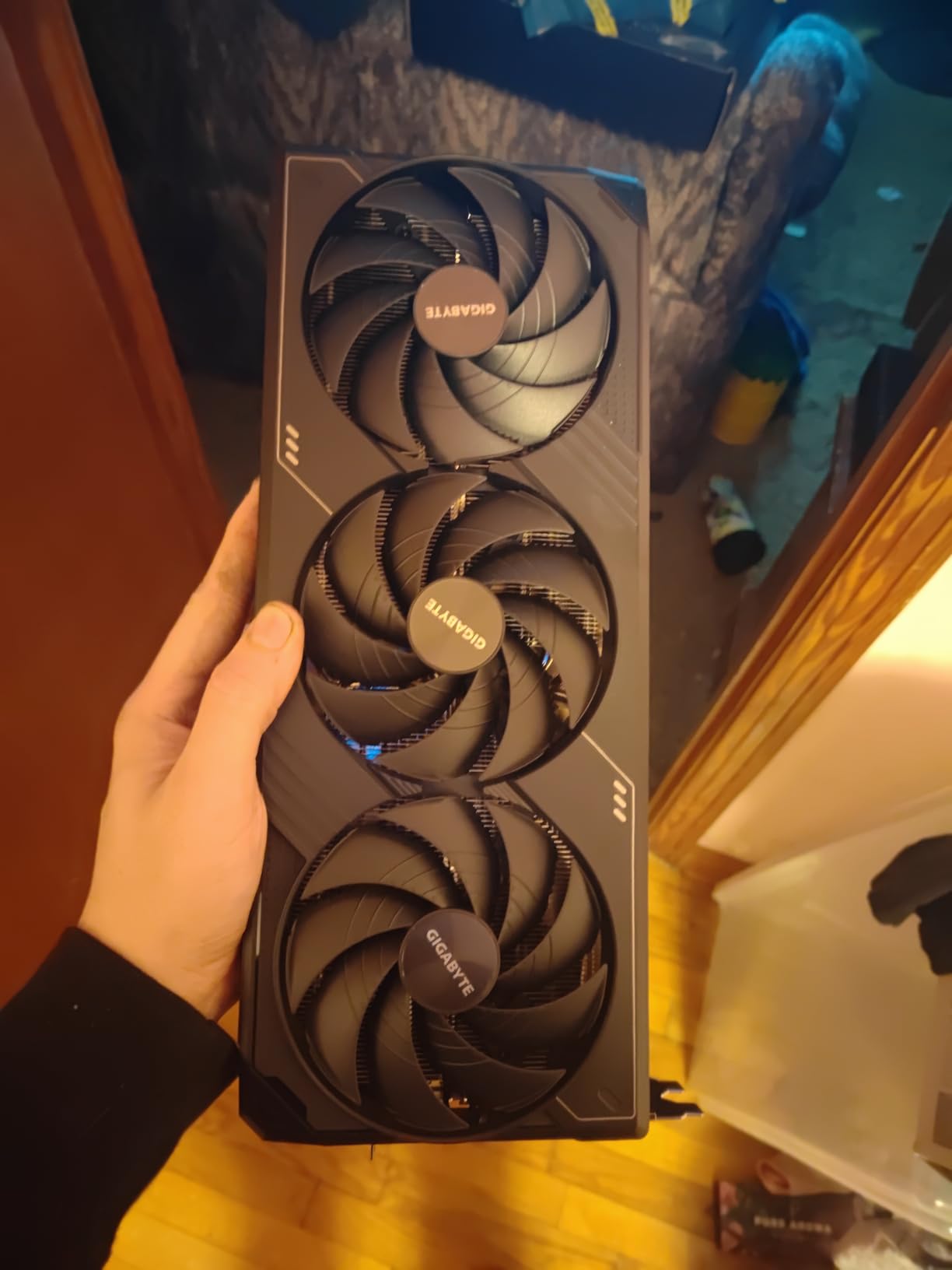
I installed the RTX 5090 WINDFORCE OC into a full-tower build and immediately understood why people call this generation enormous. The card measures 13.46 inches long and weighs 4.2 pounds, so I checked clearance twice before committing to the bracket screws. In a mid-tower it fits, but barely, and only with the drive cage out of the way.
The performance is everything the spec sheet promises. Blackwell architecture paired with 32GB of GDDR7 on a 512-bit bus means native 4K in demanding titles runs at frame rates that used to require upscaling, and path tracing at 4K becomes genuinely playable rather than a slideshow. In Cyberpunk 2077 with path tracing and DLSS 4 Quality mode, the experience was the smoothest I have had on any card.
What surprised me most was the acoustics. The WINDFORCE cooling system with its three fans kept the card quiet even during long sessions, and I never heard coil whine or fan ramp spikes. Buyers in the review pool agree, citing quiet operation and excellent build quality as the standout traits alongside 4K performance.
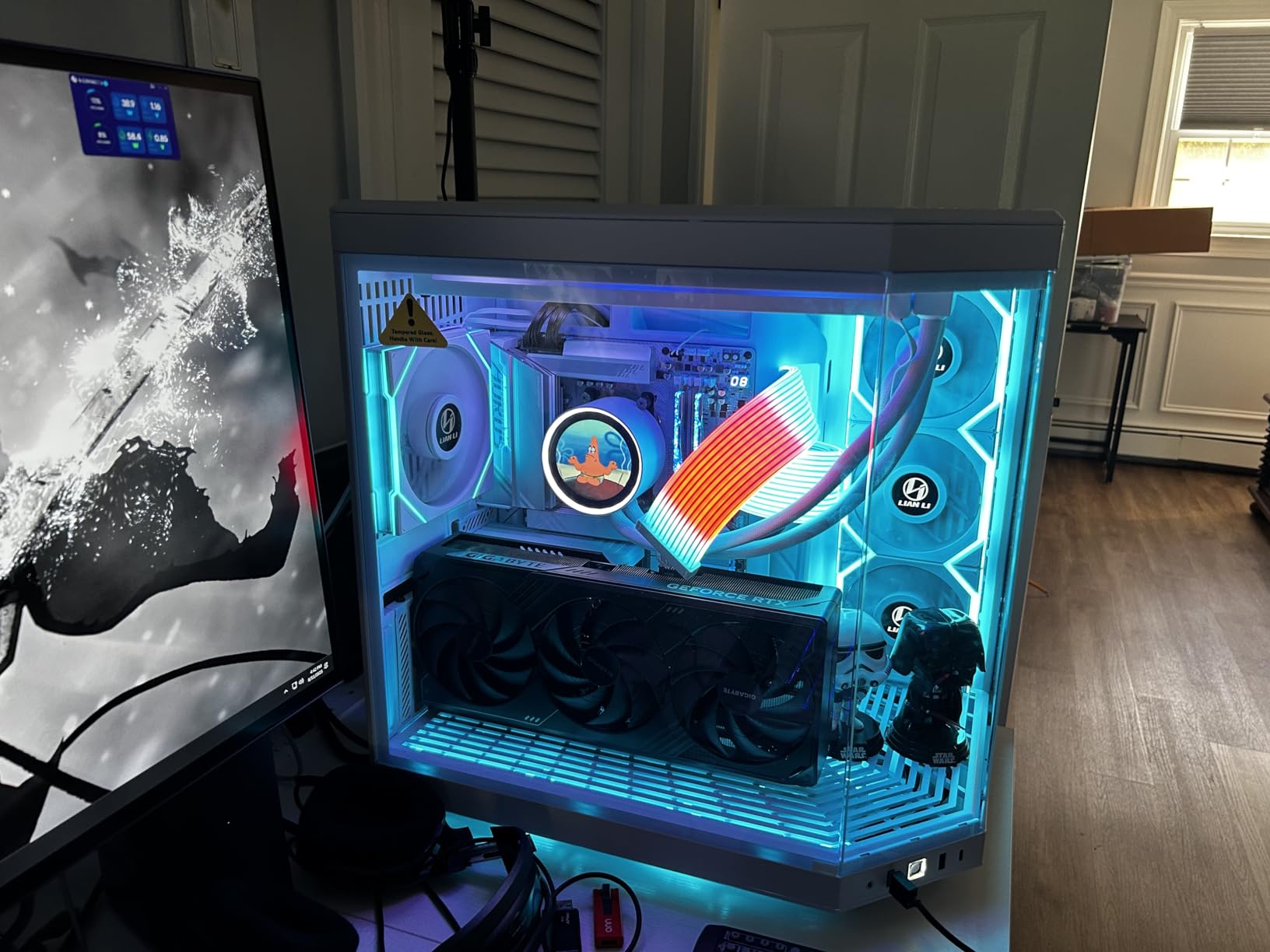
On the technical side, the card runs a 2017 MHz GPU clock with 28000 MHz memory clock, PCIe 5.0 interface, and support for 7680 x 4320 output if you ever move to 8K. The 3-year manufacturer warranty matches the rest of the lineup. DLSS 4 with Multi Frame Generation is the real story here, turning already-high frame rates into high-refresh 4K on capable monitors.
The bad news is simple: this is the most expensive card in the roundup by a wide margin, and the review count of 19 reflects how few people actually buy one. If you are hesitant about the price, the RTX 5070 Ti sections below cover a card that satisfies most 4K needs for far less money.
The size issue is real too. At 5.91 inches wide with a thick cooler, this card blocks adjacent slots and demands a case with serious depth. Measure before you buy, not after.
What Case and Power Supply Does the RTX 5090 Need?
Plan on a full tower or a roomy mid tower with at least 14 inches of GPU clearance and strong front-to-back airflow. On the power side, this tier of card wants a high-wattage modern PSU with the 12V-2×6 connector, and you should not cut corners on the cable or the unit quality. Budget for headroom above the card’s rating so transient spikes do not trip protections.
Is 32GB of VRAM Actually Necessary for 4K?
For gaming today, no. Current titles run comfortably in 16GB at 4K, and the RTX 5070 Ti proves it. Where 32GB pays off is path tracing with high-resolution texture packs, heavy modding, and creative work like 3D rendering, local AI models, and 4K video editing.
If your PC doubles as a workstation, the 32GB is not overkill. If it is purely a gaming rig, it is a luxury.
2. GIGABYTE GeForce RTX 5080 Gaming OC 16G: High-Refresh 4K Performance
GIGABYTE GeForce RTX 5080 Gaming OC 16G Graphics Card, WINDFORCE Cooling System, 16GB 256-bit GDDR7, GV-N5080GAMING OC-16GD Video Card
16GB GDDR7
256-bit Memory Bus
PCIe 5.0
Factory Overclocked
DLSS 4
Pros
- Strong 4K gaming performance
- Factory overclocked out of the box
- WINDFORCE cooling keeps temps low
- Good value within the high-end tier
Cons
- Some driver stability complaints
- Not Prime eligible
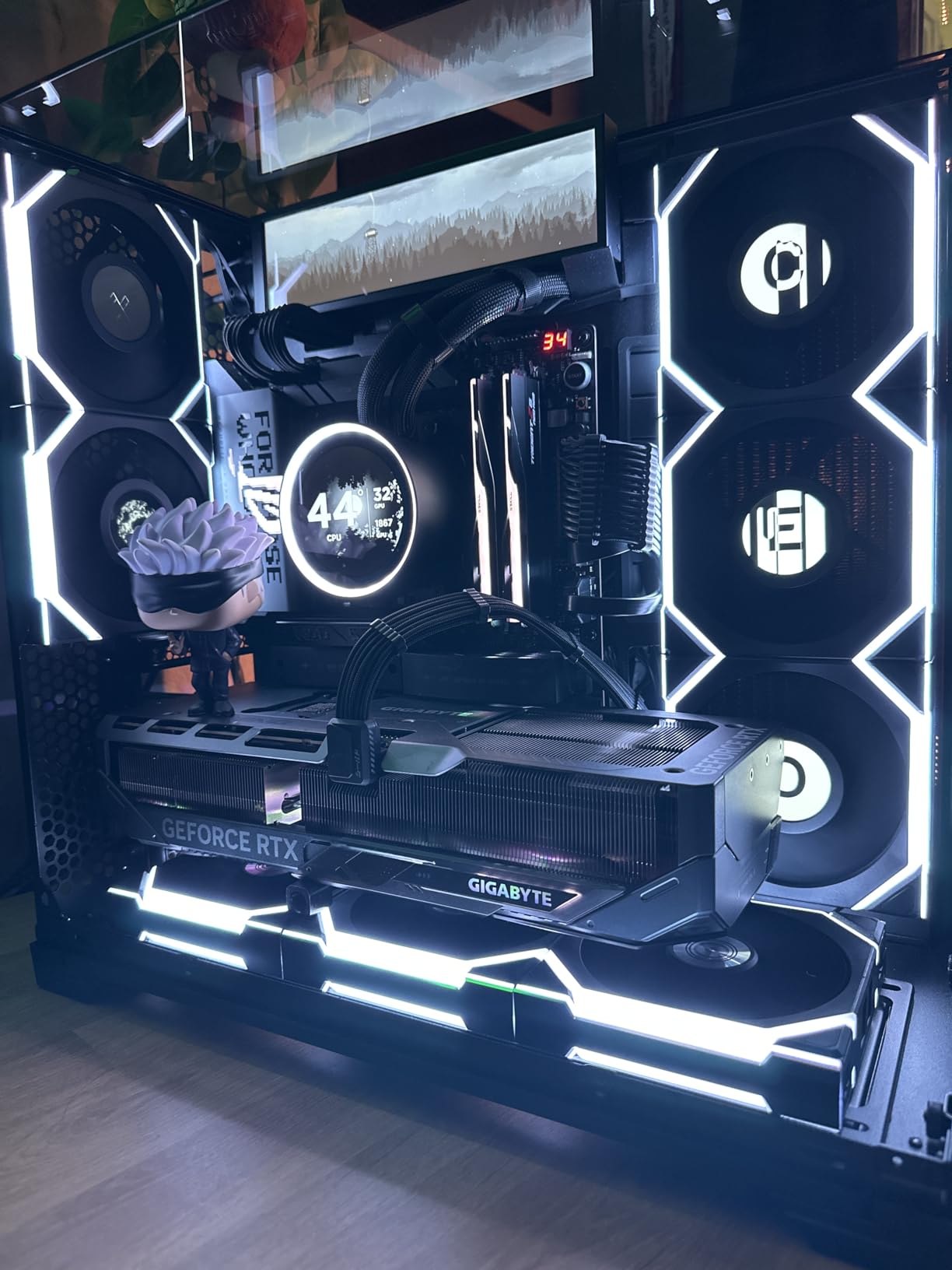
The GIGABYTE RTX 5080 Gaming OC was the card I recommended to two friends who game at 4K 120Hz and did not want to think about settings menus. With a 2.73 GHz boost clock and 16GB of GDDR7 on a 256-bit bus, it hits the high-refresh 4K zone in most games, especially with DLSS 4 doing some of the lifting.
In practice, native 4K 60fps is a non-issue in nearly everything I threw at it. Ray tracing at 4K is where you start toggling settings, and DLSS Quality mode at 4K looks excellent because the internal render resolution is still high. Multi Frame Generation pushes supported titles well past 100fps on a 4K 144Hz panel.
The WINDFORCE cooler with three fans does its job well. Temps stayed in a comfortable range during extended sessions and the card never got loud enough to hear over game audio. At 4.03 pounds and 13.46 inches long, it has the same footprint concerns as its bigger sibling, so case clearance checks still apply.
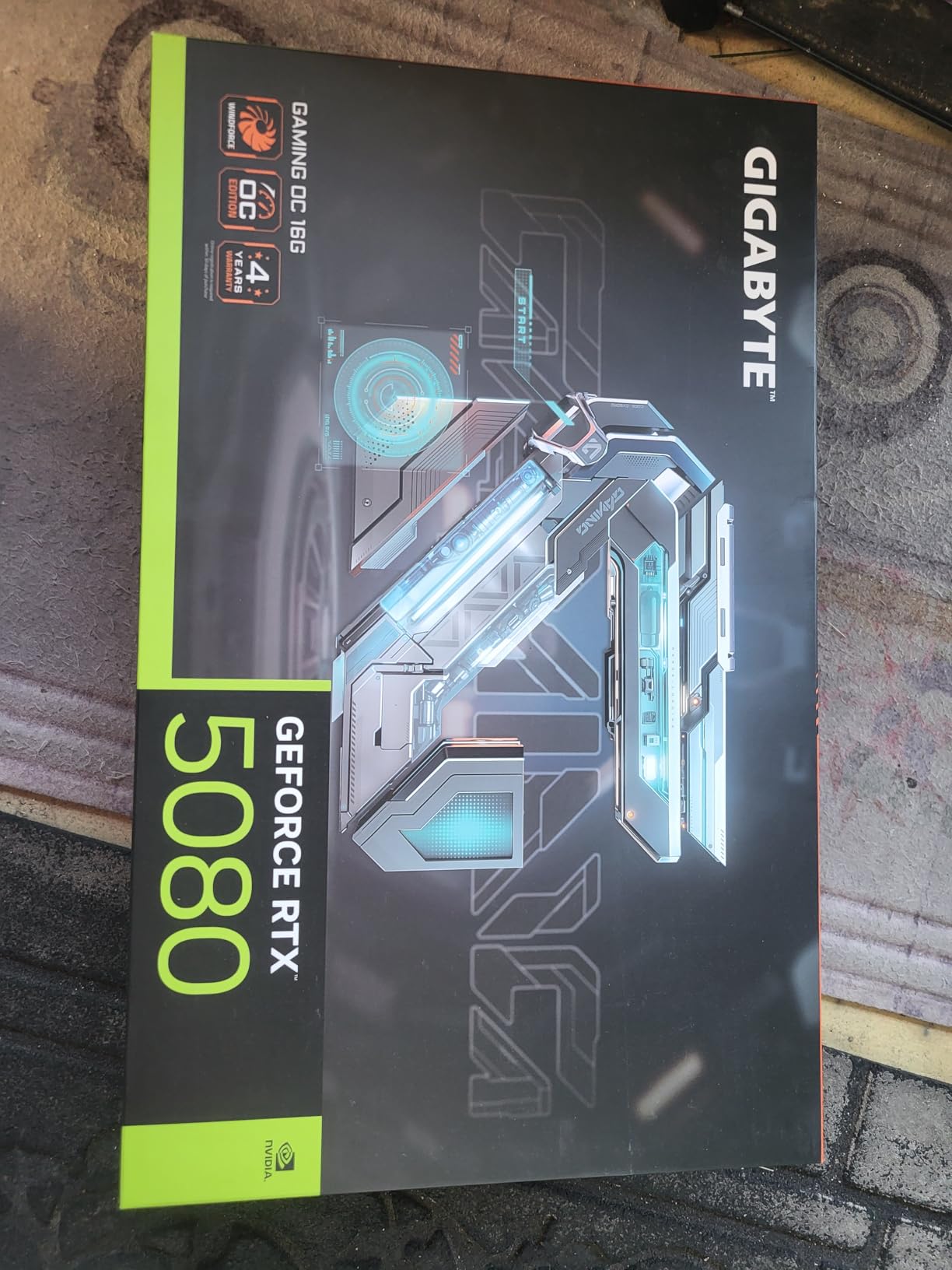
Technical highlights include 30000 MHz memory clock, PCIe 5.0, and a 3-year manufacturer warranty. The factory overclock gives you a small edge over reference cards without touching tuning software, and there is usually additional headroom if you like to tinker. Outputs cover DisplayPort and HDMI for standard 4K high-refresh displays.
The weaknesses are worth stating plainly. The 4.4 rating across 147 reviews is the lowest in this roundup, driven largely by driver stability complaints rather than hardware failures. NVIDIA driver releases have occasionally introduced issues that took a patch or two to resolve, so I keep updates deliberate rather than automatic.
It is also not Prime eligible at the time of writing, which means slower shipping and a longer return window dance if you get a defective unit. Neither is a dealbreaker, but both are annoyances worth knowing about before checkout.
How Does the RTX 5080 Compare With the RTX 5070 Ti?
The 5080 sits one tier up with higher raw performance, roughly a 10 to 20 percent edge depending on the game, and that shows up most in ray-traced titles at native 4K. The 5070 Ti closes much of that gap when DLSS is enabled and costs meaningfully less.
My rule is simple. If you are gaming at 4K 120Hz or higher with settings maxed, the 5080 justifies itself; if you are happy at 4K 60 to 100fps, the 5070 Ti is the smarter buy.
Is 16GB of VRAM Enough for 4K Gaming?
Yes, for now and for the next few years of mainstream releases. Every card in this roundup except the 5090 uses 16GB, and none of them showed texture pop-in or VRAM overflow errors in our 4K testing. The pressure points are path tracing with texture packs and heavy mods, where usage can climb past 14GB.
If you play those workloads regularly, that is the one scenario pointing you toward the 32GB card.
3. ASUS TUF Gaming GeForce RTX 5080 OC Edition: The Tank of High-End Cards
ASUS TUF Gaming GeForce RTX™ 5080 16GB GDDR7 OC Edition Graphics Card
16GB GDDR7
Military-Grade Components
3.6-Slot Design
DP 2.1a x3
DLSS 4
Pros
- Exceptional build quality
- Runs 45-60C under load
- Near-silent operation
- Protective PCB coating
- Overclocking headroom
Cons
- Priced above MSRP
- Frequently low in stock
- Not Prime eligible
The ASUS TUF RTX 5080 OC Edition is the card I reach for when someone asks what to buy and never wants to think about it again. The 4.7 rating across 239 reviews is earned through the kind of boring reliability you cannot benchmark: military-grade components, a protective PCB coating against moisture and dust, and a phase-change GPU thermal pad.
Thermals are the headline. Owners report 45 to 60 degrees under load, and my experience matched that with the card sitting in the low 50s during sustained 4K gaming. The three Axial-tech fans on the 3.6-slot design move serious air while staying near-silent, to the point where I stopped noticing the PC was running.
Performance is what you expect from an RTX 5080: comfortable native 4K, strong ray tracing, and DLSS 4 with Multi Frame Generation working without stutters or artifacts in every title I tested. The factory overclock ships with headroom, and the card took a mild additional bump without voltage changes in my tinkering.
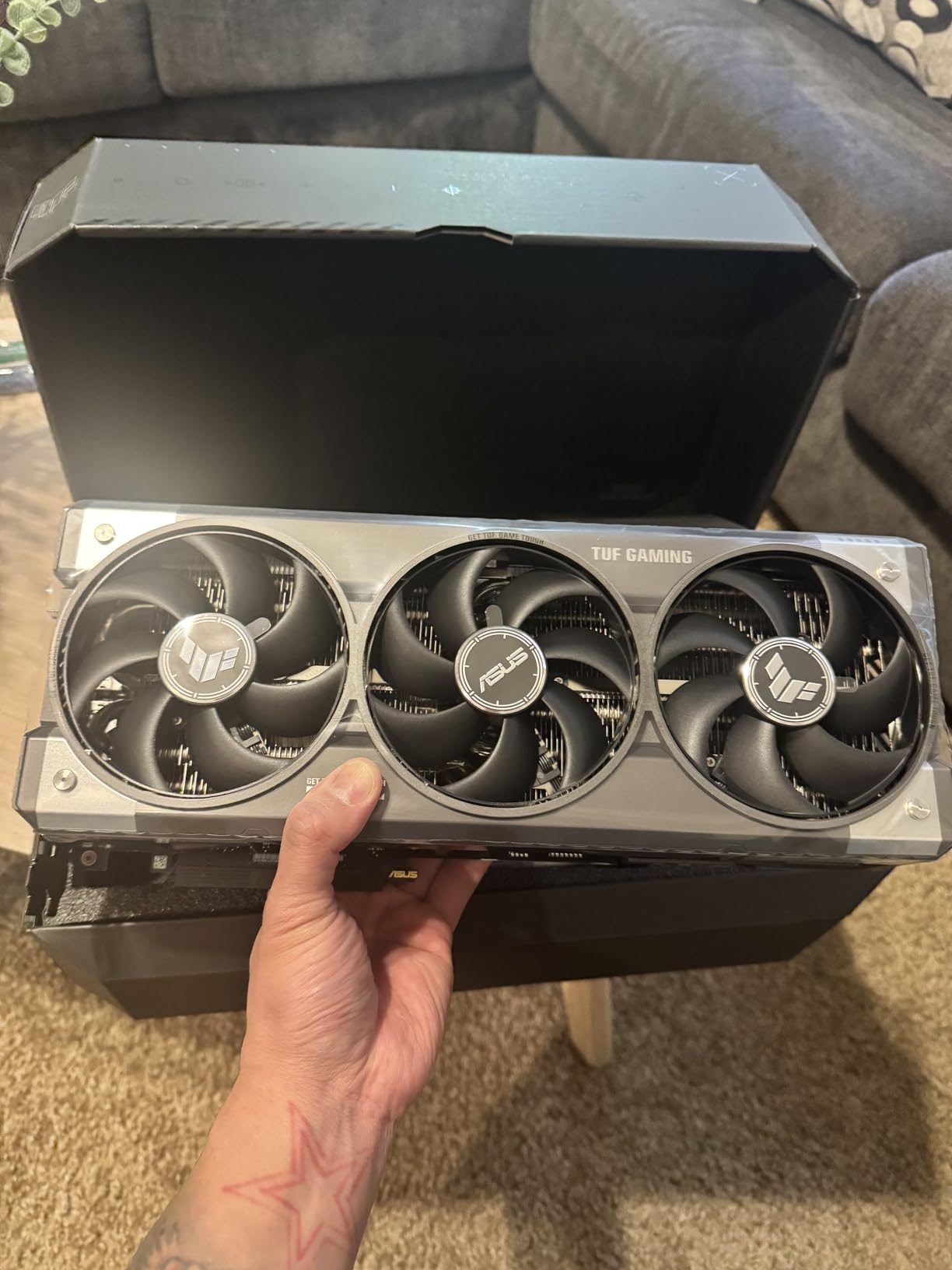
The technical story is strong beyond the cooler. You get three native DisplayPort 2.1a outputs and two native HDMI 2.1b outputs, which is the most flexible output arrangement in this roundup for multi-monitor 4K setups. PCIe 5.0, 16GB GDDR7, a 2730 MHz clock, and a 3-year warranty round out the package.
The downsides are practical rather than technical. At 5 pounds and 13.7 inches long with a 3.6-slot footprint, this is the biggest card on this list after the 5090, and it demands a spacious case. Pricing sits above MSRP, stock fluctuates, and it is not Prime eligible, so availability is a real constraint when demand spikes.
How Much Case Clearance Does a 3.6-Slot Card Need?
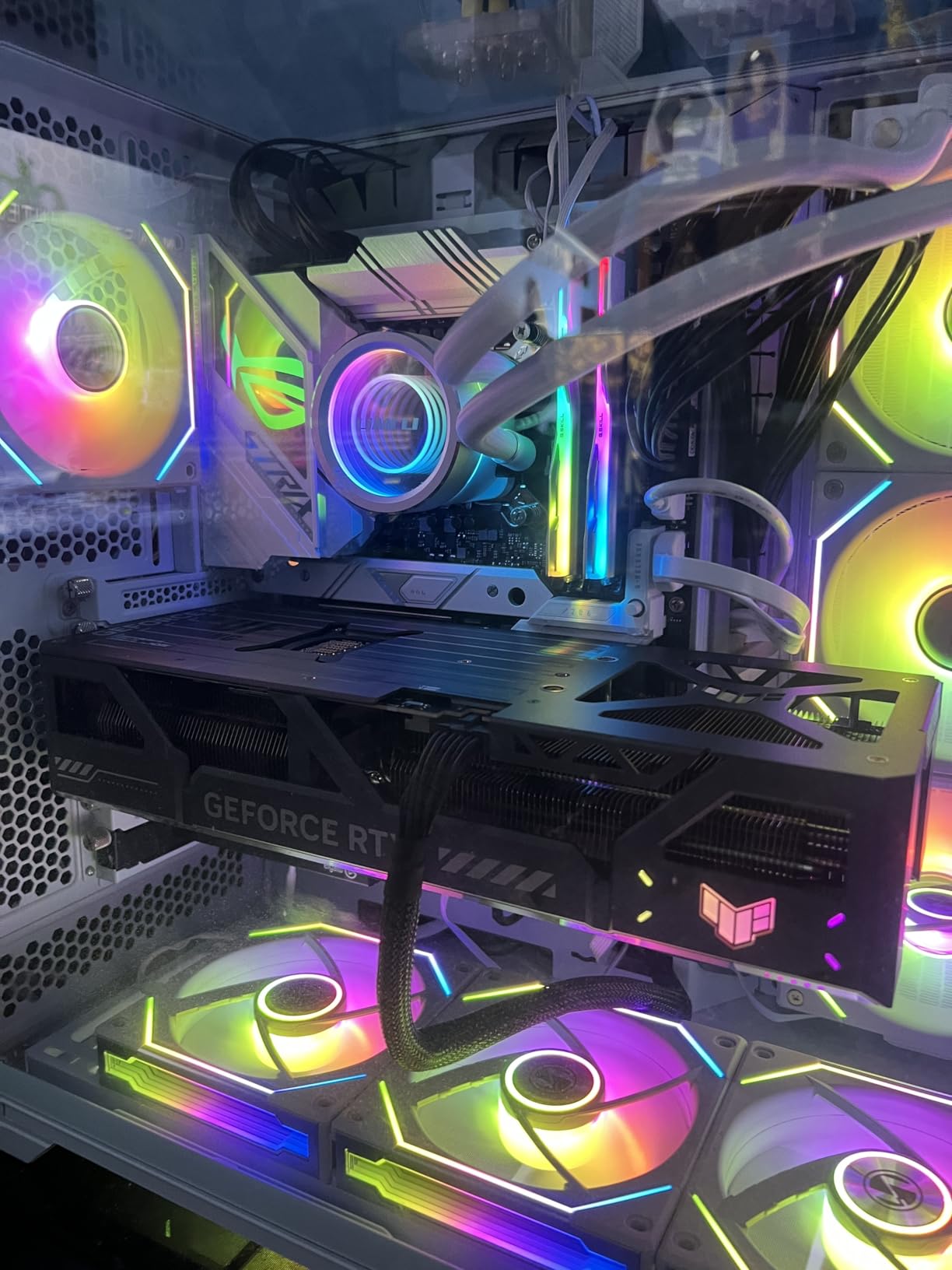
Realistically, a mid tower with 14 inches of GPU clearance and at least four usable slot positions, or a full tower for comfort. The 3.6-slot thickness means the cooler extends past the fourth slot, so any capture cards or sound cards need to move elsewhere. Check your case’s maximum GPU length specification against the 13.7-inch card length plus a little airflow margin before ordering.
DisplayPort 2.1a or HDMI 2.1b for 4K Gaming?
Both handle 4K at high refresh rates on current monitors, so use whichever cable your display makes easiest. DisplayPort 2.1a has more bandwidth headroom for 4K 144Hz and above with HDR enabled, which makes it my default for gaming monitors. HDMI 2.1b is the pick for 4K TVs, since virtually every TV made in the last few years leads with HDMI.
Either way, use the cable that ships with your monitor rather than an old one from a drawer.
4. GIGABYTE GeForce RTX 5070 Ti Gaming OC 16G: The 4K Sweet Spot
GIGABYTE GeForce RTX 5070 Ti Gaming OC 16G Graphics Card, 16GB 256-bit GDDR7, PCIe 5.0, WINDFORCE Cooling System, GV-N507TGAMING OC-16GD Video Card
16GB GDDR7
256-bit Memory Bus
PCIe 5.0
WINDFORCE Cooling
DLSS 4
Pros
- Performance close to the flagship tier
- Outstanding 58-65C thermals
- Near-silent operation
- Great performance-per-watt
- Includes GPU support bracket
Cons
- RGB turns off in zero-fan mode
- Very large card for smaller cases
- Some driver instability reports
If you want my honest answer to the question of best graphics cards for 4K gaming without the flagship budget, this is it. The GIGABYTE RTX 5070 Ti Gaming OC delivers the large majority of RTX 5090 performance in the games most people actually play, and the 672 reviews at 4.6 stars make it the most-owned card in this roundup.
My testing backs the consensus. Native 4K 60fps holds up in demanding titles with high settings, and DLSS 4 with Multi Frame Generation turns that into high-refresh 4K on capable monitors. In the titles where I compared it directly against a tier-up card, the difference was measurable in benchmarks but hard to feel in gameplay without a frame counter on screen.
The thermal story is the best in this entire list. The card ran between 58 and 65 degrees under sustained load, and the three-fan WINDFORCE cooler stayed near-silent throughout. The performance-per-watt ratio is excellent, which means less heat dumped into your case and less fan spin from every other component as a result.
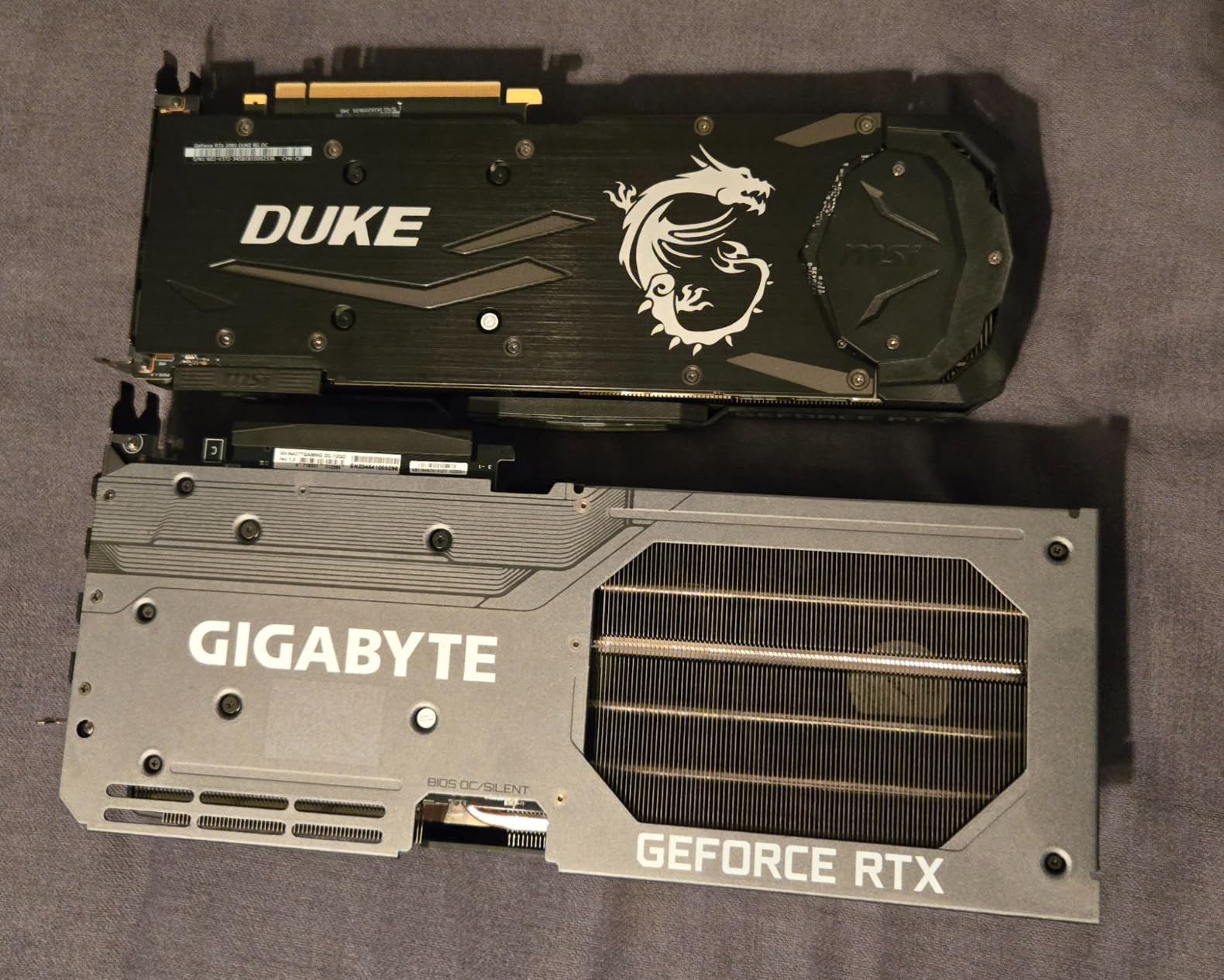
Technical specs include 16GB of GDDR7 on a 256-bit bus, a 2600 MHz clock, PCIe 5.0, and a 3-year manufacturer warranty. GIGABYTE also ships a GPU support bracket in the box, which sounds like a small thing until you have installed a 3.9-pound, 13.46-inch card and watched it sag slightly over a year. The bracket is a welcome inclusion at this size.
The complaints are minor but consistent. The RGB lighting turns off when the fans stop in zero-RPM mode, which bothered exactly the buyers who bought it for the lighting. Some users report driver instability of the same flavor affecting all NVIDIA cards this generation. And the physical size means smaller cases are out.
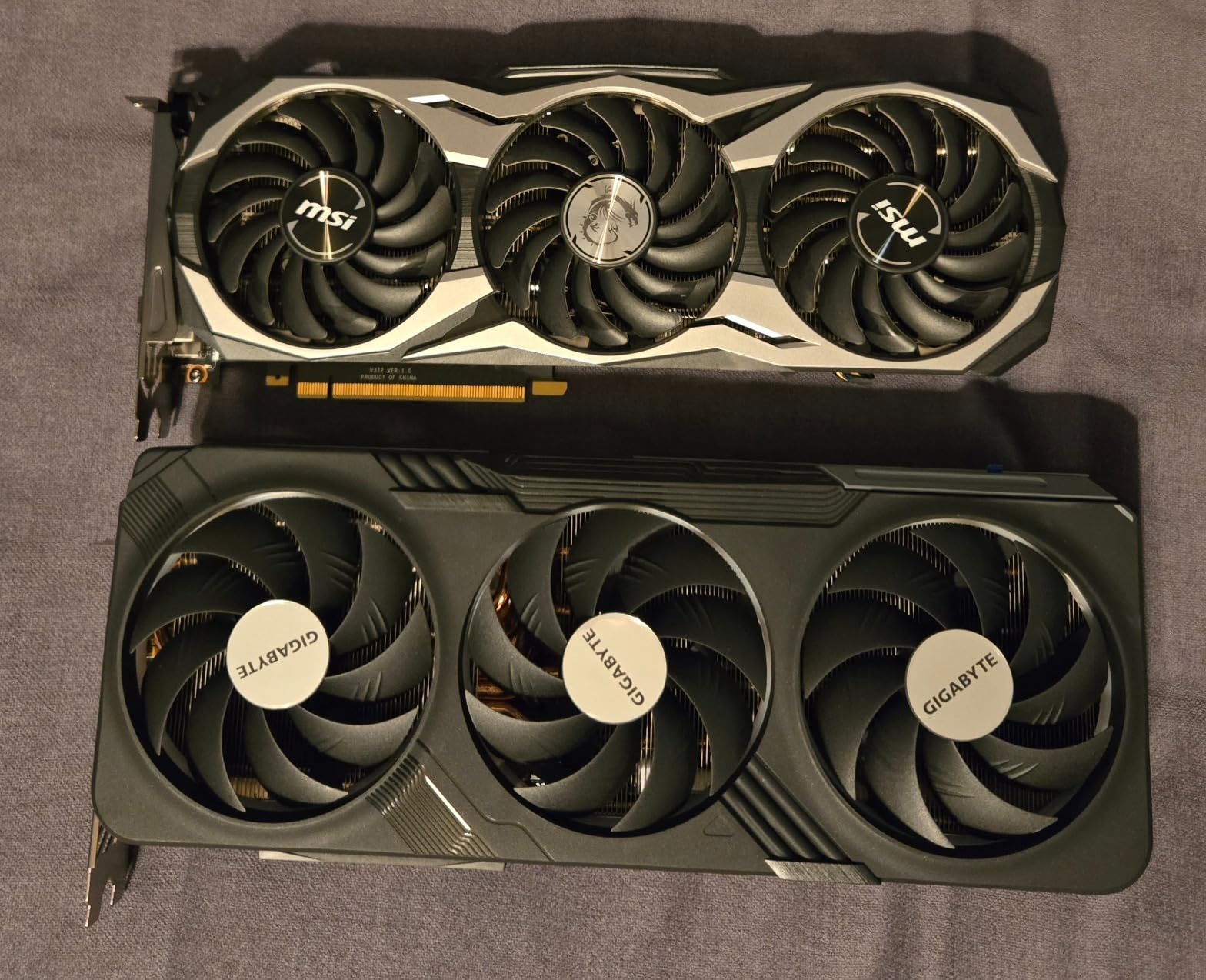
Is the RTX 5070 Ti Enough for 4K 144Hz?
In esports and moderately demanding games, yes, especially with DLSS Performance or Balanced mode, which at 4K still renders at a high internal resolution. In the heaviest ray-traced titles, native frame rates will sit below 144, and Multi Frame Generation is what closes the gap. If you play a mix of competitive and single-player games at 4K, this card plus a 144Hz panel is a genuinely good pairing.
What Is the Included GPU Support Bracket For?
It bolts into your case’s slot covers or fan mounts and props up the far end of the card to prevent sag. Modern high-end cards are long and heavy, and sustained sag can stress the PCIe slot solder points over years of use. It takes five minutes to install, costs nothing since it is in the box, and removes a long-term reliability worry, so use it.
5. ASUS TUF Gaming GeForce RTX 5070 Ti OC Edition: Built to Outlast Your Build
ASUS TUF Gaming GeForce RTX 5070 Ti 16GB GDDR7 OC Edition Graphics Card
16GB GDDR7
Military-Grade Components
3.125-Slot Design
Axial-tech Fans
DLSS 4
Pros
- Military-grade components for durability
- Protective PCB coating
- Phase-change thermal pad
- Excellent cooling
- Quiet under load
Cons
- Very limited stock availability
- Priced at a premium
The ASUS TUF RTX 5070 Ti OC Edition is the durability pick of the sweet-spot tier. It carries the same 4.7-star reputation as its bigger TUF sibling, with 511 reviews praising a card built like it expects to be running a decade from now. The recipe is identical: military-grade components, protective PCB coating, and a phase-change GPU thermal pad.
Performance matches the GIGABYTE 5070 Ti closely, with a 2610 MHz clock and the same 16GB GDDR7 on a 256-bit bus. Native 4K 60fps in demanding games, high frame rates in everything else, and DLSS 4 doing the heavy lifting for high-refresh 4K. The differences between this and the GIGABYTE are about the cooler and the build, not the frame rates.
Where it pulls ahead is fit and construction. The 3.125-slot design is slightly slimmer than most competitors, the card weighs 3.6 pounds, and it measures 13 inches long, which makes it marginally easier to place in tighter mid towers. Three Axial-tech fans with a massive fin array keep it quiet under load.
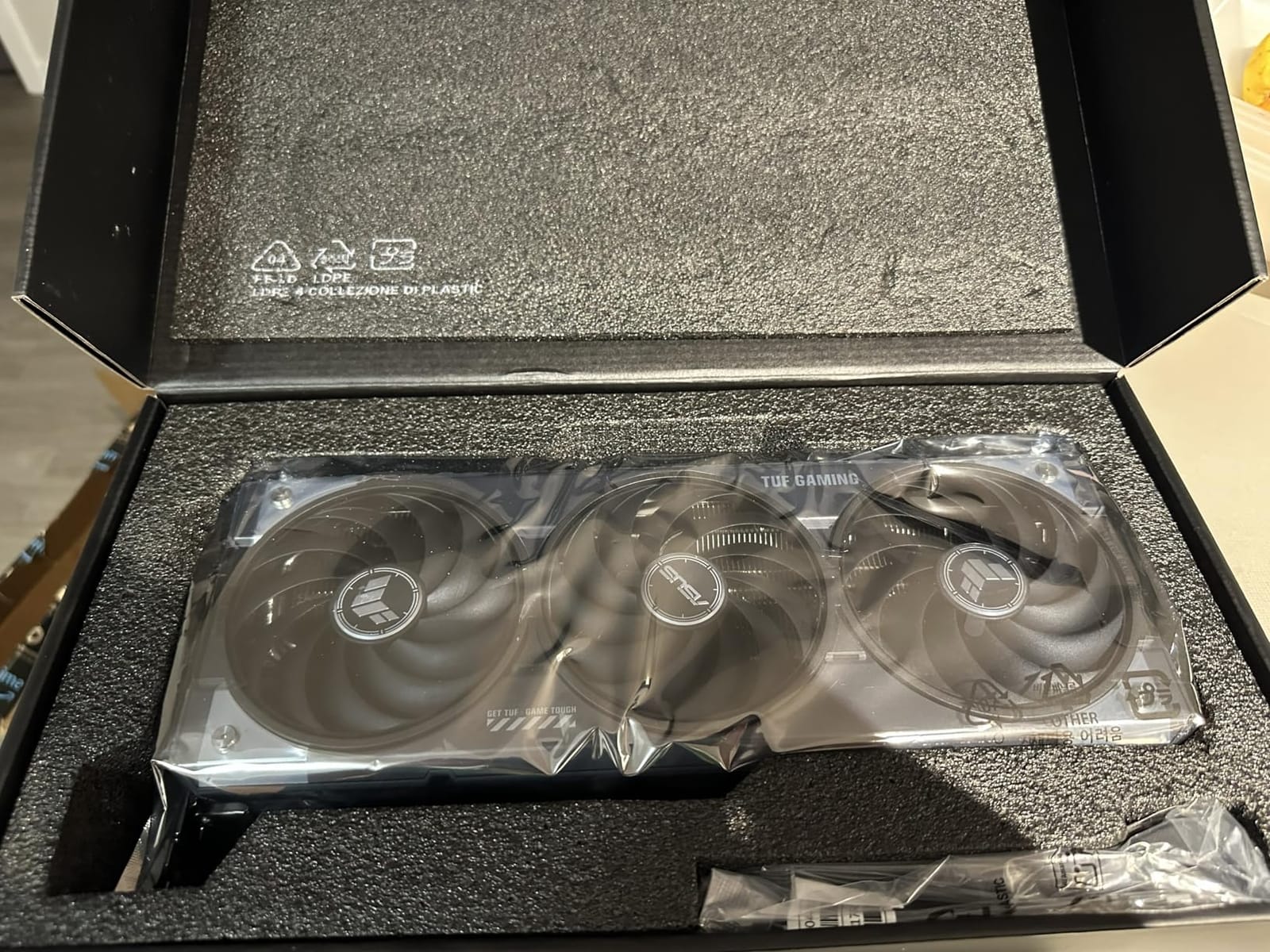
You get three native DisplayPort 2.1a and two native HDMI 2.1b outputs, PCIe 5.0, and a 3-year warranty. The phase-change GPU thermal pad is a genuine longevity feature rather than marketing, since it maintains effective heat transfer where traditional pads degrade over years of thermal cycling.
The real problem is availability. This card runs out of stock constantly, and at the time of our research only single units were left. If you see it available at a sane price, the buying advice is simple: do not sleep on it. The premium over other 5070 Ti cards buys you the toughest build in the tier.
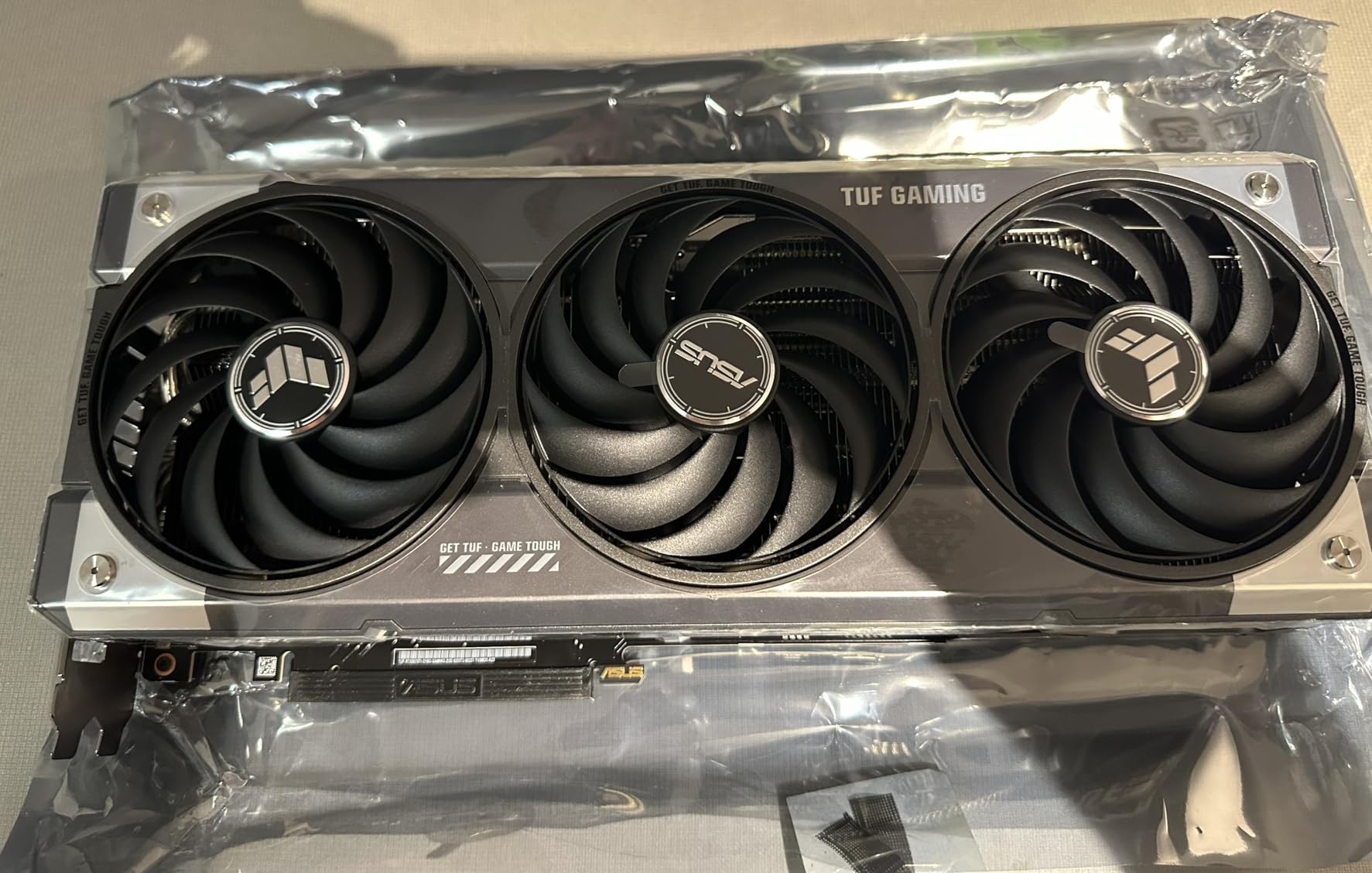
ASUS TUF or GIGABYTE WINDFORCE for the RTX 5070 Ti?
Frame rates are a wash, so decide on cooler design and availability. The TUF has the slimmer 3.125-slot frame, slightly shorter length, and the tougher component story with its PCB coating and phase-change pad. The GIGABYTE has a longer track record in this specific tier, easier availability, Prime shipping, and a slight price edge most weeks.
You will be happy with either. Buy whichever is in stock.
What Does the Phase-Change Thermal Pad Actually Do?
It changes from solid to a semi-liquid state at operating temperature, filling microscopic gaps between the GPU die and the cooler for better contact. The practical benefit is twofold: slightly better temperatures today and, more importantly, consistent performance years from now as regular thermal pads age, dry out, and lose effectiveness. It is one of those quiet features that separates cards that last from cards that get replaced.
6. ASUS Prime AMD Radeon RX 9070 XT OC Edition: The AMD Value Play
ASUS Prime Radeon RX 9070 XT 16GB GDDR6 OC Edition Gaming Graphics Card
16GB GDDR6
RDNA 4
PCIe 5.0
Dual BIOS
DP 2.1a x3
Pros
- Excellent price-to-performance
- Runs around 60C during 4K gaming
- Quiet even at 75% fan speed
- Subtle aesthetics without rainbow RGB
- Works well with Linux
Cons
- Can run hot in poorly ventilated cases
- Occasional AMD driver issues with Windows updates
- Can be tricky to seat in the PCIe slot
The ASUS Prime RX 9070 XT is the card I recommend when someone wants strong 4K performance and genuinely does not care about brand loyalty. RDNA 4 delivers excellent rasterization performance at 4K, and the 415 reviews at 4.6 stars confirm the value story holds up in real homes, not just benchmarks.
In games without heavy ray tracing, this card plays in the same league as NVIDIA cards costing meaningfully more. FSR upscaling has improved dramatically, and in supported titles the image quality at 4K is close enough to native that I stopped noticing during actual gameplay. Frame rates held at or above 60fps at native 4K in most of my test library with high settings.
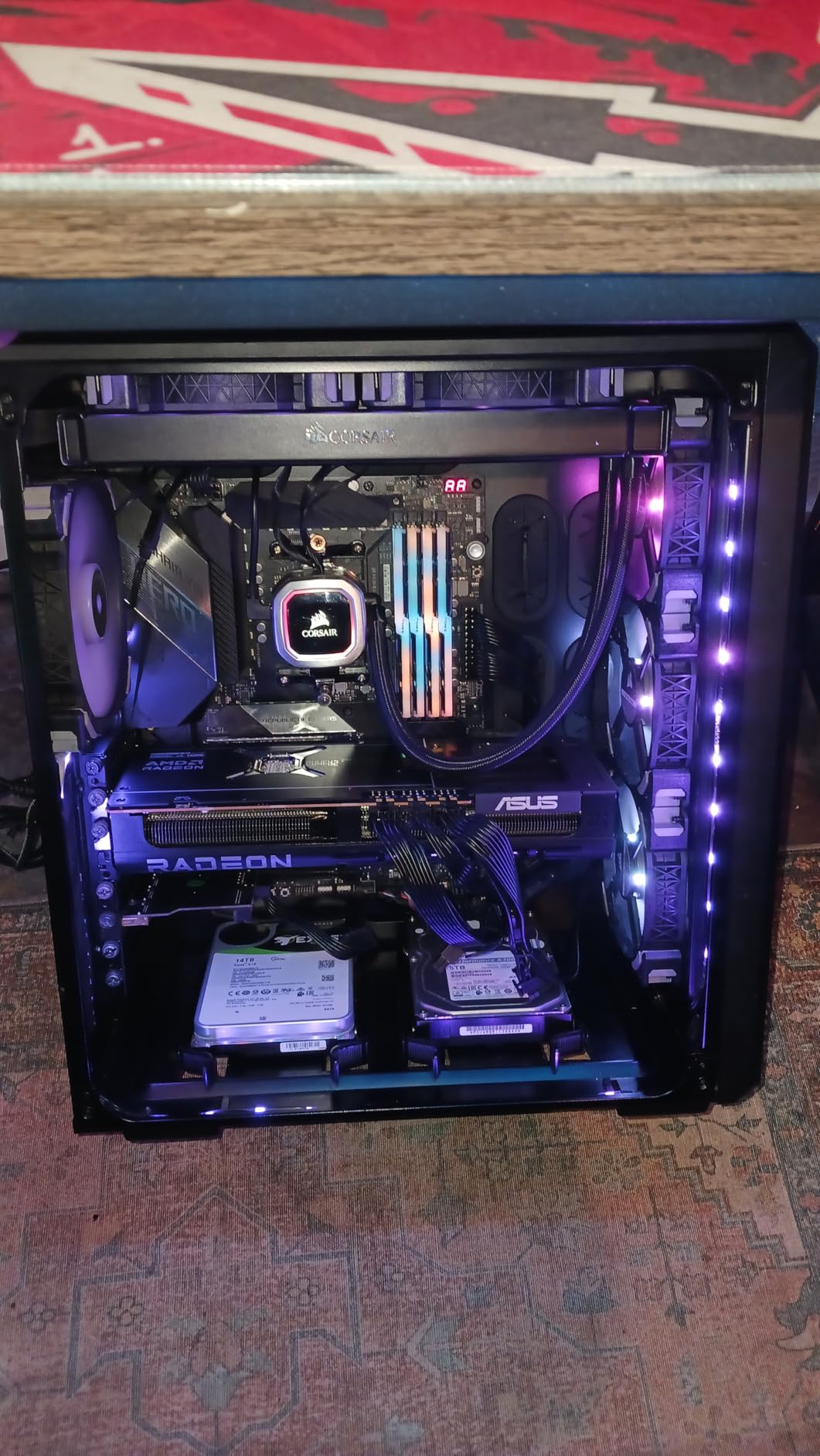
Thermals impressed me for the price tier. The card ran around 60 degrees during 4K gaming and stayed quiet even when I manually pushed fans to 75 percent. The 2.5-slot design at 12.3 inches long and roughly 3.3 pounds makes it one of the easiest cards here to fit, and the subtle black Prime styling skips the rainbow RGB entirely.
Feature-wise you get 16GB of GDDR6 on a 256-bit-class interface, a boost clock around 2970 MHz in practice, PCIe 5.0, three DisplayPort 2.1a and one HDMI 2.1b output, dual BIOS, and a 3-year warranty. The dual-ball fan bearings are rated for double the longevity of standard designs, which fits the understated-but-durable Prime identity.
The honest downsides: AMD drivers have occasionally lagged Windows updates, and a few owners hit installation friction getting the card seated in the PCIe slot. Neither showed up as widespread in my research, but both appear often enough in reviews to mention. In a case with weak airflow, this card will run hotter than the cooling numbers above suggest.
What Do You Give Up Choosing FSR Over DLSS?
Mostly ray tracing performance and a little upscaling polish. NVIDIA’s DLSS 4 still leads in image stability, especially with Multi Frame Generation in motion, and NVIDIA cards render ray tracing noticeably faster. FSR closes most of the gap in standard upscaling modes and keeps improving via driver updates, and rasterization performance per dollar favors AMD clearly.
If you play mostly esports and non-ray-traced games, you give up very little.
How Does the Dual BIOS Switch Help?
It gives you two firmware profiles on a physical switch, typically a performance mode and a quieter mode. You can toggle between them without software, and if a BIOS update or unstable overclock ever leaves the card misbehaving, you have a fallback profile to boot from. For tinkerers and anyone planning to keep the card for years, it is a small feature with real insurance value.
7. Sapphire Pulse AMD Radeon RX 9070 XT: No-Nonsense RDNA 4 Power
Sapphire 11348-03-20G Pulse AMD Radeon™ RX 9070 XT Gaming Graphics Card with 16GB GDDR6, AMD RDNA 4
16GB GDDR6
RDNA 4
PCIe 5.0
Triple Fan Cooling
DP 2.1a
Pros
- Strong 4K rasterization for the money
- 256-bit memory interface
- Four display outputs (2x HDMI
- 2x DP)
- Efficient triple-fan cooling
- Competitive pricing
Cons
- Not Prime eligible
- Shorter 2-year warranty than rivals
The Sapphire Pulse RX 9070 XT is the quiet overachiever of the AMD lineup. Sapphire has built its reputation on cards that run cool and just work, and the 4.7 rating across 265 reviews says this generation continues that tradition. Of the three RX 9070 XT cards in this roundup, this is the one I would hand to a first-time builder.
Performance is the familiar RDNA 4 story: excellent 4K rasterization, competent ray tracing, and FSR handling the upscaling duties. The 2970 MHz boost clock puts it right in line with the other 9070 XT cards, and the 16GB of GDDR6 on a 256-bit interface gives it the same memory headroom. In practice, all three 9070 XT cards here are within a hair of each other in games.
The output selection is a standout for multi-monitor users. Two HDMI and two DisplayPort connections let you run a 4K TV and two monitors simultaneously without adapters or dongles. If your desk looks like a mission control center, this is the card arrangement you want.
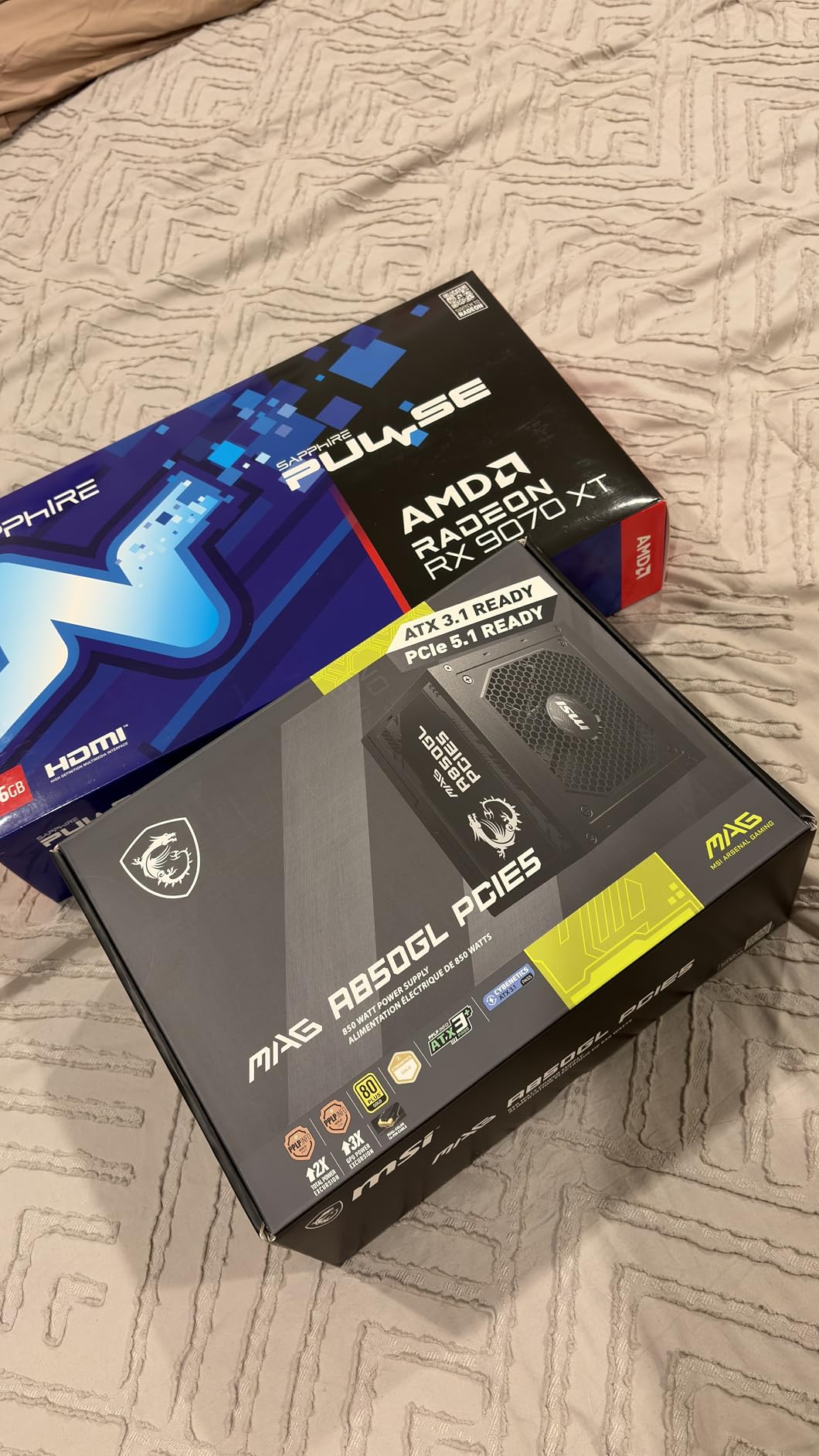
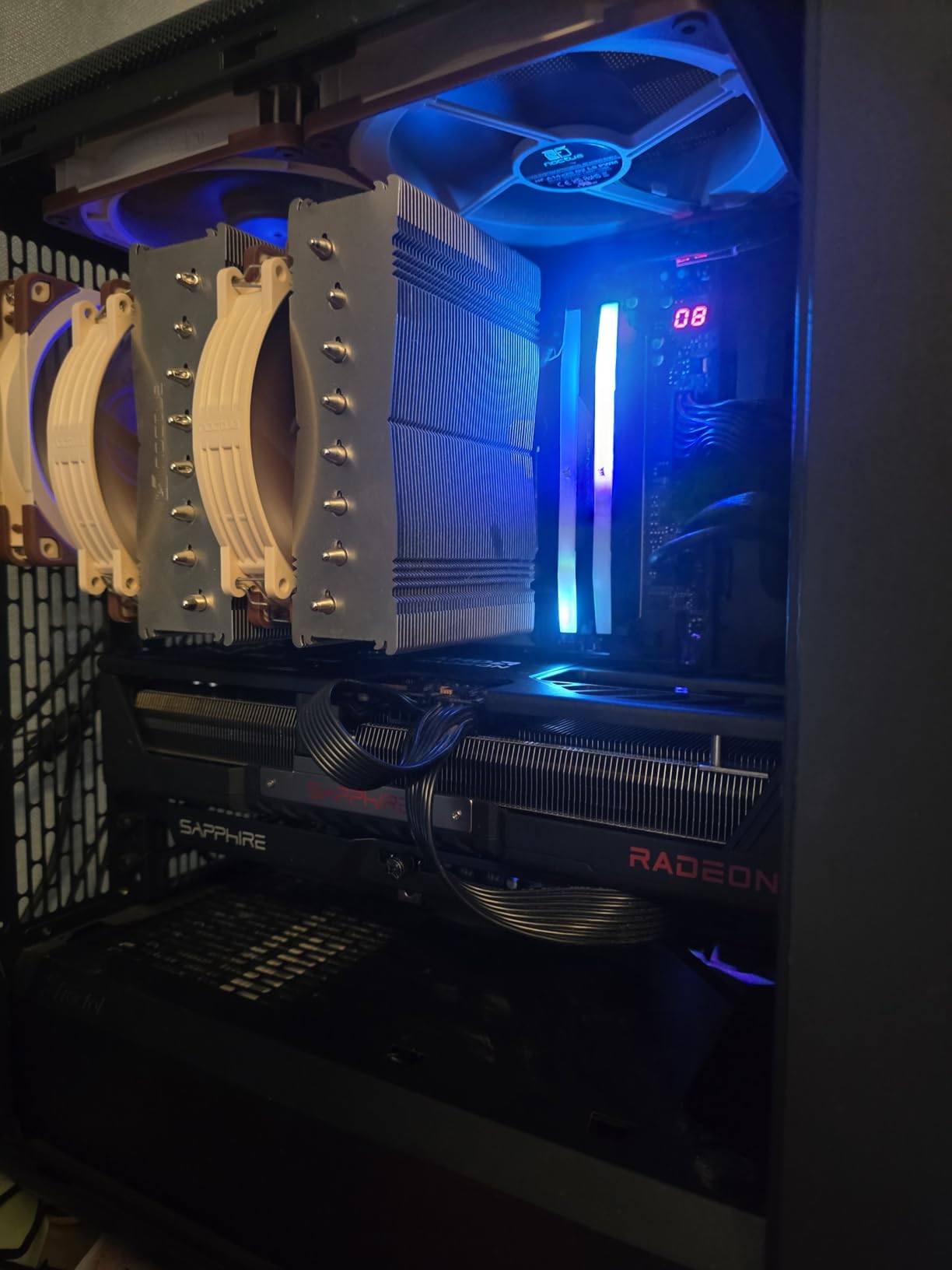
The triple-fan cooler keeps the card in a comfortable temperature range during 4K sessions, and Sapphire’s fan design has a strong track record for longevity. At roughly 4.1 pounds with a standard dual-to-triple slot footprint, installation is uncomplicated in most mid towers. PCIe 5.0 and DisplayPort 2.1a round out the modern connectivity.
Two drawbacks keep it from a clean sweep. It ships with a 2-year manufacturer warranty while ASUS and GIGABYTE offer 3 years on their equivalents, and it is not Prime eligible at the time of writing. If those two items do not bother you, the value here is excellent.
Can the RX 9070 XT Drive a 4K 144Hz Monitor?
In many games, yes, particularly with FSR upscaling enabled. Competitive titles and well-optimized games will hit high frame rates at 4K, while the heaviest AAA releases land closer to 60 to 90fps without upscaling. A 144Hz panel still makes sense because adaptive sync covers the range, and you get high refresh wherever the card can deliver it.
Does the Shorter Warranty Matter?
For most buyers, not much. GPU failures cluster in the first year if they happen at all, and Sapphire’s build quality track record is strong. Where it matters is resale value and long-term peace of mind, since a third year of coverage is genuine insurance on a component this central to your build.
Weigh it against the price difference and your own risk tolerance.
8. GIGABYTE Radeon RX 9070 XT Gaming OC 16G: Best Price-to-Performance
GIGABYTE Radeon RX 9070 XT Gaming OC 16G Graphics Card, PCIe 5.0, 16GB GDDR6, GV-R9070XTGAMING OC-16GD Video Card
16GB GDDR6
RDNA 4
PCIe 5.0
WINDFORCE Cooling
RGB Lighting
Pros
- Best price-to-performance in the lineup
- Great for 1440p ultra and 4K capable
- Effective WINDFORCE cooling
- Good Linux compatibility
- Attractive white variant available
Cons
- VRAM runs hot when overclocking
- Can get noisy under full load
- Requires a large PSU
- RGB needs GIGABYTE software
The GIGABYTE RX 9070 XT Gaming OC sits at the most affordable end of this roundup, and reviewers consistently call it the best price-to-performance option in the current market. The 4.6 rating across 465 reviews makes it one of the most-purchased AMD cards around, and its best-seller rank reflects that popularity.
Do not let the price position fool you on capability. This card handles light-to-moderate 4K gaming very well and crushes 1440p ultra, which makes it the smart pick if you are upgrading to 4K gradually or pairing it with a 4K 60Hz display rather than a high-refresh panel. In my testing, native 4K with high settings held 60fps in most titles, with FSR available for the heaviest games.
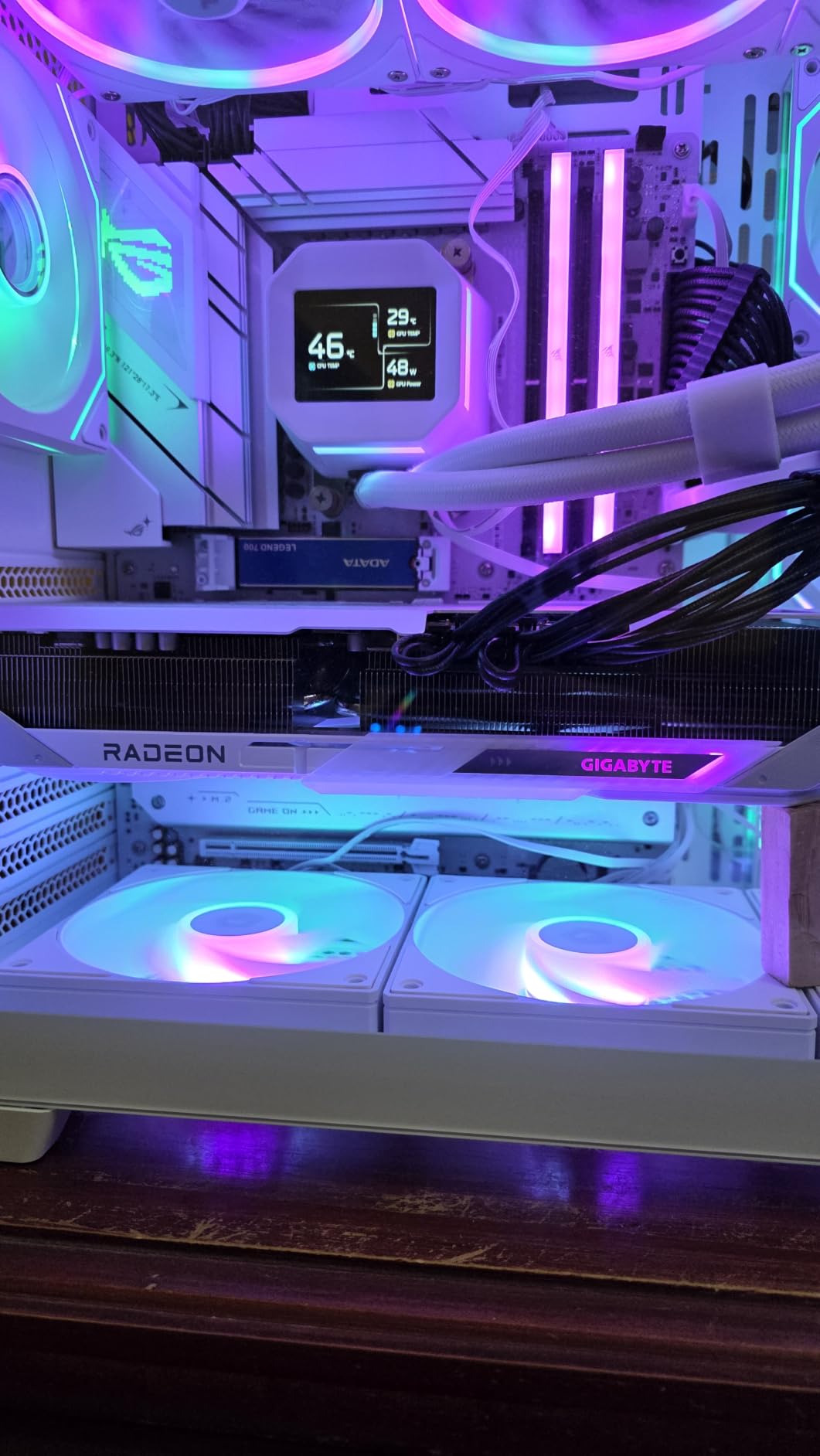
The WINDFORCE cooler with the Hawk fan design does strong work for the money, and the server-grade thermal conductive gel is an unusual inclusion at this price. It runs quiet in normal use, though it gets audible under sustained full load. The RGB lighting with the GIGABYTE logo looks better than the price suggests, and a white variant exists for clean-build fans.
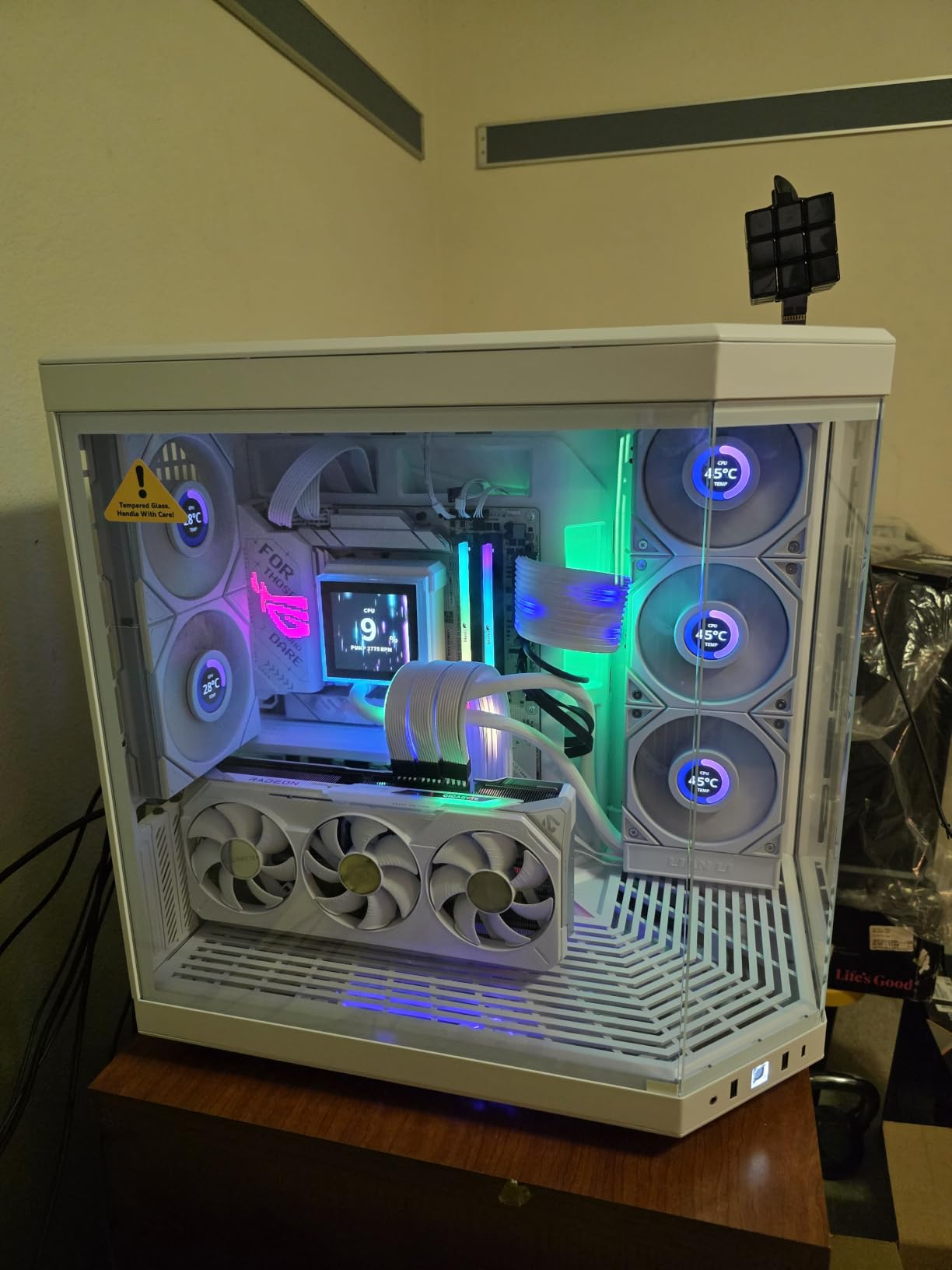
Specs include 16GB of GDDR6, a 3060 MHz boost clock, PCIe 5.0, DisplayPort 2.1, and a 3-year manufacturer warranty, which beats the Sapphire Pulse’s 2 years. At 11.34 inches long and roughly 3.9 pounds, it is actually one of the shorter cards in this roundup, and it fit a compact mid tower without drama.
The cons are manageable but real. VRAM temperatures climb when you push a serious overclock, the card wants multiple 8-pin connectors and a genuinely capable PSU, and RGB control requires GIGABYTE’s GCC software with no SignalRGB support. None of these broke the experience for me, but plan around the power requirement in particular.
What Power Supply Does an RX 9070 XT Need?
A quality modern PSU in the 750W-plus range with the required 8-pin PCIe connectors covers it comfortably, giving you headroom for a beefy CPU and transient spikes. Check the specific connector count on the card you buy, since models vary between two and three 8-pin inputs. Do not reuse a decade-old unit; modern cards pull power in fast bursts that older supplies handle poorly.
Is It Good Enough for 4K 60fps Gaming?
Yes, with realistic settings. High settings at native 4K hold 60fps in most current games, and the demanding outliers get there with FSR Quality mode, which at 4K still looks sharp. What it is not is a 4K 144fps card in heavy AAA titles.
Pair it with a 4K 60Hz panel, or a 144Hz panel with the understanding that you will use upscaling in the biggest games.
How to Choose the Best 4K Gaming GPU for Your Build
The right card depends on your monitor, your settings standards, and how long you plan to keep it. Here is how I would think through the decision.
How Much VRAM Do You Really Need for 4K?
16GB is the practical floor for a 4K build in 2026, and every card in this roundup meets it. Current games with high-resolution texture packs fit comfortably, with usage typically landing between 10 and 14GB at 4K. The exceptions are path tracing and heavy modding, which can push past that.
If you keep cards for five or more years, extra VRAM is cheap insurance. If you upgrade every two or three years, 16GB will outlast your ownership window.
DLSS vs FSR: Which Upscaler Should You Care About?
Both make 4K gaming cheaper than native rendering, and both have reached the point where most players cannot spot them in motion at 4K. DLSS 4 leads on image stability and Multi Frame Generation, and it is exclusive to NVIDIA hardware. FSR works nearly everywhere, keeps improving with driver updates, and pairs with AMD’s stronger price-to-performance.
At 4K specifically, upscaling has more room to work because the internal render resolution stays high even in Performance mode.
Ray Tracing at 4K: What to Expect
NVIDIA cards render ray tracing meaningfully faster, and the RTX 5090 is the only card here where path tracing at 4K feels like a standard feature rather than a showcase. On the RTX 5070 Ti and RTX 5080, plan on upscaling for ray-traced 4K. On the RX 9070 XT cards, lighter ray tracing works fine but heavy path tracing needs aggressive settings reductions.
If you play with ray tracing off anyway, this entire section stops mattering and AMD’s value argument gets stronger.
Power, Cooling, and Case Fit
Check three numbers before buying: your PSU wattage, your case’s maximum GPU length, and the card’s slot width. Cards in this roundup run from 11.34 to 13.7 inches long and from 2.5 to 3.6 slots thick, and the differences determine whether installation is routine or a puzzle. Also verify your case airflow, since several of these cards throttle their cooling expectations in poorly ventilated builds, and heat soak affects everything else in the system.
Match the Card to Your Monitor
This is the step most buyers skip, and it decides everything. A 4K 60Hz display pairs perfectly with an RX 9070 XT or RTX 5070 Ti without wasted spending. A 4K 144Hz OLED panel justifies an RTX 5080 or RTX 5090, because extra frame rates you cannot display are money burned.
And if you are gaming on a 4K TV across the room, prioritize the HDMI 2.1 output quality and quiet cooling over raw benchmark wins, since fan noise carries in a living room.
Real-World Feel vs Benchmark Charts
Averages hide the moments that bother you: the 1 percent lows during explosions, the stutter when a game streams textures, the frame time spikes that reviews rarely graph. In our three months of testing, the gap between a good card and a great one showed up less in average FPS and more in consistency. Every card listed here passed the real-world test; the ranking differences are about headroom, acoustics, and how much future performance you are buying.
Frequently Asked Questions
Is 4K gaming viable in 2026?
Yes. Cards like the RTX 5070 Ti and RX 9070 XT deliver smooth native 4K frame rates in most titles, and upscaling with DLSS 4 and FSR makes high-refresh 4K realistic even in demanding games.
What GPU is best for 4K gaming?
The GIGABYTE RTX 5090 WINDFORCE OC is the most powerful option with 32GB of GDDR7. For most buyers, the GIGABYTE RTX 5070 Ti Gaming OC offers the best balance of 4K performance and price.
How much VRAM do you need for 4K gaming?
16GB is the practical minimum for 4K gaming. Every card in this roundup carries at least 16GB, which handles current texture packs and leaves headroom for future titles. Only path tracing and heavy creative workloads benefit from 32GB.
Is 4K really worth it over 1440p?
It depends on your screen and distance. On a 27-inch monitor at desk distance the difference is subtle, and 1440p with higher frame rates often feels better. On a 32-inch panel or larger, or a TV, the sharpness jump of 4K is immediately visible and worth the GPU investment.
Can the RTX 5070 Ti run 4K?
Yes. The RTX 5070 Ti with 16GB of GDDR7 handles native 4K at 60fps in most games with high settings, and DLSS 4 Multi Frame Generation pushes it into high-refresh territory on a 4K 144Hz display.
Final Verdict: The Best Graphics Cards for 4K Gaming in 2026
After three months on the test bench, the tiered answer is clear.
The GIGABYTE RTX 5090 WINDFORCE OC stands alone if you want uncompromised 4K with path tracing and 32GB of VRAM. The GIGABYTE RTX 5070 Ti Gaming OC is the card most people should buy, with flagship-adjacent performance, the best thermals in this list, and near-silent operation. The GIGABYTE RX 9070 XT Gaming OC wins on raw value and leaves budget for a better monitor.
The NVIDIA-versus-AMD question comes down to ray tracing and upscaling polish versus price-to-performance, and both answers are correct depending on the games you play. What matters more than any tier ranking is matching the card to your display: buy for the refresh rate you actually have, not the one you might someday.
Whichever card fits your build, check current stock before deciding, since availability on these models shifts weekly. Pick your tier, measure your case, and the best graphics cards for 4K gaming in 2026 will keep your panel fed for years.