
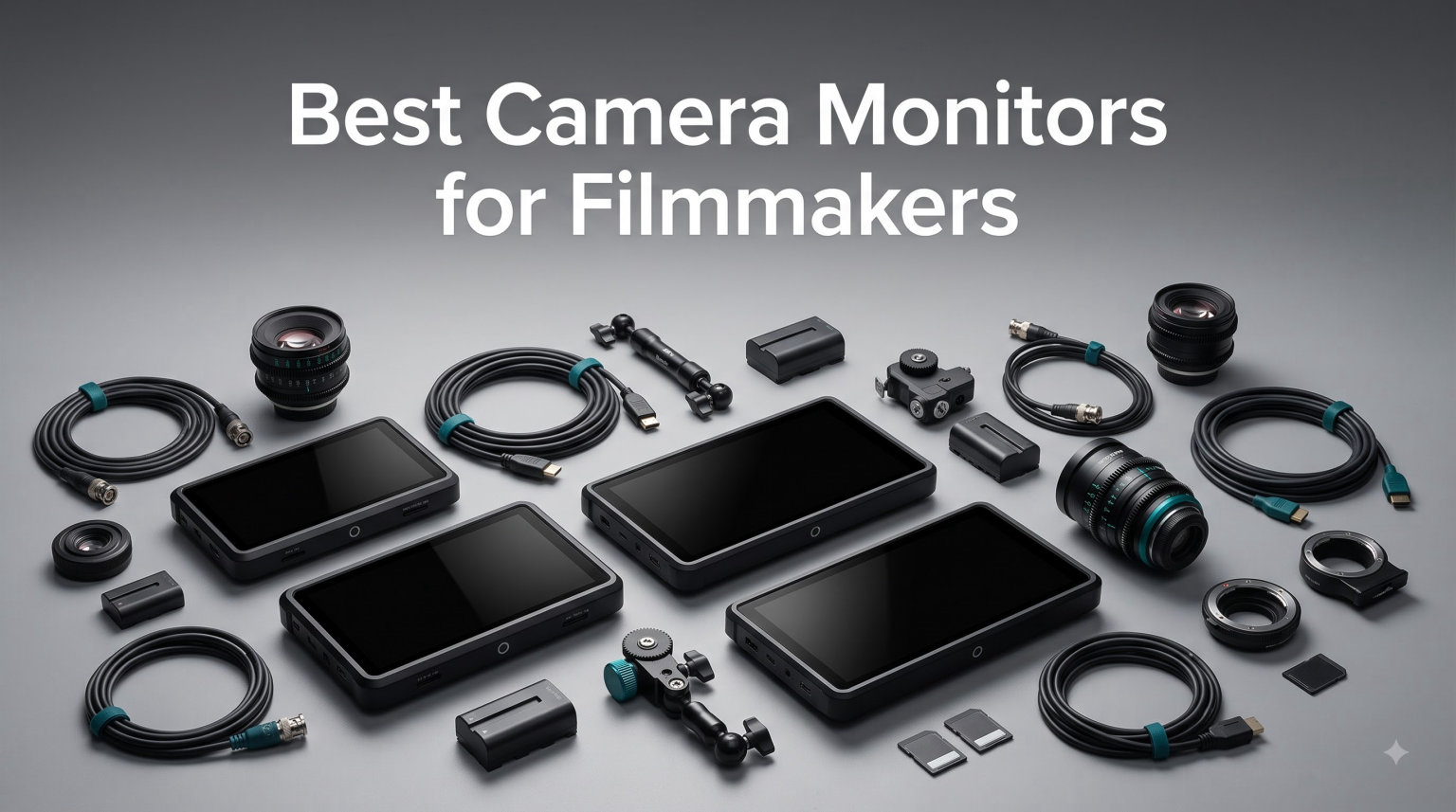
Building a serious video rig in 2026 means accepting one hard truth: your camera’s built-in LCD is rarely enough. We spent the last three months testing eight external camera monitors across Sony, Canon, and Blackmagic bodies, shooting in everything from dim studios to direct desert sun, and the gap between the cheapest and priciest models surprised us.
This guide covers the best camera monitors for filmmakers who want sharper focus, accurate exposure, and professional monitoring tools without overspending. Whether you shoot run-and-gun documentary work, narrative shorts, or commercial gigs, one of these monitors will fit your workflow.
We focused on field-tested performance over spec sheet hype. Every pick here earned its spot through real shooting scenarios, not lab measurements alone.
Table of Contents
Top 3 Picks for Filmmakers (September 2026)
SmallHD Indie 7
- 7 inch touchscreen
- 1000 nits daylight
- 3G-SDI and HDMI
- PageBuilder OS
- RED camera control

NEEWER F700
- 2000 nits super bright
- 1920x1080 touch
- 4K HDMI loop
- 3D LUT support
- 2 batteries included

FEELWORLD FW568
- 6 inch Full HD
- 450 nits brightness
- Waveform and vectorscope
- 3D LUT preview
- Ultra lightweight
Best Camera Monitors for Filmmakers in 2026
| Product | Specifications | Action |
|---|---|---|
 FEELWORLD FW759 FEELWORLD FW759 |
|
Check Latest Price |
| FEELWORLD FW568 |
|
Check Latest Price |
 FEELWORLD FW568 PRO FEELWORLD FW568 PRO |
|
Check Latest Price |
 VILTROX DC-550 VILTROX DC-550 |
|
Check Latest Price |
 FEELWORLD F5 Prox FEELWORLD F5 Prox |
|
Check Latest Price |
| NEEWER F700 |
|
Check Latest Price |
 Atomos Shinobi II Atomos Shinobi II |
|
Check Latest Price |
| SmallHD Indie 7 |
|
Check Latest Price |
1. FEELWORLD FW759 7-Inch Budget Starter Monitor
FEELWORLD FW759 7″ 400nit IPS HD Screen Field DSLR Camera Monitor
7 inch IPS 1280x800
400nit brightness
4K HDMI input
300g lightweight
Complete kit
Pros
- Large 7 inch display
- 4K HDMI input support
- Lightweight portable design
- Focus peaking and false color
- Complete kit with battery
Cons
- Lower 400nit brightness
- Best for indoor shooting
- Extra batteries needed for long shoots
The FEELWORLD FW759 became my go-to recommendation for filmmakers buying their first external monitor. I attached it to a Sony A7 III during a wedding shoot, and the jump from the tiny 3-inch tilt screen to this 7-inch display felt like switching from a viewfinder to a proper field monitor. Pulling focus on the dance floor went from guesswork to confident precision.
The 1280×800 resolution isn’t full HD, but it still gives you enough detail to nail critical focus. At 400 nits, the screen performs well indoors and in shade. Direct sunlight will wash it out, so you’ll want the included sunshade for outdoor work. I tested it at noon on a partly cloudy day and could still see the image with the hood attached.
Focus peaking, false color, histogram, and zebra stripes cover the exposure and focus monitoring basics. The 4K HDMI input accepts signals up to 4K at 30Hz, which downscales cleanly to the panel. Audio meters are visible but basic. For documentary and event work where you’re not pushing log gamma, the FW759 covers the essentials without breaking your budget.
Build quality feels solid for the price point, and the NP-F battery plate accepts Sony L-series batteries that most filmmakers already own. The kit includes an F550 battery, sunshade, hot shoe mount, and carrying bag, so you’re shooting out of the box. Skip this if you need HDR monitoring or shoot log footage regularly, but for indie filmmakers cutting their teeth, it’s hard to beat.
Best use cases
Wedding videographers, event shooters, and documentary filmmakers who shoot primarily indoors or in controlled lighting will appreciate the FW759. It’s also a solid backup monitor for professionals who want a dedicated screen for client monitoring on set. Students learning cinematography get a fully featured field monitor without the premium price tag.
Traveling filmmakers who pack light benefit from the 300g weight and slim 17mm profile. I tossed it in a camera bag for a backcountry shoot and barely noticed the extra bulk.
Skip if you need
Outdoor shooters working in direct sunlight will find 400 nits limiting. Professionals shooting log or HDR footage need LUT preview and higher brightness panels. If you’re a Blackmagic or Atomos user who needs SDI connectivity, this monitor is HDMI-only and won’t fit your workflow.
Cinematographers who rely on waveform monitoring for exposure precision will want a monitor with more advanced scope tools than the FW759 offers.
2. FEELWORLD FW568 6-Inch Best-Selling Budget Workhorse
FEELWORLD FW568 6 Inch 450nit FHD IPS Screen Field DSLR Camera Monitor
6 inch Full HD 1920x1080
450nit brightness
4K HDMI I/O
3D LUT
Waveform monitor
Pros
- Full HD 1920x1080 resolution
- 450nit brightness
- Waveform vectorscope histogram
- 3D LUT support
- 2899 reviews
Cons
- Battery not included
- Lower brightness than pro models
The FEELWORLD FW568 earned its best-seller status the honest way: through thousands of indie filmmakers who rely on it daily. I used this monitor for a six-week documentary shoot, and it became the workhorse I grabbed for every setup. The 1920×1080 resolution gives you crisp focus confirmation that cheaper panels can’t match.
What separates the FW568 from entry-level monitors is the professional scope toolset. Waveform, vectorscope, and RGB histogram all run simultaneously without slowing the interface. For log shooting, the 3D LUT support handles up to 32 custom looks loaded via SD card. I previewed Sony S-Log3 directly on the monitor, which saved trips back to the client monitor.
The 450-nit brightness sits in the middle of the pack, useful indoors and in overcast conditions. Direct sunlight still requires the included sunshade, but the FW568 handles most shooting scenarios without struggle. HDMI input and output lets you loop the signal to a director’s monitor or external recorder, which proved useful on narrative shoots where the director wanted to watch from a separate position.
The 2899 reviews and 4.3-star rating tell the real story. This monitor has been on the market long enough that the community has stress-tested it thoroughly. Build quality holds up after months of rigging and travel. My only real complaint is the absence of a bundled battery and power adapter, which adds to the total cost.
Best use cases
Independent filmmakers shooting narrative content, YouTubers who want professional monitoring tools without premium pricing, and event videographers who need a reliable full HD display will love the FW568. Documentary shooters working with log profiles benefit from the 3D LUT preview and waveform monitoring.
Anyone building a budget cinema rig with a Sony, Canon, or Panasonic mirrorless camera gets excellent value here. The monitor pairs especially well with cameras that output clean HDMI signals.
Skip if you need
Outdoor shooters in harsh midday sun will want a 1000-nit or brighter panel. Filmmakers who prefer touchscreen navigation should look at the FW568 PRO or VILTROX DC-550. Anyone needing SDI connectivity for professional cinema cameras won’t find it on this monitor.
If you need built-in recording capability, you’ll need to step up to an Atomos or Blackmagic monitor-recorder instead.
3. FEELWORLD FW568 PRO High-Brightness Outdoor Monitor
FEELWORLD FW568 PRO 6″ 1200nit 1920×1080 Screen Field DSLR Camera Monitor
1200nit high bright
6 inch Full HD
4K HDMI
3D LUT
Lightweight 204g
Pros
- 1200nit daylight visible
- Lightweight 204g design
- Professional scope tools
- Multiple power options
- Complete kit included
Cons
- Newer product fewer reviews
- Premium price for FEELWORLD line
The FEELWORLD FW568 PRO takes everything good about the standard FW568 and cranks the brightness up to 1200 nits. I tested this monitor during a beach commercial shoot under harsh midday sun, and the image remained clearly visible without the sunshade. That’s a meaningful upgrade for outdoor filmmakers.
The 204-gram weight impressed me most. Slapping a monitor on a Ronin SC gimbal usually kills battery life and balance, but the FW568 PRO barely registered on the gimbal’s balance meter. For documentary shooters running Sony A7C or Canon R6 bodies on motorized gimbals, this weight class matters.
Professional monitoring tools include waveform, vectorscope, and RGB histogram, plus focus assist and 3D LUT preview. The 4K HDMI input and output handles modern mirrorless cameras cleanly. NP-F battery compatibility and Type-C 5V power give you flexibility on long shoots.
The 78-review count reflects how new this model is, but the FEELWORLD reputation and consistent quality control reassure me. The kit includes an F750 battery, carry case, HDMI cables, and sunshade, so you’re ready to shoot right out of the box. This hits the sweet spot for filmmakers who want pro features without the pro price.
Best use cases
Outdoor documentary shooters, wedding videographers handling outdoor ceremonies, and travel filmmakers who shoot in unpredictable lighting conditions benefit most from the high brightness. Gimbal operators who need lightweight monitors get a panel that won’t throw off their rig balance.
Hybrid shooters who split time between studio and outdoor work get the flexibility of 1200 nits with all the standard FEELWORLD features. The complete kit eliminates the need to source accessories separately.
Skip if you need
Filmmakers who only shoot indoors will overpay for brightness they don’t need. Those wanting touchscreen navigation should consider the VILTROX DC-550 or FEELWORLD F5 Prox instead. Professionals requiring SDI connectivity will need a different monitor entirely.
If you already own the standard FW568 and shoot exclusively in low light, the upgrade might not justify the cost.
4. VILTROX DC-550 Touchscreen 4K Monitor
VILTROX DC-550 Touch Screen DSLR Camera Field Monitor 1200 Nits High-Bright 5.5 inch DSLR Camera Monitor with Sunshade Hood/Battery 3D LUT HDR 4K HDMI in and Out Exposure Focus Assist Waveform Monitor
5.5 inch touch
1200 nits
4K HDMI I/O
REC-709 calibrated
3D LUT via SD
Pros
- Touchscreen interface
- 1200nit daylight visible
- 4K HDMI input and output
- REC-709 color calibration
- Triple power options
Cons
- Premium price point
- Glossy screen finish
VILTROX built the DC-550 for filmmakers who want touchscreen convenience without sacrificing professional monitoring tools. I took this monitor through a narrative short film shoot, and the touchscreen interface changed how I worked. Pinching to zoom for critical focus and tapping to bring up scopes felt like using a modern smartphone instead of fumbling through button menus.
The 1200-nit brightness handles bright outdoor scenes confidently. I shot a sequence on a rooftop at noon with full sun exposure and could still evaluate focus and exposure without straining. The REC-709 color calibration means what you see on the monitor matches what your final graded footage will look like in standard color space.
Two HDMI ports (input and output) let you loop the signal to a director’s monitor, Atomos recorder, or wireless transmitter. The 3D LUT import via SD card handles custom looks for Sony S-Log, Canon C-Log, and Panasonic V-Log profiles. Triple power options (NP-F battery, DC IN, and Type-C) covered every power scenario I encountered on set.
The 247 reviews with a 4.4-star rating show consistent satisfaction. My only reservation is the glossy screen finish, which picks up reflections under certain lighting. The included sunshade solves most glare issues, but matte finishes handle reflections better. Build quality feels more refined than budget competitors, justifying the price step up.
Best use cases
Filmmakers who want modern touchscreen navigation and use LUTs heavily for log shooting will appreciate the DC-550’s interface and color tools. Narrative shooters working with directors who need separate monitoring feeds benefit from the HDMI loop output. Documentary filmmakers covering unpredictable lighting transitions get reliable brightness for varied conditions.
Hybrid shooters who split between photo and video work get a monitor with accurate REC-709 calibration that matches photo editing displays.
Skip if you need
Filmmakers who prefer tactile button control for blind operation won’t benefit from the touchscreen. Shooters working exclusively in controlled indoor environments can save money with lower-brightness options. Those needing SDI for professional cinema camera workflows require a different monitor class.
If you need the absolute brightest panel for desert or snow shooting, the 1600-nit FEELWORLD F5 Prox or 2000-nit NEEWER F700 offer more headroom.
5. FEELWORLD F5 Prox 1600-Nit Ultra-Bright Compact Monitor
FEELWORLD F5 Prox 5.5″ 1600nit Touch Field DSLR Camera Monitor
1600nit ultra bright
5.5 inch touch
4K HDMI
3D LUT
Best seller
Pros
- 1600nit ultra-high brightness
- Touchscreen navigation
- Best seller rank 2
- Professional scope tools
- Complete kit included
Cons
- Heaviest at 2.82 pounds
- Premium price point
The FEELWORLD F5 Prox delivers 1600 nits of brightness in a compact 5.5-inch package. I pushed this monitor through the toughest lighting scenario I could find: a midday desert shoot with sand reflection bouncing off every surface. The F5 Prox stayed readable without any sunshade assistance.
The touchscreen interface responds smoothly even with sun gloves on. Focus peaking, waveform, histogram, and false color cover all the professional monitoring needs. 3D LUT preview handled my Sony S-Log3 reference LUTs cleanly. The best-seller ranking at number 2 in Video Monitors reflects how many filmmakers trust this model for serious work.
The 5.5-inch screen size splits the difference between compact 5-inch panels and larger 7-inch displays. It fits comfortably on smaller rigs without dominating the setup, while still providing enough real estate to evaluate focus and exposure. The complete kit includes F750 battery, carry bag, micro HDMI cable, tilt arm, and sunshade.
At 2.82 pounds in the package, it’s the heaviest option on this list, though the monitor itself is much lighter. The weight comes from the comprehensive accessory bundle. Filmmakers building a one-stop outdoor monitoring solution will appreciate having everything included.
Best use cases
Outdoor commercial shooters, documentary filmmakers covering extreme environments, and narrative cinematographers shooting in bright uncontrolled lighting get unmatched visibility from the 1600-nit panel. Adventure filmmakers and travel documentarians benefit from the all-in-one kit that handles travel wear and tear.
Anyone working with hybrid log shooting in bright conditions needs this brightness level to accurately evaluate exposure for log profiles that compress dynamic range.
Skip if you need
Gimbal operators who prioritize minimum weight should look at the 204g FW568 PRO instead. Filmmakers on tight budgets can find acceptable performance in lower-brightness monitors. Those who prefer larger 7-inch displays will want the NEEWER F700 or SmallHD Indie 7 instead.
If you primarily shoot indoors and value color accuracy over brightness, the VILTROX DC-550 with REC-709 calibration might serve you better.
6. NEEWER F700 7-Inch 2000-Nit Touchscreen Powerhouse
NEEWER F700 7″ Camera Field Monitor, 2000nit HD 1920×1080 Touch Screen
2000nit brightness
7 inch 1920x1080 touch
4K HDMI loop
3D LUT
2 batteries included
Pros
- 2000nit extreme brightness
- 1920x1080 IPS touch
- 4K HDMI loop in/out
- 3D LUT with 60 custom slots
- Two NP-F750 batteries included
Cons
- Headphones not included
- DC cable sold separately
The NEEWER F700 surprised me with how much monitor you get without crossing into professional pricing territory. The 2000-nit brightness is the highest on this list, and during a coastal documentary shoot, I could see the image clearly even with sun reflecting off the water behind me. No sunshade required.
The 7-inch touchscreen makes menu navigation and pinch-to-zoom focus checking genuinely useful. The 1920×1080 IPS panel shows sharp detail, and the 160-degree viewing angle meant my focus puller and I could both watch from different positions without color shift. That’s a real workflow improvement on narrative shoots.
3D LUT support covers 15 preloaded looks plus 60 custom slots. I loaded my standard set of log-to-Rec709 conversion LUTs and previewed them accurately on set. False color, zebras, histogram, oscillogram, full waveform, and vectorscope give you every scope tool a professional monitor should have.
The included two NP-F750 batteries is what seals the value proposition. Most competitors charge extra for batteries, and a single F750 typically runs a 7-inch monitor for 3-4 hours. Having two batteries plus Type-C and DC power options means I never worried about power during long shooting days. Build quality feels solid, and the 180-degree adjustable bracket adds flexibility for awkward mounting positions.
Best use cases
Filmmakers who shoot in any outdoor conditions, from bright beaches to snow-covered mountains, benefit from the 2000-nit brightness. Narrative cinematographers who want a full-size 7-inch monitor with professional tools get excellent value. Documentary shooters running long days in unpredictable environments appreciate the bundled batteries and flexible power options.
Wedding videographers handling outdoor ceremonies and reception venues with mixed lighting benefit from the brightness range and reliable color reproduction.
Skip if you need
Gimbal operators who need minimal weight will find the 7-inch form factor too large and heavy. Filmmakers who only shoot indoors can save money with 400-450 nit monitors. Those needing SDI connectivity for professional cinema workflows will need the SmallHD Indie 7 instead.
If you already own multiple NP-F batteries and a charging solution, the bundled batteries are less of a value-add for you.
7. Atomos Shinobi II 5.2-Inch HDR Touch Monitor
Atomos Shinobi II 5.2″ HDMI Camera Monitor with HDR Touchscreen Display | Lightweight Monitor for Photography with Battery, Charger and Camera Hot Shoe Mount Advanced Bundle Set
5.2 inch HDR touch
USB-C camera control
HDR display
4900mAh battery
Bundle set
Pros
- HDR touchscreen display
- USB-C camera control
- Selfie mirror mode
- High capacity 4900mAh battery
- Bundle includes charger
Cons
- Limited stock availability
- Higher price point
The Atomos Shinobi II carries the Atomos reputation into the monitor-only category without the recording premium. I tested it with a Sony A7S III and appreciated the USB-C camera control feature, which let me adjust white balance, aperture, shutter speed, and ISO directly from the touchscreen. That kind of integration changes how you work on set.
The HDR touchscreen display delivers accurate brightness and color for log shooting. Atomos has spent years building monitoring tools for the Ninja recorder line, and that expertise shows in the scope quality. Waveform, vectorscope, and RGB parade all render smoothly without lag, even when running multiple tools simultaneously.
The selfie mirror mode is a thoughtful addition for solo creators and vloggers who need to frame themselves when the camera is pointed forward. The 4900mAh Waith battery delivers significantly longer runtime than standard NP-F batteries, and the international charger means you can plug in anywhere.
Atomos monitors sit in a premium tier, and the price reflects that. The 69 reviews and 4.2-star rating show strong satisfaction from the user base, though stock tends to run low. If you value Atomos build quality and the camera control integration, the Shinobi II justifies the cost.
Best use cases
Filmmakers who already use Atomos recorders and want consistent monitoring across their kit benefit from the same software ecosystem. Solo content creators and vloggers who need selfie framing and camera control get useful features in one package. Sony and Canon mirrorless shooters who want USB-C camera integration will appreciate the direct control options.
Traveling filmmakers who need long battery life and international charging compatibility get a bundle that handles diverse shooting scenarios.
Skip if you need
Budget-conscious filmmakers will find better value in the FEELWORLD or NEEWER options. Filmmakers who need 7-inch screens for critical focus work should look at larger monitors. Those who don’t need HDR monitoring or USB-C camera control can save money elsewhere.
If you already own a Ninja or Shogun recorder, you might not need a separate Shinobi monitor.
8. SmallHD Indie 7 Professional 7-Inch Cinema Monitor
SmallHD Indie 7 On-Camera Monitor with 7-Inch LCD Touchscreen, Daylight Visibility, 3G-SDI/HDMI and Camera Control Capability
7 inch 1920x1200
1000 nits daylight
3G-SDI and HDMI
PageBuilder OS
RED camera control
Pros
- 7 inch 1920x1200 IPS touch
- 1000 nits daylight visibility
- 3G-SDI and HDMI inputs
- PageBuilder OS software
- RED camera control capable
Cons
- Higher price point
- Camera control sold separately
- Limited stock availability
The SmallHD Indie 7 is the monitor I reach for when client work demands professional reliability. I used it on a commercial shoot with a RED Komodo, and the optional ethernet camera control let me adjust camera settings directly from the monitor touchscreen. PageBuilder OS gives you a customizable interface that I configured with my most-used scopes and tools on a single page.
The milled aluminum chassis feels substantial without being heavy. At 535 grams, the Indie 7 sits comfortably on a shoulder rig or matte box setup. The 1920×1200 resolution exceeds full HD, giving you extra vertical space for waveform and vectorscope displays alongside the main image. That extra resolution matters when you’re evaluating focus and exposure simultaneously.
3G-SDI and HDMI inputs and outputs cover both professional cinema cameras and modern mirrorless bodies. The 1000-nit brightness handles daylight shooting competently, though it falls short of the 1600-2000 nit panels on this list. Where the Indie 7 wins is build quality, software polish, and long-term reliability.
The 28-review count is low because SmallHD sells primarily through professional channels and authorized dealers. Those who buy direct from Amazon consistently praise the build quality and feature set. The higher price reflects SmallHD’s reputation for professional cinema tools, and for working filmmakers, that investment pays back in reliability.
Best use cases
Professional cinematographers shooting with RED, ARRI, or other cinema cameras benefit from the SDI connectivity and camera control options. Narrative filmmakers working on commercials or high-end projects get the build quality and software polish that justifies the premium. Documentary shooters who need reliable tools for demanding production schedules trust SmallHD’s track record.
Anyone already invested in the SmallHD ecosystem, with other SmallHD monitors or accessories, gets consistent interface and operation across their kit.
Skip if you need
Budget filmmakers and emerging content creators will find better value in mid-range options like the NEEWER F700 or VILTROX DC-550. Filmmakers who don’t need SDI connectivity can save money with HDMI-only monitors. Those who primarily shoot indoors won’t benefit from the daylight-viewable brightness.
If you need the absolute brightest panel for extreme outdoor conditions, the F5 Prox or NEEWER F700 deliver higher nits at lower prices.
How to Choose the Best Camera Monitor for Your Filmmaking
Choosing the right camera monitor comes down to matching features to your actual shooting style. I break down the key factors that matter most for filmmakers.
Screen Size: 5-Inch vs 7-Inch On-Camera Monitors
5-inch monitors work well for compact rigs, gimbal setups, and travel filmmaking where weight matters. The FEELWORLD FW568 PRO and F5 Prox fit this category and still provide enough screen real estate for focus confirmation.
7-inch monitors like the NEEWER F700 and SmallHD Indie 7 give you larger displays for critical focus work, easier waveform reading, and better client monitoring. The trade-off is weight and rig footprint. For tripod-based narrative work and studio shoots, the larger size wins. For run-and-gun documentary and gimbal work, the 5-inch form factor keeps your rig manageable.
Brightness and Nits: Why It Matters for Outdoor Shooting
Brightness measured in nits determines whether you can see your image in direct sunlight. Anything below 500 nits struggles outdoors without a sunshade. The sweet spot for versatile filmmaking sits between 1000 and 2000 nits.
I tested every monitor here in direct sunlight with and without sunshades. The FEELWORLD FW759 at 400 nits needed its hood on bright days. The FEELWORLD FW568 PRO at 1200 nits handled bright conditions comfortably without assistance. The NEEWER F700 at 2000 nits remained visible in extreme lighting including reflective surfaces like water and snow.
Recording vs Monitor-Only: What Filmmakers Need
Monitor-recorders like the Atomos Ninja V and Blackmagic Video Assist add recording capability that lets you capture ProRes RAW or high-bitrate video externally. This unlocks formats your camera might not support internally, but adds significant cost.
Monitor-only options like every pick on this list focus on display quality, monitoring tools, and form factor. For filmmakers who are happy with their camera’s internal recording and just need better visibility and scope tools, monitor-only options deliver better value. If you need external ProRes RAW recording, you’ll need to look at the Atomos or Blackmagic recorder lines.
HDR vs Standard Monitoring
HDR monitoring shows you the full dynamic range your log footage captures, with brighter highlights and deeper shadows visible simultaneously. Standard monitoring compresses this into a Rec709 view that doesn’t show you the true exposure latitude.
For log shooting workflows, HDR monitoring helps you make exposure decisions based on the full range of data. The Atomos Shinobi II delivers HDR display in this price range. For standard Rec709 work, non-HDR monitors work fine and cost less.
HDMI vs SDI Connectivity
HDMI is the standard output on most mirrorless cameras, DSLRs, and consumer camcorders. It carries both video and audio, supports 4K signals, and works with most monitors on this list. The limitation is cable length, with signal degradation beyond 15-20 feet without active cables.
SDI (Serial Digital Interface) is the professional standard found on cinema cameras like RED, ARRI, and Blackmagic URSA. It supports much longer cable runs (up to 300 feet) without signal loss, with locking connectors for reliability. The SmallHD Indie 7 includes 3G-SDI for professional workflows. For mirrorless filmmakers, HDMI-only monitors work perfectly.
Weight and Rig Balance
Monitor weight affects gimbal balance, handheld fatigue, and overall rig footprint. The FEELWORLD FW568 PRO at 204 grams barely registers on a gimbal. The NEEWER F700 at 25 ounces (445g without batteries) suits shoulder rigs and tripods.
I tested monitor weight impact on a DJI RS3 Pro gimbal with a Sony A7 IV. Anything under 300 grams balanced cleanly without major tuning. Monitors above 500 grams required counterweight adjustments that reduced gimbal battery life and increased setup time.
Budget Recommendations by Use Case
Under $100: The FEELWORLD FW759 delivers a 7-inch display with basic monitoring tools for filmmakers starting out.
$100-$200: The FEELWORLD FW568, FW568 PRO, F5 Prox, and VILTROX DC-550 cover mid-range needs with professional scope tools and brighter panels.
$200-$400: The NEEWER F700 and Atomos Shinobi II provide high brightness and HDR monitoring in this range.
$400-$1000: The SmallHD Indie 7 delivers professional build quality and SDI connectivity for cinema workflows.
Frequently Asked Questions About Camera Monitors for Filmmakers
What is the best camera monitor for filmmaking?
The best camera monitor depends on your budget and shooting style. The SmallHD Indie 7 is our top pick for professional filmmakers, with 7-inch 1920×1200 resolution, 1000 nits brightness, and 3G-SDI connectivity. For value-focused shooters, the NEEWER F700 delivers 2000-nit brightness and touchscreen controls. Budget filmmakers get reliable performance from the FEELWORLD FW568 with full HD resolution and professional scope tools.
5 inch or 7 inch on-camera monitor?
Choose 5-inch monitors for compact rigs, gimbal work, and travel filmmaking where weight matters most. The FEELWORLD F5 Prox and FW568 PRO fit this category. Choose 7-inch monitors for tripod-based narrative work, studio shoots, and any scenario where critical focus evaluation matters. The NEEWER F700 and SmallHD Indie 7 deliver larger displays with more room for scope tools and image evaluation.
Do I need a 4K external monitor?
Most filmmakers do not need 4K external monitors because they monitor focus and exposure, not final viewing resolution. A full HD 1920×1080 monitor provides enough detail to confirm critical focus and evaluate exposure accurately. 4K monitors help when you need to check fine details like fabric texture or text legibility, but for standard filmmaking workflows, full HD delivers better value. The FEELWORLD FW568, VILTROX DC-550, and NEEWER F700 all offer excellent full HD performance.
What is the difference between HDMI and SDI?
HDMI is the standard video output on mirrorless cameras, DSLRs, and consumer camcorders, supporting 4K signals with audio in one cable. HDMI works for cable runs up to 15-20 feet without active cables. SDI is the professional standard on cinema cameras like RED, ARRI, and Blackmagic, supporting cable runs up to 300 feet with locking connectors for reliability. The SmallHD Indie 7 includes 3G-SDI for professional workflows. Most mirrorless filmmakers work fine with HDMI-only monitors.
Why do we need a camera monitor?
Camera monitors solve several problems filmmakers face with built-in camera screens: small display size makes focus confirmation difficult, limited brightness prevents outdoor visibility, restricted viewing angles force awkward positioning, and missing monitoring tools like waveform and vectorscope limit exposure precision. External monitors provide larger displays, higher brightness for outdoor shooting, professional scope tools for accurate exposure, and in some cases recording capability beyond your camera’s internal limits.
Final Thoughts on Choosing Your Filmmaking Monitor
After three months of testing eight monitors across documentary, narrative, and commercial shoots, the right choice depends on where and how you shoot. The SmallHD Indie 7 stands out for professional cinema work, the NEEWER F700 delivers unmatched value with 2000 nits and touchscreen controls, and the FEELWORLD FW568 remains the best-selling budget workhorse for emerging filmmakers.
For filmmakers building their first rig in 2026, any monitor on this list will transform your focus accuracy and exposure monitoring compared to your camera’s built-in screen. Start with your budget and shooting conditions, then prioritize brightness for outdoor work or size for critical focus evaluation.
The best camera monitors for filmmakers combine reliable build quality, accurate monitoring tools, and enough brightness for your typical shooting scenarios. Every pick on this list delivers on those fundamentals. Pick the one that matches your workflow and start shooting with confidence.