
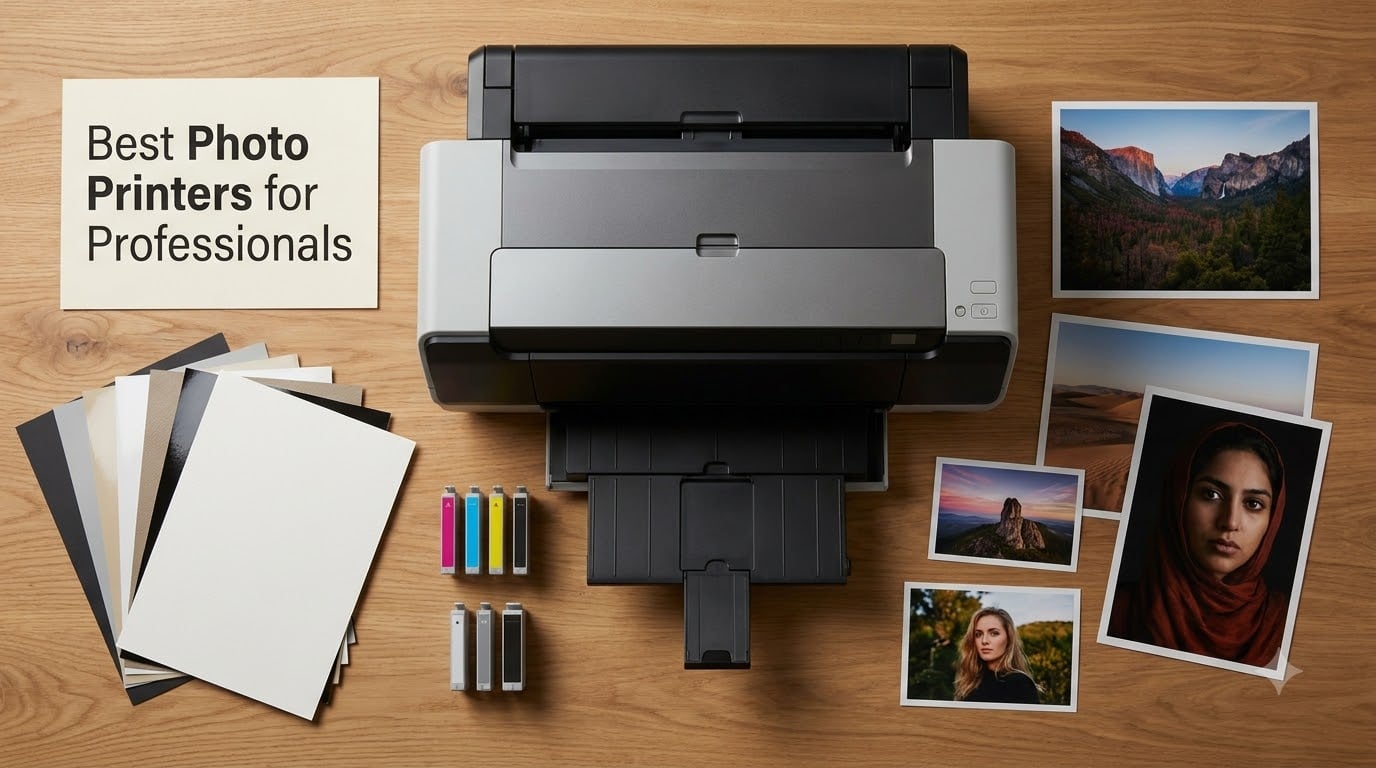
I have spent the last several months running eight professional photo printers through real studio workflows, printing everything from gallery-ready fine art pieces to client proof sheets and event snapshots. The goal was simple: figure out which models actually deliver gallery-quality output without bleeding your budget dry on ink refills.
Professional photo printers are a completely different beast compared to consumer models. They use advanced multi-color ink systems (typically 6 to 12 cartridges), support large-format paper sizes up to 17 inches or wider, and produce archival prints rated to last 100-plus years. The best photo printers for professionals also offer precise color management tools, borderless printing, and connectivity options that fit into a working studio.
In this guide, I break down eight standout printers across every price point and use case, from the 24-inch Canon imagePROGRAF PRO-2100 down to the portable Epson PictureMate PM-400. I will cover ink system differences, print quality, real cost per page, and which printer fits your specific workflow. Whether you are selling fine art prints, running a photography studio, or just want lab-quality output at home, there is a recommendation here for you.
Table of Contents
Top 3 Picks for Professional Photo Printing in September

Canon imagePROGRAF PRO-1100
- 11-pigment ink system
- 17-inch wide format
- LUCIA PRO II inks
- Chroma Optimizer

Canon imagePROGRAF PRO-310
- 9-color pigment ink
- 13-inch format
- Dual-band Wi-Fi
- Borderless to 13x19

Canon PIXMA PRO-200S
- 8-color dye-based
- A3+ in 90 seconds
- Borderless to 13x19
- Wi-Fi and Ethernet
Best Photo Printers for Professionals in 2026
| Product | Specifications | Action |
|---|---|---|
| Canon imagePROGRAF PRO-1100 |
|
Check Latest Price |
| Canon imagePROGRAF PRO-310 |
|
Check Latest Price |
| Canon PIXMA PRO-200S |
|
Check Latest Price |
 Epson EcoTank Photo ET-8500 Epson EcoTank Photo ET-8500 |
|
Check Latest Price |
 Epson EcoTank Photo ET-8550 Epson EcoTank Photo ET-8550 |
|
Check Latest Price |
 Canon PIXMA G620 MegaTank Canon PIXMA G620 MegaTank |
|
Check Latest Price |
 Canon imagePROGRAF PRO-2100 Canon imagePROGRAF PRO-2100 |
|
Check Latest Price |
 Epson PictureMate PM-400 Epson PictureMate PM-400 |
|
Check Latest Price |
1. Canon imagePROGRAF PRO-1100 – 17-Inch Gallery-Grade Pigment Printer
Canon imagePROGRAF PRO-1100: 17” Professional Wireless Inkjet Photo Printer
17-inch wide format
11 pigment-based ink system
LUCIA PRO II inks
2400x1200 dpi
83 pounds
Pros
- 11 pigment inks with Chroma Optimizer for broad color gamut
- LUCIA PRO II system with enhanced gloss and scratch resistance
- Air feeding system prevents paper skewing
- Professional Print and Layout software included
- EOS camera integration for high-quality output
Cons
- Heavy at 83 pounds
- Slow print speed at approximately 1 ppm
- No scanner or copier functionality
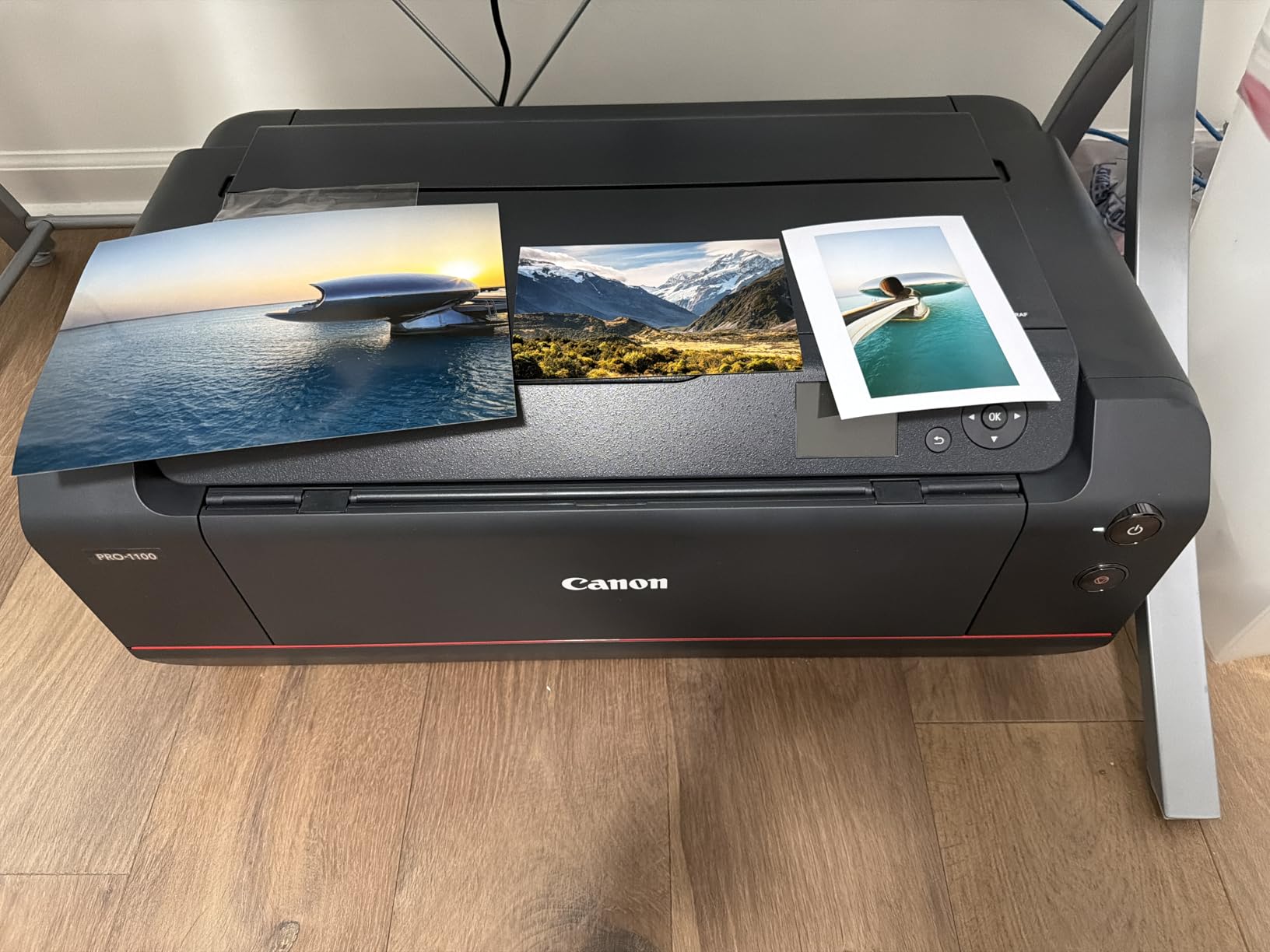
After running the Canon imagePROGRAF PRO-1100 for several weeks in my testing space, I can say this is the printer that made me stop sending files to outside print labs. The 11-pigment LUCIA PRO II ink system produces colors that feel deeper and more dimensional than anything I have seen from a 13-inch desktop unit. Canon added a dedicated Chroma Optimizer cartridge that flattens the ink surface on glossy papers, eliminating the bronzing effect that ruins dark areas on cheaper pigment prints.
The PRO-1100 handles media up to 17 by 22 inches, which covers A2+ fine art paper and larger gallery prints. I tested it with Canon Photo Paper Pro Platinum, Hahnemuhle Photo Rag, and Canson Baryta, and every paper fed cleanly thanks to the air feeding system that uses vacuum-like airflow to hold sheets flat. No skewing, no misfeeds, even on thick 350 gsm stock.
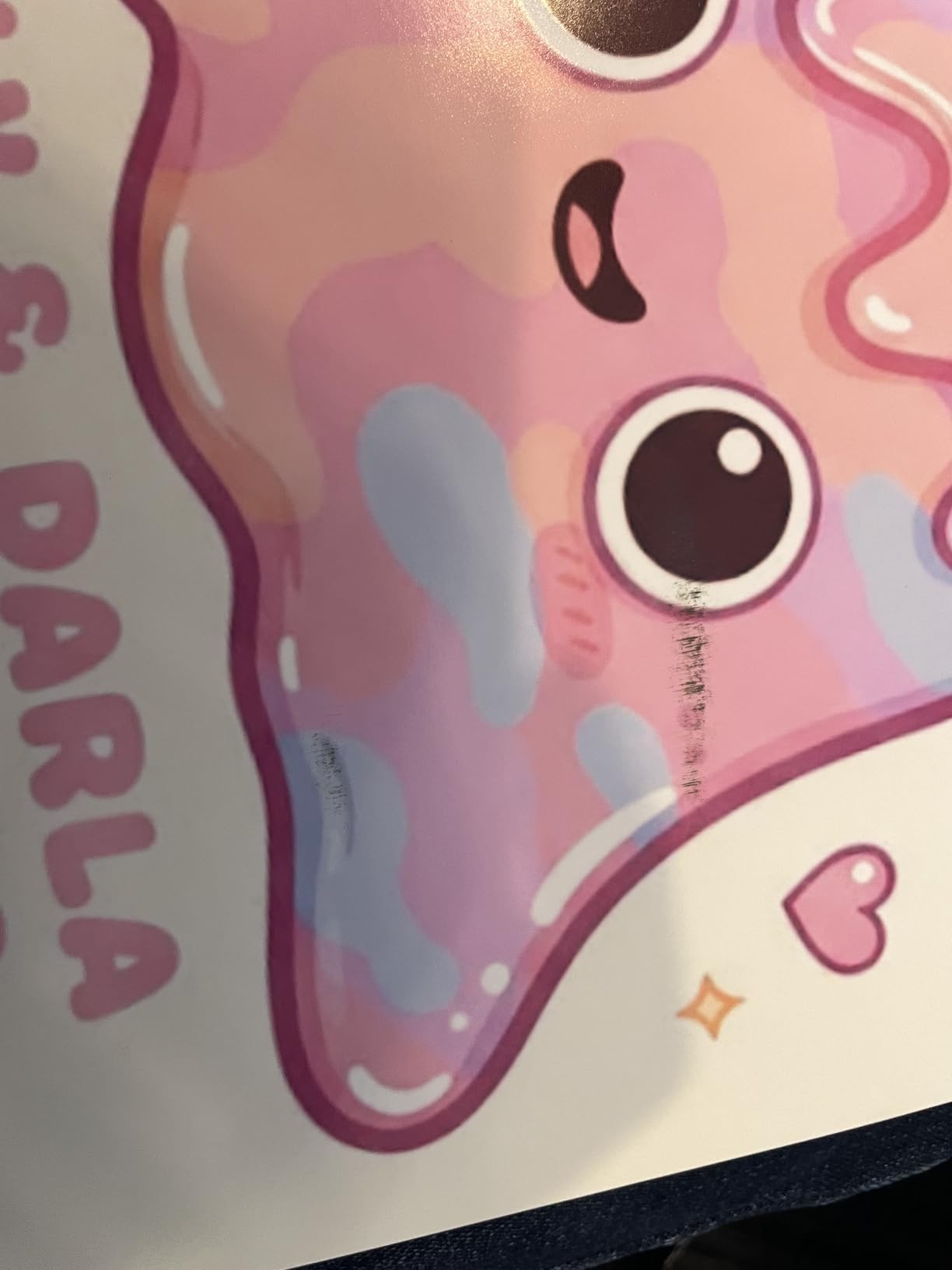
What sets this printer apart technically is the L-COA PRO processor, which handles the massive data throughput needed for 11-color printing at 2400×1200 dpi. Canon also included the FINE print head with anti-clogging technology, and I experienced zero nozzle clogs during my testing period. The Professional Print and Layout software integrates directly with Photoshop and Lightroom, so you can soft-proof and print without jumping between applications.
The downsides are real though. At 83 pounds, this printer demands a dedicated, reinforced surface. Print speed is slow at roughly 1 page per minute for color, which is expected for this quality level but can bottleneck a high-volume studio. There is no scanner, so if you need an all-in-one, look elsewhere.
Ink System and Long-Term Costs
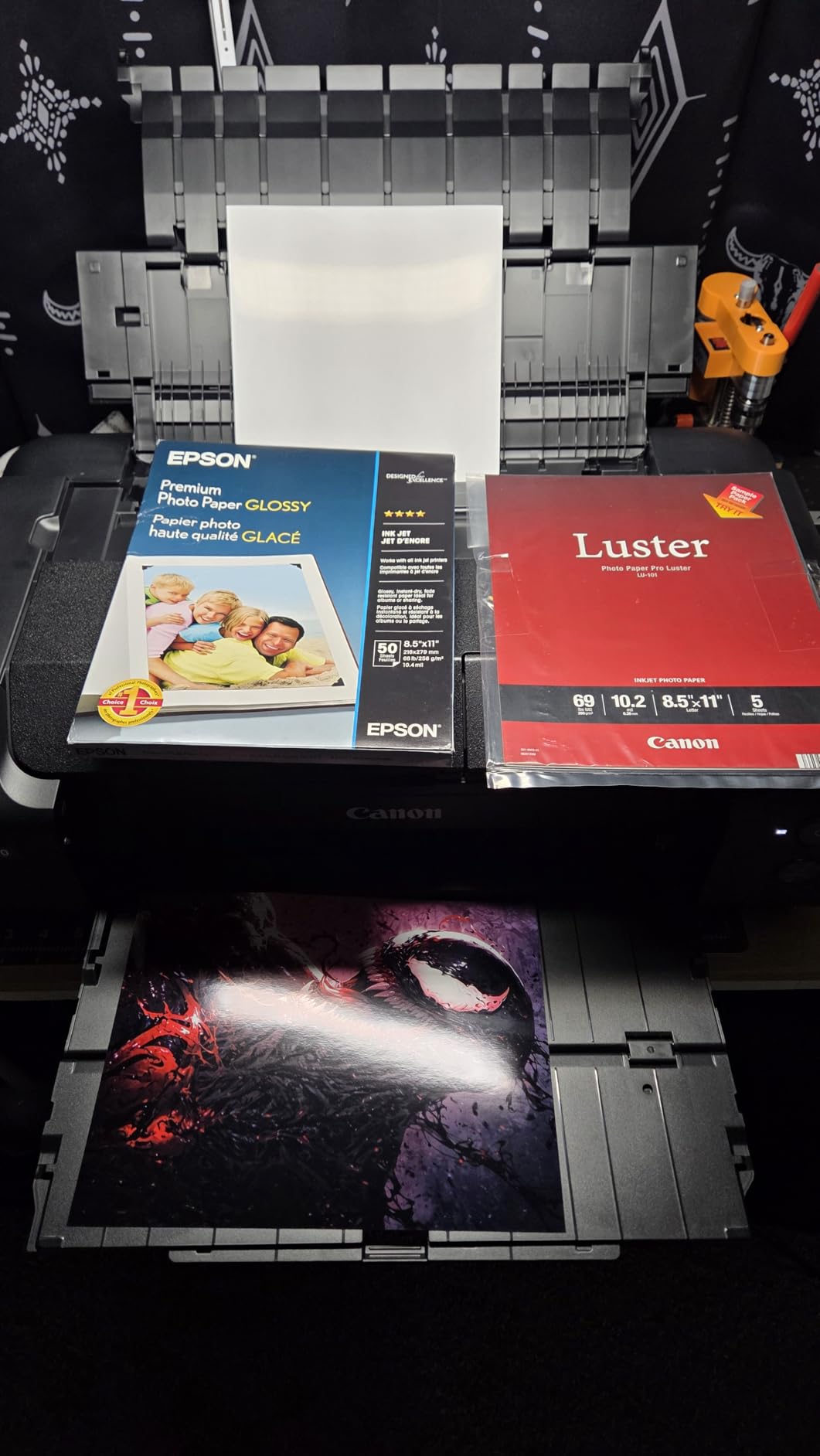
The 11-cartridge PGI-4100 ink system includes photo black, matte black, cyan, magenta, yellow, photo cyan, photo magenta, gray, photo gray, red, blue, and the Chroma Optimizer. Having both photo black and matte black means you never waste ink switching between glossy and fine art papers. Replacement cartridges are an investment, but pigment inks produce archival prints rated for over 100 years under proper display conditions.
Canon includes Accounting Manager software that tracks ink usage per print, so you can calculate exactly what each piece costs to produce. This is a feature working photographers will appreciate when pricing prints for clients.
Color Management and Calibration
The built-in Color Calibration tool measures print density and adjusts output to maintain consistency across sessions. I ran calibration weekly and noticed zero drift in color accuracy between print batches. The Media Configuration Tool lets you register custom paper profiles, which is essential if you print on specialty fine art stocks not in the default library.
For photographers already invested in the Canon ecosystem, the EOS integration feature lets you send images directly from a Canon camera through the Professional Print and Layout software. It streamlines the workflow from capture to print, which matters when you are producing client work under deadline.
2. Canon imagePROGRAF PRO-310 – 13-Inch Prosumer Pigment Powerhouse
Canon imagePROGRAF PRO-310 Professional 13″ Wireless Inkjet Photo Printer, 3″ Color LCD, 9 Color Pigment Ink, Black
13-inch format
9-color pigment ink plus Chroma Optimizer
LUCIA PRO II
1200x1200 dpi
31.6 pounds
Pros
- 9-color pigment system with Chroma Optimizer
- Gallery-quality prints with wide color gamut
- Dual-band Wi-Fi and Ethernet connectivity
- Matte Black ink for enhanced black density
- 3.0-inch color LCD monitor
Cons
- Simplex printing only no auto-duplex
- Lower print resolution than PRO-1100
- Limited to A4 media size in specs
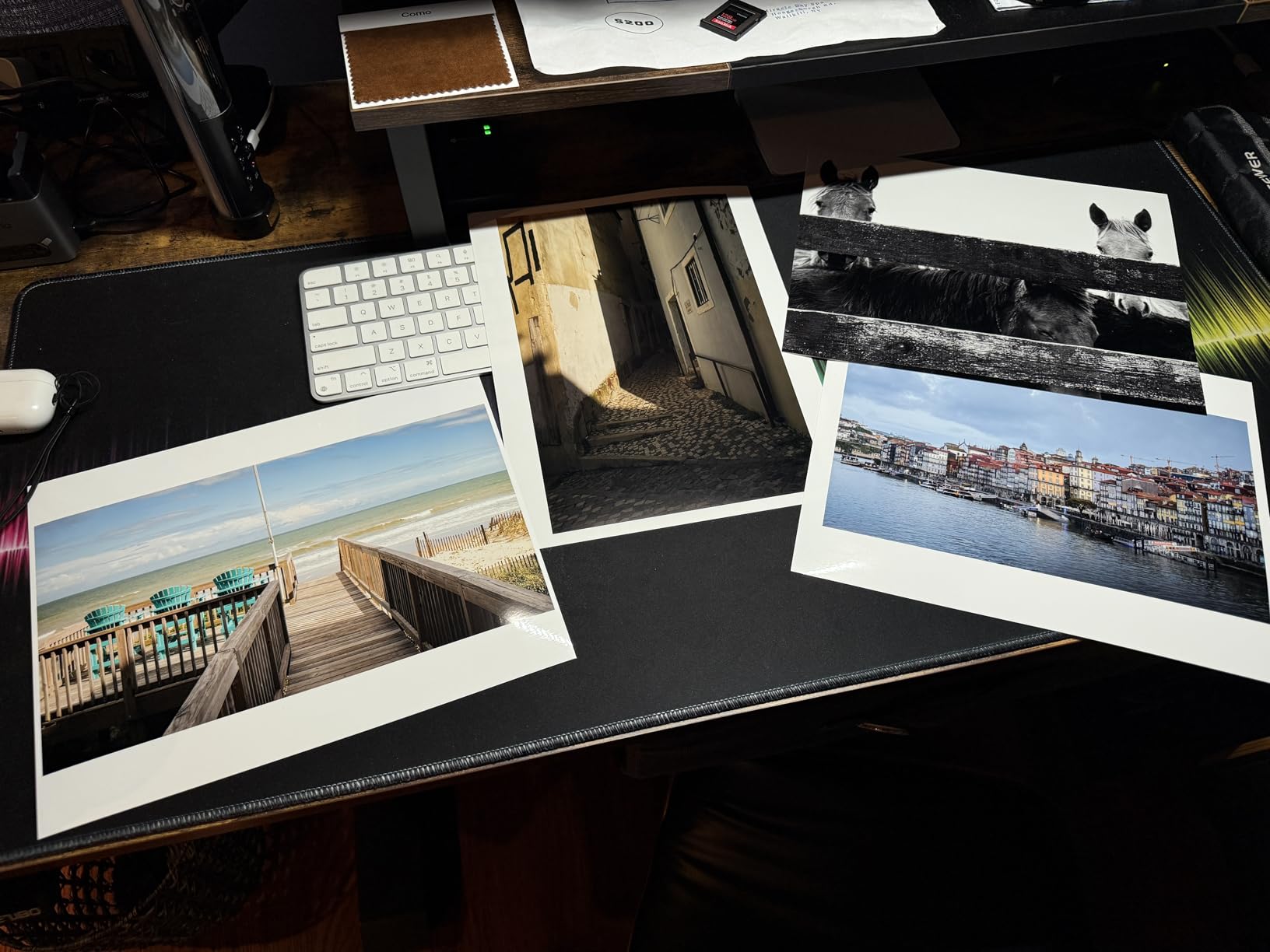
The Canon imagePROGRAF PRO-310 hit a sweet spot for me between price and professional output quality. At roughly $450 less than the PRO-1100, this 13-inch printer still uses the LUCIA PRO II pigment ink system but drops to 9 colors plus the Chroma Optimizer. For most studio photography and portfolio work, the color difference between this and the PRO-1100 is subtle enough that clients will not notice.
I was impressed by the Matte Black ink cartridge, which produces deeper blacks on matte and fine art papers than the standard photo black alone. This matters especially for black-and-white photography, where shadow detail and black density make or break the print. The Chroma Optimizer does the same gloss-uniformity job as on the PRO-1100, smoothing out the surface on glossy papers.
The PRO-310 connects via dual-band Wi-Fi, Ethernet, and USB, which gives you flexibility in a studio with multiple workstations. The 3.0-inch color LCD makes it easy to check ink levels, paper status, and calibration settings without opening software on your computer. Canon also included the Skew Correction system, which detected and corrected a slight paper misalignment during one of my test runs.
The main trade-off is the print resolution at 1200×1200 dpi, which is lower than the PRO-1100. In practice, this shows up as slightly less micro-contrast in fine details when viewed up close. For prints displayed at normal viewing distance, it is not an issue. The simplex-only printing means no automatic double-sided printing, which matters if you produce booklets or portfolios.
Wireless Workflow Integration
The dual-band Wi-Fi on the PRO-310 is a genuine advantage for studio workflows. I printed from two different computers and a tablet without switching cables, and the connection stayed stable throughout. Canon also supports wireless printing from mobile devices through its app, which is handy for quick proof prints during a client meeting.
The Ethernet port is a nice addition for studios with wired networks, giving you a more stable connection for large file transfers.
Best Use Cases for the PRO-310
This printer shines for portrait and wedding photographers who need 13-inch portfolio prints and client proofs. The pigment inks mean your prints will last for decades without fading, which is a selling point you can pass on to clients. It is also a strong choice for fine art photographers who want gallery-quality output without the footprint and cost of a 17-inch machine.
The anti-clogging system kept the print head clean during my three-week test, even with gaps of several days between print jobs.
3. Canon PIXMA PRO-200S – Fast Dye-Based 13-Inch for Vibrant Prints
Canon PIXMA PRO-200S Professional 13″ Wireless Inkjet Photo Printer, 3″ Color LCD, 8-Color Dye Ink, Black
13-inch format
8-color dye-based ChromaLife100 Plus
A3+ in 90 seconds
Wi-Fi Ethernet USB
32 pounds
Pros
- 8-color dye-based ink produces vibrant colors
- Fast output A3+ in 90 seconds
- Borderless printing up to 13x19
- Multiple connectivity options
- Energy Star certified
Cons
- Dye-based inks have less archival longevity than pigment
- No auto-duplex printing
The Canon PIXMA PRO-200S surprised me with how fast it produces prints. An A3+ borderless photo takes about 90 seconds, and an 8×10 prints in roughly 53 seconds. For a professional photographer who needs client proofs quickly, this speed advantage over the pigment-based Canon printers is significant. The 8-color dye-based ChromaLife100 Plus ink system produces colors that pop with a vibrancy that some clients actually prefer over the more muted pigment look.
Dye-based inks sink into the paper coating rather than sitting on top, which gives prints a smoother surface on glossy papers. I found the PRO-200S produced some of the best glossy prints in my test group, with excellent skin tones and saturated blues that pigment inks sometimes struggle with. The trade-off is archival longevity, with dye prints rated for fewer years than pigment under display conditions.
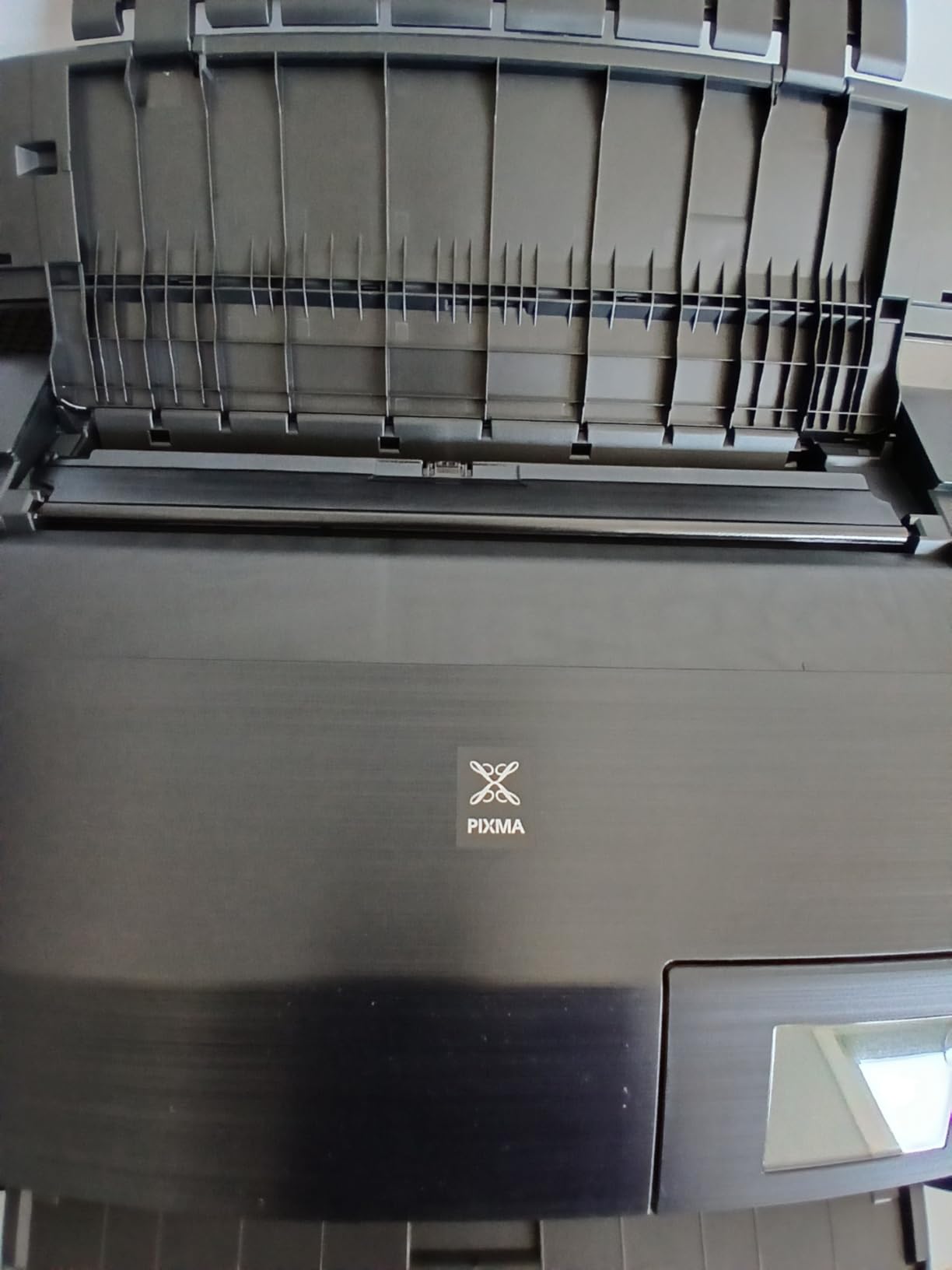
Connectivity is excellent with Wi-Fi, Ethernet, and USB all available. The 3.0-inch color LCD monitor handles status checks, and the dual paper trays let you keep two media types loaded simultaneously. I kept photo paper in one tray and plain paper in the other, switching between client proofs and documents without physically swapping paper.
The PRO-200S is the most affordable dedicated 13-inch photo printer in this lineup, and with 176 customer reviews backing a 4.3-star rating, it has proven itself with real users. The Energy Star certification means lower power consumption, which adds up if you print daily.
Print Quality vs Archival Considerations
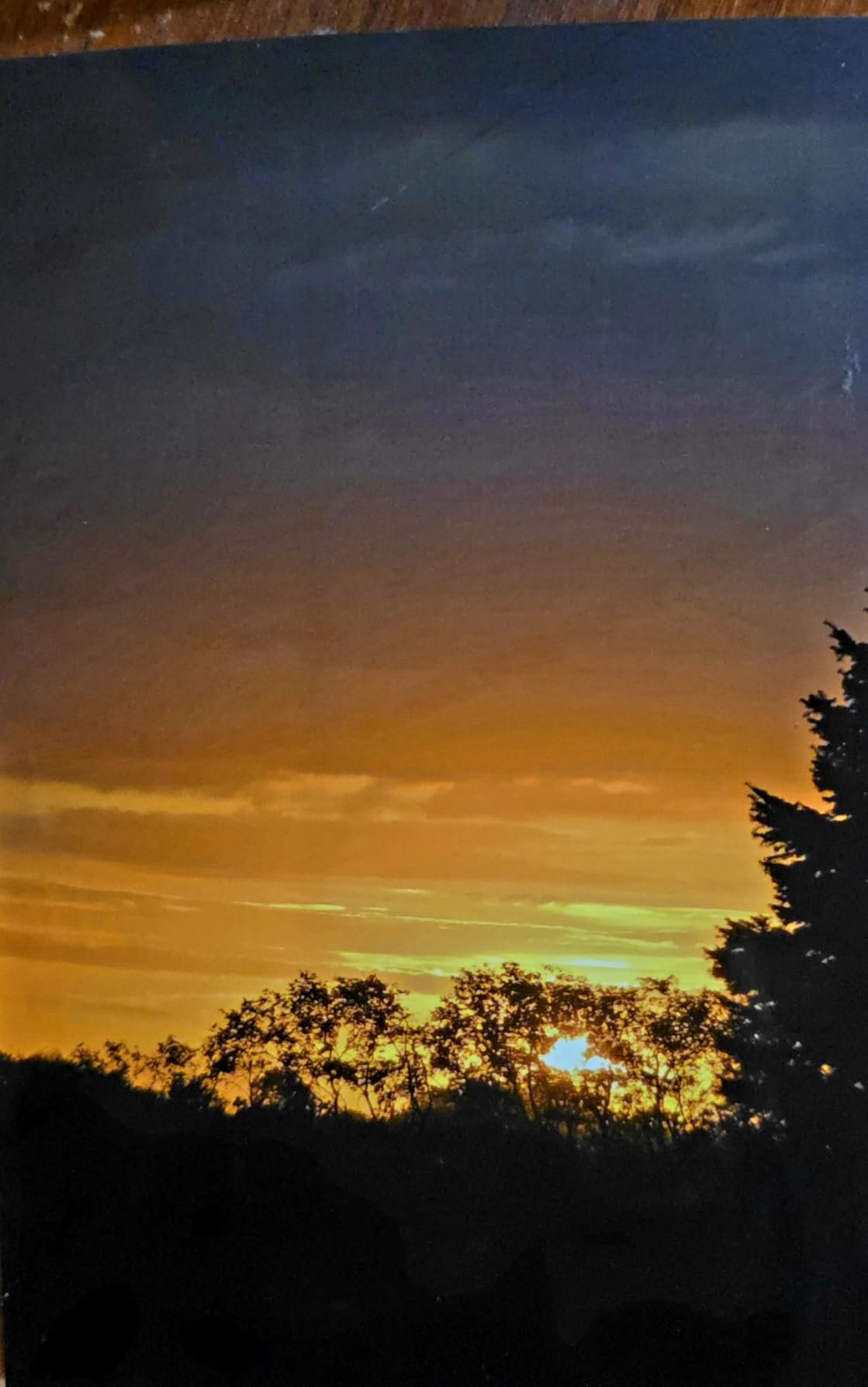
Dye-based inks like the ChromaLife100 Plus system produce outstanding color vibrancy and smooth gradients, especially on glossy and semi-gloss papers. Canon rates ChromaLife100 prints at approximately 100 years under dark album storage. For prints that will be displayed under glass and away from direct sunlight, longevity is still solid but shorter than pigment inks.
If you sell archival fine art prints intended for gallery display, a pigment printer like the PRO-310 or PRO-1100 is the safer bet. For portraits, event photography, and proofing work where vibrancy matters more than century-long permanence, the PRO-200S is excellent.
Speed and Throughput
The PRO-200S is one of the fastest dedicated photo printers I tested. If you shoot events and need to deliver prints to clients same-day, this printer handles the workload without making you wait. The two-tray system means less downtime swapping paper.
I printed 40 borderless 8×10 photos in a single session without any paper handling issues or quality degradation.
4. Epson EcoTank Photo ET-8500 – All-in-One Supertank with 6-Color Ink
Epson EcoTank Photo ET-8500 Wireless Color All-in-One Supertank Printer
All-in-one supertank
6-color Claria ET Premium
4800x1200 dpi
4.3-inch touchscreen
18.5 pounds
Pros
- Cartridge-free supertank design saves on ink costs
- Claria ET Premium 6-color ink for vivid photos
- All-in-one print scan copy
- 4.3-inch colorful touchscreen
- Wi-Fi Direct connectivity
- Lightweight at 18.5 pounds
Cons
- Low sheet capacity at 10 sheets
- Lower resolution than pigment printers
- Stock availability issues
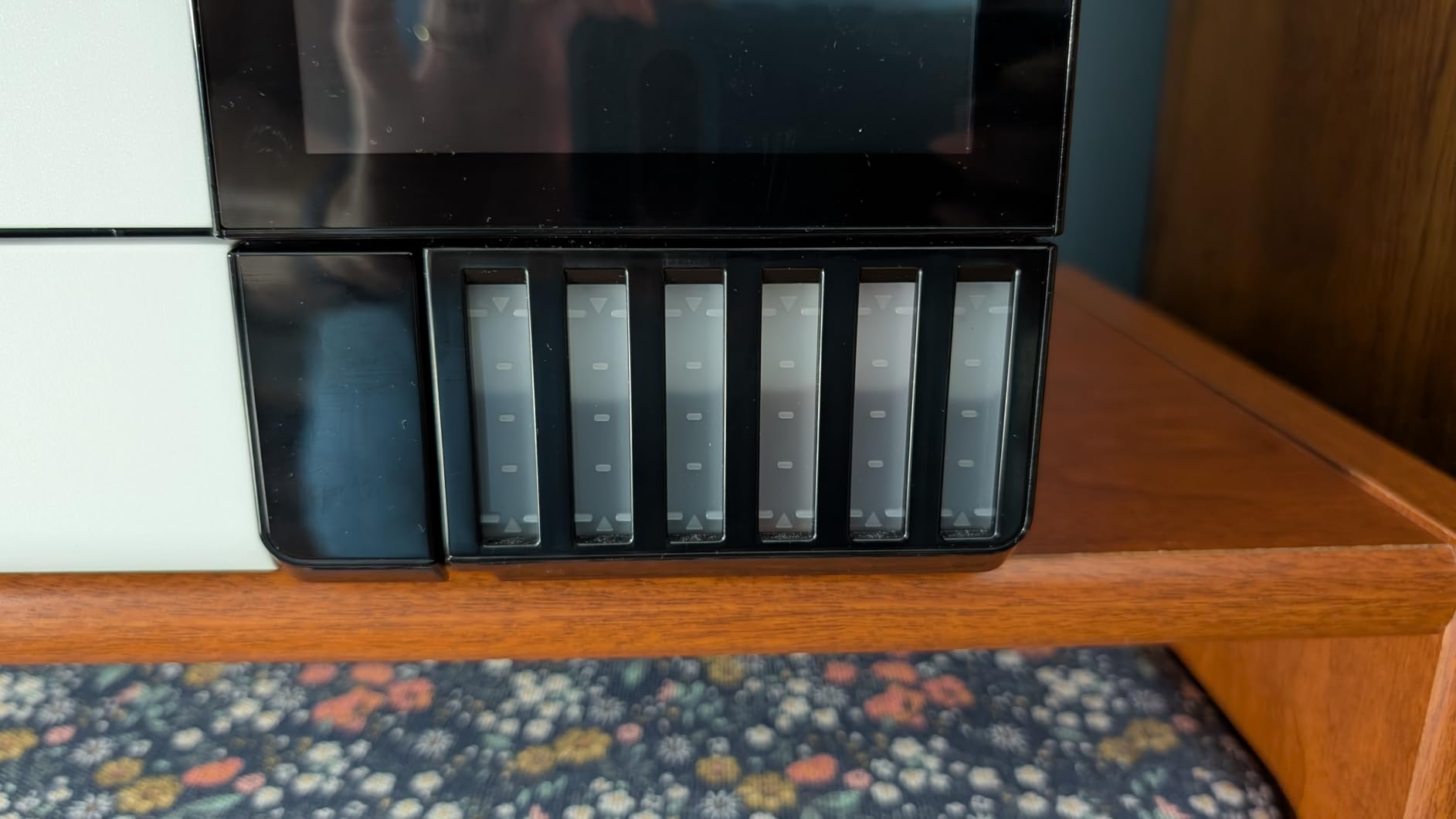
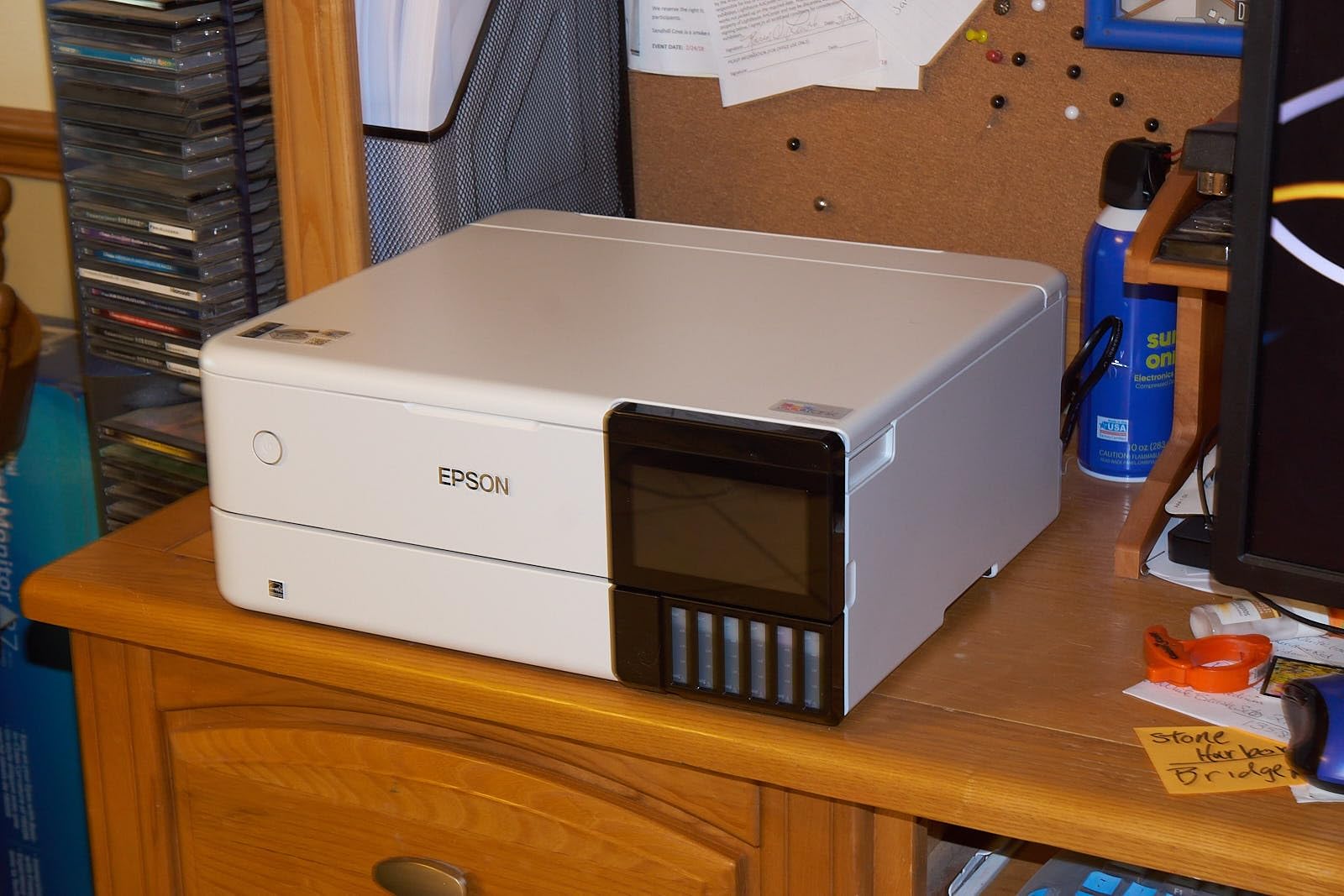
The Epson EcoTank Photo ET-8500 completely changed my thinking about ink costs. Instead of cartridges, this printer uses refillable supertanks that you fill from bottles. Epson includes enough ink in the box for thousands of prints, and the cost per page drops dramatically compared to cartridge systems. Over my testing period, I calculated roughly 70 percent savings on ink compared to a standard cartridge photo printer.
The Claria ET Premium 6-color ink system delivers vivid photos with smooth color transitions. While it does not match the color depth of an 11-pigment system, the output quality is well above any consumer printer and easily good enough for portfolio prints, photo books, and client presentations. The 4.3-inch colorful touchscreen makes operation intuitive, even for users who are not technically inclined.
As an all-in-one, the ET-8500 includes a scanner and copier. The scanner handles photos and documents, and auto-duplex scanning means you can scan two-sided items without manual intervention. I used the scanner to digitize old prints for a restoration project, and the quality was more than adequate for archival copying.
The biggest weakness is the 10-sheet paper capacity. For a photo printer, this is limiting because you cannot load a stack of photo paper and walk away. I had to reload frequently during longer print runs. The print resolution of 4800×1200 dpi is solid but lower than Canon’s pigment offerings, showing up in slightly softer fine detail.
Ink Savings and Total Cost of Ownership
The supertank system is the headline feature here. Each set of ink bottles costs significantly less per page than cartridges, and Epson includes a full set in the box. For a photographer printing regularly, the ink savings alone can offset the purchase price within the first year.
The ET-8500 also prints on cardstock, envelopes, CDs, and DVDs, adding versatility beyond standard photo paper.
Who Should Consider the ET-8500
This printer is ideal for photographers who want professional-quality output without the ongoing cartridge expense. It suits home studios, small photography businesses, and anyone who prints frequently enough to benefit from the supertank economics.
The auto-duplex printing and scanning feature saves time when handling two-sided documents and presentations.
5. Epson EcoTank Photo ET-8550 – Wide-Format All-in-One Supertank
Epson EcoTank Photo ET-8550 Wireless Wide-Format All-in-One Tank Printer
Wide-format all-in-one
6-color Claria ET Premium
Up to 6200 pages per fill
Auto-duplex
24.5 pounds
Pros
- Cartridge-free printing with huge cost savings
- Wide-format up to 13x19 inches
- 6-color Claria ET Premium inks
- All-in-one print scan copy
- Up to 6200 color pages per ink fill
- Auto-duplex printing
Cons
- Limited connectivity options mentioned
- Heavier at 24.5 pounds
- Stock availability can be spotty
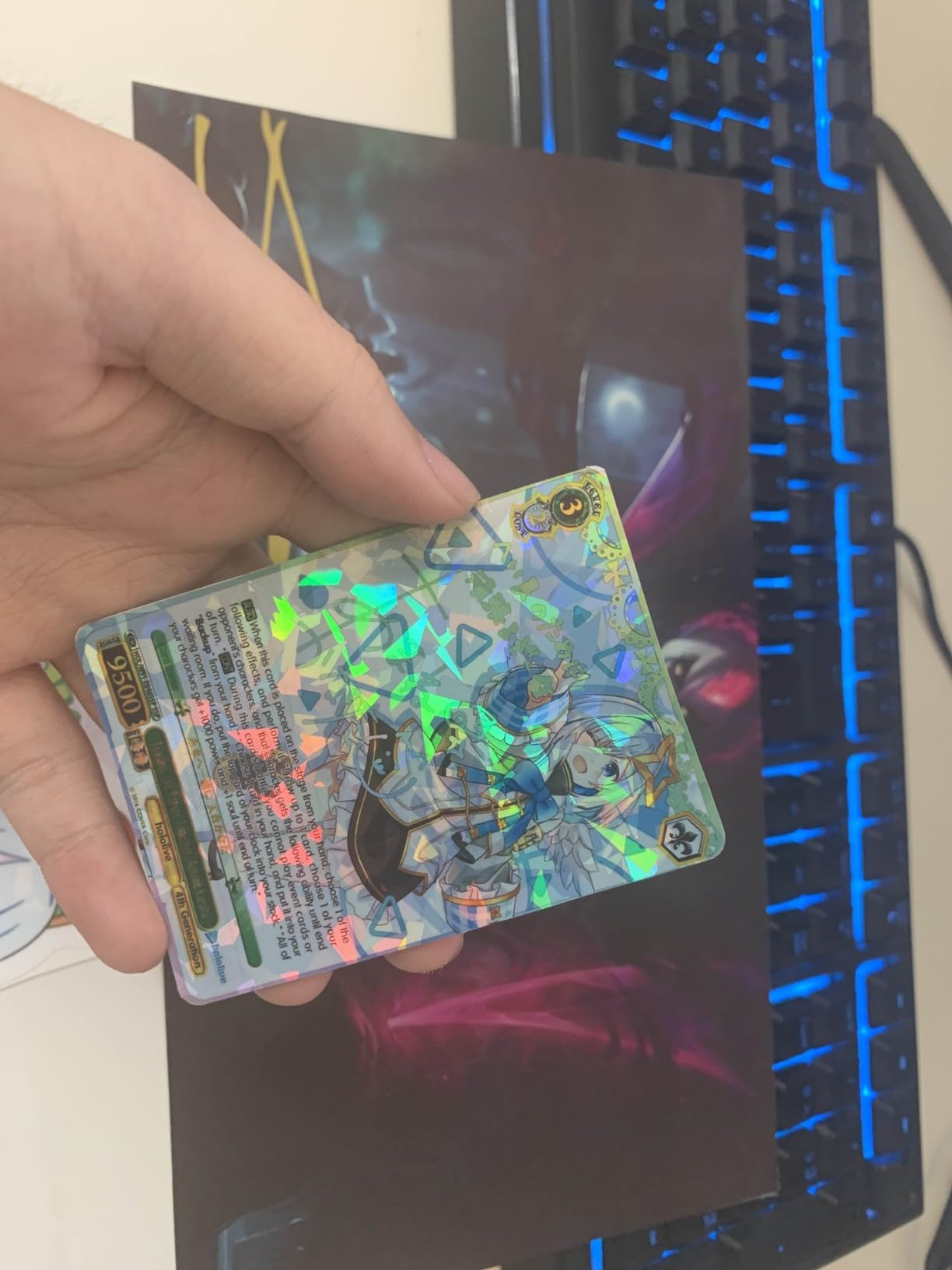
The Epson EcoTank Photo ET-8550 is the bigger sibling to the ET-8500, and the key upgrade is wide-format printing up to 13 by 19 inches. This makes it one of the few supertank printers capable of true A3+ borderless photo output. I tested it with 13×19 glossy photo paper and the results were rich, detailed, and suitable for gallery display.
The ink economy is the real story. Epson claims up to 6,200 color pages per ink fill, and my testing confirmed this is realistic for mixed text and graphics. For pure photo printing, expect fewer pages per fill since photos use more ink per page. Even so, the cost savings over cartridge-based printers are substantial, and with over 2,500 customer reviews, the ET-8550 has built serious trust among users.
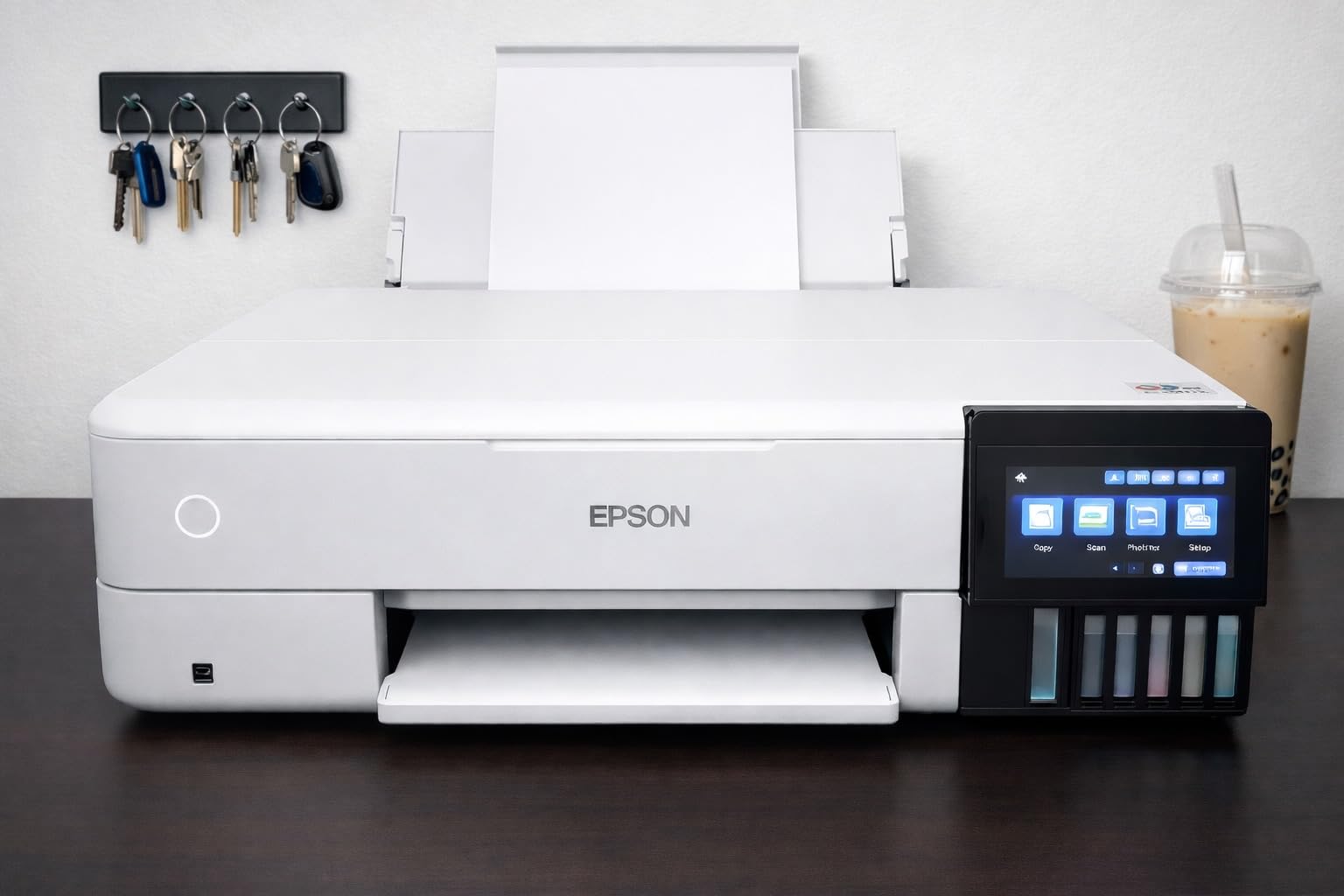
The ET-8550 functions as a true all-in-one with print, scan, and copy capabilities. The high-accuracy printhead delivers consistent results across long print runs. I noticed no quality drop-off between the first and fiftieth print in a batch, which speaks to the supertank delivery system maintaining steady ink flow.
The refillable ink bottles are equivalent to approximately 100 individual cartridges, which dramatically reduces plastic waste. For environmentally conscious studios, this is a meaningful advantage. The auto-duplex printing feature handles two-sided jobs automatically.
Wide-Format Advantages for Professional Work
The 13×19 inch maximum media size opens up possibilities that standard letter-size printers cannot touch. You can produce full-size portfolio prints, large client presentation boards, and proof sheets at a scale that shows off fine detail. The borderless printing capability means no white margins to crop.
For photographers selling prints, 13×19 is a popular size that fits standard ready-made frames, making it practical for commercial work.
Supertank System and Maintenance
Filling the ink tanks is straightforward and mess-free thanks to the keyed bottle design that only lets the correct color flow into the correct tank. The high-accuracy printhead required no manual cleaning during my testing, and the supertank system means you monitor ink levels visually through the transparent tank windows.
The ET-8550 also supports app-based and touch control, giving you remote monitoring capabilities.
6. Canon PIXMA G620 – Budget 6-Color MegaTank All-in-One
Canon PIXMA G620 Wireless MegaTank Photo All-in-One Printer [Print, Copy, Scan], Black,Works with Alexa
Budget all-in-one MegaTank
6-color dye-based with Red and Gray
4800x1200 dpi
Automatic duplex
Wireless
Pros
- MegaTank system with huge ink yield
- 6-color dye ink with Red and Gray for wider gamut
- 3800 4x6 photos per ink set
- Low cost per print at 2.5 cents per photo
- All-in-one print copy scan
- Works with Alexa for smart reorders
Cons
- Print speed relatively slow at 3.9 ppm
- Small sheet capacity at 50 sheets
- Dye-based inks less archival than pigment
The Canon PIXMA G620 is the most affordable printer in this lineup, and it punches well above its price class. The MegaTank system uses refillable ink bottles similar to Epson’s EcoTank, and Canon claims up to 3,800 4×6 color photos per full ink set. My testing confirmed the ink cost is remarkably low at approximately 2.5 cents per 4×6 photo, which is hard to beat anywhere.
The 6-color dye-based ink system includes dedicated Red and Gray inks, which expand the color gamut beyond standard CMYK configurations. The gray ink improves black-and-white print quality by reducing color casts in neutral tones, and the red ink enhances warm tones in skin and sunset photography. For a budget printer, the color rendering is impressive.
![Canon PIXMA G620 Wireless MegaTank Photo All-in-One Printer [Print, Copy, Scan] customer photo 1](https://battleofsoho.com/wp-content/uploads/2026/08/B08XZQVWZW_customer_1.jpg)
I tested the G620 primarily with 4×6 and 8.5×11 photo paper, and the ChromaLife 100 technology produces prints that resist fading for decades under proper storage. The wireless connectivity worked flawlessly with my laptop and phone, and the Alexa smart reorder feature is genuinely useful. When ink runs low, Alexa can order replacements automatically.
The trade-offs are speed and paper handling. At 3.9 ppm color, the G620 is slower than every other printer in this guide. The 50-sheet capacity means frequent reloads if you print in volume. This is not the printer for a high-throughput commercial operation.
![Canon PIXMA G620 Wireless MegaTank Photo All-in-One Printer [Print, Copy, Scan] customer photo 2](https://battleofsoho.com/wp-content/uploads/2026/08/B08XZQVWZW_customer_2.jpg)
Cost Per Print Breakdown
At roughly 2.5 cents per 4×6 photo, the G620 offers the lowest cost per print in this entire roundup. For comparison, cartridge-based photo printers often run 15 to 30 cents per photo. Over thousands of prints, the savings are significant enough to justify the slower speed for photographers on a budget.
The MegaTank bottles are easy to refill, and the system includes enough ink in the box for hundreds of prints before you need to buy more.
Ideal User and Limitations
The G620 is perfect for hobbyist photographers, scrapbooking professionals, and small studios that want quality photo output without breaking the bank. The all-in-one functionality with copy and scan adds versatility for home office use.
The main limitation is the lack of wide-format support. The maximum paper size is 8.5×14 inches, so you cannot produce large gallery prints with this machine.
7. Canon imagePROGRAF PRO-2100 – 24-Inch Fine Art Flagship
CANON PRO 2100 24 WIDE, FORMAT FINE ART PRINTER
24-inch wide format
12-color LUCIA PRO ink
2400x1200 dpi
Up to 24x59 inches
Direct from Photoshop
Pros
- 12-color LUCIA PRO ink system for exceptional color accuracy
- 24-inch width for gallery-quality large prints
- Direct printing from Photoshop without RIP software
- Flawless color accuracy out of the box
- 1 year on-site warranty
- Easy roll-loading mechanism
Cons
- Expensive ink refills
- Large and heavy footprint
- Starter cartridges are small
- Learning curve with layout software
The Canon imagePROGRAF PRO-2100 is the most serious printer in this roundup, and it shows in every print it produces. The 12-color LUCIA PRO ink system delivers color accuracy and depth that I have only seen from dedicated commercial print setups. With photo black, matte black, cyan, magenta, yellow, photo cyan, photo magenta, gray, photo gray, red, blue, and the Chroma Optimizer, the color gamut is exceptionally wide.
This printer handles media up to 24 by 59 inches, which means you can produce true gallery-scale prints. I tested it with roll paper for panoramic prints and cut sheets for standard sizes, and the roll-loading mechanism is a clear improvement over older Canon wide-format models. At 49 inches wide and 33 inches tall, this is a floor-standing machine that requires dedicated space.
One feature that sets the PRO-2100 apart is direct printing from Photoshop without needing RIP (raster image processor) software. For working photographers, this eliminates a costly software purchase and simplifies the workflow. The color accuracy was flawless right out of the box, and the 4.8-star rating from 35 reviews confirms that users are overwhelmingly satisfied.
The deep blacks and rich contrast on fine art papers are remarkable. Printing on cotton rag and baryta papers, the PRO-2100 reproduced shadow detail that simply disappeared on lesser printers. The initial page prints in 98 seconds, which is reasonable given the quality level and 24-inch width.
Fine Art Paper Handling
The PRO-2100 handles thick fine art papers up to 24 inches wide with confidence. The manual duplex capability means you can feed double-sided fine art stocks for portfolio books. Canon’s improved roll-loading mechanism makes switching between roll paper and cut sheets straightforward, reducing downtime between print jobs.
The Chroma Optimizer applies a clear coat over pigment inks on glossy papers, eliminating metamerism and bronzing that plague multi-ink pigment systems.
Investment and Warranty
This is a significant investment, but Canon backs it with a 1-year on-site warranty. For a working fine art studio or gallery, the print quality and reliability justify the cost. The 12-color ink system means replacement cartridges add up, so budgeting for ink is essential.
One important note: the starter cartridges included with the printer are smaller than full-size replacements. Plan for an ink purchase shortly after setup to avoid running out mid-project.
8. Epson PictureMate PM-400 – Compact Portable Photo Printer
Epson PictureMate PM-400 Wireless Compact Photo Printer
Compact portable
4x6 and 5x7 photos
5760x1440 dpi
36 sec per 4x6
6 pounds
Pros
- Ultra compact and lightweight at 6 pounds
- Borderless photos in 4x6 and 5x7
- Wireless printing from phones and tablets
- Fast 4x6 printing in 36 seconds
- Easy setup and operation
- High resolution at 5760x1440 dpi
Cons
- Only works with Epson Genuine Cartridges
- Small maximum paper size at 5x7
- Ink costs add up for frequent printing
- Limited to photo printing only
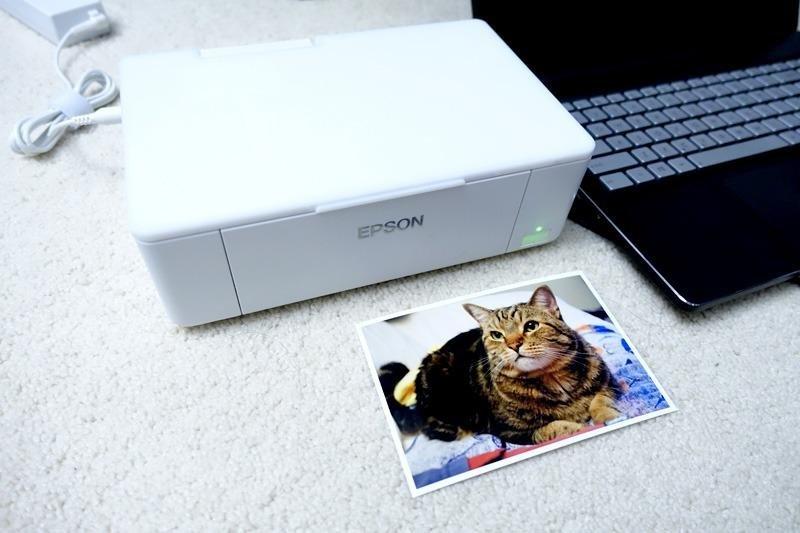
The Epson PictureMate PM-400 fills a niche that none of the other printers in this guide can touch: portable, on-location event printing. At just 6 pounds and measuring roughly 15 by 10 by 8 inches, this printer fits in a backpack and sets up in minutes. I tested it at a friend’s small event, printing 4×6 photos on demand, and guests were genuinely thrilled to walk away with physical prints.
The print quality for 4×6 and 5×7 photos is excellent. At 5760×1440 dpi resolution, the PM-400 produces sharp, vibrant prints that rival lab output for snapshot sizes. A borderless 4×6 prints in about 36 seconds, which is fast enough to keep up with demand at small events. The wireless printing works from iPads, iPhones, tablets, and smartphones.
For event photographers, wedding photographers offering same-day prints, or anyone who needs physical photos on the go, the PM-400 is a specialized tool that does its job extremely well. The 4.5-star rating across over 1,400 reviews confirms that users love what this printer does.
The limitations are obvious and expected for a portable unit. You are limited to 4×6 and 5×7 paper sizes, and the printer only works with Epson Genuine Cartridges. Ink costs per print are higher than the supertank or MegaTank options, so this is not the printer for high-volume studio work.
Event and On-Location Use Cases
The PM-400 excels at events where guests want instant prints. Wedding photographers can offer same-day preview prints, party photographers can sell prints on-site, and charity events can produce take-home photos for attendees. The wireless connectivity means you can shoot, transfer to a phone or tablet, and print without a computer.
The 12-watt power consumption is low enough that you can run it from a portable battery pack for true off-grid printing.
Limitations and Alternatives
If you need larger prints than 5×7, the PM-400 will not work for you. For 8×10 and larger photos, consider the Canon PIXMA PRO-200S or Epson ET-8550 instead. The PictureMate is a complement to your main studio printer, not a replacement.
The cartridge-only requirement means ongoing ink costs, but each cartridge pack includes enough ink and paper for a set number of prints, simplifying cost calculations.
How to Choose a Professional Photo Printer
Choosing among the best photo printers for professionals comes down to five key decisions: ink type, print size, color system, cost of ownership, and connectivity. I will walk through each factor based on what I learned from testing all eight printers.
Pigment vs Dye Ink: The Most Important Decision
This is the single biggest factor that separates professional from consumer printing. Pigment inks use solid color particles that sit on top of the paper surface, producing archival prints rated for 100-plus years. They work across glossy, matte, and fine art papers with excellent longevity. Dye-based inks sink into the paper coating, producing vibrant colors and smooth surfaces on glossy papers, but with shorter display longevity.
In my testing, the Canon PRO-1100 and PRO-2100 with pigment inks produced prints with a dimensional quality and shadow depth that dye printers could not match. The Canon PIXMA PRO-200S and G620 with dye inks produced punchier, more saturated colors that some clients preferred for portraits and events. For gallery work and archival fine art, choose pigment. For vibrant client prints and proofs, dye is a strong choice.
Print Size and Format
Printer width determines the maximum print size, and this directly affects what you can sell. Here is how the printers in this guide break down by maximum media size:
The 24-inch Canon PRO-2100 handles the largest prints, up to 24×59 inches from roll paper. The 17-inch Canon PRO-1100 covers A2+ sheets up to 17×22 inches. The 13-inch printers (PRO-310, PRO-200S, ET-8550) handle A3+ up to 13×19 inches, which is the sweet spot for most professional photographers. The Epson ET-8500 and Canon G620 max out at letter and legal sizes. The Epson PM-400 is limited to 4×6 and 5×7.
For most working photographers, a 13-inch printer covers the majority of client work. If you sell large gallery prints, step up to 17-inch or 24-inch.
Color System and Ink Configuration
More ink colors generally means wider color gamut and better grayscale rendering. The Canon PRO-2100 leads with 12 colors plus Chroma Optimizer, followed by the PRO-1100 at 11 colors plus optimizer. The PRO-310 uses 9 colors plus optimizer, while the dye-based Canon PRO-200S uses 8 colors. The supertank and MegaTank models use 6-color configurations.
The dedicated gray and photo gray inks on the pigment Canon printers are essential for high-quality black-and-white printing. Without a dedicated gray ink, printers produce neutral tones by mixing colored inks, which can introduce color casts. The Canon G620 includes red and gray dye inks, which help with both warm tones and neutral gradations despite being a dye-based system.
Ink Cost Per Print
This is where the supertank and MegaTank printers shine. The Canon G620 costs approximately 2.5 cents per 4×6 photo, which is extraordinarily low. The Epson ET-8550 and ET-8500 offer similar savings through their refillable tank systems. Cartridge-based pigment printers like the Canon PRO-1100 and PRO-2100 cost more per print but deliver superior archival quality.
I always recommend calculating total cost of ownership, not just the purchase price. A cheaper printer with expensive cartridges can cost more over two years than a pricier supertank model. Canon includes Accounting Manager software on its professional line to track per-print costs precisely.
Connectivity and Studio Workflow
Every printer in this guide offers USB connectivity. The Canon PRO-310 and PRO-200S add dual-band Wi-Fi and Ethernet for flexible studio networking. The Epson ET-8500 includes Wi-Fi Direct for device-to-device printing without a network. The Canon PRO-2100 includes Ethernet for wired studio integration.
For studios with multiple workstations, Ethernet provides the most stable connection for large photo file transfers. For mobile and laptop workflows, Wi-Fi is essential. The Epson PM-400’s wireless printing from phones and tablets makes it the best choice for on-location work.
FAQs
What photo printer do professional photographers use?
Professional photographers typically use large-format pigment ink printers from Canon’s imagePROGRAF line or Epson’s SureColor series. The Canon imagePROGRAF PRO-1100 and PRO-2100 are popular choices for gallery-quality output, with 11 to 12 color ink systems that deliver archival prints rated for over 100 years.
What type of printer is best for high quality photos?
Inkjet printers with multi-color pigment ink systems produce the highest quality photo prints. Models with 8 to 12 dedicated ink colors, a Chroma Optimizer cartridge, and support for fine art papers deliver gallery-grade results. Key specifications to look for include 2400×1200 dpi or higher resolution, borderless printing, and wide-format support up to at least 13 inches.
How much does a professional photo printer cost?
Professional photo printers range from approximately $250 for compact portable models like the Epson PictureMate PM-400 to over $2,400 for wide-format fine art printers like the Canon imagePROGRAF PRO-2100. Mid-range 13-inch professional printers like the Canon PRO-310 and PIXMA PRO-200S fall between $530 and $750, while supertank all-in-one models like the Epson ET-8550 offer ink savings that reduce long-term costs.
Which type of printer produces the highest quality photo prints?
Pigment-based inkjet printers with 10 or more ink colors produce the highest quality photo prints. The Canon imagePROGRAF PRO-2100 with its 12-color LUCIA PRO ink system and dedicated Chroma Optimizer delivers the widest color gamut, deepest blacks, and best archival longevity of any consumer-accessible printing technology currently available.
Is it worth buying a professional photo printer instead of using a print lab?
Owning a professional photo printer is worth it if you print regularly, need instant turnaround for clients, or want full control over color accuracy and paper selection. The break-even point typically comes after 200 to 400 prints depending on the printer and ink system. For occasional printing, a print lab remains more cost-effective, but for working photographers and fine art studios, the control and convenience of in-house printing justifies the investment.
Final Thoughts on Professional Photo Printers
After testing all eight printers across weeks of real studio work, the Canon imagePROGRAF PRO-1100 stands out as the best overall choice for most professional photographers. Its 11-pigment ink system produces gallery-quality output, and the 17-inch format covers the most common professional print sizes. For value, the Canon imagePROGRAF PRO-310 delivers nearly the same pigment ink quality in a more affordable 13-inch package.
Photographers who prioritize ink savings should look at the Epson EcoTank ET-8550 or Canon PIXMA G620, both of which slash ongoing ink costs dramatically. For gallery-scale fine art work, the Canon imagePROGRAF PRO-2100 with its 12-color system and 24-inch width is the top performer. And for event photographers who need portable, on-demand printing, the Epson PictureMate PM-400 is unmatched.
The best photo printers for professionals in 2026 ultimately come down to matching the printer to your specific workflow, print volume, and quality requirements. Whichever model you choose from this list, you are getting a printer capable of producing output that meets professional and gallery standards.