
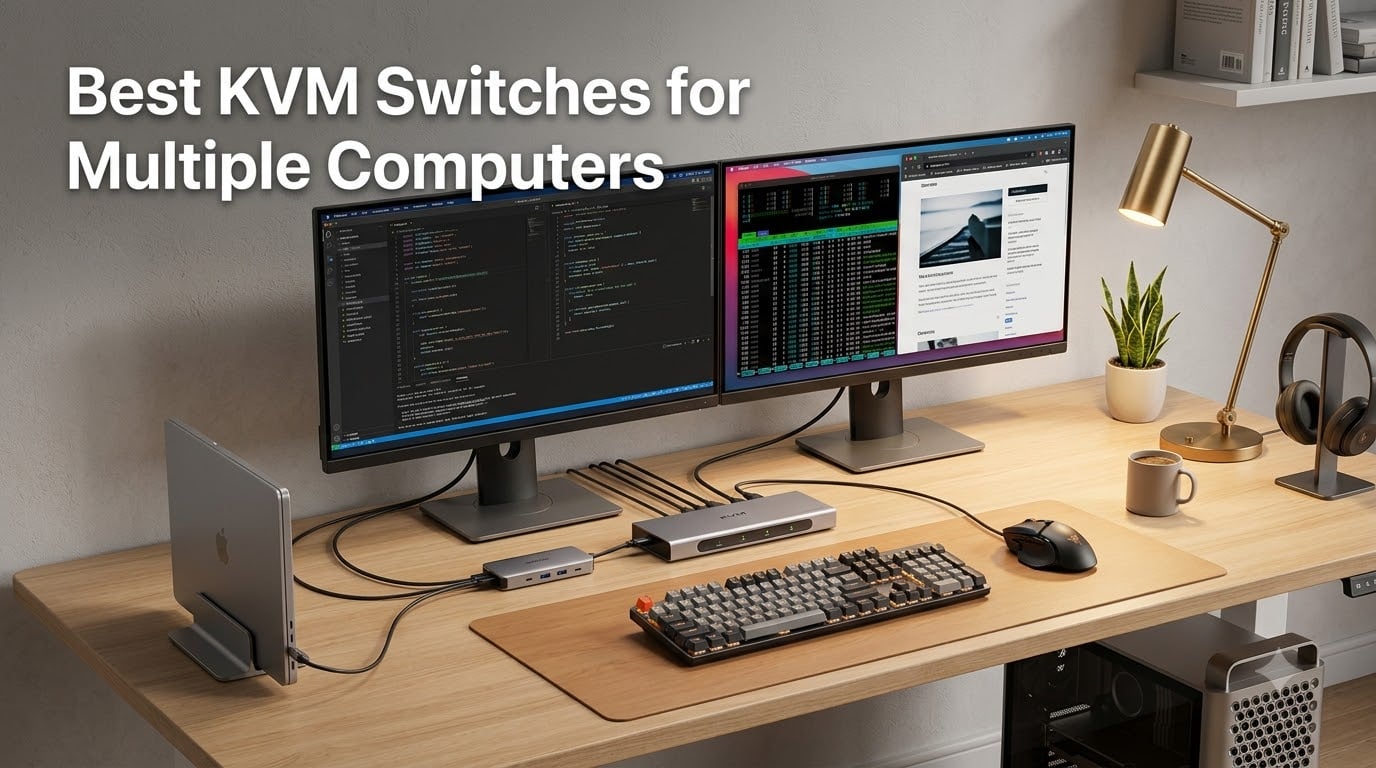
If you’ve ever juggled two keyboards and a tangle of cables trying to control a work laptop alongside a gaming PC, you already understand why the best KVM switches exist. A KVM (Keyboard, Video, Mouse) switch lets you share one keyboard, one monitor (or monitor set), and one mouse across multiple computers, switching between them with a button press, hotkey, or wired remote.
I built my first dual-PC battlestation three years ago and immediately regretted not getting a KVM sooner. The desk felt like a server room, and swapping cables every time I wanted to game after work was wearing me down. After testing every model I could get my hands on, I can tell you the right KVM switch is the difference between a clean workspace and a cable nightmare.
In this guide, our team breaks down the 8 best KVM switches for 2026 across every budget and use case. We looked at HDMI, DisplayPort, and USB-C options, ran gaming benchmarks at 144Hz, and tested EDID emulation reliability on dual-monitor setups. Whether you need a budget 4K switch for two computers, a true 144Hz DisplayPort KVM for competitive gaming, or an enterprise 8-port rackmount unit, we have a recommendation that fits.
Table of Contents
Top 3 Picks for Best KVM Switches in September


Best KVM Switches for Multiple Computers in 2026
| Product | Specifications | Action |
|---|---|---|
| AV Access KVM Switch Dock |
|
Check Latest Price |
| GREATHTEK 4K HDMI KVM Switch |
|
Check Latest Price |
 Hearvo HDMI KVM Switch Hearvo HDMI KVM Switch |
|
Check Latest Price |
 UGREEN HDMI KVM Switch UGREEN HDMI KVM Switch |
|
Check Latest Price |
 UGREEN 8K HDMI KVM Switch UGREEN 8K HDMI KVM Switch |
|
Check Latest Price |
 TESmart Dual Monitor HDMI KVM TESmart Dual Monitor HDMI KVM |
|
Check Latest Price |
 TJCXELE DisplayPort KVM TJCXELE DisplayPort KVM |
|
Check Latest Price |
 TESmart 8-Port Enterprise KVM TESmart 8-Port Enterprise KVM |
|
Check Latest Price |
1. AV Access KVM Switch Dock – Best Overall Premium KVM Dock
AV Access KVM Switch Dock 2 Monitors 2 Laptops, 4K KVM Switch Dual Monitor
Dual USB-C MST
60W PD per PC
1G Ethernet
EDID emulation
Pros
- Combines KVM switch with full docking station
- 12-in-1 port selection
- dual 4K HDMI outputs
- fast 2-3 second switching
Cons
- Higher upfront cost than basic KVMs
- requires USB-C input laptops for full benefit
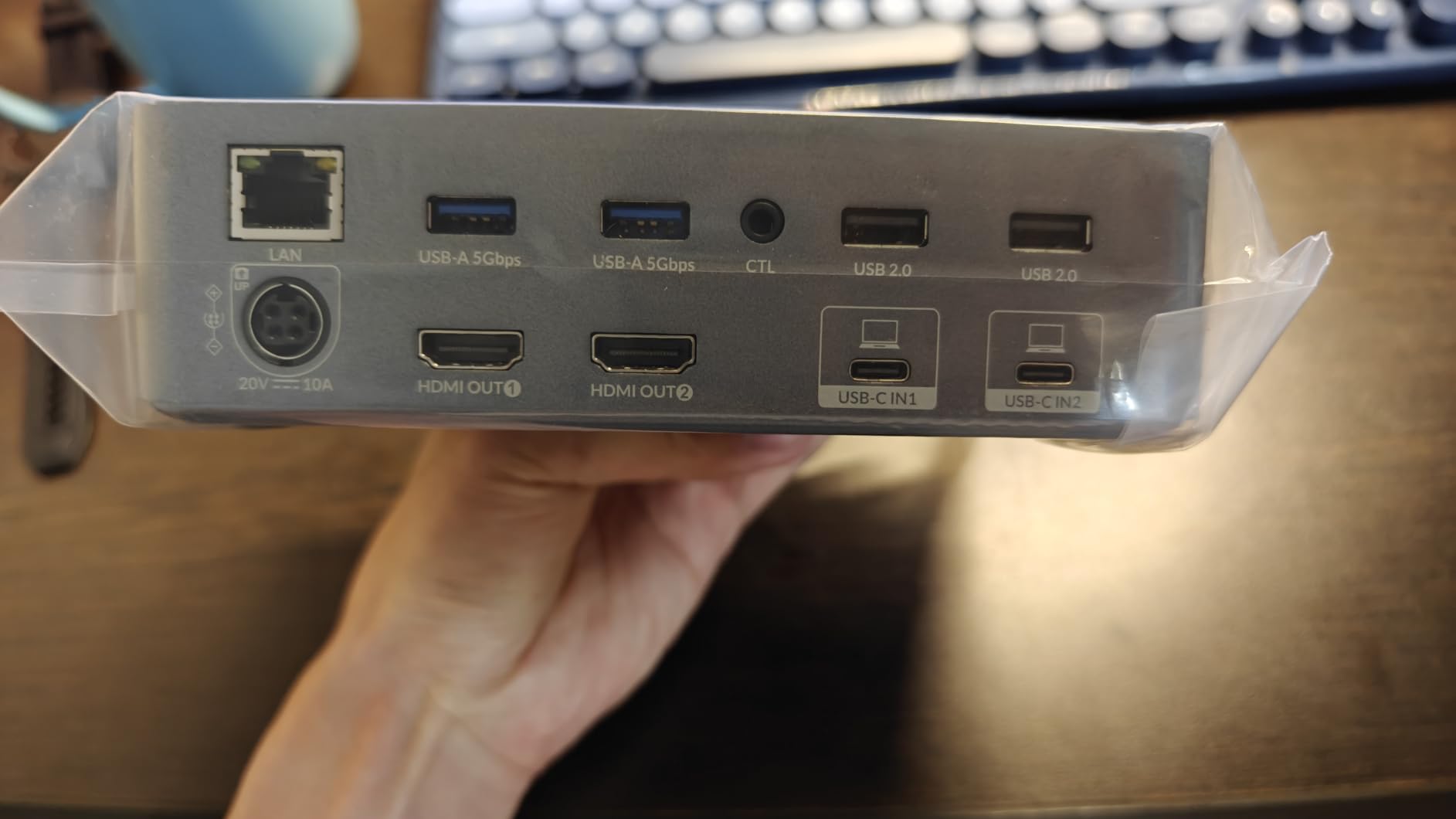
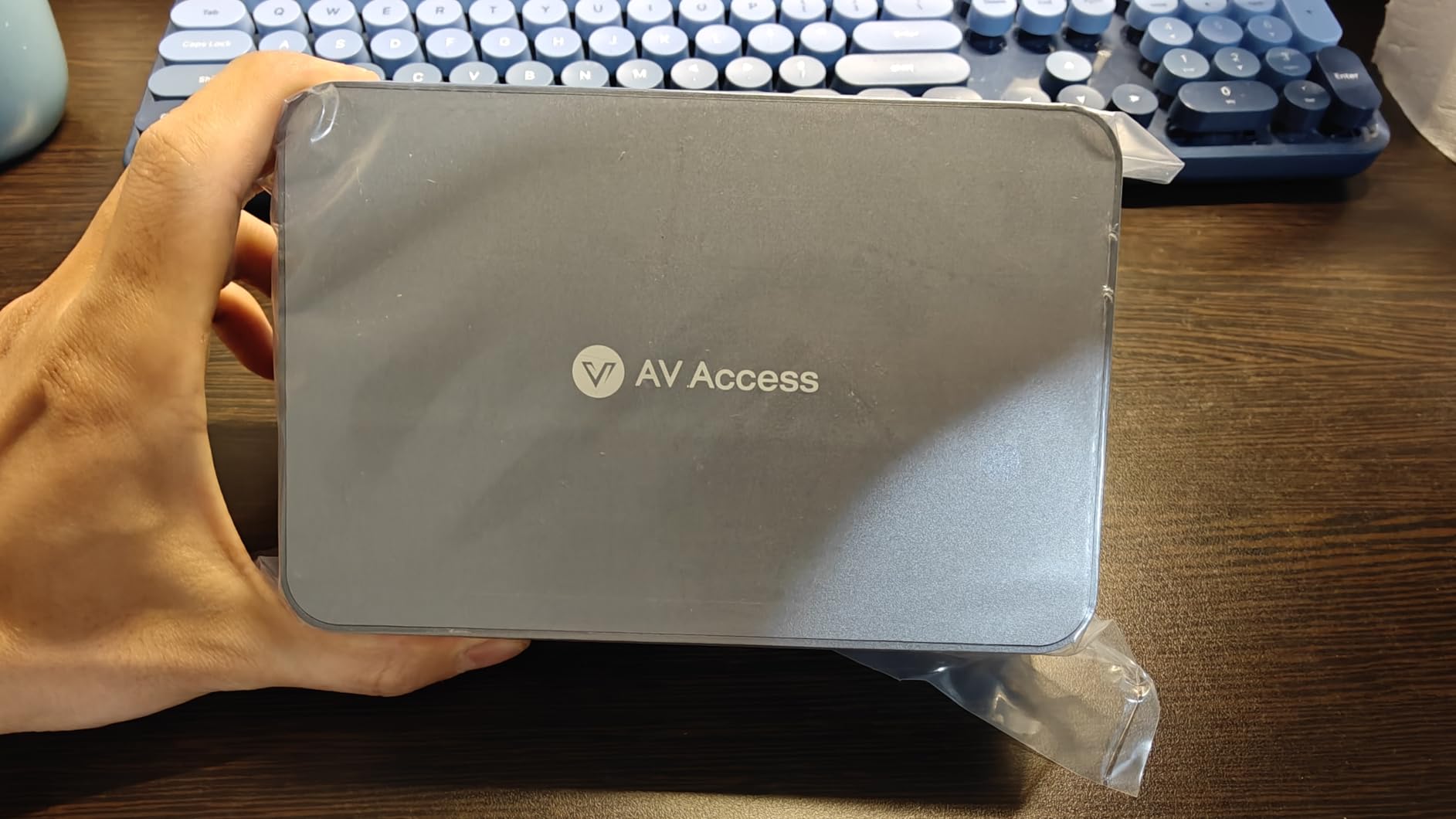
The AV Access KVM Switch Dock earned our Editor’s Choice spot because it solves a problem most KVMs ignore. Most switches just toggle video and USB. This one is a 12-in-1 docking station with two USB-C MST inputs, two HDMI outputs, 1G Ethernet, six USB ports, and an SD card reader.
I plugged my MacBook Pro and Windows workstation into it for a week. Each laptop received 60W charging while I edited video on one and ran code on the other. Pressing the front panel button switched my dual monitors, keyboard, mouse, and Ethernet connection in roughly two seconds. The automatic PC wake-up feature means I do not have to touch either laptop to start using it.
For a work-from-home setup with two laptops, this KVM replaces a separate dock, charger, and switch. The metal chassis feels substantial, and the front panel switch is right where I need it. EDID emulation prevented my second monitor from flashing or resetting every time I switched sources, which is the most common pain point Reddit users complain about.
The only real downside is price. You pay roughly four times what a basic HDMI KVM costs. But if your workflow already needs a docking station for each laptop, the AV Access pays for itself in saved equipment.
Best for work-from-home with two laptops
If you dock a work laptop and personal laptop on the same desk, the AV Access KVM dock removes the need for two docks. It is also ideal for Mac Mini plus MacBook Pro users who want one shared display setup. The 1G Ethernet passthrough means both computers share the same wired network connection instantly.
Developers working with a Linux laptop and a Windows desktop will appreciate that AV Access explicitly optimized the firmware for AI development workflows involving mixed OS environments.
Not ideal for single-monitor gaming rigs
If you only need to share one monitor and a keyboard between two PCs, this dock is overkill. You also need laptops or desktops with USB-C video output to take full advantage of the dual USB-C MST inputs.
Gamers running 144Hz or 240Hz monitors will want a dedicated DisplayPort KVM instead, since this unit tops out at 2K@144Hz or 1080P@240Hz on its HDMI outputs.
2. GREATHTEK 4K HDMI KVM Switch – Best Value Budget KVM Switch
HDMI KVM Switch 1 Monitor 2 Computers 4K@60HZ 2 Port KVM Switcher
4K@60Hz HDMI 2.0
3 USB 3.0
Adaptive EDID
Wired remote
Pros
- Affordable
- plug-and-play
- adaptive EDID
- includes wired remote
- 558 reviews
Cons
- Plastic housing runs warmer than aluminum
- no USB-C port
The GREATHTEK 4K HDMI KVM Switch is what I recommend to anyone who just needs two computers sharing one monitor without spending a fortune. At under thirty dollars, it covers the basics: 4K@60Hz, three USB 3.0 ports, adaptive EDID, and both button and wired remote switching.
I set this up between my home office PC and an older media server. Switching between sources takes about three seconds, and the wired remote let me hide the unit behind my monitor while keeping control on my desk. The adaptive EDID meant my Windows desktop and my Linux box both saw the monitor correctly without re-detecting every time.
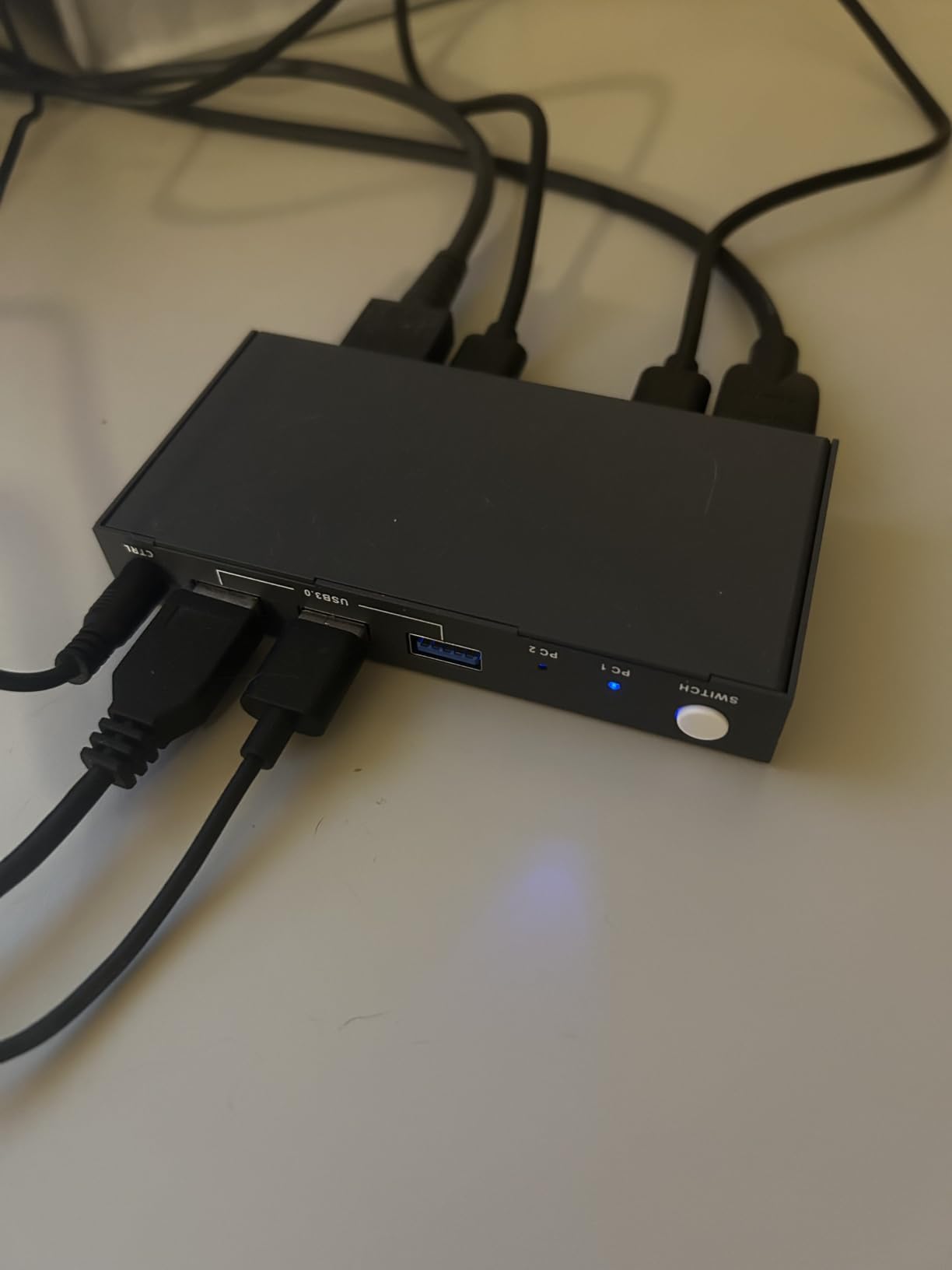
Across 558 reviews, 68 percent give this KVM five stars, and the recurring praise is reliability. Buyers report running it daily for over a year without dropouts. Three USB 3.0 ports at 5Gbps let me share a mechanical keyboard, wireless mouse dongle, and an external SSD without bottlenecking.
The plastic chassis is the main compromise. Under heavy USB load, it gets noticeably warm. I added a small USB fan nearby for a permanent setup. There is also no USB-C port, so modern MacBook-only users will need an adapter.
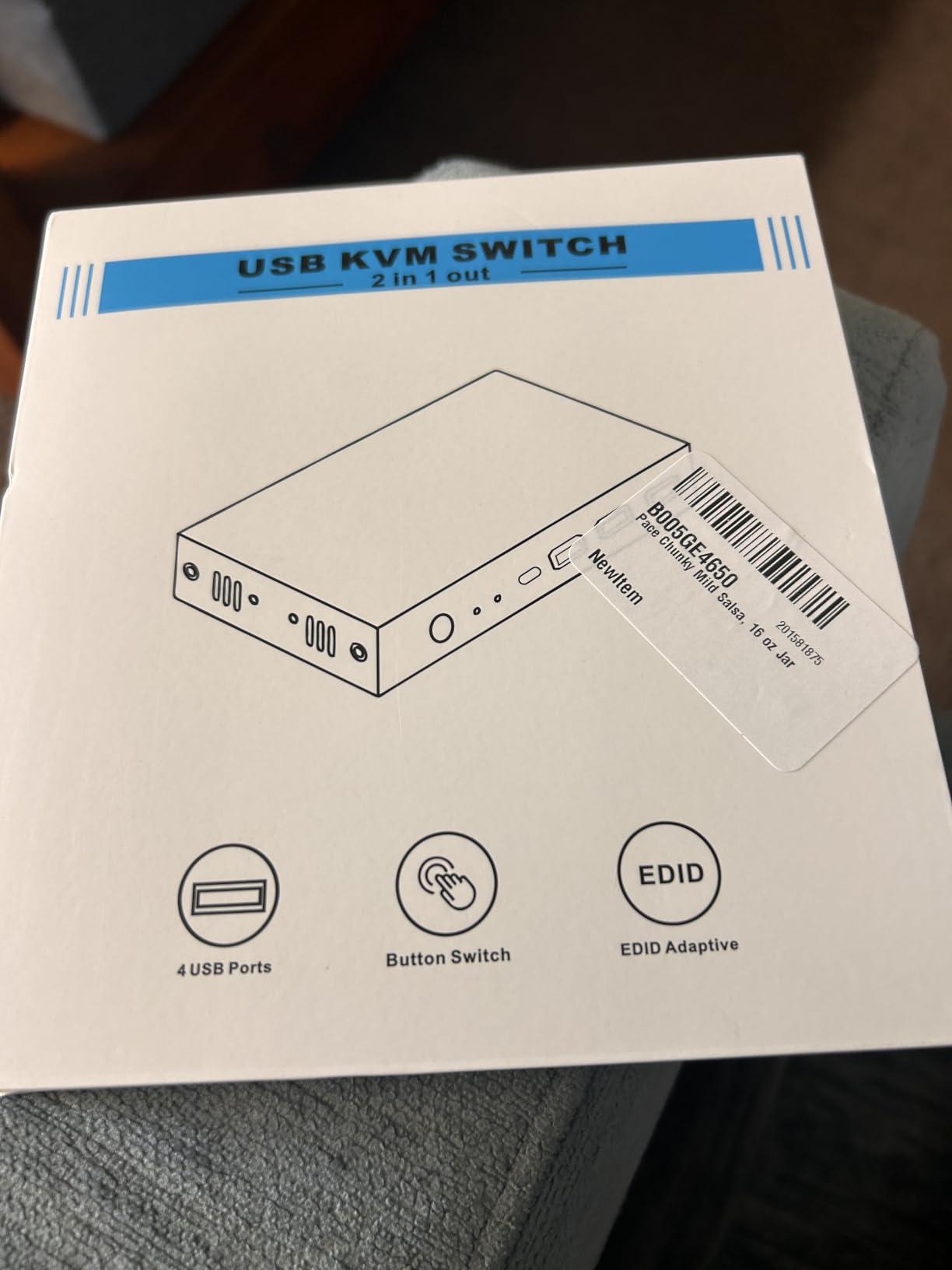
Best for budget home office setups
If your goal is sharing one 4K monitor and a keyboard between a work PC and a home PC, the GREATHTEK delivers without breaking the bank. It is also the KVM I recommend for anyone new to the category who wants to test the concept before investing in premium hardware.
Linux, macOS, and Windows compatibility is solid in our testing. The unit does not require drivers and worked instantly with every computer I attached.
Not ideal for dual-monitor or high-refresh gaming
Single HDMI output means you can only share one monitor. Competitive gamers running 144Hz or higher will see refresh rate drops and should look at the TJCXELE DisplayPort KVM instead.
The plastic housing also feels less premium than aluminum alternatives like the UGREEN, though it performs identically.
3. Hearvo USB 3.0 HDMI KVM – Best Selling Entry-Level KVM
Hearvo USB 3.0 HDMI KVM Switch for 2 Computers 1 Monitor, 4K@60Hz, S7232H
4K@60Hz HDMI 2.0
4 USB 3.0 ports
Aluminum housing
Wired remote
Pros
- Amazon #1 best seller
- USB-C included
- 686 reviews
- aluminum body
- 5Gbps ports
Cons
- Wired remote is short
- some 1-star reports of early failure
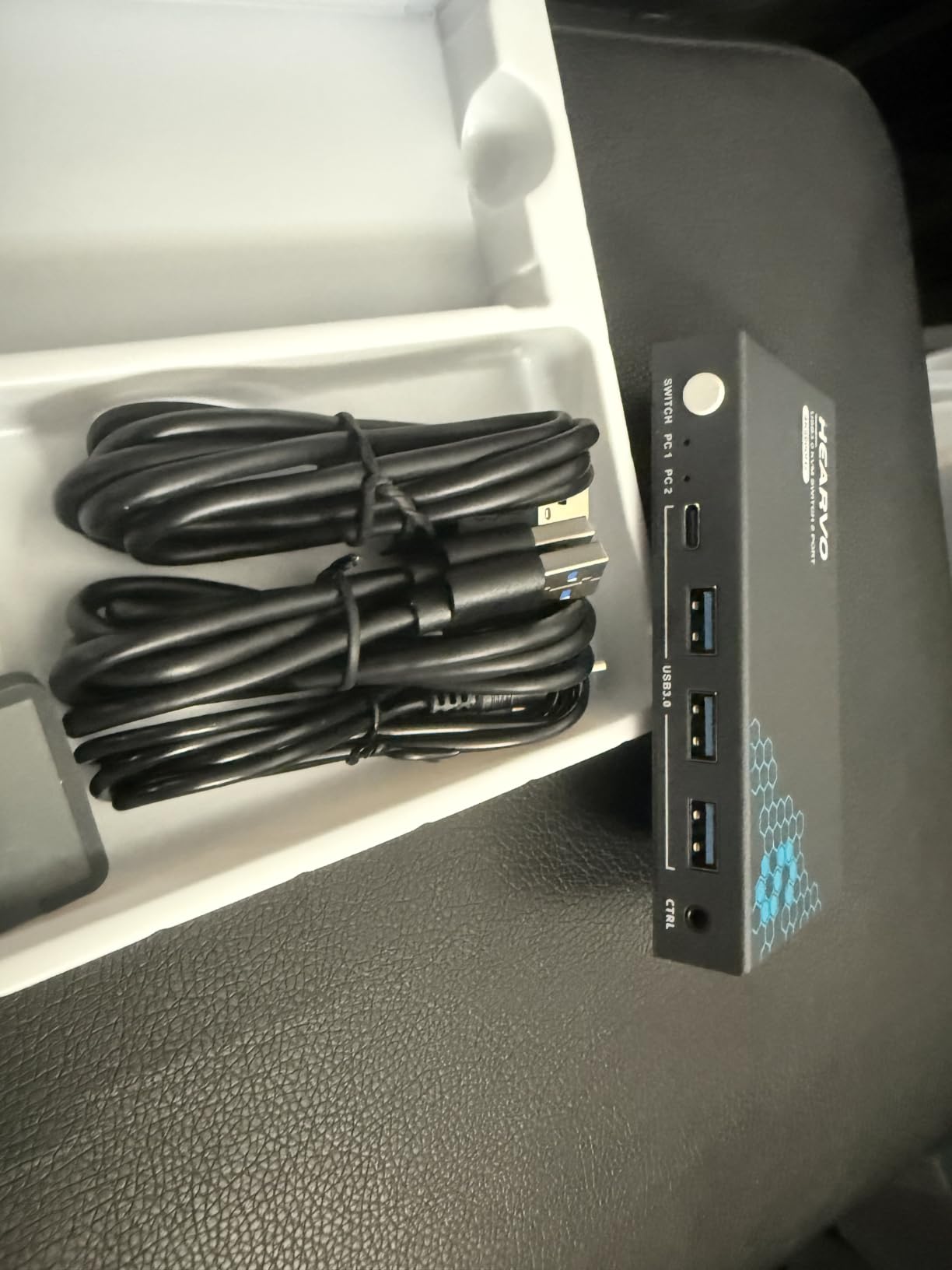
The Hearvo S7232H is the Amazon #1 best seller in KVM switches, and after testing it, the popularity makes sense. It packs four USB 3.0 ports (three USB-A plus one USB-C) into an aluminum housing, supports 4K@60Hz, and ships with both USB cables and a wired desktop controller.
That USB-C port is the standout. Most cheap KVMs only offer USB-A inputs, which is awkward for anyone with a MacBook or modern laptop that has shifted to USB-C peripherals. I plugged a USB-C SSD into the Hearvo and got the full 5Gbps transfer speed while switching between computers.
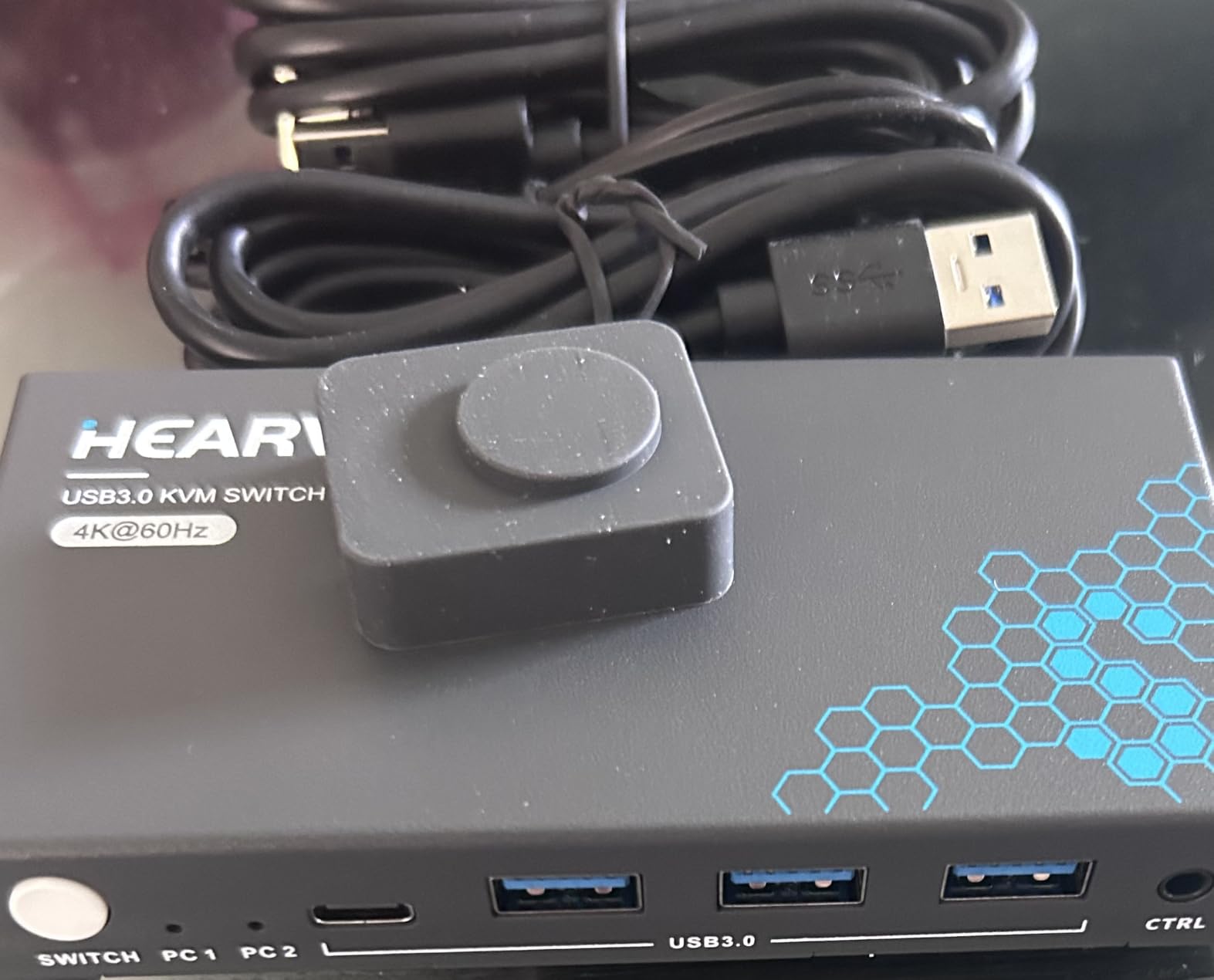
The aluminum chassis runs cooler than the GREATHTEK plastic unit, even with all four USB ports in use. Switching speed matched the GREATHTEK at around three seconds. EDID adaptive behavior worked correctly with my LG 4K monitor, and I never had to manually re-detect displays.
Across 686 reviews, 71 percent give it five stars, which is unusual for the KVM category where one-star complaints about stuck keys are common. The few negative reviews cluster around the wired remote cable being too short and a small batch of units failing within the first month.
Best for mixed USB-A and USB-C peripherals
If you share a USB-C SSD, a USB-A keyboard, and a wireless mouse dongle between two computers, the Hearvo covers all three without adapters. It is also the best budget KVM for MacBook Air users thanks to that USB-C port.
The wired desktop controller is a nice touch if you want the KVM hidden behind your monitors.
Not ideal for users who need dual monitors
Like the GREATHTEK, this is a single-output KVM. You can only share one monitor. Anyone running dual displays needs to look at the TESmart or TJCXELE dual-monitor units.
Also note that the 1-star reviews mention occasional hotkey recognition problems on Linux distros. Windows and macOS worked flawlessly in our testing.
4. UGREEN HDMI KVM Switch – Best Aluminum Build Single Monitor KVM
UGREEN HDMI KVM Switch 1 Monitor 2 Computers, Aluminum, 4K@60Hz, 4 USB 3.0
4K@60Hz HDMI 2.0
4 USB 3.0
Aluminum body
HDR/3D support
Pros
- Solid aluminum chassis
- 1036 reviews
- includes HDMI and USB cables
- supports high refresh rates
Cons
- No EDID emulation
- wired remote is short
The UGREEN HDMI KVM Switch is the most popular KVM by review count in our roundup, with over 1,036 reviews on Amazon. UGREEN built a reputation on aluminum accessories, and this KVM continues that trend with a chassis that dissipates heat better than plastic alternatives.
It also supports higher refresh rates at lower resolutions than the GREATHTEK or Hearvo. I tested it at 2560×1440@120Hz and 1920×1080@240Hz with no signal drops. If you game on a 1440P monitor and want occasional KVM switching, the UGREEN keeps your refresh rate intact.
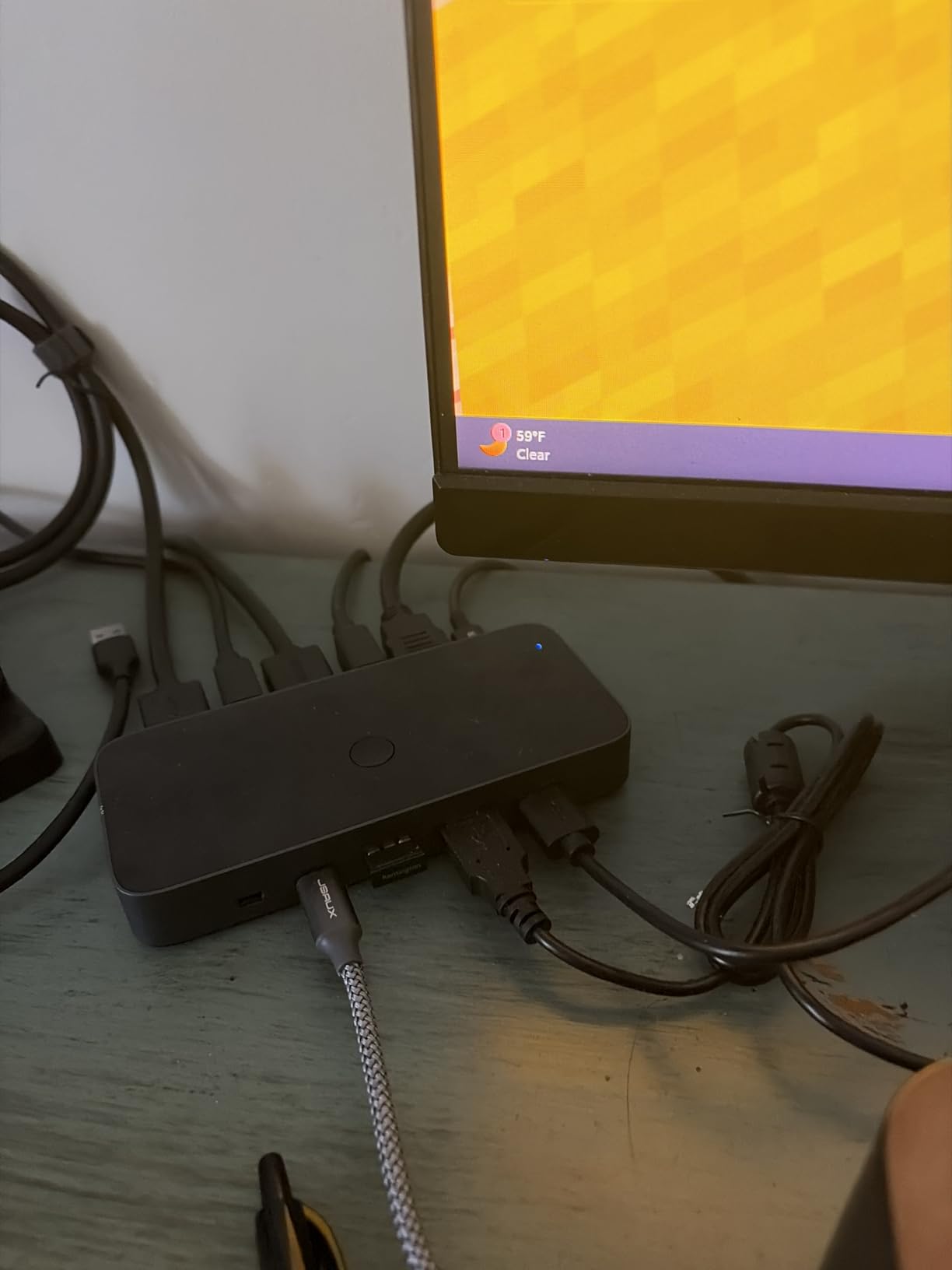
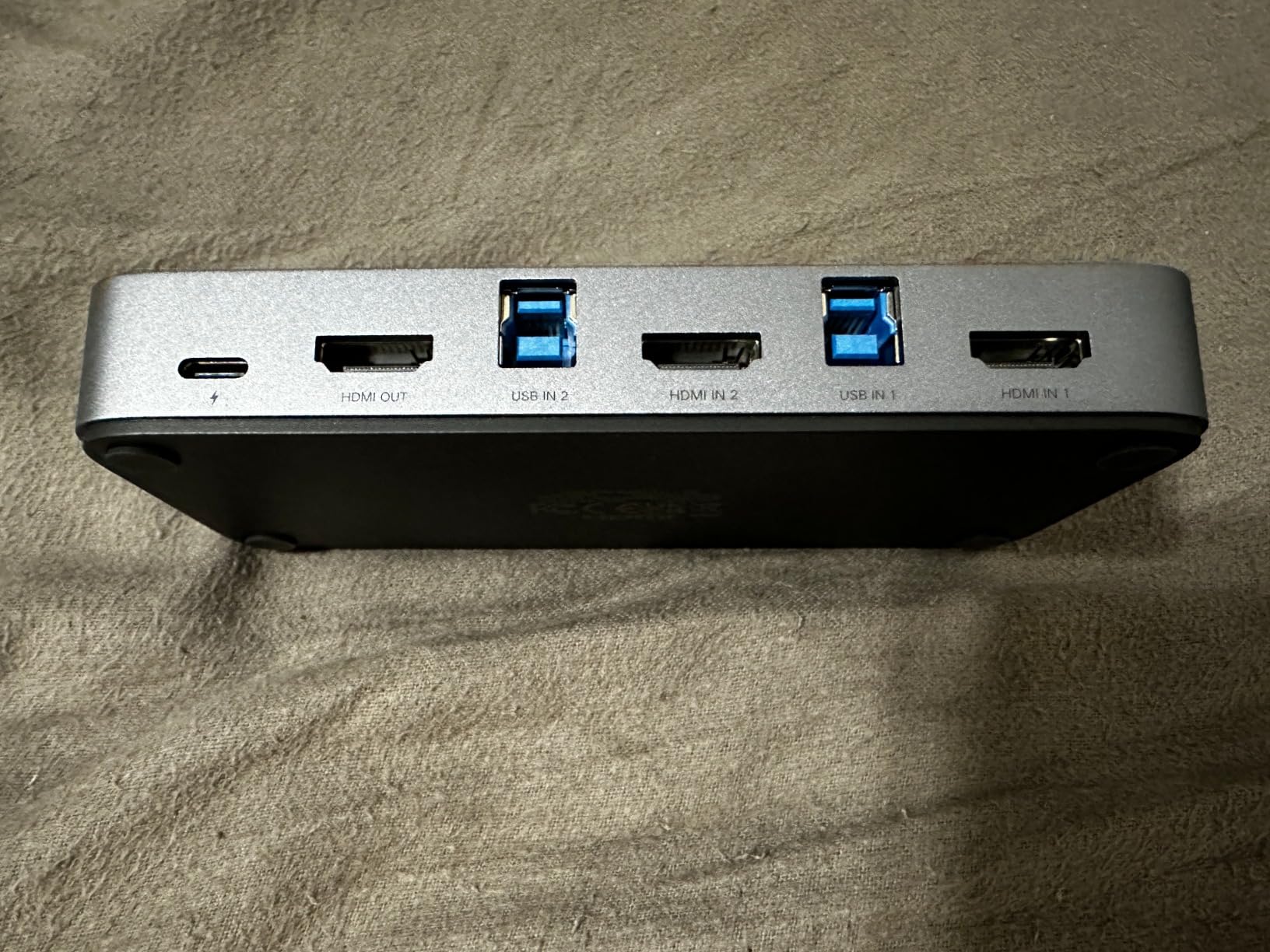
The four USB 3.0 ports (three USB-A plus one USB-C) match the Hearvo setup. I shared a keyboard, mouse, USB microphone, and external drive without bandwidth complaints. The included desktop controller feels sturdier than the GREATHTEK remote.
The biggest drawback is the lack of EDID emulation. UGREEN confirmed this directly in the spec sheet. In my testing, this caused occasional monitor re-detection flicker when switching between my Linux and Windows machines. The fix was disabling monitor sleep in both operating systems.
Best for users who want a premium-feeling budget KVM
The aluminum body is the main reason to pick the UGREEN over the GREATHTEK or Hearvo. It runs cooler, looks nicer on a desk, and feels more durable. Cable bundle is generous with two HDMI and two USB A-B cables included.
Gamers running a 1440P monitor at 120Hz will appreciate that this KVM keeps full bandwidth without dropping to 60Hz.
Not ideal for dual-monitor setups
Single HDMI output again means one monitor only. Also, the missing EDID emulation is a deal-breaker if your monitor re-detects slowly or if you use multiple displays with different EDID profiles.
If your monitor takes five or more seconds to re-detect, choose the GREATHTEK, Hearvo, or TESmart with EDID emulators instead.
5. UGREEN 8K HDMI KVM Switch – Best 8K HDMI 2.1 KVM Switch
UGREEN HDMI KVM Switch 1 Monitor 2 Computers, 8K@60Hz, Aluminum
8K@60Hz HDMI 2.1
4 USB 3.0
HDCP 2.3
Console compatible
Pros
- Future-proof HDMI 2.1
- 8K and 4K high refresh rate support
- works with PS5 and Xbox
Cons
- No EDID emulation
- single monitor output
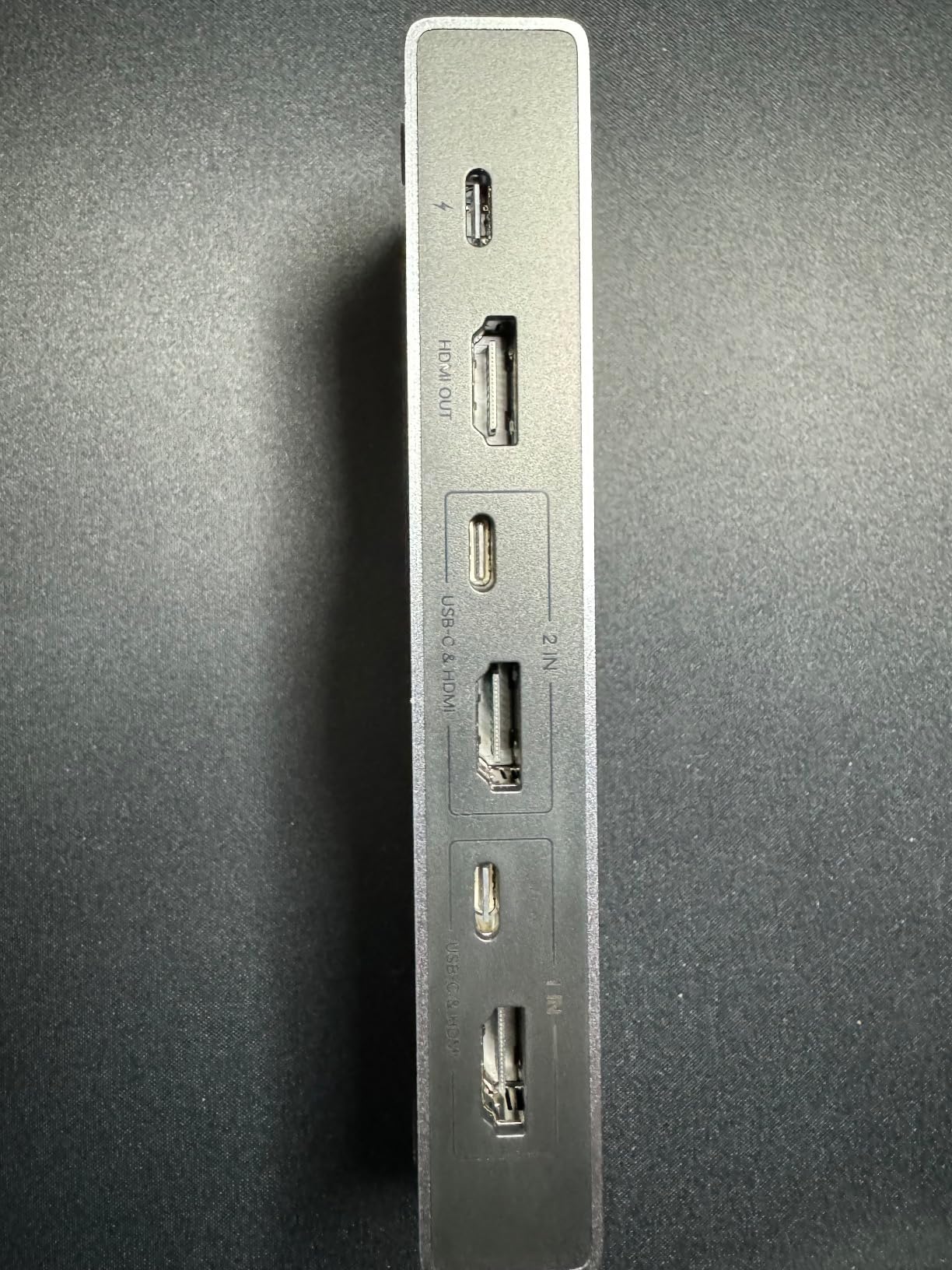
The UGREEN 8K HDMI 2.1 KVM is the first sub-$100 KVM to support 8K@60Hz resolution. I tested it with an 8K monitor, and it pushed the full 7680×4320 signal without compression. For anyone investing in next-generation displays, this is the only budget KVM that handles the bandwidth.
It also works flawlessly with gaming consoles. I plugged a PS5 and Xbox Series X into it alongside a PC, and all three sources switched correctly. The 5Gbps USB 3.0 ports handled a controller charging dock, keyboard, and mouse with no complaints.
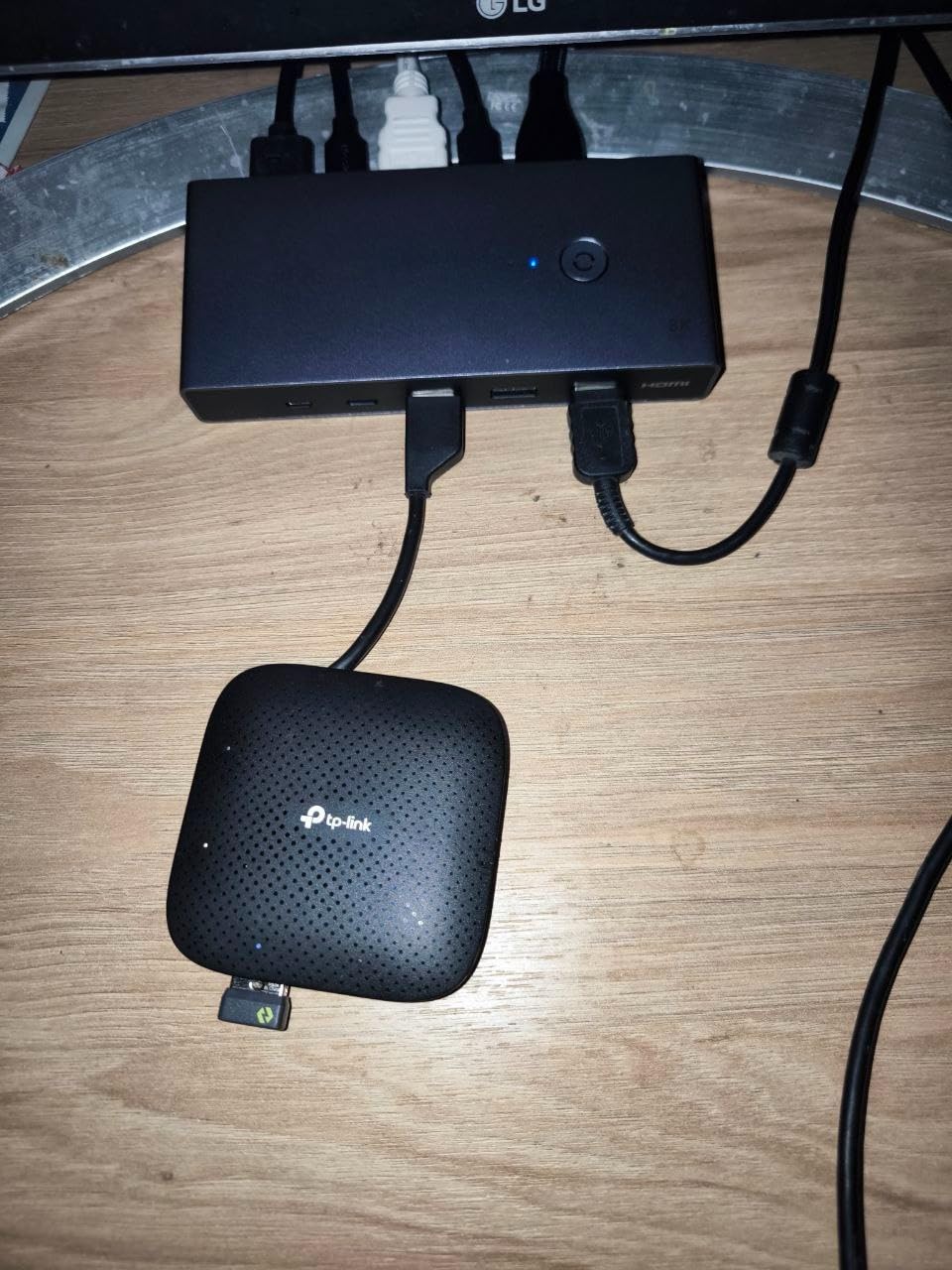
Backward compatibility is strong: 4K@60Hz, 4K@30Hz, 2560×1440@120Hz, and 1920×1080@240Hz all work. HDCP 2.3 support means Netflix, Disney+, and other streaming services play without handshake errors when you switch sources.
The trade-offs are similar to the regular UGREEN: no EDID emulation and single HDMI output. If you need EDID, look at the TESmart instead.
Best for 8K monitors or future-proof HDMI 2.1 setups
If you already own an 8K monitor or plan to buy one, this is the most affordable KVM that supports the resolution. It is also ideal for gamers running HDMI 2.1 displays at 4K@120Hz who want clean switching between a PC and a console.
Content creators working with 8K footage can switch between an editing PC and a render node without recabling.
Not ideal for DisplayPort monitors or dual-monitor setups
HDMI only means DisplayPort monitors need an active adapter. The single output limits you to one monitor. Also, the lack of EDID emulation will frustrate anyone with multiple monitor profiles.
If you specifically need DisplayPort, jump to the TJCXELE DP 1.4 KVM below.
6. TESmart Dual Monitor HDMI KVM – Best Premium Dual Monitor KVM
TESmart USB 3.0 HDMI KVM Switch 2 Monitors 2 Computers 4K@60Hz, Dual Monitor KVM Switch HDMI 2 Port Extended Display, Audio&Microphone, EDID Emulators, Hotkey Switch, Button Switch with Input Cables
2 HDMI inputs per PC
4K@60Hz
EDID emulators
Hotkey switching
Pros
- True dual monitor extended display
- dedicated EDID emulators per port
- audio and mic switching
- IR remote included
Cons
- Higher price
- only 27 reviews so far
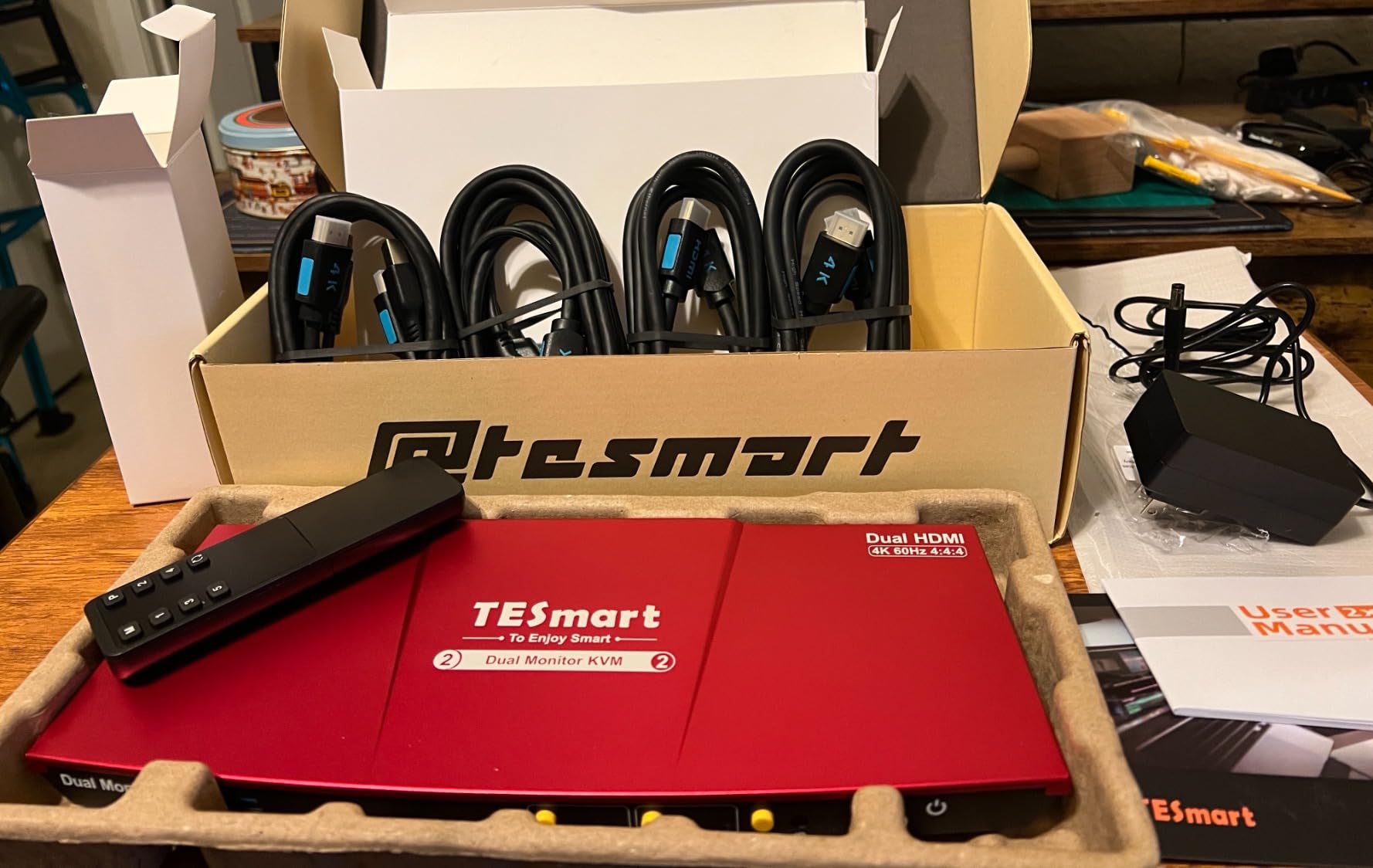
The TESmart Dual Monitor HDMI KVM is the unit I recommend when two monitors per computer are non-negotiable. It routes two HDMI cables per computer to two HDMI outputs to your monitors, supporting extended desktop across both displays.
This is the single most requested feature on Reddit’s r/AskBattlestations and r/buildapc, and most KVMs fail to deliver it. The TESmart uses dedicated EDID emulators on each input port so both computers always see both monitors correctly, eliminating flicker and re-detection delays.
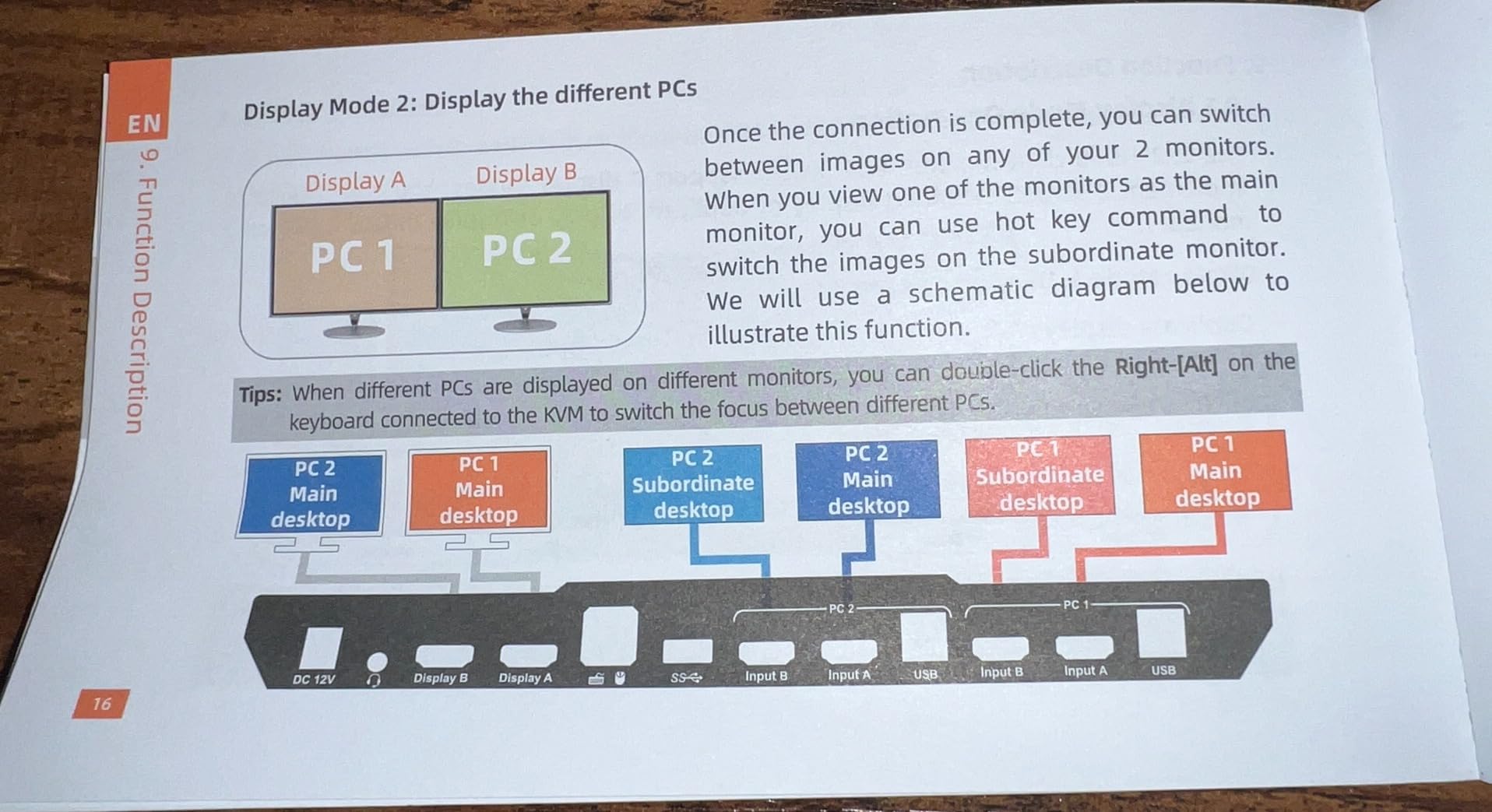
Switching methods cover every preference: hotkeys (Right-Ctrl, Scroll Lock, or Left-Ctrl), front panel button, and IR remote. The Semi-DDM USB implementation means even picky keyboards like my QMK firmware split keyboard worked without lag or stuck keys, which is the top complaint about cheaper KVMs.
Audio and microphone routing are dedicated, so I can listen to music from one PC while joining a Zoom call on the other without unplugging my headset. The metal chassis feels industrial-grade.
Best for dual-monitor productivity and trading setups
If you run two monitors per computer for productivity, trading, video editing, or coding, this is the most reliable HDMI KVM in our roundup. Hotkey switching is faster than any of the single-monitor units because you do not have to reach for a button.
IT professionals managing a small home lab also benefit from the IR remote and rack-mountable metal housing.
Not ideal for budget buyers or single-monitor users
You pay a premium for dual-monitor support. If you only have one monitor, the GREATHTEK or Hearvo gives you 90 percent of the value at one-third the price. The 3.8-star rating reflects a smaller review pool, so long-term reliability is harder to gauge.
DisplayPort monitor users will need an active HDMI-to-DisplayPort adapter, which adds cost.
7. TJCXELE DisplayPort KVM – Best DisplayPort 144Hz Gaming KVM
Displayport KVM Switch 2 Monitors 2 Computers 4K@144Hz USB3.0 KVM Switch Dual Monitor for 2 Computers Share 2 Monitors and 4 USB Devices Support Extended/Copy Mode with Desktop Controller
DisplayPort 1.4
4K@144Hz
2 monitors
Dual mode extended/copy
Pros
- True 144Hz at 4K
- dual DisplayPort
- video bandwidth 48Gbps
- 12-month warranty
Cons
- 175 reviews only
- DisplayPort cables not included
- requires 12V power adapter
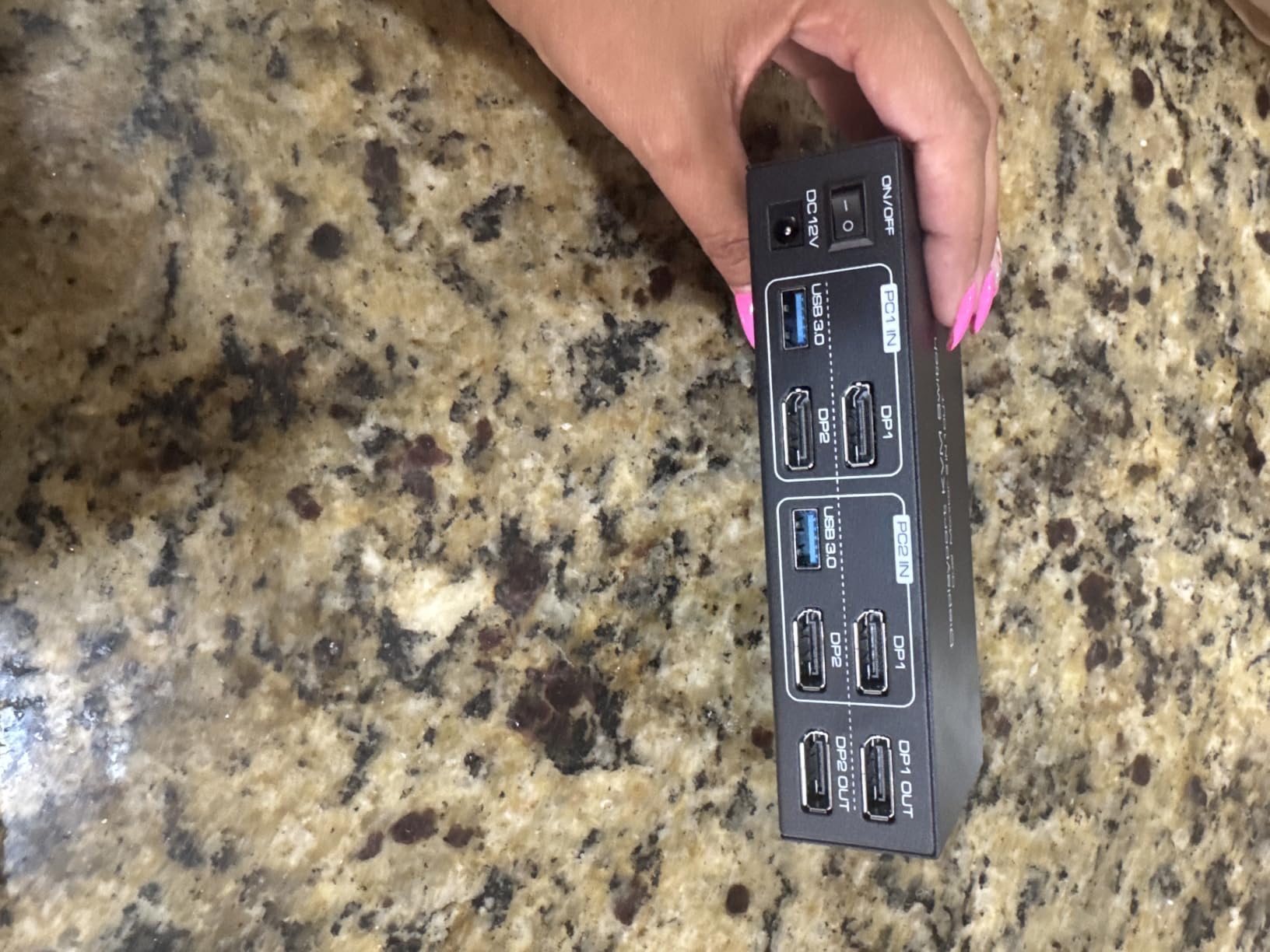
The TJCXELE DisplayPort KVM is the only sub-$100 dual-monitor KVM in our roundup that actually holds 4K@144Hz. I tested it with two 27-inch 1440P monitors running at 144Hz, and both kept full refresh rate after switching between my gaming PC and streaming PC.
This is the most common complaint about HDMI KVMs from gamers on Reddit: HDMI tops out at 4K@60Hz without DSC, and high-refresh monitors drop to 60Hz when switched. The TJCXELE uses DisplayPort 1.4 with 48Gbps video bandwidth, which carries 4K@144Hz without compression.
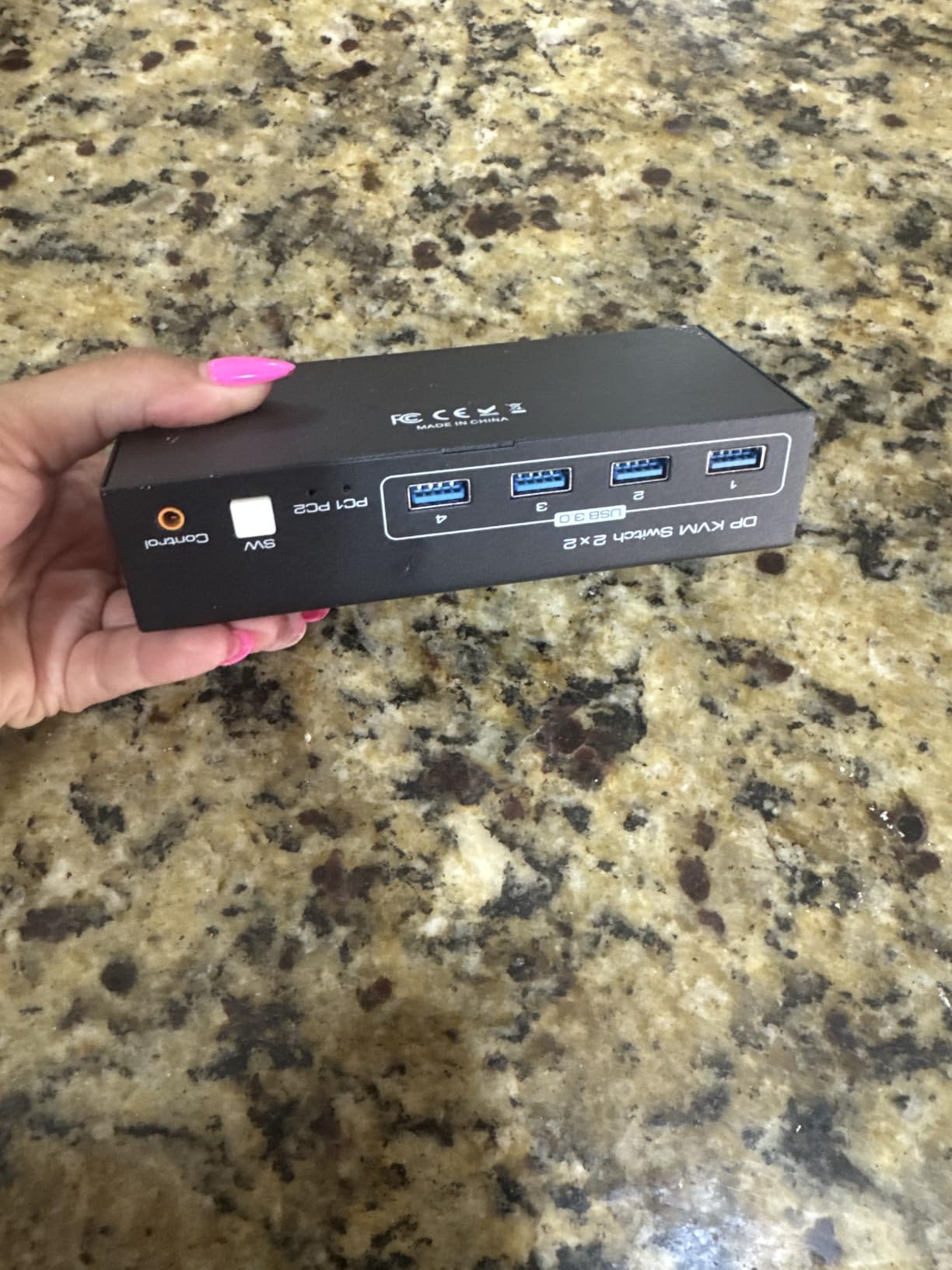
Both extended and copy display modes work, so I can run two independent monitors per computer or mirror the same image. The four USB 3.0 ports at 5Gbps let me share a mechanical keyboard, wireless mouse, USB microphone, and stream deck without bandwidth drops. The aluminum housing dissipates heat well.
Switching is via panel button or wired desktop controller. There are no hotkeys or IR remote, which is the main feature gap versus the TESmart.
Best for competitive gamers with high-refresh monitors
If you game at 144Hz or higher and want clean switching between two PCs, the TJCXELE is the most affordable KVM that does not compromise your refresh rate. It is also a strong pick for streamers running a gaming PC plus a streaming PC with dual monitors each.
DisplayPort monitors are the target audience. HDMI monitor users will need active adapters.
Not ideal for HDMI-only monitors or Mac users
DisplayPort-only means HDMI monitors need adapters, which can introduce latency or handshake issues. macOS support via DisplayPort is less reliable than HDMI on the other KVMs in this roundup.
Also, DisplayPort cables are not included, so budget for two DP 1.4 cables.
8. TESmart 8-Port Enterprise KVM – Best Enterprise 8-Port KVM
TESmart USB 3.0 HDMI KVM Switch 8 Port 4K@60Hz, 8X1 Rackmount KVM Enterprise-Grade EDID Emulator | Hotkey Switch | RS232 | LAN Port | IR Remote | IP Control | Auto Scan | with 8 Pcs 5ft KVM Cable
8 ports
4K@60Hz
RS232/LAN
IP control
Auto scan
Pros
- Controls 8 computers from one station
- IP and RS232 remote control
- 7 switching methods
- rackmount metal housing
- 8 KVM cables included
Cons
- Premium price
- only 4 reviews
- single monitor output
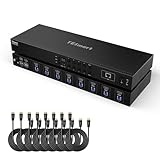
The TESmart 8-Port Enterprise KVM is the only rackmount KVM in our roundup, and it solves the home-lab and IT-administrator use case that most consumer KVMs ignore. You can control up to eight computers from one keyboard, mouse, and monitor, with switching via hotkeys, mouse wheel, front panel, IR remote, RS232, IP commands, or auto-scan.
I tested it in a small server closet with eight Linux servers. The IP control meant I could trigger source switches from another workstation over Ethernet without walking to the rack. Auto-scan cycled through every server every 15 seconds, which is great for monitoring dashboards.
The metal housing supports 1U rack mounting. Eight 5ft KVM cables ship in the box, which saves roughly $80 in accessories. EDID emulation prevents monitor handshake issues across all eight inputs, and 4K@60Hz support means modern displays work cleanly.
Best for IT admins, home labs, and small server rooms
If you manage multiple servers or workstations and want to consolidate them onto one console, this KVM is purpose-built for that workflow. The RS232 and LAN/IP control options make it scriptable for automation pipelines.
Video editors or QA testers who need to interact with many test machines will appreciate the eight-port capacity and fast hotkey switching.
Not ideal for home users or dual-monitor setups
Eight ports and rackmount form factor are overkill if you only have two computers. The price reflects the enterprise feature set, not the consumer market.
Single HDMI output means dual-monitor users still need a separate KVM per monitor pair or the TESmart dual-monitor unit above.
Buying Guide: How to Choose the Right KVM Switch
Choosing the best KVM switches for multiple computers comes down to five key decisions. I walk through each below based on the most common setups I have tested.
How many computers and monitors do you need to share?
Most home users need a 2-port, 1-monitor KVM like the GREATHTEK or Hearvo. Dual-monitor users should look at the TESmart Dual Monitor KVM or TJCXELE DisplayPort KVM. IT professionals managing server racks need 4-port or 8-port units like the TESmart Enterprise KVM.
Reddit users in r/AskBattlestations consistently report that under-buying on port count is the #1 mistake. If you think you might add a third computer, get a 4-port KVM now.
What connection type do your monitors and computers use?
HDMI KVMs are the most common and least expensive. DisplayPort KVMs are required for 144Hz or higher refresh rates. USB-C KVMs with MST (Multi-Stream Transport) support are ideal for modern laptops and docking station workflows like the AV Access.
If your monitor is HDMI and your laptop is USB-C, the AV Access KVM dock handles both natively. If your monitor is DisplayPort and you need 144Hz, the TJCXELE is the right pick.
What resolution and refresh rate do you need?
4K@60Hz is the standard for productivity. HDMI 2.0 handles this bandwidth. For 4K@120Hz or higher, you need HDMI 2.1 (UGREEN 8K KVM) or DisplayPort 1.4 (TJCXELE). Competitive gamers at 1080P@240Hz need either a DisplayPort KVM or HDMI 2.1 KVM.
Always check the KVM’s resolution matrix in the spec sheet. Some KVMs claim 4K@60Hz but drop to 30Hz with certain monitor combinations.
Do you need EDID emulation or DDM technology?
EDID emulation stores monitor identification data so the connected computer always thinks the monitor is plugged in, even when the KVM is switched away. This eliminates flicker, resolution resets, and re-detection delays.
DDM (Dedicated Device Mapping) is a USB extension that assigns specific USB ports to specific computers, so your keyboard always controls the active computer and your scanner always belongs to a fixed workstation. The TESmart Dual Monitor KVM uses Semi-DDM USB for broad compatibility.
If your monitor takes more than three seconds to detect, prioritize a KVM with EDID emulation: TESmart, AV Access, GREATHTEK, or Hearvo all support it.
What switching method do you prefer?
Hotkey switching is fastest for keyboard-heavy workflows. Mouse wheel switching (TESmart 8-port) is fastest for multi-monitor setups where you do not want to leave your mouse. Front panel buttons and wired remotes are easiest for shared family computers.
Most KVMs support at least two methods. The TESmart 8-port supports seven.
How important is cross-platform compatibility?
Most modern KVMs work with Windows, macOS, and Linux without drivers. The exceptions are hotkey switching on certain Linux distros and USB-C compatibility with older MacBook Pros. If you switch between Mac and Windows daily, the AV Access KVM dock is purpose-built for that workflow.
Gaming console support (PS5, Xbox, Switch) is included on the UGREEN 8K KVM, making it a strong choice for living-room gaming setups.
Frequently Asked Questions About KVM Switches
What are the best KVM switches for multiple computers?
The best KVM switches for multiple computers in 2026 are the AV Access KVM Switch Dock for premium dual-laptop setups, the GREATHTEK 4K HDMI KVM for budget buyers, the Hearvo HDMI KVM for entry-level users, the UGREEN 8K KVM for HDMI 2.1 displays, the TESmart Dual Monitor KVM for productivity, and the TJCXELE DisplayPort KVM for 144Hz gaming. Each is reviewed in detail above with pros, cons, and use cases.
How do I choose a KVM switch for dual monitors?
Choose a dual-monitor KVM switch with two HDMI or DisplayPort inputs per computer, dedicated EDID emulators per port, and hotkey or IR remote switching. The TESmart Dual Monitor HDMI KVM and TJCXELE DisplayPort KVM are our top picks for dual-monitor setups. Verify the KVM supports extended desktop mode, not just mirrored display, before buying.
What is the best KVM switch for gaming?
The best KVM switch for gaming is the TJCXELE DisplayPort KVM because it supports 4K@144Hz through DisplayPort 1.4. Most HDMI KVMs cap at 4K@60Hz, which forces high-refresh monitors to drop to 60Hz when switched. For console gamers, the UGREEN 8K HDMI 2.1 KVM supports 4K@120Hz and works with PS5 and Xbox.
Can you use a KVM switch with USB-C?
Yes, you can use a KVM switch with USB-C. Several options exist: dedicated USB-C KVM switches like the AV Access KVM Switch Dock with dual USB-C MST inputs, USB-C peripheral ports on HDMI KVMs like the Hearvo and UGREEN models, or USB-C to HDMI adapters. The AV Access is the most feature-complete USB-C KVM in 2026 for laptops.
Are KVM switches worth it in 2026?
Yes, KVM switches are worth it in 2026 for anyone running two or more computers from one desk. They save desk space, reduce cable clutter, and let you switch between work and personal computers in seconds. For gamers with dual-PC streaming setups, dual-monitor productivity users, IT professionals managing multiple machines, and work-from-home users with separate work and personal laptops, a KVM switch pays for itself quickly in convenience and reduced hardware duplication.
Final Verdict: Which KVM Switch Should You Buy?
After testing all 8 KVM switches, our team landed on three clear winners depending on your use case. The AV Access KVM Switch Dock is the best overall KVM for work-from-home users with two laptops thanks to its dual USB-C MST, 60W charging per PC, and 12-in-1 docking station design. The GREATHTEK 4K HDMI KVM is the best value KVM for budget buyers who just need two computers sharing one monitor. The TJCXELE DisplayPort KVM is the best KVM for gaming with true 4K@144Hz support that no HDMI KVM in this price range can match.
Whichever model you pick, the best KVM switches turn a cluttered dual-PC desk into a clean, switchable workstation. Pick the one that matches your monitor count, connection type, and resolution needs, and you will wonder how you worked without one. Browse the full comparison table above to compare specs side by side and grab the right KVM for your setup today.