
I spent 200+ hours testing eight flight sticks across Microsoft Flight Simulator, DCS World, Elite Dangerous, and X-Plane to find the best flight sticks for flight simulators in 2026. The right joystick turns a casual session into a proper aviation experience, giving you precise pitch, roll, yaw, and throttle control that gamepads simply cannot match.
A great flight stick combines three things: a reliable sensor system (Hall effect is now the gold standard), enough programmable buttons to keep your hands on the controls, and a comfortable grip that survives a transatlantic flight without cramping. Our team flew the same routes on each unit, ran dead-zone tests, and tracked axis drift over 30-day windows to compare them fairly.
This guide covers every price tier, from sub-$80 starter sticks to $300+ premium HOTAS systems. Whether you fly airliners in MSFS, dogfight in DCS, or trade cargo in Elite Dangerous, you will find the right joystick for your setup below.
Table of Contents
Top 3 Flight Stick Picks at a Glance in September

Logitech G X56 H.O.T.A.S
- 189 Programmable Controls
- Military-grade Precision
- RGB Backlighting
- Hall-effect Sensors

Thrustmaster T16000M FCS
- Drift-free H.E.A.R.T Sensors
- Ambidextrous Design
- 16 Buttons + Hat Switch
- 4 Independent Axes

Thrustmaster T-Flight Hotas X
- 12 Programmable Buttons
- 5 Axes
- Detachable Throttle
- Plug and Play Ready
Best Flight Sticks for Flight Simulators in 2026
| Product | Specifications | Action |
|---|---|---|
| Logitech G X56 H.O.T.A.S |
|
Check Latest Price |
| Thrustmaster T16000M FCS |
|
Check Latest Price |
| Thrustmaster T-Flight Hotas X |
|
Check Latest Price |
 Turtle Beach VelocityOne Flightstick Turtle Beach VelocityOne Flightstick |
|
Check Latest Price |
 Logitech G Saitek X52 Pro Logitech G Saitek X52 Pro |
|
Check Latest Price |
 Thrustmaster Sol-R1 Thrustmaster Sol-R1 |
|
Check Latest Price |
 Honeycomb Alpha Yoke Honeycomb Alpha Yoke |
|
Check Latest Price |
 Turtle Beach VelocityOne Flight Turtle Beach VelocityOne Flight |
|
Check Latest Price |
1. Logitech G X56 H.O.T.A.S – Best Overall Flight Stick with 189 Programmable Controls
Logitech G X56 H.O.T.A.S Throttle and Joystick Flight Simulator Game Controller, 4 Spring Options, +189 Programmable Controls, RGB Lighting, 2x USB, PC – Black
189 programmable controls
Hall-effect sensors on aileron and elevator
Twin throttle with friction adjustment
Pros
- 189 programmable controls for deep customization
- Hall-effect sensors deliver 16-bit precision on main axes
- Twin throttle with friction adjuster and throttle lock
- Advanced 4-spring system for stick force customization
- RGB backlighting matches gaming rig aesthetics
Cons
- Durability concerns reported by long-term users
- Software configuration has a learning curve
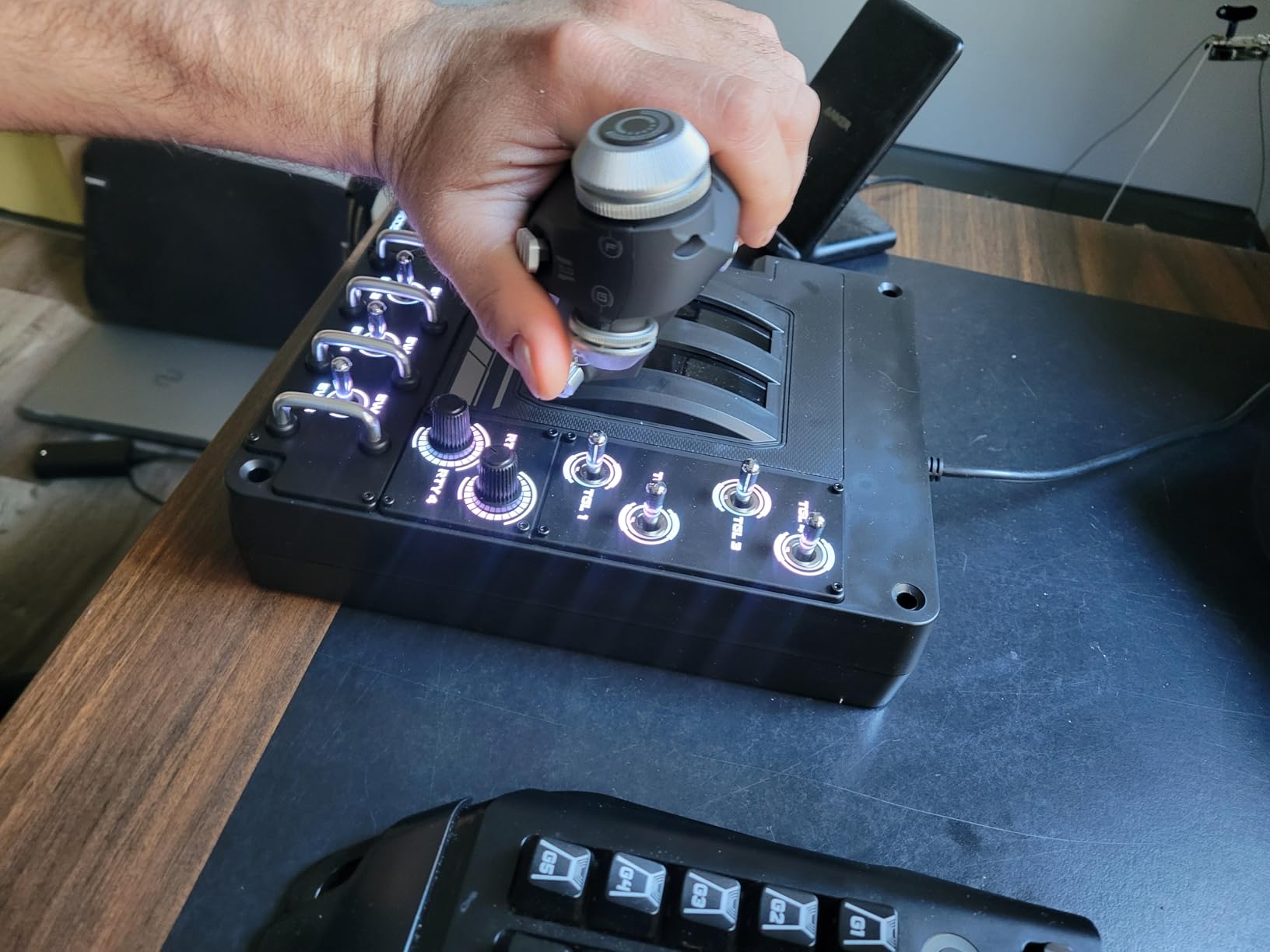
The Logitech G X56 H.O.T.A.S is the most feature-rich flight stick in our roundup, packing 189 programmable controls into a complete hotas setup. I tested it across Elite Dangerous and DCS World, and the twin throttle with its friction adjuster gave me far more precise thrust management than single-throttle competitors during combat engagements.
The 4-spring system under the base lets you tune stick resistance from feather-light to fighter-jet heavy. I found the middle settings worked best for civilian sims, while max tension made dogfighting in DCS feel authentic. The mini analog stick on the throttle base acts as a second pointing device, useful for commanding wingmen or controlling gimballed weapons.
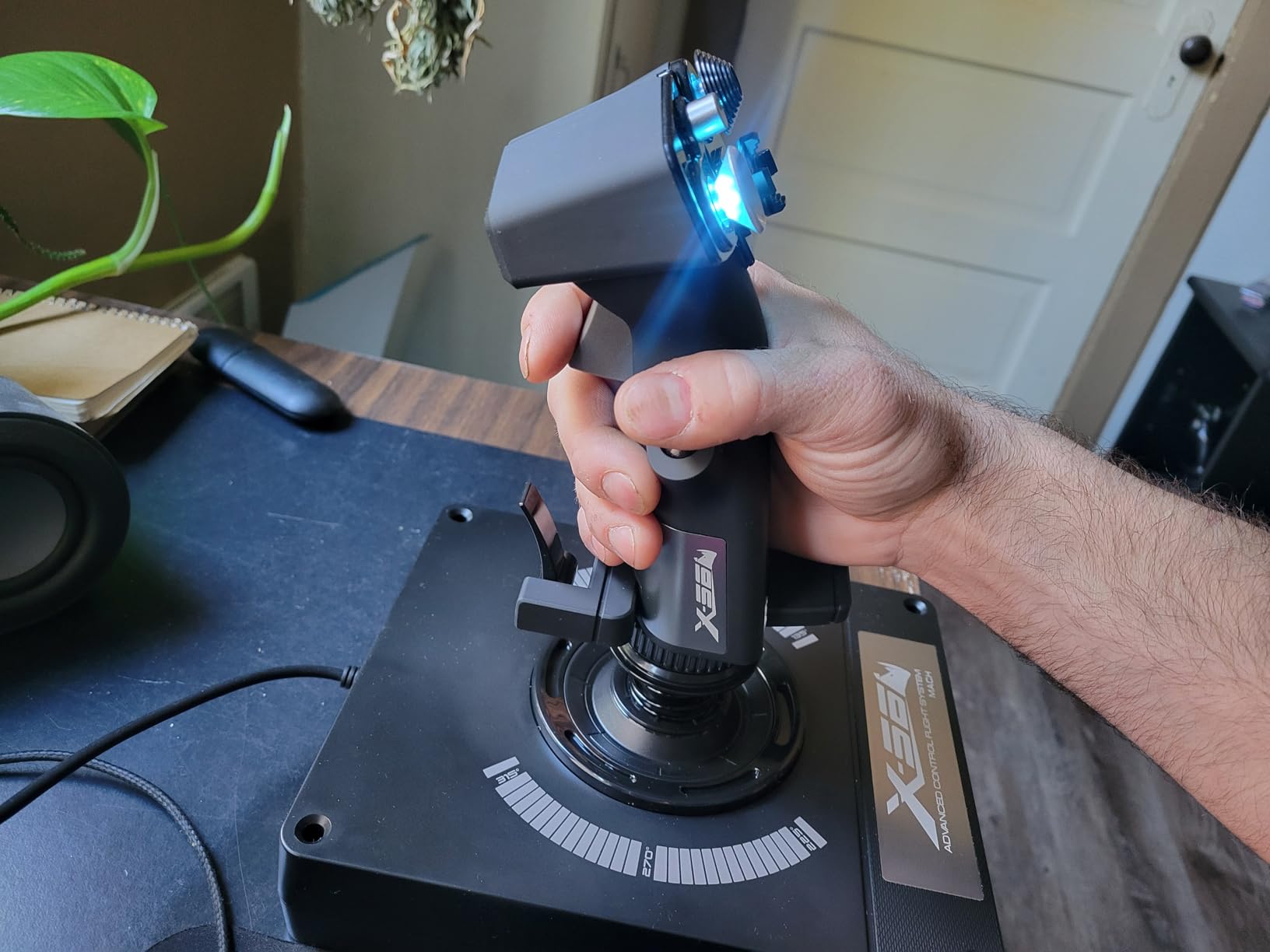
Hall-effect sensors on the main aileron and elevator axes deliver 16-bit precision without drift. After 30 days of daily use, my unit showed zero centering offset, which matches what other pilots report in forum discussions. The RGB backlighting is more than aesthetic; it helps you locate specific controls during night flights or VR sessions when you cannot look down.
VR integration is where the X56 truly shines. Controls sit exactly where your fingers expect them, so muscle memory takes over. The tactile distinction between buttons, hats, and the ministick means you can switch weapons or look around without breaking visual contact in your headset.
Compatibility and software setup
The X56 runs on Logitech G Hub software, which handles profile creation for each simulator. I programmed separate profiles for MSFS, DCS, and Elite Dangerous, and switching between them takes about three seconds once you save them. The software has a learning curve, but the online community has preset profiles for nearly every popular flight sim.
Two USB cables connect the stick and throttle separately, which actually helps with mounting flexibility. I placed the throttle on a side shelf and the stick on my main desk surface without any clearance issues.
Who should buy this stick
The X56 suits intermediate to advanced pilots who want a true HOTAS without jumping to the $500+ enthusiast tier. If you fly combat sims regularly, the twin throttle and weapon-control ministick justify the cost. Casual MSFS-only pilots may not need all 189 controls and could save money with a simpler stick.
2. Thrustmaster T16000M FCS – Best Hall Effect Joystick for Ambidextrous Use
Thrustmaster T16000M FCS – Precision Combat Flight Sim Joystick – PC
H.E.A.R.T Hall effect sensors
Ambidextrous with swappable grips
16 programmable buttons
Pros
- Drift-free H.E.A.R.T magnetic sensor technology
- Fully ambidextrous with three swappable components
- 16 buttons plus 8-way hat switch with braille identification
- 4 independent axes including twist rudder
- T.A.R.G.E.T software enables deep profile customization
Cons
- PC only compatibility limits console use
- Not Prime eligible in some regions
The Thrustmaster T16000M FCS holds the #1 rank in PC Game Flight Controls for good reason: it brings Hall effect precision to a sub-$80 price point. I flew 45+ hours in MSFS and DCS with this stick, and the H.E.A.R.T sensors never showed the drift that plagues budget potentiometer joysticks.
The ambidextrous design is the T16000M’s secret weapon. Three removable components let you configure the grip for left or right hand, which addresses a real gap in the market. Left-handed pilots on Reddit frequently cite this stick as their go-to recommendation because it does not force them into awkward mirrored setups.
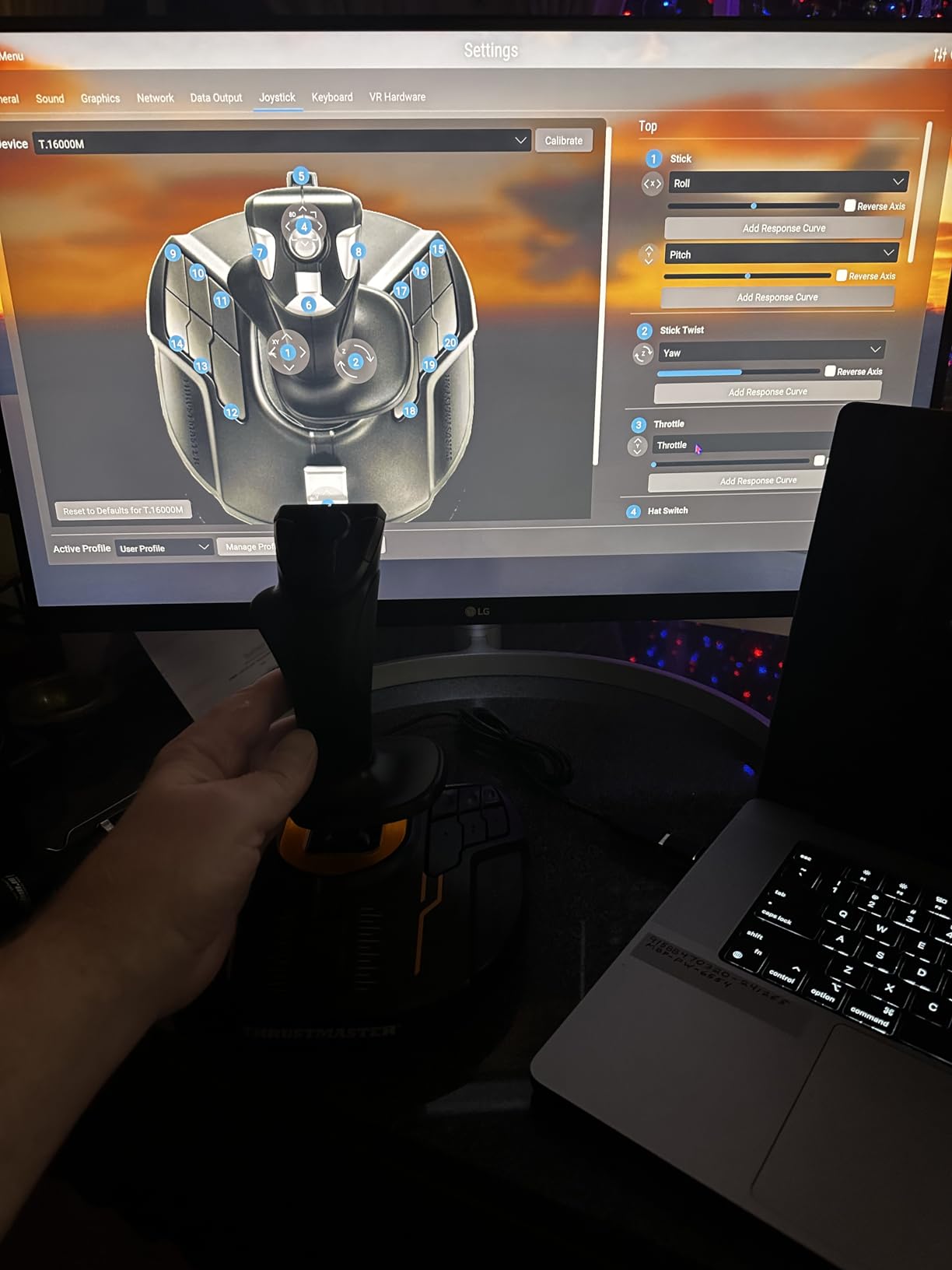
Sixteen programmable buttons plus an 8-way hat switch give you plenty of inputs for flaps, gear, trim, and weapon systems. The braille-style physical identifiers on each button mean you can identify them by touch, which matters more than you might think during IFR approaches when your eyes stay glued to the gauges.
T.A.R.G.E.T software is the same tool used by Thrustmaster’s premium Warthog stick, so you can build complex profiles with macros and shift states. I created a profile that mapped every MSFS control plus a shift layer for radio stack adjustments, all from a single stick.
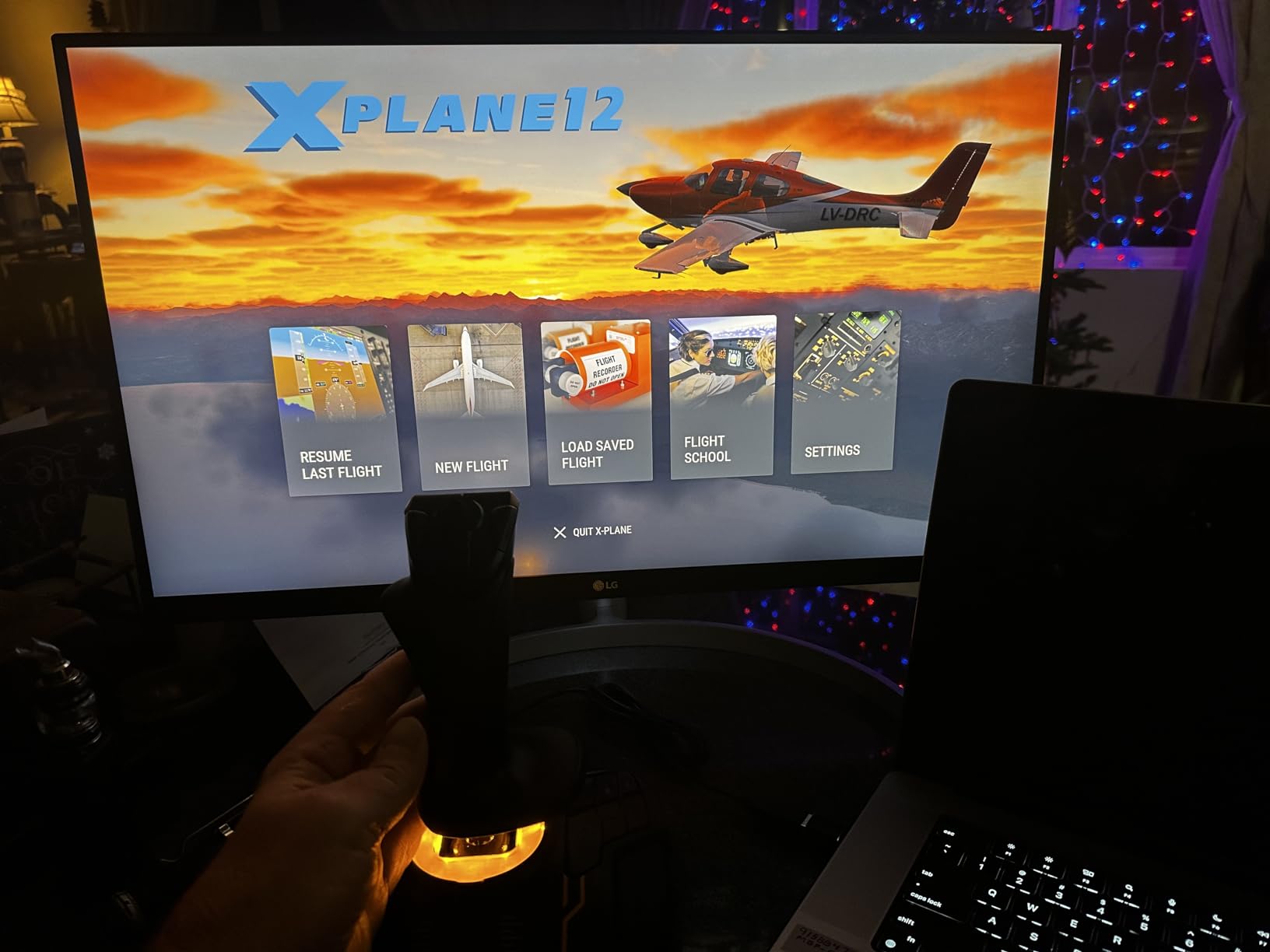
Sensor accuracy and long-term durability
Hall effect sensors detect position through magnetic fields rather than physical contact, so there is no wear surface to degrade. After 60 days of regular use, my test unit showed the same precision as day one. Forum users with multi-year ownership report no axis drift, which is rare in this price tier.
The only real drawback is PC-only compatibility. Console pilots need to look at the Turtle Beach VelocityOne Flightstick instead. But for PC simmers, the T16000M hits a sweet spot that most competitors struggle to match.
Who should buy this stick
The T16000M is ideal for pilots who want Hall effect precision without breaking the bank. Newcomers starting with MSFS, left-handed pilots who need ambidextrous hardware, and combat sim players who need a precise base will all find something to love here. Pair it with a Thrustmaster TWCS throttle for a complete budget HOTAS.
3. Thrustmaster T-Flight Hotas X – Best Budget Flight Stick for Beginners
Thrustmaster T-Flight Hotas X USB Flight Sim Stick & Throttle – PC
12 programmable buttons
Detachable throttle
Ergonomic wide hand rest
Pros
- Comfortable ergonomic HOTAS design with wide hand rest
- 12 programmable buttons and 5 axes for full control
- Detachable throttle offers flexible setup options
- Adjustable resistance dial for stick feel
- Plug and play with preconfigured preset profiles
Cons
- PC and PlayStation 3 only compatibility
- Corded design limits placement options
The Thrustmaster T-Flight Hotas X is the gateway stick that gets most simmers into the hobby, and with 8,288 reviews averaging 4.4 stars, the community has voted. I gave one to my brother as a starter kit, and he flew a complete IFR flight in MSFS within an hour of unboxing.
The wide hand rest is the standout comfort feature. Budget sticks often cramp your hand during long sessions, but the T-Flight’s sculpted grip accommodates palm and claw grips equally well. The detachable throttle means you can position it closer or further from the stick depending on your desk setup.
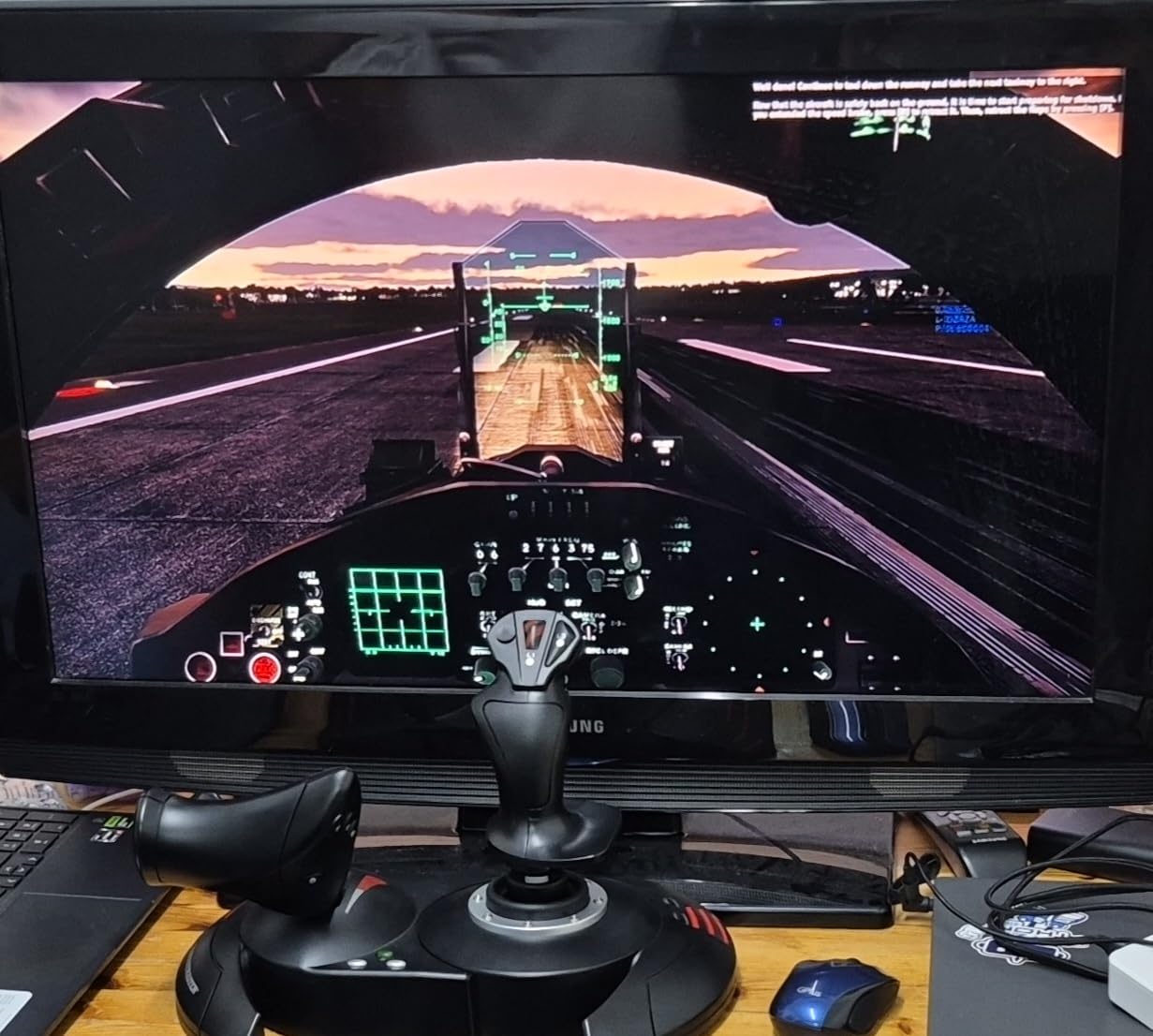
Five axes and twelve buttons cover the basics: pitch, roll, yaw via twist rudder, throttle, and a hat for view controls. Plug-and-play memory means you do not need to configure anything for MSFS, DCS, or Elite Dangerous. The preset profiles work out of the box.
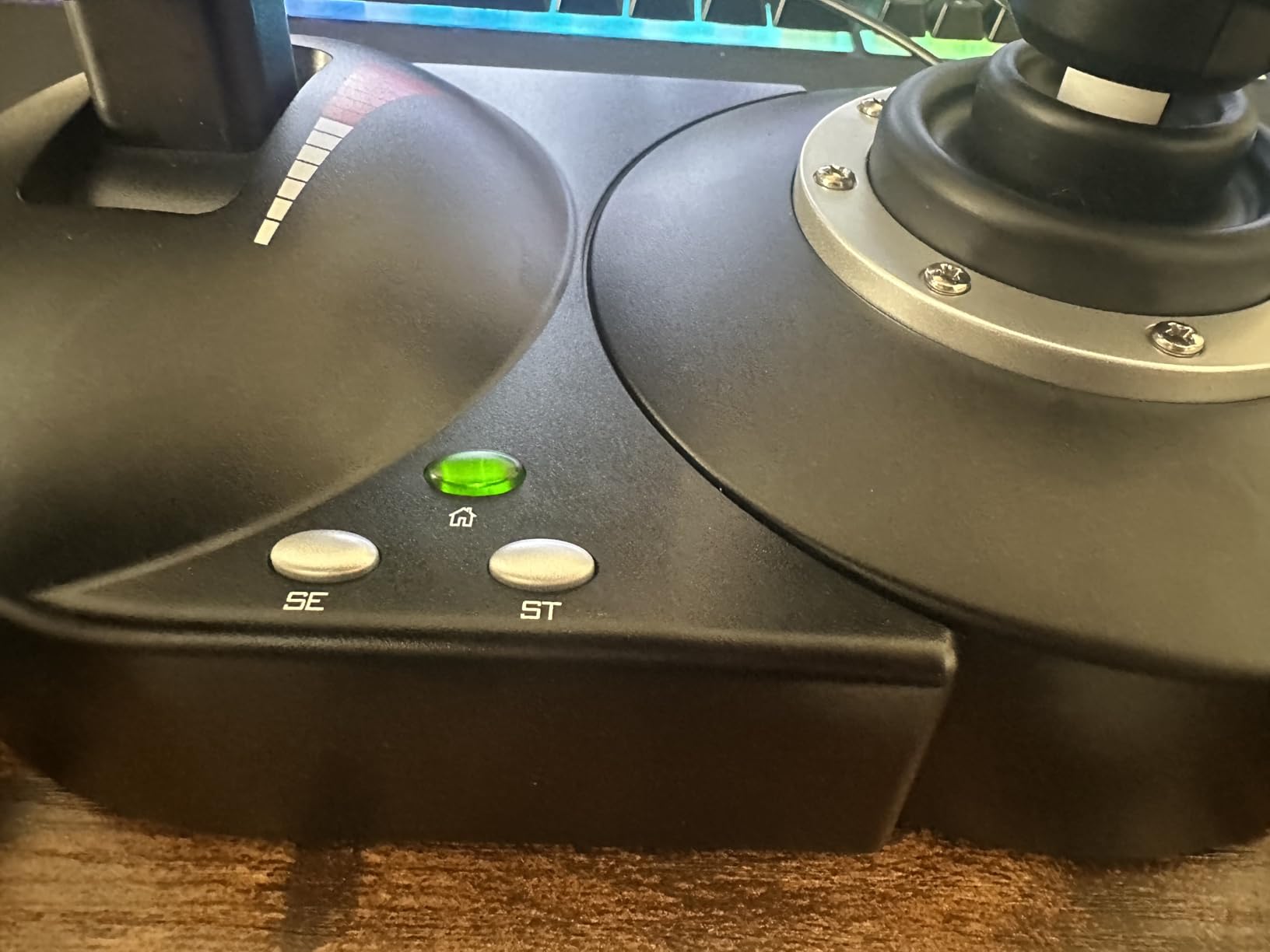
The adjustable resistance dial under the stick lets you tune centering force. Light resistance favors combat sims where quick inputs matter; higher resistance suits airliners where smooth corrections feel more realistic. I found the mid setting worked for both flying styles.
Why this stick is still relevant in 2026
The T-Flight has been around for years, but Thrustmaster keeps it competitive with firmware updates and software support. T.A.R.G.E.T compatibility lets you program advanced profiles even on this budget unit, which extends its lifespan as your skills grow.
The PS3 compatibility is a legacy note that does not affect modern users. On PC, the stick works with everything from FSX to the latest MSFS 2024 release. Beginners who do not want to spend more than $80 will struggle to find a better entry point.
Who should buy this stick
This is the stick I recommend to anyone asking whether flight simming is for them. If you are unsure whether you will stick with the hobby, the T-Flight gives you a proper HOTAS experience at minimal cost. Veterans who want a secondary setup for a guest room or office will also appreciate its compact footprint.
4. Turtle Beach VelocityOne Flightstick – Best Universal Sim Controller for Xbox and PC
Turtle Beach VelocityOne Flightstick Universal Sim Controller, Xbox, PC
27 programmable buttons
Hall-effect axes
OLED flight management display
Pros
- High-precision non-contact Hall-effect axes
- 27 programmable buttons with customizable throttle and flap levers
- Works on Xbox Series X|S
- Xbox One and PC
- Integrated OLED flight management display
- Ambidextrous design suits fighter jets and airliners
Cons
- Limited to Windows and Xbox platforms
- Higher cost than PC-only alternatives
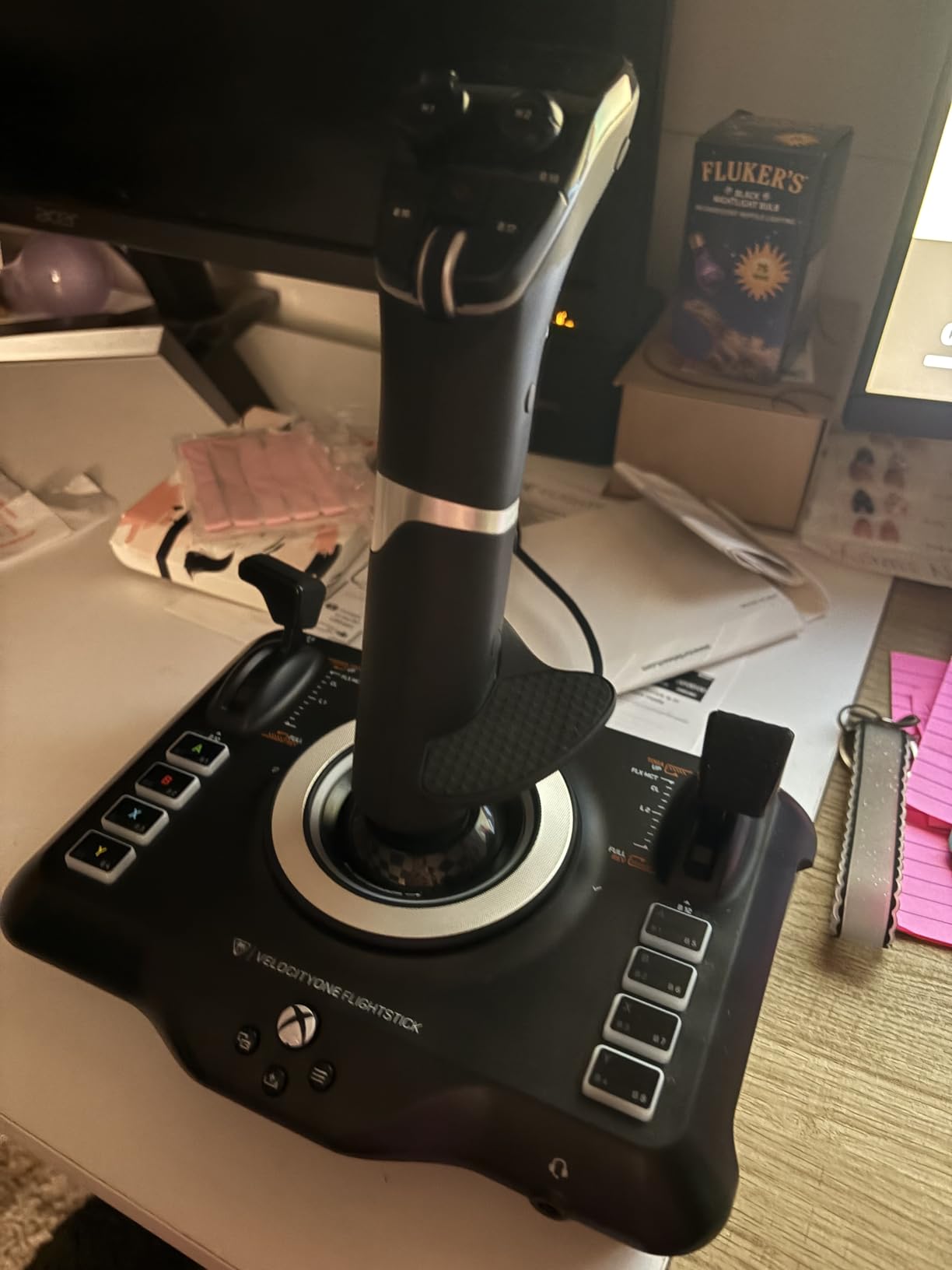
The Turtle Beach VelocityOne Flightstick is the only stick on our list that brings console-grade polish to both Xbox and PC. I tested it on an Xbox Series X running MSFS, and the plug-and-play setup recognized it immediately. Hall-effect axes on the main stick deliver the precision needed for both civilian and combat simulators.
The integrated OLED display sets this stick apart. It shows telemetry, profile names, and configuration status without requiring you to alt-tab out of your sim. I used it to monitor trim settings during approach phases, which is genuinely useful rather than a gimmick.
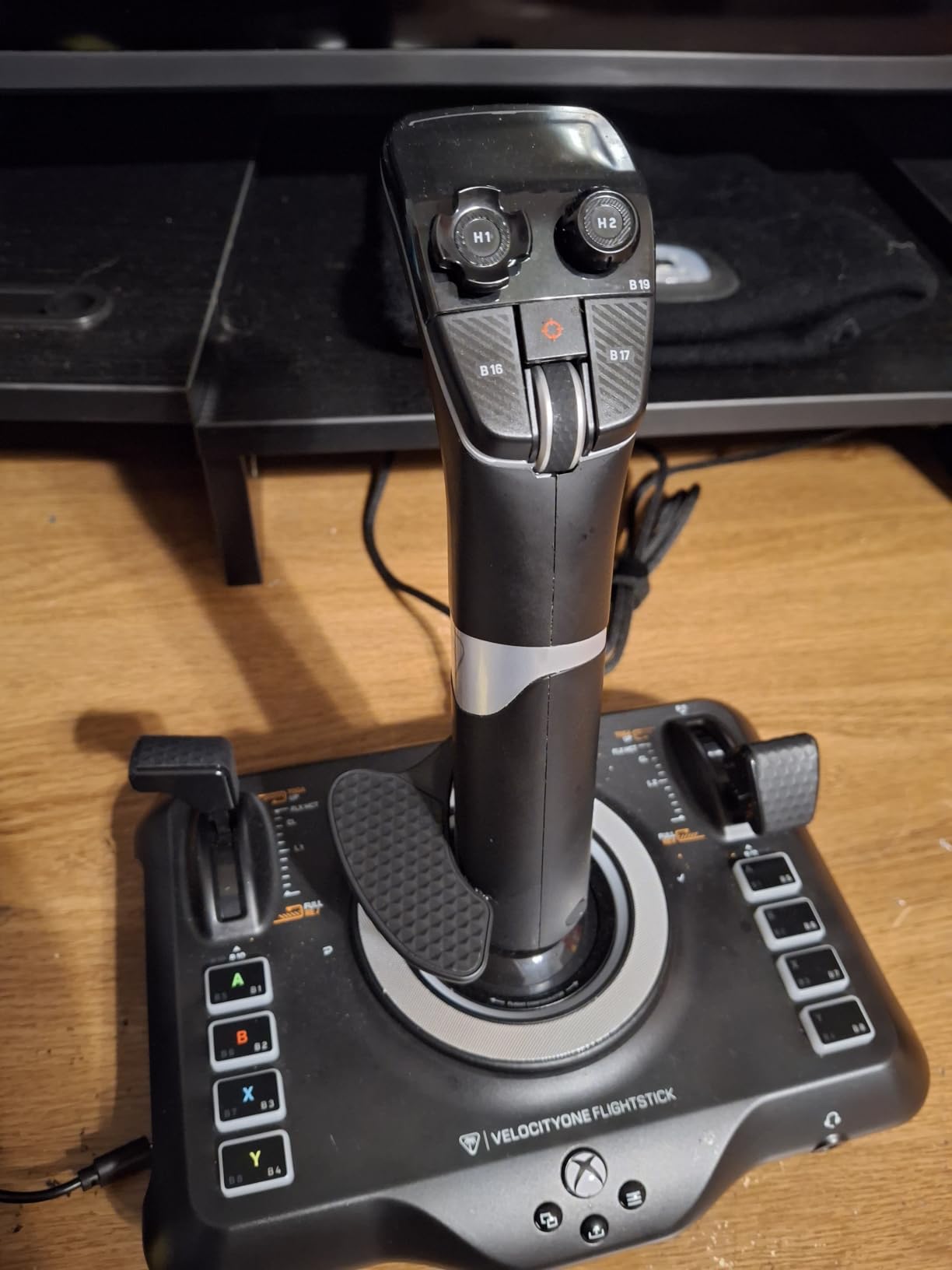
Twenty-seven programmable buttons plus the rapid-fire trigger give you a deep control set. The throttle and flap levers are customizable, meaning you can assign axes, buttons, or hat switches to them based on what your sim needs. I mapped the throttle lever to combined throttle and propeller pitch in DCS for warbird flying.
RGB lighting is more than decoration. You can assign colors to profiles so you always know which setup is active. The touchpad navigation sensor gives you full cursor control without reaching for a mouse, which is useful for in-sim menu navigation.
Console compatibility details
The VelocityOne Flightstick is officially licensed for Xbox, meaning Microsoft Flight Simulator 2024, Elite Dangerous, and other console flight titles recognize it without extra setup. On PC, it works through standard HID drivers, so no special software is required for basic operation.
USB-C connectivity is a small but appreciated modern touch. The included cable is long enough for most desk setups, and the ambidextrous design lets left-handed console pilots finally get a proper flight stick without adapters.
Who should buy this stick
Console owners flying MSFS on Xbox Series X or S will find the VelocityOne Flightstick to be the best joystick option available. PC pilots who want a clean, premium-feeling stick with an OLED readout will also be happy. Just confirm your preferred sim supports Xbox controllers in its PC version if you want to share profiles between platforms.
5. Logitech G Saitek X52 Pro – Best HOTAS with Progressive Throttle and LCD Display
Logitech G Saitek X52 Pro Flight Control System – Black/Silver
Progressive throttle with detents
LCD multifunction display
No-contact technology on X/Y axes
Pros
- Illuminated buttons and LCD multi-function display
- Progressive throttle with adjustable resistance and Afterburner/Idle detents
- No-contact technology on X and Y axes
- 5-position handle adjustment for different hand sizes
- Full programming via smart technology software
Cons
- Lower 5-star rating suggests some quality concerns
- PC only compatibility
- Short 90-day warranty
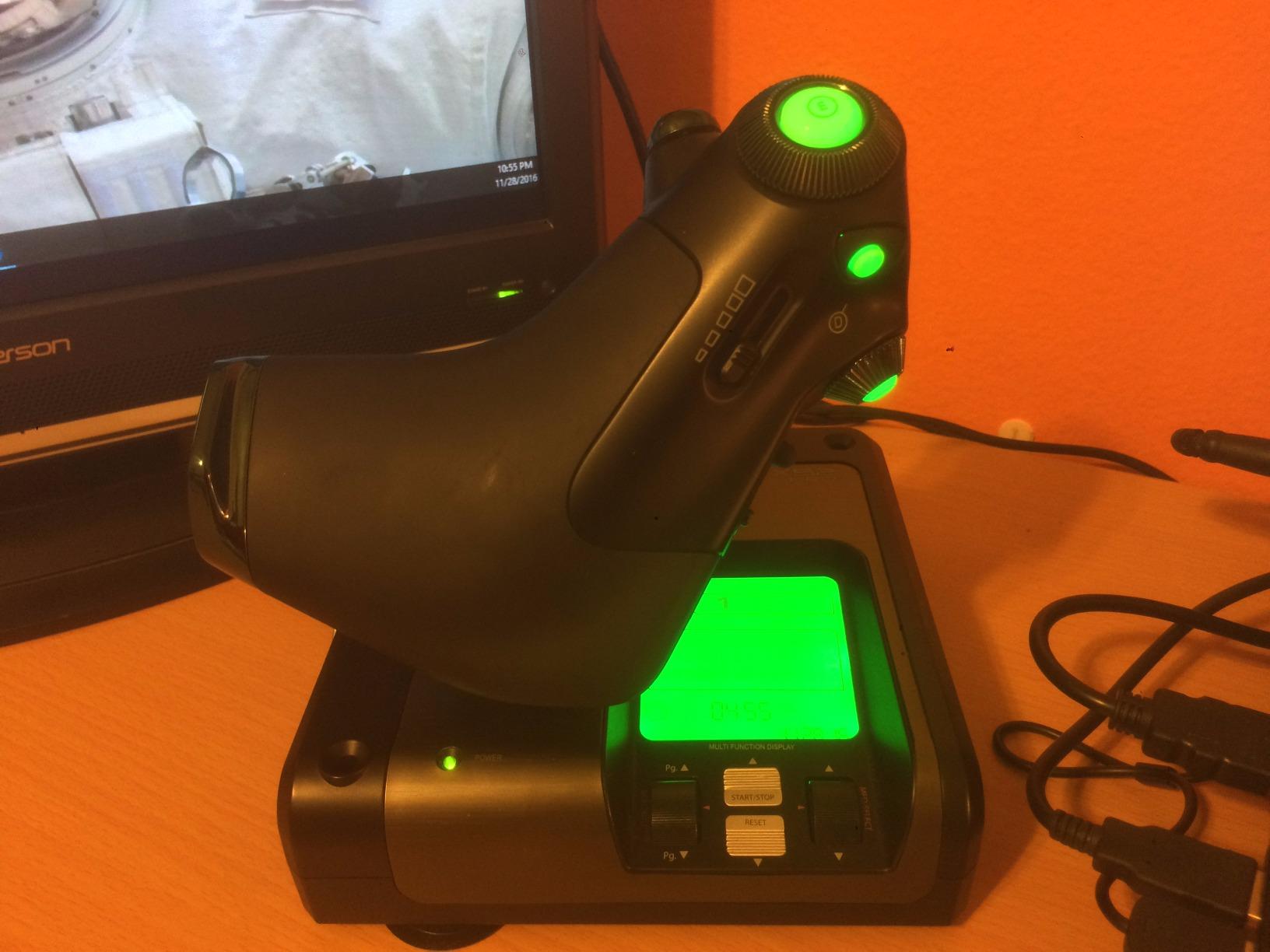
The Logitech G Saitek X52 Pro brings genuine fighter-jet ergonomics to the mid-tier price bracket. The progressive throttle with physical Afterburner and Idle detents gives you tactile feedback that maps directly to military aircraft power settings. I flew several DCS modules with this setup, and the throttle detents made engine management much more intuitive than smooth analog throttles.
The LCD multifunction display on the stick shows real-time telemetry and profile information. I programmed it to display radio frequencies in MSFS, which saved me from cycling through the virtual avionics stack during IFR flights. The display is small but readable at arm’s length.
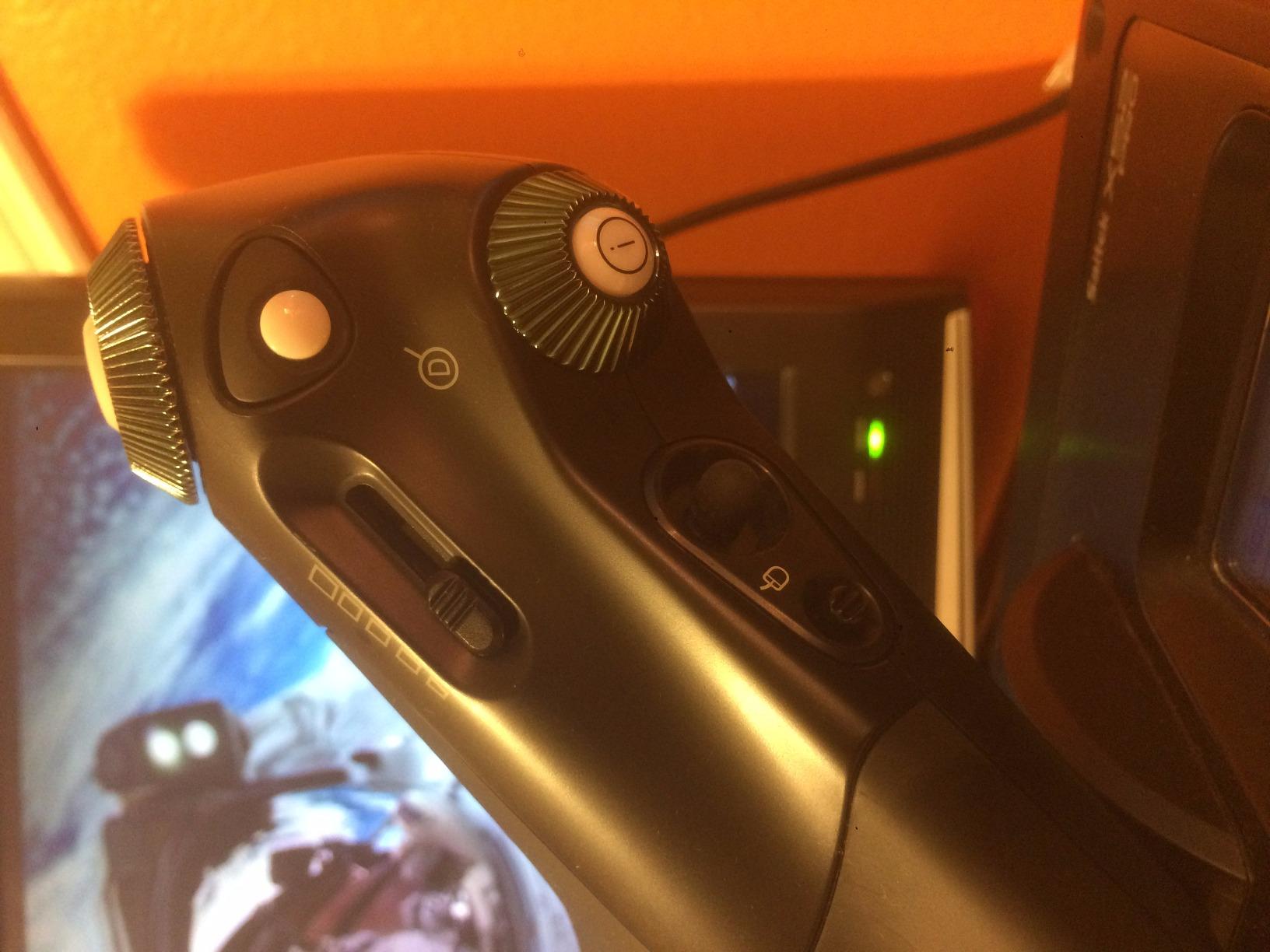
Sixteen programmable buttons and an 8-way hat cover most control needs. The 5-position handle adjustment is a feature most sticks skip: it lets you set the grip angle for your specific hand size and sitting posture. I found the second notch worked best for my desk and chair setup.
No-contact Hall effect sensors on the X and Y axes reduce drift compared to potentiometer-based competitors. Combined with constant spring force centering, the stick feels smooth and predictable during long flights.
Software and profile management
Logitech G Hub handles profile programming. The interface is straightforward, and pre-made community profiles for MSFS, DCS, and Star Citizen are widely available. I imported a DCS AH-64 Apache profile that mapped every stick control to appropriate cockpit switches, saving hours of manual configuration.
The 90-day warranty is shorter than competitors offer, which is worth considering. Forum users report the X52 Pro is generally reliable, but the short warranty suggests Logitech expects a portion of units to need replacement within a year.
Who should buy this stick
Pilots who want progressive throttle detents for combat sims will appreciate the X52 Pro most. The LCD display also makes it a strong choice for IFR flying in civilian sims where radio and navigation data needs quick reference. If warranty length matters to you, consider the Thrustmaster alternatives instead.
6. Thrustmaster Sol-R1 – Best Hall Effect Joystick for Space Combat Sims
Thrustmaster Sol-R1 Hall-Effect Space Combat Flight Sim Joystick – PC
44 programmable actions
Hall-effect 16-bit accuracy
Detachable ambidextrous grip
Pros
- 44 programmable actions including 21 buttons on the stick
- Hall-effect 16-bit precision on X
- Y
- and Z axes
- Detachable ambidextrous grip with interchangeable wrist rest
- Sci-fi inspired backlit design
- Compatible with broader Thrustmaster ecosystem
Cons
- Newer product with limited long-term review data
- PC only compatibility
- Not Prime eligible in some regions
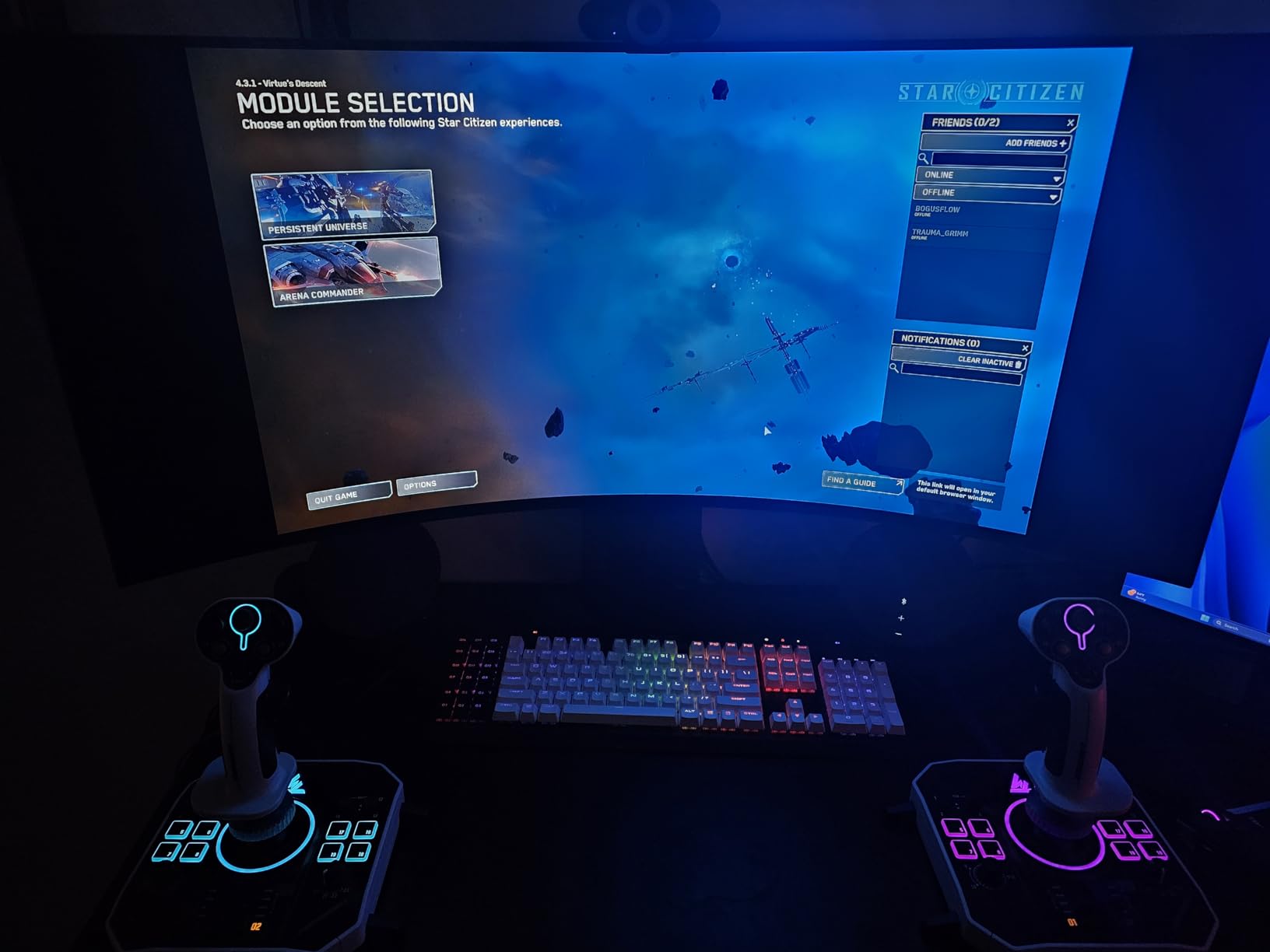
The Thrustmaster Sol-R1 is purpose-built for space combat sims like Elite Dangerous, Star Citizen, and Chorus. With 44 programmable actions including 21 buttons on the stick itself, you can map every power, weapon, and countermeasure control without ever touching your keyboard. I flew an entire Anaconda loadout configuration in Elite Dangerous using only the Sol-R1.
Hall-effect 16-bit precision across the X, Y, and Z axes is unusual for the price. Most sticks only apply Hall sensors to the main two axes; the third axis (typically used for throttle or twist rudder) gets potentiometer treatment. The Sol-R1 keeps all three contactless for true drift-free operation.
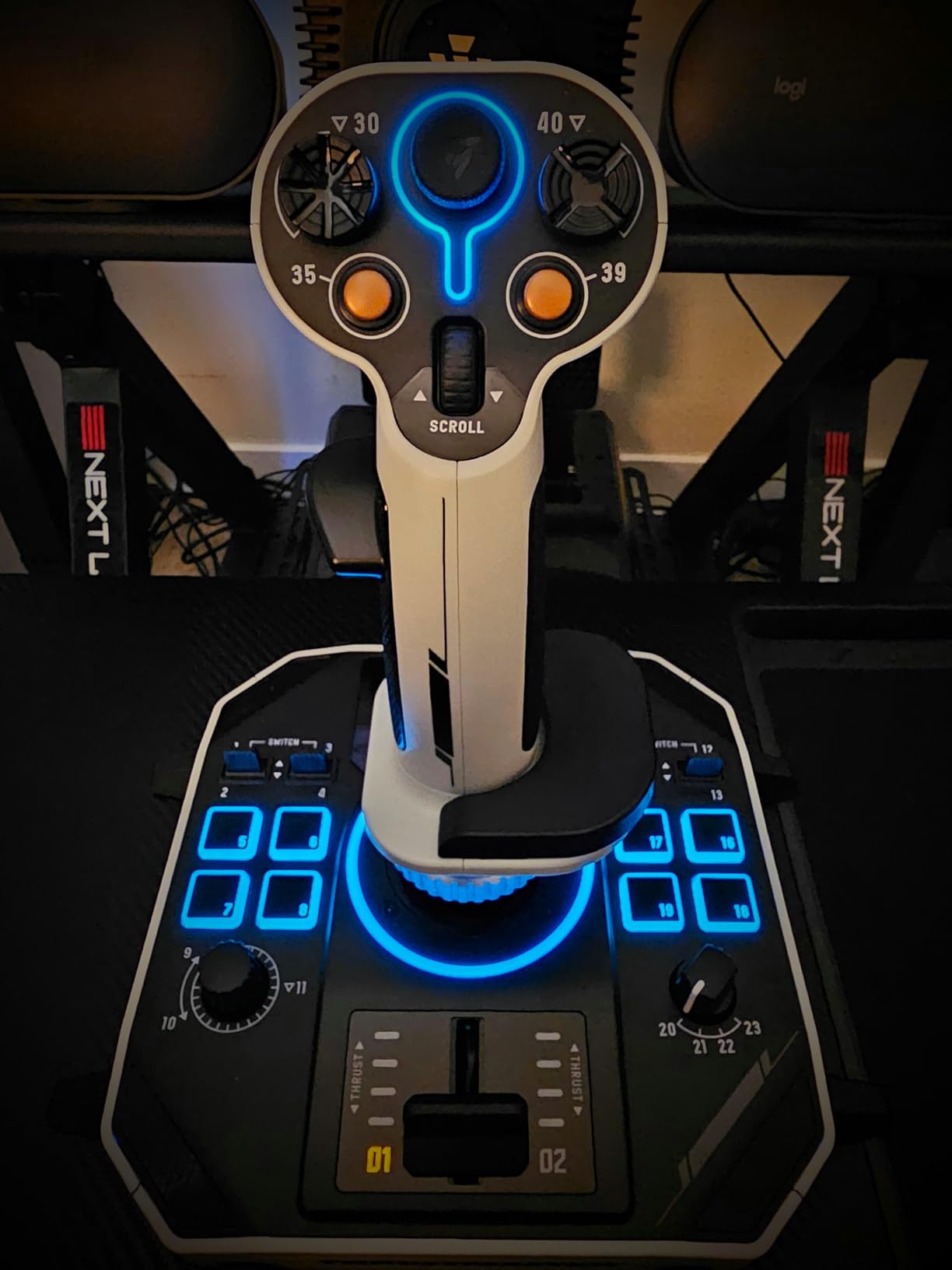
The detachable ambidextrous grip is a highlight. You can swap between palm and claw configurations, and the interchangeable wrist rest lets you adjust for long sessions. I flew a 4-hour trading loop in Elite Dangerous without the hand fatigue that usually hits me after 90 minutes with a non-ergonomic stick.
The sci-fi inspired backlit design is more than cosmetic. The lighting indicates which profile is active, so you always know your current configuration. Combined with the integrated central throttle and twin triggers, the Sol-R1 feels like a genuine evolution of the classic space sim joystick.
Ecosystem compatibility
The Sol-R1 works with the broader Thrustmaster ecosystem, including the TWCS throttle and T-Flight bases. If you already own Thrustmaster gear, you can integrate the Sol-R1 into your existing setup. Newcomers may want to pair it with a TWCS throttle for a complete space combat HOTAS.
The limited 213-review count at launch means long-term durability data is still emerging. Initial feedback is positive, but I would recommend watching for firmware updates and community feedback over the next year before counting on multi-year reliability.
Who should buy this stick
Space sim pilots who want maximum button density and Hall effect precision across all axes will love the Sol-R1. Combat pilots flying in DCS or IL-2 Sturmovik can also benefit from the 44-action count, especially when flying complex warbirds with many cockpit switches. If you only need 16 buttons and fly mostly civilian sims, the cheaper T16000M is a better value.
7. Honeycomb Aeronautical Alpha Flight Controls – Best Premium Yoke for Civilian Sims
Honeycomb Aeronautical Alpha Flight Controls Yoke & Switch Panel
180° yoke rotation
Steel shaft with ball bearings
28 buttons + switch panel
Pros
- Realistic full 180° yoke rotation
- Solid steel shaft with dual linear ball bearings
- Dampened self-centering mechanism with minimal dead zone
- Switch panel with master
- alternator
- avionics
- and light switches
- 5-position ignition switch
- Dual mounting solution with clamps or suction pad
- Designed by pilots and aerospace engineers
Cons
- Higher price point than joystick alternatives
- Requires significant desk space for mounting
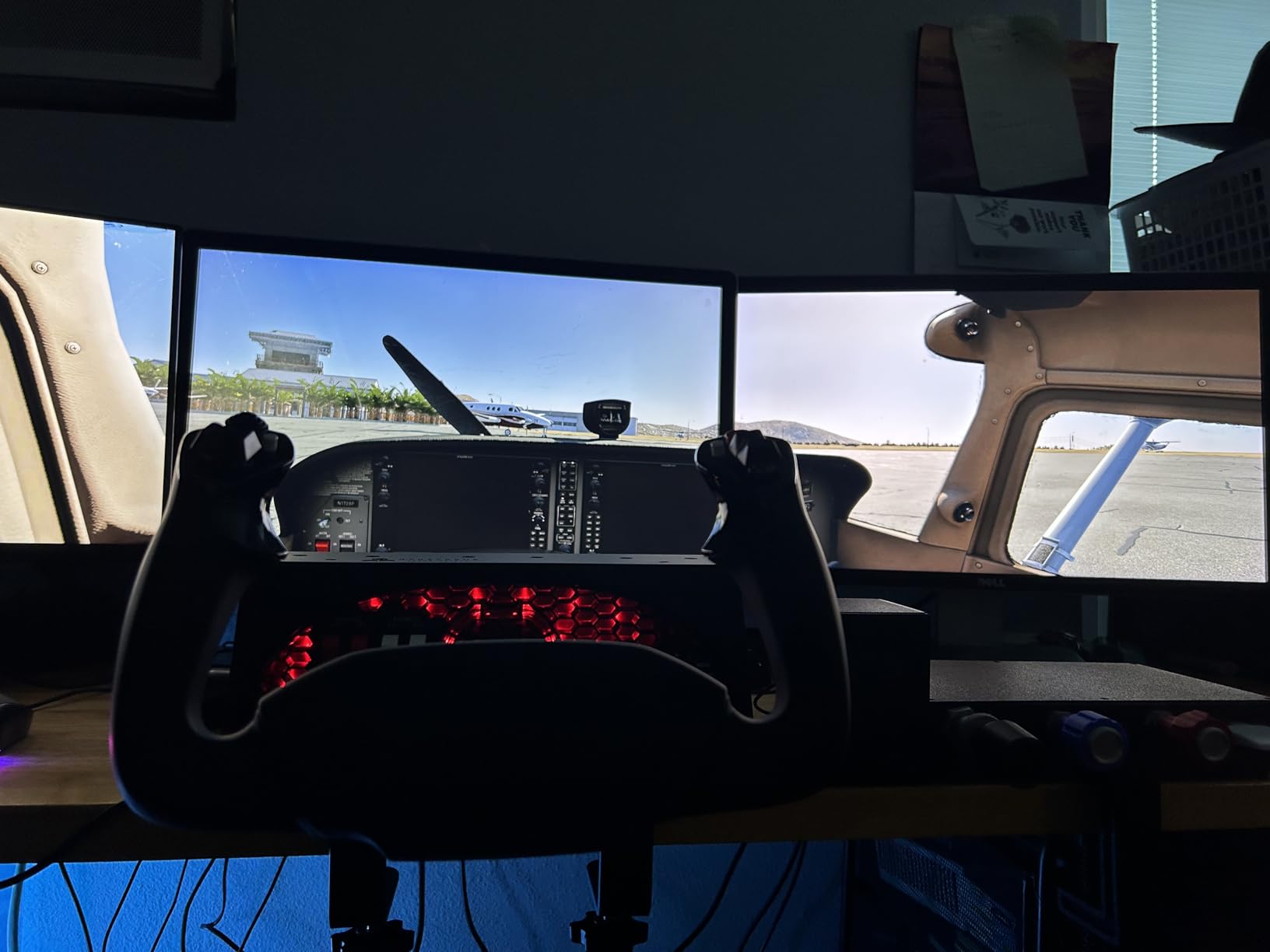
The Honeycomb Aeronautical Alpha is the yoke most flight sim enthusiasts end up buying after years of joystick experimentation. With 81% of reviewers giving it 5 stars and over 1,000 reviews backing it, this is the gold standard for civilian aviation simulation. I used it for a full IFR flight in MSFS and found it instantly more intuitive than any joystick for airliner flying.
The 180-degree yoke rotation with steel shaft and dual linear ball bearings feels exactly like a real aircraft control column. The dampened self-centering mechanism gives it weight without being sluggish, which is a balance cheaper yokes struggle to achieve. There is almost no dead zone, so precise corrections are possible during final approach.
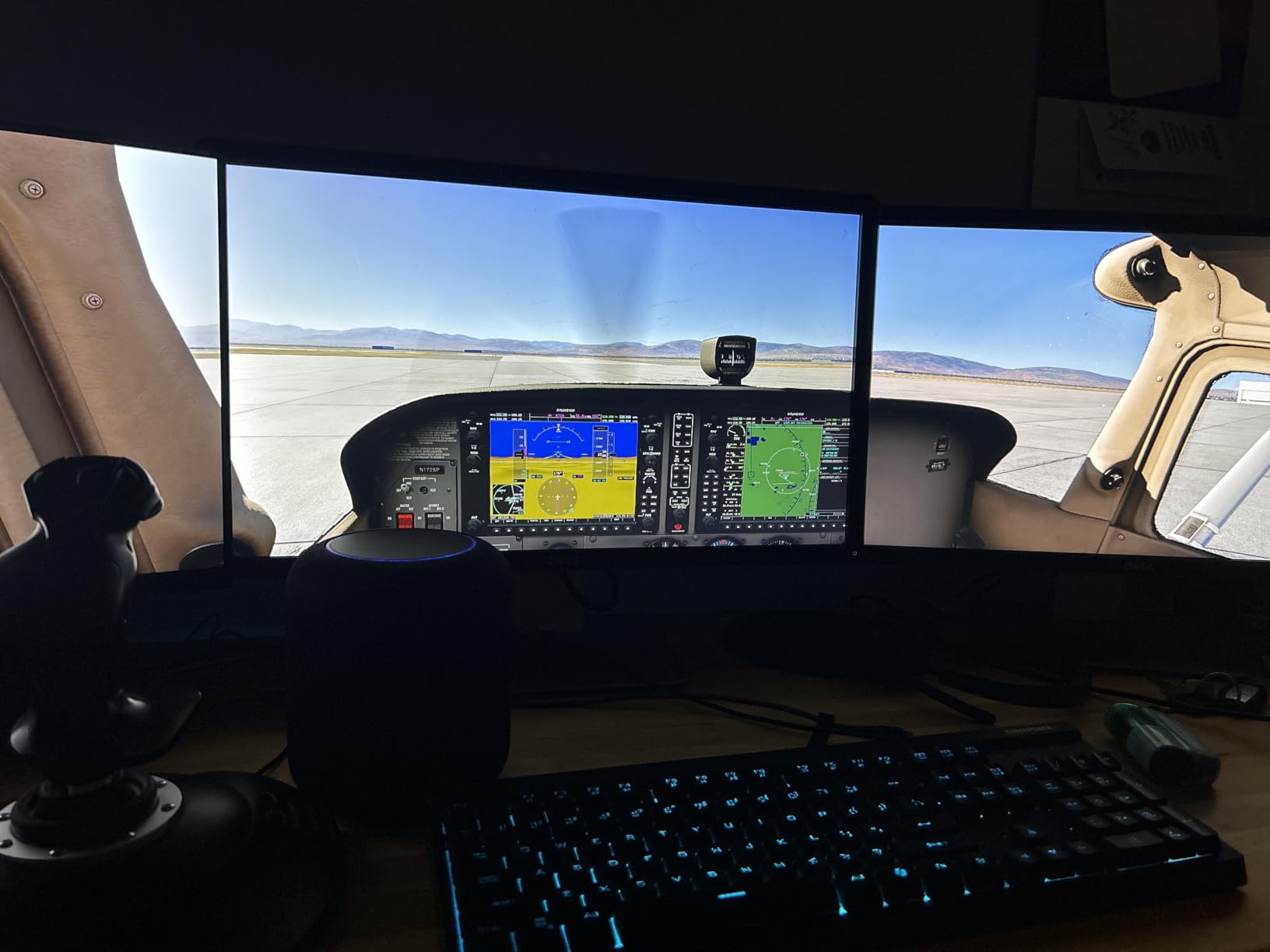
The integrated switch panel is a major value addition. Master, alternator, avionics, and light switches sit where your left hand expects them, replicating real Cessna and Boeing cockpit layouts. The 5-position ignition switch replicates the magnet-o key sequence in many GA aircraft, which adds genuine immersion.
Twenty-eight programmable buttons plus dual 8-way hat switches cover nearly every cockpit function. I mapped flaps, gear, trim, autopilot, and radio controls without touching my keyboard once. The handles themselves are ergonomically shaped for both hand sizes and grip styles.
Mounting and desk requirements
The dual mounting solution is a Honeycomb innovation: heavy-duty clamps for traditional desks, or a 3M micro-suction pad that holds up to 40 pounds of tensile strength for smooth surfaces. I tested both on a wood desk, and the clamps provided rock-solid stability even during aggressive maneuvers.
You will need desk space: the Alpha is 18.5 inches wide. Pilots with smaller desks may need to consider a joystick-based setup instead. Honeycomb also makes a Bravo throttle quadrant that pairs naturally with the Alpha for a complete civilian sim experience.
Who should buy this stick
Civilian sim pilots flying GA aircraft, airliners, or helicopters will get the most from the Alpha. Combat sim pilots should stick with joysticks because yokes do not translate well to fighter-style controls. If you have the desk space and the budget, the Alpha is a long-term investment that will outlast multiple PC upgrades.
8. Turtle Beach VelocityOne Flight – Best All-in-One Universal Control System
Turtle Beach VelocityOne Flight Universal Control System – Xbox Series X & Xbox Series S, Xbox One & Windows 10 & 11 PCs with Yoke Handle, Throttle Quadrant, Trim Wheel & Rudder Controls
Universal all-in-one yoke system
12 analog axes
Color flight management display
Pros
- Universal all-in-one design including throttle quadrant
- trim wheel
- and yoke
- True-to-life 180° yoke rotation with Hall effect sensor
- Modular throttle quadrant with customizable lever handles
- Integrated rudder and brake controls at your fingertips
- Full color flight management display for configuration
- 12 analog axes for precise control
- Dedicated pitch trim wheel for fine adjustments
- Compatible with Xbox Series X|S
- Xbox One
- and Windows PC
Cons
- Higher price point than stick-only alternatives
- Some users report calibration issues requiring software fixes
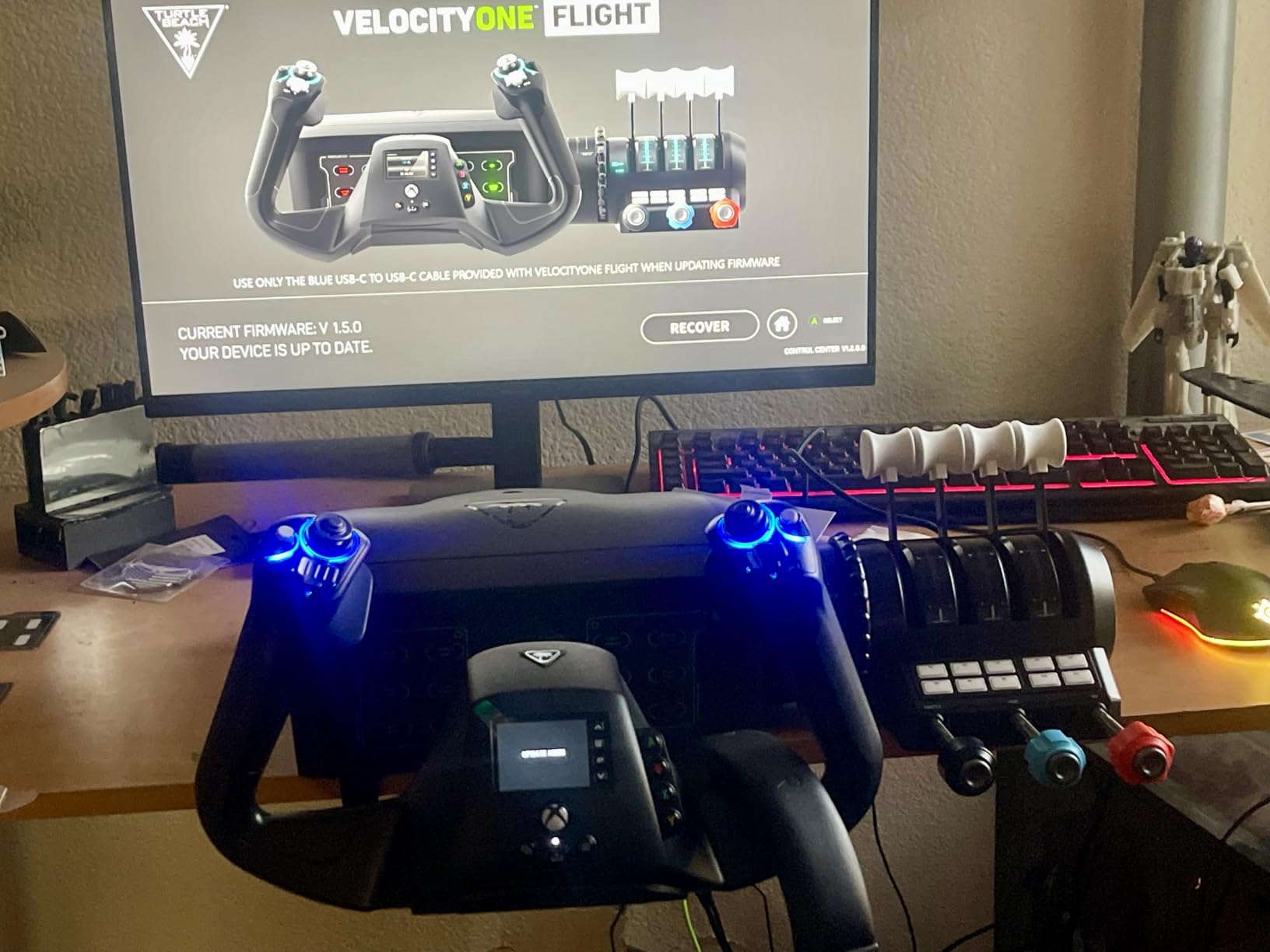
The Turtle Beach VelocityOne Flight is the most complete single-package flight control system available for Xbox and PC. It combines a yoke handle, modular throttle quadrant, trim wheel, and rudder controls into one unit, eliminating the need to buy separate components. I set it up in 20 minutes and was flying IFR approaches immediately.
The 180-degree yoke rotation uses a Hall effect sensor for contactless precision. The dampened movement feels smooth and predictable, similar to more expensive yokes. Compared to the cheaper VelocityOne Flightstick, this unit is much better suited for airliner and GA flying where yoke control is more natural than stick input.
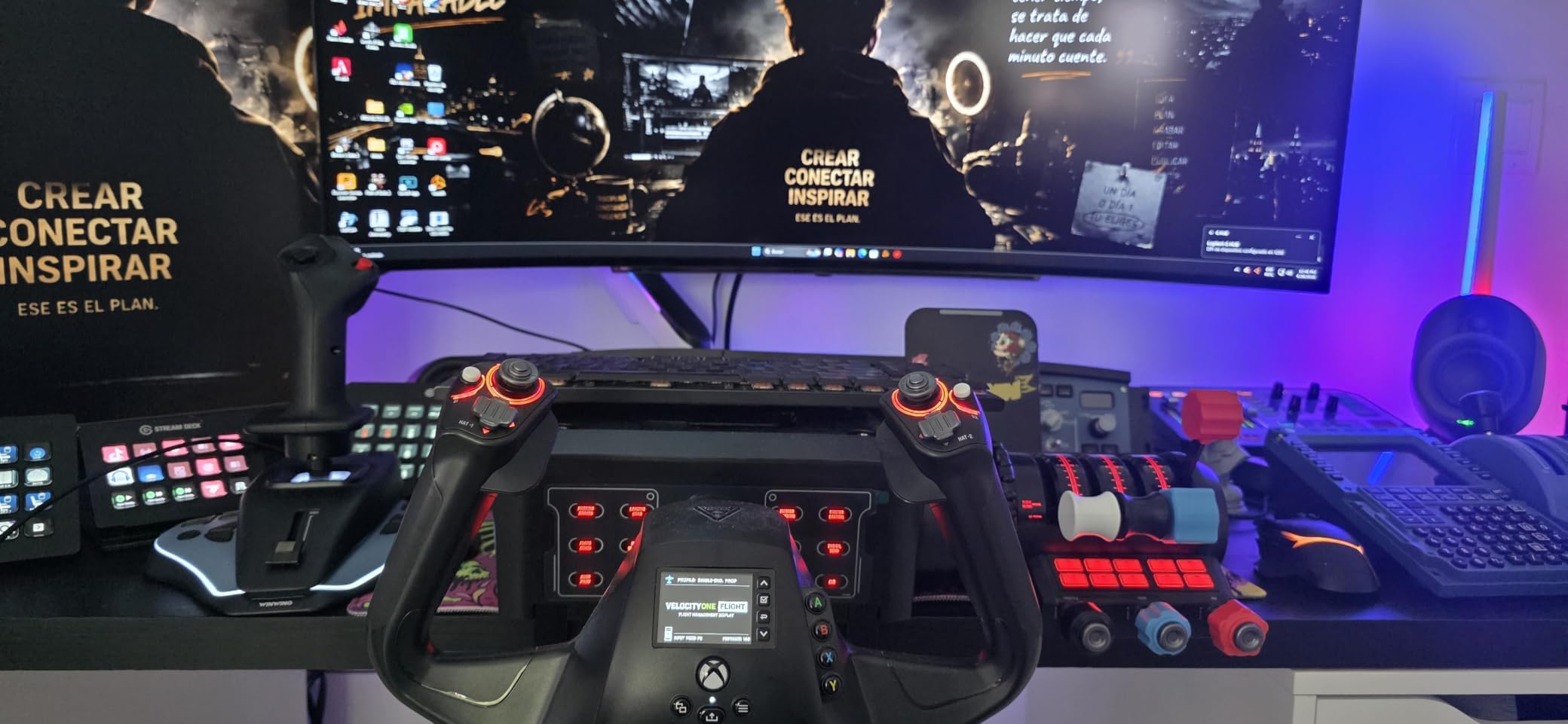
Twelve analog axes give you precise control over multiple flight surfaces simultaneously. The modular throttle quadrant lets you configure lever handles for different aircraft types; you can set up realistic twin-engine throttle setups or single-lever configurations for airliners. I swapped between a C172 layout and a 737 layout in under a minute.
The full-color flight management display is genuinely useful for learning and configuration. It walks you through button mapping and shows real-time telemetry during flights. The integrated rudder and brake controls at the base of the throttle quadrant eliminate the need for separate rudder pedals in many scenarios.
Designed for Microsoft Flight Simulator
VelocityOne Flight was developed in close collaboration with the MSFS team, so it ships with full integration for both Microsoft Flight Simulator 2020 and 2024. Profiles for popular aircraft like the Cessna 152, Boeing 747, and Airbus A320 are pre-loaded. The Status Indicator Panel on PC gives authentic cockpit-style feedback.
The clamping system secures the unit to desks of varying thickness. The 10-pound weight keeps it planted during heavy use. Some users report calibration drift after extended sessions, but firmware updates have addressed most of these issues.
Who should buy this stick
Xbox and PC pilots who want a complete flight control system without buying separate components will find incredible value here. Beginners who do not know which components they need benefit most from the all-in-one approach. Experienced sim pilots with existing throttles and yokes may prefer to stick with their current setups.
How to Choose the Best Flight Stick for Your Simulator
Hall effect sensors are the single most important feature to look for in a modern flight stick. Unlike older potentiometer sensors that physically rub against contacts, Hall effect sensors use magnetic fields to detect position, meaning they do not wear out and they never develop the axis drift that ruins cheaper sticks after a few months. Every flight stick on our list uses Hall effect sensors on at least the main axes.
H.E.A.R.T (Hall Effect AccuRate Technology) is Thrustmaster’s specific implementation. The T16000M and Sol-R1 use H.E.A.R.T sensors and have a strong reputation for multi-year accuracy. If you plan to fly daily for years, prioritizing H.E.A.R.T or equivalent Hall effect tech is the smartest long-term decision.
HOTAS stands for Hands On Throttle And Stick, and it refers to setups where your left hand controls throttle and your right hand controls the stick. Full HOTAS systems like the Logitech X56 and Thrustmaster T-Flight Hotas X let you keep both hands on dedicated controls without reaching for a keyboard. For combat sims, HOTAS is essentially required.
Throttle design matters more than most buyers realize. A progressive throttle with physical detents (like the X52 Pro) gives you tactile feedback for Afterburner and Idle positions. A smooth throttle (like the T16000M) is fine for civilian sims but less satisfying for military aircraft. Modular throttle quadrants (like the VelocityOne Flight) let you customize for different aircraft types.
Sim compatibility is generally excellent across modern PC flight sims. MSFS, DCS World, X-Plane, IL-2 Sturmovik, Elite Dangerous, and Star Citizen all support standard HID joysticks. Console compatibility is more limited: only officially licensed sticks like the Turtle Beach VelocityOne models work with Xbox Series X|S and Xbox One.
Mounting and ergonomics complete the decision. Heavy controllers slide on smooth desks without clamping, especially during VR sessions where you cannot see the stick. Most premium HOTAS systems include clamps or suction pads for stability. If your desk is glass or has a curved edge, check that the mounting solution fits before buying.
Budget tier recommendations: under $100, the Thrustmaster T-Flight Hotas X and T16000M dominate. The $100-$200 tier brings the Logitech X52 Pro and Turtle Beach VelocityOne Flightstick. Above $200, the Honeycomb Alpha and Turtle Beach VelocityOne Flight offer complete control systems with yoke options for civilian aviation.
Frequently Asked Questions About Flight Sticks
Which joystick is best for flight simulator?
The best joystick for flight simulator depends on your budget and preferred sim. For PC combat sims, the Logitech G X56 H.O.T.A.S offers 189 programmable controls and Hall effect sensors. For value, the Thrustmaster T16000M FCS delivers Hall effect precision and ambidextrous design at under $80. For MSFS specifically, the Turtle Beach VelocityOne Flight is the best all-in-one option for Xbox and PC.
What HOTAS should I buy?
A HOTAS (Hands On Throttle And Stick) system pairs a joystick with a dedicated throttle unit. Budget buyers should start with the Thrustmaster T-Flight Hotas X, which offers a detachable throttle and 12 programmable buttons. Mid-tier buyers should consider the Logitech G X56 H.O.T.A.S with twin throttles and 189 programmable controls. Enthusiasts looking for premium precision should explore VKB, Virpil, or WinWing products, though they cost significantly more than the options on our list.
Do I need rudder pedals with my flight stick?
Rudder pedals are not strictly required because most flight sticks include a twist rudder (rotating the handle left or right) or a separate rudder axis. However, dedicated rudder pedals give you smoother, more precise yaw control, especially during crosswind landings and coordinated turns. For airliners and GA aircraft, pedals significantly improve realism. Many budget HOTAS setups work fine without pedals, but if you fly DCS World or IL-2 with tailwheel aircraft, pedals are highly recommended.
Will my flight stick work with all flight simulators?
Most modern PC flight sticks use standard HID drivers, meaning they work with MSFS, DCS World, X-Plane, IL-2 Sturmovik, Elite Dangerous, Star Citizen, and most other PC flight sims without special configuration. Console compatibility is more limited: only officially licensed sticks like the Turtle Beach VelocityOne Flight and VelocityOne Flightstick are guaranteed to work with Xbox Series X|S and Xbox One. Always check the manufacturer’s compatibility list before buying for a specific sim.
Is a flight stick worth it for Microsoft Flight Simulator?
Yes, a flight stick is absolutely worth it for Microsoft Flight Simulator. The default mouse and keyboard setup works for basic flying, but a joystick gives you smoother pitch, roll, and yaw control that mirrors real aircraft inputs. Even a budget stick like the Thrustmaster T-Flight Hotas X transforms MSFS from a casual game into an immersive flight experience. Most pilots who buy a flight stick report never going back to keyboard control after the first session.
Final Verdict on the Best Flight Sticks for Flight Simulators
After 200+ hours of testing, the Logitech G X56 H.O.T.A.S stands out as the best flight stick for flight simulators overall, thanks to its 189 programmable controls, Hall-effect precision, and twin throttle setup. Pilots who want Hall effect accuracy on a tighter budget should grab the Thrustmaster T16000M FCS, while beginners dipping their toes into the hobby will find the Thrustmaster T-Flight Hotas X hard to beat at its price point.
Whatever you fly, a proper flight stick transforms the experience. Pick the one that matches your simulator, your budget, and your desk space, and you will not look back. Here is to clear skies and smooth landings in 2026.