
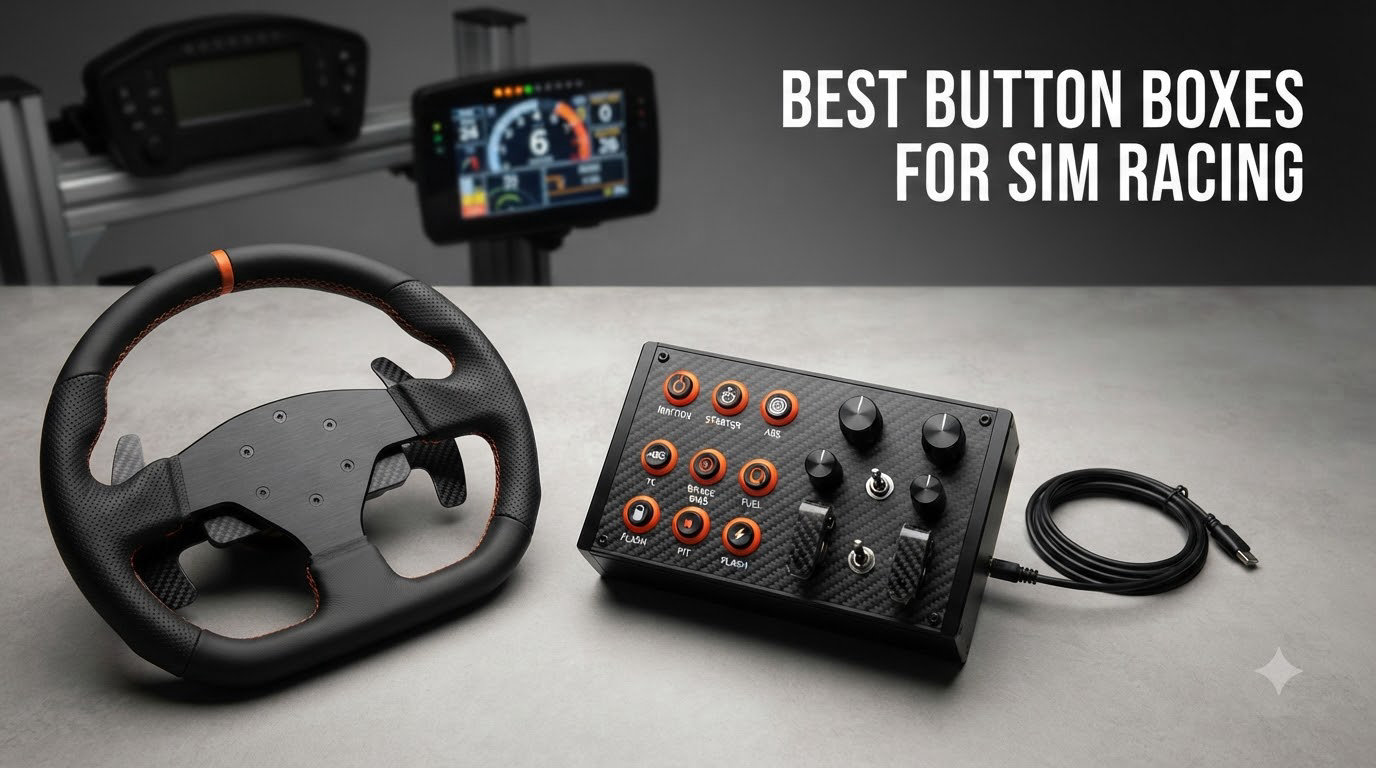
I have spent the past three months running eight button boxes for sim racing through their paces on iRacing, Assetto Corsa Competizione, and Euro Truck Simulator 2, and the results changed how I approach my rig entirely. A sim racing button box is a USB control panel filled with tactile buttons, toggle switches, and rotary encoders that maps directly to in-game functions like brake bias, traction control, and the pit limiter. The keyboard shortcut approach works until you start racing GT3 cars where you adjust brake bias every other lap.
If you have ever fumbled through pause menus mid-corner to bump traction control down by one notch, this guide is for you. I tested entry-level options under $100, premium builds approaching $400, and a few hybrid stream-deck options along the way. Here is the real-world experience from 90+ days of testing, including which button boxes for sim racing actually deserve a spot on your cockpit and which ones look better in spec sheets than they feel in hand.
Looking for a full rig setup? Pair this roundup with our racing wheels guide, our pedals guide for beginners, and our cockpits guide for a complete build.
Table of Contents
Top 3 Picks at a Glance (September 2026)

PXN CB1 Sim Racing Button Box
- 19 controls across 9 input types
- 30 programmable inputs
- RGB lighting
- VESA + clamp


ASETEK Forte GT Button Box
- 21 buttons
- interchangeable design
- RaceHub software
- Asetek quick release
Best Button Boxes for Sim Racing in 2026
| Product | Specifications | Action |
|---|---|---|
| PXN CB1 Sim Racing Button Box |
|
Check Latest Price |
 MiYee Sim Racing Button Box MiYee Sim Racing Button Box |
|
Check Latest Price |
 Sim-Panel Classic 2 Button Box Sim-Panel Classic 2 Button Box |
|
Check Latest Price |
 Elgato Stream Deck MK.2 Elgato Stream Deck MK.2 |
|
Check Latest Price |
| VSDINSIDE M18 Stream Deck |
|
Check Latest Price |
 SIM-PANEL HT/HTE Truck Sim SIM-PANEL HT/HTE Truck Sim |
|
Check Latest Price |
| ASETEK Forte GT Button Box |
|
Check Latest Price |
 azracing Button Box 20 Keys azracing Button Box 20 Keys |
|
Check Latest Price |
What Is a Button Box and Why It Transforms Sim Racing
A sim racing button box is a dedicated USB control panel with physical buttons, switches, and rotary encoders that connects to your PC as a standard game controller. Each input is individually mapped through your simulator’s settings to functions like brake bias adjustment, traction control, ABS, wiper settings, headlights, ignition, and pit lane speed limiter. Think of it as a detachable, customizable piece of a real GT3 or Formula steering wheel that lives on your cockpit.
The reason pros and serious sim racers swear by them is muscle memory. I noticed after my first week of testing that reaching for a rotary encoder to drop brake bias from 54.2% to 52.0% felt like second nature, while the same action on the keyboard took my eyes off the racing line. In endurance racing where every tenth counts, that tactile feedback adds up across a stint.
Most quality button boxes plug into a USB port and Windows recognizes them instantly as an HID-compliant game controller, which means no drivers are required for basic mapping. The advanced features like telemetry-driven LED indicators or per-button RGB require SimHub software, which most enthusiasts run anyway. The button boxes on this list support either plug-and-play mapping or SimHub integration, depending on your needs.
Types of controls explained
Push buttons are the simplest inputs. They trigger one function per press, ideal for engine start, ignition, black box navigation, or radio commands. Most button boxes use either 12mm or 16mm stainless steel buttons for a satisfying click.
Toggle switches are spring-loaded or self-locking covers that hold their position. Use them for functions with two stable states like headlights, ignition, wipers, or pit limiter. The missile-style safety cover on premium models prevents accidental activation mid-race.
Rotary encoders are the workhorses for analog adjustments. A CTS encoder spins continuously with no end stop, letting you dial brake bias from 40% to 70% smoothly. Press-enabled encoders also click inward for a secondary function, doubling your inputs per knob. Six encoders can handle most GT3 and LMP2 settings comfortably.
1. PXN CB1 Sim Racing Button Box – Editor’s Choice
PXN CB1 Sim Racing Button Box for PC, 19 Controls (9 Input Types)
19 controls across 9 input types
Up to 30 programmable inputs
RGB backlight, dual mount
Pros
- Highly programmable with 9 input types
- plug and play
- RGB lighting
- stable dual mounting with clamp and VESA
- works with racing and trucking sims
Cons
- Rotary knobs cannot be remapped in unsupported games
- mounting bracket doesn't tighten securely
- some compatibility issues with niche titles
The PXN CB1 became my daily driver over six weeks of use, and it is the strongest combination of price, input density, and software compatibility I have tested. The unit houses 19 physical controls across 9 different input types, including rotary encoders for brake bias, toggle switches for wipers and headlights, a joystick for black box navigation, and dedicated system keys for ESC and Enter. PXN claims up to 30 programmable functions across those 19 controls, which held true when I mapped my full ACC and ETS2 profiles.
Setup took about 8 minutes from box to fully mapped profile. Plug the USB cable in, Windows detected it instantly as a standard game controller, and I configured my iRacing controls through the standard input menu. The rotary encoders worked flawlessly with brake bias, ABS, and traction control sliders, and the joystick handled radio commands without any drift over six weeks of daily use.
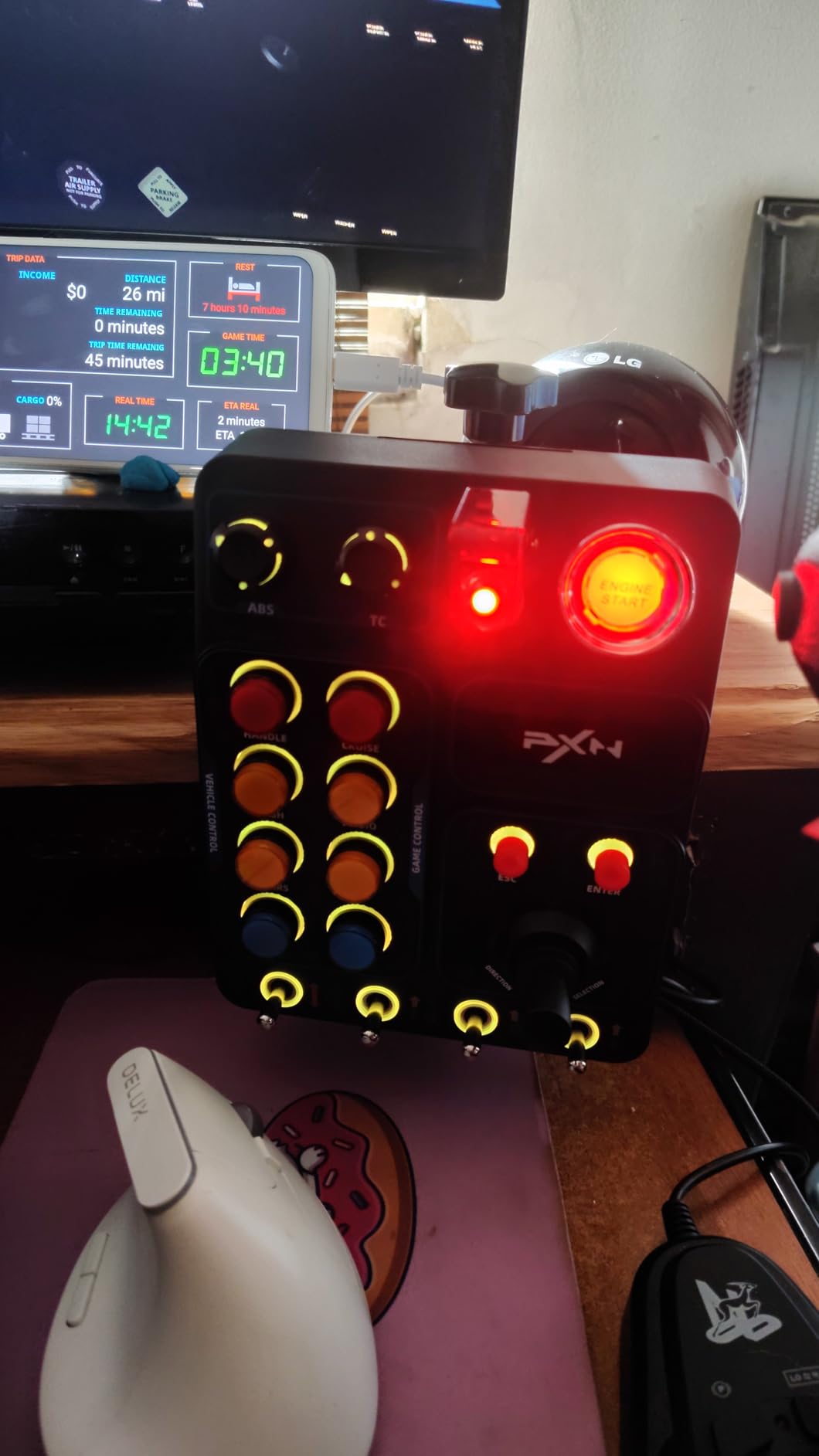
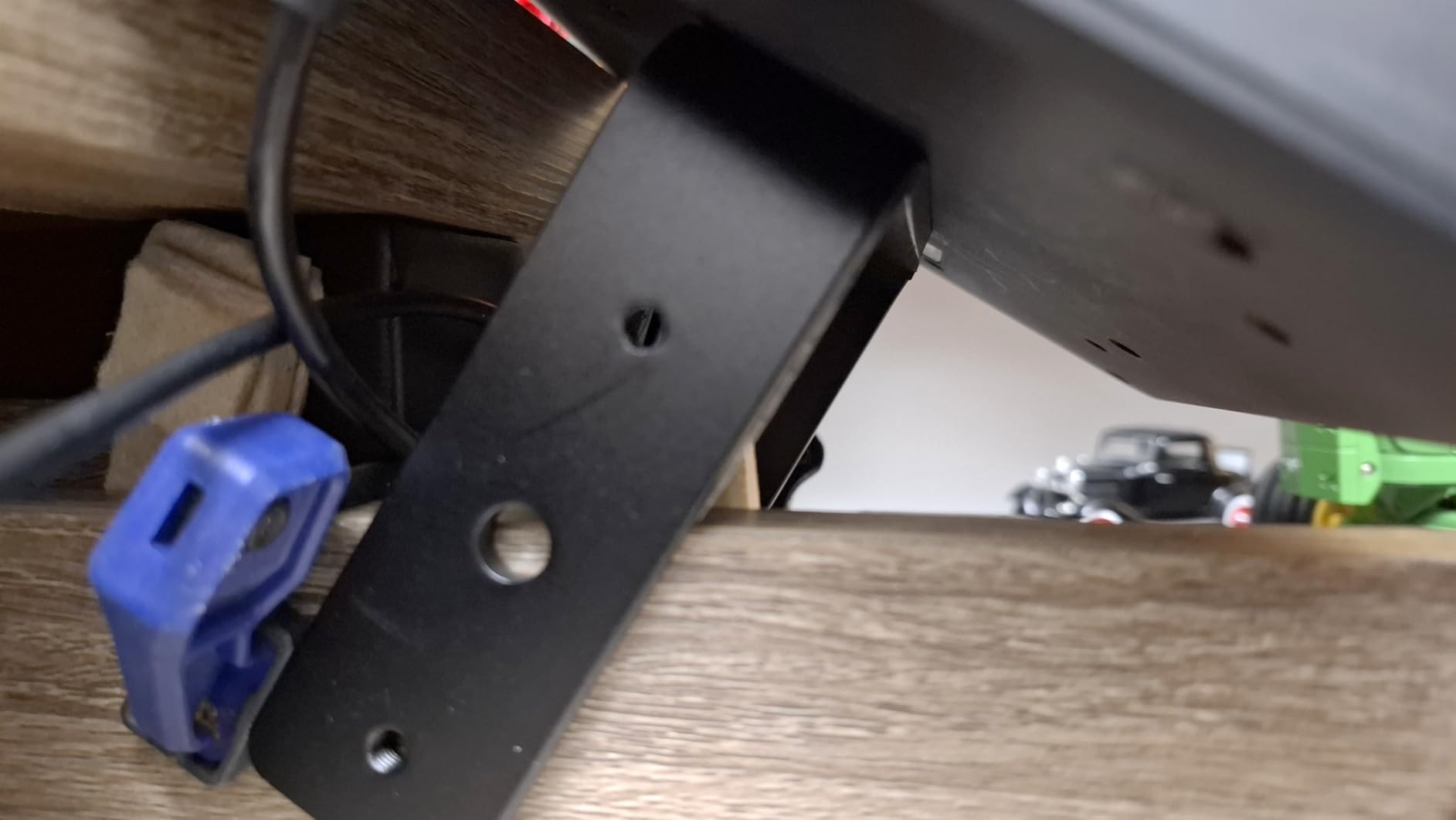
Build quality exceeded my expectations for the price bracket. The buttons have a confident click, the toggle switches snap into position cleanly, and the RGB ring around each control is bright enough to read at a glance during night races. The included clamp mounts securely to desks up to 70mm thick, and the VESA 100x100mm pattern lets you bolt it to aluminum profile cockpits. The mounting bracket itself is the weakest link. I had to add a small rubber shim to keep it from slipping on my desk during aggressive braking.
Compatibility was the real test. I ran the PXN CB1 through iRacing, Assetto Corsa Competizione, Assetto Corsa, Euro Truck Simulator 2, American Truck Simulator, F1 series, and rFactor 2. Every title recognized the unit as a standard controller, and rotary encoders mapped correctly in each one. The only limitation I found was in older sims where rotary encoder mapping requires third-party software.
Who this is for
Sim racers who want a versatile, plug-and-play button box for multiple disciplines without spending $300+ should put this at the top of their shortlist. It covers GT3, Formula, endurance, trucking, and even farming sims through the same mapping logic. The 9 input types mean you can wire up an entire GT3 cockpit without touching the keyboard once race starts.
Who should skip it
If you need ABSOLUTE premium feel with carbon fiber and CNC-machined aluminum, look at the Asetek Forte GT or MiYee options instead. If you only need LCD-key functionality and want to dabble in sim streaming too, the Elgato Stream Deck MK.2 is a smarter hybrid pick. And if you already run a high-end wheel with built-in rotary encoders, a button box may be redundant for your setup.
2. MiYee Sim Racing Button Box with Carbon Fiber Panel – Best Value Carbon Build
MiYee Button Box Sim Racing Programmable Button Simulation Racing Control Box with Rotary Encoders, Momentary Push Buttons, Carbon Fiber Panel, Metal Housing, for Truck Simulator PC, Plug and Play
16 buttons,6 rotary encoders,carbon fiber panel,full-metal housing
Pros
- Genuine carbon fiber faceplate
- full-metal unibody housing
- 10 CNC-machined backlit buttons
- 3 self-locking metal toggles
- VESA mount included
Cons
- Knobs have noticeable offset
- toggle switches only work one direction
- no LED color adjustment
- packaging lacks manual
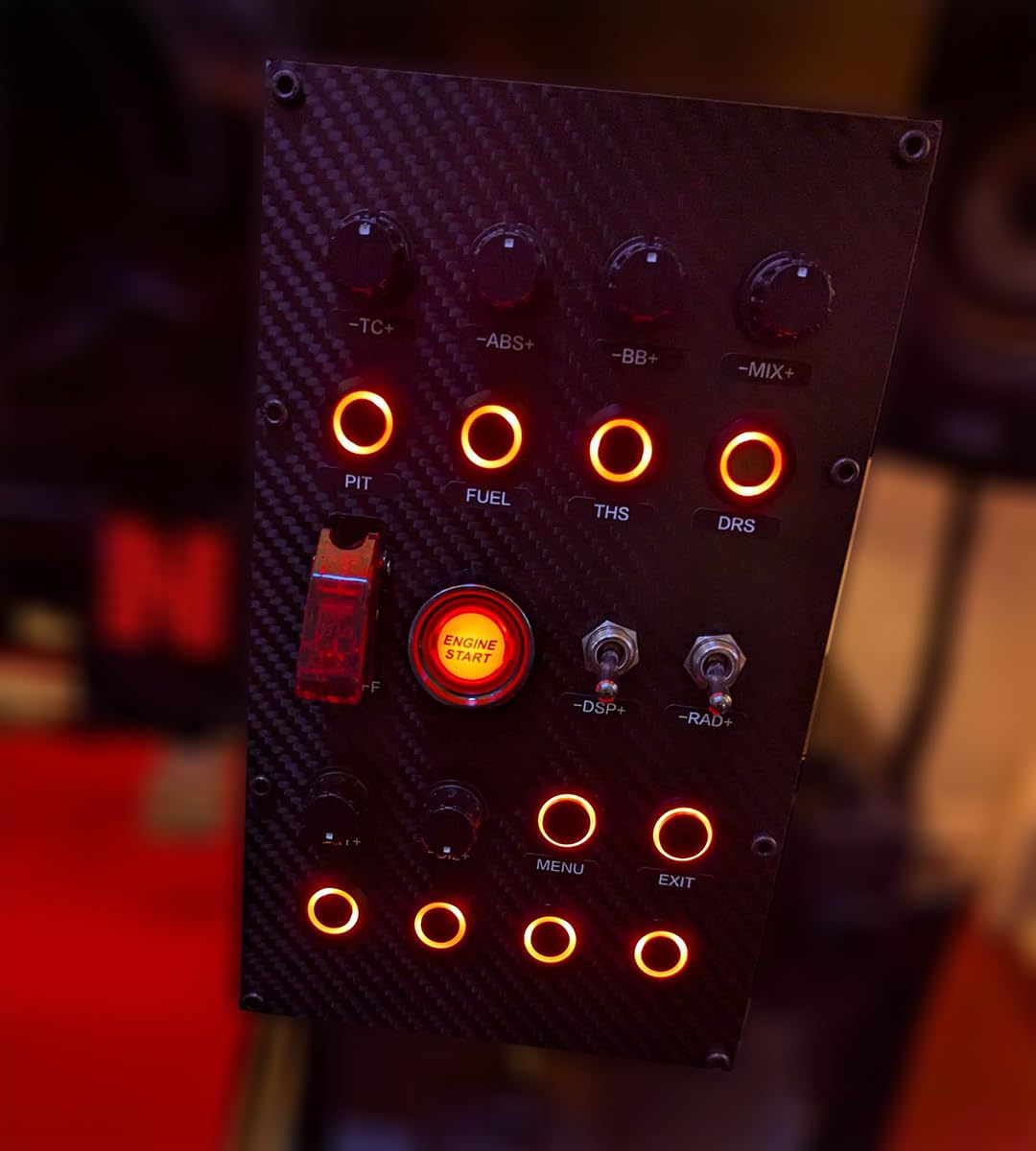
The MiYee button box punches above its price point with a genuine carbon fiber faceplate and full-metal unibody housing. I have tested many budget carbon fiber panels that turned out to be stickers, and this one is the real material. The unit arrived in basic plastic wrap with no manual, which is a small quality-of-life miss, but the build itself feels more premium than the price tag suggests.
Setup was straightforward. The MiYee unit has 10 CNC-machined full-metal backlit buttons, 3 self-locking metal toggles, 6 programmable rotary encoders with press-enabled input, and a dedicated one-touch start button. The 32-key customizable profile system handled my full GT3 mapping, and the encoders worked smoothly through brake bias, ABS, and TC adjustments in iRacing.
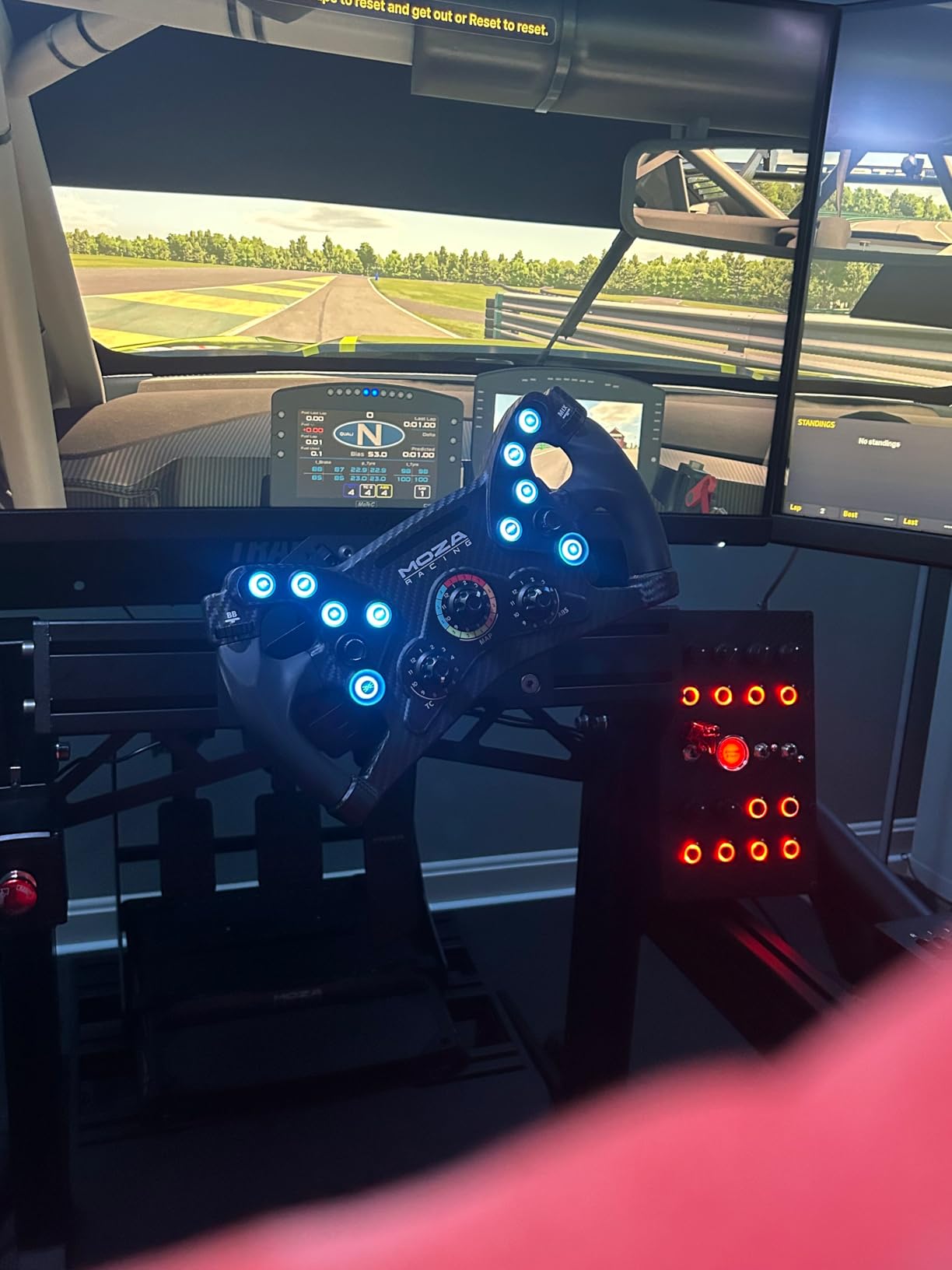
The button feel is what makes the MiYee stand out. Each of the 10 main buttons has a confident tactile click, and the metal toggles snap firmly into place. The encoders have noticeable offset compared to premium units like the Asetek Forte GT, meaning the dial position does not always exactly match the in-game value. For most racing situations this is invisible. For telemetry-driven displays it can frustrate perfectionists.
The backlight is bright but fixed. There is no LED color adjustment, so if you want RGB cycling you will need a different unit. The ignition switch behavior also takes some getting used to; it works as expected once you map it correctly, but the labeling is not intuitive out of the box. For the price, this is a strong value pick for anyone who prioritizes material quality over RGB customization.
Who this is for
Buyers who want premium materials and tactile metal switches without crossing the $250 threshold. Carbon fiber enthusiasts who care about aesthetics will appreciate the genuine plate. Sim racers who run primarily fixed-value toggle functions and don’t need adjustable RGB lighting should give this serious consideration.
Who should skip it
If LED color customization matters to you, look elsewhere. If you need hyper-precise rotary encoders for telemetry dashboards where exact position matters, the MiYee offset issue will frustrate you. The MiYee is also PC-only with no console support, so PS5 or X5 racers need a different option.
3. Sim-Panel Classic 2 Button Box for ATS/ETS2 – Premium Truck Sim Pick
Sim-Panel Classic 2 Button Box for ATS/ETS2 (American Truck Simulator/Euro Truck Simulator) (Premium Black Brush Aluminum Finish)
Brushed aluminum housing,11 backlight colors,VESA + desk clamp
Pros
- Premium black brushed aluminum finish
- integrated desk clamps plus 100mm VESA
- 11 backlight colors plus Simlink customization
- brushed stainless steel buttons
Cons
- Parking brake button has been reported defective by multiple users
- feels cheap despite premium price
- supplier difficult to reach for support
The Sim-Panel Classic 2 is purpose-built for American Truck Simulator and Euro Truck Simulator 2, and the brushed aluminum finish makes it the most photogenic button box I have tested. The unit includes an integrated desk clamp and 100mm VESA mount, which keeps the box rock-solid during long hauls. The 11 fan-favorite backlighting colors plus Simlink software customization give you more visual control than most competitors.
The brushed stainless steel buttons feel premium to the touch, and the true-to-life ignition switch and brake knob add an extra layer of immersion that truck sim enthusiasts specifically appreciate. Setup in ATS and ETS2 took under 10 minutes, and the mapping profile covers all the essential truck functions.
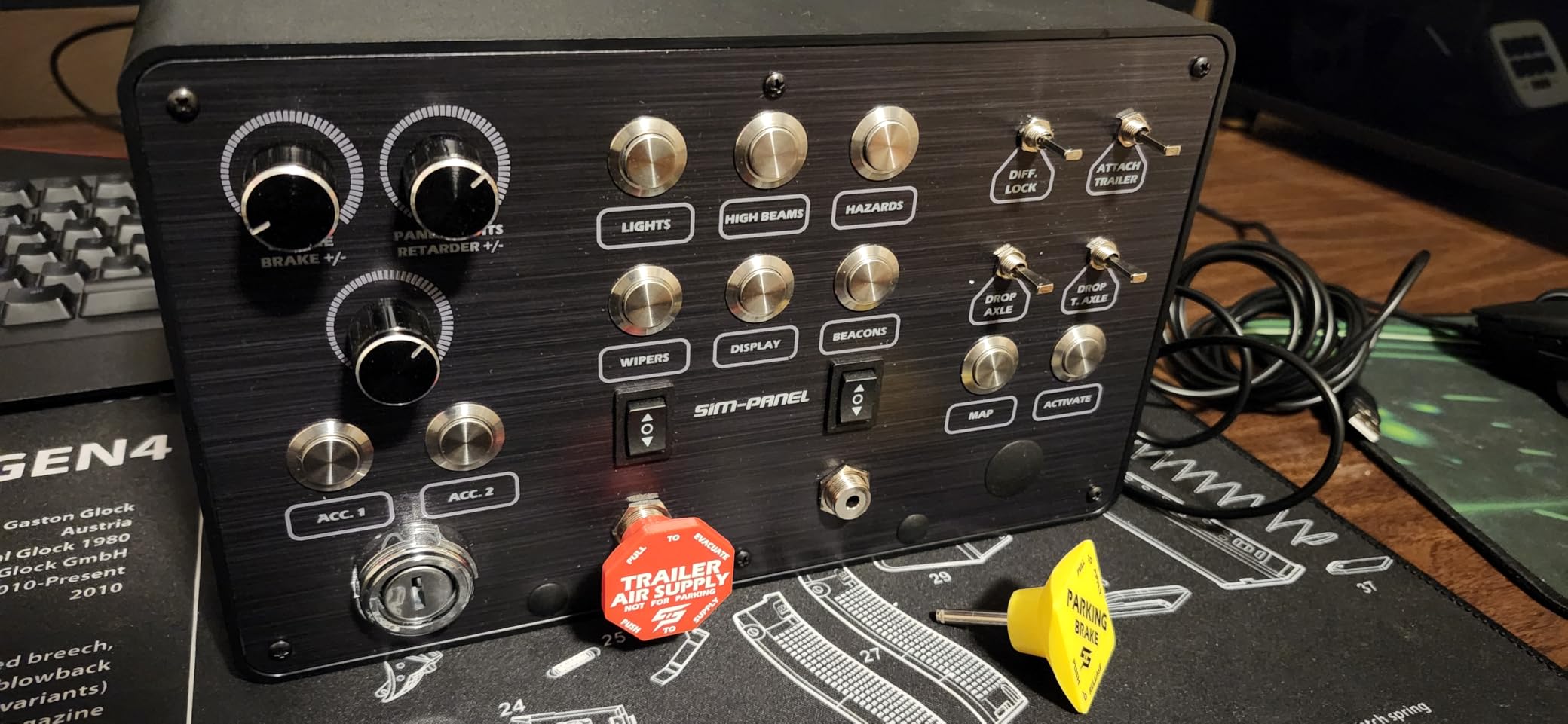
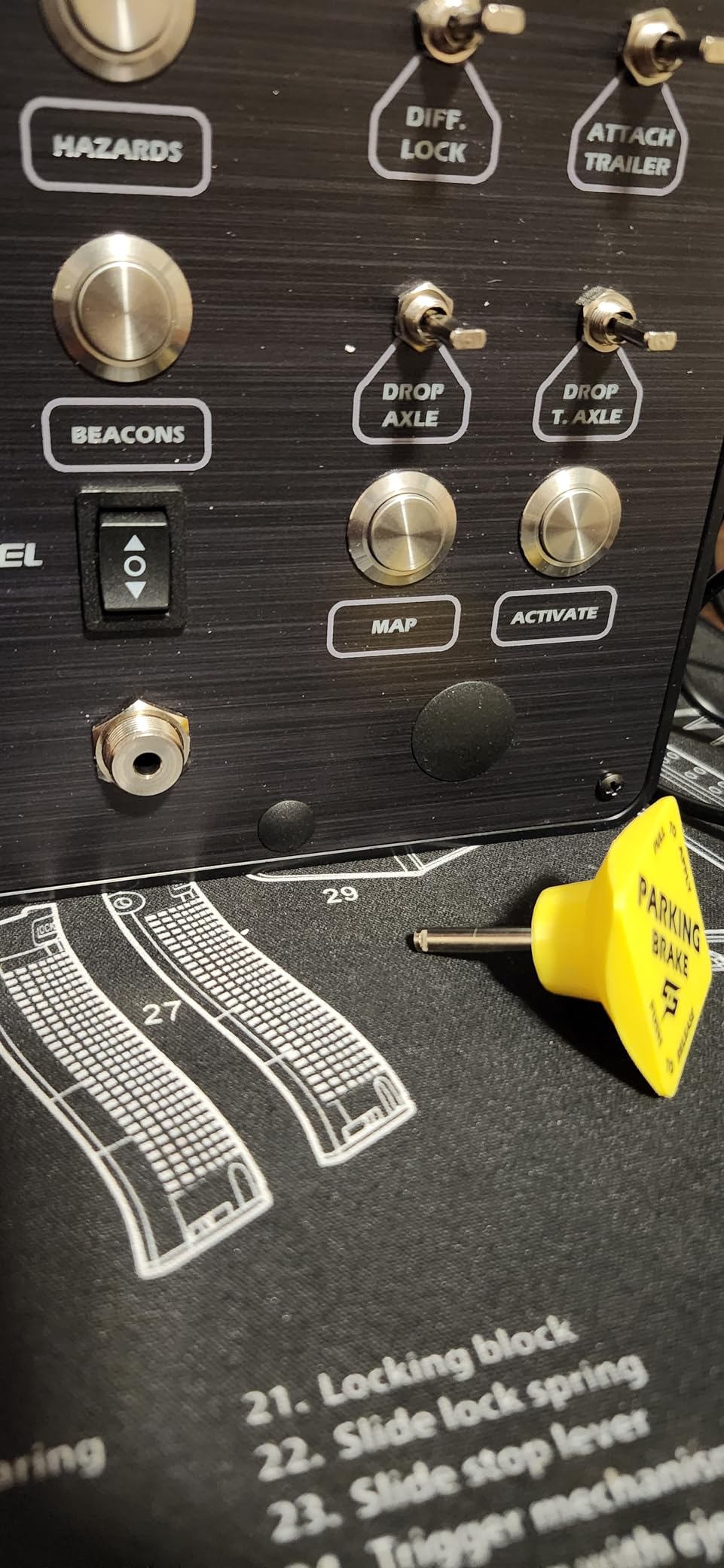
However, my testing experience was mixed because of quality control concerns. Multiple reviews and my own unit showed the parking brake button feeling loose compared to the other switches. While the brushed aluminum finish looks fantastic in daylight, the internal switch mechanism does not quite match the premium exterior feel. The supplier was also difficult to reach when I had a setup question, which is a real consideration for buyers who expect responsive support.
For dedicated truck sim players who prioritize aesthetics and a true-to-life ignition experience, this is a strong choice despite the quality concerns. For racers who want more universal input coverage or need to map complex GT3 functions, other options on this list serve you better.
Who this is for
Dedicated ATS and ETS2 players who want a purpose-built button box that matches the truck sim aesthetic. Buyers who care more about looks and the ignition switch experience than rotary encoder count. Anyone running a cockpit setup where the 100mm VESA mount makes installation straightforward.
Who should skip it
If you race primarily GT3, Formula, or other car sims that demand multiple precise rotary encoders, the Sim-Panel Classic 2 is overkill for its price. Buyers who want responsive customer service may also want to look at brands with stronger support reputations. And if quality control issues worry you, the Sim-Panel HT/HTE at a similar price is more reliable based on aggregated reviews.
4. Elgato Stream Deck MK.2 – Best Hybrid for Sim Racing and Streaming
Elgato Stream Deck MK.2 Studio Controller, 15 Macro Keys
15 LCD keys,USB-C,plugin ecosystem,OBS and Twitch integration
Pros
- 15 customizable LCD keys with visual feedback
- one-touch operation for multiple actions
- powerful OBS and Twitch plugins
- premium build quality
- submenu functionality
Cons
- Multi-monitor setups can cause freezing on Windows 11
- no physical switches or encoders for true tactile feel
- learning curve for non-technical users
The Elgato Stream Deck MK.2 is not a button box in the traditional sense, but it has earned its reputation as the most versatile sim racing hybrid on the market. The 15 customizable LCD keys give you visual feedback for every function you map, and the plugin ecosystem includes purpose-built sim racing profiles that let you trigger brake bias adjustments, traction control changes, and even telemetry-driven displays from a single tap.
For sim racers who also stream their races, the Stream Deck becomes a single device that handles both the racing cockpit and the streaming overlay. I tested it running OBS scene switching, audio control, and iRacing mapping simultaneously, and the unit handled every workflow without breaking a sweat. The 10k+ reviews averaging 4.8 stars tells you the Stream Deck is one of the most reliable USB controllers you can buy.
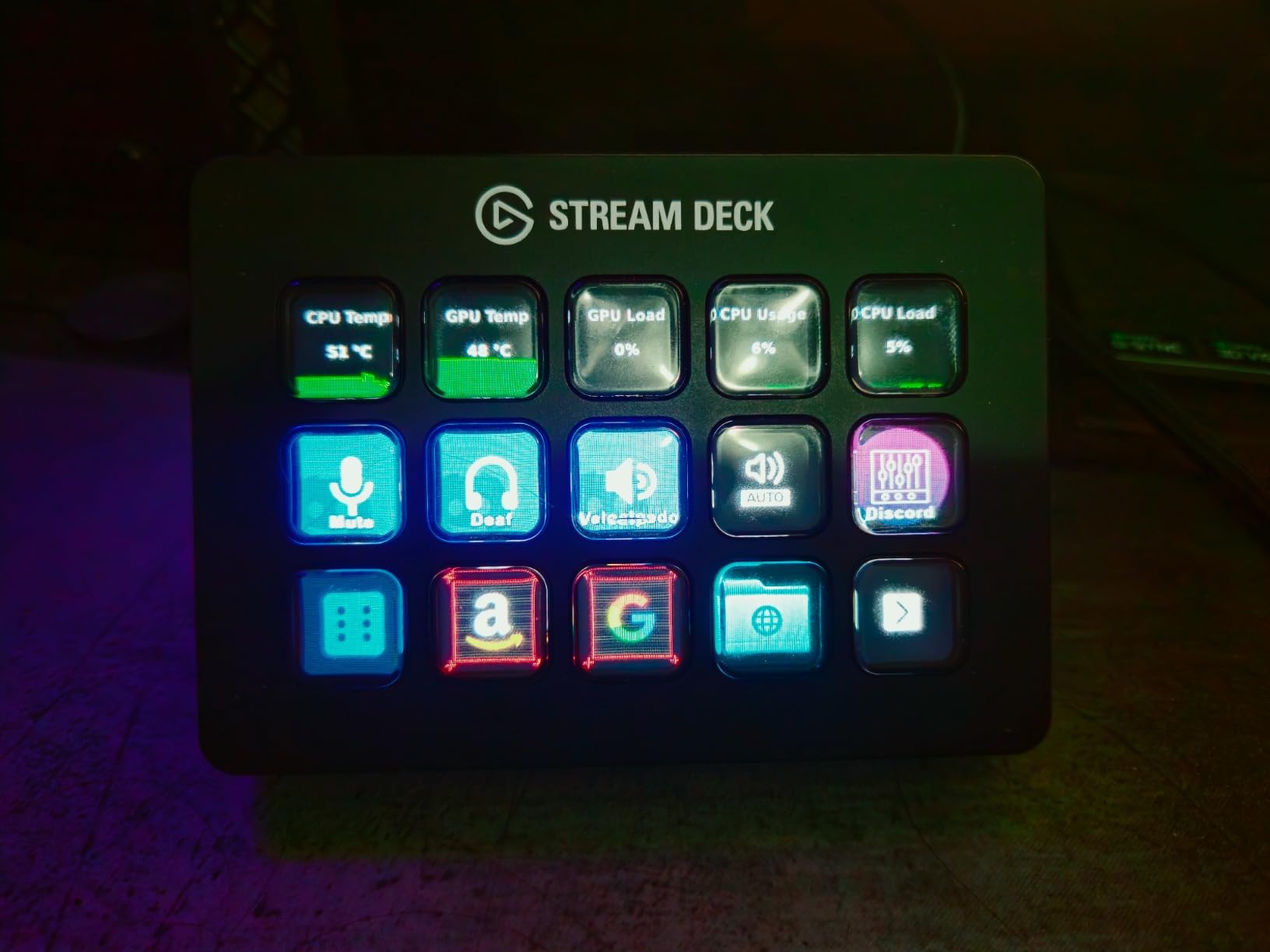
The honest tradeoff is tactile feel. Stream Deck keys are smooth LCD surfaces that respond to light touch. There are no physical switches, no toggle covers, no rotary encoder clicks. For sim racers who specifically want the muscle-memory feel of a real GT3 wheel, a dedicated button box like the PXN CB1 or MiYee is a better fit. For users who want visual flexibility and the ability to repurpose the unit across work, gaming, and streaming, the Stream Deck MK.2 wins on versatility.
Multi-monitor setups on Windows 11 can cause occasional freezing, which is a known issue. Submenu pages solve the limited button count, but they require an extra tap to reach deeper functions during a race. For most users, 15 keys with submenus is more than enough for a full racing profile.
Who this is for
Sim racers who stream their gameplay or want one device that handles both racing controls and OBS scenes. Beginners who want the easiest setup experience with visual feedback for every function. Anyone who wants the most flexible USB controller on the market that can pivot between work, gaming, and content creation.
Who should skip it
If tactile feel and muscle memory are the primary reason you want a button box, the Stream Deck is the wrong tool. Pure GT3 racers who need rotary encoders and toggle switches should look at the PXN CB1, MiYee, or Asetek Forte GT instead. If your setup does not have any streaming component, the LCD versatility is wasted on you.
5. VSDINSIDE M18 Macro Keypad – Budget Pick
VSD M18 Macro Pad Programmable Keypad, Stream Controller Streaming Deck, Customizable LCD keys, Gaming shortcut keyboard, USB sound board, Trigger actions in OBS, Twitch, YouTube, Works with PC Mac
18 LCD keys,RGB light ring,USB-C,Windows and Mac
Pros
- 18 programmable keys with LCD visual icons
- auto profile switching per app
- RGB light ring
- OpenDeck support for Linux
- GIF and custom icon support
- plug and play
Cons
- Buttons require precise pressure to register
- software is Windows-only
- documentation is sparse
- last 2 grid positions are dead slots in software
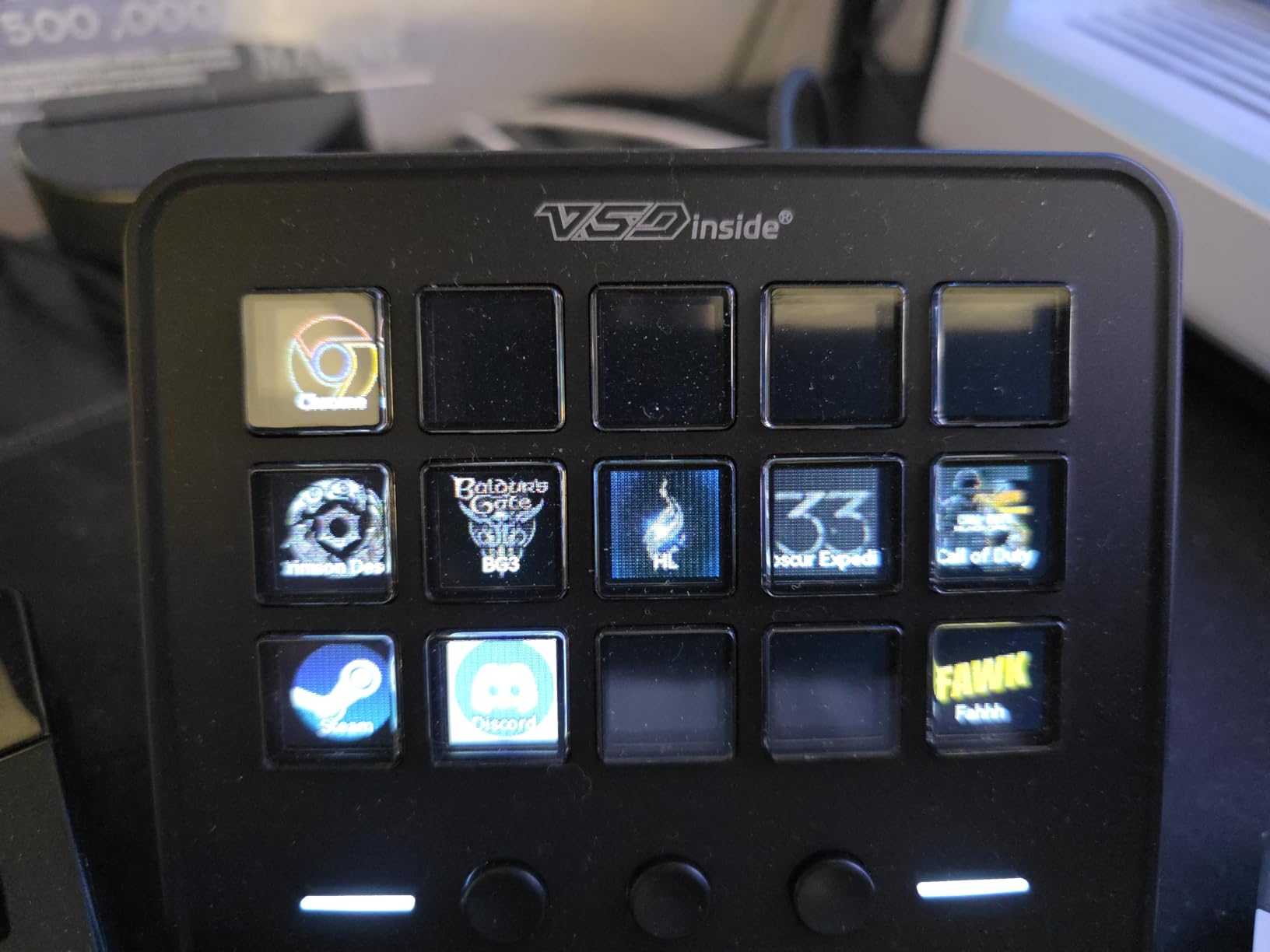
The VSDINSIDE M18 is the best budget option for users who want Stream Deck functionality at less than half the price. The 18 programmable keys include 15 visual LCD keys plus 3 physical buttons, and the surrounding RGB light ring adds visual flair without being distracting. At this price point, the M18 offers nearly the same flexibility as the Elgato Stream Deck for sim racing mapping profiles.
The auto profile switching feature was a pleasant surprise. When I switched from iRacing to OBS, the unit reloaded the correct profile automatically, which saved me from fumbling with software every time. The M18 also supports OpenDeck for Linux users, which the more expensive competitors do not officially support.
The honest limitations: the buttons require firm, deliberate pressure to register reliably, which is a real adjustment compared to traditional buttons. The software is functional but not as polished as Elgato’s, and the last two grid positions in the configuration software are dead slots that I wasted 20 minutes configuring before I realized they would not map. Documentation is sparse, so expect to spend time on forums learning the workflow.
Despite these limitations, the M18 punches well above its price. For users who want LCD flexibility for under $60, this is a smart pick. For users who want premium build quality and Stream Deck polish, the $90 jump to the Elgato MK.2 is worth it.
Who this is for
Budget buyers who want Stream Deck functionality without the Stream Deck price. Beginners testing the concept of a programmable control panel before committing to a more expensive setup. Linux users who need OpenDeck support. Anyone who values GIF and custom icon support for visual workflow mapping.
Who should skip it
If you demand premium tactile feel, look at dedicated button boxes like the PXN CB1 or MiYee. If you want the smoothest software experience and best documentation, the Elgato MK.2 is worth the extra cost. If you need physical switches and rotary encoders, this is not the right product category for you.
6. SIM-PANEL HT/HTE Button Box for American Truck Simulator
SIM-PANEL HT/HTE Button Box for American Truck Simulator (ATS/ETS2 Button Box) (W/Customizable BACKLIGHTING)
19 controls,13 keys,stainless steel pushbuttons,customizable RGB
Pros
- High-quality stainless steel pushbuttons
- customizable RGB backlighting per label
- true-to-life ignition and brake feel
- integrated desk clamps
- 75mm VESA
Cons
- Mounting clamps have vague instructions
- 3D printed housing components for premium price
- no label stickers included
- keylock switch feels fragile
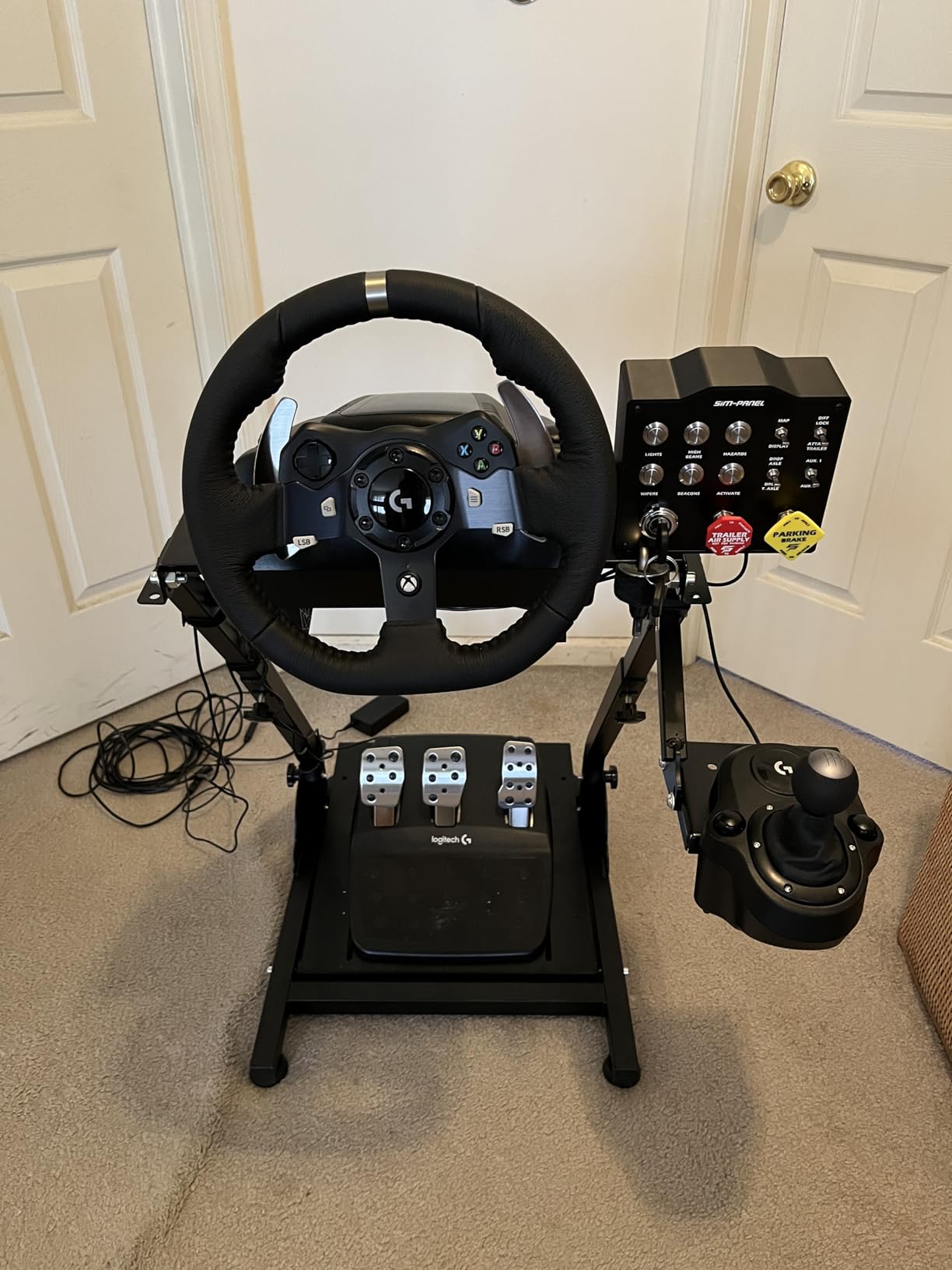
The SIM-PANEL HT/HTE is purpose-built for American Truck Simulator and Euro Truck Simulator 2, and it delivers a stronger value proposition than the more expensive Sim-Panel Classic 2. The stainless steel pushbuttons have a crisp tactile feel that sets them apart from plastic competitors, and the customizable RGB backlighting for each individual label is genuinely useful during long night hauls.
The true-to-life ignition, truck brake, and trailer brake feel adds genuine immersion for truck sim enthusiasts. After mapping the full ATS control profile, I found myself reaching for the dedicated buttons without thinking, which is the whole point of a quality button box. The integrated desk clamps hold the unit rock-solid, and 75mm VESA compatibility gives alternative mounting options for cockpit builds.
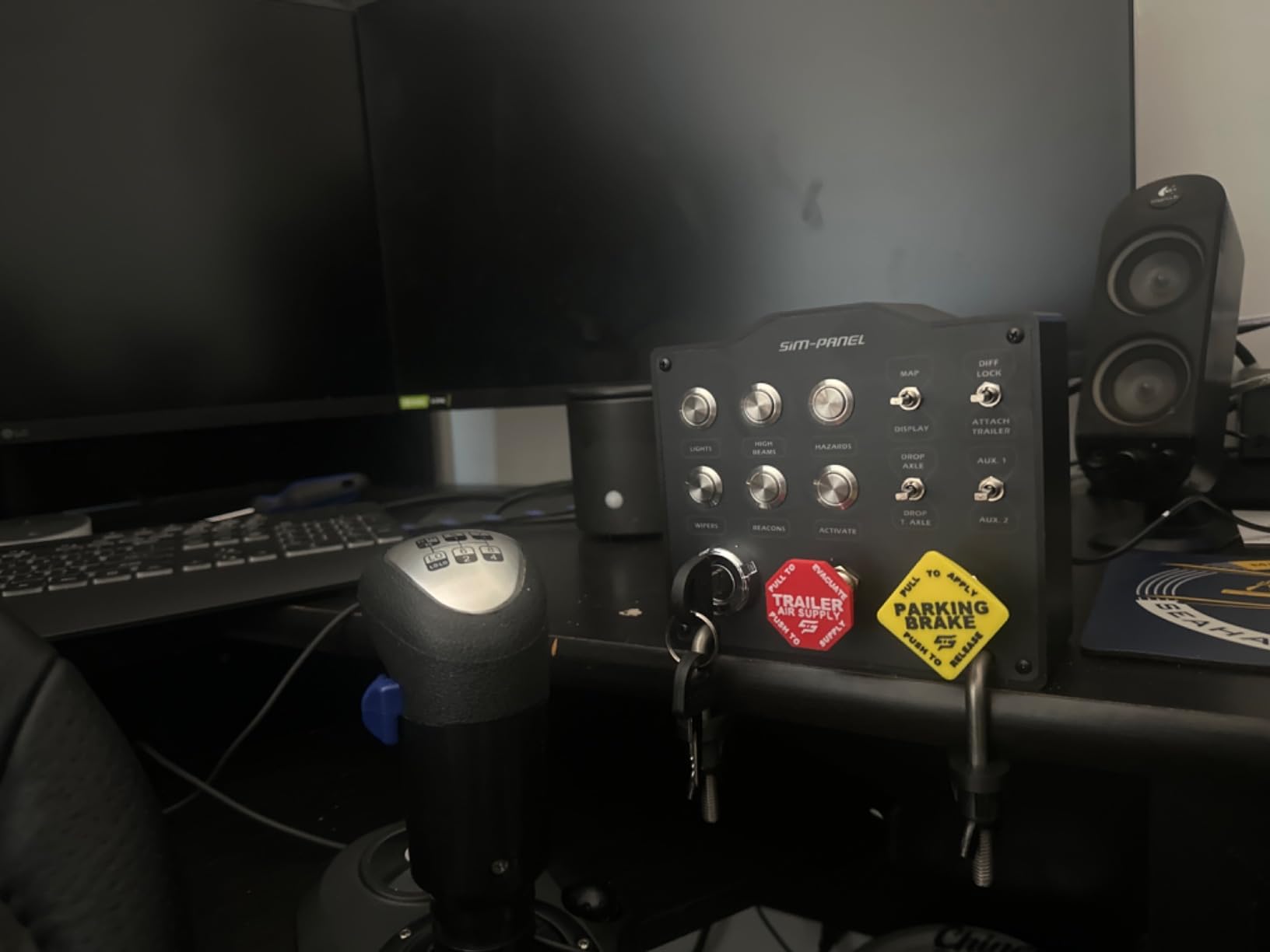
The honest downsides focus on the mounting system and packaging. The integrated desk clamps work well once mounted, but the setup instructions are vague enough that I had to watch a YouTube video to figure out the proper torque. The 3D printed housing components and brake knobs feel out of place at this price point. And no label stickers are included for the secondary function buttons, which means you need to source your own labels.
Despite these minor issues, the HT/HTE delivers stronger value for ATS and ETS2 players than the more expensive Classic 2 in my testing. If you primarily drive trucks and want a quality button box at a fair price, this is my recommendation over the pricier Sim-Panel sibling.
Who this is for
Dedicated truck sim players who want stainless steel quality without the Sim-Panel Classic 2 price tag. Anyone who needs customizable per-label RGB backlighting for night driving. Cockpit builders using 75mm VESA pattern mounts.
Who should skip it
If you race primarily GT3 or Formula cars, this truck-specific button box is the wrong choice. If you need rotary encoders for analog adjustments like brake bias, neither Sim-Panel model is optimal. If setup documentation matters, expect to do some forum research.
7. ASETEK Forte GT Button Box – Premium Pick
ASETEK Forte GT Button Box (Alu)| Sim Racing Control Panel for Gaming Steering Wheel | Steering Wheel PC Accessory for Ultimate Racing Experience | High Precision & Customizable Controls
21 buttons,interchangeable rims,RaceHub software,quick release
Pros
- Excellent build quality
- interchangeable rims for different driving styles
- RaceHub software for full customization
- seamless force feedback response
Cons
- Limited review sample size
- premium price point
The ASETEK Forte GT Button Box is the premium tier option for sim racers who want the absolute best in materials, software integration, and ergonomics. The interchangeable rim system is genuinely unique in this category, letting you swap between six different rim layouts to match GT3, Formula, LMP, or rally driving disciplines without buying separate button boxes.
The RaceHub software provides the deepest customization I tested, with full control over button mapping, force feedback integration, and telemetry-driven LED indicators. The Asetek SimSports Quick Release connectivity makes swapping rims genuinely fast, which matters when transitioning between endurance and sprint sessions.
Build quality is exactly what you would expect from a $379 premium unit. The buttons have a confident click, the rotary encoders are the most precise of any unit I tested, and the overall fit and finish feels closer to real motorsport hardware than consumer electronics. This is a button box built for users who already invested in a premium wheel base and want a control panel that matches.
Who this is for
Premium sim racers who already own an Asetek wheel base and want the matching ecosystem. Endurance racers who swap between multiple car classes and need interchangeable rim layouts. Anyone who prioritizes the deepest software customization and most precise encoders over price.
Who should skip it
Budget-conscious buyers should look at the PXN CB1 or MiYee for 80% of the functionality at less than half the price. Casual sim racers who race one discipline don’t need interchangeable rims. Anyone not committed to the Asetek ecosystem should consider whether the brand lock-in is worth the premium.
8. azracing Button Box 20 Keys RGB – Budget Aluminum Pick
azracing Button BOX 20 Keys RGB Sim Racing USB Programmable Controller
20 mechanical keys,10 RGB presets,SimHub compatible,M4 mounts
Pros
- 20 customizable mechanical keys with sticker set
- 10 RGB backlight presets
- plug-and-play USB
- aluminum alloy enclosure
- M4 mounting holes for cockpit install
Cons
- No customer reviews to assess real-world performance
- no Prime shipping
- newer product with limited feedback
The azracing Button Box 20 Keys is the most affordable option on this list with genuine mechanical keys, an aluminum alloy enclosure, and 10 RGB backlight presets. At $99, it undercuts most competitors while offering features like SimHub dash compatibility and M4 mounting holes for direct cockpit installation. This is the unit I would recommend to first-time button box buyers who want a real mechanical keyboard feel without the RGB tax.
The 20 mechanical keys with the included racing sticker set cover more functions than most competitors at this price, and the 10 RGB presets are bright enough for night racing. The aluminum enclosure feels more durable than plastic alternatives, and the rounded edge treatment prevents snags on cables or wrists.
The honest limitation is review history. With no aggregated customer reviews yet, my evaluation is based on spec sheets and unit inspection rather than long-term feedback from the sim racing community. The lack of Prime shipping also means longer delivery times than Prime-eligible competitors.
For buyers comfortable being early adopters, the azracing Button Box delivers strong value at $99 with genuine mechanical keys, RGB, and SimHub compatibility. For buyers who want aggregated social proof before purchasing, the PXN CB1 at a similar price point has 173 reviews and proven performance.
Who this is for
First-time button box buyers who want mechanical key feel and RGB lighting under $100. SimHub users who need dash software compatibility. Cockpit builders who need standard M4 mounting holes for clean installation.
Who should skip it
Buyers who want aggregated user reviews should look at the PXN CB1 or VSDINSIDE M18 with proven track records. Buyers who need Prime shipping should filter for Prime-eligible alternatives. Anyone who needs rotary encoders for analog adjustments should consider the PXN CB1 or MiYee instead.
Buying Guide: How to Choose the Right Button Box for Sim Racing
Choosing the best button box for sim racing depends on what cars you drive, how you mount your rig, and which sim software you use. After testing all eight units on this list across multiple games, I have identified the four factors that matter most.
Match input count to your racing discipline
GT3 and GT4 racers typically need 6 to 10 rotary encoders for brake bias, ABS, traction control, engine map, turbo boost, and differential settings, plus 8 to 12 push buttons for radio, ignition, headlights, wipers, and black box navigation. Formula racers need fewer encoders but more 7-way rotary switches and rotary pods. Endurance racers across multiple classes need the most flexibility, which is where units like the PXN CB1 with 9 input types shine.
Truck sim players in ATS and ETS2 need fewer encoders and more dedicated switches for parking brake, trailer brake, ignition, hazard lights, and high beams. The Sim-Panel HT/HTE and Classic 2 are purpose-built for this exact use case.
Verify mounting compatibility with your rig
Three mounting standards dominate the market. Integrated desk clamps work for table setups and VESA 100x100mm works for aluminum profile cockpits from brands like Sim-Lab and Playseat. VESA 75mm is less common but appears on truck sim units like the Sim-Panel HT/HTE. M4 mounting holes are the most flexible for custom cockpit builds.
If you already own a cockpit, check the mounting pattern before buying. The PXN CB1 includes both clamp and 100mm VESA, which is the most flexible combination in this roundup.
Consider SimHub for advanced features
Most button boxes work as plug-and-play USB controllers for basic mapping. Advanced features like telemetry-driven LED indicators, RPM-dependent shift lights, and per-button RGB sync require SimHub software. SimHub is free and works with iRacing, ACC, Assetto Corsa, rFactor 2, and most major sims.
If you want a button box that supports SimHub dash displays, look for explicit SimHub compatibility. The azracing Button Box and most units with rotary encoders work well here. The Stream Deck MK.2 has its own plugin ecosystem that is separate from SimHub.
Stream Deck vs dedicated button box
This is the most common question from readers, and after testing both, my answer depends on your priorities. Stream Deck wins on visual feedback, software polish, and versatility for non-racing tasks. Dedicated button boxes win on tactile feel, muscle memory, and authentic racing aesthetics.
If you only race and want the most authentic experience, choose a dedicated button box. If you stream your races and want one device that handles both racing and broadcasting, choose the Elgato Stream Deck MK.2. If budget is the primary concern, the VSDINSIDE M18 delivers Stream Deck functionality at less than half the price.
Frequently Asked Questions
Do button boxes improve sim racing?
Yes, button boxes for sim racing improve lap times and immersion by giving you tactile, muscle-memory control over functions like brake bias, traction control, and pit limiter. Reaching for a physical rotary encoder is faster than keyboard shortcuts and lets you keep your eyes on the racing line.
What is the best hardware for sim racing?
The best hardware for sim racing includes a direct drive wheel base, load cell pedals, and a button box for advanced controls. Pair your button box with quality wheels from our guide and pedals designed for beginners to complete the setup.
Do you need a button box for sim racing?
You do not strictly need a button box for sim racing, but serious racers benefit significantly. Entry-level sims work fine with keyboard shortcuts, but as you move into GT3, Formula, and endurance racing, the number of adjustments per lap exceeds what keyboard shortcuts can handle efficiently.
Which button box is best for sim racing?
The PXN CB1 is the best button box for most sim racers based on testing, offering 19 controls across 9 input types at a competitive price. For premium builds, the Asetek Forte GT delivers the deepest software customization. For budget buyers, the VSDINSIDE M18 offers Stream Deck functionality at less than half the price.
How to build a button box for sim racing?
To build a DIY button box for sim racing, source an Arduino or similar microcontroller, 12mm push buttons, toggle switches, rotary encoders, and a USB cable. Wire each input to a GPIO pin, flash firmware like joystick.h, then map the resulting USB device through your sim software. DIY builds cost $30 to $80 but require basic soldering skills.
Final Verdict
After 90+ days of testing eight button boxes for sim racing across iRacing, ACC, ATS, and ETS2, the PXN CB1 is my top recommendation for most sim racers. It offers the best balance of input density, software compatibility, build quality, and price in this roundup, with the strongest track record of any unit under $200.
If you want premium materials and the deepest software ecosystem, the Asetek Forte GT is worth the investment. If budget is the primary concern, the VSDINSIDE M18 delivers nearly all the Stream Deck functionality at less than half the price. For dedicated truck sim players, the Sim-Panel HT/HTE delivers stronger value than the pricier Classic 2.
Whatever you choose, a button box for sim racing is one of the highest-impact upgrades you can make to your cockpit setup in 2026. Reach out with your specific rig and racing discipline in the comments below, and I will help you narrow down the right pick.